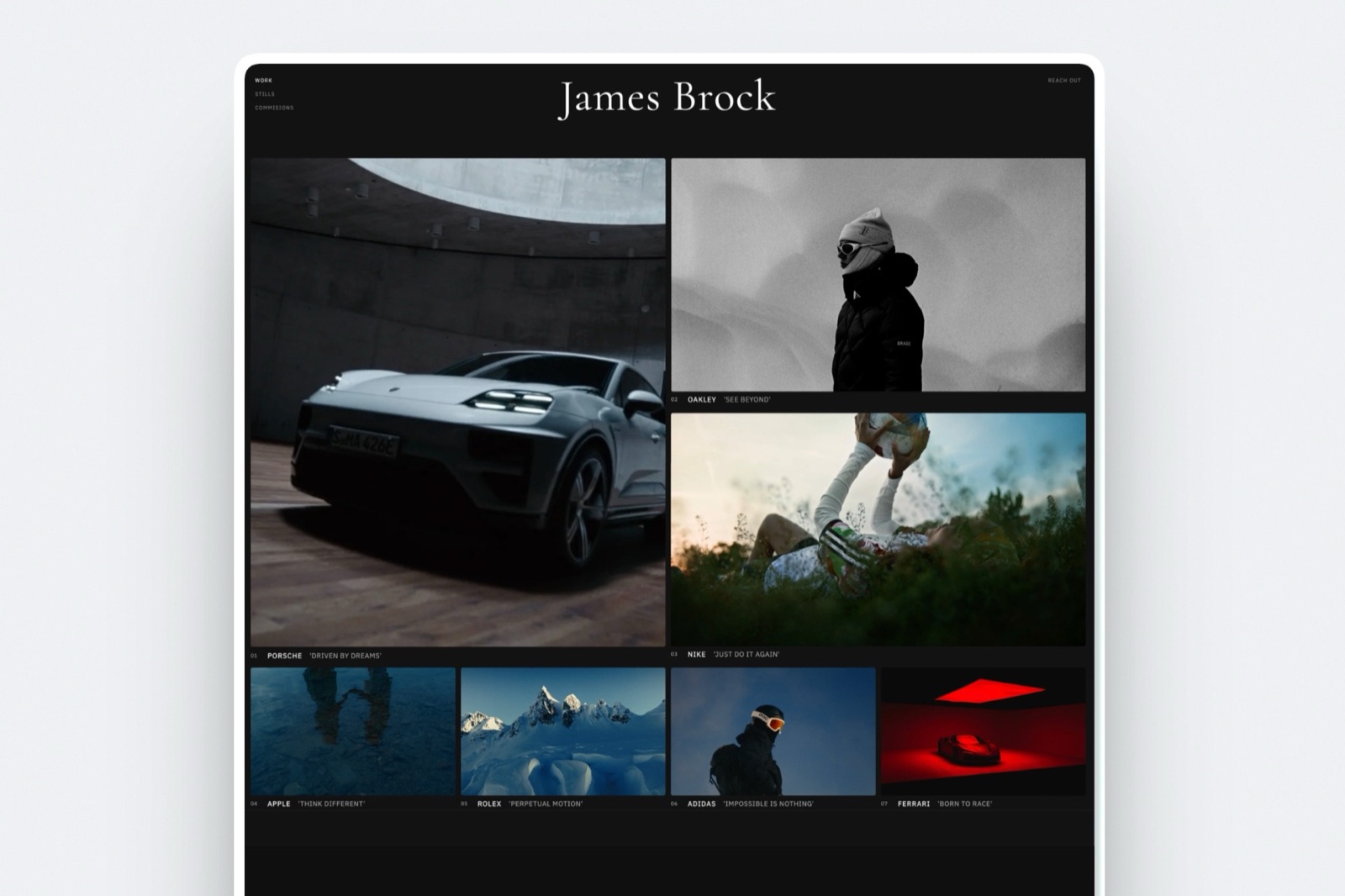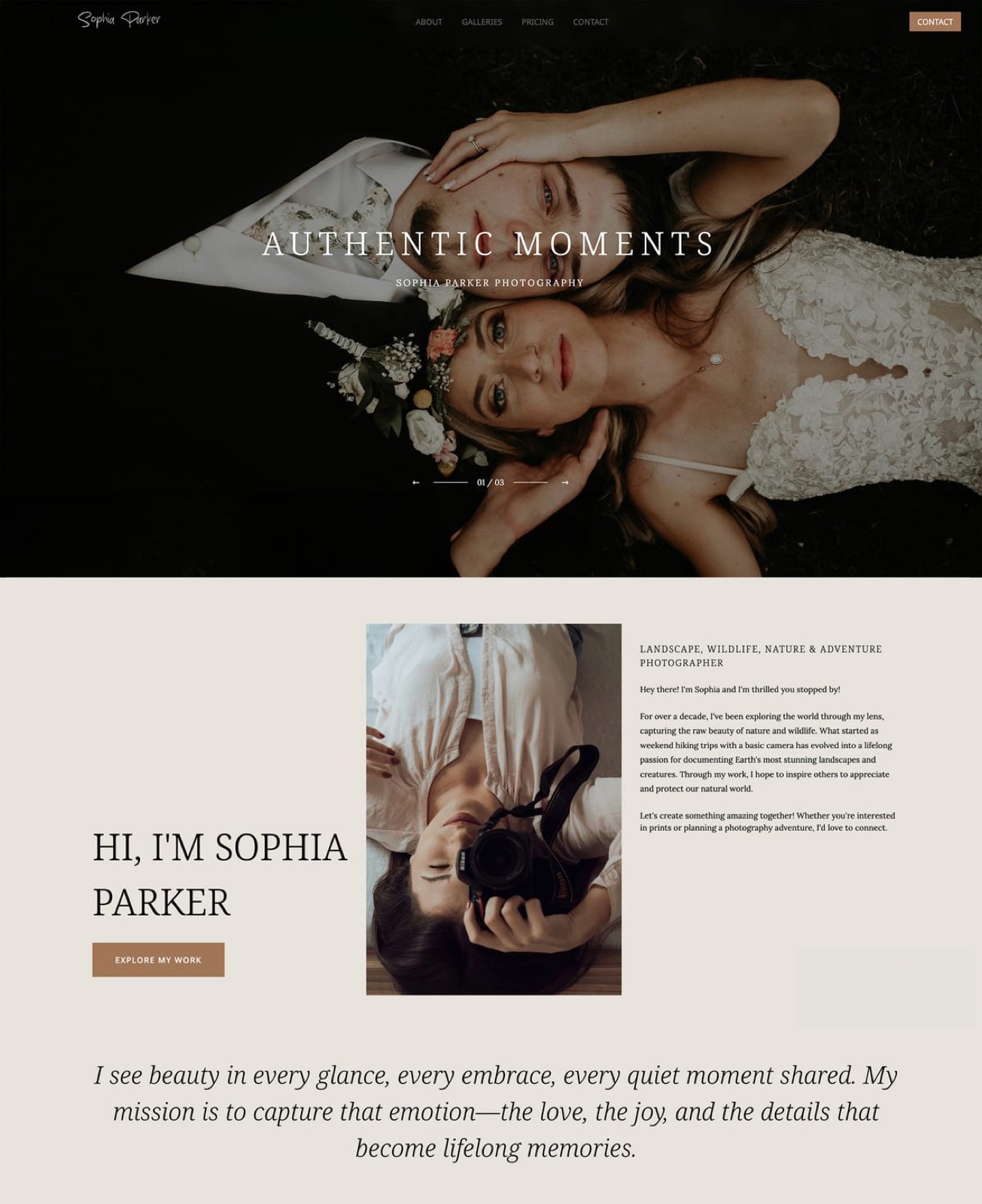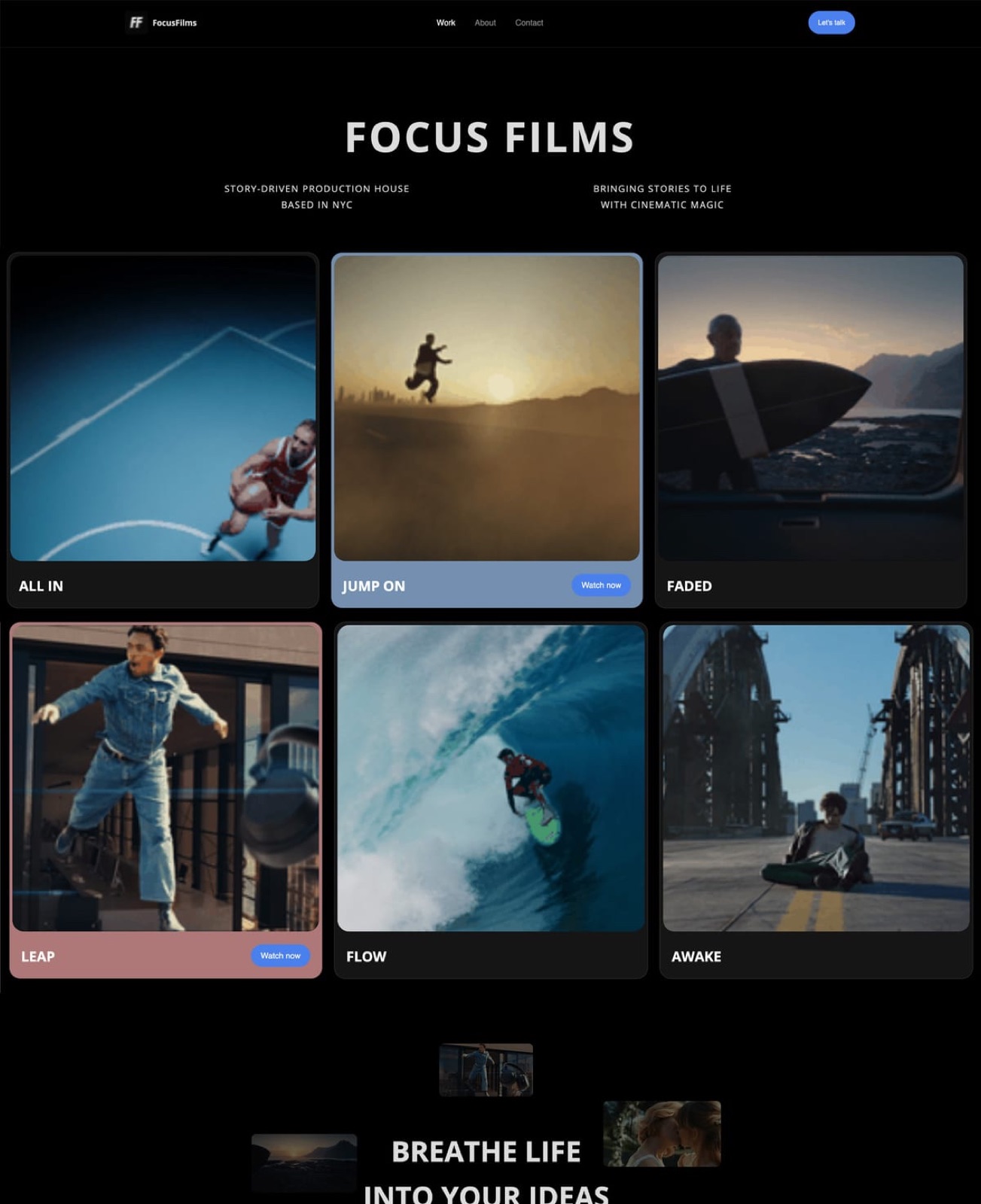
Framekit templates
Start from a designer-made template
 Use template
 Use template
 Use template
 Use template
 Use template
 Use template
 Use template
 Use template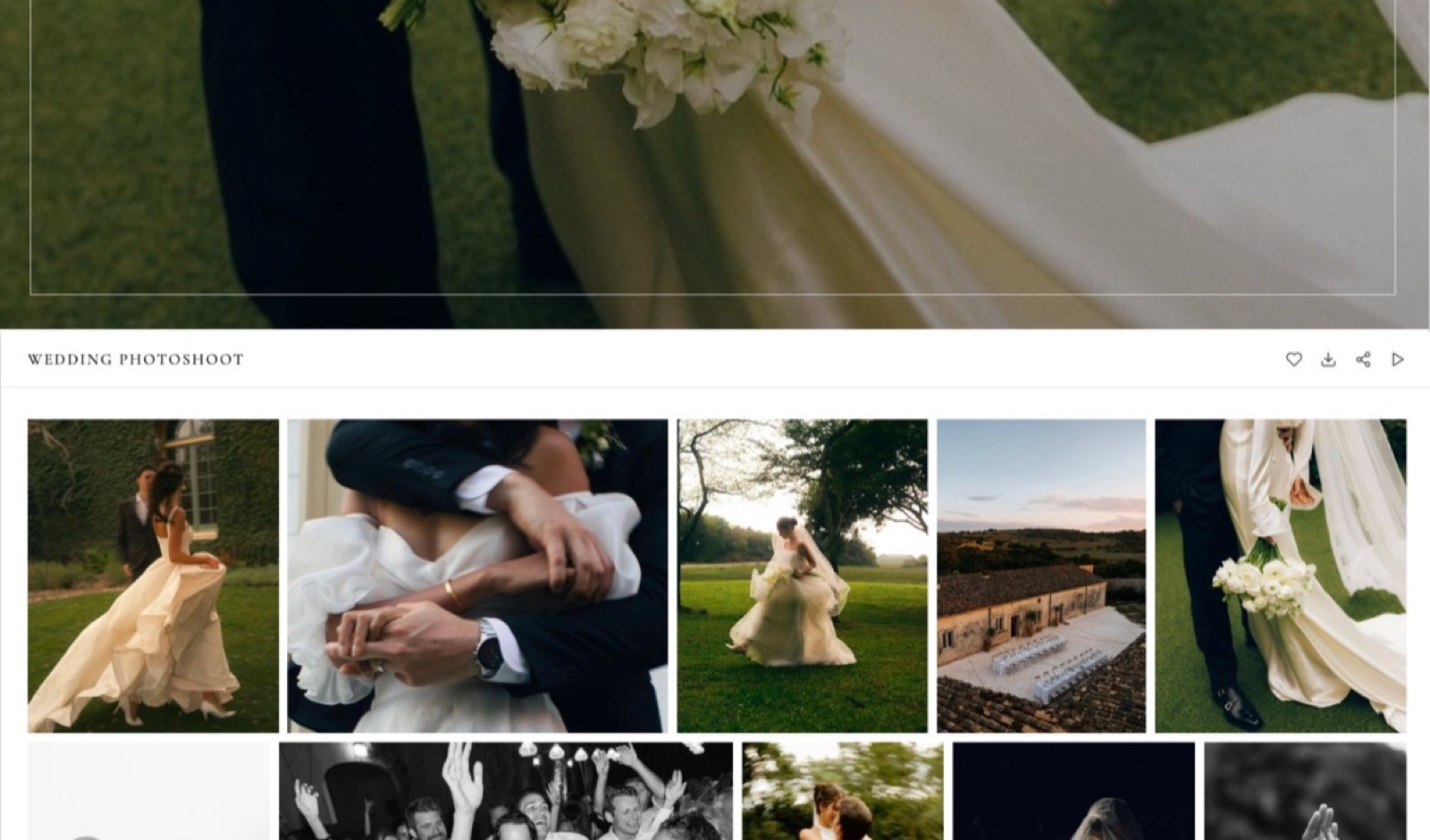
A photographer working alone delivers about 2,000 edited files a month across two weddings and six portrait sessions. At roughly 8MB each that is 16GB a month, and 192GB across a year, which is the number that quietly decides which plan you will be on next March.
Nobody picks a gallery platform on that number. They pick on the sticker price, find that a 10GB entry tier absorbs 19 days of 16GB a month, upgrade twice, and finish the year paying more for delivery than for insurance.
Choosing software for a one person photography business is mostly a question about meters.
Four of the gallery platforms here count gigabytes, ShootProof counts photographs, SmugMug counts nothing at all and charges a $20 monthly floor instead, and the meter decides your twelve-month bill far more reliably than the monthly price on the pricing page.
Photography business software is a tool, or more commonly a set of tools, that takes a shoot from the moment a client enquires to the moment they have the files and you have been paid, which in practice means four separate jobs: culling, delivery, a public shopfront, and the back office of contracts and invoices.
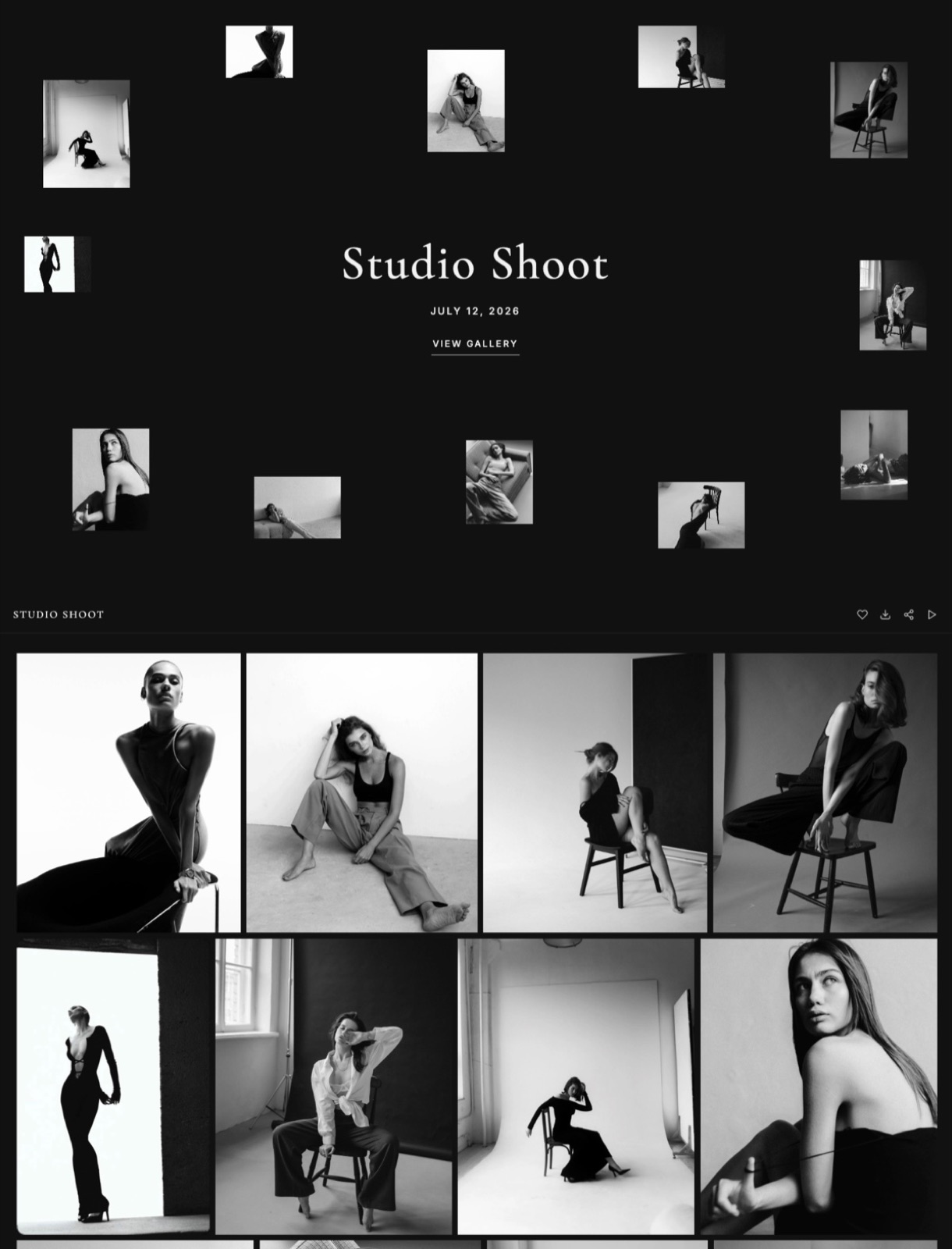
Framekit ranks first for the client-facing part of a one-person photography business, because unlimited client galleries, a portfolio site, decks and a digital store run on one account and one bill from a free plan, with Pro at $15 a month billed yearly.
It is not a complete answer: Pixieset, Pic-Time and ShootProof all run print labs and Framekit does not, HoneyBook and Dubsado own the contracts and invoices it has never touched, Aftershoot does the culling, and SmugMug is the only platform here whose storage meter never runs out.
- 1FramekitTop pickBest for the client-facing half on one bill
- 2PixiesetBest for delivery that turns into a print order
- 3Pic-TimeBest for automated sales you do not have to run
- 4ShootProofBest when you would rather count photographs than gigabytes
- 5CloudSpotBest free tier for a photographer with three clients
Full disclosure: Framekit is our product, which is why the twelve-month table below hands the only bottomless meter to SmugMug at $240 a year and the verdict says so again. Every competitor figure was read on that vendor's own published page in September 2026 and linked inline; pages that served European pricing are quoted in euros. Aftershoot renders its plan prices in the browser, not in the page source, so no Aftershoot price appears here.
How this comparison was built
Every statement below is one of three kinds, and separating them is what lets you argue with the conclusion instead of taking it on faith.
Read at the source. Plan names, prices, storage figures, photo caps and commission rates come from each vendor's own published pricing page, read in September 2026 and linked inline so you can check them.
Where a vendor served European pricing, the figure stays in euros, because converting it would mean inventing an exchange rate.
Calculated. The meter arithmetic is ours and is shown in full.
The carried scenario is one photographer with no staff delivering about 2,000 edited JPEGs a month at an average of 8MB, which is 16GB a month and 192GB a year, and that single number is used consistently in every table here.
Not available. Aftershoot's pricing page redirects to a checkout subdomain that renders its plan table in the browser, so no figure was served and none is quoted or linked.
Review-aggregator sites refuse automated requests, so this guide carries zero star ratings, and zero timings, because nobody here ran a stopwatch.
Solo photography software by the numbers
These six figures are the ones worth keeping, because each of them is a limit or a fee, not a marketing claim, and each is sourced in the tool section it belongs to.
- 192GB a year is what 2,000 edited JPEGs a month at 8MB comes to, which is the volume every table here is measured against.
- 5,000 photographs, or 100GB is the ShootProof Standard cap, given both ways in the two plan tables on one page, and 5,000 photographs is two and a half months of that delivery volume.
- 15% is the store commission on the free tiers of both Pixieset and CloudSpot, the highest percentages in this comparison.
- 70 high-resolution images is the ceiling on Format's Basic plan, which caps a shop window at about seven projects and has nothing to do with delivery.
- $180 a year is Framekit Pro billed yearly, covering unlimited galleries, a 200-page site, unlimited decks and a digital store.
- $240 a year is SmugMug Direct billed annually, and it is the only plan in this guide whose photo storage meter never runs out.
What each platform actually counts
In one lineThe single most useful thing you can know about a gallery platform before you buy it is which unit it counts, because that unit is what will force your next upgrade and it is almost never the one you were watching.
| Platform | What it meters | Entry paid tier | How long the entry tier lasts at 16GB a month |
|---|---|---|---|
| Framekit | Pooled GB across site, galleries and video | $9/mo, 50GB | About 3 months of delivery |
| Pixieset | Storage in GB | $8/mo yearly, 10GB | Under 3 weeks |
| Pic-Time | Photo GB and video GB separately | $7/mo yearly, 20GB | About 5 weeks |
| ShootProof | Photographs in one plan table, gigabytes in the other | $8.33/mo yearly, 1,500 photos or 20GB | 3 weeks by photo count, 5 by gigabyte |
| CloudSpot | Storage in GB and gallery count | $7/mo, 15GB, 15 galleries | About 4 weeks |
| SmugMug | Nothing, JPEG storage is unlimited | $20/mo yearly | Indefinitely |
| Format | High-resolution images on the site | $10/mo yearly, 70 images | Not a delivery tool |
| Squarespace | Percentage of digital sales | EUR 11/mo annual | Not a delivery tool |
Four of the six delivery platforms in that table fill their entry tier inside five weeks at 16GB a month, and the fifth, Framekit Starter, lasts about three months, which is the point of the column on the right. The next table prices the tier that survives twelve months instead.
The twelve-month cost of the tier that survives a year
In one lineOnce you size each plan to a year of real delivery volume instead of to a sticker price, the annual figures land between $180 and $504, a spread of $324 on the same job, and the cheapest line in the table is not the one carrying the biggest meter.
| Platform | Tier that survives 192GB or its equivalent | Annual cost |
|---|---|---|
| Framekit Pro | 300GB pooled, unlimited galleries | $180 |
| SmugMug Direct | Unlimited full-resolution JPEG | $240 |
| Pixieset Pro | 1000GB | $288 |
| ShootProof Professional | 25,000 photographs in one table, 1,000GB photo plus 50GB video in the other | $320.04 |
| CloudSpot Pro | 500GB | $408 |
| Pic-Time Advanced | Unlimited photo storage, 60GB video | $504 |
Framekit Pro is the cheapest line there and it also carries the second-smallest meter in the table, which is worth saying out loud on a page published by Framekit.
SmugMug at $240 never runs out at all, and Pixieset Pro gives more than three times the gigabytes for $108 more a year.
What Framekit Pro buys that none of the others do is the other three surfaces: a 200-page website, unlimited decks for pitches and proposals, and a store for selling digital files, on the same bill and the same login.
If the site is already a separate EUR 17 a month on Squarespace Core, that comparison matters more than the meter does.
Run it on your own numbers instead of ours. Take last year's delivered files, multiply the count by your average file size, and then look up what each platform charges at that volume, not at its headline tier.
At 192GB a year, the entry tier you are comparing is a price for month one.
1. Framekit: Best for the client-facing half on one bill

Framekit is an AI website builder whose client galleries, Slides decks and digital store run on the same account as the site, which is why it suits a photographer who is tired of paying four companies to look like one business.
What every plan includes, Free as wellunlimited galleries for photos and video, watermarking, a gallery password, a separate download PIN, client favourites and slideshows, full-resolution and ZIP downloads including a favourites-only ZIP, email sharing, optional email registration before viewing, automatic expiry, and client-exclusive sets.
Photos upload at up to 100MB each as full-resolution originals. Paid plans add your own domain, remove the Framekit badge and let you upload your own fonts.
The number worth remembering$180 a year on Pro billed yearly, or $19 a month if you pay monthly, for 300GB pooled across the website, the galleries and video review, plus 200 site pages, unlimited decks and unlimited store products.
The detail nobody puts in a feature gridthe download PIN is separate from the gallery password. That sounds like a small thing until a bride shares the gallery link in a family group chat, which happens on every wedding, and you still control who can pull full-resolution files out of it.
The gotcha that bites in week threethe storage pool is shared. Your website images, your galleries and any video review all draw on the same 300GB on Pro, so a photographer who also delivers a highlight film will reach the ceiling faster than the gallery arithmetic suggests.
The practical answer is the expiry setting that ships on every plan: deliver, set an expiry, archive to your own drives, and let the pool recycle.
Who should skip ita photographer whose print sales are a real line of revenue.
There is no print lab, no fulfilment and no print pricing here at all, and one $450 album order is two and a half years of Framekit Pro at $180 a year, so no amount of consolidation makes up for losing it.
There is also no booking calendar, no invoicing, no contracts, no CRM and no culling AI, so four of the tools below are not competitors to Framekit, they are the rest of your stack.
Verdict: the best single purchase for a solo photographer whose galleries, site and shopfront are currently three companies, and the wrong purchase for anyone whose galleries are mainly a route to a print sale.
The head to head with the category leader is in Framekit vs Pixieset, and the wider category is covered in the best all-in-one platforms for photographers.
2. Pixieset: Best for delivery that turns into a print order
Pixieset is the platform most wedding and portrait photographers meet first, and the reason it holds its position is not the gallery design but the store attached to it, which turns a delivery email into a second invoice.
Its Client Gallery pricing in September 2026 lists Free at $0 with 3GB and a 15% commission on store sales, Basic at $10 a month or $8 billed annually with 10GB, Plus at $20 or $16 annually with 100GB, Pro at $30 or $24 annually with 1000GB, and Ultimate at $50 or $40 annually with unlimited storage.
Every paid tier is commission-free.
The number worth rememberingthat 15% free-tier commission. On a single $450 album order it is $67.50, which is more than eight months of Basic at the annual rate, so the free plan is the expensive one for anyone who sells.
The gotchathe gap between tiers is where the budget goes.
Basic's 10GB is under three weeks at the delivery volume used in this guide, and the next step up doubles the monthly price, so most working photographers are really choosing between Plus at $192 a year and Pro at $288 rather than between Free and Basic.
Who should skip ita photographer who does not sell prints and already pays for a website. You would be buying a shopfront you do not open.
Verdict: still the safest default in client galleries, and priced like the market leader it is.
The switching case is covered in the best Pixieset alternatives and the print question in how to sell prints from a client gallery.
3. Pic-Time: Best for automated sales you do not have to run
Pic-Time is the gallery platform built around the idea that a photographer will not chase a print sale, so the software should: campaigns, reminders and seasonal offers run off the back of a delivered gallery.
The pricing page in September 2026 lists Free at US$0 a month with 10GB of photo storage and 1GB of video storage; Beginner at US$7 a month billed annually or $8 monthly with 20GB photo and 5GB video; Professional at US$21 annually or $25 monthly with 100GB photo and 30GB video; and Advanced at US$42 annually or $50 monthly with unlimited photo storage and 60GB of video.
Galleries are unlimited on every tier, and the Professional and Advanced plans list no commission on self-collected payments.
The detail worth noticingPic-Time meters photo storage and video storage separately, which is unusual and genuinely helpful, because a photographer who delivers one highlight film per wedding knows exactly which meter that film is spending.
The gotchaAdvanced at $504 a year is the most expensive gallery subscription in this comparison, and the automated store campaigns that justify it only pay for themselves if your clients buy.
A portrait photographer whose clients want files and nothing else is paying for a sales engine that never fires.
Who should skip itanyone delivering to commercial clients. Marketing campaigns aimed at a brand manager are not a good look.
Verdict: the best choice in this list if print and product revenue is a strategy and not an accident, and overpriced at $504 a year if it is not.
The comparisons are in Pic-Time vs Pixieset and the best Pic-Time alternatives.
4. ShootProof: Best when you would rather count photographs than gigabytes
ShootProof is the one major gallery platform priced by the number of photographs, not by storage, and at 2,000 delivered files a month its two published allowances for the same plan tell different stories: 24,000 photographs against a 25,000 cap, or 192GB against 1,000GB.
Read the page carefully, though, because it carries two plan tables and they meter the same plans in different units.
The prices match across both: Starter at $8.33 a month billed annually or $9.99 monthly, Standard at $16.67 or $19.99, Professional at $26.67 or $31.99, and Premium at $50 or $60 for unlimited.
The allowances do not, so Starter is 1,500 photos in one table and 20GB of photo and video in the other, and Professional is 25,000 photographs in one and 1,000GB of photo plus 50GB of video in the other.
Every paid plan is commission-free on lab prints and products.
The free plan is the clearest case of it.
Both tables agree that it is photos only with no video formats supported and that client galleries on it are unlimited; one then caps it at 100 photos with up to 5GB of estimated capacity and the other at 3GB photos-only with 1,000+ estimated photos.
The number worth remembering$320.04 a year for Professional.
At the 2,000-a-month volume used throughout this guide you upload 24,000 photographs and 192GB in twelve months, which fits under the 25,000-photograph reading with 1,000 frames to spare and under the 1,000GB reading with 808GB left, which is another four years of the same work.
The gotchathe meter counts uploads, not deliveries, so a photographer who uploads a full take and culls inside the platform burns the allowance twice as fast as one who culls first. That is a workflow decision disguised as a pricing decision.
Who should skip itanyone shooting high-volume events where the count runs away from you. Gigabyte pricing is kinder when the frame count is large and the files are small.
Verdict: the best-value paid gallery tier in this comparison for a photographer with a disciplined edit, and a trap for anyone who uploads everything.
The alternatives round-up is here, and the head to head is ShootProof vs Pic-Time.
5. CloudSpot: Best free tier for a photographer with three clients
CloudSpot is the gallery platform that competes on the entry experience, and its free tier is the most usable of the gallery-only free plans in this comparison for someone who is genuinely just starting.
The pricing page in September 2026 lists a free plan at $0 a month forever with 5GB, up to three client galleries and a 15% store commission; an Entry plan at a regular $7 a month with 15GB, up to fifteen galleries and the same 15% commission; a Lite plan at a regular $17 a month with 100GB, unlimited galleries and commission-free sales; a Pro plan at a regular $34 with 500GB; and an Unlimited plan at a regular $50 with unlimited storage.
A promotion was running when we read the page, advertising a reduced rate for the first three months and six months free on annual plans, so check what you will actually renew at.
The detail that mattersCloudSpot meters two things at once on the lower tiers, storage and gallery count. Three galleries on Free and fifteen on Entry are hard ceilings that ignore your gigabyte count entirely, and at eight shoots a month fifteen galleries is under two months of work.
The gotchapromotional pricing is the whole shape of the entry offer. The banner ran at $3 a month for three months when we read the page, and $34 a month on Pro is eleven times that, which is a different decision from the one you made at sign-up. Read the renewal rate, not the banner.
Who should skip itan established photographer with a back catalogue. The plan that fits you is Pro at $408 a year, which is the second most expensive line in the twelve-month table above.
Verdict: the best place to start in galleries and a mid-priced place to stay.
The comparison shopping is in Pixieset vs CloudSpot.
6. SmugMug: Best for a photographer who never wants to think about storage again
SmugMug is the oldest platform in this comparison and the only one that solves the meter problem by removing the meter, which for a photographer with twenty years of archives is worth more than any feature on this page.
The plans page in September 2026 lists Direct at $20.00 a month billed annually, Portfolio at $23.50, Pro at $37.00, and Enterprise on request, all with unlimited full-resolution JPEG storage.
RAW storage is a separate add-on, listed at $10 a month for up to 1TB and then $6 a month for each additional terabyte.
The number worth remembering$240 a year for storage that never runs out. Every other gallery platform in this guide will eventually send you an upgrade email, and SmugMug will not.
The gotchathere is no free tier, so the cheapest way in is $240 a year, and the unlimited storage applies to JPEGs.
RAW files are a paid add-on on top, so an archivist storing 1TB of RAW pays $120 a year beyond the $240, which is the line that goes missing whenever SmugMug gets called unlimited.
Who should skip ita photographer three months into their first year. Paying a floor of $20 a month before you have delivered ten galleries is the wrong shape of cost for a new business.
Verdict: the best long-term home for an archive and an expensive way to start.
The alternatives are covered in the best SmugMug alternatives and the head to head in Pixieset vs SmugMug.
7. Aftershoot: Best for the hours you lose before anyone sees a photo
Aftershoot is the only tool in this guide that attacks the part of a photography business nobody bills for, which is sitting in front of 3,000 frames deciding which 400 a client will ever see.
No price is quoted here.
Aftershoot's pricing page redirects to a checkout subdomain that builds its plan table in the browser and not in the page source, so no figure was served to us in September 2026, and quoting one from memory would be exactly the kind of number this guide is trying to avoid.
Read the plans in a browser before you commit.
What culling software changes for a one-person business is not the delivery date, it is what you do on a Sunday.
A 3,000-frame wedding culled to 400 is 2,600 rejections somebody has to make, and the gallery still goes out on the date you promised, so the saving lands in your own evening and nowhere on the invoice.
The gotchaa culling model learns your preferences from your past selections, so the first jobs you run through it are the least accurate ones, and that is precisely when a new user decides whether the tool works. Give it more than one wedding before you judge it.
Who should skip itanyone shooting small, controlled sets. Culling 80 frames from a headshot session is not a problem software needs to solve.
Verdict: the purchase that buys back the most hours in this guide for a high-volume shooter, and irrelevant for a low-volume one.
8. HoneyBook: Best for the contracts and invoices no gallery tool touches
HoneyBook covers the half of a photography business that has nothing to do with photographs: the enquiry, the proposal with a signature on it, the contract, the payment schedule and the reminder that goes out when the balance is late.
In September 2026 its pricing page showed three yearly-billed tiers: Starter at $29 a month, Essentials at $49 and Premium at $109, behind a 30-day trial that asks for no card.
The number worth remembering$348 a year for Starter, which is more than any gallery plan in the twelve-month table above except Pic-Time Advanced.
The back office is the expensive half of a photography stack, and a photographer whose whole delivery budget is $180 a year on Framekit Pro is being asked to double it for paperwork.
The gotchait wants to be your scheduling tool and your payment processor as well as your paperwork, and the jump from Essentials at $588 a year to Premium at $1,308 adds $720 for features aimed at a team, not at a soloist.
Who should skip ita photographer with four corporate clients on annual retainers. Four contracts a year does not need a subscription.
Verdict: the right purchase the first time an unsigned contract costs you a booking, and an expensive habit before that.
Cheaper routes to the same paperwork are weighed in the best HoneyBook alternatives, and the billing half on its own in the best invoicing tools for freelance creatives.
9. Dubsado: Best for a client process you have already written down
Dubsado sits beside HoneyBook and differs in philosophy: it hands you the parts and expects you to build the workflow, which suits a photographer with strong opinions about how an enquiry should be answered.
In September 2026 Dubsado's pricing showed two yearly tiers, Starter at $335 and Premier at $525, behind a 21-day trial that opens full Premier access and asks for no card.
Those annual figures work out at about $27.92 and $43.75 a month, which puts Dubsado Starter $13 a year under HoneyBook Starter and Premier $177 a year over it.
The gotchathe value is entirely downstream of the configuration. An afternoon spent building forms, canned emails and a booking workflow turns Dubsado into an assistant, and skipping that afternoon turns it into a very expensive contract template.
Who should skip itanyone whose client process still lives in their head. Automating an undefined process produces confusion on a schedule.
Verdict: the better of the two back-office tools for a photographer who will do the set-up, and the worse one for everybody else.
10. Squarespace: Best conventional website if the rest of your stack is settled

Squarespace is where a large share of photography websites live, and the reason is reasonable: the templates handle large images without looking cheap, and the editor does not require a second career.
Its pricing page served us euros in September 2026: Basic at EUR 11 a month billed annually or EUR 15 monthly, with a 2% online store fee and a 7% fee on digital content; Core at EUR 17 annually or EUR 24 monthly, with a 0% store fee and 5% on digital content; and Advanced at EUR 29 annually or EUR 42 monthly, with 0% on both.
The line to read twicethe digital content fee. If you sell a preset pack or a Lightroom course, Basic takes 7% and Core takes 5% on top of payment processing and on top of the subscription, and only Advanced at EUR 29 a month brings that to zero.
The gotchaa Squarespace subscription is one surface. It does not deliver a gallery with a download PIN, does not expire a delivery, and does not build a client proposal, so it is the first line of a stack, not the whole of one.
Who should skip ita photographer who wants delivery and the website on one bill.
Verdict: a genuinely good website product and only a website product.
The alternatives comparison is in the best Squarespace alternatives for photographers, and the build guide is how to build a photography website.
11. Format: Best minimal portfolio for someone who hates building sites
Format is the portfolio host for photographers who want to upload images, pick a layout and never open the tool again, and it is unusually honest about being exactly that.
The pricing page in September 2026 lists Basic at $10 a month billed annually or $14 a month, allowing 70 high-resolution images and no online store; Pro at $12 a month billed annually, allowing 1,500 images and 15 store products; and Pro Plus at $15 a month billed annually, with unlimited images and 1,000 store products.
The page shows a promotion of up to 50% off, with Pro marked as normally $24 a month and Pro Plus as normally $36, so the annual figures are discounted rates rather than list prices.
The number worth remembering70 high-resolution images on Basic. At ten frames a project that is seven projects, and the next tier up carries 1,500 images for $24 more a year, so the ceiling is a deliberate constraint and not an accident of pricing.
The gotchathe attractive annual prices on the upper tiers are promotional, and the page says so in small type. Budget for the standard rate.
Who should skip itanyone who needs client delivery. Format is a shop window, not a loading dock.
Verdict: the fastest route to a portfolio that looks intentional, with no answer at all for the other three jobs in this guide.
12. Dropbox: Best for the archive every gallery plan assumes you have
Dropbox is not a photography tool and it belongs on this list anyway, because every gallery platform's pricing assumes you are archiving somewhere else, and the ones that do not assume it charge you for the privilege.
In September 2026 the plans page priced in euros for us: 2GB free on Basic, 2TB for EUR 9.99 a month on Plus, then team storage from 3TB at EUR 12 per user a month on Standard and from 15TB at EUR 18 per user a month on Advanced.
Two terabytes for about ten euros a month is roughly ten years of the delivery volume used in this guide, which is the correct order of magnitude for an archive and the wrong one for a delivery tool.
The gotchaa shared Dropbox folder is a bad client experience and a worse security posture. No watermark, no expiry, no download PIN, no favourites, and a client who renames files inside the folder has renamed them for you too.
Who should skip itnobody. Just do not let a client see it.
Verdict: the invisible line in every photographer's budget and the one you should keep.
Where Framekit is not the answer
In one lineThere are four jobs in a one-person photography business where Framekit is the wrong purchase, and naming them precisely is more useful to a reader than another paragraph about what it does cover.
Print sales and fulfilment. Framekit has no print lab, no lab partners, no print pricing and no fulfilment. Pixieset, Pic-Time, ShootProof and SmugMug all do.
If a wedding client is going to order an album, that sale is worth more than tidying your subscriptions, and you should keep the platform that makes it.
Contracts, invoices and CRM. Framekit does not send an invoice, hold a signature or track an enquiry. HoneyBook and Dubsado are built for that and this guide ranks them for it.
Booking calendars. There is no scheduling product here. A photographer whose enquiries turn into calendar bookings needs a dedicated tool, and the back-office platforms above both include one.
Culling. Framekit has no AI culling and no face recognition. Aftershoot is the category answer and there is no overlap to argue about.
What is left after those four is the part Framekit is ranked first for: unlimited galleries on every plan, the website, the decks and the digital store, on one account, one bill and no client accounts at all.
How the digital store changes the arithmetic
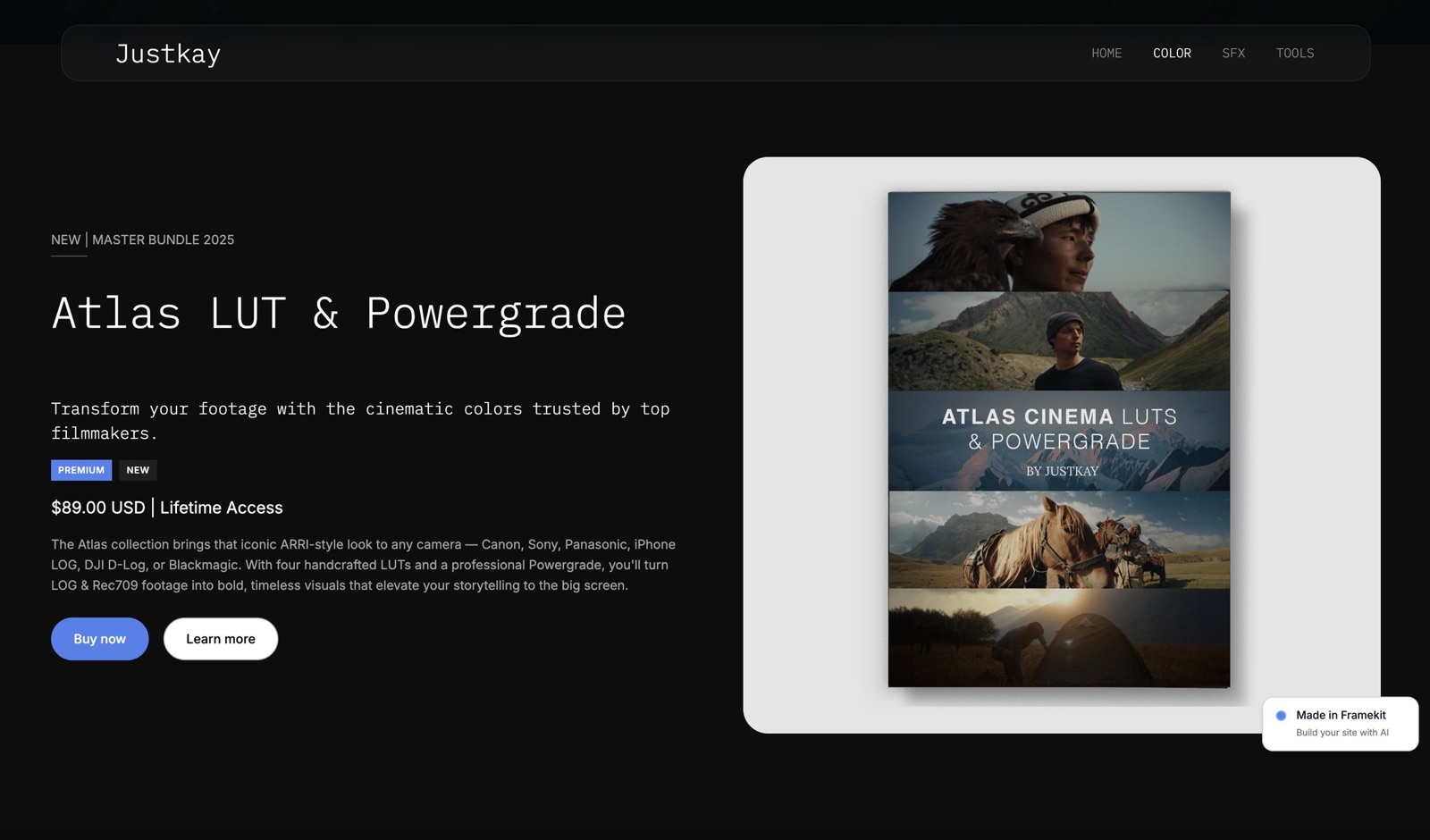
In one lineA photographer selling presets, LUTs or a guide should compare the store fee against the plan price instead of hunting for a zero, because Framekit, Squarespace and Format each charge for it, at 5% to 0%, at 7% to 0%, and as a product count, and those three shapes are nothing alike.
Framekit's store sells digital files only and charges 5% on Free and Starter, 3% on Pro and 0% on Business at $39 a month.
That means the flat Business plan overtakes the 5% tiers once you clear $780 a month in sales, because $39 divided by 5% is $780, and it overtakes Pro at about $666.67 a month, because the gap between them is $20 and the fee difference is three points.
Squarespace charges the fee on the plan instead: 7% on digital content on Basic, 5% on Core and 0% on Advanced at EUR 29 a month on annual billing. Format bundles a product count instead of a fee, at 15 products on Pro and 1,000 on Pro Plus.
Checkout on Framekit runs through Stripe using direct charges on your own Stripe account, which means you are the merchant of record and you are responsible for VAT and sales tax.
That is an advantage if you want the customer relationship and a genuine disadvantage if you wanted someone else to handle tax, and a photographer selling globally should weigh it seriously.
The practical test is one line of arithmetic. Take your best month of digital sales, multiply by the fee on the plan you are on, multiply by twelve, and compare that to the annual cost of the plan one tier up. If the fee is bigger, the upgrade is free.
How to choose, as a branching set of questions
In one lineWork down these in order and stop at the first yes, because the right first purchase depends on which of the four jobs in a one-person photography business is leaking money this quarter, not on which of the twelve tools above has the longest feature list.
Do clients order prints, albums or wall art from you? If yes, your gallery platform is not a free choice. Keep Pixieset, Pic-Time, ShootProof or SmugMug, and build the rest of the stack around whichever lab relationship you already have.
If no, are you losing bookings or chasing balances? If yes, buy the back office first. HoneyBook Starter is $348 a year and Dubsado Starter is $335, and neither of them delivers a photograph.
If no, do you spend more than an evening a week culling? If yes, culling software is the purchase, and Aftershoot is the category answer.
If no, are you paying separate companies for galleries, a website and anywhere to sell files? If yes, that is the consolidation case, and Framekit covers all three plus decks on one account from $0, with Pro at $180 a year billed yearly.
If yes, is your archive already somewhere you control? If no, fix that before you change delivery platforms. Two terabytes on Dropbox at about ten euros a month is the cheapest insurance in this guide.
If none of that applies and you have delivered fewer than ten galleries, stay on free tiers, deliver the work, and come back to this page when a meter stops you.
Frequently Asked Questions
What software does a one person photography business actually need?
Four things, and they are rarely one product. You need delivery, which is a client gallery platform; a public shopfront, which is a website; somewhere to sell digital files if you sell them; and a back office for contracts and invoices.
Framekit covers the first three on one account from $0, with Pro at $15 a month billed yearly. HoneyBook or Dubsado cover the fourth, and neither of them delivers a photograph.
Which client gallery platform is cheapest over a full year?
At a delivery volume of about 2,000 edited files a month, the tier that survives twelve months costs $180 on Framekit Pro billed yearly, $240 on SmugMug Direct, $288 on Pixieset Pro, $320.04 on ShootProof Professional, $408 on CloudSpot Pro and $504 on Pic-Time Advanced, using each vendor's published rates in September 2026.
Framekit Pro is the cheapest of those and also carries a smaller storage meter than SmugMug or Pixieset Pro.
Does Framekit sell prints?
No. Framekit has no print lab, no lab partners, no print pricing tools and no fulfilment of any kind, and it never will be the answer to an album order.
Pixieset, Pic-Time, ShootProof and SmugMug all run print stores, and Pixieset and CloudSpot take 15% commission on their free tiers while their paid tiers are commission-free.
If print revenue matters to you, choose that platform first and everything else second.
Is a free client gallery plan good enough to start with?
For a first few months, yes, and the ceilings are specific. Framekit Free gives unlimited galleries with 10GB pooled storage, watermarking, a gallery password, a download PIN and auto expiry, but keeps a Framekit badge and no custom domain.
Pixieset Free gives 3GB with a 15% store commission, CloudSpot Free gives 5GB and three galleries, and ShootProof Free is photos only with no video and unlimited galleries, capped at 100 photos in one of its plan tables and 3GB in the other.
Storage is almost always what stops you first.
How many photos can I upload, and how big can they be?
On Framekit, individual photos upload at up to 100MB each as full-resolution originals, galleries are unlimited on every plan, and the constraint is the shared storage pool of 10GB, 50GB, 300GB or 2TB depending on plan.
ShootProof publishes two meters for the same plans, counting 1,500 photographs on Starter and 25,000 on Professional in one table and 20GB and 1,000GB in the other, so check which one your account enforces before you rely on it.
Pixieset, Pic-Time and CloudSpot all count gigabytes. Pick the meter that matches how you shoot.
Can I password-protect a gallery and still control downloads?
Yes, and the two controls are separate on Framekit, which is the part worth understanding. A gallery password decides who can look, and a separate download PIN decides who can pull full-resolution files out.
Both are available on every plan including Free, alongside watermarking, optional email registration before viewing, automatic expiry and client-exclusive sets that only one recipient can see.
Do I need HoneyBook or Dubsado if I already have a gallery platform?
You need one of them if money is sitting in unsigned contracts or unpaid balances, because no gallery platform in this guide sends an invoice or holds a signature.
HoneyBook lists Starter at $29 a month billed yearly and Dubsado lists Starter at $335 a year. If you send four contracts a year to long-standing clients, neither is worth the subscription and a template will do.
What happens to my galleries if I stop paying?
Check this before you commit to any platform, because the answers differ and none of them are on the pricing page. Framekit offers data export on every plan including Free, and commits to 99.9% uptime.
The general rule for a one-person business is to treat every gallery platform as delivery rather than archive: keep the originals on your own drives and a copy in something like Dropbox, and let the gallery expire when the client has downloaded.
Can I sell presets from the same place I deliver galleries?
Yes on Framekit, which sells digital files only, with unlimited products on every plan and a fee of 5% on Free and Starter, 3% on Pro and 0% on Business at $39 a month.
Checkout runs on Stripe using direct charges on your own Stripe account, so you are the merchant of record and you handle VAT or sales tax.
Squarespace charges the fee through the plan instead, at 7% on Basic and 5% on Core for digital content.
Pixieset or Framekit for a photographer starting out in 2026?
Pixieset if a share of your revenue will come from prints and albums, because Framekit has no print lab and that gap does not close.
Framekit if your clients want files, you also need a website and somewhere to sell digital products, and you would rather pay one bill than three.
Both have real free tiers, Pixieset at 3GB with 15% commission on store sales and Framekit at 10GB pooled with unlimited galleries.
Final Verdict
For the client-facing half of a one-person photography business, Framekit is the best purchase in this list: unlimited galleries on every plan with watermarking, a password, a separate download PIN and expiry included from free, plus a website, unlimited decks and a digital store on the same account, at $180 a year on Pro billed yearly against $240 to $504 for a gallery platform alone.
Where Framekit loses is clear enough that it should shape your decision instead of sitting in a footnote.
It does not run a print lab, so a photographer whose clients buy albums should stay on Pixieset, Pic-Time, ShootProof or SmugMug and treat that as the anchor of their stack.
It does not do contracts, invoices, CRM or booking, which is what HoneyBook and Dubsado are for. It has no AI culling, so Aftershoot is a separate purchase.
And its storage meter is smaller than SmugMug's, which simply does not have one, so an archivist is better served there.
Pick your anchor by where the money is, add the cheapest thing that covers the rest, and re-check the meters once a year instead of once a crisis.
Related readingthe starting-out guide is how to start a photography business, the delivery mechanics are in how to deliver photos to clients and how to create a client gallery, the money question is covered in how much client galleries cost, and the digital-products side in how to sell Lightroom presets on your website.