Framekit templates
Start from a designer-made template
 Use template
 Use template
 Use template
 Use template
 Use template
 Use template
 Use template
 Use template
Thursday, 9pm. The family session from Sunday is culled to 74 frames, the 612-frame wedding from the weekend before is still exporting, and two clients are waiting for the same thing: a link.
How you deliver photos to clients decides what they remember about the whole job, because the handoff is the last thing they touch, the thing they forward to their family, and the page they come back to eighteen months later when they want the one of grandma again.
Most delivery problems are not about the photography. They are a PIN nobody sent, a transfer link that died after three days, a 4GB download attempted on a phone, or a gallery that expired the week before the couple got back from their honeymoon.
A client photo delivery is the handoff of a finished, edited shoot through a private link where the client can view, favourite and download the final images, under rules you set for who can open the gallery and who can save files from it.
To deliver photos to clients in 2026, cull to a deliberate count, export full-resolution sRGB JPEGs with your copyright in the metadata, build a private gallery split into sets with a strong cover, set a password and a separate download PIN, decide on expiry before you send, send one short email with the link and the password on separate lines, then check who downloaded and follow up once.
For digital-file deliveries, especially ones that include video, Framekit puts the gallery on your own website with every gallery feature on the free plan.
If prints and albums are income, Pixieset, Pic-Time or ShootProof are the better delivery home because they sell through labs and Framekit does not. For a one-off favour, WeTransfer is fine.
We re-verified this delivery guide on 12 October 2026: Framekit's caps, defaults and download behaviour were checked against the shipped product, and every competitor price and limit was re-read on the vendor's own page that day.
Two older lines were wrong and are gone, one saying Framekit had a print store and one implying a gallery sells prints on its own.
Framekit is an AI website builder whose client galleries publish at /client/ on your own site, beside your portfolio, with video review, Slides and a digital store on the same account.
Full disclosure: Framekit is our product, so weigh our recommendations accordingly; the steps below work on any modern gallery platform, the cost table shows where Framekit is not the cheapest option, and the sections on print-selling galleries and transfer tools say plainly when they are the better choice.
The Seven Steps at a Glance, With the Number for Each
Delivering photos to clients well is seven decisions made in a fixed order, and each one has a number attached that you can set once and reuse, which is what turns delivery from a late-night scramble into a ten-minute routine after the second or third job.
| Step | What you decide | The number to set | Time on job one |
|---|---|---|---|
| 1. Cull | How many frames the client gets | 40 to 80 per portrait hour, 400 to 700 per full wedding day | 30 to 90 minutes |
| 2. Export | Size, colour space and metadata | sRGB JPEG, 8MB to 20MB a frame, under 100MB | 10 minutes to set a preset |
| 3. Route | Gallery, transfer or cloud folder | A link that lives 12 months or more for paid work | 5 minutes |
| 4. Build | Sets, cover, order | 4 to 7 sets for anything over 150 frames | 15 minutes |
| 5. Lock | Password, PIN, downloads, expiry | 2 separate codes, 1 expiry decision | 5 minutes |
| 6. Send | The delivery email | 4 lines, 1 link, 1 deadline | 5 minutes |
| 7. Follow up | Who downloaded, who picked favourites | 1 check at day 5, 1 nudge at day 7 | 5 minutes |
Step 1: Cull to a Count You Chose Before the Shoot
Cull to a delivery count you promised in writing before the shoot, because a client judges the whole job by the weakest frame in the gallery, and a 612-frame wedding with forty near-duplicates takes the couple twice as long to review as a tight 480-frame edit of the same day.
Working counts that clients rarely argue with: 40 to 80 frames per hour for a portrait or family session, 25 to 40 for a newborn session, 400 to 700 for an eight to ten hour wedding, and 60 to 150 selects for a half-day brand shoot.
Write your number into the contract as a range, then deliver inside it.
Cut in two passes. The first pass removes blinks, misfocus and exact duplicates, which on a wedding usually takes 3,000 captures down to around 1,100.
The second pass removes near-duplicates, keeping one frame from each burst unless the expression genuinely changes. That second pass is where the delivery count is won.
Decide the RAW question now, not when the client asks.
Most photographers deliver edited JPEGs only and say so in the contract; our guide on whether to give clients RAW files covers the cases where handing over RAWs is worth a fee.
Framekit galleries refuse RAW, DNG, TIFF, PSD and HEIC at upload, so a RAW handoff goes by another route either way.
In one linea promised range in the contract, a two-pass cull and a written answer on RAW files remove the three most common post-delivery arguments before they start.
Step 2: Export Full-Resolution Files With Your Name Inside Them
Export finished, colour-corrected JPEGs in sRGB at full resolution, with an export preset that writes your name, copyright notice and website into the file's metadata, because the file a client downloads travels further than the gallery ever will and the metadata is the only label that travels with it.
Size. A 24 to 45 megapixel frame saved as a high-quality JPEG usually lands between 8MB and 20MB. Plan on 10MB a frame: 74 family frames is about 740MB, a 612-frame wedding about 6.1GB.
Framekit and Pixieset both cap a single photo at 100MB, which only a very large TIFF-sourced JPEG ever approaches.
Colour. Export in sRGB. Adobe RGB files look flat and dull in most browsers and on most phones, and the client blames the photographer, not the colour space.
Metadata. Set the creator, copyright notice, contact email and website once in your export preset. Every file you deliver for the rest of your career then carries it, and a print lab, a designer or a magazine that receives the file can find you.
Formats. Framekit accepts JPEG, PNG, WebP and GIF for photos; JPEG is the right choice for almost every delivery because every phone, laptop and print lab opens it. Convert iPhone HEIC files before upload.
Step 3: Choose the Route That Matches the Job
Choose the delivery route by what the client has to do after delivery, because a paid wedding, a corporate headshot day and a favour for a friend need three different routes, and the route decides how long the link lives, whose name is on the page and whether the client can pick favourites.
| Route | How long the link lives | Whose name the client sees | Favourites and proofing | Best for | Annual cost |
|---|---|---|---|---|---|
| Gallery on your own site (Framekit) | Until you unpublish or set expiry | Yours, on your domain from Starter | Named lists, notes, Send to photographer | Paid digital-file and photo-plus-video delivery | $0 on Free, $84 Starter, $180 Pro |
| Hosted print-store gallery (Pixieset, Pic-Time, ShootProof) | Until you expire it | Yours, with your domain on paid plans | Favourites plus a lab-connected store | Studios where prints and albums are income | $84 to $504 depending on volume |
| Transfer link (WeTransfer) | Up to 3 days on Free and Starter | WeTransfer's | Previews, no proper gallery | Sending big working files to a collaborator | $0 Free (non-commercial), $84 Starter |
| Cloud folder (Dropbox, Google Drive) | Until you stop sharing | The storage provider's | None | Archives and colleague handoffs | $119.88 for Dropbox Plus |
| USB drive | Permanent, until lost | Your packaging | None | A paid keepsake add-on, never the main delivery | $8 to $25 a stick |
WeTransfer's own pricing page lists its free plan as personal, non-commercial use with transfers that live for up to 3 days, which rules it out for paid client work on its own terms.
A gallery on your own site, or a hosted gallery on its paid plans, is the professional default.
For the full field, the best photo delivery tools ranks the platforms, and client galleries against WeTransfer works through the transfer question with numbers.
Step 4: Build the Gallery Around Sets and a Cover
Build the gallery as four to seven named sets with your strongest eight to twelve frames at the top, because clients open galleries on phones, give up scrolling a single run of 600 images somewhere past frame 100, and judge the whole delivery by the cover and the first screen.
Sets. Split a wedding by the day: Preparation, Ceremony, Family Formals, Couple, Reception. Split a brand shoot by use: Hero, Product, Team, Social Crops. A 74-frame family session needs no sets at all.
On Framekit a new gallery starts with one set called Highlights; add the others before the upload so files land where they belong.
Cover. Pick a frame that survives a wide crop on a laptop and a tall crop on a phone, with faces near the centre.
Framekit offers 17 cover styles and 18 typography presets, in a light, dark or custom colour theme, and the gallery interface runs in 7 languages, so an Italian family or a Dutch brand client sees buttons in their own language.
Address. On Framekit the gallery publishes at /client/ followed by the name you choose, on a framekit.ai address on the free plan and on your own domain from Starter at $7 a month billed yearly. "/client/ortiz-family-autumn/" on your studio domain reads very differently from a vendor link when a client forwards it to twelve relatives.
Capacity. One Framekit gallery holds up to 5,000 photos, so even a two-day conference fits in one gallery, though it reads better split into one gallery per day.
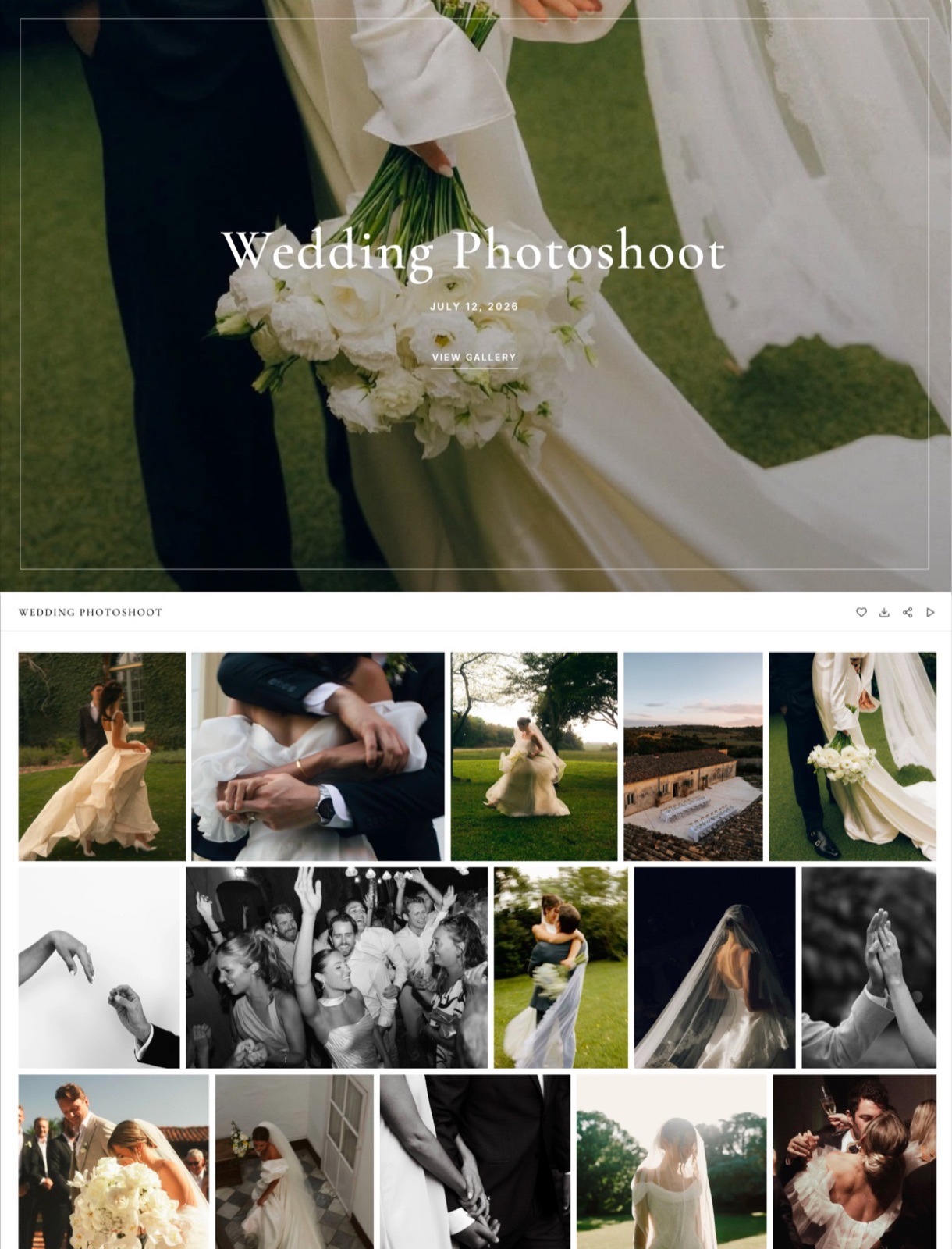
Our guides to what to include in a client gallery and how to create a client gallery go deeper on structure and the build itself.
Step 5: Lock Access, Downloads and Expiry Before the Link Leaves
Set the password, the download PIN, the downloads switch and the expiry date before you send anything, because a gallery link gets forwarded within hours, and changing a setting after forty people have opened it is far harder than choosing it once while the gallery is still private.
Password. Use a different password for every gallery. A single studio-wide password means one forwarded link opens every client's photos.
If you ever need to shut a gallery to everyone who already has the link, change its password; on Framekit, anyone who unlocked with the old password has to enter the new one.
Download PIN. A PIN is a second code that gates downloading, separate from the password that gates viewing.
The couple forwards the link and password to guests, who can browse and heart photos, and only the people holding the PIN can save the full-resolution files. Framekit has both codes on every plan, including Free.
Downloads. Every Framekit download delivers the full-resolution original, whether the client saves one photo, a favourites list or the whole gallery as a ZIP; there is no reduced-size option.
So for a proofing round, where the client chooses what to pay for, switch downloads off rather than relying on a smaller file.
Email registration. Framekit's optional Email Registration setting asks every visitor for an email address before the gallery opens, which suits corporate and event galleries where you want to know who came in.
Expiry. Decide it now. Proofing rounds suit 14 to 21 days; finished deliveries suit 12 months or none at all.
On Framekit an expired gallery turns back into a draft with every file intact, and an optional reminder emails you and the gallery's linked contacts 3 days before the date.
| Job type | Password | Download PIN | Downloads | Watermark | Expiry |
|---|---|---|---|---|---|
| Wedding, final delivery | On | On, held by the couple | On | Off | None, or 12 months with reminder |
| Family or portrait session | On | Optional | On | Off | 12 months |
| Proofing round before purchase | On | Not needed | Off | On | 14 to 21 days |
| Corporate headshots, one gallery per person | On | Optional | On | Off | 90 days |
| Commercial selects under embargo | On, plus Email Registration | On | Off until sign-off | On | Embargo date |
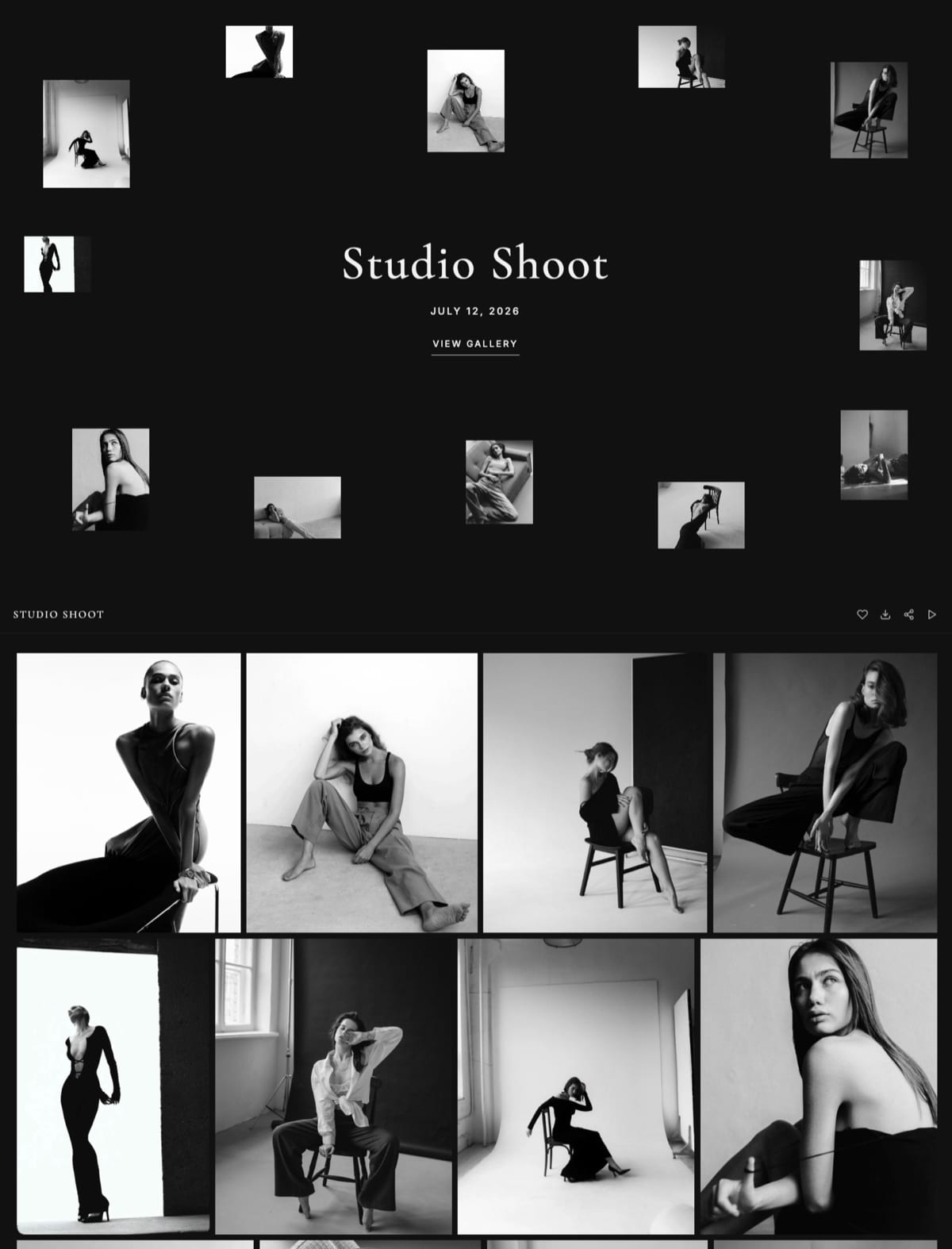
Step 6: Send One Email That Answers the First Three Questions
Send one short delivery email with the link, the password on its own line, one sentence about downloading and one deadline, because clients read the first two lines on a phone and reply to ask about anything buried in a paragraph, and every reply is ten minutes you did not plan to spend.
The four lines that work:
- Line 1: "Your photos are ready", followed by the link.
- Line 2: the gallery password, alone on its line.
- Line 3: "Tap the heart on your favourites; the download PIN is below, keep it to yourselves."
- Line 4: one deadline: album picks by a date, or a note that the gallery stays online for 12 months.
Framekit's share email goes to up to 20 recipients at once and ships with six starter templates, covering a ready gallery, a wedding, a portrait session, editorial work, an event and a reminder, which you can edit and save as your own.
Our photo delivery email guide has full scripts by genre.
Add the size when it is large: "the full gallery is about 6GB, so download it on a computer; single photos save straight to your phone."
Step 7: Check Who Downloaded, Then Follow Up Once
Check the gallery's activity at day five and send one follow-up at day seven, because a delivery is not finished when the email leaves, and the most common silent failure is a couple who never downloaded anything before the gallery expired or the laptop holding the link was replaced.
On Framekit, the gallery's Activity panel lists every download, whether a whole-gallery ZIP, a favourites list or a single photo, logged against the client's email with the photo count, the PIN used and the date, and lists each client's favourite lists with their photo and note counts.
Both tables export to CSV. When a client presses Send to photographer on a list, you get a notification in Framekit and an email.
Use it to decide the follow-up. No download by day five: resend the link with the PIN. A list of 140 hearts but no Send to photographer: a one-line nudge with the deadline. A full-gallery ZIP already downloaded: send the review request instead.
Where Framekit Fits in This Workflow

Framekit fits photographers and hybrid shooters who are paid for the shoot and deliver digital files, because the gallery is a page on their own portfolio site, every delivery feature is on the free plan, and the same account holds films, review rounds, decks and a digital store.
What it feels like to the client. They open a link on your domain, see a full-screen cover in your chosen style, browse sets, tap a heart and are asked only for an email address, with no account and no password to invent.
Their picks go into named lists such as "Album" or "Print for Mum", each photo can carry a note, and one button sends the list back to you.
The number to remember. $0 for unlimited galleries with every gallery feature, inside 10GB of storage shared with your site.
Starter is $9 a month ($7 billed yearly) with 50GB and your own domain, Pro $19 ($15 yearly) with 300GB, and Business $39 ($31 yearly) with 2TB.
The standout detail. Photos and films sit in the same gallery under one link.
Videos are transcoded to play smoothly in the browser and are never watermarked, with per-file caps of 500MB on Free, 1GB on Starter, 2GB on Pro and 3GB on Business, and a 2-hour maximum length.
Before delivery, a cut can go through Framekit's video review for frame-accurate notes on the same account.
The honest gotcha. Galleries and reviews belong to the account holder.
Framekit's team members on Pro (3) and Business (unlimited) can edit the website, but they cannot build galleries or upload reviews, so a studio with an associate photographer runs all deliveries from the owner's login.
Who should skip it. Anyone whose packages include prints, albums or wall art, because there is no print ordering, no lab and no price sheet.
Anyone who needs a native mobile app, client uploads into a gallery, RAW delivery, unlimited storage, or school and volume workflows.
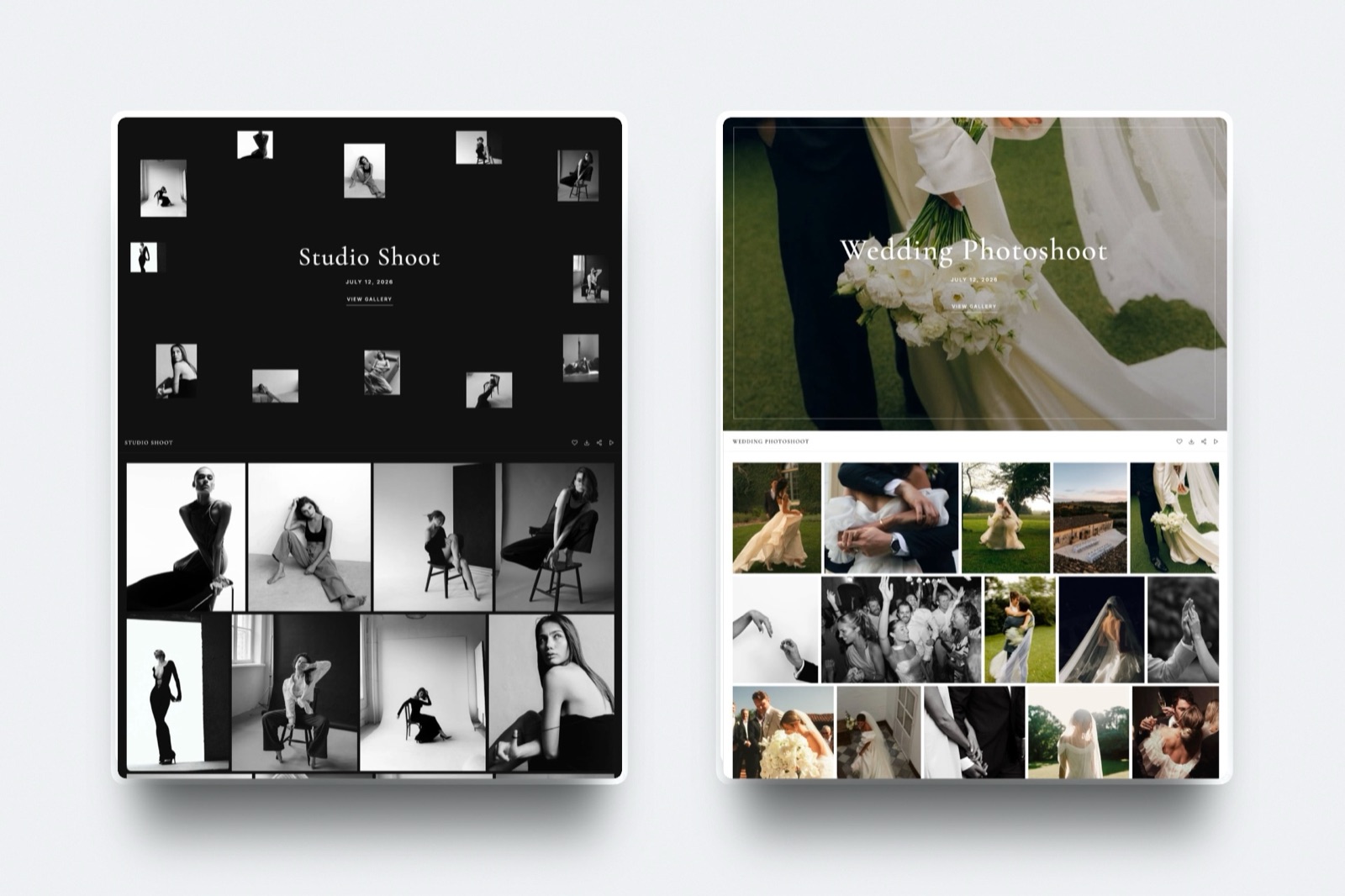
Verdict: for a photographer who delivers digital files and wants the delivery to land on the same domain as the portfolio, Framekit is the strongest route in this guide, and for a print-selling studio it is the wrong one.
When a Print-Selling Gallery Is the Better Delivery Home
A print-selling gallery is the better place to deliver whenever prints, albums or wall art are a real line in your accounts, because the moment a client hearts a photo is the moment they are most likely to order it, and only a gallery with a lab-connected store can take that order without you.
Pixieset takes 0% of store sales on every paid plan from Basic at $8 a month billed yearly, and 15% on its free plan, per its pricing page.
Its free plan also lacks full-resolution download, so it suits proofing more than final delivery.
Pic-Time connects to more than 30 labs and runs automated sales campaigns.
Its commission is on your profit, not the sale: 15% on Free and Beginner, 8% on Professional and 6% on Advanced when Pic-Time collects payment, and 0% when you collect yourself on Professional or Advanced, per its commission help article.
ShootProof charges 0% commission on every plan, including free, with partner labs, contracts and invoices on paid plans.
On $3,000 of print sales a year, the gap between a 15% free plan and a 0% paid plan is $450, which is more than most paid plans cost.
The guide to selling prints from a client gallery covers the setup, and the head-to-heads Framekit vs Pixieset, Framekit vs Pic-Time and Framekit vs ShootProof put both sides in numbers.
When a Transfer Link or a Shared Folder Is Enough
A transfer link or a shared folder is enough when the person receiving the files is a collaborator rather than the client who paid, or when the delivery is a favour, because those recipients need the files once and quickly, not a designed page they will revisit for years.
Send RAW folders to a retoucher or a ProRes master to a colourist by WeTransfer or Dropbox and you lose nothing. Send a paid wedding the same way and the link dies within three days on WeTransfer's Free and Starter plans, under the transfer service's branding.
Dropbox Plus at $9.99 a month billed yearly stores 2TB and moves transfers up to 50GB, which no gallery matches for working files.
Its password-protected links and download controls start on Standard at $15 per user a month billed yearly. Framekit vs Dropbox and Framekit vs WeTransfer cover the pairing most studios end up with: storage or transfer for working files, a gallery for the client.
What Happens When Things Go Sideways
The situations that generate support emails after a delivery are predictable, so here is what happens in the eight most common ones, described from what Framekit ships and from what the other vendors publish, without guessing at anything they leave out.
The client has no account. Nobody needs one. On Framekit a client opens the gallery with the password, and their first heart asks only for an email address so their favourites are saved.
A guest without the PIN tries to download. The download stops at the PIN prompt. They can still browse, heart photos and watch any film.
The gallery is too big to zip at once. Framekit builds one ZIP for up to 2,000 photos, delivers very large archives in parts, and offers "Email me when it's ready" so a client on a phone can close the tab and come back to a link.
A 3,000-frame event is better delivered as two galleries.
The expiry date passes. The gallery turns back into a draft with every file intact, and visitors see a note asking them to contact you. Republish it and the same link works again.
A film is larger than the plan allows. Framekit refuses any video over the plan's per-file cap or longer than 2 hours at upload. Re-export at a lower bitrate, or move to the plan with the higher cap.
The client wants prints. On Framekit they send you a favourites list with a note such as "16x24 for the hallway", and you invoice and order from your own lab. On Pixieset, Pic-Time or ShootProof they order inside the gallery.
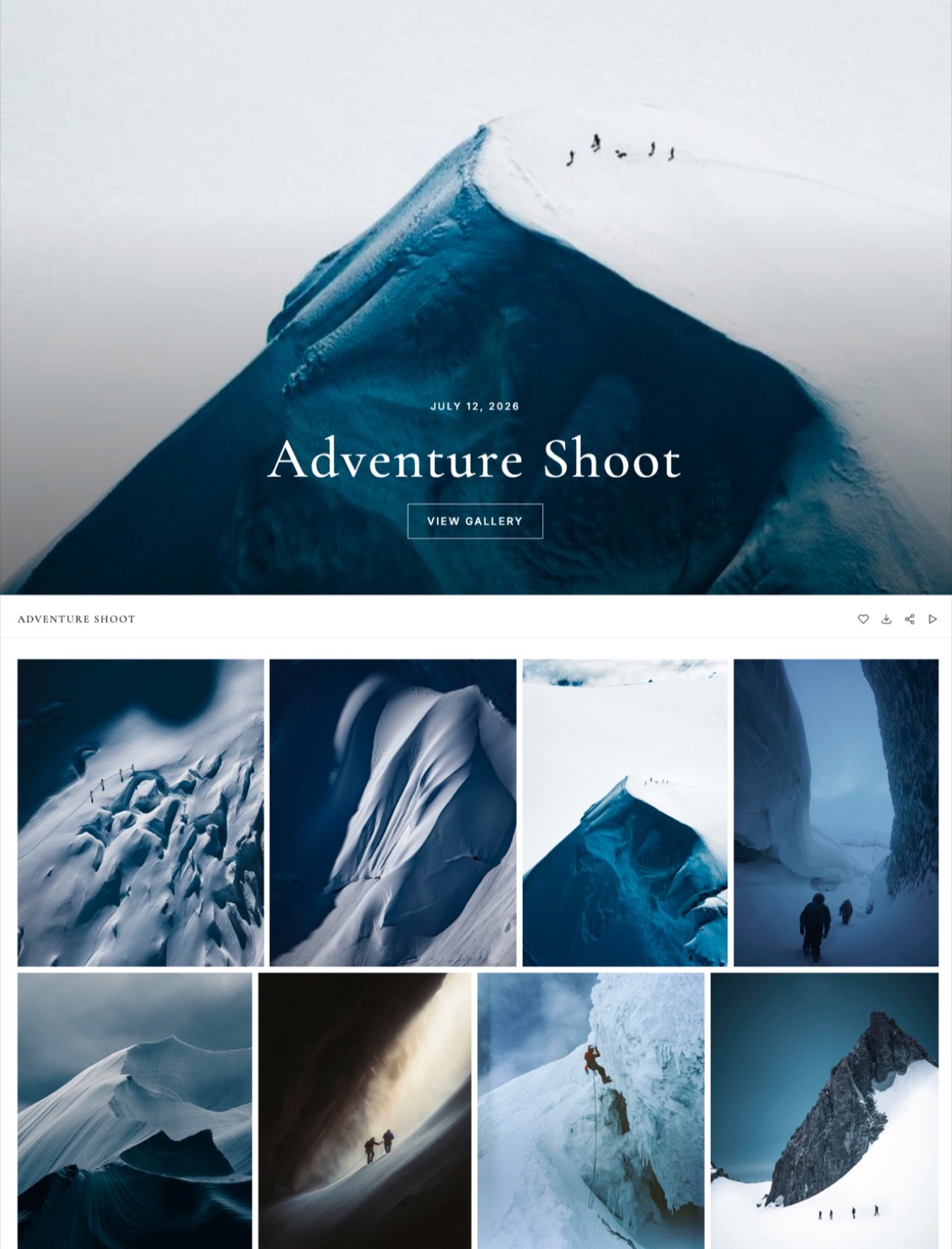
What Delivering Photos Costs Over a Year
Delivering photos to clients costs between $0 and about $770 a year at the volumes most working photographers shoot, and the cheapest platform changes with how much you keep online, whether you deliver films, and whether a print store is part of the plan you are buying.
Assumptions, matching our client gallery cost breakdown: 10MB per delivered JPEG, films at 10 Mbps, every gallery online for the full year, yearly billing, the cheapest plan on each platform that fits.
| Platform | 15 portrait sessions of 50 photos (7.5GB) | 24 weddings of 500 photos, stills only (120GB) | The same 24 weddings plus a 25-minute film each |
|---|---|---|---|
| Framekit | $0 on Free, or $84 on Starter for your own domain | $180, Pro | $180, Pro |
| Pixieset | $96, Basic | $288, Pro | About $768, Pro plus 8 extra video hours |
| Pic-Time | $84, Beginner | $504, Advanced | $504, Advanced |
| ShootProof | $99.96, Starter | $320.04, Professional | $320.04, Professional |
| Zenfolio | $84, Basic | $138, Professional | $240, Advanced |
Two things the table cannot show. Framekit's figure also pays for the portfolio site, video review, Slides and a digital store, so a photographer currently paying separately for a website should subtract that bill.
And Framekit cannot take a print order, so a studio whose clients spend $3,000 a year on prints should price the print-store platforms first, whatever the table says.
Run This Delivery Test Before the Next Client Sees It
Run a six-minute test on your next gallery from a phone, logged out, over mobile data, before the email goes out, because the owner's view hides every screen a client sees first and every failure in this test is one your client would otherwise have found for you.
- Open the link in a private browser window. Time how long the cover takes to appear.
- Enter the password. Scroll to the third set and back up.
- Heart three photos and add a note to one. Confirm you were asked only for an email.
- Download one photo. Confirm the PIN prompt appears and the file opens at full resolution.
- Download the favourites list. Confirm the archive holds exactly three files.
- Open the gallery on a laptop and check the cover crop.
Do the arithmetic too. Multiply your last delivery's frame count by 10MB and compare it with the storage left on your plan; then add every gallery you have not taken down this year.
If the total is within 20% of your plan's limit, archive older galleries to your own drives or move up a plan before the busy season, not during it.
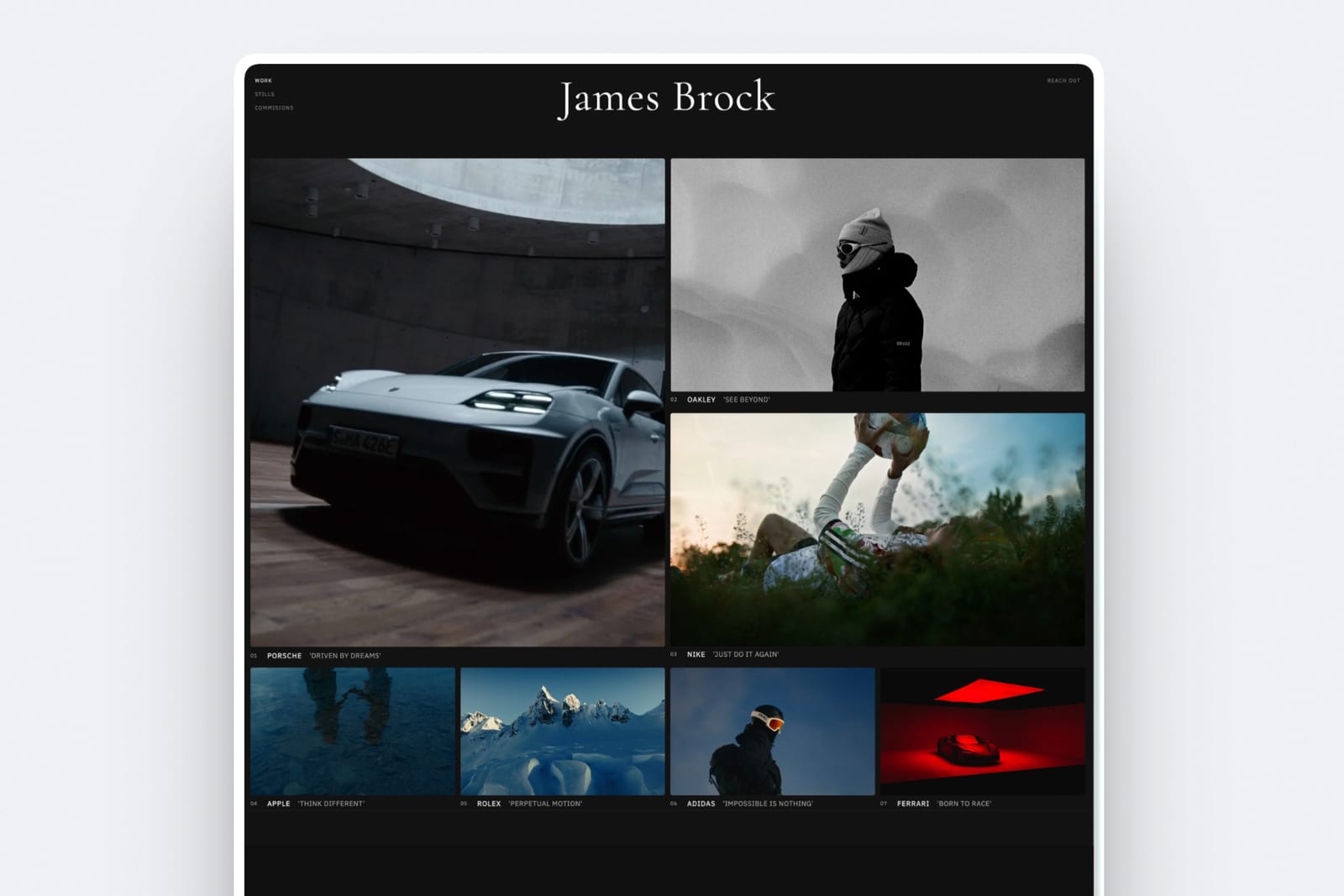
Choosing Your Delivery Route, Question by Question
This decision path asks the questions in the order they remove options, starting with prints, because whether the gallery has to sell after delivery settles the platform for most portrait and wedding photographers before storage, price or branding come into it.
1. Do prints, albums or wall art bring in more than about $1,000 a year? If yes, deliver on Pixieset, Pic-Time or ShootProof and use their stores. If no, go to question 2.
2. Is this paid client work? If no, a transfer link or shared folder is fine. If yes, go to question 3.
3. Do you deliver films as well as stills? If yes, Framekit holds both in one gallery on every plan, with review before delivery on the same account. If no, go to question 4.
4. Do you already pay for a portfolio website? If yes, and you are happy with it, compare gallery plans on price alone using the table above. If no, or you would rather pay once, Framekit puts the site and the galleries on one plan.
5. Do clients need a native app, RAW files or uploads of their own? If yes, choose a specialist: Pixieset has mobile gallery apps, and proofing tools such as PicDrop accept RAW and client uploads. Framekit does none of these.
Frequently Asked Questions
What is the best way to deliver photos to clients in 2026?
The best way to deliver photos to clients in 2026 is a private, branded online gallery with a password, a separate download PIN and full-resolution downloads, sent with a short email.
Framekit is the strongest choice for digital-file and photo-plus-video delivery on your own domain, from $0. Pixieset, Pic-Time or ShootProof are better when prints are income, because they sell through labs and Framekit does not.
Should I deliver client photos with WeTransfer or a client gallery?
Use a client gallery for paid work and WeTransfer for collaborators.
WeTransfer's Free and Starter transfers expire after up to 3 days and its free plan is for non-commercial use only, so a paying client who comes back next month finds nothing.
A gallery stays up until you take it down, carries your branding and lets the client pick favourites. Framekit's free plan covers that for client work.
Do clients need an account to download their photos?
No. On Framekit, Pixieset, Pic-Time and ShootProof the client opens the gallery without creating an account.
On Framekit they enter the gallery password if you set one, their first favourite asks only for an email address so the list is saved, and downloads ask for the PIN only if you set one.
Can wedding guests view the gallery without downloading the photos?
Yes, if your platform has a download PIN separate from the gallery password. Guests get the link and password and can browse and favourite, while only the couple, who holds the PIN, can save the full-resolution files.
Framekit includes both codes on every plan, including Free, and logs which downloads used the PIN.
Does a watermark protect the photos clients download from Framekit?
No. On Framekit a watermark marks the photos as clients see them in the gallery, and every download delivers the clean full-resolution original.
To stop downloads before payment, switch downloads off for that gallery or hold back the download PIN until the invoice is paid. Watermarks apply to photos only; videos are never watermarked.
How long should a client gallery stay online?
Keep finished deliveries online for at least 12 months, and proofing rounds for 14 to 21 days. Reprint requests and lost-file emails tend to arrive months after a wedding.
On Framekit an expired gallery becomes a draft with its files intact, and an optional reminder emails you and the linked contacts 3 days before the date.
Our guide on how long galleries should stay online has a full schedule.
How much does it cost to deliver photos to clients for a year?
Most photographers pay $84 to $300 a year.
A weekend portrait business fits Framekit's free plan at $0, or $84 on Starter for your own domain; 24 stills-only weddings cost $138 on Zenfolio Professional, $180 on Framekit Pro and $288 on Pixieset Pro at yearly rates in October 2026.
Add a 25-minute film per wedding and Pixieset reaches about $768 while Framekit Pro stays $180.
Can I deliver photos and video to a client in the same gallery?
Yes, on Framekit, where photos and films sit in one gallery on every plan, with per-file video caps of 500MB, 1GB, 2GB and 3GB by plan and a 2-hour maximum length.
Pixieset meters video in hours from its Basic plan, Pic-Time and ShootProof include video storage on paid tiers, and CloudSpot takes video as links.
See how to deliver photos and video together.
How do I know whether my client downloaded the photos?
Check the gallery's activity log.
Framekit's Activity panel lists every download, whole-gallery ZIP, favourites list or single photo, against the client's email with the photo count, the PIN used and the date, plus each client's favourite lists, and both tables export to CSV.
Pixieset and Pic-Time also track download activity per gallery.
Can clients order prints from a Framekit gallery?
No. Framekit has no print ordering, lab fulfilment or price sheets on any plan.
Clients can send you a favourites list with notes such as "16x24 canvas", and you invoice and order from your own lab, which keeps the margin and costs about 15 minutes an order.
If prints are steady income, Pixieset, Pic-Time or ShootProof sell them inside the gallery.
What file format and size should I deliver client photos in?
Deliver full-resolution sRGB JPEGs, usually 8MB to 20MB a frame, with your copyright and contact details in the metadata. Framekit and Pixieset both cap a single photo at 100MB.
Framekit accepts JPEG, PNG, WebP and GIF and refuses RAW, DNG, TIFF, PSD and HEIC, so convert those or send them another way.
Final Verdict
Deliver photos to clients as a designed, private gallery rather than a file transfer: cull to a promised count, export full-resolution sRGB files with your name in the metadata, build the gallery in sets with a strong cover, set a password, a separate download PIN and an expiry decision, send four lines, then check the activity and follow up once.
Framekit is the strongest route for photographers and hybrid shooters paid for the shoot rather than the print, because the gallery sits on your own site, every gallery feature is on the free plan, and films, review rounds and the portfolio share one account at $180 a year on Pro.
Where Framekit loses: it does not sell prints, does not offer price sheets, a mobile app, client uploads, RAW delivery or unlimited storage, and its galleries are run from the owner's login rather than shared with team members.
If prints are income, Pixieset, Pic-Time or ShootProof is the better delivery home, and for a quick favour a transfer link is perfectly fine.
Going deeper on deliverywhat a client gallery is, whether client galleries are worth paying for, how many photos to deliver, how to protect client photos online, and the best client gallery platforms ranked.