Framekit templates
Start from a designer-made template
 Use template
 Use template
 Use template
 Use template
 Use template
 Use template
 Use template
 Use template
The wedding was Saturday. By Thursday you have 520 edited frames, a 24-minute highlight film and a couple who want to pick album spreads before their honeymoon.
Pixieset is the gallery most photographers reach for at that moment, and for good reason: the client opens a clean link, hearts their favourites, downloads, and can order a framed print that a pro lab ships without you touching it.
Framekit answers the same Thursday differently.
The stills and the film go into one gallery link, the favourites come back as named lists with notes, and the gallery sits at a page of your own portfolio site, on the same account that runs your video review links, your decks and a digital store.
What it does not do is sell the couple a print.
A client gallery platform is software that hosts a finished shoot behind a private, branded link so a client can view, favourite and download it, and the platforms split on what they bolt on next: Pixieset bolts on a print store and studio tools, Framekit bolts on a full website, video review, Slides and a digital store.
Framekit is an AI website builder with client galleries built in, and that is what this comparison weighs against Pixieset's print-first gallery.
Pixieset wins if prints and albums are real revenue for you, because its integrated store sends orders to a pro lab with automatic fulfilment and 0% commission on every paid plan, it has native mobile gallery apps and Lightroom upload, and its Ultimate plan has unlimited photo storage.
Framekit wins if your income is session fees and digital delivery, especially with video: every gallery feature runs on every plan including free, photos and films share one gallery with no time meter, and $15 a month on Pro (billed yearly) covers 300GB shared with your portfolio site, video review and a digital store, where a 24-wedding hybrid year on Pixieset runs to roughly $768 once the video hours are bought.
Full disclosure: Framekit is our product, so we have a stake in this page. Every Pixieset price, storage cap, video allowance and commission below was re-verified on 12 October 2026 against Pixieset's own pricing page, its Suite pricing page and its help centre, and every Framekit figure comes from the published plan table on framekit.ai. The July 2026 version of this page described Framekit mostly as a website builder; it now covers the galleries, video review and selling features Framekit actually ships, and it still hands print-selling photographers to Pixieset. The October 2026 pass also fixed our branding row, since Framekit's gallery credit stays on paid plans, and one Activity panel claim.
How This Comparison Was Put Together
This comparison was built from what each company publishes about its own product in October 2026, plus arithmetic on those published numbers, so you can redo every figure with your own shoot volumes and nothing rests on our impressions of either interface.
Read at the source. Pixieset's Client Gallery and Suite pricing pages, its Client Gallery feature page, its help article on file size and format requirements (dated November 2025) and its announcement on uploading versus embedding video.
For Framekit, the public plan comparison at framekit.ai/pricing and the shipped gallery settings.
Calculated. Storage needs for three shooting volumes, using 10MB per delivered JPEG and a 10 megabit per second export for films.
File size in megabytes is bitrate times seconds divided by eight, so a 25-minute film at 10 Mbps is 1,875MB. Every annual price uses the vendor's yearly billing rate unless a row says otherwise.
Not tested. We did not run a paid Pixieset account through a season, order prints through its labs, or measure how either gallery feels on a client's phone.
Where we describe Pixieset features, we describe what Pixieset says it ships. Where a feature is plan-gated in a way Pixieset's pricing page does not spell out, we say so instead of guessing.
Framekit vs Pixieset at a Glance
The short version is that both are mature, private, branded client galleries with favourites, passwords and download PINs, and the real differences sit around the gallery: prints, video metering, storage ceilings and what else the subscription pays for.
| Framekit | Pixieset Client Gallery | |
|---|---|---|
| What it is | AI website builder with client galleries, video review, Slides and a digital store | Client gallery with an integrated print and download store; website and studio tools sold separately or in Suite |
| Free plan | Unlimited galleries, 10GB pooled, every gallery feature | Unlimited galleries, 3GB, 15% commission on store sales |
| Cheapest plan with your own domain | Starter, $7 a month billed yearly ($9 monthly) | Basic, $8 a month billed yearly ($10 monthly) |
| Largest plan | Business, 2TB pooled, $31 a month yearly | Ultimate, unlimited photo storage, $40 a month yearly |
| Video in galleries | Every plan, metered in bytes from the same pool | Paid plans, metered in hours: 30 minutes to 5 hours |
| Print and album sales | None | Integrated store, pro labs, automatic fulfilment |
| Commission on store sales | 5%, 5%, 3%, 0% on digital products only | 15% on Free, 0% on every paid plan |
| Full portfolio website | Included on every plan | Pixieset Website, separate or in Suite from $28 a month yearly |
| Video review with timecoded comments | Included on every plan | Not offered |
| Contracts, invoices, booking | Not offered | Studio Manager, separate or in Suite |
| Native mobile gallery app | No | Yes |
In one linePixieset is the deeper gallery-and-print business tool and Framekit is the broader creative account, so the deciding rows are print sales on one side and video plus the website on the other.
Seven Numbers That Decide Framekit vs Pixieset
These are the figures that settle most Framekit vs Pixieset decisions, each taken from a vendor page in October 2026 or calculated from one, and each one points at a specific kind of photographer rather than at a general winner.
- 15%. The commission Pixieset takes on store sales on its free plan. Every paid Client Gallery plan, from Basic at $8 a month billed yearly, drops it to 0%.
- 30 minutes. The HD video storage on Pixieset Basic. Plus has 1 hour, Pro has 2 hours in 4K, Ultimate has 5 hours, and each extra hour is $5 a month.
- 2 hours. The longest single video a Framekit gallery accepts, on any plan.
- 500MB to 3GB. Framekit's per-file video cap by plan: 500MB on Free, 1GB on Starter, 2GB on Pro, 3GB on Business. Pixieset's help centre says there is no size limit on video uploads.
- 100MB. The per-photo cap on both platforms for JPEG and PNG.
- 3GB versus 10GB. Free storage on Pixieset and on Framekit. Framekit's 10GB is shared with your website and video review files.
- $0 extra. What Framekit charges for galleries on top of the plan that already runs your portfolio site, review links, decks and digital store.
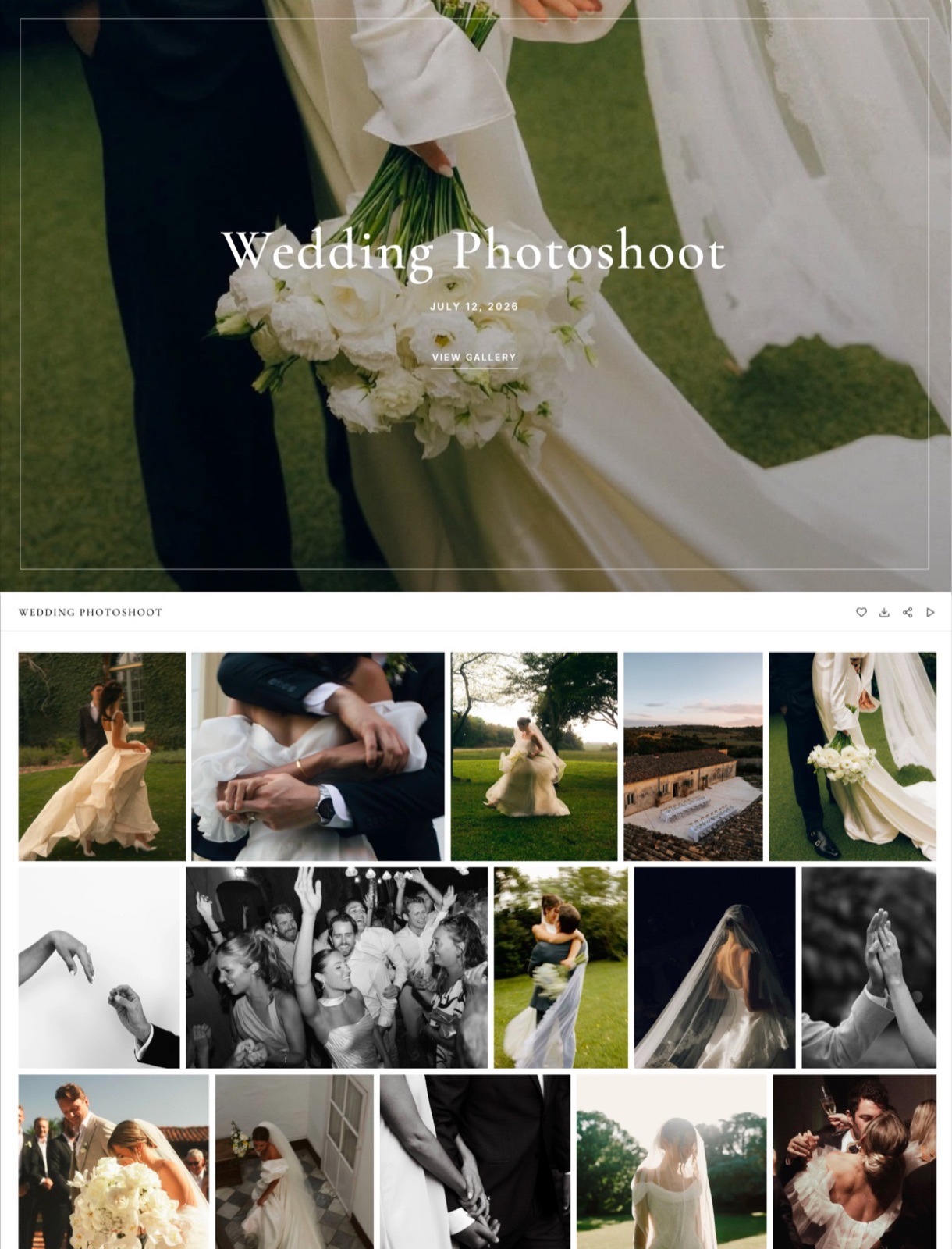
Where Pixieset Wins
Pixieset wins every comparison where the gallery has to earn money after delivery, because its store, lab network, mobile apps and studio tools are years ahead of anything Framekit offers, and for a print-and-album business those features are the product rather than extras.
It sells prints without you touching them. Pixieset's own feature page describes clients buying "premium print products and digital downloads right from your gallery", with automatic fulfilment that handles "printing, packaging, and shipping".
You set the price, the lab does the work, and on every paid plan Pixieset takes 0% of the sale. Framekit has no print lab, no price sheet and no way for a client to order a framed photograph from a gallery.
If prints are a line in your accounts, this single difference outweighs everything else on this page.
The proofing round is mature. Clients pick favourites, comment on individual images and request edits, and you can track their activity, favourite lists and comments, then export and download the favourited files.
Pixieset also lets clients choose download sizes from web-ready to high resolution, and tracks who downloaded what and when.
Framekit does most of this too, as the next section shows, but Pixieset has been refining it for years and some of your clients will already know it.
Native mobile gallery apps. Pixieset's Mobile Gallery App turns a gallery into a personalised app on the client's phone, up to 3 apps on the free plan and unlimited on paid ones. Framekit galleries work in any mobile browser but there is no app to install.
Lightroom, RAW and unlimited storage. Pixieset uploads and syncs straight from Lightroom, shares RAW files on Pro and Ultimate, and its Ultimate plan has unlimited photo storage.
Framekit has no Lightroom plugin, does not accept RAW (photos are JPEG, PNG, WebP or GIF), and tops out at 2TB on Business.
A studio suite if you want one. Pixieset Studio Manager adds invoices, contracts with e-signatures, questionnaires, quotes and a booking site, and the Suite bundles everything from $28 a month billed yearly. Framekit has no invoicing, contracts or booking at all.
The number that matters0%. On $3,000 of print orders a year, a paid Pixieset plan keeps none of your markup, while its free plan would keep $450 at 15%. Framekit keeps nothing because it cannot take the order.
The gotchavideo is metered in time, not bytes. Basic holds 30 minutes, so one 24-minute highlight film and a 10-minute ceremony edit already exceed it, and a long-form business keeps buying $5 hours.
Pixieset's help centre also says video uploads can be downloaded but cannot be sold through the integrated store, so the storefront stops at stills.
Skip it ifyour clients never buy prints, you deliver more film than stills, or you want the gallery, the portfolio site and the review round under one login and one bill.
Verdict: Pixieset is the better business tool for any photographer whose packages include prints, albums or wall art, and nothing below changes that. Photographers already weighing Pixieset against other gallery tools can see the wider field in the best Pixieset alternatives and the plan-by-plan detail in Pixieset pricing.
Where Framekit Wins

Framekit wins for the photographer and hybrid shooter whose income is the session fee rather than the print order, because every gallery feature is included on every plan, video is never metered in minutes, and the same subscription also runs the portfolio site, video review, Slides and a digital store.
The gallery itself is not a cut-down version. Watermarking, a gallery password, a separate download PIN, favourites, slideshows, full-resolution downloads, ZIP downloads of the whole gallery or favourites only, email registration, auto expiry with a reminder email, and sending the gallery by email from Framekit are on every plan, including the free one.
What the paid plans add is your own domain and your own uploaded fonts on the gallery page; a small Made with Framekit line stays in the gallery footer on every plan.
There are 17 cover styles, 18 typography presets, 3 grid layouts and 7 gallery languages to choose from.
Proofing that comes back to you as a list, not an email. A client signs in with just their email address, hearts frames into a list they name themselves, such as "Album" or "Print for Mum", and can add a written note to any photo.
A Send to photographer button notifies you in Framekit and by email, and any list can be shared with family through its own link.
The gallery's Activity panel shows each client's favourite lists and who downloaded what, whether a single photo, a set, a list or the full gallery.
Photos and films under one link, with no time meter. Videos go into the same gallery as the stills, are transcoded so they play smoothly in the browser, and are never watermarked.
Storage is counted in bytes from one pool shared with your site and review files: 10GB on Free, 50GB on Starter, 300GB on Pro and 2TB on Business, of which 3GB, 15GB, 150GB and 750GB may be video.
The number that matters150GB of video on Pro at $15 a month billed yearly. At a 10 Mbps export that is about 80 films of 25 minutes, roughly 33 hours of finished video, against 2 hours on Pixieset Pro at $24 a month billed yearly.
The detail most comparisons missdownloads always deliver clean originals. The watermark protects what the client sees in the gallery, not what they download, so on Framekit you control access with the download PIN or by switching downloads off, not by watermarking the files.
The gotchathe per-file video cap is real and separate from the pool. A 2.3GB film will not upload to Pro even with 280GB free; it needs Business at 3GB or a re-export. Nothing longer than 2 hours uploads on any plan.
And there is no print store, no lab, no RAW, no Lightroom plugin and no mobile app.
Skip it ifprints or albums are part of your packages, you need contracts and invoicing in the same tool, or your archive is larger than 2TB and you want it all online.
Verdict: Framekit is the better fit for a photographer or videographer who delivers digital files, wants the gallery on the same domain as the portfolio, and would otherwise pay separately for a site, a review tool and a shop.
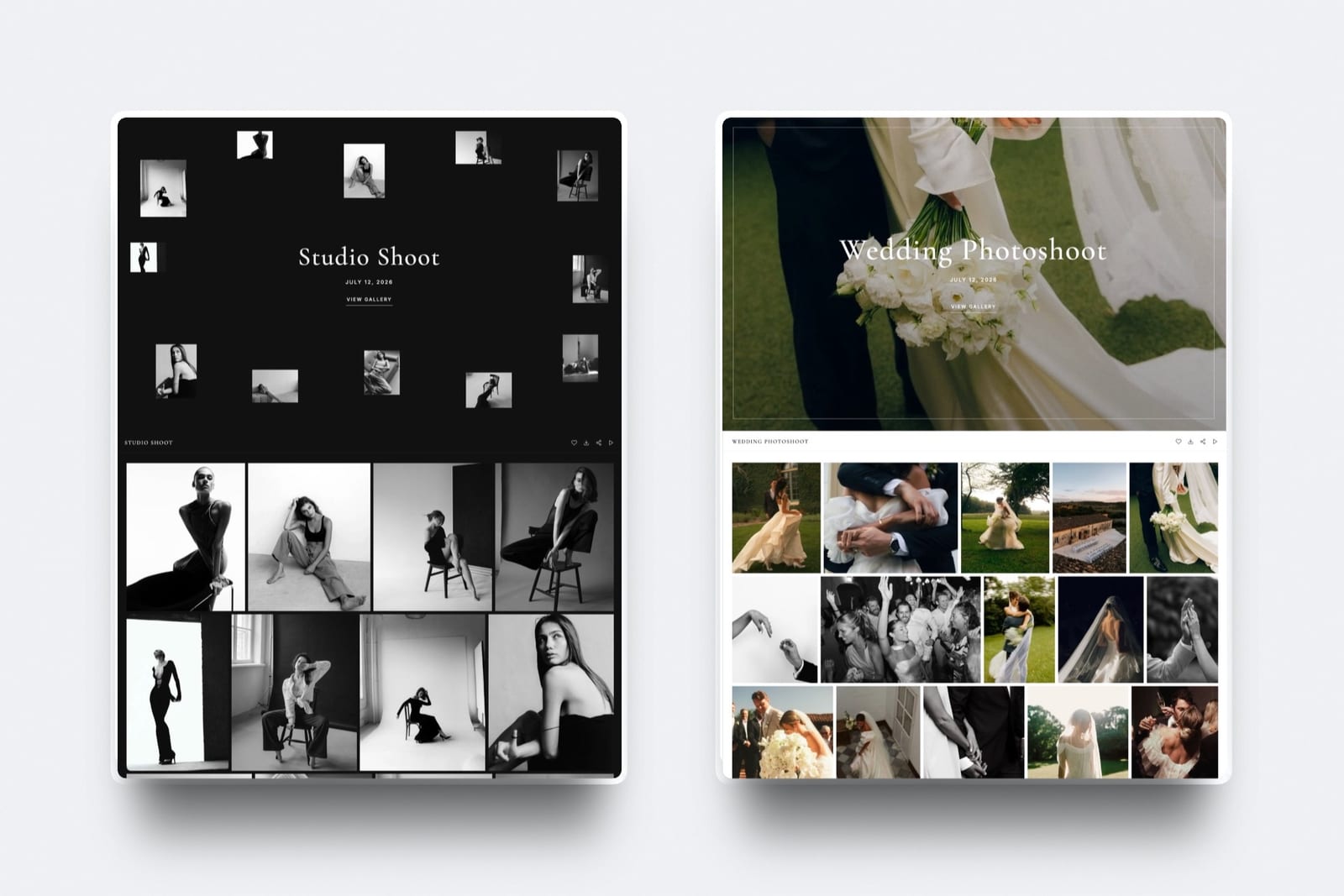
Gallery Limits and Specs Side by Side
This is the table to keep open while you decide, because it puts each platform's published caps, metering and plan gates in one place, with every Pixieset figure read from its pricing page or help centre in October 2026.
| Spec | Framekit | Pixieset Client Gallery |
|---|---|---|
| Galleries | Unlimited on every plan | Unlimited on every plan |
| Storage by plan | 10GB, 50GB, 300GB, 2TB, pooled with your site and video review | 3GB, 10GB, 100GB, 1TB, unlimited |
| Video allowance | 3GB, 15GB, 150GB, 750GB of the pool | None on Free (YouTube or Vimeo embeds only), then 30 min, 1 hr, 2 hr, 5 hr; $5 a month per extra hour |
| Largest photo | 100MB; JPEG, PNG, WebP, GIF | 100MB JPEG and PNG, 85MB GIF |
| Largest video | 500MB, 1GB, 2GB, 3GB by plan; 2 hours maximum length | No size limit stated; MP4, MOV, AVI, M4V up to 4K |
| RAW files | Not accepted | Pro and Ultimate |
| Watermarking | Every plan; photos only, videos never watermarked | Built-in watermark on images |
| Gallery password | Every plan | Yes |
| Download PIN | Every plan, separate from the password | Yes |
| Favourites | Named lists, per-photo notes, send to photographer, share a list, every plan | Favourites with per-image comments and activity tracking |
| Download sizes | Full-resolution original on every download | Web-ready to high resolution; full-resolution download listed from Basic |
| Custom domain | Starter and up | Basic and up |
| Remove platform branding | Not on galleries: a small Made with Framekit footer line stays on every plan | Basic and up |
| Gallery languages | 7 | 8 |
| Native mobile gallery app | No | Up to 3 on Free, unlimited on paid |
| Lightroom upload | No | Yes |
Two rows deserve a second look. Pixieset's pricing page lists full-resolution download among the features Basic adds over Free, so a free Pixieset gallery is a proofing and viewing gallery more than a delivery one.
And Pixieset's "no limit" on video size sits inside a time allowance, so the question on Pixieset is how many minutes, while on Framekit it is how many bytes per file.
What Happens When: Mechanics Most Comparisons Skip
The moments that cause support emails are rarely in a feature list, so here is what each platform does in the six situations photographers ask about most, described only as far as each vendor documents it.
The client has no account and never will. Neither platform asks a client to create an account to view a gallery.
On Framekit you can add a password, ask for an email before entry, or both, and a client who wants to save favourite lists signs in with an email address only, no password.
The film is bigger than the plan allows. On Framekit the upload is refused if it exceeds your plan's per-file cap or runs longer than 2 hours, so you either re-export or move up a plan.
On Pixieset the file size is not limited, but the film counts against your hours, and once the allowance is used you buy more hours at $5 a month each.
The gallery reaches its expiry date. On Framekit the gallery unpublishes itself on the date you set and returns to draft with its files intact, so you can republish it later.
Visitors see a message saying the gallery is no longer available and to contact the photographer. If you switch on the reminder, Framekit emails you and the contacts linked to the gallery three days before.
The client asks for a print. On Pixieset they order it inside the gallery and a lab fulfils it.
On Framekit you take the order by email, place it with your own lab, and invoice outside Framekit, which keeps the whole margin but costs you the automation and some admin time on every order.
You want to see who actually downloaded. Both platforms record it.
Framekit's Activity panel lists downloads by person and scope, with the PIN used, alongside each client's favourite lists, exports both to CSV, and notifies you when a client sends a favourites list.
Pixieset tracks download activity and favourite lists per gallery.
You stay on the free plan. Pixieset's free plan takes 15% of store sales and does not include full-resolution download or video upload.
Framekit's free plan has every gallery feature, video included, with a 500MB per-file cap, a framekit.ai address and the small Made with Framekit footer line that every Framekit gallery carries.
What a Year Costs at Three Shooting Volumes
Year-one cost depends almost entirely on how much video you deliver, because Pixieset meters film in hours and Framekit meters it in bytes, so the three volumes below run from a stills-only side business to a hybrid wedding studio.
Assumptions: 10MB per delivered JPEG, films exported at 10 Mbps, every gallery kept online for the full year, yearly billing. Pixieset figures use Client Gallery plans; Framekit figures include the website, video review, Slides and store at no extra cost.
| Shooting volume | What gets stored | Cheapest Pixieset plan that fits | Pixieset, a year | Cheapest Framekit plan that fits | Framekit, a year |
|---|---|---|---|---|---|
| Weekend portraits: 15 sessions of 50 photos, no film | 7.5GB of photos | Basic (10GB, full-res downloads) | $96 | Free (10GB) or Starter for your own domain | $0 or $84 |
| Full-time weddings, stills only: 24 weddings of 500 photos | 120GB of photos | Pro (1TB), since Plus stops at 100GB | $288 | Pro (300GB) | $180 |
| Hybrid weddings: 24 weddings plus a 25-minute film each | 120GB of photos, 45GB and 10 hours of video | Pro (2 hours) plus 8 extra hours at $5 a month | $768 | Pro (300GB, 150GB video, 2GB per file) | $180 |
The third row is the one that surprises people, and it is worth being fair about.
If you take films down after 90 days, a hybrid studio delivering two films a month only needs about 2.5 hours online at any time, so Pixieset Pro plus one extra hour comes to $348 a year.
Framekit is still cheaper in that case, but the gap shrinks from $588 to $168.
Print revenue changes the picture in the other direction. If those 24 couples order $3,000 of prints and albums between them, Pixieset's paid plans keep 0% of the sale and the lab ships it.
Framekit cannot take that order at all, so the true comparison for a print-selling studio is not $180 against $288, it is $180 plus the margin you lose or the evenings you spend ordering prints by hand.
Run it on your own numbers. Add up last year's deliveries: photos times 10MB, plus each film's length in seconds times your export bitrate in megabits, divided by eight. Then add your print revenue.
If prints are above about $1,500 a year, price Pixieset first. If film minutes are above about two hours, price Framekit first.
Prints, Albums and Price Sheets: The Gap Framekit Does Not Fill
Framekit does not offer print ordering, lab fulfilment, price sheets, print packages or album proofing tools on any plan, and that is the single biggest reason a portrait or wedding photographer should choose Pixieset over it.
Pixieset's store is wired into the gallery. A client hearts a frame, adds a print or a canvas to a cart, pays, and a pro lab prints, packs and ships it.
Coupons and gift cards help with seasonal sales, email campaigns go out from the same account, and on every paid plan Pixieset takes no commission.
That is a revenue engine, not a feature, and for a family photographer whose average order includes wall art it can be worth more than the session fee.
Framekit's selling is a different shape.
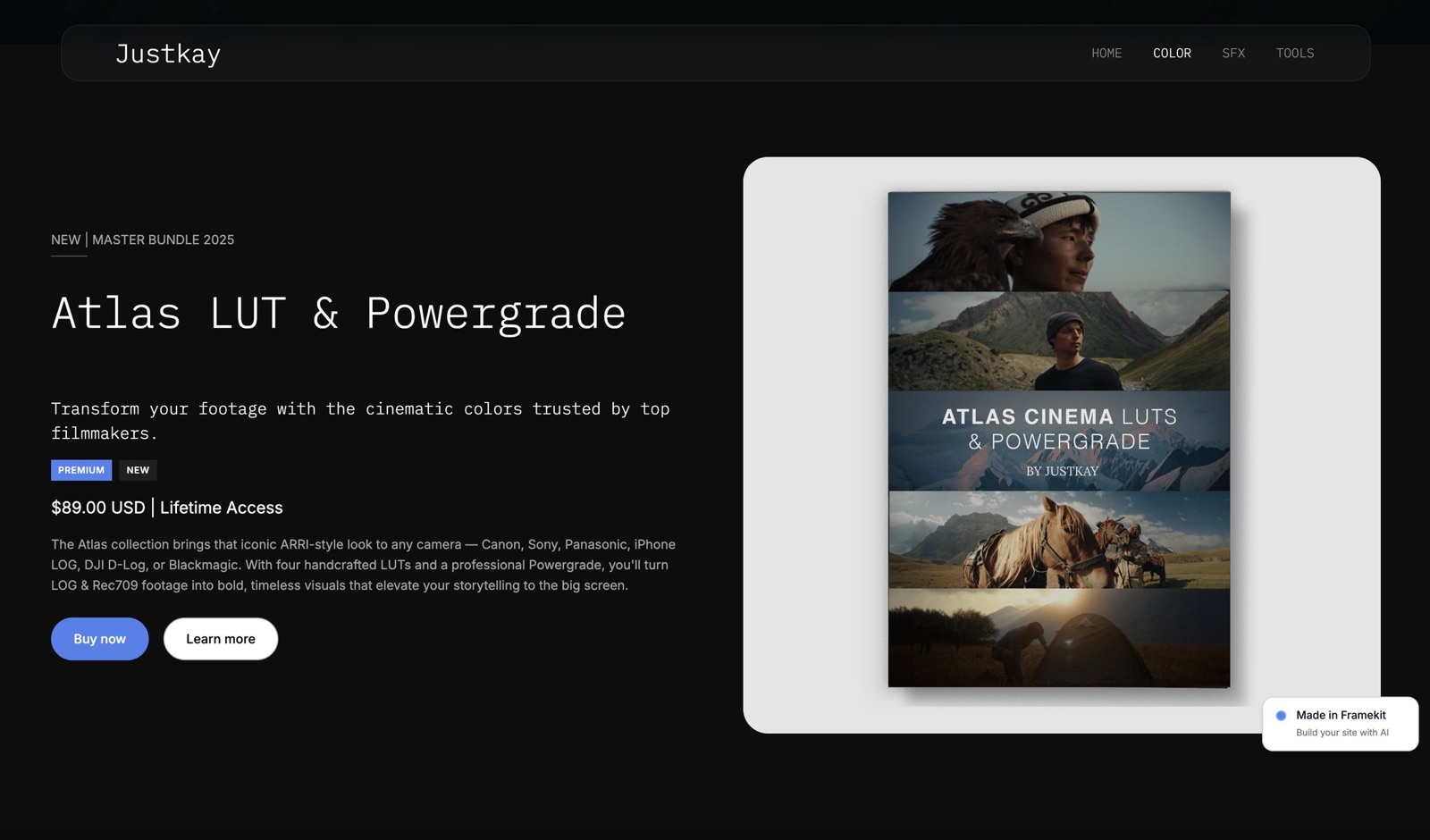
Its store sells digital products, such as Lightroom presets, LUTs, guides and templates, from your own site and through shareable buy links, at a 5% fee on Free and Starter, 3% on Pro and 0% on Business, with Stripe processing on top and you as the merchant of record.
The store is not wired into galleries, so there is no per-photo cart and no way to sell a client extra frames from their own wedding inside the gallery.
The workable middle ground, which many photographers already use, is to deliver on one platform and sell on another. Some keep Pixieset purely for its store and lab while running the portfolio, film delivery and review on Framekit.
If prints are occasional and high value, ordering from your own lab by hand keeps the full margin.
The guide to selling prints from a client gallery and the roundup of print fulfilment for photographers cover both routes.
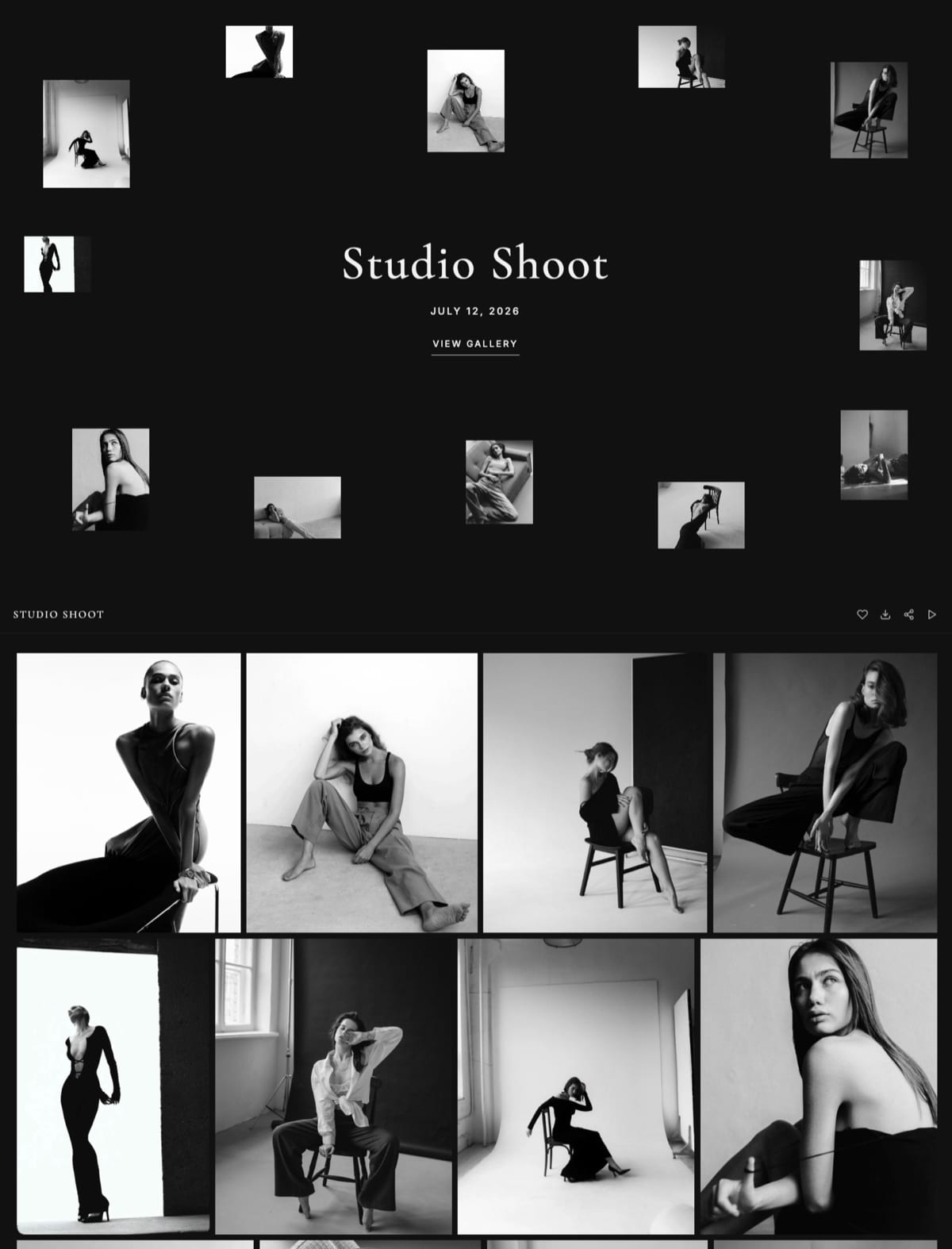
Video: Where the Two Platforms Disagree Most
Video is where Framekit and Pixieset disagree most, because Pixieset treats film as a time allowance attached to a photo gallery while Framekit treats it as files in the same pool as everything else, and that one design choice drives cost, caps and what you can do with a cut before delivery.
On Pixieset, video upload starts on Basic, and Pixieset's own announcement says free accounts can embed YouTube or Vimeo videos instead.
Allowances are 30 minutes of HD on Basic, 1 hour on Plus, 2 hours of 4K on Pro and 5 hours of 4K on Ultimate, with extra hours at $5 a month.
The help centre is refreshingly direct that there is no limit on the size of a video file, and it recommends 4K or smaller in MP4 with H.264.
On Framekit, video goes into the gallery on every plan, free included. Per-file caps are 500MB, 1GB, 2GB and 3GB by plan, and no single video may run longer than 2 hours.
Accepted containers include MP4, MOV, M4V, WebM and MKV, and Framekit transcodes ProRes and HEVC MOV files so they play in the browser. Films are never watermarked.
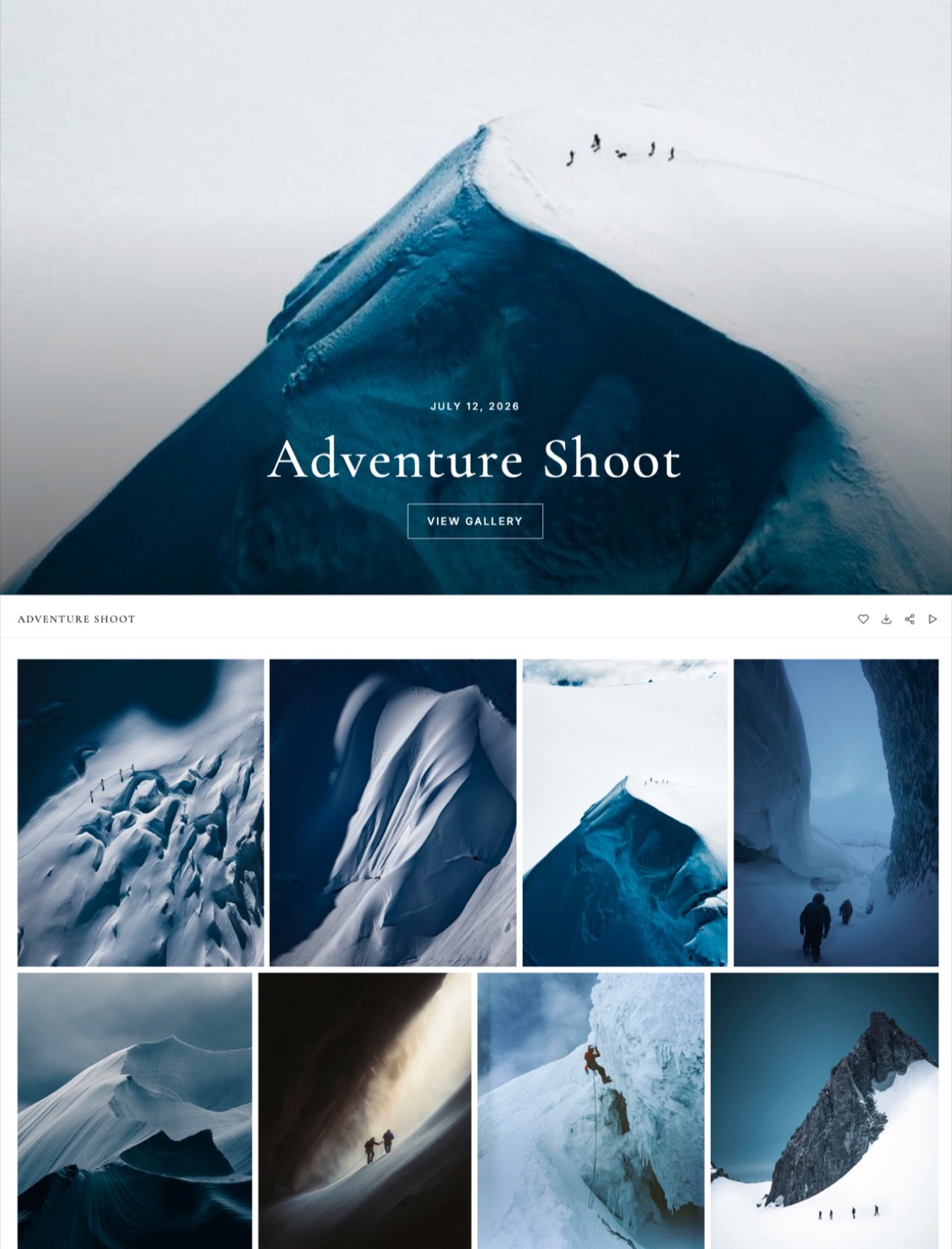
The bigger difference is what happens before delivery.
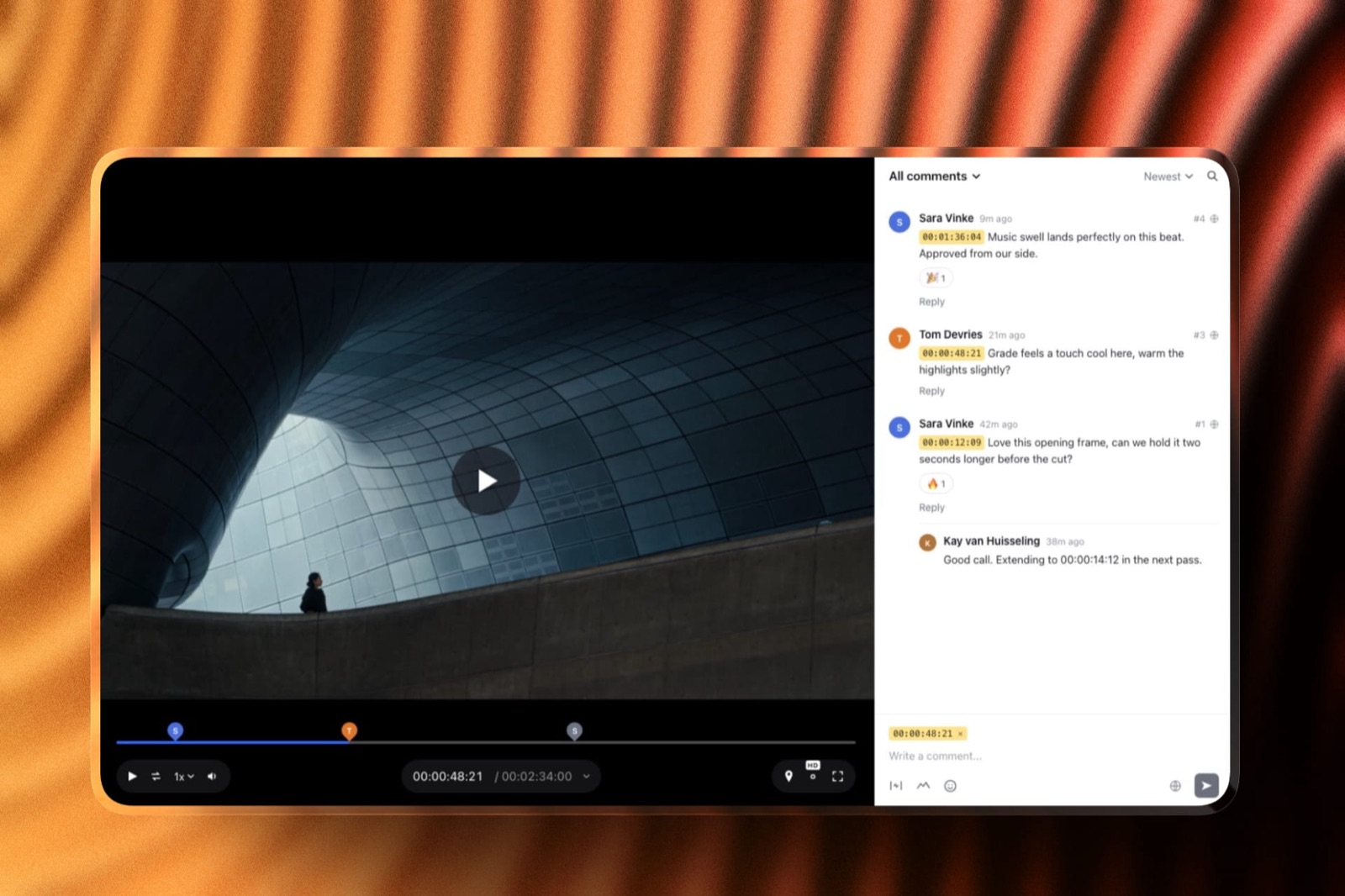
Framekit's video review runs on the same account: upload the cut, send a link, and the client leaves comments at the exact frame, draws on the frame, replies and reacts, with no account.
Upload version 2 and the earlier cut and its notes stay in the version stack; mark the cut approved, then deliver the final film in the gallery.
Pixieset has no review tool, so wedding filmmakers on Pixieset usually add Frame.io, Vimeo review pages or email threads for that round.
The Framekit vs Frame.io comparison covers where a dedicated review tool still wins, such as NLE panel integrations, which Framekit does not have.
The Site, the Store and the Deck Around the Gallery
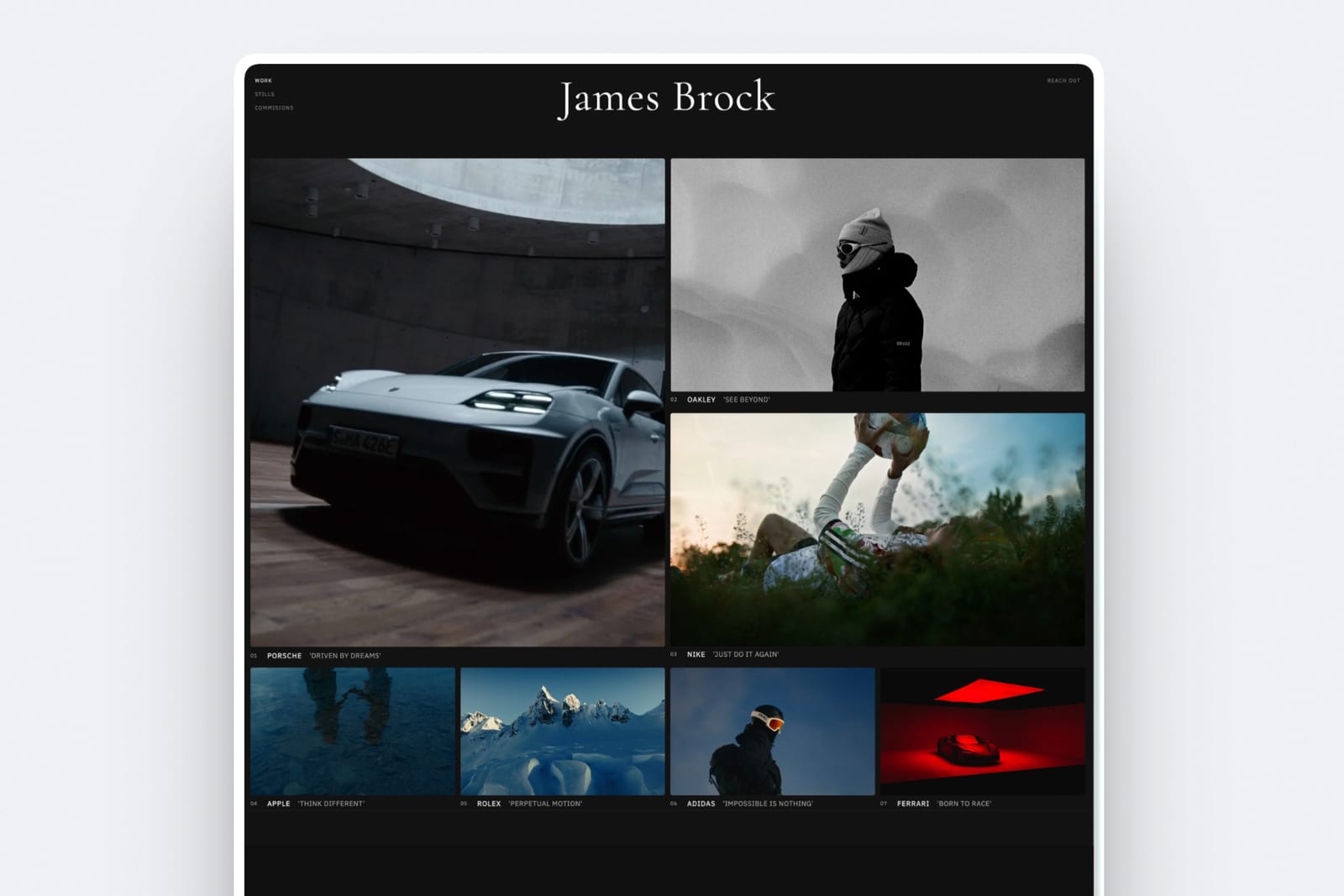
The gallery is one moment in a job that starts with a portfolio and an enquiry and often ends with a proposal for the next shoot, and Framekit's case is that those pieces belong in one account rather than in four subscriptions with four logins.
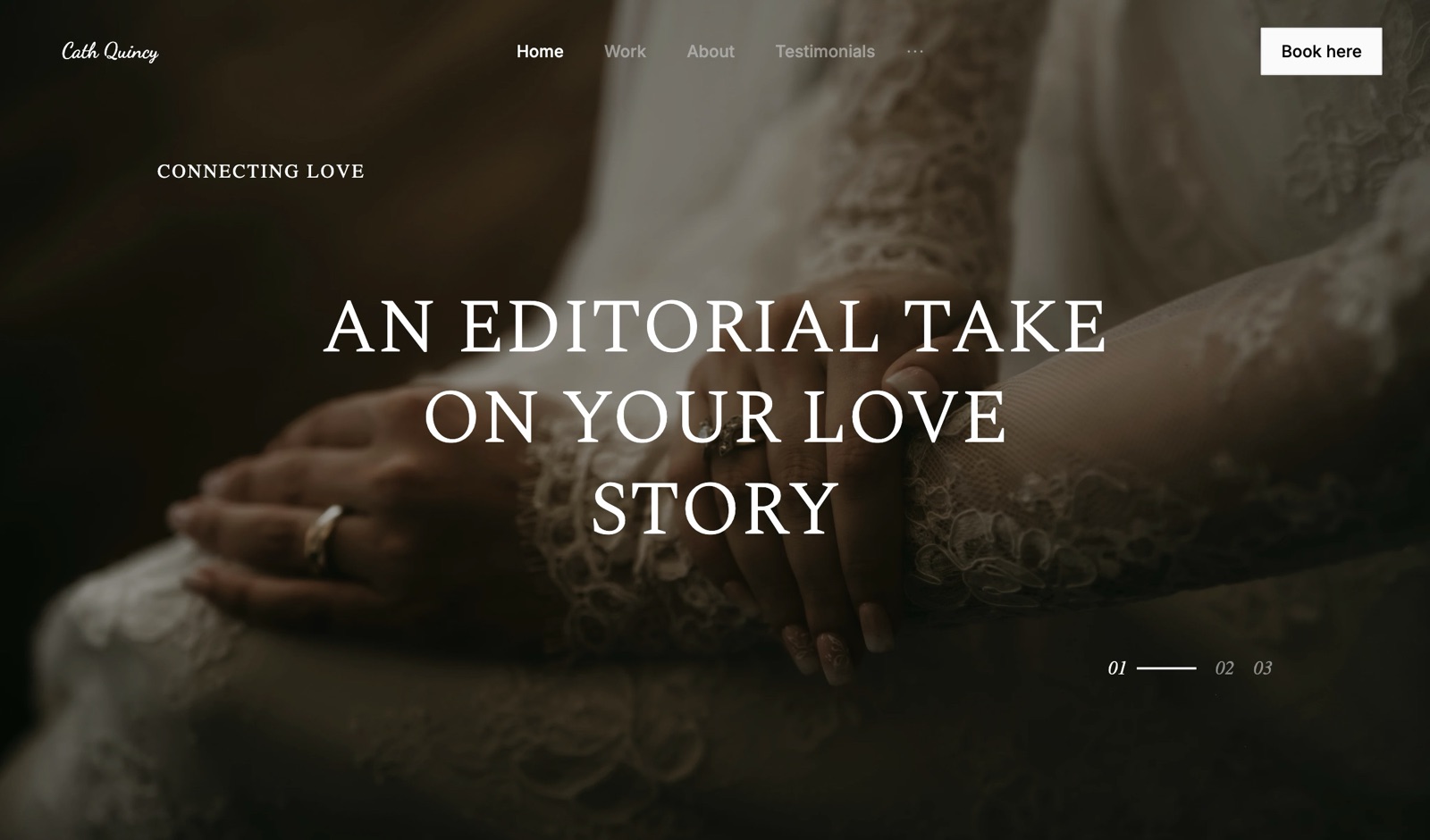
On Framekit, a gallery lives at a page under /client/ on one of your own websites: a framekit.ai address on the free plan, your own domain from Starter.
The client who comes back in six months to download again lands on the same domain as your portfolio, your about page and your booking enquiry form.
Pixieset can do something similar if you also build your site on Pixieset Website, and its Suite bundles the website with galleries and Studio Manager from $28 a month billed yearly.
The rest of the Framekit account is what you would otherwise buy separately. The AI website builder generates sections, writes copy and can recreate a layout from a reference screenshot, with hosting and SSL on every plan.
Slides makes proposals, lookbooks and portfolio decks, with unlimited decks on every plan and a monthly AI allowance for generation. The store sells presets or guides with no monthly fee beyond the plan.
Framekit has no contracts, invoices or booking calendar, so a Pixieset Suite customer who relies on Studio Manager would need a separate tool for those.
If you sell your own presets alongside client work, the product page and checkout look like this: a hosted checkout on framekit.ai with your name and logo, instant download after payment, and buyers who can come back for their files.
Switching From Pixieset to Framekit Without Breaking Client Links
A move from Pixieset to Framekit works best as a forward-looking switch, where new jobs go to Framekit from a chosen date and existing Pixieset galleries are left to run out, because neither platform imports the other's galleries and Framekit has no redirect manager for old links.
| Step | What to do | Why it matters |
|---|---|---|
| 1. Decide on prints | Keep a paid Pixieset plan for the store, or open your own lab account | Framekit cannot take print orders, so solve this before anything else |
| 2. Export proofing data | Download favourite lists, comments and order history from active Pixieset galleries | Selections and notes do not travel between platforms |
| 3. Save originals | Keep local copies of every gallery you still owe a client | Treat Pixieset as one copy, never the only one |
| 4. Build the site | Generate the Framekit site, then connect your domain on Starter or above | Galleries publish under /client/ on that domain |
| 5. Check file sizes | Compare your longest film against the per-file cap: 1GB Starter, 2GB Pro, 3GB Business | Re-export or pick the plan before delivery night, not during it |
| 6. Rebuild active galleries | Upload only galleries clients still need; set watermark, password, PIN and expiry on each | Most photographers migrate a season, not an archive |
| 7. Update templates | Rewrite delivery emails and the link in your contracts or welcome guide | Your Pixieset email templates do not move |
| 8. Overlap | Keep Pixieset running until the last gallery you sent there has expired | Old pixieset.com links will not redirect to your new site |
The whole move for one season of active galleries is a weekend, not a month. The longer task is step 1, and the guide to moving from Pixieset to your own website walks through it in more detail.
How to Choose Between Framekit and Pixieset
This decision guide asks the questions in the order they eliminate options, starting with prints, because that one answer settles the Framekit vs Pixieset question for most portrait and wedding photographers before price or video ever comes up.
1. Do prints, albums or wall art make up more than a small share of your income? If yes, choose Pixieset. Its lab fulfilment and 0% commission on paid plans are the reason it exists. If no, go to question 2.
2. Do you need contracts, invoices or a booking calendar in the same login? If yes, Pixieset Suite covers them and Framekit does not. If you already use a separate studio tool, go to question 3.
3. Do you deliver films as well as stills? If yes, and your films add up to more than about two hours online at once, Framekit is the cheaper and simpler home, with review before delivery on the same account. If you deliver stills only, go to question 4.
4. Do your clients expect a native gallery app or Lightroom-synced uploads? If yes, choose Pixieset. If not, go to question 5.
5. Do you already pay for a portfolio website, a review tool or a store? If yes, Framekit replaces them at one price, so price it first.
If you have none and want none, Pixieset's free plan is a fine place to start proofing, and Basic at $96 a year adds full-resolution downloads and your domain.
Frequently Asked Questions
Is Framekit or Pixieset better for photographers in 2026?
Pixieset is better for photographers who sell prints and albums, because its gallery store sends orders to pro labs with automatic fulfilment and takes 0% commission on every paid plan.
Framekit is better for photographers and videographers paid in session fees, because every gallery feature is on every plan, films sit in the same gallery without a time meter, and the same subscription runs the portfolio site, video review and a digital store.
Does Framekit have client galleries like Pixieset?
Yes.
Framekit ships unlimited client galleries on every plan, with watermarking, a gallery password, a separate download PIN, favourites with named lists and notes, slideshows, full-resolution and ZIP downloads, email registration, auto expiry and email sharing, all included on the free plan.
Photos and videos share one gallery. Older comparisons that describe Framekit only as a website builder predate this.
Can Framekit sell prints like Pixieset?
No. Framekit has no print lab, no print store, no price sheets and no album ordering on any plan. Its store sells digital products such as presets and guides from your website at a 5% to 0% fee by plan.
Photographers who sell prints either keep Pixieset for its store or order from their own lab by hand and invoice outside Framekit.
How much does Pixieset cost in 2026?
Pixieset Client Gallery costs $0 on Free, $8 a month billed yearly on Basic ($10 monthly), $16 on Plus ($20), $24 on Pro ($30) and $40 on Ultimate ($50), per its pricing page in October 2026. Storage runs from 3GB to unlimited.
The Pixieset Suite, which adds Website and Studio Manager, costs $28, $38 or $55 a month billed yearly.
Is Pixieset's free plan enough to deliver a wedding?
Usually not. Pixieset's free plan has 3GB of storage, takes 15% of store sales, and its pricing page lists full-resolution download and video upload as paid features from Basic. A 500-photo wedding at 10MB a frame is about 5GB on its own.
Framekit's free plan holds 10GB with every gallery feature, though that 10GB is shared with your website and video review files.
Which is cheaper for a wedding photographer who also delivers a film?
Framekit is cheaper for hybrid delivery. Twenty-four weddings with a 25-minute film each come to about 120GB of photos and 10 hours of video, which fits Framekit Pro at $180 a year.
On Pixieset the same year needs Pro at $288 plus 8 extra video hours at $5 a month each, about $768 a year once every film is online, or roughly $348 if films come down after 90 days.
Does Pixieset limit video file size?
No. Pixieset's help centre says there are no limits to the video size you can upload and recommends 4K or smaller in MP4. Instead, video is metered in hours: 30 minutes on Basic up to 5 hours on Ultimate.
Framekit does the opposite, with a per-file cap of 500MB, 1GB, 2GB or 3GB by plan and a 2-hour maximum length, and video counted in bytes against the storage pool.
Can I put Framekit galleries on my own domain?
Yes, from the Starter plan at $7 a month billed yearly. Each Framekit gallery lives at a page under /client/ on one of your websites, on a framekit.ai address on the free plan and on your own domain on paid plans.
Pixieset also supports a custom domain for galleries on its paid plans, starting with Basic.
Does Framekit watermark videos?
No. Framekit watermarks photos shown in a gallery but never watermarks videos, and downloads always deliver clean originals.
To stop a client downloading before payment, switch downloads off or add a download PIN, which is a separate code from the gallery password and is available on every plan.
Does Framekit have a mobile app like Pixieset?
No. Framekit galleries open in any mobile browser but there is no native app for clients or photographers. Pixieset's Mobile Gallery App turns a gallery into a personalised app on the client's phone, with up to 3 apps on its free plan and unlimited apps on paid plans.
Can clients upload photos to a Framekit gallery?
No. Framekit galleries are for delivering your work, and clients cannot upload into them. Clients can favourite, sort photos into named lists, add a note to any photo, download within the limits you set, and send their list to you.
If you need guests uploading wedding photos, a dedicated guest-upload tool is the better fit.
What happens when a Framekit gallery expires?
The gallery unpublishes itself on the date you set and returns to draft with every file still in your account, so you can republish it later. Visitors see a message that the gallery is no longer available and to contact the photographer.
With the reminder switched on, Framekit emails you and the gallery's linked contacts three days before the date.
Does Pixieset or Framekit take a commission?
Neither takes a commission on delivering a gallery. Pixieset takes 15% of store sales on its free plan and 0% on every paid plan.
Framekit takes 5% of digital product sales on Free and Starter, 3% on Pro and 0% on Business, and has no print sales to take a commission on. Payment processing fees apply on both.
Should I switch from Pixieset to Framekit?
Switch if your income is session fees and digital delivery, you deliver film, or you pay separately for a portfolio site and a review tool. Stay on Pixieset if prints, albums, a mobile gallery app or Studio Manager are part of how you work.
Many photographers do both: Pixieset for its store, Framekit for the site, films and review. The Pixieset worth-it review weighs staying.
Final Verdict
Pixieset is the stronger choice for any photographer whose packages include prints, albums or wall art, because its lab-connected store, 0% commission on paid plans, mobile gallery apps, Lightroom upload and Studio Manager form a complete print-and-proofing business that Framekit does not try to copy.
Framekit is the stronger choice for photographers and videographers paid in session fees and digital delivery.
Every gallery feature is on every plan, stills and films share one link with no time meter, review happens before delivery on the same account, and $180 a year on Pro also pays for the portfolio site, Slides and a digital store.
Where Framekit loses is clear, and we would rather say it than have you find it: Framekit does not sell prints, does not offer price sheets or packages, does not have a mobile app, does not accept RAW files or client uploads, does not offer unlimited storage, and does not do contracts or invoicing.
If any of those is central to how you earn, Pixieset is the better fit.
Related reading: the best client gallery platforms ranks the wider field, Pic-Time vs Pixieset and Pixieset vs ShootProof settle the other common shortlists, and delivering photos and video together is the practical walkthrough for hybrid shooters.
More head-to-heads: Framekit vs Pic-Time, Framekit vs ShootProof and Framekit vs SmugMug.