Framekit templates
Start from a designer-made template
 Use template
 Use template
 Use template
 Use template
 Use template
 Use template
 Use template
 Use template
Portfoliobox got your work online for a few dollars a month, and for a plain portfolio it did the job. Then you started wanting more from it.
The templates felt boxed-in and a little dated next to sites launched this year, shaping a page beyond the preset options meant fighting the tool, and when you wanted to sell a print or a preset pack the store was an afterthought bolted to the side.
Portfoliobox is a cheap, tidy portfolio host, and that is both what recommends it and where it stops - the day you want modern, distinctive, or sellable, you feel the ceiling.
Most Portfoliobox alternatives promise the same simplicity with a more modern result. A cheap template host is a fine place to park a portfolio and a frustrating place to grow a creative business, and the two jobs pull in different directions.
The portfolio that got you online is not always the site that gets you paid.
A Portfoliobox alternative is a website builder you use instead of Portfoliobox to publish your work - ideally one that keeps the low cost and simplicity but looks modern, gives you more control, and can actually sell from a site you own.
This guide compares the best Portfoliobox alternatives on that balance.
Recently updated, 12 October 2026: we removed a claim that we rebuilt the same portfolio on every tool, corrected a line saying Framekit's store sells prints (it sells digital downloads only), and lowered Framekit's selling score accordingly.
Adobe Portfolio's Creative Cloud price moved from about $10 to the US$11.99 Lightroom plan.
The best Portfoliobox alternative in 2026 is Framekit, because it drafts a modern portfolio from a prompt rather than a dated template, and adds a real store and client galleries on your own domain - so the site looks current and can sell, not just present.
The honest trade-off: Portfoliobox and Carrd are cheaper for a bare portfolio or a single page, and if you already pay for Creative Cloud, Adobe Portfolio is free. Best polished all-in-one: Squarespace. Deepest control: Webflow.
Framekit turns a description into a modern portfolio you own, and the free plan needs no credit card.
Full disclosure: Framekit, ranked #1 below, is our own product, so we have a stake in this. We compared each tool's published plans and templates rather than rebuilding a portfolio on each, read every price from each platform's published pricing in July 2026, and we say plainly where each beats us: Portfoliobox and Carrd are cheaper for a bare portfolio, Adobe Portfolio is free with Creative Cloud, and Webflow has deeper design control. Read the ranking knowing that.
How We Compared These Portfoliobox Alternatives
People choose Portfoliobox for cheap and simple, and leave for a modern look, real design control, or a proper store - so the best alternative depends on which you want without losing the low friction.
We judged each tool, from its published plans and templates, on the five things a creative leaving Portfoliobox cares about, one section each below.
Design and modernity. How current the result looks, and how far it is from a boxed-in template host.
Ease and speed. How quickly a non-designer gets a clean site live, since ease is why you were on Portfoliobox.
Ownership and control. Whether the site is yours on your own domain, and how much you can shape it.
Selling. Whether you can run a real store for prints or digital products, and what it costs.
Real cost. The plan you actually need at renewal, and what it includes.
Every tool was held against the same brief: a portfolio, an about page, and one $25 digital product for sale. The creator we follow through this guide has a plain Portfoliobox portfolio and wants a modern site they own that can add a shop.
Three kinds of finding, kept separate. Editorial judgement: our rating of each tool's templates and editor from its own pages, labelled as ours.
Read from primary sources: each plan and price, taken from every platform's own pricing in July 2026 and linked inline, with Framekit checked against its shipped product.
Community sentiment, marked as such: patterns from reviews we have not checked ourselves.
What Comparing 7 Portfoliobox Alternatives Showed
These are the figures under the ranking, each read from the platform's own pricing page in July 2026 and worked through on one $25 digital product rather than on a site we built.
- Portfoliobox runs from a free tier to paid plans of roughly $8 to $16 a month, with a custom domain on paid plans, per its published pricing.
- 3 of 7 draft the site for you from a prompt rather than a template (Framekit, plus AI generators in Wix and Webflow's assistant).
- 2 of 7 pair a store with client galleries on the same site: Framekit, whose digital-download store is on every plan including Free at a fee that drops to 0%, and Format, whose store starts on its Pro plan.
- On a $25 product, an owned Framekit store keeps about $23.75 on the free plan and the full $25 minus processing on Business.
- Every builder here except Carrd bills monthly; Carrd's roughly $19 a year is the cheapest way to a single custom-domain page.
For a pick tailored to how much site you want, jump to the decision tree. First, the full comparison.
The 7 Best Portfoliobox Alternatives in 2026: Full Comparison
How the ratings work: each tool is scored on the five criteria above, weighted for a creative leaving a template host - design and modernity 25%, ease 20%, ownership and control 20%, selling 20%, real cost 15%.
Design and selling carry the most weight because they are the two reasons people outgrow Portfoliobox. Each score is our rating of published features rather than a test result.
So Framekit's 8.9 takes a 10 on modernity, a 9 on selling because its store sells digital downloads and not prints, and only a 7 on cost at the low end, because Portfoliobox and Carrd undercut it for a bare portfolio or one page.
No tool won every column.
| Tool | Best For | Free Plan | Starting Price | Our Rating |
|---|---|---|---|---|
| Framekit | A modern portfolio you own that sells | Yes | $9/mo | 8.9/10 |
| Squarespace | A polished all-in-one | Trial | $19/mo | 8.5/10 |
| Webflow | Deep design control | Trial | $15/mo | 8.3/10 |
| Format | A photographer portfolio with proofing | Trial | $10/mo | 8.0/10 |
| Adobe Portfolio | Free with Creative Cloud | With CC | Free with CC | 7.7/10 |
| Wix | Flexible drag-and-drop | Yes | $17/mo | 8.0/10 |
| Carrd | The cheapest single page | Yes | $19/yr | 7.6/10 |
Prices read from each platform's own pages in July 2026; confirm the latest before buying.
Template host vs. modern owned site at a glance
The reason to leave Portfoliobox is almost always a modern look, real control, or a proper store - here is which tools deliver that.
| Tool | AI drafts the site | Modern, shapeable design | Real store built in | Own your domain |
|---|---|---|---|---|
| Framekit | Yes | Yes | Yes, digital downloads | Yes (paid plan) |
| Portfoliobox | No | Template-bound | Light | Yes (paid plan) |
| Squarespace | Layout help | Yes | Yes | Yes |
| Webflow | Assistant | Yes, deep | Ecommerce plan | Yes |
| Carrd | No | Clean, simple | Payment buttons | Yes (Pro) |
See a modern portfolio drafted from a prompt. The free plan turns a description into a current site with a store and galleries - Portfoliobox's simplicity without the dated, boxed-in template feel.
1. Framekit: Best Overall

Our rating: 8.9/10
Framekit is an AI website builder that turns a description into a modern portfolio you own, with a real store and client galleries alongside it.
Where Portfoliobox hands you a fixed template to fill in, Framekit drafts the whole site from your prompt - modern, on-brand, and editable - and comes with the store and delivery a Portfoliobox site never had.
The contrast is in the starting point. Portfoliobox hands you a tidy but template-bound page; Framekit drafts a multi-page site from a short prompt, with a store ready to add, which you then refine.
The ease is the same - no design skill needed - and the result is modern and can sell.
Best forCreatives who left a cheap template host and want a modern, owned site that also sells.
Key features:
- Drafts a modern portfolio from a prompt or an uploaded screenshot
- A real store for digital products such as presets and templates, with a fee that drops to 0%; no physical prints
- Client galleries with passwords and downloads on every plan, including free
- Your own domain, portfolio, store, and galleries in one place
- Sites are generated by Cadence, Framekit's model for creative work, with a faster option called Score
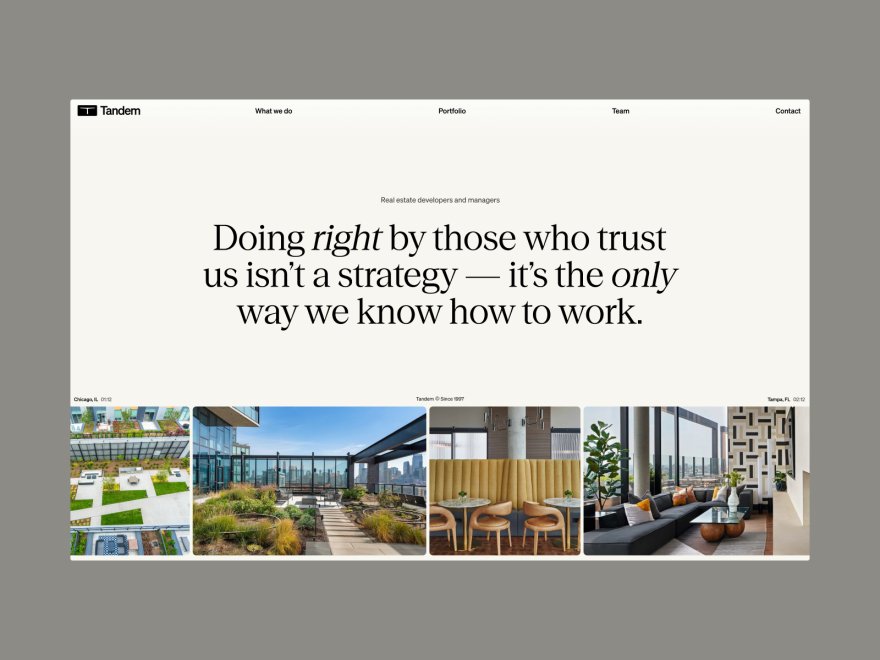
The difference from Portfoliobox is the ceiling and the look. Portfoliobox parks a portfolio cheaply and keeps it template-bound; Framekit gives you a modern site that grows - add a store, galleries, or pages without hitting a wall or a dated theme.
The real numbera $25 product sold from a Framekit store nets about $23.75 on the free plan (5% fee) and the full $25 minus processing on the $39-a-month Business plan (0% fee) - a real store, not an afterthought, and a fee that falls to 0% rather than a platform cut that never does.
Pricing:
- Free: $0 (Framekit subdomain, 10GB of pooled storage, 5% product fee)
- Starter: $9 per month (custom domain, no site badge, 50GB, 5% fee)
- Pro: $19 per month (300GB, 3% fee)
- Business: $39 per month (2TB, 0% product fee)
Pros:
- A modern portfolio drafted from a prompt, not a dated template
- A real store and client galleries built in
- On your own domain, with room to grow
Cons:
- For a bare portfolio or one page, Portfoliobox and Carrd are cheaper
- Less pixel-level control than a design tool like Webflow
- A custom domain starts on the $9 Starter plan
- No physical prints: the store sells digital downloads only
Skip it ifall you want is the cheapest possible plain portfolio and you will never sell or modernize it. Portfoliobox or Carrd is cheaper for that, and we will not pretend otherwise. Framekit wins when you want modern, owned, and sellable.
Verdict: Framekit is the best pick for a creative who has outgrown a cheap template host and wants a modern site that sells and grows, on their own domain. See how creators pair a portfolio with a shop, or start free at framekit.ai.
2. Squarespace: A polished all-in-one

Our rating: 8.5/10
Squarespace is the step up for a creative who wants a genuinely modern, polished site with a real store, blog, and email under one subscription, and does not want to design it. Its templates are far more current than a plain template host, and the editor is forgiving.
The trade is price and a yearly commitment: there is no permanent free plan, only a trial, per its published pricing. For a creative who wants finished and modern, it earns its cost.
Best forCreatives who want a polished, all-in-one site and will pay annually.
The real numberSquarespace runs from about $19 a month (Basic) to $99 (Advanced) on annual billing, with the store on the mid and upper tiers - more than Portfoliobox, for a far more current all-in-one.
PricingBasic about $19 a month, Core about $29, Plus about $49, Advanced about $99 (annual); trial only.
Pros:
- Modern, tasteful templates
- A real store, blog, and email
- Forgiving editor
Cons:
- No free plan
- Pricier than Portfoliobox
- Recognizable templates
Verdict: Squarespace is the pick for a creative who wants polished and modern and will pay yearly. If you want that on a site an AI drafts and you own outright, that is Framekit's lane. See our best Squarespace alternatives for creatives. Visit Squarespace

3. Webflow: Deep design control
Our rating: 8.3/10
Webflow is the pick for a creative who left Portfoliobox specifically because the templates were too limiting - it gives near-code control over layout and interactions and a real CMS, so you can build almost any bespoke design.
If a fixed template was the frustration, Webflow removes it entirely.
The cost is the steepest learning curve here, and selling means a separate Ecommerce plan, per its published pricing. It rewards the time you invest.
Best forDesigners who want maximum control and will learn the tool.
The real numberWebflow's Basic plan is about $15 a month and Premium about $25 on annual billing, with Ecommerce separate - real control at a real learning cost.
PricingBasic about $15 a month, Premium about $25 (annual), plus Ecommerce to sell.
Pros:
- The deepest control short of code
- A real CMS
- Clean output
Cons:
- The steepest learning curve here
- Selling needs a separate plan
- Overkill for a simple portfolio
Verdict: Webflow is the control pick when a template host felt too limiting. If you want capability without the curve, an AI builder is faster - see our best Webflow alternatives. Visit Webflow
4. Format: A photographer portfolio with proofing
Our rating: 8.0/10
Format is a portfolio builder made for photographers and visual creatives, with tasteful templates and mature client proofing - a natural landing spot for a photographer leaving a generic template host who wants a designed portfolio and real delivery.
It presents visual work with care.
Its store is lighter than a commerce-focused builder, so it suits presentation and proofing over heavy selling, and there is no permanent free plan.
Best forPhotographers who want a tasteful portfolio with client proofing.
The real numberFormat runs from about $10 a month, a low price for a designed portfolio and mature proofing - the trade is lighter selling than an all-in-one.
Pricingfrom about $10 to $12 a month; trial rather than a permanent free plan.
Pros:
- Tasteful, photographer-first templates
- Mature client proofing
- Affordable
Cons:
- Lighter store
- Portfolio-first
- No free plan
Verdict: Format is a strong landing spot for a photographer leaving a template host who wants proofing. For a real store on the same site, an all-in-one wins - see our best Format alternatives. Visit Format
5. Adobe Portfolio: Free with Creative Cloud
Our rating: 7.7/10
Adobe Portfolio is the value pick for a creative already paying for Creative Cloud - it is included free, gives a clean custom-domain portfolio, and imports from Behance and Lightroom. For a Portfoliobox user in the Adobe ecosystem, it is a free, cleaner presentation site.
It is simple by design: no store, limited templates, shallow control. For a clean free portfolio it is hard to beat on price; for anything more it is a ceiling.
Best forCreatives on Creative Cloud who want a clean free portfolio.
The real numberAdobe Portfolio sits inside Creative Cloud at no extra charge, with Lightroom (1TB) at US$11.99 a month the cheapest plan carrying it when Adobe's page last answered an automated read, in September 2026 - so the portfolio is effectively free for subscribers, with no store.
Pricingincluded with any paid Creative Cloud plan; not sold separately.
Pros:
- Free with Creative Cloud
- Clean, custom-domain portfolio
- Behance and Lightroom import
Cons:
- No store
- Limited templates
- Tied to a Creative Cloud subscription
Verdict: Adobe Portfolio is the easy free pick for a Portfoliobox user already in Adobe. When you want a store or more control, you will move on - see our best Adobe Portfolio alternatives. Visit Adobe Portfolio
6. Wix: Flexible drag-and-drop
Our rating: 8.0/10
Wix is the flexible generalist - drag-and-drop anything, a huge app market, an AI generator, and a store - so a Portfoliobox user who wants freedom and room to grow can build almost anything. It is a big step up in capability from a fixed template host.
The usual Wix caveats apply: the free tier shows Wix ads on a Wix subdomain, and a clean custom-domain site needs a premium plan from about $17 a month.
Best forCreatives who want maximum flexibility and a big app ecosystem.
The real numberWix premium plans start around $17 a month for a clean site, more than Portfoliobox for far more capability and a proper store.
Pricingfree plan on a Wix subdomain with ads; premium from about $17 a month.
Pros:
- Very flexible with a store
- An AI generator and huge app market
- A free tier
Cons:
- Free plan carries ads
- The ecosystem feels busy
- Can look generic without care
Verdict: Wix is a flexible, capable step up from a template host. If the ads and upsells wear on you, a cleaner builder helps - see our best Wix alternatives. Visit Wix
7. Carrd: The cheapest single page
Our rating: 7.6/10
Carrd is the honest pick for a Portfoliobox user whose whole need is one clean page - it does a single page more cheaply than anything, about $19 a year, and more tastefully than a dated template host. If simple and cheap is the entire brief, Carrd nails it.
Its limit is the point: one page, no real store beyond payment buttons, no room to grow - a calling card, not a site.
Best forCreatives who only ever need one clean, cheap page.
The real numberCarrd's Pro Standard is about $19 a year for a custom-domain single page, cheaper than any monthly builder - the trade is one page, not a site.
Pricingfree tier; Pro plans from about $19 a year, billed annually.
Pros:
- By far the cheapest owned page
- Clean, modern single pages
- A usable free tier
Cons:
- One page, no real store
- No room to grow
- Basic by design
Verdict: Carrd is the pick when one clean, cheap page is all you need. The moment you want more, you have outgrown it - see our best Carrd alternatives. Visit Carrd
What a Cheap Template Host Actually Costs
In one linea cheap portfolio host saves a few dollars a month and quietly costs you a modern impression and any sales you cannot make - so the low price is real, and so is the ceiling it puts on your work.
Portfoliobox is genuinely inexpensive, and the cost of staying shows up in ways the invoice does not. Here is where.
The dated impression. Design moves fast, and a template that felt fine a few years ago reads as behind the times to a client or a gallery visitor today - and on a portfolio, dated can read as inactive. A modern builder keeps the look current without a rebuild project.
The template ceiling. A fixed-template host gives you safe and limits you to it, so the day you want a distinctive layout, a specific structure, or a look that is truly yours, you are fighting the tool.
An AI builder drafts a site closer to your intent and lets you shape it further.
The missing store. A thin, bolted-on store makes selling awkward, so a lot of creatives on template hosts either do not sell or send buyers to a separate platform that takes a cut.
A real store on your own site keeps more of every sale - a $25 product nets about $23.75 on a store you own versus losing a platform's percentage.
Run the test on your own work: open your portfolio next to a site launched this year, and ask which one you would trust to represent you or sell to you. If the answer is not yours, the cheap host is costing you more than it saves.
Our website builder renewal-price guide covers the money side.
How to Choose a Portfoliobox Alternative: A Decision Tree
Answer two questions in order; the first that fits is your pick.
Start here: will a plain, cheap portfolio genuinely be enough, forever?
- Yes, a bare portfolio is all I need. Stay on Portfoliobox, or use Carrd for one clean page - both are cheaper than any modern builder for that. Stop here.
- No, I want a modern site that can grow and sell. Go to the next question.
Do you want the site drafted for you, or to build it yourself?
- Drafted for me, modern, with a store: Framekit - describe it and refine the AI draft, on your own domain.
- I want to build from a polished template: Squarespace for all-in-one, or Format if you are a photographer who wants proofing.
- I want maximum control and will learn the tool: Webflow.
Frequently Asked Questions
What is the best Portfoliobox alternative in 2026?
The best Portfoliobox alternative in 2026 is Framekit, because it drafts a modern portfolio from a prompt rather than a dated template and adds a real store and client galleries on your own domain, so the site looks current and can sell, not just present.
The honest trade-off is price at the low end: Portfoliobox and Carrd are cheaper for a bare portfolio or one page, and Adobe Portfolio is free if you already pay for Creative Cloud.
For a polished template-built all-in-one, Squarespace is the strongest alternative.
Is there a free Portfoliobox alternative?
Yes. Framekit and Wix have free plans, Adobe Portfolio is free with any paid Creative Cloud subscription, and Carrd has a free single-page tier. Portfoliobox itself has a free tier too.
The difference is what free includes: Framekit free adds a real store and client galleries on a subdomain, while most others are presentation-only.
Free plans put you on the platform's subdomain until you move to a paid plan for a custom domain, which is what makes the site read as yours.
Why do people leave Portfoliobox?
People leave Portfoliobox for three reasons: the templates look dated and boxed-in, design control is limited to the presets, and the store is thin.
Portfoliobox is cheap and simple, which is why people start there, but a site that has to look current, be distinctive, or sell properly tends to outgrow it.
Most leavers want the same low friction with a modern look and a real store, which is what the AI builders and all-in-ones here provide.
Can I sell products on a Portfoliobox alternative?
Yes, and better than on a template host in most cases.
Framekit includes product pages, a buy link per product and instant digital delivery, Squarespace and Wix include fuller stores with carts and physical products, while Portfoliobox and Carrd offer only light or button-based selling.
On Framekit a $25 product nets about $23.75 on the free plan and the full price minus processing on the Business plan, with the fee dropping to 0% rather than a platform cut that never falls.
If selling matters, choose a builder with a real store rather than a portfolio host with a store bolted on.
See our roundup of the best websites to sell digital products.
Is Portfoliobox outdated in 2026?
Portfoliobox still works and remains inexpensive, but its templates and design options feel dated next to modern AI builders and all-in-ones, and community sentiment - flagged as sentiment rather than something we checked - often describes the look as behind current trends.
The core issue is not that it is broken; it is that visitors judge a site's currency in seconds, and a dated template can read as an inactive or less professional creative.
If your portfolio is doing real work - winning clients, selling, representing you - a more current builder is usually worth the small extra cost.
Which Portfoliobox alternative is easiest to use?
The easiest Portfoliobox alternatives are the AI builders: Framekit drafts the whole site from a description, so you edit rather than build, which is as easy as a template host and produces a more modern result.
Squarespace is close behind with its forgiving, template-first editor, and Carrd is very simple for a single page.
If ease is the priority and you want room to grow and sell, an AI builder gives you both - the low friction you liked about Portfoliobox, without the dated ceiling.
How much do Portfoliobox alternatives cost?
Entry pricing in 2026 runs from free (Framekit, Wix, Adobe Portfolio with Creative Cloud) to about $10 a month (Format), $9 a month (Framekit Starter), $15 a month (Webflow), $17 a month (Wix), and $19 a month (Squarespace), with Carrd cheapest for a single page at about $19 a year.
Portfoliobox's own paid plans run roughly $8 to $16 a month. The number that matters is the plan you need at renewal with a custom domain and, if you sell, a real store - price that, not the free teaser.
Will my Portfoliobox site move to another builder?
Not automatically. There is no one-click export that rebuilds a Portfoliobox site inside another builder, so moving means recreating the pages in the new tool and pointing your domain at it - usually quick, since portfolio sites are simple.
It is a good moment to modernize and add what Portfoliobox lacked: if you were using its thin store, rebuilding on a builder like Framekit that includes a real store consolidates the site and the shop.
Keep your images and text; rebuild the layout in the more modern tool.
Will my Portfoliobox content move across to Framekit automatically?
No. There is no importer from Portfoliobox, so a move means rebuilding: generate the site from a short description of your practice, then re-upload the images and paste the text.
For a portfolio of ten to twenty pieces that is usually an evening's work, and it is the same answer on every platform in this comparison, because none of them import each other.
What you get for the rebuild is a store that is not an afterthought: a $25 product nets about $23.75 on the free plan at 5 percent and the full $25 minus processing on Business at 0 percent.
Final Verdict: The Best Portfoliobox Alternative in 2026
Across the seven tools' published plans, the pattern is clear: the reason to leave a cheap template host is to keep the low friction while gaining a modern look, real control, and a proper store, and the AI builders deliver that best.
Framekit is the best Portfoliobox alternative in 2026 for a creative who wants the same simplicity but a current, owned site that sells - drafted from a prompt, on your own domain, with a digital-download store and galleries built in.
Who should not use Framekit: if a plain, cheap portfolio is genuinely all you will ever need, Portfoliobox or Carrd is cheaper, and that is where Framekit loses on a bare page - we will not pretend a modern builder undercuts them on price.
For anything you want to modernize or sell from, a current builder wins.
Squarespace is the polished all-in-one, Webflow the control pick, Format the photographer portfolio, and Carrd the cheap one-pager. But if you want a cheap host's simplicity with a site that looks current and sells, describe it and ship it.
For more, read our best easy-to-use AI website builders, the best Cargo Collective alternatives, our best Carrd alternatives, and the best website builder for graphic designers.