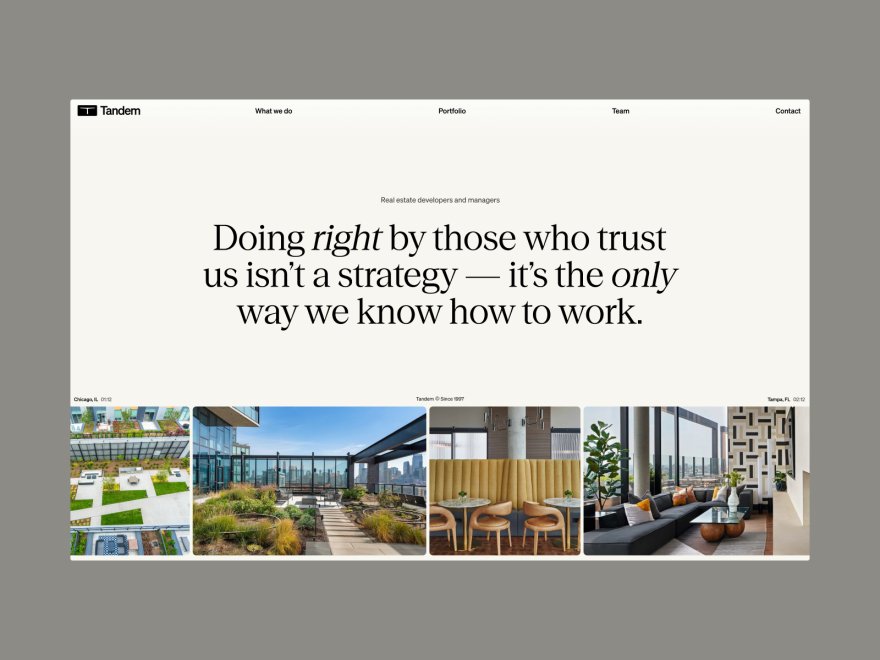
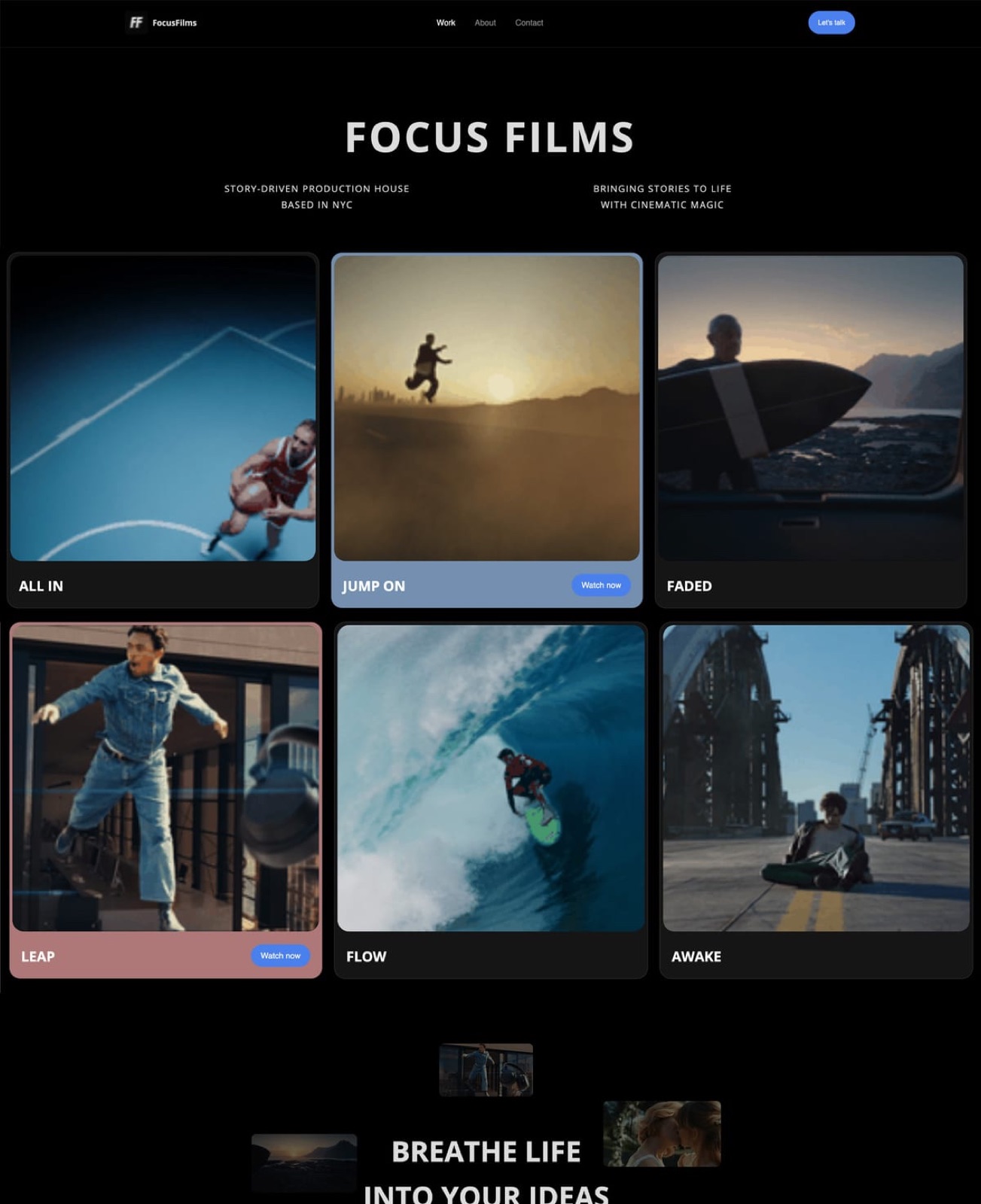
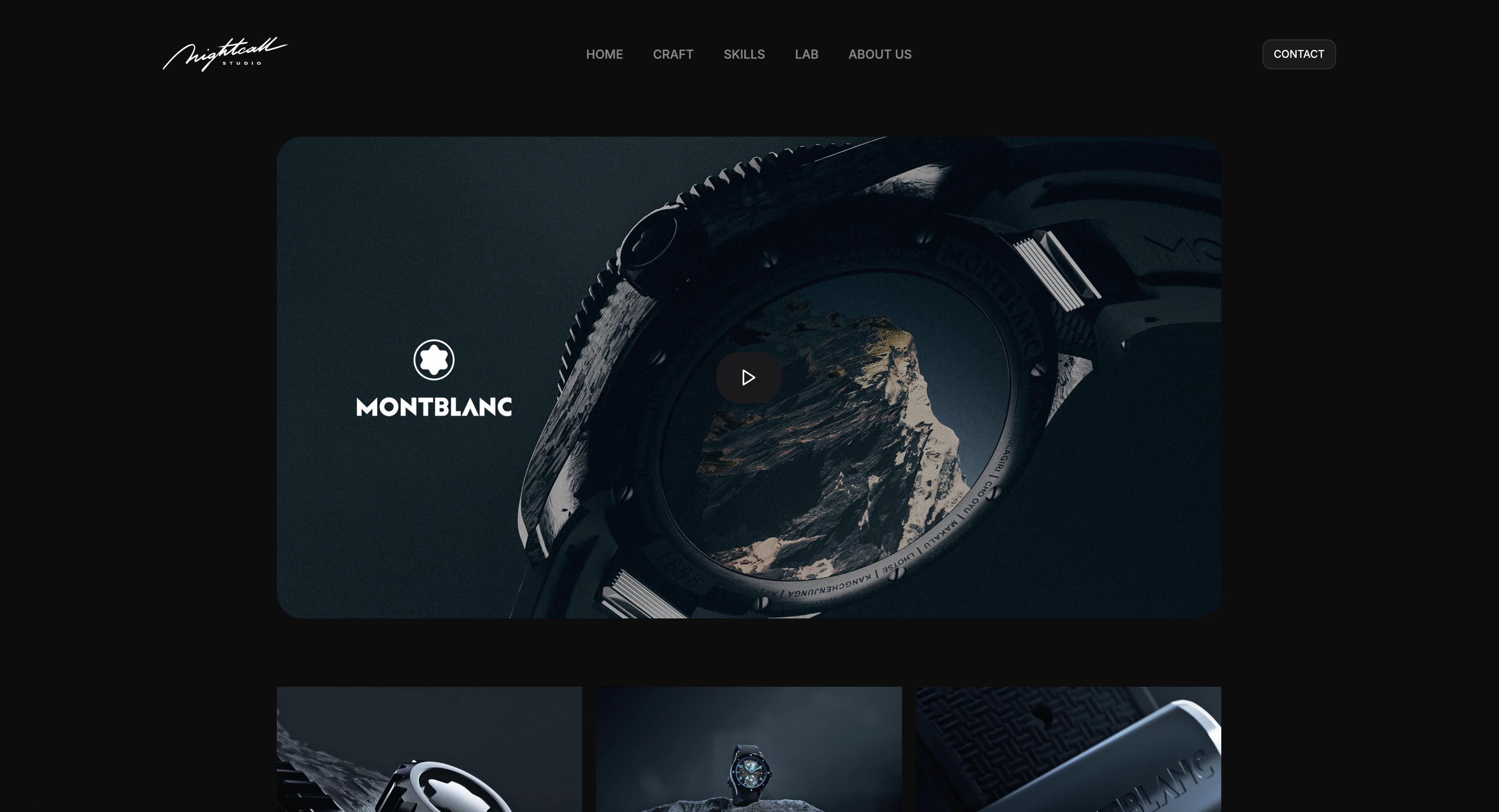
Framekit templates
Start from a designer-made template
 Use template
 Use template
 Use template
 Use template
 Use template
 Use template
 Use template
 Use template
You built a Cargo Collective site because it let you art-direct every corner - the type, the grid, the way an image bleeds off the edge - and it looked like nothing else. Then the practical questions arrived.
The free plan capped you at three pages with cargo.site in your URL, keeping the art-directed layout tidy across phones took real fiddling, and when a studio asked to buy a print, there was nowhere on the site to sell it.
The thing that made Cargo special - total hands-on control - is also the thing that makes it slow and store-less.
Cargo is a design instrument. That is its gift and its limit: it rewards people who want to build every pixel and offers little to people who also want to ship fast and sell.
The most expressive portfolio in the world still has to load on a phone and take a payment.
A Cargo Collective alternative is a portfolio platform you use instead of Cargo to publish creative work - ideally one that keeps the expressive, designer-first feel but adds a domain you own, a store to sell from, and a faster path to live.
This guide compares the best Cargo Collective alternatives on exactly that balance.
Recently updated, 12 October 2026: this guide had said Framekit's store sells prints, which it does not (it sells digital downloads only), and it described hands-on builds we cannot document.
Framekit's rating fell from 9.1 to 8.7 as a result, and it keeps first place for designers who sell files rather than physical prints. The Creative Cloud figure beside Adobe Portfolio now reads US$11.99 for Lightroom, not about $10.
The best Cargo Collective alternative in 2026 is Framekit, because it drafts an expressive portfolio from a prompt and adds a digital-download store and client galleries on a domain you own, so you get most of Cargo's designer feel without hand-building every page and a way to sell files.
Its store does not sell physical prints, so a designer selling prints that ship is better served by Squarespace.
The other honest trade-off: Cargo and Readymag give you more hands-on art-direction control than an AI draft does, so if bespoke, build-every-pixel layout is the whole point, they still win on pure design. Best all-in-one: Squarespace.
Deepest control: Webflow.
Framekit drafts a designer portfolio from a prompt and puts a digital-download store on your own domain from the $9 Starter plan, and the free plan needs no credit card.
Full disclosure: Framekit, ranked #1 below, is our own product, so we have a stake in this. We compared each tool's published plans, features and templates rather than building a portfolio on each, verified every price against each platform's published pricing in July 2026, and we say plainly where each beats us: Cargo and Readymag give more hands-on art-direction, Webflow more raw control, Squarespace sells physical prints where our store sells digital downloads only, and Adobe Portfolio is free with Creative Cloud. Read the ranking knowing that.
How We Compared These Cargo Collective Alternatives
Designers leave Cargo for two different reasons - they want to sell, or they want to move faster - and the best alternative depends on how much art-direction control you are willing to trade to get there.
We judged each tool on five things that matter to a designer leaving Cargo, and each has its own section below.
Design and art-direction. How much expressive control you get over layout, type, and the details that make a portfolio feel designed rather than templated.
Ownership. Does the site live on a domain you own with content you keep, or on the platform's subdomain? This compounds, so we weight it heavily.
Selling. Can you sell prints, digital products, or asset packs from the same site, and what does it cost when you do?
Ease and speed. How fast you get a finished, responsive site live without hand-building every page.
Real cost. The plan you actually need at renewal, plus any fee on sales.
We held every tool against the same brief, read against its published plans and features rather than built on each: a three-project portfolio with case studies and one $35 piece for sale, either as a physical print or as a digital download of the same artwork.
The designer we follow through this guide has an art-directed Cargo site and wants to keep the expressive feel, own the domain, and finally sell work from it.
Three kinds of finding, kept separate. Editorial judgement: our rating of each tool's published design controls, templates and features, labelled as ours.
Verified from primary sources: each price and plan, read on the platform's own pricing page in July 2026 and cited inline, with Framekit checked against its shipped product.
Community sentiment, labeled as such: patterns in reviews we have not checked ourselves.
What Comparing 7 Cargo Collective Alternatives Showed
These are the numbers behind the ranking, each checked against the platform's own pricing page in July 2026, with Framekit's store limits taken from its shipped product rather than from a test.
- Cargo's paid plan is about $14 a month billed yearly and includes a custom domain and unlimited pages; its free plan caps you at 3 pages with cargo.site branding, per its published pricing.
- Squarespace and Webflow (on an Ecommerce plan) can sell physical prints from the portfolio itself, Format's store starts on its Pro plan, and Framekit's store sells digital downloads only, not prints; Cargo, Readymag, and Adobe Portfolio do not sell natively.
- 1 of 7 drafts the whole portfolio from a prompt rather than asking you to build every page (Framekit).
- On a $35 digital download, such as a print-ready file or an asset pack, a Framekit store keeps about $33.25 on the free plan and the full $35 minus processing on Business; a physical print cannot be sold on Framekit at all, and a Cargo site cannot sell either.
- 2 of 7 match Cargo's hands-on, art-directed control most closely (Readymag and Webflow); the rest trade some control for ease.
For a pick tailored to how much control you want, jump to the decision tree. First, the full comparison.
The 7 Best Cargo Collective Alternatives in 2026: Full Comparison
How the ratings work: each tool is scored on the five criteria above, weighted for a designer's portfolio - ownership 25%, design and art-direction 25%, ease and speed 20%, selling 15%, real cost 15%.
The scores are our rating of each tool's published features, not results of a test.
Design is weighted as heavily as ownership because expressive control is exactly what a Cargo user prizes.
So Framekit's 8.7 is not a clean sweep - it takes a 10 on ownership, only a 7 on selling because its store sells digital downloads and not physical prints, and only a 7 on design, because Cargo, Readymag, and Webflow give more hands-on art-direction than an AI draft.
No tool won every column: the ones that beat Framekit on design give up the store, and Squarespace beats it on selling physical work.
| Tool | Best For | Free Plan | Starting Price | Our Rating |
|---|---|---|---|---|
| Framekit | An expressive portfolio that also sells files | Yes | $9/mo | 8.7/10 |
| Squarespace | A polished all-in-one | Trial | $19/mo | 8.5/10 |
| Webflow | Deepest design control | Trial | $15/mo | 8.4/10 |
| Framer | A design canvas with polish | Yes | $10/mo | 8.3/10 |
| Readymag | Editorial, art-directed design | Trial | $15/mo | 8.0/10 |
| Adobe Portfolio | Free with Creative Cloud | With CC | Free with CC | 7.7/10 |
| Format | A photo-forward portfolio | Trial | $10/mo | 7.6/10 |
Entry prices were verified against each platform's pricing pages in July 2026; check the latest before buying.
Control vs. store vs. speed at a glance
The tension in this category: the tools that best match Cargo's hands-on control tend to lack a store, and the tools that add a store trade some control for ease.
| Tool | Hands-on art-direction | Store built in | AI drafts the site | Own your domain |
|---|---|---|---|---|
| Framekit | Editable AI draft | Digital downloads only | Yes | Yes (paid plan) |
| Cargo | Yes, full | No | No | Yes (paid plan) |
| Readymag | Yes, full | No | No | Yes |
| Webflow | Yes, deep | Ecommerce plan | No | Yes |
| Squarespace | Template-level | Yes | Layout help | Yes |
See an expressive portfolio drafted from a prompt. The free plan gives you a designer-feel site with a digital-download store and galleries on a framekit.ai address, and your own domain from Starter - Cargo's expressiveness without hand-building every page.
1. Framekit: Best Overall

Our rating: 8.7/10
Framekit is an AI website builder that drafts an expressive portfolio from a prompt and adds a digital-download store and client galleries on a domain you own.
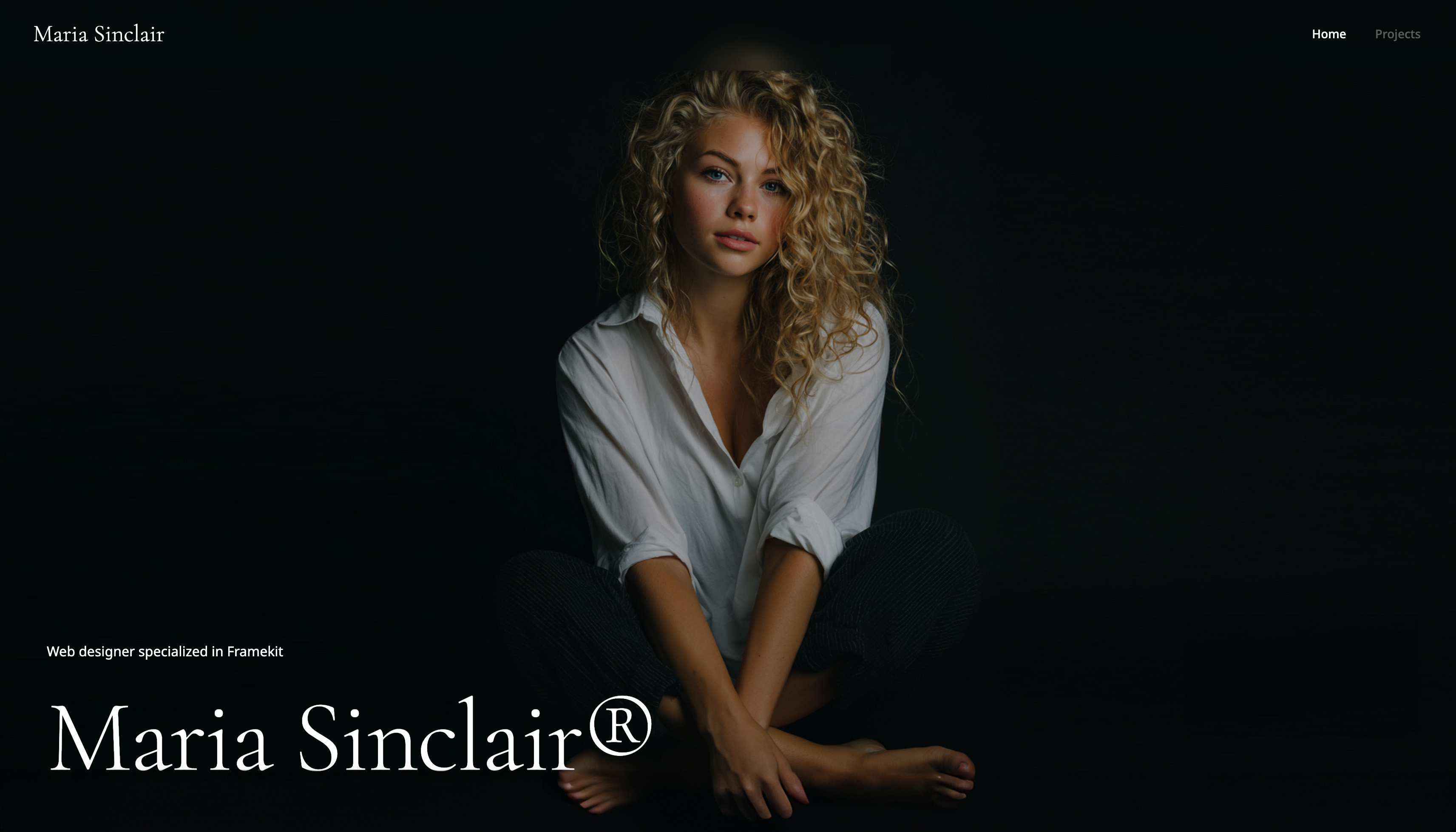
Where Cargo hands you a blank canvas and asks you to art-direct every page, Framekit hands you a designed draft - editorial layouts, considered type, a work grid - that you refine, then connects your domain and a store so the portfolio can finally sell files.
The flow is the difference: you describe an art-directed studio portfolio, or upload a screenshot of a layout you admire, and Framekit drafts the pages, the type and the work grid, which you then refine block by block.
It will not give you Cargo's total control - it is a draft you shape, not a canvas you build - but you start from a designed page rather than a blank one.
Time your own first draft on the free plan to see how long refining it takes with your work.
Best forDesigners and artists who want an expressive, owned portfolio that also sells, without hand-building every page.
Key features:
- Drafts an editorial portfolio from a prompt or an uploaded reference screenshot
- A built-in store for digital downloads and asset packs, with store pages on your own domain from Starter; no physical prints
- Client galleries for commission proofs, on every plan including free
- Portfolio, store, and galleries on one owned site
- The site is built by Cadence, Framekit's model for creative work, with a faster option called Score
The difference from Cargo is what the site can do once it is live.
Cargo makes a beautiful object; Framekit makes a beautiful object that also sells digital downloads, delivers commission proofs, and lives on a domain that builds your name in search.
You trade some hand-on control for a portfolio that works as a business.
The real numbera $35 digital download, such as a print-ready file or an asset pack, sold from a Framekit store nets about $33.25 on the free plan (5% fee) and the full $35 minus processing on the $39-a-month Business plan (0% fee).
A physical print is outside what Framekit sells, so it goes through a print service or a store such as Squarespace's; Cargo sells neither natively, so there you send the buyer to a separate platform and pay that platform's cut.
Pricing:
- Free: $0 (Framekit subdomain, 10GB pooled storage, 5% product fee)
- Starter: $9 per month (custom domain, no site badge, 50GB, 5% fee)
- Pro: $19 per month (300GB, 3% fee)
- Business: $39 per month (2TB, 0% product fee)
Pros:
- An expressive, editorial portfolio drafted from a prompt
- A digital-download store and client galleries built in, on your own domain from Starter
- Starts from an AI draft instead of a blank canvas
Cons:
- Less hands-on art-direction than Cargo, Readymag, or Webflow - it is an AI draft you refine
- No pixel-level canvas for building a fully bespoke layout
- A custom domain starts on the $9 Starter plan
- No physical prints: the store sells digital downloads only
Skip it ifbuilding every pixel by hand is the entire point of your portfolio. If art-direction is the craft you are showing off, Cargo, Readymag, or Webflow give more control, and we will not pretend an AI draft matches them there.
Framekit wins when you want expressive-enough, owned, and sellable, fast.
Verdict: Framekit is the best pick for a designer who wants Cargo's expressive feel without hand-building every page, and who finally wants to sell from the portfolio. You give up some art-direction control and gain a digital-download store, galleries, and an AI head start. See our best platforms for selling digital art, or start free at framekit.ai.
2. Squarespace: A polished all-in-one

Our rating: 8.5/10
Squarespace is where a lot of Cargo users land when they decide they want to sell and stop fiddling - the templates are tasteful, the editor is forgiving, and a store, blog, and email are all under one subscription.
It gives up Cargo's hand-on art-direction for a finished, sellable site you do not have to build.
There is no permanent free plan, only a trial, and design control is template-level rather than pixel-level, per its published pricing. For a designer who wants to sell and move on, that is a fair trade.
Best forDesigners who want a polished, all-in-one owned site with a store and will pay annually.
The real numberSquarespace runs from about $19 a month (Basic) to $99 (Advanced) on annual billing, with the store on the mid and upper tiers - a full all-in-one, priced as a yearly commitment.
PricingBasic about $19 a month, Core about $29, Plus about $49, Advanced about $99 (annual); trial only.
Pros:
- Polished, tasteful, low-effort
- A real store built in
- All-in-one with blog and email
Cons:
- Template-level design, not Cargo's control
- No free plan
- Recognizable templates
Skip it ifhand-on art-direction is your priority, or you want a free start. Squarespace trades control for a finished, sellable baseline.
Verdict: Squarespace is the pick for a Cargo user who wants to sell and stop building. If you want that convenience on a site an AI drafts and you own outright, that is Framekit's lane. See our best Squarespace alternatives for creatives. Visit Squarespace

3. Webflow: Deepest design control
Our rating: 8.4/10
Webflow is the pick for a Cargo user who wants even more control, not less - the box model, custom interactions, and a real CMS let a designer build almost any bespoke layout without writing code.
If Cargo frustrated you by not going far enough, Webflow goes further than anything here.
The cost is the steepest learning curve in this list, and selling means a separate Ecommerce plan, per its published pricing. It is control for people who will invest the hours.
Best forDesigners who want maximum bespoke control and a CMS and will learn the tool.
The real numberWebflow's Basic plan is about $15 a month and Premium about $25 on annual billing, with Ecommerce priced separately - real control, at a real learning cost.
PricingBasic about $15 a month, Premium about $25 (annual), plus Ecommerce to sell.
Pros:
- The deepest control short of code
- A real CMS for case studies
- Clean output
Cons:
- The steepest learning curve here
- Selling needs a separate plan
- Overkill for a simple portfolio
Skip it ifyou want to be live fast. Webflow rewards the hours you give it.
Verdict: Webflow is the control-maximalist pick for a Cargo user who wants to go deeper. If you want strong design without the curve, an AI draft is faster - see our best Webflow alternatives. Visit Webflow
4. Framer: A design canvas with polish
Our rating: 8.3/10
Framer sits between Cargo's hand-on control and an AI builder's speed - a visual canvas with real design power and smooth animation, learned in days rather than weeks. For a Cargo user who wants expressive control with less fiddling, it is a strong middle path.
It is still a design tool, with a real if gentler learning curve, AI metered in credits, and basic native selling, per its published pricing.
Best forDesigners who want an expressive canvas that is quicker than Cargo and Webflow.
The real numberFramer's Basic plan is about $10 a month for a custom domain and Pro about $30, a single-plan structure - the trade is a lighter store than an all-in-one.
Pricingfree plan on a framer.website subdomain; Basic about $10 a month, Pro about $30 (annual).
Pros:
- Expressive control, learned in days
- Excellent animation and polish
- One plan, not a stack
Cons:
- A design-tool curve, AI in credits
- Basic native selling
- A lighter CMS than Webflow
Skip it ifyou want a real store or the simplest path. Framer is a design tool first.
Verdict: Framer is a strong middle path for a Cargo user who wants expressive control without the deepest curve. If you want that polish drafted for you, an AI builder is faster - see our best Framer alternatives. Visit Framer
5. Readymag: Editorial, art-directed design
Our rating: 8.0/10
Readymag is the closest peer to Cargo on this list - a designer-first tool for editorial, magazine-style sites and interactive case studies, with real typographic control and expressive layouts.
For a Cargo user who wants a like-for-like with a different flavor, Readymag is the natural cross-shop.
It shares Cargo's limits too: it is light on commerce and conventional business features, and community sentiment notes that its distinctive projects take care to keep responsive - labeled as reviewer sentiment, which we have not checked ourselves.
Best forDesigners who want another editorial, art-directed tool in Cargo's spirit.
The real numberReadymag runs from about $15 a month depending on plan, a mid-range price for a specialist design tool - the trade is little commerce, like Cargo.
Pricingfrom about $15 a month depending on plan; trial rather than a permanent free site.
Pros:
- Editorial, art-directed design like Cargo
- Real typographic control
- Great for interactive case studies
Cons:
- Light on commerce
- Responsive control takes care (sentiment)
- A narrow, specialist tool
Skip it ifyou want to sell or need an all-in-one. Readymag is a design instrument, like Cargo.
Verdict: Readymag is the closest like-for-like for a Cargo user who wants editorial control and no store. If you want that expressiveness plus a store, an all-in-one wins. See our best website builder for graphic designers. Visit Readymag
6. Adobe Portfolio: Free with Creative Cloud
Our rating: 7.7/10
Adobe Portfolio is the value pick for a Cargo user already paying for Creative Cloud - it is included free, gives a clean custom-domain site, and imports from Behance and Lightroom.
It is far simpler than Cargo, with less control, but it is a fast, free, owned site for a designer in the Adobe ecosystem.
It does presentation and stops there: no real store, limited templates, shallow control. For a clean free portfolio, that simplicity is the point.
Best forCreative Cloud subscribers who want a clean, free owned portfolio.
The real numberAdobe Portfolio costs nothing extra on top of a Creative Cloud plan you already pay for, and the entry route Adobe listed in September 2026 was Lightroom (1TB) at US$11.99 a month, so the owned site is effectively free - the trade is no store and little control.
Pricingincluded with any paid Creative Cloud plan; not sold separately.
Pros:
- Free with Creative Cloud
- Clean, custom-domain site
- Behance and Lightroom import
Cons:
- No store
- Limited templates and control
- Tied to a Creative Cloud subscription
Skip it ifyou want to sell or need design control. Adobe Portfolio is a clean presentation site.
Verdict: Adobe Portfolio is the easy free pick for a Cargo user already in Adobe. When you want a store or more control, you will move on - see our best Adobe Portfolio alternatives. Visit Adobe Portfolio
7. Format: A photo-forward portfolio
Our rating: 7.6/10
Format is a portfolio builder made for visual creatives, with tasteful templates and client proofing, so it suits a Cargo user who wants a designed site with less hand-building and a bit of client delivery.
The portfolios look good and the proofing is competent, though neither leads its class.
Its store and design control are lighter than a specialist tool, so it is a portfolio-first pick rather than a control tool or a commerce engine.
Best forDesigners and photographers who want a tasteful, portfolio-first site with light proofing.
The real numberFormat runs from about $10 a month, a low price for a designed portfolio and light proofing - the trade is lighter selling and control than the leaders.
Pricingfrom about $10 to $12 a month; trial rather than a permanent free plan.
Pros:
- Tasteful templates
- Client proofing built in
- Affordable
Cons:
- Lighter store and control
- No free plan
- Portfolio-first
Skip it ifyou want deep control or a strong store. Format is a tasteful portfolio with light extras.
Verdict: Format is a fine portfolio-first landing spot for a Cargo user who wants less fiddling. For a store on the same site, an all-in-one wins. See our best Format alternatives. Visit Format
What Cargo's Hand-Built Portfolio Actually Costs
In one lineCargo's control is real and so is its price in time and lost sales - you hand-build every page, keep art-directed layouts responsive yourself, and have no store, so the cost shows up as weekends spent and prints sold somewhere that takes a cut.
Cargo is genuinely one of the best tools for an expressive portfolio, and the cost is easy to miss because it is not on the invoice. Here is where it lands.
The build time. Cargo gives you control by making you do the controlling - every page art-directed by hand, every breakpoint checked yourself. That is a feature if design is the craft you are selling, and a tax if you just want the site live so you can get back to the work.
The missing store. Cargo has no native store, so when someone wants to buy a print or a pack, you send them to a separate platform - Etsy, Gumroad, a print-on-demand service - and pay that platform's cut.
A $35 print sold through a marketplace loses 10% or more of its price to that marketplace, and you hand your buyer to someone else's brand.
The responsive upkeep. Art-directed layouts are the ones most likely to break on a new phone size, so the expressive site is also the one you maintain most. That upkeep is invisible until a client opens it on a device you did not test.
Run the test on your own work: add the hours you spend hand-building and maintaining the Cargo layout to the cut a separate store takes on your sales.
If that total is more than an all-in-one that drafts the site and sells from it, the hand-built portfolio is the expensive one.
Our guide to selling art online from your own website covers the store side.
How to Choose a Cargo Collective Alternative: A Decision Tree
It comes down to two questions, in order, and the first that fits you is your answer.
Start here: is building every pixel by hand the point - is art-direction the craft you are showing off?
- Yes, hand-on control is the whole point. Choose Readymag for a Cargo-like editorial tool, or Webflow for the deepest control and a CMS. Accept that a native store is not their strength. Stop here.
- No, I want an expressive-enough site that also sells and ships fast. Go to the next question.
Do you want to sell prints or products from the portfolio?
- Yes, digital files: asset packs, brushes, type or print-ready downloads. Choose Framekit - an expressive portfolio drafted from a prompt, with a digital-download store and client galleries on your own domain. This is the pick for most designers leaving Cargo who sell files.
- Yes, physical prints that ship. Choose Squarespace, whose store sells physical products; Framekit's store does not.
- No, presentation is all I need, and I already pay for Creative Cloud. Choose Adobe Portfolio for a free, clean owned site, or Squarespace if you want a polished all-in-one you will pay for.
Frequently Asked Questions
What is the best Cargo Collective alternative in 2026?
The best Cargo Collective alternative in 2026 is Framekit, because it drafts an expressive, editorial portfolio from a prompt and adds a digital-download store and client galleries on a domain you own - so you keep most of Cargo's designer feel without hand-building every page, and you can finally sell files from the site.
Its store sells no physical prints, which Squarespace does.
The honest trade-off is control: Cargo, Readymag, and Webflow give more hands-on art-direction than an AI draft, so if building every pixel is the point, they still win on pure design.
For a polished all-in-one, Squarespace is the strongest alternative.
Is there a free Cargo Collective alternative?
Yes. Framer and Wix have free plans, Framekit's free plan gives you a real portfolio and store on a subdomain, and Adobe Portfolio is free with any paid Creative Cloud subscription.
Cargo itself has a free tier too, capped at three pages with cargo.site branding.
The difference is what free includes: Framekit free adds a store and galleries, Adobe Portfolio free adds a custom domain if you already pay for Creative Cloud, and the others are portfolio-only.
Free plans put you on a subdomain until you upgrade for your own domain.
Why do designers leave Cargo Collective?
Designers leave Cargo, or add a second tool, for three reasons: it has no native store so they cannot sell from the site, its hand-on art-direction is slow to build and to keep responsive, and its free plan is limited to three pages with branding.
Cargo is excellent at expressive, designed portfolios and was never built to be a fast all-in-one or a storefront.
Designers who want to sell prints, ship faster, or own a fuller site tend to move to a builder that adds those without giving up too much design feel.
Can I sell prints or products on a Cargo alternative?
Yes for physical prints on an alternative with a physical store, and yes for digital products on more of them.
Squarespace and Wix include stores that sell physical prints as well as digital products, and Webflow can with a separate Ecommerce plan.
Framekit's store sells digital downloads only, such as asset packs, brushes or print-ready files, so a physical print needs one of those or a print service.
Cargo, Readymag, and Adobe Portfolio have no native store, so selling from them means linking to a separate platform that takes a cut.
On Framekit, a $35 digital download nets about $33.25 on the free plan versus losing 10% or more to a marketplace. See our best platforms for selling digital art.
Cargo vs Readymag: which is better?
They are close peers - both are designer-first tools for expressive, editorial portfolios with strong typographic control and little native commerce.
Cargo leans slightly more toward hand-built, art-directed pages, while Readymag leans toward interactive, magazine-style layouts, and both take care to keep responsive. Neither has a real store.
For a designer choosing between them, it comes down to which editor feels more natural; for a designer who also wants to sell or ship faster, the honest answer is that a builder with a store beats both on those jobs.
Which Cargo alternative keeps the most design control?
Among these, Webflow and Readymag keep the most design control - Webflow through the box model, custom interactions, and a CMS, and Readymag through editorial, art-directed layouts in Cargo's spirit.
Both let you shape a portfolio far more precisely than a template-first tool, at the cost of time and, for Webflow, a steep learning curve.
Framekit gives you an editable AI draft rather than a blank canvas, so it trades some of that control for speed and a built-in store.
If control is the priority above all, Webflow or Readymag; if a fast, sellable, owned site matters more, Framekit.
How much does a Cargo Collective alternative cost?
Entry pricing in 2026 runs from free (Adobe Portfolio with Creative Cloud, or Framer and Framekit free tiers on a subdomain) to about $10 a month (Format), $9 a month (Framekit Starter), $10 a month (Framer), $14 a month (Cargo itself), $15 a month (Webflow, Readymag), and $19 a month (Squarespace).
The number that matters is the plan that gives you a custom domain and, if you sell, a store - price that at renewal, not the teaser tier.
For a designer who wants to sell, a builder with a store included is usually cheaper overall than a design-only tool plus a separate marketplace.
Do I need to know design to use a Cargo alternative?
It depends which one. Cargo, Readymag, and Webflow reward design knowledge and are slower without it, because they hand you the controls.
Squarespace and Adobe Portfolio are template-first, so you fill in a designed layout rather than build one.
Framekit generates the whole portfolio from a description, so you edit an AI draft rather than design from scratch - the least design knowledge required to get an expressive-looking result.
If you are a designer who enjoys art-direction, the control tools suit you; if you want the result without the build, an AI builder or a template tool is faster.
Will my Cargo site transfer to another platform?
Not automatically. There is no one-click export that rebuilds a Cargo site inside another builder, because each tool stores layouts differently, so moving means rebuilding the pages in the new tool and pointing your domain at it.
The upside is that it is a natural moment to add what Cargo lacked - if you were sending buyers to a separate store for digital files, rebuilding on a builder like Framekit that includes a download store can consolidate the portfolio and those sales into one owned site.
Keep your images and copy; plan to rebuild the layout.
Framekit vs Cargo: what do I give up in design control?
The hand-built part. If art direction is the craft your portfolio is demonstrating, Cargo, Readymag and Webflow give you finer control over layout and behaviour, and an AI-generated draft does not match a page you built pixel by pixel.
What you gain is a digital-download store and an owned domain without a second platform: a $35 digital download sold from a Framekit store nets about $33.25 on the free plan and the full $35 minus processing on Business at $39 a month, where Cargo has no store and you would be paying another platform's cut to sell it.
Physical prints are outside both.
Final Verdict: The Best Cargo Collective Alternative in 2026
Across the seven tools' published features, the pattern is clear: the tools that match Cargo's hand-on control lack a store, and the tools that add a store trade some control for ease and speed.
Framekit is the best Cargo Collective alternative in 2026 for a designer who wants to keep an expressive, editorial feel but own the domain, sell digital work from the site, and stop hand-building every page.
You get a designed draft to refine, and a download store and galleries built in.
Who should not use Framekit: if art-direction is the craft you are showing off and building every pixel is the point, Cargo, Readymag, or Webflow give more hands-on control, and that is where Framekit loses - we will not pretend an AI draft matches a bespoke canvas.
Choose a control tool if the design itself is the deliverable. Framekit is also not for a designer whose sales are physical prints, because its store sells digital downloads only; Squarespace is the better fit there.
Squarespace is the polished all-in-one, Webflow the control-maximalist, Readymag the closest editorial peer, and Adobe Portfolio the Creative Cloud freebie. But if you want expressive-enough, owned, and able to sell digital work, draft it and sell from it.
For more, read our best Behance alternatives, the best website builder for graphic designers, our best Framer alternatives, the best Portfoliobox alternatives, our Framekit vs Format comparison, and how to sell art online from your own website.