Framekit templates
Start from a designer-made template
 Use template
 Use template
 Use template
 Use template
 Use template
 Use template
 Use template
 Use template
You want one thing: a website that also sells your digital products - a template, a preset pack, an ebook - and delivers the file automatically when someone buys.
It sounds simple, and then you actually try it on a mainstream website builder. Shopify makes you install a separate app to deliver a download.
Squarespace takes 2% of each download on its cheapest plan and only drops that to zero from its second tier. Wix and Webflow are built around shipping physical boxes, so a download feels like a workaround.
The builder sells websites; selling downloads is an afterthought.
That is the gap when you choose a website builder to sell digital products in 2026.
Plenty of builders can technically take a payment, but few are designed for digital-first selling, where the store looks like your brand, the file delivers itself, and the platform does not take a cut that never falls.
This guide ranks the builders on how well they actually sell downloads, not how well they sell websites.
We priced every builder against its own published plans in July 2026, and re-verified Ecwid and Sellfy on 12 October 2026 because their plans had moved: Ecwid no longer has a free plan, and Sellfy's plans carry yearly sales ceilings this page had not listed.
The same October pass withdrew our claim to have built a store on all twelve builders and run test purchases, and corrected the Framekit and Payhip take-home on a $19 file by a few cents.
It also fixed Squarespace's download fee: its help centre puts downloads on the 2% store fee, which reaches 0% on Core rather than only on the top tier.
Selling websites is not the same as selling downloads.
A website builder to sell digital products is a platform that hosts your site and also handles the storefront, checkout, and automatic file delivery for downloads - so a visitor can buy your template or preset and receive the file without you touching the order.
The best website builder to sell digital products in 2026 is Framekit, because it is digital-first: it generates a designer-quality site (on your own domain from Starter), delivers files automatically after purchase, and charges a platform fee that starts at 5% and drops to 0% on a flat plan - where mainstream builders bolt downloads onto a physical store or gate zero fees behind a top tier.
The honest trade-offs: Shopify has a far bigger app ecosystem for scaling, and you connect your own Stripe rather than getting a merchant of record. Payhip is the best cheap digital-first store, and Squarespace is the most template-polished.
Framekit builds a designer-quality site that sells your digital products, on your own domain from the $9 Starter plan, and the free plan needs no credit card.
Full disclosure: Framekit, ranked #1 below, is our own product, and we are also a website builder, so weigh the ranking against the concessions. We compared all 12 from their published plans and help docs, without building a store on any of them, and we say plainly where each beats us: Shopify has an app ecosystem and physical-commerce depth we do not, Squarespace has a bigger template catalog, and Wix has more third-party apps. We priced each builder in July 2026. If you are scaling a large physical-plus-digital store, Shopify is the better home, and we say so.
Coming from Shopify specifically? The best Shopify alternatives for digital products covers the two charges that make a digital catalogue expensive there: the 2% penalty for using your own payment provider, and the app you need before a file can be delivered at all.
How We Compared These Website Builders
We priced the same $19 digital product against every builder's published plans and help docs, and scored each on how well it sells downloads specifically:
Digital delivery. Does the file deliver automatically and securely after purchase, natively, or only through a separate app?
Transaction fee. The platform's cut on each digital sale, on top of processing, and whether it ever reaches 0%.
Store ownership. Whether the store looks like your brand on your own domain, or like the builder's template.
Design quality. Whether the site around the store looks designed or like a filled-in template.
Setup for digital. How much work each builder's own docs put between signup and a live, delivering product.
We carry one seller through the guide: a creator selling a $19 digital product from their own site to their audience. We made no test purchases; each builder was priced against its published plans in July 2026, and community sentiment is flagged as such.
What 12 Builders' Plans and Docs Show
- Only a few builders deliver digital files natively; Shopify needs its Digital Downloads app, and several treat downloads as a secondary feature behind physical commerce.
- Squarespace charges a 2% store fee on downloads on Basic and 0% from Core, per its transaction fees help article; only its separate fee on courses and memberships waits for the top Advanced tier.
- 1 of 12 is digital-first with a designer-AI site and a fee that drops to 0% on a flat plan (Framekit).
- The cheapest digital-first store, Payhip, starts free at 5% and buys down to 0% on a paid plan.
- The builders that sell downloads best are not the biggest names - the digital-first tools beat the physical-commerce giants at this specific job.
The 12 Best Website Builders to Sell Digital Products in 2026
How the ratings work: each builder is scored on digital delivery, transaction fee, store ownership, design quality, and digital setup, weighted toward selling downloads specifically - digital delivery and fee 45%, ownership and design 35%, setup 20%.
A builder that sells physical products brilliantly but treats downloads as an afterthought scores lower here than a digital-first tool.
| Builder | Best For | Native File Delivery | Digital Transaction Fee | Our Rating |
|---|---|---|---|---|
| Framekit | Digital-first selling on your own site | Yes, built in | 5% free, 0% on Business | 9.4/10 |
| Payhip | A cheap digital-first store | Yes, built in | ~5% free, 0% top plan | 8.6/10 |
| Podia | Digital products plus courses | Yes, built in | No free plan, 5% then 0% | 8.3/10 |
| Sellfy | Digital plus print-on-demand | Yes, built in | 0% on paid plans | 8.2/10 |
| Squarespace | Template-polished digital store | Yes, native | 2% on Basic, 0% from Core | 8.0/10 |
| Shopify | Scaling a large store | Via a free app | Processing + app | 7.8/10 |
| Wix | A flexible all-purpose site | Via Wix Stores | Processing on paid plans | 7.5/10 |
| Webflow | Design-first custom stores | Via ecommerce plans | ~2% standard, 0% higher | 7.4/10 |
| Ecwid | Adding a store to any site | Yes, from Venture | 0%; no free plan, downloads from $29/mo yearly | 7.2/10 |
| Big Cartel | A simple small catalog | Basic | Flat plan, no per-sale cut | 7.0/10 |
| Carrd | A one-page site | No, links out | None natively | 6.8/10 |
| Hostinger | A cheap all-purpose builder | Basic | Processing | 6.5/10 |
Fees verified against each builder's pricing page in July 2026. Processing of about 2.9% + $0.30 applies on top wherever you use your own payment provider. Confirm current numbers before deciding.
Digital delivery and fees at a glance
The two things that decide whether a builder sells downloads properly are automatic delivery and the cut it takes. This is how they compare.
| Builder | File delivers automatically | Store on your own domain | Digital fee reaches 0% | Digital-first design |
|---|---|---|---|---|
| Framekit | Yes, built in | From Starter; checkout on framekit.ai | Yes, Business plan | Yes, AI-designed |
| Payhip | Yes, built in | On paid plan | Yes, top plan | Store template |
| Shopify | Only with an app | Yes | With Shopify Payments | Physical-first |
| Squarespace | Yes, native | Yes | From Core, its second tier | Template-first |
| Wix | Via Wix Stores | Yes | Processing only, paid | Physical-first |
1. Framekit: Best Overall

Our rating: 9.4/10
Framekit is an AI website builder that treats digital products as the main event, not an afterthought.
It generates a designer-quality site (on your own domain from Starter), lists your downloads, and delivers the file automatically after purchase - the whole flow is built in, with no separate app to install and no physical-store assumptions to work around.
For a creator whose product is a file, it is the builder designed for exactly that.
Best forCreators who want a designed website that sells and delivers digital products without bolting on a store.
Key features:
- Automatic, secure file delivery built into the checkout, no app required
- A designer-quality site generated by AI, on your own custom domain from Starter
- A platform fee that starts at 5% and drops to 0% on the Business plan
- A free plan with no credit card to build the site and list products
- Your own brand and buyer list, so the store looks like you, not the builder
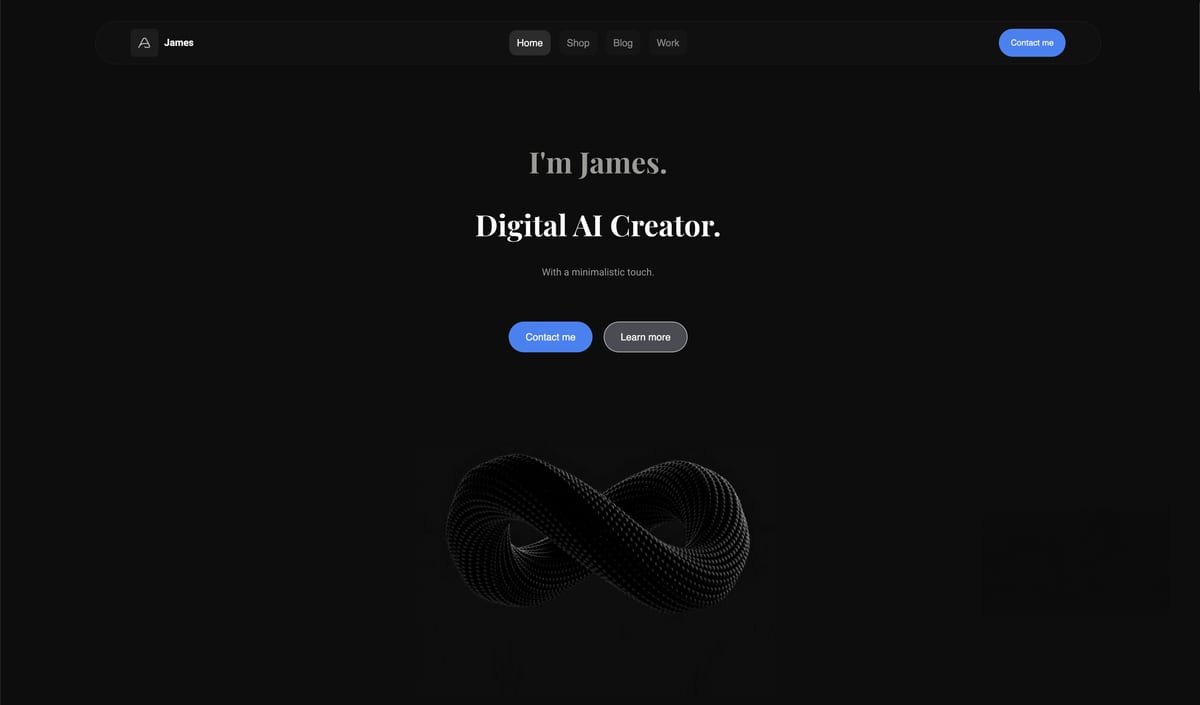
The contrast with the mainstream builders is the point. On Shopify you install an app to deliver a download; on Squarespace you pay for Core to reach 0% on downloads; on Wix and Webflow you work around a physical-commerce model.
Framekit starts from digital selling, so on a $19 product the Business plan keeps about $18.15 after processing at 0% platform fee, and the file just delivers.
The real numberon the Business plan, a $19 digital product nets about $18.15 after processing at 0% platform fee, and delivery is included - where a comparable Shopify setup needs a delivery app and a Squarespace Basic store takes 2% of each download.
Even Framekit's free plan (5%) nets about $17.20.
Pricing (transaction fee on sales in parentheses)Free $0 (5% fee), Starter $9 per month (5% fee, custom domain), Pro $19 per month (3% fee), Business $39 per month (0% fee).
Pros:
- Automatic digital delivery built in, with no separate app
- A designer-quality site on your own domain, not a template store
- A fee that drops to 0%, instead of physical-first pricing that never targets digital
Cons:
- No large third-party app ecosystem for scaling like Shopify
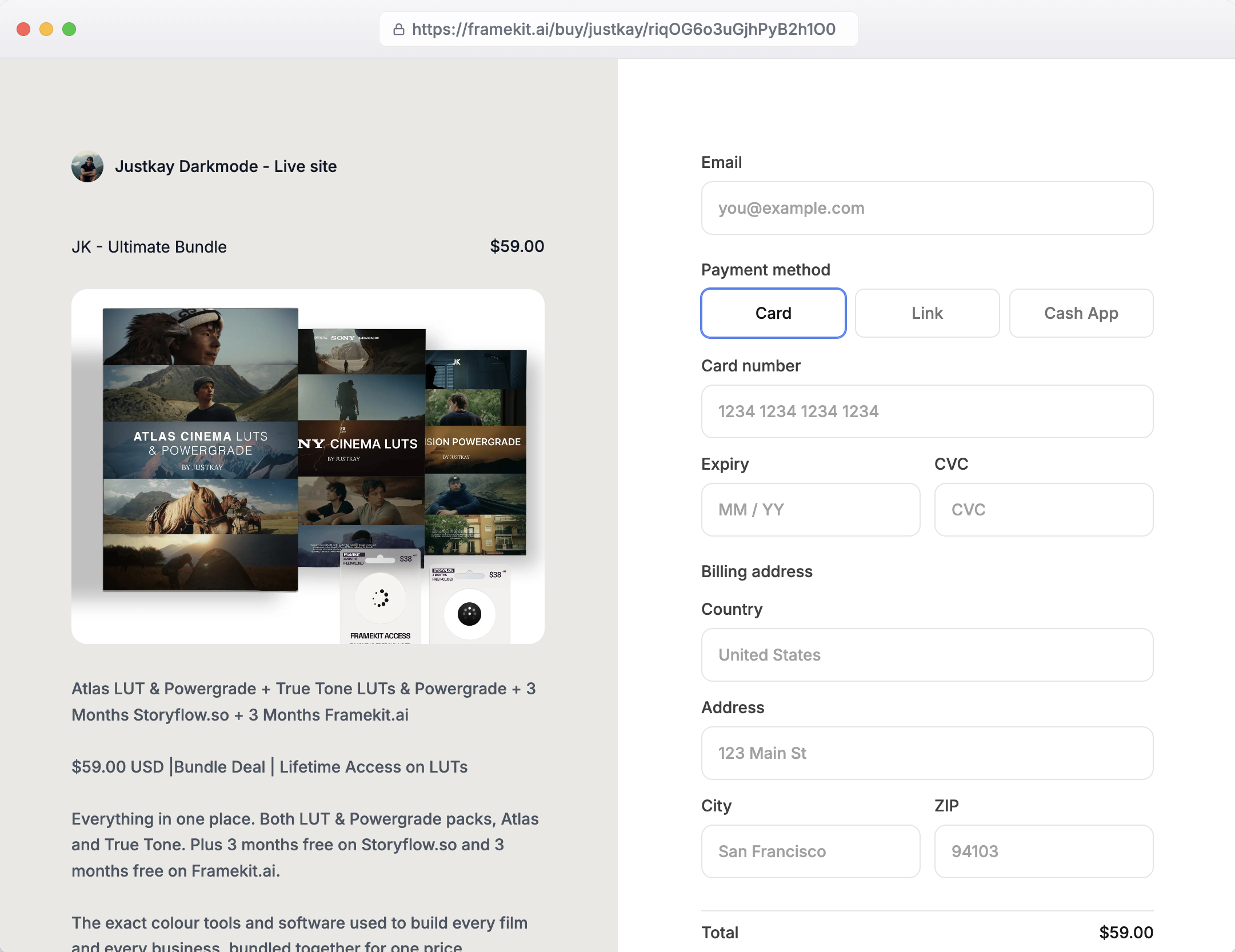
- Checkout runs on a Framekit-hosted page at framekit.ai/buy, under your name, not on your own domain
- You connect your own Stripe rather than getting a merchant of record
- Built for creators selling digital products, not large physical-inventory stores
Skip it ifyou are scaling a big physical-plus-digital store that needs Shopify's app ecosystem, or you specifically want a merchant of record to handle tax.
Verdict: Framekit is the best website builder to sell digital products because it is the only AI site builder here designed around downloads - delivery built in, a fee that reaches 0%, and a site you own. Start free at framekit.ai, or compare the wider field in our best free product-selling software guide.
2. Payhip
Our rating: 8.6/10
Payhip got digital-first selling right before the mainstream builders noticed the category existed, and it shows in how little sits between signing up and having a live download for sale.
You upload the file, set a price, and the checkout hands it over automatically, with EU VAT calculated and remitted for you so a buyer in Berlin is handled the same as one in Boston (Payhip's pricing).
For a creator whose entire business is a file and a price, that narrow focus is the whole appeal.
The economics are honest at the low end: the free plan takes 5% per sale, so a $19 template nets about $17.20, and paid tiers buy that percentage down toward 0% once volume justifies the subscription.
What you give up for the low cost is design, because every Payhip storefront wears the same template, so it reads as a Payhip page rather than a site a visitor would mistake for your own brand.
Best forCreators who want the cheapest fully digital-first store and do not need a designed website wrapped around it.
Key features:
- Automatic file delivery on the free plan, with no app or add-on
- EU VAT calculated and remitted for you on every sale
- A 5% free-plan fee that paid tiers buy down toward 0%
- Memberships, coaching, and downloads sold from one storefront
- Coupons, upsells, and affiliate tools included
The real numberon the free plan Payhip's 5% cut leaves about $17.20 of a $19 download, and moving to a paid tier swaps that percentage for a flat monthly cost - worth it only once your sales clear the subscription.
Pricinga free plan at 5% per sale, with paid tiers that reduce the transaction fee toward 0%; payment processing applies on top.
Pros:
- A genuinely free, fully digital-first storefront
- Automatic delivery and EU VAT handled for you
- Simple enough to launch a product with very little setup
Cons:
- Every store shares the same template, so branding is thin
- It is a storefront, not a full website you design
- Reaching 0% means paying for a higher tier
Skip it ifyou want a designed site around the store rather than a standalone shop page on a shared template.
Verdict: Payhip is the best cheap digital-first store here, and the right call when a focused shop is all you need and the budget is tight. Our best Payhip alternatives guide covers where to go once design starts to matter. Visit Payhip
3. Podia
Our rating: 8.3/10
Podia treats downloads and teaching as one business rather than two tools, which fits the creator whose $19 template sits next to a $99 course and a paid newsletter.
The file delivery is native, the course player is built in, and the email marketing lives in the same dashboard, so a buyer of the download can be nudged toward the course without exporting a list to another app.
For a seller building a small catalog of digital products and education together, that consolidation removes a whole stack of subscriptions.
The cost of that breadth is that Podia no longer has a free plan at all, having removed it in October 2024, so you start at $42 a month for Mover plus 5 percent, and only Shaker at $84 a month removes the per-sale fee.
It is also more machinery than a pure download seller will ever touch, so if you never plan to teach you are paying attention to features you will not use. Podia earns its rating when products and courses genuinely share a roof.
Best forCreators who sell downloads and courses side by side and want delivery, teaching, and email in one place.
Key features:
- Native file delivery for downloads on every plan
- A built-in course player alongside the product store
- Email marketing in the same dashboard as sales
- A 14-day trial, then Mover at 5% or Shaker with no Podia fee
- Memberships and digital products managed together
The real numberwith no free tier, a $19 download on Podia Mover costs 95 cents in platform fee on top of $42 a month, so the subscription only pays for itself once you sell steadily or genuinely use the course tools.
Pricingno free plan; Mover at $42 a month billed yearly plus 5%, Shaker at $84 with no Podia fee; processing applies on top.
Pros:
- Downloads, courses, and email in one subscription
- Native delivery with no separate app
- A 14-day trial with no card required
Cons:
- Mover's $42 a month plus 5% is high against free digital-first rivals
- More platform than a pure download seller needs
- The storefront leans toward a course-portal feel
Skip it ifyou only sell files and never plan to teach, where a leaner 5% store keeps more of each sale.
Verdict: Podia is the best builder for selling downloads and courses together, worth its $504-a-year floor only when teaching is genuinely part of the plan. Our best Podia alternatives guide ranks the product-first options. Visit Podia
4. Sellfy
Our rating: 8.2/10
Sellfy removes the per-sale percentage entirely, charging 0% on its paid plans and delivering downloads, subscriptions, and print-on-demand merch natively from one storefront.
For a creator who has moved past the first handful of sales and wants to stop watching a cut leave every order, that flat-fee model is the draw, because you pay the subscription and keep your full price minus only processing.
The catch sits at the entry point: there is no lasting free plan, only a trial, so the roughly $29 a month starts before you have proven a single sale. Below a certain volume, a free store that takes 5% is cheaper than paying $29 for 0%.
Sellfy makes sense once your sales clear that crossover and the merch and subscription tools begin earning their keep.
Best forCreators selling steadily who want 0% per-sale fees and downloads plus print-on-demand merch in one store.
Key features:
- 0% transaction fees on every paid plan
- Native delivery for downloads and subscriptions
- Print-on-demand merch sold from the same store
- Email and upsell tools built in
- Fast setup from signup to a live product
The real numberSellfy's roughly $29 a month buys 0% fees, so a $19 download keeps its full price minus processing - but with no free plan, that $29 is a cost you carry from day one, paying off only above the point where 5% of your sales would exceed it, about $580 a month on monthly billing or $440 on the $22 yearly price.
Pricingpaid plans from $29 a month, or $22 billed yearly, at 0% transaction fees, with a 14-day trial rather than a permanent free plan; each plan has a yearly sales ceiling, $10,000 on Starter, above which Sellfy expects an upgrade or may charge a 2% overage fee (checked October 2026).
Processing applies.
Pros:
- 0% per-sale fees on a flat subscription
- Downloads and print-on-demand merch together
- Quick to set up and start selling
Cons:
- No permanent free plan, only a trial
- The subscription starts before your first sale
- Below the crossover, a free 5% store is cheaper
Skip it ifyour sales are light or irregular, where a free-plan store costs nothing to keep open between orders.
Verdict: Sellfy is the best digital-first store for a seller ready to pay a flat fee for 0% and who wants merch alongside downloads. Our best Sellfy alternatives guide weighs that subscription against free options. Visit Sellfy
5. Squarespace

Our rating: 8.0/10
Squarespace is the builder people reach for when the site itself has to look designed, and its templates genuinely do, so a digital store here sits inside a polished portfolio rather than on a bare shop page.
It delivers digital files natively, with no add-on app, which already puts it ahead of Shopify for a download seller who wants the whole thing to feel like one considered site.
The friction is the fee.
Squarespace's Basic plan takes a 2% store fee on each download, which its transaction fees help article drops to 0% from Core at $29 a month billed yearly, so keeping your full margin on a $19 download means paying for the second tier.
You are buying template polish and paying for the privilege of a clean margin, which suits a seller who values presentation and will spend to protect it.
Best forSellers who want the most template-polished site around their store and will pay the top tier to reach 0% on digital.
Key features:
- Native digital-file delivery with no separate app
- A large catalog of genuinely designed templates
- A full portfolio site wrapped around the store
- Your own custom domain and branding
- Built-in blogging and marketing tools
The real numberSquarespace takes 2% of every $19 download on Basic, 38 cents, and nothing from Core at $29 a month, so a clean margin costs a mid-tier plan - template polish comes with a margin you rent back on the cheapest plan.
Pricingmonthly plans with a transaction fee on digital content on lower tiers, dropping to 0% only on the top Commerce plan; processing applies.
Pros:
- The most polished templates in this list
- Native digital delivery with no add-on
- A designed portfolio and store in one site
Cons:
- Digital fees clear only on the top tier
- More expensive than a focused digital store
- Commerce runs behind the design-first framing
Skip it ifyou want 0% fees without paying for the top plan, where a digital-first tool reaches it for less.
Verdict: Squarespace is the best builder when template polish matters most and you will pay for Core to reach 0% on downloads. Our best Squarespace alternatives for creatives guide compares the cheaper design-led routes. Visit Squarespace
6. Shopify

Our rating: 7.8/10
Shopify is the most powerful commerce engine here, with a checkout buyers trust on sight and an app ecosystem nothing else in this list approaches, and none of that was built with a single $19 download in mind.
To deliver a file at all you install its Digital Downloads app - free, functional, and a clear tell that digital is a bolt-on to a platform designed to ship physical boxes.
That framing is fine, even ideal, when your download sits alongside a growing catalog of physical goods, staff accounts, and inventory to manage, because Shopify scales past every other tool here.
For a creator whose entire business is a file delivered to their audience, it is more store than the job needs, priced from about $5 for a link-in-bio tier up to full plans, with processing on top.
Shopify wins on scale and loses on digital-first simplicity.
Best forSellers scaling a broad catalog of physical and digital products who want a trusted checkout built to grow.
Key features:
- A checkout buyers recognize and trust
- The deepest app ecosystem of any builder here
- Physical and digital products in one store
- Staff, inventory, and shipping tools for scale
- Digital delivery through the free Digital Downloads app
The real numbera Shopify digital store means a monthly plan plus the Digital Downloads app to deliver the file, so even though the app is free, the platform's real cost and complexity sit well above what a single-download seller needs.
Pricingmonthly plans from about $5 for a link tier up to full stores, plus processing; digital delivery via the free Digital Downloads app.
Pros:
- A trusted checkout on your own domain
- An app ecosystem built for scaling
- Physical and digital in one catalog
Cons:
- Digital delivery needs an installed app
- More platform than a download seller uses
- Oriented around physical commerce first
Skip it ifyou sell one download or a small preset pack, where a digital-first store delivers it without the extra machinery.
Verdict: Shopify is the pick for scaling a broad store, not for selling a file simply - its power is aimed at a catalog you may not have yet. Our best Gumroad alternatives guide covers the simpler digital routes. Visit Shopify
7. Wix
Our rating: 7.5/10
Wix is the flexible generalist, an approachable drag-and-drop builder that can sell a digital product through its Wix Stores feature with no transaction fee beyond processing on its paid plans.
The design range is wide and the editor forgiving, so a creator who wants to place every element by hand can build a site that looks the way they pictured it and attach a store along the way.
Like Shopify, though, Wix is built around physical commerce, so digital delivery is a capability you switch on rather than the reason the tool exists.
It handles a $19 download competently without the digital-first conveniences of a dedicated store, which makes it a reasonable home for a seller who wants one flexible general-purpose site and treats selling files as a secondary use.
Best forSellers who want one flexible, hand-built general-purpose site with a store attached rather than a digital-first shop.
Key features:
- Drag-and-drop design with a wide template range
- Wix Stores for selling digital and physical goods
- No platform transaction fee beyond processing on paid plans
- Your own domain and full layout control
- A large app market for extra features
The real numberWix charges no platform cut beyond processing on its paid plans, so a $19 download keeps its full price minus card fees - but you set delivery up through Wix Stores, a physical-commerce feature adapted to files rather than built for them.
Pricingpaid plans with no platform transaction fee beyond processing; digital selling handled through Wix Stores.
Pros:
- No platform fee beyond processing on paid plans
- Flexible, approachable drag-and-drop design
- A general-purpose site with a store attached
Cons:
- Built around physical commerce, not downloads
- Digital delivery is a secondary feature
- Less digital-first polish than a dedicated store
Skip it ifyou want a store designed for downloads from the ground up rather than a general builder with selling added.
Verdict: Wix is a fair pick for a flexible general-purpose site that also sells the occasional download, less so for a digital-first business. Our best Wix alternatives guide weighs the options for creatives. Visit Wix
8. Webflow
Our rating: 7.4/10
Webflow hands a designer more control than anything else in this roundup, letting you shape a store to the pixel through its ecommerce plans, which typically carry about a 2% transaction fee on the standard tier that drops on higher plans.
For a creator who treats their site as a portfolio piece in its own right, the ceiling on how good a $19 product page can look is the highest here.
That control is also the cost. Webflow has the steepest learning curve in this list, and its digital selling is a capable secondary feature rather than a native focus, so you invest real time before a download is live and delivering.
It suits a designer who wants total command of the layout and will spend the hours, not a creator who just wants to list a file and get paid this afternoon.
Best forDesigners who want pixel-level control of a custom store and will invest the time to build it.
Key features:
- The highest design ceiling of any builder here
- Ecommerce plans that sell digital products
- About a 2% standard-plan fee that drops on higher tiers
- Fully custom layouts and interactions
- Your own domain and clean, exportable markup
The real numberWebflow's standard ecommerce plan takes about 2% per transaction, dropping on higher tiers, so a $19 download costs about 38 cents in platform fee before processing - modest, but earned only after a build that takes far longer than a digital-first store.
Pricingecommerce plans with about a 2% transaction fee on the standard tier, dropping on higher tiers; processing applies.
Pros:
- Unmatched design and layout control
- Digital selling on a fully custom site
- A lower standard fee that falls with higher plans
Cons:
- The steepest learning curve in this list
- Digital selling is a secondary capability
- Real setup time before a product is live
Skip it ifyou want a download live today, where a digital-first store skips the build entirely.
Verdict: Webflow is the design purist's builder with selling attached, worth it only when total layout control is the point and time is not the constraint. Visit Webflow

9. Ecwid
Our rating: 7.2/10
Ecwid, now part of Lightspeed, solves a narrower problem than the rest: adding a store to a site you already have.
It supports digital products natively from its Venture plan, so a creator with an existing site - even a simple one - can bolt on selling and delivery without rebuilding anything, though it no longer offers a free plan to try that on.
For someone who does not want to migrate their whole web presence just to sell a $19 file, that graft-it-on approach is practical.
The trade is that Ecwid behaves like a store widget embedded in your page rather than a store designed as part of the site, so the selling area can feel grafted on instead of integrated.
It does deliver downloads without a separate tool, which keeps it honest as a digital option, but a seller who wants the store and the site to read as one designed thing will notice the seam.
Ecwid is the add-a-store choice, not the build-a-store one.
Best forSellers who already have a website and just want to add digital selling without rebuilding it.
Key features:
- A store widget that embeds in an existing site
- 0% platform transaction fees on every plan
- Native digital-product delivery
- Works across many site platforms
- A central catalog synced across places you sell
The real numberEcwid dropped its free plan, and its pricing page puts digital downloads on Venture at $35 a month, or $29 billed annually, with files up to 25GB each (checked October 2026); the $5 Starter plan covers 10 products but not downloads.
That makes $29 a month the real floor for selling a $19 file, with 0% platform fee on top of processing.
Pricingno free plan; Starter at $5 a month without digital goods, Venture at $35 ($29 yearly) for up to 100 products including downloads, Business at $65 ($49) and Unlimited at $149 ($119); processing applies.
Pros:
- Adds selling to an existing site without a rebuild
- Native digital delivery with 0% platform fee
- No need to migrate your web presence
Cons:
- Behaves like a widget, not an integrated store
- The selling area can feel grafted on
- Design is basic next to a dedicated builder
- No free plan, and downloads need the $35 Venture plan
Skip it ifyou want the store and site to read as one designed whole rather than an embedded add-on.
Verdict: Ecwid is the best way to add digital selling to a site you already have, as long as an embedded widget is enough. Visit Ecwid
10. Big Cartel
Our rating: 7.0/10
Big Cartel has served artists and makers for years with flat monthly plans and no per-sale platform cut, and for a steady seller that math beats a percentage every time, because your fifth $19 download costs the same in platform fees as your first, which is nothing beyond the flat plan.
For an artist selling a small, stable range, the predictability is genuinely appealing.
The tool is built around physical goods and small catalogs, though, so digital delivery is basic rather than a focus, and the design is deliberately minimal.
It works for an artist whose range is tiny and who values a flat cost and simplicity over digital-first delivery polish, but a creator whose whole business is files will feel the thinness of the download handling.
Big Cartel is the flat-fee, small-catalog option.
Best forArtists and makers with a small, steady range who prefer a flat monthly cost to a per-sale percentage.
Key features:
- Flat monthly plans with no per-sale platform cut
- Simple storefronts aimed at small catalogs
- A free tier for a handful of products
- Your own domain on paid plans
- Straightforward, minimal setup
The real numberBig Cartel takes no percentage of a sale, so at steady volume a flat plan can cost less than a percentage tool - but its digital delivery is basic, so the savings come with a plainer download experience for the buyer.
Pricingflat monthly plans with no per-sale platform fee, including a free tier for a few products; processing applies.
Pros:
- No per-sale cut, just a flat plan
- Predictable cost at steady volume
- Simple and quick for a small range
Cons:
- Digital delivery is basic, not a focus
- Built for small, mostly physical catalogs
- Minimal design and few selling features
Skip it ifyour business is primarily digital files that deserve proper delivery and presentation.
Verdict: Big Cartel is the flat-fee pick for a small, steady catalog, best when predictable cost matters more than digital-delivery polish. Visit Big Cartel
11. Carrd
Our rating: 6.8/10
Carrd builds beautiful one-page sites for a few dollars a year, and it is a delight for exactly that, but it does not sell digital products natively.
To take a payment and deliver a $19 file, you embed a checkout from Gumroad, Payhip, or a similar tool, so Carrd is the front page while the actual selling and delivery happen somewhere else entirely.
That split keeps Carrd simple and cheap, which is the whole point, and for a creator who wants a slick landing page pointing at a product hosted elsewhere it is a fine choice.
It just is not a store, so judging it as a website builder to sell digital products means being clear that the store lives on another tool. Carrd is the front door, not the shop behind it.
Best forCreators who want a cheap, polished one-page site that links out to a product sold on a dedicated tool.
Key features:
- Beautiful one-page sites at a very low yearly cost
- Fast, simple building with no learning curve
- Embeds checkouts from Gumroad, Payhip, and others
- Your own domain on paid tiers
- Ideal as a landing page or link hub
The real numberCarrd itself costs only a few dollars a year, but it sells nothing natively, so every $19 download is processed and delivered by whatever checkout you embed - the real selling cost is that other tool's fee, not Carrd's.
Pricinga few dollars a year for the site; no native selling, so the store's fees come from the embedded checkout tool.
Pros:
- Extremely cheap and simple
- Genuinely attractive one-page designs
- Pairs with any embedded checkout
Cons:
- No native digital selling or delivery
- The store lives on a separate tool
- Not a store in any real sense
Skip it ifyou want the site itself to sell and deliver the file rather than point at another tool that does.
Verdict: Carrd is the best cheap one-page front page, but the selling happens on whatever checkout you embed, not on Carrd itself. Visit Carrd
12. Hostinger
Our rating: 6.5/10
Hostinger's website builder is the budget generalist, a cheap all-purpose tool with a basic store aimed at value more than at selling downloads well.
It can technically list and sell a $19 file, but it does so without the automatic-delivery focus or digital-first polish of a dedicated store, so the experience is functional rather than considered.
For a simple site with the occasional sale, and especially for a creator whose first priority is a low bill, Hostinger is fine and inexpensive.
A business whose core is digital products will outgrow its basic store quickly, though, because the tool was designed to be affordable web hosting with a store attached, not a place built to sell files.
Hostinger is the budget option, best when price leads and selling is occasional.
Best forBudget-focused sellers who want a cheap all-purpose site and only sell a download now and then.
Key features:
- Low-cost all-purpose website building
- A basic store that can list digital products
- Affordable hosting bundled in
- Templates for a simple general site
- Your own domain on paid plans
The real numberHostinger competes on price, so the monthly cost is among the lowest here, but its store is basic and not built for automatic digital delivery, so a serious digital seller pays little and gets little in return.
Pricinglow-cost all-purpose plans with a basic store; processing applies; no digital-first delivery focus.
Pros:
- Among the cheapest options here
- An all-purpose site with hosting included
- Fine for a simple site with light selling
Cons:
- The store is basic and not digital-first
- No automatic-delivery focus for downloads
- A real digital business outgrows it quickly
Skip it ifdigital products are your core business rather than an occasional add-on to a cheap site.
Verdict: Hostinger is the budget generalist, best when a low bill matters most and selling a download is only an occasional need. Visit Hostinger
Why Most Builders Treat Downloads as an Afterthought
In one linemainstream website builders were built to sell physical products or publish pages, so digital delivery is a feature they added, which is why it needs an app or a top-tier plan - and a digital-first builder that delivers natively at 0% simply does the job better.
The big website builders did not start with downloads in mind. Shopify was built to ship physical products, so delivering a file needs its Digital Downloads app.
Squarespace and Wix were built to publish sites and later added commerce, so digital content sits under a store feature with fees on lower tiers.
The result is that selling a download on a mainstream builder always feels slightly grafted on - an app here, a top-tier upgrade there, a physical-store checkout to work around.
A digital-first builder inverts that. When the platform assumes your product is a file, delivery is automatic, the fee structure targets digital, and the setup is one step instead of three.
That is the difference between a builder that can sell downloads and one designed to - and for a creator whose whole business is digital products, the second is worth choosing on purpose.
Our guide to the best free product-selling software covers the dedicated tools, and the best platforms to sell presets guide applies it to a specific product.

What Digital Selling Actually Costs on a Builder
In one linethe real cost of selling downloads on a builder is the transaction fee plus any delivery app, so a builder charging 0% on digital with delivery built in keeps more than a cheaper-looking plan that adds a fee and an app on top.
Compare the true cost, not the sticker price.
A builder that looks cheap can cost more to actually sell a download: Squarespace's Basic plan adds a 2% store fee on downloads until you move to Core, and Shopify needs a delivery app and charges processing, so the headline plan price understates the cost of selling a file.
A digital-first builder that delivers natively at 0% platform fee, like Framekit's Business plan, keeps your full price minus only processing, with nothing bolted on.
Run your own math: take the builder's plan price, add any transaction fee on digital sales, add any delivery app cost, and compare the total to your sales.
On a $19 product at steady volume, the platform that charges 0% on digital and includes delivery usually wins, because the fee compounds with every sale while a flat plan does not.
Our best Gumroad alternatives guide runs the same math for marketplace tools.
How to Choose a Website Builder to Sell Digital Products: A Decision Tree
Read top to bottom and stop at the first yes.
Is selling digital downloads the main point of your site?
- Yes, downloads are the business. Choose a digital-first builder: Framekit for a designed site you own with delivery built in, or Payhip for the cheapest focused store.
- No, I am scaling a large or physical store. Go to the next question.
Do you sell physical products too, or need a big app ecosystem?
- Yes, physical plus digital at scale. Choose Shopify, and accept the delivery app for downloads.
- No, mostly digital but I want template polish. Choose Squarespace, and budget for Core to reach 0% on downloads.
Optimizing for something specific?
- Downloads plus courses: Podia.
- 0% fees on a subscription with merch: Sellfy.
- Adding a store to a site you already have: Ecwid.
- A one-page site linking to a seller: Carrd.
Frequently Asked Questions
What is the best website builder to sell digital products in 2026?
The best website builder to sell digital products in 2026 is Framekit, because it is digital-first: it generates a designer-quality site (on your own domain from Starter), delivers files automatically after purchase with no separate app, and charges a fee that drops to 0% on a flat plan.
Mainstream builders like Shopify need a delivery app and Squarespace gates 0% behind its second tier. The trade-off is that Framekit has a smaller app ecosystem than Shopify and you handle your own tax.
Which website builders deliver digital files automatically?
Digital-first builders deliver files automatically and natively: Framekit, Payhip, Podia, and Sellfy all include secure download delivery in the checkout. Squarespace also delivers digital content natively.
Shopify requires installing its free Digital Downloads app to deliver a file, and Wix and Webflow handle downloads through their store features. Carrd does not sell natively at all - you embed a checkout from another tool.
For a download seller, native automatic delivery is the baseline to look for.
Do I need Shopify to sell digital products?
No, and Shopify is often not the best choice for digital products, because it is built for physical commerce and requires its Digital Downloads app to deliver a file.
For selling downloads specifically, a digital-first builder like Framekit or Payhip delivers natively and is simpler and often cheaper.
Shopify makes sense when you are scaling a large catalog or selling physical and digital products together and want its app ecosystem, but for a creator selling a few downloads it is more platform than needed.
What transaction fees do website builders charge on digital sales?
Fees vary widely. Framekit charges 5% on its free plan dropping to 0% on Business, Payhip 5% dropping toward 0% on paid plans, and Podia has no free plan at all since October 2024, starting at $42 a month plus 5%.
Squarespace charges a 2% store fee on downloads on Basic and 0% from Core, with a separate fee on courses and memberships until its top tier, while Shopify and Wix charge no platform fee beyond processing on their paid plans but Shopify needs a delivery app.
Always add processing (about 2.9% + $0.30) and any app cost to the headline plan price.
Can I sell digital products from my own domain?
Yes, most of these builders let you connect a custom domain on a paid plan, so the store is on your own address.
Framekit puts your digital store on your own domain from Starter, with a designed site around it and checkout on a Framekit-hosted page, and Squarespace, Shopify, Wix, and Webflow all support custom domains too.
The difference is how much the store looks like your brand versus the builder's template - a designer-AI builder produces a site that reads as yours, while a template store reads as the platform's, even on your domain.
Which website builder is cheapest for selling digital products?
For a genuinely free start, Framekit's free plan and Payhip's free plan both let you sell digital products at 5% with no monthly cost; Ecwid, which used to have a free tier, now starts at $29 a month billed annually for downloads.
The cheapest long-term option depends on volume: a free 5% plan is cheapest at low volume, while a flat 0% plan like Framekit's Business becomes cheapest once you sell enough that 5% would exceed the subscription.
Watch for hidden costs like Squarespace's 2% download fee on Basic or a Shopify delivery app.
Is Squarespace or Shopify better for digital products?
For digital products specifically, Squarespace is often the smoother choice because it delivers digital files natively without an app, while Shopify requires installing its Digital Downloads app.
Squarespace's catch is a 2% store fee on downloads on its Basic plan, whereas Shopify charges no platform fee with Shopify Payments beyond processing.
Shopify wins if you also sell physical products at scale; Squarespace wins for a template-polished digital store, and a digital-first builder like Framekit beats both at pure download selling.
Do website builders deliver preset and LUT files properly?
Digital-first builders do. Framekit, Payhip, Podia, and Sellfy deliver preset packs, LUTs, and zip files automatically and securely after purchase, which is what you need for installable creative files.
Because presets and LUTs are cheap, watch the fee structure - a flat per-sale fee hurts more on a $12 pack - so a percentage-only or 0% builder keeps more.
Our guide to the best platforms to sell presets covers this in detail, including how flat fees eat into cheap products.
Can I sell digital products and have a real website in one place?
Yes, and that is the advantage of a website builder over a bare checkout tool.
Framekit gives you a full designed website - portfolio, blog, about page - with a digital store built into the same site (on your own domain from Starter), so you are not running a separate storefront.
Squarespace, Wix, and Shopify also combine a site and a store, though with downloads as a secondary feature. A dedicated tool like Gumroad or Payhip is a store more than a website, so a builder wins when you want both in one place.
What happens to my digital store if I stop paying the builder?
On most website builders without a free plan, your site and store go offline when you stop paying, and your product links stop working, though you keep your original files.
Framekit has a permanent free plan, but a custom domain needs Starter or above, so if a paid plan lapses, links on your own domain stop working on Framekit's side.
What you do keep is the domain registration itself and, if you exported them, your customer emails and files, so export both before downgrading any plan.
Which builder looks the most professional for a digital store?
Framekit produces the most designed digital store of these builders, because its site is generated by design-trained AI rather than assembled from a template, so the store reads as a custom brand.
Squarespace is the strongest template-based option, with polished designs, and Webflow can achieve the highest ceiling if you invest the time to design it. The dedicated store tools like Payhip look clean but generic.
For a store that looks unmistakably yours without hiring a designer, an AI builder leads.
What does Framekit charge to sell a digital product, and is file delivery included?
Delivery is included on every plan, with no separate app or add-on to install. The platform fee is 5 percent on Free and Starter, 3 percent on Pro, and 0 percent on Business at $39 a month, charged on top of normal card processing.
In practice a $19 product nets about $18.15 on Business and about $17.20 on the free plan.
The comparison worth making is against a builder that meters digital sales separately: Squarespace charges 2% on downloads on its Basic plan, and a Shopify store needs a delivery app before it can hand over a file at all.
Final Verdict: The Best Website Builder to Sell Digital Products
Most website builders can take a payment for a download, but few are designed to sell them - which is why selling a file on a mainstream builder means an app, a top-tier plan, or a physical-store checkout to work around.
Framekit is the best website builder to sell digital products in 2026 because it is digital-first.
It generates a designed site, on your own domain from Starter, delivers files automatically with no app, and charges a fee that drops to 0% on a flat plan, so downloads are the point rather than an afterthought.
Where Framekit loses: sellers scaling a large physical-plus-digital store who need Shopify's app ecosystem, and anyone who specifically wants a merchant of record to handle their tax.
For those, Shopify and a merchant-of-record tool respectively are the better fit, and we say so plainly.
Payhip is the best cheap digital-first store, Squarespace is the most template-polished, and Shopify is the pick for scaling. But if selling digital products from a site that looks like yours is the goal, choose the builder designed for downloads.
For more, read our best free product-selling software comparison, our best Gumroad alternatives, the best platforms to sell presets, and the best easy-to-use AI website builders.
_Builder fees and delivery features verified against each vendor's pages, July 2026; Ecwid and Sellfy re-checked October 2026._