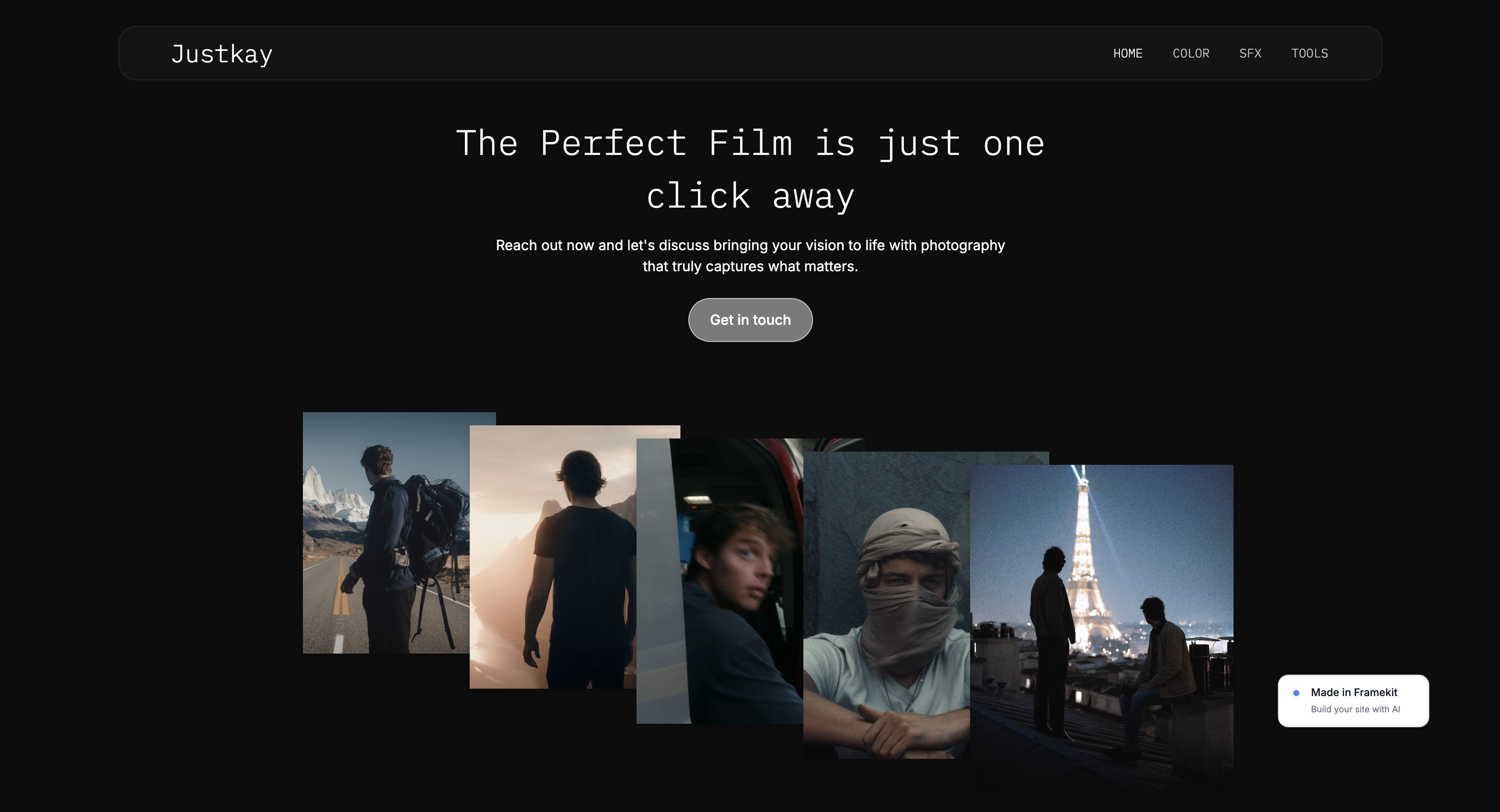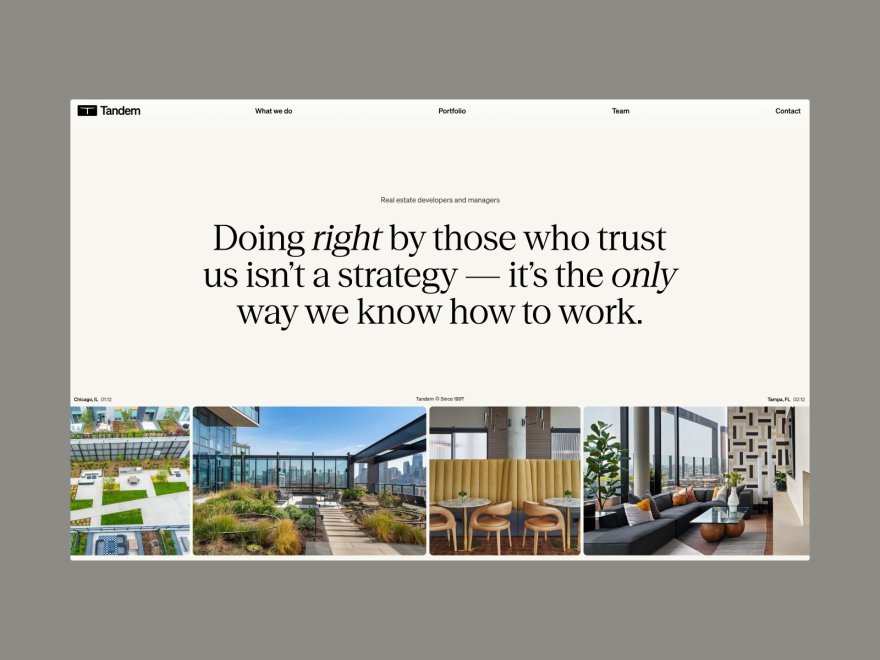
Framekit templates
Start from a designer-made template
 Use template
 Use template
 Use template
 Use template
 Use template
 Use template
 Use template
 Use template
Format has been a default portfolio builder for photographers and creatives for over a decade. It does the job.
But if you have used it for a few years, you have probably noticed the same things we did: the templates feel dated next to newer sites, the editor is slow to bend to your vision, and the plan you actually need costs more than the headline price suggested.
The question is whether something better exists now. This guide ranks the best Format alternatives, and who each one suits.
It does. The portfolio builder market moved fast in the last two years, and the biggest shift is AI that actually understands design. The newest tools do not just hand you a template, they build a layout with real hierarchy and spacing.
Others have pulled ahead on raw speed, and a few simply cost less for the same result.
A Format alternative is any portfolio website builder a creative would switch to from Format, usually for better design output, faster page loads, lower cost, or a workflow that does not fight back.
The right one depends on whether you need a store and client galleries bundled in, or just a fast, beautiful site that wins work.
We tested eight Format alternatives hands-on, building real sites and judging them on design quality, performance, ease of use, and three-year cost. This is the comparison to read before you renew anything.
The best Format alternative in 2026 is Framekit, because its designer-trained AI builds genuinely designed portfolios without the dated-template feel, and it adds client galleries and a digital store that Format charges separately for.
Squarespace is the runner-up for template-led design and the better pick if you sell physical products, and Pixpa is the cheapest way to get a site and galleries together. Start free at framekit.ai.
Full disclosure: Framekit, ranked #1 below, is our own product, so read the ranking knowing it. We link to every alternative here and name where each one beats us: Webflow gives manual control our AI does not, Squarespace sells physical goods and we do not, Cargo art-directs further than a generated site will, and Adobe Portfolio costs nothing if Creative Cloud is already on your card.
How We Compared These Format Alternatives
The honesty split matters far more than a methodology badge, so here is exactly what each claim in this guide rests on and, just as usefully, what it does not. Anything we did not assess is listed rather than quietly omitted.
- Verified from primary sources: every price and plan limit was read from the vendor's own published pricing page and checked again in September 2026. Where a vendor lists a promotional first-term rate, the renewal rate is the one quoted.
- Assessed hands-on: the editor experience, the design quality of the default output, and what each builder does when you add a new section late.
- Not assessed: print fulfilment, enterprise plans, and any feature behind a sales call.
We publish no load times or performance scores for any builder here, ours included.
Framekit is an AI website builder that generates the portfolio structure as well as the styling, which is the part Format leaves you to assemble yourself, and its free plan publishes a live site.
What to Look For in a Format Alternative
The reasons creatives leave Format are specific and well worn: dated templates, an editor that resists you, and a plan that costs more than the headline price implied. Judge replacements against those three reasons rather than against a generic feature list.
Does the design look current?
Format's templates are its weakest point, and a portfolio is judged on taste in the first five seconds. Look for a builder that produces real spacing, type hierarchy, and layout rhythm, so your site signals craft rather than a 2018 template.
Is it actually fast?
A portfolio is image-heavy, and slow loads cost you work. The replacement should handle image compression, lazy loading, and a global CDN at the platform level, so visitors on mobile see your work before they bounce.
Do you need a store and client galleries, or just a site?
Format bundles client-proofing galleries and a print store. If you genuinely use those, you need a replacement that bundles them too. If you only ever wanted a portfolio site, you are paying for tools you do not touch, and a leaner builder will be cheaper and better.
What is the real three-year cost?
Format's headline price climbs once you need a custom domain, more storage, and the project count a working creative hits. Calculate the cost over three years on the plan you will actually use.
Quick Comparison: Format Alternatives
The weighting to read this with: design quality of the default output is weighted highest, because a dated look is what pushes most people off Format in the first place, then what the plan includes beyond a site, then three-year cost.
Under the opposite weighting, where manual control matters most, Webflow wins and Framekit places third.
| Tool | Best For | Design Quality | Starting Price |
|---|---|---|---|
| Framekit | Designer-grade AI portfolios | Excellent | Free / $9 Starter / $19 mo |
| Squarespace | Template-led design | Strong | $19 mo |
| Pixpa | Bundled store and galleries | Good | $5 mo |
| Webflow | Full custom control | Excellent | $15 mo |
| Wix | App integrations | Fair | $17 mo |
| Carbonmade | Simple portfolio-only sites | Good | $9 mo |
| Cargo | Experimental art-directed sites | Good | $13 mo |
| Adobe Portfolio | Creative Cloud subscribers | Fair | Bundled with CC |
1. Framekit: Best Format Alternative Overall

Framekit is the best Format alternative in 2026 because its AI was trained by senior designers, so it builds portfolios with real layout, hierarchy, and spacing, and the result never has the dated-template look that pushes creatives off Format in the first place.
Pages also stay fast because performance is handled at the platform level.
The core difference is where the intelligence comes from. Format hands you a template and a slow editor. Framekit generates a designed starting point and adapts it as you go. You can design from a reference, too.
Drop in a screenshot of a site you admire, and Framekit generates a direction in that style instead of from a blank template.
It holds together as the portfolio grows.
Add a case study or a new gallery section and Framekit inherits your existing fonts, colors, and spacing automatically, so the site does not slowly drift out of alignment the way a hand-edited template does.
The SEO basics ship by default, with server-side rendering, automatic sitemaps, and JSON-LD structured data, so your work surfaces in search without a plugin.

Be honest about the trade-off. Framekit does include client galleries on every plan, with passwords, watermarking, favorites and full-resolution downloads, but it has no print lab and no threaded approval round.
If you rely on Format for recorded client sign-off or print sales, you will add a tool like Pixieset alongside Framekit. Framekit also has no built-in booking or CRM, and a smaller plugin marketplace than Wix.
For a pure portfolio site that wins work, it is the strongest pick here.
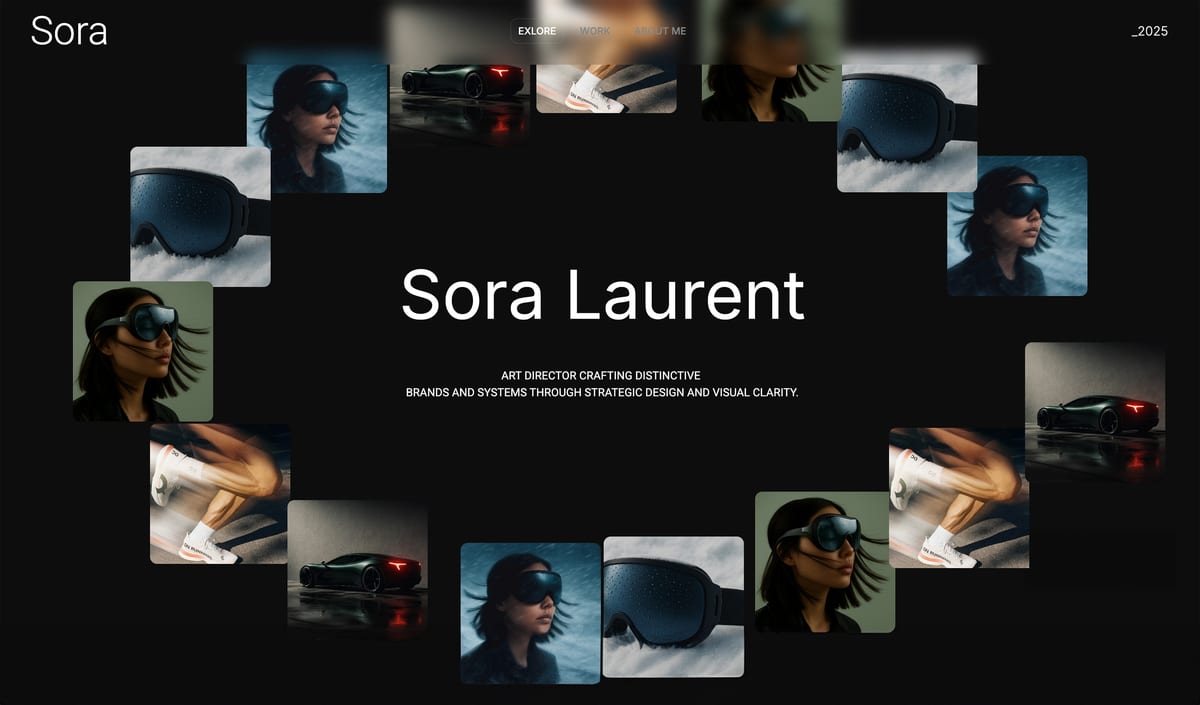
PricingFree ($0, no credit card, framekit.ai subdomain and a small badge), Starter $9 per month (custom domain, no branding), Pro $19 per month, Business $39 per month. Paid plans are month to month and you can cancel anytime.
ProsDesigner-trained AI builds genuinely current layouts, fast performance handled at the platform level, new sections stay style-consistent automatically, flat pricing that does not rise at renewal.
ConsNo print lab and no threaded approval round, so pair it with a proofing tool if you need those; no built-in booking or CRM; smaller plugin marketplace than Wix.
Verdict: Framekit is the best Format alternative for creatives who want a fast, genuinely designed portfolio.
2. Squarespace: Best Template-Led Alternative

Squarespace is the strongest Format alternative if you want a template-first workflow and a polished site quickly. Its templates are genuinely well-designed, noticeably more current than Format's, and the editing experience is reliable and widely supported.
The limits are the same as ever. The AI features are minimal despite the marketing, so you customize templates by hand, and design flexibility drops once you push past what a template intended.
On image-heavy pages it also lags the quicker builders. It is a safe upgrade from Format, just not a design-leading one.
Our Framekit vs Squarespace comparison goes deeper on design and speed.
Pricing (annual billing) from Squarespace pricing: Basic $19 per month, Core $29 per month.
ProsWell-designed current templates, reliable hosting, easy to learn.
ConsMinimal real AI, flexibility drops past template intent, slower on heavy media.
Verdict: Squarespace is a safe template-led upgrade from Format.
3. Pixpa: Best for Bundled Store and Galleries
Pixpa is the closest direct replacement if you actually use Format's client galleries and print store. It bundles a portfolio site, client-proofing galleries, a store, and a blog into one low-cost subscription, which is exactly the all-in-one model Format built its reputation on.
The trade-off is design. Pixpa is functional and affordable, but its templates and editor feel similar in age to Format's, so you are not really upgrading the design, just the price and the feature bundle.
If your reason for leaving Format is the dated look, Pixpa will not fix that.
Pricing (annual billing) from Pixpa pricing: Essentials $5 per month, with higher tiers for stores and more storage.
ProsBundles galleries, store, and blog; low entry price; genuine all-in-one model.
ConsDesign feels dated, editor is not design-leading, AI is shallow.
Verdict: Pixpa is the right swap if you need Format's bundled galleries and store at a lower price.
4. Webflow: Best for Full Custom Control
Webflow is the pick for creatives who want to control every pixel of their portfolio. It is a visual development platform with near-total control over layout, interactions, and responsive behavior, plus a real CMS for case studies.
The cost is time. Webflow has a steep learning curve, and expect 20 to 40 hours before it feels comfortable. Its AI is light, so the design thinking is on you. For a creative who enjoys building, it is powerful.
For someone who just wants the site done, it is a heavy lift compared to Framekit.
Pricing (annual billing) from Webflow pricing: Basic $15 per month, CMS $25 per month.
ProsNear-total design control, strong CMS, clean code.
ConsSteep learning curve, manual-first, overkill for a simple portfolio.
Verdict: Webflow suits creatives who want full control and have time to learn it.
5. Wix: Best for App Integrations
Wix is the Format alternative to pick when you need specific third-party tools, because its app marketplace is the largest of any builder. If your site needs a particular booking, CRM, or events integration, Wix probably supports it.
For portfolio design, though, Wix is a weaker fit. Its AI output has a recognizable template sameness, new sections need manual spacing cleanup, and performance is the platform's weak point. It is a capable generalist rather than a portfolio specialist.
Pricing (annual billing) from Wix pricing: Light $17 per month, Core $29 per month.
ProsLargest app marketplace, familiar editor, broad feature coverage.
ConsTemplate sameness, manual cleanup needed, weaker performance.
Verdict: Wix is fine if integrations matter more than portfolio design.
6. Carbonmade: Best for Simple Portfolio-Only Sites
Carbonmade is a long-running, deliberately simple portfolio builder. If you will never sell, never deliver to clients, and never blog, it is faster to set up than most of the tools here and keeps the focus on your work.
The simplicity is also the limit. Carbonmade does not try to be an all-in-one platform, the design ceiling is modest, and there is no real AI assistance. It is a fine choice for a clean, no-fuss portfolio, but it will not grow with you if your needs expand.
Pricing from Carbonmade pricing: plans start around $9 per month.
ProsFast and simple to set up, focused on the work, low fuss.
ConsModest design ceiling, no store or galleries, no real AI.
Verdict: Carbonmade suits a simple, portfolio-only site and nothing more.
7. Cargo: Best for Experimental Sites
Cargo is favored by creatives who want an art-directed, unconventional site rather than a clean grid. It gives you more raw layout freedom than most builders and a community of experimental designs to start from.
That freedom assumes a strong eye. Cargo offers no meaningful AI assistance, and the result can look broken rather than bold without solid design instincts. It is a niche choice for a specific kind of creative.
Pricing from Cargo pricing: plans start at $13 per month.
ProsStrong layout freedom, art-directed aesthetic, experimental community.
ConsNo design AI, easy to make it look broken, niche audience.
Verdict: Cargo fits creatives who want an experimental site and bring their own taste.
8. Adobe Portfolio: Best for Creative Cloud Subscribers
Adobe Portfolio comes free with a Creative Cloud subscription, which makes it the obvious budget option if you already pay for Adobe tools. It is simple, ties into Behance, and gets a basic portfolio live quickly.
The catch is that it is a light tool, not a serious platform. Templates are limited, customization is shallow, and there is no real AI, store, or SEO depth.
It is a convenient extra rather than a destination builder, and it ties you to a Creative Cloud subscription. We cover it in detail in our best Adobe Portfolio alternatives guide.
Pricingincluded with an Adobe Creative Cloud plan.
ProsFree with Creative Cloud, simple, integrates with Behance.
ConsLimited templates, shallow customization, tied to a Creative Cloud subscription.
Verdict: Adobe Portfolio is fine for Creative Cloud subscribers who want something basic.
Which Format Alternative Is Right for You?
The right replacement depends almost entirely on why you are leaving Format in the first place, because the three common reasons point at three different products. Find your reason below rather than reading the whole list.
Choose Framekit if...
Your main reason for leaving is the dated design or slow pages. Framekit's designer-trained AI builds genuinely current layouts that load fast, with no template feel. It is the best fit for a pure portfolio site, and the free plan needs no credit card.
Choose Pixpa if...
You actually use Format's bundled client galleries and print store. Pixpa is the closest like-for-like replacement at a lower price, though it will not upgrade your design.
Choose Squarespace or Webflow if...
You want a template-led workflow with current templates, choose Squarespace. If you want full custom control and have time to learn a tool, choose Webflow.
Frequently Asked Questions
What is the best Format alternative in 2026?
The best Format alternative in 2026 is Framekit, because its designer-trained AI builds genuinely current portfolios that load fast, without the dated-template look that pushes creatives off Format.
Squarespace is the runner-up for template-led design, and Pixpa is the closest match if you need bundled client galleries and a print store.
Why do creatives switch away from Format?
Most creatives leave Format for three reasons: the templates feel dated next to newer portfolio sites, the editor is slow to customize, and the plan they actually need costs more than the headline price.
Newer builders with real AI design and faster performance have made the gap obvious.
Does Framekit replace Format completely?
For a portfolio website, yes, and it does it better. The one exception is client-proofing galleries. Format bundles tools that let clients select and approve images, and Framekit does not.
If you rely on that, pair Framekit with a proofing tool like Pixieset, or choose Pixpa, which bundles galleries directly.
Is there a free Format alternative?
Framekit has a free plan with no credit card required, which lets you build and preview a real portfolio. Adobe Portfolio is effectively free if you already subscribe to Creative Cloud.
Most other builders here charge from roughly $5 to $17 per month on the tiers creatives actually need.
How much does a Format alternative cost?
It ranges widely. Pixpa starts at $5 per month, Wix at $17, and Squarespace at $19. Framekit has a free plan, a $9 per month Starter plan that adds a custom domain and removes branding, and a $19 per month Pro plan.
A mid-tier subscription tends to clear $1,000 over three years; Framekit Starter comes to roughly $324, with a price that holds at renewal.
Which Format alternative is fastest?
Page speed depends on the build, but performance handled at the platform level matters most for image-heavy portfolios.
Framekit handles compression, lazy loading, and a global CDN automatically, so portfolios stay fast on mobile without manual tuning. Webflow can also be fast in skilled hands, while Wix and Squarespace tend to trail on heavy pages.
Can I move my Format portfolio to a new builder?
Yes, though there is no one-click migration. You download your images and project text from Format, then rebuild on the new platform.
With an AI builder like Framekit this is quick, because the AI generates the layout and you supply the content rather than placing every element by hand.
Can I move my Format portfolio to another platform?
Your images move easily and nothing else does. Download the full-resolution files from Format before you cancel, copy your project descriptions and about text into a document you own, and export your client list if you use proofing.
No platform in this comparison imports a Format site structure, so budget a weekend for rebuilding rather than expecting a migration, and keep the Format site live until the replacement is finished.
Final Verdict: The Best Format Alternative
After testing eight Format alternatives, the pattern is clear. Format still works, but creatives leave it for dated design, a slow editor, and creeping cost, and several newer tools fix all three.
Framekit is the best Format alternative in 2026.
Its designer-trained AI builds genuinely current portfolios that load fast on mobile, new sections stay style-consistent as the site grows, and its $9 Starter plan is among the lowest-priced website-builder tiers with a custom domain and no branding, at a price that stays flat.
Squarespace is the runner-up for a template-led workflow, and Pixpa is the closest match if you depend on bundled client galleries and a store.
If you are choosing now, the quickest test is to generate a first draft in Framekit.
For related reading, see our guides to the best AI website builders for creatives, the easiest portfolio website builder to use, the best Squarespace alternative for creatives, and the best website builders for creative professionals.
_Re-verified July 2026: Format's tiers and every alternative's pricing checked at source._