Framekit templates
Start from a designer-made template
 Use template
 Use template
 Use template
 Use template
 Use template
 Use template
 Use template
 Use template
You opened Webflow because you wanted a site that did not look like a template.
Four evenings later you have a hero section, a breakpoint that collapses at 991 pixels for reasons you have stopped trying to understand, and a growing suspicion that you are now a junior front-end developer who also happens to have a client waiting.
That is the honest version of the Webflow experience, and it is why people go looking for a Webflow alternative. The tool is not bad. It is arguably the most capable visual builder ever shipped.
It just charges its real price in hours, and hours are the one thing a freelancer or a small studio cannot expense.
The $15 plan was never the cost.
Corrected on 12 October 2026: this comparison no longer claims we built the same brief on all twelve platforms or timed a Framekit build, because no record of those builds exists; the ratings now say what they rest on, and two Webflow cost sums were fixed.
A re-read of Webflow's pricing page the same day put every Webflow figure on its live rates, Basic at $15 and Premium, the CMS tier, at $25 a month billed yearly, replacing the old $168 and $276 annual sums, and Squarespace's row now says that downloads pay no fee on Core.
A Webflow alternative is any platform that produces a custom, professional website without Webflow's manual box-model workflow, ranging from AI builders that generate the site for you to template systems, publishing platforms, agency tools, and, at the far end, writing the code yourself.
The best Webflow alternative in 2026 is Framekit, because it drafts a designed, custom-feeling site from a prompt rather than over evenings of building, and it puts a store and client galleries on the same domain you own.
The honest trade-off: Framekit does not give you Webflow's pixel-level box-model control or its CMS depth, so if you genuinely need bespoke interactions and structured content collections, Webflow is still better at that and you should stay.
Framer is the closest match for designers who want the canvas, Wix Studio is the strongest agency option, and Carrd is the cheapest way to ship one page at $19 a year.
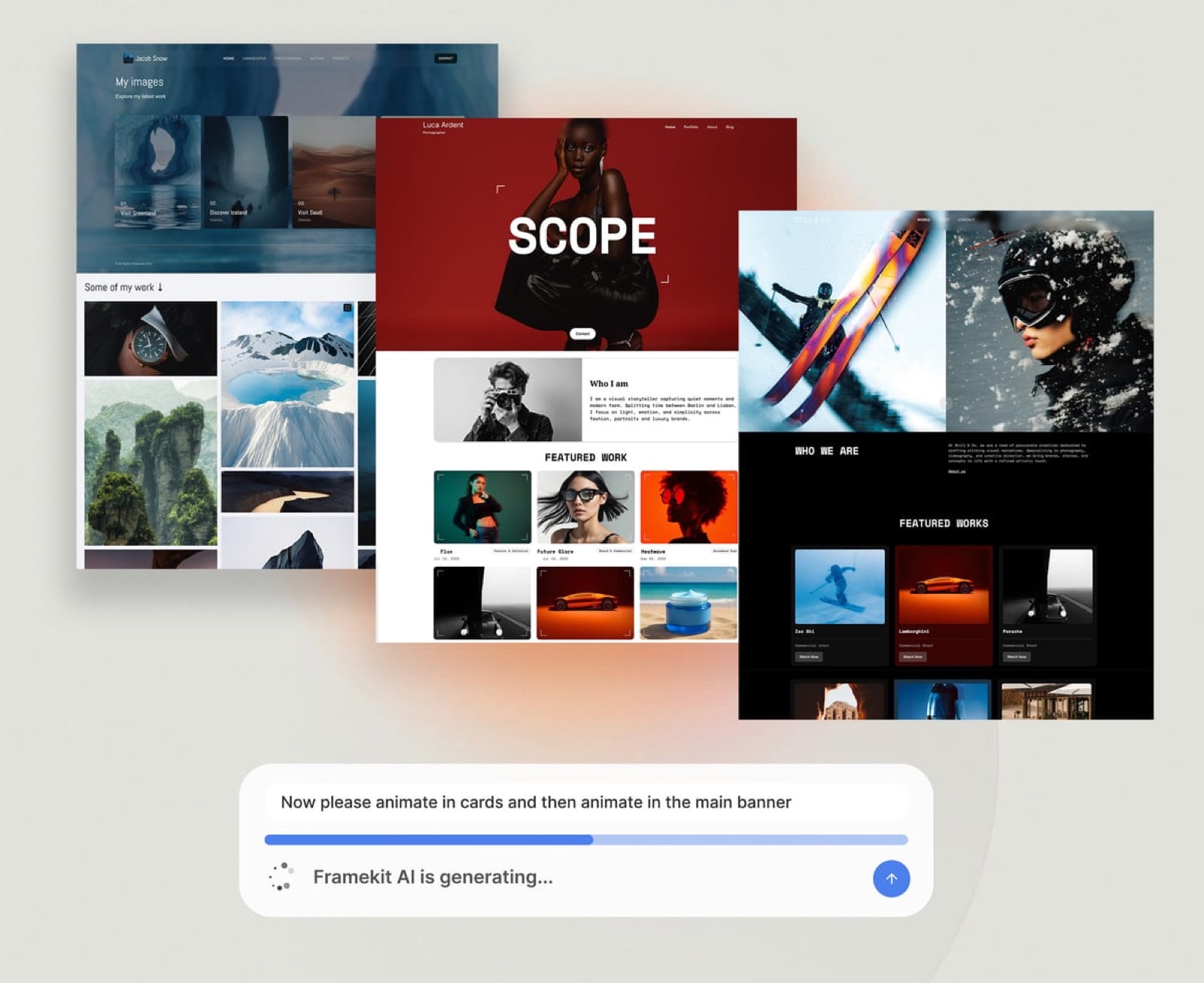
Framekit is an AI website builder whose templates were built with AI and trained by senior designers, and its free plan publishes a live site without a credit card.
Full disclosure: Framekit, ranked #1 below, is our own product, so read the ranking knowing that. We priced the same studio brief on every platform here from the vendor's own pricing page in July 2026, without building it on each, and linked to all twelve. Where they beat us, plainly: Webflow itself has more layout control and a deeper CMS than we do, Wix Studio has better multi-client agency tooling, Duda manages fleets of client sites better, Ghost is a far better publishing and paid-newsletter engine, Shopify is a far better store, and writing your own code has a ceiling no builder reaches.
How We Compared These Webflow Alternatives
Webflow occupies an unusual position: it competes with template builders on one side and with writing code on the other, so a fair comparison has to include both.
We rated twelve platforms on five criteria, weighted by what actually decides whether a site ships, using each vendor's published plans, editor documentation and templates rather than a build on each.
Time to a publishable site, weighted 25%. How much of the work from signup to something you would send a client the platform does for you, judged from its documented workflow (AI drafting, templates or a blank canvas) rather than timed.
This carries the most weight because it is the cost Webflow switchers are actually fleeing.
Design ceiling, weighted 20%. How distinctive can the finished site be, and how much skill does reaching that ceiling require of you?
Real annual cost, weighted 20%. What a working freelancer or studio pays per year on the plan they actually end up needing, including the seats and add-ons that do not appear on the headline tier.
CMS and structure, weighted 20%. Can you run case studies, a blog, or a project archive as structured content rather than as hand-built pages?
Client handoff, weighted 15%. Can a non-technical client edit their own site afterward without breaking it, and can you bill for it cleanly?
The reference brief was identical everywhere, and it is what each plan below was priced against: a studio marketing site with a homepage, a services page, an about page, a contact route, and twelve case studies that behave like a collection rather than twelve separate pages.
We carry one cost example through the guide: a freelance designer billing $60 an hour, because in this category the hours are the money.
Three kinds of finding, kept separate. What we did not do: build the brief on each platform or time a setup, so judgements about each editor come from its documentation, templates and published feature list.
What we verified from primary sources: every price and fee, checked against each vendor's published pricing page in July 2026 and linked inline.
What we report as community sentiment rather than a measurement: how long each platform takes a beginner to learn, which varies too much by background for one test to settle.
What Comparing 12 Webflow Alternatives Showed
Here are the figures underneath the ranking, each verified against the vendor's own pricing page in July 2026.
- The cheapest way to put a real site on your own domain in this comparison is Carrd at $19 a year for Pro Standard, which is 11% of Webflow Basic's $180 a year.
- 5 of 12 have a genuinely free plan that publishes a live site rather than a time-limited trial (Framekit, Framer, Carrd, WordPress self-hosted, Astro). Dorik gives 7 days and Squarespace gives a trial.
- Webflow is one of only 3 platforms here that charge on two axes at once, a site plan plus separate team seats, which is why quoted prices and real invoices diverge so often.
- 1 of 12 still sells a one-time purchase instead of a subscription (Dorik, at $249 for Personal), which is now rare enough to be a genuine differentiator.
- At $60 an hour, thirty hours of learning a builder costs $1,800 of billable time, which is six years of Webflow Premium, the CMS tier, at $300 a year, or ten years of Basic.
- Only 2 of 12 put a portfolio, a store, and client galleries on one subscription and one domain (Framekit, Squarespace on a higher tier).
For a pick matched to why you are leaving, jump to the decision tree. First, the field.
The 12 Best Webflow Alternatives in 2026: Full Comparison
A note on the scores: each is our rating of published features and documented workflow against the five weights above, not a test result.
Time to a publishable site takes the heaviest weight because it is the cost that made you search for this page, and because it recurs on every project rather than every month.
That weighting is also why our own score is not a clean sweep.
Framekit takes 10 on time-to-publish and 9 on cost, but only 6 on CMS and structure, because Webflow's collections are genuinely deeper than ours and a twelve-case-study archive is exactly the job where that shows.
Webflow scores 10 on design ceiling and 4 on time-to-publish. Those two lines are the whole trade.
| Platform | Best For | Free Plan | Entry Price | Learning Curve | Our Rating |
|---|---|---|---|---|---|
| Framekit | A designed site without the build | Yes | Free, then $9 a month | Minutes | 9.1/10 |
| Framer | Designers who want the canvas | Yes | About $10 a month | Days | 8.6/10 |
| Wix Studio | Agencies and client handoff | Trial | $19 a month | Days | 8.4/10 |
| Squarespace | Dependable template-led sites | Trial | $19 a month | Hours | 8.3/10 |
| WordPress with Elementor | Maximum extensibility | Self-hosted | $49 a year plus hosting | Days | 8.0/10 |
| Duda | Managing many client sites | Trial | $19 a month annually | Hours | 7.9/10 |
| Ghost | Publishing and paid newsletters | Trial | $18 a month | Hours | 7.8/10 |
| Shopify | When the site is really a store | Trial | $29 a month annually | Hours | 7.7/10 |
| Cargo | Art-directed creative sites | Yes | $14 a month yearly | Hours | 7.6/10 |
| Carrd | One page at the lowest cost | Yes | $19 a year | Minutes | 7.4/10 |
| Dorik | A cheap builder you can buy outright | Trial | $20.75 a month annually | Hours | 7.0/10 |
| Astro with a static host | People who want to write code | Yes | $0 plus your time | Weeks | 6.9/10 |
All prices verified against each vendor's published pricing page in July 2026. Confirm current figures before committing, and note that several vendors price differently by region.
What each one actually costs per year
Headline tiers mislead in this category more than any other, because the plan that covers the reference brief is rarely the advertised one. This is the annual number for the plan that genuinely does the job.
| Platform | Realistic plan for the brief | Cost per year | The cost the price does not show |
|---|---|---|---|
| Webflow | Premium, the CMS tier, at $25 a month | $300 | Team seats billed separately, plus the learning hours |
| Framekit | Starter at $9 a month | $108 | Less CMS depth than Webflow collections |
| Framer | Entry tier from about $10 a month | About $120 | Tiers climb steeply with pages and CMS records |
| Wix Studio | Mid tier | $228 to $600 | Rebuilding an existing Wix site, it does not migrate |
| Squarespace | Core at $29 a month | $348 | No fee on downloads; courses and memberships carry 5% until a higher tier |
| WordPress with Elementor | Elementor Essential plus managed hosting | $150 to $350 | Plugin renewals, updates, and security are your job |
| Duda | Agency at $52 a month annually | $624 | Extra sites at $17 a month each beyond four |
| Ghost | Publisher at $29 a month | $348 | Not a general website builder |
| Shopify | Basic at $29 a month annually | $348 | 2% on sales if you do not use Shopify Payments |
| Cargo | Single plan at $14 a month yearly | $168 | No tier ladder, but also no real store |
| Carrd | Pro Standard | $19 | One page, and it is meant to stay one page |
| Astro with a static host | Framework free, hosting free tier | $0 to $240 | Every hour of building and maintaining is yours |
The comparison worth running. Take the plan you are on, add the hours you have spent in the editor this year, and multiply those hours by your own rate. For most freelancers the second number is larger than the first by an order of magnitude.
1. Framekit: Best Overall

Our rating: 9.1/10
Framekit is an AI website builder aimed at the exact person who bounced off Webflow: someone with taste, a deadline, and no appetite for learning flexbox.
You describe the studio or the practice in a prompt, and it generates a complete multi-page site with a coherent type scale, real spacing rhythm, and pages that already know what they are for.
The part worth knowing is that the AI drafts structure as well as styling: describe the studio, or upload a screenshot of a site you like, and it lays out the pages, writes first-draft copy and applies one theme across them, with every block editable by hand afterwards.
What it will not do is let you nudge a single element four pixels left, and if that sentence makes you wince, you are a Webflow user and you should read the concession in this review carefully.
Best forDesigners, studios, and creative freelancers who want a distinctive site to exist this afternoon rather than to be built over a fortnight.
Key features:
- A full multi-page site generated from a prompt, on your own domain from the Starter plan
- A native store for digital products, with the fee dropping to 0% on the $39 Business plan
- Client galleries for private delivery, included on every plan including free
- Generated by Cadence, Framekit's own premium model, with Score for faster iterations
- A free plan that publishes a real live site rather than expiring
The real numberFramekit Starter is $9 a month, or $108 a year, against Webflow Premium, the CMS tier, at $300. The larger number is the other one.
A freelancer billing $60 an hour who spends thirty hours learning Webflow has spent $1,800 in billable time, which is six years of Webflow Premium and roughly sixteen years of Framekit Starter.
That is the arithmetic this whole category runs on and almost nobody prints it.
PricingFree $0, Starter $9 a month, Pro $19 a month, Business $39 a month, Enterprise $59 a month. Product-sale fees are 5% on Free and Starter, 3% on Pro, and 0% on Business and Enterprise.
Pros:
- The fastest route from nothing to a site that looks designed rather than assembled
- Portfolio, store, and client galleries on one subscription and one domain
- A free plan that is a real published site, not a countdown
Cons:
- No pixel-level box-model control, so bespoke interaction design is out of reach
- Shallower CMS than Webflow collections, which shows on large structured archives
- No print fulfilment and no merchant of record, so you connect your own processor
Skip it ifthe site is the deliverable and the client is paying for bespoke motion and layout. If you are a Webflow developer whose product is the build, an AI builder removes the thing you sell. Framekit wins when the site is the means and the client work is the product.
Verdict: Framekit is the strongest Webflow alternative for anyone whose real complaint is time, because it converts a fortnight of building into an afternoon of editing without dropping to template-grade output. It is the wrong tool if you need Webflow's control and you know exactly why. Start free at framekit.ai, or read our head-to-head on Framekit versus Webflow for agencies.
2. Framer: Best for designers who want the canvas
Our rating: 8.6/10
Framer is the closest thing to a like-for-like Webflow replacement, and for a certain designer it is a straight upgrade.
The canvas behaves like a design tool because Framer started as one, so anyone fluent in Figma is productive in an hour rather than a week.
Its scroll animation and page-transition controls are the best in this comparison, and its CMS is competent enough for a case-study archive.
The thing nobody mentions until the invoice arrives is how the tiers stack.
The entry price is genuinely competitive, but page counts and CMS records push you up faster than Webflow does, and a studio site with twelve case studies plus a blog can land two tiers above where you expected.
Best forDesigners who think in Figma, want motion as part of the argument, and are leaving Webflow for the interface rather than the price.
The real numberFramer starts at roughly $10 a month with Pro at $30, per Framer pricing.
At about $120 a year the entry tier undercuts Webflow Basic's $180, but the tier you actually need for a twelve-item CMS is usually not the entry tier, and that is the number to check before switching.
Pricingfrom about $10 a month, Pro $30 a month, higher tiers for scale.
Pros:
- A canvas that is immediately legible to any Figma user
- The best motion and scroll-animation tooling here
- A competent CMS for structured case studies
Cons:
- Tier pricing climbs with pages and CMS records, faster than the entry price suggests
- Motion is easy to overuse, and an over-animated site reads as noisy
- Assumes design judgment rather than supplying it
Skip it ifyou are not a designer. Framer hands you a professional canvas and expects you to know what to do with it, which is exactly the assumption that made Webflow hard in the first place.
Verdict: Framer is the right move for a designer whose problem with Webflow was the box model rather than the workload. It is the wrong move for someone who wanted the site to build itself. Visit Framer
3. Wix Studio: Best for agencies and client handoff
Our rating: 8.4/10
Wix Studio is Wix's answer to Webflow, and treating it as regular Wix is a mistake that costs agencies the evaluation.
It is a separate editor with a separate plan lineup, built around responsive breakpoints, a real CMS, reusable design libraries, and client-billing workflows.
For an agency shipping several sites a year, the handoff tooling is genuinely better than Webflow's.
The catch is structural and worth knowing before you commit a weekend: a site built in classic Wix does not migrate into Wix Studio automatically. You rebuild. Both can live in one account, but the migration path people assume exists does not.
Best forAgencies and design teams shipping multiple client sites who want responsive control plus client-editable handoff.
The real numberWix Studio plans run from about $19 to $159 a month, per Wix Studio pricing, with a substantial discount for annual billing.
A mid tier lands between roughly $228 and $600 a year, which sits above Webflow Premium at $300 only once you need the higher tiers.
Pricingroughly $19 to $159 a month depending on tier, with an annual discount.
Pros:
- Genuine agency tooling for handoff, billing, and multi-site management
- A real CMS and responsive breakpoint control
- Clients can edit their own site afterward without breaking it
Cons:
- Existing classic Wix sites do not migrate into Studio, you rebuild them
- The plan lineup is separate from Wix's, which makes comparison shopping confusing
- Heavier than a solo freelancer needs
Skip it ifyou build one site for yourself. Studio's advantages are all about managing client work at volume, and none of them apply to a personal portfolio.
Verdict: Wix Studio is the best pick in this comparison for an agency, and the wrong pick for an individual. If you are weighing the wider Wix family, see our best Wix alternatives comparison. Visit Wix Studio
4. Squarespace: Best dependable template-led sites

Our rating: 8.3/10
Squarespace is what you choose when you want the website to stop being a project. The templates are consistently well made, the editor is stable, commerce and scheduling are built in, and the support ecosystem dwarfs everything else here.
For a Webflow refugee whose main feeling is exhaustion, that reliability is the feature.
What you trade is distinctiveness. A Squarespace site is usually identifiable as one, and for a design studio whose site is a work sample, that is a real if unquantifiable cost.
Best forCreatives and small businesses who want a dependable site plus shop from one subscription and do not need it to look unusual.
What reviewers say elsewhereSquarespace averages 4.4 out of 5 across more than a thousand reviews on G2, the largest review base of any platform in this comparison.
The real numberBasic is $19 a month and Core is $29 on annual billing, per Squarespace pricing. Core at $348 a year is close to Webflow Premium at $300, so switching for cost alone is not the argument. Switching to stop maintaining a build is.
Pricing (annual billing)Basic $19 a month, Core $29 a month, Plus $49 a month, Advanced $99 a month.
Pros:
- The most reliable templates and the most stable editor here
- Commerce, email, and scheduling in one subscription
- The deepest support and tutorial ecosystem
Cons:
- Sites are frequently recognisable as Squarespace sites
- No free plan, only a trial
- Real commerce lands on a higher tier than the headline price
Skip it ifyour site is a design sample. See our best Squarespace alternative for creatives guide if that is your situation.
Verdict: Squarespace is the low-drama answer and a genuinely good one if your Webflow complaint was maintenance rather than aesthetics. Visit Squarespace
5. WordPress with Elementor: Best for maximum extensibility
Our rating: 8.0/10
Self-hosted WordPress with a page builder remains the only option here with no ceiling at all. If a feature exists on the web, a plugin does it, and you own the database, the files, and the hosting relationship completely.
For anyone whose Webflow objection is philosophical rather than practical, this is the answer.
It is also the option with the most homework. Updates, backups, security, plugin conflicts, and performance tuning are all your responsibility, permanently, and a WordPress site that nobody maintains degrades in a way a hosted builder never does.
Best forPeople who want total ownership and extensibility and accept ongoing maintenance as part of the deal.
The real numberWordPress itself is free. Elementor Pro Essential is $49 a year for one site, with Advanced at $199 for three and Expert at $399 for twenty-five, per Elementor pricing.
Add managed hosting and the realistic annual cost lands between $150 and $350, which undercuts Webflow CMS while transferring the maintenance to you.
PricingWordPress free, Elementor Pro from $49 a year, plus hosting.
Pros:
- No functional ceiling, and a plugin for nearly everything
- Full ownership of files, database, and hosting
- Frequently cheaper per year than a hosted builder
Cons:
- Updates, security, and backups are permanently your job
- Plugin conflicts are a real and recurring cost in time
- The stack is only as good as the person maintaining it
Skip it ifnobody on your side wants to be the person who applies updates. That role does not stay vacant quietly.
Verdict: WordPress with Elementor is the right answer for maximum control at low subscription cost, and the wrong answer if your actual complaint about Webflow was that you had to think about the plumbing. Visit WordPress
6. Duda: Best for managing many client sites
Our rating: 7.9/10
Duda is built around a fact most builders ignore: agencies do not manage one site, they manage forty.
Its team permissions, white-label options, client-editing controls, and per-site billing are the most developed here, and the editor is deliberately boring in a way that means a client cannot destroy their homepage on a Friday afternoon.
For an individual it is over-specified and over-priced. For a shop running client retainers it can replace three tools.
Best forAgencies and web shops running client sites at volume who need white-labelling and per-site billing.
The real numberDuda's Agency plan is $69 a month billed monthly or $52 annually, and it includes four sites, with additional sites at $17 a month, per Duda pricing.
At $624 a year for the Agency tier it is the most expensive entry in this comparison, and the only one where that can still be the cheapest option, because four Webflow Premium sites would run $1,200.
PricingBasic $25 a month or $19 annually, Team $39 or $29, Agency $69 or $52 with four sites, White Label $199 or $149.
Pros:
- The best multi-site, white-label, and client-billing tooling here
- Per-site economics that improve as you add clients
- An editor clients genuinely cannot break
Cons:
- The most expensive entry point in this comparison for a single site
- Design ceiling below Webflow and Framer
- Aimed squarely at agencies, so solo users pay for tooling they will not use
Skip it ifyou manage fewer than three sites. The whole value proposition is volume.
Verdict: Duda is the right pick for a web shop and the wrong pick for a freelancer, and its per-site math is the only place in this comparison where the priciest plan is also the cheapest answer. Visit Duda
7. Ghost: Best for publishing and paid newsletters
Our rating: 7.8/10
Ghost is not really a website builder, and including it here is deliberate, because a meaningful share of Webflow sites are actually publications wearing a marketing-site costume.
If what you are building is a body of writing with a paid tier, Ghost does that better than every other platform on this page, with memberships, paid subscriptions, and email delivery native rather than bolted on.
The number that matters is what it does not take. Ghost charges 0% on your subscription revenue, which puts it in a different category from percentage-based creator platforms.
Best forWriters, analysts, and studios whose site is really a publication with a paid subscriber tier.
The real numberGhost(Pro) Starter is $18 a month and Publisher is $29, with Business at $199, per Ghost pricing, and Ghost takes 0% of your subscription revenue on paid tiers, leaving only the payment processor's cut.
On $2,000 a month of subscriptions, a platform charging 10% would keep $2,400 a year. Ghost keeps nothing.
PricingStarter $18 a month, Publisher $29 a month, Business $199 a month, with 0% on subscription revenue.
Pros:
- Memberships, paid subscriptions, and email native rather than added
- 0% of subscription revenue, unusual in this category
- Open source, with a self-hosting escape hatch
Cons:
- A weak general-purpose website builder outside publishing
- Theme changes generally mean editing code
- Overkill if you are not publishing regularly
Skip it ifyou do not publish. Ghost's advantages are all downstream of writing consistently.
Verdict: Ghost is the best answer here for a publication and a poor one for a studio marketing site, which makes it either exactly right or entirely wrong with very little in between. Visit Ghost
8. Shopify: Best when the site is really a store

Our rating: 7.7/10
Plenty of people build a Webflow site and then spend months bolting commerce onto it. If products are the point, that order is backwards.
Shopify's checkout, inventory, tax handling, and shipping are in a different class from anything a website builder offers, and its storefront themes have improved enough that the marketing pages around the shop are no longer embarrassing.
Where it still shows its origins is editorial. A Shopify site is a store with pages attached, not a portfolio with a shop attached, and if the balance of your site tips the other way you will feel it.
Best forBusinesses whose revenue is physical or high-volume product sales, where checkout quality outranks portfolio design.
The real numberBasic is $39 a month billed monthly or $29 annually, per Shopify pricing, and the fee to watch is the third-party transaction charge: 2% on Basic, 1% on Grow, and 0.6% on Advanced if you do not use Shopify Payments.
On $50,000 of annual sales that 2% is $1,000 a year, which dwarfs the subscription.
PricingBasic $39 a month or $29 annually, with higher tiers above; third-party transaction fees 2%, 1%, and 0.6% by tier.
Pros:
- The strongest checkout, inventory, and tax handling here
- A large app ecosystem for anything commerce-adjacent
- Themes good enough that the surrounding pages hold up
Cons:
- A store with pages attached, not a portfolio with a shop attached
- The third-party transaction fee is the real cost, not the plan
- Heavier than a creative selling a handful of digital files needs
Skip it ifyou sell a few digital products. The overhead is built for inventory you do not have. See our comparison of website builders for selling digital products.
Verdict: Shopify is right when commerce is the business and wrong when commerce is a sideline, and the third-party transaction fee is the number that decides which one you are. Visit Shopify
9. Cargo: Best for art-directed creative sites
Our rating: 7.6/10
Cargo is where designers go when the site itself has to demonstrate art direction.
Its layouts escape the standard grid gravity that most builders impose, and its type controls run deep enough that a designer with a point of view can make something that reads as designed rather than chosen.
Among independent studios it functions as a small signal in itself.
Its pricing is also the least annoying in this comparison. One plan, one price, everything included, no tier ladder to be walked up.
Best forIndependent studios and art directors whose site is part of the portfolio.
The real numberCargo is $14 a month billed yearly or $19 monthly, with a custom domain included, per Cargo's rates page. At $168 a year it is $12 under Webflow Basic while removing every upgrade decision, which for some people is worth more than the money.
Pricing$15 a month billed yearly, $19 billed monthly, one plan.
Pros:
- Layout and typography freedom aimed at people with design opinions
- One flat plan with no feature gating
- A custom domain included rather than upsold
Cons:
- The freedom assumes taste, so a non-designer can do real damage
- Commerce is basic
- A smaller ecosystem, so fewer answers when you get stuck
Skip it ifyou want the platform to make design decisions for you.
Verdict: Cargo is the pick when the site must prove you can art direct, and a poor pick when you want a site to simply appear. Visit Cargo
10. Carrd: Best for one page at the lowest cost
Our rating: 7.4/10
Carrd does one thing with total conviction: it puts a single, good-looking page online for almost nothing.
For a link hub, a launch page, a personal profile, or a coming-soon holder, the entire Webflow apparatus is enormous overkill, and Carrd's single-page editor is built to finish that job quickly.
The constraint is the product. It is a one-page tool, and every attempt to make it a multi-page site fights the design.
Best forA single page: a link hub, a launch page, a profile, or a holding page.
The real numberPro Standard is $19 a year and Pro Plus is $49, both billed annually, with a free tier for a handful of sites. At $19 a year Carrd costs 11% of Webflow Basic's $180, which is the widest price gap in this comparison by a distance.
Pricingfree tier available, Pro Standard $19 a year, Pro Plus $49 a year, annual billing only.
Pros:
- By far the lowest cost of any paid option here
- Genuinely fast from signup to published
- A usable free tier
Cons:
- One page, and it means it
- No real CMS and no store
- The design ceiling is deliberately low
Skip it ifyou need more than one page or expect to grow into a real site. See our cheapest website builders for creatives roundup for the wider budget field.
Verdict: Carrd is the correct tool for a single page and the wrong tool for anything with a second one, which is a compliment. Visit Carrd
11. Dorik: Best cheap builder you can buy outright
Our rating: 7.0/10
Dorik is a Webflow-shaped builder at a fraction of the complexity, aimed at people who want block-based control without a box model.
The editor is straightforward, the output is clean, and it is one of the few platforms in this comparison still willing to sell you software once rather than renting it to you forever.
That one-time option is the reason to look at it. Everything else about Dorik is competent rather than exceptional.
Best forPeople who want a simple, clean builder and prefer to buy software outright rather than subscribe.
The real numberPersonal is $29 a month billed monthly or $20.75 annually, which is $249 a year, and Dorik also sells Personal as a one-time $249 purchase, per Dorik pricing.
If you keep the site more than twelve months, the one-time price is the cheapest route to a custom-domain site in this comparison other than Carrd.
PricingPersonal $29 a month or $249 a year, Business $59 or $498, Agency $99 or $948, with one-time purchase options and a 7-day trial rather than a free plan.
Pros:
- A one-time purchase option, now rare in this category
- A simple block editor with no box-model learning curve
- Clean output at a modest price
Cons:
- No permanent free plan, only a 7-day trial
- A design ceiling well below Framer or Cargo
- A smaller ecosystem and fewer templates
Skip it ifyou want the strongest design output. Dorik trades ceiling for simplicity and price. See our best Dorik alternatives guide if you have already tried it.
Verdict: Dorik is worth a look mainly for its one-time pricing, which changes the arithmetic if you intend to keep the same site for years. Visit Dorik
12. Astro with a static host: Best if you want to write code
Our rating: 6.9/10
Including the code route is not a joke entry. A meaningful number of Webflow users are developers who chose it for speed and then found themselves fighting a visual abstraction over things they already knew how to write.
For them, Astro plus a static host is a genuine downgrade in effort, not an upgrade.
Astro is free, ships almost no client-side JavaScript by default, handles content collections cleanly, and deploys to hosts with free tiers that cover most portfolio and studio traffic. The site is yours in a way no builder can match, and so is every hour of maintaining it.
Best forDevelopers and technical designers who write code faster than they operate an editor.
The real numberthe framework is $0, static hosting free tiers cover typical portfolio traffic, and a domain is $10 to $15 a year, so the cash cost can genuinely be under $20 annually.
The cost is entirely time: a first Astro site takes a competent developer a few evenings and a non-developer considerably longer than any builder here.
Pricingframework free, hosting free tiers available, domain $10 to $15 a year.
Pros:
- Total control, and output nobody else can lock you out of
- Cash cost near zero
- Content collections handle a case-study archive well
Cons:
- Every hour of building and maintaining is yours
- No client can edit it without you or a CMS layer
- Wrong for anyone who does not already write code
Skip it ifyou are not a developer. This entry exists for the people it fits, and it does not fit most readers of this page. See our guide on whether to code your portfolio or use a builder.
Verdict: Astro is the right answer for developers who found Webflow slower than typing, and the wrong answer for everyone whose problem was that building a website felt like a job. Visit Astro
What Webflow Actually Costs
In one linethe plan is $15 to $39 a month, but Webflow charges on two axes at once and bills its largest cost in hours, which is why the invoice and the true expense rarely resemble each other.
Webflow's pricing is honest and still routinely misread, because there are two separate meters running.
Site plans versus workspace seats. A site plan hosts one site: Basic $15 and Premium $25 a month on annual billing, per Webflow pricing, the old Business tier having been retired in favour of a $2,500 Team plan.
Workspace plans, which cover team seats and how many unhosted projects you can have, are billed separately. A solo user often never notices.
A three-person studio with eight client sites discovers it immediately, and that is the moment most agency switching conversations start.
The hours. This is the cost that dwarfs the rest and never appears on an invoice. Take your own hourly rate and multiply it by the evenings you have spent inside the editor. At $60 an hour, thirty hours is $1,800.
At $100 an hour it is $3,000. Against that, the difference between a $108 plan and a $300 plan is noise, which is why "which is cheaper" is usually the wrong question in this category.
The add-ons. Localisation, optimisation, and higher form-submission limits are separate line items rather than included features. If your comparison stopped at the site plan, your comparison is incomplete.
The rebuild. Leaving Webflow means rebuilding, because no platform here imports a Webflow project. Budget a weekend, keep your copy in a document you own rather than only in the editor, and export your CMS collections as CSV before you cancel anything.
Run it yourself: add your Webflow site plan, your workspace seats, and any add-ons, then add your hourly rate times the hours you spent this year. That total is what the site actually cost. Most people are surprised by which term dominates.
Who Should Stay on Webflow
In one lineif you are paid to build sites, if you need bespoke interactions, or if your content is genuinely structured at scale, Webflow is still the best tool on this page and switching would cost you capability.
A comparison that never recommends the incumbent is a sales page, so here is the honest case for staying.
You sell the build. If clients pay you to make websites, Webflow's ceiling is your product. An AI builder that drafts a good site from a prompt removes the thing you charge for, and no amount of speed compensates for that.
You need real interactions. Scroll-linked animation, complex state, and bespoke component behaviour are where Webflow separates from everything else here except code. If your work depends on them, nothing on this list is a lateral move.
Your content is genuinely structured. Multi-reference collections, nested relationships, and a hundred-plus item archive are Webflow's home ground. Our own CMS is shallower, and our rating gives Framekit 6 out of 10 on that criterion for exactly this reason.
Your team is already fluent. The learning cost is sunk. If three people know Webflow, the switching cost is three times the retraining plus the rebuild, and that is rarely worth it to save $150 a year.
The people who should leave are the ones whose site is a means rather than an end: the photographer, the studio, the consultant, the freelancer who needs a professional site to exist so they can go back to their actual work.
The Fine Print: Migration, Exports, Seats, and Client Handoff
In one lineno platform here imports a Webflow project, your CMS exports as CSV and your design does not, and the seat and site-count rules are where agency budgets actually break.
These are the clauses that decide the second year.
Nothing imports a Webflow project. Not Framer, not Wix Studio, not Squarespace. Every switch is a rebuild. This is the single biggest hidden cost of changing platforms, and it is the reason to choose carefully once rather than cheaply twice.
What you can take with you. CMS collections export as CSV nearly everywhere, including Webflow. Design, interactions, and page structure do not export anywhere in a form another platform can read. Keep your copy in a document you own.
Seats and site counts. Webflow, Duda, and Wix Studio all price on a second axis beyond the site plan. Before comparing, write down how many sites and how many people, then price each option against those two numbers rather than against the headline tier.
Client handoff. Ask the question in advance: can the client change their own opening hours without calling you?
Duda and Wix Studio answer this best, Squarespace and Framekit answer it well, Webflow answers it with the Editor and a training session, and Astro answers it with a phone call to you.
Domains. Register the domain at a registrar you control rather than through the builder. It costs the same, and it means the next migration is a DNS change rather than a negotiation.
How to Choose a Webflow Alternative: A Decision Tree
Three questions in order. The first branch that matches you is usually the answer.
Start here: are you paid to build websites for other people?
- Yes, building is the product. Stay on Webflow, or move to Wix Studio for better handoff and Duda if you manage sites at volume. Nothing else here will feel like an upgrade.
- No, the site supports the actual work. Go to the next question.
Is your site mainly a publication or mainly a store?
- A publication with paid subscribers: Ghost, which takes 0% of your subscription revenue.
- A store with real inventory: Shopify, and watch the third-party transaction fee rather than the plan.
- Neither, it is a portfolio or a marketing site: go to the next question.
How much do you want to be involved in building it?
- I want it to exist, designed, today: Framekit, or Squarespace if you would rather pick a template than write a prompt.
- I want the canvas in my own hands and I am a designer: Framer for motion, Cargo for art direction.
- I want total control and I accept the maintenance: WordPress with Elementor, or Astro if you write code.
- I need one page and the cheapest possible price: Carrd at $19 a year.
- I want to buy software once rather than rent it: Dorik.
Frequently Asked Questions
What is the best Webflow alternative in 2026?
The best Webflow alternative in 2026 is Framekit for most people, because it drafts a designed multi-page site from a prompt instead of evenings of manual building and puts a store and client galleries on the same domain.
The honest exception is anyone paid to build websites: Webflow's pixel control and CMS depth are genuinely deeper, and for them Framer or Wix Studio are the better lateral moves.
Why is Webflow so hard to learn?
Webflow is hard because it exposes the actual box model rather than hiding it, so using it well requires understanding flexbox, grid, positioning, and breakpoints, which is front-end knowledge rather than design tool knowledge.
That exposure is exactly why it can build anything, so the difficulty is a design decision rather than a flaw.
If you do not want to learn the underlying model, an AI builder or a template system removes the requirement rather than easing it.
Is Webflow worth the price in 2026?
Webflow is worth it if you are paid to build websites, because the plan cost is trivial against what the capability earns you.
It is poor value if the site supports your real work, because you pay for a ceiling you never reach and spend hours you could have billed.
Site plans are $14 to $39 a month on annual billing, but the larger cost is time: thirty hours at $60 an hour is $1,800, which exceeds six years of the CMS plan.
Framer vs Webflow: which should I choose?
Framer is faster to learn and better at motion, with a canvas that is immediately legible to any Figma user, while Webflow has deeper CMS structure and finer layout control.
Choose Framer if your objection to Webflow was the box-model workflow rather than the workload, and stay on Webflow if you need multi-reference collections or complex interactions.
Framer's tiers climb with pages and CMS records, so price the tier that fits your real content, not the entry one.
What is the cheapest Webflow alternative?
Carrd is the cheapest at $19 a year for Pro Standard, though it builds a single page rather than a full site.
For a real multi-page site on your own domain, Framekit is the cheapest at $0 on the free plan and $108 a year on Starter, followed by Cargo at $168 and WordPress with Elementor at roughly $150 to $350 a year including hosting.
Webflow Basic is $180 a year and Premium, the CMS tier, is $300.
Can I move my Webflow site to another platform?
Not directly. No platform in this comparison imports a Webflow project, so every migration is a rebuild.
You can export CMS collections as CSV from Webflow and re-import them elsewhere, and you can export static code, but the design, interactions, and page structure do not transfer to another builder.
Budget a weekend for the rebuild and keep your written copy in a document rather than only inside the editor.
Does Webflow charge extra for team members?
Yes. Webflow prices on two separate axes: site plans host individual sites, and Workspace plans cover team seats and unhosted projects, billed separately.
A solo user often never encounters the second meter, but a studio with several people and several client projects pays both, which is why quoted Webflow prices and real agency invoices frequently diverge.
Price your seats and your sites separately before comparing to anything else.
What is the best Webflow alternative for agencies?
Wix Studio and Duda are the two strongest agency options.
Wix Studio offers responsive control, a real CMS, and client-editable handoff, while Duda leads on white-labelling, per-site billing, and managing many sites at once, with an Agency plan at $52 a month annually that includes four sites and additional sites at $17 a month.
For comparison, four Webflow Premium sites would run $1,200 a year against Duda's $624 for the same four.
Is there a free Webflow alternative?
Yes. Framekit, Framer, and Carrd all have free plans that publish a live site, and self-hosted WordPress and Astro are free software where you pay only for hosting and a domain.
Framekit's free plan publishes a full multi-page site with client galleries and a store at $0, keeping a framekit.ai subdomain and a small website badge until you move to the $9 Starter plan, which adds a custom domain and removes that badge; client galleries keep a small Made with Framekit footer line on every plan.
Which Webflow alternative has the best CMS?
Webflow's own CMS remains the deepest here, with multi-reference fields and structured collections that handle large archives well, which is why our rating puts our own CMS at 6 out of 10 by comparison.
Among the alternatives, Framer and Wix Studio have the strongest collections, WordPress is effectively unlimited if you are willing to configure it, and Astro's content collections are excellent if you write code.
If a hundred-item structured archive is your core requirement, staying on Webflow is a defensible answer.
Do I need to know code to leave Webflow?
No, and for most people leaving Webflow means writing less code, not more. Framekit, Squarespace, Wix Studio, Duda, Carrd, and Dorik all require none.
Only two entries in this comparison assume technical skill: WordPress with Elementor asks you to manage hosting, updates, and plugins, and Astro asks you to write the site yourself.
Everything else is a step away from the front-end knowledge Webflow expects.
What happened to Editor X?
Wix consolidated its advanced design product into Wix Studio, which is now the separate professional editor with its own plan lineup.
The practical consequence for anyone evaluating today is that Wix Studio is not the same product as classic Wix and that an existing classic Wix site does not migrate into Studio automatically, so you rebuild.
Both can coexist in one account, which is the arrangement most agencies end up with during a transition.
Can I rebuild a Webflow site in Framekit, and what do I lose?
Framekit will not import a Webflow project, so a move means rebuilding: generate the site from a prompt, then paste your copy and re-upload your images.
For a portfolio of eight to fifteen pages, most of the work is carrying over copy and images, and the running cost drops from $300 a year on Webflow Premium to $108 on Framekit Starter.
What you lose is the part Webflow is genuinely best at: bespoke scroll interactions, fine-grained breakpoint control, and a custom CMS schema with many collection types. If those are why you are on Webflow, stay on Webflow.
If you are on it because you needed a portfolio and got a design tool, the rebuild pays for itself in the time you stop spending on it.
Final Verdict: The Best Webflow Alternative in 2026
After pricing the same brief twelve times, the pattern is that people rarely leave Webflow over money. They leave over hours.
Framekit is the best Webflow alternative in 2026 for anyone whose website supports their work rather than being their work.
You get a designed multi-page site from a prompt, on your own domain, with a store and client galleries on the same subscription, starting at $0 and reaching a custom domain at $9 a month.
Where Framekit loses, plainly: we do not have Webflow's box-model control, our CMS is shallower, and if you are paid to build bespoke sites, we remove the thing you sell rather than helping you sell it.
Stay on Webflow, or move to Framer if the box model was the problem, Wix Studio or Duda if you run an agency, Ghost if you are really publishing, and Shopify if you are really a store.
Framer is the designer's move, Wix Studio and Duda are the agency moves, Cargo is for art direction, Carrd is the $19-a-year answer, WordPress and Astro are the ownership answers, and Webflow itself is still the right answer for a real set of people.
But if you have spent more evenings on your website than on the work it is meant to advertise, the tool is not the problem you think it is.
For more, read our head-to-head on Framekit versus Webflow for agencies, our best AI website builders for creatives roundup, our best Framer alternatives and cheapest website builders for creatives comparisons, and if the portfolio itself is the question, the best Behance alternatives.
_All plan prices and fees re-verified against each vendor's published pricing page, July 2026._
Two direct comparisons cover the most common decisions: Squarespace vs Webflow and Wix vs Webflow.
For the content-led alternative and the strongest export story in the category, see Webflow vs WordPress.