Framekit templates
Start from a designer-made template
 Use template
 Use template
 Use template
 Use template
 Use template
 Use template
 Use template
 Use template
You build the site in Framer over a weekend because the canvas works like Figma and you already think in Figma. It looks excellent.
Six months later you add a second case-study collection, then a press archive, then a careers list, and a message appears explaining that collection eleven costs another $40 a month.
Nothing went wrong. You just crossed a line on a pricing page you read once, in a hurry, when the site had four pages and no content model.
Framer does not get expensive. It gets expensive later, which is a different problem and a harder one to plan for.
A Framer alternative is any platform that builds a professional marketing or portfolio site without Framer's design-tool canvas, ranging from AI builders that generate the layout for you to template systems, publishing platforms, and writing the site yourself.
Recently updated, 12 October 2026: we took out a claim that we rebuilt the brief on all eleven platforms, corrected how many team members each Framekit plan includes, and brought Webflow's figures into line with its current Premium price.
The best Framer alternative in 2026 is Framekit for anyone who wanted Framer's output without Framer's assumption that you can art direct, because it generates a designed multi-page site from a prompt and charges no per-seat fees, with 3 team members on Pro.
If your reason for leaving is the CMS ceiling, Webflow is the better move and genuinely deeper.
Squarespace is the dependable template-led option, Cargo is the pick for art direction on one flat plan, and Carrd handles a single page for $19 a year.
The honest trade-off with Framekit: you give up pixel-level layout control and the best motion tooling in the category, and Framer keeps both.
Framekit is an AI website builder trained on real creative sites, and its free plan publishes without a credit card.
Full disclosure: Framekit, ranked #1 below, is our own product. We priced the same studio brief on all eleven from their published plans rather than rebuilding it on each, verified every price and overage charge against the vendor's own pricing in July 2026, and linked to all of them. Where they beat us plainly: Framer itself has motion tooling and layout control we do not approach, Webflow's CMS is deeper than ours, Cargo pushes art direction further, WordPress has an ecosystem we cannot match, and Carrd is cheaper than anything we sell.
How We Compared These Framer Alternatives
People leave Framer for three distinct reasons and most comparisons address one. Some leave because the price scaled unexpectedly. Some leave because the canvas assumes design skill they do not have. Some leave because the CMS ran out.
We rated eleven platforms across all three, from their published plans and features.
Cost as the site grows, weighted 30%. Not the entry tier, but what the platform charges when content, pages, bandwidth, and people are added. This is weighted highest because it is the specific failure mode that sends people looking.
Skill assumed of you, weighted 25%. Does the platform supply design judgment or expect it? Framer expects it, and for a non-designer that is the whole story.
CMS and structure, weighted 20%. Can you run collections of case studies, posts, and archives as structured content rather than hand-built pages?
Design ceiling, weighted 15%. How distinctive the result can be.
Migration cost, weighted 10%. What it takes to get off Framer and onto the alternative, since nothing imports a Framer project.
The carried example throughout is a studio marketing site with twelve case studies, a blog, a careers page, and three people who need access. We hold that shape in every section so the pricing comparisons stay honest.
Three kinds of finding, kept separate. Our judgement: how much design skill each editor assumes, read from its documentation, templates and showcase sites rather than from a rebuild on each platform.
What we verified from primary sources: every plan price, overage rate, and seat charge, checked against the vendor's published pricing in July 2026 and linked inline.
What we flag as changeable: Framer's own limits, which have been revised more than once and which you should re-read before committing content.
What Comparing 11 Framer Alternatives Showed
Here is what the pricing pages actually say, all of it checked at the vendor in July 2026.
- Framer Pro is $30 a month on annual billing and includes 10 CMS collections; collection eleven starts a $40-per-ten overage, so a site with 20 collections is $70 a month before seats.
- Framer's pricing page states that additional editors are $20 a month and viewers are free, so the carried three-person team adds $40 a month to whatever the site plan costs.
- The carried studio site on Framer Pro with 20 collections and three people is about $1,320 a year, against an advertised entry price of $10.
- Framer's free tier publishes on a framer.website subdomain with a permanent Made in Framer badge and no custom domain, so it is a preview rather than a launch plan.
- 4 of 11 charge no per-seat fee for team members: Framekit (3 on Pro and unlimited on Business, as website admins), Squarespace, Cargo, and Carrd.
- Only 2 of 11 have a CMS genuinely deeper than Framer's: Webflow and self-hosted WordPress.
For a pick matched to why you are leaving, jump to the decision tree. First, the field.
The 11 Best Framer Alternatives in 2026: Full Comparison
On the scores: the five weights above are what each platform is measured against, and cost-as-you-grow carries the most because it is the reason this page exists rather than a general preference for one editor over another.
Our own row is uneven and should be. Framekit takes 10 on skill-assumed and cost and 6 on design ceiling, below Framer, Cargo, and Webflow, because a prompt-generated layout will not out-design a good designer with a canvas.
Framer scores 10 on ceiling and 5 on cost-as-you-grow. That is the trade this whole page describes.
| Platform | Best For | Seat charges | CMS depth | Entry price | Our Rating |
|---|---|---|---|---|---|
| Framekit | A designed site without designing it | None | Moderate | Free, then $9 a month | 9.0/10 |
| Webflow | A genuinely deeper CMS | Yes, $15 to $39 | Deepest here | $15 a month | 8.7/10 |
| Squarespace | Dependable template-led sites | None | Moderate | $19 a month | 8.4/10 |
| Wix Studio | Responsive control and handoff | Included | Strong | $19 a month | 8.2/10 |
| Cargo | Art direction on one flat plan | None | Light | $14 a month yearly | 8.0/10 |
| WordPress with Elementor | Ownership and extensibility | None | Unlimited | $49 a year plus hosting | 7.9/10 |
| Readymag | Editorial and interactive design | Plan-based | Light | About $14 a month | 7.5/10 |
| Carrd | One page at the lowest price | None | None | $19 a year | 7.4/10 |
| Ghost | Publications and paid newsletters | Included | Publishing-shaped | $18 a month | 7.2/10 |
| Dorik | A cheap builder you can buy once | Plan-based | Light | $20.75 a month annually | 6.9/10 |
| A static stack | Writing the site yourself | None | Code-defined | $0 plus your time | 6.7/10 |
All prices verified against each vendor's published pricing in July 2026. Confirm before committing, and note that several vendors price differently by region.
What the carried studio site costs per year
Twelve case studies, a blog, a careers page, three people. This is the annual number on each platform, not the advertised one.
| Platform | Plan the brief actually needs | Seats for three | Total per year |
|---|---|---|---|
| Framer Pro, 20 CMS collections | $30 a month plus $40 overage | Two extra seats at $20 | About $1,320 |
| Framer Pro, within 10 collections | $30 a month | Two extra seats at $20 | About $840 |
| Webflow Premium | $25 a month | One Full Seat $39, reviewer free | About $768 |
| Squarespace Core | $29 a month | No seat charges | $348 |
| Wix Studio, mid tier | Tier-dependent | Included | $228 to $600 |
| Framekit Pro | $19 a month | 3 team members included | $228 |
| Cargo | $14 a month yearly | No seat charges | $168 |
| Framekit Starter, if one person edits | $9 a month | Team members start on Pro | $108 |
| Carrd Pro Standard | One page only | No seat charges | $19 |
Webflow's total assumes the Agency or Freelancer Workspace seat structure, where reviewers are free and only builders need a Full Seat. Framer figures use its published overage rates of $40 per additional ten CMS collections.
The line worth checking on your own account. Open your Framer plan page and count your CMS collections. If you are at nine, your next content type costs $40 a month, not nothing, and that is the moment to decide whether you are on the right platform rather than after the invoice.
1. Framekit: Best if the canvas was the problem

Our rating: 9.0/10
Framekit is an AI website builder for the person who admired what Framer could do and discovered that Framer expects them to do it.
You describe the practice in a prompt and it generates a complete multi-page site with a coherent type scale, real spacing rhythm, and pages that already know what they are for.
The difference from a Framer build is where the effort goes: the AI drafts the type scale, the spacing and the responsive layout, so there is no time spent on breakpoints or deciding a spacing scale.
What you cannot do is nudge a single element four pixels left, and if that sentence makes you tense, you are a Framer user and should read the concession below carefully.
Best forDesigners, studios, and creative freelancers who wanted Framer's result without Framer's assumption that you will art direct every section.
Key features:
- A full multi-page site generated from a prompt, on your own domain
- No per-seat charges: Pro includes 3 team members and Business unlimited, all as website admins
- A store for digital products, at 5% falling to 0% on the $39 Business plan
- Client galleries included on every plan, including free
- Generated by Cadence, Framekit's own premium model, with Score for faster iterations
The real numberthe carried studio site runs $228 a year on Framekit Pro with three people included, against about $840 on Framer Pro with two extra seats and about $1,320 once the site passes ten CMS collections.
The free plan publishes a real site at $0 with a framekit.ai subdomain and a small badge, and Starter at $9 a month adds your own domain.
PricingFree $0, Starter $9 a month, Pro $19 a month, Business $39 a month, Enterprise $59 a month, with no per-seat charges; team members, who edit the website, come with Pro (3) and Business (unlimited).
Pros:
- Supplies design judgment rather than assuming it
- No seat fees and no content-collection overages
- Portfolio, store, and client galleries on one subscription
Cons:
- No pixel-level layout control, so bespoke interaction design is out
- Motion tooling is nowhere near Framer's, which is Framer's best feature
- A shallower CMS than Webflow, which shows on very large archives
Skip it ifmotion is part of what you sell. If clients pay you for scroll-linked transitions and considered micro-interaction, Framer is the better tool and switching costs you the thing you charge for.
We are the answer for people whose site should look designed, not for people whose site is a design.
Verdict: Framekit is the strongest Framer alternative for anyone leaving because the canvas asked too much, and the wrong move for anyone leaving only because of the bill. Start free at framekit.ai, or see the wider builder field in our best AI website builders for creatives comparison.
2. Webflow: Best if the CMS ran out
Our rating: 8.7/10
If you are leaving Framer because ten CMS collections was not enough, Webflow is the honest answer and the only one on this page that is unambiguously deeper.
Multi-reference fields, nested relationships, and collections that comfortably run to hundreds of items are its home ground, and no AI builder including ours competes there.
The trade is the one Webflow always asks: it exposes the box model and expects you to understand it, which is a different demand from Framer's but not a smaller one.
Best forTeams whose site is genuinely content-structured and who have or will develop front-end knowledge.
The real numbersite plans are $15 Basic and $25 Premium a month on annual billing, per Webflow pricing, with the old $39 Business tier retired, and Workspace seats charged separately at $39 for a Full Seat, $15 for a Limited Seat, and nothing for reviewers.
The carried studio site lands near $768 a year, which is below Framer's $1,320 with overages and above every template-led option here.
Pricing (annual billing)Basic $15, Premium $25 a month; Workspace seats $39 Full, $15 Limited, reviewers free.
Pros:
- The deepest CMS in this comparison by a clear margin
- Free reviewer seats, which most teams fail to use
- Clean, standards-based output
Cons:
- A learning curve measured in evenings
- Two billing meters, so the real cost is above the site plan
- Overkill for a site with one content collection
Skip it ifyour content model is a blog and a case-study list. You are buying depth you will not reach. See our best Webflow alternatives comparison for that argument in full.
Verdict: Webflow is the correct move for a genuine CMS problem and an expensive lateral step for anyone whose real complaint was the design workload. Visit Webflow
3. Squarespace: Dependable and seat-free

Our rating: 8.4/10
Squarespace is the low-drama answer, and after a pricing surprise that has genuine appeal. One plan per site, no seat charges, no content-collection overages, and an editor that has been stable for years.
For a studio that wants the website to stop generating decisions, that is the feature.
What you trade is distinctiveness. A Squarespace site tends to be identifiable as one, which for a design studio is a real if unmeasurable cost.
Best forStudios that want predictable billing and a site that needs no maintenance thinking.
What reviewers say elsewhereSquarespace averages 4.4 out of 5 across more than a thousand reviews on G2, the largest review base of any platform here.
The real numberBasic is $19 a month and Core $29 on annual billing, per Squarespace pricing, with no per-seat charge and no content overages.
The carried studio site on Core is $348 a year flat, whatever it grows into, which is the entire pitch against Framer's tiered model.
Pricing (annual billing)Basic $19, Core $29, Plus $49, Advanced $99 a month.
Pros:
- Flat, predictable pricing with no seat or collection overages
- The most stable editor and the largest support ecosystem here
- Commerce and scheduling included
Cons:
- Sites are frequently recognisable as Squarespace
- No free plan, only a trial
- A lower design ceiling than Framer, Cargo, or Webflow
Skip it ifthe site is a design sample. See our best Squarespace alternative for creatives guide.
Verdict: Squarespace is the right move if predictability is what you now want, and a step down in ceiling that you should make deliberately rather than by accident. Visit Squarespace
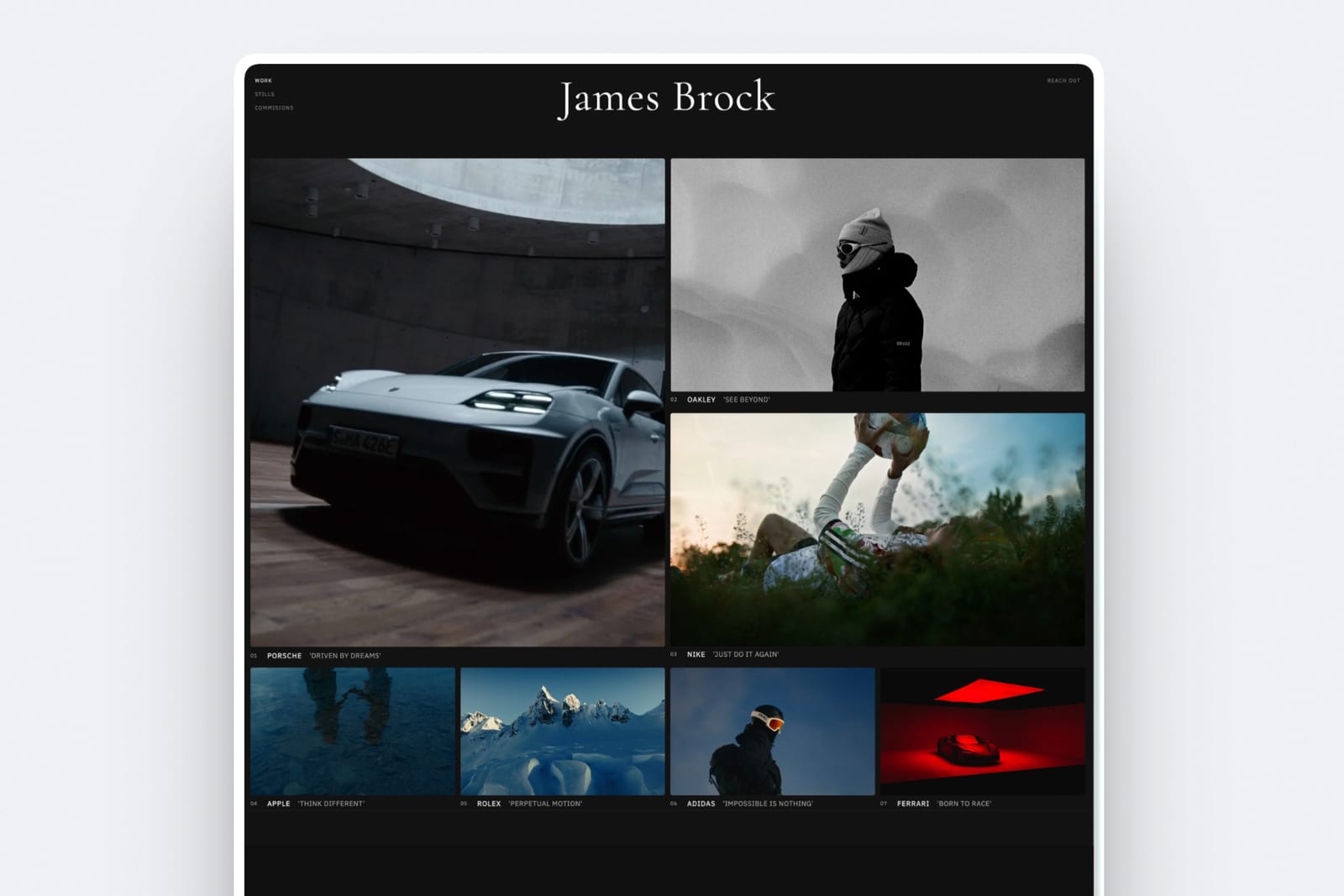
4. Wix Studio: Responsive control without the seat maths
Our rating: 8.2/10
Wix Studio is the closest thing here to Framer's proposition from a different direction: a professional editor with responsive breakpoints, reusable design libraries, a real CMS, and client handoff, sold as a per-site plan rather than a per-seat one.
For a small team, not paying $20 a head is a material difference.
Treating it as regular Wix is the mistake that costs designers the evaluation. It is a separate editor with its own plan lineup, and a classic Wix site does not migrate into it.
Best forSmall teams wanting responsive design control and client-editable handoff without per-seat billing.
The real numberWix Studio plans run from about $19 to $159 a month, per Wix Studio pricing, with agency tooling included rather than charged as seats, and a substantial annual discount.
The carried studio site sits between roughly $228 and $600 a year depending on tier, which brackets Framer's $840 from below.
Pricingroughly $19 to $159 a month by tier, with an annual discount.
Pros:
- Responsive breakpoint control comparable in spirit to Framer's
- Team access included rather than billed per seat
- A real CMS and genuine client handoff
Cons:
- Classic Wix sites do not migrate into Studio, you rebuild
- Tier-per-site pricing makes forecasting awkward
- The Wix name carries a reputation cost with some clients
Skip it ifyour clients would object to the platform, which is not a technical objection but is a real one.
Verdict: Wix Studio is an underrated Framer alternative for small teams specifically, because it removes the seat charge that makes Framer expensive at three people. Visit Wix Studio
5. Cargo: Art direction on one flat plan
Our rating: 8.0/10
Cargo is where designers go when the site itself must demonstrate art direction, and it is the closest thing here to Framer's design ceiling without Framer's pricing structure.
Its layouts escape the standard grid, its type controls run deep, and among independent studios a Cargo site reads as a statement of intent.
The pricing is the anti-Framer: one plan, one price, everything included, no tier to be walked up.
Best forIndependent studios and art directors whose site is part of the portfolio.
The real numberCargo is $14 a month billed yearly or $19 monthly with a custom domain included, per Cargo's rates page.
At $168 a year for the carried site with three people, it is a fifth of Framer Pro with overages and there is no upgrade decision to make later, which for some people is worth more than the money.
Pricing$14 a month billed yearly, $19 billed monthly, one plan.
Pros:
- Layout and typography freedom that rivals Framer for static design
- One flat plan, no seats, no collection limits
- A custom domain included
Cons:
- Assumes taste, exactly as Framer does
- Light CMS and basic commerce
- Small ecosystem and fewer answers when stuck
Skip it ifyou are leaving Framer because it assumed design skill. Cargo assumes the same thing.
Verdict: Cargo is the right move for a designer who liked Framer's ceiling and disliked its bill, and the wrong one for a non-designer. Visit Cargo
6. WordPress with Elementor: Ownership and no ceiling
Our rating: 7.9/10
Self-hosted WordPress has no functional ceiling and no vendor who can revise your pricing.
You own the database, the files, and the hosting relationship, and if a platform changing its terms is what brought you here, this is the structural answer rather than a cheaper version of the same risk.
The cost is permanent maintenance, and a WordPress site nobody maintains degrades in ways a hosted builder never does.
Best forTeams that want total ownership and extensibility and accept the maintenance that comes with it.
The real numberWordPress is free, Elementor Pro is $49 a year for one site and $199 for three, per Elementor pricing, and managed hosting is the swing factor.
The carried studio site realistically runs $150 to $350 a year including hosting, with no seat charges and no content limits at all.
PricingWordPress free, Elementor Pro from $49 a year, plus hosting.
Pros:
- No content, seat, or bandwidth ceilings imposed by a vendor
- Full ownership of files, database, and hosting
- Frequently cheaper per year than any hosted builder here
Cons:
- Updates, security, and backups are permanently someone's job
- Plugin conflicts are a real recurring cost in time
- Quality depends entirely on the stack you assemble
Skip it ifnobody on your side wants to own maintenance.
Verdict: WordPress is the answer if platform risk is what you are actually fleeing, and a burden if your complaint was only the price. Visit WordPress
7. Readymag: Editorial and interactive design
Our rating: 7.5/10
Readymag occupies a specific niche Framer users often want: editorial, magazine-style, interactive pages where the layout is the argument. Designers use it for lookbooks, reports, digital publications, and portfolio pieces that need to feel authored rather than assembled.
It is not a general-purpose site builder, and using it as one produces frustration rather than a website.
Best forDesigners making editorial, magazine-style, or interactive one-off projects.
The real numberReadymag runs from roughly $14 a month with a free tier available, which puts it level with Cargo on price and well below Framer Pro. What it does not do is scale into a business site with structured content, so price it as a tool for a project rather than a home for a practice.
Pricingfree tier available; paid plans from about $14 a month.
Pros:
- Genuine editorial and interactive layout control
- A free tier to evaluate on a real project
- Distinctive output that does not read as a template
Cons:
- Not built to be a general marketing site
- Light CMS and limited commerce
- Smaller ecosystem than any mainstream builder
Skip it ifyou need a site with structured content and a blog. This is a publishing canvas.
Verdict: Readymag is excellent for the project Framer users often build in Framer and shouldn't, and a poor fit for a company site. Visit Readymag

8. Carrd: One page for $19 a year
Our rating: 7.4/10
If the Framer site you are paying for is functionally one long page, Carrd does that job for $19 a year with very little setup. For a link hub, a launch page, a personal profile, or a holding page, everything else on this list is enormous overkill.
The constraint is the product: one page, and it is designed to stay one page.
Best forA single page, where the Framer subscription was buying capability nobody used.
The real numberPro Standard is $19 a year and Pro Plus is $49, both billed annually, with a free tier covering a few sites.
Against Framer Pro at $360 a year before seats or overages, Carrd is 5% of the cost for the subset of sites that genuinely are one page, which is more of them than people admit.
Pricingfree tier available, Pro Standard $19 a year, Pro Plus $49 a year, annual billing only.
Pros:
- By far the lowest cost of any paid option here
- Genuinely fast from signup to published
- A usable free tier
Cons:
- One page, with no CMS and no store
- A deliberately low design ceiling
- No path to grow into a larger site
Skip it ifyou need a second page. See our cheapest website builders for creatives roundup for the wider budget field.
Verdict: Carrd is the honest answer for the Framer sites that were never really multi-page, and useless for the ones that were. Visit Carrd
9. Ghost: If the site is really a publication
Our rating: 7.2/10
A meaningful share of Framer sites are publications in a marketing-site costume: a research hub, a newsroom, a paid newsletter. Ghost does that better than every general builder here, with memberships, paid subscriptions, and email delivery native rather than bolted on.
The number worth knowing is what it does not take.
Best forStudios and writers whose site is really a publication with a subscriber tier.
The real numberGhost(Pro) is $18 a month for Starter, $29 for Publisher, and $199 for Business, per Ghost pricing, and it takes 0% of your subscription revenue, leaving only the payment processor's cut.
On $2,000 a month in subscriptions, a platform taking 10% would keep $2,400 a year that Ghost does not.
PricingStarter $18, Publisher $29, Business $199 a month, with 0% of subscription revenue.
Pros:
- Memberships and paid subscriptions native rather than added
- 0% of your subscription revenue
- Open source, with a self-hosting escape route
Cons:
- A weak general-purpose builder outside publishing
- Theme changes generally mean editing code
- Overkill if you publish quarterly
Skip it ifyou do not publish regularly. Everything good about Ghost follows from that.
Verdict: Ghost is exactly right for a publication and entirely wrong for a studio brochure, with very little in between. Visit Ghost
10. Dorik: Cheap, and you can buy it once
Our rating: 6.9/10
Dorik is a block-based builder at a fraction of Framer's complexity, and it is one of the few platforms left selling software once rather than renting it forever. For someone who has just been surprised by a subscription's growth curve, a one-time price has obvious appeal.
Everything else about it is competent rather than exceptional, and the design ceiling is well below Framer's.
Best forPeople who want a simple builder and prefer to buy outright rather than subscribe.
The real numberPersonal is $29 a month billed monthly or $20.75 annually, which is $249 a year, and Dorik also sells Personal as a one-time $249 purchase, per Dorik pricing.
Keep the site longer than twelve months and the one-time price is the cheapest custom-domain route here other than Carrd.
PricingPersonal $29 or $249 a year, Business $59 or $498, Agency $99 or $948, with one-time options and a 7-day trial.
Pros:
- A one-time purchase option, now rare
- Simple block editor with no box-model learning
- Clean output at a modest price
Cons:
- A design ceiling far below Framer
- No permanent free plan, only a 7-day trial
- Small ecosystem and template library
Skip it ifdesign output is why you chose Framer in the first place. See our best Dorik alternatives guide.
Verdict: Dorik is worth a look mainly for its one-time pricing, which changes the arithmetic if you plan to keep the same site for years. Visit Dorik
11. A static stack: If you would rather write it
Our rating: 6.7/10
A number of people who chose Framer are developers who wanted speed and found themselves operating a visual abstraction over things they already knew how to write. For them, a static framework deployed to a free host is a reduction in effort, not an increase.
Astro is free, handles content collections cleanly, and deploys to hosts whose free tiers cover typical studio traffic. Nothing about the pricing can change under you, because there is no pricing.
Best forDevelopers and technical designers who write code faster than they operate an editor.
The real numberthe framework is $0, static hosting free tiers cover normal traffic, and a domain is $10 to $15 a year, so the cash cost can genuinely be under $20 annually against Framer's $840 to $1,320 for the carried site.
The cost is entirely time, and it is a permanent cost rather than a one-off build.
Pricingframework free, hosting free tiers, domain $10 to $15 a year.
Pros:
- No vendor, no seats, no collection limits, no pricing changes
- Content collections handle a case-study archive well
- Near-zero cash cost
Cons:
- Every content change is a developer task without a CMS layer
- No client or colleague can edit anything unaided
- Wrong for anyone who does not already write code
Skip it ifyou are not a developer. See our guide on whether to code your portfolio or use a builder.
Verdict: A static stack is the right answer for developers who found Framer slower than typing, and the wrong one for everybody else on this page. Visit Astro
What Framer Actually Costs as a Site Grows
In one lineFramer's entry price is $10 a month and the carried studio site reaches about $1,320 a year, because CMS collections, bandwidth, and seats are all metered separately above the plan.
Framer's pricing is published and fair. It is also structured so that the number you compare when choosing is not the number you pay in year two.
The collection cliff. Pro includes 10 CMS collections. Collection eleven triggers a $40-per-ten charge, up to a maximum of 40.
Most studio sites start with two collections, projects and posts, and drift toward six or eight as press, careers, team, and testimonials each become their own type. The eleventh is not a decision anyone makes deliberately.
Bandwidth is metered too. Pro includes 100GB, then charges $40 per additional 100GB up to 2TB. A site with heavy imagery and a good month of traffic can cross that, and it is the one line nobody models in advance.
Seats are per person, per month. Additional designers and editors are $20 a month each and content editors are $10, with viewers free.
For a three-person studio that is $40 a month, or $480 a year, on top of everything else. Four of the platforms in this comparison charge nothing for team members at all.
The free tier is a preview. No custom domain, a framer.website subdomain, and a permanent Made in Framer badge. That is a reasonable free tier and it is not a launch plan, so budget the $10 Basic tier from the start rather than treating free as the baseline.
Run it on your own account. Open the plan page, count your CMS collections, count your seats, and check your bandwidth against the included allowance. Then compare that total, not the entry price, against the alternatives here.
Past the included limits the gap can be large: the carried studio site's $1,320 a year is eleven times Basic's $120.
Who Should Stay on Framer
In one lineif motion is part of what you sell, if your team already thinks in the canvas, or if the site is a design artefact rather than a marketing asset, Framer is still the best tool on this page and leaving costs you capability.
A comparison that never recommends the incumbent is an advert, so here is the case for staying.
You sell motion. Framer's scroll-linked animation, page transitions, and component-level interaction are the best in this category and nothing here is close.
If a client is paying for that specifically, no alternative on this page delivers it and the money question is irrelevant.
Your team is fluent. The switching cost is a rebuild plus retraining, and no platform imports a Framer project. If three designers know Framer well, saving $600 a year is not worth two weeks of collective disruption.
The site is the portfolio piece. For a design studio whose own site is the strongest thing in the pitch, the ceiling matters more than the bill, and Framer's ceiling is high.
You are under the limits. A site with two CMS collections, one editor, and modest traffic runs $120 a year on Basic. That is competitive with everything here, and the criticisms on this page simply do not apply to you.
The people who should leave are the ones who crossed a threshold they did not plan for, or who never wanted a design canvas in the first place.
The Fine Print: Migration, Exports, and What Transfers
In one linenothing imports a Framer project, your CMS exports as CSV and your design does not, and the domain is the only thing guaranteed to survive the move.
No platform imports Framer. Not Webflow, not Squarespace, not us. Every switch is a rebuild, which is the single largest hidden cost of leaving and the reason to choose the destination carefully once rather than cheaply twice.
What comes with you. CMS collections export as CSV from most platforms including Framer, so structured content moves.
Design, components, interactions, and page structure do not export anywhere in a form another builder can read. Keep your written copy in a document you own rather than only in an editor.
Budget the rebuild honestly. A twelve-case-study studio site is a weekend on an AI builder or a template system, and considerably longer on Webflow or a static stack.
Price that time before comparing annual fees, because a $600 saving that costs three days is not a saving in year one.
Own the domain. Register at an independent registrar rather than through the builder. It costs the same and makes this move, and the next one, a DNS change rather than a negotiation.
Keep the old site up. Do not cancel Framer until the replacement is live and indexed. The overlap month is cheaper than a week of downtime on a site clients are being sent to.
How to Choose a Framer Alternative: A Decision Tree
Three questions in order. The first branch that fits you is the answer.
Start here: what actually made you look for an alternative?
- The price grew unexpectedly. Go to the next question, and rule out any platform that charges per seat or per content collection.
- The canvas assumed design skill I do not have. Choose Framekit, or Squarespace if you would rather pick a template than write a prompt.
- The CMS ran out at ten collections. Choose Webflow, or WordPress if you want no ceiling at all.
- The site is really a publication: Ghost.
How many people need access, and how much content?
- Three or more people: rule out Framer and Webflow's Full Seats, and look at Framekit Pro or Business, Squarespace, Cargo, or Wix Studio, all of which include team access without per-seat fees.
- One person, lots of content: Webflow Premium at $300 a year, or WordPress.
- One person, one page: Carrd at $19 a year, and stop reading.
How much do you want to art direct?
- I want to art direct and I have the taste: Cargo for static design, Readymag for editorial, or stay on Framer for motion.
- I want it to look designed without designing it: Framekit.
- I want predictability above everything: Squarespace, flat at $348 a year on Core regardless of growth.
- I would rather write it: Astro plus a static host.
Frequently Asked Questions
What is the best Framer alternative in 2026?
The best Framer alternative in 2026 is Framekit for people who wanted Framer's output without its assumption that you can art direct, because it generates a designed multi-page site from a prompt and charges nothing for additional team members.
If you are leaving because the CMS ran out at ten collections, Webflow is deeper and the better move. Squarespace is the predictable template-led choice at a flat $348 a year, and Carrd handles a genuinely single-page site for $19 a year.
Why does Framer get expensive?
Because three things are metered above the plan.
Pro is $30 a month on annual billing and includes 10 CMS collections, with each additional ten costing $40; bandwidth is 100GB with each additional 100GB costing $40; and extra designer or editor seats are $20 a month each, with content editors at $10.
A studio site with 20 collections and three people reaches about $1,320 a year against an advertised entry price of $10.
Is Framer's free plan good enough to launch a site?
No, it is a preview rather than a launch plan. The free tier publishes to a framer.website subdomain with no custom domain and a permanent Made in Framer badge, plus 1GB of bandwidth.
That is fine for testing an idea or sharing a concept, and unsuitable for anything client-facing. Budget the $10-a-month Basic tier from the start if the site is going to be real.
Framer vs Webflow: which should I switch to?
Neither, if your complaint was the design workload, because both hand you a professional canvas and expect you to drive it.
Choose Webflow specifically if you are leaving because Framer's ten CMS collections ran out, since Webflow's collections are genuinely deeper and support multi-reference fields and nested relationships.
Note that Webflow also bills on two meters, with site plans at $15 Basic and $25 Premium a month on annual billing, plus Workspace seats at $39 for builders, though reviewer seats are free.
Can I export my Framer site to another platform?
You can export your CMS content as CSV, and nothing else transfers. Design, components, interactions, and page structure do not export in any form another builder can read, so every migration off Framer is a rebuild.
Budget a weekend for a typical studio site, keep the Framer site live until the replacement is indexed, and make sure your domain is registered at an independent registrar so the cutover is a DNS change.
What is the cheapest Framer alternative?
Carrd is cheapest at $19 a year, though it builds a single page.
For a real multi-page site with your own domain, Framekit is cheapest at $108 a year on Starter, or $84 billed yearly, with a $0 free plan on a framekit.ai address, followed by Cargo at $168 and WordPress with Elementor at roughly $150 to $350 including hosting.
A static stack is cheaper still at close to $0 plus a domain, but converts the platform fee into permanent developer time.
Which Framer alternatives do not charge per seat?
Four in this comparison charge no per-seat fee: Framekit, which includes 3 team members on Pro and unlimited on Business, all as website admins, plus Squarespace, Cargo, and Carrd.
Wix Studio includes team tooling in its per-site plans rather than charging per head.
Framer charges $20 a month per additional designer or editor and $10 for content editors, and Webflow charges $39 for a Full Seat and $15 for a Limited Seat, though reviewer seats are free on both.
For a three-person team that difference is $480 a year on Framer alone.
Is Framer worth it in 2026?
Framer is worth it if motion is part of what you sell, if your team is already fluent, or if you are comfortably within the included limits, where a two-collection site with one editor runs $120 a year on Basic and is competitive with everything here.
It is poor value if you crossed the ten-collection line without planning to, if you are paying for three seats, or if you never wanted a design canvas and only wanted a good-looking site.
Does Framer have a CMS, and how deep is it?
Yes, and it is capable but bounded. The Pro plan includes 10 CMS collections, with additional collections charged at $40 per ten up to a maximum of 40. That covers most marketing sites comfortably and runs out on content-heavy ones.
Webflow and self-hosted WordPress are the two options in this comparison with genuinely deeper content modelling, supporting multi-reference fields and relationships that Framer's model does not.
What is the best Framer alternative for non-designers?
Framekit, because it supplies the design decisions rather than expecting them: you describe the practice in a prompt and it generates the type scale, spacing, and page structure, which is precisely the work Framer hands back to you.
Squarespace is the alternative answer for someone who would rather choose a template than write a prompt. Avoid Cargo and Readymag for this, because both assume taste in exactly the way Framer does.
Should I move my Framer site if I am under the limits?
Probably not. If you have two CMS collections, one editor, and modest traffic, Framer Basic at $10 a month is competitive with everything in this comparison and the migration cost is a rebuild you would be doing for no financial gain.
The time to look is when you are approaching the tenth collection, adding a second or third seat, or noticing the bandwidth allowance, because those are the points where the curve turns.
Do any Framer alternatives match its motion tooling?
No, and it is the honest limit of this whole comparison. Framer's scroll-linked animation, page transitions, and component-level interaction are the best in this category, and nothing here approaches them, including us.
Webflow gets closest on interaction control at the cost of a much steeper learning curve. If motion is the product rather than the polish, the right answer is to stay and manage the cost rather than to switch.
Framekit vs Framer: what do I actually give up by switching?
Motion, mostly. Framer's scroll-linked transitions and micro-interaction tooling are the best in this comparison and Framekit does not try to match them, so if clients pay you for movement, switching removes the thing you charge for.
What you gain is cost and seats: the carried studio site runs $228 a year on Framekit Pro with three people included, against about $840 on Framer Pro with two extra seats and about $1,320 once the site passes ten CMS collections.
The switch makes sense when the site is the means and your client work is the product, and it does not when the site is the product.
Final Verdict: The Best Framer Alternative in 2026
After pricing the same studio site on eleven platforms, the pattern is that people rarely leave Framer over design. They leave over a curve.
Framekit is the best Framer alternative in 2026 for anyone who admired the result and did not want the job.
A designed multi-page site from a prompt, on your own domain, with no per-seat charges and no content-collection cliff, at $228 a year for the carried site against Framer's $1,320 once the overages land.
Where Framekit loses, plainly: we do not have Framer's motion tooling and we are not close, we do not offer pixel-level layout control, and our CMS is shallower than Webflow's. If you sell scroll-driven interaction, stay on Framer.
If you ran out of collections, go to Webflow. If your team is fluent and you are inside the limits, this whole page does not apply to you and you should stay.
Webflow is the CMS answer, Squarespace is the predictability answer, Wix Studio removes the seat charge, Cargo keeps the art direction, Readymag suits editorial work, Carrd is $19 a year, WordPress and a static stack are the ownership answers, and Ghost is right if you were secretly running a publication.
But before you compare any of them, count your CMS collections, because that number is the one that decides whether you have a problem at all.
For more, read our best Webflow alternatives comparison, the best AI website builders for creatives, our best website builders for creative agencies guide, and if budget is the driver, the cheapest website builders for creatives.
_All plan prices, overage rates, and seat charges re-verified against each vendor's published pricing page, July 2026._
For the head-to-head most people are actually deciding between, Framer vs Squarespace compares them on seat pricing and selling fees rather than on design control.
The cheapest and most common comparison people run is Framer vs Carrd, where Framer's free plan turns out to undercut Carrd Pro.