Framekit templates
Start from a designer-made template
 Use template
 Use template
 Use template
 Use template
 Use template
 Use template
 Use template
 Use template
Your art is good enough that people want to buy it. The problem is where.
List it on a print-on-demand marketplace and your illustration becomes a thumbnail in an endless grid, and when it sells, the platform keeps most of the price - some leave an artist as little as 7 to 10% after printing and their cut.
Post it where the culture expects everything free, and buyers balk at paying at all. The work sells; the margin and the presentation are what you lose.
That is the bind for artists selling digital art in 2026. Art is judged instantly on how it looks, so presentation is part of the sale, and it is sold on margin, so the commission decides whether it is worth making.
Most platforms are built to move volume, not to respect either. This guide ranks the platforms on commission, presentation, delivery, and whether they reach buyers who actually pay.
Every commission and margin here was re-checked against each platform's terms in July 2026.
In October 2026 we re-verified the Framekit figures, removed a line claiming we had opened a store on all fourteen, and fixed the Framekit take-home on a $20 download, which had left out card processing.
The work sells. The platform keeps the frame and half the price.
A platform for selling digital art is where an artist sells their work - as digital downloads, or as physical prints through print-on-demand - and the best one presents the art properly, leaves the artist a real margin, and reaches buyers willing to pay.
The best platform for selling digital art in 2026 is Framekit, because you present your work on a designer-quality website you own - portfolio and shop in one - and sell digital downloads keeping nearly all of the price, with a fee that drops to 0%.
The honest, important trade-off: Framekit does not print or ship physical art, so if you want passive print-on-demand of prints, canvases, and merch, INPRNT (best fine-art margin), Society6, and Redbubble handle the printing, fulfilment, and discovery that Framekit does not.
Sell digital and own your brand on Framekit; sell physical prints hands-off on a print-on-demand marketplace.
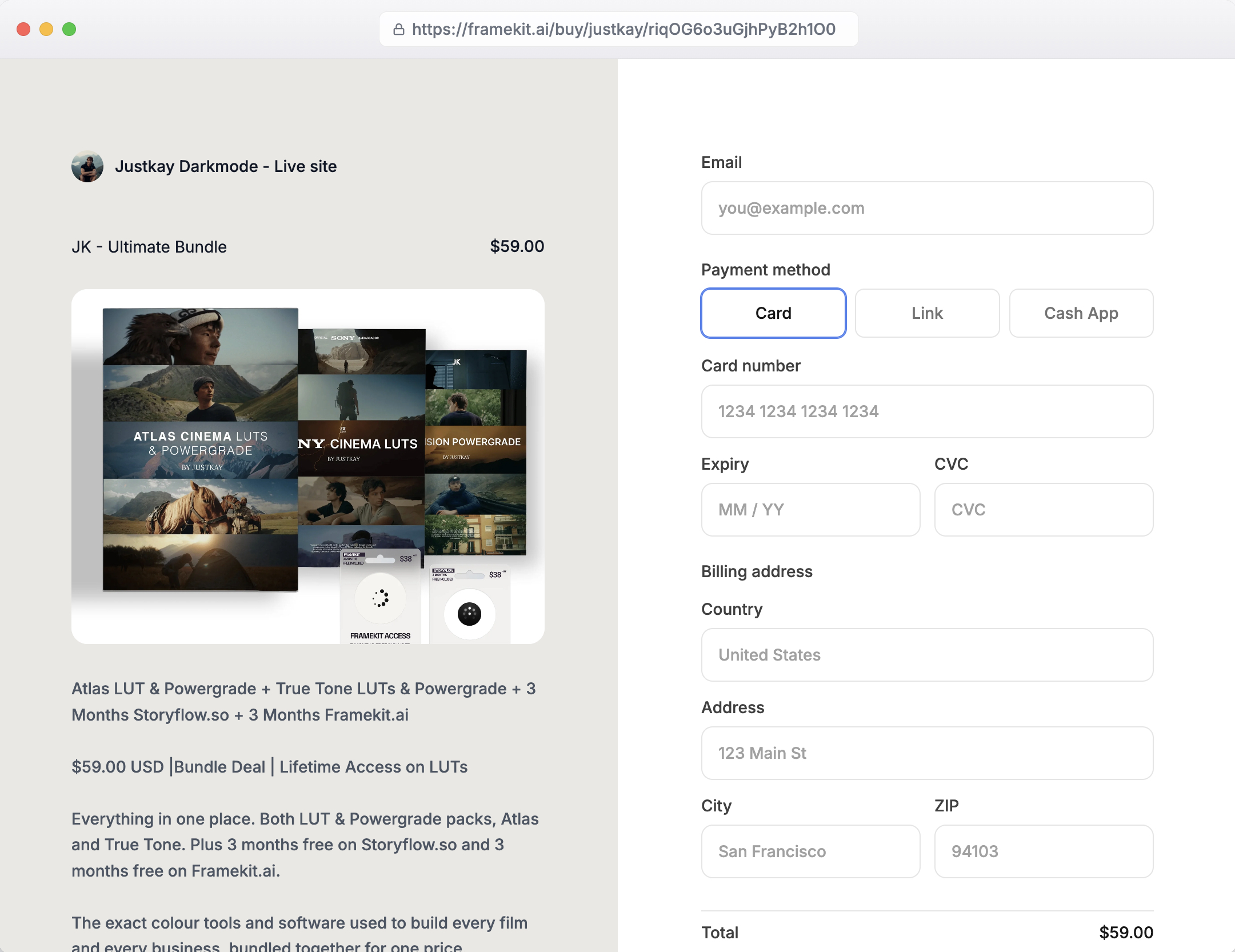
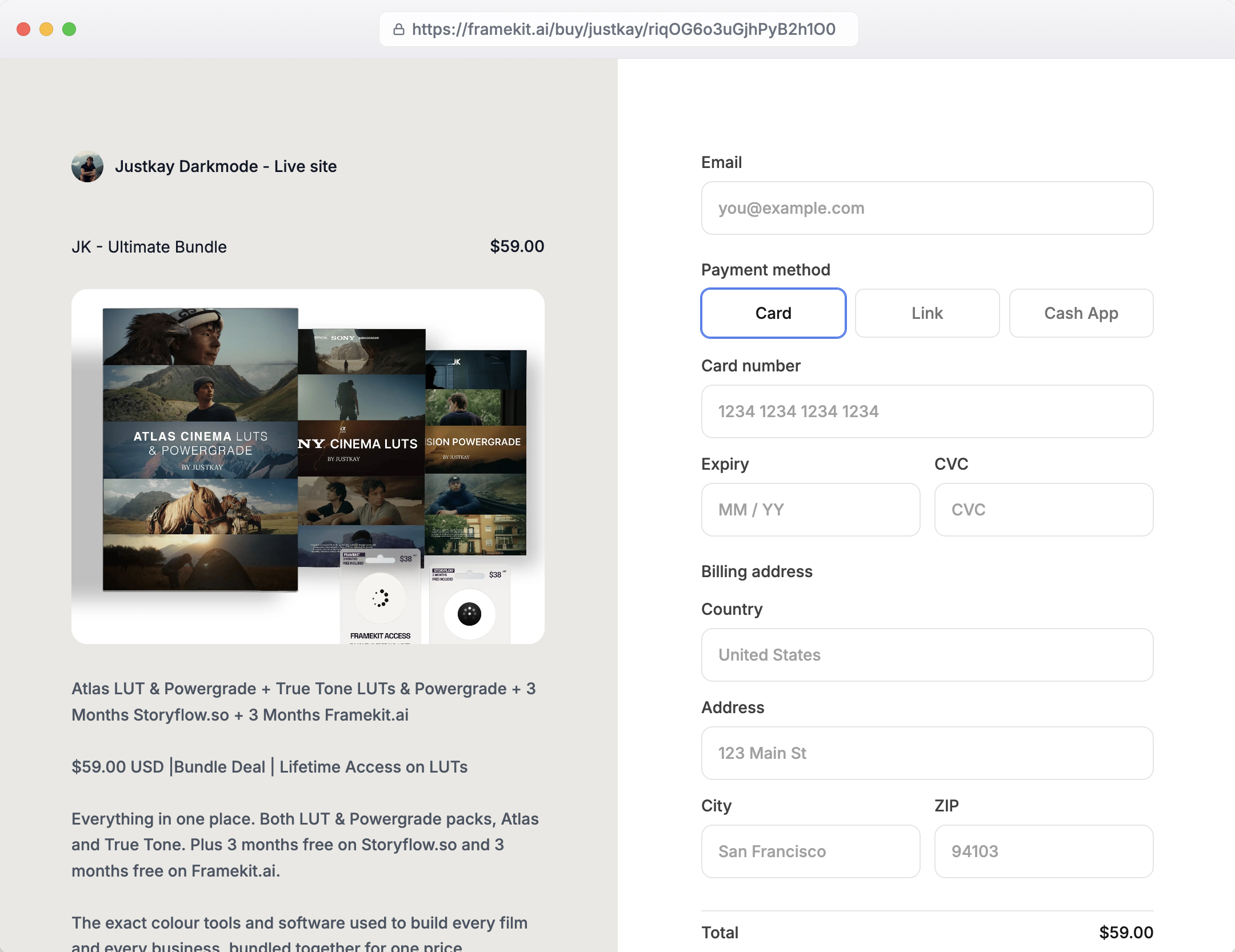
Framekit lets you present and sell your digital art from a website you own, and the free plan needs no credit card to start.
Full disclosure: Framekit, ranked #1 below, is our own product, so weigh the ranking against a big, honest concession: we do not print or ship anything. For physical art prints, canvases, and merch, the print-on-demand marketplaces below do the printing, fulfilment, and buyer discovery that we cannot, so if hands-off physical products are your goal, one of them beats us. We compared all 14 on their published commission and artist terms, read in July 2026, without opening a store on any of them. Framekit is for selling digital art and owning your brand, not for print-on-demand fulfilment, and we say so plainly.
Selling icon sets or illustration packs specifically? The best places to sell icons and illustrations covers the split between venues that pay a price and venues that pay a share of a pool, and how to measure what a pool is actually worth to you.
How We Compared These Digital Art Platforms
We read each platform's published fees, artist terms and help pages, without listing any artwork, and rated each on what matters to an artist:
Commission and margin. What the artist actually keeps - on print-on-demand, the markup left after the platform's cut; on owned stores, the fee on a digital sale.
Presentation. Whether the work is shown at a size and quality that does it justice, or as a thumbnail in a grid.
File delivery and protection. For digital art, whether files deliver cleanly and are protected from casual theft.
Reaching buyers who pay. Whether the platform's audience actually buys art, or expects it free.
Ownership. Whether you own the customer and brand, or the platform does.
We carry one seller through the guide: an illustrator selling both digital downloads and prints of their work. We verified every commission and margin in July 2026 and flag community sentiment as such.
What 14 Digital Art Platforms' Published Terms Show
- On print-on-demand marketplaces, the artist's take varies wildly: INPRNT pays 50% on fine art prints, while Society6 defaults to about 10% and Displate to about 7% on many products (INPRNT, Displate).
- Selling digital downloads from an owned store keeps nearly all of the price - 95% on a 5% plan, everything but processing at 0% - versus a fraction on print-on-demand.
- Art is judged on presentation, and only a site you design shows the work full-size rather than in a marketplace grid.
- Print-on-demand marketplaces bring buyers and handle printing and shipping, which an owned store does not - the core trade-off for physical art.
- 1 of 14 pairs an AI-built portfolio site with a download store, client galleries and video review in one account (Framekit).
The 14 Best Platforms for Selling Digital Art in 2026
How the ratings work: each platform is scored on commission and margin, presentation, delivery and protection, buyers who pay, and ownership, weighted toward respecting the work and the margin - commission and ownership 40%, presentation 30%, reaching paying buyers 30%.
Print-on-demand marketplaces score for fulfilment and discovery but lose on margin and ownership; owned stores are the reverse.
| Platform | Best For | Type | Artist Keeps | Our Rating |
|---|---|---|---|---|
| Framekit | Selling digital art you own | Owned store | ~95% free, 100% on Business | 9.3/10 |
| Gumroad | The simplest art download | Owned link | ~84% (10% + $0.50) | 8.4/10 |
| Payhip | A free art store | Owned store | ~95% (5% free) | 8.4/10 |
| INPRNT | Fine-art print-on-demand | POD marketplace | 50% on fine art prints | 8.3/10 |
| Etsy | Search discovery for art | Marketplace | ~74% or less | 8.0/10 |
| Society6 | Design-conscious buyers | POD marketplace | ~10% default, set markup | 7.9/10 |
| Redbubble | The biggest POD catalog | POD marketplace | Set your markup | 7.8/10 |
| Creative Market | Design-buyer discovery | Marketplace | Commission-based | 7.7/10 |
| Shopify | A full art store at scale | Owned store | Processing, plus app | 7.7/10 |
| Big Cartel | An artist's simple store | Owned store | Flat plan, no per-sale cut | 7.6/10 |
| Sellfy | Digital plus POD merch | Owned store | 100% on paid plans | 7.5/10 |
| Squarespace | A design-led art site | Owned store | 0% top tier | 7.5/10 |
| Displate | Metal-poster collectors | POD marketplace | ~7% commission | 7.4/10 |
| Ko-fi | Artists with a following | Owned page | 0-5% | 7.3/10 |
Commissions verified in July 2026. Processing (about 2.9% + 30¢) applies wherever you connect your own processor; the print-on-demand marketplaces build their cut into the base price instead. Confirm current terms before deciding.
1. Framekit: Best Overall

Our rating: 9.3/10
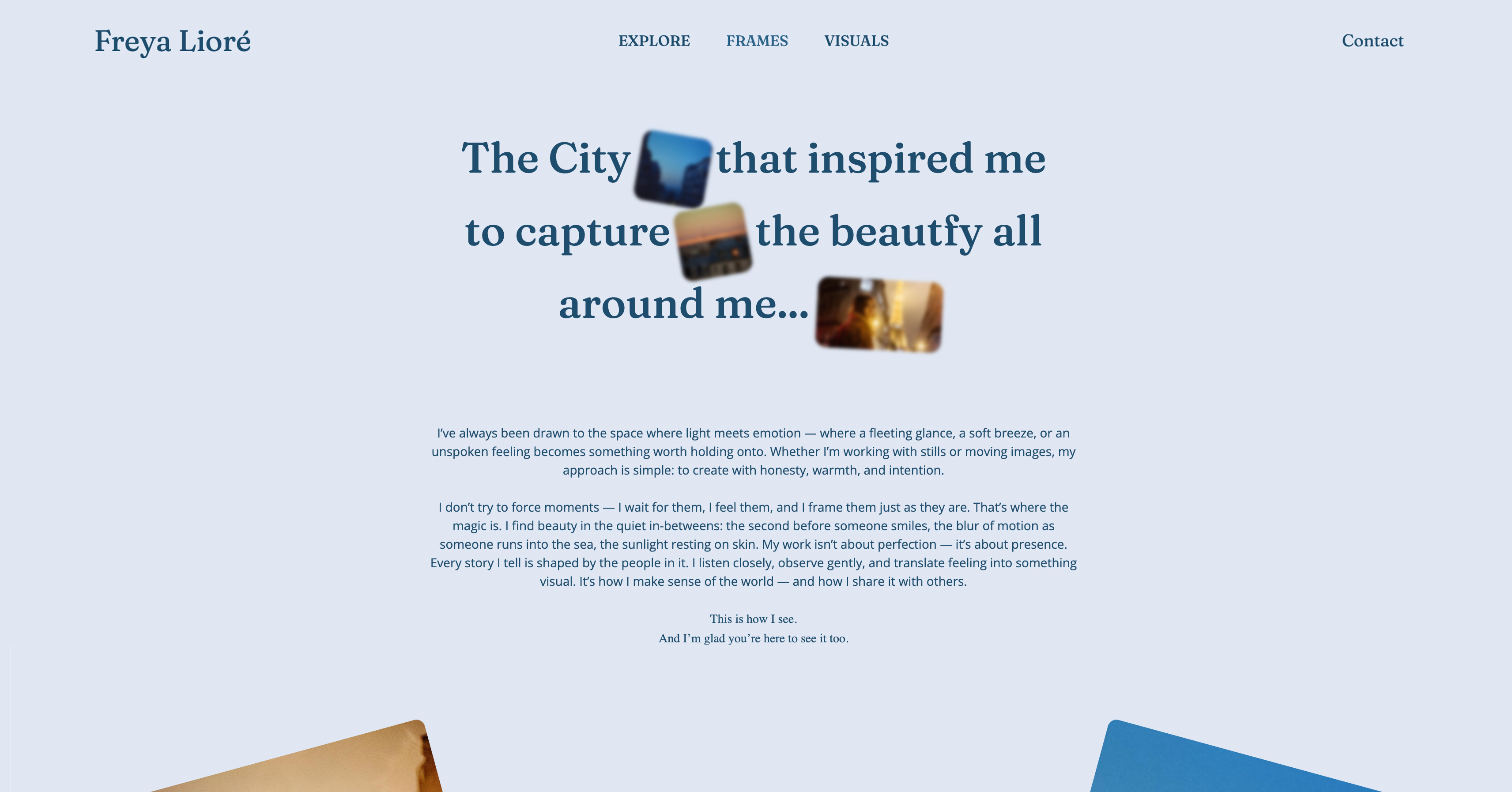
Framekit is an AI website builder that treats your art the way art deserves - presented full-size on a designer-quality site you own, with a shop built into the same page as your portfolio.
For selling digital art - downloads, wallpapers, print-at-home files, brushes, digital illustrations - you keep nearly all of the price and own the customer, instead of handing a marketplace most of it for a thumbnail in a grid.
Best forArtists selling digital downloads of their work who want to present it beautifully and keep their margin and their brand.
Key features:
- Present your art full-size on a designer site you own, portfolio and shop together
- Sell digital downloads keeping about 95% on the free plan, 100% minus processing on Business
- Automatic file delivery, with your work shown the way you intend
- Your own brand, with each buyer's details landing in your own Stripe account, so collectors remember you, not a platform
- A site generated by design-trained AI, so the gallery around your art looks made for it
The honest boundary is physical printing. Framekit sells digital art and does not print or ship prints, canvases, or merch - for that, the print-on-demand marketplaces below are the tool.
But for selling the digital work itself, the difference is stark: on a $20 digital art download, Framekit's free plan leaves you about $18.12 after its 5% and card processing, and Business about $19.12, where a print-on-demand marketplace might leave you a few dollars after its cut, and your work is presented on your own terms rather than in a grid.
The real numberon a $20 digital art download, Framekit keeps about 95% on the free plan and 100% minus processing on Business - versus print-on-demand marketplaces that can leave an artist as little as 7 to 10% of the price after printing and commission.
For digital work, an owned store keeps multiples more.
Pricing (transaction fee on sales in parentheses)Free $0 (5% fee), Starter $9 per month (5% fee, custom domain), Pro $19 per month (3% fee), Business $39 per month (0% fee).
Pros:
- Present art full-size on a designer site you own, not a marketplace grid
- Keep nearly all of a digital sale, versus a fraction on print-on-demand
- Own the customer and brand, with a fee that drops to 0%
Cons:
- No print-on-demand - Framekit does not print or ship physical art
- No built-in marketplace discovery, so you bring your own audience
- You connect your own Stripe rather than getting a merchant of record
Skip it ifyou want passive physical prints and merch without touching fulfilment - a print-on-demand marketplace like INPRNT, Society6, or Redbubble prints and ships for you, which Framekit does not.
Verdict: Framekit is the best platform for selling digital art and owning your brand - present the work beautifully, keep your margin, and own the customer. For physical print-on-demand, use a marketplace instead. Start free at framekit.ai, or compare the field in our best free product-selling software guide.
2. Gumroad: Fastest Owned Download Sales
Our rating: 8.4/10
Gumroad is the shortest path from finished piece to first sale: an illustrator uploads the file, names a price, and drops the link in a bio or a post, and the download is delivered and taxed for them as merchant of record.
For a digital artist who wants to sell a wallpaper set or a print-at-home file this afternoon without building anything, nothing here is quicker to stand up.
The catch is that the product page is a plain listing, so a detailed illustration arrives as a checkout box rather than a framed presentation, and the pricing bites on cheap work.
Best forDigital artists who want the fastest possible owned checkout for a single download and will trade presentation for speed.
Key features:
- Upload-and-sell in minutes, with a shareable link for any bio or post
- Merchant-of-record tax handling, so VAT and sales tax are off your plate
- Automatic file delivery on purchase, including updates and new versions
- Pay-what-you-want pricing and simple discount codes
- A built-in email tool for buyers who opt in
The real numberGumroad charges 10% + $0.50 per sale, so on a $6 wallpaper pack it takes about $1.10, close to a fifth of the price, where an owned store on a flat plan would keep almost all of it. On cheap digital art, that flat 50 cents is the part that stings.
Pricingfree to start with a 10% + $0.50 fee on every transaction, applied whatever the price.
Pros:
- The quickest owned checkout to set up, with no site to build
- Merchant of record handles tax compliance for you
- Instant file delivery and simple audience tools
Cons:
- 10% + $0.50 is steep on low-priced art
- The product page presents work as a listing, not a gallery
- No real brand or storefront design to speak of
Skip it ifyou sell inexpensive pieces at volume, where the flat $0.50 per sale quietly eats a large share of each price.
Verdict: Gumroad is the fastest way to start selling a digital art download you own, worth the fee for speed and tax handling until the percentage matters. Our best Gumroad alternatives guide compares the fees. Visit Gumroad
3. Payhip: Best Free Art Store
Our rating: 8.4/10
Payhip gives an artist a real storefront on the free plan - not a trial, not a locked demo - charging 5% per sale while it delivers the file and handles EU VAT automatically.
For an illustrator who wants an owned home for digital downloads without paying a subscription before the first sale lands, it is the value pick of the whole list.
The store page is clean and functional, presenting a piece as a tidy product rather than a designed gallery wall, but it is a long way better than a marketplace grid, and no commission-hungry platform stands between you and the collector.
Best forDigital artists who want a genuinely free owned store for downloads and can accept a clean-but-plain page over a designed one.
Key features:
- A working free storefront with no upfront subscription
- 5% per sale, with automatic file delivery on purchase
- EU VAT calculated and handled for you
- Coupons, cross-sells, and email built into the store
- Your own product pages and buyer list rather than a marketplace's
The real numberPayhip's fee is a flat 5% with no per-order surcharge, so a $15 digital illustration leaves you about $14.25 before processing - and because the free plan is a real store, you pay nothing monthly until you choose to buy the fee down.
Pricingfree plan at 5% per sale; paid tiers lower the percentage for higher-volume sellers.
Pros:
- A real free store, not a time-limited trial
- Flat 5% with no per-transaction dollar fee
- EU VAT handled automatically
Cons:
- Store pages are clean rather than designed
- No marketplace discovery, so you bring buyers
- Deeper branding needs a step up to a builder
Skip it ifyou want a gallery-grade presentation for your art rather than a straightforward product page.
Verdict: Payhip is the best free store for selling digital art, keeping about 95% of each piece with tax handled and no monthly cost to begin. Our best Payhip alternatives guide covers the design step up. Visit Payhip
4. INPRNT: Best Margin in Print-on-Demand
Our rating: 8.3/10
INPRNT is the print-on-demand marketplace that treats artists most fairly on money, paying 50% of the sale price on fine art prints and 30% on other products - a split far more generous than most sites that print and ship for you.
It curates for quality, so the work sits beside other strong illustration rather than an unfiltered flood, and it draws buyers who came specifically to buy fine-art prints.
For a digital artist who wants physical prints of their work sold and fulfilled hands-off, this is the margin leader among the print marketplaces.
Best forIllustrators who want passive, fulfilled fine-art prints and value the most generous commission split in print-on-demand.
Key features:
- 50% artist payout on fine art prints, 30% on other products
- Curated catalog that keeps quality high and buyers art-minded
- Printing, packing, and shipping handled entirely for you
- A buyer base that arrives intending to purchase fine-art prints
- Gallery-grade print stock that flatters detailed illustration
The real numberINPRNT's 50% fine-art split is roughly the top of print-on-demand, but it still means a $40 print returns you $20 while the platform keeps the other half - the price of never touching fulfilment or owning the customer.
Pricingfree to join; INPRNT sets the retail price and pays the artist 50% on fine art prints, 30% on other products.
Pros:
- The most generous margin among print marketplaces
- Curation and an audience that value fine art
- Fully hands-off printing and shipping
Cons:
- It keeps half the sale and owns the customer
- No brand, storefront, or email list of your own
- Retail pricing is set by the platform, not you
Skip it ifyou would rather keep the whole margin and the customer by selling digital files from a store you own, where a marketplace cut does not apply.
Verdict: INPRNT is the best-paying print-on-demand marketplace for fine-art prints, ideal for passive physical sales - pair it with an owned store for your digital work. Visit INPRNT
5. Etsy: Best for Buyer Discovery
Our rating: 8.0/10
Etsy's real asset is a crowd of people actively searching for art and printables with a card already out - a stream of buyers an owned store cannot conjure on day one.
For an artist without an audience yet, that discovery is genuinely worth something, because shoppers type "digital wall art" into Etsy and land on your listing.
The cost of that reach is stacked fees and a grid: your illustration sits among thousands of near-identical listings, Etsy keeps the customer and their email, and the cuts add up fast on a cheap piece.
Best forDigital artists with no audience yet who need the marketplace's search traffic to make early sales.
Key features:
- A large base of buyers searching specifically for art and printables
- Built-in discovery through Etsy search and recommendations
- Instant-download support for digital art files
- Familiar, trusted checkout that buyers already use
- Reviews and shop history that build buyer confidence
The real numberEtsy stacks $0.20 per listing, a 6.5% transaction fee, payment processing, and up to 15% for Offsite Ads, which together can swallow roughly a quarter of a low-priced download - the toll for the discovery it provides.
Pricing$0.20 per listing, then 6.5% plus processing per sale, with a possible 15% Offsite Ads charge on top.
Pros:
- Real search discovery that brings buyers to you
- Trusted checkout and instant digital delivery
- No audience required to make first sales
Cons:
- Stacked fees can reach about a quarter of a cheap piece
- Your art competes in a crowded grid of listings
- Etsy keeps the customer relationship and email
Skip it ifyou already have an audience that would follow you to a store you own, where you keep the margin and the customer instead of renting the shelf.
Verdict: Etsy is the best platform for buyer discovery of digital art, best used to find collectors and then move the repeat ones to a store you own. Our best Etsy alternatives for digital sellers guide covers the move. Visit Etsy
6. Society6: Print-on-Demand for Design Buyers
Our rating: 7.9/10
Society6 sells art on prints, home goods, and decor to a design-conscious crowd that will pay a premium to put a piece on their wall or their coffee table, and it prints and fulfils every order for you.
For an illustrator whose style translates to home decor, the audience is the appeal - shoppers browsing for something to hang or display.
The trade is margin: the default artist commission runs around 10% on many products, though you set the markup on art prints, so unless you price up deliberately you keep a thin slice of each sale.
Best forDigital artists whose work suits home decor and who want passive sales to a design-minded audience.
Key features:
- A design-focused buyer base shopping for art on products
- A broad catalog from prints to home goods and decor
- Printing and fulfilment handled end to end
- Artist-set markup on art prints for some pricing control
- A recognizable marketplace name that draws browsers
The real numberSociety6's default artist commission sits around 10% on many products, so a $30 decor item can return only a few dollars unless you raise the markup - the audience is the payoff, not the per-sale margin.
Pricingfree to join; artists earn a set commission around 10% on many products, with markup control on art prints.
Pros:
- A design-oriented audience willing to pay for decor
- Wide product range beyond flat prints
- Fully handled printing and shipping
Cons:
- Around 10% on many products is a thin margin
- The platform keeps the customer relationship
- Real earnings need deliberate markup on prints
Skip it ifmargin matters more than reach, in which case an owned store for digital files keeps far more of each sale than a 10% product commission.
Verdict: Society6 is a solid print-on-demand marketplace for reaching design buyers passively, best paired with an owned store where your digital work keeps its margin. Visit Society6
7. Redbubble: Widest Product Range
Our rating: 7.8/10
Redbubble is the largest of the print-on-demand marketplaces, letting an artist set a markup above a base price across an enormous catalog that runs from stickers to wall art to apparel, with every item printed and shipped for them.
The draw is sheer reach - a big, browsing audience hunting for designs to put on anything - so a single illustration can earn across dozens of product types.
The offset is that base prices are high and the crowd is price-sensitive, so your markup and take tend to stay modest, and the platform keeps the buyer.
Best forDigital artists who want the widest possible product range and audience and will accept a slim margin for the reach.
Key features:
- The largest catalog of products a single design can sell on
- Artist-set markup above each item's base price
- Printing, shipping, and support handled for you
- A huge browsing audience across many product niches
- One upload spread automatically across product types
The real numberRedbubble lets you name your markup, but high base prices and bargain-hunting buyers mean the take per item is usually small - reach and variety are what you are buying, not margin per sale.
Pricingfree to join; artists set a markup above Redbubble's base price on each product, and the platform keeps the rest.
Pros:
- The broadest product range and audience in print-on-demand
- Markup control on every item
- Completely hands-off fulfilment
Cons:
- High base prices squeeze your realistic markup
- Price-sensitive buyers keep margins thin
- The marketplace owns the customer
Skip it ifyou want more than a few dollars per sale, where selling digital files from your own store beats a thin marketplace markup.
Verdict: Redbubble is the best print-on-demand choice for maximum product variety and audience reach, if you accept a modest take on each item. Visit Redbubble
8. Creative Market: Digital-Asset Marketplace
Our rating: 7.7/10
Creative Market is the marketplace built for digital design assets, which makes it a natural fit for an illustrator selling brushes, textures, clip art, and usable graphic resources to a large audience of designers who buy this kind of work as a matter of course.
Unlike a culture that expects art for free, its shoppers arrive expecting to pay for digital files, which is exactly the buyer a digital artist wants.
Like any marketplace it trades discovery for a commission and keeps the customer, so it works best as a place to be found rather than a permanent home.
Best forIllustrators and digital artists selling usable design assets to a paying audience of creatives.
Key features:
- A marketplace focused on digital design assets, not physical goods
- Buyers who expect to pay for files rather than get them free
- Discovery through Creative Market search and curation
- Support for brushes, textures, templates, and illustration packs
- Instant digital delivery of purchased files
The real numberCreative Market takes a commission on each sale in exchange for putting your assets in front of a buying audience, so you trade a slice of the price for discovery you would otherwise build yourself - worthwhile until you have your own following.
Pricingfree to open a shop; Creative Market keeps a commission on each sale, with the artist taking the remainder.
Pros:
- An audience that pays for digital design assets
- Discovery for illustration and graphic resources
- Instant delivery of purchased files
Cons:
- A commission on every sale
- The marketplace keeps the customer relationship
- Best for assets, not one-off fine-art pieces
Skip it ifyou have a following already and would rather sell your digital art directly, keeping the full price and the buyer's email.
Verdict: Creative Market is the best marketplace for selling digital art assets to a paying creative audience, ideal for discovery before you move repeat buyers to a store you own. Visit Creative Market
9. Shopify: Best for Scaling a Brand

Our rating: 7.7/10
Shopify is the owned store for an artist building a serious product brand, with the deepest print-on-demand app ecosystem of anything here, so you can wire in a fulfilment service and sell physical prints and merch alongside digital downloads on your own domain.
It hands you ownership and control a marketplace never will.
The cost is assembly: selling digital files needs a delivery app, print-on-demand needs a connected service, and the monthly bill climbs as you add the pieces, so it rewards an artist ready to run a full storefront rather than list a few downloads.
Best forDigital artists scaling into a full product brand who want to own everything and will assemble the parts.
Key features:
- Your own store on your own domain, fully under your control
- The largest print-on-demand app ecosystem to connect
- Digital-download delivery via add-on apps
- A checkout built to scale to serious sales volume
- Broad integrations for email, marketing, and analytics
The real numberShopify gives you the deepest print-on-demand app ecosystem of any tool here, but a digital artist pays for that in assembly - a delivery app to send downloads and a fulfilment connector for physical prints, each adding to the monthly bill on top of the base plan.
Pricingmonthly subscription plans, plus paid apps for digital-download delivery and print-on-demand fulfilment; the total rises with each service you connect.
Pros:
- Complete ownership of store, domain, and customer
- The deepest app ecosystem for print-on-demand
- Scales to a serious product business
Cons:
- Digital delivery and print-on-demand need add-on apps
- Monthly cost climbs as you assemble the pieces
- More store than an artist selling a few files needs
Skip it ifyou mainly sell digital downloads and want delivery built in rather than assembled from apps, where a digital-first store is simpler and cheaper.
Verdict: Shopify is the best platform for an artist scaling a full product brand across physical and digital, if you are ready to build out the store. Visit Shopify
10. Big Cartel: The Artist's Simple Store
Our rating: 7.6/10
Big Cartel was built for artists and makers from the start, with flat plans, no per-sale commission, and a free tier for a small catalog, so a digital artist keeps their whole margin and owns the customer instead of feeding a marketplace.
It is refreshingly simple to run, which is the point - fewer settings, less overhead, a store you can manage between commissions.
The limits are that digital delivery and any print-on-demand are basic and lean on add-ons, and the storefront design is minimal, so it suits a focused artist with a handful of products more than a sprawling shop.
Best forIndependent artists with a small catalog who want a simple flat-priced store and no commission on sales.
Key features:
- Flat monthly plans with no per-sale commission
- A free tier for a small number of products
- Artist-first store templates that are quick to set up
- Your own customer relationship rather than a marketplace's
- Simple management suited to a focused catalog
The real numberBig Cartel takes no cut of your sales at all, so on a $25 digital piece you keep the full price minus only payment processing - the trade is a minimal storefront and basic digital delivery rather than a designed gallery.
Pricinga free tier for a small catalog, then flat monthly plans with no commission on sales.
Pros:
- No per-sale commission on any plan
- A genuine free tier to begin
- Simple, artist-focused, and low-overhead
Cons:
- Digital delivery and print-on-demand are basic
- Minimal storefront design and presentation
- Built for small catalogs, not large shops
Skip it ifyou want your art presented in a designed gallery rather than a plain, simple store page.
Verdict: Big Cartel is the best simple, no-commission store for an independent artist with a small catalog who wants to keep every dollar of a sale. Visit Big Cartel
11. Sellfy: Owned Store With Merch
Our rating: 7.5/10
Sellfy pairs an owned store with 0% transaction fees on its paid plans and built-in print-on-demand merch, so a digital artist can sell downloads and branded physical products - tees, posters, prints - from a single storefront they control.
That combination is genuinely useful for an illustrator who wants both digital and merch under one roof without wiring together apps.
The catch is the entry price: at about $29 a month with no free tier, you pay a subscription before the first sale, so it favors an artist with enough volume to justify the monthly cost.
Best forDigital artists ready to pay a subscription for an owned store that sells both downloads and print-on-demand merch.
Key features:
- 0% transaction fees on paid plans
- Built-in print-on-demand merch alongside digital products
- Your own branded storefront and customer list
- Digital-file delivery handled within the store
- Email and upsell tools built in
The real numberSellfy charges 0% per sale on paid plans but starts around $29 a month with no free tier, so you keep the full price on a digital piece only after clearing the subscription - which pays off once your monthly sales are high enough to beat a percentage fee.
Pricingpaid plans from about $29 a month with 0% transaction fees; no free tier.
Pros:
- 0% transaction fees on paid plans
- Digital downloads and merch in one store
- A branded storefront you own
Cons:
- No free tier, so you pay before selling
- About $29 a month is a real upfront commitment
- Merch and digital tools are capable rather than deep
Skip it ifyou sell too little to clear a monthly subscription, where a free 5% store keeps more until your volume climbs.
Verdict: Sellfy is a strong owned store for an artist who wants downloads and merch together and sells enough to justify the monthly fee. Our best Sellfy alternatives guide weighs the subscription. Visit Sellfy
12. Squarespace: Design-Led Art Site

Our rating: 7.5/10
Squarespace is the design-led route for an artist who wants a polished portfolio and a store in one place, presenting work on well-crafted templates and selling digital art natively, with a transaction fee that applies until its top tier.
It looks far better than a marketplace grid and keeps the customer, trading a commission for a subscription.
What it does not bring is discovery or print-on-demand, so you supply your own audience and connect a fulfilment service if you want physical prints - which makes it a fit for an artist who wants a designed home for their work above all.
Best forDigital artists who want a polished, designed portfolio-and-store site they own and will bring their own audience.
Key features:
- Well-designed templates that present art properly
- Native selling of digital downloads
- A portfolio and store combined on one site
- Your own domain, brand, and customer relationship
- A transaction fee that drops to 0% on the top tier
The real numberSquarespace charges a transaction fee on sales until its top-tier plan removes it, so a digital artist either accepts a small percentage on each piece or steps up to the highest plan to reach 0% - a subscription trade rather than a marketplace commission.
Pricingmonthly subscription tiers; a transaction fee applies on lower plans and reaches 0% on the top tier.
Pros:
- Polished, designed presentation for your art
- Native digital selling on your own site
- Customer and brand stay yours
Cons:
- A transaction fee until the top tier
- No built-in discovery, so you bring buyers
- Print-on-demand needs a connected service
Skip it ifyou want the site built for you by design-trained AI rather than assembled from templates yourself.
Verdict: Squarespace is a strong design-led site for an artist who wants a polished owned portfolio and store together. Our best website builders to sell digital products roundup ranks the builder options. Visit Squarespace
13. Displate: The Metal-Poster Niche
Our rating: 7.4/10
Displate is a niche print-on-demand marketplace built around one distinctive product: metal posters, magnet-mounted and aimed at a collector audience that likes the format.
It prints and ships every order, so for an artist whose work suits bold, graphic imagery on metal, it is a hands-off way into a specific buyer niche.
The artist commission is low - around 7% of the sale price, with a minimum payout threshold before you cash out - so this is about reach into a collector niche rather than margin, and it works best as a supplementary channel, not a main income.
Best forDigital artists whose bold, graphic work suits metal posters and who want passive access to that collector niche.
Key features:
- A single distinctive product - magnet-mounted metal posters
- A collector audience that seeks out the format
- Printing and shipping handled for you
- A supplementary channel alongside your main store
- Global fulfilment without your involvement
The real numberDisplate pays artists around 7% of the sale price with a minimum payout threshold, so even a steady trickle of metal-poster sales adds up slowly - it is reach into a niche, not a margin play.
Pricingfree to join; artists earn around 7% of the sale price, subject to a minimum payout threshold.
Pros:
- Access to a specific metal-poster collector niche
- Fully hands-off printing and shipping
- A distinctive product that stands out
Cons:
- Around 7% is a low commission
- A minimum payout threshold delays cashing out
- Limited to one product format
Skip it ifyou want this as a primary income rather than a niche supplement, where the 7% take is too thin to build on.
Verdict: Displate is a worthwhile niche channel for artists whose work fits metal posters, best treated as a supplement to a store you own. Visit Displate
14. Ko-fi: For a Following and Commissions
Our rating: 7.3/10
Ko-fi is the platform for an artist who monetizes a following rather than runs a formal store, combining tips, commission requests, memberships, and a handful of products, with a free plan, 0% on donations, and a cheap route to 0% shop fees through its Gold upgrade.
For an illustrator with a community who takes commissions and sells the occasional download, it fits the way that income actually arrives - supporters chipping in and requesting work.
The storefront is a Ko-fi page rather than a designed site, so it holds a following well but is not built to present a serious catalog of art.
Best forArtists with a community who earn through tips, commissions, and occasional downloads more than a formal store.
Key features:
- Tips, commissions, memberships, and products in one page
- 0% fee on donations
- A route to 0% shop fees via the Gold upgrade
- A free plan to start with no commitment
- Commission request handling for custom work
The real numberKo-fi takes 0% on donations and, with the Gold upgrade, 0% on shop sales too, so an artist with a following keeps nearly everything supporters send - the limit is presentation, since a Ko-fi page is not a designed gallery for a serious catalog.
Pricingfree plan with 0% on donations; Gold upgrade for a low monthly fee brings shop fees to 0%.
Pros:
- 0% on donations, and 0% shop fees with Gold
- Tips, commissions, and products together
- A free plan and a community-first design
Cons:
- The storefront is a page, not a designed site
- Built for a following more than a catalog
- Presentation is basic for serious art sales
Skip it ifyou want to present a serious catalog of art in a designed gallery rather than monetize a community through a simple page.
Verdict: Ko-fi is the best fit for an artist who earns from a following through tips and commissions and sells the odd download alongside. Visit Ko-fi
Print-on-Demand Versus Owning Your Art Store
In one lineprint-on-demand marketplaces print, ship, and bring buyers but keep most of the price and the customer, while an owned store keeps nearly all of a digital sale and your brand - so the honest split is print-on-demand for hands-off physical products, an owned store for digital work and your audience.
The two models suit different goals, and the mistake is expecting one to do both.
Print-on-demand marketplaces like INPRNT, Society6, and Redbubble are genuinely valuable for physical products: they print your art on prints, canvases, and merch, ship it worldwide, and put it in front of a browsing audience, all without you touching fulfilment.
The price is the price - they keep most of it, from 50% at generous INPRNT down to 90% or more elsewhere, and they own the customer.
An owned store like Framekit inverts that.
It does not print anything, so it is the wrong tool for physical products, but for selling digital art - downloads, wallpapers, print-at-home files, brushes - it keeps nearly all of the price and lets you present the work and own the buyer.
The smart setup for many artists is both: a print-on-demand marketplace for passive physical prints, and an owned store for digital work and your best collectors, moving repeat buyers to the store you control.
Our best print fulfilment options guide covers the physical-print side in depth.
Presentation Is Part of the Sale
In one lineart is judged instantly on how it looks, so a platform that shows your work full-size on a page you design sells it better than one that shrinks it into a grid beside competitors - which is why presentation, not just fees, favors an owned site.
Unlike a template or an ebook, art sells on sight, so how it is displayed is not cosmetic - it is the pitch.
A buyer decides in a glance, and a full-width image with room to breathe, in a gallery you designed, makes a different impression than a thumbnail squeezed into a marketplace grid between a hundred other pieces.
The marketplace format flattens every artist into the same rows; a site you own frames your work like a gallery wall and tells your story around it.
For artists, that presentation advantage compounds with the margin advantage: you keep more and you sell more, because the work is shown the way it deserves.
This is the case our best platforms to sell presets guide makes for creative downloads generally.
How to Choose a Platform for Selling Digital Art: A Decision Tree
Decide what you are really selling, then follow the branch.
Are you selling physical prints, canvases, or merch that you do not want to fulfil yourself?
- Yes, hands-off physical products. Use a print-on-demand marketplace: INPRNT for the best fine-art margin, Society6 for design buyers, or Redbubble for the widest catalog.
- No, I sell digital art - downloads, wallpapers, print-at-home, brushes. Go to the next question.
Do you have an audience, or need buyers to find you?
- I have an audience. Sell from a store you own: Framekit to present the work and keep the most, or Payhip for a free store.
- I need discovery. Use Etsy or Creative Market for reach, then move buyers to your own store.
Want both physical and digital?
- Yes. Pair a print-on-demand marketplace for physical prints with an owned store like Framekit for digital work and your best collectors.
Frequently Asked Questions
What is the best platform for selling digital art in 2026?
The best platform for selling digital art in 2026 is Framekit, because you present your work on a designer-quality site you own and sell digital downloads keeping nearly all of the price, with a fee that drops to 0%, while owning the customer.
The important trade-off is that Framekit does not print physical art, so for hands-off prints and merch, print-on-demand marketplaces like INPRNT, Society6, and Redbubble handle the printing, fulfilment, and discovery Framekit does not.
How much commission do art platforms take?
It varies enormously.
Print-on-demand marketplaces keep most of the price: INPRNT pays artists 50% on fine art prints, but Society6 defaults to about 10% and Displate to about 7% on many products, with Redbubble letting you set a markup above a high base.
Owned stores keep the opposite: Framekit and Payhip leave you about 95% on a 5% plan, and Framekit's Business plan keeps everything but processing.
For digital art, an owned store keeps far more; for physical prints, a marketplace does the printing in exchange for its cut.
Should I sell digital art on a marketplace or my own store?
Sell digital downloads on a store you own and physical prints on a marketplace.
For digital art - wallpapers, print-at-home files, brushes - an owned store like Framekit keeps nearly all of the price, presents the work fully, and keeps the customer, which a marketplace does not.
For physical prints and merch you do not want to fulfil, print-on-demand marketplaces print and ship for you and bring buyers, in exchange for most of the price.
Many artists use both: a marketplace for passive physical sales, an owned store for digital work and repeat collectors.
Which print-on-demand site pays artists the most?
INPRNT pays artists the most among the main art print-on-demand marketplaces, at 50% of the sale price on fine art prints and 30% on other products, which is far more generous than Society6's roughly 10% default or Displate's roughly 7%.
Redbubble lets you set your own markup, so your take depends on how much you add above the base price, but buyer price sensitivity limits it.
If margin on physical prints matters most, INPRNT is the strongest choice, while the others trade margin for reach or specific products.
Can I sell digital art from my own website?
Yes, and it is the best option for digital work if you have an audience.
With Framekit you present and sell digital art from your own website (on your own domain from Starter, with buyers paying on a Framekit-hosted checkout page), keeping nearly all of the price and owning the customer, with the shop built into your portfolio.
Squarespace, Big Cartel, and Payhip also let you sell from an owned store.
The trade is that your own site has no built-in discovery, so you bring your own buyers - worth it once you can, since you keep far more than any marketplace leaves you.
How do I protect my digital art from being stolen?
Deliver protected files and watermark previews. Sell the full-resolution file only after purchase through a platform with secure delivery, like Framekit, Gumroad, or Payhip, and show only watermarked or lower-resolution previews publicly.
For digital downloads, include licensing terms stating what buyers may do with the file.
No method stops determined theft entirely, but secure delivery, visible watermarks on previews, and clear licensing deter casual copying and make your terms enforceable, which matters more when you sell from a store you control than on a marketplace.
Which platform reaches buyers who actually pay for art?
Marketplaces with buying audiences reach paying buyers best when you lack your own: Etsy, Creative Market, INPRNT, and Society6 all attract people who come to buy art rather than expecting it free, which is their main value.
Free-culture platforms and social feeds bring views but few sales.
If you have an audience, though, selling from your own store to them converts better than any marketplace, because they already follow your work - the marketplaces earn their cut only while you cannot reach paying buyers yourself.
Is Society6 or Redbubble better for selling art?
Society6 is better for reaching design-conscious buyers willing to pay a premium for art on decor and prints, with a curated feel, while Redbubble is better for the widest product catalog and audience but with more price-sensitive buyers.
Both handle printing and shipping and keep most of the price, and neither lets you own the customer. Society6's default artist commission is thin unless you price up on art prints; Redbubble's depends on your markup.
For fine-art margin, INPRNT beats both; for an owned brand, a store you control beats all three.
Can I sell both digital downloads and prints of my art?
Yes, and the best setup uses two tools.
Sell digital downloads - the file itself - from an owned store like Framekit, where you keep nearly all of the price and present the work fully, and sell physical prints through a print-on-demand marketplace like INPRNT that prints and ships for you.
This way each product goes where it is best served: digital where the margin and ownership are highest, physical where fulfilment is handled.
Trying to force one platform to do both usually means compromising on margin, presentation, or fulfilment.
Framekit vs a print-on-demand marketplace for art: which is better?
It depends on the product.
For selling digital art - downloads and files - Framekit is better, keeping nearly all of the price, presenting the work on a site you own, and keeping the customer, where a marketplace keeps most of the price and the buyer.
For selling physical prints and merch hands-off, a print-on-demand marketplace is better, because it prints and ships and brings buyers, which Framekit does not do at all.
Use Framekit for digital and your brand; use a marketplace for passive physical products.
What is the best free platform for selling digital art?
Payhip and Framekit both offer strong free plans for selling digital art from a store you own at 5% per sale, keeping about 95% of each piece, and Ko-fi and Big Cartel have free tiers.
Among print-on-demand marketplaces, joining is free but they keep most of each sale.
For free selling where you keep the most and own the customer, an owned store like Payhip or Framekit beats a free marketplace account, since the marketplace's "free" comes with the largest cut of every sale.
Final Verdict: The Best Platform for Selling Digital Art
Art is judged on sight and sold on margin, so the right platform respects both - and most do not, shrinking your work into a grid and keeping most of the price.
Framekit is the best platform for selling digital art and owning your brand. You present the work full-size on a designer site you own, keep nearly all of a digital sale, and keep the customer, so your art is shown and sold on your terms rather than a marketplace's.
Where Framekit loses: artists who want passive physical prints, canvases, and merch without touching fulfilment - INPRNT, Society6, and Redbubble print, ship, and bring buyers, which Framekit does not do at all.
For physical print-on-demand, use a marketplace, and we say so plainly.
INPRNT is the best-margin print-on-demand, Society6 reaches design buyers, and Etsy brings search discovery. But for selling digital art and building an art brand you own, present and sell from a site that is yours.
For more, read our best free product-selling software comparison, our best platforms to sell presets, the best print fulfilment options, our best Etsy alternatives for digital sellers and best places to sell digital templates comparisons, and if the site itself is the decision, the best website builders for artists.
_Art-platform commissions and margins re-checked against each site's terms, July 2026._