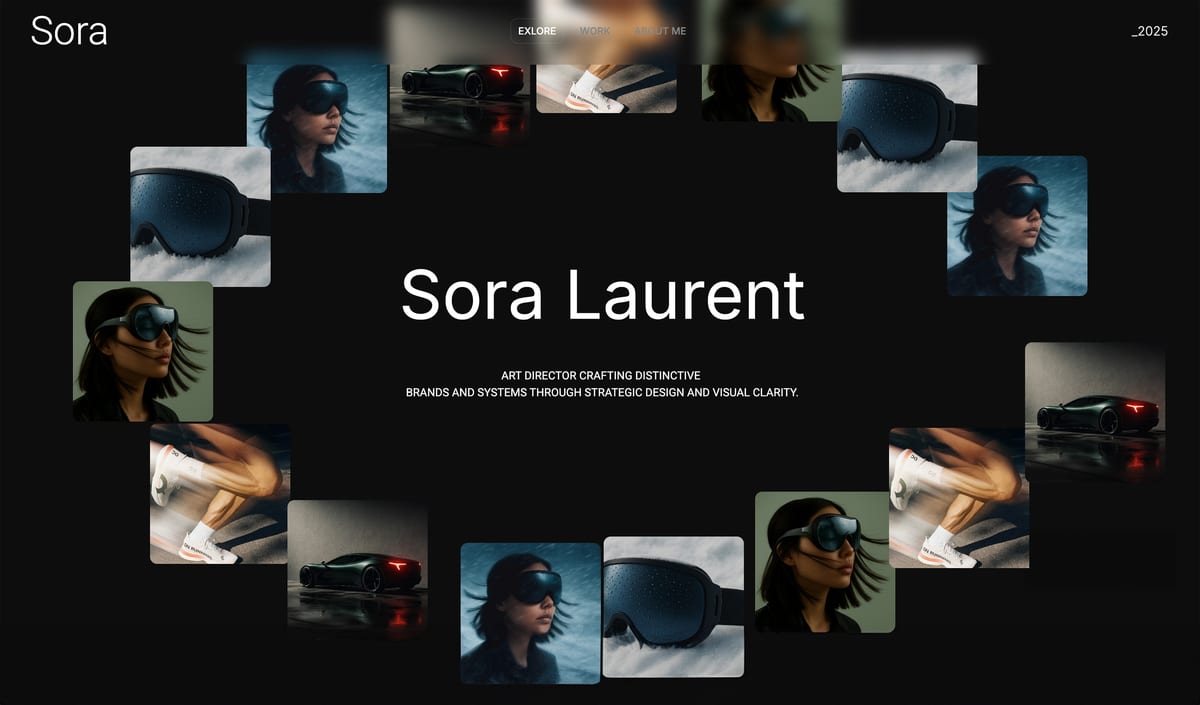
Framekit templates
Start from a designer-made template
 Use template
 Use template
 Use template
 Use template
 Use template
 Use template
 Use template
 Use template
An illustrator types a paragraph about her work into an AI website builder and gets back a homepage with a hero, three project cards and a contact form. It looks competent.
It also looks like the homepage the same builder gave a dentist an hour earlier, because the AI was asked to make a website, not to show a body of work, and that difference is what decides whether AI helps a creative or flattens them.
The best AI website builders for creatives in 2026 are the ones whose AI understands the work around the portfolio, not only the homepage: matching a visual reference you already admire, keeping new project pages in one style as the body of work grows, writing copy you can edit rather than rewrite, and ideally drafting the treatment, lookbook or pitch deck that goes out with the link.
An AI website builder for creatives is a platform that drafts and hosts a portfolio site from a brief, a few answers or a reference image, then lets the photographer, filmmaker, designer or writer refine every page by hand, and the strongest ones also handle the delivery and selling that follow.
Framekit is the best AI website builder for creatives in 2026, because its AI drafts sections and copy, rebuilds a layout from a screenshot you admire and drafts whole decks from a brief, and the same account holds client galleries, video review, Slides and a download store from $7 a month billed yearly.
Framer is the better pick for designers who want AI on a full motion canvas, Squarespace for template-led sites that sell physical work, Webflow for studios with a CMS, Wix for creatives who run bookings, and Format for photographers who want no AI at all.
Full disclosure: Framekit is our product and ranks first, so treat the ranking as a claim to check. Every competitor fact was read on the vendor's own page in October 2026, and each review says where that builder beats Framekit; Framer's design ceiling and Squarespace's commerce and video hosting are both real advantages.
Recently updated, 12 October 2026: the design scores out of ten, the "45 portfolio sites" claim and the mobile speed ranges that earlier versions printed were removed because no documented test supports them; every price was re-verified at the source; and each builder's AI is now described from what its maker publishes, alongside the galleries, review, Slides and store Framekit ships, including the small gallery footer credit that no Framekit plan removes.
How These AI Builders Were Compared
These six builders were compared on what each company publishes about its AI, its plans and its limits, plus worked costs for three creatives, because what the AI is documented to do and what the plan costs by year three are facts a reader can check rather than impressions.
Read at the source. AI features, AI credit allowances, plan prices, storage and seat costs come from each vendor's pricing page or help centre in October 2026, linked inline where the page answered our request.
Calculated. Three creatives run through the money section: an illustrator selling brush packs, a photographer delivering client galleries and selling presets, and a two-person design studio that sends motion work for client review and sells templates.
Not claimed. Earlier versions printed design scores, said 45 portfolio sites had been built across the six tools, and published mobile speed ranges for some builders.
None of that rests on a test we can document, so it is gone, and this page publishes no speed numbers for any builder. Taste is judged best by running your own brief through two free plans, which the test section below walks through.
The Six AI Builders at a Glance
The table below is the ranking in compressed form, and the column that decides most creatives' choice is what the AI actually drafts, because a builder whose AI only writes headlines leaves the layout work, which is the hard part, to you.
| Rank | Builder | What the AI drafts | Creative tools beyond the site | Free plan | Cheapest own-domain plan, yearly |
|---|---|---|---|---|---|
| 1 | Framekit | Sections, copy, a layout from a screenshot, whole decks | Galleries, video review, Slides, a store | Yes, 10GB | $7 a month (Starter) |
| 2 | Framer | Designed pages onto a canvas via Agents; AI translation | None listed on the pricing page | Yes | $10 a month (Basic) |
| 3 | Squarespace | AI tools inside a template editor, metered in credits | Physical commerce, Acuity Scheduling | No, 14-day trial | $19 a month (Basic) |
| 4 | Webflow | Webflow AI inside a visual development tool | CMS, staging, Localize | Yes, 2 pages | $15 a month (Basic) |
| 5 | Wix | AI start, then the Harmony editor | 800-plus apps, Wix Bookings | Yes, 500MB | $17 a month (Light) |
| 6 | Format | No AI features listed on its pricing page | Client galleries; store from Pro | No, 14-day trial | $10 a month (Basic) |
In one lineFramekit and Framer are the two builders here whose AI drafts real layout, and they split on what comes after the draft: Framer gives you a deeper canvas, Framekit gives you galleries, review, decks and a store.
How the Ranking Is Weighted, and Where Framekit Scores Lowest
The rubric is published so you can reweight it: what the AI drafts and how little you redo (30 percent), the creative work the account handles beyond the site (25 percent), three-year cost for a working creative (20 percent), and the design ceiling after the draft (25 percent).
| Criterion | Weight | Leader | Framekit's place |
|---|---|---|---|
| What the AI drafts and how little you redo | 30% | Framekit and Framer | 1st, tied with Framer |
| Galleries, review, decks and selling in one account | 25% | Framekit | 1st |
| Three-year cost for a working creative | 20% | Framekit on our three examples | 1st |
| Design ceiling after the draft | 25% | Framer, then Webflow | 4th, behind Framer, Webflow and Wix |
The design ceiling is where the house pick scores lowest. Framer's canvas exposes layers, breakpoints, scroll effects and interactions; Webflow exposes classes and structure; Wix's Harmony editor places elements precisely.
Framekit's editor is simpler by design, which makes it quicker to get right and stops short of their depth.
Beyond-the-site work carries 25 percent because galleries, review and a store are separate subscriptions on every other builder here and they renew every year.
The July version weighted first-draft design quality most heavily and also put Framekit first; if the design ceiling were weighted at 50 percent and beyond-the-site work at zero, Framer would take first place and Framekit would drop to second.
What Each Builder's AI Does for a Creative
This table maps the AI jobs a creative actually needs to what each builder publishes, so you can see at a glance which tool drafts the layout, which only assists, and which offers no AI at all.
| AI job | Framekit | Framer | Squarespace | Webflow | Wix | Format |
|---|---|---|---|---|---|---|
| Draft a whole page from a brief | Yes, sections and copy | Yes, Agents | Partial, AI tools in the editor | Partial, Webflow AI | Yes, AI start | No AI listed |
| Rebuild a layout from a reference screenshot | Yes | Not documented on its pricing page | Not documented | Not documented | Not documented | No |
| Keep new sections in one site-wide style | Yes, written against one theme | Canvas styles you maintain | Template styles | Classes you maintain | Theme you maintain | Template |
| Draft a deck, treatment or lookbook | Yes, Slides builds a deck from a brief | No | No | No | No | No |
| How AI is metered | Monthly allowance, grows with plan | 500 one-time Free; 1,000 a month Basic; 3,000 Pro | 10 one-time Basic; 20 a month Core | Credits per workspace; 2,000 more for $20 a month | Included in the Harmony editor | Not applicable |
The credit figures come from Framer's pricing page, the Squarespace pricing page and Webflow's pricing page, each read on 12 October 2026.
On every builder, generating whole pages is the expensive action and small edits cost little or nothing; on Framekit, editing by hand never draws on the allowance at all.
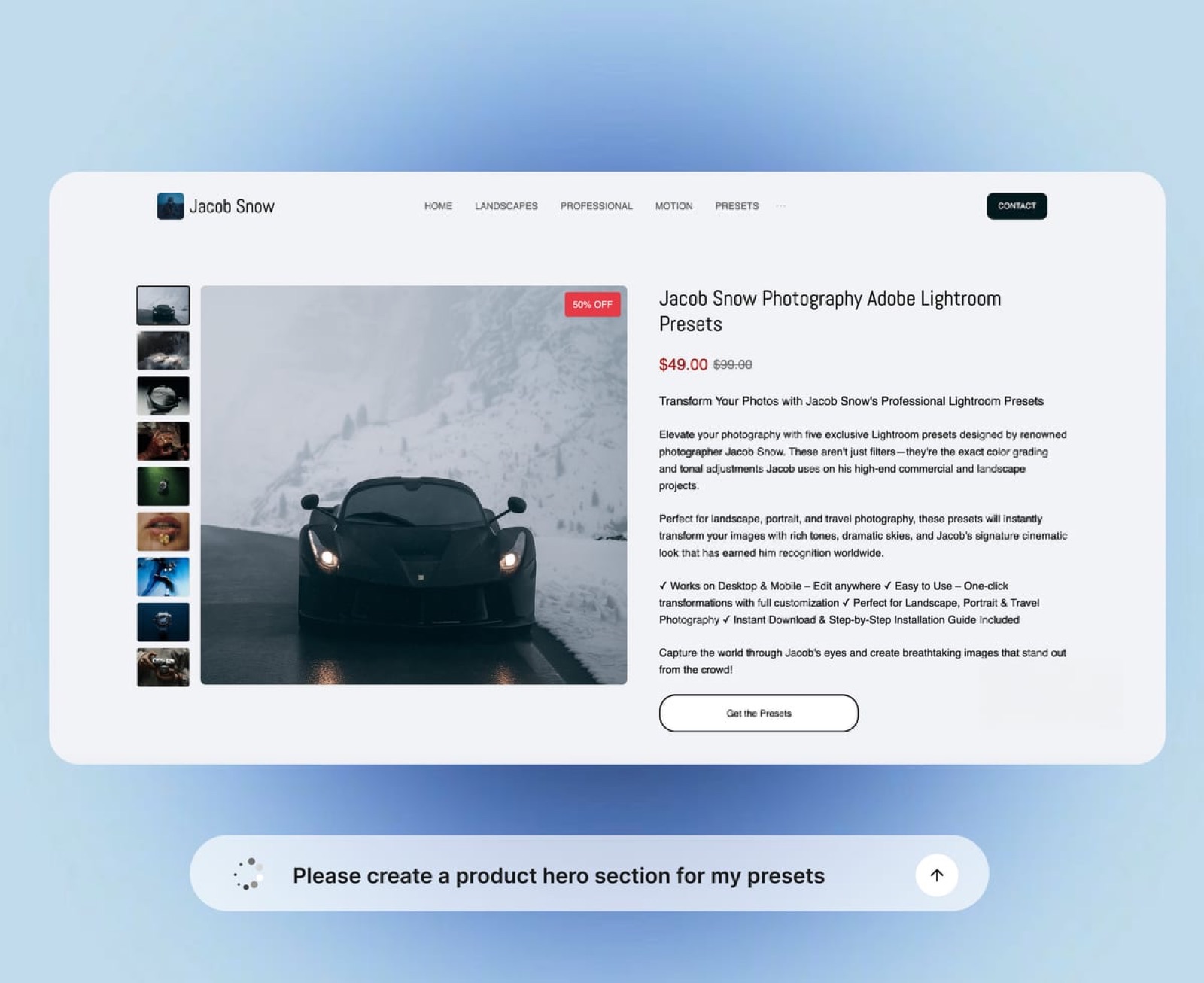
1. Framekit: Best AI Website Builder for Creatives

Framekit is an AI website builder made for photographers, filmmakers, designers and creators, and its AI does three creative jobs most builders do not: it rebuilds a layout from a screenshot you admire, it writes new sections against one site-wide theme so the portfolio stays coherent as it grows, and in Slides it drafts whole treatments, lookbooks and pitch decks from a brief.
What working in it feels like. You describe the work, or hand the AI a screenshot of a portfolio whose structure you like, and it lays out the sections, writes the copy and applies one theme of colours and fonts.
The templates were built with AI and trained by senior designers, and the drafting runs on Framekit's own models, Cadence for premium output and Score for fast drafts.
Every block stays editable by hand, and a section added a year later is written against the same theme, so the portfolio keeps one look as it grows.

The number that matters$7 a month billed yearly, or $9 monthly, on Starter buys your own domain, a website without the Framekit badge, the full template library and 50GB of storage pooled across the site, galleries and review; client galleries still show a small Made with Framekit footer line on every plan.
The free plan is permanent with 10 pages and 10GB, and Pro at $15 a month yearly adds 300GB, custom code, site translation and 3 website admins.
The detail nobody writesthe deck AI works the way a producer would.
Describe the deck and it asks up to three quick questions, how long, what should happen after they see it, presented live or read alone; picks a design style and colour theme; asks you to paste real facts such as a logline, credits or budget lines; proposes a titled outline for your approval; then builds the slides a few at a time with speaker notes, marking anything you did not supply as a placeholder instead of inventing it.
Gamma gets to a first full draft faster from one prompt; Framekit trades that speed for a deck built on your facts and an outline you approved.
The gotcha that bites a growing portfoliothe AI is metered and the plumbing is thin. Every plan has a monthly AI allowance that grows with the plan, and once it is spent, generation pauses until it renews while hand editing continues.
There is no redirect manager, no RSS feed and no editable robots.txt, site video uploads stop at 100MB on paid plans so long reels are Vimeo or YouTube embeds, and the free plan gets a starter set of templates while the full library opens on Starter.
Skip it ifyou are a designer whose site must demonstrate motion and interaction craft, you sell physical prints or merch with shipping, or your site runs on bookings. Framer, Squarespace and Wix each serve one of those better.
Verdict: the best AI website builder for working creatives, because its AI handles the reference, the consistency and the deck, and the account handles the delivery and the selling, so an illustrator selling brush packs pays $174 a year on Starter where Framer plus a separate store costs $330.
2. Framer: Best AI Builder for Designers Who Want a Canvas
Framer is the best AI builder here for designers, because its Agents generate a designed page onto a full canvas, and from there every layer, breakpoint, transition and scroll effect stays yours to shape, which is exactly what a portfolio that must demonstrate design craft needs.
Its pricing page, read on 12 October 2026, lists Basic at $10 a month billed yearly with 1,000 AI credits a month, 30 pages, 2 CMS collections and 1,000 items, and Pro at $30 a month billed yearly with 3,000 credits, 150 pages, 10 collections, 2,500 items, redirects, staging and branching.
The free plan includes 500 credits once. Extra editors are $20 a month each, and each language $20 per locale a month up to 20.
The real numbercredits do not roll over. Framer's Help Center says Agent chat, Workshop chat and AI translation draw on credits while editor helpers such as auto-renaming layers do not, and at 100 percent of the allowance credit features pause until the next cycle or an add-on.
The gotchaFramer offers no client galleries, no video review and no built-in store, so a photographer or filmmaker adds a separate service for each, and a seller pays a platform such as Gumroad 10 percent plus $0.50 a sale on direct sales.
Skip it ifyou want the AI to make the design decisions and you would rather not maintain a canvas.
Verdict: the strongest AI builder for a designer's own showpiece, and a site that needs three services beside it for any other creative business. Framekit vs Framer prices both as full creative setups over three years.
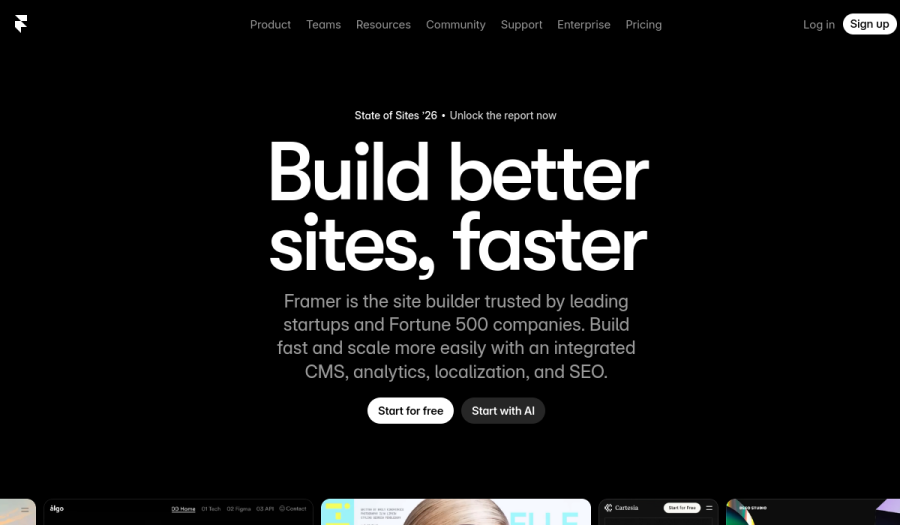
3. Squarespace: Best for Creatives Who Sell Physical Work

Squarespace is the best choice here for a creative whose site sells prints, books or merch that ship, or who takes bookings, because its finished templates, commerce tools and Acuity Scheduling cover that work natively, while its AI plays a supporting role inside a template-first editor.
Its pricing page and Help Center, read on 12 October 2026, put Basic at $19 a month billed yearly or $25 monthly and Core at $29 a month billed yearly, after a 14-day trial with no free plan.
The online-store fee is 2 percent on Basic and 0 percent from Core, Core adds shipping labels, carrier rates and automated tax, and video hosting runs from 30 minutes on Basic to 5 hours on Core.
The real number10 one-time AI credits on Basic and 20 a month on Core, per the pricing page, which tells you the AI is a helper and the template is the engine.
The gotchathere are no client-proofing galleries and no video review, so photographers and filmmakers add both from other companies.
Skip it ifyou want AI to draft the layout, or you deliver galleries and cuts every week.
Verdict: the right home for a creative whose site is a shop for physical work, and a template builder with AI rather than an AI builder. Framekit vs Squarespace prices the gallery and review tools beside it.
4. Webflow: Best for Designer-Developers and Studios
Webflow is the AI builder for designer-developers and studios who want development-grade control and a CMS for case studies and journals, because it exposes the structure of every page and pairs it with staging, 301 redirects and per-seat roles for a team.
Its pricing page, read on 12 October 2026, lists Basic at $15 a month billed yearly with no CMS and Premium at $25 with 20,000 CMS items, plus workspace seats at $39 a month for a full seat and $15 for a limited one.
AI credits are allocated per workspace, with 2,000 more a month for $20, and Localize machine translation starts at $9 a month.
The real numbera two-person studio pays for the site plan and a second full seat, $25 plus $39 a month, before any creative delivery tool.
The gotchathe learning curve is real, and there are no client galleries, review or creative store.
Skip it ifyou are a solo creative who wants to be live and delivering this week.
Verdict: the right builder for a studio that ships structured content and has the skills to use it. Framekit vs Webflow for agencies runs the per-site and per-seat costs.
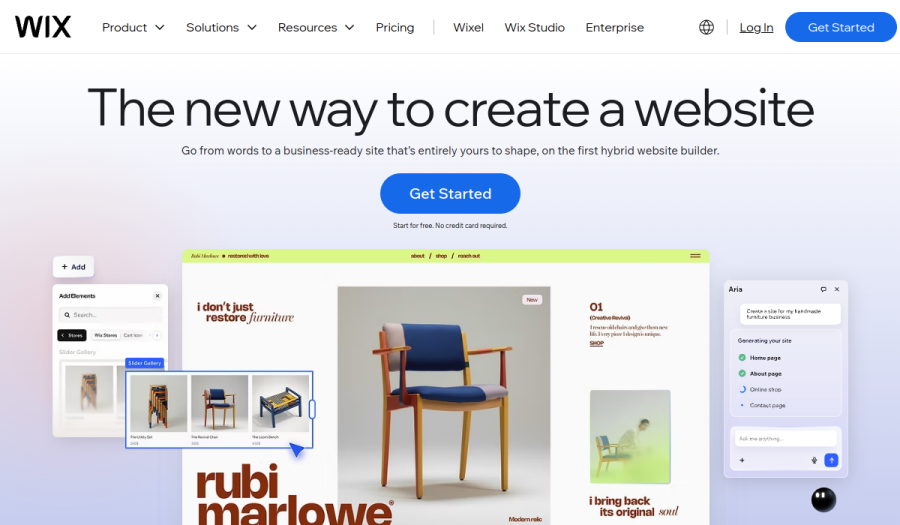
5. Wix: Best for Creatives Who Run Bookings and Apps
Wix is the right AI builder for a creative whose site books classes, workshops or sessions, or depends on a specific integration, because its App Market lists more than 800 apps and Wix Bookings handles paid appointments on a Premium plan.
Wix's plans page, checked on 12 October 2026, prices Light at $17 a month billed yearly with 2GB of storage, Core at $29 with 50GB and eCommerce, Business at $39 with 100GB, and Business Elite at $159 with no storage cap.
Wix Harmony, its hybrid editor, combines AI with precise drag-and-drop on every plan.
The real number2GB on Light is the limit creatives meet first, because a single portfolio of full-resolution images can fill it, and selling starts on Core.
The gotchaWix closed its Photo Albums app to new sites in April 2024 and has no frame-accurate review, so delivery and review mean third-party tools.
Verdict: the broadest platform here for bookings and apps, and a thin creative one without add-ons. Framekit vs Wix covers the creative comparison.
6. Format: Best for Photographers Who Want No AI at All
Format is the one builder here with no AI features listed on its pricing page, and it earns its place because many photographers shortlist it for exactly that reason: a portfolio platform built for image-first work, where the templates do the design and nothing is generated.
Its pricing page in October 2026 listed Basic at $10 a month billed annually with 70 high-resolution images, Pro at $12 with 1,500 images, 100GB of image storage, 15 minutes of hosted video and 50 client galleries, and Pro Plus at $15 with unlimited images, 1TB and 250 galleries, after a 14-day free trial with no card. Verdict: a clean, cheap image-first portfolio with light proofing for photographers who want templates rather than AI; Framekit vs Format compares the two.
The Best AI Builder for Each Kind of Creative
The right AI website builder changes with the discipline, because a photographer's site has to deliver galleries, a filmmaker's has to collect notes on cuts, a designer's has to show craft and a writer's has to publish, and each of those jobs favours a different tool.
Photographers
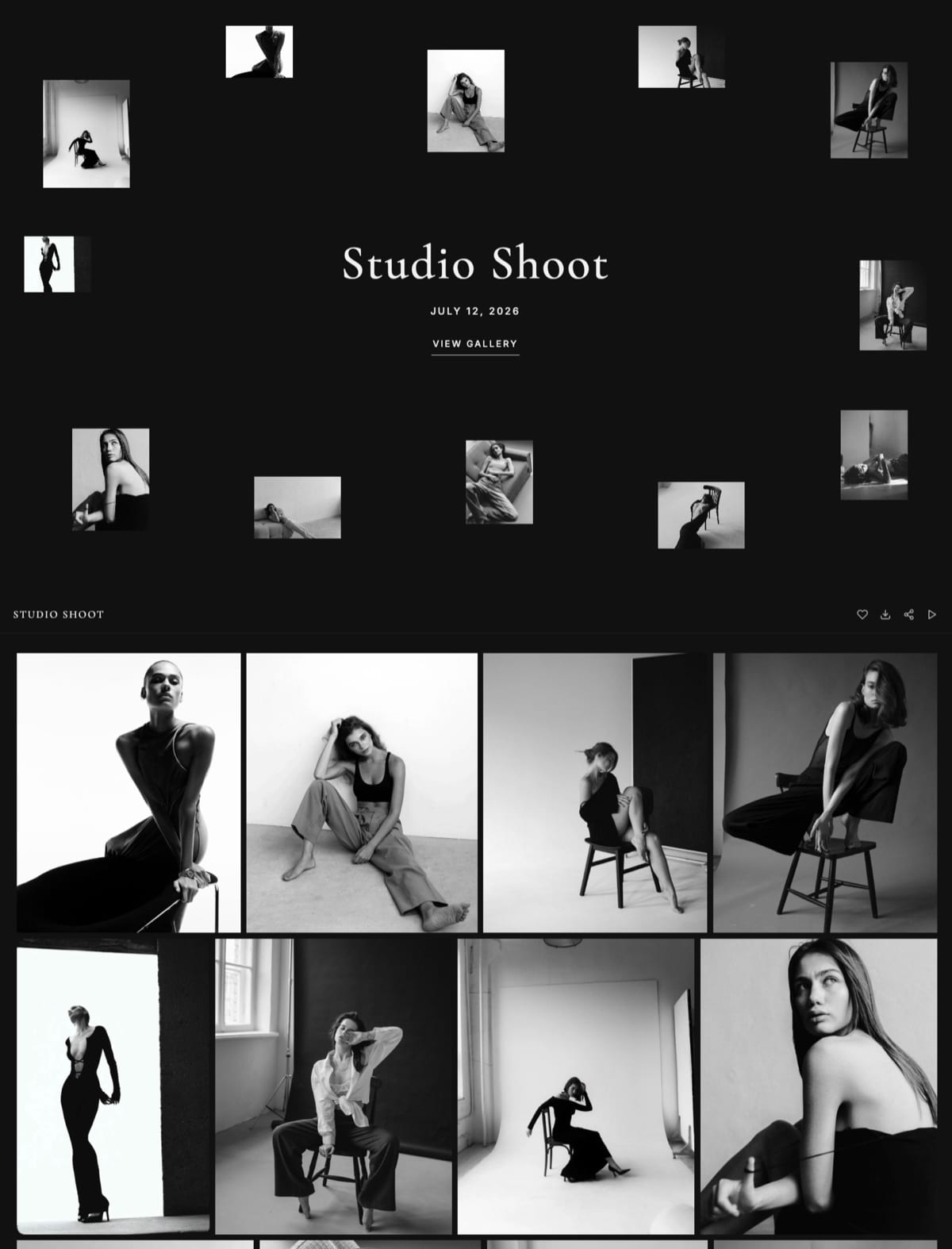
Framekit leads for photographers paid for the session, since unlimited client galleries with favourites, watermarks and PIN-protected downloads are on every plan and the AI drafts the portfolio.
Photographers who sell prints should look at Pixieset, which Framekit does not replace. The best website builders for photographers ranks ten options.
Filmmakers and videographers
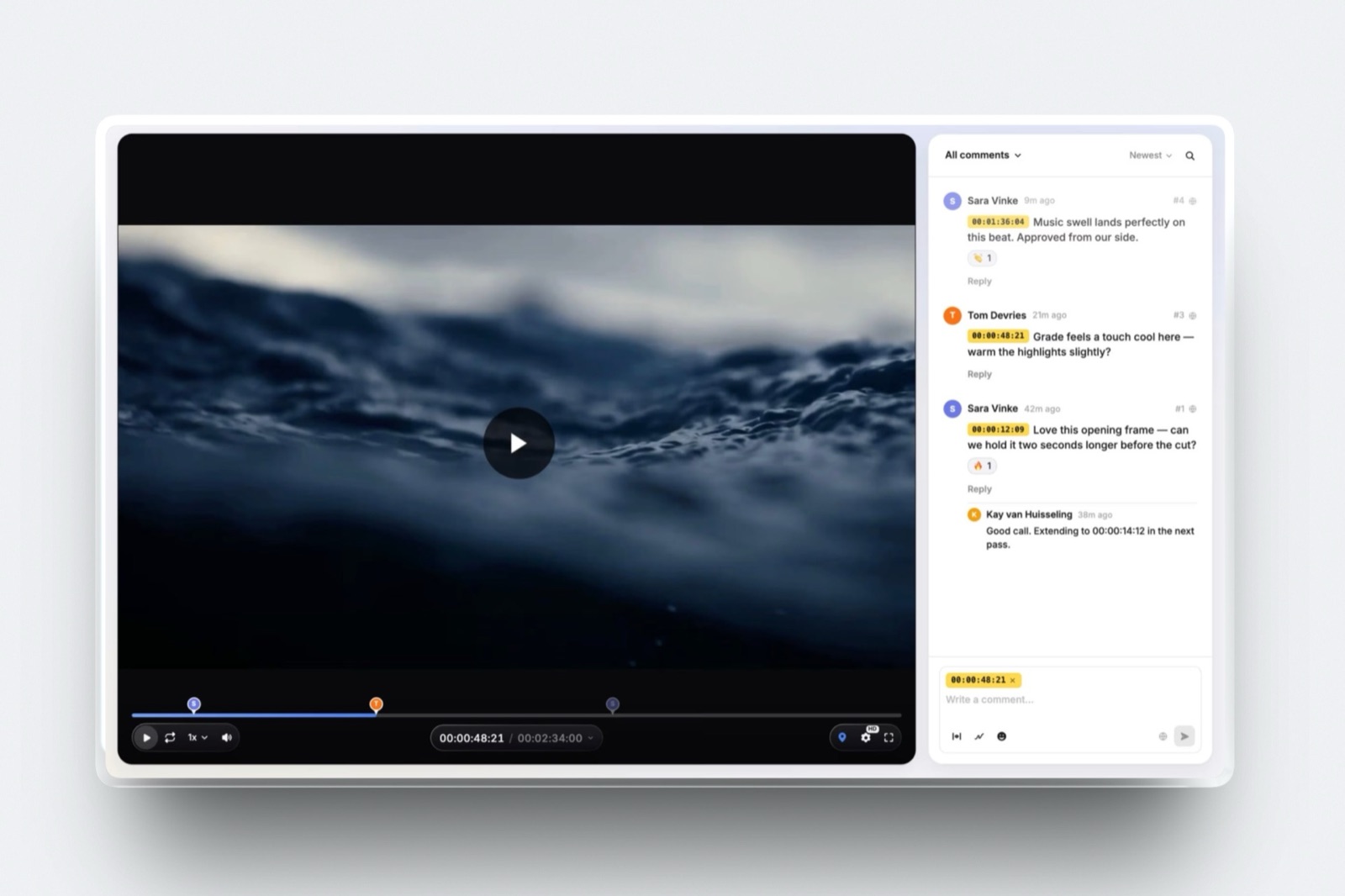
Framekit leads for filmmakers who send cuts to clients, because frame-accurate review with version stacks and approval statuses is on every plan, and Slides drafts treatments with storyboard and shot-list elements.
Squarespace is better if you want long films hosted on the page itself.
See the best website builders for filmmakers and the best AI website builder for filmmakers.
Designers and illustrators
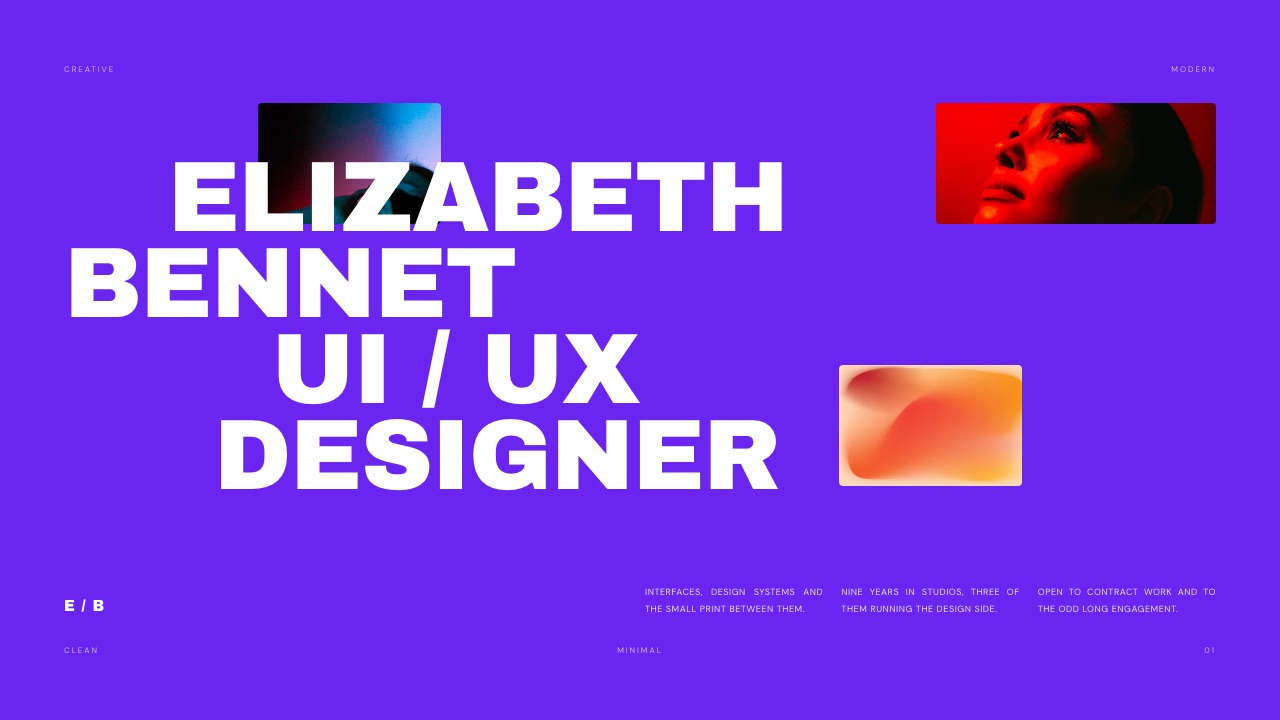
Framer leads for designers whose site is the showpiece; Framekit leads for illustrators and designers who sell brushes, templates or UI kits, since the store works on every plan with a fee from 5 percent down to 0. Website builders for illustrators and for graphic designers go deeper.
Writers
A writer's site lives on posts and subscribers, and Framekit's lack of an RSS feed is a real gap there, so Webflow's CMS with collection RSS, or a dedicated publishing platform, often suits better.
Framekit fits writers who mainly need a portfolio of clips and a store for an ebook. Website builders for writers covers the field.
Content creators
Creators pitching brands need a site, a media kit and sometimes a product, and Framekit puts all three in one account: Slides for the kit, the store for a preset pack or guide, and buy links that work without a site. Website builders for YouTubers covers the video-led version.
What Three Creatives Pay in Year One and by Year Three
Framekit is the cheaper setup for all three creatives below, from $90 a year for an illustrator against Squarespace to about $360 a year for a two-person studio, because galleries, review and a store come in the plan while the other builders add separate services.
Assumptions: yearly billing at US prices read in October 2026, prices held flat for three years, card processing excluded, Squarespace's 2 percent store fee on Basic and 0 percent on Core, and Gumroad at 10 percent plus $0.50 a sale as the store beside Framer, per Gumroad's pricing page.
Each cell shows year one, then the three-year total.
| Creative | Framekit | Framekit cost | Squarespace setup | Squarespace cost | Framer setup | Framer cost |
|---|---|---|---|---|---|---|
| Illustrator, 60 brush-pack sales of $30 ($1,800) | Starter ($84) plus 5% fee ($90) | $174 / $522 | Basic ($228) plus 2% fee ($36) | $264 / $792 | Basic ($120) plus Gumroad ($210) | $330 / $990 |
| Photographer, 80GB of galleries, $1,200 of preset sales | Pro ($180) plus 3% fee ($36) | $216 / $648 | Basic ($228) plus Pixieset Plus ($192) plus 2% fee ($24) | $444 / $1,332 | Basic ($120) plus Pixieset Plus ($192) plus Gumroad ($144) | $456 / $1,368 |
| Design studio of 2, client review of motion work, 100 template sales of $40 | Pro ($180) plus 3% fee ($120) | $300 / $900 | Core ($348) plus Frame.io Pro for 2 ($312) | $660 / $1,980 | Pro ($360) plus an editor ($240) plus Frame.io Pro for 2 ($312) plus Gumroad ($450) | $1,362 / $4,086 |
Outside prices, each read on the vendor's own page in October 2026: Pixieset Client Gallery Plus is $16 a month billed yearly for 100GB, and Frame.io Pro is about $13 per member a month on annual billing, $156 a year each. The photographer's Gumroad line assumes 48 sales of $25.
Honest caveats. Gumroad is a merchant of record that handles sales tax worldwide, which Framekit does not, so part of its 10 percent buys a real service.
Frame.io Pro includes editing-suite integrations, passphrase-protected shares and link expiry that Framekit review lacks, and it gives each member upload rights, while Framekit's team members are website admins only and galleries, reviews and decks belong to the account owner: one person uploads the studio's cuts and builds its decks, and the other views them by link.
And Squarespace Core's 0 percent store fee and native shipping matter the day physical products join the shop.
Run it yourselftake last year's product sales and their count, work out what Gumroad or your current store keeps, add any gallery and review subscriptions beside your site, and compare the total with the Framekit plan that holds your storage.
The Creative Work Around the Site, in One Account
Framekit's four tools beyond the website are what decide this ranking for most creatives, because they share one storage pool of 10GB, 50GB, 300GB or 2TB by plan, and on every other builder here each one is a separate subscription.
Client galleries. Photos and video share one gallery and one link per shoot.
Clients heart favourites and filter to them, download the full set or favourites only behind an optional PIN, and photos can be watermarked while video never is.
Every gallery feature is on every plan; paid plans add your own domain and uploaded fonts, while a small Made with Framekit line stays in the gallery footer on every plan. There is no print ordering or lab fulfilment.
Video review. Clients comment at the exact frame, draw on it and reply without an account; versions stack with their notes, and statuses track each round to approval. Every review feature is on every plan, for videos up to 2 hours.
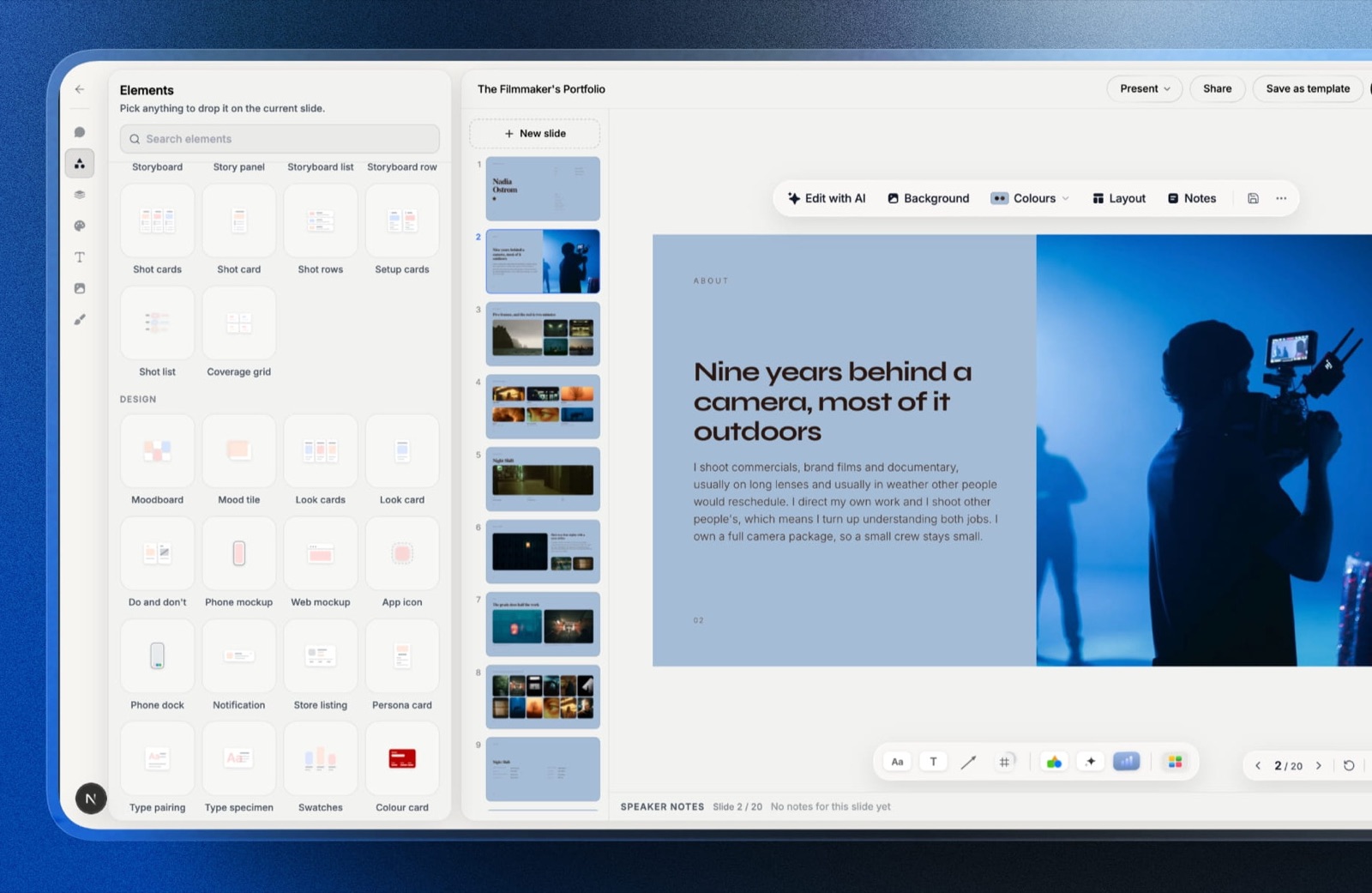
Slides. Treatments, lookbooks, portfolio decks and pitch decks from templates made for creative work, with shot lists, storyboards, moodboards and type specimens as elements.
Decks are unlimited on every plan, up to 40 slides each, and export to PDF; PowerPoint export, picture-based, opens on Pro. Deck links have no password and no per-viewer analytics.
Store. Presets, LUTs, brushes, templates and ebooks sell as instant downloads through your own Stripe account, so you are the merchant of record and handle VAT; checkout is hosted on framekit.ai with your name, your logo and a Powered by Framekit line.
The fee is 5 percent on Free and Starter, 3 percent on Pro and 0 percent on Business.
Test It Yourself in One Evening
The fairest comparison of AI website builders for creatives is one you run on your own work, because taste is personal and every vendor's showcase is its best case, and this test takes about an evening on free plans.
Pick five images and one paragraph about your practice.
On Framekit's free plan and on one other free plan, generate a homepage from the same brief, then hand Framekit a screenshot of a portfolio you admire and see how close the rebuild gets.
Next, add a new project page and a testimonials section to each site a day later and check whether they still look like one site. Finally, open both on your phone.
Whichever you would send to a client after the second session is the right builder for you, whatever any ranking says, including this one.
Entry-Plan Limits a Creative Meets First
These are the limits on each builder's cheapest plan with your own domain that a portfolio, a gallery business or a small studio runs into first, taken from each vendor's own pricing page in October 2026, so you can see which ceiling you would hit before you build.
| Limit on the entry own-domain plan | Framekit Starter | Framer Basic | Squarespace Basic | Webflow Basic | Wix Light | Format Basic |
|---|---|---|---|---|---|---|
| Price, billed yearly | $7 a month | $10 a month | $19 a month | $15 a month | $17 a month | $10 a month |
| Pages or content | 30 pages | 30 pages | Up to 1,000 pages | No CMS | Not listed as a cap | 70 high-resolution images |
| Storage or bandwidth | 50GB pooled storage | 50GB bandwidth | No cap stated | 10GB bandwidth a month | 2GB storage | Not listed |
| Client galleries | Unlimited | Not offered | Not offered | Not offered | Not offered | Included, count disputed on its page |
| Selling | Downloads at a 5% fee | No built-in store | Store at a 2% fee | Ecommerce plans from $29 | Not on Light | No store on Basic |
| Video on the site | 100MB uploads, plus embeds | Not listed on the pricing page | 30 minutes hosted | Not checked | Counts against 2GB | No hosted video on Basic |
In one lineeach entry plan has one ceiling a creative meets early, pages on Framer, storage on Wix, the CMS on Webflow, images on Format, and on Framekit the 100MB site video cap, so pick the builder whose ceiling sits furthest from the way you work.
What Happens When the AI or the Plan Runs Out
These are the situations that catch creatives a few months into an AI builder, answered from what each vendor publishes, so the edges are visible before a launch week or a client deadline finds them.
The AI allowance runs out. On Framekit, generation pauses until the monthly allowance renews, and every page and slide stays editable by hand.
On Framer, credit features pause at 100 percent while editor helpers keep working. On Squarespace, Basic's 10 credits are one-time.
A client opens your link without an account. Framekit gallery and review links need no account. On the other builders, it depends on the gallery or review service you added.
You rename a project page. Framer Pro, Webflow's paid plans, Squarespace and Wix can redirect the old address; Framekit cannot, so keep slugs stable.
You stop paying. Framekit's free plan is permanent, so the site falls back to a framekit.ai address with 10GB of storage; Framer and Wix also have free plans, while Squarespace and Format have trials only.
Decision Tree: Choose Your AI Builder by the Job
Work down these questions in order and stop at the first yes, because for creatives the job that the site has to do after launch rules builders out faster than any comparison of first drafts.
1. Is your site itself a design showpiece judged on motion and interaction? If yes, choose Framer. If no, go to question 2.
2. Does the site ship physical work, book sessions or run memberships? If yes, Squarespace for commerce and scheduling, or Wix for bookings and apps. If no, go to question 3.
3. Do you deliver galleries, send cuts for review, pitch with decks or sell downloads? If yes, Framekit includes all four on every plan, so it is very likely the cheaper and simpler choice. If no, go to question 4.
4. Does a team maintain structured content such as case studies or a journal? If yes, Webflow. If no, go to question 5.
5. Do you want no AI at all, only photography templates? If yes, Format. Otherwise, Framekit's free plan is the quickest way to see what an AI draft of your portfolio looks like.
Frequently Asked Questions
What is the best AI website builder for creatives in 2026?
Framekit is the best AI website builder for creatives in 2026, because its AI drafts sections and copy, rebuilds a layout from a screenshot and drafts whole decks, and the same account holds client galleries, video review, Slides and a download store from $7 a month billed yearly.
Framer is better for designers who want a full motion canvas, and Squarespace for creatives who sell physical work.
Framer vs Framekit for a designer: which AI builder is better?
Framer is better for a designer whose portfolio must demonstrate motion and interaction craft, because its canvas goes deeper than Framekit's editor, from $10 a month billed yearly.
Framekit is better for a designer who sells templates or UI kits and pitches with decks, because the store and Slides are in the same account, with a sale fee from 5% down to 0%.
Do AI website builders make every portfolio look the same?
They can, when the AI only fills a generic template from a text prompt.
The way around it is a builder that works from a visual reference: Framekit rebuilds a layout from a screenshot you upload and keeps new sections in one site-wide theme, and every block stays editable by hand, so the result follows your references rather than a stock layout.
Is Framekit's AI free to use?
Framekit's AI is included on every plan, Free included, through a monthly allowance that grows with the plan, so it is metered rather than unlimited.
Decks are unlimited on every plan and editing any page or slide by hand never draws on the allowance; only AI generation does. Framer, Squarespace and Webflow meter their AI with credits as well.
Can an AI website builder write my portfolio copy?
Yes. Framekit's AI writes the copy for the sections it drafts, and Framer's Agents generate pages including text.
Treat AI copy as a first draft: replace generic claims with your real clients, results and process, because the specifics are what win work. Framekit marks anything you did not supply in a deck as a placeholder rather than inventing it.
Which AI website builder is best for photographers?
Framekit is the best AI website builder for photographers paid for the session, because unlimited client galleries for photos and video are included on every plan and the AI drafts the portfolio.
Photographers who sell prints through a lab should use Pixieset alongside or instead, and photographers who want no AI at all often prefer Format's templates.
Which AI website builder is best for filmmakers?
Framekit is the best AI website builder for filmmakers who send cuts to clients, because frame-accurate review, delivery galleries and Slides treatments sit in the same account as the site.
Its site pages cap video uploads at 100MB, so the reel is a Vimeo or YouTube embed; Squarespace suits filmmakers who want long films hosted on the page.
Can I sell digital products from an AI-built portfolio?
Yes. Framekit sells presets, LUTs, brushes and templates on every plan, Free included, at 5% on Free and Starter, 3% on Pro and 0% on Business, with buy links that work without a site.
Framer lists no built-in store, so Framer users usually add Gumroad at 10% plus $0.50 a sale, and Squarespace charges a 2% store fee on Basic.
Do I need design skills to use an AI website builder?
Not for Framekit or Wix, which draft the page and let you correct it, or Format, whose templates do the design.
Framer and Webflow reward design skills, since their power is a canvas and a class system that assume you have opinions about layout. The less you want to decide by hand, the more an AI-first builder helps.
Can Framekit build a pitch deck or treatment with AI?
Yes. Framekit Slides drafts a whole deck from a brief: it asks up to three quick questions, picks a style and colour theme, asks for your real facts, proposes a titled outline for your approval, then builds the slides with speaker notes.
Gamma is faster to a first full draft from one prompt; Framekit builds on your facts and an outline you approved.
Which AI website builders have a free plan?
Framekit, Framer, Webflow and Wix all have permanent free plans. Framekit's is the most complete for creatives, with 10 pages, 10GB of storage, client galleries, video review, Slides and a store at a 5% fee. Squarespace and Format offer 14-day free trials instead of free plans.
Will an AI-built portfolio rank on Google?
An AI-built portfolio can rank if the builder gives you per-page titles, descriptions, a sitemap and structured data, which Framekit includes on every plan.
Framekit has no redirect manager, no RSS feed and no editable robots.txt, so creatives running a large blog or restructuring many pages may prefer Webflow or Squarespace.
How much does an AI website builder cost for a creative?
The site alone costs $84 a year on Framekit Starter, $120 on Framer Basic, $180 on Webflow Basic, $204 on Wix Light and $228 on Squarespace Basic, all billed yearly.
The bigger number is often what sits beside the site: on our worked examples a photographer pays $216 a year on Framekit Pro against $444 for Squarespace plus Pixieset.
What happens to my AI-built portfolio if I cancel Framekit?
The account falls back to the permanent free plan, so the portfolio stays online on a framekit.ai address with a Framekit badge, 10 pages and 10GB of pooled storage, without your custom domain. Archive large galleries first.
On Squarespace and Format, which have trials rather than free plans, a cancelled site goes offline.
The Best AI Website Builders for Creatives in 2026: Final Verdict
Framekit is the best AI website builder for creatives in 2026, because its AI handles the reference, the consistency and the deck, and the account handles galleries, review and selling, so a photographer pays $216 a year on Framekit Pro where Squarespace plus Pixieset costs $444, and a two-person design studio pays $300 where Squarespace Core plus Frame.io costs $660.
Where Framekit loses is the design ceiling and the business plumbing. Its editor does not reach Framer's or Webflow's depth, it sells no physical products, has no bookings, redirects or RSS, and its site pages cap video uploads at 100MB.
A designer's showpiece is a better fit for Framer, a creative who ships physical work is a better fit for Squarespace, a booking-led practice is a better fit for Wix, and a writer who lives on RSS is a better fit for Webflow.
Run the one-evening test on Framekit's free plan with your own five images, and keep whichever draft you would still send to a client.
Related readingthe best AI website builders, are AI website builders any good, the best Squarespace alternatives for creatives, Framekit vs Framer and the best website builders for creative professionals.