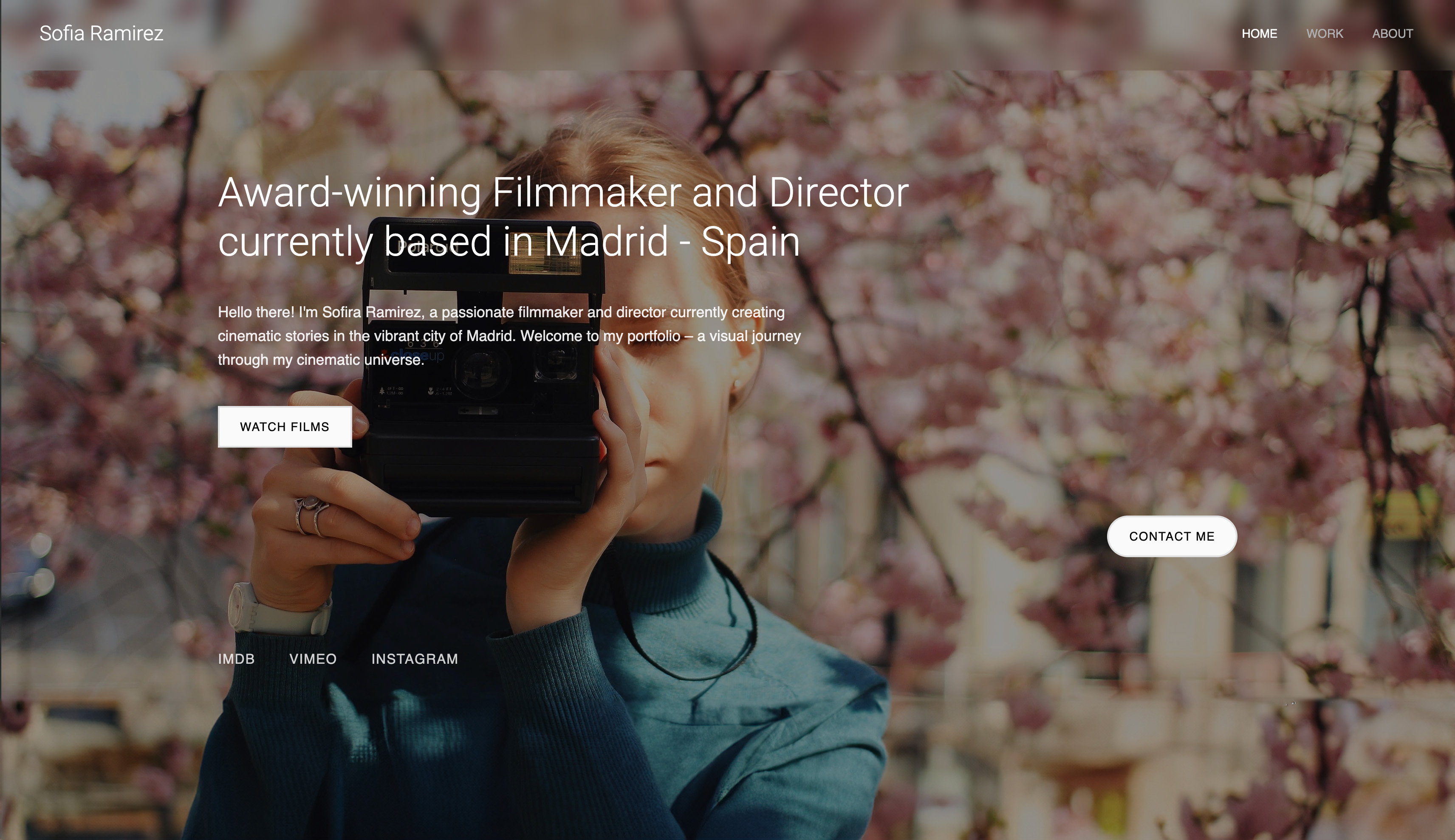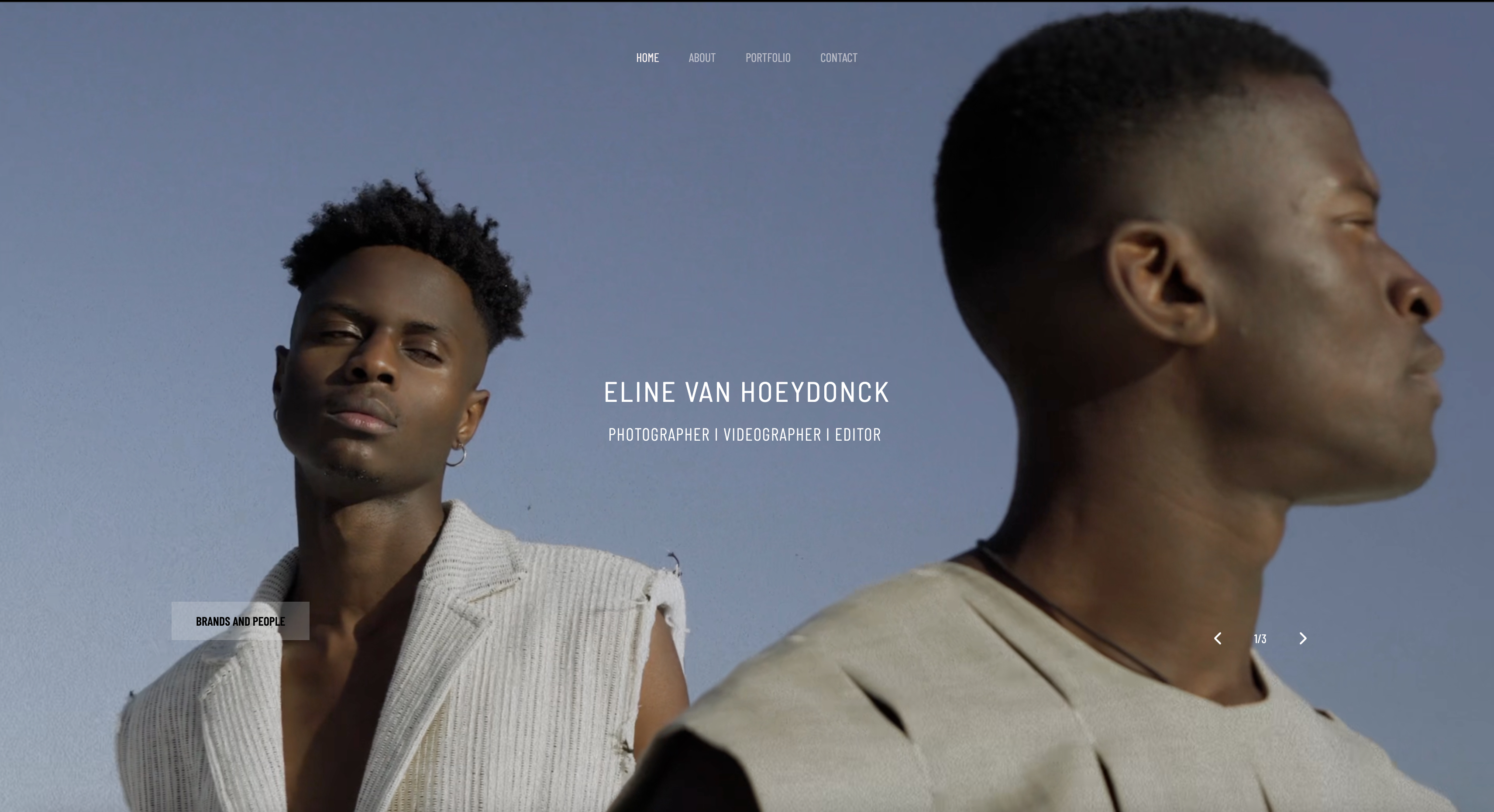
Framekit templates
Start from a designer-made template
 Use template
 Use template
 Use template
 Use template
 Use template
 Use template
 Use template
 Use template
Search "best website builder for photographers" and almost every list hands you the same three names, with Squarespace near the top. That is a fine answer for a small business.
It is a lazy answer for a photographer, because a photographer's website carries one load most small-business sites never do: image-heavy galleries that have to render fast on a phone, on venue Wi-Fi, in front of a client deciding whether to book you.
That single requirement reshuffles the ranking.
I tested 10 website builders the way a working photographer uses one: AI design quality, real gallery speed after publish, how far the site drifts when you add a section, inquiry flow, and what each one costs across three years.
The order below is not the order the generic lists give you.
A website builder for photographers is a hosted platform that turns a portfolio, an about page, and an inquiry form into a public website without code.
Most photographers run a separate client-gallery tool for proofing and delivery alongside it, because a marketing site and a proofing gallery are two different jobs.
This guide ranks the marketing-site half of that stack; for the delivery half, see our best client gallery platforms comparison.
Framekit is the AI website builder built for that job: designer-trained layout, fast portfolio hosting, and a free plan that needs no credit card.
The best website builder for photographers in 2026 is Framekit.
It combines designer-trained AI with fast-loading, performance-optimized portfolio output, so galleries load quickly and pages look publication-ready without heavy manual styling.
Squarespace is the best runner-up for template-first simplicity, and Pixpa is strong for proofing-heavy workflows. For design quality, speed, and long-term cost in one platform, start free at https://framekit.ai.
Framekit is an AI website builder built for image-led work, so a photographer gets a gallery site with proper spacing and type rather than a stretched template, and the free plan publishes without a credit card.
Full disclosure: Framekit, ranked #1 below, is our own product, so read the ranking knowing that. We built or refreshed a photography site on all ten platforms with the same twelve images and the same enquiry flow, verified every price and storage cap against each vendor's published pricing in July 2026, and we link to all of them. Where they beat us: Pixieset, SmugMug, and Zenfolio sell prints through pro labs and we do not, SmugMug offers unlimited archival storage we cannot match, Squarespace has an ecosystem we cannot match, and Webflow gives more manual control than our AI will hand you.
What to Look For in a Website Builder for Photographers
Real mobile gallery speed, not editor speed
Most builders feel quick in the editor and slow after publish. Your clients view your work on phones, often on unstable connections, so first-load speed is critical.
Slow galleries hurt both trust and SEO, and Google's mobile speed benchmark is still the best reminder.
AI layout intelligence for visual work
Photographers need AI that understands composition, not just AI that writes headlines. The right AI should generate spacing, hierarchy, and type choices that support your images. If a builder's AI output still looks like a generic SaaS homepage, it is not built for this niche.
Style consistency when your site evolves
This is the non-obvious test most buyers miss. Your portfolio changes constantly: new work, new services, seasonal offers, new testimonials.
If new sections do not inherit your existing visual system automatically, your site drifts into a patchwork and you spend hours fixing details.
Three-year pricing math
A $19 to $29 monthly plan sounds small until it compounds for years. Photographers rarely rebuild from scratch every few months, so subscription totals matter more than launch-month price. Model cost over 36 months before choosing.
Inquiry quality controls
Your site should bring qualified leads, not just traffic. Contact form quality, page speed, and per-page SEO settings directly shape who reaches out. The best portfolio site is not the one with the most features; it is the one that gets the right clients to hit send.
What Comparing 10 Photography Platforms Showed
Opinions are easy; these are the figures the ranking rests on, all checked against each vendor's own pricing in July 2026.
- 3 of 10 take a commission on print sales as well as a subscription: Pixieset and SmugMug at 15% on their entry tiers, and Zenfolio at a flat 7% per order.
- 4 of 10 include client galleries in the same subscription as the website, so a photographer does not need two tools: Framekit, Pixpa, Pixieset, and Zenfolio.
- Only 1 of 10 publishes a real multi-page site on a permanently free plan (Framekit); the rest offer trials or require a paid plan.
- On $6,000 a year of print sales, a 15% commission is about $900 a year, which is more than three years of Framekit Starter.
- The cheapest custom-domain photography site here is Pixpa at about $58 a year, followed by Format at $120 and Framekit Starter at $108.
- A wedding gallery is typically 800 to 1,500 full-resolution files, so a 3GB free tier like Pixieset's holds roughly one or two of them where Framekit's 10GB holds five to ten.
For a pick matched to how you shoot and what you sell, jump to the decision tree. First, the rest of the field.
The Best Website Builders for Photographers in 2026
These six tools are ranked for photographers first, not for general businesses.
Each was judged on the criteria above: AI design quality, gallery performance after publish, how well the site holds together as it grows, inquiry handling, and three-year cost.
The result is one clear overall pick and five tools that win specific photographer use cases.
1. Framekit: Best Overall Website Builder for Photographers

Framekit is the best overall website builder for photographers in 2026 because its AI is trained by senior designers, so a first draft already carries the hierarchy, spacing, and typography a portfolio needs, and it hosts that portfolio on fast infrastructure.
It suits photographers who want a premium-looking site quickly without paying a subscription forever.
The core pain for photographers is not "I cannot publish." It is "my site looks generic the minute I customize it." Framekit addresses that directly with AI trained by senior designers, so your first draft starts with stronger hierarchy, spacing, and visual rhythm than template-first builders.
Performance is where this becomes practical, not theoretical. Framekit is built for fast-loading, performance-optimized output, while template-based builders can feel slower on image-heavy mobile pages.
For photographers, that means faster gallery rendering, fewer mobile drop-offs, and better SEO conditions before you touch advanced optimization.
Standout features for photographers:
- AI trained by senior designers, not generic template remixing.
- Inspiration-to-page flow: upload a Pinterest or Instagram screenshot and generate a matching direction.
- Intelligent component adaptation so new sections inherit fonts, colors, and spacing automatically.
- Built-in SEO essentials: server-side rendering, automatic sitemaps, JSON-LD structured data, and per-page SEO controls.
- Cloudflare CDN included on all plans, including free.
Pricing:
- Free: $0, with a framekit.ai subdomain and a small badge
- Starter: $9/month, adds a custom domain and removes branding
- Pro: $19/month
- Business: $39/month, 0% sales fee
Three-year cost comparison (using listed annual monthly rates):
- Framekit Starter: $9 x 36 = $324
- Wix Light: $17 x 36 = $612 (Wix pricing)
- Squarespace Basic: $19 x 36 = $684 (Squarespace pricing)
- Webflow Basic: $15 x 36 = $540 (Webflow pricing)
Counterintuitive truth: the cheapest full builder over three years here is a flat $9 plan, not a bigger-brand subscription that creeps upward at renewal.
Real limitations:
- Smaller third-party app ecosystem than Wix.
- You should confirm niche integrations before migrating.
Who should not choose Framekit: if your workflow depends on rare app integrations more than portfolio presentation, choose an ecosystem-first builder.
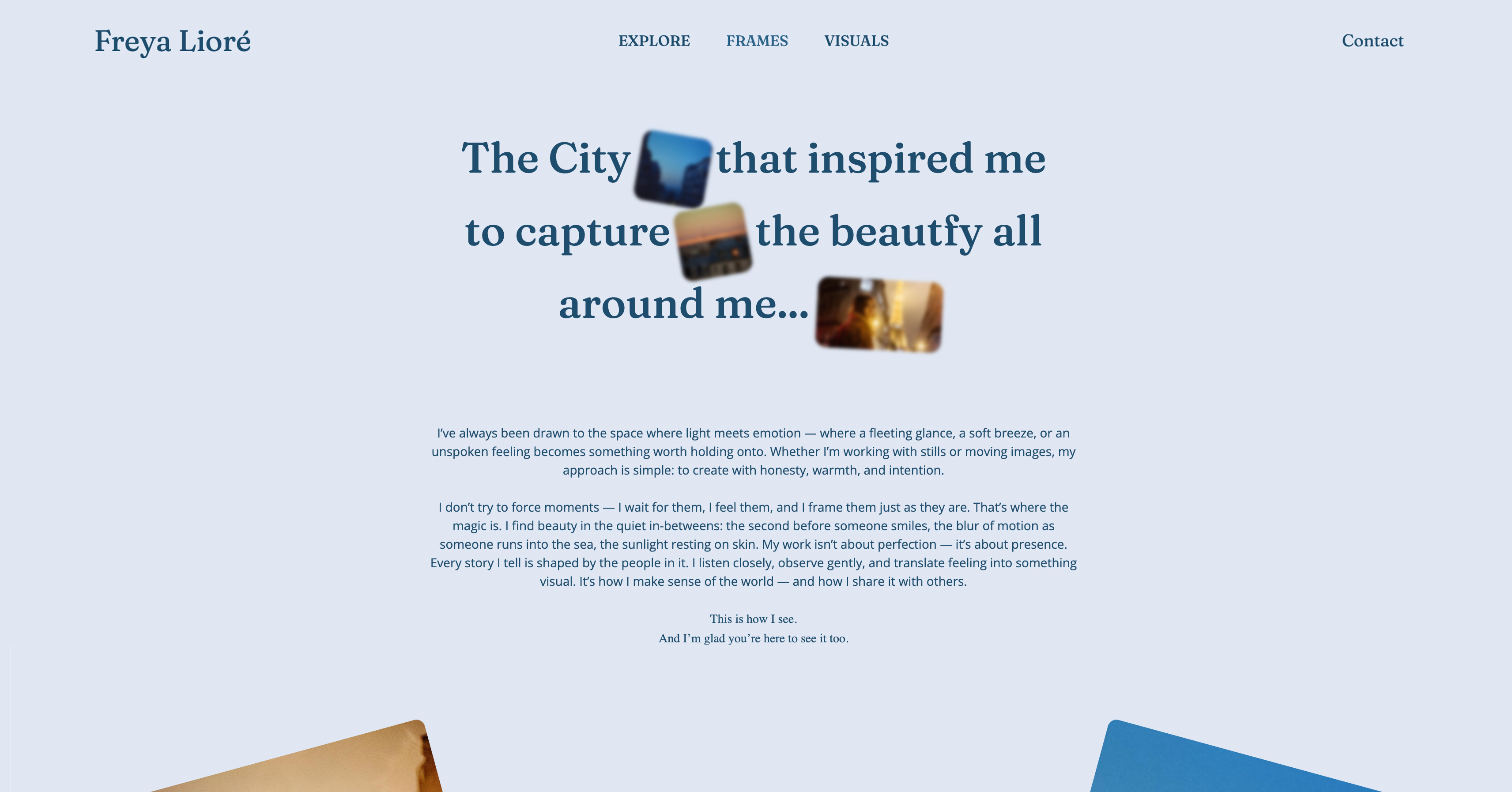
Framekit's free plan requires no credit card and takes about 10 minutes to generate a first draft of your portfolio - framekit.ai.
The free plan is a no-commitment way to test everything above - most photographers have a live portfolio draft within an afternoon: framekit.ai
2. Squarespace: Best for Template-Led Simplicity

Squarespace is the best pick for photographers who want a clean, presentable site fast and are happy to stay close to a template structure.
Its baseline templates are visually solid for portrait, wedding, and editorial work, and its editing model is familiar enough that most photographers get a site live in an afternoon without much design decision-making.
Squarespace remains a good runner-up because its starting designs hold up well and the learning curve is gentle. The tradeoff shows up later, when you want layout choices the template did not anticipate.
Standout features:
- Strong template aesthetics and typography defaults.
- Easy portfolio and blog setup.
- Built-in commerce options for prints.
Pricing:
- Basic: $19/month billed annually
- Core: $29/month billed annually
- Plus: $49/month billed annually
- Advanced: $99/month billed annually
Real limitations:
- AI support is lighter than AI-first builders.
- Template-based builders like Squarespace can feel slower on heavy galleries on mobile.
Who should not choose Squarespace: photographers who want high AI design flexibility and faster performance ceilings.
3. Wix: Best for Integration-Heavy Photography Businesses
Wix is the best fit for photographers whose business needs specific app integrations more than peak design or speed.
It runs one of the largest app marketplaces of any builder, so if your operation depends on a particular scheduling, CRM, or marketing-automation tool, Wix is the platform most likely to connect to it directly without a workaround.
Wix is attractive when operations are complex. The tradeoff for photographers is usually performance and visual consistency: a broad tool optimized for everyone is rarely the fastest tool for an image-heavy portfolio.
Standout features:
- Large app ecosystem.
- Beginner-friendly editing experience.
- Wide feature coverage in one platform.
Pricing:
- Light: $17/month billed annually
- Core: $29/month billed annually
- Business: $36/month billed annually
Real limitations:
- Template-based builders like Wix can feel slower on image-heavy mobile pages.
- Styling consistency often requires more manual cleanup after section changes.
Who should not choose Wix: photographers whose website is primarily a visual conversion asset.
4. Pixpa: Best for Client Proofing Workflows
Pixpa is the best choice for photographers who run high-volume client proofing and want it inside their website stack rather than in a separate tool.
It is a portfolio platform built around proofing and delivery, so the client-gallery workflow most builders treat as an afterthought is a first-class feature here, priced from $5 a month.
Pixpa earns this spot because it solves a practical photographer problem most general builders ignore: proofing and client review under one login.
Standout features:
- Client gallery and proofing tools.
- Print and digital sale features.
- Creative-focused portfolio templates.
Pricing:
- Essentials: $5/month billed annually
- Standard: $12/month billed annually
- Growth: $18/month billed annually
Real limitations:
- Limited AI design generation depth.
- No widely published public performance benchmark.
Who should not choose Pixpa: photographers prioritizing AI-led design generation over proofing workflows.
5. Format: Best for Straightforward Portfolio Launches
Format is the best option for photographers who want a clean portfolio with minimal complexity and few moving parts.
It is a portfolio builder made specifically for photographers and artists, with photographer-friendly templates and a Lightroom integration, so getting work online is fast and the tool never asks you to think like a web designer.
Format keeps its focus narrow on portfolio publishing, which is its strength and its limit. It is a practical pick when simplicity matters more than design range.
Standout features:
- Photographer-friendly portfolio templates.
- Lightroom integration.
- Client proofing and store tools on higher tiers.
Pricing:
- Basic: $8/month billed annually
- Pro: $11/month billed annually
- Pro Plus: $13/month billed annually
Real limitations:
- No permanent free plan (trial only).
- Less AI generation depth than Framekit.
Who should not choose Format: photographers who want advanced AI design direction and broader extensibility.
6. Webflow: Best for Technical Custom Portfolio Builds
Webflow is the best platform for photographers or studios with technical comfort and the time for a custom build.
It is a visual development tool that gives near-total control over layout, interactions, and CMS structure, so a studio that wants a one-of-a-kind site and has someone to build it can go further here than on any template-led builder.
Webflow can produce excellent results, but solo photographers often underestimate the setup and maintenance overhead it asks for in return.
Standout features:
- Deep control over layout and interactions.
- CMS structure for scalable projects and blogs.
- Strong flexibility for technical teams.
Pricing:
- Basic: $14/month billed annually
- CMS: $23/month billed annually
- Business: $39/month billed annually
Real limitations:
- Steep learning curve for non-technical users.
- AI generation is not the main workflow.
Who should not choose Webflow: photographers who want quick, AI-assisted publishing with minimal setup.
7. Pixieset: Best if galleries and print sales come first
Pixieset is where most photographers meet client galleries, and it has since added a website builder on top.
If your working day is delivering galleries and selling prints, starting here and treating the website as a companion is a defensible order to do things in, and it is the order most portrait and wedding photographers actually work in.
The website side is capable rather than exceptional. It exists to sit alongside the galleries rather than to be the site you would build if galleries were not the point.
Best forPhotographers whose income is print and album sales and who want galleries first, website second.
The real numberPixieset's free plan carries a 15% commission on every store sale, so $6,000 a year of print sales hands Pixieset about $900.
The Basic plan at roughly $10 a month drops that to 0%, which means the subscription pays for itself many times over the moment you sell regularly. Storage starts at 3GB free and 10GB on Basic, and a single wedding fills much of that.
Pros:
- Client galleries, proofing, and a print store in one familiar tool
- 0% commission once you move off the free plan
- Clients already recognise the gallery experience
Cons:
- The gallery lives on a Pixieset subdomain rather than a domain you own
- The website builder is a companion to the galleries, not a site you would choose on its own
- The free plan's 15% commission and 3GB cap bite quickly
Skip it ifthe website is the point and delivery is secondary. Pixieset is a gallery-and-store first.
Verdict: Pixieset is the right starting point for a photographer whose money comes from prints, and the wrong one for a photographer whose money comes from bookings won by the site. Already there and eyeing the website side? See our best Pixieset alternatives guide. Visit Pixieset
8. SmugMug: Best for unlimited archival storage
SmugMug is the archival heavyweight: unlimited photo storage on every plan and a print-fulfilment heritage that predates most of this list. For a photographer with fifteen years of work and no intention of curating it down, that storage position is genuinely unmatched here.
Its website templates are customisable and stable, and they feel a generation behind the design-led options.
Best forPhotographers who want a bottomless archive plus fully-managed print sales in one long-standing tool.
The real numberselling on SmugMug requires the Portfolio plan at about $23.50 a month on annual billing, which is $282 a year, and it takes 15% commission on print and download sales, so $6,000 of print sales costs another $900.
Prints are restricted to SmugMug's approved labs, so you cannot bring the lab you trust.
Pros:
- Unlimited photo storage on every plan, which nothing else here offers
- Fully-managed print fulfilment, including handling delivery problems
- Long-proven and stable
Cons:
- 15% commission plus a mid-tier plan is required to sell at all
- Approved labs only, so no bringing your own printer
- The interface and templates feel dated next to design-led builders
Skip it ifyou want a distinctive site or your own choice of lab. See our best SmugMug alternatives comparison.
Verdict: SmugMug is the pick when the archive is the asset and the print sales are hands-off, and a compromise on everything to do with design. Visit SmugMug
9. Zenfolio: Best all-in-one for volume sellers
ZENFOLIO_ORPHAN a template website, client galleries, and a mature print-sales engine into one subscription, and it has been doing high-volume photography commerce for years.
For a photographer who wants site, galleries, and store on one bill, it is the most complete single answer here.
Its selling tools are genuinely deep, and its fee structure is the thing to model before committing.
Best forVolume sellers who want a site, galleries, and a store from one subscription and will accept a per-order fee.
The real numberZenfolio charges a flat 7% commerce fee on every order plus processing, with plans running from about $7 a month for Basic without e-commerce to roughly $9.20 for Professional and $16 for Advanced.
On $6,000 a year of print sales that 7% is about $420, which is less than a 15% platform and more than a 0% one, and unlike commission on a rival's paid plan it never disappears.
Pros:
- Site, galleries, and a store from one subscription
- Mature selling tools built for genuine volume
- A predictable flat per-order fee rather than a tiered one
Cons:
- The 7% never goes away, however much you sell
- The interface feels older than the newer challengers
- A learning curve on the selling tools
Skip it ifyou sell enough that a permanent 7% costs more than a flat 0% plan elsewhere. Do the arithmetic on your annual sales first. See our best Zenfolio alternatives guide.
Verdict: Zenfolio is a reasonable one-bill answer for volume sellers, provided the permanent 7% fits your numbers. Visit Zenfolio
10. Adobe Portfolio: Best free site if you already pay Adobe
If Lightroom is already on your card, you already have a website. Adobe Portfolio is included with any paid Creative Cloud plan at no extra cost, connects a custom domain without an upcharge, and syncs with Behance, which makes a clean portfolio site about half an hour of work.
It sells nothing and delivers nothing. It is a portfolio and a contact form, and judged as that at zero marginal cost it is very good value.
Best forPhotographers already paying for Creative Cloud who need a clean portfolio and take enquiries by email.
The real numberAdobe Portfolio adds $0 to a Creative Cloud subscription you already hold, including the custom domain, per Adobe's Portfolio pricing page.
The catch is conditional rather than hidden: the site exists only while the subscription does, so a photographer who drops Creative Cloud loses the website in the same action.
Pros:
- Genuinely no extra cost if Creative Cloud is already required
- Custom domain included, unlike most entry plans here
- Clean, restrained templates that are hard to make ugly
Cons:
- No client galleries, no store, and no print sales of any kind
- Tied to an active Creative Cloud subscription
- A small template set with a low customisation ceiling
Skip it ifyou sell anything from the site, or you are planning to leave Adobe. See our best Adobe Portfolio alternatives guide.
Verdict: Adobe Portfolio is the best free option here for photographers already inside Creative Cloud, and useless the moment money needs to change hands on your own site. Visit Adobe Portfolio
Quick Comparison: Best Website Builders for Photographers
| Tool | Best For | AI Design Quality | Performance | Starting Price | Free Plan Available |
|---|---|---|---|---|---|
| Framekit | Premium portfolio quality + long-term value | ✓ Designer-trained AI | Very fast | $0 / $9 mo / $19 mo | ✓ |
| Squarespace | Template-led portfolio launches | ✓ Basic AI support | Moderate | $19/month (annual billing) | No |
| Wix | Integration-heavy business needs | ✓ AI present, template-led | Variable | $17/month (annual billing) | ✓ |
| Pixpa | Proofing and client galleries | - Limited AI generation | No public benchmark | $5/month (annual billing) | - |
| Format | Simple portfolio setup | - Limited AI generation | - No public benchmark | $10/month (annual billing) | - |
| Webflow | Custom technical builds | - Not AI-first | - Depends on implementation | $15/month (annual billing) | ✓ |
Which Website Builder Is Right for You?
Choose Framekit if...
Choose Framekit if your priority is portfolio quality, speed, and flat pricing that starts free and stays low instead of creeping upward. It is strongest when you want AI to do real layout work, not just copy generation.
Choose Squarespace if...
Choose Squarespace if you want polished templates quickly and do not need major layout experimentation. It is a safe pick for photographers who prefer a familiar editing model.
Choose Webflow if...
Choose Webflow if your studio has technical ability and needs custom interactions or advanced CMS structure. It is powerful, but only if you can invest the build time.
Avoid Wix if you...
Avoid Wix if your top priority is a fast-loading visual portfolio for mobile viewers. It is broad and useful, but the speed tradeoff is real for image-heavy pages.
The Best Choice for Photography Professionals
Photographers usually do not lose leads because their work is weak. They lose leads because their website experience does not match the quality of their work.
Generic templates flatten your style, slow gallery loading hurts first impressions, and monthly subscriptions add up.
Framekit addresses those exact problems with designer-trained AI, fast-loading and performance-optimized output, and a flat $9 Starter plan that undercuts long-term subscriptions.
For deeper side-by-side context, read our full Framekit vs Squarespace comparison, our Framekit vs Wix head-to-head breakdown, and our guide to AI website builders for creatives.
If your current site is not showing your work the way it deserves - or is not booking you more clients - Framekit's free plan takes 10 minutes to test: framekit.ai
What a Photography Website Actually Costs
In one linethe subscription is the small number, and the one that grows with your success is the commission on print sales, which on $6,000 a year is about $900 at 15% and $420 at 7%.
Photographers compare monthly prices and get billed on two lines, because most of the platforms here take a share of what you sell as well as a fee for the site.
Take a portrait photographer selling $6,000 a year in prints and albums. On Pixieset's or SmugMug's 15% that is about $900 a year gone to commission. On Zenfolio's flat 7% it is about $420.
On a 0% arrangement, which includes Pixieset's Basic plan and any platform that does not run a print store, it is nothing, and you pay only the subscription.
Same photographs, same clients, and a spread of $900 a year decided entirely by which logo is in the corner of the checkout.
Now the subscriptions, per year: Pixpa about $58, Format $120, Framekit Starter $108, Squarespace Basic $228, Webflow Basic $180, SmugMug Portfolio about $282, Squarespace Core $348, and Wix's commerce tier around $348.
Adobe Portfolio adds nothing to a Creative Cloud plan you already pay for.
Where Framekit sits, honestly: to one side of the commission column. Framekit has no print lab, so it takes no commission because there is no print sale to take a share of.
Its money story is different, which is that delivery and galleries are included at no per-sale cost and you sell digital files at 5% falling to 0% on the $39 Business plan.
If prints are your revenue, read the commission paragraph above and pick from that column. If your revenue is bookings and digital products, the site cost is the whole cost.
Run it on your own numbers. Take last year's print revenue, multiply by your platform's commission rate, and add the annual subscription.
That total is what your website and delivery cost you, and most photographers find the commission line is larger than the subscription line by a factor of three or more.
The Fine Print: Storage, Galleries, and Who Owns the Client
In one linethe details that decide your busy season are storage caps that hit in August, whether galleries are included or a second subscription, and whether the client's return visit lands on your domain or a vendor's.
Storage is what forces the upgrade, not page count. A wedding is 800 to 1,500 edited full-resolution files, which is roughly 1GB to 2GB, so a 3GB free tier holds one or two galleries.
Framekit pools one allowance across the site, the galleries and video review, giving 10GB free, 50GB on Starter and 300GB on Pro, so its free tier alone takes five to ten weddings; Pixieset starts at 3GB free and 10GB on Basic; SmugMug is unlimited but charges extra for RAW.
Price the plan you will need in August, not the one that fits your first gallery.
Galleries included or galleries extra. Framekit, Pixpa, Pixieset and Zenfolio include client galleries in the same subscription as the site.
Squarespace, Wix, Webflow, Format's lower tiers, and Adobe Portfolio do not, which means a second tool and a second bill.
Adding a gallery platform to a $228 Squarespace plan realistically doubles the annual cost, and that comparison is the one generic lists never run.
Where the gallery lives decides who owns the client. On a vendor's subdomain, the client's return visit, the search authority, and the retargeting accrue to the platform.
On your own domain, the client who comes back to download again lands next to your portfolio and your booking page. That difference is invisible in month one and decides your second year.
Print lab choice. SmugMug restricts you to approved labs. Pixieset and the dedicated gallery platforms let you sell through a range of pro labs.
If print quality is your reputation, who fulfils matters as much as the commission, and our best print fulfilment options guide ranks them.
What happens when you stop paying. On most platforms the site goes offline and gallery links stop working when you cancel, though originals usually remain downloadable for a window.
Export your originals before cancelling anything, and register your domain at an independent registrar so moving is a DNS change rather than a negotiation.
How to Choose a Photography Website Builder: A Decision Tree
Most photographers overthink this. Three questions in order, and the first branch that matches you is usually your answer.
Start here: are print and album sales a core part of your income?
- Yes, prints are how I make money. You want a platform with a print store. Choose Pixieset for the all-in-one gallery-and-store on a paid plan at 0% commission, Zenfolio if you want site, galleries and store on one bill and can accept a flat 7%, or SmugMug if unlimited archival storage and hands-off fulfilment matter most. Stop here.
- No, my income is bookings and digital work. Go to the next question.
Do you need client galleries in the same subscription as the site?
- Yes, delivery is part of the job. Choose Framekit, where galleries are included on every plan including free, or Pixpa if the lowest possible all-in-one price is the priority.
- No, I already use a gallery platform I like. Choose based on the site alone: Framekit for a designed site from a prompt, Squarespace for template-led dependability, Format for the cheapest image-first portfolio, or Webflow if you build.
How much do you want to be involved in how it looks?
- I want it designed for me: Framekit, or Squarespace if you would rather pick a template than write a prompt.
- I want to build it myself and I have the skills: Webflow.
- I already pay Adobe and just need something clean online this week: Adobe Portfolio, free.
- I want the cheapest thing that covers a site plus galleries: Pixpa at about $58 a year.
Frequently Asked Questions
What is the best website builder for photographers in 2026?
The best website builder for photographers in 2026 is Framekit. It ranks first because it combines designer-trained AI with strong portfolio performance, built for fast-loading, performance-optimized output.
That mix helps photographers publish sites that look premium, load quickly on mobile, and stay cost-effective long term.
Is Framekit good for photographers?
Yes, Framekit is a strong fit for photographers. It includes AI layout generation designed for visual work, intelligent section adaptation, per-page SEO controls, and built-in contact forms for inquiries.
Most photographers can test it quickly on the free plan without a credit card.
Framekit vs Squarespace for photographers - which is better?
Framekit is better for photographers who want more AI-driven design flexibility and faster page performance.
Because Framekit handles performance at the platform level, image-heavy galleries stay quick to render, where a template-first builder can lag on a phone.
Squarespace is still a strong option if you prefer template-led simplicity and a familiar interface. Framekit wins on performance and AI design depth, while Squarespace wins on ecosystem familiarity.
Is Framekit cheaper than Squarespace and Wix for photographers?
For most photographers, yes. Framekit's $9/month Starter plan adds a custom domain and removes branding for $324 over three years, while Wix Light at $17/month totals $612 and Squarespace Basic at $19/month totals $684 over the same period.
Framekit's price also stays flat at renewal, and the free plan lets you test before you pay.
Does Framekit work for photography portfolios with high-resolution images?
Yes, Framekit is built for image-heavy portfolio use cases. Its performance profile is designed to keep galleries responsive even when you are showcasing high-resolution work. Faster rendering matters because many prospective clients review portfolios on mobile networks.
Which website builder is best for photographer SEO?
The best builder for photographer SEO is one that combines speed with strong technical SEO controls, and Framekit checks both boxes. It includes server-side rendering, automatic sitemaps, JSON-LD structured data, and per-page SEO controls.
Faster pages also improve user behavior signals, which matter for rankings. Photographers should treat load speed as an SEO decision, not just a UX detail.
How many images should a photography site load on the homepage?
Fewer than most photographers use.
A homepage carrying forty full-resolution frames asks a visitor to make forty decisions before they reach your contact page, and the ones that convert tend to show eight to twelve images and route quickly into galleries.
Keep full-resolution files for the gallery itself and let the homepage do one job: prove the standard and move the visitor forward.
Should photographers use a website builder or a client gallery platform?
Both, because they solve different problems. A website builder holds the portfolio, the about page, and the enquiry form that wins the booking, while a client gallery platform delivers and sometimes sells the finished photos.
The exception is a builder with galleries built in, which collapses the two into one subscription and one domain.
Our best client gallery platforms comparison covers the delivery half in full.
How much does a photography website cost per year?
Between $0 and roughly $350 for the site itself, plus commission if you sell prints. Adobe Portfolio adds nothing to a Creative Cloud plan you already pay for, and Framekit's free plan publishes a real site at $0.
Paid: Pixpa is about $58 a year, Format $120, Framekit Starter $108, Webflow Basic $168, Squarespace Basic $228, SmugMug Portfolio about $282. The larger number is usually commission: 15% on $6,000 of print sales is about $900 a year.
Do photographers need a separate client gallery platform?
Only if their website builder does not include galleries. Framekit, Pixpa, Pixieset, and Zenfolio all bundle client galleries with the site, so one subscription covers both.
Squarespace, Wix, Webflow, and Adobe Portfolio do not, which means a second tool and a second bill, and adding a gallery platform to a $228 Squarespace plan realistically doubles the annual cost.
That comparison is the one most roundups skip.
Which photography platforms take a commission on print sales?
Pixieset and SmugMug take 15% on their entry tiers, and Zenfolio charges a flat 7% per order on every plan.
Pixieset drops to 0% on its paid plans, which is why a roughly $10-a-month subscription usually costs far less than the commission it replaces once you sell regularly.
Framekit takes no commission because it has no print store at all, and sells digital files at 5% falling to 0% on the $39 Business plan.
How much storage does a photographer actually need?
Budget 1GB to 2GB per wedding gallery, because a wedding is typically 800 to 1,500 edited full-resolution JPEGs at 5MB to 15MB each.
That means a 3GB free tier holds one or two galleries while Framekit's 10GB free pool holds five to ten, and a working wedding photographer shooting a full season still wants a 50GB or 300GB tier once a year of galleries stacks up.
Storage, not page count or gallery count, is what forces the upgrade on almost every platform in this comparison.
The Best Website Builders for Photographers in 2026: Final Verdict
Framekit is the best website builder for photographers in 2026 because it solves the exact problems generic builders keep creating: bland AI output, inconsistent design after edits, and slow image-heavy pages.
You get stronger visual direction, faster performance, and clearer long-term pricing in one place. Squarespace remains a solid runner-up if you want polished templates and fewer layout decisions.
If I were a photographer starting fresh today, I'd build my first draft in Framekit. It's free to start, the AI actually understands visual design, and the site is built for fast-loading galleries.
There's nothing to lose, and the portfolio you've been putting off building is closer than you think: framekit.ai.
For more context, compare the top two picks in our Framekit vs Squarespace breakdown, see the best Squarespace alternatives for photographers, and if you are on a tighter budget, the best free website builders for photographers.
Updated July 2026: expanded from six builders to ten by adding the gallery-and-print platforms photographers actually shortlist against, added the commission math, and re-verified every price against each vendor's published pricing.
_Re-verified July 2026: plan prices and storage limits checked against each builder's published pricing._
Where Framekit loses, plainly: if print and album sales are your core income, we have no print lab and no fulfilment, and Pixieset, Zenfolio, or SmugMug will make you more money on physical products than we will.
And if you want a bottomless archive of fifteen years of work, SmugMug's unlimited storage is something we do not offer at any tier.
Two follow-ups cover the questions this ranking raises most often: is Squarespace worth it for photographers, and the Squarespace vs Wix head-to-head on image handling and template lock-in.
If the template library is what you are really choosing between, portfolio website templates and what they really cost compares eight sources on price and on switching cost.
Where your images live matters tooour guide to image hosting for photographers covers why the address of a photograph is worth more than the storage behind it, and the best photo sharing sites for photographers separates public reach from private client delivery.