Framekit templates
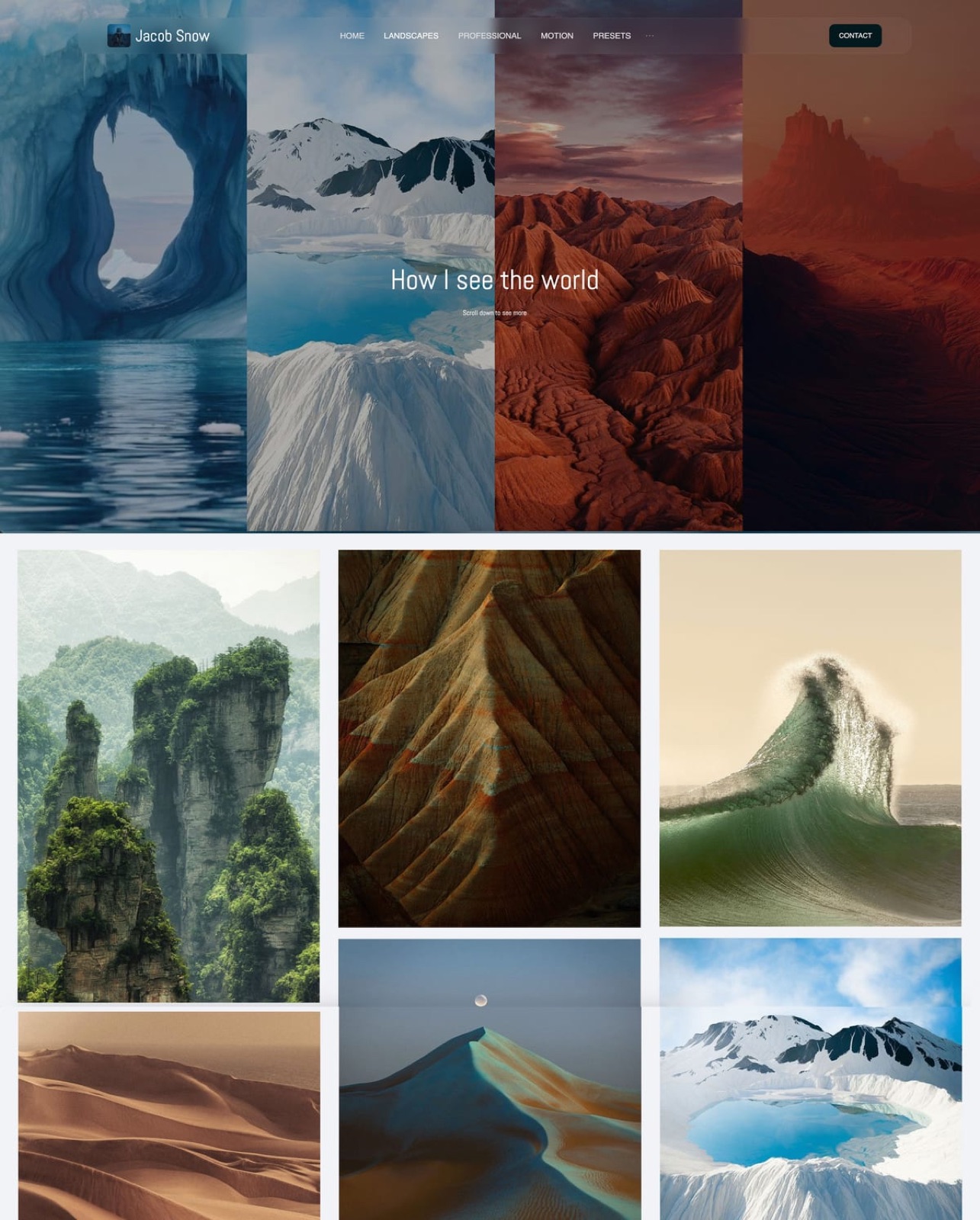
Start from a designer-made template
 Use template
 Use template
 Use template
 Use template
 Use template
 Use template
 Use template
 Use template
You have narrowed the shortlist to Framekit and Framer, and both now promise the same opening move: type what you want and AI puts a site on the screen.
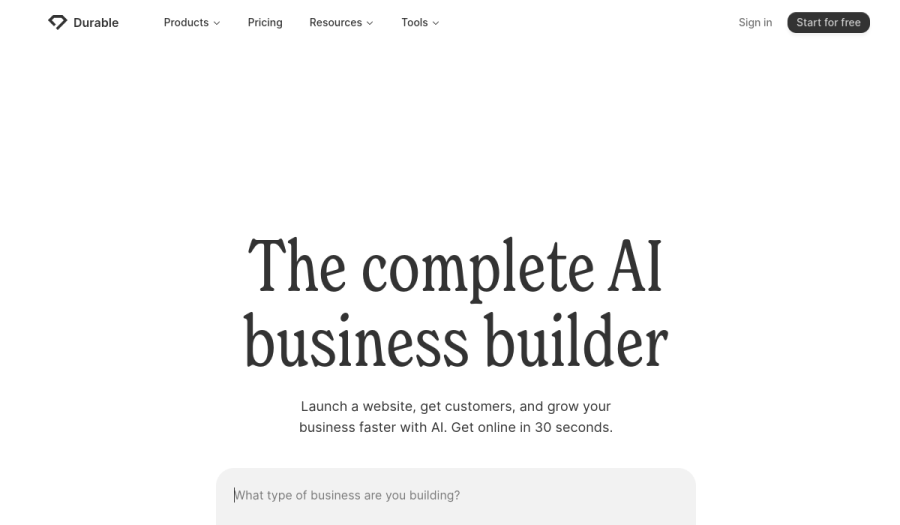
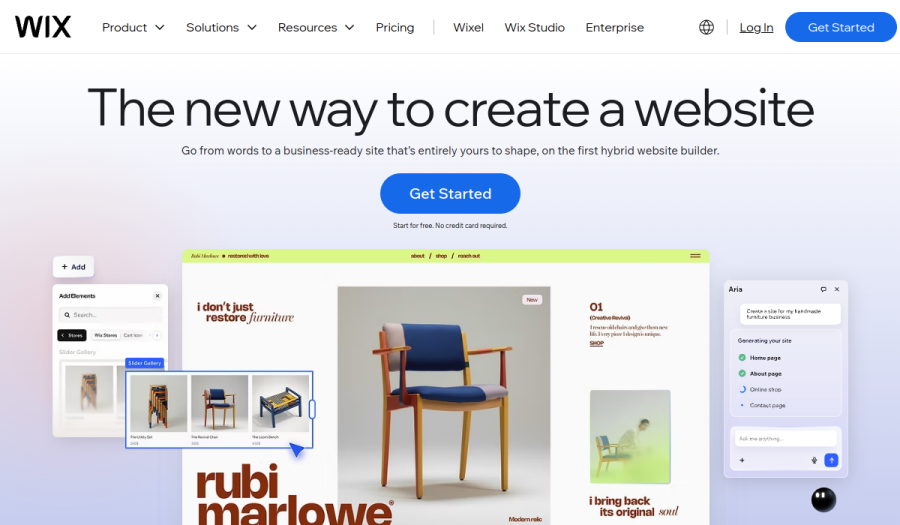
Framer's Agents generate designed pages onto its canvas; Framekit's AI drafts sections, writes the copy and can rebuild a layout from a screenshot.
So the old framing, AI builder against hand-built design tool, no longer describes the choice.
What still separates them is what happens after the first draft. Framer hands you one of the most capable visual design canvases on the web, with a CMS that scales to tens of thousands of items.
Framekit hands you a simpler editor and then the rest of a creative business: client galleries, frame-accurate video review, Slides and a download store in the same account.
An AI website builder is a tool that generates and hosts a website from a written description or a reference; in 2026 Framer and Framekit are both AI website builders, but Framer is built around design control and Framekit is built around the creative work that surrounds the site.
Framer is the better choice for designers and studios whose site is itself the portfolio piece, because its canvas, animation, CMS depth, staging and localisation go further than Framekit's editor.
Framekit is the better choice for photographers, filmmakers and creators who also deliver galleries, run client review or sell downloads, because those tools come in the same account from $7 a month, where a Framer site needs separate gallery, review and store services.
Both meter AI with a monthly allowance; neither makes AI free of limits.
Full disclosure: Framekit is our product. Framer facts come from Framer's own pricing page and Help Center, read on 12 October 2026, and we do not claim to have run a hands-on build on either tool for this version.
What changed in this October 2026 update: the earlier page claimed twice that Framer's credits had no Framekit equivalent, which was wrong, since every Framekit plan includes a monthly AI allowance too.
We corrected it, re-verified Framer's plans, credits, editor seats and limits at the source, added the cost of running each tool as a full creative setup with card processing counted, and fixed a line that promised Framekit galleries without a Framekit credit.
How This Comparison Was Built
This page compares Framekit and Framer on published facts and worked costs rather than impressions, because both tools change quickly and the plan limits, seat prices and AI allowances are what a buyer is actually committing to each year.
Sources. Framer's pricing page and its Help Center article on how AI credits and Agents pricing work; Framekit's pricing page and product pages; and, for the costs of tools a Framer user adds, the pricing pages of Pixieset, Frame.io and Gumroad.
All read on 12 October 2026.
Five criteria. How a site gets started, how far you can push design, how content scales (CMS, pages, languages), what the site can do beyond presenting (deliver, review, sell), and what the whole setup costs over one and three years.
Not claimed. The earlier version said "we built the same site on both." This version makes no hands-on claims; it describes both products by what their makers publish. Prices are US dollars on yearly billing, as Framer's pricing page displays them by default.
Framekit vs Framer at a Glance
Framer is the stronger design and content platform, and Framekit is the stronger creative-business platform, and this table shows the published facts behind each half of that sentence so you can see which half matters to you.
| Framekit | Framer | |
|---|---|---|
| How a site starts | AI drafts sections and copy, or rebuilds a reference screenshot; templates built with AI and trained by senior designers | Agents generate design and code onto the canvas from a prompt; templates |
| Editing | Visual editor with one site-wide theme | Full design canvas with breakpoints, animation and interactions |
| AI allowance | Monthly allowance on every plan; manual edits never use it | 500 credits one-time on Free, 1,000 a month on Basic, 3,000 on Pro |
| Cheapest custom domain | Starter, $7 a month yearly | Basic, $10 a month yearly |
| CMS | Pages: 10, 30, 200, unlimited | Collections and items, up to 40,000 items with add-ons |
| Languages | Translation included on Pro and Business | $20 per locale a month, up to 20 locales |
| Team | 3 team members on Pro, unlimited on Business | Additional editors $20 a month each |
| Client galleries | Unlimited, every plan | Not offered |
| Video review | Every plan | Not offered |
| Store | Digital downloads, 5% to 0% fee | No built-in store on the pricing page |
| Redirects and staging | No redirect manager; no staging | Redirects, staging and branching on Pro |
Where Framer Wins
Framer wins for anyone whose website is the product they are showing, because its canvas gives pixel-level control over layout, motion and interaction, and its CMS, localisation, staging and redirects are built for content-heavy sites that a team ships and maintains over years.
Design ceiling. Framer is a real design tool: layers, breakpoints, scroll and hover effects, and interactions you shape by hand. Agents can generate a page, and then every pixel stays yours to move.
For a designer whose portfolio must demonstrate craft down to how a transition eases, that ceiling is the point. Framekit's editor is simpler by design; it is fast to get right and does not go as deep.
CMS depth. Framer Basic includes 2 CMS collections and 1,000 items; Pro includes 10 collections and 2,500 items, and add-ons stretch a Pro site to 40 collections, 40,000 items and 700 pages.
A studio publishing case studies, a journal and a jobs board from structured content will find Framer's CMS far deeper. Framekit counts pages by plan and has no comparable collections system.
Languages. Framer sells localisation as an add-on at $20 per locale a month, up to 20 locales, and AI translation runs on its credits.
Framekit includes site translation on Pro and Business, which is cheaper for one or two languages, but Framer's locale controls are more granular.
Shipping like a product team. Framer Pro adds site redirects, a staging environment and branching with previews, with A/B testing and advanced hosting as add-ons. Framekit has no redirect manager and no staging, and robots.txt is not editable.
Collaboration on the canvas. Framer's workspace owner and viewers are free, additional editors are $20 a month, and content editors are $10. A design team that works together inside one file every day will prefer that model.
Verdict: if you design for a living, or your site is a large structured publication, Framer is the better tool and an AI-first builder will feel limiting. Readers in that position should also compare Webflow vs Framer.
Where Framekit Wins

Framekit is an AI website builder that also delivers client galleries, runs frame-accurate video review, builds decks and sells digital downloads from the same account, so it wins for the creative whose site has to do business work rather than demonstrate design work.
Everything around the site is included. Unlimited client galleries, video review, unlimited Slides decks and a download store are on every plan, Free included, and share one storage pool: 10GB on Free, 50GB on Starter, 300GB on Pro and 2TB on Business.
A Framer site that needs any of those adds a separate service for each.
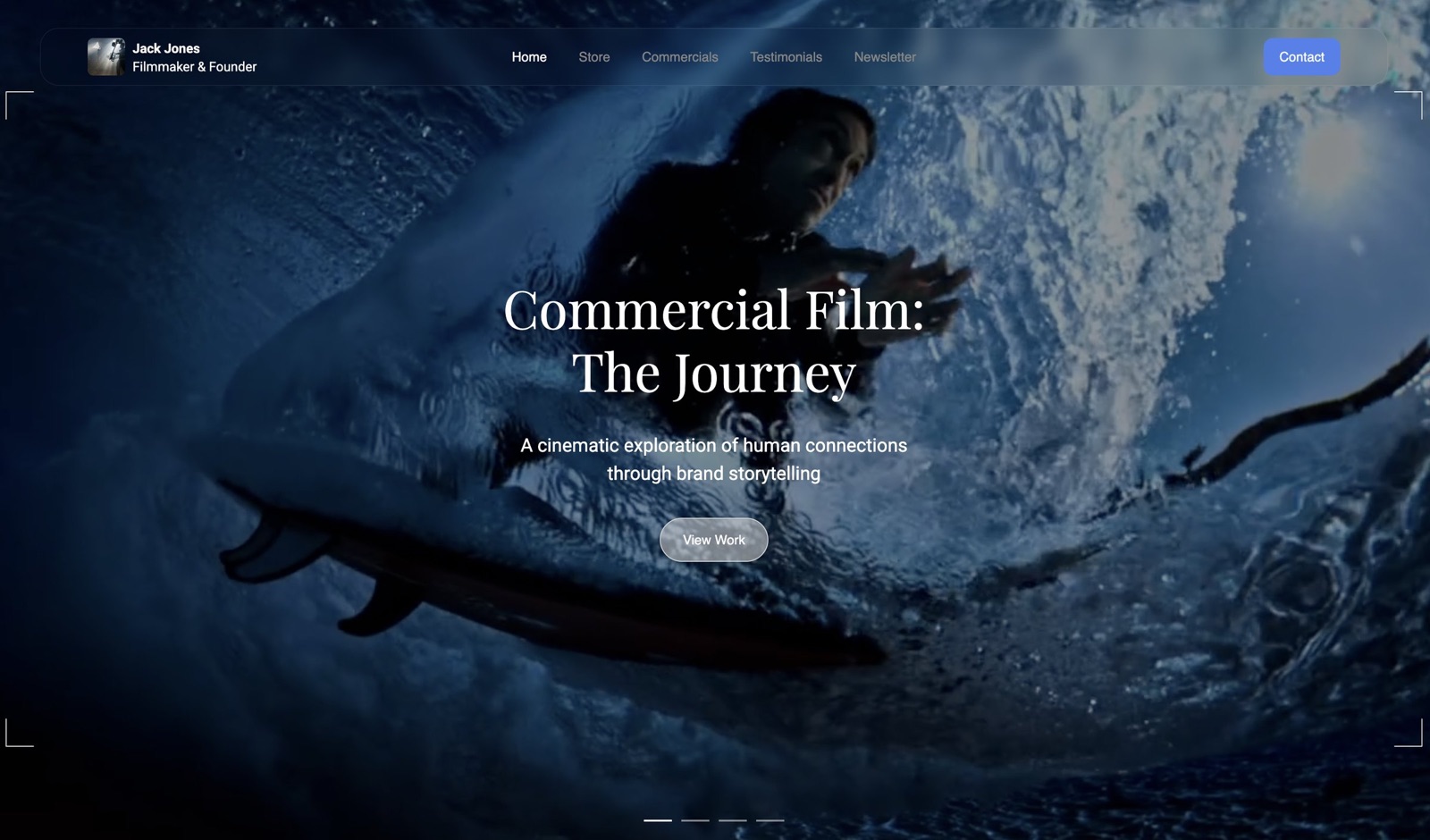
A shorter road to a finished site. Templates are built with AI and trained by senior designers, the AI writes copy and generates whole sections against your theme, and it can recreate a layout from a screenshot you upload.
Framekit's own models, Cadence for premium output and Score for fast drafts, do the work. There is no canvas to learn, which is the point for a photographer or filmmaker who wants to be live this weekend.
Cheaper site editors and languages. Framekit Pro is $15 a month billed yearly and includes 3 team members who can edit the website, plus custom code and site translation; galleries, reviews and decks stay with the account holder.
On Framer, two extra editors alone cost $40 a month, and each extra language is $20 a month.
A store on every plan. Presets, LUTs, UI kits, templates and guides sell as instant downloads, with free lead-magnet products, discount codes from Pro, and a buy link that works without a site. The fee is 5% on Free and Starter, 3% on Pro and 0% on Business.
Hosting and basics on every plan. SSL, a global CDN, per-page titles and descriptions, a sitemap, social previews, structured data, analytics, contact forms and a cookie banner, Free included.
Verdict: a working creative who delivers, reviews and sells gets more of the business done in Framekit, at a lower total cost than Framer plus the services it would need.
AI on Both Sides: Credits, Allowances and What Costs Nothing
Both Framekit and Framer meter AI with a monthly allowance that grows with the plan, so the useful comparison is not whether AI is metered but which actions draw on the meter and what you can still do by hand once it runs low.
Framer. According to Framer's Help Center, Agent chat, Workshop chat and AI translation use credits, while editor helpers such as auto-renaming layers do not.
Free gets a one-time 500 credits; the pricing page lists 1,000 credits a month on Basic and 3,000 on Pro, shared across the workspace, with a 2x bonus in the first month. Unused credits do not roll over.
At 100% of the allowance, credit features pause until the next cycle or until you buy the AI Credits add-on; work already running finishes.
Framekit. Every plan, Free included, carries a monthly AI allowance that grows from Free to Starter, Pro and Business, and AI generation for sites and decks draws on it, as one pool across all your decks.
Editing any page or slide by hand never touches the allowance, and decks themselves are unlimited on every plan. Paid plans also get extra usage in their first month.
What this means in practice. On both tools, the expensive action is generating a whole page; small edits cost little or nothing. A creator who drafts once with AI and then edits by hand will rarely hit either ceiling.
A studio that regenerates layouts all day should price the next plan up, or Framer's credits add-on, before the deadline week rather than during it.
The Work Around the Site: Galleries, Review, Slides and a Store
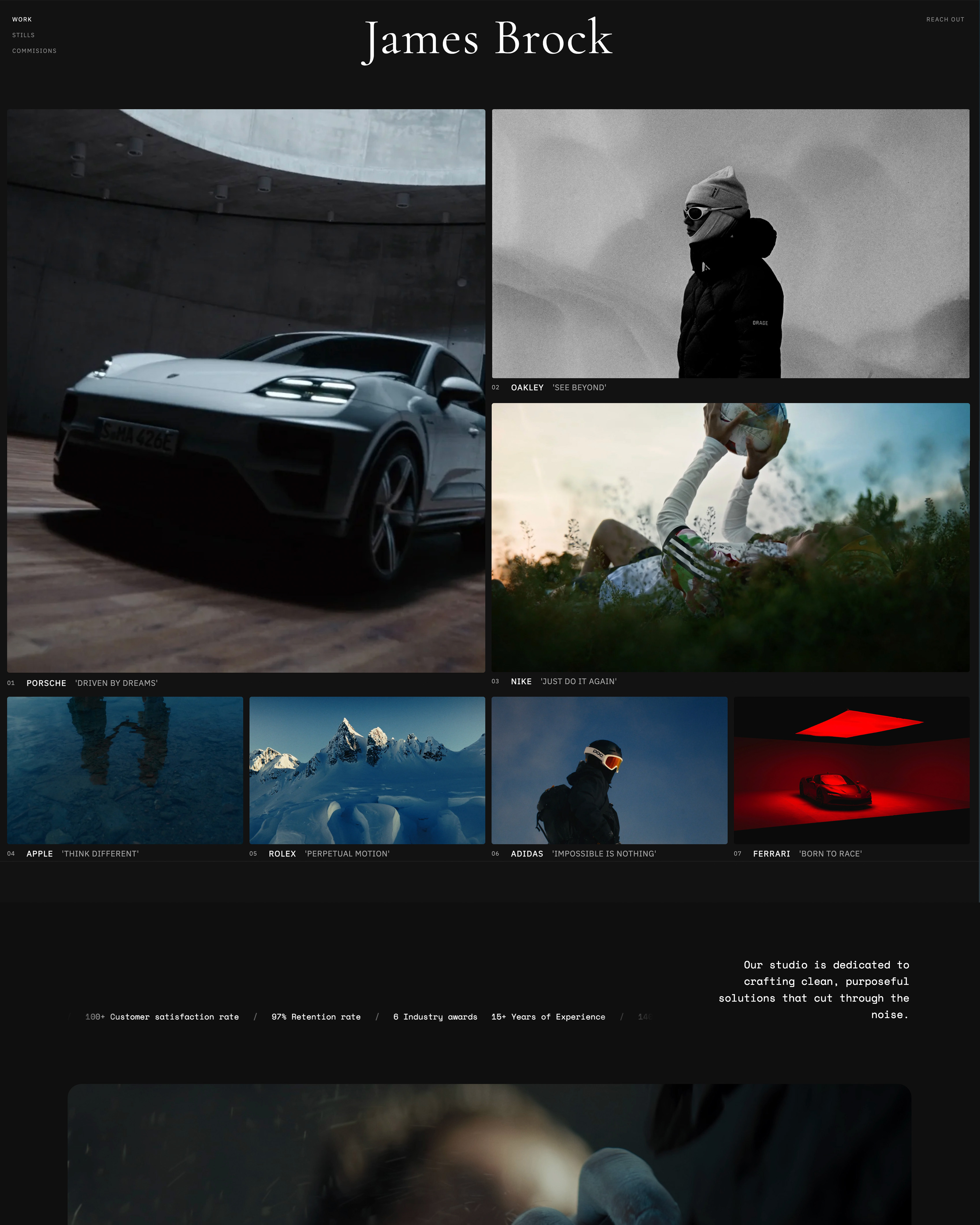
Framekit's four tools beyond the site are what decide this comparison for most photographers and filmmakers, because Framer's pricing page lists none of them, so a Framer user who needs them pays three other companies.
Client galleries
Photos and video share one gallery with one link per shoot. Clients heart favourites and filter to them, download the full set or only favourites, and a separate PIN can gate downloads. Photos can carry a watermark; videos never do.
Photo files go up to 100MB, video files 500MB on Free, 1GB on Starter, 2GB on Pro and 3GB on Business.
Paid plans put galleries on your own domain with your branding, and a small Made with Framekit line stays in the gallery footer on every plan. Not offered: print ordering, lab fulfilment, a native mobile gallery app or client uploads.
Video review
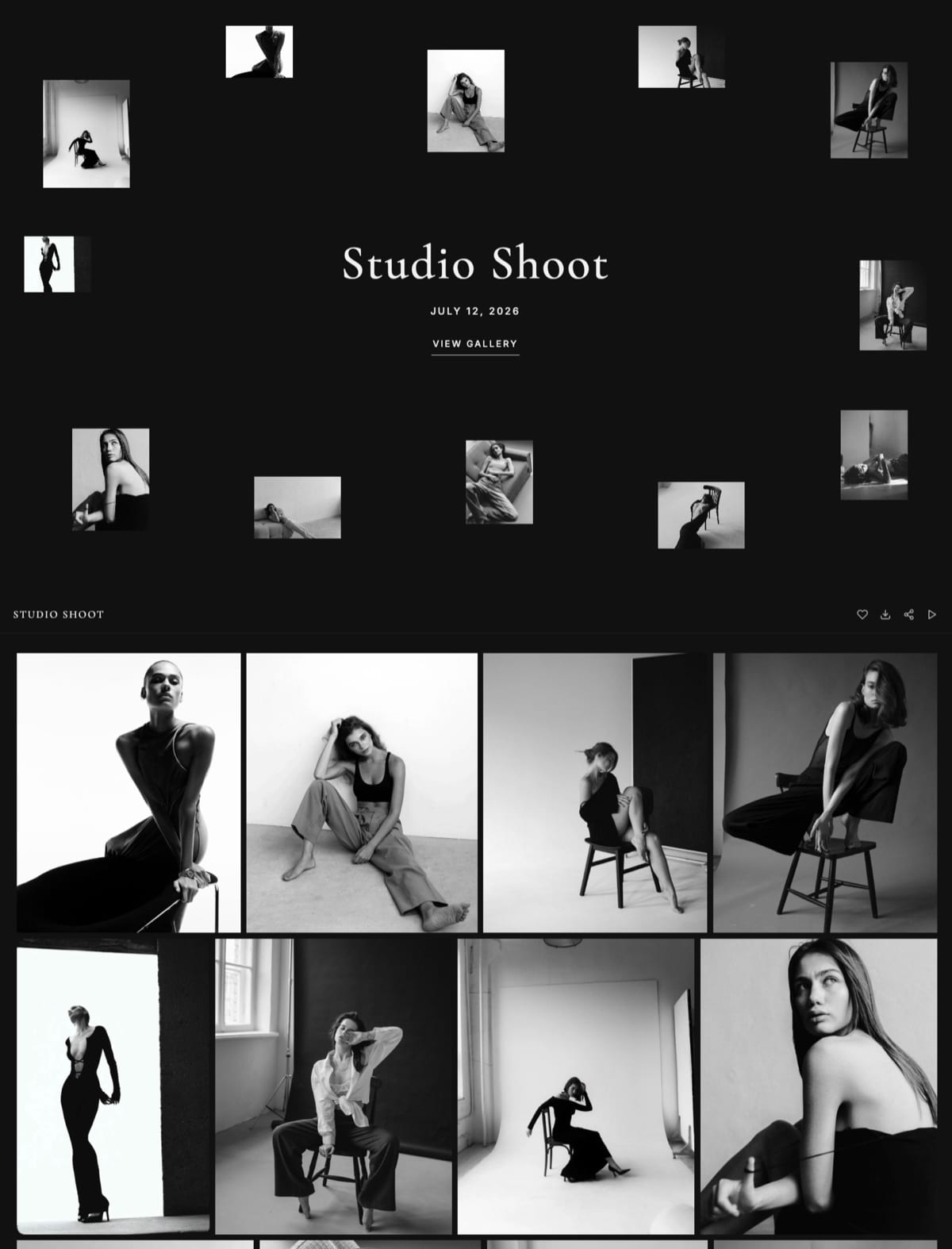
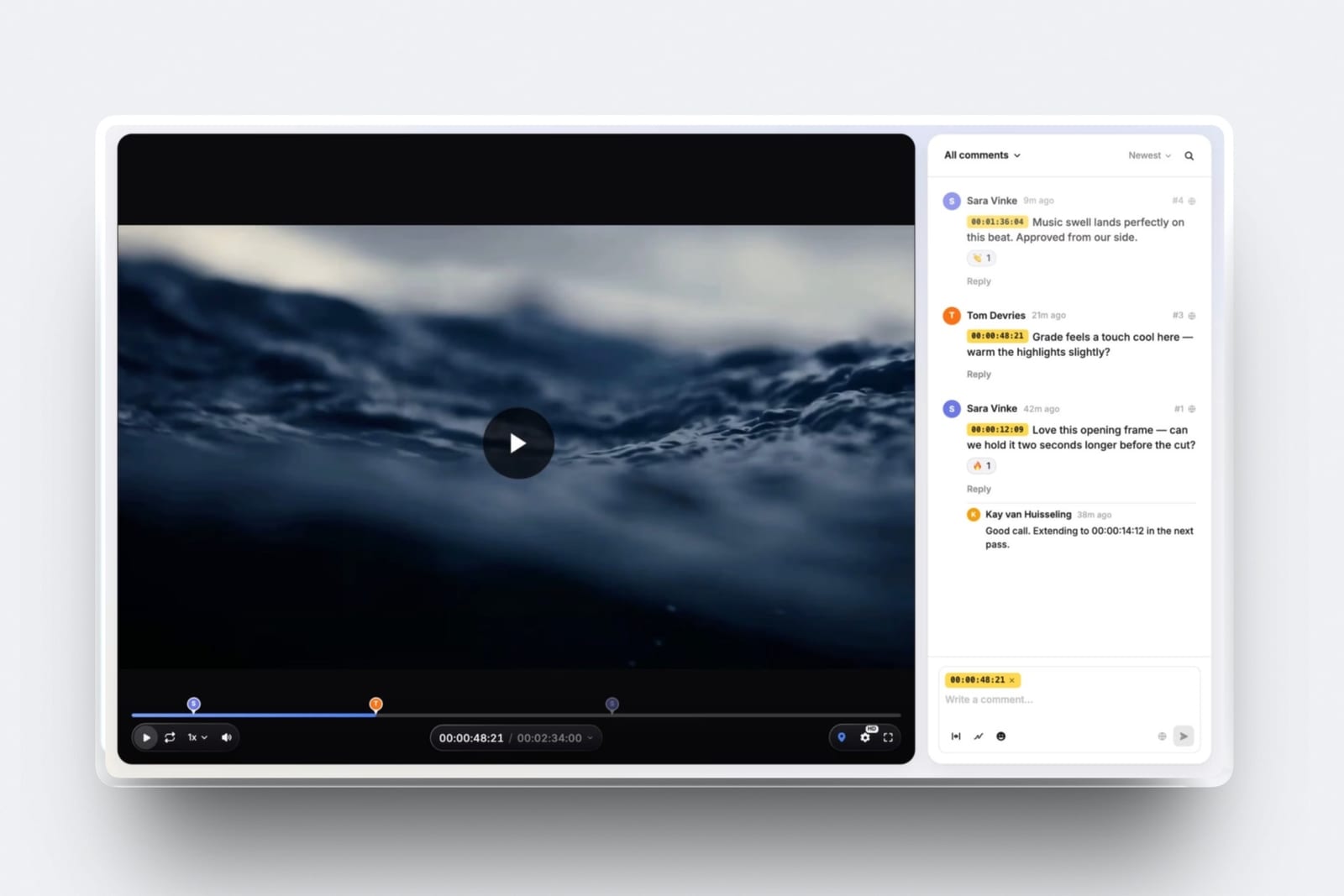
Upload a cut, share a link, and clients comment at the exact frame, draw on it and reply, without an account. Version stacks keep v1's notes when v2 arrives, and approval statuses track each round.
Videos can run up to 2 hours; comment attachments open on Pro. Not offered: editing-suite panels, camera-to-cloud, side-by-side version compare, or proofing for stills and PDFs.
Slides
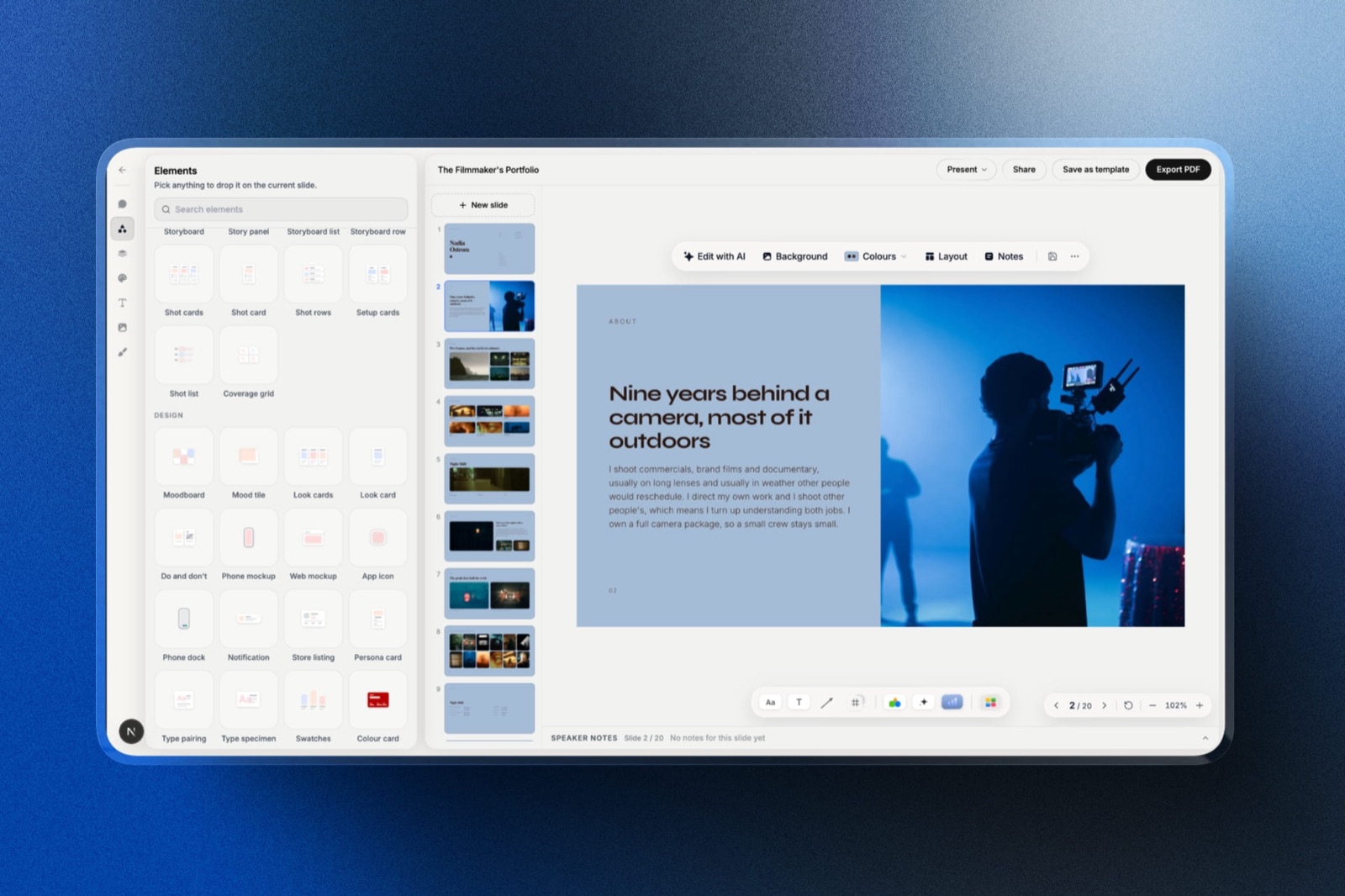
Treatments, lookbooks, case-study decks and pitch decks from templates built for creative work, with shot lists, storyboards, moodboards, swatches and type specimens as ready-made elements.
The AI drafts a whole deck from a brief, after a few questions and an outline you approve, or any single slide from a description, and you can present full screen, share a link or export a PDF on every plan.
PowerPoint export, picture-based and up to 60 slides, opens on Pro.
Store
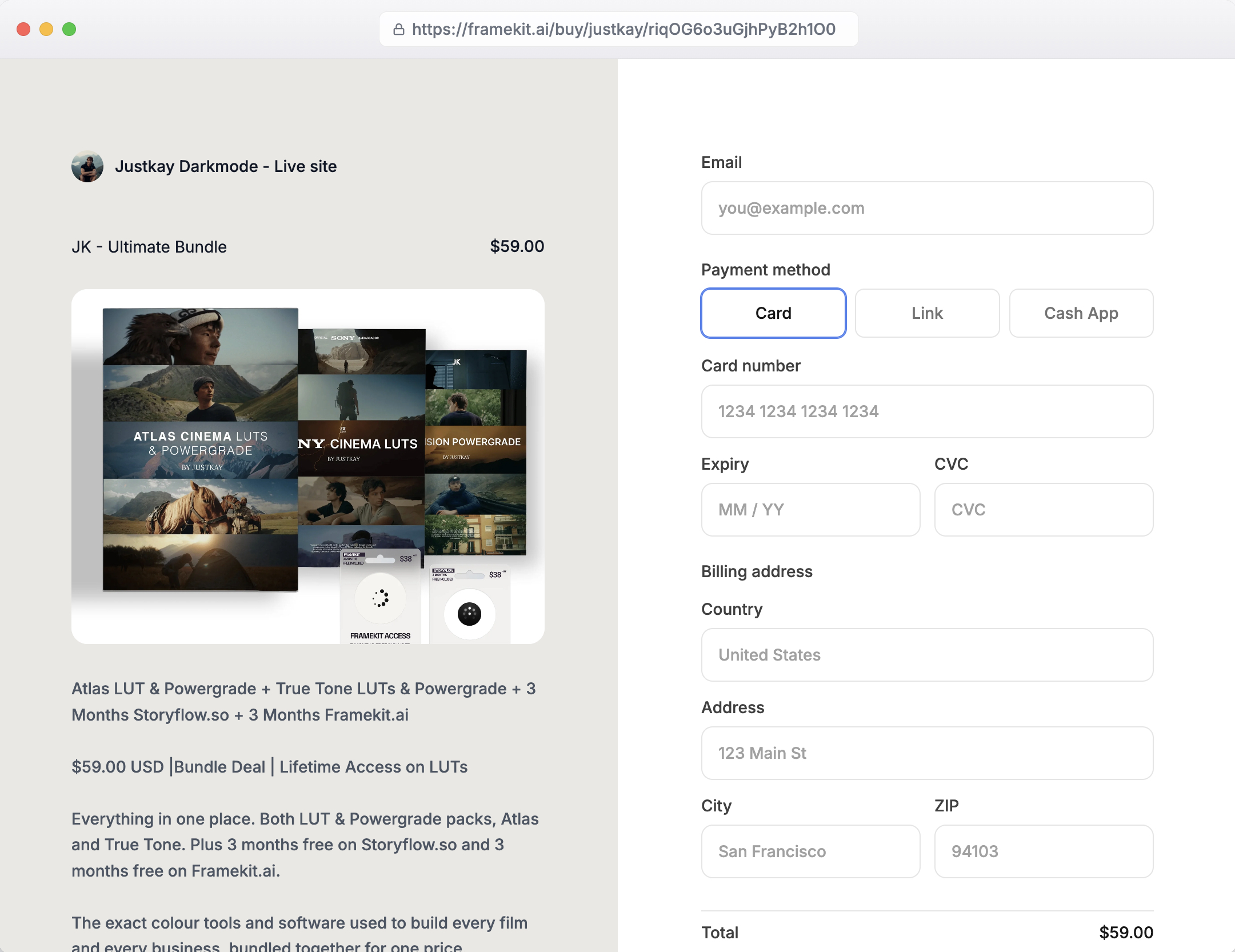
Unlimited digital products on every plan, paid through Stripe Connect into your own Stripe account. That makes you the merchant of record, so VAT and sales tax are yours to handle.
Buyers download instantly and can return for their files; order emails carry 7-day links you can resend.
Checkout is hosted on framekit.ai with your name and logo and a "Powered by Framekit" line, so the checkout page does not sit on your own domain.
What a Year and Three Years Cost on Each Setup
Framekit costs less than Framer plus the services it needs for all three creatives below, from roughly $100 a year for a designer selling a UI kit to about $1,400 a year for a three-person studio once card processing is counted, and most of the difference is the store fee and the review seats a Framer setup has to buy.
Assumptions: yearly billing, US prices read on 12 October 2026, prices held flat for three years, card processing left out of the cells and worked in the note under the table.
Framer includes a complimentary domain on yearly billing; Framekit connects a domain registered anywhere, so add that registration to Framekit's rows.
For selling on Framer we use Gumroad, which charges 10% plus $0.50 per sale on direct sales according to its pricing page.
| Creative | Framekit plan | Framekit year one | Framekit by year three | Framer setup | Framer year one | Framer by year three |
|---|---|---|---|---|---|---|
| Designer, 60 sales of a $40 UI kit a year ($2,400) | Starter ($84) plus 5% fee ($120) | $204 | $612 | Basic ($120) plus Gumroad, 10% plus $0.50 a sale ($270) | $390 | $1,170 |
| Photographer, about 120GB of galleries live, 40 preset sales of $25 | Pro, 300GB ($180) plus 3% fee ($30) | $210 | $630 | Basic ($120) plus Pixieset Pro, 1TB ($288) plus Gumroad ($120) | $528 | $1,584 |
| Studio of 3, client review on every job, 100 template sales of $50 | Business, 2TB ($372), 0% fee | $372 | $1,116 | Pro ($360) plus 2 extra editors ($480) plus Frame.io Pro for 3 ($540) plus Gumroad ($550) | $1,930 | $5,790 |
Card processing. Framekit sales also pay Stripe's standard 2.9% plus 30 cents a sale, about $88 a year for the designer, $41 for the photographer and $175 for the studio, taking their Framekit year-one totals to $292, $251 and $547.
Gumroad's pricing page lists 10% plus $0.50 a sale without saying whether card processing comes on top, so the Framer column stays as shown or rises by the same amounts; either way Framekit stays cheaper, by about $100 to $190 a year for the designer and $1,380 to $1,560 for the studio.
What the totals leave out matters. Gumroad is a merchant of record that handles sales tax worldwide, which Framekit does not, so part of that 10% buys a real service.
Frame.io Pro includes passphrase-protected shares, link expiry and Premiere and Final Cut Pro integrations that Framekit review lacks, and Frame.io says annual billing saves 13%.
Pixieset Pro's 1TB is more than the photographer needs, but its 100GB Plus plan is too small for 120GB.
On Framekit the account holder uploads every cut and owns the galleries and decks, the other two edit only the website, and clients comment without an account, where Framer's editors and Frame.io's members each get their own seat.
The studio could also run on Framekit Pro at $180 plus a 3% fee of $150, $330 a year, if 150GB of video storage is enough.
Run it yourselfcount last year's product sales and their number, multiply the total by 10% and add $0.50 per sale to see what Gumroad keeps; compare that with your Framekit plan's fee. Then add any gallery and review subscriptions you pay beside your Framer site.
Which Tool for Which Job
Framer and Framekit overlap on the website and split on almost everything else, so the clearest way to choose is job by job, picking the tool that does each part of your week natively rather than through an add-on or a second subscription.
| Job | Better tool | Why |
|---|---|---|
| A portfolio judged on motion and interaction | Framer | Canvas-level control over layout, animation and interaction |
| A case-study library or journal with hundreds of entries | Framer | CMS collections up to 40,000 items with add-ons |
| A site in five or more languages | Framer | Locale add-ons up to 20, with granular controls |
| A portfolio live this weekend from a brief or a screenshot | Framekit | AI drafts sections and copy inside one theme; simpler editor |
| Delivering a shoot to a client | Framekit | Unlimited galleries with favourites and download PINs on every plan |
| Getting a cut approved | Framekit | Frame-accurate review links, no reviewer account needed |
| Selling presets, LUTs or UI kits | Framekit | Built-in download store, 5% to 0% fee by plan |
| A treatment or pitch deck that travels with the site | Framekit | Slides in the same account, PDF export on every plan |
Plenty of studios will read that table and use both: Framer for a showpiece site, Framekit for galleries, review and the store. That works, since Framekit gallery and review links stand on their own, but you pay for two platforms.
Limits and Specs That Decide Daily Use
These are the published limits that shape day-to-day work on each tool, from Framekit's pricing page and Framer's pricing page and Help Center in October 2026, chosen because each is a limit a creative or a small studio will actually meet.
| Limit | Framekit | Framer |
|---|---|---|
| Free plan | 10 pages, 10GB storage, framekit.ai address | 1,000 pages, 10 CMS collections, 1GB bandwidth, 5MB file uploads, Framer domain |
| Pages on paid plans | 30 Starter, 200 Pro, unlimited Business | 30 Basic, 150 Pro, up to 700 with add-ons at $20 per 100 |
| Storage or bandwidth | 50GB, 300GB, 2TB pooled storage | 50GB bandwidth Basic, 100GB Pro, then $40 per 100GB up to 2TB |
| CMS items | No collections system | 1,000 Basic, 2,500 Pro, up to 40,000 with add-ons |
| Video uploads | 15MB on Free site pages, 100MB on paid, plus Vimeo and YouTube embeds | 5MB file uploads on Free; paid limits not listed on the pricing page |
| Gallery and review files | 500MB to 3GB per video by plan, 100MB per photo | Not offered |
| Team | 3 website editors on Pro, unlimited on Business | $20 per editor a month, content editors $10, viewers free |
| Languages | Translation on Pro and Business | $20 per locale a month, up to 20 |
| Redirects and staging | Neither offered | Both on Pro, with branching and previews |
| AI | Monthly allowance on every plan | 500 one-time Free, 1,000 a month Basic, 3,000 Pro |
| Selling | Digital downloads, 5%, 5%, 3%, 0% fee | No built-in store listed |
What Happens When Something Breaks the Plan
These are the situations that catch people a month after choosing, answered from what each company publishes, so the edges are visible before a client or a buyer finds them.
The AI allowance runs out mid-project. On Framer, credit features pause at 100% while editor helpers keep working, and an add-on raises the ceiling.
On Framekit, AI generation pauses once the month's allowance is spent, and every page and slide stays fully editable by hand.
Your content outgrows the plan. On Framer, pages, collections, items and bandwidth have priced add-ons up to set maximums. On Framekit, the next plan up lifts pages from 30 to 200 to unlimited and storage from 50GB to 300GB to 2TB.
A client needs to review a cut. On Framekit, send a review link; the client comments at the frame without an account. On Framer, you add a review service such as Frame.io, whose Pro plan is $15 per member a month on monthly billing.
You rename a page. Framer Pro can redirect the old address. Framekit has no redirect manager, so changed URLs will not forward; plan slugs before publishing.
A buyer asks for a refund. Framekit keeps its fee on refunds, charged on the post-discount price, and Stripe's processing fee applies on top. On Business that fee is 0%.
You stop paying. A Framekit site can fall back to the permanent Free plan on a framekit.ai address with a badge. Framer's Free plan also keeps a site online on a Framer domain, with 1GB of bandwidth.
Moving a Framer Site to Framekit
Moving from Framer to Framekit is a rebuild, not an import, because the two tools structure pages differently, so the work is choosing what to keep, recreating the pages that earn traffic, and moving the tools around the site in a safe order.
- Decide what the site really needs. If your Framer site depends on CMS collections with thousands of items, custom interactions or several locales, stop here; Framekit is not the better home for it.
- List your traffic pages. Note the URLs that bring visitors and enquiries; Framekit has no redirect manager, so those slugs must stay identical.
- Draft on Framekit. Upload a screenshot of your Framer homepage and let the AI rebuild the structure, or start from a template, then refine by hand.
- Move products. Recreate your downloads in the Framekit store, connect Stripe, and replace Gumroad or other buy links with Framekit buy links.
- Move deliveries. Recreate active client galleries and open review rounds; keep old links working until clients have their files.
- Recreate decks. Rebuild pitch and case-study decks in Slides, where they share the account with the site.
- Point the domain. Connect your domain on Starter or above. If your domain came with Framer's yearly billing, check where it is registered before you change its settings.
- Overlap, then cancel. Run both for a short overlap, test every form and checkout, then cancel the Framer site plan and editor seats.
For more options in either direction, the best Framer alternatives ranks the field, and Framer vs Squarespace covers the other common comparison.
Which One Should You Pick?
This decision path puts the questions in the order that rules out one tool fastest, starting with whether the site itself is your craft, because that single answer settles Framekit vs Framer for most designers before price comes up.
1. Is the website itself your portfolio piece, judged on motion and interaction? If yes, choose Framer; its canvas is the reason it exists. If no, go to question 2.
2. Does the site run on structured content, such as hundreds of case studies or articles in collections, or several languages with locale controls? If yes, Framer's CMS and localisation fit better. If no, go to question 3.
3. Do you deliver client galleries, send cuts for review or sell downloads? If yes, Framekit includes all three on every plan and will cost less than Framer plus the services; go to question 5. If no, go to question 4.
4. Do you need staging, branching or redirects? If yes, Framer Pro. If no, either works; choose by which editor you enjoy.
5. How big is the team? Three people editing the website fit Framekit Pro at $15 a month yearly with seats included, more need Business, and one account holder runs the galleries, reviews and decks. On Framer, budget $20 a month per extra editor.
6. Do you want the platform to handle sales tax? If yes, neither tool's own setup does; pair Framer with a merchant-of-record store, or accept handling tax yourself on Framekit.
Frequently Asked Questions
Is Framekit or Framer better in 2026?
Framer is better for designers and studios whose site is the portfolio piece, because its canvas, CMS, staging and localisation go deeper.
Framekit is better for photographers, filmmakers and creators who deliver galleries, run client review or sell downloads, because those tools come in the same account from $7 a month. Both use AI to start a site, and both meter that AI.
Does Framekit use credits like Framer?
Yes, Framekit meters AI too. Every Framekit plan, Free included, has a monthly AI allowance that grows with the plan, and AI generation for sites and decks draws on it.
Editing pages and slides by hand never uses the allowance, and decks are unlimited. Framer uses credits for Agents, Workshop chat and AI translation: 500 one-time on Free, 1,000 a month on Basic and 3,000 on Pro.
Can Framer generate a website from a prompt?
Yes. Framer's Agents generate design and code from a prompt and place the result on the canvas as normal Framer pages, and each run draws on your credits.
Framekit's AI also drafts whole sections and copy from a brief, and can rebuild a layout from a screenshot. The difference is what follows: Framer's canvas for deep design, or Framekit's simpler editor plus galleries, review and a store.
Can you sell digital products on Framer?
Framer's pricing page lists no built-in store or checkout, so creators selling downloads usually connect a separate store such as Gumroad, which charges 10% plus $0.50 per direct sale.
Framekit's store sells digital downloads on every plan, Free included, with a fee of 5% on Free and Starter, 3% on Pro and 0% on Business.
Is Framer cheaper than Framekit?
Not for a custom domain on its own: Framer Basic is $10 a month billed yearly and Framekit Starter is $7. For teams, Framer adds $20 a month per extra editor, while Framekit Pro includes 3 team members at $15.
Framer includes a complimentary domain on yearly billing, which Framekit does not, so add a domain registration to Framekit.
Does Framer have client galleries or video review?
No. Framer's pricing page lists neither client galleries nor video review, so photographers and filmmakers on Framer use services such as Pixieset for delivery and Frame.io for review.
Framekit includes unlimited client galleries and frame-accurate video review on every plan, sharing one storage pool with the site.
Which has the better CMS, Framer or Framekit?
Framer has the much better CMS. Its Pro plan includes 10 collections and 2,500 items, extendable to 40 collections and 40,000 items with add-ons.
Framekit organises sites by pages, from 10 on Free to unlimited on Business, and has no collections system. A content-heavy publication belongs on Framer.
Framekit vs Framer for a photographer: which is better?
Framekit is better for most photographers, because client galleries with favourites, watermarks and download PINs are included alongside the portfolio and a preset store, on 50GB to 2TB of pooled storage.
A photographer on Framer pays separately for galleries and selling. Framer suits a photographer whose site must show off interactive design as part of the brand.
Is Framer hard to learn compared with Framekit?
Framer asks more of you, because it is a full design canvas with layers, breakpoints and interactions, even when Agents produce the first draft.
Framekit asks less, because the AI drafts sections inside one site-wide theme and you refine them in a simpler visual editor.
If you enjoy design tools, Framer's depth is a pleasure; if you want to be finished, Framekit's simplicity is the point.
Does Framekit translate my site like Framer's localisation?
Framekit includes site translation on Pro and Business at no extra charge per language. Framer sells localisation as an add-on at $20 per locale a month, up to 20 locales, with AI translation drawing on credits.
For one or two extra languages Framekit is cheaper; for many locales with fine-grained control, Framer's tools go further.
Can my team edit a Framekit site together?
Yes. Framekit Pro includes 3 team members and Business includes unlimited team members; team members are site admins, and the account holder uploads review cuts.
Framer charges $20 a month per additional editor and $10 per content editor, with free viewers, and is built for designers working together on the canvas.
Can I keep my Framer site and use Framekit for galleries and review?
Yes. Framekit gallery and review links work on their own, so a studio can keep a Framer site and link to Framekit for client delivery, review rounds, decks and the download store.
On paid Framekit plans, review pages can drop the Framekit credit and galleries carry your branding, though a small Made with Framekit footer line stays on galleries on every plan.
You pay for both platforms, so compare that with moving the site too.
What happens if I cancel my Framer or Framekit plan?
A Framekit site can fall back to the permanent Free plan, which runs on a framekit.ai address with a Framekit badge, 10 pages and 10GB of storage.
Framer's Free plan keeps a site on a Framer domain with 1GB of bandwidth and no custom domain. On both, export or archive what you need before downgrading.
Does Framekit have staging or redirects like Framer Pro?
No. Framekit has no staging environment, no branching and no redirect manager, and robots.txt is not editable. Framer Pro includes site redirects, a staging environment and branching with previews.
For a team that ships site changes like product releases, that is a strong reason to choose Framer.
The Verdict: Framekit vs Framer in 2026
Choose Framer if your site is your craft or your publication: designers, studios and content-heavy teams get a canvas, a CMS, localisation and staging that Framekit does not try to match.
Choose Framekit if your site sits beside client galleries, review rounds, decks and a download store, because one account does all of it for less than Framer plus three services.
Where Framekit loses: it has a simpler editor with a lower design ceiling, no CMS collections, no staging, no redirect manager, and site video uploads that stop at 100MB on paid plans. For a designer selling design, Framer is the better fit, and we would tell a friend the same.
For everyone whose business is the work rather than the website, the cheapest test is to build your homepage on Framekit's free plan and deliver one real client gallery from it.
Related reading: Framekit vs Webflow for agencies covers the other design-first builder, the best easy-to-use AI website builders widens the field, Framekit vs Pixieset is the gallery comparison, and Gumroad vs Framekit prices the store side in detail.