Framekit templates
Start from a designer-made template
 Use template
 Use template
 Use template
 Use template
 Use template
 Use template
 Use template
 Use template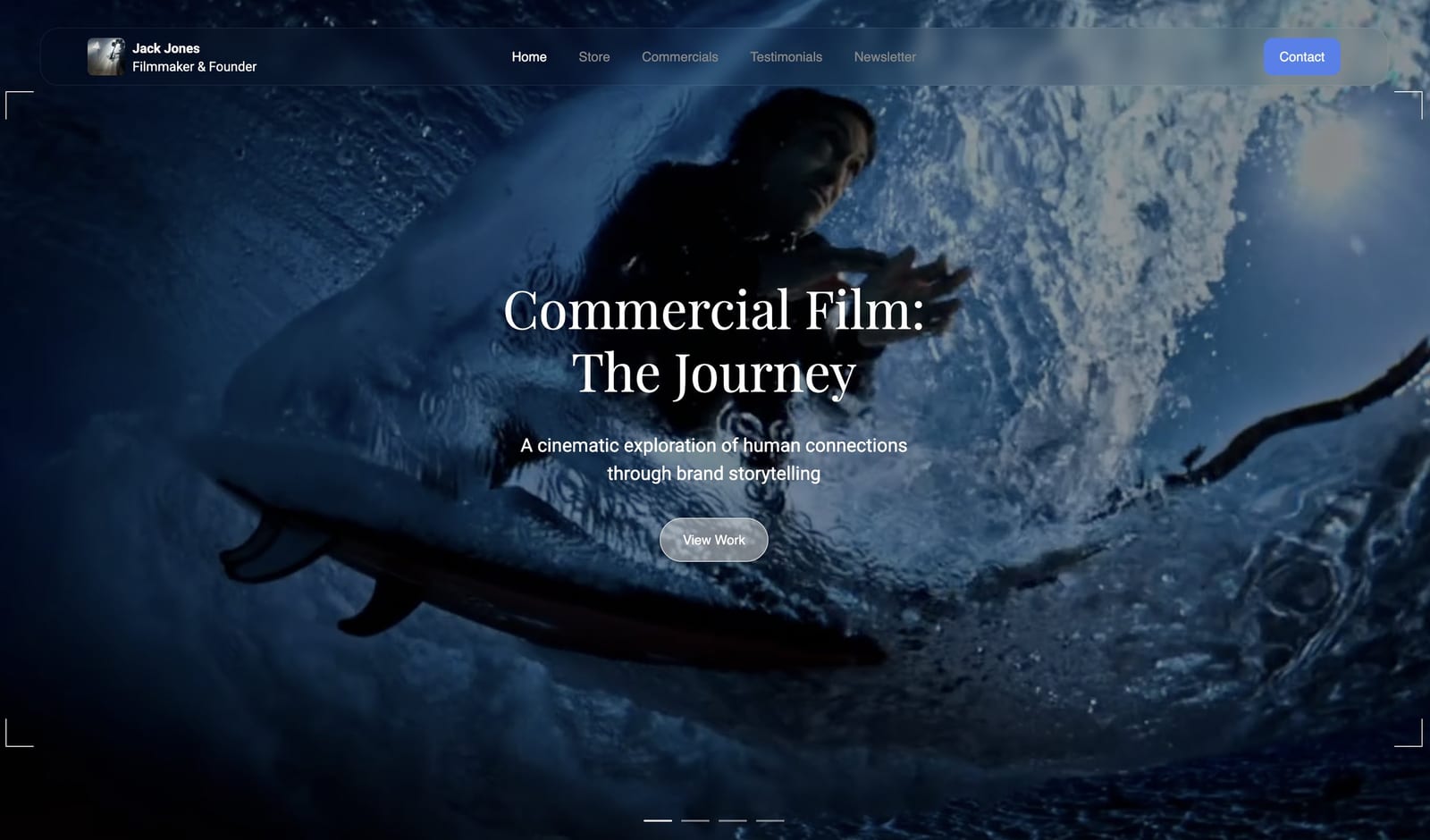
Wix can build almost any kind of website. A restaurant with online ordering, a yoga studio with class bookings, a plumber with a quote form: there is a Wix app for each, and that breadth is why so many small businesses start there.
A filmmaker, photographer or designer asking whether Framekit or Wix is the better website builder is asking something narrower.
Which one fits a creative business, where the site has to look like the work and the jobs around it are galleries, review rounds and selling files?
That narrower question has a different answer from the general one, and this page is about the narrower one.
A website builder is a tool that lets you design, host and publish a website without code.
Wix is a general-purpose builder with an app market for almost any business; Framekit is an AI website builder made for creative work, with client galleries, video review, Slides and a digital-download store in the same account.
Framekit is the better website builder for creatives in 2026, because one account holds an AI-built portfolio, client galleries, frame-accurate video review, Slides and a download store, with 50GB of pooled storage from $7 a month against Wix Light's 2GB at $17.
Wix is the better builder for businesses that need bookings, restaurant ordering, physical products or a specific app from its 800-plus app market, and for anyone who wants a drag-and-drop editor with AI help rather than an AI-first draft.
Full disclosure: Framekit is our product. Wix facts come from Wix's own plans page, blog and Help Center, read in October 2026, and nothing below claims a hands-on test of either builder.
Recently updated (12 October 2026): we re-verified Wix's four Premium plans, storage and collaborator limits at the source, corrected the Business price this page had carried, removed design scores and build timings we could not support, added the creative tools Framekit has shipped since the first version, and noted the small credit Framekit galleries keep on every plan.
How We Put This Comparison Together
This comparison uses only what Wix and Framekit publish about their own plans and features, plus arithmetic for three creative businesses over one and three years, because published limits are the part of a website builder you cannot design your way around.
Read at the source. Wix's plans page, its blog articles on Premium plans and the free plan, and Help Center articles on the App Market, Wix Bookings, the URL Redirect Manager and Wix Photo Albums.
Framekit's pricing page and product pages. All read on 12 October 2026.
Calculated. An illustrator selling a brush pack, an event photographer delivering client galleries, and a three-person video studio that sends every cut for client review.
Each is priced at the cheapest setup that does the whole job, including what a Wix user pays other companies for galleries, review or selling.
What changed from the earlier version. It scored design out of 10 and timed site builds. Those numbers came from no test we can document, so they are gone. Wix notes that its prices vary by location; the US figures for yearly billing are used throughout.
Framekit vs Wix at a Glance
Wix is the broader builder and Framekit is the more complete creative platform, and the rows below show where that difference turns into a limit, a fee or a missing tool for someone whose website is a portfolio first.
| Framekit | Wix | |
|---|---|---|
| Built for | Photographers, filmmakers, designers and creators | Any small business |
| How a site starts | AI drafts sections and copy, or rebuilds a reference screenshot | Templates or AI, then the Wix Harmony drag-and-drop editor |
| Free plan | Permanent; 10GB storage; framekit.ai address with a Framekit badge | Permanent; 500MB storage; wixsite.com address with Wix branding; no payments |
| Cheapest custom domain | Starter, $7 a month yearly, 50GB | Light, $17 a month yearly, 2GB |
| Selling | Digital downloads on every plan, Free included | eCommerce from Core ($29); physical and digital |
| Client galleries | Unlimited, every plan | Photo Albums app closed to new sites since April 2024 |
| Video review with frame notes | Every plan | Not offered |
| App ecosystem | Built-in tools only | Over 800 apps |
| Bookings | Enquiry forms only | Wix Bookings on a Premium plan |
| Redirects and RSS | No redirect manager, no RSS | URL Redirect Manager, blog RSS |

Where Wix Wins
Wix wins whenever a website has to run a business process that is not creative delivery, such as booking appointments, taking restaurant orders or shipping products, because its app market and native business apps cover far more ground than Framekit's built-in tools.
An app for almost everything. Wix's Help Center describes an App Market with over 800 apps, most of them free to install, covering bookings, events, restaurants, forms, memberships, marketing and more.
If your business needs a specific integration, Wix probably has it. Framekit has no app market; what it does is what ships in the account.
Bookings and scheduling. Wix Bookings handles services, classes and appointments, and once the site is on a Premium plan that accepts payments it can take bookings and charge for them. Framekit collects enquiries through forms and has no booking calendar.
Physical commerce and tax. Wix's plans page lists basic eCommerce on Core, standard eCommerce on Business and advanced eCommerce on Business Elite, and Business adds automated sales tax calculation for 100 transactions a month (500 on Business Elite) plus deposits for booked services.
Framekit sells digital downloads only, with no shipping, no print-on-demand and no tax calculation.
An editor that mixes AI with hand control. Wix Harmony, Wix's hybrid editor, combines AI with precise drag-and-drop and is included in every plan, according to Wix.
If you like to place every element by hand and call on AI occasionally, that may suit you better than Framekit's draft-first approach.
Site plumbing for big sites. Wix's URL Redirect Manager holds up to 5,000 redirects per site and imports them by CSV, and Wix blogs publish an RSS feed. Framekit has no redirect manager and no RSS feed, and robots.txt is not editable.
Teams. Wix plans allow 2, 5, 10 or 100 site collaborators from Light to Business Elite. Framekit allows 3 team members on Pro and unlimited on Business.
Verdict: if your website is a booking desk, a menu or a shop with stock, Wix is the stronger platform, and our best Wix alternatives guide is only worth reading if those needs change.
Where Framekit Wins

Framekit is an AI website builder made for creative work that holds client galleries, frame-accurate video review, Slides and a download store in the same account as the site, so it wins wherever the website sits beside delivery, review and selling, which describes most creative businesses.
More room for less money. Framekit Starter is $7 a month billed yearly with your own domain, no badge on the website, the full template library and 50GB of storage.
Wix Light is $17 a month billed yearly with 2GB, which a single portfolio of high-resolution images can fill. Framekit's storage is pooled across the site, galleries and review: 10GB Free, 50GB Starter, 300GB Pro and 2TB Business.
Selling from day one. Framekit's store works on every plan, including Free, with unlimited digital products, free lead-magnet downloads and shareable buy links that work without a website.
Wix's free plan cannot take payments, and Light lists no eCommerce, so selling on Wix starts at Core, $29 a month billed yearly.
Galleries and review in the box. Unlimited client galleries with favourites, watermarks and download PINs, and video review where clients comment at the exact frame without an account, are on every Framekit plan.
Wix closed its Photo Albums app to new sites in April 2024, and it does not offer frame-accurate review.
A design-first draft. Templates built with AI and trained by senior designers, AI that writes copy and generates whole sections, and AI that recreates a layout from a screenshot you upload, all editable by hand in the visual editor.
It runs on Framekit's own models, Cadence for premium output and Score for fast drafts.
The basics included. Hosting, SSL and a global CDN on every plan; per-page titles, descriptions, a sitemap, social previews and structured data; visitor analytics; contact forms and a cookie banner. Custom code and site translation open on Pro.
Verdict: a creative who delivers work, reviews cuts or sells files needs three Wix add-ons or outside services to match what one Framekit plan already includes.
Design and Editing: Two Ways to Get to a Finished Site
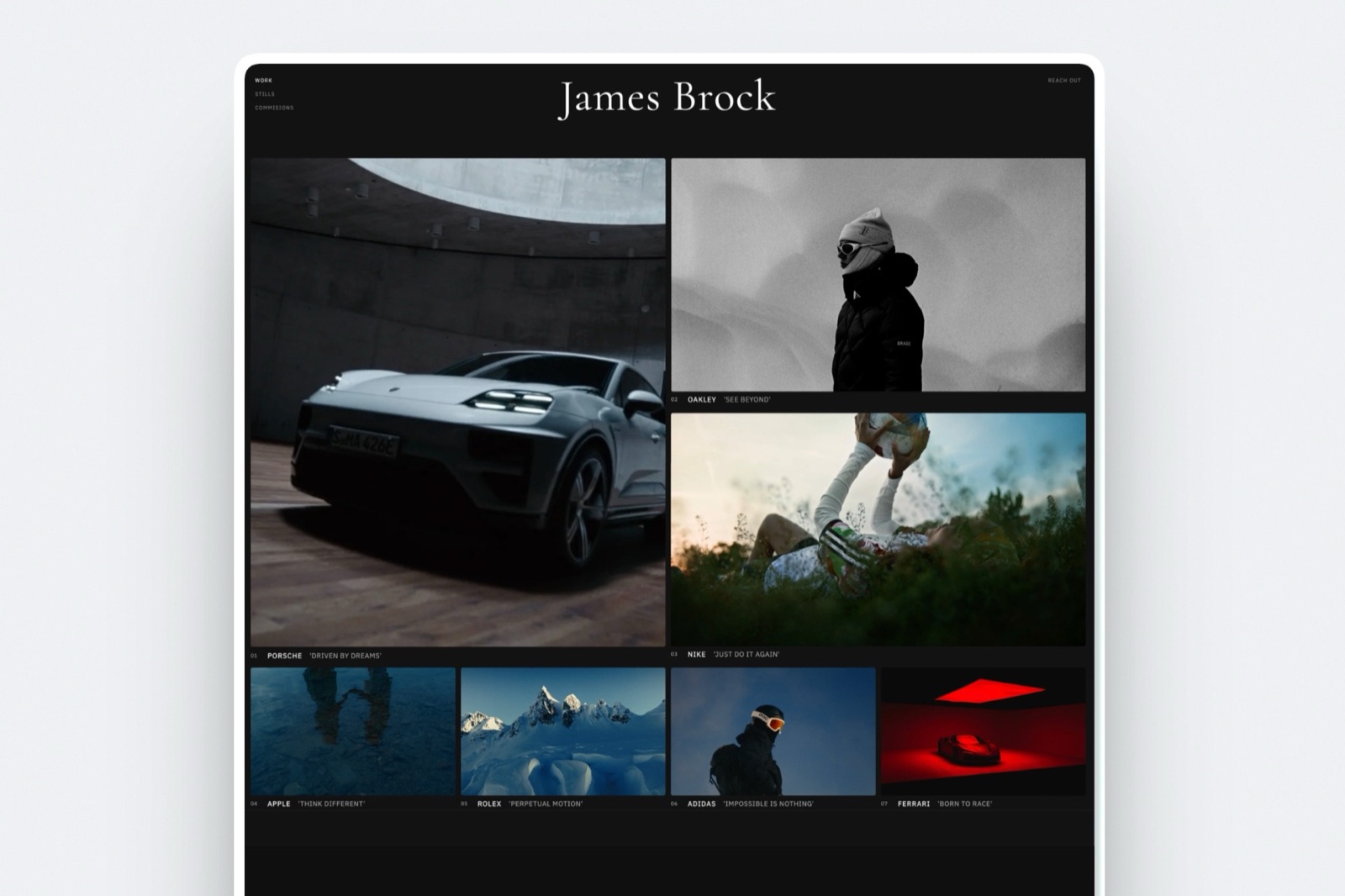
Wix and Framekit both produce professional sites, but they start from opposite ends: Wix gives you an editor and asks you to arrange the page, while Framekit gives you a drafted page and asks you to correct it, and which you prefer decides most of your weekly editing time.
On Wix, the work happens in the editor. Wix Harmony mixes AI suggestions with drag-and-drop placement, and Wix's template library is very large. You get precise control over every element, and the result depends on how carefully you keep spacing and type consistent across pages.
On Framekit, the work happens in the brief. You describe the site or upload a screenshot of one you admire, and the AI lays out the sections, writes the copy and applies one site-wide theme of colours and fonts.
Every block is editable by hand afterwards. When you add a page six months later, the new section arrives in the same theme rather than as a blank block to style. Focal-point controls keep subjects in frame when images crop on phones.
Both builders include hosting and SSL and serve sites over a CDN. We do not publish speed numbers, because a single page test says more about image weight and the visitor's connection than about the platform.
Framekit serves responsive image sizes and is built for image-heavy portfolios; on any builder, heavy apps and oversized uploads are what slow a page down.
Run it yourselftake one real project with eight images and a paragraph of text. Build it as a page on Framekit's free plan and on a free Wix site, then add a second project page a day later.
The one where the second page took less effort to look right is the better builder for you, whatever any review says.
The Tools Around the Site: Galleries, Review, Slides and Store
Framekit is one account holding five tools that share one storage pool, and for a creative business those four tools beyond the site usually cost more per year than the website builder itself, which is why they decide this comparison.
Client galleries
A Framekit gallery holds photos and video together with one link per shoot. Clients heart favourites and filter to them, download the full set or favourites only, and a separate PIN can gate downloads.
Photos can be watermarked; video never is. Photo files can be up to 100MB, and video files 500MB, 1GB, 2GB or 3GB per file from Free to Business.
Galleries are unlimited on every plan and carry your branding and domain on paid plans, with a small Made with Framekit line left in the gallery footer on every plan.
On Wix, the photographer-focused Photo Albums app can no longer be added to sites, according to Wix's Help Center, which now points users to Wix Pro Gallery for display and Wix Stores for selling.
Client delivery with favourites and download PINs means a third-party app or a gallery service such as Pixieset. Framekit's limits: no print ordering or lab fulfilment, no native mobile gallery app, no client uploads.

Video review
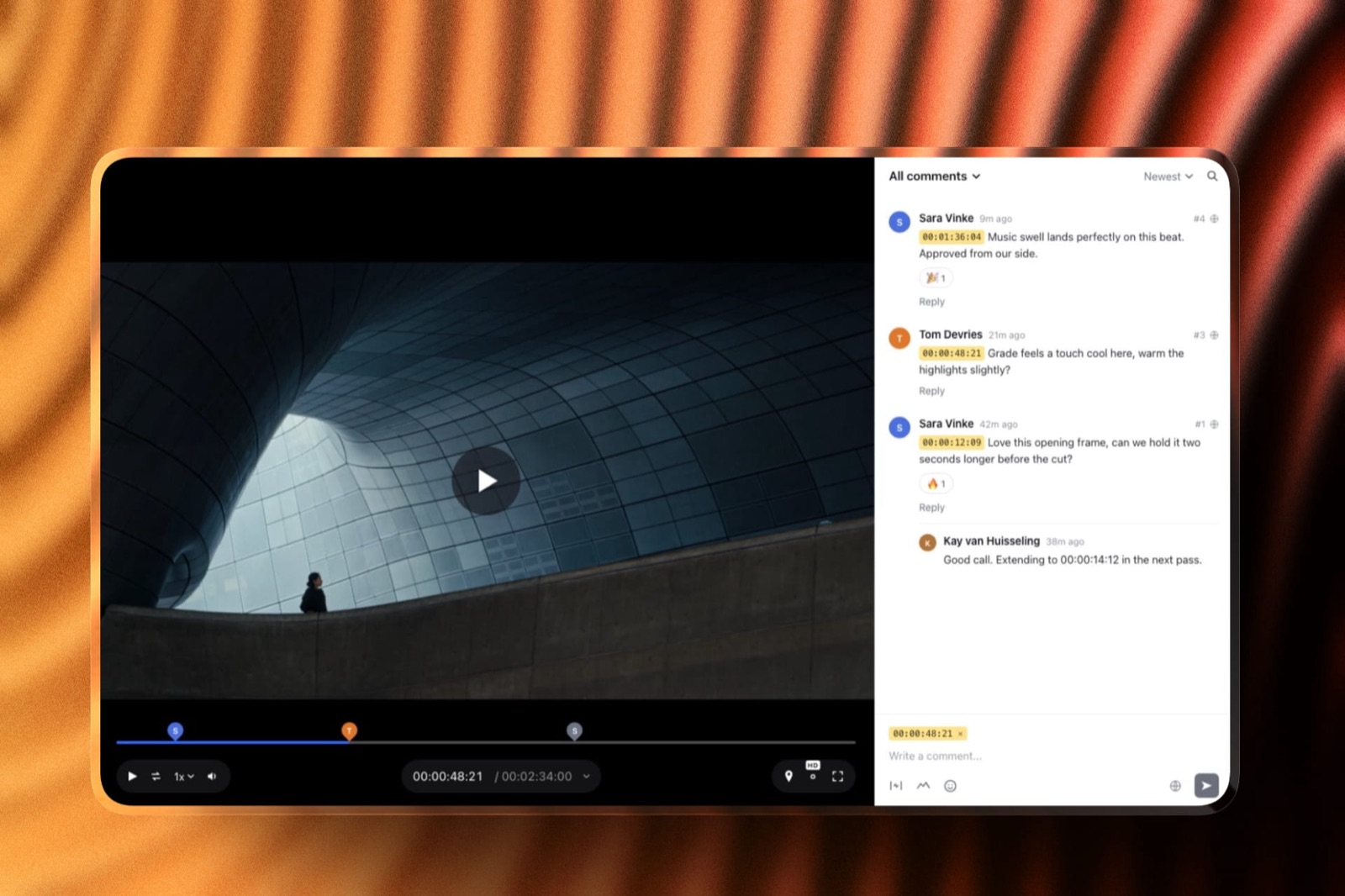
Framekit review links let a client comment at the exact frame, draw on the frame and reply in threads, with no account. Versions stack, so v1 keeps its notes when v2 arrives, and statuses track each round from needs review to approved.
Videos can run up to 2 hours. There is no side-by-side version compare and no editing-suite panel, and the account holder uploads cuts.
Slides
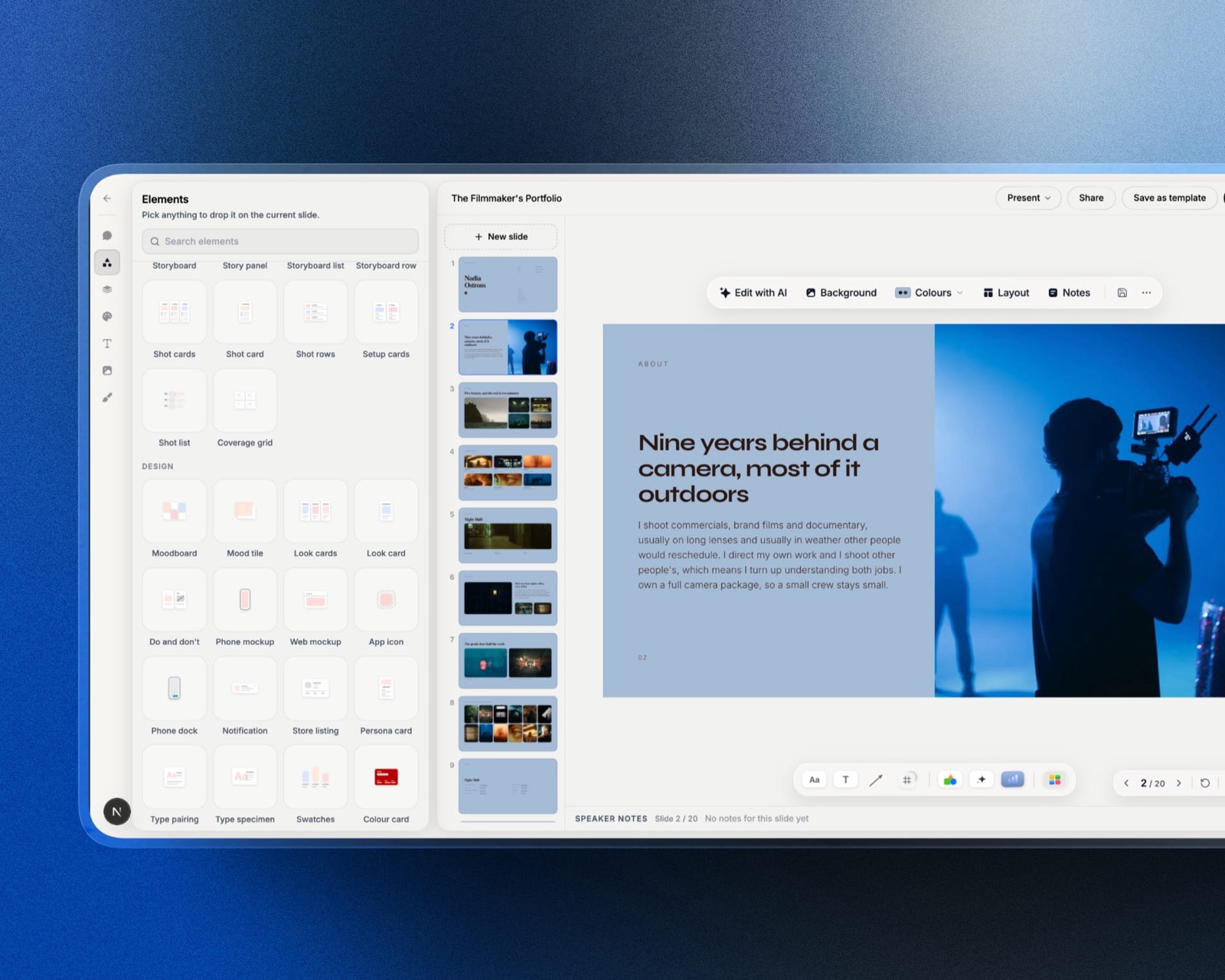
Framekit Slides makes treatments, lookbooks, pitch decks and portfolio decks from templates built for creative work, with shot lists, storyboards and moodboards as ready-made elements.
The AI drafts a whole deck from a brief, after you approve its outline, or lays out a single slide from a description. Decks are unlimited on every plan and export to PDF; PowerPoint export, picture-based, opens on Pro.
Store
The store sells presets, LUTs, brushes, templates and guides as instant downloads, with unlimited products on every plan.
Payments go through Stripe Connect into your own Stripe account, so you are the merchant of record and handle VAT and sales tax yourself. Checkout is hosted on framekit.ai under your name and logo, with a "Powered by Framekit" line.
The fee is 5% on Free and Starter, 3% on Pro and 0% on Business. Discount codes open on Pro.
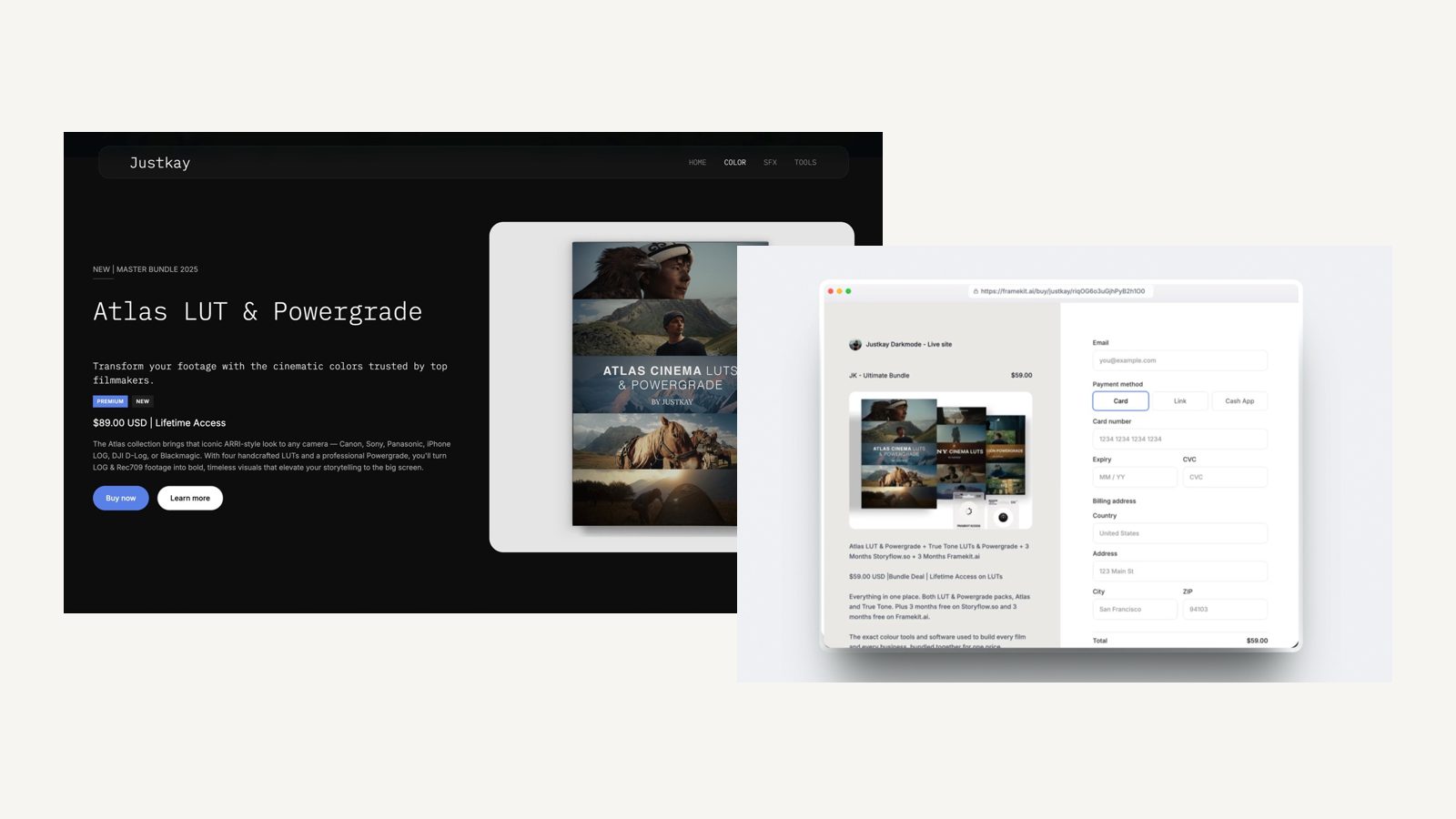
What Three Creative Businesses Pay in Year One and by Year Three
Framekit is the cheaper setup for all three businesses below, by about $175 a year for an illustrator selling a brush pack, $216 for an event photographer and $708 for a three-person video studio, and almost all of the gap comes from storage limits and from tools Wix does not include.
Assumptions: yearly billing at US prices read on 12 October 2026, prices held flat for three years, card processing left out on both sides.
Wix includes a free domain for the first year on a first Premium purchase; Framekit connects a domain registered anywhere, so add that registration to Framekit from year one and to Wix from year two.
| Business | Framekit plan | Framekit year one | Framekit by year three | Wix setup | Wix year one | Wix by year three |
|---|---|---|---|---|---|---|
| Illustrator, $1,800 a year of brush-pack sales | Starter ($84) plus 5% fee ($90) | $174 | $522 | Core, the first plan with eCommerce ($348) | $348 | $1,044 |
| Event photographer, about 90GB of galleries live, no store | Pro, 300GB ($180) | $180 | $540 | Light ($204) plus Pixieset Plus, 100GB ($192) | $396 | $1,188 |
| Video studio of 3, client review on every job, $4,000 of template sales | Business, 2TB ($372), 0% fee | $372 | $1,116 | Core ($348) plus Frame.io Pro for 3 members ($540) plus Pixieset Plus ($192) | $1,080 | $3,240 |
The outside prices, each read on the vendor's own page in October 2026: Pixieset's Client Gallery Plus is $16 a month billed yearly for 100GB of photo storage, and Frame.io lists Pro at $15 per member a month on monthly billing, 13% less on annual.
Wix's plans page shows no platform transaction fee on store sales, so none is added to the Wix rows.
Honest caveats. The illustrator on Wix gets physical-product selling that Framekit cannot match, which matters the day prints join the shop.
On Framekit the studio's account holder uploads every cut and owns the galleries, while the other two edit the website as team members and clients comment without an account.
The studio could run on Framekit Pro instead, at $180 plus a 3% fee of $120, or $300 a year, if 150GB of video storage is enough.
And Frame.io's Pro plan includes features Framekit lacks, such as passphrase-protected shares and Premiere and Final Cut Pro integrations, so the studio row compares jobs done, not identical products.
Run it yourselfcheck your current Wix storage use in the dashboard and add the size of the client galleries you deliver elsewhere.
If the total is over 50GB, compare Framekit Pro with your Wix plan plus your gallery bill; if you sell downloads, add your yearly sales times Framekit's fee for that plan.
Plan Limits Side by Side
These are the published limits that matter to a creative business on each builder, taken from Framekit's pricing page and from Wix's plans page, blog and Help Center in October 2026.
| Limit | Framekit | Wix |
|---|---|---|
| Free plan storage | 10GB pooled | 500MB, with 1GB bandwidth |
| Paid storage | 50GB Starter, 300GB Pro, 2TB Business | 2GB Light, 50GB Core, 100GB Business, unlimited Business Elite |
| Price for that storage, yearly | $7, $15, $31 a month | $17, $29, $39, $159 a month |
| Pages | 10, 30, 200, unlimited | Not listed as a cap on the plans page |
| Collaborators | 3 website team members on Pro, unlimited on Business | 2, 5, 10, 100 from Light to Business Elite |
| Selling | Digital downloads on every plan; 5%, 5%, 3%, 0% fee | No payments on Free or Light; eCommerce from Core |
| Video on site pages | 15MB uploads Free, 100MB paid, plus Vimeo and YouTube embeds | Counts against plan storage |
| Gallery and review video | 500MB to 3GB per file by plan | No delivery gallery or frame review |
| Remove builder branding | Starter and up | Light and up |
| Automated sales tax | None; you are the merchant of record | 100 transactions a month on Business, 500 on Business Elite |
| Redirects | None | URL Redirect Manager, up to 5,000 per site |
| RSS | None | Blog feed, up to 20 posts |
| AI | Monthly allowance on every plan; manual editing never uses it | AI built into the Harmony editor on every plan |
What Happens in the Awkward Moments
These are the situations that come up in the first months on either builder, answered from what each company publishes, so you know the edges before a client or a buyer finds them for you.
You run out of storage. On Wix Light, 2GB is the ceiling; a heavy portfolio means moving to Core. On Framekit, storage is pooled, so deleting or archiving an old client gallery frees room for the site, and the next plan up is 50GB, 300GB or 2TB.
A client opens your link with no account. Framekit galleries and review links open without a Framekit account, and reviewers leave frame notes straight from the link. On Wix, the experience depends on whichever gallery or review service you added.
You change a page address. On Wix, the URL Redirect Manager forwards the old address on a Premium plan with a custom domain. On Framekit there is no redirect manager, so keep slugs stable and plan new URLs before you publish.
A buyer wants a refund. Framekit charges its fee on the post-discount price and keeps it on refunds; Stripe's processing fee applies on top. On Business, Framekit's fee is 0%.
A buyer's download link expires. Framekit's order emails carry 7-day links, buyers can return for their files, and you can resend fresh links. Updated files are not pushed to past buyers.
You want to stop paying. Framekit's Free plan is permanent with 10GB, a framekit.ai address and a badge, so a site can drop to it rather than disappear. Wix's free plan is also permanent, with 500MB and a wixsite.com address.
Moving From Wix to Framekit
Moving from Wix to Framekit is a rebuild rather than an import, because Wix sites cannot be exported to another builder, so the work is to recreate pages, protect URLs and move any client work in an order that never leaves a client without their files.
| Step | What to do | What to watch |
|---|---|---|
| 1. List everything | Pages, blog posts, products, forms and every Wix app your site uses | Each app needs a replacement or a decision to drop it |
| 2. Save your media | Download original images and video files from your own archive | Wix-optimised copies are not your originals |
| 3. Draft on Framekit | Start from a template or upload a screenshot of your Wix homepage for the AI to rebuild | Free has a starter set of templates; the full library opens on Starter |
| 4. Match your URLs | Keep the same slugs for your best-ranking pages | Framekit has no redirect manager to catch changed addresses |
| 5. Move delivery | Recreate active client galleries and open review rounds | Keep old links alive until clients have downloaded |
| 6. Move selling | Add digital products to the Framekit store and connect Stripe | Physical products, bookings and restaurant apps have no Framekit equivalent |
| 7. Connect the domain | Point your domain at Framekit on Starter or above | A domain bought through Wix can stay there or be transferred |
| 8. Overlap, then cancel | Run both sites for a short overlap, test forms and checkout | Wix offers a 14-day money-back guarantee on an initial upgrade only |
If you are still weighing builders, Wix vs Webflow covers the more technical alternative, and the best website builders for creative professionals ranks the whole field.
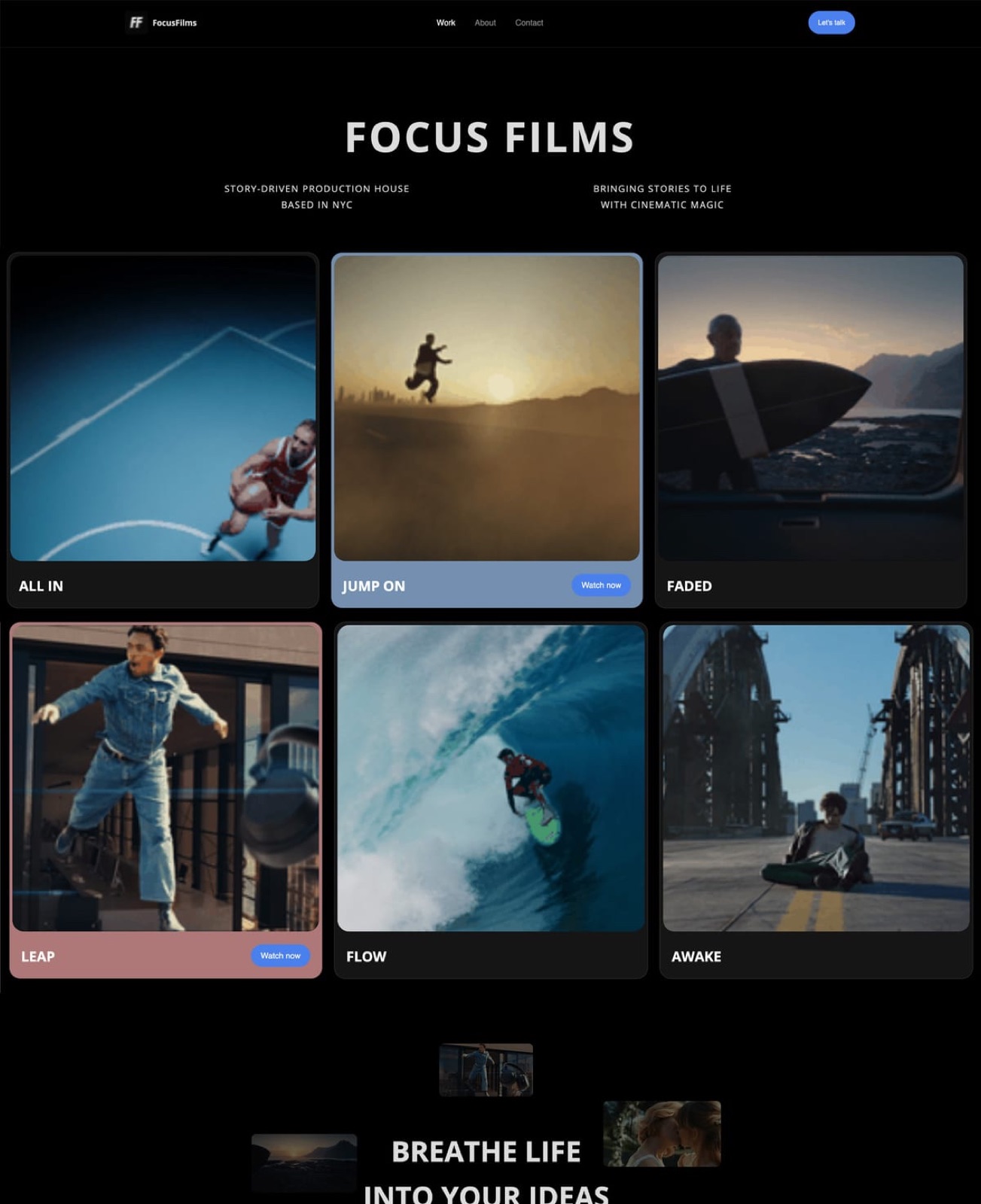
Which Builder Is Better for You?
This decision path asks the questions that eliminate one builder or the other fastest, starting with the business processes your site must run, because those are the needs only one of the two platforms can meet.
1. Does the site have to book appointments, take restaurant orders or ship products? If yes, choose Wix; Framekit has no bookings, ordering or physical commerce. If no, go to question 2.
2. Do you deliver galleries, send cuts for review or sell downloads? If yes, Framekit includes all three on every plan, so it is very likely the cheaper and simpler choice; go to question 4. If no, go to question 3.
3. Do you need a specific third-party app, a blog with RSS or hundreds of redirects? If yes, Wix's app market and redirect manager are the safer bet. If no, go to question 4.
4. Do you want AI to draft the whole site, or an editor to arrange it? If you want a draft from a brief or a screenshot, Framekit. If you want to place every element yourself, Wix.
5. How much storage do you need? Under 2GB, either works; between 2GB and 50GB, Framekit Starter at $7 a month undercuts Wix Core at $29; above 100GB, compare Framekit Pro or Business with Wix Business Elite.
6. How many people edit the site? A small team fits Wix Core with 5 collaborators or Framekit Pro with 3 team members; beyond that, Framekit Business or Wix Business.
Frequently Asked Questions
Is Framekit better than Wix?
Framekit is better than Wix for photographers, filmmakers and designers, because it includes client galleries, frame-accurate video review, Slides and a digital-download store with the AI-built site, and offers 50GB of storage from $7 a month.
Wix is better for businesses that need bookings, restaurant ordering, physical products or a specific app from its market of more than 800 apps. Neither is better for everyone.
Which website builder is better for a portfolio, Framekit or Wix?
Framekit is the better website builder for a creative portfolio, because it is built for image-heavy work, drafts a site from a brief or a reference screenshot, and gives 50GB of storage on Starter against 2GB on Wix Light.
Wix is a capable portfolio builder too, with a very large template library and a hand-placement editor, and it suits creators who also need booking or shop apps.
Is Wix cheaper than Framekit?
No, not for a site on its own domain. Framekit Starter is $7 a month billed yearly and Wix Light is $17.
Both have permanent free plans, but Wix's free plan has 500MB of storage and no payments, while Framekit's has 10GB and can sell digital downloads at a 5% fee. Wix's first-year free domain narrows the gap slightly in year one.
Can I sell digital products on Wix's cheapest plan?
No. According to Wix, its free plan has no eCommerce or way to take payments, and its plans page lists eCommerce from the Core plan, $29 a month billed yearly.
Framekit's store sells digital downloads on every plan, including Free, with a fee of 5% on Free and Starter, 3% on Pro and 0% on Business.
Does Wix have client galleries for photographers?
Not natively for new sites. Wix's Help Center says that since April 2024 the Wix Photo Albums app can no longer be added to a site, and it points users to Wix Pro Gallery for display and Wix Stores for selling.
Client delivery with favourites and download PINs on Wix means a third-party app or service. Framekit includes unlimited client galleries on every plan.
Wix vs Framekit for a filmmaker: which is better?
Framekit is better for a filmmaker who sends cuts to clients, because frame-accurate video review, version stacks and approval statuses are included on every plan and reviewers need no account.
Wix can host a reel on the site and has a large app market, but it has no frame-accurate review. A filmmaker who also runs bookings or sells merch may still prefer Wix.
Does Framekit have an app market like Wix?
No. Framekit has no app market; its galleries, review, Slides, store, forms, analytics and SEO controls are built in. Wix's App Market lists more than 800 apps.
If your business depends on a particular integration, check that it exists on Framekit before moving, and treat Wix's ecosystem as a real advantage.
Can I keep my Wix URLs if I move to Framekit?
Only by keeping the same page slugs, because Framekit has no redirect manager and robots.txt is not editable.
Wix's URL Redirect Manager handles up to 5,000 redirects, so a large Wix site with many changed addresses loses that safety net on Framekit. Rebuild your best-ranking pages at identical paths before pointing the domain.
Does Framekit meter AI like Wix?
Framekit meters AI with a monthly allowance on every plan, Free included, that grows with the plan, and only AI generation draws on it; editing by hand never does. Wix includes AI in its Harmony editor on every plan, according to Wix.
On either builder, plan for AI help to have limits rather than assuming it is free of any ceiling.
How many people can work on a Framekit or Wix site?
Wix allows 2 collaborators on Light, 5 on Core, 10 on Business and 100 on Business Elite. Framekit allows 3 team members on Pro and unlimited on Business; team members are site admins, and the account holder uploads review cuts.
For a team of three, Framekit Pro at $15 a month yearly or Wix Core at $29 both work.
What happens to my Framekit site if I cancel a paid plan?
Framekit's Free plan is permanent, so the account stays, but a site on Free runs on a framekit.ai address with a Framekit badge and 10GB of pooled storage, without a custom domain. Archive large galleries before downgrading.
Wix's free plan is also permanent, with a wixsite.com address and 500MB of storage.
Is Framekit or Wix better for selling Lightroom presets?
Framekit is better for selling presets, because downloads sell on every plan with instant delivery, buy links that work without a site, and a fee that drops to 0% on Business. On Wix, selling starts on Core at $29 a month billed yearly.
Wix is better if you also sell physical products, which Framekit does not support.
Does the Wix free plan show ads on my site?
Wix says a free site carries Wix branding and sometimes ads, runs on a non-customisable wixsite.com address, and includes up to 500MB of storage and 1GB of bandwidth.
Any Premium plan, from Light at $17 a month billed yearly, removes Wix branding and connects your domain. Framekit's free site shows a Framekit badge on a framekit.ai address, with 10GB of storage, and Starter removes the badge.
Can I sell downloads with Framekit if I do not have a website yet?
Yes. Every Framekit product gets a direct buy link and a hosted checkout page that you can share on Instagram, in a newsletter or in a DM, with no site published at all. Buyers pay through your own Stripe account and download instantly.
On Wix, selling needs a site on the Core plan or above.
Does Framekit handle VAT on digital sales?
No. Framekit's store charges through Stripe Connect into your own Stripe account, which makes you the merchant of record, so VAT and sales tax are yours to collect and remit.
Wix's Business plan adds automated sales tax calculation for 100 transactions a month, and Business Elite for 500.
Creators who want a platform to handle tax entirely usually choose a merchant-of-record store instead, and accept a higher fee for it.
Framekit vs Wix: The Verdict
Choose Framekit if you are a creative whose website sits beside galleries, review rounds, decks and a download store, because it does all of that in one account for less than Wix plus the services you would add.
Choose Wix if your site must book appointments, take orders, ship products or run a specific app from its market.
Where Framekit loses: it has no app market, no bookings, no physical commerce, no redirect manager and no RSS, and site pages take video uploads only up to 100MB on paid plans, so long reels are embeds.
For a small business run on apps, Wix is the better fit and the honest recommendation.
For a photographer, filmmaker or designer, the fair test is free on both sides: build one project page on each this week and deliver one real gallery from Framekit.
Related reading: Framekit vs Squarespace covers the other builder creatives compare most, Framekit vs Webflow for agencies is the studio view, and the best website builders with client galleries ranks the platforms that deliver work as well as show it.