Framekit templates
Start from a designer-made template
 Use template
 Use template
 Use template
 Use template
 Use template
 Use template
 Use template
 Use template
At one in the morning a director types three sentences into an AI website builder: commercials and music videos, moody, mostly night exteriors. Soon after there is a homepage with a reel slot, six project tiles and an about page.
It looks fine. Then the morning brings an agency bid that needs a treatment by Thursday, a cut that needs client notes, and a graded master that needs delivering, and the AI that drafted the homepage has nothing to say about any of it.
That is the honest way to judge the best AI website builder for filmmakers in 2026. Nearly every builder now drafts a homepage from a prompt, and nearly every one meters the AI that does it.
What separates them for film work is what the AI drafts beyond the homepage, how much video the site itself will hold, and whether the review round, the delivery and the treatment live in the same account or in three more subscriptions.
An AI website builder for filmmakers is a platform that drafts a reel-led portfolio from a written brief or a reference image, hosts it on your own domain, and lets you edit every page by hand afterwards; the more useful ones also draft the treatment and carry the client review and delivery that follow the reel.
Framekit is the best AI website builder for filmmakers in 2026, because its AI drafts the reel site from a brief or a screenshot and drafts whole treatments and pitch decks in Slides, while the same account runs frame-accurate client review, delivery galleries and a LUT store, from $7 a month billed yearly.
Framer is the better pick for a motion-led director's showpiece, Squarespace for long films hosted on the page, Wix for a filmmaker who takes bookings, and Hostinger for the lowest prepaid price.
Full disclosure: Framekit is our product and it is ranked first, so treat that as a claim to check. Every competitor figure was read on the vendor's own page in October 2026, and this guide states where Framekit loses: site pages cap video uploads at 15MB on Free and 100MB on paid plans, so a long reel is a Vimeo or YouTube embed, and its review has no editing-suite panels.
Recently updated and re-verified on 12 October 2026: this ranking grew from four builders to eight, every price and AI allowance was checked at the source, the reel-speed and colour-encoding claims in the July version were removed because no documented test supported them, the review, delivery, Slides and LUT tools in a Framekit account were added with their real limits, and the Starter line now says the gallery credit stays on paid plans.
How These AI Builders Were Compared for Film Work
These eight AI builders were compared on what each vendor publishes about its AI, its plans and its video limits, plus three working filmmakers whose yearly bills you can recalculate, because the AI allowance, the video cap and the cost of the tools beside the site decide a filmmaker's choice more than a first draft does.
Read at the source. AI credit allowances, plan prices, renewal rates and video limits come from each vendor's own pricing page or help centre in October 2026, linked inline where the page answered our request.
Where a vendor does not publish a video limit, the table says so instead of estimating one.
Calculated. A music-video director who runs review rounds, a commercial director who pitches with treatments and delivers finals, and a cinematographer who sells LUTs carry through the cost section, each priced at the cheapest setup on each builder that does the whole job.
Not claimed. The July version said Framekit loads reels fastest, adapts video to each viewer's connection and preserves colour better than rivals.
None of that rests on a test we can document, so it is gone, and this page publishes no load times or playback scores for any builder. Judge the AI on your own brief, which the decision tree at the end walks through.
AI Builders for Filmmakers in Six Numbers
Six published figures shape this choice more than any demo video, because each is a limit or a recurring cost that a filmmaker meets within the first month of running real projects through an AI-built site.
- 100MB is the largest video a page accepts on a paid Framekit plan, so the reel itself is a Vimeo or YouTube embed, while review and delivery take files up to 3GB.
- 5 hours of video plays natively on a Squarespace Core site, and its Plus and Advanced plans hold more still.
- 10 one-time credits is the AI allowance on Squarespace Basic, which tells you the template, not the AI, does the work there.
- 1,000 credits a month is Framer Basic's AI allowance at $10 a month billed yearly.
- $10.99 a month is what Hostinger's Premium builder renews at after its $2.99 introductory term.
- $156 a year is Frame.io Pro for one member on annual billing, the review tool most filmmakers add beside a general builder.
The Eight AI Builders at a Glance
This table compresses the ranking into one screen, and the column that decides most filmmakers' choice is client review, because a builder without it means a Frame.io subscription for every project that needs timecoded notes, renewing every year.
| Rank | Builder | What its AI drafts first | Video on the site itself | Client review and delivery | Cheapest own-domain plan, billed yearly |
|---|---|---|---|---|---|
| 1 | Framekit | Sections and copy, a layout from a screenshot, whole treatments in Slides | 15MB uploads on Free, 100MB paid, plus embeds | Built in on every plan | $7 a month (Starter) |
| 2 | Framer | Designed pages onto a canvas via Agents | 5MB uploads on Free; paid caps not on the pricing page | Not offered | $10 a month (Basic) |
| 3 | Squarespace | AI tools inside a template editor | 30 minutes on Basic, 5 hours on Core | Not offered | $19 a month (Basic) |
| 4 | Wix | An AI start, then the Harmony editor | Counts against storage, 2GB on Light | Not offered | $17 a month (Light) |
| 5 | Webflow | Webflow AI inside a visual development tool | Embeds; upload caps not checked | Site comments only, not video | $15 a month (Basic) |
| 6 | Hostinger | A bundled AI builder | Not published on the plan page | Not offered | $2.99 a month on a 48-month term |
| 7 | Durable | A service-business site from a few answers | Not published on the plan page | Not offered | About $22 a month (Launch) |
| 8 | 10Web | An AI-generated WordPress site | 10GB storage on AI Starter | Through plugins only | $10 a month (AI Starter) |
In one lineSquarespace holds the most video on the page and Framekit the least, but Framekit is the only AI builder here whose account also runs the review round, the delivery and the treatment, which is the trade every filmmaker on this list is making.
What the AI Actually Does for a Filmmaker
The AI in these builders does very different jobs, and this table maps the jobs a filmmaker actually needs to what each vendor publishes, so you can see which tools draft real layout, which only assist, and which help with the paperwork that wins the next job.
| AI job | Framekit | Framer | Squarespace | Wix | Webflow | Hostinger | Durable | 10Web |
|---|---|---|---|---|---|---|---|---|
| Draft a reel-led homepage from a brief | Yes | Yes, Agents | Partly | Yes, AI start | Partly | Yes | Yes, service template | Yes, WordPress |
| Rebuild a layout from a reference screenshot | Yes | Not documented | Not documented | Not documented | Not documented | Not documented | Not documented | Not documented |
| Draft a treatment, lookbook or pitch deck | Yes, whole decks in Slides | No | No | No | No | No | No | No |
| How AI use is counted | Monthly allowance on every plan | 500 once on Free; 1,000 a month on Basic | 10 one-time on Basic; 20 a month on Core | Built into the editor | Credits per workspace | 5 one-time on Premium | 300 in total on Free; 1,000 a month on Launch | 100 a month on AI Starter |
The allowances come from the Framer pricing page, the Squarespace pricing page, Durable's pricing page and the 10Web pricing page, each read in October 2026.
Framekit's allowance is described rather than counted because credit counts change; it renews monthly, grows with the plan, and is shared between site drafting and deck drafting.
The split that matters for film work is one-time against monthly. Hostinger's 5 credits and Squarespace Basic's 10 are spent once, which suits a single build.
Framekit, Framer, Durable and 10Web renew monthly, which suits a site you keep extending every time a project wraps. On every builder here, generating whole pages is the expensive action and editing by hand costs nothing.
Ranking Weights, and the Rows Framekit Loses
The rubric is published so you can disagree with it: the film work around the site, meaning review, delivery, treatments and selling (30 percent), what the AI drafts and how little you redo (25 percent), three-year cost (20 percent), video hosted on the page (15 percent), and design ceiling after the draft (10 percent).
| Criterion | Weight | Leader | Framekit's place |
|---|---|---|---|
| Review, delivery, treatments and selling in one account | 30% | Framekit | 1st, the only one here with review |
| What the AI drafts and how little you redo | 25% | Framekit and Framer | 1st, tied with Framer |
| Three-year cost for a working filmmaker | 20% | Framekit on our three examples; Hostinger prepaid for a bare site | 1st on our examples |
| Video hosted on the page | 15% | Squarespace | Near the bottom, 100MB uploads |
| Design ceiling after the draft | 10% | Framer, then Webflow | 4th |
On-page video is where the house pick scores worst, and it is not close. Squarespace hosts 5 hours on Core and 50 on Plus, while a Framekit page takes a 100MB file at most, so the reel plays from Vimeo or YouTube.
Design ceiling is the second weak row: Framer's canvas and Webflow's interactions go further than Framekit's editor for a director whose site must itself move.
The film work around the site carries 30 percent, which favours Framekit, because review alone is a separate subscription on every other builder here, about $156 a year for one Frame.io Pro member.
If on-page video carried 40 percent and the work around the site 5, Squarespace would take first place and Framekit would fall to third, behind Framer.
1. Framekit: Best AI Website Builder for Filmmakers

Framekit is an AI website builder that also runs Frame.io-style review for client cuts, delivers finished films in galleries, drafts treatments and lookbooks in Slides and sells LUTs from a download store, so a filmmaker's reel site and the job around it share one account, one storage pool and one AI allowance.
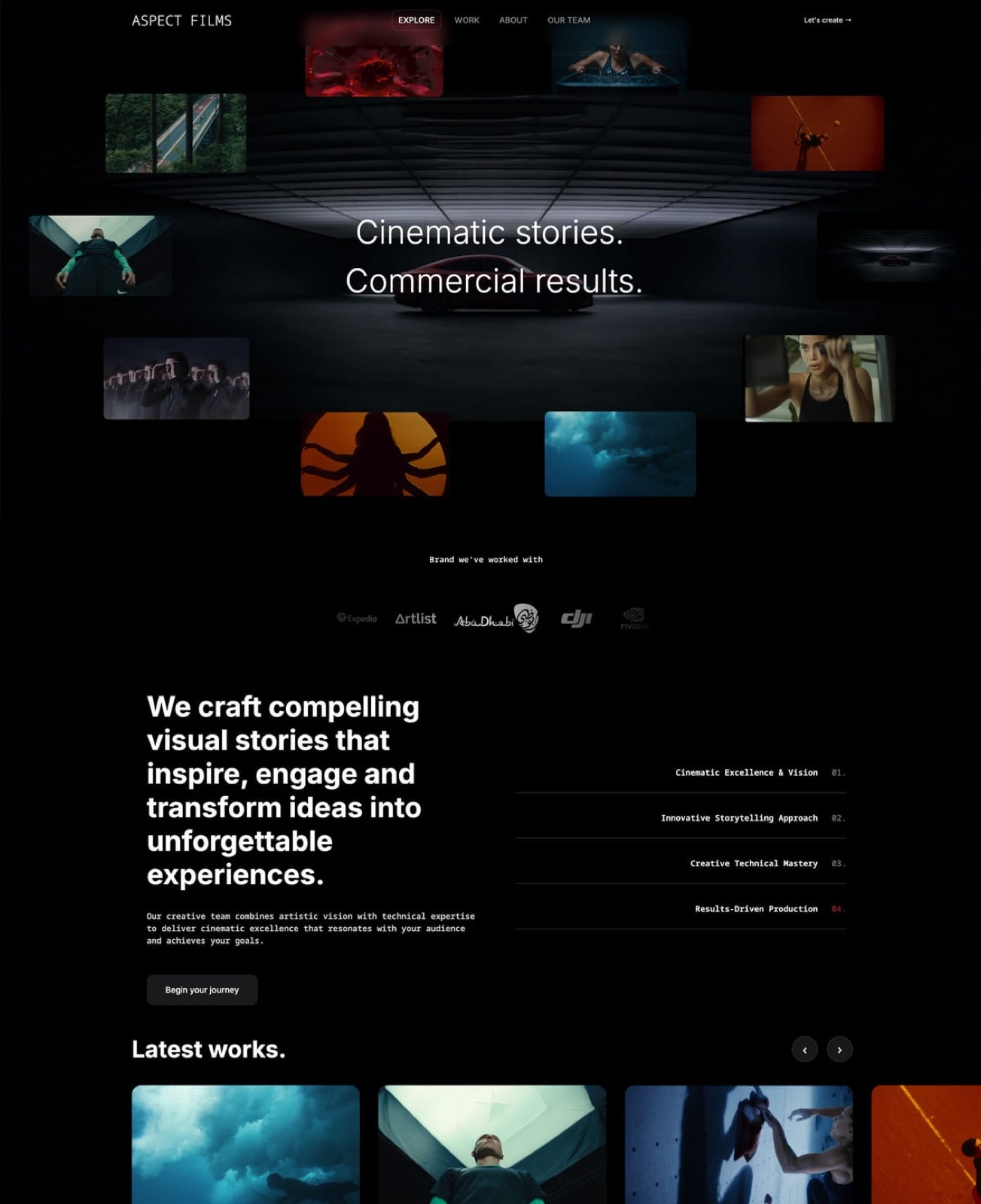
What working in it feels like. Describe your work, or upload a screenshot of a director's site whose structure you like, and the AI lays out the sections, writes the copy and sets one theme of colours and type.
Drafting runs on Framekit's own models, Cadence for premium output and Score for quick passes, and every block stays editable by hand.
Ask later for a single new section, such as a credits strip for a music video, and it arrives written against the same theme. When the bid comes in, the same dashboard opens Slides and drafts the treatment.
The number that mattersStarter at $7 a month billed yearly, or $9 monthly, connects your own domain, removes the site badge (delivery galleries keep a small Made with Framekit footer line on every plan) and holds 50GB pooled across site, galleries and review, 15GB of it video, with review files up to 1GB.
Pro at $15 a month billed yearly holds 300GB with 150GB of video, 2GB review files and comment attachments; Business at $31 holds 2TB with 750GB of video and 3GB files. The free plan is permanent, with every review and gallery feature.
The detail nobody writesthe deck AI behaves like a producer rather than a slot machine.
It asks up to three quick questions, such as how long the treatment should be and whether it is presented live or read alone, picks a style and colour theme, asks you to paste the real logline, credits and budget lines, proposes a titled outline for your OK, then builds the slides a few at a time with speaker notes.
Anything you did not supply is marked as a placeholder instead of invented, which matters when an agency reads it.
The gotcha that bites on a launch daythe site is not a video host, and the AI is metered. Page uploads stop at 15MB on Free and 100MB on paid plans, so the reel is an embed.
Every plan has a monthly AI allowance that grows with the plan; when it is spent, generation pauses until it renews, though hand editing never stops.
Review has no Premiere, Resolve or Final Cut panels, no side-by-side version compare and no notes carried between versions, and team members are website admins only, so cuts, galleries and decks stay with the account holder.
There is no redirect manager or RSS feed.
Skip it ifyou want a feature-length film to play natively on your homepage, your post team lives inside an editing suite with panel integrations, or several editors must each upload cuts under their own names. Squarespace and Frame.io answer those better.
Verdict: the best AI website builder for filmmakers who send cuts to clients and pitch with treatments, because the AI drafts both the site and the deck and the account runs the review and delivery, so a music-video director pays $84 a year where Framer plus Frame.io costs $276. For a filmmaker who never shares a cut or writes a treatment, it is a good AI builder rather than the obvious one.
2. Framer: Best AI Canvas for Motion-Led Directors
Framer is the AI builder for a director, motion designer or title designer whose website must itself move, because its Agents draft a designed page onto a full canvas where every transition, scroll effect, layer and breakpoint stays yours to shape, a depth no AI-first builder in this list reaches.
Its pricing page, read on 12 October 2026, lists Basic at $10 a month billed yearly with 1,000 AI credits a month, 30 pages and 2 CMS collections, and Pro at $30 with 3,000 credits, 150 pages, redirects and staging.
The free plan includes 500 credits once on a Framer subdomain and caps file uploads at 5MB; the page does not list paid upload limits. Extra editors cost $20 a month each.
The real numbercredits do not roll over, and at 100 percent of the allowance Framer's Help Center says credit features pause until the next cycle or an add-on, while editor helpers keep working.
The gotchano client review, no delivery galleries and no store are listed, so a Framer filmmaker pays Frame.io for notes, Vimeo or a transfer service for finals, and Gumroad for LUTs.
Verdict: the strongest AI canvas here for a motion-led showpiece, and a site that needs three services beside it for the work that follows. Framekit vs Framer prices both setups over three years.
3. Squarespace: Best for Long Films Hosted on the Page

Squarespace is the right pick for a filmmaker who wants finished films to play natively on the site rather than from an embed, because its plans host video directly, from 30 minutes on Basic to 5 hours on Core, 50 hours on Plus and unlimited on Advanced, inside templates that suit a clean director's portfolio.
Squarespace's pricing page, checked on 12 October 2026 alongside its Help Center, lists Basic at $19 a month on yearly billing ($25 month to month) and Core at $29 a month on yearly billing, with a 14-day trial in place of a free plan.
AI is metered at 10 one-time credits on Basic, 20 a month on Core and 120 a month on Advanced, so most of the site is built by choosing a template and arranging blocks.
The real numberfive hours of hosted film for $348 a year on Core is generous for a library of finished work, and annual plans include a domain for the first year.
The gotchathere is no timecoded client review and no private delivery gallery, so a filmmaker who shares cuts still adds Frame.io, and the AI does little of the layout.
Verdict: the best home here for a library of finished films, and an expensive one once review joins the bill. Framekit vs Squarespace works through that combination.
4. Wix: Best AI Start for a Filmmaker Who Takes Bookings
Wix suits a filmmaker whose site also books workshops, kit rentals or studio time, because its AI start hands you to the Harmony editor with precise drag-and-drop, and Wix Bookings plus an App Market of more than 800 apps cover scheduling and payments natively.
Wix's plans page, read on 12 October 2026, lists Light at $17 a month billed yearly with 2GB of storage, Core at $29 with 50GB and eCommerce, and Business at $39 with 100GB, after a permanent free plan with 500MB, Wix branding and no payments.
Video counts against that storage, so Light's 2GB holds very little footage.
The gotchathere is no frame-accurate review or delivery gallery, so the post side of a job still runs through other tools.
Verdict: strong for a booking desk and an app ecosystem, thin for the review and delivery work most filmmakers do weekly. Framekit vs Wix has the full comparison.
5. Webflow: Best for Production Companies With a Developer
Webflow fits a production company with a designer-developer on staff who wants structured case studies, credits pages and a news section maintained over years, because its CMS holds 20,000 items on Premium, with staging, 301 redirects and per-seat roles, and Webflow AI assists inside that development-grade editor.
Its pricing page, read on 12 October 2026, lists Basic at $15 a month billed yearly without a CMS and Premium at $25 with the CMS, plus workspace seats at $39 a month for a full seat and $15 for a limited one, and 2,000 extra AI credits a month for $20.
Workspace comment links let a client review a web page, which is not the same as reviewing a cut. Verdict: the right tool for a company that commissions a custom build, and overkill for a solo filmmaker; Framekit vs Webflow for agencies compares the per-site and per-seat bills.
6. Hostinger: Cheapest AI Start, If You Prepay
Hostinger bundles an AI builder with hosting at the lowest entry price in this list, and its website builder page in October 2026 listed Premium at $2.99 a month on a 48-month term paid upfront as $143.52, renewing at $10.99 a month, with up to 3 websites and 5 one-time AI credits.
For a filmmaker who wants a bare reel page and a contact form for four years, that is cheap.
The plan page does not publish video limits, and there is no review, delivery or deck tool. Verdict: genuinely cheap if you prepay four years and embed the reel, and worth pricing at the $131.88-a-year renewal before you compare it; our guide to builder renewal prices shows how often that step-up happens.
7. Durable: Simplest AI Draft for a Local Video Business
Durable drafts a service-business site from a few answers and adds a light CRM, which suits a local wedding or event videographer selling packages by enquiry, and its pricing page in October 2026 listed a free plan on a durable.site subdomain with 300 AI credits in total, Launch at $25 a month or as little as $22 billed yearly with 1,000 credits a month and your own domain, and Grow at $49 or $41 with 5,000 credits.
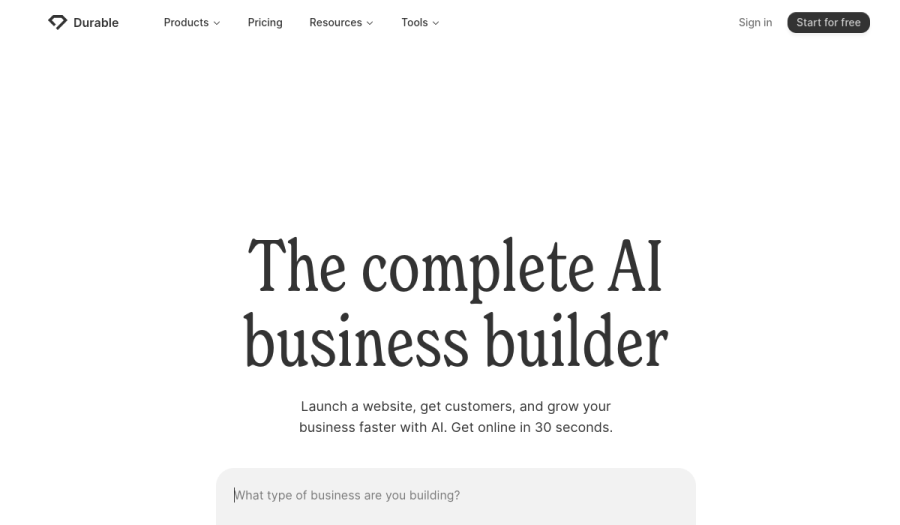
The drafts lean on a familiar small-business structure, which helps a videographer selling packages and flattens a director's reel. Verdict: a sensible AI start for a local video service, and the wrong shape for a portfolio judged on the work.
8. 10Web: Best AI Builder if You Want WordPress Underneath
10Web generates a WordPress site with AI and manages the hosting, which keeps a filmmaker inside WordPress's video themes and plugins without running a server, and its pricing page in October 2026 listed AI Starter at $10 a month billed yearly, or $120, for one site with 100 AI credits a month, 10GB of storage and 10,000 monthly visits, against a stated regular 12-month price of $240.
Review and delivery would come from plugins or separate services. Verdict: the right pick if WordPress plugins matter to you, with WordPress's update cycle to maintain; Framekit vs WordPress covers that trade.
Beyond the Reel Site: One Account for the Whole Film Job
A filmmaker on Framekit runs five jobs from one account, the reel site plus four tools that other builders leave to separate subscriptions, and this section shows each one with the limits that apply so you can judge where it fits a real production week.
The reel site
The homepage leads with an embedded reel from Vimeo or YouTube, because a Framekit page accepts video uploads up to 15MB on Free and 100MB on paid plans, which suits a short silent hero loop rather than a two-minute reel.
Project pages carry stills, credits and an embed each; Starter allows 30 pages, Pro 200 and Business unlimited. Hosting, SSL and a global CDN are included on every plan, and your own domain starts on Starter.
Review for client cuts
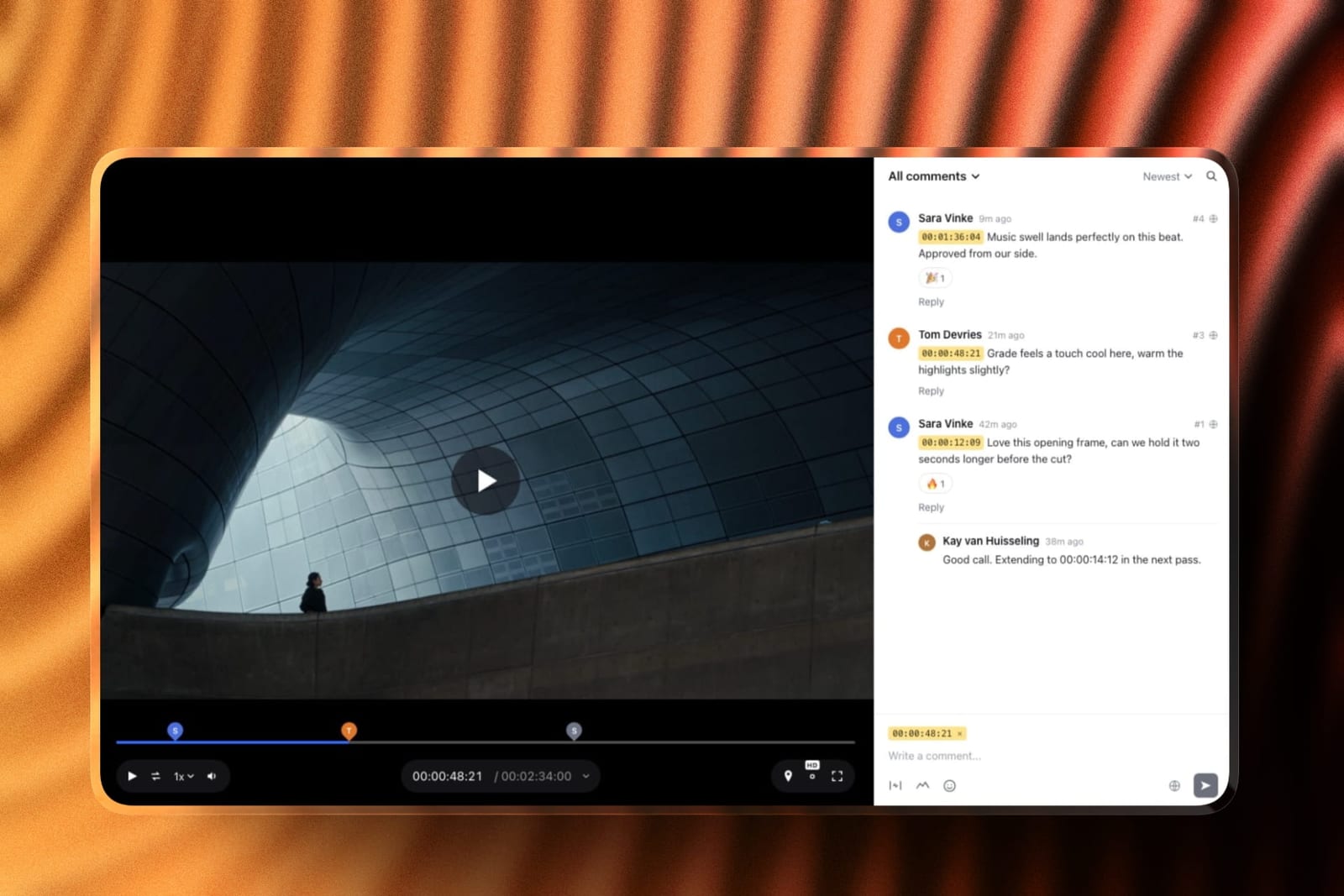
Upload a cut, share a link, and the client comments at the exact frame, with notes as timecode chips, drawing on the frame, threaded replies and reactions, all without an account.
Version 2 stacks on version 1 and both keep their notes; each round is marked needs review, in progress, approved or needs changes. Videos run up to 2 hours; files go up to 500MB on Free, 1GB on Starter, 2GB on Pro and 3GB on Business.
A post house that needs Frame.io's editing-suite panels should keep them.
Delivery galleries for finals and stills
The approved master, the cutdowns and the graded stills go into one gallery with one link, emailed from Framekit to up to 20 recipients.
Videos are transcoded for smooth playback and never watermarked, downloads always deliver the full-resolution original, and a separate download PIN can gate them.
Expiry turns a gallery back into a draft, with an optional reminder three days before.

Treatments and lookbooks in Slides
Slides has director's treatment, pitch deck, lookbook, shot list and production proposal templates, with storyboard rows, shot cards, moodboards, look cards and a coverage grid as elements.
The AI drafts the whole deck from your brief as described above; decks are unlimited on every plan, each holds up to 40 slides, and every deck exports to PDF, with picture-based PowerPoint export on Pro.
Deck links have no password and no viewer analytics, so a confidential bid goes out as a PDF.
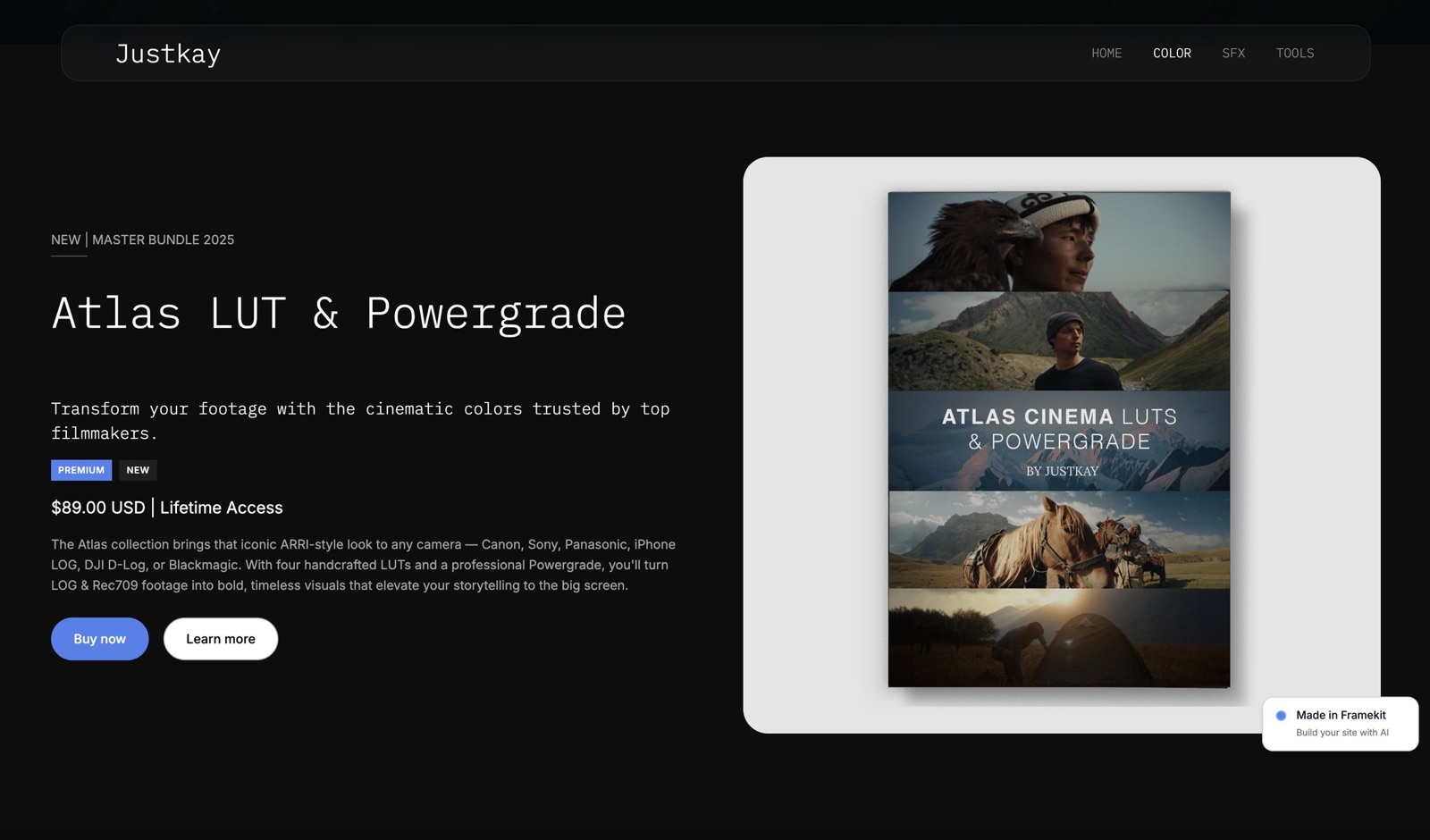
A LUT store
Sell LUT packs and presets as instant downloads, with unlimited products on every plan and a buy link that works without the site.
Payment goes through Stripe Connect into your own Stripe account, which makes you the merchant of record for VAT, and checkout is hosted on framekit.ai with your name and logo and a Powered by Framekit line.
The fee is 5 percent on Free and Starter, 3 percent on Pro and 0 percent on Business.
Where the Reel Plays on Each AI Builder
The reel decides more filmmaker sites than any AI feature, and on most builders here the practical answer is an embed from a video host, because upload caps or metered storage make native hosting impractical below the higher plans; this table shows what each vendor publishes.
| Builder | Native video on the page | Practical home for a two-minute reel | Where a client cut goes |
|---|---|---|---|
| Framekit | 15MB Free, 100MB paid per upload | Vimeo or YouTube embed | Framekit review link, every plan |
| Framer | 5MB on Free; paid caps not listed | Embed | A separate review tool |
| Squarespace | 30 minutes Basic, 5 hours Core | Native upload | A separate review tool |
| Wix | Counts against 2GB, 50GB or 100GB | Embed on Light; uploads draw on plan storage | A separate review tool |
| Webflow | Not checked for this guide | Embed | A separate review tool |
| Hostinger | Not published on the plan page | Embed | A separate review tool |
| Durable | Not published on the plan page | Embed | A separate review tool |
| 10Web | Within 10GB of storage | Embed or a plugin | A plugin or separate tool |
In one lineif native playback of finished films is the priority, Squarespace wins outright; if the reel can be an embed and the cuts need notes, Framekit is the only builder here that does not need a second company for the notes.
A cheap reel host costs little: Vimeo Starter is $12 a month billed yearly with 2TB, and a YouTube embed costs nothing. The best showreel hosting platforms compares them, and how to make a demo reel covers the edit itself.
What a Filmmaker Pays in Year One and Year Three
Framekit is the cheaper setup for all three filmmakers below, by about $190 a year for a music-video director against Framer and by more than $400 a year for a commercial director against Squarespace, because review, delivery and deck tools are separate subscriptions on every other AI builder.
Assumptions: yearly billing at US prices read in October 2026, held flat for three years, card processing left out.
Squarespace and Framer include a domain in year one; Framekit connects a domain you register yourself, about $11 a year for a .com.
Outside prices: Frame.io Pro about $13 per member a month billed yearly, Vimeo Starter $144 a year with 2TB, Gamma Plus $108 a year for decks without its badge, and Gumroad 10 percent plus $0.50 a sale, per Gumroad's pricing page.
Each cell shows year one, then the three-year total.
| Filmmaker | Framekit setup | Framekit, year 1 / 3 years | Framer setup | Framer, year 1 / 3 years | Squarespace setup | Squarespace, year 1 / 3 years |
|---|---|---|---|---|---|---|
| Music-video director, review rounds on 10 videos a year | Starter ($84) | $84 / $252 | Basic ($120) plus Frame.io Pro ($156) | $276 / $828 | Basic ($228) plus Frame.io Pro ($156) | $384 / $1,152 |
| Commercial director, treatments for bids, review, delivery of finals | Pro ($180) | $180 / $540 | Basic ($120) plus Frame.io ($156) plus Gamma Plus ($108) plus Vimeo Starter ($144) | $528 / $1,584 | Core ($348) plus Frame.io ($156) plus Gamma Plus ($108) | $612 / $1,836 |
| Cinematographer, review plus $4,000 of LUT sales (160 at $25) | Pro ($180) plus 3% fee ($120) | $300 / $900 | Basic ($120) plus Frame.io ($156) plus Gumroad ($480) | $756 / $2,268 | Basic ($228) plus 2% fee ($80) plus Frame.io ($156) | $464 / $1,392 |
Honest caveats. Frame.io Pro includes 2TB of storage, editing-suite integrations and passphrase-protected shares that Framekit review lacks, so these rows compare jobs done rather than identical products.
Vimeo's 2TB is far more video per dollar than any Framekit plan. Gamma drafts a first full deck faster from a single prompt than Framekit Slides, which builds from an outline you approve.
And the music-video director on Starter has 15GB of video, so approved cuts need clearing as the year fills.
For the cinematographer, Pro beats Business at $4,000 a year in LUT sales: Business's 0 percent fee only overtakes Pro's 3 percent above about $667 a month on monthly billing, or $533 on yearly billing.
Run it yourselflist the review, delivery, deck and video-hosting subscriptions you pay beside your site, add last year's LUT sales times your Framekit plan's fee, and compare the total with the Framekit plan whose video share fits your busiest month.
What Happens When the AI or the Video Hits a Limit
These are the moments that catch filmmakers a few weeks into an AI-built site, answered from what each vendor publishes, so you meet the edges on a quiet afternoon rather than the night before a client review.
The AI allowance runs out mid-build. On Framekit, generation pauses until the monthly allowance renews, and every page and slide stays editable by hand.
On Framer, credit features pause at 100 percent while editor helpers keep working. On Hostinger and Squarespace Basic, credits are one-time, so heavy regeneration means a different plan.
A cut is bigger than the review cap. Framekit review files cap at 500MB on Free up to 3GB on Business, with a 2-hour maximum length, so a long 4K master needs a review export at a sensible bitrate.
The client has no account. Framekit review and gallery links open as a guest; notes, drawings and downloads all work from the link.
A second editor wants to upload a cut. On Framekit, team members are website admins only, so the account holder uploads every cut; a team that shares uploading is better served by Frame.io's per-member seats.
A LUT buyer asks for a refund. Framekit charges its fee on the post-discount amount and keeps it on a refund, with Stripe's fee on top; order emails carry 7-day download links that you can resend.
The introductory price ends. Hostinger's Premium steps from $2.99 to $10.99 a month after its 48-month term, and 10Web shows a regular price double its first-year rate. Framekit publishes no introductory rate, so its renewal is the listed price.
You stop paying. Framekit's free plan is permanent, so the site falls back to a framekit.ai address with a badge, 10GB pooled and 3GB of video; archive finished films first. Squarespace and Hostinger have no free plan to fall back to.
How to Choose: A Decision Tree for Filmmakers
Work down these questions in order and stop at the first yes, because for filmmakers the constraint that rules an AI builder out fastest is where the client video work happens, and the quality of the first AI draft only matters once that is settled.
1. Must finished films play natively on your own pages? If yes, Squarespace hosts 5 hours on Core; Framekit caps page uploads at 100MB. If no, go to question 2.
2. Do you send cuts for notes, deliver finals or pitch with treatments? If yes, Framekit includes review, delivery galleries and Slides on every plan, so it is very likely the cheaper and simpler choice. If no, go to question 3.
3. Is the site itself a motion-design showpiece? If yes, Framer, or Webflow if a team will maintain it. If no, go to question 4.
4. Does the site take bookings for workshops or kit hire? If yes, Wix. If no, go to question 5.
5. Do you only need a reel page and a contact form for four years? If yes, Hostinger prepaid, priced at its renewal rate. If no, go to question 6.
6. Does your post workflow depend on Premiere, Resolve or Final Cut panels? If yes, keep Frame.io beside any site. If no, Framekit covers the site, review, delivery, treatments and a LUT store in one account.
Frequently Asked Questions
What is the best AI website builder for filmmakers in 2026?
Framekit is the best AI website builder for filmmakers in 2026, because its AI drafts the reel site from a brief or a screenshot and drafts whole treatments in Slides, while the same account runs frame-accurate client review, delivery galleries and a LUT store from $7 a month billed yearly.
Framer is better for a motion-led showpiece, and Squarespace for long films hosted on the page.
Framekit vs Framer for filmmakers: which AI builder is better?
Framer is better for a director whose site must demonstrate motion craft, because its canvas controls transitions and scroll effects more finely, from $10 a month billed yearly.
Framekit is better for a filmmaker who sends cuts for notes, delivers finals and writes treatments, since review, galleries and Slides come in the plan; a music-video director pays $84 a year on Framekit against $276 for Framer plus Frame.io.
Can an AI website builder build my reel site from a screenshot?
Framekit can rebuild a layout from a screenshot you upload, keeping the structure and placing your own reel, stills and copy into it, with every block editable by hand afterwards.
The other builders here draft from a written description, so the closest you get there is describing the style in words. Use a reference for structure rather than copying another director's design outright.
Can I upload my showreel directly to a Framekit site?
Only short clips. Framekit pages accept video uploads up to 15MB on Free and 100MB on paid plans, which suits a silent hero loop. A full showreel belongs on Vimeo or YouTube, embedded with Framekit's embed block.
Review links and delivery galleries take much larger files, up to 3GB per video on Business.
Can Framekit's AI write a director's treatment?
Yes.
Framekit Slides drafts a whole treatment or pitch deck from a brief: it asks up to three quick questions, picks a style and colour theme, asks for your real logline, credits and budget lines, proposes a titled outline for your approval, then builds the slides with speaker notes.
Anything you did not supply is marked as a placeholder rather than invented.
Is Framekit's AI unlimited?
No. Every Framekit plan, Free included, has a monthly AI allowance that grows with the plan and is shared between drafting the site and drafting decks.
Decks themselves are unlimited and editing any page or slide by hand never draws on the allowance; only AI generation does. Framer, Squarespace, Durable and 10Web all count AI in credits too.
Which AI website builder hosts the most video?
Squarespace hosts the most video on the page among the AI builders here, with 30 minutes on Basic, 5 hours on Core, 50 hours on Plus and unlimited on Advanced. Wix counts video against plan storage, from 2GB on Light to 100GB on Business.
Framekit is the most limited on page uploads at 100MB per file on paid plans, but holds 150GB of video on Pro for review and delivery.
Do filmmakers still need Frame.io with an AI website builder?
On every builder here except Framekit, yes, if clients give notes on cuts, because none of the others includes frame-accurate review. Framekit includes timecoded comments, drawing, version stacks and approval statuses on every plan.
Frame.io remains the better tool for teams that need editing-suite panels, camera-to-cloud or per-member uploading.
Can my editor and producer upload cuts to my Framekit account?
No. Framekit team members, 3 on Pro and unlimited on Business, are website admins who can edit the site only.
Video reviews, galleries and decks belong to the account holder, who uploads every cut; the editor and producer comment from the review link like any client, without needing an account.
What is the cheapest AI website builder for a filmmaker over three years?
Hostinger Premium is the cheapest bare site at $143.52 prepaid for 48 months, renewing at $10.99 a month.
Framekit Starter is $252 over three years billed yearly with no introductory rate, and it is the only one that also includes review and delivery; adding Frame.io to any other builder costs about $468 over the same three years.
Can I sell LUTs from an AI-built filmmaker website?
Yes on Framekit, which sells LUT packs and presets as instant downloads on every plan at 5 percent on Free and Starter, 3 percent on Pro and 0 percent on Business, through your own Stripe account.
Squarespace's store fee is 2 percent on Basic, Wix starts selling on Core, and Framer lists no built-in store, so Framer users usually add Gumroad at 10 percent plus $0.50 a sale.
Is Hostinger's AI website builder really $2.99 a month?
Only on a 48-month term paid upfront as $143.52, according to its website builder page in October 2026, after which Premium renews at $10.99 a month, or $131.88 a year, with 5 one-time AI credits and no review or delivery tools. Compare it with other builders at the renewal rate.
What happens to my reel site if I cancel Framekit?
The account falls back to the permanent free plan instead of closing, so the reel site stays online on a framekit.ai address with a Framekit badge, 10 pages and 10GB of pooled storage, of which 3GB can be video.
Review links keep working within those limits, so archive large cuts and finished films before you downgrade.
The Best AI Website Builder for Filmmakers in 2026: Final Verdict
Framekit is the best AI website builder for filmmakers in 2026, because its AI drafts both the reel site and the treatment, and the account carries the review round, the delivery and the LUT store, so a music-video director pays $84 a year where Framer plus Frame.io costs $276, and a commercial director pays $180 where Squarespace Core plus Frame.io and a deck tool costs $612.
Where Framekit loses, for a filmmaker, is native video on the page and depth in post.
Its pages cap video uploads at 100MB, so the reel is an embed; it has no editing-suite panels, no side-by-side version compare and no shared uploading for a team; and its editor does not reach Framer's motion ceiling.
A filmmaker who wants long films hosted natively is a better fit for Squarespace, a motion-led director is a better fit for Framer, a booking-led studio is a better fit for Wix, and a post house inside Premiere is a better fit for Frame.io.
The fair test costs nothing: give Framekit's free plan a screenshot of a director's site you admire, let it draft yours, then send your next cut through a review link and see whether the notes come back cleaner.
Related readingthe best website builders for filmmakers, the best portfolio website builder for videographers, the best website builder for cinematographers, the best treatment software for filmmakers and how to build a filmmaker website that books clients.