Framekit templates
Start from a designer-made template
 Use template
 Use template
 Use template
 Use template
 Use template
 Use template
 Use template
 Use template
A wedding videographer's website has a problem no photographer has. Your best work is a four-minute film that weighs two gigabytes, cannot live on your own server, and takes longer to load than a visitor will wait.
So you embed it from Vimeo, and now the most important thing on your site is a rectangle you do not control.
Then there is the second problem. Couples do not browse wedding films the way they browse photos. They watch one, decide, and email. Your site has roughly forty seconds and one player to do the entire job.
That is what this guide is actually about. Not which builder has the nicest templates, but which one gets a film in front of a couple on a phone without getting in the way, and which one still works when a client asks how they get their footage.
A website builder for wedding videographers is a hosted platform that turns a reel, individual film pages, a packages page, and an enquiry form into a live website without code, usually with the films themselves hosted on Vimeo or YouTube and embedded in.
Recently updated, 12 October 2026: the nine builds and the timed signup-to-publish runs this guide described are gone, since none was documented, and we corrected what Framekit does with video: its site pages embed the reel like every builder here, but its client galleries take the delivered film itself.
We also corrected Squarespace's fee on a LUT or guide download to its 2% store fee.
The best website builder for wedding videographers in 2026 is Framekit, because it generates a cinematic film-led site from a description of your work and then delivers client galleries from the same domain, so the film pages and the client handoff share one address instead of three.
Squarespace is the strongest runner-up on template craft, Format is the value pick at about $10 a month, and Webflow is the answer if you want control over every transition.
The honest trade with Framekit: no builder here streams a public reel the way Vimeo does, ours included, so the reel is still embedded from Vimeo, although Framekit's client galleries take the finished film for delivery, up to 2GB per file on Pro.
Framekit is free to start, and the free plan does not need a card.
Full disclosure: Framekit, ranked first below, is our own product, so we have an obvious interest in this ranking. We held all nine to the same reel, four film pages and a packages page using their published plans, limits and help docs rather than nine builds, verified every price against the vendors' published pricing in July 2026, and we link to all of them. Where they beat us: Squarespace has a decade of template refinement we do not, Webflow and Framer both give more manual control than an AI hands you, Adobe Portfolio is free if Creative Cloud is already on your card, and Vimeo does the one job none of the builders here do at all.
How We Compared These Website Builders for Wedding Videographers
Each of the nine was judged against one reference site described on paper: a homepage with a full-width hero reel, four individual film pages each with an embedded Vimeo player and a short written story, a packages page with three tiers, an about page, and an enquiry form.
Judged from documentation. How each builder documents embedded players and custom poster frames, how its film-page layouts adapt to a phone, and what happens to a layout when you add a fifth film later.
We did not build the site on each platform or time a signup-to-publish run.
Verified from published sources. Every plan price, checked in July 2026 against each vendor's own pricing page and linked inline in the reviews below, with Framekit checked against its shipped product.
Prices move, particularly at renewal, so confirm before committing.
Reported as community sentiment. Recurring complaints from videographers about renewal pricing and support, labelled as sentiment each time because we did not measure them.
What we deliberately did not publish. Any loading-time figures.
Real-world performance for a video-heavy site depends far more on your embed settings, your poster image, and how many players sit above the fold than on the builder, so we describe it qualitatively and tell you what to test yourself.
The carried example. A wedding videographer shooting 20 weddings a year at an average package of $3,200, delivering a highlight film and full-resolution stills to each couple, and selling nothing else. Every cost figure in this guide is that business.
What Comparing Nine Builders Showed
These are the figures behind the ranking rather than the impressions, read from each vendor's published pricing and help pages in July 2026.
- 0 of 9 let you drop a 2GB wedding film onto a public site page. Every one of them expects the reel to be embedded from Vimeo or YouTube, and Framekit's site video caps at 100MB on paid plans.
- 3 of 9 include client galleries in the same subscription (Framekit, Format and Pixpa); the other 6 need a separate delivery tool, and Framekit's galleries take video files of up to 500MB on Free, 1GB on Starter, 2GB on Pro and 3GB on Business.
- 3 of 9 have a genuinely free permanent plan rather than a trial (Framekit, Wix, Adobe Portfolio if you already pay for Creative Cloud).
- Entry prices across the nine span $0 to about $17 a month, and the three-year cost of the carried setup spans roughly $300 to $1,500 once a delivery tool is added.
- 1 of 9, Wix, will not let you change your template after publishing without rebuilding the site.
In one linethe builder decides how your film is framed and none of them decide how it plays, which is why the deciding features are the ones around the player rather than the player itself.
The 9 Best Website Builders for Wedding Videographers: Comparison
How the ratings work: our rating of each platform's published features covers film presentation 25%, design quality without a designer 20%, client delivery 20%, real three-year cost 20%, and SEO and content tooling 15%.
Client delivery is weighted as heavily as cost on purpose.
A wedding videographer hands over files after every job, and doing that from a domain you own rather than a file-transfer link is the difference between a delivery that markets you and one that expires.
That said, our own pick scores lowest of the top four on template depth, because nine months of AI-generated design does not equal a decade of hand-built templates.
| Builder | Best for | Free plan | Entry price | Our rating |
|---|---|---|---|---|
| Framekit | One site for films and client delivery | Yes | $0, Starter $9 | 9.2/10 |
| Squarespace | Template craft and safety | No, trial | about $19 a month | 8.9/10 |
| Format | Value with light proofing | No, trial | about $10 a month | 8.3/10 |
| Webflow | Full control over motion and layout | Limited | $15 a month | 8.2/10 |
| Wix | A free start and a big app market | Yes, with ads | about $17 a month | 7.8/10 |
| Framer | Motion-led design if you think in Figma | Limited | about $10 a month | 7.6/10 |
| Pixpa | The cheapest all-in-one | No, trial | about $5 a month | 7.3/10 |
| Adobe Portfolio | Free alongside Creative Cloud | With CC | $0 extra | 6.9/10 |
| Vimeo | Hosting the film itself, not the site | Yes | Plan-based | 6.5/10 |
Prices verified against each vendor's published pricing in July 2026. Every builder in this table still requires Vimeo or YouTube to host the actual film.
1. Framekit: Best Overall

Our rating: 9.2/10
Framekit is an AI website builder that generates a designed, film-led site from a description of your work, and then delivers client galleries from that same site on your own domain.
For a wedding videographer that means the film pages a couple watches and the gallery where their files arrive are the same website, with the same address.
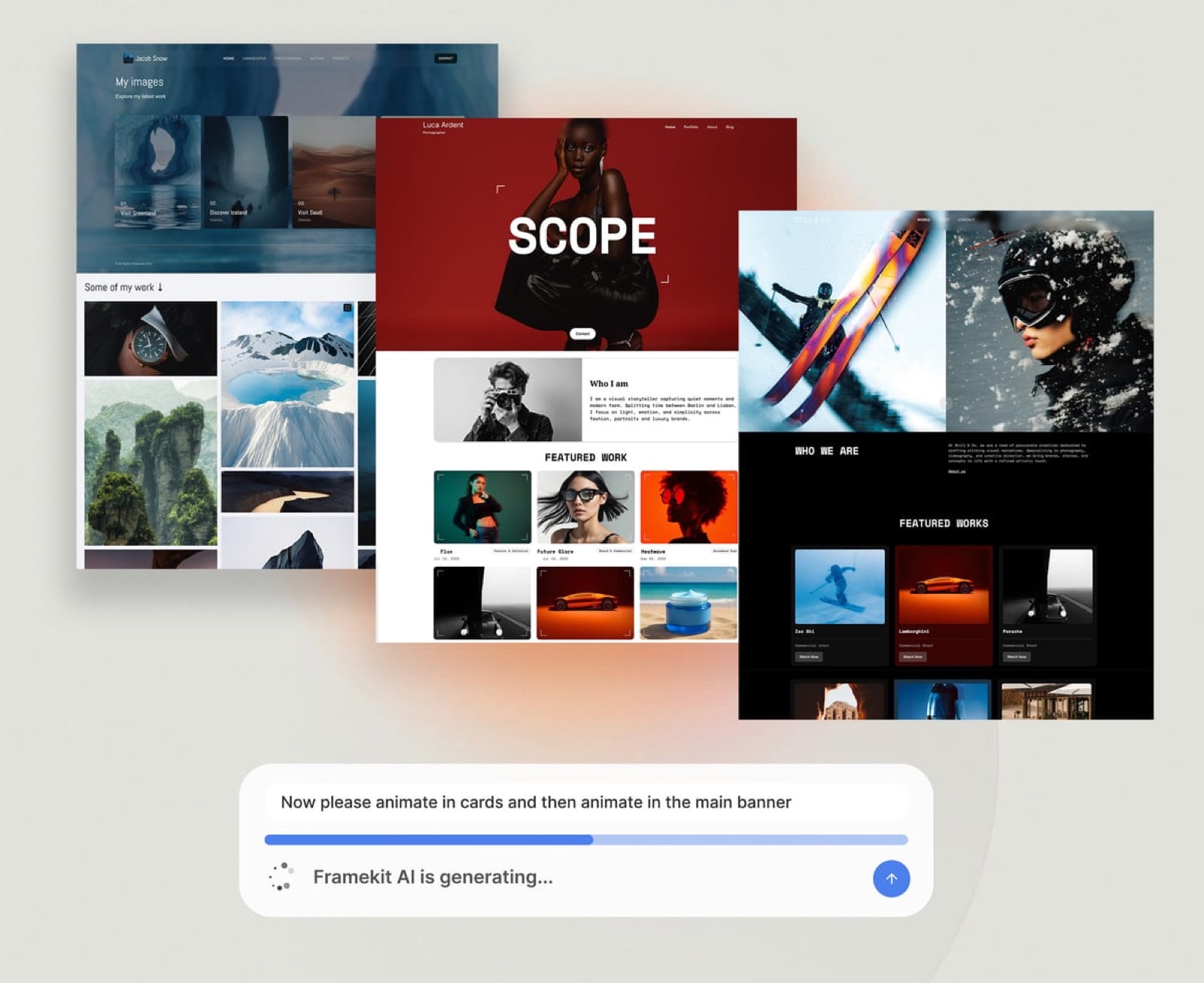
Describe a wedding film studio and ask for a dark, restrained layout with the reel above the fold, film pages built for one video and one story each, and a packages section that does not look like a pricing table from a SaaS company.
That last part matters more than it sounds; most builders push videographers toward layouts designed for selling software.
Best forWedding videographers who want the film pages and the client handoff to live on one domain rather than a website subscription plus a delivery tool.
Key features:
- Site generated from a description by Cadence, Framekit's own model built for creative sites, rather than a generic template engine
- Unlimited client galleries on every plan including free, delivered from your own domain on Starter and up
- Films and stills in the same gallery, with video files up to 500MB on Free, 1GB on Starter, 2GB on Pro and 3GB on Business
- Watermarking on photos, password and PIN protection, client favorites, and full-resolution plus ZIP downloads on every plan
- A digital store on the same site for guides, LUTs, or preset packs, at 5% falling to 0% on Business, plus Stripe's processing
- Custom domain from the $9 Starter plan, which also removes the site badge; galleries keep a small Made with Framekit footer line on every plan

The real numberstorage is one account pool for the site, the galleries and video review, running 10GB free, 50GB on Starter at $9 a month, 300GB on Pro at $19, and 2TB on Business at $39.
For the carried videographer delivering stills alongside 20 films a year, Pro at $228 a year covers the site and the delivery that would otherwise be two subscriptions totalling around $310.
Pros:
- Films and client delivery share one domain, so the handoff sends couples back to your site
- A real free plan with no card required, and unlimited galleries on it
- The design comes out cinematic without you art-directing it
Cons:
- No public reel streaming, so the reel on your film pages still lives on Vimeo and gets embedded, exactly like every other builder here; only the delivered film goes in the gallery
- Fewer templates than Squarespace, because the design is generated rather than picked from a decade-old library
- No print or album fulfilment, which matters if you sell physical products alongside films
Skip it ifyou want to hand-tune every transition and hover state. An AI that gets you 90% of the way there is the wrong tool for someone who wants to control the last 10% by hand, and Webflow or Framer is the better answer.
Verdict: Framekit is the best pick for a wedding videographer who is tired of running a website on one platform and a delivery tool on another. You get a cinematic site and unlimited client galleries, films included, on one domain, and you give up template depth and any hope of streaming the public reel from your own site. Start free at framekit.ai.
2. Squarespace: Best Template Craft

Our rating: 8.9/10
Squarespace remains the safest choice in this category and it earns that on typography alone. A wedding film site needs restraint, whitespace, and a hierarchy that puts the reel first, and Squarespace's defaults supply all three without you knowing the vocabulary for any of them.
Its video blocks embed a Vimeo player with a thumbnail you choose, and its layouts are designed to mix a full-width player with a paragraph of story and a run of stills.
The other thing it does better than anything else here is let you redesign in two years without rebuilding, which matters because a videographer's aesthetic changes faster than a photographer's.
Best forVideographers who want a beautiful site with zero design decisions and are happy to pay for the safety.
Key features:
- The deepest template library here, refined over a decade
- Clean handling of embedded players and poster frames
- Blogging built for real written content, which is how videographers rank locally
- Redesign without rebuilding your content
- A large ecosystem of integrations and developers
The real numberthe entry plan is about $19 a month billed annually, roughly $228 a year, per the Squarespace pricing page. Add a client delivery tool at around $120 a year and the working setup is about $348 a year.
Pros:
- The highest design floor of any builder here
- Excellent for written content and local SEO pages
- Stable, established, and well supported
Cons:
- No client galleries at all, so you will pay for a second platform
- A 2% store fee on the Basic plan applies if you sell guides or LUTs as downloads, and 7% if you sell a course or membership
- No free plan, only a trial
Skip it ifyour budget is the binding constraint or you sell digital products in volume, where the percentage fee on lower plans becomes the largest line on the invoice.
Verdict: Squarespace is the pick if you want the site to look right with no design effort and you accept a second subscription for delivery. It is the least risky choice on this page and rarely the cheapest. Weighing it up in detail? See our guide to whether Squarespace is worth it for photographers, which applies almost unchanged to film. Visit Squarespace
3. Format: Best Value with Proofing
Our rating: 8.3/10
Format was built by and for visual creatives, and it shows in the details that matter to a videographer: tasteful, restrained portfolio layouts, a project structure that suits one film per page, and client proofing included rather than sold separately.
The proofing is lighter than a dedicated gallery platform and is aimed at stills rather than film delivery, but for a videographer who also hands over a few hundred photographs from the day, it removes a subscription.
At $10 a month billed annually it is the cheapest way to get a designed portfolio plus any client delivery at all.
Best forVideographers who want a tidy designed portfolio and basic client proofing from one cheap subscription.
Key features:
- Photographer-built portfolio templates that suit film stills
- Client proofing galleries included in the subscription
- Simple project structure that works one film per page
- Low, plan-based pricing
The real numberBasic is $10 a month billed annually, per Format's pricing re-read in October 2026, which is $120 a year for a portfolio plus up to 10 client galleries, about a third of a Squarespace-plus-gallery setup; Pro, with 50 galleries and a store, is $17 a month billed annually after a $12 first year.
Pros:
- The cheapest route to a portfolio plus client delivery
- Design taste aimed at visual work rather than small business pages
- One subscription instead of two
Cons:
- Neither the site nor the proofing leads its category
- Less layout flexibility than Squarespace or Webflow
- Trial rather than a permanent free plan
Skip it ifyou want the strongest possible marketing site, or your delivery needs are heavy. Format is a good portfolio with delivery attached, not a delivery platform.
Verdict: Format is the value pick and a genuinely sensible one for a videographer running lean. You give up design ceiling in both directions and save more than $200 a year. See where it runs out in our best Format alternatives guide. Visit Format
4. Webflow: Best Control Over Motion
Our rating: 8.2/10
Webflow is the answer for a videographer who thinks in timing. Scroll-triggered animation, precise control over how a hero reel reveals itself, custom transitions between film pages, and a CMS that will happily model films, couples, venues, and vendors as separate collections.
The price of that is real. Webflow is a professional tool with a professional learning curve, and a videographer who has never built for the web will spend far longer getting to what Squarespace produces by default.
If you already know the tool, or you are hiring someone who does, none of that is a downside.
Best forVideographers who want deliberate motion design and a structured CMS, and who have the time or the budget to get it.
Key features:
- Scroll and interaction design with genuine precision
- A CMS that models films, venues, and vendors properly
- Clean, standards-based output
- Strong control over responsive behaviour on mobile
The real numbersite plans run Basic at $15 and Premium at $25 a month on annual billing, per Webflow pricing, with the old $39 Business tier retired, and the workspace seat structure is charged on a second axis, so the invoice for a studio is usually higher than the site plan suggests.
Pros:
- The most control over how a reel is revealed and how pages move
- A CMS that scales to a large film catalog
- Professional-grade output
Cons:
- The steepest learning curve here by a wide margin
- Billing on two axes makes the real cost hard to predict
- No client galleries or delivery of any kind
Skip it ifyou are a one-person studio who would rather be editing. The tool is excellent and the hours it consumes are hours not spent on colour grading.
Verdict: Webflow is the right pick if motion design is part of your brand and you have the appetite for a real tool. It is the wrong pick as a way to get a site up before wedding season. Our best Webflow alternatives guide covers the lighter options. Visit Webflow
5. Wix: Best Free Start
Our rating: 7.8/10
Wix is the most forgiving place to start with no budget, and its free plan is a real plan rather than a trial.
Its video features are more configurable than most, its app market solves long-tail problems no other builder here addresses, and the drag-and-drop editor lets you place things exactly where you want them.
The two costs are well documented and worth taking seriously. The free plan puts Wix branding and a Wix subdomain in front of couples comparing three videographers, which reads as unfinished.
And once you publish, you cannot change your template without rebuilding the site, which is a two-year decision made in the first twenty minutes.
Best forVideographers starting with no budget who want to learn what they need before paying for anything.
Key features:
- A genuinely free permanent plan
- The largest app market of any builder here
- Precise drag-and-drop placement
- Configurable video and gallery components
The real numberthe Light plan starts around $17 a month, per Wix pricing, one of the higher entry prices in this comparison once you leave the free tier.
Pros:
- Free to start with no card and no time limit
- App market coverage for unusual requirements
- Full control over element placement
Cons:
- Template is permanent once published
- Free plan carries Wix branding and a subdomain
- The freedom produces worse defaults than Squarespace for a non-designer
Skip it ifyou are not certain about your visual direction, because the one decision Wix makes permanent is exactly the one videographers revise.
Verdict: Wix is a reasonable place to start for free and an awkward place to grow, because the template lock-in bites precisely when your work has improved enough to deserve a better frame. See the field in our best Wix alternatives guide. Visit Wix
6. Framer: Best for Motion-Led Design
Our rating: 7.6/10
Framer is a design tool that publishes websites, and for a videographer with a Figma habit it is the most natural environment on this list.
Page transitions, scroll effects, and component-level control are all first class, and the output is genuinely modern in a way that suits film work.
For a videographer without that background, it is a tool asking you to learn a design workflow in order to publish a portfolio, which is a lot of hours to spend on something Squarespace does by default.
Best forVideographers who already work in Figma and want their site to move the way their films do.
Key features:
- Design-tool workflow with real component control
- Strong page transitions and scroll interactions
- Modern output that suits motion-led brands
- CMS collections for structured film catalogs
The real numberpricing starts around $10 a month with the Pro tier at $30, per Framer pricing, and CMS collections, bandwidth, and seats are metered separately above the plan, so a growing site can reach several times the entry price.
Pros:
- The best motion and transition control short of Webflow
- Comfortable and fast if you are already a Figma user
- Genuinely contemporary design output
Cons:
- Assumes design-tool fluency most videographers do not have
- Metered CMS and bandwidth make the real cost unpredictable
- No client delivery of any kind
Skip it ifyou have never used a design tool. The learning curve buys you control you may never need.
Verdict: Framer is excellent for the small group of videographers who are also designers, and overkill for everyone else. Our best Framer alternatives guide covers the simpler routes to a similar look. Visit Framer
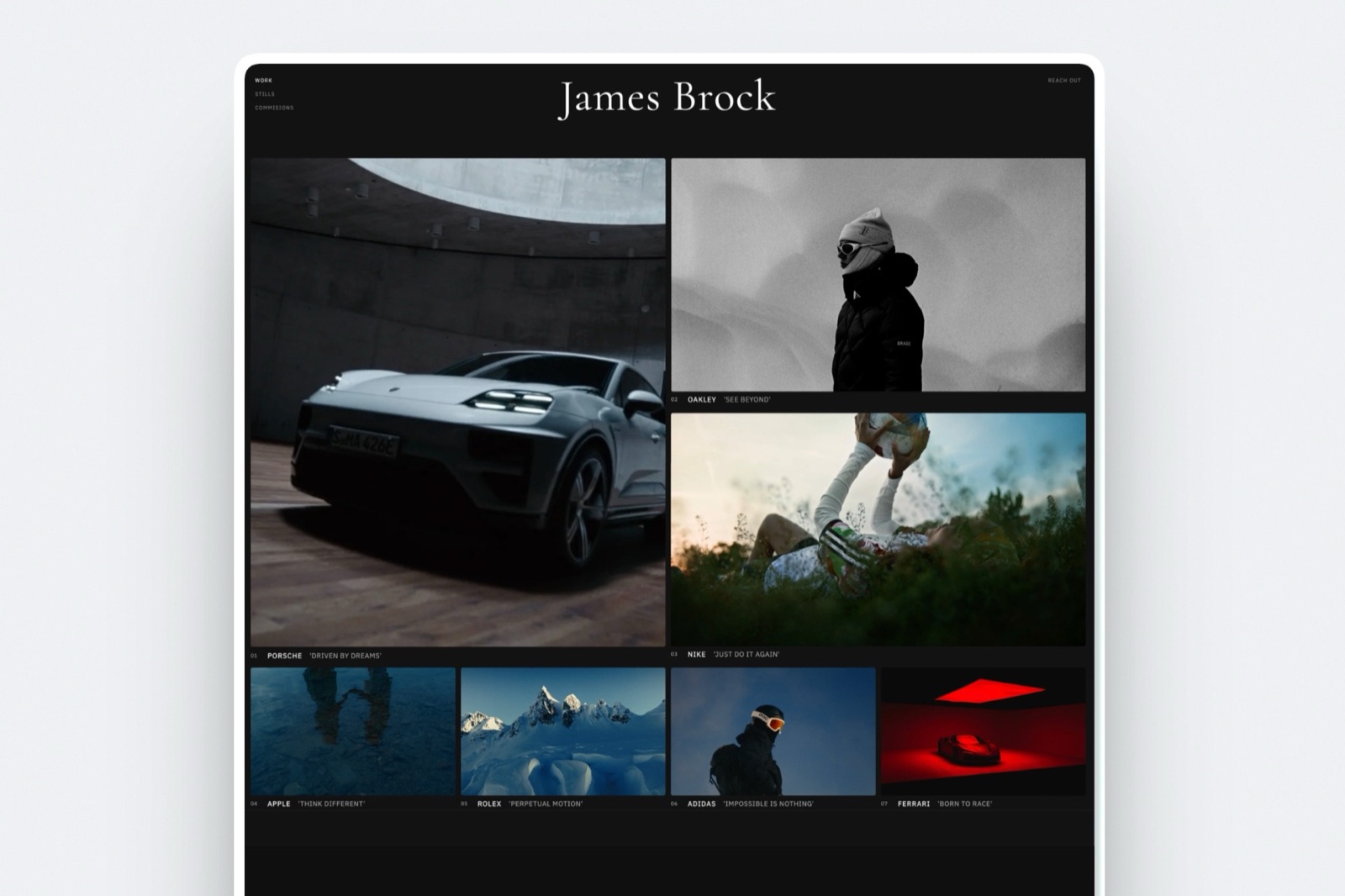
7. Pixpa: Cheapest All-in-One
Our rating: 7.3/10
Pixpa bundles a portfolio, client galleries, a basic store, and a blog into one of the cheapest subscriptions in this category. For a videographer who needs all four boxes ticked and does not need any of them to be excellent, it is hard to beat on price.
The trade is the one every bundle carries: nothing in it leads its class. The portfolio is competent rather than striking, the galleries are solid rather than specialised, and the store is basic.
Best forVideographers on a tight budget who want a site, galleries, and a store from one cheap subscription.
Key features:
- Portfolio, client galleries, store, and blog in one plan
- Among the lowest pricing in the category
- Client proofing included rather than sold separately
- One subscription instead of two or three
The real numberplans start at about $5 a month billed annually, per Pixpa pricing, which is roughly $60 a year for the whole bundle.
Pros:
- The cheapest complete stack here
- Client galleries included
- Genuinely covers every box a small studio needs
Cons:
- Nothing in the bundle is best in class
- Design ceiling is lower than Squarespace or Framekit
- Trial rather than a free plan
Skip it ifthe website is your main marketing asset and you need it to be striking rather than serviceable.
Verdict: Pixpa is the pick when budget is the constraint and completeness matters more than excellence. It is the most software for the least money on this page. Visit Pixpa
8. Adobe Portfolio: Free with Creative Cloud
Our rating: 6.9/10
If Creative Cloud is already on your card, and for most videographers it is, Adobe Portfolio costs nothing extra and includes a custom domain. That is a genuinely strong argument and it deserves to be taken seriously rather than dismissed as a bundled freebie.
What you get is a clean, simple portfolio with a small set of layouts, tight Lightroom integration, and very little else. No store, no client galleries, no blogging worth the name, and limited control over structure.
Best forVideographers who already pay for Creative Cloud and need a decent portfolio at no additional cost.
Key features:
- No additional charge on an existing Creative Cloud subscription
- Custom domain included
- Simple, clean layouts that stay out of the way
- Tight integration with the Adobe ecosystem
The real numberit adds $0 to a Creative Cloud subscription you already hold, including the custom domain, per Adobe's Portfolio pricing.
Pros:
- Effectively free for most working videographers
- Custom domain at no extra cost
- Quick to publish and hard to make ugly
Cons:
- No store, no client galleries, no serious blogging
- Limited layout and structural control
- Tied to a Creative Cloud subscription you must keep paying
Skip it ifyou need to sell anything, deliver anything, or rank for anything. It is a portfolio and nothing more.
Verdict: Adobe Portfolio is the correct answer for a videographer who wants a decent site for no marginal cost and has no commercial ambitions for it. Our best Adobe Portfolio alternatives guide covers where that stops being enough. Visit Adobe Portfolio
9. Vimeo: The Thing All of Them Depend On
Our rating: 6.5/10
Vimeo is on this list because it is the honest answer to the question every other builder dodges. None of them host your film.
Vimeo does, with a player you can strip of branding, privacy controls that let you unlist a couple's film, and review tools that make client feedback bearable.
As a website it is much weaker. Vimeo's portfolio and page features exist and are adequate for a landing page with your reel on it, and they are not a marketing site.
Building your public presence there means your work sits on a platform's domain with a platform's navigation around it.
Best forHosting the films themselves, and embedding them into whichever builder you choose from the list above.
Key features:
- Proper video hosting with adaptive playback
- A customisable player without competitor recommendations
- Privacy and unlisting controls for client films
- Review and comment tools for client feedback rounds
The real numberVimeo's plans are priced for video hosting rather than websites, and the tier you need is decided by storage and player features rather than page count, so check the current tiers on Vimeo's pricing against your annual upload volume rather than against a builder's plan price.
Pros:
- The only tool here that actually hosts your films
- A clean player without competitor recommendations at the end
- Client review tools that save email rounds
Cons:
- A weak website compared to any real builder
- Your public presence sits on Vimeo's domain
- Another subscription on top of your builder
Skip it ifyou are trying to make it your website. It is infrastructure, not a portfolio.
Verdict: Vimeo is not a competitor to the builders above, it is a dependency of all of them. Pay for it, embed from it, and build your actual site somewhere you own. Our best Vimeo alternatives guide covers the hosting options if you want to compare. Visit Vimeo
What a Wedding Videographer Site Actually Costs
In one linethe builder subscription is rarely more than a third of the total, because a working videographer also pays for video hosting and a way to hand files to couples.
The carried videographer shoots 20 weddings a year and delivers a highlight film plus stills to each couple. Here is what three realistic stacks cost annually, excluding video hosting, which every column needs.
| Stack | Website | Delivery | Annual total |
|---|---|---|---|
| Squarespace plus a gallery platform | about $228 | about $120 | about $348 |
| Format, proofing included | about $120 | included | about $120 |
| Framekit Pro, galleries included | $228 | included | $228 |
| Wix free plus a gallery platform | $0 with branding | about $120 | about $120 |
Add Vimeo on top of every row. The lesson is not that one column wins, it is that comparing builder prices alone is comparing a third of the invoice.
Run this on your own setup. List every subscription that touches a wedding delivery: website, video hosting, file delivery, gallery, and anything you use for contracts. Add them.
Then ask which of those a single platform could absorb. Most videographers find two subscriptions doing overlapping work.
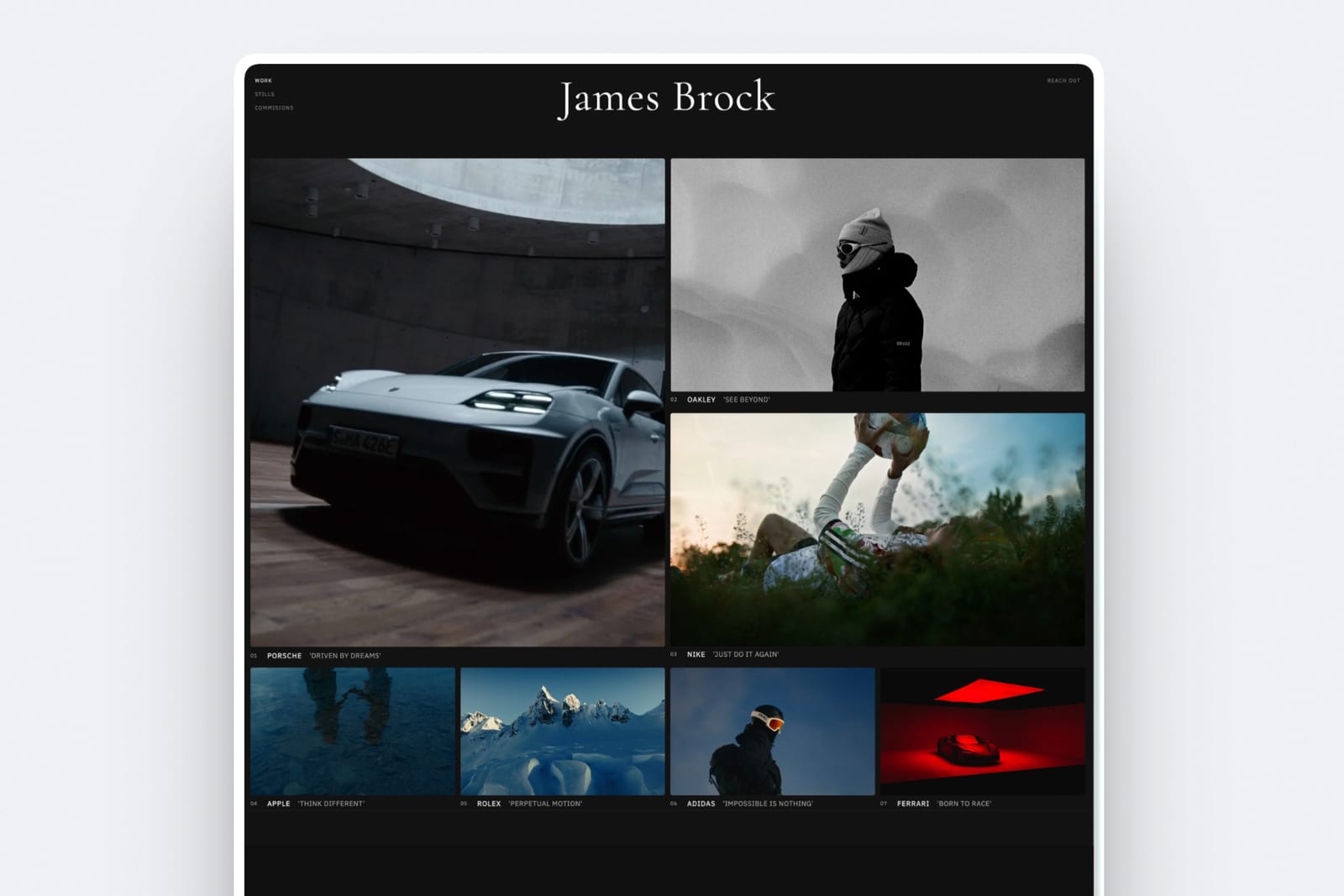
The Part Every Builder Gets Wrong
In one lineno website builder streams a public reel the way a video host does, so the film that sells your work lives on someone else's platform, and the only question is how gracefully your site handles that.
This is worth being blunt about because the category's marketing implies otherwise.
When a builder advertises video backgrounds and video sections, it means it will display a video you have hosted elsewhere, or a short compressed clip suitable for a background loop and nothing else.
A four-minute graded wedding film is not going onto a public page of your site on any plan on this page, although Framekit's client galleries will carry it to the couple, up to 2GB per file on Pro and 3GB on Business.
What that means practically. Your film lives on Vimeo or YouTube. Your site embeds it.
The embed carries the host's player, its buffering behaviour, and on YouTube its recommendations at the end, which is why videographers who care use Vimeo.
Your poster frame is the most important image on the page, because it is what a couple sees before pressing play.
The one thing worth doing on any builderset a custom poster frame on every embed, chosen the way you would choose a key art still, and never let the player pick frame zero. It is the highest-return five minutes of work on a videographer's website and almost nobody does it.
How to Choose: A Decision Tree
Answer these in order and stop at the first branch that describes your studio as it operates today, because the earlier questions should override anything further down the list.
Do you deliver files to couples after every wedding, and does it currently involve a link that expires?
- Yes, and I would like to stop paying two subscriptions. Framekit, or Format if budget is tighter, since both include delivery.
- No, delivery is handled and I only need a marketing site. Continue.
Is your budget under about $100 a year?
- Yes. Format at roughly $120, Pixpa at roughly $60, or Adobe Portfolio for nothing extra if you already pay for Creative Cloud.
- No. Continue.
Do you want to control how the site moves, or do you want it to look designed without you deciding anything?
- I want control and I have the hours. Webflow, or Framer if you already work in Figma.
- I want it handled. Squarespace for template craft, Framekit if you also want the galleries.
Are you certain about your visual direction for the next two years?
- No. Avoid Wix, whose template you cannot change after publishing.
- Yes. Any of the above.
Frequently Asked Questions
What is the best website builder for wedding videographers in 2026?
The best website builder for wedding videographers in 2026 is Framekit, because it generates a cinematic, film-led site from a description of your work and delivers client galleries from the same domain, so your film pages and your client handoff share one address rather than requiring two subscriptions.
Squarespace is the strongest alternative on template craft at about $19 a month, and Format is the value option at about $10 with light proofing included.
No builder on this list streams a public reel, so all of them expect you to embed from Vimeo, though Framekit's galleries deliver the film files themselves.
Can I host my wedding films directly on my website?
No, not on any mainstream website builder. A graded four-minute wedding film is a large file that needs adaptive streaming, and builders serve pages rather than video infrastructure.
Every platform in this guide expects you to host the public reel on Vimeo or YouTube and embed the player; the exception is delivery, where Framekit's client galleries take the film file itself, up to 2GB on Pro.
The practical consequence is that your choice of video host matters as much as your choice of builder, and Vimeo is the usual answer because its player carries no competitor recommendations at the end of your film.
How much does a wedding videographer website cost per year?
Between roughly $100 and $500 a year depending on the stack, plus video hosting.
A Squarespace site with a separate client gallery platform runs about $348 a year, Format with proofing included is about $120, and Framekit Pro with galleries included is $228.
Video hosting on Vimeo is an additional subscription in every case. Comparing builder prices alone misses about two thirds of what a working videographer actually pays.
Do I need client galleries as a videographer, or just a file link?
You need something better than a file-transfer link, which expires, cannot be branded, and produces an email from the couple every time it dies.
Whether that is a full proofing gallery depends on whether you deliver stills alongside the film.
Videographers who deliver only a film often use a private Vimeo link plus a download, while those handing over several hundred photographs need a real gallery.
Delivering from your own domain rather than a third party's is what turns the handoff into marketing.
Squarespace or Framekit for a wedding videography site?
Squarespace if template depth and a large ecosystem matter most and you are happy to run a separate delivery tool, and Framekit if you want the site and the client galleries on one domain and one subscription.
Squarespace has a decade of refined templates and a support organisation that a newer product does not.
Framekit generates the design rather than offering a library, includes unlimited client galleries on every plan, and has a free tier that does not require a card.
Which builder is best for local SEO as a videographer?
Any of them, because ranking for phrases like "wedding videographer" plus your city is decided by what you publish rather than by the builder.
The platforms with the strongest writing environments, Squarespace and Webflow, make the work slightly easier, but a four-page portfolio with no written content ranks for nothing on every platform in this guide.
Real venue pages, real package explanations, and real answers to what couples ask are what move the needle.
Google's own SEO starter guide is the primary source worth reading.
Will an autoplay reel on my homepage hurt my site?
It can, and the honest advice is to test rather than to trust a rule of thumb. A muted, short, compressed background loop is usually fine; a full embedded player set to autoplay above the fold on a phone is where visitors leave.
We do not publish loading figures because the outcome depends almost entirely on your embed settings and file rather than the builder. Test your own homepage on a mid-range phone over cellular data, not on studio wifi.
Can I change my website template later?
On most of these, yes.
Squarespace lets you change the design and keep your content, Framekit's AI can generate new sections in a new direction from a description or a reference image, and Format, Pixpa, and Webflow all allow substantial redesigns.
Wix is the exception and it is a significant one: once you publish, changing template means rebuilding the site from scratch.
For a videographer whose aesthetic evolves with the work, that is a real constraint and worth weighing above almost any feature comparison.
Is Adobe Portfolio good enough for a professional wedding videographer?
It is good enough for a clean portfolio and nothing more.
Adobe Portfolio adds no cost to a Creative Cloud subscription you already hold and includes a custom domain, which makes it the highest value option on this page for a videographer whose website only needs to display work and take an email.
It has no store, no client galleries, and no serious blogging, so it cannot be the marketing engine of a business that needs to be found.
What should be on a wedding videographer's website?
A reel above the fold, individual film pages with one film and a short written story each, a packages page with real prices or at least real ranges, an about page with your face on it, and an enquiry form that asks for the date and the venue.
The two omissions that cost the most bookings are hiding prices entirely, which filters out couples who would have booked, and having no written content, which means nothing to rank for.
See our guide to what a filmmaker portfolio should include.
Do I need a separate tool for contracts and invoicing?
Usually yes, since none of the builders in this guide includes contracts or invoicing.
Videographers commonly add a studio-management tool for proposals, contracts, and payments, which is another subscription on top of the website, hosting, and delivery.
Before adding one, check what your delivery platform already covers, because some gallery platforms include invoicing and contracts and would remove the need for a fourth tool.
Which is better for a videographer, Webflow or Framer?
Webflow if you want a structured CMS that models films, venues, and vendors, and the most precise control over responsive behaviour.
Framer if you already work in Figma and want your site to move like your films, with page transitions and scroll effects that are easier to build there than anywhere else.
Both are professional tools with real learning curves, and both leave client delivery entirely to you. For a one-person studio that would rather be editing, neither is the efficient choice.
Final Verdict: The Best Website Builder for Wedding Videographers
Comparing the nine side by side, the pattern is that videographers are consistently sold half a solution.
Every builder here will frame your reel beautifully and none of them will stream it, and only three of them have any answer at all for the moment a couple asks how they get their files.
Framekit is our pick because it closes the second gap: a cinematic, film-led site and unlimited client galleries on one domain, on a free plan that does not need a card and a $19 Pro tier that costs less than a website plus a gallery subscription bought separately.
Where Framekit loses: Squarespace has a decade of template craft we do not, Webflow and Framer will always give more manual control than a generated design, Adobe Portfolio is free if Creative Cloud is already on your card, and none of us, including us, will stream your public reel the way Vimeo does.
If you want to hand-tune every transition, or you want the reassurance of the largest ecosystem, those are better fits and we would rather say so.
Squarespace is the safest choice, Format is the value choice, Webflow is the control choice, and Vimeo is the dependency all four share.
Related reading: our best website builders for filmmakers ranking, the best portfolio website builder for videographers, how to build a filmmaker website that books clients, and the best Vimeo alternatives if hosting is the piece you are rethinking.
Every plan price in this guide was re-verified against the vendors' published pricing pages in July 2026, and Format's again in October 2026.
Wedding work is one line in a much longer list, and 17 ways to make money as a videographer ranks them all by shoot-to-edit ratio rather than by day rate.