Framekit templates
Start from a designer-made template
 Use template
 Use template
 Use template
 Use template
 Use template
 Use template
 Use template
 Use template
A collector stands in front of your painting at a group show, likes it, and takes a photo of the label. That night they search your name.
What loads next decides whether they enquire or forget: a site that shows the work properly, says what is available, and makes asking about a price feel normal, or a page that has not been updated since a show two years ago and lists an email address that bounces.
Artists lose sales in that gap constantly, and the platforms built to fix it have a habit of solving a different problem instead.
Most artist website services are print-fulfilment businesses with a website bolted on the front, priced as though the site were the favour and the commission were the product.
The site is not the favour. It is the only part of the sale you own.
A website builder for artists is a platform that turns your body of work into a public website with a portfolio, an about page, and usually some way to sell, whether that is prints, originals, digital downloads, or simply an enquiry form that reaches you.
The best website builder for artists in 2026 is Framekit for artists whose site needs to show the work, win enquiries, and sell digital files, because the site lives on your own domain and the store fee drops from 5% to 0% on a flat $39 plan.
The trade-off is significant and we lead with it: Framekit's store handles digital downloads only, so it cannot ship a physical print.
If selling framed prints is your income, Fine Art America is the best print-on-demand route because it keeps none of your markup, and Shopify is the best if you fulfil yourself.
Squarespace is the strongest all-rounder that does both adequately.
Framekit is an AI website builder that generates a gallery-quality artist site from a prompt, and the free plan publishes without a credit card.
Full disclosure: Framekit, ranked #1 below, is our own product, and this comparison contains the clearest limitation we have published: we do not do physical products at all. No print fulfilment, no shipping, no variants, no framing options. We compared all ten from their published plans, store terms and help docs rather than sites we built, verified prices against each vendor's published pricing in July 2026, and where a competitor beats us we say so outright. Fine Art America and Art Storefronts sell physical prints in ways we cannot, Shopify handles inventory and shipping properly, FASO has art-specific marketing tooling we do not, and Squarespace does more jobs adequately than we do.
How We Compared These Artist Website Builders
Artist platforms fall into two species that get reviewed as one, which is why so many comparisons mislead. Some are websites. Some are print-selling systems that include a website. We rated ten platforms, from their published features and fees, on five criteria.
Gallery presentation, weighted 25%. How the work actually looks: aspect ratios respected, zoom, lightbox, series and collection structure, and whether the layout gets out of the way of the painting.
Selling capability, weighted 25%. Can you sell originals, prints, or digital files, who fulfils them, and what the platform keeps.
Ownership, weighted 20%. Does the site live on a domain you control, and does the collector relationship belong to you?
Real annual cost, weighted 15%. The full number including commission and transaction fees, not the advertised tier.
Effort to run, weighted 15%. How much of your studio time the platform consumes after launch.
The carried examples throughout: a $45 high-resolution digital download, and a $240 framed print. We hold both figures in every section so the fee comparisons stay comparable.
Two kinds of finding, kept separate.
What we verified from primary sources: prices, fee structures and gallery features from each vendor's published pages in July 2026, linked inline, with Framekit checked against its shipped product; gallery presentation is our judgement of each vendor's templates, not of a catalogue we uploaded.
What we report as community sentiment rather than our own result: Art Storefronts' real cost, because the company does not publish pricing and the figures in circulation come from artist reviews, which we label as such rather than presenting as fact.
What Comparing 10 Artist Platforms Showed
The figures underneath the ranking, verified against each vendor's published pages in July 2026 except where noted.
- 2 of 10 do not publish their pricing at all, requiring a demo or a call before you learn the cost (Art Storefronts, and Artlogic at the gallery tier).
- Fine Art America keeps 0% of the markup you set on a print, collecting only its base manufacturing cost, but adds 30% commission on digital licensing, which is a different deal entirely.
- FASO's plans run from $12 to $79 a month, and only the top plan removes per-sale transaction fees, so the cheapest plan is not the cheapest option once you sell.
- Framekit's store fee falls from 5% to 0% at $39 a month, which is the only structure here where the percentage disappears rather than shrinking.
- On a $45 digital download, the spread between platforms is $13.50, which is 30% of the sale price.
- 4 of 10 cannot sell a physical print at all without a third-party integration (Framekit, Adobe Portfolio, Format, Cargo).
For a pick matched to what you sell, jump to the decision tree. First, the field.
The 10 Best Website Builders for Artists in 2026: Full Comparison
About the scores: the five weights above are what each platform is measured against, and gallery presentation and selling capability tie for the heaviest because an artist site fails at one of those two or at neither.
Our own score reflects the limitation stated above rather than hiding it. Framekit takes 10 on ownership and 9 on gallery presentation but only 5 on selling capability, because half of what artists sell is physical and we handle none of it.
Fine Art America inverts that: 9 on selling and 4 on ownership, because the work lives on their marketplace.
| Platform | Best For | Sells Prints | Sells Digital | Own Domain | Our Rating |
|---|---|---|---|---|---|
| Framekit | A site you own, plus digital sales | No | Yes, 5% to 0% | Yes | 8.9/10 |
| Squarespace | The strongest all-rounder | Yes, via integrations | Yes | Yes | 8.7/10 |
| Fine Art America | Print-on-demand with no markup cut | Yes, fulfilled | Licensing only | Partial | 8.5/10 |
| Shopify | Fulfilling prints and originals yourself | Yes, you fulfil | Yes | Yes | 8.3/10 |
| FASO | Art-specific marketing tooling | Yes | Yes | Yes | 7.9/10 |
| Format | Image-first gallery presentation | No | Basic | Yes | 7.6/10 |
| Adobe Portfolio | A free site inside Creative Cloud | No | No | Yes | 7.5/10 |
| Pixpa | The cheapest all-in-one | Yes, basic | Yes | Yes | 7.3/10 |
| Wix | Flexibility and app add-ons | Yes | Yes | Yes | 7.2/10 |
| Art Storefronts | High-touch print-selling systems | Yes, fulfilled | Yes | Yes | 6.8/10 |
Prices and fees verified against each vendor's published pricing pages in July 2026, except Art Storefronts, which publishes none. Payment processing of about 2.9% plus $0.30 applies on top of any platform fee wherever you connect a processor.
What each one keeps on a sale
The headline plan price is the smaller number for most artists. This is what the platform takes when the work actually sells.
| Platform | On a $45 digital download | On a $240 framed print | Who fulfils the print |
|---|---|---|---|
| Framekit, free plan | 5% platform fee | Cannot sell it | Nobody, no physical products |
| Framekit, Business plan | 0% platform fee | Cannot sell it | Nobody, no physical products |
| Fine Art America | 30% on licensing | 0% of your markup, base cost only | Fine Art America |
| Shopify | Plan fee only with Shopify Payments | Plan fee only with Shopify Payments | You, or a print partner |
| Squarespace | Plan fee, 0% on Core and above | Plan fee, plus your print partner | Your integration |
| FASO | Transaction fee below the top plan | Transaction fee below the top plan | You, or a print partner |
| Art Storefronts | Reported 0% to 15% by plan | Reported 0% to 15% by plan | Art Storefronts |
| Pixpa | Low, plan-based | Low, plan-based | You |
| Wix | Plan-based, 0% on commerce plans | Plan-based | You, or an app |
Art Storefronts figures are reported by artists in public reviews rather than published by the company, and we flag them as unverified for that reason.
The question worth asking before you choose. Write down what percentage of your income comes from physical work versus digital and enquiries. That single ratio picks your platform faster than any feature list.
1. Framekit: Best for a site you own

Our rating: 8.9/10
Framekit is an AI website builder that generates a full artist site from a description of your practice, with a work gallery, an about page, a contact route, and a store for digital files.
For an artist whose website's job is to show the work and produce enquiries, it does that job well and cheaply, from a free plan up.
Two things to check on any builder, and to ask Framekit's AI for: galleries that keep mixed aspect ratios instead of square-cropping a vertical canvas, and work grouped as series on their own pages rather than one long undifferentiated feed.
Where Framekit stops short is product setup: there is no shipping, no variants, and no framing options, because physical products do not exist here at all.
Best forArtists whose website exists to present the work, attract galleries and commissions, and sell digital files or print-at-home downloads.
Key features:
- A full gallery site on your own domain, generated from a prompt
- A store for digital downloads, with the fee dropping from 5% to 0% on the $39 Business plan
- Series and collection structure rather than one flat feed
- Client galleries on every plan, useful for showing a commission's progress privately
- Generated by Cadence, Framekit's own premium model, with Score for quicker iterations
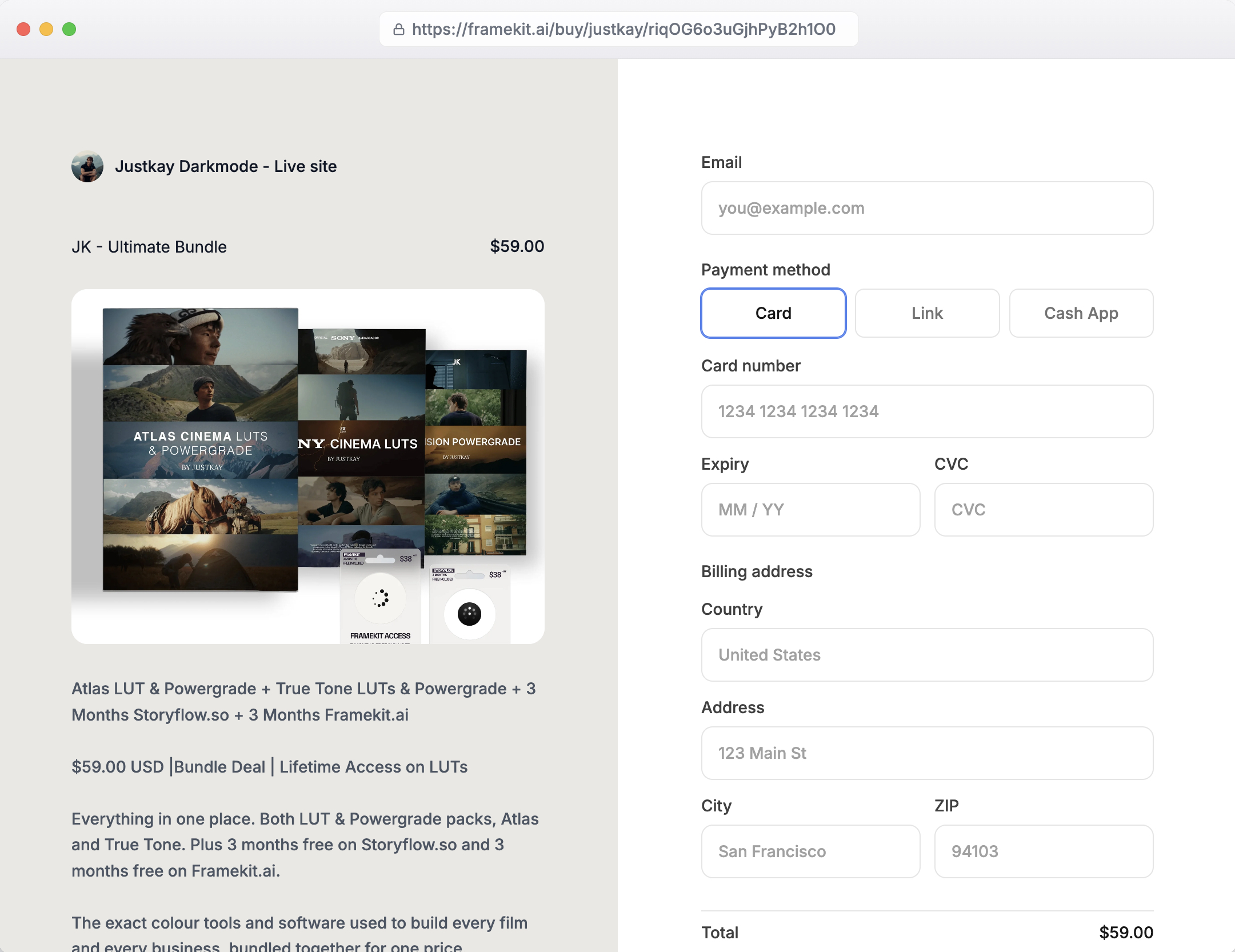
The real numberthe carried $45 digital download nets about $41.15 on the free plan, after the 5% platform fee and roughly 2.9% plus $0.30 in processing, and about $43.40 on the $39 Business plan where the platform fee is 0%.
The crossover where the flat $39 beats the 5% cut is $780 a month in sales. On the carried $240 framed print, the honest number is zero, because Framekit will not sell it.
PricingFree $0, Starter $9 a month, Pro $19 a month, Business $39 a month, Enterprise $59 a month, with digital-product fees of 5%, 5%, 3%, 0%, and 0%.
Pros:
- The gallery presentation respects the work rather than forcing it into a grid
- Site and digital store on one domain you own, from $0
- The store fee reaches 0% rather than merely getting smaller
Cons:
- No physical products at all: no print fulfilment, no shipping, no variants, no framing
- No art-specific marketing tools such as collector mailing sequences
- Newer than the established art platforms, with a smaller template library
Skip it ifframed prints, originals with shipping, or commissioned physical work are how you actually get paid. That is a large share of working artists, and for them this is the wrong tool no matter how good the site looks.
Use Fine Art America, Shopify, or Art Storefronts instead, and consider running a Framekit site alongside purely as the portfolio.
Verdict: Framekit is the best artist website builder for presentation, ownership, and digital sales, and it is disqualified outright for physical print businesses. Know which of those you are before you pick. Start free at framekit.ai, or if illustration commissions are your work, see our best website builder for illustrators guide.
2. Squarespace: The strongest all-rounder

Our rating: 8.7/10
Squarespace is the platform that does every job on an artist's list adequately and none of them best, which for a lot of painters is exactly right.
Gallery blocks are good, the commerce is real, the templates are consistently well made, and there are more artists on it than on any other platform here, which means there is an answer to every question you will have.
Its weakness for artists specifically is print fulfilment. Squarespace sells products competently, but it does not print or ship art, so a print business needs an integration with a fulfilment partner, and that integration is where the setup effort and the extra margin go.
Best forArtists who want one dependable subscription covering portfolio, shop, mailing list, and blog, and who are willing to add a print partner.
What reviewers say elsewhereSquarespace averages 4.4 out of 5 across more than a thousand reviews on G2, the largest review base in this comparison.
The real numberBasic is $19 a month and Core is $29 on annual billing, per Squarespace pricing.
Core at $348 a year removes the 2% store fee on physical and download sales alike (only courses and memberships keep a 5% fee), so an artist selling regularly should price Core rather than Basic, which puts Squarespace at roughly three times Framekit Starter for a site that can also ship prints through a partner.
Pricing (annual billing)Basic $19 a month, Core $29 a month, Plus $49 a month, Advanced $99 a month.
Pros:
- Genuinely good gallery blocks and consistently strong templates
- Real commerce, plus email and scheduling in one subscription
- The largest support ecosystem and the most artists to learn from
Cons:
- No native print fulfilment, so prints need a third-party partner
- No free plan, only a trial
- Sites are often recognisable as Squarespace sites
Skip it ifyou want the site itself to look unusual, or you need print fulfilment without configuring an integration.
Verdict: Squarespace is the low-risk answer for an artist who sells a bit of everything and wants one bill, and it is not the best at any single thing on this list. Visit Squarespace
3. Fine Art America: Best print-on-demand economics
Our rating: 8.5/10
Fine Art America, which also operates as Pixels, is a print-on-demand marketplace with an unusually artist-friendly structure.
It sets a base manufacturing price for each product, you set your markup on top, and it keeps none of that markup. It prints, frames, packs, and ships, and you never touch a tube.
That structure is genuinely better than a commission model, and worth understanding precisely, because it is often described wrongly. On a $240 framed print where the base cost is $110, you set $130 of markup and you receive $130.
Best forArtists who want prints produced and shipped without handling fulfilment, and who accept living on a marketplace.
The real numberFine Art America collects only the base manufacturing cost of each product and passes 100% of your markup to you, so the carried $240 framed print pays you whatever you set above the base cost.
Digital licensing is a separate and much worse deal at a 30% commission. Payouts are issued on the 15th of each month for the prior month's sales, after a 30-day return window closes, with no minimum payout threshold.
Pricingfree and paid membership tiers; no cut of your print markup, 30% commission on digital licensing.
Pros:
- Keeps none of your print markup, which beats every commission model here
- Full fulfilment: printing, framing, packing, and shipping
- No minimum payout threshold, so small months still pay out
Cons:
- Your page is a marketplace profile surrounded by other artists' work
- Digital licensing carries a 30% commission, unlike the print side
- The payout cycle means roughly a 45-day wait from sale to money
Skip it ifyou want collectors to arrive at your brand rather than at a marketplace. The economics are good and the ownership is not.
Verdict: Fine Art America is the best print economics in this comparison and the worst ownership, which makes it an excellent fulfilment layer behind a site you own rather than a replacement for one. Visit Fine Art America

4. Shopify: Best if you fulfil yourself

Our rating: 8.3/10
If you sell originals, ship framed work yourself, or run editions with real inventory, Shopify is the only platform here with commerce built for that reality.
Inventory counts, shipping profiles by weight and destination, tax handling, and abandoned-cart recovery are all native, and none of the art-specific platforms match them.
What Shopify is not is a portfolio. Its themes present products, not bodies of work, and an artist who wants the site to read as a practice rather than a shop has to fight the structure.
Best forArtists with real inventory, editions, or self-fulfilled framed work where shipping logistics matter more than gallery presentation.
The real numberBasic is $39 a month billed monthly or $29 annually, per Shopify pricing.
The fee that matters is the third-party transaction charge if you do not use Shopify Payments: 2% on Basic, 1% on Grow, and 0.6% on Advanced. On $30,000 of annual print sales, that 2% is $600, which is more than double the subscription.
PricingBasic $39 a month or $29 annually, with higher tiers above, plus third-party transaction fees of 2%, 1%, and 0.6% by tier.
Pros:
- The only real inventory, shipping, and tax handling in this comparison
- Strong checkout and abandoned-cart recovery
- A huge app ecosystem, including print-on-demand partners
Cons:
- Presents products rather than a body of work
- The third-party transaction fee is the real cost if you avoid Shopify Payments
- Overhead an artist selling a few pieces a month does not need
Skip it ifyour site is mainly a portfolio that occasionally sells. Shopify is a shop first and always will be.
Verdict: Shopify is the correct choice for an artist running a genuine product business and the wrong one for an artist running a practice, and most artists know instinctively which of those they are. Visit Shopify
5. FASO: Best art-specific marketing tooling
Our rating: 7.9/10
FASO, also known as FineArtStudioOnline, has spent two decades building for one audience, and it shows in the details generic builders miss: inventory fields for medium and dimensions, a collector newsletter engine, art-specific SEO structure, and marketing prompts aimed at painters rather than at small businesses generally.
For an artist who wants help selling rather than just a place to display, that focus is the product.
The design ceiling is the trade. FASO sites are functional and dated next to a Squarespace or a Framekit, and the plan structure has more moving parts than it first appears.
Best forWorking painters who want art-specific inventory and collector-marketing tools and care more about selling than about design.
The real numberFASO plans run from Intro at $12 a month to Silver at $19, Gold at $26, Platinum at $40, and Platinum+ at $79, and only the top plan removes per-sale transaction fees.
That is the detail to catch: the cheapest plan is not the cheapest option once you sell regularly, because the transaction fee on lower tiers can exceed the price difference.
Email accounts are also charged separately, at around $6.50 a month.
PricingIntro $12 a month, Silver $19, Gold $26, Platinum $40, Platinum+ $79 with no transaction fees; email accounts extra.
Pros:
- Art-specific inventory fields and collector marketing built in
- Two decades of focus on exactly one audience
- Genuinely useful selling education alongside the software
Cons:
- Design and templates feel dated next to mainstream builders
- Transaction fees apply on every plan except the $79 tier
- Extras like email accounts are billed separately
Skip it ifdesign matters to how your work is perceived. A dated site can undercut contemporary work.
Verdict: FASO is the best art-specific toolkit here and the weakest looking, so it suits an artist whose collectors care about the paintings and not about the website. Visit FASO
6. Format: Best image-first gallery presentation
Our rating: 7.6/10
Format is built around images first, and for artists with strong photographic documentation of their work, its galleries handle aspect ratios, sequencing, and full-bleed presentation better than most general builders.
It also includes client proofing, which is unexpectedly useful for commission work where a client is approving progress shots.
Its commerce is basic, and there is no print fulfilment, so it belongs in the portfolio category rather than the selling one.
Best forArtists who want the cleanest possible presentation of documented work and sell mainly through galleries or enquiries.
The real numberBasic is $10 a month on annual billing, per Format pricing, which is $120 a year and among the cheapest custom-domain options here.
The store, which Basic lacks, and higher storage sit on Pro at $12 a month in year one and $17 after, so price the plan that matches your actual catalogue rather than the entry one.
Pricing (checked October 2026)Basic $10 a month billed yearly with proofing galleries but no store; Pro at $12 in year one ($17 regular) adds the commission-free store with up to 15 products; a 14-day trial rather than a permanent free plan.
Pros:
- Excellent image handling and gallery sequencing
- Client proofing included, useful for commissions
- Among the cheapest own-domain options
Cons:
- Basic commerce and no print fulfilment
- Templates assume photographs rather than long descriptions
- Trial rather than a permanent free plan
Skip it ifselling from the site is central. Format displays beautifully and sells minimally. See our best Format alternatives guide if you have hit that ceiling.
Verdict: Format is a presentation tool with a shop attached rather than the other way round, which suits gallery-represented artists and frustrates self-sellers. Visit Format
7. Adobe Portfolio: Best free site inside Creative Cloud
Our rating: 7.5/10
If you already pay for Photoshop or Lightroom, you already have a website and probably do not know it. Adobe Portfolio is included with paid Creative Cloud plans at no extra cost, connects a custom domain without an upcharge, and produces a clean, restrained gallery site quickly.
It sells nothing. No prints, no downloads, no checkout. It is a portfolio and a contact form, and judged as that it is very good value at zero additional cost.
Best forArtists already inside Creative Cloud who need a clean portfolio and take enquiries by email.
The real numberAdobe Portfolio adds $0 to a Creative Cloud subscription you already hold, including the custom domain, per Adobe's Portfolio pricing page.
The catch is conditional rather than hidden: it exists only while the Creative Cloud subscription does, so an artist who cancels Adobe loses the website in the same action.
Pricingincluded with paid Creative Cloud plans; not sold separately.
Pros:
- Genuinely free if Creative Cloud is already on your card, custom domain included
- Clean, restrained templates that are hard to make ugly
- Fast to publish
Cons:
- No selling of any kind, physical or digital
- Tied to an active Creative Cloud subscription
- A small template set with a low customisation ceiling
Skip it ifyou sell from the site, or you are planning to leave Adobe. See our best Adobe Portfolio alternatives guide for the exit routes.
Verdict: Adobe Portfolio is the best free artist site in this comparison for people already paying Adobe, and useless the moment you want money to change hands on your own site. Visit Adobe Portfolio
8. Pixpa: The cheapest all-in-one
Our rating: 7.3/10
Pixpa bundles a portfolio, galleries, a basic store, client proofing, and a blog into one low subscription, and it is the cheapest way here to get all of those in a single bill. For an artist who wants everything adequately and nothing expensively, it is a defensible pick.
The trade is the one every all-in-one makes. Nothing it does is the best version of that thing, and the store in particular is basic next to Shopify or even Squarespace.
Best forArtists who want portfolio, galleries, and a simple store in one cheap subscription.
The real numberPixpa's Lite plan runs about $4.80 a month on annual billing and Standard about $7.20, which is roughly $58 to $86 a year and the lowest all-in-one total in this comparison. The saving is real; so is the ceiling.
Pricing (annual billing)Lite about $4.80 a month, Standard about $7.20 a month.
Pros:
- The lowest all-in-one annual cost here
- Portfolio, galleries, store, and blog in one subscription
- Client proofing included
Cons:
- Not the strongest at any individual job
- Basic store with no print fulfilment
- Smaller template range and ecosystem
Skip it ifyou need a serious store or the best gallery presentation. Pixpa is a value pick, not a specialist one.
Verdict: Pixpa is the budget answer for an artist who needs several tools at once and none of them deeply. See our cheapest website builders for creatives roundup for the wider budget field. Visit Pixpa
9. Wix: Flexibility and app add-ons
Our rating: 7.2/10
Wix's argument for artists is its app market. Whatever you need bolted on, from print-on-demand to booking a studio visit to a multi-currency shop, there is an app, and the editor lets you place things anywhere, which some artists genuinely prefer to a rigid grid.
Freedom of placement is also how Wix sites end up looking improvised. Without a designer's discipline, absolute positioning produces pages that feel assembled rather than composed, which is a particular risk when the site is meant to frame visual work.
Best forArtists who want maximum flexibility and are comfortable adding apps to fill gaps.
The real numberWix plans start around $17 a month, with the Core tier commonly needed for commerce at $29 a month, per Wix pricing.
At $348 a year the Core tier is the most expensive mainstream builder in this comparison before any app subscriptions, which stack on top.
Pricingfrom about $17 a month, with Core at about $29 a month for commerce.
Pros:
- A large app market covering print-on-demand and specialist needs
- Free placement of elements for artists who want manual control
- Genuine commerce on the higher tiers
Cons:
- Free placement makes it easy to produce an improvised-looking site
- Apps stack additional subscriptions on top of the plan
- The commerce tier is priced above most competitors here
Skip it ifyou want the platform to protect you from your own layout decisions. See our best Wix alternatives comparison if that is the issue.
Verdict: Wix suits an artist who wants to solve every problem with an add-on and frustrates one who wants the site to be composed for them. Visit Wix
10. Art Storefronts: High-touch print-selling systems
Our rating: 6.8/10
Art Storefronts sells a system rather than software: a website, print fulfilment, and an aggressive marketing programme aimed at getting artists to sell prints at volume, with training and coaching attached.
Artists who thrive on it tend to credit the marketing method more than the technology, which is a reasonable description of what is being sold.
The reason it ranks last here is not quality. It is transparency.
Best forArtists who want a complete done-with-you print-selling system and are comfortable with a sales process and a substantial commitment.
The real numberArt Storefronts does not publish pricing. You request a demo, and the figure arrives in a call.
Artist reviews in public describe annual costs in the several-hundred to several-thousand-dollar range and transaction fees between 0% and 15% depending on plan, but we could not verify any of that against a published source, and we are labelling it community sentiment rather than fact for exactly that reason.
Treat every specific number you read about Art Storefronts, on any comparison page, as unverified.
Pricingnot published; demo required.
Pros:
- A complete system with fulfilment, website, and marketing training together
- Genuinely effective for artists who follow the print-selling method
- Real support and coaching rather than documentation alone
Cons:
- No published pricing, so you cannot compare it without entering a sales process
- Reported costs are substantially higher than every other option here
- Heavy commitment for an artist testing whether prints sell at all
Skip it ifyou want to know what something costs before talking to someone. That is a legitimate requirement and this platform does not meet it.
Verdict: Art Storefronts may work well for the artists it suits, and we cannot recommend it in a price comparison because it declines to participate in one. Visit Art Storefronts
What Selling Art Online Actually Costs
In one lineon a $45 digital download the platform keeps between $2.25 and $13.50, and on a $240 framed print the entire economics change depending on whether the platform takes a commission or only a base manufacturing cost.
The two sale types work so differently that comparing them with one number is how artists end up on the wrong platform.
Digital downloads. These are pure margin, and the only costs are the platform fee and payment processing.
On the carried $45 download: Framekit's free plan takes 5% and processing takes roughly 2.9% plus $0.30, leaving about $41.15, and the Business plan at 0% leaves about $43.40.
A platform charging 30% on digital licensing, as Fine Art America does, leaves $13.50 less. Over a hundred downloads a year that gap is $1,350.
Physical prints. Here the structure matters more than the percentage. A commission model takes a share of the whole sale.
A base-cost model, as Fine Art America uses, takes only the manufacturing cost and lets you keep every dollar you add on top.
Those sound similar and are not: on a $240 framed print with a $110 base cost, a base-cost platform pays you $130 and a 15% commission platform pays you about $94 after the same manufacturing cost. That is a $36 difference per print.
The costs nobody puts in the table. Payment processing at roughly 2.9% plus $0.30 applies almost everywhere. Returns on physical work cost you the shipping both ways unless the fulfiller absorbs it.
Payout delays matter more than artists expect: a marketplace paying on the 15th for the prior month after a 30-day return window means roughly 45 days between a sale and the money.
Run it on your own year. Take last year's sales, split them into physical and digital, and apply each platform's structure to each half separately.
Most artists discover the two halves want different platforms, and that running a site you own with a fulfilment partner behind it beats every single-platform answer.
Presentation: What Actually Makes an Artist Site Work
In one linethe three things that decide whether a site converts a viewer into an enquiry are honest image quality, a clear statement of what is available, and a contact route that does not feel like an imposition.
Artists tend to over-invest in layout and under-invest in these.
Image quality and colour. A painting photographed under mixed light and uploaded at 900 pixels will not sell, on any platform.
Document work flat-lit, colour-corrected against the original, and upload at the largest size the platform allows. This matters more than every template decision on this page combined.
Say what is available. The single most common failure on artist sites is a beautiful gallery with no indication of what is sold, what is in a collection, and what can be commissioned.
A collector who cannot tell whether a piece is available will not ask. Mark each work: available, sold, in a private collection, or commission enquiries welcome.
Prices, or a reason there are none. Not listing prices is a legitimate strategy if you are gallery-represented, and it becomes a problem when the site gives no route to finding out. If you do not list prices, say why and say who to ask.
One contact route that works. A form that reaches an inbox you read, not an email address from a domain you no longer control. Test it once a quarter by submitting it yourself.
Series structure. Work grouped into series reads as a practice. The same work in one long grid reads as output. This is a presentation decision, not a platform feature, but some platforms make it much easier than others.
The Fine Print: Domains, Fulfilment, Payouts, and Getting Out
In one linethe details that bite later are who holds the domain, who owns the collector relationship, how long payouts take, and whether your work can leave with you.
Who holds the domain. Register it at a registrar yourself rather than through the platform. It costs the same $10 to $15 a year and it means moving platforms later is a DNS change rather than a negotiation.
Who owns the collector. On a marketplace like Fine Art America, the buyer is the marketplace's customer, and you generally do not get their contact details to invite to your next show.
On your own site with your own processor, you do. Over a decade of practice this is the single largest compounding difference on this page.
Payout timing. Marketplaces hold funds through return windows. Fine Art America pays on the 15th for the prior month after a 30-day return window, so plan cash flow around roughly 45 days. Selling direct through your own Stripe account is typically days.
Print fulfilment quality. If prints carry your name, the printer is part of your reputation. Order samples of your own work from any fulfiller before you list, and check colour against the original under daylight rather than on a screen.
Getting your work out. Images export from everywhere. What does not export is your page structure, your written statements, and your collector list, so keep the writing in a document you control and export contacts regularly wherever the platform allows it.
How to Choose an Artist Website Builder: A Decision Tree
Three questions in order. The first branch that fits is your answer.
Start here: what share of your income comes from physical work you have to ship?
- Most of it. You need fulfilment. Choose Fine Art America if you want prints produced and shipped with none of your markup taken, Shopify if you fulfil originals and editions yourself, or Art Storefronts if you want a full system and are comfortable with a sales process and unpublished pricing. Stop here.
- Some of it, but enquiries and digital matter too. Go to the next question.
- Almost none: I sell digital files, take commissions, or show through galleries. Go to the next question.
Do you need the website to sell anything at all?
- No, it exists to show the work and produce enquiries: Framekit for a designed site on your own domain, Format for the cleanest image presentation, or Adobe Portfolio for free if you already pay for Creative Cloud.
- Yes, digital downloads or print-at-home files: Framekit, where the fee goes to 0% on the $39 plan.
- Yes, and I want one platform doing everything adequately: Squarespace on the Core tier, with a print partner behind it.
How much does design matter to how your work is read?
- A great deal, the site is part of the work: Framekit or Squarespace, and avoid the art-specific platforms whose templates look a decade old.
- Not much, I want selling tools: FASO for art-specific inventory and collector marketing.
- I want the cheapest thing that covers everything: Pixpa.
Frequently Asked Questions
What is the best website builder for artists in 2026?
The best website builder for artists in 2026 is Framekit for artists whose site presents the work, wins enquiries, and sells digital files, because the site lives on a domain you own and the store fee drops from 5% to 0% on the $39 Business plan.
It cannot sell physical prints at all, so artists whose income is framed prints should use Fine Art America, which keeps none of your print markup, or Shopify if they fulfil themselves.
Squarespace is the strongest single platform for artists who do a bit of everything.
Can artists sell prints from their own website?
Yes, but only on platforms with either native fulfilment or a print partner integration.
Shopify handles it if you fulfil yourself, Squarespace and Wix handle it through third-party print-on-demand integrations, and Fine Art America and Art Storefronts fulfil directly.
Framekit, Adobe Portfolio and Cargo cannot sell physical prints at all, and Format can list prints from its Pro plan but leaves printing and shipping to you, so an artist on one of those needs a separate fulfilment route or a marketplace listing alongside the site.
How much commission do artist websites take?
It varies enormously by structure rather than by percentage. Fine Art America keeps none of your print markup and collects only its base manufacturing cost, though it takes 30% on digital licensing.
Framekit takes 5% on digital sales on its free and Starter plans, 3% on Pro, and 0% on the $39 Business plan. FASO charges per-sale transaction fees on every plan except its $79 tier.
Art Storefronts does not publish its fee structure at all.
Is Fine Art America worth it for artists?
Fine Art America is worth it as a fulfilment layer because it keeps none of the markup you set, collecting only its base manufacturing cost, and it prints, frames, and ships without you handling anything.
The trade is ownership: your page is a marketplace profile surrounded by other artists, you generally do not get the buyer's contact details, and payouts arrive on the 15th of the following month after a 30-day return window.
The strongest setup is a site you own with Fine Art America handling print fulfilment behind it.
Do I need a website if I sell on a marketplace?
Yes, for one specific reason: on a marketplace the buyer belongs to the platform, so you cannot invite them to your next show, and every collector you win is one you cannot contact again.
A site on your own domain accumulates the search results for your name, holds your statements and CV, and gives galleries and curators a single authoritative place to look.
Run both if you sell prints: the marketplace for fulfilment and reach, your own site for the relationship.
What does an artist website cost per year?
Between $0 and several thousand dollars depending on the platform and what you sell. Free options: Adobe Portfolio at no extra cost inside a Creative Cloud plan you already pay for, and Framekit's free plan.
Cheap own-domain options: Pixpa from about $58 a year, Format at $120, and Framekit Starter at $108. Mainstream: Squarespace Core at $348 and Wix Core at about $348.
FASO runs $144 to $948 a year depending on tier, and Art Storefronts does not publish pricing.
Squarespace vs Framekit for artists: which is better?
Squarespace is better if you sell physical prints or want one platform doing several jobs, because it has real commerce and integrates with print fulfilment partners, which Framekit does not.
Framekit is better if the site's job is presentation, enquiries, and digital downloads, because it generates a gallery-quality site from a prompt on your own domain, costs $108 a year on Starter against Squarespace Core at $348, and takes 0% on digital sales at the $39 tier.
The deciding question is whether you ship anything.
Can I sell original paintings from my website?
Yes, on any platform with real commerce, and the practical issues are shipping and payment rather than software.
Shopify handles inventory, shipping profiles, and insurance-relevant weights and dimensions properly, which matters for a single expensive object. Squarespace and Wix can handle it more simply.
For high-value originals many artists take enquiries through the site and invoice directly rather than running a checkout, which works on any platform including those with no store at all.
Should artists list prices on their website?
List them if you sell directly, and give a clear enquiry route if you do not.
The failure case is neither: a gallery of work with no prices and no indication of how to ask, which loses the collector who was ready to buy but unwilling to feel awkward.
Gallery-represented artists who cannot list prices should say so explicitly and name who to contact, which turns an absence into an answer.
Which artist platforms do not publish their pricing?
Art Storefronts requires a demo before disclosing cost, and Artlogic's gallery-tier pricing is quote-based.
This matters more than it sounds: you cannot compare a platform whose price is unknown, and every specific figure circulating about Art Storefronts comes from artist reviews rather than the company, so it should be treated as unverified.
If transparent pricing is a requirement for you, that alone rules both out.
What is the best free website for artists?
Adobe Portfolio is the best free artist website if you already pay for any Creative Cloud plan, because it is included at no extra cost and connects a custom domain without an upcharge.
If you do not pay Adobe, Framekit's free plan publishes a real multi-page portfolio site at $0, keeping a framekit.ai subdomain and a small Framekit site badge until you move to the $9 Starter plan for your own domain and no badge.
Neither sells physical prints.
How do I move my art website to another platform?
Export your images at full resolution, copy your written statements, CV, and work descriptions into a document, and export your contact list wherever the platform allows it before you cancel anything.
Nothing here imports another platform's site structure, so the rebuild is manual, and the work is mostly re-uploading and re-describing rather than design.
If you own your domain at an independent registrar, the switch itself is a DNS change and your links keep working.
Final Verdict: The Best Website Builder for Artists in 2026
Set the ten side by side and the split is simple: platforms that present work well and platforms that ship boxes, with very little overlap.
Framekit is the best website builder for artists whose site needs to show the work properly, look contemporary, produce enquiries, and sell digital files, on a domain that belongs to you, starting free and reaching 0% store fees at $39 a month.
Where Framekit loses, stated as plainly as we can: we do not sell physical products. No print fulfilment, no shipping, no variants.
If framed prints are your income, we are the wrong answer regardless of how the site looks, and you should use Fine Art America for fulfilment that keeps none of your markup, Shopify if you ship yourself, or Squarespace with a print partner if you want one bill.
Squarespace is the all-rounder, Fine Art America has the best print economics, Shopify is the real shop, FASO has the art-specific tooling, Format has the cleanest presentation, Adobe Portfolio is free if you already pay Adobe, and Art Storefronts will not tell you what it costs.
But whichever you choose, register the domain yourself and keep the collector's email address, because those two decisions outlast every platform on this list.
For more, read our guide to selling art online from your own website, the best platforms for selling digital art, the best website builder for illustrators, and if you are leaving a community profile behind, the best Behance alternatives.
_All plan prices and fee structures re-verified against each vendor's published pages, July 2026, except Art Storefronts, which publishes none.
Format's store and print terms were corrected on 12 October 2026, when we also removed the claim that we built an artist site on all ten platforms and corrected Framekit's take-home on a $45 download.
Squarespace's fee on downloads now follows its help centre: 2% on Basic, none from Core._
Where a project starts is usually a board rather than a page: see our best mood board tools comparison of eleven of them.