Framekit templates
Start from a designer-made template
 Use template
 Use template
 Use template
 Use template
 Use template
 Use template
 Use template
 Use template
Framekit vs WordPress is really a question about what your time is worth, because on raw capability the argument was settled long ago. WordPress can be made to do almost anything a website can do.
The word doing the work in that sentence is "made".
WordPress is a platform you assemble from a theme and plugins, either on WordPress.com's managed hosting or on a server you rent and run yourself.
The assembly is either your weekend or a developer's invoice, and the maintenance that follows never fully ends.
Framekit takes the opposite trade: a fixed set of tools that are finished when you sign up, with nothing to install and nothing to update, and a lower ceiling as the price of that.
A content management system is software for creating, organising and publishing web content, and WordPress is the most widely used one, available as hosted plans on WordPress.com or as free open-source software you install yourself from WordPress.org.
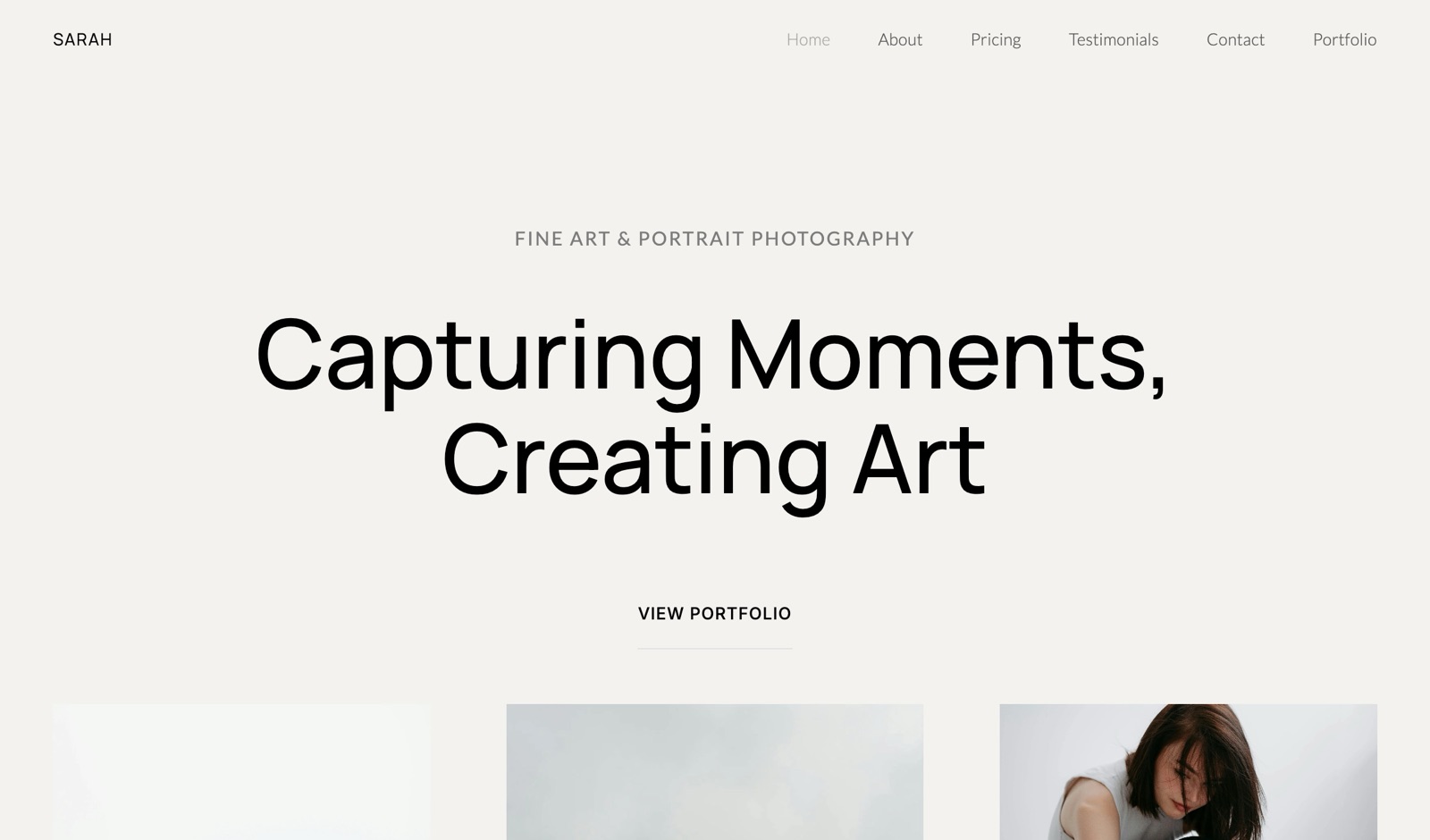
Framekit is an AI website builder that publishes a portfolio site and carries client galleries, frame-accurate video review, Slides decks and a digital-download store in one account.
WordPress is the better choice if you need a capability nobody else ships, run a serious blog, want to own and host the code, or already have a developer, since 60,000-plus plugins and unlimited pages, posts and users go further than any hosted builder.
Framekit is the better choice for photographers, filmmakers and designers who want a portfolio, client galleries, review links and a store working today with no plugins to maintain, from a free plan and $84 a year billed yearly for a custom domain.
Full disclosure: Framekit is our product. WordPress.com plan facts come from WordPress.com's own pricing page, read on 12 October 2026. We describe both by what their makers publish, do not claim a hands-on build, and the section on where WordPress wins is deliberately long.
What changed in this October 2026 update: we re-verified WordPress.com's plans and found the earlier version out of date.
Plugins are no longer a Business-plan feature; WordPress.com now allows plugin installation on every paid plan, from Personal at $4 a month billed yearly.
We corrected that, removed a claim that we built the same site twice and tested maintenance over weeks, and added worked costs, a limits table and a switching checklist, later noting what card processing does to one row and what Framekit team members can and cannot touch.
How This Comparison Was Built
This comparison relies on published plan facts and cost arithmetic you can rerun with your own numbers, because the real difference between a CMS you assemble and a builder you subscribe to shows up in fees, storage and hours rather than in screenshots.
Sources. WordPress.com's pricing page, including its plan table and FAQ; Framekit's pricing page and product pages; and for the services a WordPress site often adds, the pricing pages of Pixieset, Frame.io and Gumroad.
All read on 12 October 2026.
Two kinds of WordPress. WordPress.com sells hosted plans with fixed prices, storage and transaction fees. Self-hosted WordPress.org is free software, and its cost depends on the host, theme and plugins you choose.
We use WordPress.com for every hard number and treat self-hosting as an estimate, labelled as ours.
Not claimed. No timed builds, no tested maintenance cycles and no load-time figures for either platform. Where we put a number on your time, it is an example you should replace with your own rate.
Framekit vs WordPress at a Glance
WordPress has the higher ceiling and Framekit has the lower floor: WordPress can become almost anything if you assemble it, while Framekit arrives finished with a fixed set of creative tools, and this table lays out the published facts behind that trade.
| Framekit | WordPress.com | |
|---|---|---|
| Free plan | 10 pages, 10GB, galleries, review, decks and a store; small badge | 1GB on a WordPress.com subdomain, with WordPress.com ads shown to visitors |
| Cheapest custom domain | Starter, $84 a year billed yearly | Personal, $48 a year billed yearly, domain free for the first year |
| Plugins and themes | None; fixed feature set | 60,000-plus plugins and premium themes on every paid plan |
| Pages, posts and users | 10 to unlimited pages; 3 website team members on Pro, unlimited on Business | Unlimited pages, posts, users and visitors on every plan |
| Storage | 10GB, 50GB, 300GB or 2TB pooled | 1GB, 6GB, 13GB, then 50GB on Business and Commerce |
| Client galleries | Unlimited, photo and video, on every plan | Through plugins |
| Video review | Every plan | Not offered natively |
| Selling | Digital downloads, 5%, 5%, 3% or 0% fee | Payments at 10%, 8%, 4%, 2% or 0% by plan; WooCommerce at 0% on Business and Commerce |
| Maintenance | None for you | Managed on WordPress.com; yours when self-hosted |
| Own the code | No | Yes, when self-hosted |
Where WordPress Wins

WordPress wins in four areas that explain why it has outlasted every builder that promised to replace it: a plugin ecosystem with no real ceiling, the best publishing tools for a serious blog, true ownership when self-hosted, and room to grow to any size of site or team.
No ceiling. WordPress.com's pricing page lists more than 60,000 plugins and says every paid plan, from Personal at $4 a month billed yearly, can install them.
Booking calendars, memberships, multilingual sites, forums, job boards, physical-product stores with WooCommerce: if a capability exists on the web, a plugin or a developer can usually add it. Framekit does what it does and no more.
Blogging. WordPress began as a publishing tool and is still the strongest one for a writer: posts, categories, tags, revisions, scheduling, multiple authors and a deep ecosystem of SEO tooling.
WordPress.com also lists paid subscriber and paid content features for newsletters. Framekit offers blog page layouts in its section library, but it is not a publishing system: there is no RSS feed and no redirect manager.
Ownership. Self-hosted WordPress means the code and the database are yours, on a host you choose, exportable and portable in a way no hosted builder matches. For anyone who has watched a platform change its terms, that is planning rather than paranoia.
Scale and teams. WordPress.com lists unlimited pages, posts, users and visitors on every plan, Free included, and Business adds 50GB of storage, 250GB of VideoPress video and 0% fees on WooCommerce payments.
A studio with many editors and a decade of archive belongs on a CMS.
Verdict: if you can name the plugin you need, or your business is publishing, WordPress is the answer and Framekit is not. Readers on that path should also see WordPress vs Squarespace and Webflow vs WordPress.
Where Framekit Wins

Framekit is an AI website builder that arrives with client galleries, video review, Slides and a download store already built in, so it wins for the photographer, filmmaker or designer who wants all of that working this week without choosing, configuring or updating a single plugin.
Finished when you finish. No host to pick, no theme to buy, no plugin conflicts and no update that breaks the gallery in a delivery week.
Hosting with SSL and a global CDN, per-page titles and descriptions, a sitemap, social previews, visitor analytics, contact and booking forms and a cookie banner are on every plan.
The creative tools are native. Unlimited client galleries with photo and video together, frame-accurate review links, unlimited decks and a store that delivers files, all on the Free plan, sharing one storage pool: 10GB on Free, 50GB on Starter, 300GB on Pro and 2TB on Business.
On WordPress each of those is a plugin or an outside service with its own settings, updates and failure modes.
Storage sized for media. Framekit Pro holds 300GB for $180 a year billed yearly, where WordPress.com's Premium plan holds 13GB and Business 50GB. For galleries and video, that difference decides plans.
A first draft written for you. Templates are built with AI and trained by senior designers, the AI writes copy and generates whole sections in your site's style, and it can rebuild a layout from a screenshot, using Framekit's own models, Cadence and Score.
WordPress.com also offers an AI-guided site builder, with usage limits, so the real difference is what comes after the draft. Every Framekit plan has a monthly AI allowance, and editing by hand never draws on it.
Verdict: for a creative who would rather spend the weekend shooting than updating plugins, Framekit does the job with no assembly.
Maintenance: The Cost Neither Pricing Page Shows
The largest cost in this comparison is not on either pricing page: it is the hours a WordPress site asks of its owner for updates, plugin conflicts, backups and security, which are near zero on WordPress.com's managed plans, real on self-hosted sites, and absent on Framekit.
On WordPress.com, hosting, security, backups and core updates are managed for you, according to its FAQ, which removes most of the server work.
Plugins are still yours: each one you add brings its own settings, its own updates and the chance that two of them disagree.
On self-hosted WordPress, everything is yours: the host, PHP versions, core and plugin updates, backups, security hardening and fixing whatever breaks at an awkward hour.
Managed WordPress hosts reduce that for a monthly fee; a developer reduces it for an hourly one.
On Framekit, there is nothing to update. The trade is the ceiling: if Framekit does not offer a feature, you cannot add it with a plugin, and custom HTML, CSS and JavaScript on Pro and Business is as far as extension goes.
There is no server-side code and no database of your own.
Run it yourselfestimate the hours you spent last year on site updates, plugin fixes and backups, multiply by your hourly rate, and add it to the hosting bill.
As an example only, ten hours at $60 is $600, which is more than three years of Framekit Pro at $180 a year billed yearly.
If your number is close to zero because a developer or WordPress.com handles it, the ceiling matters more than the hours.
Building and Editing: Themes and Blocks or an AI Draft
WordPress starts you from a theme and builds pages from blocks, with plugins for anything the theme cannot do, while Framekit starts you from an AI draft or a designer-trained template inside one editor, so the difference is how many decisions stand between you and a finished portfolio.
On WordPress, you choose a theme, then lay out pages in the block editor, adding patterns and plugins as needs appear.
WordPress.com includes all premium themes on paid plans and an AI-guided builder that drafts a site through chat, with usage limits.
The freedom is real, and so is the cost of it: page builders, gallery plugins and theme options each bring their own settings, and a portfolio's consistency depends on how disciplined you are across all of them.
On Framekit, you describe the site or upload a screenshot of a look you like, and the AI drafts pages, sections and copy that you then edit by hand.
The Free plan gets a starter set of templates and the full library opens on paid plans, along with your own fonts.
There are fewer settings because there are fewer moving parts: one editor, no plugins, and galleries, review and the store already styled to match.
Which suits you. A designer who enjoys building systems, or a writer who needs an editorial workflow, will find WordPress's flexibility worth the setup.
A photographer or filmmaker who wants the portfolio finished so the week can go back to shooting and editing will usually be done sooner on Framekit, and will not have to revisit the setup every time a plugin updates.
The Work Around the Site
Much of what a creative needs from a website happens beside the pages, in delivering shoots, collecting notes on cuts, sending decks and selling files, and this is where Framekit's built-in tools replace the plugins and outside services a WordPress site would otherwise collect.
Client galleries
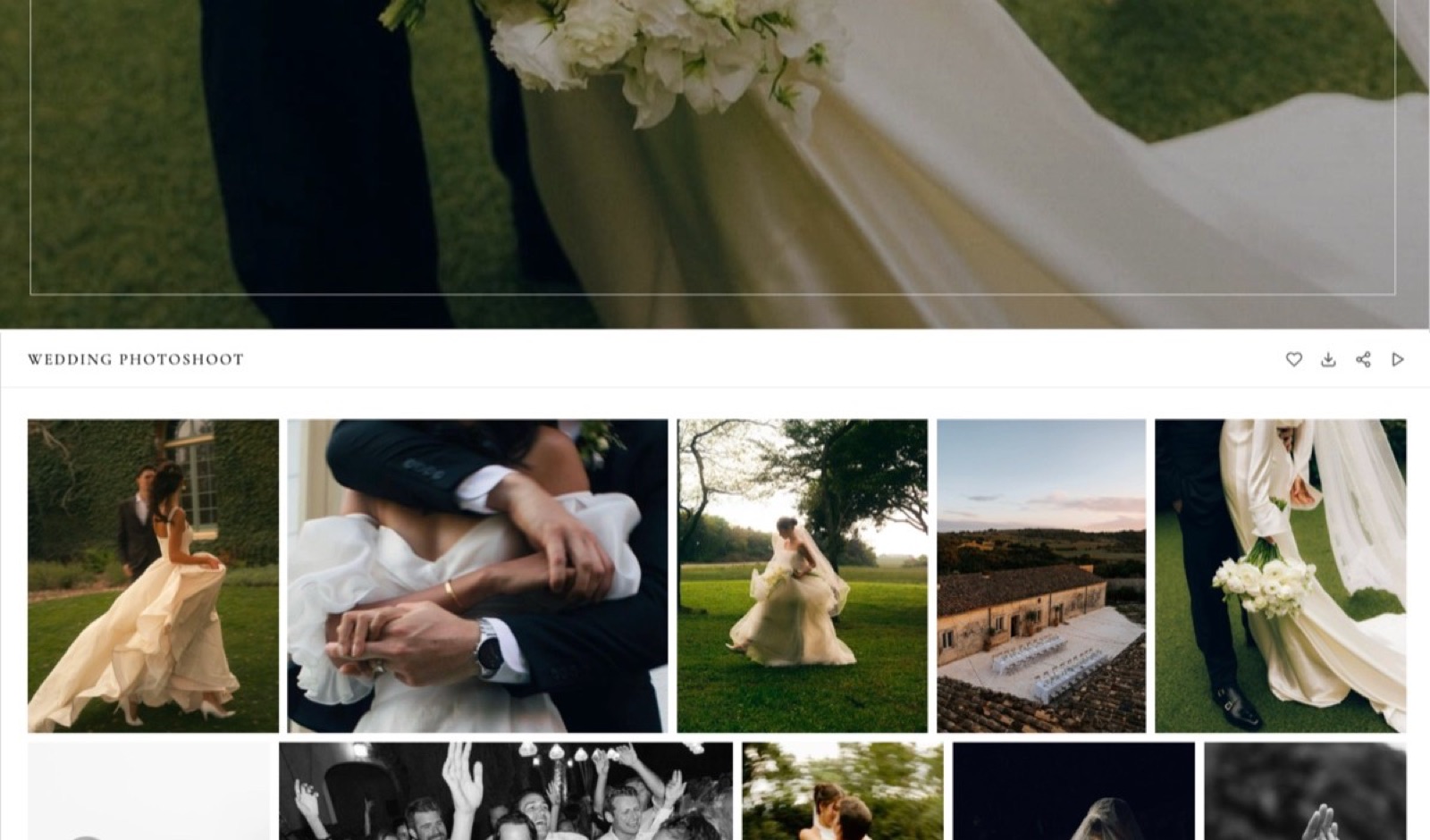
Framekit gives every shoot one link that holds the stills and the film. Clients heart favourites, filter to them, and download everything or only the picks, with an optional PIN on downloads separate from the gallery password.
Photos can be watermarked; videos are transcoded and never watermarked. Photos go up to 100MB, videos 500MB on Free, 1GB on Starter, 2GB on Pro and 3GB on Business, and paid plans serve galleries from your own domain.
Not offered: print ordering, client uploads or a native app.
Video review
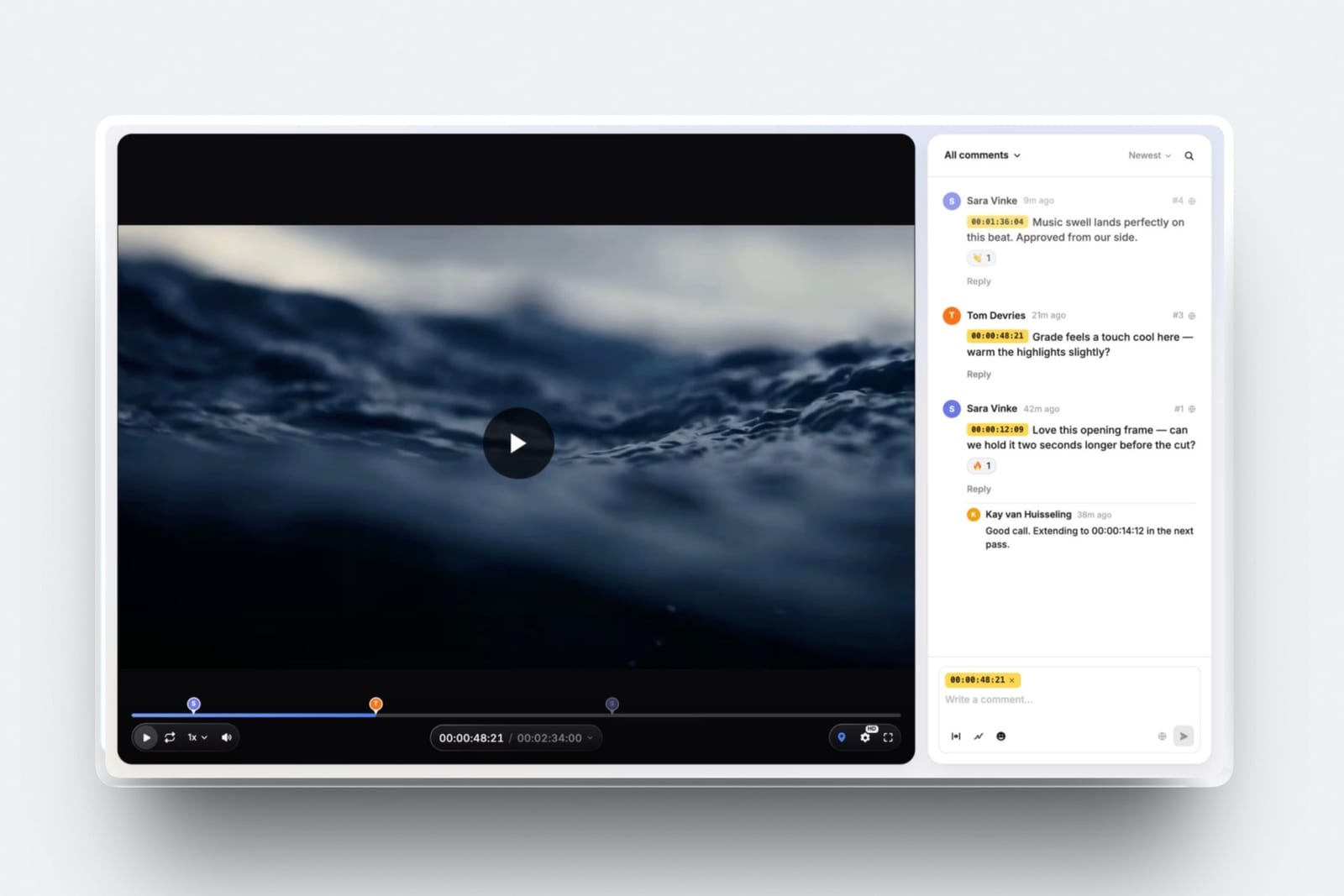
Framekit review links let a client comment on the exact frame, draw on it and reply, without creating an account. Each new version stacks on the previous one with its notes intact, and statuses track the round from needs review to approved.
Videos can run up to 2 hours; comment attachments open on Pro. Not offered: editing-suite panels, camera-to-cloud, side-by-side version compare or proofing for stills and PDFs.
On WordPress there is no common plugin that does frame-accurate review, so most studios use a separate service.
Slides
Credentials decks, treatments and proposals sit in the same Framekit account as the site.
You describe the deck, answer up to three quick questions on length, purpose and whether it is presented live, paste the real facts, approve a titled outline, and the AI builds the slides with speaker notes, leaving placeholders wherever a fact is missing.
Share a link or export a PDF on every plan; picture-based PowerPoint export up to 60 slides opens on Pro.
Store
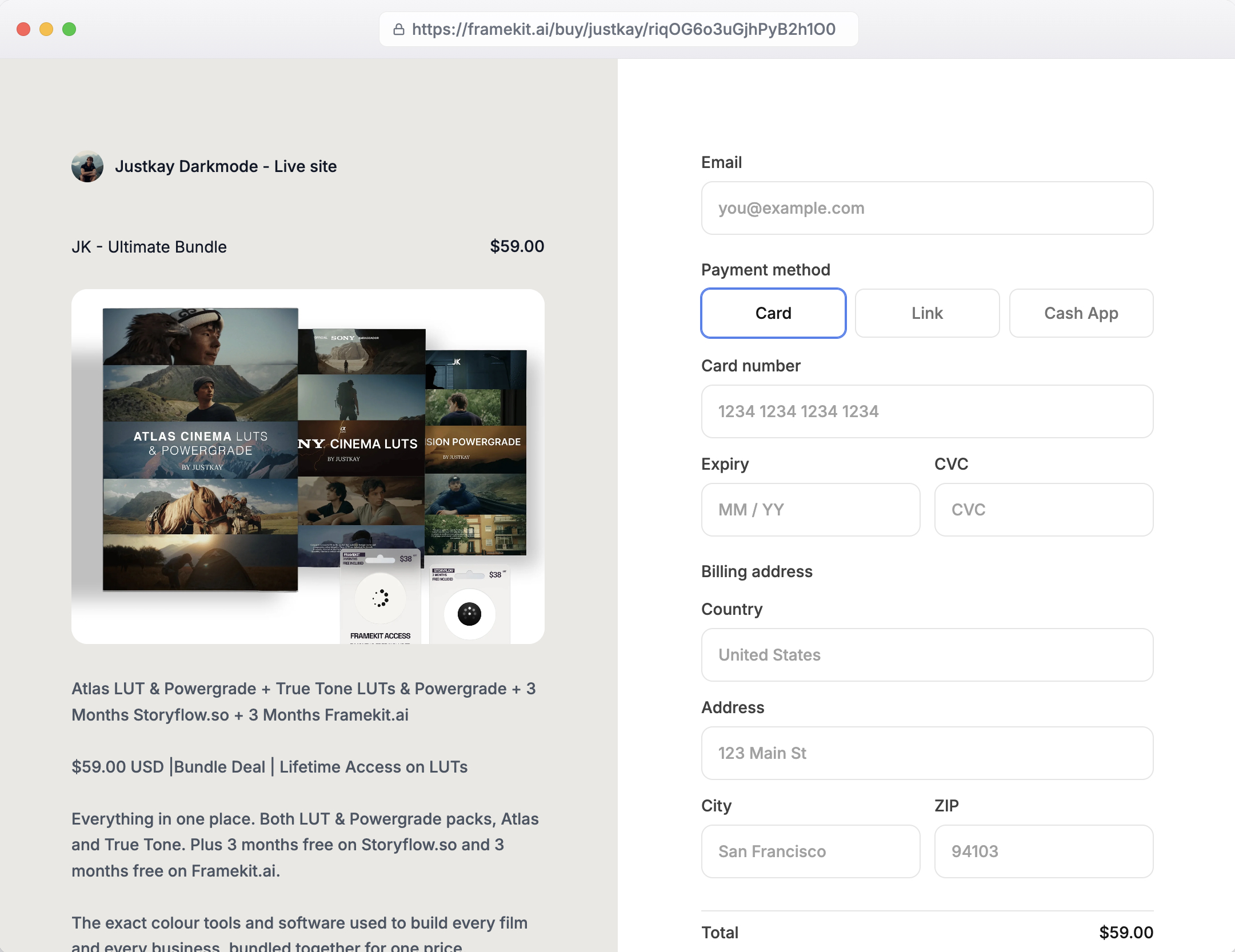
Framekit sells digital downloads on every plan: presets, LUTs, templates, brushes and guides, plus free lead magnets, from the site or from a buy link anywhere.
Payments run through Stripe Connect into your own account, so you are the merchant of record and VAT and sales tax are yours.
The fee is 5% on Free and Starter, 3% on Pro and 0% on Business, charged on the post-discount price and kept on refunds. Checkout is a hosted framekit.ai page with your name and logo.
Not offered: physical products, subscriptions, memberships, courses or license keys, all of which WooCommerce and its extensions can handle.
What Each Setup Costs in Year One and by Year Three
Framekit costs less than a WordPress.com setup for each creative below, from about $96 a year for a designer selling templates to about $470 a year for a three-person studio, and the gap comes from the storage, galleries and review tools a WordPress site has to buy around itself.
Assumptions you can change: yearly billing, US prices read on 12 October 2026, prices held flat for three years, card processing left out on both sides, and no value put on your time.
WordPress.com annual plans include a domain free for the first year; Framekit connects a domain registered anywhere, so add that registration to Framekit's rows.
Gumroad's fee is 10% plus $0.50 per direct sale, per its pricing page.
| Creative | Framekit setup | Framekit year one | Framekit by year three | WordPress.com setup | WordPress year one | WordPress by year three |
|---|---|---|---|---|---|---|
| Designer selling 60 templates at $40 ($2,400) | Starter ($84) plus 5% fee ($120) | $204 | $612 | Business with WooCommerce, 0% fee ($300) | $300 | $900 |
| Photographer, about 80GB of galleries live, 40 preset sales at $25 | Pro, 300GB ($180), plus 3% fee ($30) | $210 | $630 | Personal ($48) plus Pixieset Plus, 100GB ($192), plus Gumroad ($120) | $360 | $1,080 |
| Studio of 3, review on every job, $5,000 of template sales | Business, 2TB ($372), 0% fee | $372 | $1,116 | Business with WooCommerce ($300) plus Frame.io Pro for 3 ($540) | $840 | $2,520 |
Outside prices, read on each vendor's page in October 2026: Pixieset's client gallery plans list Plus at $16 a month billed yearly with 100GB, and Frame.io's pricing page lists Pro at $15 per member a month on monthly billing, with annual billing saving 13%.
Card processing is paid on both sides of every row, so it moves the gaps only where Gumroad is involved: its page lists 10% plus $0.50 a sale without saying whether processing comes on top, and adding Stripe's 2.9% plus 30 cents on the photographer's 40 Framekit sales, about $41, still leaves Framekit about $110 a year cheaper.
On Framekit the studio's account holder uploads every cut and owns the galleries, while the other two edit only the website and clients comment without an account.
What the totals do not show. The designer could sell on WordPress.com Premium for $96 a year using its payment buttons at a 4% fee, $192 in total, which beats Framekit Starter, but would then deliver files by hand.
WooCommerce brings physical products, subscriptions and a huge extension library that Framekit's store does not have. Frame.io Pro includes 2TB plus 2TB per extra member and passphrase-protected shares.
And self-hosted WordPress usually runs, in our estimate, $150 to $400 a year for hosting, a domain, a premium theme and paid plugins, before any hours.
Run it yourselflist your WordPress plan or hosting bill, each paid plugin, and every outside service you use for galleries, review and selling. Add your yearly maintenance hours at your hourly rate. Compare that total with one Framekit plan plus its fee on last year's sales.
Which Tool for Which Job
WordPress and Framekit suit different kinds of site, so the clearest way to choose is job by job: give each part of your week to the tool that handles it without extra assembly and see which column fills up.
| Job | Better tool | Why |
|---|---|---|
| A blog with hundreds of posts and several authors | WordPress | Posts, categories, revisions and SEO plugins |
| Bookings with availability rules or memberships | WordPress | Plugins for both |
| Selling prints or physical goods | WordPress | WooCommerce on Business and Commerce |
| Owning and hosting the code | WordPress | Self-hosted WordPress.org |
| A portfolio live this weekend with no plugins | Framekit | AI drafts sections and copy; nothing to maintain |
| Delivering a shoot with photo and video | Framekit | Unlimited galleries, up to 3GB per video |
| Getting a cut approved by a client | Framekit | Frame-accurate review links |
| Selling presets or LUTs without a plugin stack | Framekit | Built-in download store, 5% to 0% fee |
| A treatment or credentials deck | Framekit | Slides in the same account |
Limits and Specs Side by Side
These are the published limits that decide which platform fits a creative business, taken from WordPress.com's pricing page and Framekit's pricing page in October 2026, with self-hosted WordPress left out because its limits are whatever your host sets.
| Limit | Framekit | WordPress.com |
|---|---|---|
| Prices, billed yearly | $0, $84, $180, $372 | $0, $48, $96, $300, $540 |
| Prices, billed monthly | $0, $9, $19, $39 | $0, $9, $18, $40, $70 |
| Storage | 10GB, 50GB, 300GB, 2TB pooled | 1GB, 6GB, 13GB, 50GB, 50GB; add-ons up to 350GB more on Business and Commerce |
| Video | Site uploads 15MB on Free, 100MB on paid, plus Vimeo and YouTube embeds; galleries and review to 3GB | VideoPress with 250GB on Business and Commerce |
| Pages and users | 10 to unlimited pages; 3 or unlimited website team members | Unlimited pages, posts, users and visitors |
| Plugins | None | 60,000-plus on paid plans |
| Ads on the free plan | None; a small Framekit badge | WordPress.com ads shown to visitors |
| Payment fees | Store 5%, 5%, 3%, 0% | Payments 10%, 8%, 4%, 2%, 0%; WooCommerce 0% on Business and Commerce |
| Redirects, RSS, robots.txt | No redirect manager, no RSS, robots.txt not editable | Handled by WordPress and its plugins |
| Galleries and review | Unlimited galleries; review on every plan | Galleries through plugins; no native review |
| AI | Monthly allowance on every plan; manual edits never use it | AI-guided site builder with usage limits on paid plans |
What Happens When Something Breaks or Changes
These are the moments that show the real difference between the two models, answered from what each publishes, so the edges are visible before a client delivery or a buyer's download depends on them.
A plugin update breaks the gallery. On WordPress you roll back, fix or replace the plugin, or pay someone to. On Framekit there are no plugins, so this cannot happen, and equally you cannot add a missing feature yourself.
Your storage fills up. WordPress.com Premium stops at 13GB and Business at 50GB before add-ons, which a single wedding season can exceed. Framekit's next plan lifts pooled storage from 50GB to 300GB to 2TB, shared across site, galleries and review.
You rename a page. WordPress handles redirects through plugins. Framekit has no redirect manager, so plan your slugs before publishing.
A buyer asks for a refund. Framekit keeps its fee, charged on the post-discount price, with Stripe's processing on top; on Business the fee is 0%. On WordPress.com, check how the transaction fee for your plan treats refunds before you sell refund-heavy products.
You stop paying. A Framekit site can fall back to the Free plan on a framekit.ai address with a badge, within 10 pages and 10GB. WordPress.com's Free plan also keeps a site online on a subdomain with 1GB, with WordPress.com ads shown to visitors.
Moving From WordPress to Framekit
Moving from WordPress to Framekit is a rebuild rather than an import, because Framekit reads no WordPress export, so the job is deciding what to bring, keeping your search traffic in mind, and moving galleries and products in an order that never leaves a client waiting.
- Check the plugin list first. If the site depends on bookings, memberships, a large blog or physical-product sales, stop here; Framekit is not the better home for it.
- Export your content and media. Keep a full WordPress export and your original images and video, so nothing depends on the old host.
- Map the URLs that bring traffic. Framekit has no redirect manager, so keep the same slugs for your most-visited pages and accept that old blog URLs will not forward.
- Draft on Framekit. Upload a screenshot of your current homepage for the AI to rebuild, or start from a template, and move your best project pages first.
- Move deliveries and review. Create galleries for upcoming shoots and open review links for cuts in progress; leave old gallery plugins live until clients have downloaded.
- Move the store. Recreate digital products in Framekit, connect Stripe, and replace old buy buttons with Framekit buy links.
- Point the domain. Connect it on Starter or above; if the domain came free with a WordPress.com plan, check where it is registered before changing settings.
- Overlap, then switch off. Test every form and checkout on Framekit, then cancel hosting or the WordPress.com plan.
For other routes, the best WordPress alternatives ranks the field and how to switch website builders walks through a move in more detail.
Which One Should You Pick?
This decision path asks the questions in the order that settles Framekit vs WordPress fastest, beginning with whether you can name a plugin you need, because that single answer usually decides it before price or design comes up.
1. Can you name a specific plugin or capability you need, such as bookings, memberships or physical products? If yes, choose WordPress. If no, go to question 2.
2. Must you own and host the code yourself? If yes, self-hosted WordPress. If no, go to question 3.
3. Is a serious blog central to how clients find you? If yes, WordPress. If no, go to question 4.
4. Do you deliver galleries, send cuts for review or sell downloads? If yes, Framekit includes all three with nothing to install and, in our examples, costs less than WordPress.com plus the services. If no, go to question 5.
5. Do you already have a developer? If yes, WordPress, because maintenance is someone else's job and the ceiling is what is left. If no, Framekit, and put the saved hours into client work.
Frequently Asked Questions
Is WordPress better than Framekit?
WordPress is more capable than Framekit and better if you need that capability: 60,000-plus plugins, unlimited pages and users, and full code ownership when self-hosted.
Framekit is better for creatives who want a portfolio, client galleries, video review, decks and a store working with no assembly or maintenance, from a free plan.
How much does a WordPress site cost in 2026?
WordPress.com lists Personal at $4 a month billed yearly ($48), Premium at $8 ($96), Business at $25 ($300) and Commerce at $45 ($540), or $9 to $70 billed monthly, as read in October 2026.
Self-hosted WordPress is free software; in our estimate hosting, a domain, a theme and paid plugins run $150 to $400 a year.
Can you install plugins on WordPress.com's cheaper plans?
Yes. WordPress.com's pricing FAQ says plugin installation is available on every paid plan, Personal, Premium, Business and Commerce, with access to more than 60,000 plugins from Personal at $4 a month billed yearly.
The Free plan does not allow plugins. Earlier comparisons that said plugins start on Business are out of date.
Can I use WordPress for client photo galleries?
Yes, with a gallery plugin or an outside service such as Pixieset, and a good one will handle passwords and downloads. You take on its updates and its compatibility with your theme.
Framekit includes unlimited galleries on every plan, with photo and video together, favourites and a separate download PIN, and nothing to update.
Framekit vs WordPress for photographers: which is better?
Framekit is better for most working photographers, because galleries, a preset store and 300GB of storage on Pro come built in, where WordPress.com's Personal plan holds 6GB and galleries need a plugin or service.
WordPress is better for a photographer who also runs a busy blog or needs bookings with availability rules.
Which is better for SEO, WordPress or Framekit?
Both can rank well, and the platform is rarely the limiting factor. WordPress has the deeper SEO toolset through plugins, redirects and feeds, which matters for a large content site.
Framekit covers a portfolio with per-page titles and descriptions, a sitemap and social previews on every plan, but has no redirect manager, no RSS feed and no editable robots.txt.
Does WordPress.com charge transaction fees?
Yes. WordPress.com's pricing page lists a transaction fee on standard payments of 10% on Free, 8% on Personal, 4% on Premium, 2% on Business and 0% on Commerce, plus processing, and 0% on WooCommerce payments on Business and Commerce.
Framekit's store fee is 5% on Free and Starter, 3% on Pro and 0% on Business.
Does Framekit let me add custom code?
Yes, from the Pro plan at $15 a month billed yearly, which allows custom HTML, CSS and JavaScript for embeds, tracking and styling.
Framekit has no plugin architecture, no server-side code and no database of your own, so anything needing back-end logic is a WordPress job rather than a Framekit one.
What happens when a WordPress plugin breaks?
You fix it, roll it back or pay someone to, and on self-hosted sites that includes PHP and theme conflicts. WordPress.com manages hosting, security, backups and core updates, which reduces the risk without removing plugin issues.
Framekit has no plugins to break, which is both its advantage and its limitation.
Do I own my site on Framekit?
You own your domain, your images and your words, and can take them elsewhere at any time, but you do not own Framekit's code or hosting, as with any hosted builder, and the site cannot be exported as files.
If code ownership and self-hosting are requirements, self-hosted WordPress is the option that meets them.
Can I move my WordPress site to Framekit?
Not automatically; Framekit does not import WordPress exports. For a portfolio of a dozen pages the rebuild is short: draft from a screenshot, move project pages, recreate products and galleries, then point the domain.
For a blog with dozens of posts it takes much longer, and old post URLs will not redirect.
Is Framekit's free plan comparable to WordPress.com's?
Framekit's Free plan publishes a 10-page site with 10GB of storage, unlimited client galleries, video review, unlimited decks and a store at a 5% fee, with a small badge on a framekit.ai address.
WordPress.com Free gives 1GB, unlimited pages and posts, no plugins, and shows WordPress.com ads to visitors.
Can Framekit sell physical products like WooCommerce?
No. Framekit's store sells digital downloads only, with no physical products, shipping, subscriptions, memberships, courses or license keys.
WooCommerce, which WordPress.com offers on Business and Commerce with 0% WordPress.com fees on its payments, can sell physical goods and, through extensions, subscriptions.
A creative selling prints or merchandise should stay on WordPress or use a commerce platform.
Does Framekit use AI credits?
Yes. Every Framekit plan, Free included, carries a monthly AI allowance that grows with the plan, and AI generation for site sections, copy and decks draws on it. Editing by hand never uses it, and decks are unlimited.
WordPress.com's AI-guided site builder also has usage limits on its paid plans.
The Verdict: Framekit vs WordPress in 2026
WordPress can become anything and Framekit is already something. That is the whole comparison.
A creative with a plugin-shaped requirement, a serious blog, a need to own the code, or a developer on call should use WordPress, and the ecosystem will outlast every hosted builder, ours included.
Where Framekit loses: it has no plugins, no server-side code, no redirect manager, no RSS and no site export, a lower page count on its smaller plans, and a store that sells digital files only.
If any of those is a requirement rather than a preference, WordPress is the better fit.
Choose Framekit if you are a photographer, filmmaker or designer who wants a portfolio, client galleries, review links, decks and a store working today, with nothing to update. The subscription difference is small; the difference in hours is the product.
Related reading: Framekit vs Framer covers the design-first alternative, Framekit vs Pixieset goes deep on galleries, and the best WordPress plugins to sell digital downloads is the route if you stay.