Framekit templates
Start from a designer-made template
 Use template
 Use template
 Use template
 Use template
 Use template
 Use template
 Use template
 Use template
A retoucher has a $25 preset pack sitting in a folder, finished, for eleven weeks. What is stopping the first sale is not the product.
It is the belief that selling requires five things that are not the product: a store, a logo, an email list, a launch and a week of setup. So the pack waits for a launch that never gets scheduled.
You can sell a digital product from one link. A checkout URL and a file that arrives automatically are the two things that have to exist; the other five are optimisations you can add after money has moved once.
Selling from one link means putting a single checkout URL in front of a buyer, so that clicking it takes payment and delivers the file without the buyer navigating a storefront, creating an account or waiting for you to email anything.
Get a checkout link with automatic file delivery attached to it, put that link in one place your audience already looks, and do not build a storefront until the link has produced sales.
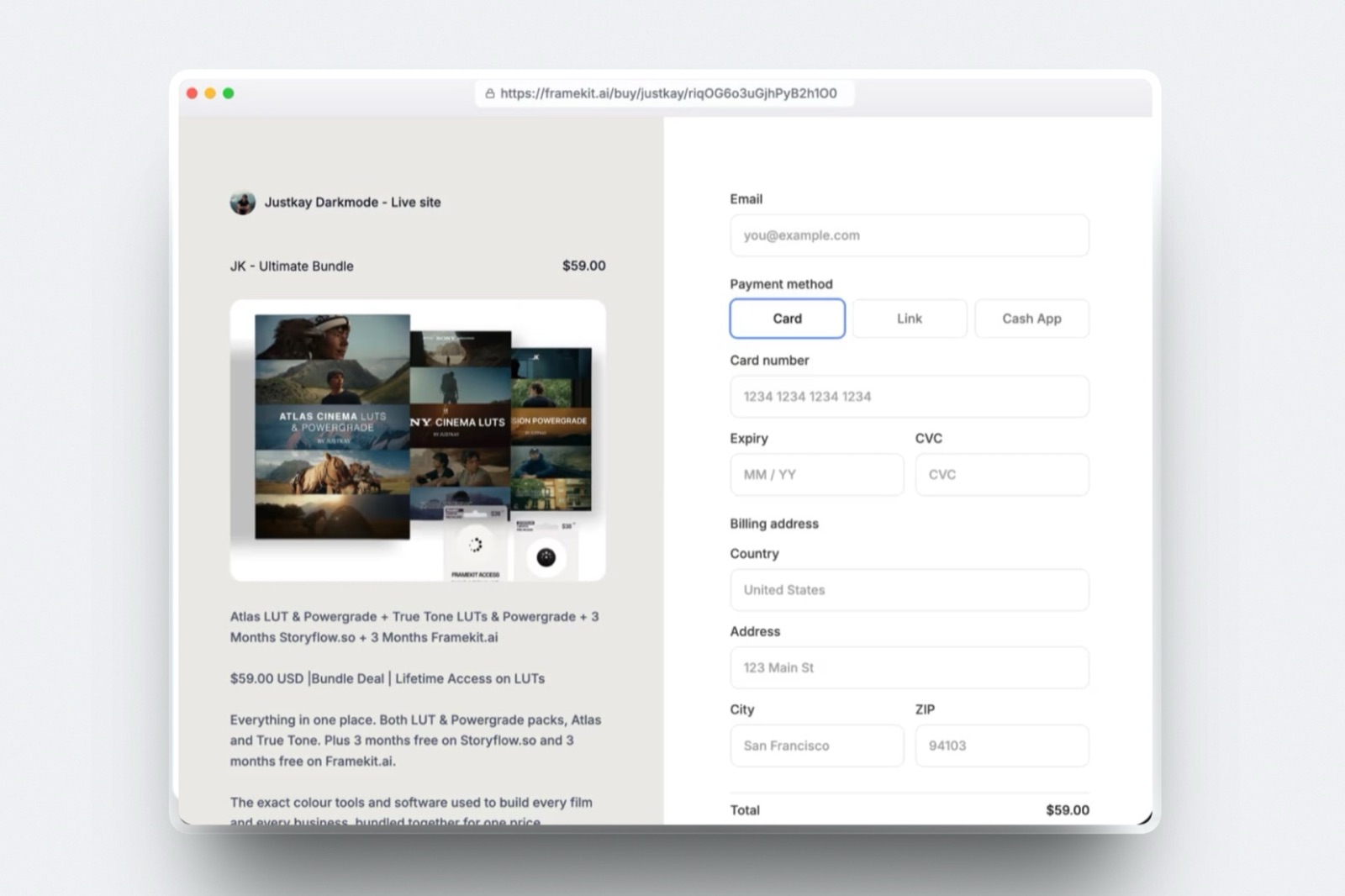
Framekit is the pick because every product gets a direct buy link, delivery is instant, buyers can return for their files, products are unlimited on every plan including Free, and checkout runs as Stripe Connect direct charges on your own Stripe account, so you are the merchant of record and you keep the customer relationship.
The platform fee is 5% on Free and Starter, 3% on Pro and 0% on Business at $39 a month; Gumroad is the faster start at 10% plus $0.50 a sale; Lemon Squeezy at 5% plus 50 cents is the one to choose if you want somebody else to be merchant of record and handle your tax.
Full disclosure: Framekit is our product and it is ranked first here, so check the numbers rather than trusting them. Every competitor rate below was read on the vendor's own published page in September 2026 and linked. Framekit cannot sell subscriptions, memberships or courses, has no affiliate program and no upsells, and it keeps its platform fee when you refund a sale, all of which are stated again in full rather than buried.
How the fees and mechanics in this guide were checked
Every figure below is either something you can open at a source, something worked out in the open, or something deliberately missing, and the third category matters as much as the first two on a page about money.
Read at the source. Gumroad's and Lemon Squeezy's rates come from their own published pricing pages, read in September 2026 and linked inline.
The payout, refund and direct-charge mechanics come from Stripe's own documentation, also linked. Framekit's fees and limits come from its pricing page and its store documentation.
Calculated. The fee comparison is worked on one carried example held everywhere on this page: a $25 preset pack selling 40 copies in a month, which is exactly $1,000 of sales. You can swap your own price and volume into the same 3-line sum.
Not published. Stripe's card-processing rate depends on the country your account is in, and this session was served European pricing on every attempt, so no processing percentage appears anywhere in this guide.
Every fee table below is the platform fee only and says so, and you should read your own country's Stripe pricing page for the processing number before you finalise a price.
The one-link setup by the numbers
Six figures decide how this goes, and every one of them is the kind of number a seller meets for the first time on the day of the first sale rather than on the day the file was finished.
- 2 things are genuinely required: a checkout URL and automatic delivery. A storefront, a domain and an email list are all optional at sale 1.
- $1,000 a month of sales, at the carried $25 price, is 40 copies, and that is the number every fee comparison on this page is worked against.
- 5% on Free and Starter, 3% on Pro, 0% on Business is Framekit's platform fee, charged on the post-discount amount.
- $780 a month in sales is where 5% of sales equals the $39 Business plan, which is the point the flat plan starts to be the cheaper choice.
- 7 to 14 days is the window Stripe's payout documentation gives for a first payout after your first live payment, which is the gap nobody budgets for.
- Unlimited products on every Framekit plan including Free, each with its own buy link, so a second and third product cost nothing to list.
In one linethe first sale is blocked by delivery and payment, not by design, so the fastest route to revenue is to solve exactly those two problems and consciously postpone every other decision until money has actually moved.
Step 1. Package the file so it can be delivered without you
A digital product is not the working file, it is the thing a stranger can use without asking you a question, and the difference between those two is roughly 40 minutes of packaging that removes the three questions every unpackaged download generates.
Put everything in one zip. Inside it: the product files in the format the buyer expects, a short read-me that says how to install or open them, and a one-page licence that states what they may and may not do with it.
Name the zip with the product name and a version number, v1.0 and not "final", because version 2 is the fix for whatever the first 40 buyers email you about.
Keep the zip small enough that a buyer on a phone finishes the download in one go; the retoucher's is 18MB. If the product runs to gigabytes, split it: a core file under 100MB that arrives instantly, and the heavy extras as a second download.
What goes wrongshipping a folder that assumes the buyer has the same software version you do. Write the read-me for the version one release behind yours, and name the minimum version explicitly on the product page so the wrong buyer does not buy.
The concrete versionthe retoucher's zip is 18 megabytes, holds 24 XMP presets in two folders, a two-page PDF read-me with install steps for desktop and mobile, and a licence line that says personal and client work yes, resale and redistribution no.
Step 2. Set one price, in one currency, and stop
Pricing is where single-product sellers lose weeks, and the reason is that the decision feels permanent when it is not.
A digital price is the most reversible number in your business, and you will learn more from 10 sales at the wrong price than from another 30 days of deliberation.
Pick a round number that sits sensibly against what comparable packs cost, set it in the currency your Stripe account settles in, and write it down as the carried figure for every sum you do afterwards: $25, in the retoucher's case.
Three things follow from that number and it is worth knowing them before you publish. Fixed per-sale fees hurt small prices more: 50 cents on a $25 pack is 2% on its own, while on a $99 pack it is half a percent.
Discount codes on Framekit are a Pro feature, and the platform fee is charged on the post-discount amount, so a 20% launch code reduces the fee as well as the price.
And if you intend to raise the price later, do it on a version boundary rather than silently.
The deeper version of this decision is its own subject, and the blog covers it in how to price digital products.
What goes wrongpricing in a currency your payout account does not hold, which adds a conversion step and a spread to every one of those 40 monthly sales. Price in the currency you get paid in unless you have a reason not to.
Step 3. Choose where the link comes from
This is the actual decision, and it is not "which storefront looks nicest", it is which of the four mechanisms in the table below produces a URL that both takes money and hands over the file.
| Option | Platform fee | Delivers the file | What it will not do |
|---|---|---|---|
| Framekit buy link | 5% Free and Starter, 3% Pro, 0% Business | Yes, instantly, with buyers able to return for the file | No subscriptions, memberships, courses, affiliates or physical goods |
| Gumroad | 10% + $0.50 direct, 30% via Discover | Yes | Its own branding sits on your checkout, and Discover sales cost triple |
| Lemon Squeezy | 5% + 50c | Yes | You are not the merchant of record, so the customer relationship is theirs |
| Stripe Payment Links | None, Stripe processing only | No. Stripe's documentation points you at Zapier or your own webhook | Any delivery at all without a second tool wired up |

A Stripe Payment Link is a genuinely excellent piece of engineering and it is the wrong answer for this job on its own.
It is no-code, it is Stripe-hosted, it supports over 40 payment methods, it will generate a QR code and an embeddable buy button, and it refunds from the dashboard without touching an API.
It just does not hand the buyer a file, and Stripe's own post-payment documentation is clear that fulfilment happens through a partner such as Zapier or through your own webhook code.
That is one more moving part between a customer's card and their download, and it is the part that breaks at midnight.
Which I would usethe Framekit buy link, because delivery, the orders list and the refund button are in the same place and checkout still runs on your own Stripe account. Start on Free and pay 5%.
If you are unsure whether the product sells at all, Gumroad gets you to a link in about 10 minutes and its 10% is a fair price for that; the blog has the full breakdown in Gumroad fees explained and the wider ranking in checkout tools for selling digital products.
In one linethe choice between these four is really a choice about who owns the customer and who carries the tax, and both of those questions are settled by the plumbing rather than by the design of the checkout page.
Step 4. Connect Stripe, and understand whose account the money lands in
This is the step where a detail that sounds like plumbing turns out to decide your tax position, so it is worth two minutes of attention even though the setup itself is a single sign-in.
Framekit's checkout runs as Stripe Connect direct charges on your own Stripe account.
In Stripe's own words about direct charges, "the payment appears as a charge on the connected account, not your platform's account", and "the connected account's balance increases with every charge", while the platform's balance increases only by the application fee.
The connected account here is yours.
Three consequences follow, and they are the reason this arrangement is worth choosing.
- You are the merchant of record. The sale is legally yours. That means the customer relationship, the receipt and the dispute are yours, and it also means the VAT or sales tax obligation is yours. Framekit does not calculate or remit tax on your behalf and does not claim to.
- The payment methods are the ones you enabled. Stripe shows buyers whatever you have switched on in your own account, which is cards and Link at minimum, plus wallets such as Apple Pay and Google Pay where you have switched them on.
- The payout schedule is yours. Money moves on the schedule your Stripe account is set to, not on a platform's calendar.
If being the merchant of record sounds like a burden rather than an asset, that is a legitimate position and it points at a different tool.
Lemon Squeezy takes the merchant-of-record role and the tax filing with it, at 5% plus 50 cents a sale, and for a seller with buyers spread across the European Union's 27 VAT jurisdictions and no appetite for registering in any of them, that is 5% well spent.
The blog covers the obligation itself in VAT on digital products for creators.
What goes wrongtreating a Stripe balance as available cash. Read your payout schedule in the Stripe dashboard on day one, because the first one takes 7 to 14 days and the rest depend on your country.
Step 5. Write the one screen the link opens
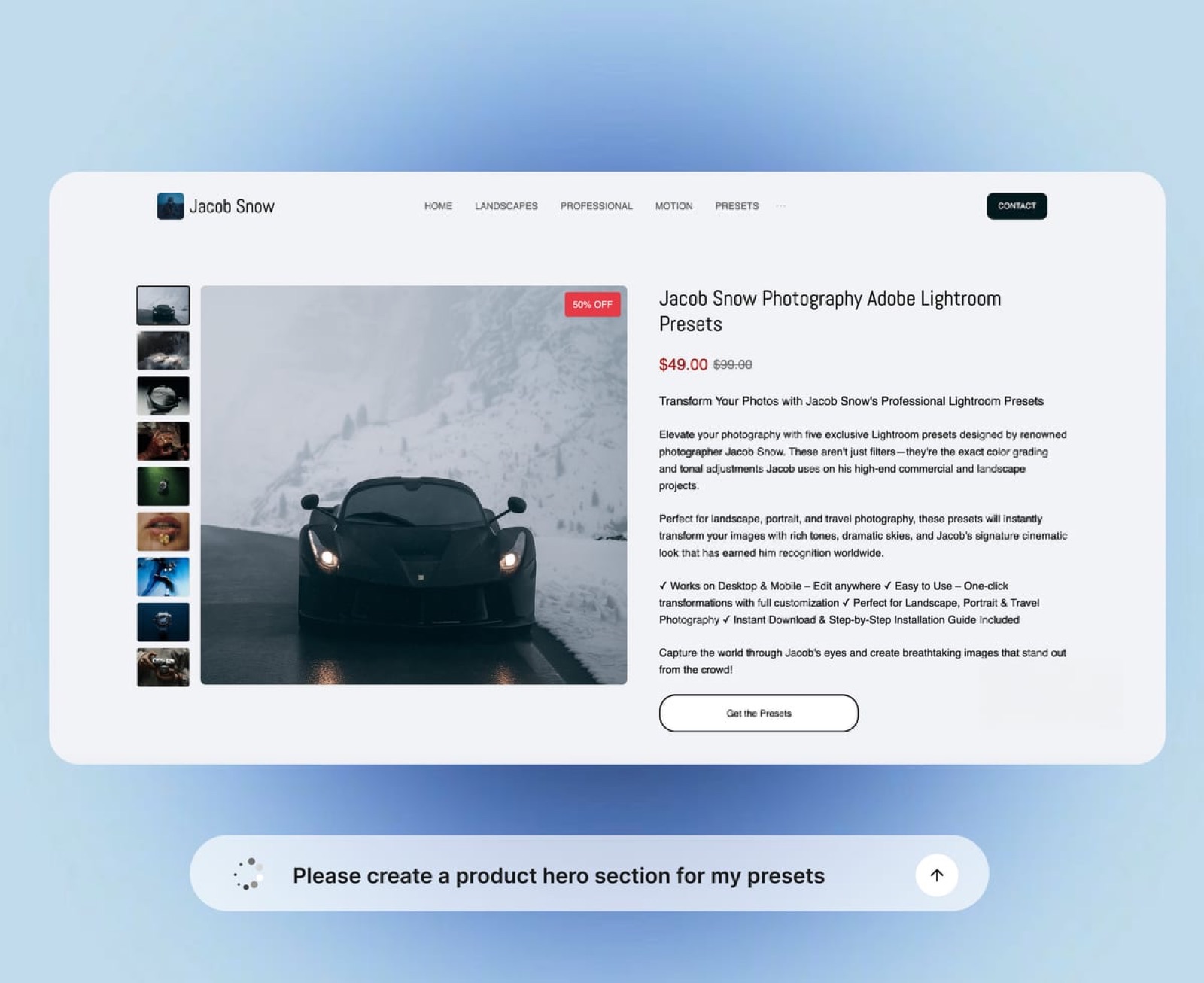
Even a single buy link lands somebody somewhere, and the page it lands on is doing all of the selling, so it deserves more thought than the link does.
The whole page is five blocks and rarely more than 150 words. What the product is, in one sentence a stranger understands. What it contains, as a counted list. One image or short clip that shows the result, not the packaging.
The price and what happens after payment. One line of licence plain-English so nobody has to ask.
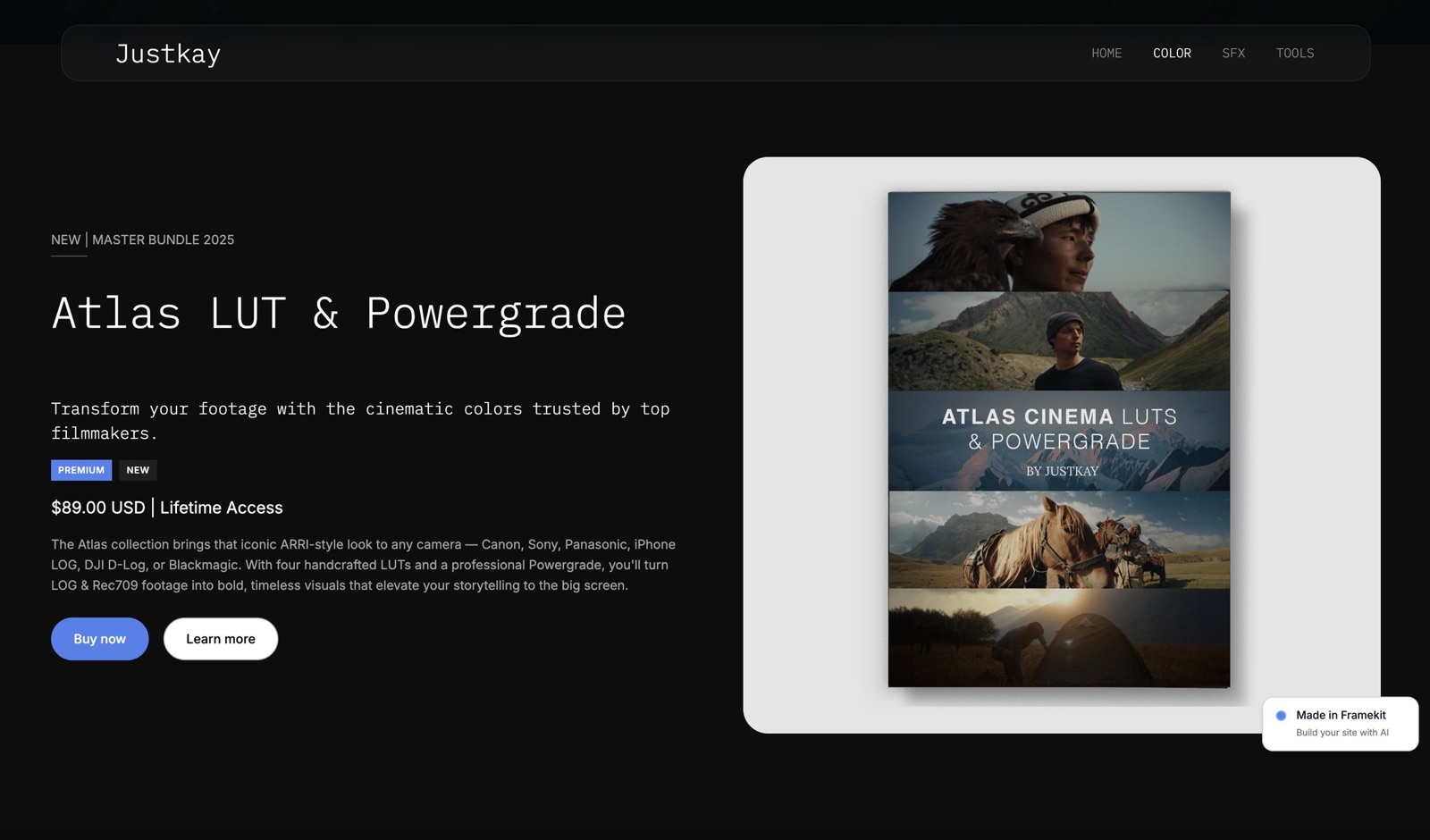
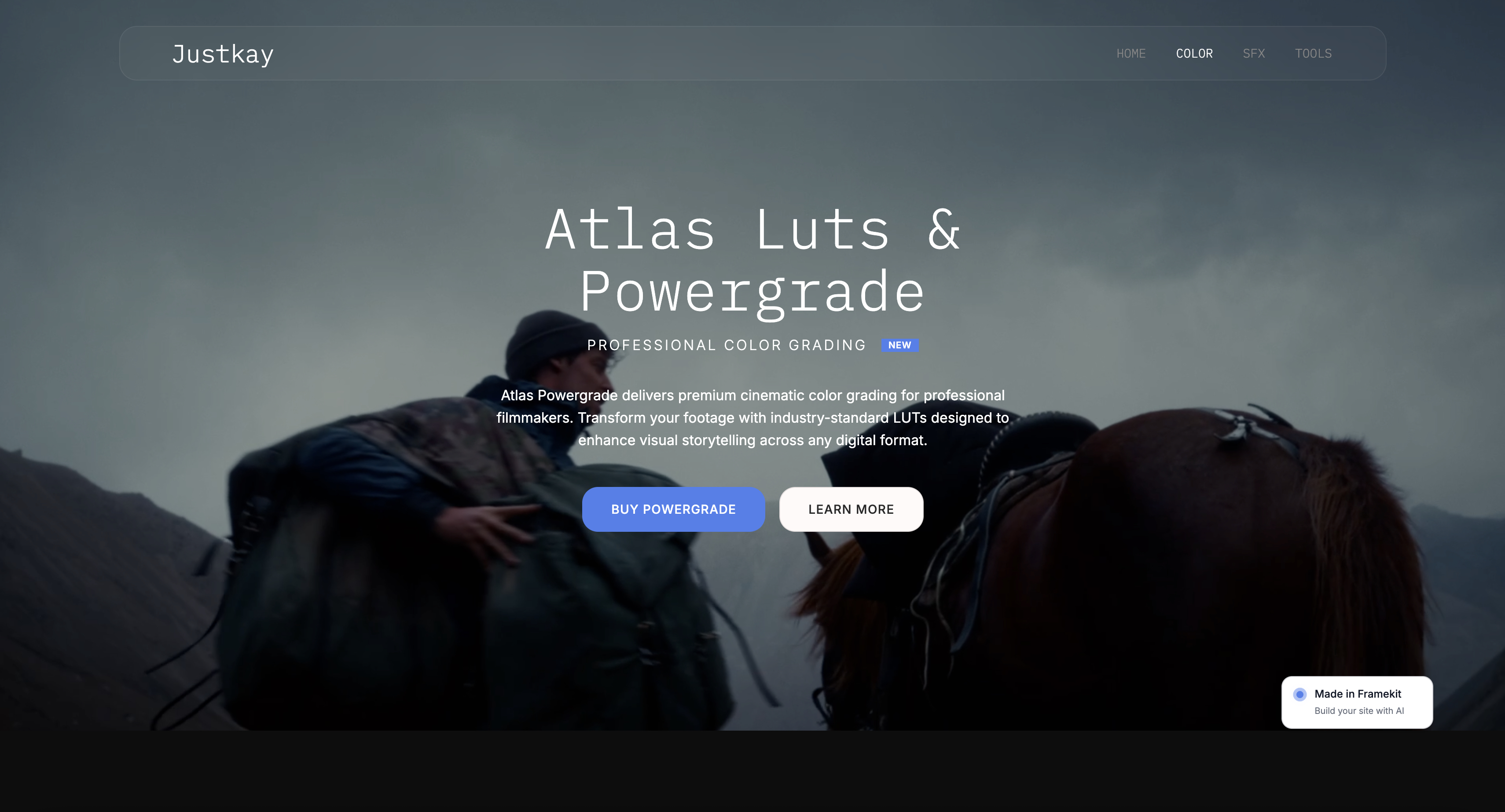
For the $25 preset pack, the "shows the result" block is a before and after, not a screenshot of a folder. For a LUT, it is the same frame graded and ungraded. For a template, it is the finished thing, not the layers panel.
Buyers are purchasing an outcome and the image should be of the outcome.
Framekit is an AI website builder, so the fastest version of this page is to describe the product in a sentence and let the AI build the section around it in your own fonts and colours, then paste the buy link into it.
Hosting, SSL and the CDN are included on every plan including Free, so the page itself costs nothing to keep online; a custom domain is the thing that needs a paid plan.
What goes wrongwriting the page about your process. Nobody buying a preset pack cares how long the calibration took. They care what their own photographs will look like four minutes after the download finishes.
Step 6. Buy your own product before anyone else does
The single most skipped step, and the one that catches the fault a stranger would otherwise find after paying you $25 and then failing to open the file.
Run a real purchase, or a test transaction if your setup supports it, and check six things in order: the checkout shows the price you expect, the payment methods you meant to enable are visible, the receipt arrives, the download link works, the file opens on a device that is not the one you built it on, and the order appears in your dashboard.
Then do it once more on a phone, because a link in a bio opens inside a phone browser, and an 18MB zip that behaves on a laptop can be awkward on a mobile one. If your product cannot be used on a phone, say so on the product page.
The one people misscheck what a buyer sees in month six, when the receipt email is gone. With Framekit, buyers can come back for their files, which converts a support request into a self-service action.
If your chosen tool does not do that, decide now what you will say when that request arrives in month 4, because at 40 sales a month it will arrive more than once.

Step 7. Put the link in one place, and drive to that one place
A link in six places that nobody clicks is worse than a link in one place with a reason to click it, and single-product sellers tend to over-distribute and under-explain.
Pick one primary home for the link.
For most creators that is the bio link on the platform where they already have attention, which makes the link-in-bio page the storefront until a real storefront is justified; the blog ranks those tools in link-in-bio tools and covers the no-website route in selling digital products without a website.
Then give the link a reason to be clicked today, which means a demonstration and not an announcement. A before and after with the pack named in the caption outperforms a post that says the pack exists.
Three of those in 14 days will tell you more about demand than any amount of pre-launch planning.
Worth knowing if you use a Stripe Payment LinkStripe reports views, sales and revenue per link, though its documentation notes the data can be delayed by up to 18 hours, so do not judge a post's performance in the first hour.
What goes wronglaunching to an audience that has never seen the product work. If nobody has watched you use the thing, the link is asking strangers to pay $25 for an 18MB zip on trust alone.
What the fees actually cost on a $1,000 month
Fee percentages are easy to wave at and hard to feel, so here is the carried example worked all the way through: a $25 preset pack, 40 sales, exactly $1,000 of sales in a calendar month.
Every figure in this table is the platform fee plus any plan price. Card processing is charged separately by Stripe and is not included in any column, because Stripe's rate depends on the country your account is in and no USD figure was readable for this guide.
| Option | Platform fee on $1,000 | Plan cost | Total kept by the platform |
|---|---|---|---|
| Framekit Free | 5%, so $50 | $0 | $50 |
| Framekit Starter | 5%, so $50 | $9 | $59 |
| Framekit Pro | 3%, so $30 | $19 | $49 |
| Framekit Business | 0%, so $0 | $39 | $39 |
| Gumroad, direct sales | 10% plus $0.50 on 40 sales, so $120 | $0 | $120 |
| Gumroad, via Discover | 30%, so $300 | $0 | $300 |
| Lemon Squeezy | 5% plus 50c on 40 sales, so $70 | $0 | $70 |
Three crossovers are worth committing to memory because they change which plan you should be on. Five percent of sales equals the $39 Business plan at $780 a month, so above that the flat plan beats Free.
The Pro-to-Business crossover arrives earlier, at $666.67 a month, because there the gap to close is the $20 between the two plan prices over 3 points of fee rather than 5.
And Pro only undercuts Free above $950 a month, by which point Business has been the cheapest column for $170 of monthly sales, so on store fees alone Pro never finishes first.
Here is the test to run on your own numbers instead of mine. Take last month's sales, multiply by your fee percentage, add your plan price, then multiply the whole thing by 12.
That annual figure is what the arrangement costs you if nothing grows.
For the retoucher on Gumroad at $1,000 a month, it is $1,440 a year against $468 on Framekit Business, a difference of $972, which is thirty-nine more preset packs she would have to sell to stand still.
In one linepercentage fees look small on one sale and are the largest controllable cost in a digital product business over a year, which is why the only comparison worth making is the annual one on your own volume rather than the per-sale one in a marketing table.
What a buy link cannot do
A single link is a deliberately small thing, and the seven jobs in the table below are the ones it will never do, which is what stops you building a business on a mechanism that was never going to carry it.
| The link cannot | What you need instead |
|---|---|
| Sell a subscription or a membership | A subscription platform. Framekit's store does not do recurring billing at all |
| Sell a course with lessons and progress | A course platform. Framekit has no course product |
| Run an affiliate program | An affiliate tool. Framekit has none |
| Add an order bump or a one-click upsell after payment | A funnel builder. Framekit does not do upsells or funnels |
| Sell anything physical | A commerce platform with shipping and inventory. Framekit's store is digital files only |
| Send a marketing email to your buyers | An email platform. Framekit does not send marketing campaigns |
| Show a buyer product variants or stock levels | A store with variants and inventory, which Framekit does not have |
Framekit does handle discount codes on Pro at $19 a month and above, with the platform fee charged on the post-discount amount, so a launch code costs you less fee as well as less revenue. That is the extent of the promotional machinery.
Verdict: a buy link is the right tool for a finished file at a fixed price, and the wrong tool for anything with a recurring charge, a curriculum or a physical object attached, and being clear about that boundary saves you from choosing the wrong platform twice.
Refunds, chargebacks and when the money actually arrives
This section exists because these three things all happen for the first time on a weekend, and knowing the mechanics in advance is the difference between a calm reply and a panicked one.
Refunds. You issue them from the Framekit dashboard, and Stripe's documentation puts a refund at 5 to 10 business days to appear on the customer's statement, which is worth telling the customer so they do not chase you on day three.
Now the part that costs you: Framekit keeps its platform fee when you refund a sale.
This is the standard behaviour of a Stripe Connect platform, whose own documentation states that "application fees aren't automatically refunded when issuing a refund", and Framekit does not reverse its fee today.
On the carried $25 pack that is $1.25 on Free or Starter and nothing on Business, but it means a refund is not a clean reversal and you should say so in your own refund policy.
Chargebacks. Because you are the merchant of record, a dispute over the $25 pack is yours to answer, and the fee for it is set by Stripe in your country rather than by Framekit.
For a digital product, the evidence that matters is the download record and the licence terms shown at checkout, which is another reason to keep the product page honest about what the buyer receives.
The blog goes deeper in digital product refunds and chargebacks.
Payouts. Stripe's documentation says that after your first live payment it "typically schedules your initial payout to complete within 7 to 14 days", and that the ongoing schedule, whether manual, daily, weekly or monthly, depends on your country.
Plan for the first payout to land in week two or three and do not promise yourself the money in week one. The wider picture of what Stripe itself costs is in Stripe fees for creators.
In one linethe three money events that surprise new sellers are the slow first payout, the refund that does not return the platform fee, and the dispute that arrives with your name on it rather than the platform's, and all three are consequences of owning the transaction.
When one link should become a store
A single link is a starting position, not a permanent one, and there are three specific signals that tell you the optimisation is now worth the effort rather than a way of avoiding selling.
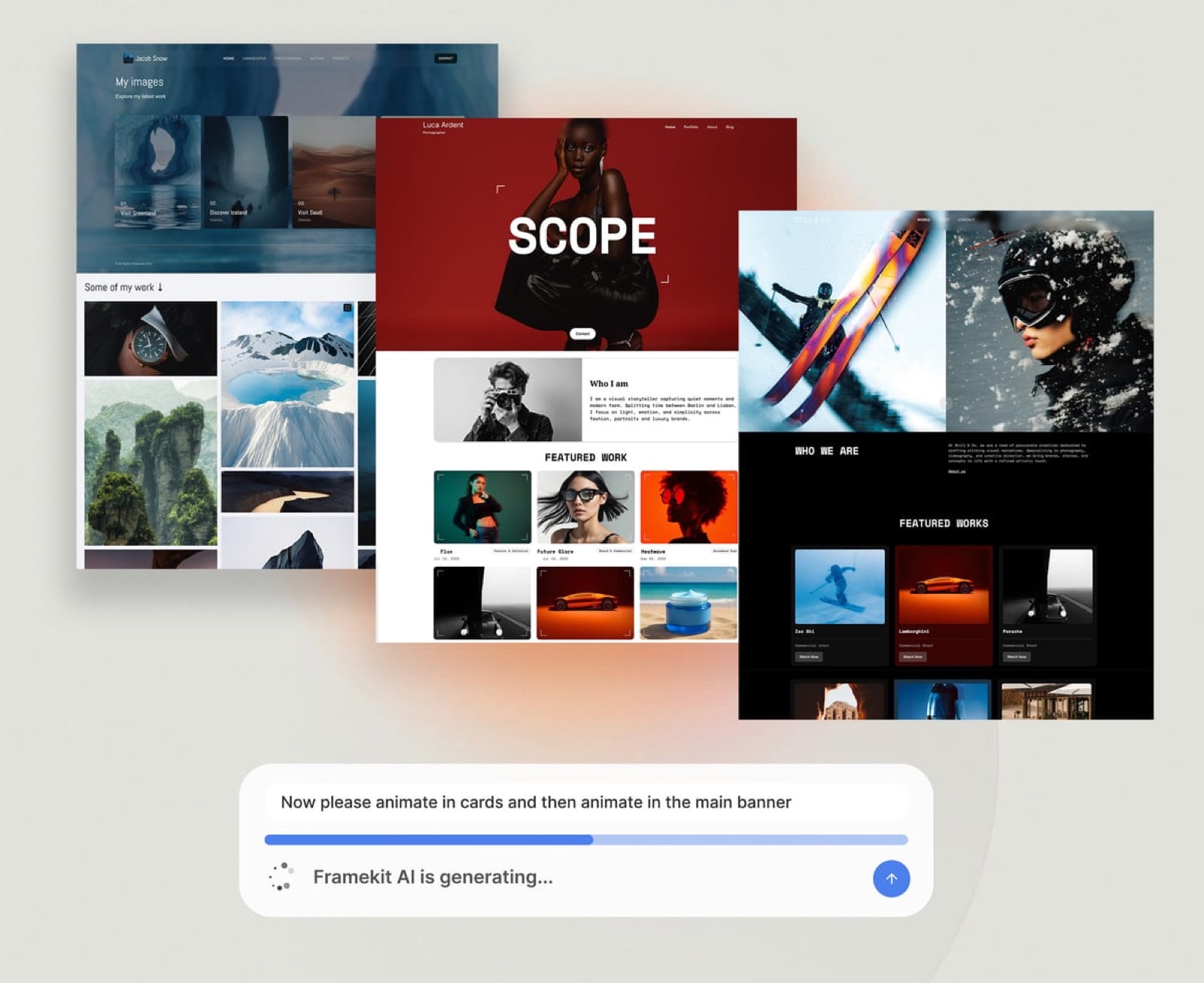
The first is a second product. The moment there are 2, a buyer who arrives for one should be able to see the other, and a single link cannot do that.
On Framekit every product has its own buy link and products are unlimited on every plan, so the store page is a presentation decision rather than a pricing one.
The second is repeat buyers. If the same email address appears twice in your orders list, the customer relationship has real value and it should not live inside somebody else's platform. Direct charges on your own Stripe account mean it already does not.
The third is the fee arithmetic crossing. At $780 a month in sales, 5% equals the $39 Business plan, and above that every extra dollar of sales makes the percentage a worse deal. That is a calendar-independent trigger: check it quarterly rather than agonising monthly.
What should not trigger a rebuild is a slow month, a competitor's redesign or a feeling that the setup looks improvised.
The worked example in what it costs to sell digital products online covers the year-one economics, and the discipline-specific version for photographers is in selling Lightroom presets from your own website.
In one lineupgrade from a link to a store when a second product, a repeat buyer or the $780 crossover says so, and not when the setup merely feels too simple, because simplicity is what got the first sale.
A decision guide for your specific situation
Answer these in order and stop at the first that fits, because the common failure here is choosing a platform on features you will not use for a year.
Is the product a single file at a fixed price? If yes, a buy link is enough and you should not build a store yet.
If it is a subscription, a membership or a course, stop reading this guide and choose a platform that does recurring billing, because Framekit does not.
Do you want to be the merchant of record? If yes, and you are willing to handle your own VAT or sales tax, use Framekit or plain Stripe. If no, use Lemon Squeezy at 5% plus 50 cents and let them file the tax.
Is this your first sale ever, and do you want a link today? If yes, Gumroad at 10% plus $0.50 is a fair price for getting there in an afternoon, and you can move later.
If you already have a Stripe account and an audience, start on Framekit Free at 5% instead and keep the extra 5%.
Are you selling above $780 a month? If yes, the flat $39 Business plan at 0% is cheaper than the percentage and the gap widens every month. If no, stay on Free and revisit quarterly.
Do you need discount codes? If yes, those start on Framekit's Pro plan at $19 a month, and the fee is calculated on the post-discount amount.
Do you need affiliates, upsells or marketing emails? If yes, Framekit does none of those three and you should pick a platform that does rather than bolting three tools together.
Frequently Asked Questions
Can you really sell a digital product from one link?
You can sell a digital product from one link as long as that link both takes payment and delivers the file. A Framekit buy link does both, with instant delivery and the ability for buyers to return for their files later.
A plain Stripe Payment Link takes payment but does not deliver anything, and Stripe's own documentation directs you to a partner such as Zapier or your own webhook for fulfilment, which is the part most first-time sellers underestimate.
What is the cheapest way to sell a digital product?
On a $1,000 month, the cheapest of the routes compared here is Framekit's Business plan at $39 with a 0% platform fee, followed by Framekit Pro at $49 all in and Framekit Free at $50.
Lemon Squeezy costs $70 on the same month and Gumroad's direct rate costs $120.
Card processing is charged separately by Stripe in all of the Framekit cases and depends on the country your account is in, so read your own Stripe pricing page before finalising a price.
Does Framekit refund its fee when I refund a customer?
Framekit keeps its platform fee when you refund a sale, and does not reverse it today. This follows the standard behaviour of a Stripe Connect platform, where application fees are not automatically refunded when a charge is refunded.
On the $25 example that is $1.25 retained on the Free and Starter plans, $0.75 on Pro and nothing at all on Business, where the fee is 0%. Write your refund policy knowing that a refund is not a clean reversal.
Who is the merchant of record when I sell through Framekit?
You are. Framekit's checkout runs as Stripe Connect direct charges on your own Stripe account, so the payment is a charge on your account rather than on Framekit's, and Framekit takes only an application fee.
That makes you the merchant of record, which means the customer relationship and the receipt are yours, and it also means VAT or sales tax is your responsibility. Framekit does not calculate or remit tax on your behalf.
How long does it take to get paid?
Stripe's documentation says it schedules your initial payout to complete within 7 to 14 days of your first successful live payment, and that it can take longer depending on your industry, country and risk level.
After the first one, the schedule follows whatever you set in your Stripe dashboard, with manual, daily, weekly and monthly options available in most countries. Plan around the first payout being the slow one.
Is Gumroad or Framekit cheaper for selling presets?
On $1,000 a month of preset sales at $25 each, Gumroad's direct rate of 10% plus $0.50 a sale costs $120 while Framekit costs $50 on the Free plan and $39 all in on Business. Over a year that difference is $1,440 against $468.
Gumroad is faster to start and carries no plan fee at all, which is a real advantage before you know whether the product sells; the arithmetic turns against it once sales are steady.
Do I need a website to sell a digital product?
You do not need a website to sell a digital product, only a checkout URL with delivery attached and one place to put it, which for most creators is the bio link on the platform where they already have an audience.
A product page helps, because it answers what the buyer receives and what the licence permits before they reach checkout.
Framekit includes hosting, SSL and a CDN on every plan including Free, so that page costs nothing beyond the time to write it.
Can I sell a subscription or a course from a Framekit link?
You cannot. Framekit's store sells digital files only, with no subscriptions, memberships, courses, variants, inventory or physical goods, and it has no affiliate program, upsells or funnels.
If your product is recurring or has lessons and progress tracking, choose a platform built for that instead.
Framekit is the right tool for a finished file at a fixed price, delivered instantly, and the wrong tool for anything with a recurring charge attached.
What happens if a buyer loses the download email?
With Framekit, buyers can come back for their files, so a lost email becomes something the buyer resolves themselves rather than a support request that reaches you at eleven at night.
If you use a tool without that behaviour, decide in advance how you will reissue a download, and keep the orders export somewhere you can search by email address. This is a small detail that becomes a large one at the two hundredth sale.
Do I have to charge VAT on a digital product?
If you are the merchant of record, the VAT or sales tax obligation is yours, and which rates apply turns on where you and your buyers are located, which is a question for an accountant in your country and not for a blog post.
Framekit does not calculate or remit tax.
If you want that obligation handled for you, Lemon Squeezy acts as merchant of record at 5% plus 50 cents per sale and files the tax itself, which is the main reason to choose it over a cheaper platform fee.
How many sales does it take to be worth leaving the free plan?
At Framekit's rates, 5% of sales equals the $39 Business plan at $780 a month in sales, which at the carried $25 price is about 31 copies a month. Below that, the Free plan at 5% with no plan fee is the cheaper arrangement.
Pro at $19 and 3% only undercuts Free above $950 a month, while Business undercuts Pro from $666.67, so on store fees alone the choice is Free below $780 and Business above it. Check the figure quarterly rather than monthly.
Final Verdict
Package the file so a stranger can use it, set one price, get a checkout URL that delivers automatically, buy your own product once on a phone, then put the link in one place and give people a reason to click it this week.
Framekit is the recommendation because every product gets its own buy link, products are unlimited on every plan including Free, delivery is instant with buyers able to return for their files, and checkout runs as direct charges on your own Stripe account so the sale, the customer and the payout are yours rather than a platform's.
Where Framekit loses is everything that is not a file at a fixed price.
It does not sell subscriptions, memberships or courses, it has no affiliate program, no upsells and no marketing email, it sells nothing physical, and it keeps its platform fee when you issue a refund.
It also makes you the merchant of record, which is an advantage right up until the moment you would rather not think about VAT at all, and if that is you then Lemon Squeezy at 5% plus 50 cents is the better fit and this guide would rather you went there than resented us in April.
Related readingfor the full cost picture over a year, see what it costs to sell digital products online.
For the tool ranking rather than the procedure, see checkout tools for selling digital products and Gumroad fees explained.
For delivery mechanics specifically, digital product delivery tools covers what happens between the payment and the file.
The page behind the link is built in how to write a sales page for a digital product, and what happens after the payment is covered in how to deliver digital files to buyers.