Framekit templates
Start from a designer-made template
 Use template
 Use template
 Use template
 Use template
 Use template
 Use template
 Use template
 Use template
A hiring manager opens your portfolio with eleven other tabs already loading. They are not there to admire a hero animation. They are scanning for one thing: can you show your thinking?
They want a case study that walks from a real problem, through research and trade-offs, to a measurable outcome. If your site makes that hard to find, you are out of the running before they read a word.
That is the quiet truth about UX portfolios in 2026. The bar is not visual polish, it is the depth and clarity of your case studies.
And yet most UX designers spend their weekends fighting a builder, hand-coding a Webflow layout or wrestling a generic template, when the time should go into the writing and the artifacts that actually get them hired.
This guide fixes the tool problem so you can spend your effort where it counts.
We tested eight website builders on what matters for a UX designer portfolio website: how well each one supports long, structured case studies, how good the result looks without a developer, how fast it loads, and what it costs.
Framekit, an AI website builder trained by senior designers, is the one we kept recommending, and its free plan needs no credit card.
The best website builder for UX designers in 2026 is Framekit, because its designer-trained AI builds case-study-ready portfolios fast with no code.
Webflow is the runner-up for designers who want full manual control, and UXfolio is best for case-study-only portfolios. Start free at framekit.ai.
Full disclosure: Framekit, ranked #1 below, is our own product. Every alternative is linked and we name where each beats us: Webflow gives the manual control a designer may be judged on, UXfolio is built around the case study and prompts you through one, Adobe Portfolio is free if Creative Cloud is already on your card, Notion is free and faster to draft in, and Framer does motion we do not attempt.
How We Compared These Builders
A UX portfolio is read by hiring managers skimming on a deadline, so the judgements here are made against that reader. Here is the basis.
- Verified from primary sources: pricing, page limits and what each tier unlocks were taken from each vendor's published pages in September 2026.
- Assessed hands-on: how a long case study reads on each platform, and how much structure the tool supplies before you start writing.
- Not assessed: hiring-manager preference, which varies by company and which nobody can measure honestly.
Nothing below quotes a load time or a performance score, for any platform.
What to Look For in a UX Designer Portfolio Website
A UX portfolio has a narrower job than a general creative site. It must make your process legible to a hiring manager skimming on a deadline. Four criteria decide whether a builder helps or hurts.
Does it support deep case studies?
A UX case study is long. It has a problem statement, research, personas or journey maps, wireframes, iterations, the final design, and an outcome.
The builder needs to handle long-form layout with mixed media, image and text, comfortably, without forcing every project into an identical card grid. If the tool fights long content, your best work gets flattened.
Can a non-developer get a polished result?
You are a UX designer, not necessarily a front-end developer. Plenty of designers can hand-build in Webflow, but plenty cannot, and even those who can often resent the hours.
The builder should produce a layout with real hierarchy, spacing, and type without asking you to manage breakpoints and CSS yourself.
Is it fast and clean for SEO?
Recruiters and hiring managers search your name. A slow, poorly structured site is a weak first impression and ranks badly. Look for fast hosting, server-side rendering, and clean structured output, so your portfolio loads quickly and shows up properly when someone Googles you.
Does it stay consistent as you add projects?
You will add case studies over a career. A builder that makes each new project drift from the last, different spacing, mismatched type, leaves you with a portfolio that looks unmaintained. Consistency as the site grows is a real selection criterion, not a nice-to-have.
Quick Comparison: UX Designer Website Builders
The weighting applied here: how well a long case study reads carries the most weight, because that is what gets a designer shortlisted, then how much structure the tool provides before the blank page, then cost.
Under the opposite weighting, where the portfolio itself must demonstrate hand-built craft, Webflow wins outright and Framekit places third.
| Tool | Best For | Case Study Depth | No-Code | Starting Price |
|---|---|---|---|---|
| Framekit | Designer-grade portfolio, no code | Strong | Yes | Free / $19 mo |
| Webflow | Full manual design control | Strong | Partial | $15 mo |
| UXfolio | Case-study-only portfolios | Strong, templated | Yes | Free / $9 mo |
| Squarespace | Template-led portfolios | Moderate | Yes | $19 mo |
| Framer | Motion-heavy design portfolios | Moderate | Partial | $10 mo |
| Adobe Portfolio | Creative Cloud subscribers | Moderate | Yes | With CC plan |
| Notion | Quick, minimal portfolios | Basic | Yes | Free / $10 mo |
| Wix | Third-party integrations | Moderate | Yes | $17 mo |
1. Framekit: Best Overall UX Designer Portfolio

Our rating: 9.1/10
Framekit is an AI website builder, and a UX designer chasing a product-design role is exactly who it was tuned for.
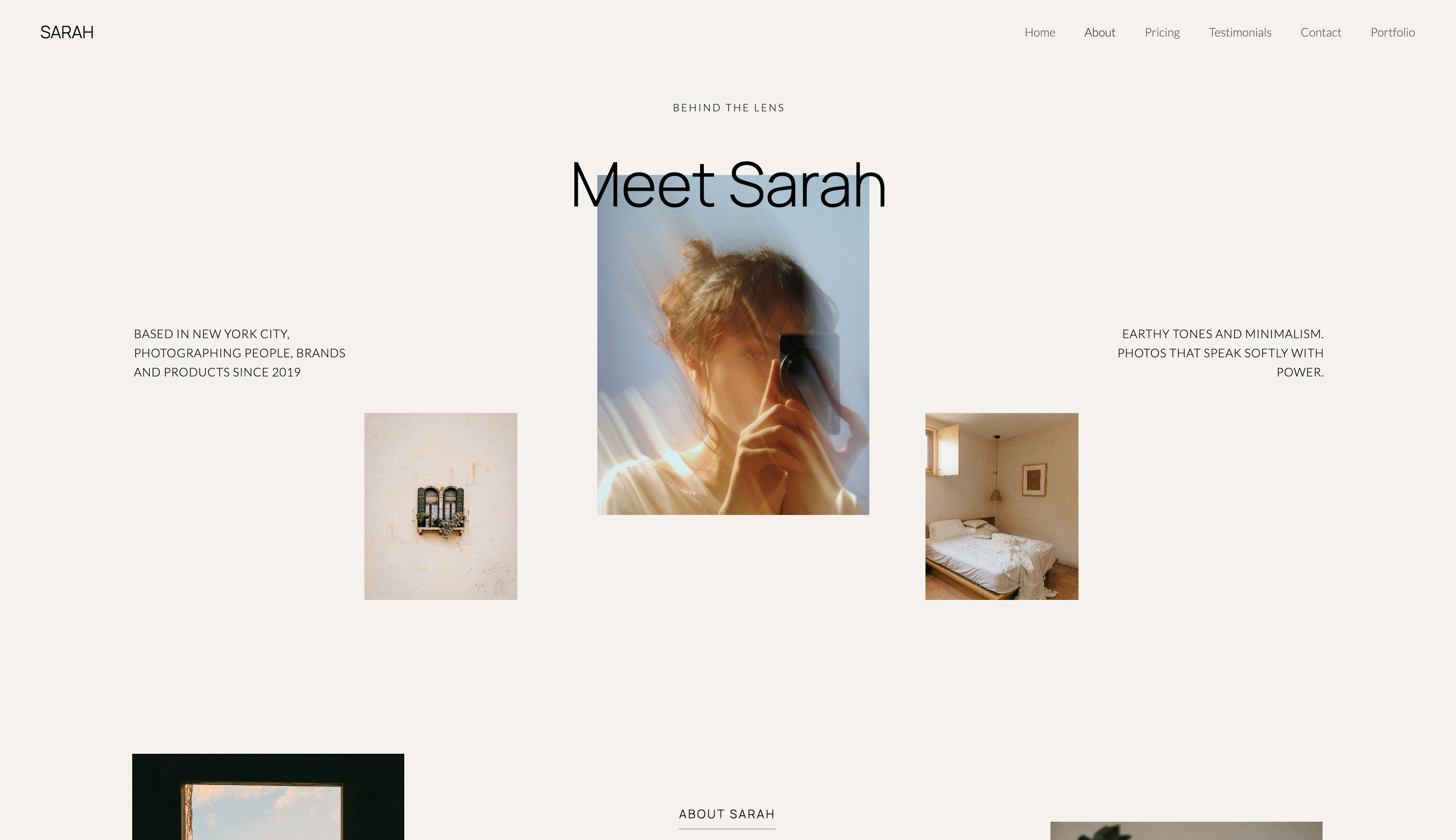
You describe the work you want to show, or hand it a screenshot of a portfolio you admire, and its designer-trained AI returns a real layout with hierarchy, spacing, and type already resolved - the kind of considered result a hiring manager reads as intentional rather than templated.
For the part that actually decides UX interviews, the long-form case study, it holds up where most builders fold: problem, research, journey maps, wireframes, iterations, final design, and outcome all sit in one coherent visual system instead of being crushed into an identical card grid.
The retention argument here is career-shaped rather than client-shaped.
You add case studies across years, and every new project inherits the fonts, colors, and spacing you already set, so your fifth study looks as deliberate as your first and the whole portfolio still reads as one designer's hand.
That is the difference between a site a recruiter trusts and one that quietly drifts as it grows.
Best forUX designers who want a case-study-ready portfolio with real design hierarchy, built fast with no code, that stays consistent as projects pile up.
Key features:
- Designer-trained AI that generates a hierarchy-correct layout from a prompt or a reference screenshot
- Long-form case-study pages with mixed image and text, not a fixed card grid
- One shared visual system that every new project inherits automatically
- Fast hosting on a Cloudflare CDN with SSL, server-side rendering, sitemaps, and JSON-LD so your name ranks and loads clean
- A custom domain and no platform branding from the Starter plan up
The honest ceiling is manual control.
Framekit will not hand you Webflow's breakpoint-level pixel authorship, so a designer who wants to art-direct a bespoke scroll interaction on every section will feel the edge of the system, and its third-party app marketplace is smaller than Wix's.
For a portfolio judged on case-study clarity rather than novelty interactions, neither limit costs you an interview, but they are real and worth naming.
The real numbera designer-grade, case-study-driven portfolio on your own domain costs $9 a month on Starter, and you can build and publish the whole thing on the free plan with no credit card first, so the tool never stands between you and the writing that actually lands the role.
PricingFree $0 (no credit card, Framekit branding), Starter $9 per month (custom domain, no branding), Pro $19 per month, Business $39 per month.
Pros:
- Designer-trained AI output that reads as real design work, not a template
- Deep, consistent case-study pages that hold one visual system as you add projects
- Fast, SEO-clean hosting so recruiters find and load your site quickly
Cons:
- No Webflow-level breakpoint or pixel-by-pixel manual control
- A smaller third-party app marketplace than Wix
- The very lightest one-page needs may not require this much builder
Skip it ifyou want to hand-author every breakpoint and interaction yourself; Webflow gives you that manual control if you have the hours to learn it.
Verdict: Framekit is the best website builder for a UX designer portfolio in 2026 because it produces a case-study-ready, hierarchy-correct site fast, with no code and no design decay as projects accumulate. Start free at framekit.ai.
2. Webflow: Best for Full Manual Control
Our rating: 8.7/10
Webflow is a visual development platform, and for the UX designer who genuinely wants to own every layout decision it is the most capable tool in this roundup.
You can build any grid, any responsive behavior, any scroll interaction, and its CMS is a real content model, which makes managing a growing library of case studies clean once you are fluent.
The output is semantic, standards-compliant code, so a portfolio built here can double as quiet proof that you understand how a design becomes front-end reality - a signal that carries weight on some product-design teams.
The price is paid in hours. Most designers need somewhere in the range of 20 to 40 hours before Webflow stops fighting them, and a job-seeker mid-search almost always spends that time better on the case-study writing itself.
Webflow rewards the designer who already thinks in breakpoints and wants the authorship; it punishes anyone trying to ship a portfolio this weekend.
Best forUX designers who want total manual control over layout and interaction and have the time to learn a steeper tool.
Key features:
- Pixel-level control over layout, breakpoints, and responsive behavior
- A genuine CMS for structuring and reusing case-study content
- Clean, semantic code output that mirrors real front-end structure
- Fine-grained scroll and interaction authoring
- A large template and community resource ecosystem to start from
The real numberthe sticker price is modest, but the true cost is the 20 to 40 hours of learning most designers spend before the tool becomes productive - time that competes directly with writing the case studies that get you hired.
Pricingfrom Webflow pricing, Basic $15 per month and Premium $25 per month, billed annually.
Pros:
- Complete manual control over every layout and interaction
- A strong CMS for a growing case-study library
- Semantic code output that signals front-end fluency
Cons:
- A steep learning curve that eats job-search time
- Overkill for a designer who just needs case studies presented well
- You carry the design judgment yourself; there is no designer-trained AI
Skip it ifyou are mid-search and need the portfolio live soon; the learning curve will cost you the very weeks you are trying to use it.
Verdict: Webflow is the runner-up and the right pick when manual control matters more than speed and you have the hours to invest. For agency-scale work, see our Framekit vs Webflow comparison. Visit Webflow
3. UXfolio: Best for Case-Study-Only Portfolios
Our rating: 8.4/10
UXfolio is built for exactly one reader: a UX or UI designer assembling case studies.
Its templates are structured around the case-study arc, with prompted sections for research, personas, and process, and a guided flow that rescues designers who freeze at a blank canvas.
If your only goal is to get three or four solid case studies presented in a recognizable, hiring-friendly shape, it removes a lot of the friction that makes portfolio-building drag on for months.
The trade-off is range and individuality. UXfolio sites tend to read as UXfolio sites, because the templates are doing the structural thinking for you, and the visual vocabulary is shared across everyone using it.
For a designer who wants the portfolio itself to demonstrate personal brand or visual craft, that sameness works against the goal, and there is little room to escape it.
Best forUX designers who want a guided, case-study-first portfolio and do not mind a recognizable template look.
Key features:
- Templates structured around the UX case-study arc
- Prompted sections for research, personas, and process
- A guided flow that helps designers past the blank page
- Password protection for work still under NDA
- A free tier to publish a first case study
The real numberthe free tier lets you publish a working case-study portfolio at no cost, and paid plans start around $9 a month, so the entry price is low; what you spend instead is distinctiveness, since the templates shape every site toward the same look.
Pricingfree tier available, paid plans from around $9 per month per UXfolio pricing.
Pros:
- Purpose-built for UX case studies, with helpful structure
- A guided flow that lowers the effort to start
- A usable free tier and a low paid entry price
Cons:
- Portfolios tend to look visibly template-built
- Little room to express a personal visual brand
- Narrow beyond case studies; not a general site
Skip it ifyou want the portfolio to stand out on visual craft or double as a personal brand; the shared template vocabulary flattens that.
Verdict: UXfolio is a strong, low-friction choice when you only need case studies and accept a recognizable template, trading distinctiveness for guidance. Visit UXfolio
4. Squarespace: Best Template-Led UX Portfolio

Our rating: 8.1/10
Squarespace gives you polished templates and a dependable editor, and a UX designer who picks a clean portfolio template can have a presentable site live in an afternoon.
The gallery and blog tooling is solid, the hosting is reliable, and nothing about the result looks broken or amateur, which clears the lowest bar a hiring manager sets.
Where it strains is case-study depth.
Squarespace templates are engineered for general portfolios and online stores, not for long, mixed-media UX narratives, so building a proper process page - research, then wireframes, then iterations, then outcome - means fighting the template's intent with manual layout work.
Its AI features are light, so the polish you get is the template's rather than a designer-trained model's, and the deeper your case studies go the more the seams show.
Best forUX designers who want a reliable, presentable template-led site and whose case studies are on the lighter side.
Key features:
- A library of polished, professionally designed templates
- A dependable visual editor with solid gallery and blog tools
- Reliable managed hosting and a straightforward domain setup
- Built-in commerce if you also sell a resource or side product
- Broad third-party integration support
The real numberat $19 a month on the Basic plan you get a clean, reliable site, but every case study deeper than a template anticipates adds manual layout time, so the true cost is measured in the hours the template does not save you.
Pricingfrom Squarespace pricing, Basic $19 per month billed annually.
Pros:
- Polished templates that look professional out of the box
- A reliable editor and stable hosting
- Good general-purpose gallery and blog tooling
Cons:
- Templates resist long, mixed-media UX case studies
- Light AI, so the polish is the template's, not designer-trained
- Deep process pages need manual layout the template fights
Skip it ifyour case studies are long and detailed; the templates were not built for that depth and you will do the layout work yourself.
Verdict: Squarespace works for a lighter UX portfolio, but genuinely deep case studies will demand manual effort the templates never anticipated. We compare design quality in detail in our Framekit vs Squarespace breakdown. Visit Squarespace
5. Framer: Best for Motion-Heavy Portfolios
Our rating: 7.8/10
Framer began life as an interface design tool, and it still shows in the best way: the canvas behaves like Figma, and the motion and animation controls are the most capable in this comparison.
A design-literate UX designer can build a portfolio with sophisticated scroll effects, transitions, and micro-interactions that feel genuinely crafted, and for a role where interaction design is the whole point, that fluency can read well.
Two things temper it for UX hiring, though. First, Framer assumes you bring the design judgment; its AI helps rough out a layout but does not carry taste the way a model trained on senior design work does.
Second, motion is rarely what actually gets a UX designer hired - case-study clarity is - and heavy animation can slow the read, pushing a hiring manager past the thinking they came to evaluate.
It is a showcase tool that rewards restraint you have to supply yourself.
Best forDesign-literate UX designers who want a motion-rich, interaction-forward showcase and will supply the taste themselves.
Key features:
- A Figma-like canvas familiar to working designers
- The strongest motion and animation controls in this roundup
- Fine control over scroll effects and transitions
- AI-assisted rough layout generation
- Fast, modern publishing
The real numberat around $10 a month Framer is affordable, but the real price is judgment: it gives you the most animation power here and the least designer-trained guidance, so the quality of the result rests entirely on your own restraint.
Pricingfrom Framer pricing, around $10 per month.
Pros:
- The best motion and interaction tooling in the comparison
- A familiar, Figma-like design canvas
- Modern, fast published output
Cons:
- Assumes you supply the design taste; the AI does not carry it
- Heavy motion can slow the case-study read
- Animation is rarely what decides UX hiring
Skip it ifcase-study clarity, not animation, is what your target roles hire on - which describes most UX roles.
Verdict: Framer is excellent for a motion-rich showcase if you have the design sense to wield it, but most UX hiring is decided by case-study clarity rather than animation. Visit Framer
6. Adobe Portfolio: Best for Creative Cloud Subscribers
Our rating: 7.4/10
Adobe Portfolio comes bundled with a Creative Cloud subscription, so if you already pay Adobe for Photoshop, Illustrator, or XD, a portfolio here costs nothing extra.
It is simple to set up, syncs with Behance, and gets a clean, no-nonsense site live quickly, which makes it a sensible convenience for a designer already living inside the Adobe ecosystem.
The limitation is investment and depth.
Adobe Portfolio has not seen meaningful development in years, its template range is narrow, and its case-study layout flexibility is modest - fine for a gallery of shots, thinner for the long, structured UX narrative a product role wants to read.
It is a pleasant bonus that rides along with a subscription you already have, not a builder you would choose on its own strengths.
Best forUX designers already paying for Creative Cloud who want a clean portfolio at no additional cost.
Key features:
- Included at no extra cost with a Creative Cloud plan
- Direct Behance integration
- Simple, fast setup to a clean site
- A handful of straightforward templates
- Reliable Adobe hosting
The real numberif you already subscribe to Creative Cloud, Adobe Portfolio adds $0 to your bill, which is its single strongest argument - the value is that it is free to you, not that it out-designs the field.
Pricingincluded with an Adobe Creative Cloud plan.
Pros:
- No extra cost for existing Creative Cloud subscribers
- Behance integration for extra reach
- Quick and simple to get live
Cons:
- Little product development in recent years
- Narrow templates and modest layout flexibility
- Thin for long, structured UX case studies
Skip it ifyou are not already a Creative Cloud subscriber, since the no-extra-cost advantage is the main reason to pick it.
Verdict: Adobe Portfolio is a fine no-extra-cost option if you already subscribe to Creative Cloud, but it is not a builder worth choosing on its own merits. We cover the wider field in our best Adobe Portfolio alternatives guide. Visit Adobe Portfolio
7. Notion: Best for Quick Minimal Portfolios
Our rating: 7.2/10
Notion can be bent into a simple portfolio with a public page and a few embeds, and for a designer who wants something minimal, fast, and free it is a real option.
Its writing experience is genuinely good, which matters more here than people expect, because the case-study text - the reasoning, the trade-offs, the outcome - is the substance a hiring manager is actually reading, and drafting it in Notion is pleasant.
The problem is that Notion is a document tool, not a website builder.
You get little design control, a recognizable Notion look that signals placeholder rather than portfolio, a notion.site subdomain unless you bolt on a third-party tool, and weak SEO when a recruiter searches your name.
It can hold your thinking well, but it presents that thinking as a document, which undersells a designer whose craft is supposed to be visible.
Best forUX designers who want a minimal, free, writing-first portfolio as a fast stopgap.
Key features:
- A genuinely good writing experience for case-study text
- Free public pages with simple embeds
- Fast to assemble with no build step
- Familiar, low-friction editing
- Easy to update as your thinking evolves
The real numberthe direct cost can be $0 on the free tier, but the hidden cost is presentation - a notion.site subdomain and a recognizable document look that reads as a placeholder, a poor first impression for a design hire.
Pricingfree tier, paid plans from around $10 per month per Notion pricing.
Pros:
- Excellent for writing the case-study narrative
- Free and immediate to publish
- No build step or learning curve
Cons:
- Minimal design control and a recognizable Notion look
- A notion.site subdomain without a paid add-on
- Weak SEO and presentation for a design portfolio
Skip it ifthe portfolio needs to look like considered design work rather than a shared document, which is the bar for nearly every UX role.
Verdict: Notion is acceptable as a stopgap, but it will not present your work the way a hiring manager expects a designer's portfolio to look in 2026. Visit Notion
8. Wix: Best for Third-Party Integrations
Our rating: 7.0/10
Wix carries the largest app marketplace of any builder here, so if your portfolio needs a specific integration - a booking widget, a niche analytics tool, a particular form - Wix very likely supports it, and its drag-and-drop editor is approachable for a designer who wants to place things by hand without code.
For breadth of add-ons, nothing in this comparison matches it.
For a UX portfolio, though, the familiar trade-offs bite.
Wix's AI output tends toward a template sameness that a design reviewer clocks instantly, building deep case studies means manual layout section by section, and page performance trails the faster builders, which hurts both the recruiter's first impression and your search ranking.
Each new project section needs manual cleanup to stay visually consistent with the last, so the portfolio drifts unless you police it.
Best forUX designers who need a specific third-party integration that only Wix's marketplace offers.
Key features:
- The largest third-party app marketplace of any builder
- An approachable drag-and-drop editor
- A broad template selection across categories
- Built-in commerce and booking options
- Wide integration support for niche tools
The real numberthe Light plan is $17 a month billed annually, but the real cost shows up in speed and consistency - performance trails the field and each new case study needs manual work to match the last, so the maintenance tax rises as the portfolio grows.
Pricingfrom Wix pricing, Light $17 per month billed annually.
Pros:
- Unmatched breadth of third-party integrations
- An approachable, hands-on drag-and-drop editor
- Flexible enough to add almost any feature
Cons:
- AI output has a recognizable template sameness
- Performance trails the faster builders
- New sections need manual work to stay consistent
Skip it ifyou want a fast, design-led portfolio that stays consistent on its own; Wix asks for manual upkeep and its speed lags a site meant to look considered.
Verdict: Wix is the safe choice when you need an integration only its marketplace offers, but its design output and page speed make it a weaker fit for a portfolio meant to read as considered design work. Visit Wix
Which UX Designer Website Is Right for You?
Choose Framekit if
You want a case-study-ready portfolio that looks designed, loads fast, and stays consistent as you add projects, without spending your job-search weekends learning to code. This is the right pick for most UX designers.
Choose Webflow if
You already think in breakpoints, want total manual control over every interaction, and have 20 to 40 hours to invest in learning the platform.
Choose UXfolio if
You only need case studies, want guided structure for them, and are comfortable with a portfolio that looks template-built.
Choose Squarespace, Framer, Adobe Portfolio, Notion, or Wix if
A specific template fits you, you want motion-heavy polish, you already pay for Creative Cloud, you need a free minimal stopgap, or you require a Wix-only integration.
Frequently Asked Questions
What is the best website builder for UX designers in 2026?
The best website builder for UX designers in 2026 is Framekit, because its designer-trained AI builds a case-study-ready portfolio with real hierarchy and no code.
Webflow is the runner-up for designers who want full manual control, and UXfolio is best for case-study-only portfolios.
Do UX designers need a Webflow portfolio to get hired?
No. Webflow is powerful but takes 20 to 40 hours to learn, and hiring managers judge UX portfolios on case-study depth, not the tool used to build them.
A no-code builder like Framekit produces an equally polished, fast portfolio without the learning curve, freeing your time for the case studies themselves.
What should a UX designer portfolio website include?
A UX designer portfolio website should include two to four deep case studies, each showing a problem statement, research, process and trade-offs, the final design, and a measurable outcome.
It also needs a short about section, a clear contact method, and ideally a downloadable resume.
How many case studies should a UX portfolio have?
A UX portfolio should have three to four strong case studies rather than many shallow ones. Hiring managers read for depth, so a few projects that fully show your process beat a long grid of screenshots without context.
How much does a UX designer website cost?
A UX designer website costs $0 to start on Framekit's free plan, and $19 per month on Pro for a custom domain and no branding. Webflow starts at $15 per month and Squarespace at $19 per month, billed annually.
Can I build a UX portfolio without coding?
Yes. Framekit, Squarespace, UXfolio, and Adobe Portfolio all let you build a UX portfolio with no code. Framekit goes furthest by generating a real designed layout with correct hierarchy from your description, so the result looks hand-designed without any front-end work.
Framekit vs UXfolio: which is better for a case-study portfolio?
UXfolio is built around one thing, the case study, and its prompts genuinely help a designer who freezes at a blank page.
Framekit is the better choice when the portfolio has to be a real site on your own domain rather than a hosted profile, and when you want the same account to hold a store or galleries later.
The practical difference for a job hunt is small, because what gets you shortlisted is the writing, not the platform.
Framekit costs $9 a month on Starter for the custom domain, and you can build and publish the whole thing on the free plan without a credit card first.
UX Designer Websites in 2026: Final Verdict
UX hiring in 2026 is decided by the clarity of your case studies, not the polish of your hero animation. The builder you choose should get out of the way and let you spend your effort on the thinking that gets you hired.
Framekit is the best website builder for UX designers because its designer-trained AI produces a case-study-ready, hierarchy-correct portfolio fast, with no code and no design drift as you add projects.
Webflow is the runner-up for designers who want full manual control and have the hours, UXfolio is the low-friction choice for case-study-only sites, and the remaining tools fit narrower needs.
If you are weighing platforms more broadly, our guides to the best AI website builders for creatives and the best website builders for creative professionals go wider, the easiest portfolio website builder to use ranks tools on simplicity, and our best website builder for graphic designers guide covers an adjacent field.
The fastest way to decide is to build a draft and see the output.
_Pricing and information accurate as of May 18, 2026._