Framekit templates
Start from a designer-made template
 Use template
 Use template
 Use template
 Use template
 Use template
 Use template
 Use template
 Use template
A storyboard is a sequence, and that is the whole problem with how most boards get shown.
Your panels live in a PDF a studio emailed back, in a Dropbox folder named after a spot that wrapped a year ago, in an Instagram grid that floats panel 6 above panel 1, and in an ArtStation page that blends three productions into one scroll.
When a director, an ad agency, or an animation supervisor asks to see your book, you send a link and hope the read survives the trip. It usually does not.
A storyboard artist is hired on how a sequence reads - beat by beat, in the order you drew it - and the website builder you choose is what decides whether a director sees a sequence or a pile.
Boards are borrowed until they live somewhere you own. The studio's PDF belongs to the studio, the feed belongs to the platform, and the sequence only reads in order on the one site that is yours.
The board did its job once, in the room. The site is where it keeps working, on the next director who might hire you.
A website builder for storyboard artists is the platform you use to build a professional boarding site - sequences held in order, animatics that actually play, work grouped by production, credits and a client list, and a way to sell brush packs or board templates - ideally on a domain you own, so a director finds a curated book instead of a scattered folder.
This guide compares the best website builders for storyboard artists on exactly those jobs.
The best website builder for storyboard artists in 2026 is Framekit, because it turns a prompt into a boarding portfolio on your own domain - galleries that hold a sequence in order, video embeds for animatics, work grouped by production, and a store to sell brush packs or board templates.
The honest trade-off: ArtStation still carries the industry crowd Framekit does not, Vimeo hosts a heavy animatic reel better, and for a single cheap page Carrd is simpler.
Framekit builds a boarding portfolio from a prompt, the free plan needs no credit card, and your own domain starts on Starter.
Full disclosure: Framekit, ranked #1 below, is our own product, so we have a stake in this. We compared each tool on its published features, took every price from each platform's published pricing in July 2026 and re-verified Format's plan table in October 2026, when we also removed a hands-on build claim and corrected two Framekit store and domain details, and we say plainly where each one beats us: ArtStation has the industry network, Carrd is cheaper for one page, Adobe Portfolio is free with Creative Cloud, and Squarespace ships more templates. Read the ranking knowing that.
How We Compared These Storyboard Website Builders
A boarding site has one job most website builders were never designed for: hold a sequence in the order you drew it, and let a director read the beats without fighting the layout.
A masonry grid that reflows your panels into a pretty mosaic has quietly destroyed the only thing that mattered. We scored each tool on the five things that decide whether a storyboard portfolio earns the call, one section each below.
The five criteria, in the weight we gave them:
- Sequence integrity. Does the gallery keep panels in strict upload order, so beat 1 reads before beat 2, or does it reflow, sort by filename, or need a manual drag for every board.
- Animatics. Can boards timed to audio play as video on the page, embedded cleanly, without kicking the viewer off to another tab.
- Project structure. Can you group boards by production with a logline and a role, instead of dumping every job into one endless scroll.
- Selling. Can you sell brush packs, board templates, or a boarding course from the same site, and what does the platform take when you do.
- Ownership. A custom domain, a real export, and whether the book survives you switching tools next year.
What we verified from primary sources, without building a test site: current prices and fee percentages, read off each platform's own pricing page in July 2026.
What we report as community sentiment and label as such: recurring notes from working boarders about template limits and export - opinions we pass along, not benchmarks we ran.
Storyboard Portfolios by the Numbers
A few figures frame the whole ranking before the reviews start:
- 2 of the 6 hold a gallery in strict upload order without a per-image workaround; the rest reflow or want manual sorting, which is a slow tax on a 40-panel sequence.
- 1 of the 6 costs nothing to start and still gives you a store on the free tier, with your own domain from its $9 Starter plan: Framekit.
- 5% is what Framekit's free and entry plans take on a board-pack sale, falling to 0% on the Business plan - the mirror image of a marketplace that opens at a cut and never lets go.
- $0 is what Adobe Portfolio costs if you already pay for Creative Cloud, and about $19 a year is Carrd's entry - the two cheapest routes onto this list.
- None of the six replaces an agent or a studio's roster for how boarding work actually gets handed out; a site wins you the look, not the relationship.
The Best Storyboard Website Builders in 2026: Full Comparison
We weighted sequence integrity and animatic embedding highest, because a site that scrambles panel order fails at the one job the others do not even attempt, and price only broke ties.
| Tool | Best for | Keeps sequence in order | Sells board packs | Entry price | Own domain |
|---|---|---|---|---|---|
| Framekit | An owned book that reads in order and sells | Yes, strict order | Yes, 5% to 0% | Free, then $9/mo | Yes |
| Squarespace | Template variety and a polished blog | Manual sorting | Yes, plus fees | $19/mo | Yes |
| Format | Gallery-forward portfolios | Yes, ordered galleries | Print-focused store from Pro | ~$10/mo | Yes |
| Adobe Portfolio | A free gallery inside Creative Cloud | Manual sorting | No native store | Free with CC | Yes |
| Wix | Total layout control by hand | Manual sorting | Yes, plus fees | Free, then $17/mo | Paid plans |
| Carrd | A one-page contact card | One page only | Via third parties | Free, then ~$19/yr | Paid plans |
Prices are entry plans read from each platform's published pricing in July 2026, billed annually where that rate is the one shown; Adobe Portfolio is included with any Creative Cloud subscription rather than sold on its own.
1. Framekit: The Best Website Builder for Storyboard Artists in 2026

You describe the book - "boarding portfolio, commercial and animation work, sequences in order, a page to sell my brush pack" - and Framekit drafts the site: a home that leads with your strongest sequence, project pages that hold panels in the order you uploaded them, a spot for an animatic, and a store.
You are editing a boarding site that already reads correctly, not dragging panels into place one at a time.
The detail that matters for boarding specifically: galleries keep strict upload order, so a 48-panel sequence reads 1 through 48 without you renaming files "board_001" to trick a sorter.
A director opens the link and reads the beat the way you drew it.
Full-resolution serving means the dialogue and action notes inside each panel stay legible, and a director or AD can pull a ZIP of the boards to mark up - the way notes actually happen.
The number that separates it: on a board-pack or template sale, Framekit takes 5% on the free and entry plans, 3% on Pro, and 0% on Business - a fee that shrinks as you grow, the opposite of a marketplace cut.
Client galleries are unlimited on every plan, with a gallery password and a separate download PIN for work still under NDA.
Framekit is an AI website builder that turns a prompt into a storyboard artist's portfolio - sequences in order, animatics, and board packs to sell - on a domain you own.
The honest gotcha: Framekit is the owned site, not a discovery network.
It will not put your boards in front of the ArtStation crowd or a studio's internal roster; it gives you the professional home you send people to, and you still do the sending.
It is newer than Squarespace, so the template gallery is smaller.
Skip it if: you only want a single static contact card and will never sell or group work - that is more site than you need, and Carrd does it for less.
Verdict: For a storyboard artist who wants a book that reads in order, plays an animatic, sells a brush pack, and stays on their own name, Framekit is the best pick in 2026 - and it starts free.
2. Squarespace: The Polished All-Rounder

Squarespace is the safe, handsome default, and for a storyboard artist who also blogs or sells prints it is a real option. The templates are genuinely well made, the editor is stable, and a boarding site built here looks professional without much fuss.
Where it fights you is sequence. Squarespace galleries are built for photography, and getting 40 panels to stay in exact story order means naming files carefully or sorting by hand, then re-checking after every edit.
For a single hero sequence it is fine; for a book of six productions it is a chore you repeat.
On price, Squarespace starts at $19 a month on the Basic plan billed annually (per Squarespace's published pricing), with the Core plan at $29 a month if you want lower commerce fees.
There is no free tier beyond the trial, so the entry cost is real from day one. Community sentiment we will flag as such: boarders like the look and grumble about the sorting.
Skip it if: your book is mostly sequences and animatics and you do not want to babysit panel order - a gallery that holds strict order out of the box saves you that entire class of work.
Verdict: A strong, polished generalist that treats your sequence like a photo set - fine for one hero board, tiring for a full boarding book. Already committed to it? See our best Squarespace alternatives for creatives.
3. Format: The Gallery-Forward Portfolio
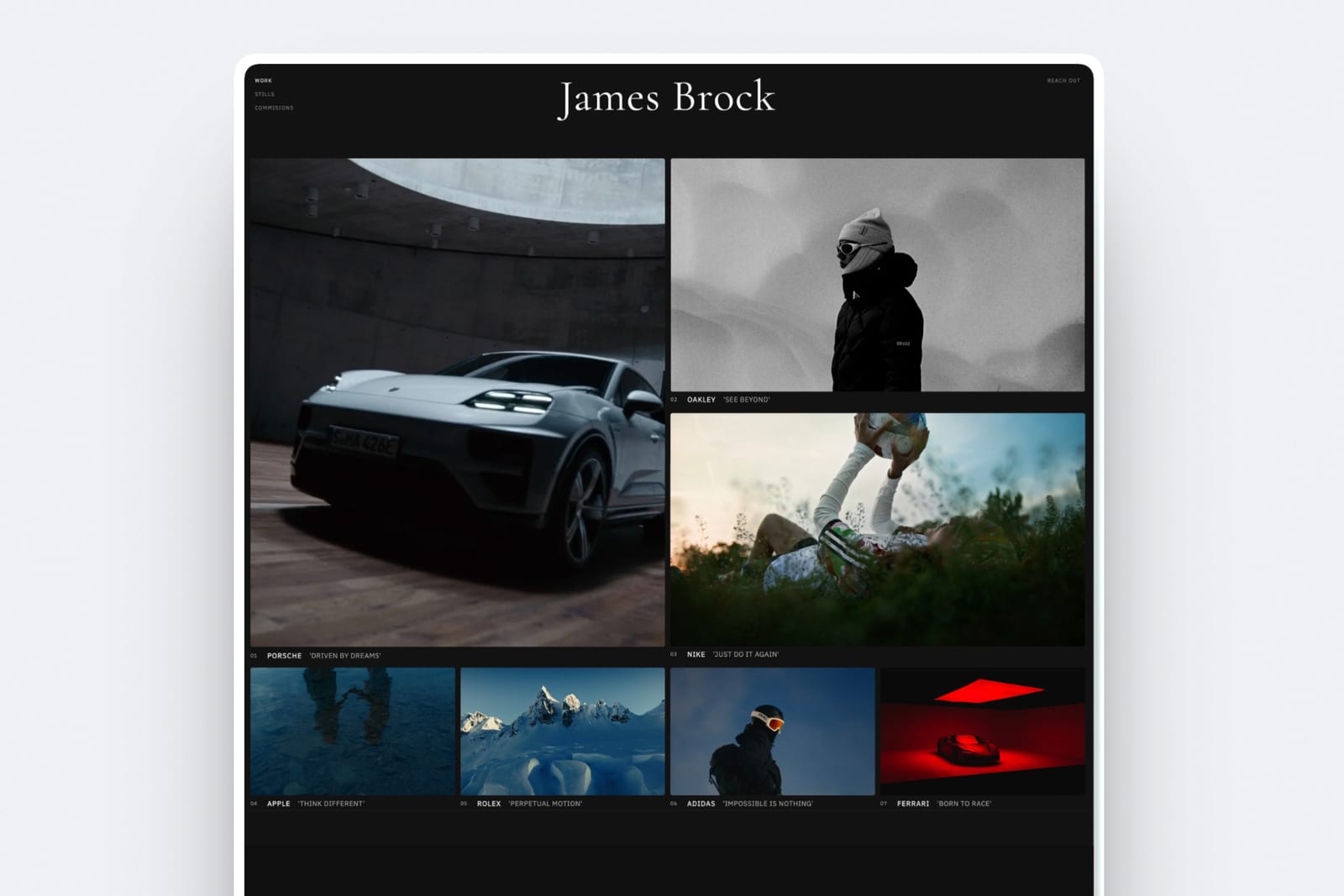
Format was built for visual portfolios, and it shows: galleries are clean, ordered, and easy to arrange, which puts it ahead of the general builders on the exact thing storyboard artists need most.
Panels stay where you put them, and a sequence reads in order without a filename trick.
Format starts around $10 a month billed annually on its entry plan, which is gentle but has no store; Pro, at $12 a month in year one and $17 after, adds more images, more client galleries and a commission-free store with up to 15 products.
That store, though, leans toward selling prints, so a brush pack or a board-template download is not the native path it is on a builder with a real digital-product store.
The honest limit: Format is a portfolio host first. It shows a sequence well and sells a print well; it is less at home selling a digital board pack or a boarding course, and it has no discovery network of its own.
Skip it if: selling digital boarding assets is part of the plan - you will want a store that treats a downloadable file as a first-class product, not an afterthought.
Verdict: The best of the gallery-first hosts for showing a sequence, held back by a print-shaped store. Weighing it directly? Read our Format alternatives guide.
4. Adobe Portfolio: Free With Creative Cloud
If you already pay for Creative Cloud - and many storyboard artists do, for Photoshop and the boarding brushes that run in it - Adobe Portfolio is included at no extra cost, and that is its whole case.
You get a clean, simple site builder, a custom domain, and a fast way to put a gallery online without a new subscription.
The number that defines it: $0 in additional cost on top of the Creative Cloud plan you already carry. For a boarder who just needs a presentable gallery at a real domain, that is hard to beat on price.
What you give up: there is no native store, so selling a brush pack means bolting on a third party, and the layout options are basic - sequence order is manual, and project structure is shallow. It is a gallery, not a boarding business in a box.
Skip it if: you want to sell boarding assets or group a deep catalog of productions - Portfolio is a display case, not a storefront.
Verdict: The best free option if Creative Cloud is already on your card and all you need is a gallery at your own domain. Outgrowing it? See our Adobe Portfolio alternatives.
5. Wix: Maximum Control, Maximum Fiddling
Wix hands you a blank canvas and near-total control over where every element sits, which is powerful and, for a boarding book, mostly beside the point.
You can build exactly the layout you picture; you will also spend an evening nudging panels into place, and sequence order is a manual arrangement rather than a guarantee.
Wix has a free plan that carries Wix branding and a Wix subdomain, with paid plans opening around $17 a month on the Light plan for a custom domain, billed annually.
It sells digital products on higher tiers, so a board pack is possible, with the platform taking its share on top of payment processing.
The trade for that control: time. A builder that drafts an ordered boarding site from a prompt gets you to a sendable link in an afternoon; Wix gets you there when you finish arranging it.
Skip it if: you would rather board than build - hand-placing every panel is the opposite of what you want the night before a pitch is due.
Verdict: The most flexible canvas here, and the most time to spend, with sequence left to your own sorting. If the fiddling is wearing thin, see our Wix alternatives.
6. Carrd: The One-Page Calling Card
Carrd does one thing cleanly: a single, cheap, fast page. For a storyboard artist who just wants a name, a line about the work, three sample panels, and an email, it is the most efficient option on this list, and nothing here undercuts it on raw price.
Carrd's free tier covers a basic single page, and Pro runs from about $19 a year, which is the lowest real entry cost in this comparison. A domain, a headline, a contact form, and a handful of images - done in an evening.
The ceiling is the point: it is one page. There is no room for a deep book of productions, no native store for a brush pack, and no way to hold a long sequence in order across projects. It is a business card, not a boarding portfolio.
Skip it if: you have more than one production to show or anything to sell - you will outgrow a single page the first time a director asks for your other work.
Verdict: The cheapest, fastest way to a professional one-pager, and only that. When one page stops being enough, our Carrd alternatives cover where to go next.
What About ArtStation?
ArtStation is where much of the film and animation industry looks, and it would be dishonest to pretend a website replaces it.
For a storyboard artist, ArtStation is a discovery network: art directors browse it, studios recruit from it, and being on it is part of being visible. That is a real value Framekit does not offer - Framekit has no built-in crowd.
Here is the honest split. ArtStation is borrowed reach on a shared platform that mixes your boards with everyone else's, ranks them by its own logic, and owns the relationship with the viewer.
Your own site is the professional home you control - your name on the domain, your sequence in your order, your store, no competitor's thumbnail one scroll away.
The two are not rivals; the working move is to use ArtStation for reach and point it at a site you own for the serious read.
The same logic runs through our Behance alternatives guide, because the discovery-network trade-off is identical.
Do Storyboard Artists Even Need a Website?
If most of your work comes through an agent or a few repeat studios, you can go a long time on a PDF and a phone number.
But a site earns its keep in the gaps: the ad agency that found your name and searched it, the director who wants to see your range before a meeting, the animation supervisor comparing three boarders for a show.
In each of those, a custom-domain site with your sequences in order is the result you control, and a Dropbox link or a scattered feed is the result you do not.
The test is simple: when someone who might hire you searches your name, what do they find, and is it in order? If the answer is a folder, a shuffled grid, or a page that mixes three productions, that is the gap a site closes.
Selling Your Boarding Work: Brush Packs, Templates, and Courses
Boarding has a second income most artists underuse: the assets. A brush pack tuned for boarding, a set of shot-template panels, a "how I board a commercial" PDF or short course - each sells to the wave of artists trying to break in. The question is what the storefront costs you.
On a marketplace, the platform takes a cut of every sale and, worse, shows the buyer a shelf of competitors on the way out. On your own site, the buyer sees your work and only your work.
Framekit's store takes 5% on the free and entry plans and 0% on Business, and the buyer checks out on a Framekit-hosted checkout page that carries your name and logo.
Run the math on your own volume: on a $30 brush pack, the difference between a 5% site fee and a double-digit marketplace cut is real money across a year, and none of it introduces your customer to a rival.
Our best website builders for creative professionals walks the own-store argument in more depth.
Animatics: Where Boards Become Video
A board timed to a scratch track is an animatic, and an animatic is a video - which means the host matters.
For a heavy reel, a dedicated video platform like Vimeo still handles playback and quality best, and that is an honest point in its favor.
What a boarding site needs is a clean way to embed that video on a page you own, next to the stills, so a director watches the animatic and then scrolls the panels without leaving your domain.
Framekit embeds a Vimeo or YouTube animatic directly into a project page; it does not try to replace the video host, and you should not want it to.
The pattern that works: host the reel where playback is best, show it on the site that is yours.
How to Choose Your Storyboard Website Builder
Answer these in order, and stop at the first line that sounds like you:
- You want one link that reads in order, plays an animatic, and can sell a board pack, all on your own name. Framekit, on the free plan to start.
- You already pay for Creative Cloud and just want a presentable gallery for nothing extra. Adobe Portfolio.
- You need a single contact card with a few sample panels and the lowest possible price. Carrd.
- You want the widest template library and do not mind hand-sorting your sequences. Squarespace.
- Your book is mostly a motion reel. Host it on Vimeo and embed it into a page you own - a Framekit project page does this without sending the viewer away.
Most working boarders land on the first line: an owned site that holds the sequence and sells the assets, built in an afternoon instead of a weekend.
Also in this seriesscreenwriting software, compared on the revision pass and the handoff rather than on formatting.
Also in this seriesstoryboard software, where the category's pricing unit has quietly moved from seats to generated images.
Frequently Asked Questions
What is the best website builder for storyboard artists in 2026?
Framekit is our pick, because it turns a prompt into a boarding portfolio on your own domain, holds a sequence in strict order, embeds animatics, and includes a store for brush packs or board templates on every plan.
The honest trade-offs: ArtStation carries the industry crowd Framekit does not, Adobe Portfolio is free if you already pay for Creative Cloud, and Carrd is cheaper for a single page.
Framekit's free plan lets you build the whole book before you pay anything.
Is ArtStation better than a website for storyboard artists?
They do different jobs, so the honest answer is to use both. ArtStation is a discovery network where studios and art directors actually look, which a standalone site cannot replicate - that reach is its value.
Your own site is the professional home you control: your domain, your sequence in your order, your store, and no competitor's thumbnail beside your work. Use ArtStation for visibility and point it at a site you own for the serious read.
How do I show animatics on a storyboard portfolio?
Host the animatic on a video platform like Vimeo or YouTube, where playback quality is best, then embed it on a project page of your own site so it plays next to the stills without sending the viewer away.
Framekit embeds a Vimeo or YouTube animatic directly into a boarding project page, so a director watches the timed sequence and then scrolls the panels on the same domain.
Keep the file itself on the video host; keep the page on the site you own.
Can I sell storyboard brush packs or templates on my own site?
Yes, and on your own site the buyer sees only your work, not a marketplace shelf of competitors.
Framekit includes a store on every plan and takes 5% on the free and entry tiers, dropping to 0% on Business, with the customer checking out on a Framekit-hosted page that shows your name and logo.
That is the reverse of a marketplace that opens at a larger cut and keeps taking it, and it means a brush pack, a template set, or a boarding course can sell straight from the portfolio a director is already reading.
Do storyboard artists need a custom domain?
For anyone being evaluated professionally, yes.
When an ad agency or a studio searches your name, a site at your own domain is the result you control - your sequences, your credits, and your contact in one professional place - instead of a platform subdomain or a shared page mixed with strangers.
A custom domain is also what makes an emailed link read as a working boarder rather than a hobby, and most builders here include one on their paid plans, and Framekit adds yours from its Starter plan at $9 a month.
What is the cheapest way to get a storyboard portfolio online?
The two lowest-cost routes are Adobe Portfolio, which is included free if you already subscribe to Creative Cloud, and Carrd, whose paid tier starts around $19 a year for a single page.
Framekit's free plan is the cheapest way to get a real multi-project book with a store, since it costs nothing to start and still gives you a storefront, with your own domain from Starter.
The catch on any free tier is the subdomain, so plan to move to an entry paid plan for your own domain once the book is ready to be judged.
How many boards or projects should a storyboard portfolio show?
Show your three to six strongest sequences in full, not every job you have ever touched.
A director reads for range and clarity, so one complete commercial board, one action beat, and one dialogue or comedy sequence say more than twenty half-finished pages.
Lead with your single best sequence, keep each production on its own page with a one-line logline, and cut anything that does not read cleanly - a tight book of six beats a bloated one of twenty every time.
Is Framekit or Squarespace better for a storyboard artist?
Both build a professional site, and the difference is sequence and selling.
Squarespace has more templates and a polished blog, but its galleries are built for photography, so keeping 40 panels in strict story order means manual sorting you redo after edits.
Framekit holds strict upload order out of the box, embeds animatics, and includes a digital-product store for board packs on every plan, starting free.
If your book is mostly ordered sequences and assets you want to sell, Framekit fits the job; if you want the widest template library and will sort by hand, Squarespace is reasonable.
Final Verdict: The Best Website Builder for Storyboard Artists in 2026
Set side by side, the six show a clear pattern: the tools differ mostly in whether they hold a sequence in order, whether you can sell your assets, and how completely you own the result - and none of them hands out the work for you.
Framekit is the best website builder for storyboard artists in 2026 who want a book they own - sequences in the order they drew them, animatics that play, productions grouped and captioned, and a store for brush packs at their own name - built from a prompt in an afternoon.
It reads correctly to the director who opens the link, it lets you sell what you make, and it stays yours through every studio and season.
Who should not use Framekit: if all you want is a single contact card with three sample panels, Carrd does it for about $19 a year, and if Creative Cloud is already on your card, Adobe Portfolio costs nothing extra - for a one-line calling card, Framekit is more than you need, and on price at the very low end it loses to them, plainly.
And whatever you build, it wins you the look, not the relationship: an agent, a studio roster, and ArtStation's crowd still do work a site does not.
Squarespace is the template-rich generalist, Format the gallery-forward pick, Adobe Portfolio the Creative Cloud freebie, Wix the hand-built canvas, and Carrd the cheap card.
But if you want a book that reads in order, plays your animatics, sells your packs, and stays yours, build it and point every studio link at it.
For more, read our best website builders for creative professionals, our best Behance alternatives for the discovery-network trade-off, website vs Instagram for creatives, and, if your boards still live on a grid, the Instagram-to-own-website move.
And if you design the world those boards describe, see our best website builders for set designers.
For the boards themselves rather than the portfolio, we compared eleven tools in our best storyboard software guide, including which ones produce an animatic.