Framekit templates
Start from a designer-made template
 Use template
 Use template
 Use template
 Use template
 Use template
 Use template
 Use template
 Use template
You spent two weeks editing the shoot, exported everything at full resolution, and then delivered it as a file-transfer link.
The client downloaded a ZIP called final_v3_FINAL.zip, the link expired seven days later, and nothing in that entire handoff said "professional photographer." It said "someone emailed me some files."
That is the quiet problem with how most photographers deliver in 2026. The photos are the product, but the handoff is the last thing the client actually experiences, and a raw file link throws that moment away.
A real photo delivery tool makes the handoff look like your studio, keeps the files alive, and does something useful after the download - proofing, favorites, reorders, a reason to come back.
Prices and limits re-verified against each tool's published pricing in July 2026, with ShootProof's storage plans and Pic-Time's commission tiers brought up to date in October 2026.
That October pass also corrected what Framekit's paid plans do to gallery branding and replaced a hands-on delivery claim with a plain account of how the tools were compared.
The photos were professional. The handoff was not.
A photo delivery tool is how you hand finished images to a client - anything from a bare file-transfer link to a branded gallery that presents the work, protects it, and keeps selling after the client downloads.
For the broader question of delivery methods - drives, prints, and albums as well as tools - see our best ways to deliver client photos guide.
The best photo delivery tool in 2026 is Framekit, because you deliver galleries from a website you own on your own domain, so the handoff looks like your brand and sits at the same address as your portfolio and booking page instead of a generic download screen.
The honest trade-off: Framekit delivers and sells digital files but has no print store, so if reordering prints after delivery matters, Pixieset or Pic-Time are better.
PicDrop is the best simple branded delivery, and WeTransfer or Smash are the fastest raw transfers when branding truly does not matter.
Full disclosure: Framekit, ranked #1 below, is our own product, so read the ranking knowing it. Every tool is linked and we name where each beats us: Pixieset, Pic-Time and ShootProof all sell prints and we sell no physical products at any tier, SmugMug is cheaper per gigabyte than anything we offer, PicDrop is faster for a professional selects round, and Smash moves file types our galleries reject outright.
How This Ranking Was Weighted
The criteria above were not weighted equally when the ranking was built, and a comparison that hides its own weighting is not really a comparison at all. Here is the order they were applied in, so the result can be argued with rather than taken on trust.
Delivery experience for the client carries the most weight, because the delivery is the last thing a client experiences from a photographer and the thing they forward.
Ownership of the address comes second, then commission on what the platform sells, then storage economics.
Under the opposite weighting, where print and album revenue is the point of the platform, Pic-Time wins outright and Framekit does not place at all, since there is nothing physical to sell here.
Framekit lets you deliver client galleries from your own website so the whole handoff carries your brand, and the free plan needs no credit card to start.
Our stake, stated plainly: Framekit is our own product and our top pick, so judge the ranking against the concessions we make. We compared each tool's delivery flow from its own help docs rather than by delivering test galleries, verified every limit and price against the vendors' pages in July 2026, and we name where each wins: Pixieset and Pic-Time sell and reorder prints and we do not, Smash and Filemail move enormous files faster than any gallery, and ShootProof takes 0% on sales. If print reorders or raw transfer speed is your priority, one of them beats us.
How We Compared These Photo Delivery Tools
We judged each tool on whether it makes you look professional and does something after the download, not just whether it moves bytes:
Branding. Does the handoff carry your name and design, or the tool's? This is the whole difference between looking like a studio and looking like a file dump.
Download experience. How the client actually gets the photos - full resolution, ZIP, mobile, and whether they need an account.
What happens after delivery. Favorites, reorders, return visits, sales. A file link ends at the download; a gallery keeps working.
Speed and file limits. For large weddings and video, how big a transfer the tool allows and what it publishes about queueing or priority speed.
Persistence. Does the link expire in days, or stay live for the client to come back to?
For a like-for-like read we sized the same package against each tool's published limits - a 1,000-image wedding gallery, full resolution - and we follow one photographer through the guide: a wedding and portrait shooter handing off around 30 shoots a year.
We read each delivery flow in the vendor's own help docs rather than running it by hand, and verified every price and limit from each vendor's own pages in July 2026; reviewer sentiment is flagged where used.
What Comparing 13 Delivery Tools Showed
- Only 1 tool delivers from a website you own on your own domain, so the client lands on your brand after downloading (Framekit).
- The file-transfer tools (WeTransfer, Smash, Filemail, Dropbox, Google Drive) build no brand and expire the link; the gallery tools keep the delivery live and keep selling.
- WeTransfer's free plan caps a transfer at 2GB - roughly one wedding gallery - while Smash sets no free size cap (Smash vs WeTransfer).
- 7 of 13 do something after the download (favorites, reorders, or return visits); 5 just move files and stop.
- The branded gallery tools cost $0 to about $25 a month; the raw-transfer tools cost $0 to about $13 - you pay a little more to look like a studio.
The 13 Best Photo Delivery Tools in 2026
How the ratings work: our rating of each tool's published features covers branding and professionalism, download and client experience, what happens after delivery, and speed and file limits, weighted toward the reasons a handoff wins or loses you repeat work - branding and after-delivery 45%, download experience 30%, speed and limits 25%.
Framekit leads on delivering from your own domain and on after-delivery, and scores lower on raw transfer size, where the file-movers win.
| Tool | Best For | Branded Delivery | Free Tier | Our Rating |
|---|---|---|---|---|
| Framekit | Delivering from a site you own | Your domain, small footer credit | Yes | 9.2/10 |
| Pixieset | Branded galleries plus print reorders | Yes, subdomain | Yes | 9.0/10 |
| Pic-Time | Premium branded delivery | Yes, subdomain | Yes | 8.8/10 |
| CloudSpot | Modern branded delivery | Yes, subdomain | Yes | 8.6/10 |
| ShootProof | Branded delivery, 0% sales | Yes, subdomain | Yes | 8.4/10 |
| PicDrop | Simple branded delivery | Yes, subdomain | Yes | 8.0/10 |
| Pixpa | Delivery plus a real site | Yes, subdomain | Trial | 7.8/10 |
| SmugMug | Hosting and delivery | Yes, subdomain | Trial | 7.5/10 |
| Smash | Large-file transfer | Light, on paid | Yes | 7.0/10 |
| WeTransfer | Fast raw transfer | Minimal, on paid | Yes | 6.6/10 |
| Filemail | Very large transfers | Light, on paid | Yes | 6.4/10 |
| Dropbox | Folder delivery | No | Yes | 6.0/10 |
| Google Drive | Folder delivery | No | Yes | 5.8/10 |
Ratings weigh a professional, persistent handoff over raw speed. Prices and limits verified against each tool's pricing page in July 2026.
Branding and what happens after the download
Fees are not the story with delivery; the story is what the client sees and what the tool does once they have the files. This is where the two camps split hardest.
| Tool | Free transfer or gallery limit | Link persistence | After the download |
|---|---|---|---|
| Framekit | Storage-based (10GB free) | Stays live until you unpublish | Client on your site: portfolio, booking, digital store |
| Pixieset / Pic-Time / ShootProof | Storage-based | Optional expiry | Favorites, print reorders through labs |
| PicDrop | 3 galleries free | Configurable | Selections and feedback |
| WeTransfer | 2GB per transfer | Expires (about 3 days free) | Nothing - link dies |
| Smash | No size cap (may queue) | Up to 7 days free | Nothing - link dies |
| Google Drive / Dropbox | Account storage | Until you delete | Nothing - a file list |
1. Framekit: Best Overall

Our rating: 9.2/10
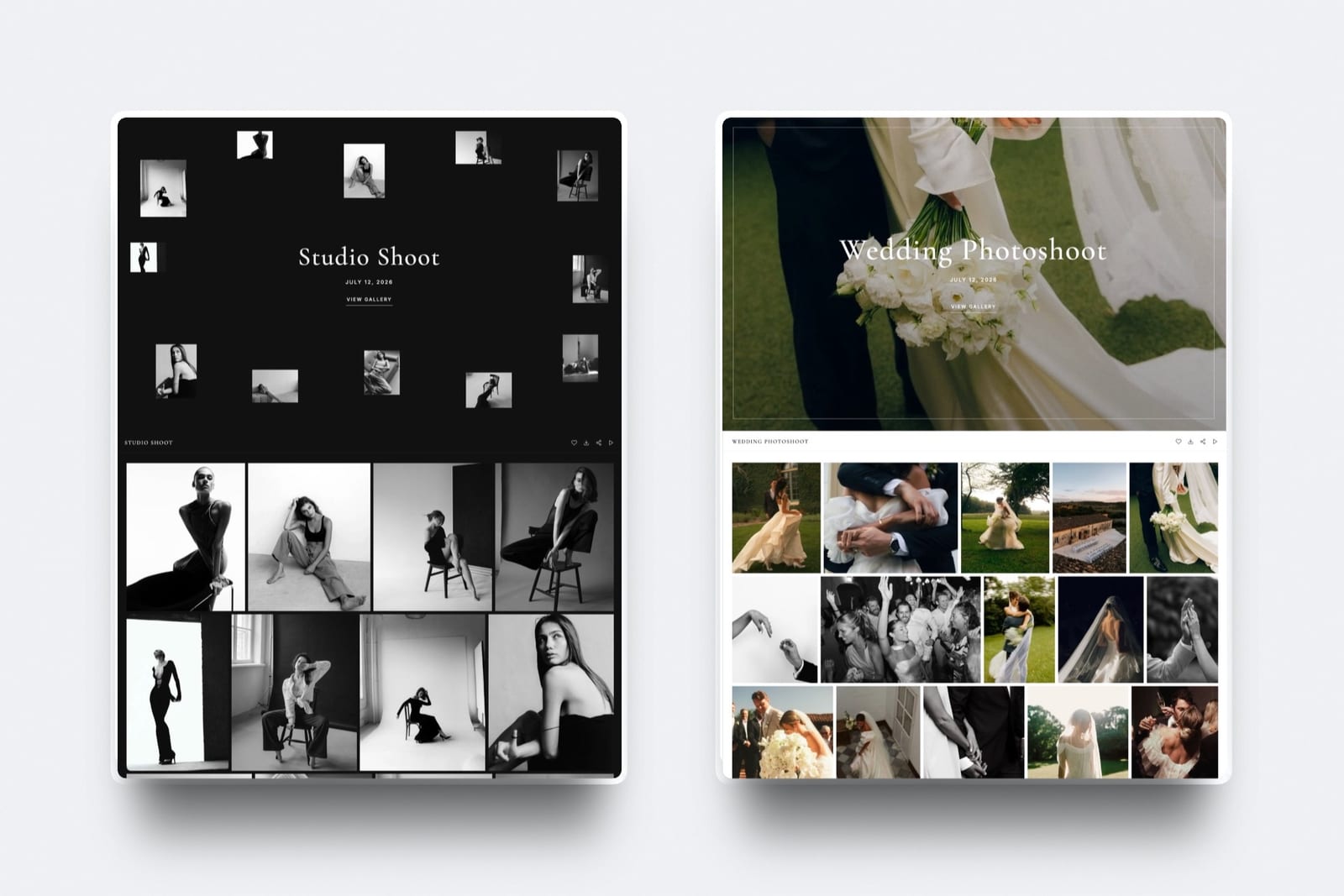
Framekit is an AI website builder that turns delivery into part of your brand: instead of a download screen on someone else's domain, the client opens a gallery on your own site's domain, the same address as your portfolio, your about page, and your booking form.
It is the only tool here where the handoff and the marketing site share one domain, which is exactly what makes a delivery look like a studio rather than a transfer.
Best forPhotographers who want the handoff to reinforce their brand and send the client somewhere useful, not just hand over files.
Key features:
- Deliver client galleries from your own domain, inside your real website
- Unlimited galleries on every plan, with watermarking, passwords, download PINs, favorites, and full-res or ZIP downloads
- Galleries stay live until you unpublish them - no link that dies in three days
- A digital store on the same site, so you can sell presets or guides alongside delivery
- Built by Cadence, Framekit's design-trained AI, so the gallery and the site around it look professionally made
The after-delivery is the quiet advantage. When a WeTransfer link expires, the relationship ends at the download.
When a Framekit gallery is delivered, the client is on your own domain, where your portfolio, your prices, and the form that books the next shoot live too; the gallery page has no menu of its own, so link them in the delivery email.
Delivery stops being a dead end and becomes the top of your funnel.
The real numbera Framekit gallery carries no delivery commission and stays published on your domain indefinitely, versus a WeTransfer free link that caps at 2GB and expires in about three days. Storage runs 10GB free, 50GB on Starter, and 300GB on Pro.
Pricing (one pooled storage allowance in parentheses, shared by site and galleries): Free $0 (10GB), Starter $9 per month (50GB, custom domain, website badge off; galleries keep a small Made with Framekit footer line on every plan), Pro $19 per month (300GB), Business $39 per month (2TB).
Pros:
- The handoff carries your design on your own domain, with only a small Made with Framekit footer line
- Galleries persist and cost no commission to deliver
- Delivery, portfolio, and a digital store live on one domain you own
Cons:
- No print store or lab reorders - Framekit sells digital files, not prints
- Not built for moving single enormous video files the way a transfer tool is
- Newer than the dedicated gallery platforms
Skip it ifclients regularly reorder prints and albums after delivery, which needs a print store Framekit does not have, or you mainly ship huge raw video files, which a transfer tool moves better.
Verdict: Framekit is the best photo delivery tool if you want the handoff to build your brand and feed your next booking instead of expiring. It will not sell prints or move a 200GB raw dump. Start free at framekit.ai, or see the full field in our best client gallery platforms guide.
2. Pixieset: Best for Branded Delivery Plus Reorders
Our rating: 9.0/10
Pixieset is the delivery tool most of your clients have already opened, and it handles the professional handoff well: a clean, mobile-friendly gallery on a Pixieset subdomain, with favorites, full-resolution downloads, and a print store so the client can reorder after they download.
For a photographer who wants delivery and print reorders in one polished place, it is the default choice.
The after-delivery is where it beats a transfer link. The same gallery that hands over the photos also sells prints through professional labs, so delivery and sales run as one flow instead of two tools.
The catch is the frame around it: the gallery sits on a Pixieset subdomain, so the branding is yours inside their walls, not on a domain you own.
Best forPhotographers who want a polished branded delivery that also reorders prints, and are fine with the gallery living on a platform subdomain.
Key features:
- Clean, mobile-friendly galleries with favorites and full-resolution or ZIP downloads
- A print store that reorders through professional labs after delivery
- A mobile gallery app so clients view and download from their phones
- Download controls and PINs to guide selection and protect the files
- A genuinely usable free tier to start delivering at no cost
The real numberPixieset's free plan takes 15% of store sales (Pixieset's application-fee doc), dropping to 0% on paid plans from about $10 a month, so a photographer who sells prints usually earns the subscription back in a single reorder.
PricingFree with a 15% store fee; paid plans from about $10 a month at 0% store commission.
Pros:
- A polished, familiar client experience most clients already know
- Print reorders through labs turn delivery into sales
- 0% store commission on paid plans
Cons:
- The gallery lives on a Pixieset subdomain, not your own domain
- The free plan takes 15% of store sales
- Selling without commission requires a paid tier
Skip it ifyou want the handoff on your own domain and website, rather than a polished page on the platform's.
Verdict: Pixieset is the best pick for a branded delivery that also reorders prints, as long as a subdomain is fine. Our best Pixieset alternatives guide covers moving to your own site. Visit Pixieset
3. Pic-Time: Premium Branded Delivery
Our rating: 8.8/10
Pic-Time delivers the most designed handoff in the business: its galleries are the most polished here, the slideshow intro plays like an event, and the client experience is closer to opening a gift than downloading a folder.
For a photographer who treats the delivery itself as part of the luxury they sell, it is the standout of the branded galleries.
After the download, its automated store keeps working. Timed campaigns and reminders nudge clients toward prints without you lifting a finger, so a reorder can land while you are shooting the next wedding.
That machinery is the point of Pic-Time, and also its cost: the polish and automation take setup, and its 0% self-collected rate needs Professional, the priciest step to commission-free selling among the branded galleries here.
Best forPhotographers who sell prints and want the delivery experience itself to feel premium, with a store that markets on autopilot.
Key features:
- The most designed galleries in the category, with premium layouts and a slideshow intro
- An automated print store with timed campaigns and reminders
- 0% commission on self-collected sales on Professional and Advanced
- Designed print and product options for a luxury handoff
- Store automation that follows up with clients without manual work
The real numberon Professional and Advanced Pic-Time charges 0% when you self-collect (Pic-Time's commission doc), and Professional costs $21 a month billed yearly - the highest price for a 0% rate among the branded galleries here, bought back by automated sales you would otherwise never send.
Pricing (checked October 2026)Beginner $7, Professional $21 and Advanced $42 a month billed yearly ($8, $25 and $50 monthly); commission on your markup is 15% on Beginner, 8% on Professional and 6% on Advanced when Pic-Time collects, and 0% when you self-collect on Professional or Advanced.
Pros:
- The most designed, premium delivery experience
- Automated print marketing that sells while you shoot
- 0% commission on self-collected sales from Professional up
Cons:
- The 0% self-collected rate starts on Professional at $21 a month billed yearly
- Delivery sits on a Pic-Time subdomain, not your own domain
- The polish and automation take setup to use fully
Skip it ifyou want simple delivery without a store to configure - Pic-Time's strengths are wasted on a plain handoff. Our best Pic-Time alternatives guide has simpler options.
Verdict: Pic-Time is the pick when the delivery experience itself is part of your brand and you sell prints. Visit Pic-Time
4. CloudSpot: Modern Branded Delivery
Our rating: 8.6/10
CloudSpot is the most modern-feeling branded delivery here: fast galleries, a smooth download flow, and a clean client experience, with a light CRM attached for contracts and booking.
If your complaint about file transfers is that they feel cheap, CloudSpot is the quickest route to a handoff that feels current, and it gets there without much setup.
It sells prints through labs too, so delivery can turn into a reorder, and the client tools sit in the same subscription instead of a separate stack.
The trade is the same as the other gallery platforms: the delivery lives on a CloudSpot subdomain, and the free plan takes a cut of anything you sell through it.
Best forPhotographers who want a modern, low-setup branded delivery with light client tools in one place.
Key features:
- Fast, modern galleries with a smooth download flow
- Print sales through professional labs after delivery
- A light CRM for contracts and booking in the same tool
- Brand controls that keep the gallery feeling like yours
- Simple favoriting and full-resolution downloads for clients
The real numberCloudSpot keeps 100% of your print markup on Full Suite plans and takes 15% on the free and entry tiers (CloudSpot's pricing), from around $3 a month - the cheapest entry into a modern branded delivery here.
Pricingfrom around $3 a month; 15% sales cut on free and entry tiers, 0% on Full Suite.
Pros:
- Modern, fast galleries with a clean client experience
- A light CRM keeps booking and contracts in one tool
- Cheap entry price for branded delivery
Cons:
- Delivery sits on a CloudSpot subdomain
- The free and entry tiers take 15% of sales
- It is a delivery layer, not a full site builder
Skip it ifyou need the handoff on your own website - CloudSpot is a polished delivery layer, not a site builder.
Verdict: CloudSpot is the best pick for a modern, low-setup branded delivery on a paid plan. Visit CloudSpot
5. ShootProof: Branded Delivery at 0% Sales
Our rating: 8.4/10
ShootProof does the professional handoff without taking a cut of anything you sell: branded galleries, full-resolution downloads, and print reorders through labs at 0% commission on every plan, free tier included.
For a photographer who wants a proper branded delivery and to keep every dollar of a reorder, it is the value pick of the gallery camp.
The honest trade for that zero commission is the look. ShootProof's galleries are functional rather than gorgeous, plainer than Pixieset or Pic-Time, and the branding sits on a ShootProof subdomain.
What you give up in polish you get back in economics - nothing you sell is ever taxed by the platform.
Best forPhotographers who sell prints and want to keep 100% of every reorder, with delivery and invoicing in one tool.
Key features:
- 0% sales commission on every plan, free tier included
- Print reorders through professional labs that drop-ship to clients
- Branded galleries with full-resolution and ZIP downloads
- Built-in contracts and invoicing alongside delivery
- Storage-based plans, with video up to 4K on every paid tier
The real numberShootProof takes 0% on every plan (ShootProof's plans), so a $250 print reorder leaves you the full markup where a 15%-commission platform would skim about $37 of it.
Plans price by storage from $8.33 a month billed yearly for 20GB of photos and video, with a free tier of 3GB of photos.
Pricing (checked October 2026)Free with 3GB of photos, then storage plans at $8.33, $16.67, $26.67 and $50 a month billed yearly, from 20GB of photos and video up to unlimited photos plus 150GB of video, all at 0% sales commission.
Pros:
- 0% commission on every plan keeps the full margin
- Print reorders through labs that drop-ship to clients
- Contracts and invoicing built into delivery
Cons:
- Galleries are plainer than Pixieset or Pic-Time
- The branding sits on a ShootProof subdomain
- Professional and Premium hold video in a smaller, separate allowance
Skip it ifthe look of the handoff matters more to you than the sales economics.
Verdict: ShootProof is the delivery pick for photographers who sell prints and want to keep 100% of it. See our best ShootProof alternatives for the wider field. Visit ShootProof
6. PicDrop: Simplest Branded Delivery
Our rating: 8.0/10
PicDrop is the sweet spot between a raw transfer and a full gallery platform: a clean, branded delivery-and-proofing page with client selections and comments, and a free tier of three galleries that is genuinely usable.
It is the tool for a photographer who wants delivery to look professional and gather feedback, without a store or automation to run.
Uploads are built for speed, the client experience is tidy, and there is nothing to configure beyond the gallery itself.
There is no print store, so it stays delivery and proofing rather than sales, and the gallery sits on a PicDrop subdomain. For pure, good-looking handoffs with feedback, it is the most direct upgrade from a file link.
Best forPhotographers who want a simple, professional branded delivery with client feedback and no store to manage.
Key features:
- Clean, branded delivery-and-proofing pages
- Client selections and comments for feedback rounds
- A free tier of three galleries to start
- Fast uploads and a tidy client experience
- No store or automation to configure
Pricingfree tier of three galleries; paid plans from around 10 euros a month.
Pros:
- The simplest upgrade from a raw file link
- Client selections and comments built in
- A usable free tier of three galleries
Cons:
- No print store, so it does not sell after delivery
- The gallery sits on a PicDrop subdomain
- Lighter on features than a full gallery platform
Skip it ifyou want a store to reorder prints or sell digital files after delivery - PicDrop is delivery and proofing, not sales.
Verdict: PicDrop is the best pick for a simple, good-looking branded handoff with feedback and nothing extra to run. Visit PicDrop
7. Pixpa: Delivery Plus a Real Site
Our rating: 7.8/10
Pixpa bundles client-proofing galleries with an actual portfolio website and store, so unlike a transfer tool the delivery sits alongside a real public site instead of standing alone.
It is the budget way to get both a marketing site and branded delivery in one subscription, aimed at the photographer who wants an all-in-one rather than a dedicated delivery tool.
The compromise is specialization. The templates are generic and the galleries are less refined than a tool built only for delivery, so Pixpa suits a photographer for whom delivery is one feature among several rather than the main event.
As a cheap way to own a site and hand off galleries from it, though, it earns its place.
Best forPhotographers who want a cheap all-in-one site and branded delivery in a single subscription.
Key features:
- Client-proofing galleries alongside a portfolio website
- A built-in store for prints and digital products
- A public marketing site, not just a delivery page
- Password protection and client selection tools
- Everything in one low-cost subscription
Pricingfrom about $4.80 a month for a site, store, and client galleries together.
Pros:
- A real portfolio site plus delivery in one subscription
- Among the cheapest all-in-one options here
- A store included rather than bolted on
Cons:
- Templates are generic and less designed
- Galleries are less specialized than a dedicated delivery tool
- Delivery is one feature among several, not the focus
Skip it ifdelivery is your main event and you want a tool built specifically for the client handoff.
Verdict: Pixpa is the budget pick for a photographer who wants a marketing site and branded delivery in one place. Our best Pixpa alternatives guide has the wider comparison. Visit Pixpa
8. SmugMug: Hosting and Delivery
Our rating: 7.5/10
SmugMug leans on its heritage as a photo host: unlimited storage on every plan, a customizable site, and delivery with print sales through approved labs.
For a photographer who wants a bottomless archive that also delivers to clients, it fits, especially if years of shoots have made storage the real constraint.
It is hosting-first, though, and it shows. The interface feels dated next to the modern gallery tools, and selling requires a mid-tier plan plus a commission on every order.
SmugMug delivers competently rather than beautifully, so it is best for photographers who value storage and managed print fulfillment over a modern handoff.
Best forPhotographers who want unlimited storage and managed print fulfillment more than a modern-feeling delivery.
Key features:
- Unlimited storage on every plan
- A customizable photographer website
- Print sales through approved professional labs
- Password-protected client galleries
- A long track record and broad lab options
The real numberselling on SmugMug requires a mid-tier plan around $23.50 a month plus a 15% commission on print sales (SmugMug's plans), so a $200 order costs about $30 in commission - the trade for unlimited storage.
Pricingunlimited storage on all plans; selling requires a mid-tier plan around $23.50 a month plus 15% commission.
Pros:
- Unlimited storage for a bottomless archive
- Managed print fulfillment through approved labs
- Customizable, stable, and long-proven
Cons:
- The interface feels dated next to modern tools
- Selling requires a mid-tier plan plus 15% commission
- Hosting-first, so delivery is competent rather than modern
Skip it ifyou want a modern, designed handoff and do not need unlimited storage.
Verdict: SmugMug is the pick for photographers who value unlimited storage and managed print fulfillment over a modern delivery experience. Visit SmugMug
9. Smash: Large-File Transfer
Our rating: 7.0/10
Smash is the file-transfer tool that respects big shoots: its free plan sets no hard size cap, so a heavy wedding or a batch of video files goes through where WeTransfer's 2GB free limit stops you.
Large free transfers can queue behind paying users, but the ceiling that blocks other transfer tools simply is not there.
It is still a transfer tool, not a gallery - no favorites, no reorders, nothing after the download - but paid plans add custom branding, a logo, and links that live longer, making it the most presentable of the raw-transfer camp for large files.
Best forPhotographers sending large raw files or video to collaborators who need size over presentation.
Key features:
- No hard size cap on free transfers
- Custom branding and a logo on paid plans
- Links that live up to 30 days on paid plans
- Fast transfer of heavy wedding or video batches
- A simple drag-drop-send flow
Pricingfree with no hard size cap (large transfers may queue); paid plans from around 10 euros a month (Smash vs WeTransfer).
Pros:
- No hard size cap where other free tools stop you
- Custom branding and a logo on paid plans
- Links persist up to 30 days on paid
Cons:
- No gallery, favorites, or reorders
- Nothing happens after the download
- Large free transfers can queue behind paying users
Skip it ifyou are delivering finished work to a client and want a branded handoff that keeps working after the download.
Verdict: Smash is the best raw-transfer pick for large files with light branding, though it delivers files, not a client experience. Visit Smash
10. WeTransfer: Fast Raw Transfer
Our rating: 6.6/10
WeTransfer is the default file transfer everyone recognizes: drag, drop, send, and the client clicks a link to download. It is fast, familiar, and frictionless, and for moving a batch of files to someone quickly, that familiarity is worth something.
That is the whole of it, though. There is no gallery, no favorites, no reorders, and the link expires, so the handoff builds nothing and points at wetransfer.com rather than your studio. It is speed with no brand and no afterlife.
Best forQuick internal transfers where speed is all that matters and the client relationship does not.
Key features:
- Drag-drop-send transfer everyone already knows
- A simple download link for the recipient
- No account required to download
- Light branding on the Pro plan
- 200GB transfers on Pro
The real numberWeTransfer's free plan caps a transfer at 2GB and the link expires in about three days; Pro runs about $13 a month for 200GB transfers and light branding (WeTransfer plan limits).
Pricingfree up to 2GB per transfer; Pro about $13 a month for 200GB transfers.
Pros:
- Fast and familiar to every client
- No account needed to download
- Pro adds larger transfers and light branding
Cons:
- The free plan caps at 2GB per transfer
- The link expires in about three days
- No gallery, favorites, or anything after the download
Skip it ifyou are handing finished work to a paying client and want the delivery to look like your studio.
Verdict: WeTransfer is fine for speed and terrible for professionalism - use it for quick internal transfers, not client delivery. Visit WeTransfer
11. Filemail: Very Large Transfers
Our rating: 6.4/10
Filemail is the specialist for enormous transfers: it moves very large files and allows a hard 5GB per transfer on the free plan, more than most free tiers.
It is aimed at photographers and videographers shipping raw footage or full-resolution archives where sheer size is the constraint rather than presentation.
Like the other transfer tools it is a pipe, not a presentation - no branding worth the name, no gallery, and nothing after the download - so it earns its place only when the job is moving big files, not delivering a client experience.
Best forVideographers and photographers shipping very large raw archives to collaborators.
Key features:
- Moves very large files reliably
- A hard 5GB per transfer on the free plan
- More capacity on paid plans
- A straightforward transfer flow
- Built for size over presentation
Pricingfree with a hard 5GB per transfer; paid plans from around 10 euros a month with more capacity.
Pros:
- Handles very large files where others cap out
- A generous 5GB free per-transfer limit
- Paid plans add real capacity
Cons:
- No branding worth the name
- No gallery and nothing after the download
- A pipe, not a client-facing delivery
Skip it ifyou are delivering finished photos to a client rather than moving raw files by size.
Verdict: Filemail is the pick when the job is moving big files, not delivering a client experience - a transfer tool, plainly. Visit Filemail
12. Dropbox: Folder Delivery
Our rating: 6.0/10
Dropbox delivers by sharing a folder, which is reliable and familiar and looks exactly like what it is: a folder. There is no branding, no gallery, no favorites, and no reorders - the client sees a file list and downloads from it.
Photographers use it because they already pay for it, but a shared Dropbox folder is the opposite of a professional handoff. It moves files dependably and presents nothing, and it quietly tells a paying client the delivery was an afterthought.
Best forPhotographers who already pay for Dropbox and need a dependable internal file share.
Key features:
- Reliable folder sharing you may already have
- Full-resolution files download straight from the folder
- Links stay live until you delete the folder
- No account friction for the recipient in most cases
- Familiar to nearly everyone
Pricingbundled with an existing Dropbox subscription; storage scales with your plan.
Pros:
- Reliable and familiar file sharing
- Often already part of your workflow
- Files stay live until you delete them
Cons:
- No branding, gallery, favorites, or reorders
- A file list, not a client experience
- Signals that delivery was an afterthought
Skip it ifyou are handing finished work to a paying client and want the handoff to look professional.
Verdict: Dropbox moves files dependably and presents nothing - fine for internal shares, wrong for client delivery. Visit Dropbox
13. Google Drive: Folder Delivery
Our rating: 5.8/10
Google Drive is the most common free folder and the least suited to client delivery. You can share full-resolution images at no cost, which is its one real advantage, but that is where the case for it ends.
Downloads tangle with Google accounts and permissions, there is zero branding, and the experience is a file list at best.
It is the true free baseline, and it makes a paid shoot look like a shared homework folder - reach for it to move files internally, never to deliver a finished job to a client.
Best forMoving files internally at no cost, never client-facing delivery.
Key features:
- Free full-resolution file sharing
- Folder-based delivery most people already use
- A generous free storage tier
- Works from any browser
- No extra tool to buy
Pricingfree with a Google account; paid storage tiers available if you need more space.
Pros:
- Free to share full-resolution images
- Everyone already has an account
- No extra subscription to move files
Cons:
- Downloads tangle with Google accounts and permissions
- Zero branding and no gallery
- Makes a paid shoot look like a homework folder
Skip it ifyou are delivering a finished job to a client and want anything more professional than a file list.
Verdict: Google Drive is the true free baseline, best for internal file moves and wrong for delivering finished client work. Visit Google Drive
Why the Handoff Is Worth More Than the File
In one linethe delivery is the last thing a client feels and the moment they are most likely to share your work, so a branded gallery that persists and points back to you is worth far more than a link that expires unseen.
A file transfer treats delivery as a shipping problem: get the bytes to the client and stop. But the handoff is prime real estate.
It is the moment the client is most excited, most likely to show friends, and most likely to think about booking you again - and a raw link wastes all of it on a download bar.
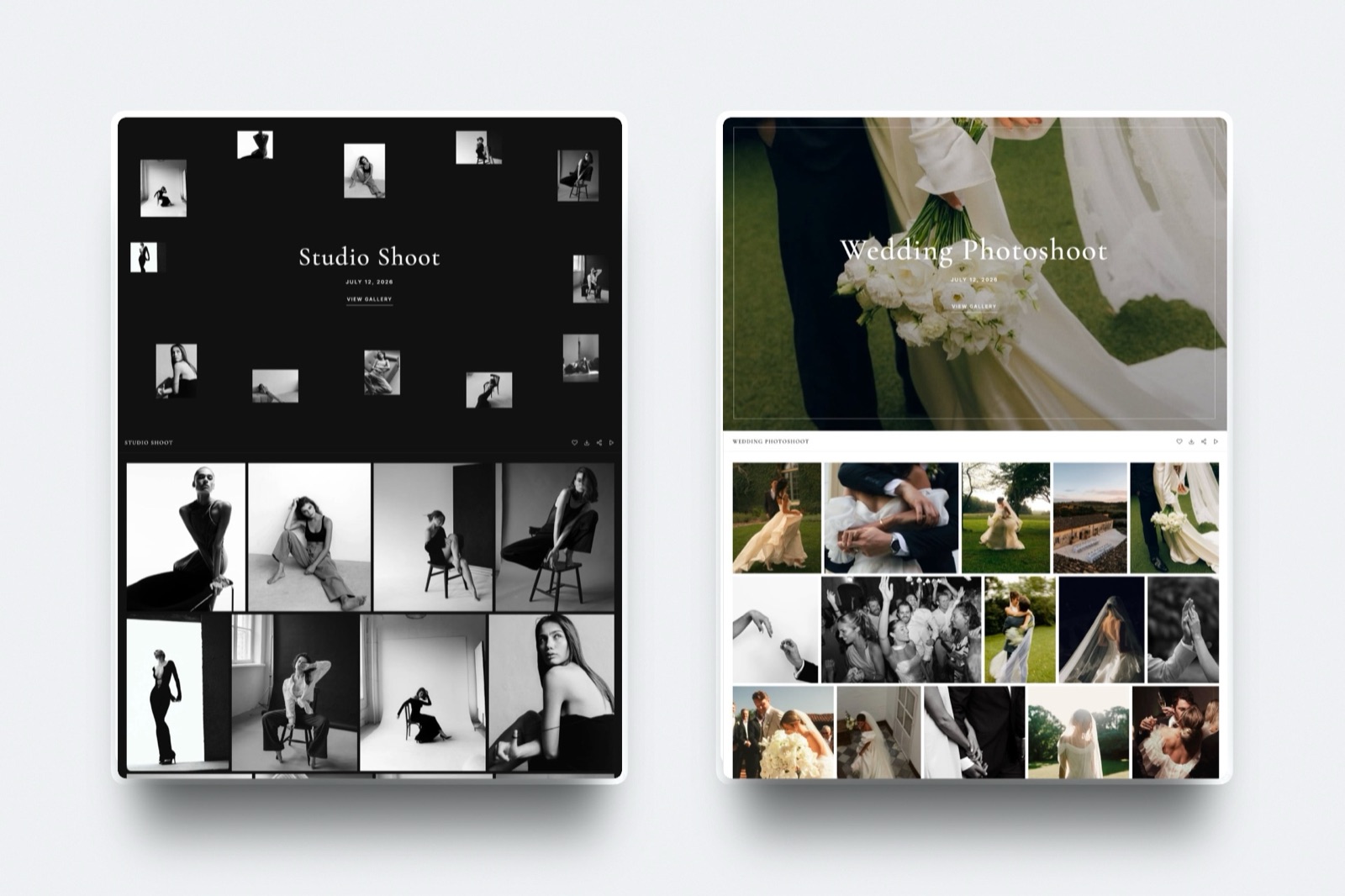
A branded gallery uses that moment. The client opens something that looks like your studio, shares a link that carries your name, and on Framekit opens on your own domain, the same address as your portfolio and booking form.
Multiply that across a year of galleries and the difference is not cosmetic - it is referrals and repeat bookings a file link never generates.
Our best client gallery platforms guide covers the ownership side, and the best website builders for photographers roundup covers the site.
What About Speed and Huge Files?
In one linethe raw-transfer tools genuinely beat galleries at moving enormous files fast, so for shipping a 100GB video dump, use a transfer tool - just do not use one to deliver a client's finished photos.
Honesty matters here, because the file-movers exist for a reason. If you need to send an editor 200GB of raw footage, Smash and Filemail will do it faster and with fewer limits than any gallery platform, and that is a real job.
The mistake is using the same tool for the client-facing handoff of finished work.
Deliver raw files to collaborators with a transfer tool; deliver finished galleries to paying clients with something branded that keeps working after the download.
How to Choose a Photo Delivery Tool: A Decision Tree
Answer these in sequence and act on the first one that lands, because the early questions describe hard capability limits rather than preferences you can weigh against price.
Are you delivering finished work to a paying client, or moving raw files to a collaborator?
- Raw files to a collaborator or editor. Use a transfer tool: Smash for large files with light branding, WeTransfer for speed, Filemail for the very biggest.
- Finished work to a client. Go to the next question.
Do you want the handoff on a website you own?
- Yes, on my own domain and brand. Choose Framekit - galleries inside your own site, persistent, no delivery commission.
- A polished platform subdomain is fine. Go to the next question.
What matters most after delivery?
- Print reorders and sales: Pixieset, or Pic-Time for the premium experience.
- Keeping 100% of any sale: ShootProof.
- Simple, free, branded delivery with feedback: PicDrop.
- A cheap all-in-one with a site: Pixpa.
Frequently Asked Questions
What is the best photo delivery tool in 2026?
The best photo delivery tool in 2026 is Framekit, because you deliver galleries from a website you own on your own domain, so the handoff carries your brand on the same domain as your portfolio and booking page.
The trade-off is that Framekit has no print store, so if clients reorder prints after delivery, Pixieset or Pic-Time are better. For raw file transfer, WeTransfer or Smash are faster.
Is WeTransfer good for delivering photos to clients?
WeTransfer is fine for speed and terrible for professionalism.
It moves files quickly and everyone knows how to use it, but the free plan caps at 2GB, the link expires in about three days, and the handoff carries no branding and does nothing after the download.
For a paying client, it makes finished work feel like a file dump. Use it for quick internal transfers, and a branded gallery for client delivery.
How do I deliver photos to clients professionally?
Deliver through a branded gallery rather than a raw file link. A gallery presents the work in your design, lets the client favorite and download full-resolution files, and keeps the link alive so they can return.
The most professional option is delivering from your own website and domain, as Framekit does, so the handoff looks like your studio and shares an address with your portfolio and booking page rather than a generic download screen.
What is the largest file I can send to a client?
It depends on the tool. WeTransfer's free plan caps a transfer at 2GB and Filemail at 5GB, while Smash sets no hard size cap on free transfers, making it the best free option for a huge wedding or video files.
Gallery tools like Framekit and Pixieset are limited by your plan's storage rather than a per-transfer cap, so a large gallery is fine as long as it fits your storage. For a 100GB raw dump, a transfer tool beats a gallery.
What happens to my delivery link when it expires?
On file-transfer tools, an expired link is dead: the client can no longer download, and if they lost the files, you have to re-upload and resend. WeTransfer free links last about three days, Smash up to seven.
Gallery tools keep the delivery live far longer - Framekit galleries stay published on your domain until you unpublish them - so a client can come back months later to download again, which is one more reason a gallery beats a transfer for client work.
Do clients need an account to download their photos?
On the best delivery tools, no. Framekit delivers full-resolution files and ZIPs with a download PIN and no account required, and most file-transfer tools let the client download straight from the link.
Some gallery platforms gate downloads behind a pin released after a print purchase, and Google Drive can force clients into Google-account friction.
Account-free downloading is part of a smooth, professional handoff, so check it before you commit.
Which delivery tool has no branding from the platform?
No tool in this comparison removes every trace of the platform and puts the gallery on your own domain without a caveat.
Pixieset, Pic-Time, and CloudSpot remove their badge on paid plans but still deliver on their subdomain, so the URL carries their name.
Framekit puts the gallery on your own custom domain from the $9 Starter plan, with your own uploaded fonts, but a small Made with Framekit line stays in the gallery footer on every plan.
The file-transfer tools show their branding on free plans and allow limited customization on paid, but none give you a true own-domain delivery the way a website builder does.
Photo delivery tool vs client gallery: what is the difference?
A photo delivery tool is the broad category of anything that hands files to a client, including bare file-transfer links.
A client gallery is the professional end of that category: a branded page that presents the photos, allows favorites and downloads, protects the work, and often sells prints.
Every client gallery is a delivery tool, but not every delivery tool is a gallery - WeTransfer delivers without being a gallery, while Framekit and Pixieset deliver through galleries.
Can I deliver photos from my own website?
Yes, and it is the most professional option. With Framekit your client galleries live on your own website and custom domain, so the delivery URL is your brand and the gallery shares a domain with your portfolio and contact form.
Most delivery tools host the handoff on their own subdomain or a generic transfer page, so the moment of delivery builds their platform rather than your studio. Delivering from your own site is what turns a handoff into a booking funnel.
Which is best for wedding photographers delivering large galleries?
For wedding photographers, a branded gallery beats a transfer link because weddings generate referrals, and a shared gallery that carries your name and lets guests view favorites drives more of them.
Framekit delivers from your own site, and Pixieset or Pic-Time add print reorders for couples who want albums. If you also need to send a videographer raw footage, pair the gallery with Smash for the large-file job.
Our best website builder for wedding photographers guide goes deeper.
How much should a photo delivery tool cost?
Branded delivery ranges from free to about $25 a month, and raw transfer from free to about $13.
Framekit, Pixieset, ShootProof, PicDrop, WeTransfer, and Smash all have usable free tiers; the paid plans buy a custom domain, more storage, badge removal where the platform offers it, or larger transfers.
The real question is not the sticker price but whether the handoff builds your brand - a free transfer link that wins you no repeat work can be more expensive than a paid gallery that does.
Does Framekit deliver full-resolution files and ZIPs?
Yes. Framekit delivers full-resolution originals and full-gallery ZIP downloads, protected by a download PIN and requiring no client account, on every plan including free.
Because delivery is storage-based rather than metered per transfer, a large wedding gallery downloads fine as long as it fits your plan's storage.
The gallery also stays live on your own domain until you unpublish it, so clients can return to re-download rather than asking you to resend an expired link.
Final Verdict: The Best Photo Delivery Tool in 2026
Most photographers deliver finished work with a tool built to move files, and it quietly undersells them: the handoff, the last thing the client feels, ends in an expiring link that builds nothing.
Framekit is the best photo delivery tool in 2026 for photographers who want the handoff to look like their studio and lead somewhere.
You deliver galleries from your own website and domain, they stay live, they cost no commission, and the gallery shares your domain with your portfolio and booking page instead of a generic download screen.
Where Framekit loses: if clients reorder prints after delivery, you want a print store, so Pixieset or Pic-Time fit better - Framekit sells digital files, not prints.
And if the job is shipping a 200GB raw video dump, a transfer tool like Smash or Filemail moves it faster. Framekit has no print store and is not a bulk file mover, and we say so plainly.
PicDrop is the simplest branded delivery, ShootProof keeps 100% of sales, and Smash is the best raw transfer for big files. But if you want delivery to build your brand and your next booking, hand clients a gallery on a site you own.
On protecting what you deliver: the best watermarking tools for photographers explains why the overlay stopped working and what replaced it.
For more, read our best client gallery platforms comparison, our best Pixieset alternatives and best ShootProof alternatives, the best client portal tools for creatives, and the best website builders for photographers.
_All prices, plans, and file limits re-checked against each tool's own pages in July 2026._
Head-to-heads worth reading firstwe have since compared the alternatives directly in client gallery vs Google Drive, client gallery vs WeTransfer, ShootProof vs CloudSpot and Zenfolio vs Pixieset, and answered the underlying question in are client galleries worth it.
Related delivery guidesif you are shopping by category rather than by tool, our comparison of online photo gallery software covers the three products that share that name, white label client gallery tools covers branding, password protected photo sharing tools covers access control, and how to create a client gallery walks through the settings most photographers get wrong.