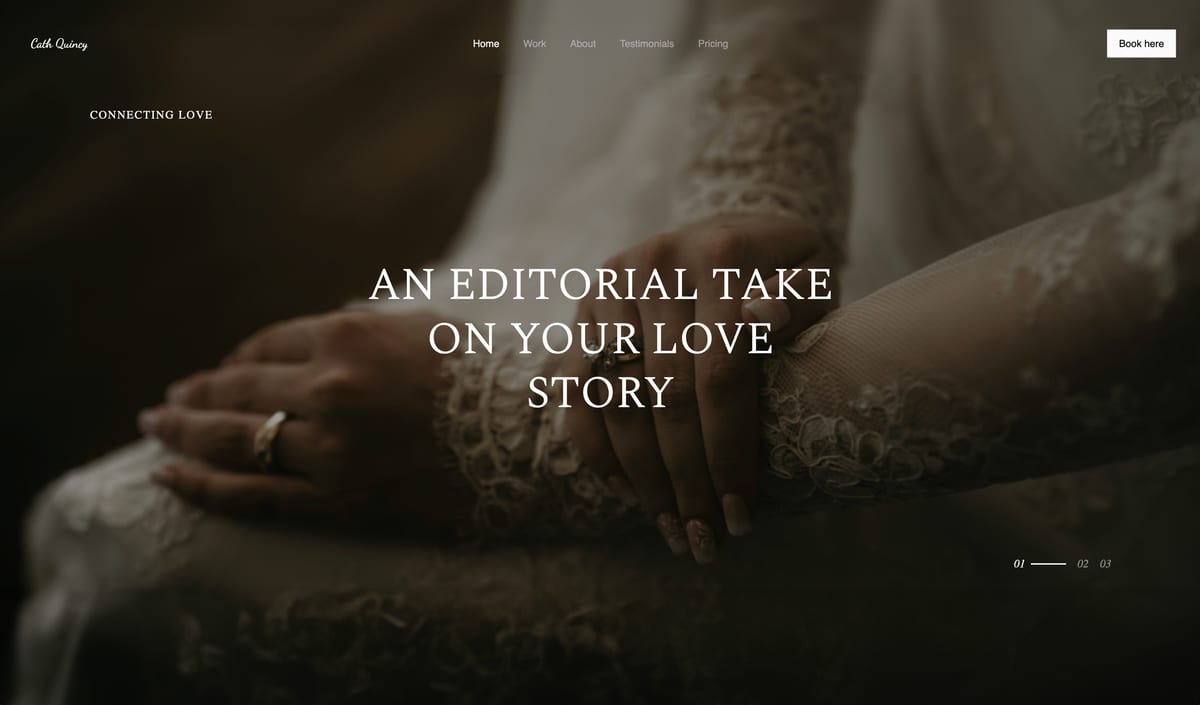
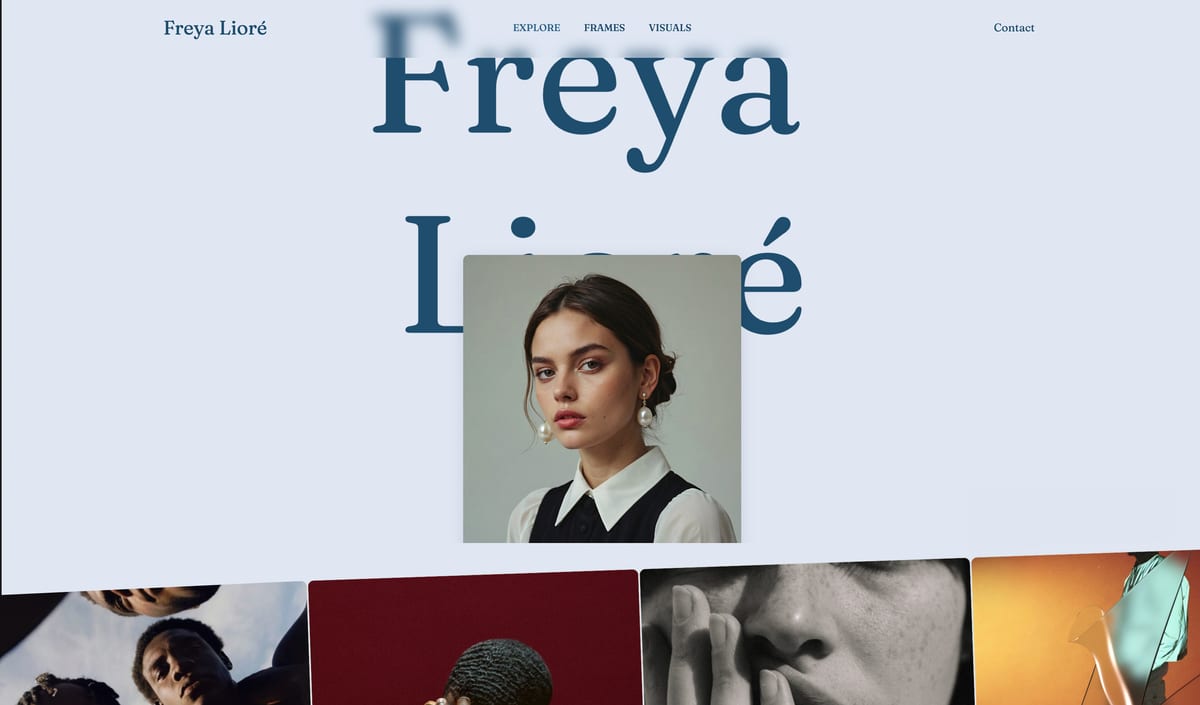
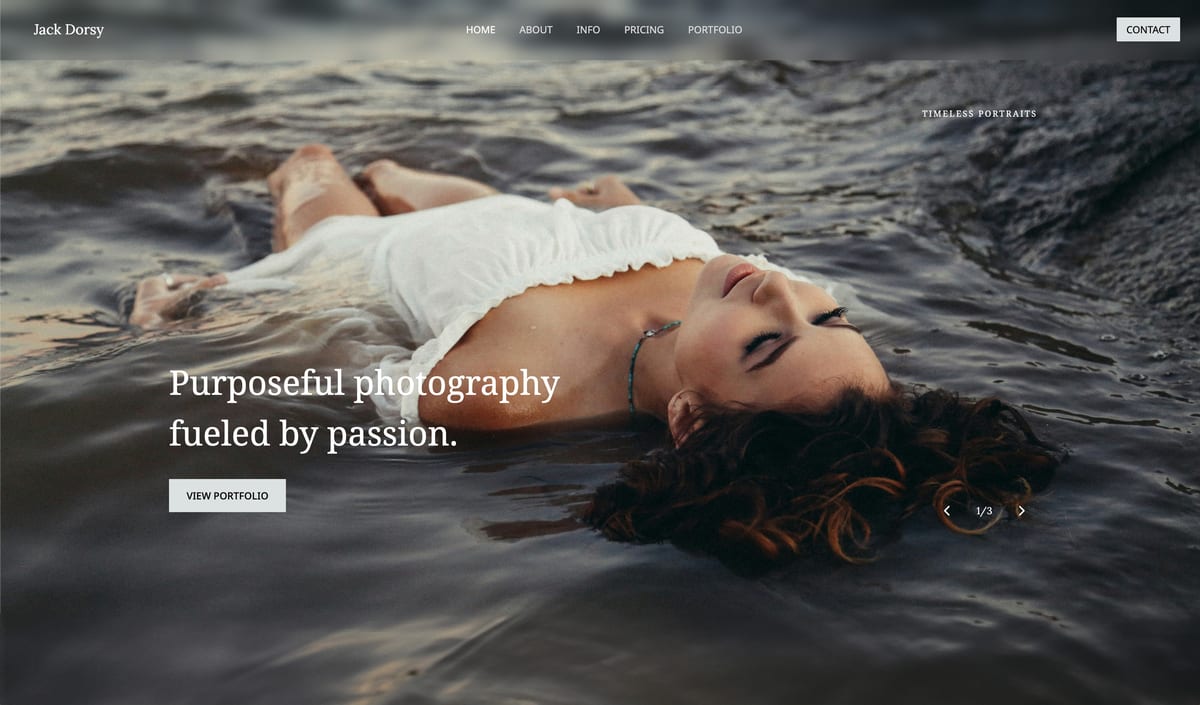
Framekit templates
Start from a designer-made template
 Use template
 Use template
 Use template
 Use template
 Use template
 Use template
 Use template
 Use template
You can hand a client the same set of photos a dozen different ways, and they will remember the way almost as much as the images. A branded gallery on your own site feels like a studio. A USB drive in a nice box feels like a gift.
A WeTransfer link that expires in three days feels like a chore you outsourced to them. The photos are identical; the message is not.
That is the part of client delivery photographers underthink in 2026. The method is not just plumbing - it is the last impression you leave, the thing that decides whether a client shares your work, remembers your name, and books you again.
This guide compares the ways to deliver, not just the tools, and ranks them on the one thing that compounds: whether the handoff wins you repeat work.
Prices and limits were checked in July 2026, and in September 2026 we re-verified Framekit's galleries, storage pools, and file caps against its live pricing page.
In October 2026 we corrected how a Framekit gallery relates to the rest of your site and removed a claim that we had delivered the same gallery every way.
How you deliver is part of what you deliver.
A photo delivery method is the channel and format you use to hand finished images to a client - a link, a folder, a drive, a branded gallery, or a printed product - and each one sends a different message about your work and does a different amount to bring the client back.
The best way to deliver client photos in 2026 is from a website you own, using a tool like Framekit, because the handoff carries your brand and sits on the same domain as your portfolio and booking page instead of a generic download screen - which is what actually drives referrals and repeat bookings.
The honest trade-offs: a large-file transfer service moves huge raw files faster, a branded gallery platform adds print sales, and a printed album or USB gives a tangible keepsake that no digital method can. Match the method to what the delivery needs to do.
Framekit delivers photo and video galleries from your own website, in the same account as your portfolio, video review, and store, and the free plan needs no credit card.
Full disclosure: Framekit is our own product, and the method we rank first - delivering from a site you own - is the one we make. So weigh it against the honest notes: for shipping enormous raw files a transfer service beats any gallery, for selling prints a gallery platform with a store beats us, and a physical album or drive gives clients something we cannot. We compared these methods on what each one documents and costs for the same gallery, judged the client experience from that, and verified prices in July 2026. For the specific tools behind each method, our best photo delivery tools guide ranks them.
How We Compared These Delivery Methods
We judged each way of delivering on what actually matters once the photos are ready:
Professionalism. Does the handoff look like a studio or like someone emailed you files? This is the impression the client keeps.
Repeat work. Does the method bring the client back - to your brand, your site, your next booking - or end at the download?
Speed and file size. How fast it moves photos and how big a delivery it handles, which matters for large weddings and raw files.
Cost. What the method costs you per delivery, including physical materials where relevant.
Client effort. How easy it is for a non-technical client to actually get their photos.
We sized the same 1,000-image wedding gallery against every method's limits and costs and judged the experience end to end on paper, following one photographer through the guide: a wedding and portrait shooter who wants delivery to bring clients back.
For the specific tools behind each digital method, we point to our tool-by-tool comparisons; here we rank the methods themselves.
What Comparing 12 Delivery Methods Showed
- Only one method lands the client on a brand you own after downloading - delivering from your own website - and it is the only one that turns a handoff into a booking funnel.
- The fastest methods for huge files (transfer services) are the weakest for repeat work, because the link expires and carries no brand.
- Physical methods - prints, albums, branded drives - score highest on keepsake value and lowest on speed and cost.
- A free file-transfer link caps at 2GB on WeTransfer, about one wedding, where a gallery is limited only by your plan's storage.
- The cheapest-looking methods (email, a shared folder) are the most expensive in lost repeat work, because they signal the least care.
The 12 Best Ways to Deliver Client Photos in 2026
How the ratings work: each method is scored on professionalism, repeat work, speed and size, cost, and client effort, weighted toward what compounds - professionalism and repeat work 50%, speed and size 20%, cost 15%, client effort 15%.
The method that builds your brand ranks highest even when a faster or cheaper option exists.
| Method | Best For | Professional | Wins Repeat Work | Our Rating |
|---|---|---|---|---|
| Deliver from a website you own | Brand and repeat bookings | Highest | Yes, lands on your site | 9.3/10 |
| A branded client gallery platform | Delivery plus print sales | High | Partly, on their subdomain | 9.0/10 |
| A printed album | A premium keepsake | Highest | Yes, a physical reminder | 8.2/10 |
| A dedicated delivery and proofing tool | Clean delivery with feedback | High | Partly | 8.0/10 |
| Loose prints or a print box | A tangible add-on | High | Yes, physical | 7.6/10 |
| A branded USB or flash drive | A tactile handoff | Medium | Some, if branded | 7.2/10 |
| A large-file transfer service | Shipping huge raw files | Low | No | 7.0/10 |
| A private password gallery link | Simple protected delivery | Medium | Some | 6.8/10 |
| A plain file-transfer link | Speed when brand does not matter | Low | No | 6.4/10 |
| A shared cloud folder | DIY delivery you already pay for | Low | No | 6.0/10 |
| Email attachment | Tiny sets only | Lowest | No | 4.8/10 |
| A messaging app or social DM | Casual, low-stakes shares | Lowest | No | 4.2/10 |
Ratings weigh brand and repeat work over raw speed. Prices and limits verified in July 2026.
Professionalism, cost, and repeat work by method
Delivery methods split into three families - owned, hosted, and physical - and this is how they trade off.
| Method | Cost per delivery | Speed | Keepsake value | Brings the client back |
|---|---|---|---|---|
| Your own website | Flat plan, no per-delivery cost | Fast | Digital | Yes, to your site |
| Gallery platform | Plan, sometimes commission | Fast | Digital | To their subdomain |
| Transfer link | Free to about $13/mo | Fastest | None | No |
| Cloud folder | Existing subscription | Fast | None | No |
| Printed album | $50 to $300+ each | Slow | Highest | Yes, physical |
| Branded USB | $5 to $30 each | Slow | Medium | Some |
1. Deliver From a Website You Own

Our rating: 9.3/10
Delivering from your own website is the method that turns a handoff into a marketing asset.
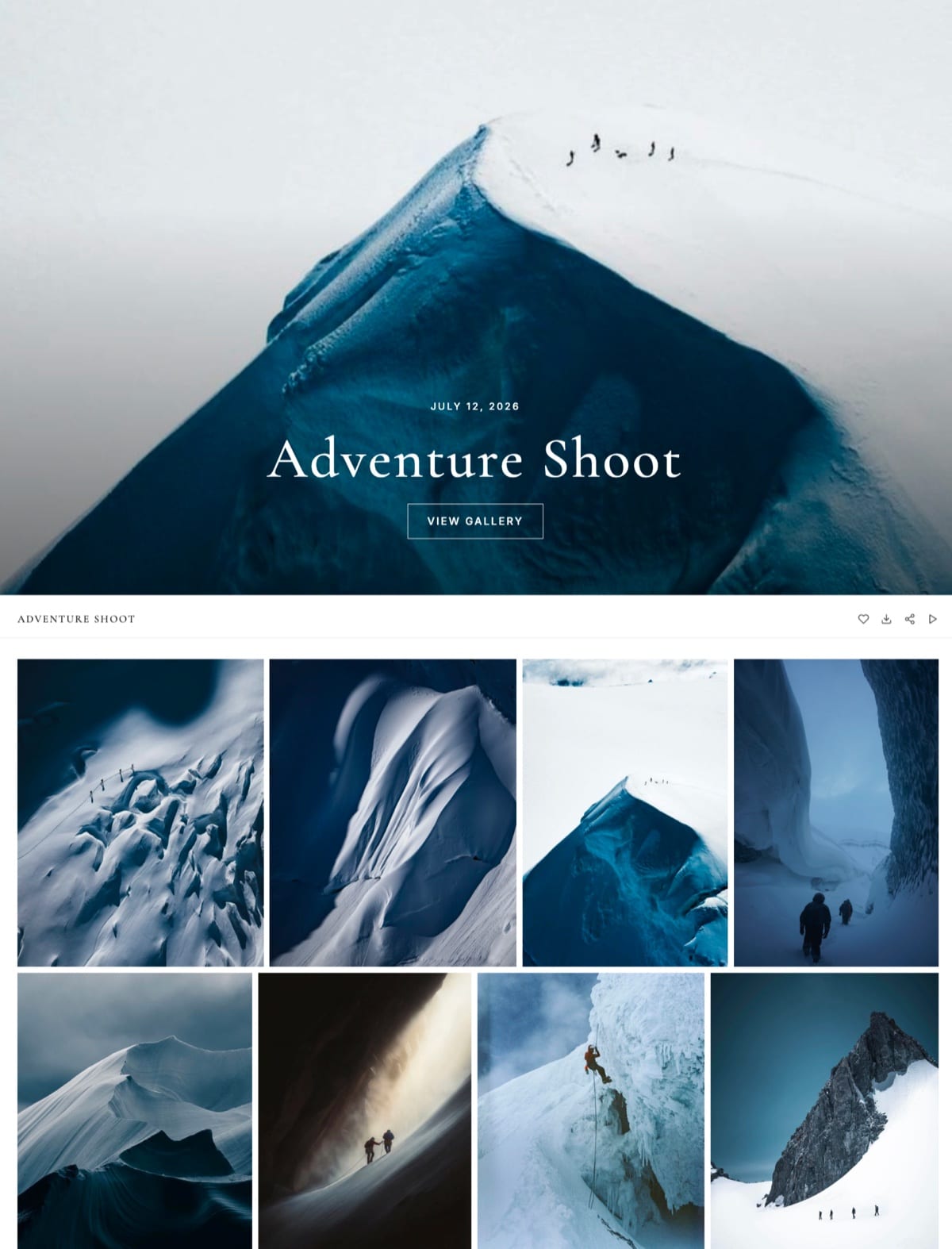
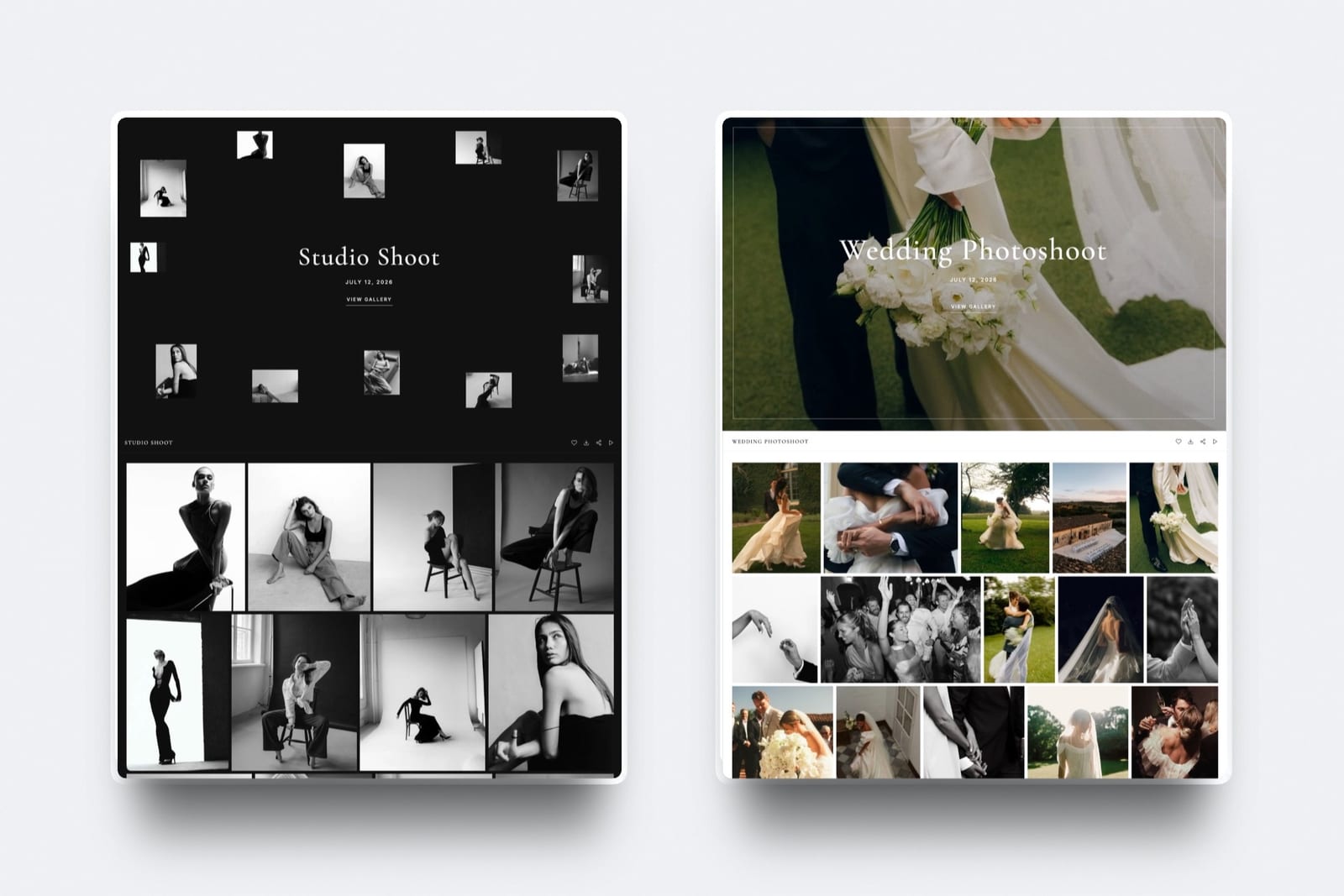
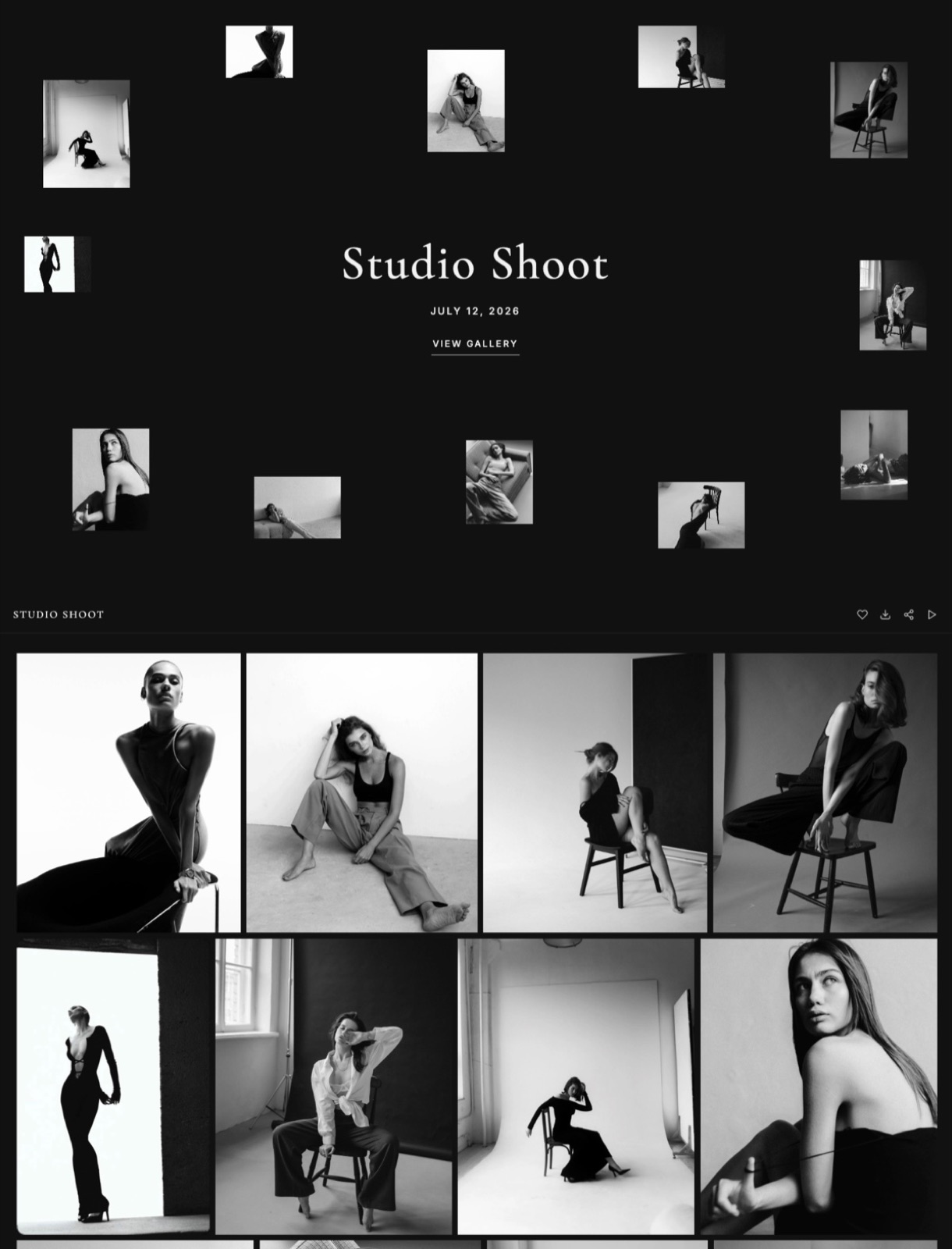
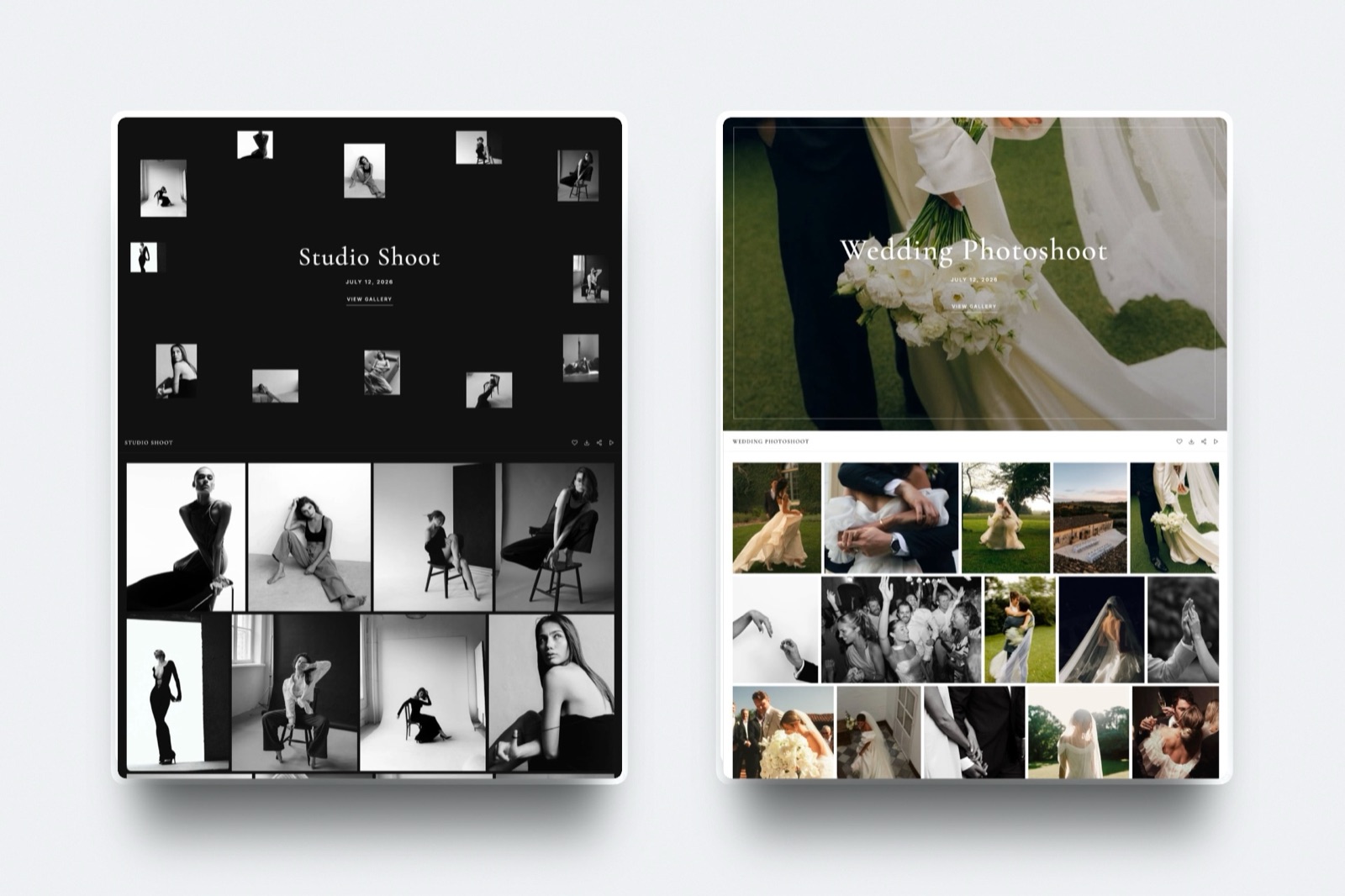
The client opens a gallery at your own address, in your own design, on the same domain as your portfolio, your prices, and the form that books the next shoot; the gallery page carries no site menu, so those links belong in your delivery email.
No other method puts the handoff on your own domain like that.
Framekit is an AI website builder that makes this method practical without hiring anyone: it generates the site and hosts the client galleries in the same account, so delivery lives inside your brand rather than on a platform's page.
How it worksa wedding and its highlight film go into one gallery, you can set a download PIN, and you send the link by email from inside Framekit.
The couple opens one link on a phone, watches the film in the same place as the stills, hearts frames into an "Album" list with a note on any photo, and downloads either everything or only their favorites, without creating an account.
Best forPhotographers who want every delivery to reinforce their brand and feed repeat bookings.
Key features:
- Client galleries on your own custom domain from the Starter plan, in your own design
- Photos and video in the same gallery; photos can be watermarked, videos are never watermarked
- Favorites in named lists, a note per photo, and "download favorites only"
- Password, download PIN, and gallery expiry on every plan, with unlimited galleries
- The gallery sits beside your portfolio, prices, booking form, and digital store
The gotchathe method delivers finished work, not archives. Photos cap at 100MB each and video files at 500MB to 3GB depending on plan, so a 200GB raw dump belongs in a transfer service.
There is no print lab either, so print reorders need another tool, and the pooled storage (shared by site, galleries, and video review) fills as delivered galleries pile up.
The real numberdelivering from a site you own costs $0 in per-gallery commission, and a 1,000-image wedding at roughly 15MB a frame is about 15GB, which fits the Starter plan's 50GB pool three times over before you archive anything.
Pricing (pooled account storage in parentheses)Free $0 (10GB), Starter $9 per month (50GB), Pro $19 per month (300GB), Business $39 per month (2TB). The product-sale fee is 5% on Free and Starter, 3% on Pro, and 0% on Business, and it applies only to store sales, never to gallery delivery.
Pros:
- Delivery that builds your brand and books repeat work every time
- One link for stills and film, with favorites and notes coming back to you
- Portfolio, prices, and booking form on the same domain as the download
Cons:
- Not built to move a 200GB raw archive at transfer-service speed
- No professional print lab, so print reorders need another tool
- No native mobile app for clients; they use the browser
Skip it ifyou mainly move raw files to collaborators, or your income is print reorders. Those are different jobs with better methods below.
Verdict: Delivering from a site you own is the best method for client work because it is the only one that builds your brand every time. Framekit makes it accessible on the free plan; see the Framekit client galleries, or compare the tools in our best client gallery platforms guide.
2. A Branded Client Gallery Platform
Our rating: 9.0/10
Using a dedicated gallery platform - Pixieset, Pic-Time, CloudSpot, ShootProof - is the most popular professional method, and for good reason: the client gets a polished, mobile-friendly gallery with favorites, downloads, and often a print store, all in a familiar experience.
It is a big step up from a raw link, and the built-in store means a delivery can become a print sale while you are shooting the next job.
Best forPhotographers who want polished, mobile-ready delivery with a print store attached and are fine on a platform subdomain.
Key features:
- Polished, mobile-friendly galleries with favorites and downloads
- A built-in print store on most platforms, so delivery can sell
- Professional-lab fulfilment on the print-focused tools
- Passwords, download controls, and client email capture
- A familiar client experience that needs no explaining
The real numberprint commission runs from 0% on the paid tiers of ShootProof and Pic-Time to about 15% on free tiers and on SmugMug, so on a $200 wall-art order the platform's cut swings from $0 to roughly $30 depending on which tool and plan you land on.
Pros:
- A far bigger step up from a raw link, with a store built in
- Print sales can turn a delivery into revenue
- Mature, reliable, client-friendly galleries
Cons:
- The gallery lives on the platform's subdomain, not your domain
- The customer and the SEO are partly the platform's, not yours
- Free tiers and some plans take a commission on sales
Skip it ifyou want the delivery on your own domain, or you would rather not pay a commission on print sales.
Verdict: A branded gallery platform is the best method if you want polished delivery plus print sales and a subdomain is fine. Our best photo delivery tools and best client galleries with a built-in store guides rank the specific platforms.
3. A Printed Album
Our rating: 8.2/10
Handing a client a designed, printed album is the most premium delivery method there is, and the one they are most likely to keep on a shelf for years.
It turns delivery into a physical product you can charge well for, and an album on a coffee table is a standing advertisement that a download never becomes.
For weddings and milestone portraits, it is the method that most justifies a premium price.
Best forWedding and milestone photographers who want delivery to double as a premium, lasting keepsake.
Key features:
- A designed, physical book the client keeps and displays for years
- A tangible product you can price as a premium package add-on
- A standing advertisement in the client's home
- Layout, paper, and cover choices that reflect your craft
- A natural pairing with digital files for the full handoff
The real numberalbums run $50 to several hundred dollars each to produce and take days or weeks to design and print, so the method carries a real per-unit cost and lead time a digital gallery does not - which is exactly why it can command a premium price.
Pros:
- The most premium, most-kept delivery a client receives
- Justifies a higher package price than files alone
- Keeps your work physically visible in the client's home
Cons:
- $50 to several hundred dollars per unit in production cost
- Days or weeks of design and printing lead time
- Cannot be the only delivery, since clients still want files
Skip it ifyour clients want fast digital delivery and will not pay for a physical book.
Verdict: A printed album is the best method for a premium, lasting keepsake, paired with digital delivery for the files.
4. A Dedicated Delivery and Proofing Tool
Our rating: 8.0/10
A focused delivery-and-proofing tool like PicDrop is the cleanest digital method when you want the client to select as well as receive: fast uploads, a tidy gallery, and client selections or comments, often with a usable free tier.
It is more professional than a raw link and simpler than a full gallery platform, and it is built for the proofing round as much as the final handoff.
Best forPhotographers who need the client to choose images as well as download them, at low or no cost.
Key features:
- Fast uploads and a tidy, no-clutter client gallery
- Client selections, favorites, and comments for the proofing round
- A usable free tier on tools like PicDrop
- Simple sharing with passwords and expiry controls
- Purpose-built for feedback, not just one-way delivery
The real numbera proofing tool's direct delivery cost can be $0 on a free tier, but it carries no store, so any print or wall-art revenue has to come from a separate in-person or ordering session.
Pricingfree tiers on tools like PicDrop, with low-cost paid plans for more storage and galleries; no sales commission, because there is no store to sell through.
Pros:
- Built for client selection, not just download
- Usable free tiers keep delivery cost low
- Cleaner and simpler than a full platform
Cons:
- Usually no print or product store
- Lives on the tool's subdomain, not your site
- Gathers feedback but does not sell or build your domain
Skip it ifyou need print sales, or delivery on your own site.
Verdict: A dedicated delivery-and-proofing tool is the best method when clean selection and handoff matter more than selling or ownership. Our best photo proofing tools guide covers this method in depth.
5. Loose Prints or a Print Box
Our rating: 7.6/10
A box of loose fine-art prints, or a single print with a few favorites, is a tactile method that feels generous and premium without the cost of a full album.
It gives the client something to frame and hand around, which keeps your work visible in a way a file never is, and it pairs naturally with digital delivery.
Best forPortrait and family photographers who want a premium tactile add-on without album-level cost.
Key features:
- A set of physical prints the client can frame or share
- A premium feel at a lower cost than a designed album
- Prints that keep your work visible on walls and desks
- Flexible presentation, from a single print to a full box
- A natural companion to a digital gallery
The real numbera print box costs less per order than an album but still carries a real per-print lab cost and turnaround, so it is priced as a premium add-on rather than folded into a standard digital delivery.
Pros:
- Tactile and premium without full album expense
- Keeps images physically visible in the client's home
- Pairs naturally with digital delivery
Cons:
- Per-print lab cost and turnaround on every order
- Not a standalone delivery, since clients still want the files
- Loose prints are easier to lose than a bound book
Skip it ifyour clients only want digital files, or you would rather invest in a bound album as the premium option.
Verdict: Loose prints or a print box are the best method for a tactile, premium add-on that keeps your work on display, paired with a digital gallery for the files.
6. A Branded USB or Flash Drive
Our rating: 7.2/10
A branded USB drive in a small presentation box was the premium method of the last decade, and it still has a tactile appeal: the client holds something with your logo on it. It works offline and feels like a gift, which is most of its remaining case.
Best forPhotographers who want a physical, logo-branded keepsake to accompany a digital gallery.
Key features:
- A physical drive in a presentation box carrying your logo
- Offline delivery that needs no link or login
- A gift-like unboxing moment at handoff
- Full-resolution files with no platform compression
- A branded object the client keeps on a shelf
The real numbera branded drive costs $5 to $30 per unit and takes time to load and package, so it adds a real per-client cost and effort for a delivery format that fewer laptops can even read each year.
Pros:
- A tactile, branded keepsake carrying your logo
- Works entirely offline, no link required
- Delivers full-resolution files directly
Cons:
- $5 to $30 per unit, plus loading and packaging time
- Drives get lost, sit in drawers, or meet computers without USB ports
- Fading as a sole delivery as laptops drop USB ports
Skip it ifyou want clients to access photos instantly, or you deliver at any real volume.
Verdict: A branded USB is the best method as a keepsake alongside a digital gallery, not as the way clients actually access their photos.
7. A Large-File Transfer Service
Our rating: 7.0/10
A large-file transfer service like Smash or Filemail is the right method for one specific job: shipping enormous files fast.
When you need to send a videographer 200GB of raw footage or a client a massive full-resolution archive, these move it with few size limits where a gallery would choke.
Best forSending huge raw archives to collaborators or second shooters, fast, when presentation does not matter.
Key features:
- Very large or near-unlimited transfer sizes
- Fast uploads and downloads built for raw footage
- No gallery layer to slow down a massive archive
- Simple link sharing with no recipient account
- Low-cost or free tiers for occasional big sends
The real numbera transfer service will move a 200GB raw archive that a gallery would choke on, but the link expires and carries no brand or store, so it does the size job and nothing for the client impression.
Pricingfree tiers on both, with paid plans from roughly EUR10 a month on Smash and Filemail for larger and longer transfers.
Pros:
- Moves enormous files a gallery cannot handle
- Fast and simple, with no recipient account
- Cheap or free for occasional big transfers
Cons:
- Expiring links, so it builds nothing lasting
- No brand, gallery, or store
- Wrong for the client-facing delivery of finished work
Skip it ifthe delivery is finished client work you want to present and keep accessible.
Verdict: A large-file transfer service is the best method for raw handoffs to collaborators by size, never for the client-facing delivery of finished work.
8. A Private Password Gallery Link
Our rating: 6.8/10
A password-protected gallery link - hosted on a platform or your own site - is a simple, secure method that sits between a raw link and a full branded experience. It protects the images and lets you share one link, which is enough for many jobs.
Best forPhotographers who want one secure, shareable link with basic protection on the images.
Key features:
- One link, password-protected, easy to share
- Basic protection against casual re-sharing
- Works whether hosted on a platform or your own domain
- Simpler than standing up a full storefront
- A familiar login step clients understand
The real numbera password link's whole value depends on where it lives, so the same method scores like method one on your own domain and like a locked transfer link on a generic host - the password adds security, not presentation.
Pros:
- Simple and secure, just one link to send
- Keeps casual viewers out of the images
- Flexible about where it is hosted
Cons:
- A bare password link is fairly plain on its own
- No store, and no brand unless it lives on your site
- Its value swings entirely with the host
Skip it ifyou want a presented, branded gallery rather than a plain protected link.
Verdict: A private password gallery link is the best method when simple security matters more than presentation, but put it on your own domain to make it worth more than a lock on a file.
9. A Plain File-Transfer Link
Our rating: 6.4/10
A plain file-transfer link from WeTransfer is the default fast method: drag, drop, send, and the client downloads.
It is quick and universally understood, and that is its entire value - no brand, no gallery, no persistence, so it builds nothing and the client forgets it immediately.
Best forA quick one-off send or an internal transfer where the impression does not matter.
Key features:
- Drag, drop, send, with no account for the client
- Universally understood by every recipient
- A free tier for small transfers
- Fast for a single, informal handoff
- Nothing to learn on either end
The real numberWeTransfer's free tier caps at 2GB, about one wedding, and the link expires in roughly three days (WeTransfer plan limits), so a client who returns a week later finds a dead link and no path back to you.
Pricingfree up to 2GB with expiring links; paid plans lift the size and duration limits.
Pros:
- Fast and universally understood
- No account needed for the recipient
- Free for a small one-off send
Cons:
- Free tier caps at 2GB, about one wedding
- Links expire in roughly three days
- No brand, gallery, or persistence
Skip it ifthe images are finished work the client will want to return to, or you want the delivery to build your brand.
Verdict: A plain file-transfer link is fine for a one-off or a quick internal send, and a quiet cost every time it makes finished work feel like a file dump.
10. A Shared Cloud Folder
Our rating: 6.0/10
Sharing a Dropbox or Google Drive folder is the DIY method photographers reach for because they already pay for the storage.
It delivers files reliably and lets the client download at their own pace, but it looks exactly like what it is - a folder - with no brand, no presentation, and permission or account friction that trips up non-technical clients.
Best forHanding files to collaborators or keeping an internal backup, not paying-client delivery.
Key features:
- Reuses cloud storage you already pay for
- Reliable download at the client's own pace
- Cross-device access to the files
- Familiar to anyone with a cloud account
- No extra subscription to deliver
The real numbera cloud folder costs only the storage you already pay for, but it generates $0 in presentation or sales and adds permission friction, so it saves a subscription at the price of looking unprofessional.
Pros:
- Cheap, since it reuses storage you already have
- Reliable file access for the client
- Familiar to technical clients
Cons:
- Looks like a file list, with no brand or presentation
- Permission and account friction trips up non-technical clients
- No store and nothing that builds your studio
Skip it ifthe delivery is for a paying client who deserves a finished, branded handoff.
Verdict: A shared cloud folder is functional and unprofessional in equal measure, best reserved for collaborators rather than paying clients who deserve a finished handoff.
11. Email Attachment
Our rating: 4.8/10
Emailing photos as attachments is the method to avoid for anything but the smallest set. Mail providers cap attachments at around 25MB, so you can send a handful of compressed images and nothing more, and the delivery arrives looking like an afterthought.
Best forSending a single hero image or a quick preview, never a full shoot.
Key features:
- Works in any email client, with no tool to set up
- Fine for one or two compressed preview images
- No link or login for the recipient
- Instant for a tiny send
- Universally available
The real numbermail providers cap attachments at around 25MB, so an email carries a handful of compressed images at most - a fraction of a single full-resolution photo set - before it bounces.
Pros:
- Instant and available everywhere
- No tool or link required
- Fine for a single preview image
Cons:
- Around 25MB cap, so a full shoot will not fit
- Compresses images and looks like an afterthought
- Signals the least care of any digital method
Skip it ifyou are delivering more than a single preview image.
Verdict: An email attachment is the best method only for a quick preview or a single hero image, never to deliver a shoot.
12. A Messaging App or Social DM
Our rating: 4.2/10
Sending photos through a messaging app or a social direct message is the most casual method, and it quietly damages your work: platforms compress images heavily, so the client receives degraded versions, and there is nothing professional or persistent about a chat thread.
Best forA fun, instant preview from the shoot, not final delivery.
Key features:
- Instant sharing to a phone the client always has
- Fun for a quick behind-the-scenes preview
- No link or gallery to open
- Familiar to every client
- Zero setup on either end
The real numbermessaging platforms compress images heavily, so the client receives degraded versions worth a fraction of the full-resolution files, and a chat thread keeps nothing organized or retrievable later.
Pros:
- Instant and casual, straight to the client's phone
- Great for a fun preview from the shoot
- No setup or login
Cons:
- Heavy compression degrades every image
- Nothing professional or persistent about a chat thread
- No brand, gallery, or store
Skip it ifyou are delivering final, paid work rather than a casual preview.
Verdict: A messaging app or social DM is the best method only for a casual instant preview, never for delivering the final work a paying client is waiting on.
Why the Method Decides Repeat Work
In one linethe delivery is the client's last and most emotional touchpoint, so a method that carries your brand and persists turns that moment into referrals and rebookings, while a method that expires or looks generic throws the moment away.
Every method delivers the same files, but they do wildly different amounts to bring the client back.
The moment a client opens their gallery is the peak of their excitement - the point they are most likely to share, tag, and think about booking again.
A method that meets that moment with your brand and a live, lasting gallery captures it; a method that meets it with an expiring, unbranded link lets it evaporate.
None of these twelve methods is an archive, either, since the copy the client keeps and the copy you keep are separate jobs, and our guide to photo backup solutions for photographers covers the second one.
This is why delivering from a site you own outperforms even a polished gallery platform on repeat work: the client does not just get a professional experience, they get yours, on the same domain as the page that books your next job.
Run the test on your own business - count how many past clients could find their gallery, and you, a year later. If the answer is few, your delivery method is leaking repeat work.
Combining Methods: Digital Plus a Keepsake
In one linethe strongest delivery is usually two methods - a fast, branded digital gallery for the files plus a physical keepsake for the emotion - because they cover both what the client needs today and what keeps your work visible for years.
The best photographers rarely pick one method; they layer.
A branded digital gallery on their own site delivers the files immediately and drives the return visit, and a printed album, a print box, or a branded drive adds a tangible object the client keeps and shows off.
The digital method wins the rebooking and the referral link; the physical method wins the shelf and the premium price.
Deliver the gallery from a site you own for reach, and add a physical keepsake for the ones worth remembering - our roundup of the best photo delivery tools covers the digital half in detail.
How to Choose a Way to Deliver Client Photos: A Decision Tree
Decide what the delivery needs to do, then take the first branch that fits.
Are you delivering finished work to a paying client, or moving raw files to a collaborator?
- Raw files to a collaborator or editor. Use a large-file transfer service - Smash or Filemail - for size, and skip the rest.
- Finished work to a paying client. Go to the next question.
Do you want the delivery to build your own brand and bring the client back?
- Yes, above all. Deliver from a website you own with a tool like Framekit.
- A polished platform is fine, and I want print sales. Use a branded gallery platform.
Do you want to add a premium, physical touch?
- Yes, and clients will pay for it: add a printed album or a print box to the digital delivery.
- A tactile keepsake on a budget: add a branded USB alongside the gallery.
- No, digital only: the gallery method above is enough.
Frequently Asked Questions
What is the best way to deliver client photos in 2026?
The best way to deliver client photos in 2026 is from a website you own, using a builder like Framekit, because the handoff carries your brand and shares a domain with your portfolio and booking page, which drives referrals and repeat bookings.
A branded gallery platform is the next best digital method and adds print sales, and a printed album is the best physical method for a premium keepsake. Match the method to whether you value brand, sales, or a tangible object most.
How do professional photographers deliver photos to clients?
Most professional photographers deliver through a branded online gallery - either on a platform like Pixieset or, increasingly, on their own website - where clients view, favorite, and download full-resolution images.
Many pair that digital delivery with a physical keepsake like a printed album or a print box for premium clients.
The unprofessional methods - email attachments, raw messaging shares, or a bare cloud folder - are avoided because they signal little care and win no repeat work.
Is WeTransfer a professional way to deliver photos?
WeTransfer is fast and reliable but not a professional delivery method for finished client work.
Its free plan caps at 2GB, the link expires in about three days, and the handoff carries no brand and does nothing after the download, so it makes a paid shoot feel like a file dump.
It is fine for a quick internal transfer or sending raw files to a collaborator, but for delivering a client's gallery, a branded gallery on a platform or your own site is far more professional.
How should I deliver a large wedding gallery?
Deliver a large wedding gallery through a branded online gallery rather than a file link, because a wedding is 800 to 1,500 full-resolution images that a 2GB transfer cap cannot hold and that clients want to browse, not just download.
A gallery on your own site or a platform lets guests view favorites and share, which drives referrals, and stays live for the couple to return to.
If you also need to send a videographer raw footage, pair the gallery with a large-file transfer service for that separate job.
Should I deliver photos on a USB drive?
A USB drive works as a premium keepsake but not as your main delivery method in 2026.
A branded drive in a box feels like a gift and works offline, but it is slow to prepare, costs money per unit, and clients increasingly use devices without USB ports, so drives get lost or never opened.
Deliver the actual files through a digital gallery the client can access instantly, and offer a branded drive as an optional physical extra for clients who value the tactile object.
What is the most professional way to deliver photos?
The most professional way to deliver photos is from a branded gallery on your own website and domain, because the entire experience - the address, the design, the download - is yours, and the gallery shares that domain with your portfolio and booking page.
It outranks even a polished platform gallery, which lives on the platform's subdomain, because it builds your brand rather than theirs. Pairing that with a premium physical keepsake like an album is the most professional complete delivery.
How do I deliver photos so clients book me again?
Deliver in a way that keeps your brand in front of the client and makes rebooking easy.
A gallery on your own site does this best: the client returns to your address to re-download, and your latest work and booking form live at that same address, so the delivery itself becomes a marketing touchpoint.
Add a physical keepsake that sits in their home as a reminder. Avoid expiring, unbranded methods, which disappear from the client's mind the moment they download.
Can I deliver client photos for free?
Yes, several methods are free to start. A file-transfer link, a shared cloud folder, and a free-tier gallery on Framekit or Pixieset all deliver photos at no cost, though the free tiers have size or storage limits.
The cheapest method is not always the best value, though - a free transfer link that wins no repeat work can cost you more in lost bookings than a paid gallery that builds your brand.
For free delivery that still looks professional, a free-plan branded gallery beats a raw link.
What file format should I deliver client photos in?
Deliver client photos as high-quality JPEGs for general use, since they are universally compatible and reasonably sized, and offer full-resolution versions for printing.
Most clients do not want raw files, which are huge and need special software, so reserve those for commercial clients or collaborators who request them.
Whatever the format, deliver through a method that preserves quality - a gallery or transfer service - rather than a messaging app, which compresses images and degrades them.
How long should I keep a client's gallery online?
Keep a client's gallery online long enough for them to download and return - a common practice is 30 to 90 days of active availability, then archive - but the ideal is a method where the gallery can persist indefinitely if you choose.
On a site you own with a tool like Framekit, galleries stay published until you unpublish them, so a client can come back a year later, unlike a transfer link that expires in days.
Persistence is one more reason a gallery method beats a transfer method for client work.
Digital or printed delivery: which is better?
Neither alone is best; the strongest delivery combines them. Digital delivery through a branded gallery is essential - it is fast, it is what clients expect, and it drives the return visit and referrals.
A printed album or print box adds emotional, physical value that a file never has and justifies a premium price. Use digital as the core method for reach and rebooking, and add a physical keepsake for premium clients and milestone work.
What is the cheapest professional way to deliver photos?
The cheapest professional way to deliver photos is a free-plan branded gallery, such as Framekit's free tier or a free gallery platform plan, which delivers full-resolution files in a professional, branded experience at no cost.
It beats a free file-transfer link because it looks like a studio rather than a file dump and can persist.
The truly cheap methods - email, a raw folder - are not professional, so the cheapest professional option is a free gallery, not the absolute lowest-effort one.
Final Verdict: The Best Way to Deliver Client Photos
The photos are the product, but the method is the message. Deliver the same gallery a dozen ways and the client keeps a different impression each time, and only some of those impressions bring them back.
The best way to deliver client photos in 2026 is from a website you own.
It is the only method where the handoff builds your brand, sits on the same domain as your portfolio and booking page, and keeps the gallery live for the return visit - which is what turns delivery into repeat work.
A tool like Framekit makes this method practical for any photographer.
Where Framekit's method loses on its own: photographers shipping enormous raw files, who need a transfer service for that job, and those whose income is print reorders, who need a gallery platform with a store.
And every premium delivery benefits from a physical keepsake - an album or a print box - that no digital method replaces.
A branded gallery platform is the best method for delivery plus print sales, a printed album is the best physical keepsake, and a transfer service is the best for raw files. But if you want delivery to win you the next booking, hand clients a gallery on a site you own.
For more, read our best photo delivery tools for the specific tools, our best client gallery platforms comparison, our best client galleries with a built-in store guide, and the best photo proofing tools.
_Prices, limits, and methods re-checked in July 2026._
The head-to-heads and the timingwe have since compared the two most common fallbacks directly in client gallery vs Dropbox and PicDrop vs Pixieset, covered turnaround expectations in how long photo delivery should take, and answered the recurring question in do you need a client gallery with a website.
Two related comparisonsfor consumer tools specifically, see Google Photos alternatives for photographers and Dropbox alternatives for photographers, both compared on the same handoff to a logged-out recipient's phone.