Framekit templates
Start from a designer-made template
 Use template
 Use template
 Use template
 Use template
 Use template
 Use template
 Use template
 Use template
For a decade, an ArtStation profile was the industry standard for a 3D or concept artist. Recruiters at studios browsed it, the marketplace paid your rent between contracts, and the URL under your name in the credits was artstation.com/yourname.
Then the ground moved three times, and searches for ArtStation alternatives went from a trickle to a habit. Epic Games bought ArtStation in 2021.
The December 2022 protest filled the front page with "No AI Art" images when generated work started appearing in the feed.
And in October 2024 Epic launched Fab, a unified marketplace that absorbed the Unreal Engine Marketplace, Quixel Megascans, Sketchfab's store, and the ArtStation Marketplace, with the ArtStation half migrating across during 2025.
None of that killed ArtStation. It is still the biggest gathering of game and film artists on the internet.
But if you were selling assets there, your store is somewhere else now, and if you were counting on the portfolio being permanent, you have watched a company change what the platform is three times in four years while you had no vote.
Updated in 2026 with a correction on 12 October: we dropped an undocumented claim that one portfolio was rebuilt on all eleven platforms, so the ratings now rest on published terms, prices and splits alone.
The same pass moved Squarespace's fee on a brush pack to the 2% store fee its help centre applies to downloads.
An ArtStation alternative is any platform where a 3D, concept, game, or illustration artist can publish a portfolio, be found for work, and sell assets or prints - a rival community, a specialist 3D viewer, an asset marketplace, or a website on a domain you own.
The best ArtStation alternatives in 2026 split by which of those four jobs you actually need, because no single platform does all four well any more, including ArtStation.
The best ArtStation alternative in 2026 is Framekit, because your portfolio, your shop, and your client delivery live on a domain you own instead of on a platform an owner can restructure without asking you.
The honest trade-off: a site you own has no recruiters browsing it, and ArtStation's audience is the entire reason it matters.
Cara is the best artist-first community and it is free, Fab is where asset selling actually happens now at an 88/12 split, and Sketchfab is still the best way to put a rotatable 3D model in front of someone.
Framekit is an AI website builder for artists and designers, and the free plan builds a real portfolio without a credit card.
Full disclosure: Framekit, ranked #1 below, is our own product, so treat the ranking accordingly. We did not build a test portfolio on these platforms; we read their prices, revenue splits and terms on each vendor's own pages and announcements in July 2026, reviewed Framekit from its shipped features and published plans, and we say plainly where each beats us: ArtStation and Behance have audiences we cannot manufacture, Cara has a community and Glaze protection we do not offer, Fab has Epic's distribution, and Sketchfab renders interactive 3D that we do not. Read on knowing all of it.
How We Compared These ArtStation Alternatives
"ArtStation alternative" means four different things depending on which part of ArtStation you relied on, and lumping them together is why most lists in this category are useless. We rated eleven platforms on five criteria, from what each one publishes about itself.
Ownership and permanence. Does the portfolio live on a domain you control, and can a change of ownership or strategy alter what it is? Weighted highest, because it is the criterion the last four years made urgent.
Discovery and hiring. Do studio recruiters and art directors actually browse it? This is ArtStation's whole moat and none of the ownership arguments make it disappear.
Selling. Assets, brushes, tutorials, prints, commissions: what can you sell, and what does the platform take?
Presentation of 3D work. Turntables, marmoset viewers, embedded interactive models, wireframe breakdowns. A flat JPEG grid does not serve a character artist.
AI posture. Whether the platform permits generated work in the feed, whether it offers scraping protection, and what its terms allow it to do with your uploads. Two years ago this was a niche concern; it now decides where a lot of artists post.
The worked example is the same everywhere: a five-project portfolio containing one character with a turntable, one environment, and two concept sheets, plus a $25 brush pack priced against each platform's published cut.
Three kinds of finding, kept separate. Read from documentation: what each platform supports for portfolios, uploads, turntables and 3D or video embeds, taken from its own feature pages and help docs; how that presentation looks is our editorial judgement, not the result of a build. Verified from primary sources: prices, revenue splits, and platform changes, checked against each company's own pricing pages, help centres, or announcements in July 2026 and cited inline. Community sentiment, flagged as such: the reaction to the 2022 AI protest and the Fab migration, which is reported history rather than our measurement.
Where we could not confirm a current price from a primary source we say so instead of repeating a stale figure as fact.
What Actually Changed at ArtStation
In one lineEpic bought ArtStation in 2021 and cut the marketplace commission to 12%, the December 2022 AI protest exposed how little say artists had over the feed, and the ArtStation Marketplace was folded into Epic's new Fab marketplace during 2025, so the selling half of ArtStation is now a different product.
Four events, in order, because the sequence explains the search you just made.
May 2021: Epic acquires ArtStation and immediately drops the asset marketplace commission to 12%, down from a rate that had been considerably higher for non-Pro sellers.
Genuinely good news for sellers at the time, and the moment ArtStation stopped being an independent artist company.
December 2022: the AI protest. Artists flooded the ArtStation front page with identical "No AI Art" images after AI-generated work began appearing in the feed.
ArtStation responded with a NoAI tag that flags work as excluded from training datasets. Whether a tag is enforceable is a separate question, and it is the question that created Cara.
October 2024: Fab launches. Epic's unified creator marketplace goes live, combining the Unreal Engine Marketplace, Quixel Megascans, Sketchfab's store, and the ArtStation Marketplace under an 88/12 revenue share.
2025: the ArtStation Marketplace migrates to Fab. ArtStation's own Fab FAQ confirms the marketplace moved while portfolios and Prints stayed put.
If you sold brushes or asset packs on ArtStation, your storefront is now a listing in an Epic marketplace that also sells Unreal plugins.
Here is the same sequence as a table, because the dates are the argument:
| When | What happened | What it changed for artists |
|---|---|---|
| May 2021 | Epic Games acquires ArtStation | Marketplace commission cut to 12%; independence ends |
| December 2022 | The "No AI Art" front-page protest | NoAI tag introduced; trust in the feed damaged |
| October 2024 | Epic launches Fab | One marketplace absorbs Unreal, Megascans, Sketchfab and ArtStation stores at 88/12 |
| During 2025 | ArtStation Marketplace migrates to Fab | Asset sellers move storefronts; portfolios and Prints stay |
| 1 July 2026 | DeviantArt sunsets commissions | The other big community stops brokering paid work |
The practical read: ArtStation in 2026 is a portfolio and a jobs board with a print shop attached, and it is very good at that.
It is no longer the place your asset business lives, and the last four years are a reasonable argument for keeping the portfolio itself somewhere no one can restructure.
What Comparing 11 ArtStation Alternatives Showed
Eleven platforms, one five-project 3D and concept portfolio used as the yardstick for each, one $25 brush pack priced against every published cut, and every figure checked against the vendor's own pages in July 2026.
- Only 3 of the 11 put your portfolio on a domain you own by default: Framekit, Squarespace, and Webflow. Adobe Portfolio does it while your Creative Cloud plan is active.
- Fab's 88/12 split means a $25 brush pack nets you $22 before your own tax obligations, which is the best headline asset split of anything in this comparison.
- Gumroad takes 10% plus $0.50 on the same $25 pack, so you keep $22 there too before card processing, at a much lower audience ceiling.
- 2 of the 11 offer explicit protection against AI scraping rather than a tag: Cara, through its Glaze integration, and self-hosting, which is not a platform.
- DeviantArt sunset its commissions feature on 1 July 2026, so a platform that many illustrators used to take paid work no longer brokers it.
- Only 1 of the 11 renders an interactive, rotatable 3D model in the browser as its core product: Sketchfab.
- The cheapest owned portfolio in this group is $0 on Framekit's free plan, on a Framekit subdomain, and $108 a year with your own custom domain on Starter billed monthly.
The 11 Best ArtStation Alternatives in 2026: Full Comparison
How the scoring works: each platform is rated on the five criteria above, weighted ownership and permanence 25%, discovery and hiring 25%, selling 20%, presentation of 3D work 15%, and AI posture 15%.
Discovery is weighted as heavily as ownership on purpose, and it is the reason this comparison does not simply tell everyone to leave.
A studio recruiter opening ArtStation and a studio recruiter opening your personal site are not the same event, and no amount of domain ownership creates the first one.
That weighting is also why Framekit's 9.0 is not a clean sweep: it scores 5 out of 10 on discovery, the lowest of the top five, because a new site has no audience at all on day one.
| Platform | Best For | Free | Own Domain | Our Rating |
|---|---|---|---|---|
| Framekit | A portfolio and shop you own | Yes | Yes, on paid plans | 9.0/10 |
| Cara | An artist-first community with AI protection | Yes | No | 8.7/10 |
| Fab | Selling 3D assets and packs | Yes to list | No | 8.6/10 |
| Behance | Reach beyond games and film | Yes | No | 8.4/10 |
| Sketchfab | Interactive 3D presentation | Yes | No | 8.3/10 |
| Squarespace | A polished template site | Trial | Yes | 8.2/10 |
| Ko-fi | Commissions and direct support | Yes | No | 8.1/10 |
| Gumroad | Selling brushes and tutorials directly | Yes | No | 7.9/10 |
| Webflow | Total design control | Starter | Yes | 7.8/10 |
| Adobe Portfolio | Anyone already paying Adobe | With CC | While subscribed | 7.6/10 |
| DeviantArt | A legacy community, with caveats | Yes | No | 7.0/10 |
| ArtStation (baseline) | Studio recruiters and prints | Yes | No | 8.5/10 |
Prices and revenue splits verified against each vendor's published pages in July 2026. Confirm before you commit, because three of these platforms changed structurally in the last two years.
What it costs to sell a $25 brush pack
Asset selling is where these platforms differ most, and the headline percentage is never the whole answer.
| Platform | Platform cut | You keep on $25 | Audience it brings | Notes |
|---|---|---|---|---|
| Fab | 12% | about $22.00 | Epic's whole marketplace | Best split with real distribution |
| Framekit | 5% free and Starter, 3% Pro, 0% Business | $23.75 free, $25.00 on Business | None, you bring it | Card processing on top |
| Gumroad | 10% plus $0.50 | about $22.00 | Minimal | Card processing charged separately |
| Ko-fi Gold | 0% | $25.00 | Minimal | $12 a month subscription |
| ArtStation Prints | Varies by tier | Print margin only | ArtStation's audience | Prints only, not digital assets |
| DeviantArt | Platform fees apply | Varies | Legacy community | Commissions sunset 1 July 2026 |
| Behance | 0% for Pro members | $25.00 | Adobe's audience | Non-Pro pays a platform fee |
Payment processing of roughly 2.9% plus $0.30 applies on top wherever you connect your own processor.
1. Framekit: Best Overall

Our rating: 9.0/10
Framekit is an AI website builder for artists, designers, photographers, and filmmakers, with a digital store and client galleries on the same site.
The argument for it in this particular comparison is narrower and sharper than usual: after four years in which the platform under your portfolio was bought, restructured, and had its marketplace absorbed into something else, a domain you own is the only part of your presence that nobody else gets to change.
You describe your practice, Framekit generates the site with its own models, Cadence for the premium pass and Score for the fast one, and you edit rather than assemble.
Project pages handle long-scroll breakdowns properly, which matters for a character artist showing wireframes, texture passes, and a final beauty render in sequence.
Best for3D, concept, and illustration artists who want the portfolio, the shop, and the client delivery on one domain that is theirs.
Key features:
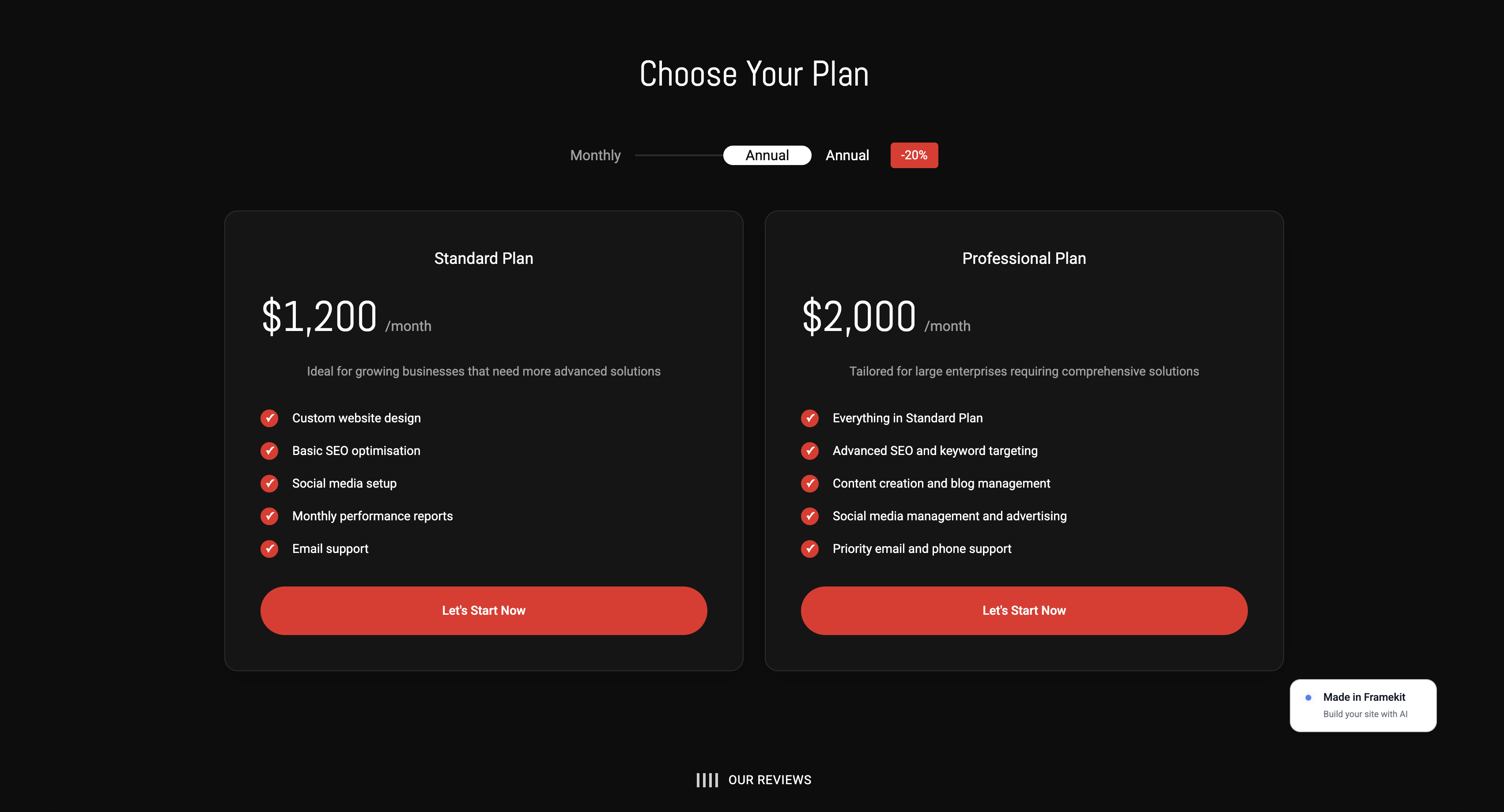
- A full portfolio site on your own custom domain from the $9 a month Starter plan
- A digital store for brush packs, materials, and tutorials, with the product-sale fee falling from 5% to 0% on the $39 a month Business plan
- Client galleries on every plan including free, with watermarking, passwords, download PINs, and ZIP downloads
- Free plan with 10 pages and a 10GB storage pool shared by the site and client galleries
- Custom code and site translation on Pro at $19 a month
The real number$108 a year on Starter for a portfolio on your own domain with the website badge removed (client galleries keep a small Made with Framekit footer on every plan).
Against ArtStation Pro at its last published rate of $9.95 a month billed annually, that is roughly the same money for a site nobody can restructure, and against a $0 ArtStation free profile it is the price of permanence.
On the $25 brush pack, the free plan nets you $23.75 and Business nets you the full $25 before card processing.
PricingFree $0 with a 5% product-sale fee; Starter $9 per month; Pro $19 per month at 3%; Business $39 per month at 0%.
Pros:
- The portfolio, the store, and client delivery on one domain you control
- The product-sale fee falls to 0% on a flat plan instead of climbing with sales
- Long-scroll project pages suit breakdowns rather than forcing a flat grid
Cons:
- No audience at all - nobody discovers you here the way a recruiter browses ArtStation
- No native interactive 3D viewer, so turntables and models run as site video uploads (capped at 15MB on Free and 100MB on paid plans) or as Vimeo and YouTube embeds
- No AI-scraping protection comparable to Cara's Glaze integration, and no print lab
What reviewers say elsewhereFramekit is new enough to have no substantial G2 or Capterra profile, and we would rather say that than quote a handful of reviews as if it settled anything.
Skip it ifyour work comes from recruiters finding you. Build the site anyway, but do not delete the ArtStation profile to do it - the correct move is both, with every ArtStation project linking back to your domain.
Verdict: Framekit is the best ArtStation alternative if you want the portfolio to be an asset rather than a tenancy, and the wrong one if discovery is the only thing you need. Start free at framekit.ai, or see the field for your discipline in our best website builder for 3D artists guide.
2. Cara: The Artist-First Community
Our rating: 8.7/10
Cara exists because of the thing that happened to ArtStation in December 2022.
It is a social and portfolio platform built explicitly around human-made work, and it grew by over half a million users in a single week during its 2024 surge, which tells you how much appetite there was for somewhere that took the position seriously.
The differentiator is not the policy, it is the tooling. Cara Glaze, built with The Glaze Project, applies protective perturbation to uploads to interfere with AI style mimicry, and it is offered at no cost to artists.
That is a materially different offer from a tag asking scrapers politely to skip your work.
Best forIllustrators and concept artists who want a community that shares their position on generated work.
Key features:
- Free to join with portfolio and community feeds
- Cara Glaze integration for protection against AI style mimicry
- A curated feed emphasising human-made work
- A community whose norms are explicit rather than assumed
The real numberfree, including Glaze protection, which is the only zero-cost AI defence in this comparison. Against ArtStation's NoAI tag, which is a request rather than a mechanism, that is the single clearest reason artists moved.
Pricingfree to join.
Pros:
- The only platform here offering active protection rather than a tag
- A genuine community with a shared and stated position
- No cost at all, including the protective tooling
Cons:
- A much smaller audience than ArtStation, and studio recruiters are still mostly elsewhere
- No asset marketplace, so selling is not part of the offer
- Younger platform, so feature depth and stability are still developing
Skip it ifyou need the portfolio to be found by hiring managers this quarter. Cara is where artists are; ArtStation is still where a lot of recruiters look.
Verdict: Cara is the best community answer to what happened in 2022, and it is a community rather than a career platform, which is a distinction worth being clear-eyed about.
3. Fab: Where Asset Selling Actually Happens Now
Our rating: 8.6/10
If you sold on the ArtStation Marketplace, this is not an alternative so much as a forwarding address.
Epic launched Fab in October 2024 as a single marketplace combining the Unreal Engine Marketplace, Quixel Megascans, Sketchfab's store, and the ArtStation Marketplace, and the ArtStation half migrated during 2025.
The headline is the split. Fab runs an 88/12 revenue share in the seller's favour, which is the best headline split of any asset marketplace in this comparison, attached to Epic's distribution.
The caveat sellers report is that the practical take-home depends on the transaction path, since platform fees can apply before the split on some routes.
Best forArtists selling 3D assets, materials, environments, and Unreal-ready content.
Key features:
- 88/12 revenue share in the seller's favour
- Unified catalogue across Unreal, Megascans, Sketchfab, and former ArtStation Marketplace listings
- Direct integration with Unreal Engine workflows
- Epic's distribution and existing buyer base
The real numberon the carried $25 brush pack, 12% is $3, leaving about $22 before your own tax obligations. The same pack on Gumroad, at 10% plus $0.50, also leaves about $22 - but Fab brings buyers and Gumroad does not, which is the entire argument for a marketplace.
Pricingfree to become a publisher; 12% platform cut on sales.
Pros:
- The best asset-marketplace split available with real distribution attached
- One catalogue instead of four fragmented storefronts
- Deep Unreal integration if that is your pipeline
Cons:
- Your storefront is a marketplace listing next to competitors, not a shop you own
- Take-home varies by transaction path, so model it before you price
- Epic controls the terms, which is precisely the pattern that brought you here
Skip it ifyou sell 2D brushes and tutorials to illustrators rather than assets to game developers. The buyer base is not yours.
Verdict: Fab is where the ArtStation Marketplace went and the best place to sell game-ready assets, and it concentrates even more of your business with a single company.
4. Behance: Reach Beyond Games and Film
Our rating: 8.4/10
Behance is the other large creative community, and for an artist whose work has commercial and advertising applications it reaches people ArtStation does not: agencies, brand teams, art directors outside entertainment.
It is also Adobe, which means the same structural caveat as ArtStation being Epic.
Behance Pro at $9.99 a month adds analytics, password-protected projects, and 0% platform fees on transactions, which its own Pro page contrasts against 15-30% platform fees otherwise, and it bundles Adobe Portfolio.
Best forArtists whose work sells into advertising, branding, and editorial as well as games.
Key features:
- Large general creative audience beyond entertainment
- Behance Pro at $9.99 a month with 0% platform fees and analytics
- Adobe Portfolio included with Pro, for up to five sites
- Password-protected and link-only projects on Pro
The real numberPro is $9.99 a month, about $119.88 a year, and takes platform fees to 0% where the free tier is contrasted at 15-30%. If you take commissions through the platform at all, that pays for itself quickly.
Pricingfree tier; Pro from $9.99 per month on an annual commitment.
Pros:
- Genuine reach outside the games and VFX bubble
- Pro's 0% platform fee is a real saving if you transact there
- Adobe Portfolio bundled means a custom-domain site at no extra cost
Cons:
- Less specialised for 3D presentation than ArtStation or Sketchfab
- Another platform profile, another company's roadmap
- The feed rewards work that photographs well as a flat image
Skip it ifyour work is exclusively game and film production art. ArtStation's audience is more targeted for that. Our best Behance alternatives comparison covers the wider field if you are weighing both.
Verdict: Behance is the right second profile for an artist with commercial range and a poor substitute for ArtStation's specialist audience.
5. Sketchfab: Interactive 3D Presentation
Our rating: 8.3/10
Nothing else here lets someone rotate your model in a browser, and for a character or environment artist that is not a nice-to-have. A recruiter who can orbit the mesh, toggle wireframe, and inspect topology is evaluating your actual work rather than your render settings.
Sketchfab is also owned by Epic, and its store was one of the marketplaces folded into Fab. What remains is the viewer and the community, which is the part that was always irreplaceable.
Best forCharacter, environment, and hard-surface artists who need work inspected in 3D.
Key features:
- Interactive, embeddable 3D viewer in any browser
- Wireframe, texture, and inspection modes for technical evaluation
- Embeds that work inside other sites, including a portfolio you own
- A large existing library and community
The real numberthe viewer embeds anywhere, which is the strategically important part. You can host the portfolio on your own domain and still show a rotatable model, so this is a complement to owning your site rather than a competitor to it.
Pricinga free tier plus paid plans; confirm current tiers on Sketchfab's own pricing page, since the product has been restructured alongside the Fab consolidation.
Pros:
- The only real interactive 3D presentation in this comparison
- Embeds mean you can use it without hosting your portfolio there
- Technical inspection modes let good topology speak for itself
Cons:
- Now inside the Epic ecosystem, with the store already migrated to Fab
- Not a portfolio platform in its own right for 2D work
- Uploading high-poly work to a third party raises the usual rights questions
Skip it ifyour work is 2D. There is nothing to rotate.
Verdict: Sketchfab is a component rather than a home, and the smartest way to use it is embedded in a site you own.
6. Squarespace: The Polished Template Site

Our rating: 8.2/10
Squarespace is the safe route to a good-looking artist site with no decisions to agonise over. The templates handle large images well, the typography is careful, and an artist who wants a clean grid and a contact form is live in an evening.
The friction shows up on breakdowns. A concept sheet sequence with process notes and alternating full-bleed images fights the block editor more than it should, and the commerce fees are easy to miss.
Best forArtists who want a dependable site and are willing to pay a premium for zero decisions.
Key features:
- A large, consistently well-designed template library
- Built-in commerce, blogging, and SEO controls
- Reliable hosting and mature support
- Everything first-party, so nothing breaks when a plugin dies
The real numberBasic runs $19 a month billed annually, so $228 a year, and Squarespace's own pricing page lists a 2% store fee on Basic, which its transaction fees help article applies to download products such as a brush pack, and a separate 7% fee on courses and memberships at the entry tier, falling to 0% at the top.
Sell that $25 brush pack fifty times on the entry tier and Squarespace keeps $25.
PricingBasic $19, Core $29, Plus $49, Advanced $99 per month billed annually.
Pros:
- The most consistently handsome templates of any mainstream builder
- Genuinely low-maintenance
- Excellent documentation and support
Cons:
- The 2% store fee on Basic, and the 7% fee on courses and memberships, are easy to overlook
- Long-scroll breakdowns fight the block model
- More expensive than the alternatives that do the same job
Skip it ifyour portfolio is process-heavy. See our best Squarespace alternative for creatives breakdown.
Verdict: Squarespace is the right pick when you want to stop thinking about the website and the wrong one when the website is meant to argue for you.
7. Ko-fi: Commissions and Direct Support
Our rating: 8.1/10
Ko-fi matters more to this audience in 2026 than it did last year, for a specific reason: DeviantArt sunset its commissions feature on 1 July 2026, and a lot of illustrators used it to broker paid work.
Ko-fi handles commission requests, tips, memberships, and a shop on one page.
The economics are the best in this comparison for direct sales. The free tier takes 0% of tips, and Ko-fi Gold takes 0% on commissions, memberships, and shop sales for a flat monthly fee, with supporters paying through your own connected processor.
Best forIllustrators and concept artists taking commissions or direct support.
Key features:
- Commission requests with a structured queue
- 0% platform fee on tips on the free tier
- 0% on commissions, memberships, and shop sales on Ko-fi Gold
- Direct payouts through your own Stripe or PayPal
The real numberKo-fi Gold is listed at $12 a month for new accounts, so $144 a year at 0% platform fee. On the $25 brush pack you keep the full $25 before card processing. Some older listings still quote $6, so confirm on Ko-fi's own page.
Pricingfree tier with 0% on tips; Ko-fi Gold $12 per month for 0% on everything.
Pros:
- The best take-home rate of anything here for direct sales
- Commission handling that fills the gap DeviantArt just left
- Money lands in your own processor rather than a platform balance
Cons:
- No discovery whatsoever, so it works only with an audience you already have
- Not a portfolio platform, so it complements rather than replaces
- Simple shop tooling compared with a real store
Skip it ifyou do not take commissions and do not sell direct. Then it is a page nobody visits. Our best Patreon alternatives guide covers the wider economics.
Verdict: Ko-fi is the cheapest way to get paid directly and does nothing at all to get you found.
8. Gumroad: Selling Brushes and Tutorials Direct
Our rating: 7.9/10
Gumroad is the fastest way to put a brush pack, a tutorial, or a texture set behind a checkout, with no subscription and no setup. For artists whose product is knowledge rather than assets, it has been the default for a decade.
The fee is the story, and it is worse on cheap items than the headline suggests: 10% plus $0.50 per transaction before card processing.
Best forArtists selling tutorials, brush packs, and reference material to other artists.
Key features:
- No subscription, sell within an hour
- Digital delivery, licence keys, and pay-what-you-want pricing
- Handles subscriptions alongside one-off sales
- A checkout buyers already recognise
The real numberon the $25 pack, 10% plus $0.50 is $3, leaving about $22 before processing. On a $5 item the same structure takes $1.00, which is 20%. Gumroad punishes cheap products, and brush packs are often cheap products.
Pricingfree to join; flat 10% plus $0.50 per transaction, with card processing charged separately.
Pros:
- Zero commitment and immediate setup
- Handles digital delivery and licensing properly
- Good for testing whether your audience buys at all
Cons:
- The fixed $0.50 makes low-priced packs expensive
- No flat-fee plan, so the percentage never falls
- Your store is a Gumroad page, so buyers can browse to other sellers
Skip it ifyour items are under $10. Our best Gumroad alternatives comparison covers the cheaper routes.
Verdict: Gumroad is the best place to start selling and an expensive place to stay once volume arrives.
9. Webflow: Total Design Control
Our rating: 7.8/10
Webflow is for the artist who wants the portfolio itself to be a piece of design, with breakpoints, interactions, and structure exactly as intended. The CMS turns a growing body of work into something maintainable rather than a folder of pages.
It is the steepest learning curve here by a distance, and in 2026 it simplified its plans to Starter, Basic, and Premium, which made pricing clearer without making it cheaper.
Best forArtists with front-end instincts who want no ceiling.
Key features:
- Complete control over layout, interactions, and responsive behaviour
- A real CMS for a growing project archive
- Clean code output on the appropriate plans
- A large template and tutorial ecosystem
The real numberthe Basic site plan is $15 a month billed annually, about $180 a year, and it does not include the CMS. An artist who wants projects as a collection is really looking at Premium at $25 a month billed annually, about $300 a year.
PricingStarter free; Basic $15 per month billed annually; Premium $25 per month billed annually.
Pros:
- No design ceiling at all
- The CMS scales with a growing archive
- Very large ecosystem of templates and tutorials
Cons:
- The steepest learning curve in this comparison
- The CMS sits behind the more expensive tier
- Substantially overpowered for a five-project portfolio
Skip it ifyou want to publish this weekend. Our Framekit vs Webflow comparison covers when the control is worth the climb.
Verdict: Webflow is the best ceiling and the worst floor, which is the same verdict it has earned for years.
10. Adobe Portfolio: Free If You Already Pay Adobe
Our rating: 7.6/10
If Creative Cloud is already a line item, Adobe Portfolio moves your work onto your own domain at no marginal cost. It is included with a paid plan, supports up to five sites, and takes an afternoon.
The site itself is modest and the cancellation behaviour is the thing to know: Adobe's help documentation states that a cancelled site stays live for a 14-day grace period and then comes offline while remaining editable.
Best forArtists already inside Creative Cloud who want a custom domain today.
Key features:
- Included with any paid Creative Cloud plan, up to five sites
- Custom domain support and password protection
- One-click import of Behance projects
- Lightroom album syncing
The real numberthe cheapest practical route in is the Lightroom plan at about $11.99 a month, roughly $143.88 a year, which is the honest price of a "free" Portfolio site if you do not already subscribe. The 14-day cliff after cancellation is the catch.
Pricingno standalone price; bundled with Creative Cloud, cheapest practical route about $11.99 per month.
Pros:
- Genuinely free if Creative Cloud is already a cost you carry
- The fastest route to a custom domain
- Five sites is more than most artists need
Cons:
- The site depends on a subscription you might cancel for unrelated reasons
- Design flexibility is limited
- No store, no galleries, no CMS
Skip it ifyou might leave Adobe. Our best Adobe Portfolio alternatives guide covers the exits.
Verdict: Adobe Portfolio is the cheapest way onto your own domain and a poor long-term home, because a site that unpublishes when you cancel unrelated software is not really yours.
11. DeviantArt: A Legacy Community, With Caveats
Our rating: 7.0/10
DeviantArt is still one of the largest art communities on the internet and it still sends real traffic, particularly for illustration, fan art, and character work. For an artist whose audience formed there, leaving costs more than the platform's problems do.
Two things changed the calculation.
The platform's handling of AI-generated work in 2022 and 2023 alienated a portion of its base, and it sunset its commissions feature on 1 July 2026, removing the mechanism many illustrators used to take paid work there.
Best forIllustrators with an established DeviantArt audience.
Key features:
- One of the largest art communities online
- Core membership with additional customisation and features
- Groups and community structures with real longevity
- Print sales through the platform
The real numberthe commissions sunset on 1 July 2026 is the number that matters, because it removes a revenue mechanism rather than changing a rate. Artists who took paid work there need a replacement, and Ko-fi is the cheapest one in this comparison.
Pricingfree tier; Core membership priced on DeviantArt's own membership page, which is where you should check the current rate.
Pros:
- Genuine community depth and long-standing groups
- Still meaningful traffic for illustration and character work
- Print sales built in
Cons:
- Commissions were sunset on 1 July 2026
- The platform's AI posture cost it trust with part of its base
- Presentation is dated compared with ArtStation or a modern site
Skip it ifyou are starting from zero today. The audience there is one you inherit, not one you build.
Verdict: DeviantArt is worth keeping if you already have an audience there and is not where a 2026 career gets built.
What Leaving ArtStation Actually Costs
In one lineArtStation's value is its recruiters, and no site you own replaces that, so the correct move for almost everyone is to add a domain rather than delete a profile.
Be honest about what the platform gives you before you weigh what it takes.
What ArtStation still does that nothing here matches. Studio recruiters browse it as a matter of routine. The jobs board is real. Trending placement puts work in front of art directors who were not looking for you.
Prints are integrated. For a junior artist trying to get hired, that is the entire game, and a personal site with no traffic is not a substitute.
What it costs you. Every project you post builds artstation.com's search authority rather than yours. The URL under your name in a credit list belongs to Epic.
And as the last four years demonstrated, the definition of what the platform is can change without your input: a company can buy it, change the feed policy, or move the marketplace into a different product entirely.
The number. Framekit Starter is $108 a year and ArtStation Pro was last published at $9.95 a month billed annually, about $119.40 a year.
Running both is roughly $227 a year, which for a working artist is under two hours of billable time. Framing this as either-or is the mistake almost every article in this category makes.
Run the test on yourself. Look at where your last five paid jobs came from. If three or more came from someone finding your ArtStation profile, the platform is earning its keep and the site is insurance.
If none did, you are giving a company your search authority in exchange for a feed you scroll.
The AI Question, Answered Practically
In one linea NoAI tag is a request and Glaze is a mechanism, and if protecting your style from mimicry is a real concern then the platform you post to matters more than the tag you tick.
This is the part of the ArtStation story that sent artists looking, so it deserves a straight answer rather than a slogan.
Tags are requests. ArtStation's NoAI tag flags work as excluded from training datasets. It relies on scrapers choosing to honour it. It is better than nothing and it is not a technical barrier.
Glaze is a technical measure. Cara's integration with The Glaze Project applies perturbations intended to interfere with style mimicry by models trained on the image.
It is not a guarantee either, and researchers actively work on both sides of that problem, but it is a mechanism rather than a request, and Cara offers it at no cost.
Terms of service are the underrated part. The licence you grant when you upload is the thing that actually governs what a platform may do, and it can change.
The WeTransfer episode in July 2025, when a broad new licence mentioning machine-learning models appeared and was withdrawn within days after a backlash, is the clearest recent illustration that these documents move.
What a practical artist does in 2026. Post lower-resolution versions publicly and keep full-resolution files off open platforms. Watermark process shots. Use Glaze on work whose style is your commercial signature.
Keep a canonical, full-quality portfolio on a domain you control, where the terms are your hosting agreement rather than a social platform's.
And accept that none of this is airtight, because pretending otherwise is how people get complacent.
Which Platform for Which Job
In one lineno single platform does portfolio, discovery, 3D presentation, and selling well in 2026, so the working answer is a stack of two or three rather than a replacement.
| The job | The platform | Why |
|---|---|---|
| A permanent portfolio nobody can restructure | Framekit | Own domain, own store, own client delivery |
| Being found by studio recruiters | ArtStation, kept | Its audience is the product, and no site replaces it |
| A community that shares your position on AI | Cara | Free, with Glaze protection rather than a tag |
| Selling 3D assets and Unreal-ready content | Fab | 88/12 split with Epic's distribution |
| Showing a rotatable model | Sketchfab | The only real interactive 3D viewer here |
| Taking commissions | Ko-fi | 0% on Gold, and DeviantArt no longer brokers them |
| Selling brushes and tutorials | Gumroad or Framekit | Gumroad for reach, Framekit for margin |
| Reaching agencies and brands | Behance | The audience that is not in games |
| A site today, at no marginal cost | Adobe Portfolio | Included with Creative Cloud, 14-day cliff after cancelling |
How to Choose an ArtStation Alternative: A Decision Tree
Most artists frame this decision as leaving, which is the wrong frame and reliably produces the wrong choice, because the thing ArtStation gives you and the thing a personal site gives you are not substitutes for each other. Work through these three questions in order instead.
Start here: where did your last five paid jobs come from?
- Mostly from ArtStation. Keep the profile, and add a site you own to catch the traffic. Framekit Starter at $9 a month, and put your domain in your ArtStation bio and in the last frame of every project.
- From word of mouth, agencies, or direct approach. ArtStation is a habit rather than a channel for you. Build the owned site as your primary and keep the profile as a mirror.
- I am starting out and have no jobs yet. Post everywhere, own a domain early because it is cheap, and expect discovery to come from the big platforms for the first year or two.
What do you sell?
- 3D assets, materials, environments: Fab, at 88/12 with real distribution.
- Brushes, tutorials, reference: Gumroad for reach, or your own store on Framekit for margin, or both.
- Commissions: Ko-fi, since DeviantArt stopped brokering them on 1 July 2026.
- Prints: ArtStation Prints, or a print-on-demand service alongside your own site.
- Nothing yet: skip all of this and put the effort into the portfolio.
What matters most about where you post?
- Protection from style mimicry: Cara, for Glaze.
- Studio hiring: ArtStation, still.
- Commercial and agency work: Behance.
- Technical evaluation of my meshes: Sketchfab embeds, hosted on your own site.
- Permanence: a domain you own, whichever builder you like. See our best website builder for illustrators if 2D is your field.
Frequently Asked Questions
What is the best ArtStation alternative in 2026?
The best ArtStation alternative in 2026 is Framekit, because it puts your portfolio, your store, and your client delivery on a domain you own rather than on a platform that has been bought and restructured repeatedly since 2021.
The honest trade-off is discovery: ArtStation's studio-recruiter audience is its real product and a new site has none of it.
Cara is the best artist-first community and is free, Fab is where asset selling moved, and Sketchfab remains the best interactive 3D viewer.
Is ArtStation still worth using in 2026?
Yes, for discovery. ArtStation remains the largest concentration of game, film, and concept artists online, studio recruiters browse it routinely, and its jobs board and print sales are real.
What changed is that Epic acquired it in 2021, its marketplace was folded into Fab during 2025, and its handling of AI-generated work in December 2022 cost it trust with part of its community.
The sensible position is to keep the profile as a channel and host the canonical portfolio somewhere you own.
What happened to the ArtStation Marketplace?
The ArtStation Marketplace was merged into Fab, Epic's unified creator marketplace, which launched in October 2024 combining the Unreal Engine Marketplace, Quixel Megascans, Sketchfab's store, and ArtStation Marketplace listings.
The migration of ArtStation sellers happened during 2025.
ArtStation's own Fab FAQ confirms that portfolios and Prints stayed on ArtStation and only the marketplace moved, so your profile is unaffected but your storefront is now a Fab listing.
What is Fab's revenue share for artists?
Fab runs an 88/12 revenue share in the seller's favour, so on a $25 asset pack you keep about $22 before your own tax obligations.
That is the best headline split of any asset marketplace in this comparison and it comes with Epic's distribution attached.
Sellers report that practical take-home varies by transaction path, because platform fees can apply before the split on some routes, so model your actual pricing rather than assuming a flat 88%.
Is Cara a good ArtStation alternative?
Cara is the best community alternative to ArtStation and not a replacement for its hiring reach.
It is free, it is built explicitly around human-made work, and its Cara Glaze integration with The Glaze Project offers active protection against AI style mimicry rather than a tag asking scrapers to skip your work.
It grew by over half a million users in a single week during its 2024 surge. What it does not have is ArtStation's studio-recruiter traffic or an asset marketplace.
Where can I sell 3D models instead of ArtStation?
Fab is the direct successor, at an 88/12 split with Epic's distribution, and it is where ArtStation Marketplace listings migrated during 2025.
For selling directly to your own audience rather than through a marketplace, Gumroad charges 10% plus $0.50 per transaction and a store on your own site through Framekit charges 5% falling to 0% on the $39 a month Business plan.
Marketplaces bring buyers and charge for it; your own store keeps more and brings nobody.
Does DeviantArt still do commissions?
No. DeviantArt sunset its commissions feature on 1 July 2026, with commissions requested by that date remaining actionable in notifications until 7 July.
Illustrators who used DeviantArt to take paid work need a replacement, and Ko-fi is the cheapest in this comparison: it handles commission requests with a structured queue and charges 0% platform fee on Ko-fi Gold at $12 a month, with payouts going through your own Stripe or PayPal.
How do I protect my art from AI scraping?
There is no airtight method, and anyone selling you one is overstating it.
In practice: use Cara, which offers Glaze protection at no cost, for work whose style is your commercial signature; post lower-resolution versions publicly and keep full-resolution files off open platforms; watermark process shots; and read the licence you grant on upload, because that document governs what the platform may legally do and it can change.
A NoAI tag is a request that relies on scrapers honouring it, not a technical barrier.
ArtStation vs Behance: which is better for artists?
ArtStation is better for game, film, and concept art because its audience is specifically studio recruiters and art directors in entertainment.
Behance is better for artists whose work sells into advertising, branding, and editorial, because its audience is general creative rather than entertainment-specific.
Both are owned by large platform companies, Epic and Adobe respectively, and both are channels rather than homes. Most working artists keep profiles on both and point them at a site they own.
Do I need my own website if I have an ArtStation profile?
Yes, if you want the work to keep paying you after you stop posting.
An ArtStation profile is discovery and a personal site is the asset: it owns your search results, gives you a permanent URL that survives any platform change, and lets you sell without a marketplace cut.
The last four years made the argument concretely, since the platform under your portfolio was acquired, changed its feed policy, and had its marketplace absorbed into a different product, none of which you had a vote on.
What is the cheapest way to get a portfolio on my own domain?
The cheapest is Framekit's free plan at $0, which gives you a real site with 10 pages on a Framekit subdomain, and $9 a month, $108 a year, on Starter for a custom domain with the website badge removed.
If you already pay for Creative Cloud, Adobe Portfolio is free at the margin and supports a custom domain, though the site goes offline 14 days after you cancel.
Squarespace at $228 a year and Webflow at $180 a year both cost more for the same job.
Can I embed 3D models on my own portfolio site?
Yes, and this is the underused move in this comparison. Sketchfab's viewer embeds into other sites, so you can host the portfolio on your own domain and still let a recruiter rotate the mesh, toggle wireframe, and inspect topology.
That combination gets you the ownership benefits of a personal site and the technical evaluation benefits of an interactive viewer, which no single platform in this list provides on its own.
Should I delete my ArtStation profile?
No. Deleting it throws away real discovery for no gain, and keeping it costs nothing but the time to cross-post.
The productive version of leaving is to change what the profile points to: put your own domain in the bio, in the project descriptions, and on the last frame of every image set, publish the full breakdown on your site first, and post an abridged version to ArtStation that links out.
You keep the recruiters and stop giving away the destination.
Which ArtStation alternative is best for concept artists specifically?
For concept artists, the strongest combination is Cara for community and AI protection, Behance for commercial and agency reach, and a portfolio on your own domain as the canonical home, since concept work is often under NDA and needs password-protected sharing that a public feed cannot provide.
ArtStation itself remains worth keeping for studio hiring.
Behance Pro supports password-protected projects, and on Framekit the NDA material goes in a password-protected client gallery rather than on a public site page, which matters when half your best material cannot be shown publicly.
Framekit vs ArtStation Pro: what do you get for roughly the same money?
Framekit Starter is $108 a year for a portfolio on your own domain with the website badge removed, and ArtStation Pro was last published at $9.95 a month billed annually, so the yearly cost is close to identical.
What differs is what you are buying. ArtStation Pro buys you better placement and features inside a platform that can restructure its marketplace and its feed at any time, which it has already done once.
Framekit buys you an address nobody can restructure, plus a store where a $25 brush pack nets $23.75 on the free plan and the full $25 before processing on Business.
If recruiters find you through the ArtStation feed, keep the profile and run both.
Final Verdict: The Best ArtStation Alternative in 2026
Set side by side on their own published terms, prices and ownership histories, the eleven platforms lead to one honest conclusion, which is that ArtStation did not get worse.
It got owned, restructured, and partly relocated, and the artists who felt that most were the ones with nothing of their own underneath it.
Framekit is the best ArtStation alternative in 2026 for artists who want the portfolio to be permanent.
Your work sits on a domain you control, next to a store where the fee falls to 0% rather than climbing, and no acquisition changes what it is.
Cara is the best community, Fab is where asset selling now lives, Sketchfab is the only real 3D viewer, and Ko-fi is the cheapest way to take commissions now that DeviantArt has stopped brokering them.
Where Framekit loses: we have no audience, and for a junior artist trying to get hired that is the only thing that matters, so do not delete ArtStation to use us. We do not render interactive 3D, which Sketchfab does.
We do not offer Glaze protection, which Cara does at no cost. We have no print lab and no asset marketplace distribution. If any one of those is your primary need, the platform that does it is above us on that criterion and we have said so.
The move that actually works is not leaving. It is adding a domain, pointing every platform profile at it, and publishing the full version of your work there first. Then whatever the next acquisition changes, it changes a channel rather than your career.
For more, read our best website builder for 3D artists guide, the best Behance alternatives comparison if you post there too, our guide to selling art online from your own website, and the best platforms for selling digital art.