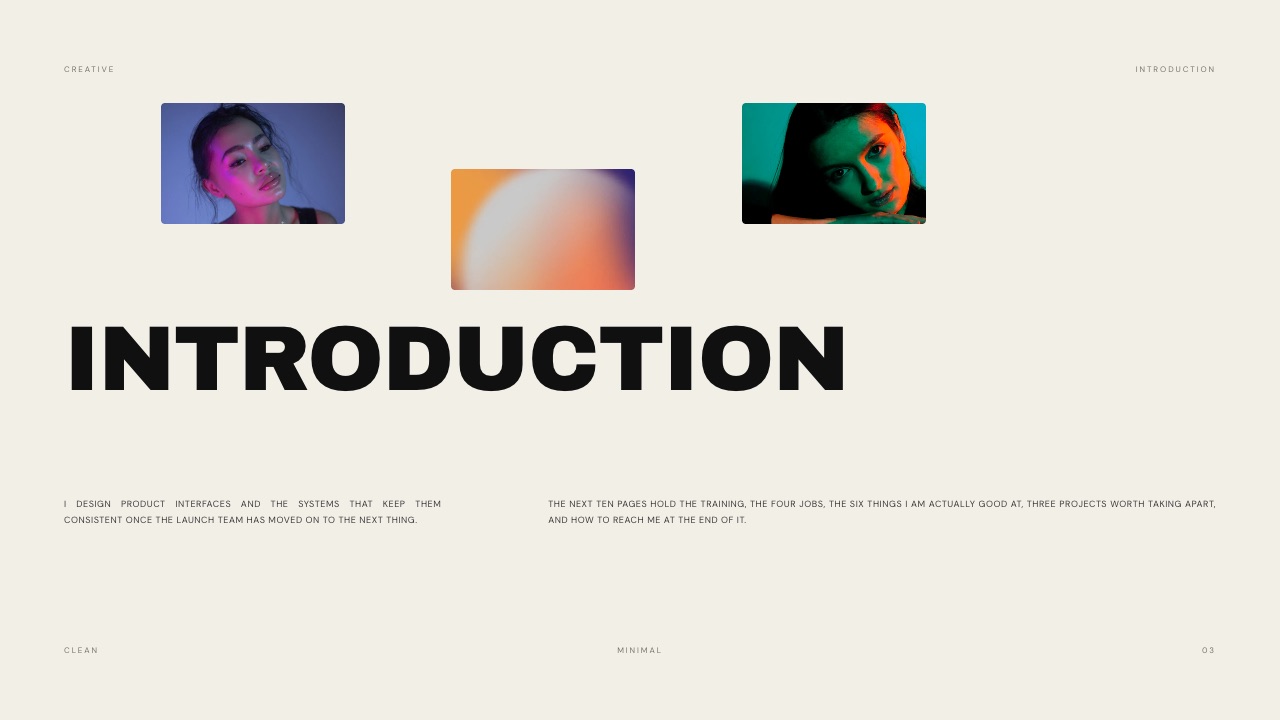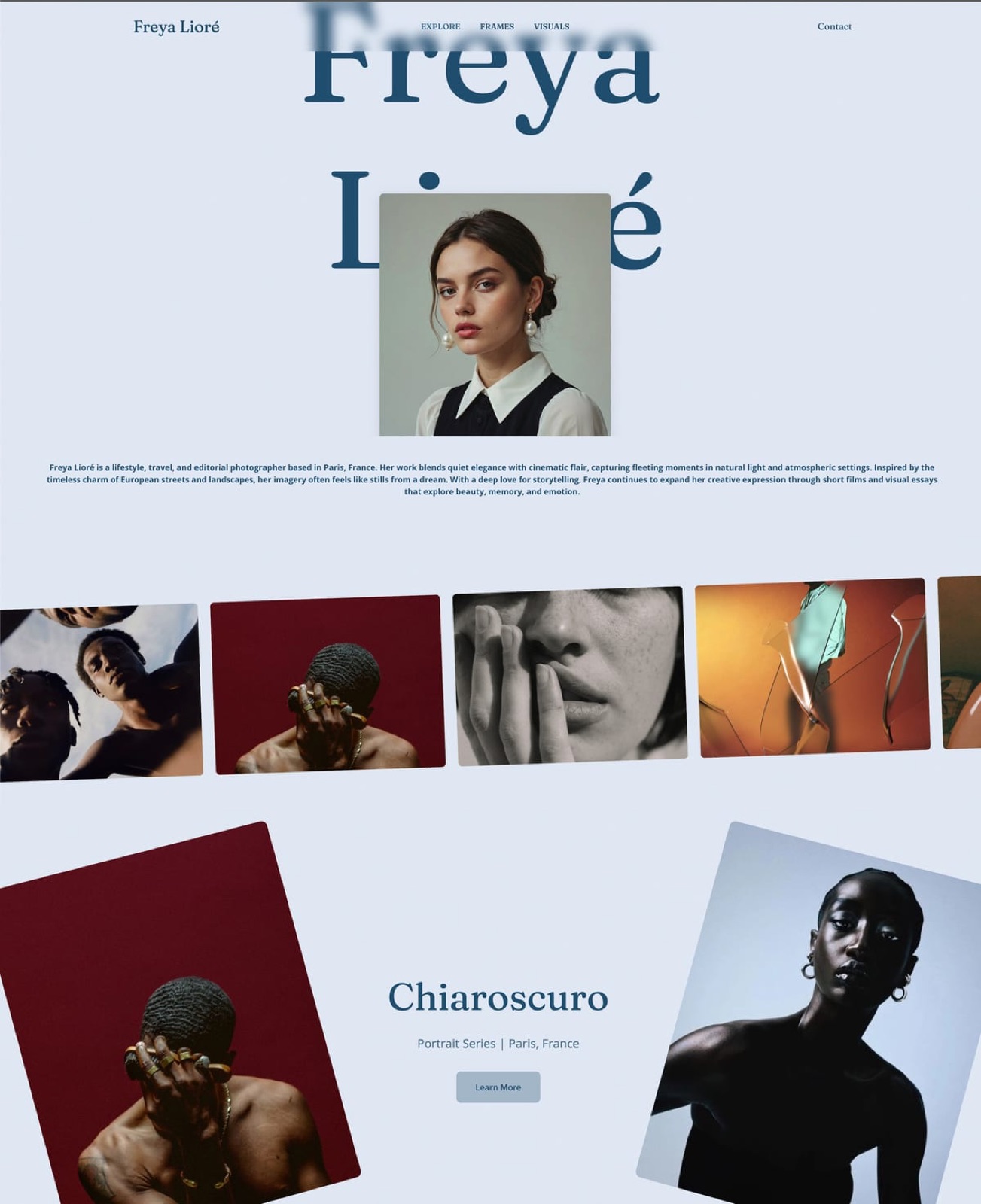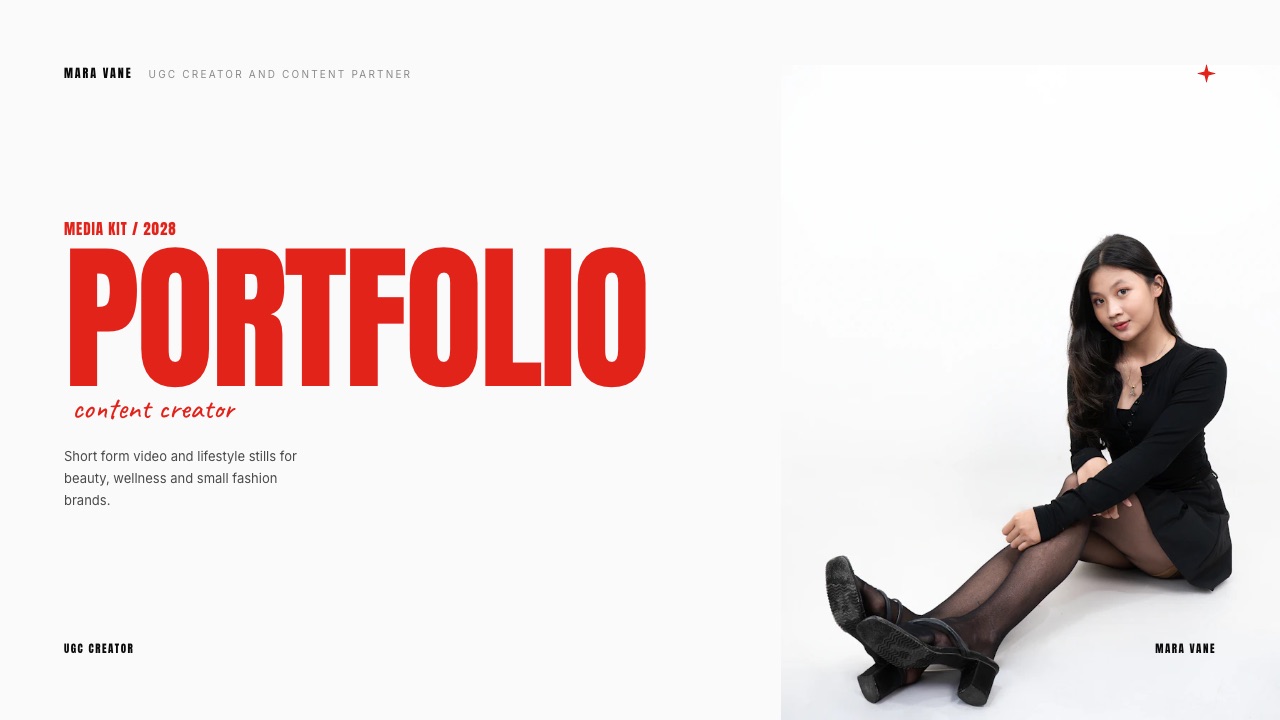
Framekit templates
Start from a designer-made template
 Use template
 Use template
 Use template
 Use template
 Use template
 Use template
 Use template
 Use template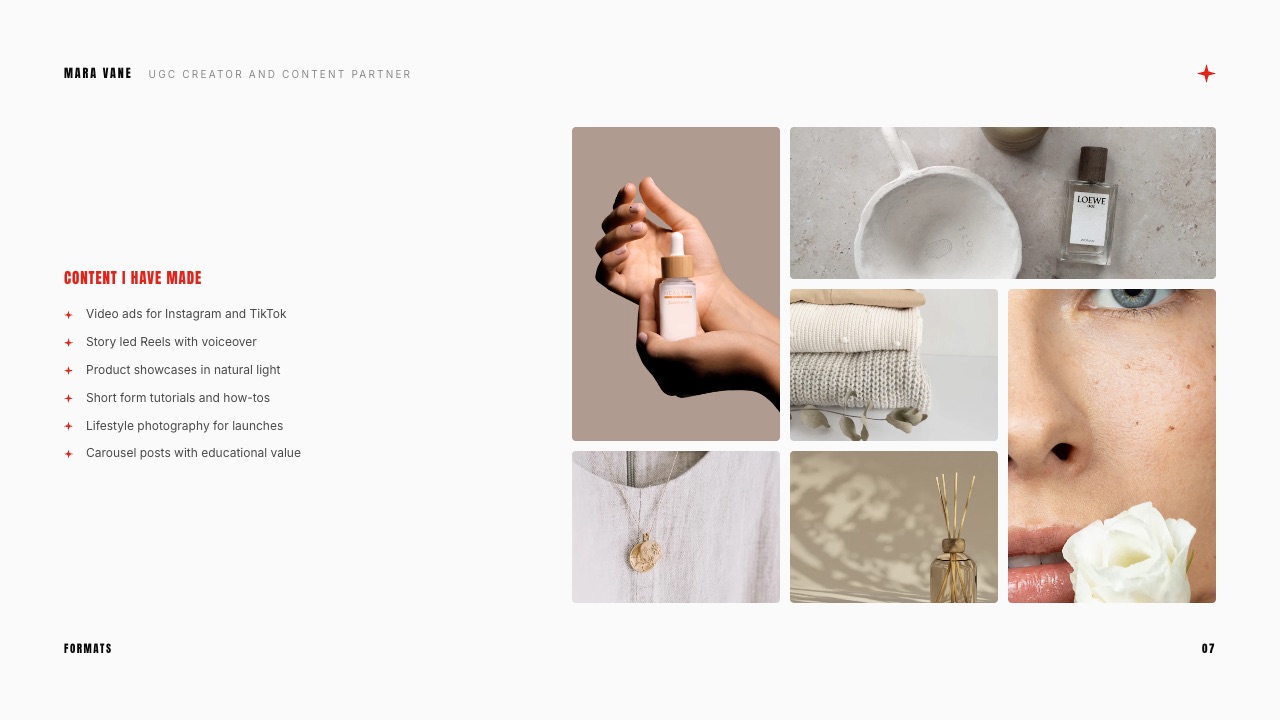
A brand's content lead opens a creator's link from a DM between two meetings. It is a Google Drive folder with 34 videos named IMG_4471.MOV onwards. She clicks three, waits for each to buffer, and closes the tab.
The creator's work may have been excellent. The portfolio never got the chance to show it, because it asked a busy buyer to do the sorting.
Most UGC portfolio examples online are screenshots of pretty pages.
What separates the ones that land brand deals is structure: a clear niche, a handful of videos with the hook written beside each, proof that the content works as an ad, and a price.
JoinBrands, a marketplace brands hire UGC creators through, tells creators that brands have about 30 seconds to decide whether to look further.
A UGC portfolio is a curated page or deck of short-form videos and photos that a user-generated content creator sends brands to prove they can make content that works as an ad, with each piece labelled by product, format and hook, and with rates and contact details attached.
The UGC portfolio examples that win brands work like a casting file, not a gallery: one niche stated up front, 8 to 12 videos grouped by format with the hook written beside each, one line of results or context per video, then rates and a way to book.
The eight types below cover every stage, including a spec portfolio for creators with no brand deals yet.
Framekit is our pick for hosting it because the portfolio site, a media kit deck and client delivery sit on one account, with the trade-off that its deck templates need a paid plan and deck links have no password.
Beacons suits creators who want live follower stats beside the work, Notion or Google Drive is the free stopgap, and Stan fits creators who also sell courses or bookings.
Full disclosure: Framekit is our product and is ranked first in the hosting section. The eight portfolio types are patterns, not real creators: we have not named or screenshotted any individual creator, and the template slides shown are Framekit renders with fictional sample content. Guidance on what brands look for comes from JoinBrands and TikTok's own published advice, linked below, and prices were read on each vendor's site on 19 September 2026.
How These Examples Were Chosen
The eight portfolio types in this guide are archetypes built from what brands and platforms say they want, not a gallery of real creators, and the evidence behind each recommendation is sorted into three kinds so you can see what is sourced and what is judgement.
Read at the source. What brands check comes from JoinBrands' August 2026 guide to UGC portfolios, written by a marketplace that sits between brands and creators, and from TikTok's help article on creative best practices for performance ads, which is the closest thing to a published spec for what a working UGC ad looks like.
Market context comes from Collabstr's 2026 Influencer Marketing Report as reported by Storyboard18. Hosting prices and features were read on each vendor's own pages on 19 September 2026.
Rendered. The slide images are real renders of Framekit's UGC Creator Portfolio and Media Kit template and other Framekit templates, with the fictional sample creator and brands they ship with.
Judgement, flagged. Which archetype suits which creator, how many videos to show and in what order, and the build steps for a spec portfolio are our editorial recommendations. Where a number is ours rather than a source's, the text says so.
Why no real creator examples? Screenshotting individual creators' pages turns their work and faces into our marketing without asking, and most "examples" posts that do it go stale within months as creators redesign.
The patterns below last longer, and each tells you exactly what to put on the page.
UGC Portfolios by the Numbers
These figures are the constraints every portfolio in this guide is designed around, each drawn from a published source that is linked in the section where it is used, so you can check the advice against the original.
- 30 seconds. How long JoinBrands tells creators a brand takes to decide whether to look further at a portfolio, with the whole decision made in under two minutes.
- 8 to 12. The number of best-performing videos JoinBrands recommends showing, grouped by category or niche.
- 3 and 6 seconds. TikTok's guidance for performance ads: introduce the content proposition in the first 3 seconds and prioritise the hook in the first 6.
- 9:16 at 720p or more. TikTok's recommended orientation and minimum resolution for performance ad creative, which is the format your portfolio videos should prove you deliver.
- 35%. The share of campaigns on Collabstr that were UGC in its 2026 report, after 133% year-over-year growth in UGC campaigns.
- 8 archetypes. The portfolio types below, from a first spec portfolio to a results-led one.
What a Brand Scans in the First 30 Seconds
In one lineRead JoinBrands' 30-second window as a sequence and a brand is checking four things in order, your niche, the first three seconds of one video, whether your work looks like an ad it could run, and whether a price and a contact are on the page.
JoinBrands' guide to UGC portfolio examples is blunt about the reading time: brands have about 30 seconds to decide whether you are worth their time, and should be able to find, understand and decide in under two minutes.
Read that as a sequence and a good portfolio almost designs itself.
Seconds 0 to 5: the niche. The first line on the page should say what you make and for whom: "UGC for skincare and wellness brands" beats "content creator and storyteller".
A brand hiring for a protein powder scans for fitness, food or wellness and leaves if it cannot find it.
Seconds 5 to 15: one video's opening. The buyer plays the first video and watches its opening.
TikTok's creative best practices for performance ads tell advertisers to introduce the content proposition in the first 3 seconds and prioritise the hook in the first 6, so that is exactly where a brand judges you.
Put your strongest opening first, not your favourite video.
Seconds 15 to 25: does it look like an ad? Brands are buying content they can run, so they look for the markers of usable ad creative: vertical 9:16, clear sound, text overlays a viewer can read (TikTok suggests 5 to 10 words per second), and a structure of hook, selling points and a call to action.
A beautiful vlog-style video without a product moment reads as a lifestyle creator, not a UGC creator.
Seconds 25 to 30: can they book you? Rates or "packages from", availability and a contact method. JoinBrands lists rates, availability, contact info and turnaround time as part of the minimum viable portfolio.
A portfolio without a price makes the buyer write to you before they know whether you fit the budget, and many will not.
The Anatomy of a UGC Portfolio That Gets Booked
In one lineEvery portfolio type in this guide shares six blocks, a one-line niche, a short hero reel, 8 to 12 labelled videos, proof, rates and contact, and the order matters because a brand reads top to bottom and stops early.
The table below is the skeleton. Each archetype later in the guide changes the emphasis, not the blocks.
| Block | What goes in it | Why a brand needs it | Common mistake |
|---|---|---|---|
| Niche line | What you make, for which kind of brand | Lets the buyer self-qualify in five seconds | "Content creator and storyteller" |
| Hero reel | 20 to 40 seconds of your best openings, cut back to back | Shows range of hooks without clicking | A two-minute montage with music and no product |
| 8 to 12 videos | Grouped by format or niche, each labelled | JoinBrands' recommended range | 30+ unsorted clips |
| Label per video | Product category, format, hook text, where it ran | Lets the brand judge fit without playing everything | No context at all |
| Proof | Results you are allowed to share, or client quotes | Shows the work performed, not just looked good | Invented or unapproved numbers |
| Rates and contact | Packages or "from" prices, turnaround, email or form | Removes the first round-trip email | "DM for rates" |
The label per video is the block most portfolios skip and the one that does the most work.
A caption such as "Skincare / voiceover demo / Hook: 'I stopped buying toner after this' / ran as a Spark Ad" tells a buyer the category, the format, the opening line and that a brand paid to run it, in one line.
How many videos, and in what order
JoinBrands recommends 8 to 12 videos, and its advice is to pick your ten best.
Our recommendation on order: open with the video whose first three seconds are strongest, follow with one from each format you sell, and end with the one that has the best result attached.
If you work in two niches, group by niche first so the protein-powder buyer never has to scroll past skincare.
What to leave out
Leave out anything a brand could not run as an ad: dance trends without a product, long vlogs, and personal content from your own feed. Leave out brand logos you did not work with, and never label a spec video as a client project.
A portfolio that stretches the truth once invites a buyer to doubt every other claim on it.
8 UGC Portfolio Examples, by Type
In one lineEach of the eight portfolio types below solves a different buyer doubt, from "can you do my category" to "will this actually convert", so pick the one that answers the question your target brands are most likely to be asking.
These are archetypes, described as layouts you can copy, not real creators. The table is the five-second version; each type then gets a section with what goes on the page, who it suits and the trap to avoid.
| Type | Best for | What it leads with | The doubt it removes | Main risk |
|---|---|---|---|---|
| The niche specialist | Creators with one strong category | A single niche line and 8 videos in it | "Do you understand our product?" | Too narrow for general brands |
| The hook library | Creators selling to paid-ads teams | The same product with several openings | "Can you give us variations to test?" | Looks repetitive without labels |
| The format range | Generalists | One video per format | "Can you do voiceover, unboxing and demo?" | Reads as unfocused |
| The problem and proof | Beauty, cleaning, fitness, tools | Before and after, demo in use | "Will viewers believe it works?" | Claims a brand's legal team rejects |
| The results-led | Creators with ad data they can share | Numbers beside each video | "Will it perform?" | Sharing metrics without permission |
| The spec portfolio | Beginners with no brand deals | Self-made ads for products you own | "Can you do it at all?" | Implying a client relationship |
| The photo and video hybrid | Creators who also shoot stills | Paired video and still sets | "Can one creator cover the launch?" | Stills that look like stock |
| The media kit deck | Creators pitching cold by email | A 10 to 12 slide PDF or link | "Who are you and what does it cost?" | A deck that goes stale |
The niche specialist
The niche specialist portfolio does one category and says so in the first line: "UGC for pet brands" or "Skincare and wellness UGC".
Everything on the page belongs to that category: 8 videos for different pet products, the hook written beside each, and a short note on why this audience trusts you, such as owning three dogs.
It works because the buyer's first question is fit, and a single-category page answers it instantly. It is the right archetype for creators who already have a natural niche through their own life or work.
The traptoo narrow for the generalist brand. If you want broader work, add a second page rather than diluting the first.
The hook library
The hook library is built for performance marketers.
Instead of eight different products, it shows two or three products, each with three to five different openings on the same body, labelled "Hook A: question", "Hook B: problem", "Hook C: result first".
It proves you understand how paid social is tested, which is by swapping openings.
This archetype maps directly to TikTok's advice to prioritise the hook in the first 6 seconds: you are showing a brand that you can supply the variations its media buyer needs. It pairs naturally with a rate card that prices extra hooks as add-ons.
The trapwithout labels it looks like the same video five times. Write each hook's first line as text beside it.
The format range
The format range portfolio shows one strong example of each format you sell: voiceover, unboxing, talking-head review, tutorial, and a trend format.
It suits generalists and creators early in their careers who have not found a niche yet, and it is easy to keep current because each slot is replaceable.
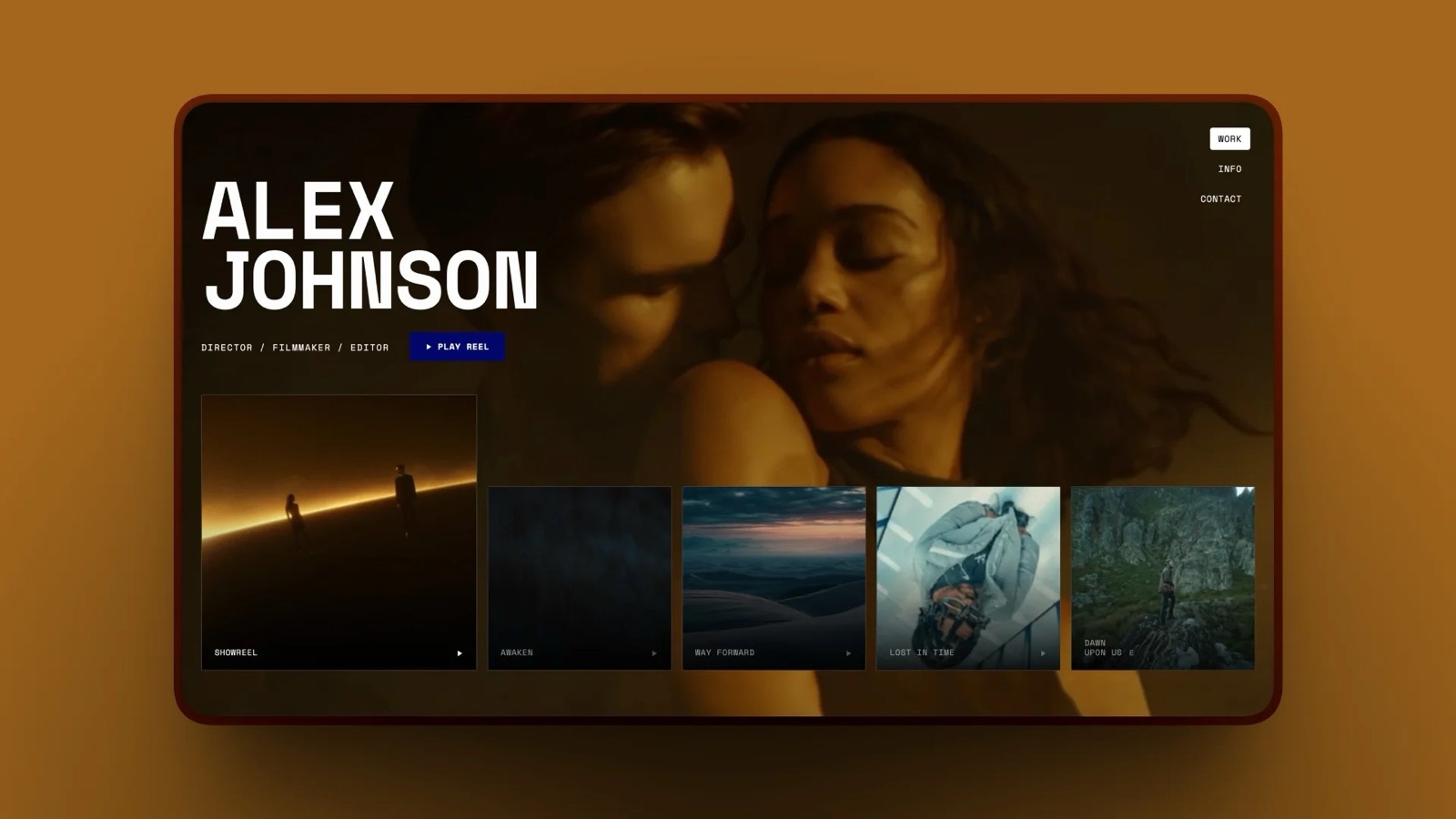
Framekit's UGC template does this on its Content I have made slide, listing formats such as video ads for Instagram and TikTok, story-led Reels with voiceover, product showcases in natural light and short-form tutorials beside a grid of product shots.
The traprange can read as no focus. Put the format names in bold as section heads so a buyer can jump to the one it needs.
The problem and proof
The problem and proof portfolio leads with demonstrations: the stain before and after, the product in use, the skin texture up close. It is the strongest archetype for categories where the viewer's doubt is "does it actually work", such as cleaning, beauty, fitness and tools.
The honesty point here is sharper than elsewhere. Brands' legal teams scrutinise before-and-after claims, and a portfolio full of exaggerated results tells a brand you will create compliance work for them. Show real, unfiltered results and say what the product is.
The trapclaims a brand cannot legally repeat. Keep your captions factual.
The results-led portfolio
The results-led portfolio puts numbers beside each video: views, hook rate or how long a brand ran it as an ad. It is the most persuasive type for performance-focused brands, and the hardest to build honestly, because ad results belong to the brand that paid for them.
Only publish numbers a client has agreed you can share, and say where they came from. If a brand will not approve specific figures, a factual line such as "ran as a Spark Ad for 60 days" or a short client quote does much of the same work.
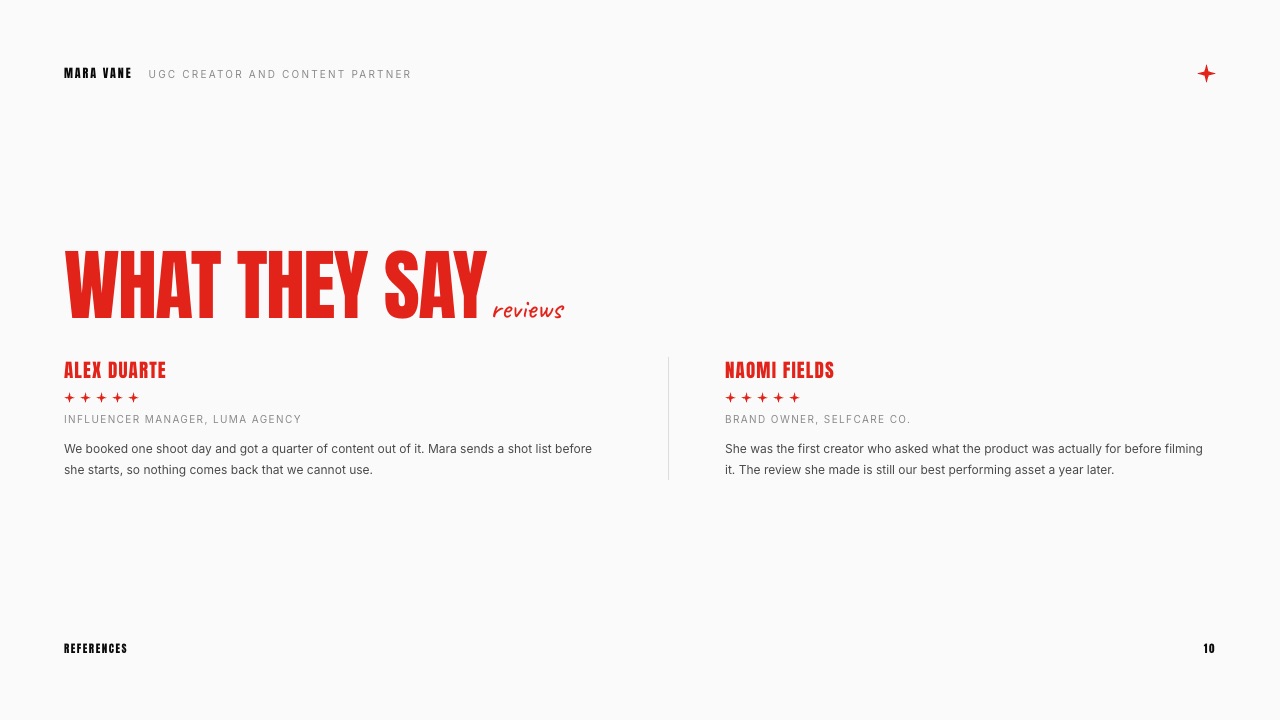
Framekit's UGC template has a Reviews slide for exactly that, with two client quotes and their roles (fictional in the sample).
The trapscreenshots of a brand's ad dashboard posted without permission. That costs the next deal with that brand and anyone they talk to.
The spec portfolio
The spec portfolio is for creators with no brand deals yet. It is made of self-directed ads for products you already own or bought, shot and edited as if a brand had briefed you, and labelled "spec" or "self-initiated".
It answers the only question a first client has: can you do this at all? The next section walks through building one.
The trapimplying a relationship. Never use a brand's logo in a "clients" row, and never caption a spec video as if the brand commissioned it.
The photo and video hybrid
Plenty of launches need stills and video from the same shoot: a product page, paid social and organic posts.
The hybrid portfolio pairs a video with three to five stills from the same set, which tells a brand one creator can cover the whole launch. It suits creators with a photography background.
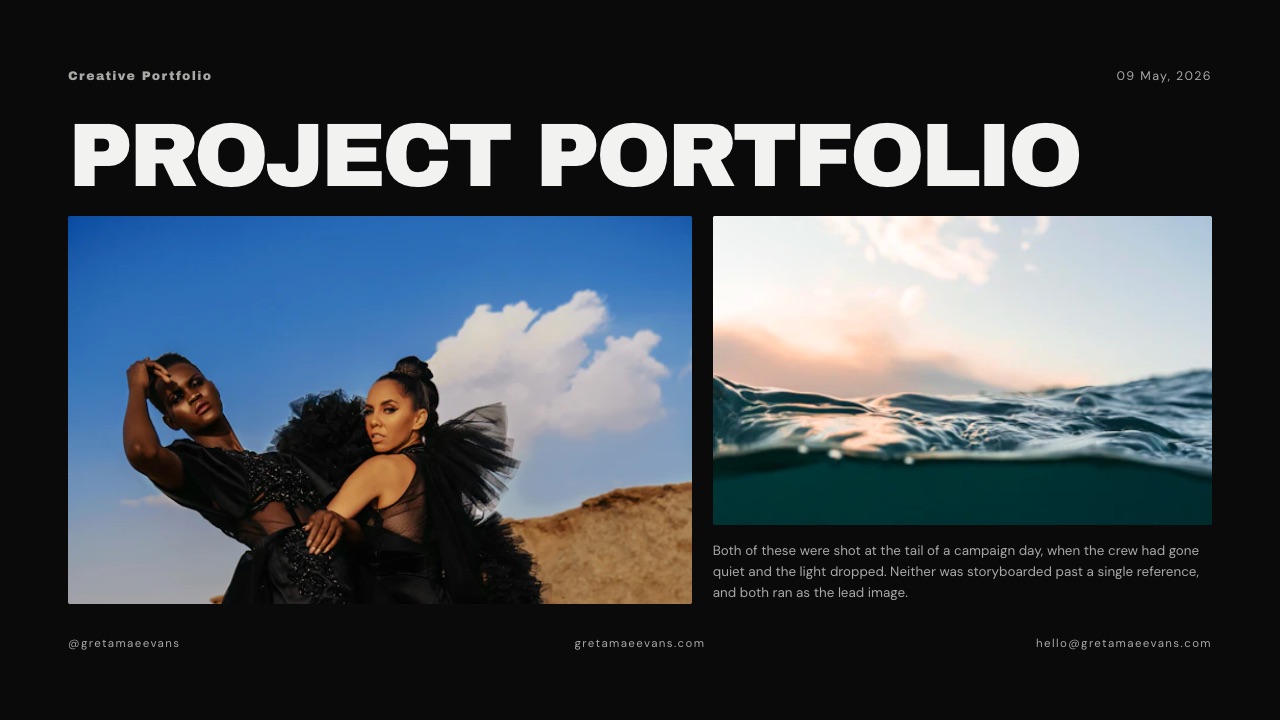
The trapstills that look like stock. Shoot them in the same light and styling as the video so the pairing is obvious.
The media kit deck
The media kit deck is a 10 to 12 slide PDF or link you attach to a cold email. It carries the same blocks as a portfolio page but in a fixed order: who you are, what you make, selected work, stats if you post, reviews, packages and contact.
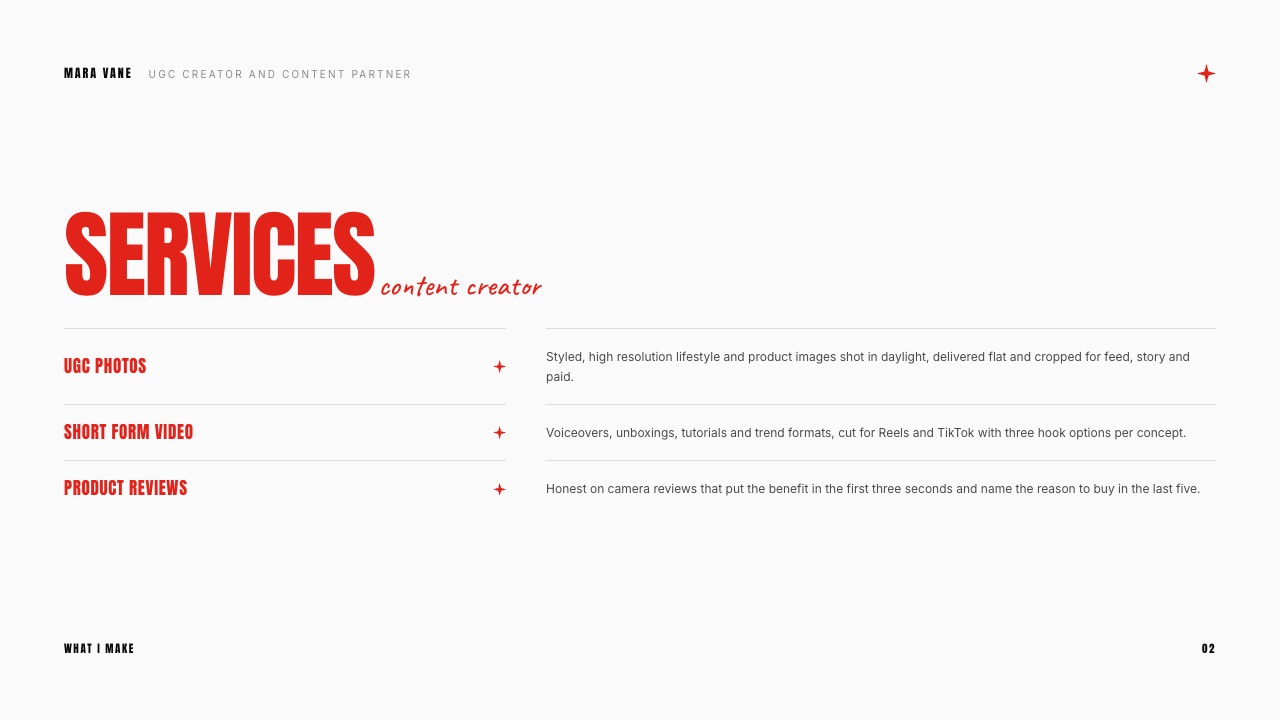
Framekit's UGC Creator Portfolio and Media Kit template runs 12 slides: Cover, Services, About me, Videography, Experience, Testimonial, Content I have made, Photography, Social media stats, Reviews, Packages and Get in touch.
It works best as a companion to a web portfolio rather than a replacement: the deck gets you a reply, the page gets you found.
The trapa PDF is a snapshot. Rates and stats in a deck sent in March are still in the buyer's inbox in September.
How to Build a UGC Portfolio With No Experience
In one lineA beginner builds a credible UGC portfolio from six self-directed spec ads for products they already own, each shot to TikTok's ad specs, labelled honestly as spec, and published with a starting price before the first pitch goes out.
Every creator's first client takes a chance on work nobody paid for. The job of a spec portfolio is to make that chance small. Here is the build, in order; the counts are our recommendation, sitting inside JoinBrands' 8 to 12 video range once you add two variations.
- Pick one niche you can shoot at home. Skincare, kitchen, pets, fitness gear, tech accessories: a category where you already own four to six products and understand why people buy them.
- Write a one-line brief for each product. Who is it for, what problem does it solve, and what should the viewer do next. This is the brief a brand would have sent you.
- Shoot six spec ads, one per format. A voiceover demo, an unboxing, a talking-head review, a tutorial, a problem-and-proof, and one trend format. Vertical 9:16, at least 720p, sound on, per TikTok's ad specs.
- Cut two extra hooks for your best one. That gives you eight videos and a small hook library, which shows a paid-ads team you understand testing.
- Label every video. Category, format, the hook line, and the word "spec". Never a brand logo, never "client".
- Add a starting price and a contact method. "Packages from" is enough. A portfolio with a price looks like a business; one without looks like a hobby.
- Publish it on a page, then pitch. A link in your bio, in your DMs and in marketplace profiles all point to the same page.
Where the first videos come from without buying productsmarketplace platforms. Billo's creator guide says its payouts for a 15-second video start at $30 for new creators, and JoinBrands lists UGC videos from $25.
Those rates are low, but each finished job is a real brand video you can ask permission to show, and three of them turn a spec portfolio into a client one.
Where to Host a UGC Portfolio: 7 Options
In one lineHost the portfolio somewhere a brand can open in one tap on a phone, see video play without downloading, and find your price and contact on the same page, then pick among tools by whether you also need a media kit deck, live stats or a storefront.
The comparison below covers the seven options UGC creators use most, with prices read on each vendor's site on 19 September 2026. Where a vendor served a regional price we could not read in US dollars, we say so rather than convert.
| Option | What a brand sees | Free option | Paid from | Best at | Watch out for |
|---|---|---|---|---|---|
| Framekit | Your own site plus a media kit deck | Yes, Framekit badge, no custom domain | Starter $9/mo ($7 yearly) | Site, deck and client delivery on one account | Deck templates are paid; no deck password |
| Canva | A Canva site or PDF | Yes | Pro EUR 110/year (EU listing) | Fast, polished layouts | Not built as a video portfolio host |
| Google Drive | A shared folder | Yes | Free with a Google account | Zero setup | Viewers can download by default |
| Notion | A notion.site page | Yes, one notion.site domain | Plus EUR 9.50/member/mo (EU listing) | Quick to update | SEO and custom domains are paid extras |
| Beacons | A link-in-bio page and media kit | Yes | Creator $10/mo or $100/yr | Live follower stats and rate cards | Portfolio lives on Beacons |
| Stan | A storefront | No free plan | Creator $29/mo or $300/yr | Selling courses, bookings, digital products | A shop first, portfolio second |
| Wix | A general website | Yes, Wix branding, no custom domain | Regional pricing, not quoted | Huge template range | Built for every business, not UGC |
1. Framekit: Best for a Portfolio Site, Media Kit and Delivery on One Account
Framekit is an AI website builder with templates by senior designers, and for a UGC creator it adds the pieces around the portfolio that usually live in four other tools: a media kit deck, private galleries for delivering finished files to a brand, video review for getting a cut approved, and a store for selling digital products such as presets or templates.
The site itself is built from templates or by describing a section in words, for example "a grid of vertical videos with a caption under each for product, format and hook", and the AI lays it out in your fonts and colours.
SEO controls, contact and booking forms and site analytics are on every plan, including Free. The UGC Creator Portfolio and Media Kit deck template sits in Slides for the cold-email version of the same portfolio.
The real numberFree covers the site (with a Framekit badge and no custom domain), unlimited decks and 10GB of storage shared across site, galleries and reviews.
Starter is $9 a month, or $7 billed yearly, and adds your own domain, removes the badge and unlocks the full deck template library. Video files in galleries and reviews are capped at 500MB each on Free and 1GB on Starter.
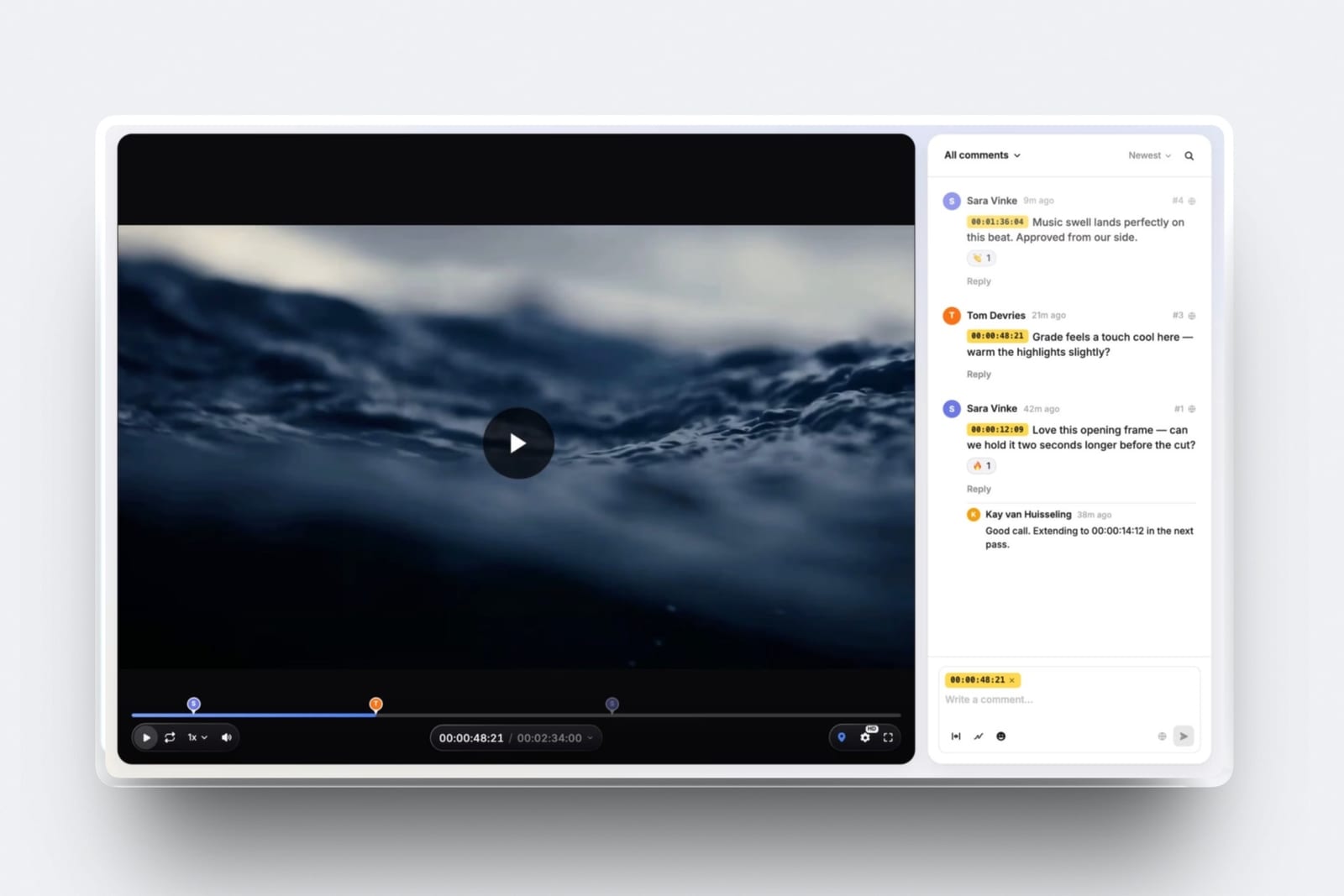
The standout detailonce a brand books you, the same account handles the job. Send the draft as a video review link where the brand leaves comments pinned to the exact second, without making an account, then deliver the final files in a private gallery with a password and a separate download PIN.
The gotchaFramekit does not send invoices or take deposits for services, and Slides deck links have no password or per-viewer analytics, only a total view count. Creators who need contracts, invoicing and payments in one place will pair it with a separate tool.
Skip it ifyou only want a link-in-bio page with follower stats and no website.
Verdict: the strongest home for a creator who wants a portfolio that looks like a business, a deck for cold outreach and a professional way to deliver and approve work, all on one bill.
2. Canva: Best for a Quick, Polished Layout
Canva is where many creators build a first portfolio, either as a one-page PDF media kit or as a simple website, because its templates make a presentable layout in an evening. For the media kit deck archetype in particular, it is hard to beat on speed.
The real numberthe free plan finishes a portfolio. Canva Pro was listed at EUR 110 a year for one person for European buyers in September 2026; we could not read a US price at the source.
The gotchapopular portfolio templates are recognisable to brand teams who see many of them, and Canva is not built primarily as a video host, so check how your videos play on a phone before you send the link.
Skip it ifyou want the portfolio to be found through search on your own domain.
Verdict: a fast, good-looking first version, especially for PDFs. When it starts to feel limiting, our list of Canva alternatives covers the next step.
3. Google Drive: The Free Stopgap
A shared Drive folder is how most creators send their very first portfolio, and it costs nothing. It can work if you organise it: subfolders by format, files renamed with the product and hook, and a pinned document with your rates and contact.
The real numberfree with a Google account. Per Google's sharing help page, "Anyone with the link" access lets people open files without an account, and the Viewer role can view and download by default.
The gotchathat default download means a brand can save your full-resolution videos before paying you. Watermark samples or use lower-resolution exports for a portfolio folder.
Skip it ifyou are past your first two or three clients; a folder of files is the opening scene of this guide for a reason.
Verdict: fine for week one, a liability by month three.
4. Notion: Best Free Page You Can Edit in Seconds
Notion turns any page into a website, and creators who already plan in Notion can have a text-first portfolio live in an hour.
Per Notion's publishing help page, free users can publish to one notion.site domain; SEO, themes and Google Analytics come with paid plans, and a custom domain is a paid add-on.
The real numberfree to publish. Plus was listed at EUR 9.50 per member per month for European visitors in September 2026.
The gotchaNotion pages look like Notion pages, and embedded videos rely on outside hosts. For a creator whose product is visual, that is a visible compromise.
Verdict: a solid free option for a clean, organised portfolio that you update often.
5. Beacons: Best for Live Stats Beside the Work
Beacons suits UGC creators who also post to their own audience.
Its media kit, per Beacons' pricing page, updates audience data daily from linked accounts on every plan and lists features for rate cards, past projects with brand logos and outcomes, and viewer analytics.
The real numberfree plan available (with a 9% fee on store sales); Creator is $10 a month or $100 a year.
The gotchathe portfolio lives on Beacons' domain and layout, so it looks like every other Beacons page a brand has seen.
Verdict: the best option for creators whose follower count is part of the pitch. See our Linktree vs Beacons comparison for the link-in-bio side.
6. Stan: Best if the Portfolio Also Sells
Stan is a creator storefront, and it belongs on this list for UGC creators who also sell a course, a coaching call or a digital product to other aspiring creators.
Per Stan's plan comparison, updated 23 June 2026, Creator is $29 a month or $300 a year and Creator Pro is $99 a month or $948 a year, with no free plan.
The gotchaStan is built to sell, not to show a video portfolio, so the brand-facing part is thin.
Verdict: worth it only if you have something to sell alongside UGC. Otherwise, our list of Stan Store alternatives is the better read.
7. Wix: Best for Creators Who Want a General Website Builder
Wix's own blog ranked first when we searched for UGC portfolio advice in September 2026, and its builder can certainly host one, with a large template library and a free plan.
Per Wix's plans page, the free plan carries Wix branding and no custom domain; paid plans include a domain free for the first year.
The page served us regional prices, so we have not quoted a US figure.
The gotchaWix is built for every kind of business, so a UGC portfolio starts from a general template and takes more design decisions to make it read as a casting file.
Verdict: a capable general builder; creators who want creative-specific templates should compare it in our Wix alternatives guide.
Which Portfolio Type and Host Fit You
In one lineFour questions pick both the archetype and the host, starting with whether you have paid work yet and ending with whether you also sell something, and most creators land on two answers rather than one.
Have you been paid for UGC yet? If no, build the spec portfolio: six self-directed ads plus two extra hooks, labelled as spec, on a free page in Framekit, Notion or a tidy Drive folder, then pick up marketplace jobs to replace spec with client work.
If yes, go on.
Do you work mostly in one category? If yes, build the niche specialist and put the category in your first line. If you cover several, build the format range, with formats as section heads, and consider a second niche page later.
Do your target brands run your videos as paid ads? If yes, add a hook library to whichever archetype you chose, and results beside each video once clients approve sharing them. If no, a problem-and-proof or hybrid layout will do more for organic-first brands.
Do you pitch cold, post to your own audience, or sell products? Pitching cold means you also need the media kit deck; Framekit or Canva will build it. Posting to your own audience makes Beacons' live stats worth having.
Selling courses or bookings points to Stan. If you want the site, the deck and client delivery under one login, that is the case for Framekit.
Frequently Asked Questions
What should a UGC portfolio include?
A UGC portfolio should include a one-line niche, a short hero reel, 8 to 12 of your best videos grouped by format or category, a label on each with the product type, format and hook line, any results or client quotes you are allowed to share, your rates or "packages from" prices, turnaround time and a contact method.
JoinBrands lists rates, availability and turnaround as part of the minimum viable portfolio.
How do I make a UGC portfolio with no experience?
A UGC portfolio with no experience is built from spec ads: shoot six self-directed videos for products you already own, one per format, add two extra hooks for the best one, label every video as spec, and publish them on one page with a starting price.
Marketplaces such as Billo and JoinBrands then offer low-paid first jobs, from $30 and $25, that you can ask to show.
How many videos should be in a UGC portfolio?
A UGC portfolio should hold 8 to 12 videos, the range JoinBrands recommends to creators, and it suggests picking your ten best.
Fewer than eight rarely shows enough range; more than twelve makes a brand sort through your work, which it will not do in the 30 seconds JoinBrands says brands give a portfolio. Replace your weakest video each time you add a stronger one.
Can I put brand logos in my UGC portfolio if the work was spec?
No, a UGC portfolio should not show brand logos for spec work or imply that a brand commissioned a video it did not. Label spec videos as "spec" or "self-initiated" and name the product category instead.
Logos belong only in a clients row for brands that actually paid you, and even then it is worth checking your contract, since some brands restrict creators from naming them.
Is a Google Drive link good enough for a UGC portfolio?
A Google Drive link is good enough for your first week, not your first year.
Drive's "Anyone with the link" sharing lets brands open files without an account, but the Viewer role can download by default, so a brand can save full-resolution videos before paying you. A folder also gives no context per video.
Move to a page with labels, rates and contact as soon as you can.
Should my UGC portfolio be a website or a PDF?
A UGC portfolio works best as a website for being found and a PDF or deck for cold pitching, and most working creators keep both.
A website link can be updated once and stays current; a PDF is a snapshot that sits in a brand's inbox with last season's rates. Framekit builds the site and the media kit deck on one account; Canva is a quick way to make the PDF.
Do I need followers to get UGC work?
No, UGC creators do not need followers, because brands buy the content to run on their own channels or as ads, not access to your audience.
Followers matter only if a brand also wants you to post the video to your own account, which is priced as influencer work. A portfolio that shows usable ads matters far more than follower count for pure UGC.
Where should UGC creators host their portfolio for free?
UGC creators can host a portfolio for free on Framekit's Free plan (with a Framekit badge and no custom domain), on a notion.site page, on Beacons' free plan, on Wix's free plan with Wix branding, or in a Google Drive folder.
Framekit's free plan also includes unlimited decks and 10GB of storage, while Notion and Drive are quickest to set up but look the least like a business.
Can I show a brand's ad results in my portfolio?
You can show a brand's ad results in your UGC portfolio only with that brand's permission, because the data comes from its ad account and budget.
Ask when the job ends whether you may share one or two figures, and state where they came from. If the brand declines, a factual line such as "ran as a Spark Ad for 60 days" or a client quote carries much of the same weight.
Can I invoice a brand or take a deposit through Framekit?
No. Framekit sells digital products through its store, but it does not issue invoices for services or collect deposits, so creators who bill brands for a three-video package still need a separate invoicing tool or a contract platform.
What it does put on one account is the portfolio site, the media kit deck and the delivery of the finished files, with 10GB of storage shared across site, galleries and reviews on the free plan.
Video files are capped at 500MB each on Free and 1GB on Starter, which is worth checking against how you export.
Final Verdict
The best UGC portfolio examples are not the prettiest ones; they are the ones a brand can read in 30 seconds.
State one niche, show 8 to 12 videos with the hook written beside each, prove the work runs as an ad, and put a price and a contact on the same page.
Choose the archetype that answers your buyers' biggest doubt, and if you have no brand deals yet, start with a labelled spec portfolio rather than waiting for permission.
For hosting, Framekit is our pick for creators who want a portfolio site, a media kit deck and a professional way to deliver and approve work under one login.
It is not the right choice if you need invoicing, contracts or payment collection for services, which Framekit does not offer, or if your pitch rests on live follower stats, where Beacons is the better fit.
Creators who mainly sell courses or bookings will get more from Stan, and a Google Drive folder is fine for exactly one week.
Related readingcompare the best website builder for UGC creators, see the best media kit makers, turn the kit into a page with a content creator media kit website, pick a profile link from our link-in-bio tools guide, borrow principles from what makes a good photography portfolio, and avoid the portfolio mistakes that cost creatives clients.
Next steps for the same page: price it with the UGC rate card guide, and borrow case-study structure from the graphic design portfolio examples.