Framekit templates
Start from a designer-made template
 Use template
 Use template
 Use template
 Use template
 Use template
 Use template
 Use template
 Use template
The job is a 90 second brand film at a fee of $6,000: one shoot day, two rounds of notes, stills delivered next to the cut. It goes well.
Then you count the links you sent the client over five weeks and there are 5, from 5 different vendors, and 3 of them made someone type something before they could do the thing you asked them to do.
That is the filmmaker client workflow most freelancers are running, and nobody sat down and designed it. It grew one tool at a time, and each tool arrived with its own share link, its own notification email and its own idea of who the client is.
A filmmaker client workflow is the set of four handoffs that carry one job from pitch to payment: the pitch, the paperwork, the review and the delivery, each with a named owner, a date it is due, and one place where the client's approval is written down.
Four stages is the whole shape. Everything else is tooling.
Design the workflow around the number of places your client has to identify themselves, not around the monthly price, because that number is what makes a job feel heavy from the outside.
Put the pitch, the cut and the files on one account and one domain so the client learns one interface instead of three, keep the paperwork in a dedicated invoicing and contract tool because no creative platform does that well, and write a date and an owner against each of the four stages before the first link goes out.
Done that way the client creates exactly one account across the whole job, the paperwork portal, because a review guest comments without signing up, a gallery opens on a password and a separate download PIN, and a deck is a plain link.
Framekit covers the pitch, the review, the delivery and any paid extras on one bill; Frame.io is the better answer the moment Camera to Cloud or an NLE panel is part of the job; HoneyBook and Dubsado own the contract and invoice stage outright.
Full disclosure: Framekit is our product and it is one of the tools priced below, so read the arithmetic and not the recommendation. Every competitor figure here was read on the vendor's own pricing page or help documentation in September 2026 and linked at the point of use. Frame.io beats us on Camera to Cloud, editing-suite panels, transcription and raw storage per dollar, Framekit does no invoicing or contracts at all, and Storyflow, mentioned once below, is a sister product from the same team.
How this guide was put together
This is a procedure and not a product review, so the evidence behind it splits three ways and you should treat each kind differently when you decide how much weight to give it.
Read at the source. Every price and platform limit quoted below was read on the owner's own page in September 2026 and is linked where it is used: Frame.io pricing, Frame.io on what a share link asks a client for, Pixieset pricing, HoneyBook pricing, Dubsado pricing, Squarespace pricing and Pitch pricing.
Calculated. The carried example is the $6,000 brand film above. All annual figures below are the vendor's own monthly or yearly rate multiplied out, shown so you can redo the sum against your own plan mix instead of taking a total on trust.
Left out on purpose. Two things are missing and the absence is deliberate.
WeTransfer and Dropbox both publish their plans in a way that did not render to a non-browser client during this research, so no figure for either appears here in place of a guessed one.
And no industry benchmark for "the average number of client logins per job" exists in any primary source, so the login section gives you the count to run on your own last job instead of a number somebody invented.
Two currencies show up below because two of the seven vendors served European pricing to the research session. Squarespace and Pitch are quoted in euros and are marked as such, and neither figure is converted at an invented exchange rate.
The four-stage workflow by the numbers
These are the figures that decide the shape of your stack, and each one comes from one of the seven pages linked in the previous section, not from a roundup or a review site.
- $15 per member per month: Frame.io Pro, which includes 2TB of storage and up to 5 members. Free is $0 with 2GB and up to 2 members, Team is $25 per member.
- $8 per month billed annually: Pixieset Basic, which carries 10GB of photo storage and 30 minutes of HD video storage. The free tier is 3GB and charges a 15% commission on gallery store sales.
- $29 per month billed yearly: HoneyBook Starter, the cheapest way onto invoices, proposals and contracts in that tool, with card fees quoted as starting at 2.7% plus 10 cents.
- $335 per year: Dubsado's Starter plan, which the pricing page states in USD, with extra brands at $10 a month each.
- Name and email: what Frame.io's own help article says a client is prompted for the first time they comment on a share link while not signed in.
- 4: the number of stages in a job, and therefore the maximum number of moments where a handoff can drop something.
Step 1. Map the four stages before you name a single tool
Write the four stages down on one page with an owner and a date against each before you think about software, because almost every workflow problem a freelance filmmaker has is a missing owner or a missing date, not a missing feature. Tools cannot decide who signs off.
The map takes 15 minutes and it looks like this. Stage one is the pitch: you own it, it ends when the client says yes in writing. Stage two is the paperwork: you own it, it ends when a signed contract and a deposit exist.
Stage three is the review: the client owns the clock, it ends when one named person writes the word approved. Stage four is the delivery: you own it, it ends when the files are downloaded and the final invoice is paid.
| Stage | Who owns it | The artefact | Ends when | Where approval lives |
|---|---|---|---|---|
| 1. Pitch | You | Treatment or proposal deck | Client says yes in writing | Email reply, quoted in the contract |
| 2. Paperwork | You | Signed contract and deposit invoice | Deposit clears | The contract tool's audit trail |
| 3. Review | One named client contact | Versioned cut with timecoded notes | That person writes approved | The review page's approval status |
| 4. Delivery | You | Files, spec sheet, final invoice | Download confirmed and invoice paid | The wrap email |
The thing that goes wrongstage three has no owner. A marketing manager forwards the cut to two colleagues and a director, and four sets of notes arrive with no ranking between them.
The fix is one line in the proposal at stage one, not a tool at stage three: name the single person whose approval ends each round and say that consolidated notes from that person are what you work from.
The concrete exampleon the $6,000 brand film, stage one closed on a Tuesday, the deposit cleared on the Friday, and the shoot was the following Thursday.
Because the deadline for round-one notes was written into the proposal as 3 working days, round two started on day 9 after picture lock, 5 calendar days for the client's notes plus 4 for the re-cut, instead of whenever the client remembered.
The date did that, not the software.
In one lineFour stages, four owners and four dates on a single page is the entire workflow design, and every tool you buy afterwards is only a surface for something you already decided on that page.
Step 2. Pitch from a link, not from an attachment
Send stage one as a link that opens in a browser on a phone, because a treatment that arrives as a 40MB attachment gets opened once at a desk and never again, and the person who actually decides is reading it on a phone between two meetings. The format is the pitch.
What the client needs from that link is small and specific: the idea in one line, the look in eight frames, what they get at the end, what it costs, and when it lands.
Framekit is an AI website builder whose Slides tool sits on the same account as the site the deck links back to, so the treatment and the portfolio that proves you can shoot it are not two separate subscriptions.
Unlimited decks, speaker notes, a share link and a PDF export are on all four plans including the free one; the full template library and removing the Framekit byline start on Starter at $9 a month.

| Deck tool | Price read in September 2026 | What it does not do |
|---|---|---|
| Framekit Slides | Free plan, $0. Templates and byline removal from $9/mo | No password on a deck link and no per-viewer analytics, only a total view count |
| Pitch | Free plan; Plus EUR 10/month paying yearly, European pricing | Per-slide tracking starts on Team at EUR 15/month paying yearly |
| Google Slides | $0 with a Google account | No treatment layouts, and link sharing can push the client toward a Google sign-in |
| A PDF from anywhere | $0 | No view count at all, and no way to update the file after you send it |
The thing that goes wrongyou need to know whether the deck was opened, and a deck link carrying exactly one number cannot tell you which of the four people on the thread read it.
If the pitch is competitive and that matters more than anything else on the list, Pitch Team at EUR 15 a month paying yearly publishes visit, slide-view and time-on-slide tracking, and that is a genuine reason to choose it over us.
Our deck links carry no password either, so anything commercially sensitive should not be a public link from any tool.
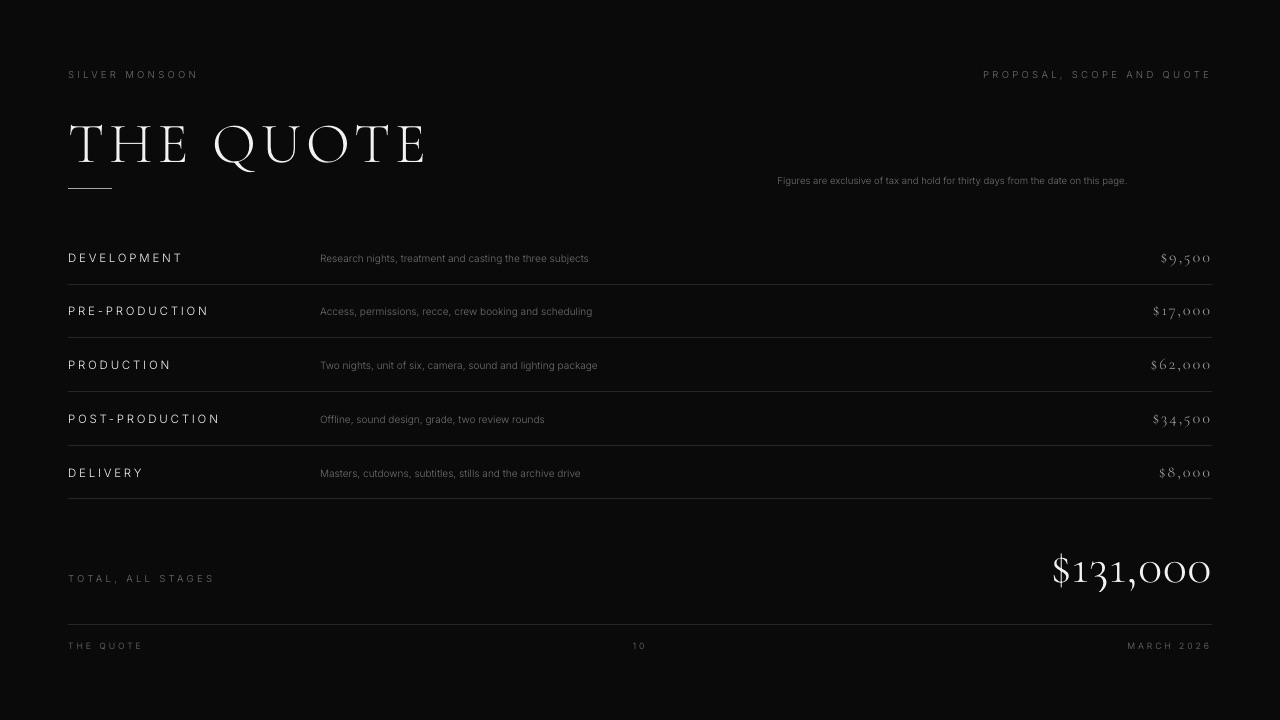
The concrete examplethe brand film treatment ran to 11 slides, the look section was six reference frames and two of your own, and the quote sat on slide 10 and not in a separate attachment.
Pricing inside the deck is why stage one closed in one reply instead of three.
If you want the writing half of this handled before the design half, how to write a film treatment covers the content, and Storyflow, our sister product, is where the moodboard and the beats get thought through before the deck gets built, with its guide to writing a director's treatment as the starting point.
In one lineA pitch link that opens on a phone, carries the quote inside it and can be updated after sending removes the two most common reasons a stage-one decision takes 14 days instead of an afternoon.
Step 3. Put the contract and the deposit through a tool built for it
Use a dedicated invoicing and contract product for stage two, because this is the one stage of four where a creative platform is the wrong shape and reaching for the nearest tool you already pay for costs you the audit trail that matters when a payment goes late.
Framekit does not do this. There is no invoicing, no contracts, no e-signatures, no CRM and no booking calendar anywhere in it, and pretending otherwise would be the sort of claim that makes the rest of this page worth ignoring.
Stage two is a line item in your stack whichever way you build the other three.
| Paperwork tool | Price read in September 2026 | What you get at that tier | The catch |
|---|---|---|---|
| HoneyBook Starter | $29/month billed yearly | Unlimited clients and projects, invoices and payments, proposals and contracts, client portal | Card fees quoted as starting at 2.7% plus 10 cents; the scheduler and automations start on Essentials at $49/month billed yearly |
| Dubsado Starter | $335 per year, stated in USD | Email integration, unlimited projects and clients, invoicing and payment plans, client portals | Each extra brand is $10/month, and users beyond the included three start at $25/month for 4 to 10 |
| A PDF invoice and a bank transfer | $0 | Nothing but the invoice | No payment link, no reminders, no record of when the client opened it |
The thing that goes wrongthe deposit and the shoot date get decoupled. You hold a Thursday, the client means to pay, and on the Tuesday the deposit has not cleared and you have already turned down another booking.
The fix is one sentence in the contract, not a feature: the date is held when the deposit clears, and not before.
The concrete exampleon a $6,000 job with a 50% deposit, HoneyBook Starter at $348 a year is 5.8% of one film's fee, and card processing at 2.7% plus 10 cents on the $3,000 deposit is about $81.10 on top.
Run that against your own year: if you invoice eight jobs, the subscription is $43.50 a job, which is the part people forget when they compare monthly prices. The invoicing tools guide ranks these properly, and the contract and proposal comparison covers the signing half.
In one lineStage two is the one handoff of four where a general creative platform is the wrong tool, so budget $335 to $348 a year for a dedicated invoicing and contract product instead of hoping some other subscription grows into it.
Step 4. Send the cut where the notes come back with a timecode attached
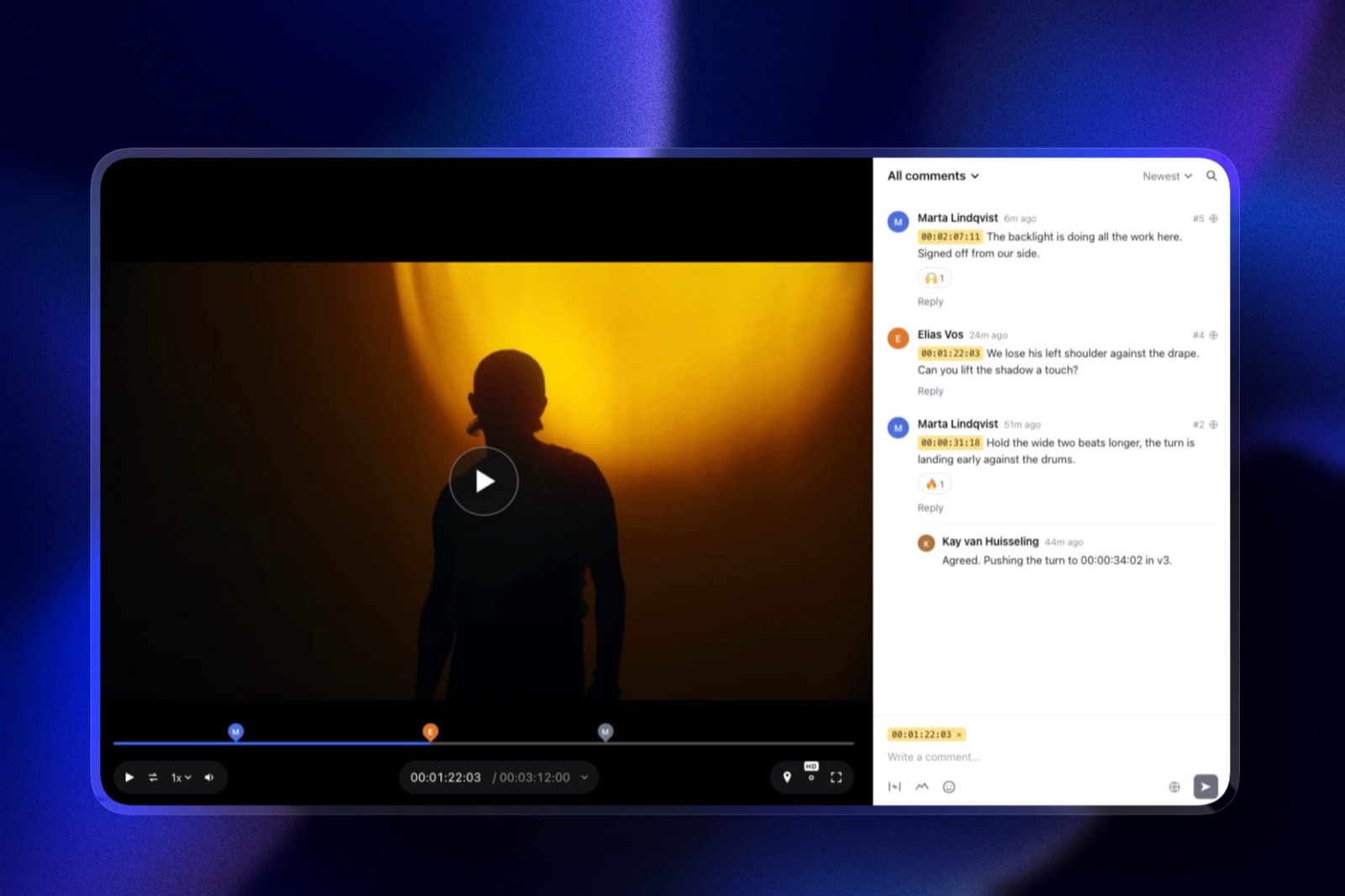
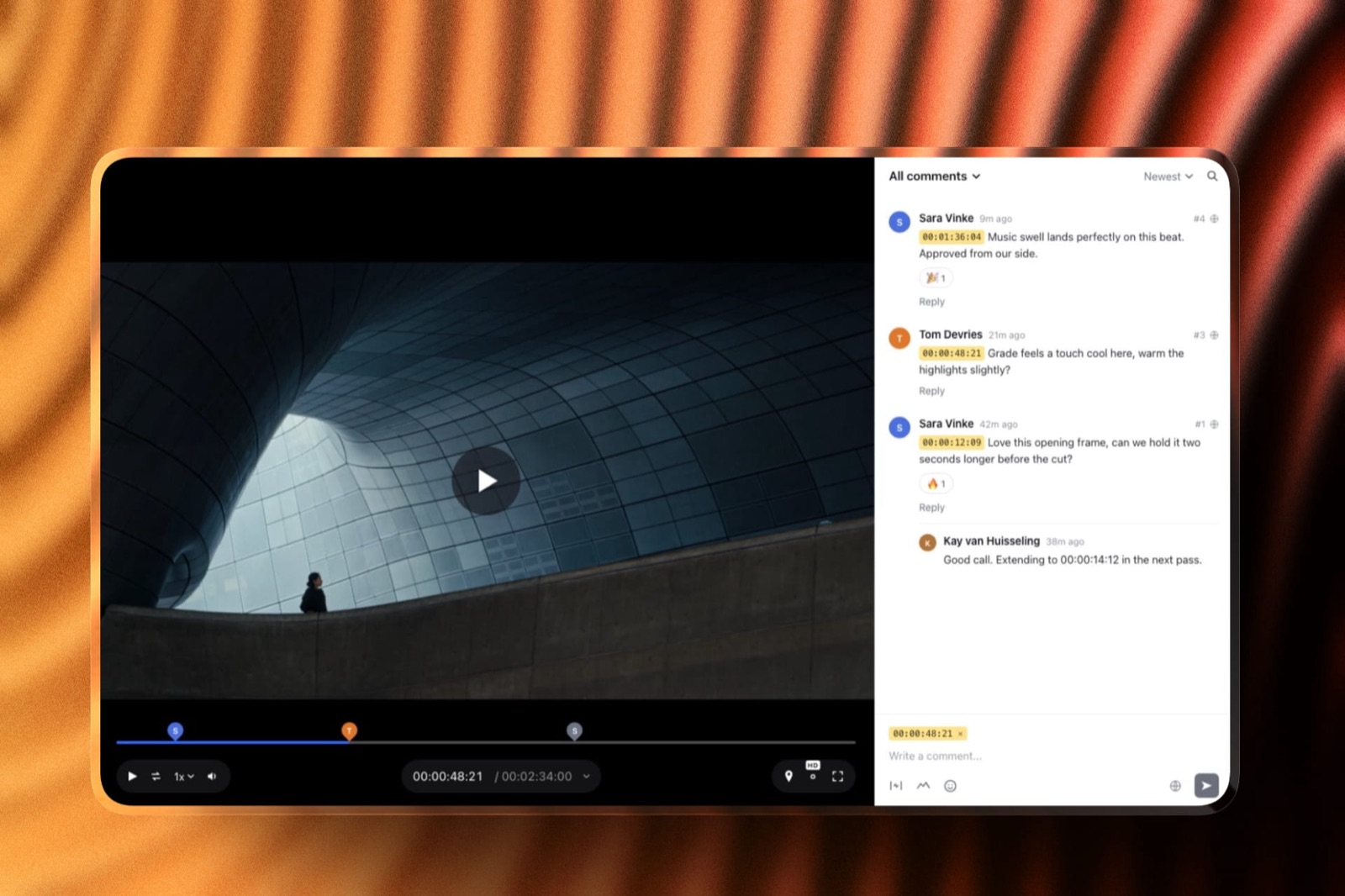
Put the review on a page that pins every comment to a frame, because the cost of stage three is almost never the change the client asks for, it is you reading a paragraph of prose and guessing which 11 seconds of 90 it refers to.
Timecodes move that work back to the person who noticed the problem.
The mechanics that matter are four questions. Can the client comment without making an account. Does a new version keep the old notes. Is there a recorded state that means approved. Can the link carry a password. Everything else in a review tool is convenience.
| Review option | Price read in September 2026 | Storage at that tier | What it does not do |
|---|---|---|---|
| Framekit Video Review | Free plan, $0; Pro $19/month or $15/month billed yearly | 10GB pooled on Free, 300GB pooled on Pro | No Camera to Cloud, no Premiere or Resolve or Final Cut panel, no transcription, no compare-and-wipe |
| Frame.io Free | $0 | 2GB, up to 2 members | Two members total, which one editor plus one producer already fills |
| Frame.io Pro | $15 per member per month | 2TB, up to 5 members | The per-member price doubles the cost the moment a second editor joins |
| A private link on a video host | $0 to low | Varies | Comments arrive as email prose with no frame attached, which is the problem you started with |
Frame.io's own documentation is clear about what a client meets at the door: the help article on share links says that on a first comment, while not signed in, a reviewer "will be prompted to enter your name and email address", and that a passphrase-protected link asks for the passphrase before any file is visible.
That is a reasonable design. It is still two prompts before one note exists.
The thing that goes wrongthe client replies to the notification email instead of commenting on the page, and half the round ends up in your inbox where no version number is attached to it. The fix is procedural.
Reply to the first stray email with one line asking for the note on the page, once, and it does not happen again on that job.
The concrete exampleTwo rounds on a 90 second cut produced 23 notes. 18 carried a timecode and took an afternoon.
The other five arrived in an email thread and took most of a second afternoon, because three of those five turned out to be the same note from different people.
If you are pricing that time, how much to charge for video editing is the rate side of the same arithmetic, and the video review tools comparison ranks the platforms instead of describing the procedure.
In one lineA review page that pins notes to frames, stacks versions without losing old comments and records an explicit approved state converts stage three from an argument about memory into a list you can work down.
Step 5. Deliver behind a password, a download PIN and an expiry date
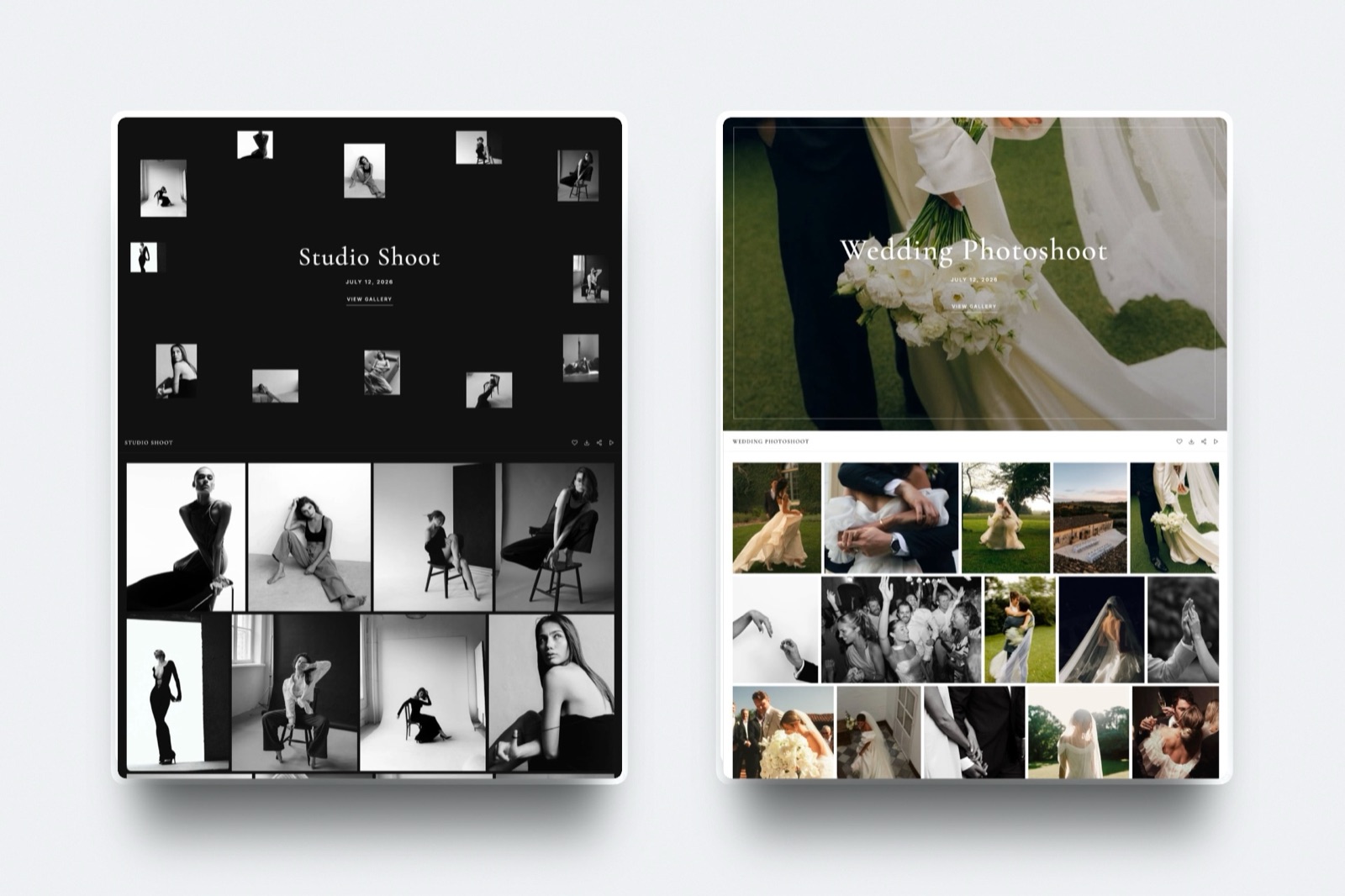
Hand stage four over as a private page with access controls instead of a transfer link, because a transfer link is a one-shot event that expires on the vendor's schedule and leaves you with no record of what was collected or by whom. A delivery is a document, not a moment.
Three controls do most of the work, and none of them asks the client to register. A password stops the link being forwarded into a Slack channel you will never see.
A separate download PIN means a client can browse without a colleague grabbing full-resolution files. An expiry date is how you stop storing someone else's project forever without having an awkward conversation about it.
| Delivery option | Price read in September 2026 | Access controls | What it does not do |
|---|---|---|---|
| Framekit Client Galleries | Free plan, $0; Starter $9/mo; Pro $19/mo | Password, separate download PIN, email registration, auto expiry, on every plan | No print lab, no print store, no face recognition, no booking |
| Pixieset Basic | $8/month billed annually, or $10 monthly | Gallery controls plus a custom domain at this tier | 10GB of photo storage and 30 minutes of HD video at Basic, which a single 4K job can fill |
| Pixieset Free | $0 | Unlimited galleries at 3GB | A 15% commission on gallery store sales at the free tier |
| WeTransfer or Dropbox links | Not published to a non-browser client during this research | Varies by plan | No record of what the client collected, and the link outlives your memory of it |
The thing that goes wrongthe client downloads on a phone, gets a 6GB ZIP they cannot open, and emails you at half past nine at night. The fix is to publish two download options on the same page, a full set and a favourites-only set, and to say in the delivery email which one their social team wants.
The concrete examplethe brand film delivery was a master, a vertical cut, a captions sidecar and 40 stills from the same day, on one page with a password, a download PIN and a 90 day expiry.
One link replaced what would otherwise have been a transfer for the video, a folder for the stills and a reminder email about both, which is three destinations collapsed into one. How to deliver photos to clients covers the stills half in detail, and the client gallery platform comparison ranks the delivery tools against each other.
In one lineA delivery page with a password, a separate download PIN and a stated 90 day expiry turns the end of a job into a record you can point at six months later instead of a link nobody can find.
Step 6. Close the job in writing, including the date the files disappear
End stage four with one email that names the final invoice, the usage the client has bought, and the date you will stop hosting the files, because the jobs that come back to haunt you are the ones that were never formally finished, only stopped being talked about.
The wrap email is six lines. What was delivered. Where it lives and the password. How long it stays up. What the licence covers. The final invoice with its due date.
And one sentence asking for permission to use the work in your portfolio, which is easiest to get on the day the client is happiest and not three months later when your email lands cold.
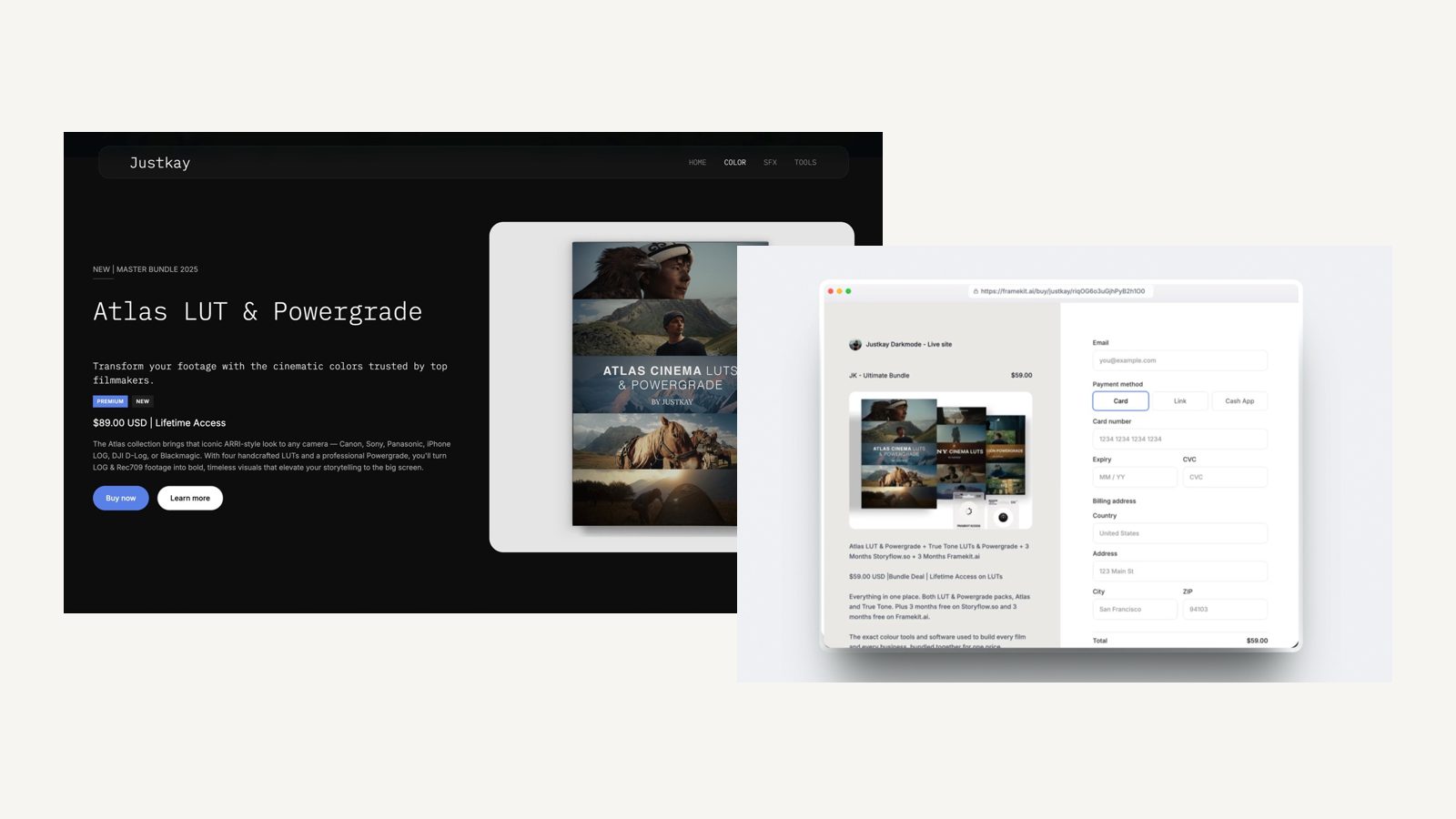
If you sell anything alongside the job, a LUT pack or a project file, stage four is where it converts, because the client has just watched the thing you made and wants the look.
Framekit's store handles digital files only and runs checkout through Stripe on your own account, so you are the merchant of record and responsible for your own tax, and the platform fee is 5% on Free and Starter, 3% on Pro and 0% on Business.
The thing that goes wrongthe archive line is missing, so 18 months later someone from a different agency emails asking for the project files, and you are either doing unpaid work or looking unhelpful. Say the number in the wrap email and the question answers itself.
The concrete examplethe wrap email on the brand film said files stay up for 90 days, the licence covers paid social and the client's own site for 12 months, and the final $3,000 is due in 14 days. All three had already been agreed at stage two, so the email was a restatement and not a negotiation.
In one lineA six line wrap email that restates the delivery, the licence, the hosting window and the final invoice closes the job formally and is also the cheapest referral request you will ever send.
Step 7. Count the logins your client is asked for, then cut
Go back through your last finished job and count two numbers: the separate web destinations you sent the client to, and the number of those that asked them to type a password, an email address or a name before they could act.
The second number is the one that makes a small studio feel like hard work.
Here is the count on the carried example, run both ways. The separate-tools column is what a normal freelance stack looks like. The consolidated column is the same job with three of the four stages on one account.
| Stage | Separate tools | Identity asked for | One account plus a paperwork tool | Identity asked for |
|---|---|---|---|---|
| Pitch | Deck tool link | Sometimes a sign-in | Deck link on your domain | None |
| Paperwork | Client portal | Yes, a portal login | Client portal | Yes, a portal login |
| Review | Frame.io share link | Name and email on a first comment; a passphrase if set | Review page, guests need no account | None, unless you switch registration on |
| Delivery | Gallery link | Password, and an email on most tiers | Gallery on the same domain | Password |
| Stills or extras | Transfer link | None | Same gallery | Already counted |
| Final invoice | Back to the portal | Already counted | Back to the portal | Already counted |
| Totals | 5 destinations | 3 identity prompts | 2 destinations | 2 identity prompts |
The thing that goes wrongyou measure the stack on price and the client experiences it as navigation. 5 destinations across five weeks is five chances for someone to reply to the wrong email thread or look for the gallery in the review tool.
The concrete examplethe consolidated version of the brand film sent the client to two places in total, one of which was the invoicing portal that no creative platform replaces. That is the practical floor. Now count the accounts instead of the links.
The client creates exactly one across all four stages, that same portal, and it is the same one in both columns, because Framekit asks for none: a review guest comments without signing up, a gallery opens on a password with a separate PIN and no registration, and a deck is a plain link.
What changes between the columns is your side of the ledger: 5 vendor accounts to administer and pay for, against 2. Anyone claiming a one-link workflow is either not invoicing or not telling you about the invoice.
In one lineCounting destinations and identity prompts on a job you have already finished gives you a number you can actually reduce, which monthly pricing comparisons never do because they measure your cost and not your client's effort.
What the four-stage stack costs for a year
In one lineOn the September 2026 prices above, review and delivery alone run to $276 a year as two separate subscriptions before you have paid for a website or a deck tool, and the paperwork stage costs $335 to $348 a year whichever way you build the rest.
Here is the arithmetic in full, all of it multiplied out from the vendor pages linked in the methodology so you can check each line.
The separate stack: Frame.io Pro at $15 per member per month is $180 a year for the review stage, and Pixieset Basic at $8 a month billed annually is $96 a year for delivery. That is $276 a year and it covers two of the four stages.
The website is a third subscription, and the deck tool is a fourth.
Squarespace Basic, which served this research European pricing, is listed at EUR 11 a month paying annually, and Pitch Plus at EUR 10 a month paying yearly, both of which are real costs even though they do not belong in a dollar total.
The consolidated stack: Framekit Pro is $19 a month, or $15 a month billed yearly, which is $180 a year, and it covers five surfaces on one bill: the website, the galleries, the video review, Slides and the store.
Against $276 for two stages, that is $96 a year saved on the overlap and two more stages included.
| Line item | Separate tools, per year | One account, per year |
|---|---|---|
| Review | Frame.io Pro, $180 | Included in Framekit Pro |
| Delivery | Pixieset Basic, $96 | Included in Framekit Pro |
| Website | Squarespace Basic, EUR 132 (European pricing) | Included in Framekit Pro |
| Pitch deck | Pitch Plus, EUR 120 (European pricing), or $0 on a free tier | Included in Framekit Pro |
| Creative subtotal, USD lines only | $276 | $180 |
| Paperwork | HoneyBook Starter $348, or Dubsado Starter $335 | HoneyBook Starter $348, or Dubsado Starter $335 |
Now the honest part of that table. Frame.io Pro includes 2TB of storage for its $180 a year. Framekit Pro includes 300GB pooled across the site, the galleries and the review pages for the same $180.
If your working set is large and you keep everything online, Frame.io gives you roughly seven times the room for the same $180, and no amount of consolidation argument changes that number.
Our Business plan at $39 a month is where the 2TB comparison evens out, and that is $468 a year.
Run it on yourself. Take your current subscriptions, write the annual figure next to each, and mark which of the four stages each one serves.
Any stage paying two subscriptions is the one to fix first, and any subscription serving no stage is one to cancel this week. The creative software stack cost breakdown does this exercise across a wider set of tools.
The three things worth automating, and the three that are not
Automate only the steps that are identical on every job and carry a deadline, because automation applied to a decision produces a confident email about the wrong thing, and clients notice that faster than they notice a late reply.
Worth automating, three of them. The deposit reminder, because it is the same message every time and it is awkward to send by hand.
The review deadline reminder, because the client agreed to the date and a nudge from software is less loaded than a nudge from you. And the delivery expiry notice, because you will otherwise be the one who forgot.
Not worth automating, three more. The pitch follow-up, because the second contact is where you learn what the real budget is. The notes consolidation, because deciding which of two conflicting notes wins is the job.
And the wrap email, because it is your only natural referral request. On the brand film, two automated messages went out and the other four were typed.
In one lineAutomate the three messages that are identical on every job and carry a date, and type the three that carry a decision, because an automated email sent into a moment of doubt costs more goodwill than it ever saved you in time.
Which version of this workflow to build
Work down these questions in order and stop at the first yes, because the right stack depends on the shape of your work and not on your revenue, and most of the wrong answers come from copying a studio with a different shape.
Does your post pipeline involve Camera to Cloud, an editing-suite panel or automatic transcripts? If yes, build stage three in Frame.io and stop reading this section.
We do none of those three and will not pretend a workaround exists.
Put the other stages wherever you like and let the review tool be the one that fits the edit. The Frame.io pricing breakdown is the detail on what that costs as you add people.
Is more than one editor going to touch the same job? If yes, price the per-seat tools first, because $15 per member per month becomes $360 a year the moment a second editor is added, and per-seat pricing is where consolidated tools win on cost and not on convenience.
Do your pitches compete against other directors on the same brief? If yes, take the deck to a tool with per-viewer analytics and a link password.
Framekit Slides has neither of those today; exactly one number exists, a total view count, which tells you a deck was opened and nothing about by whom.
Do you sell prints or physical product from the work? If yes, the gallery stage belongs with Pixieset, ShootProof or Pic-Time, which run print labs and fulfilment. Framekit sells digital files only and runs no print lab.
None of the above, and you are one or two people doing brand and commercial work? Then consolidate the three creative stages onto one account, keep a dedicated invoicing and contract tool for stage two, and spend the saved admin time on stage one, because stage one is the only stage of the four that changes your rate. The all-in-one platform comparison for filmmakers ranks the consolidated options against each other.
Frequently Asked Questions
What is a filmmaker client workflow?
A filmmaker client workflow is the sequence of four handoffs that carries a job from first pitch to final payment: the pitch, the contract and deposit, the review rounds, and the delivery and invoice.
Each stage needs a named owner, a date it is due and one recorded place where the client's approval sits. The tools are secondary.
A workflow with four owners and four dates written down works on almost any stack, and a workflow without them fails on the most expensive one.
How many tools does a freelance filmmaker actually need?
Two, in practice: one account covering the pitch, the review and the delivery, and one dedicated invoicing and contract tool.
Framekit covers the first three stages on one bill, and HoneyBook at $29 a month billed yearly or Dubsado at $335 a year covers the second. Filmmakers who run separate tools for all four stages pay twice for overlapping storage.
The exception is a post pipeline that needs Camera to Cloud or an editing-suite panel, which pushes the review stage to Frame.io regardless of what else you use.
Is Frame.io worth $15 a month for a solo filmmaker?
Frame.io Pro at $15 per member per month is worth it for a solo filmmaker when Camera to Cloud, the Premiere or Final Cut panel, or transcription is part of how you work, and when 2TB of storage is a number you actually need.
Its free tier is $0 with 2GB and up to two members, which one editor and one producer already fill. If none of those features touch your day, you are paying $180 a year for a review page, and cheaper or bundled review pages exist.
Does Framekit do invoicing and contracts?
No. Framekit has no invoicing, no contracts, no e-signatures, no CRM and no booking calendar, and stage two of this workflow sits entirely outside it, at $335 to $348 a year.
Use HoneyBook, Dubsado or another dedicated product for the paperwork, and treat that subscription as a fixed annual line whichever platform you choose for the creative stages.
Anyone selling you a filmmaker workflow that claims to cover the contract and the cut and the delivery in one product is describing something that does not exist yet.
Can a client comment on a cut without making an account?
In Framekit Video Review, yes, guests leave timecoded comments, replies and reactions without an account.
Frame.io's own help documentation states that a first-time commenter who is not signed in is prompted to enter a name and email address, and that a passphrase-protected share link asks for the passphrase before files are visible.
Neither is a full account, but each is a prompt, and prompts are where a reviewer with five minutes gives up and replies to the email instead.
What should happen between picture lock and the final invoice?
Four things, in order: the client's named approver writes an explicit approval on the review page, you export the agreed file list, you publish the delivery page with a password and an expiry date, and you send a wrap email restating the licence, the hosting window and the final invoice.
Most disputes about a finished job come from skipping the first or the fourth. The approval is what ends the revision clock and the wrap email is what ends the project.
How do I stop a client from reviewing a cut in email?
Reply to the first stray email with one line asking for that note on the review page, and include the link again. Do it once per job, politely, on the first occurrence.
The reason clients review in email is that email is where your notification arrived, so the habit is a design problem and not a discipline problem.
Naming one approver at the proposal stage and giving them a deadline removes most of the rest of it.
Frame.io vs Framekit Video Review: which fits a one-person shop?
Frame.io fits a one-person shop whose edit depends on Camera to Cloud, an NLE panel or transcripts, and whose storage needs justify 2TB at $15 per member per month.
Framekit Video Review fits a one-person shop that mainly needs timecoded comments, stacked versions, approval statuses and password-protected links, and that wants the website, the galleries and the deck tool on the same account and bill.
The honest split is pipeline depth against surface count.
What does the four-stage stack cost per year?
On prices read in September 2026, review and delivery as separate subscriptions come to $276 a year, being Frame.io Pro at $180 and Pixieset Basic at $96, and that total covers two of the four stages with no website and no deck tool.
Framekit Pro at $15 a month billed yearly is $180 a year and covers four surfaces. Paperwork sits outside both and adds $335 to $348 a year. Multiply your own plan mix out instead of trusting any published total.
Who owns the footage and the project files when the job is over?
That is a contract question, not a platform question, and it should be answered in the document you send at stage two, not in the wrap email at stage four.
Say plainly what the client is buying, whether raw footage and project files are included, and how long you will keep an archive.
No delivery platform, including Framekit, resolves ownership, and a gallery that stays online for 90 days is a hosting window, not an archive commitment.
Final Verdict
Write the four stages down with an owner and a date before you choose software, put the pitch, the review and the delivery on one account so your client learns one interface, keep a dedicated tool for contracts and invoices, and judge the result by the number of destinations and identity prompts a client meets instead of by the monthly total.
On the numbers above that is 2 destinations and 2 prompts instead of 5 and 3, and 2 vendor accounts on your side instead of 5, at $180 a year for the creative stages plus $335 to $348 for the paperwork.
Verdict: Consolidate the three creative stages, keep the paperwork specialist, and measure the workflow by what the client has to navigate and not by what you pay.
Where Framekit loses is depth at the edges of the edit and the deck.
We have no Camera to Cloud, no Premiere or Resolve or Final Cut panel, no transcription and no frame-by-frame compare, so a post pipeline built on any of those belongs in Frame.io, which also gives you 2TB at Pro against our 300GB pooled for the same annual outlay.
Our deck links carry no password and no per-viewer analytics, so a competitive pitch that must be tracked or locked is a better fit for DocSend, Pitch or Storydoc.
We sell digital files only and run no print lab, so print income belongs with Pixieset, ShootProof or Pic-Time.
And Framekit does no invoicing, no contracts and no CRM, which is why stage two is a separate $335 to $348 line in every version of this stack.
Related readingthe all-in-one platforms for filmmakers ranks the consolidated options, the creative software stack cost breakdown runs the same arithmetic across more tools, how to start a videography business covers the parts of this that are not software, the Frame.io alternatives guide is the switcher's route out of a per-seat review tool, and the video review tools comparison is the tool-selection version of step four.
The review stage gets its own treatment in how to set up a video review workflow, and the first 48 hours of any job are covered by how to onboard a new client as a freelance creative.