Framekit templates
Start from a designer-made template
 Use template
 Use template
 Use template
 Use template
 Use template
 Use template
 Use template
 Use template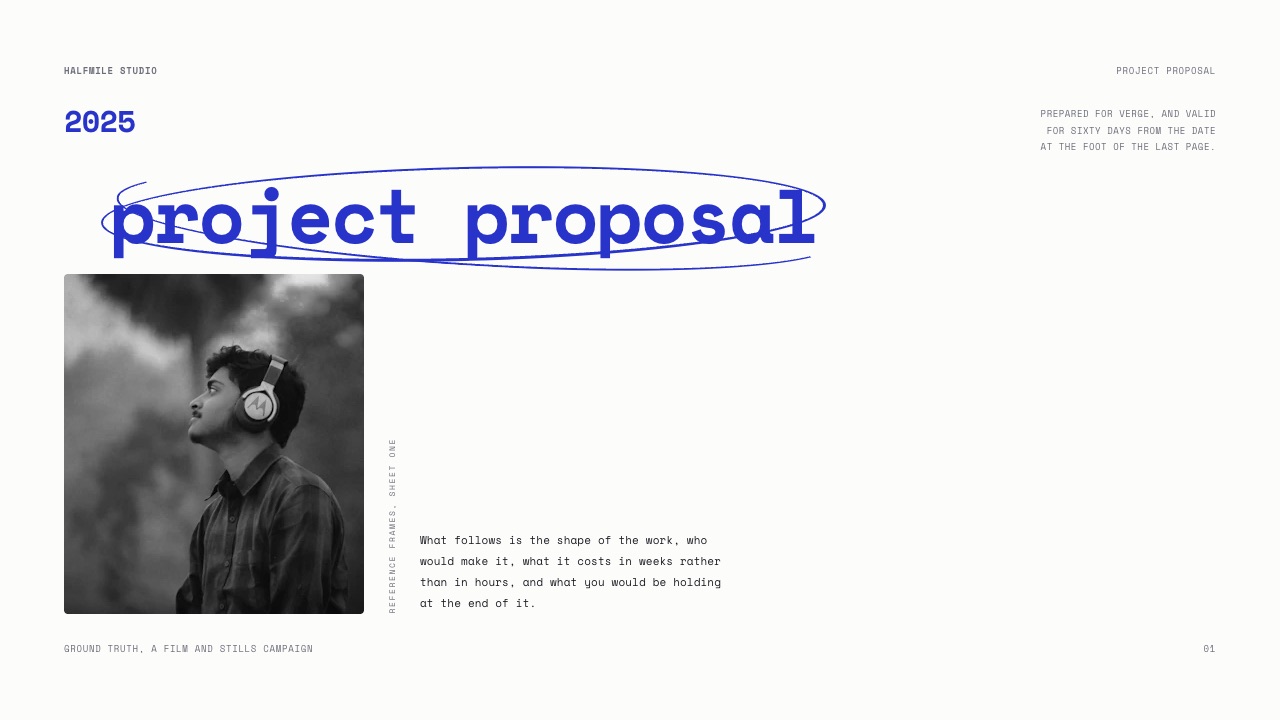
A director wins a $6,400 brand film for a coffee roaster on a Thursday.
By the following Thursday she has written eleven emails to find two hours for a kickoff call, discovered the brand guidelines exist in a folder nobody can share, learned that the person who approves the edit was never on the thread, and still has no signed contract.
Four hours gone, none of them billable, before a single frame is shot.
None of that was the client being difficult. It was an onboarding process that did not exist.
Learning how to onboard a new client as a freelance creative is mostly learning to front-load five documents into the first 48 hours so the next four weeks stop generating the emails that ate that Thursday.
A freelance client onboarding process is the fixed sequence you run between a yes and the start of the work: contract signed, deposit paid, kickoff questions answered, scope and schedule agreed in writing, and one message containing every link and rule the project will need.
It is a checklist, not a relationship, and running it the same way every time is what makes it work.
Onboard a new client with five artefacts inside 48 hours: a signed contract, a paid deposit, a written kickoff questionnaire, a scope-and-schedule document they approve in writing, and a single message holding every link plus the communication rules.
Use a dedicated tool for the paperwork, because most creative tools do not touch it: Docusign at $11 a month for five envelopes, or an all-in-one like HoneyBook at $29 a month billed yearly if you want contracts, invoicing and scheduling in one place.
Framekit's honest role is narrower and later: the scope and schedule as a deck, the review link when there is a cut to approve, and the delivery gallery at the end.
It has no contracts, no e-signature, no invoicing, no CRM and no scheduling calendar, so do not plan around it for those.
Full disclosure: Framekit is our product and it covers three of the seven onboarding jobs the table in this guide lists, which is why most of the tools named below are not ours. Every price here was read on that vendor's own published page in September 2026 and linked where it is used, except where a page refused to serve figures to an automated reader, in which case the tool is named without numbers. HoneyBook, Dubsado, Bonsai, Docusign, Calendly, Wave and FreshBooks all do things Framekit does not do at all.
How this guide was assembled and what it leaves out
Two kinds of claim appear below and the difference matters, because an onboarding process built on a wrong price gets abandoned in month two when the bill arrives.
Read at the source. Every plan price, seat cost, envelope allowance and processing rate was read on the vendor's own published pricing page in September 2026 and linked at the point of use.
One tool, PandaDoc, refused to serve its pricing to this session, so it is named as an option without figures and without a link, never guessed at.
Calculated. The arithmetic is ours and shown so it can be rerun.
The carried project throughout is a solo director shooting a $6,400 brand film for a coffee roaster, four weeks from kickoff to delivery, two shoot days, one round of client review, a 50% deposit of $3,200.
There is no statistic here about how much of a freelance week goes to admin, because no primary source publishes one that survives checking. Instead the cost of poor onboarding is calculated from hours you can count on your own projects, which is a number you can argue with.
Freelance onboarding by the numbers
These are the figures that decide what the first 48 hours cost to run, and they are worth comparing against whatever you currently pay for the same jobs.
- $11 a month buys Docusign's Personal plan, with an allowance of five envelopes a month, which covers a freelancer signing roughly one contract a week.
- $29 a month billed yearly is HoneyBook's Starter plan, covering contracts, invoices, payments, proposals and a client portal, with the scheduler only arriving on the $49 tier.
- $335 a year is Dubsado's Starter plan, which includes contracts and invoicing but explicitly excludes scheduling and automated workflows until the $525 Premier tier.
- $0 is what Cal.com's free plan costs for one user with unlimited event types, against Calendly's free tier, which allows exactly one event type.
- 2.7% plus 10 cents is HoneyBook's card rate and 1.5% its bank transfer rate, which on the carried $3,200 deposit is the difference between about $86 and $48.
- Three is the number of onboarding jobs Framekit actually does: the scope deck, the review link and the delivery gallery.
In one linethe whole paperwork stack a soloist needs costs between nothing and $50 a month depending on how much you consolidate, which is under one billable hour at $75 and a fraction of the $675 to $975 of unbilled time a single project loses when none of it exists.
Step 1. Send the contract and the deposit invoice before you open a file
Nothing else in this guide happens until the contract is signed and the deposit has cleared, and treating that as a rule, not a preference, is the single highest-return decision in freelance practice.
The order matters. Send the contract and the invoice in the same message, on the day the client says yes, while the enthusiasm that produced the yes is still there.
A contract sent on day one gets signed; a contract sent on day nine, after you have already started, gets read properly by somebody in procurement.
Framekit does not do this part at all. There is no contract template, no e-signature and no invoicing anywhere in the product, so you need a dedicated tool and this guide will not pretend otherwise. The realistic options split three ways.
| Job | Tool | What it costs | What it does not do |
|---|---|---|---|
| E-signature only | Docusign Personal | $11/month, five envelopes a month | No invoicing, no CRM, no project side at all |
| E-signature at volume | Docusign Standard | $30/user/month, 100 envelopes per user per year | Still signature-first; the business admin lives elsewhere |
| Contracts plus invoicing | HoneyBook Starter | $29/month billed yearly | No scheduler until the $49 Essentials tier |
| Contracts plus invoicing | Dubsado Starter | $335/year | No scheduling and no automated workflows until Premier at $525/year |
| The whole freelance stack | Bonsai Essentials | $19/user/month billed annually | Priced per user, so a growing team scales the bill linearly |
| Invoicing only | Wave Starter | Free, card payments at 2.9% + $0.60 | No contracts and no e-signature |
For a solo creative running fewer than about twenty projects a year, the pairing I would pick is Docusign Personal at $11 a month plus Wave's free invoicing, because it costs $132 a year and does the two jobs properly.
Above that volume the all-in-ones start earning their price, and contract and proposal tools for creatives compares them in detail; invoicing tools for freelance creatives does the same on the money side.
Take a real deposit, not a token one.
Fifty percent is standard for production work and it does two things at once: it funds the pre-production you are about to do unpaid, and it tells you whether the client's approval process actually works before you have spent a month finding out.
On the carried $6,400 film that is $3,200 landing before you scout a location.
The thing that goes wrongthe freelancer starts work on a verbal yes because the client seems lovely and the deadline is tight. Every difficult conversation for the next four weeks then happens from a position where you have already given away the only thing you were holding.
Step 2. Book the kickoff with one link instead of eleven emails
Scheduling is a solved problem and the eleven-email thread is a self-inflicted wound, so put a booking link in your onboarding message and stop negotiating times in prose.
Two tools cover this for a soloist.
Calendly's free plan allows a single event type, which is enough if your only bookable thing is a 45-minute kickoff, and its Standard plan is $10 per seat per month billed monthly with unlimited event types.
Cal.com's free plan gives one user unlimited event types and calendars along with over a hundred integrations, and its Teams tier is $12 per user per month.
Cal.com's free tier is the better deal for a soloist on the published pages, simply because unlimited event types at zero beats one event type at zero, and most freelancers want at least three: a kickoff, a review call and a fifteen-minute enquiry slot.
Framekit does not do this either.
Framekit sites include contact and booking forms whose submissions land in your dashboard and inbox, which is a form rather than a calendar: it collects an enquiry, it does not show your availability or hold a slot.
Saying that plainly matters, because a booking form and a scheduling link are different products and planning around the wrong one costs you the week.
If booking is central to your work, booking tools for photographers is the comparison to read.
Attach an agenda to the invite. Three lines is enough: what we will decide, what I need from you beforehand, and how long it will take. A kickoff with no agenda becomes a chat, and a chat produces no artefacts.
The thing that goes wrongthe booking link offers every hour of the next fortnight, so the client picks 8am on a shoot day. Set real availability windows before you send it.
Step 3. Run the kickoff from a written question list
The kickoff call is not a conversation, it is a data-collection exercise with a friendly tone, and running it from a fixed written list is what stops you discovering the important constraint in week three.
Send the questions before the call so somebody can go and find the answers, and then work through them on the call instead of assuming the document came back complete. Ten questions cover almost any creative project.
Who is the single person who approves this, and who else must see it before they do. What has to be true for this to have worked, in the client's words rather than yours. What are we not doing, explicitly.
Where do the brand assets live and who can grant access today. What has been made before that you liked and disliked, with links. Are there legal, licensing or music constraints.
Who are the people on camera or in the images, and are releases in place. What is the real deadline and what is driving it. What is the budget ceiling including the things you have not thought of.
And what happens if the answer to any of these changes.
The third and the eighth are the ones freelancers skip and regret.
An explicit not-this list is the cheapest scope protection the document holds, and a deadline with a reason behind it, a trade show, a funding round, a wedding, behaves completely differently from a deadline someone picked because it sounded tidy, which changes how you schedule every round of review.
Write the answers down during the call, not afterwards from memory. The document you produce from those ten questions is the brief, and the brief is the artefact that ends most arguments later, because it contains the client's own words about what success looks like.
The thing that goes wrongthe call goes well, everyone is enthusiastic, nobody writes anything down, and the shared understanding that felt so solid on Tuesday turns out to have been three different understandings by the time there is something to look at.
Step 4. Turn the answers into a brief the client approves in writing
A brief that nobody signed off is a set of notes, so the step that matters is not writing it but getting a written yes against it before any real work starts.
Keep it to one page or one short document with five headings: the objective in the client's words, the audience, the deliverables with quantities and formats, what is explicitly out of scope, and the constraints.
Out of scope is the heading that earns its space. Listing what you are not doing, in plain terms, is how a scope-change conversation becomes a quote instead of an argument.
Then send it with a specific ask: read this and reply with approved or with changes by Thursday. Not "let me know your thoughts". An approval you can point to needs a date and a word, and email is perfectly good evidence.
The detail of writing one is in how to write a creative brief, and it is worth treating that document as the thing the rest of the project is measured against, not as paperwork you produce because a guide told you to.
The thing that goes wrongthe brief lists deliverables without quantities or formats, so "social cutdowns" turns into nine aspect ratios in week four, and the freelancer discovers the word "some" was doing an enormous amount of work.
Step 5. Send the scope and schedule as a deck, not a paragraph
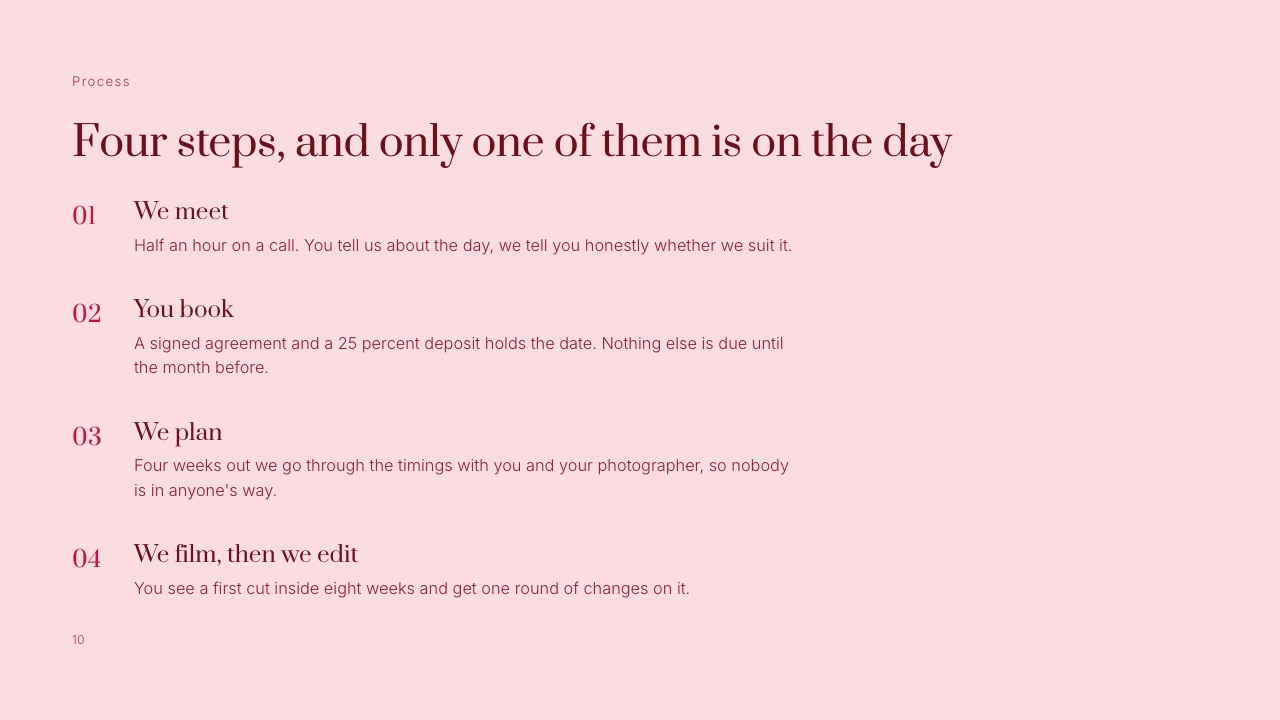
A paragraph describing four weeks of work gets skimmed and misremembered, while a short deck with a stage per page gets forwarded to the people who were not on the call, which is the actual job.
This is one of the three places Framekit genuinely belongs in onboarding.
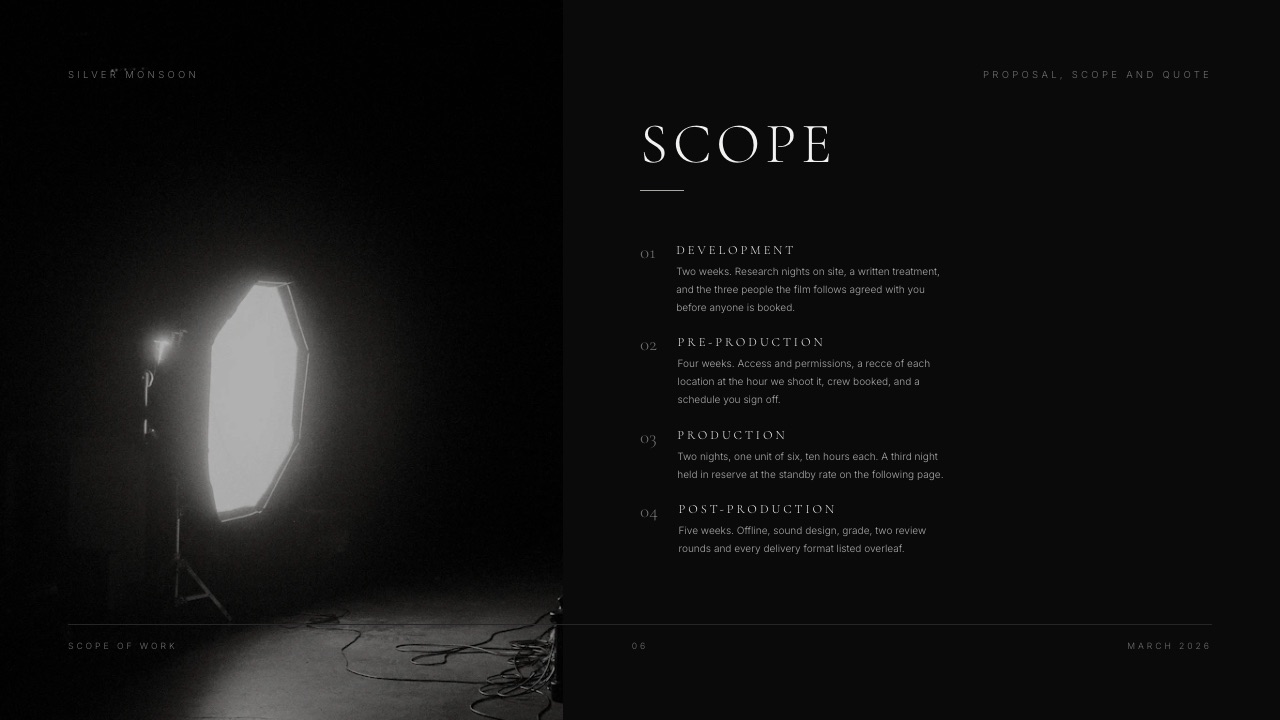
Slides builds the scope-and-schedule document as a deck on every plan including Free, with unlimited decks, an AI writer that lays out a slide from a description, speaker notes on every slide, a share link and a PDF export.
Six pages is enough: what we are making, the stages, the schedule with dates, what I need from you and when, the quote, and the terms.
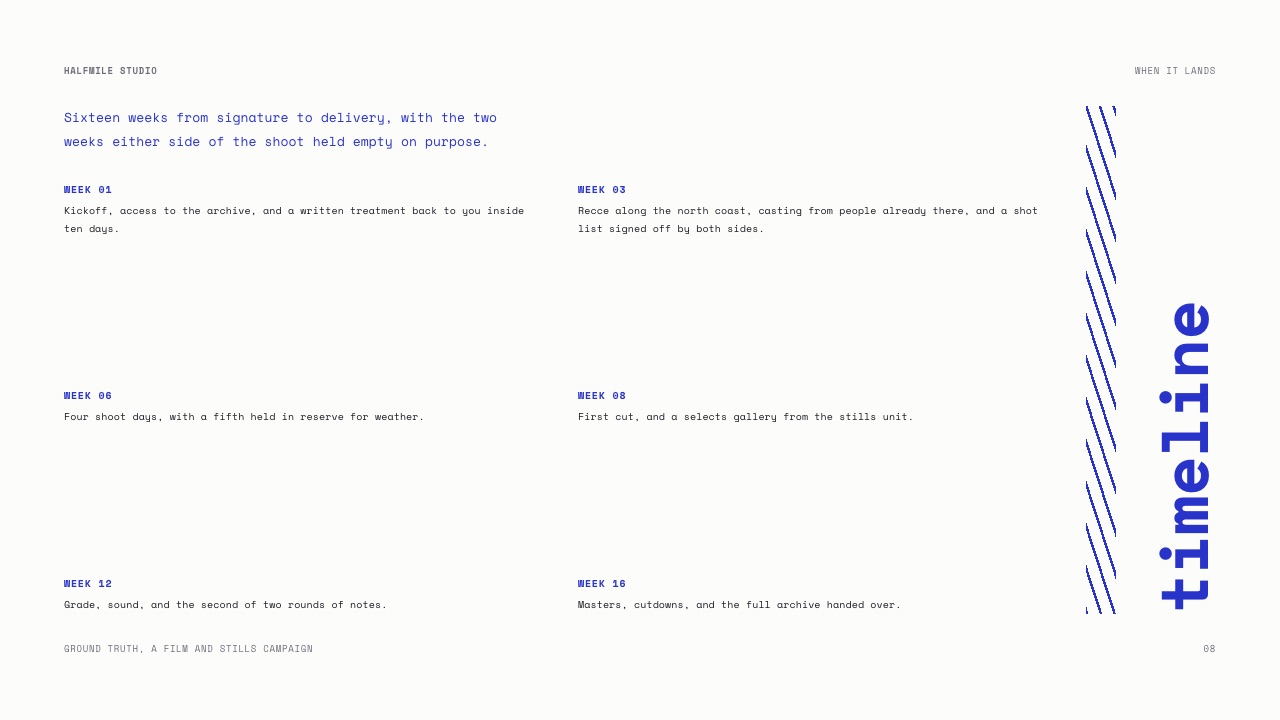
The page that changes client behaviour most is "what I need from you and when".
Put the client's own deadlines on it, in the same visual language as yours: assets by the 8th, feedback within two working days of each review link, final approval by the 26th.
A schedule that only lists your obligations quietly tells the client they have none.
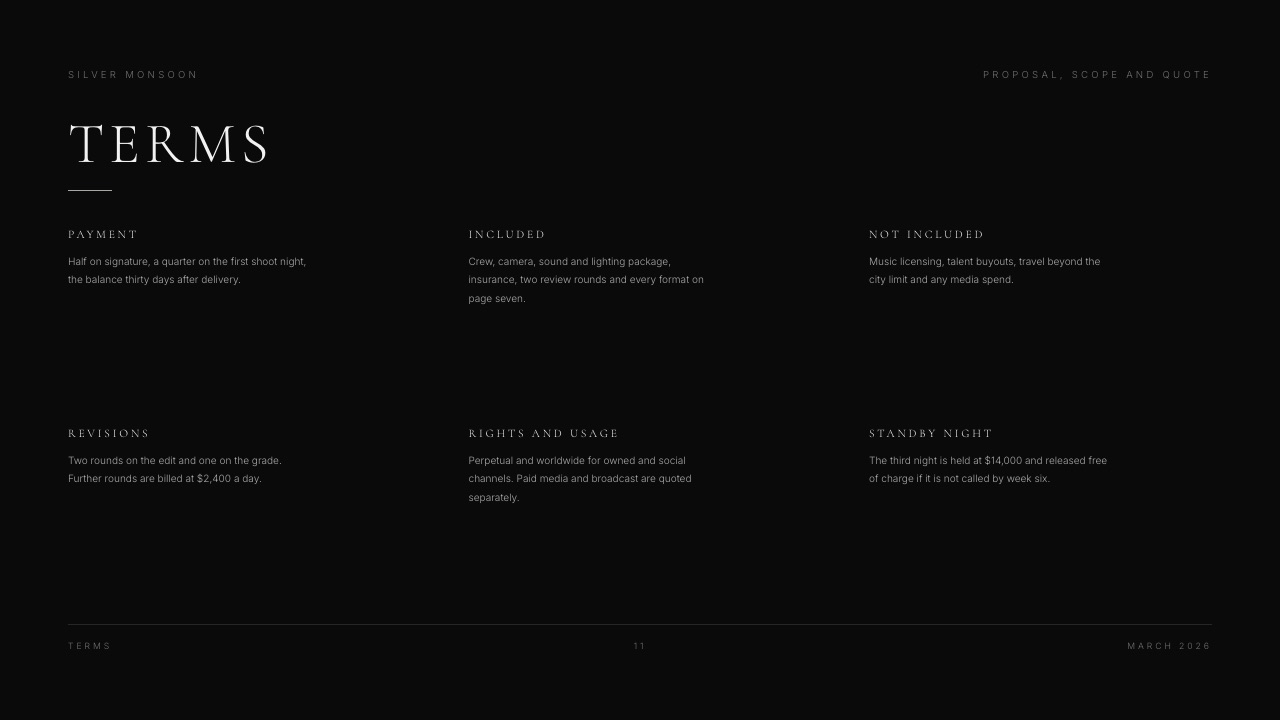
Be clear about what the deck is not.
A Framekit deck share link has no password and no per-viewer analytics, only a total view count, so if you need to know which stakeholder opened which slide, or to lock the link, DocSend, Pitch and Storydoc are built for that and Framekit is not.
PowerPoint export exists on Pro and above and is picture-based, meaning each slide arrives as a full-bleed image that nobody can edit in PowerPoint, with speaker notes carried across as real notes and a ceiling of 60 slides.
If your client's procurement process requires an editable .pptx, that is a real limitation and you should know it now, not on the day.
The alternatives are laid out in client proposal software and presenting design work to clients.
The thing that goes wrongthe deck is a quote with a nice cover. A quote answers what it costs; a scope deck answers what happens, in what order, and who is holding each stage.
Step 6. Publish the link set in one message
Every project generates a scatter of links across a month of email threads, and the fix is to send them all once, in one message, and to keep that message current instead of sending replacements.
The link set for the carried film is five lines: the folder where assets live, the scope deck, the review link where cuts will appear, the delivery gallery where finished files will land, and the invoice portal.
Send it as a single email with a subject line the client can search for, and pin the same list at the top of whatever shared channel you use.
Two of those five are Framekit's other honest contributions.
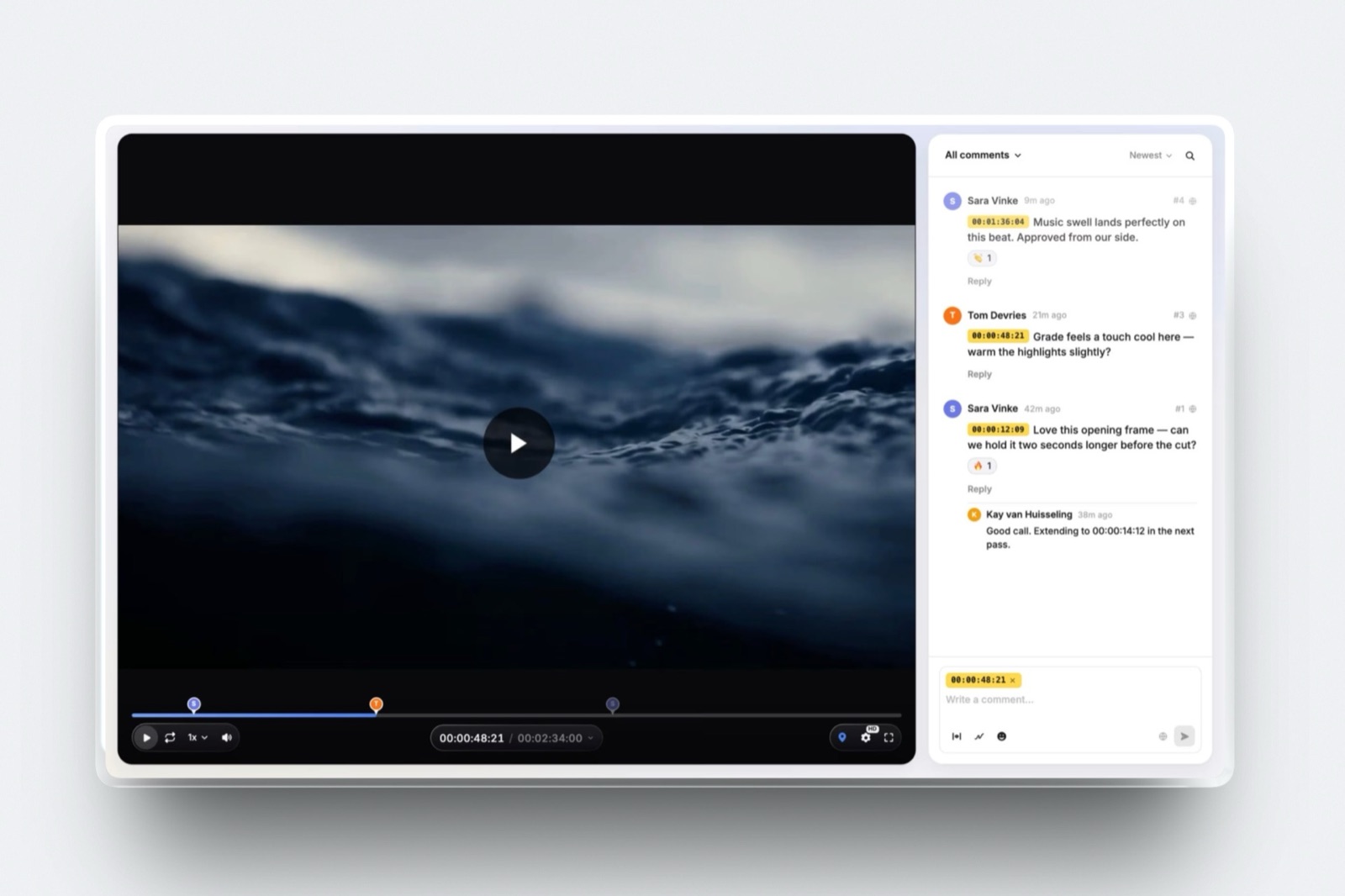
Video Review is where the cut goes: clients leave comments pinned to the exact timecode, draw on the frame, reply and react without needing an account, versions stack in order with the old notes kept, and each version carries an approval status from needs review through to approved.
Share links can be password-locked and set to expire, and comment notifications go out by email.
Client Galleries is where the finished work lands: unlimited galleries on every plan, a gallery password and a separate download PIN, watermarking, favourites, full-resolution and ZIP downloads, email registration and auto expiry.
For a photographer the same structure is described in how to deliver photos to clients.
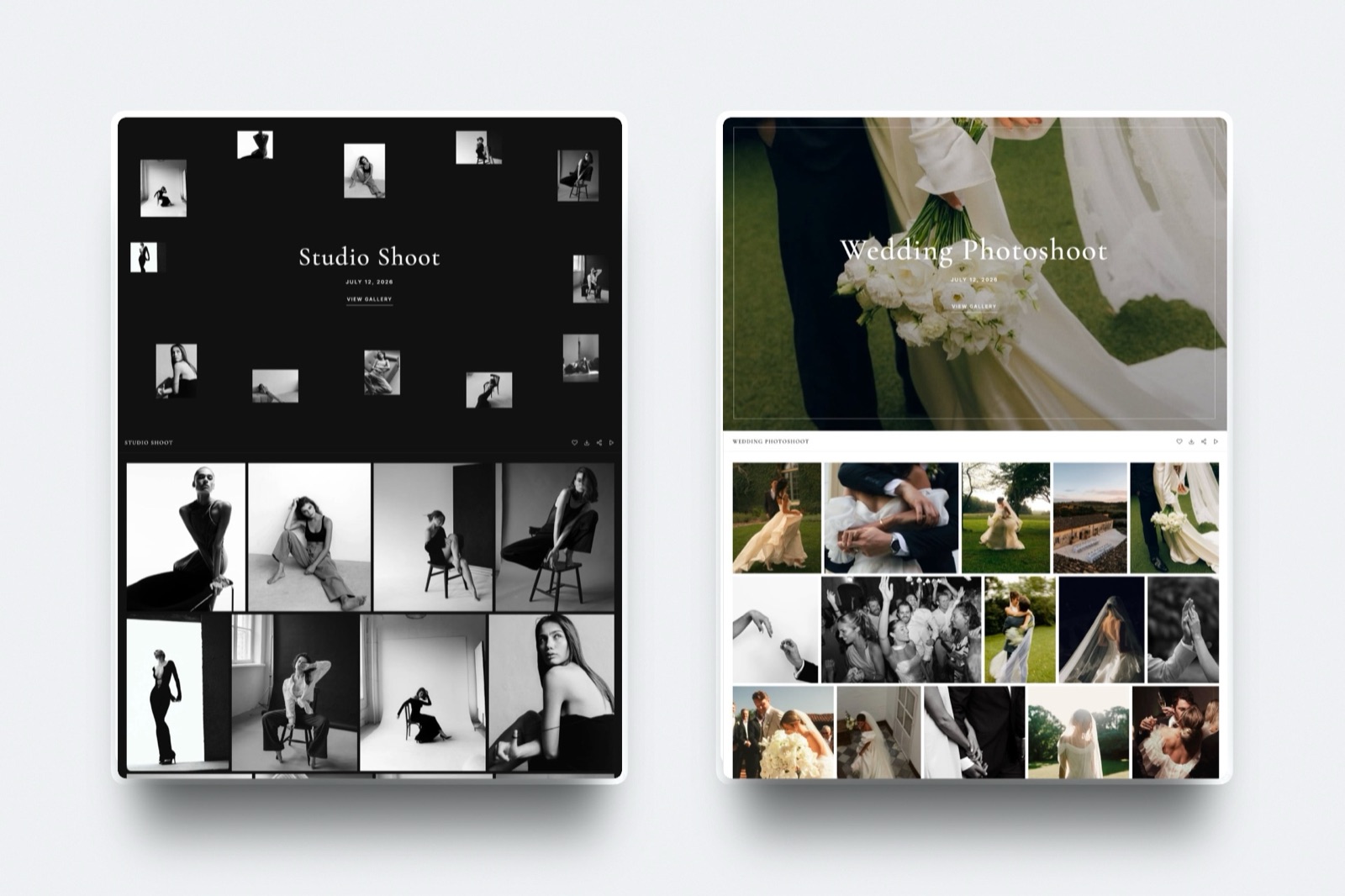
What this set is not is a client portal. Framekit has no CRM, no project dashboard tying a client's contract, invoices, files and messages together, and no shared task list.
If you want that single pane of glass, the all-in-ones do it and client portal tools for creatives covers them; what you get from a link set is the same benefit assembled by hand for free.
The thing that goes wrongthe links get sent one at a time as each stage arrives, so by week three the client is searching four email threads for the review link and emailing you instead, which is exactly the chasing this process exists to remove.
Step 7. Name one decision maker and one response-time rule
Two sentences in the onboarding message prevent more schedule damage than any project management tool, and both of them are about who is allowed to say things and how fast.
The first names the decision maker: one person whose approval ends a round, with everyone else's notes consolidated by them before they reach you. The second sets response times in both directions, published as a table so nobody has to remember them.
| Event | My commitment | What I need from you |
|---|---|---|
| Any email or message | A reply within one working day | The same, on anything that blocks the schedule |
| A review link goes out | Notes acknowledged within one working day | Consolidated notes within two working days |
| Conflicting notes arrive | I flag the conflict rather than picking | The decision maker resolves it before I start work |
| A change beyond the brief | A written quote before anything moves | A yes or no on the quote, not silence |
| Approval | The next stage starts that day | Approval in writing, from the named person |
The row that does the most work is the third. Conflicting notes are the normal state of any project with more than two stakeholders, and a freelancer who silently picks one interpretation is gambling with their own hours.
Flagging the conflict back, in one line, moves the decision to the person whose job it is.
Put a consequence on the feedback deadline and state it kindly. If notes arrive four days late, the delivery date moves by four days; that is not a penalty, it is arithmetic, and saying so in week one makes it uncontroversial in week three.
The thing that goes wrongthe freelancer sets a response-time rule for the client and none for themselves, which reads as bureaucracy. Committing to a one-working-day reply first is what makes the rest of the table fair.
Step 8. Read the first 48 hours as data about the rest of the job
Onboarding is also a test, and the client's behaviour in the first two days predicts the project better than anything they said while you were pitching, so pay attention instead of hoping.
Five signals are worth acting on. The contract comes back with unexplained edits to the payment or ownership clauses. The deposit is promised but keeps not arriving. The kickoff has six attendees and no named approver.
The answer to "what is out of scope" is "let us stay flexible". And the brief comes back approved within four minutes, which is less time than reading it takes.
None of those means walk away, and treating them as automatic red flags is its own mistake. Each one means slow down and resolve it in writing now, while the relationship is new and the cost of asking is a single email.
A client who cannot name an approver on day two will not be able to name one on delivery day either, and that conversation is far more expensive then.
The one that deserves an actual no is the deposit that never arrives while the work is expected to start.
Money behaviour in week one is money behaviour in month three, and a client who cannot pay $3,200 up front on a $6,400 project is telling you something specific about the final invoice.
The thing that goes wrongthe freelancer notices all five signals, says nothing because the project is exciting and the invoice is large, and then spends the last week of the job discovering that each one was load-bearing.
What Framekit does and does not do in onboarding
It is easier to use a tool well when you know the edges of it, so here is the plain version, and most of this table is a list of things you will be buying somewhere else.
| Onboarding job | Does Framekit do it | Use instead |
|---|---|---|
| Contract templates and e-signature | No | Docusign from $11/month, HoneyBook, Dubsado, Bonsai, or PandaDoc |
| Invoicing, deposits and payment plans | No | Wave free, FreshBooks Lite $23/month, HoneyBook, Dubsado |
| CRM and a project dashboard | No | HoneyBook, Dubsado, Bonsai Basic at $9/user/month annually |
| A scheduling calendar with availability | No, only a contact and booking form | Cal.com free, Calendly Standard $10/seat/month |
| Scope and schedule as a shareable deck | Yes, Slides on every plan including Free | DocSend, Pitch or Storydoc if you need link passwords or per-viewer analytics |
| Timecoded review and approval of a cut | Yes, Video Review on every plan | Frame.io if you need Camera to Cloud, NLE panels or transcription |
| Delivering the finished files | Yes, Client Galleries on every plan | Pixieset, Pic-Time or ShootProof if you also sell prints |

Framekit is an AI website builder that also runs the middle and the end of a creative project, the scope deck, the review link and the delivery gallery, on the same account as the portfolio the client found you through.
It does not run the front of the project, and any guide that implies otherwise is selling you something.
The practical consequence is that a freelancer's stack has at least two subscriptions in it, and that is fine.
The paperwork tool and the craft tool are different products with different update cycles, and consolidating them is a preference, not a saving, once you have priced both.
For approval workflows specifically, client approval software compares the field.
In one lineFramekit covers three of the seven onboarding jobs in the table above and covers them on every plan including Free, so the sensible way to read this guide is as a paperwork stack you buy plus a delivery stack you may already have.
What good onboarding is actually worth, in hours
The case for spending two days on process is financial, not aesthetic, and the way to make it is to count the hours the alternative costs on a project you have already run.
Take the carried $6,400 film. Chasing a signature across ten days is about an hour. Eleven emails to find a kickoff slot is another hour. Reconstructing a scope disagreement in week three, including the call, is two hours.
One extra round of revisions caused by unclear approval is between four and eight hours on a film this size. Hunting for brand assets nobody granted access to is an hour. That is nine to thirteen hours.
At a rate of $75 an hour that is $675 to $975 of unbilled time on a $6,400 project, which is 10.5% to 15.2% of the fee. The onboarding process in this guide takes about three hours the first time you build the templates and about forty minutes per project afterwards.
Run it on your own last job instead of accepting those numbers. Count the emails that were not about the work, add the revision rounds you would not have needed if approval had been clear, multiply by your rate.
If the answer is under an hour, your onboarding is already fine and you should ignore this guide. If it is over five, the templates pay for themselves on the next project.
In one linethe argument for onboarding is not tidiness, it is that nine to thirteen unbilled hours at $75 on a $6,400 four-week project is 10.5% to 15.2% of the fee, and the process that removes most of them takes forty minutes once the templates exist.
Which stack to build, as a set of questions
Answer these in order and stop at the first yes, because the right stack for six projects a year is the wrong stack for sixty.
Do you run fewer than about twenty projects a year? Then buy the two cheap pieces separately: an e-signature tool such as Docusign Personal at $11 a month, and free invoicing from Wave.
That is $132 a year for the paperwork, and the rest of the process is documents you write once.
Do you run enough projects that retyping the same contract is annoying? Then an all-in-one starts to pay: HoneyBook Starter at $29 a month billed yearly for contracts, invoices and proposals, or Dubsado Starter at $335 a year, remembering that Dubsado holds scheduling and automated workflows back for the $525 Premier tier.
Do you need time tracking and a CRM alongside the paperwork? Then Bonsai's Essentials tier at $19 per user per month billed annually is the one that bundles invoices, proposals, contracts, forms and scheduling together, with the caveat that per-user pricing grows with the team.
Does your work end in a cut somebody has to approve, or in files somebody has to download? Then add a delivery layer, and Framekit covers the review link, the scope deck and the gallery from a free plan upward on one account.
Is your actual problem that you are not winning the work in the first place? Then onboarding is not the bottleneck, and how to get clients as a freelance designer is the better read this week.
Frequently Asked Questions
What should a freelance client onboarding process include?
A freelance client onboarding process should include five artefacts delivered inside 48 hours: a signed contract, a paid deposit, a completed kickoff questionnaire, a scope-and-schedule document approved in writing, and one message containing every link and communication rule the project needs.
The order matters, because the contract and the deposit are the only pieces that lose their power once work has started.
How long should onboarding a new client take?
Aim to complete onboarding within 48 hours of the client saying yes, which is achievable because most of it is templates you fill in instead of documents you write.
The first time you build the templates takes about three hours; after that a project takes roughly forty minutes of actual work plus whatever the client needs to sign and pay.
Anything slower and the enthusiasm that produced the yes has already cooled.
Should freelancers always take a deposit before starting work?
Yes, and 50% is a defensible standard for production work.
A deposit funds the pre-production you would otherwise do unpaid, and more importantly it tests whether the client's payment process works before you have committed a month to the project.
A client who cannot release $3,200 on a $6,400 job in week one is giving you specific information about the final invoice, and it is cheaper to learn it then.
Does Framekit have contracts, invoicing or a CRM?
No. Framekit has no contract templates, no e-signature, no invoicing, no CRM and no scheduling calendar, and it should not be planned around for any of them.
Its contribution to onboarding is three specific things: the scope and schedule as a shareable deck in Slides, the timecoded review link in Video Review, and the delivery gallery in Client Galleries.
For the paperwork use Docusign, HoneyBook, Dubsado, Bonsai, Wave or FreshBooks.
What is the cheapest freelance onboarding stack that actually works?
Docusign Personal at $11 a month for five e-signature envelopes plus Wave's free invoicing covers the paperwork for $132 a year, and Cal.com's free plan covers scheduling for one user with unlimited event types.
Add Framekit's free plan for the scope deck, the review link and the delivery gallery and the whole stack costs $132 a year. Card processing is separate and is charged by whichever processor takes the payment.
How many kickoff questions should you ask a new client?
Ten is enough for almost any creative project, sent in writing before the call and worked through on it.
The two that get skipped are the third, what is explicitly out of scope, and the eighth, what is driving the deadline, because a deadline with a real event behind it behaves completely differently from one somebody chose because it sounded tidy.
Write the answers down during the call instead of reconstructing them afterwards.
How do you set client response-time expectations without sounding difficult?
Publish the rules as a short two-column table where your own commitments appear first, then theirs.
Committing to a one-working-day reply before asking for consolidated notes within two working days is what makes the arrangement read as professional rather than bureaucratic.
Attach the consequence as arithmetic instead of as a penalty: notes four days late move the delivery date by four days, which is a fact about a schedule.
Who should approve creative work when a client has several stakeholders?
One named person, with everyone else's notes consolidated by them before those notes reach you, agreed in writing during onboarding.
When conflicting notes arrive anyway, flag the conflict back in one line instead of picking an interpretation yourself, because picking is gambling with your own unbilled hours.
Framekit's Video Review keeps approval statuses on each version so the record of who approved what survives the project.
HoneyBook or Dubsado for a freelance creative?
HoneyBook Starter costs $29 a month billed yearly and includes contracts, invoices, payments, proposals and a client portal, with the scheduler arriving on the $49 Essentials tier.
Dubsado Starter is $335 a year and includes contracts, invoicing and forms but holds back scheduling and automated workflows until the $525 Premier plan.
Dubsado offers a 21-day free trial on Premier, so the honest answer is to run your next real project through it before subscribing.
Can you onboard a client without paying for any software?
Yes.
A contract as a PDF with a typed signature clause, an invoice from Wave's free plan, a booking link from Cal.com's free tier, a brief written in any document editor, and Framekit's free plan for the scope deck, the review link and the delivery gallery add up to a complete process at no monthly cost.
The reason to pay later is repetition, not capability, since templates and reminders are what the paid tools actually sell.
Final Verdict
Onboard a new client by running the same five-artefact sequence every time: contract and deposit invoice on day one, a booking link instead of an email thread, ten written kickoff questions answered on a call, a scope and schedule approved in writing, and one message holding every link plus the response-time rules.
Build the templates once, spend forty minutes a project afterwards, and the nine to thirteen unbilled hours a disorganised project costs, $675 to $975 at $75 an hour, mostly stop happening.
Buy the paperwork separately. Docusign Personal at $11 a month plus free invoicing from Wave is the cheapest stack that does the job properly, and HoneyBook, Dubsado or Bonsai are the consolidation you graduate to when retyping contracts becomes the annoying part of the week.
Where Framekit losesit does not do contracts, e-signature, invoicing, CRM or scheduling at all, so it cannot be the centre of an onboarding process and this guide has named a different tool for every one of those jobs.
Its deck share links have no password and no per-viewer analytics, which makes DocSend, Pitch or Storydoc the better fit when you need to know who opened what, and its PowerPoint export is picture-based, never editable.
Framekit is not for a freelancer looking for one system that runs the whole business; it is for the craft end of the project, where the deck, the review link and the delivery gallery live on the same account as the portfolio that won the job.
Related readinghow to write a creative brief, contract and proposal tools for creatives, invoicing tools for freelance creatives, accounting software for freelance creatives and client portal tools for creatives.
The document that precedes onboarding is in how to write a project proposal as a freelancer, and for the whole job end to end, the complete client workflow for filmmakers counts the logins you ask a client for.