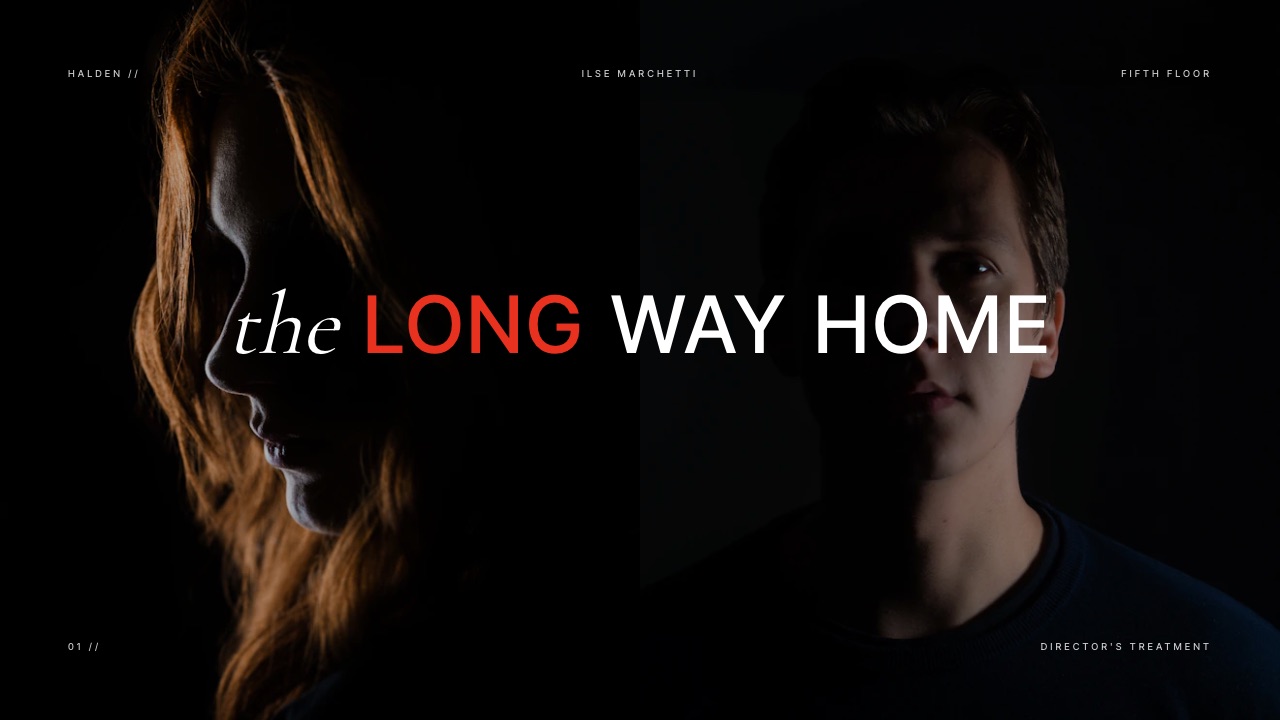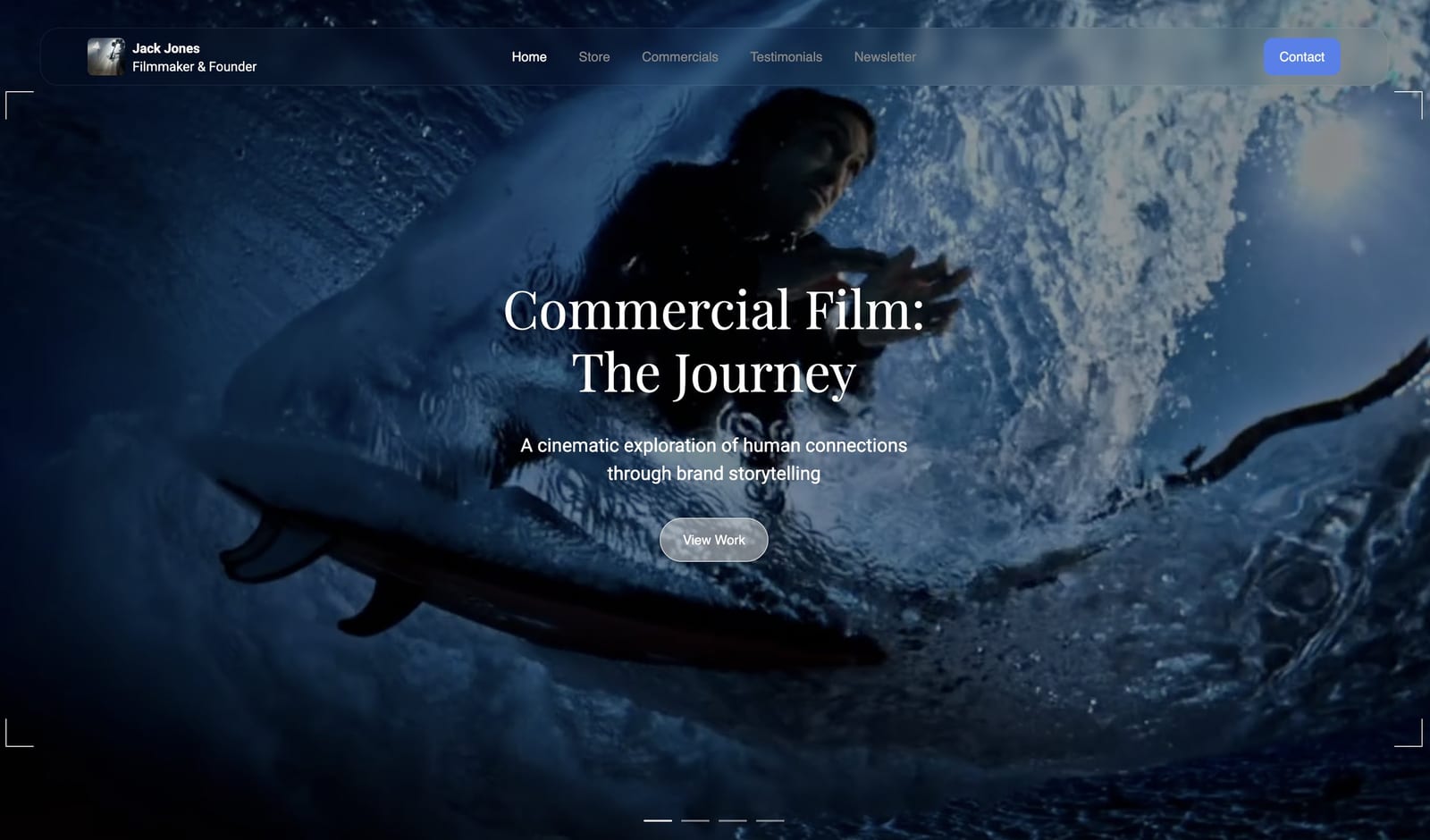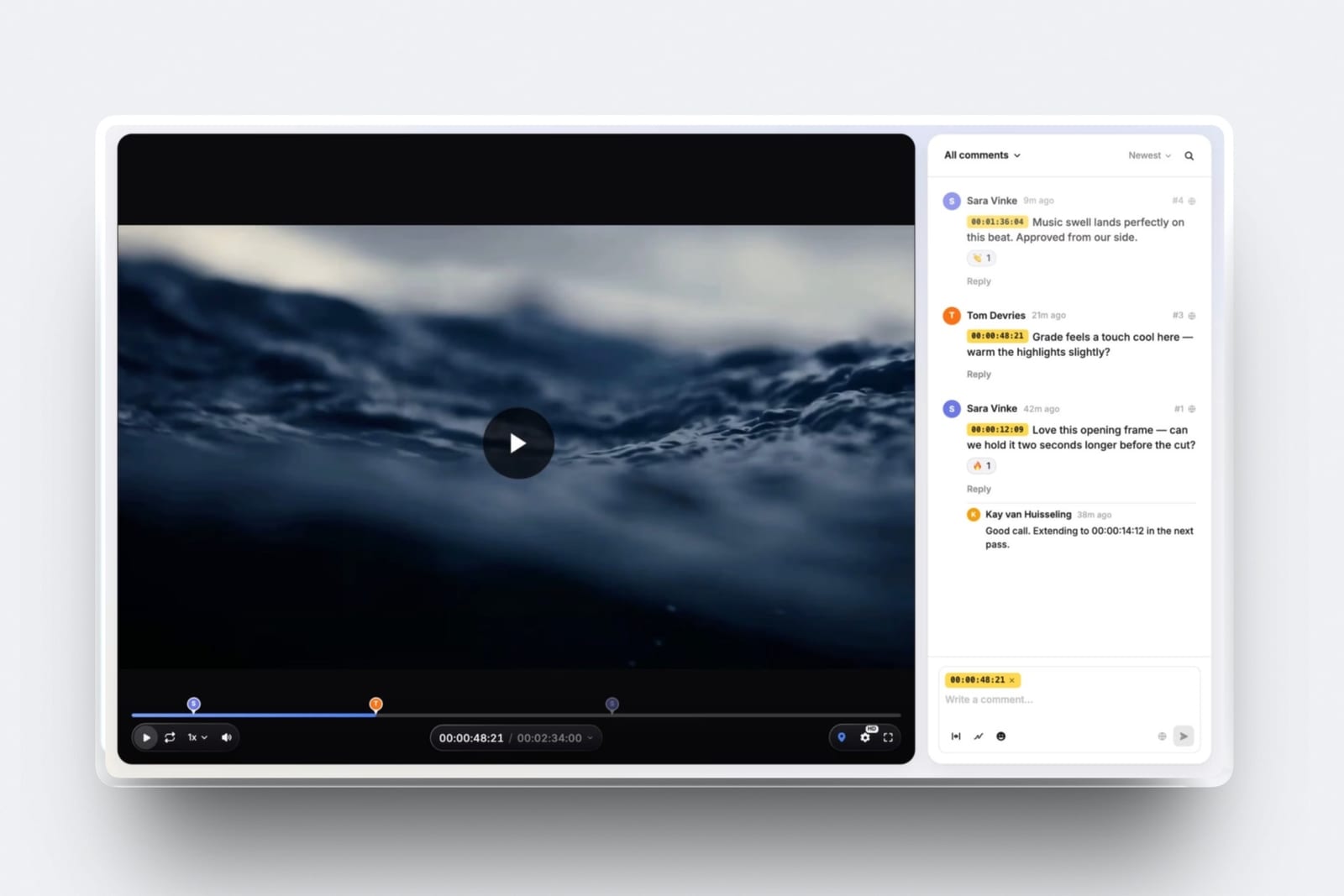
Framekit templates
Start from a designer-made template
 Use template
 Use template
 Use template
 Use template
 Use template
 Use template
 Use template
 Use template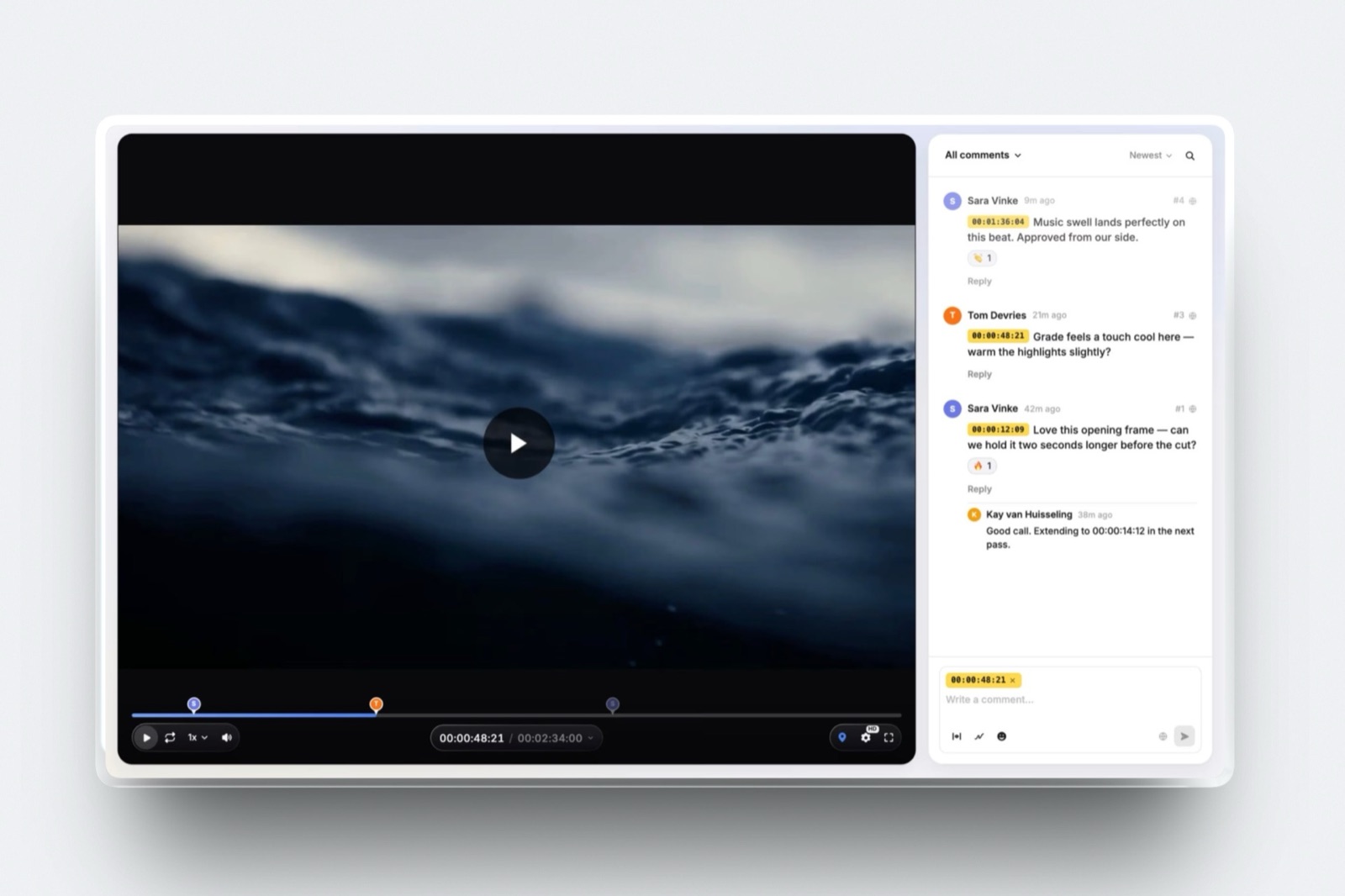
Picture a three-person edit studio that signs up for Frame.io Team because the card says "most popular", pays $25 a head every month, and a year later has spent $900 to store 180GB of cuts in an account with 7TB of room.
Nobody did anything wrong. Frame.io pricing simply charges by the member, and every member arrives with a block of storage whether the studio needs it or not.
Frame.io's own pricing page makes this easy to miss because it quotes one number per plan.
The real bill depends on three things the headline hides: how many people upload and manage media, whether you pay monthly or yearly, and whether the extra features on Team are features anyone on your team will ever click.
A member is the paid seat Frame.io bills for: a person who can upload, organise and manage media in the account, and on the Pro and Team plans each one also adds 2TB of storage.
The clients and collaborators who only watch and comment through a share link are reviewers, and reviewers are free.
Frame.io costs $0 on Free (2 members, 2GB, 2 projects), $15 per member a month on Pro and $25 per member a month on Team, or $156 and $264 per member a year on annual billing, and Enterprise is quoted by sales.
Pro is the right plan for most freelancers and small studios because clients review for free and Team only adds restricted projects, internal comments and more seats.
Frame.io is still the tool to beat if you shoot with Camera to Cloud, cut in Premiere Pro, After Effects or Final Cut Pro and want client notes inside the editing app, or need enterprise security such as SSO and forensic watermarking.
If you mainly send cuts to clients, Wipster Light ($9.95 a month billed yearly) is the cheapest paid seat on a dedicated review tool here, Vimeo suits editors who also host finished films, and Framekit puts review, a portfolio site, client galleries and Slides on one plan from $0.
Full disclosure: Framekit is our product, and its Video Review is one of the cheaper options compared at the end of this guide. Frame.io is not a Framekit competitor at the high end: it does Camera to Cloud, editing-software panels, transcription, a comparison viewer and enterprise security that Framekit does not, and this guide says so wherever it matters. Every Frame.io figure below comes from frame.io/pricing and Frame.io's own help centre, read on 19 September 2026.
How These Frame.io Numbers Were Checked
Nothing in this guide comes from using Frame.io on a paid account, so the method is split three ways and each figure below belongs to exactly one of them, which lets you check any number you plan to budget with.
Read at the source. Plan prices, member limits, storage and features were read on Frame.io's pricing page on 19 September 2026, including the annual prices the page loads behind its Monthly and Annually toggle.
The storage rules come from Frame.io's help article on adding storage to an account, and the plan summary from its pricing plans article.
Competitor prices were read on each vendor's own pricing page the same day and are linked where they appear.
Calculated. Every annual total is list price multiplied out, before sales tax, with the working shown.
The carried example is a three-person studio (two editors and a producer who all upload), priced alongside a solo editor and a team of five so you can find your own row.
Reported by users. Nothing. This guide does not lean on forum complaints or review-site scores, because the pricing page and help centre answer the money questions directly.
Frame.io Pricing by the Numbers
The five figures below are the ones that decide almost every Frame.io bill, and each one is either printed on Frame.io's own pages or a single multiplication away from something that is.
- $15 and $25. Pro and Team cost $15 and $25 per member a month on monthly billing, plus tax.
- $156 and $264. The same seats cost $156 and $264 per member a year on annual billing, which works out to $13 and $22 a month.
- 2TB per seat. Pro starts at 2TB and Team at 3TB, and each additional paid member adds another 2TB. A five-person Pro account holds 10TB.
- 5 and 15. Pro stops at 5 members and Team at 15. Past 15 you are talking to Adobe's sales team about Enterprise.
- $0 for reviewers. Clients who watch and comment through a share link do not need an account and do not count as members.
Every Frame.io Plan Compared
Frame.io sells four plans in September 2026, and the useful way to read them is by the limit each one removes: Free caps members, storage and projects; Pro lifts the storage and project limits and adds share controls; Team adds privacy inside the team; Enterprise adds security and administration for companies with legal departments.
| Free | Pro | Team | Enterprise | |
|---|---|---|---|---|
| Monthly billing | $0 | $15 per member | $25 per member | Quote |
| Annual billing | $0 | $156 per member a year | $264 per member a year | Quote |
| Member limit | 2 | 5 | 15 | Custom |
| Storage | 2GB | 2TB + 2TB per extra member | 3TB + 2TB per extra member | Custom |
| Mounted Storage (Frame.io Drive) | 2GB | 250GB | 500GB | 2TB |
| Projects | 2 | Unlimited | Unlimited | Unlimited |
| Playback | 1080p HD | 4K UHD | 4K UHD | 4K UHD |
| Branded, passphrase and expiring shares | No | Yes | Yes | Yes |
| Comment attachments | No | Yes | Yes | Yes |
| Watermark templates | None | 1 static | 1 static | Unlimited |
| Restricted projects and internal comments | No | No | Yes | Yes |
| Single sign-on | No | No | No | Yes |
Several things sit on every plan, Free included: frame-accurate and range-based comments, on-frame annotations, version stacks, the comparison viewer, transcription and captions, Camera to Cloud, and the Premiere Pro and Final Cut Pro integrations.
That is generous, and it is why Frame.io's free tier is a real product rather than a trial with a timer.
Free: the real product, in a very small box
The Free plan gives you 2 members, 2GB of storage, 2GB of Mounted Storage and 2 projects, with no credit card. The features are close to complete; the capacity is not.
Pro: the plan most freelancers should be on
Pro is $15 per member a month, or $156 a year.
It lifts storage to 2TB for the first member, removes the project cap, and adds the share controls a client-facing editor needs: your branding on share pages, passphrases, expiry dates, the ability to switch off downloads or comments, and hiding older versions.
Up to 5 members.
Team: privacy inside the team
Team is $25 per member a month, or $264 a year.
The storage floor rises to 3TB, the member limit to 15, and it adds restricted projects and folders plus internal comments, which let staff talk about a cut without the client seeing the conversation.
Mounted Storage doubles to 500GB (250GB during the trial).
Enterprise: security, administration and a contract
Enterprise is priced by sales and comes in two packages.
Select is the standard one, with SSO, multiple workspaces, unlimited watermark templates and asset lifecycle rules; Prime adds Storage Connect for your own AWS S3 bucket, Secure Sharing, forensic watermarking and digital rights management.
Session-based watermarking, which stamps each viewer's email or IP on the picture, is part of Prime and a paid add-on on Select.
In one linePro covers what a freelancer or small studio needs to put a cut in front of a client, Team is about hiding conversations and projects from each other, and Enterprise is about compliance, so most people reading this should price Pro first.
What the Frame.io Free Plan Really Covers
In one linethe Frame.io free plan is feature-rich and capacity-poor, so it works for one short project with one collaborator and breaks the week a second client or a long cut arrives, because 2GB and 2 projects are both hard ceilings.
The limits are 2 members, 2GB and 2 projects, and it helps to turn the storage figure into minutes.
A review proxy exported at around 10 megabits per second, a common setting for 1080p client review, uses roughly 75MB per minute, so 2GB holds about 27 minutes of footage.
That is one short film plus one revision, or three versions of a nine-minute brand piece. Export at a higher bitrate and the number falls; the arithmetic is ours, and your own export settings decide the real figure.
Two projects is the tighter ceiling for freelancers. Frame.io organises everything by project, so two clients at once fill the plan even if the files are small.
What the free plan does well is let you learn the tool properly. Frame-accurate comments, annotations, version stacks, transcription and Camera to Cloud are all present, so an editor can judge the review experience before paying.
What it cannot do is protect a share: passphrases, expiry dates and download controls start on Pro, so a free share link is open to anyone who has it.
Who it suitsa student, an editor testing the workflow, or a one-off job with a single reviewer. Who outgrows it fastest: anyone with two clients in the same month.
If a free plan is the goal rather than a stepping stone, our guide to the best free video review tools compares where each free tier stops.
Members, Reviewers and Guests: Who You Actually Pay For
In one lineFrame.io bills for members, the people who upload and manage media in the account, while reviewers who watch and comment through share links are free, so the size of your bill depends on your team and not on how many clients you have.
This is the single rule that keeps Frame.io affordable for client work.
According to the pricing page, you can share with anyone outside your account through share links that need no sign-up or login, and those people show up in the account as Reviewers who can comment in a browser or on the free iPhone and iPad apps.
A studio with 40 clients and 2 editors pays for 2.
The trap runs the other way. Anyone who needs to upload, reorganise or manage assets has to be a member, and in Frame.io V4 members are added by the account owner, content admins, or members who have been granted that permission.
Frame.io's FAQ notes plainly that adding members raises the cost of the subscription, so a producer who is given member access "just to upload one file" is a $156 to $264 annual decision.
Frame.io's help centre also confirms that guests and reviewers add no storage. Only paid members after the first bring their 2TB.
Frame.io Storage: Every Seat Is Also a Storage Purchase
In one lineon Frame.io Pro and Team, storage is not sold separately at the start, it arrives with each paid member at 2TB a head, which makes Frame.io very cheap per terabyte for footage-heavy teams and quietly expensive for small teams who mostly need logins.
Frame.io's help centre spells the rule out. Pro gets 2TB with its first member and 2TB more for each additional paid member, up to 5 members; Team gets 3TB with its first member and 2TB per additional member, up to 15.
Its own worked example is a Pro account with 4 added members holding 10TB.
Here is what that looks like across the team sizes most readers fall into, on annual billing.
| Members | Pro storage | Pro per year | Team storage | Team per year |
|---|---|---|---|---|
| 1 | 2TB | $156 | 3TB | $264 |
| 2 | 4TB | $312 | 5TB | $528 |
| 3 | 6TB | $468 | 7TB | $792 |
| 5 | 10TB | $780 | 11TB | $1,320 |
| 10 | Not available | Not available | 21TB | $2,640 |
| 15 | Not available | Not available | 31TB | $3,960 |
Read the table in both directions. For a colourist or documentary editor holding camera originals, $156 a year for 2TB of cloud storage with review built in is hard to beat, about $78 per terabyte-year on a one-person Pro account.
For a small studio sending 1080p proxies to clients, the storage is mostly air: three people on Team pay $792 a year for 7TB they may never approach.
Three storage rules catch people out:
- Removing a member removes their 2TB. Frame.io's help centre is explicit that the storage leaves with the seat. If you trim the team after a busy season, check usage first, because accounts over their limit get a warning and a short window to comply or upgrade.
- Seat-scaled storage is a V4 feature. Pro and Team accounts on Frame.io V4 get it; accounts still on the legacy version (the web app at app.frame.io rather than next.frame.io) need to update to unlock it.
- Add-on storage exists, in 250GB steps. Account owners on active paid plans can buy storage add-ons from the Plan page, but the help article does not publish a price, and accounts on a free trial are not eligible.
Mounted Storage is a separate allowance. The 250GB (Pro), 500GB (Team) and 2TB (Enterprise) figures are for Frame.io Drive, which streams project media to your desktop without syncing folders.
It does not come out of your main storage, and it does not grow per member.
Monthly or Annual: What the 13% Discount Really Is
In one lineFrame.io advertises 13% off for annual billing, and that is accurate for Pro, but the Team discount works out closer to 12%, so a three-person Team account saves $108 a year by prepaying rather than the $117 the headline would suggest.
The pricing page quotes $15 and $25 a month and loads $156 and $264 a year behind the Annually toggle. Multiply the monthly price by twelve and compare:
| Plan | Monthly x 12 | Annual price | Saving per member | Discount |
|---|---|---|---|---|
| Pro | $180 | $156 | $24 | 13.3% |
| Team | $300 | $264 | $36 | 12.0% |
For the carried three-person studio that is $540 against $468 on Pro and $900 against $792 on Team.
The saving is real but modest, and annual billing has a cost of its own: per Frame.io's FAQ, you pay the year up front and keep access to the end of the cycle if you cancel.
If your team size swings with projects, monthly billing lets you add and drop members without committing to a year of each seat.
Two more billing details from the same FAQ are worth knowing. Upgrades mid-cycle are pro-rated, so moving from Pro to Team partway through a year does not waste the Pro payment.
And sales tax is added on top of every price based on your billing address, which none of the figures in this guide include.
Frame.io With an Adobe Creative Cloud Subscription
In one lineif you already pay Adobe for Premiere Pro, After Effects or the All Apps plan, check what Frame.io access your subscription includes before you buy a Pro seat, because Adobe bundles a Frame.io allowance with select Creative Cloud plans at no extra charge.
Frame.io's Creative Cloud page describes the product as "included for free with select Creative Cloud subscriptions" and asks you to sign in with your Adobe ID.
The most detailed published terms are in a help article Frame.io now labels as legacy, which describes the Frame.io for Adobe Subscribers plan as 2 users, 5 projects, 100GB of storage and Camera to Cloud, after a 30-day Team trial.
Because that article is marked legacy, treat those figures as a floor to confirm in your own account rather than as current guarantees.
The practical reading is simple: a solo Premiere editor with Creative Cloud may already have enough Frame.io for occasional client reviews, and the moment you need a third project on that allowance, or more than 100GB, you are into a paid Frame.io plan billed separately from Creative Cloud.
What Frame.io Costs for 1, 3 and 5 People
In one linea solo editor pays $156 a year on Pro, the carried three-person studio pays $468 on Pro or $792 on Team, and a five-person team pays $780 or $1,320, all before tax and all with clients reviewing free.
| Team | Plan that fits | Monthly billing, per year | Annual billing, per year | Storage |
|---|---|---|---|---|
| Solo editor | Pro | $180 | $156 | 2TB |
| Solo editor, occasional jobs | Free | $0 | $0 | 2GB, 2 projects |
| 3-person studio | Pro | $540 | $468 | 6TB |
| 3-person studio that needs internal comments | Team | $900 | $792 | 7TB |
| 5-person team | Pro (at its limit) | $900 | $780 | 10TB |
| 5-person team | Team | $1,500 | $1,320 | 11TB |
| 6 to 15 people | Team | $1,800 to $4,500 | $1,584 to $3,960 | 13TB to 31TB |
The solo editor. Pro at $156 a year is the default. The Free plan only works if you have one or two clients at a time and short cuts, because 2 projects and 2GB are hard limits.
The three-person studio. Pro covers it at $468 a year. The honest question for Team is whether you need internal comments (staff notes a client cannot see) or restricted projects (work some members cannot open).
If you do not, Team costs $324 a year more for 1TB of extra storage.
The five-person team. Pro stops at five members, so a team that expects a sixth hire is already on Team's pricing path. Budget $1,320 a year on annual billing and $264 for each hire after that.
What 13 or more people should do. Team's 15-member ceiling and the lack of SSO below Enterprise push larger companies to a sales conversation. Frame.io does not publish Enterprise prices, so there is no honest figure to put here.
Costs That Are Not on the Pricing Card
In one linethe headline prices leave out sales tax, the automatic conversion at the end of the free trial, the storage that disappears when a member leaves, and the security features that only exist on Enterprise, so budget for all four before you commit.
- Tax on top. Every Frame.io price is listed "+ tax", and the FAQ confirms tax is applied by billing address.
- The trial converts. The free trial of Pro or Team needs billing details and, per the FAQ, enrols you in the monthly or annual plan you picked when it ends unless you cancel first.
- Member creep. Anyone who needs to upload becomes a paid member. A freelance assistant added for a single project costs a full seat for as long as they stay on the account.
- Storage that leaves with people. Dropping a member takes 2TB with them, which can push a full account over its limit.
- Security is tiered. Passphrases and expiring links start on Pro, but SSO, session-based watermarking, forensic watermarking and DRM are Enterprise features. An agency whose client contract requires any of them cannot buy its way there on Team.
- Playback resolution. Free plays back at 1080p; 4K UHD playback starts on Pro. If a client needs to judge 4K sharpness, the Free plan is not the place to do it.

Annual Cost for a 3-Person Team: Frame.io vs Cheaper Review Tools
In one linefor the carried three-person studio, a year of video review runs from $180 to $2,388 depending on the tool, and Frame.io Pro at $468 sits near the middle, which is a fair price for what it includes and more than a studio that only sends cuts to clients needs to pay.
Every price below was read on the vendor's own pricing page on 19 September 2026 and multiplied out for three people who all upload, on annual billing, before tax. Storage is the amount the three-person account would hold.
| Tool and plan | How it is priced | 3 people, per year | Storage for 3 | Client reviewers |
|---|---|---|---|---|
| Frame.io Pro | $156 per member a year | $468 | 6TB | Free, no account |
| Frame.io Team | $264 per member a year | $792 | 7TB | Free, no account |
| Vimeo Standard | $25 per seat a month, billed yearly | $900 | 4TB shared | Free viewers can comment |
| Wipster Team | $19.95 per user a month, billed yearly | $718.20 | From 250GB | Unlimited reviewers |
| Filestage Starter | $199 a month billed yearly, 10 seats | $2,388 | Not a storage product | Unlimited reviewers |
| Dropbox Replay Add-On | EUR 9 per user a month billed yearly, plus a paid Dropbox plan | EUR 324 plus Dropbox | Your Dropbox storage | Reviewers need no account |
| Framekit Pro | $15 a month billed yearly, 3 members included | $180 | 300GB pool, 150GB of it video | Guests need no account |
| Framekit Business | $31 a month billed yearly, unlimited members | $372 | 2TB pool, 750GB of it video | Guests need no account |
Two cautions before reading it as a league table.
Storage is not comparable like for like: Frame.io gives the three-person team 6TB where Framekit Pro gives 150GB of video, a forty-fold gap that matters enormously if you store camera originals and not at all if you upload review proxies.
And the feature sets differ: Filestage is built for regulated approval workflows across every file type, and Dropbox Replay assumes you already live in Dropbox.
Vimeo: review attached to a hosting plan
Vimeo sells review as part of its video hosting plans, so the money buys an ad-free player, embeds and showcases as well as review links.
The Vimeo pricing page lists Starter at $12 per seat a month billed yearly ($144 a year, or $20 a month billed monthly) with 1 user and 2TB, Standard at $25 ($300 a year, or $41 monthly) with up to 5 users and 4TB, and Advanced at $75 with 10 users and 7TB.
Video review and configurable review links are on every paid plan, and Vimeo's help centre describes review links with passwords, expiry dates, download controls and an approval status.
The detail worth knowingStarter is a one-user plan, so a three-person team starts at Standard. Skip it if you never host finished films publicly, because then you are paying for a player you do not use.
Our guide to Vimeo review alternatives goes deeper on the review side alone.
Wipster: the cheapest dedicated review seat
Wipster is a review and approval tool with nothing else attached, which is why it is the cheapest dedicated option for one person. Wipster's pricing lists Light at $9.95 a month billed yearly ($11.95 monthly) with 50GB, unlimited projects and unlimited sharing, and Team at $19.95 per user a month billed yearly ($25 monthly) starting at 250GB with custom branding, team-only comments and no user limit.
Its feature table also lists Premiere Pro and After Effects integrations.
The gotchaWipster's storage expands only up to 1TB before you need Enterprise, which is a fraction of what Frame.io gives a single Pro seat. Skip it if you keep camera originals in your review tool. Already weighing it?
See Wipster alternatives.
Filestage: approval workflows for every file type
Filestage is proofing software for marketing and regulated teams, where a video sits in the same approval chain as packaging, PDFs and web pages. Filestage's pricing lists a Free plan with 1 active project, 5 new files a month and 10 seats, Starter at $199 a month billed yearly ($249 monthly) with unlimited projects, version comparison and password-protected review links, and Business at $329 a month billed yearly.
The real number$2,388 a year sounds steep next to Frame.io, but it covers 10 seats, so a ten-person marketing team pays about $239 a head. Skip it if your work is only video, because most of what you pay for is multi-format approval routing.
Dropbox Replay: review inside the storage you already rent
Dropbox Replay is review built into Dropbox, and its files count against the Dropbox storage you already pay for.
The Replay page lists the Replay Add-On at EUR 9 per user a month billed yearly (EUR 108 a year) or EUR 11 monthly, as shown to European buyers in September 2026, and the add-on needs a Dropbox Plus plan or higher.
Without it, Dropbox's help centre says Replay is limited to four or ten file uploads depending on your plan.
With it you get password-protected links, transcription, version comparison, watermarking and editor-only comments, plus integrations with Premiere Pro, After Effects, Final Cut Pro, DaVinci Resolve and Pro Tools.
Skip it if your team does not already pay for Dropbox, because then the add-on price is only half the bill. More options are in Dropbox Replay alternatives.
Framekit: review on the same plan as your site
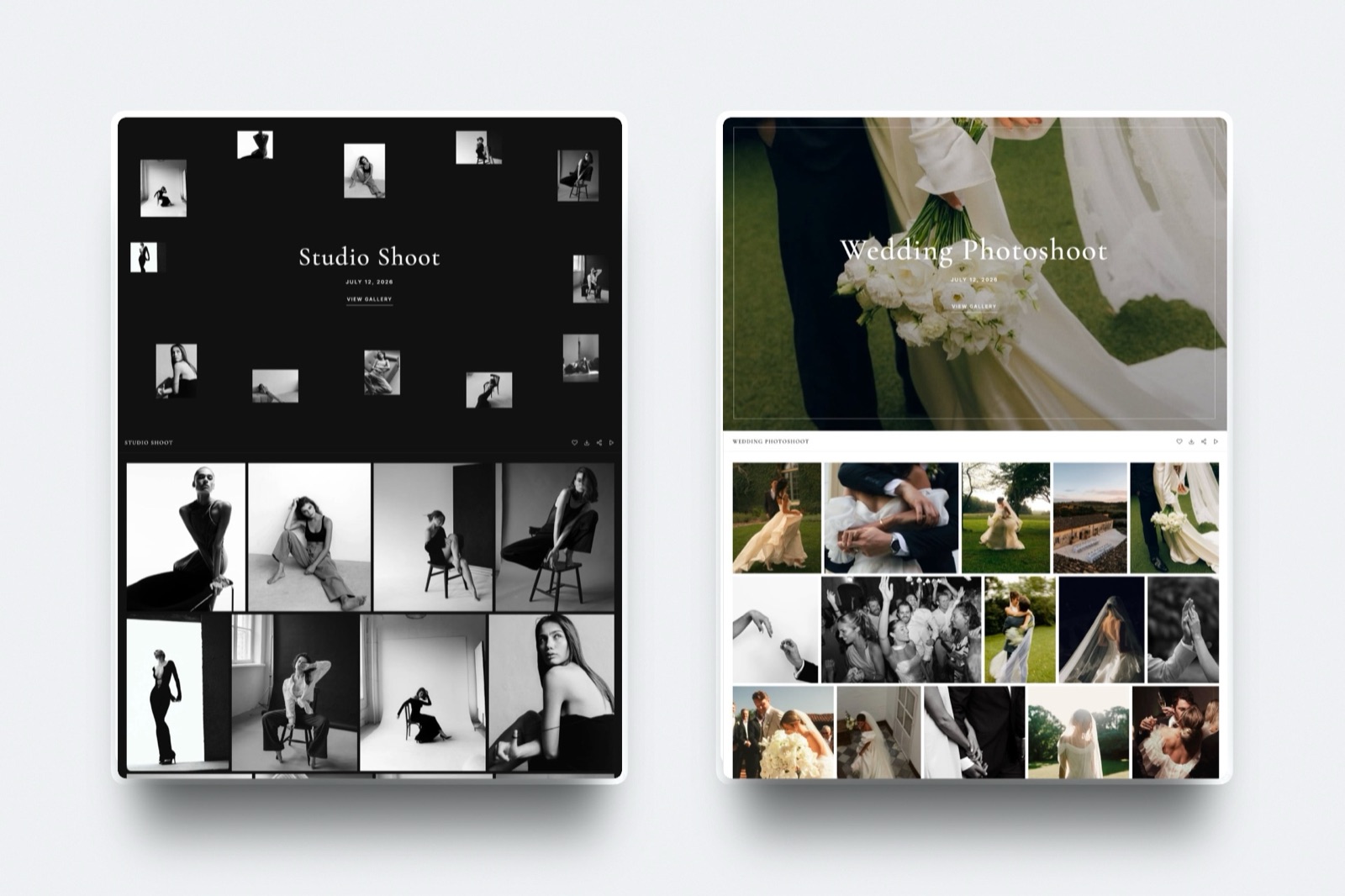
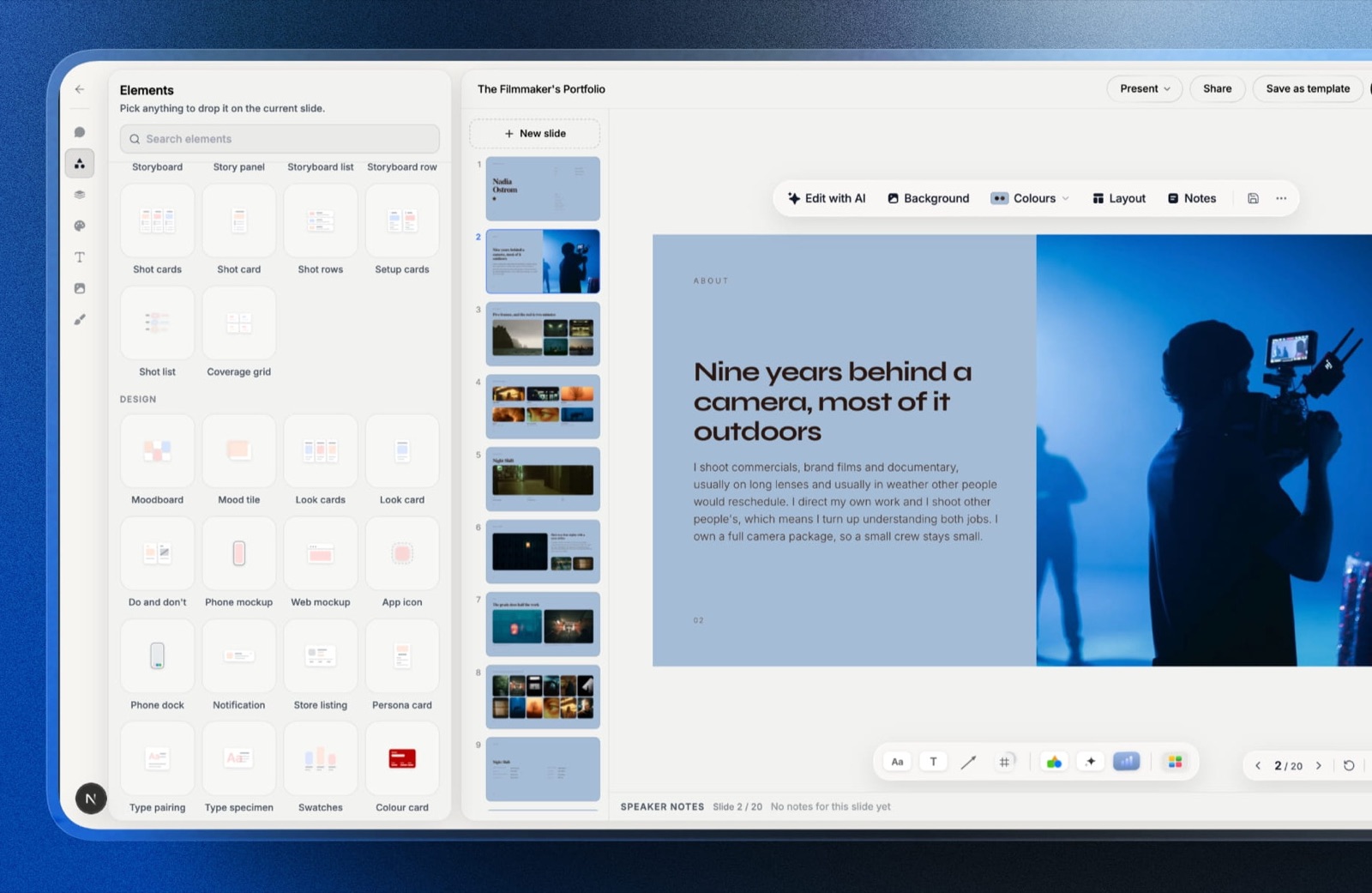
Framekit is an AI website builder for filmmakers, photographers and editors that puts client video review, client galleries, a digital-download store and Slides for treatments and decks on the same account and the same bill.
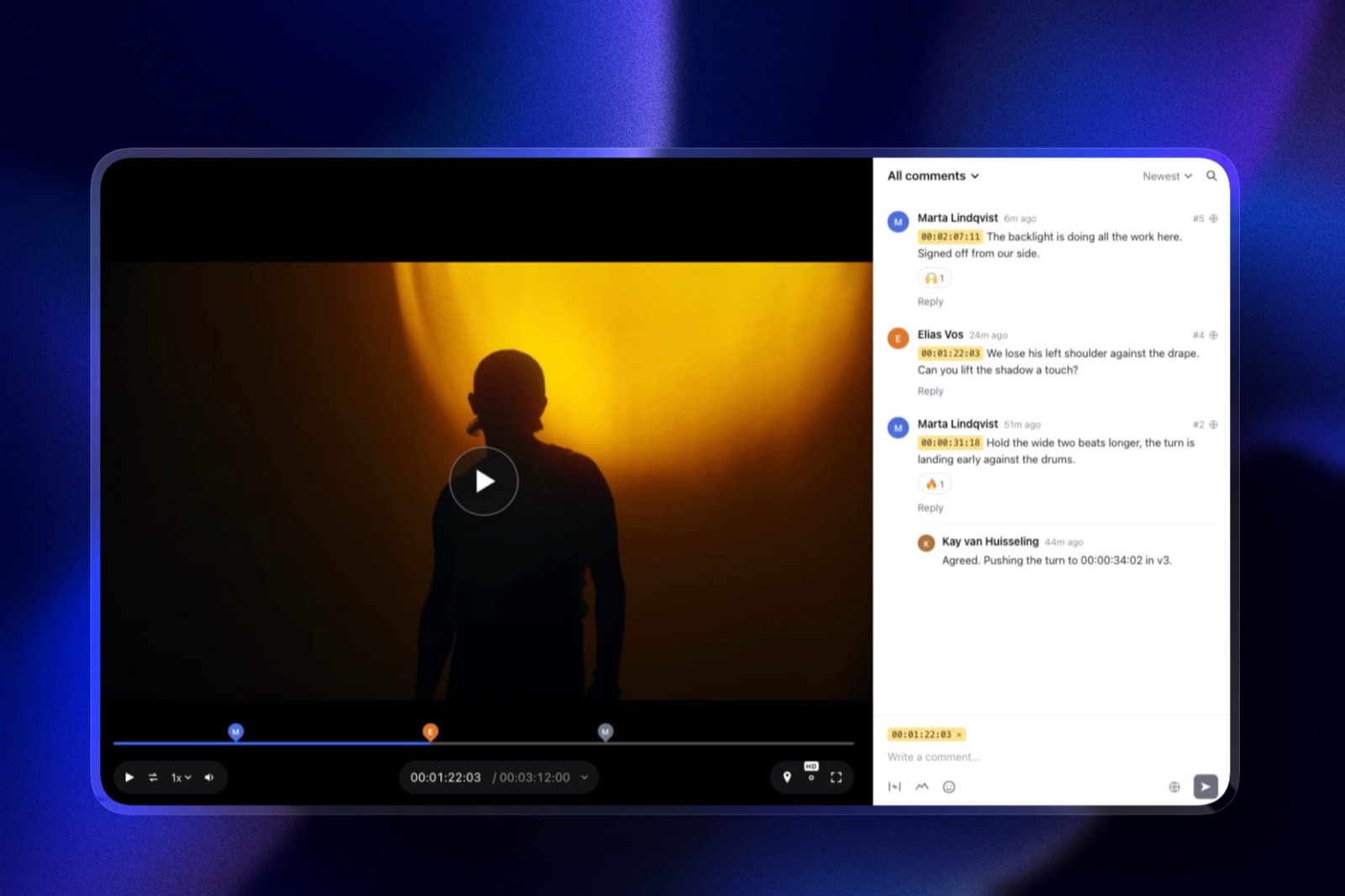
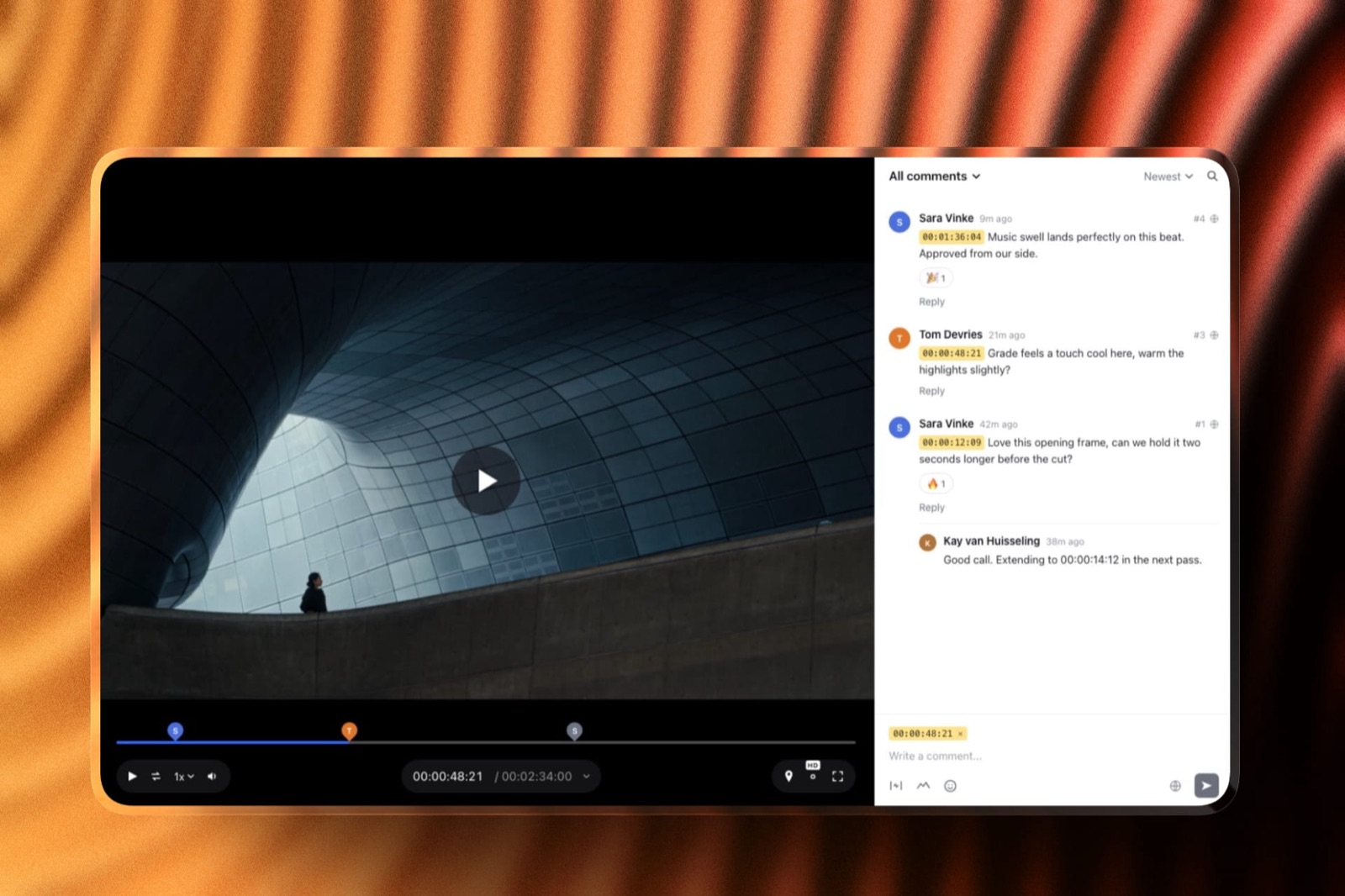
Its Video Review does the client side of what Frame.io does: clients comment on the exact timecode and draw on the frame without creating an account, cuts stack as versions with the old notes kept, and each cut carries an approval status (needs review, in progress, approved, needs changes).
Share links can be password-locked, set to expire, and ask for an email before viewing.
The real numberPro costs $19 a month, or $15 a month billed yearly ($180 a year), and includes 3 team members, so the carried three-person studio pays $180 where Frame.io Pro costs $468.
Business is $39 a month or $31 billed yearly ($372 a year) with unlimited team members. The Free plan includes Video Review with 10GB of pooled storage, 3GB of it for video.
The gotchastorage is one pool shared by your website, galleries and reviews, and the video share is small next to Frame.io: 150GB on Pro and 750GB on Business, with per-video uploads capped at 2GB on Pro and 3GB on Business and a 2-hour maximum length.
That is plenty for review proxies and nowhere near enough for camera originals.
What it does not dono Camera to Cloud, no panels inside Premiere, Resolve, Final Cut or After Effects, no transcription, no side-by-side compare or wipe, no forensic or session watermarking on review, no SSO or per-seat enterprise admin, and no 4K HDR review grading.
If any of those is part of your workflow, stay on Frame.io.
Verdict: Framekit is the cheaper fit for a solo editor or small studio whose review work is sending cuts to clients and who also needs a portfolio site, galleries or decks, and it is the wrong tool for a post house that lives in an editing timeline.
Where Frame.io Is Worth Every Dollar
In one lineFrame.io earns its price wherever the review tool has to connect to the rest of production, from the camera on set to the timeline in the edit to the security clauses in a studio contract, because no cheaper tool in this guide covers all three.
On set. Camera to Cloud uploads takes from supported cameras and recorders as they are shot, and it is included on every plan, Free too. Frame.io's Camera to Cloud page and its help centre cover compatibility with Teradek, Atomos, RED, Panasonic Lumix and others.
Nothing else priced here does this.
In the edit. The Premiere Pro and After Effects panels and the Final Cut Pro integration put client comments inside the editing app, which saves an editor from alt-tabbing through a hundred notes on a long cut.
In the review itself. The comparison viewer, transcription and captions, range-based comments and 4K UHD playback from Pro upward are the details that matter when the reviewer is a director or a colourist rather than a client.
In the contract. SOC 2 Type 2 compliance and TPN+ Gold Shield accreditation are listed across Frame.io's plans, and Enterprise adds SSO, forensic watermarking and DRM. When a studio or network requires them, the question is not price.
In storage. At 2TB per seat, Frame.io is also a cloud drive with review attached. Our Frame.io alternatives guide is honest that most alternatives cannot match that per-dollar capacity.
How to Choose a Frame.io Plan, or Something Cheaper
In one linedecide by who touches the media and what the review has to connect to, in this order, because those two answers settle the plan faster than comparing feature grids line by line.
- Does your workflow depend on Camera to Cloud, editing-app panels, transcription or enterprise security? If yes, choose Frame.io and go to question 2. If no, go to question 4.
- Do more than 15 people need to upload, or does a client contract require SSO or forensic watermarking? If yes, talk to Frame.io about Enterprise. If no, go to question 3.
- Do staff need to discuss cuts privately, or keep some projects hidden from some members? If yes, Team at $264 per member a year. If no, Pro at $156 per member a year. If you have one or two small jobs a month, try Free first.
- Do you store camera originals or large masters in the review tool? If yes, Frame.io Pro is still the best value per terabyte, so go back to question 3. If no, go to question 5.
- Do you host finished films publicly with an ad-free player? If yes, Vimeo Standard covers review and hosting in one bill. If no, go to question 6.
- Do you also need a portfolio site, client photo galleries, decks or a store for LUTs and presets? If yes, Framekit puts review and all of those on one plan from $0. If no, Wipster Light at $9.95 a month billed yearly is the cheapest dedicated review seat.
For editors specifically, our roundup of video review tools for freelance editors ranks the options by the jobs freelancers actually run, and the broader review and approval tools guide covers agency workflows.
Frequently Asked Questions
How much does Frame.io cost per month in 2026?
Frame.io costs $0 on the Free plan, $15 per member a month on Pro and $25 per member a month on Team when billed monthly, plus tax. On annual billing Pro is $156 and Team $264 per member a year, which is $13 and $22 a month.
Enterprise has no published price and is quoted by Adobe's Frame.io sales team.
Is Frame.io free?
Frame.io has a permanent free plan with no credit card required.
It allows 2 members, 2GB of storage, 2GB of Mounted Storage and 2 projects, and it includes frame-accurate comments, annotations, version stacks, transcription and Camera to Cloud.
Playback is capped at 1080p, and passphrase-protected or expiring share links need Pro.
Do clients need a paid Frame.io account to leave comments?
No. Frame.io lets you share with anyone through share links that need no sign-up or login, and those people appear in your account as reviewers, not members. Reviewers can watch and comment in a browser or in the free iPhone and iPad apps, and they add nothing to your bill.
Frame.io Pro vs Team: which should a small studio buy?
Frame.io Pro suits most small studios: it costs $156 per member a year, allows up to 5 members and gives 2TB plus 2TB per extra member.
Team costs $264 per member a year and adds restricted projects, internal comments, a 3TB starting allowance and up to 15 members. For three people, Team costs $324 a year more than Pro.
How much storage do you get on Frame.io?
Frame.io Free includes 2GB. Pro includes 2TB for the first member and 2TB for each additional paid member, up to 10TB at five members. Team starts at 3TB and adds 2TB per member, up to 31TB at fifteen members.
Reviewers and guests add no storage, and add-on storage is sold in 250GB increments.
Is Frame.io included with Adobe Creative Cloud?
Frame.io says it is included for free with select Creative Cloud subscriptions when you sign in with your Adobe ID.
Its help article on the Adobe subscriber plan, now labelled legacy, lists 2 users, 5 projects, 100GB of storage and Camera to Cloud. Anything beyond that allowance needs a Frame.io Pro, Team or Enterprise plan billed separately.
Does Frame.io charge per user or per team?
Frame.io charges per member, meaning each person who uploads and manages media in the account. The listed $15 (Pro) and $25 (Team) are the price of one member for one month, and adding members raises the subscription.
Clients and outside collaborators who only review through share links are free.
How much does Frame.io cost for a team of three?
Three members on Frame.io Pro cost $468 a year on annual billing or $540 on monthly billing, with 6TB of storage. On Team the same three people cost $792 a year or $900 monthly, with 7TB. Sales tax is added to all of these based on your billing address.
What is the cheapest alternative to Frame.io for client review?
Among dedicated review tools, Wipster Light is the cheapest at $9.95 a month billed yearly for one person with 50GB.
For a three-person team, Framekit Pro costs $180 a year with 3 members included, 150GB of video storage, and a portfolio site, galleries and Slides on the same plan. Neither offers Camera to Cloud or editing-app panels.
What happens if I go over my Frame.io storage limit?
Frame.io warns you which limit you have exceeded and gives you a brief window to get back under it or upgrade, during which you can keep working.
Accounts that stay over their limits can be locked, and removing a paid member removes that member's 2TB, so check usage before trimming seats.
Final Verdict
Frame.io pricing is straightforward once you see that you pay for people who handle media, not people who watch it.
A solo editor belongs on Pro at $156 a year, a three-person studio on Pro at $468 unless it needs internal comments, and only teams that need restricted projects, more than five members or enterprise security should pay Team or Enterprise rates.
For editors who store footage in the cloud and cut in Premiere, After Effects or Final Cut Pro, that is fair money for the most connected review tool on the market.
Where Framekit loses is everything upstream and inside the edit: it has no Camera to Cloud, no editing-app panels, no transcription, no compare viewer, no forensic watermarking, no SSO and a fraction of Frame.io's storage, so Framekit is not for post houses, agencies with security clauses or anyone storing camera originals.
It is the better fit for a solo filmmaker or small studio who mostly sends cuts to clients and also needs a portfolio site, client galleries and treatment decks, where $180 a year covers three people and the review page sits on the same domain as the work.
Related readingcompare every dedicated review tool in the best Frame.io alternatives, see which free tiers go furthest in the best free video review tools, and if you are leaving Vimeo's review links, start with Vimeo review alternatives.
Editors choosing a home for the finished reel can use the best showreel hosting platforms.
If you also host finished films, Frame.io vs Vimeo explains where the two overlap, and the all-in-one platforms for filmmakers guide prices review as part of a full stack.