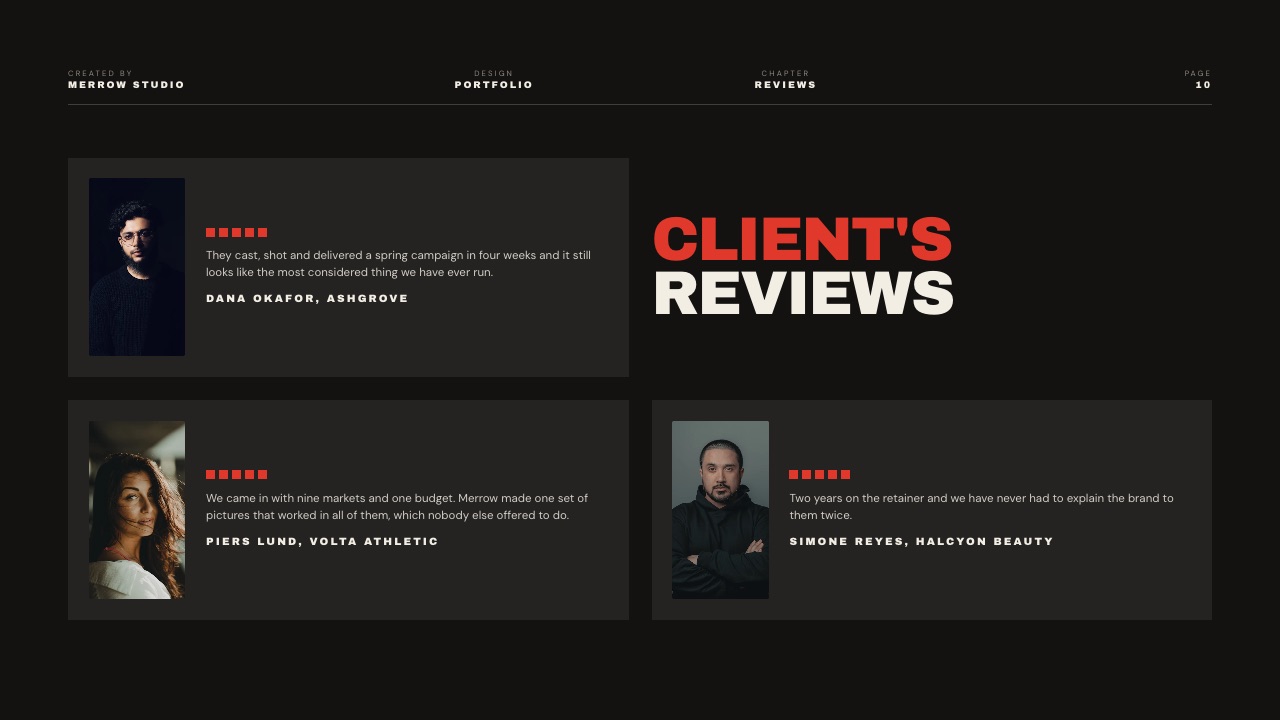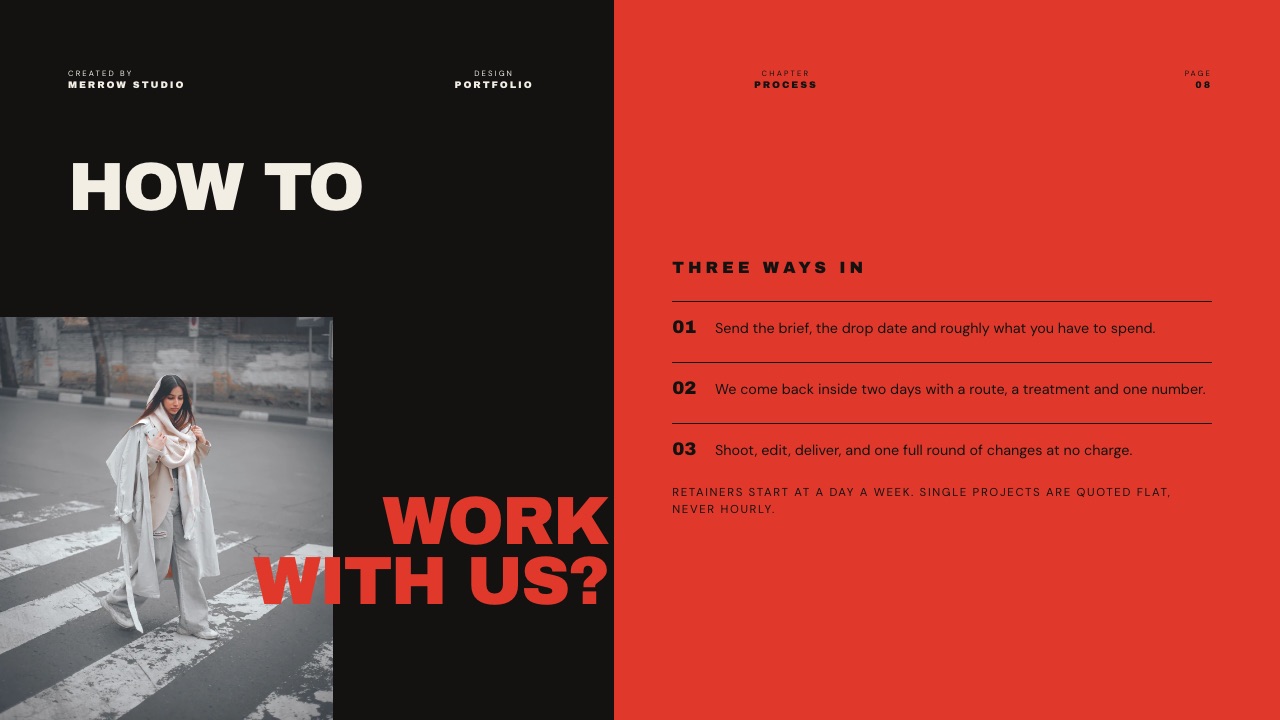
Framekit templates
Start from a designer-made template
 Use template
 Use template
 Use template
 Use template
 Use template
 Use template
 Use template
 Use template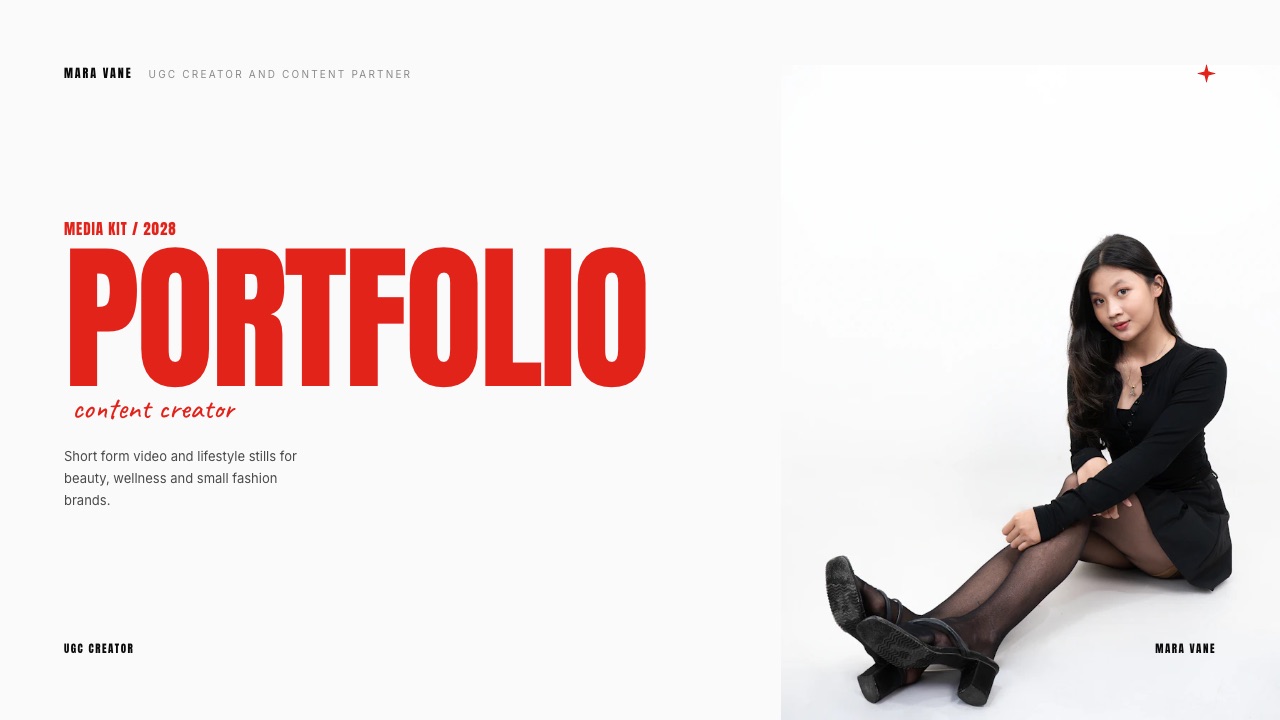
A brand partnerships manager opens your kit on a phone, in a folder with 11 others, between two meetings. You get a skim, not a read, and in that skim they are answering three questions in order: is this the right audience, has this person done this before, and what does it cost.
Most creator kits answer none of the three on the first two slides. They open with a mood photo, follow with a follower count, and put the price in an email three days later.
So here is how to make a media kit that survives the skim, built as a deck you export as a PDF or send as a link.
That is the scope of this guide, and it matters because the blog covers the same job three ways. If you want the tool ranking, read the best media kit makers.
If you want an always-on page on your own domain that a brand can find without asking you, read the media kit website version.
This post is the deck and PDF procedure: what goes on each of the 8 slides, in what order, and how to send it.
A media kit is a short sales document of 6 to 10 slides, sent as a PDF or a shared link, that tells a brand who your audience is, what you have made for brands like theirs, and what a collaboration costs.
Build the media kit as 8 slides in this order: cover, who you are, the audience, one case study with a real number, what you make, past partners, packages with prices, next step.
Put prices in the kit, because a kit without a number gets filed and answered later.
Framekit Slides is the pick for building it, with unlimited decks, an AI slide writer, PDF export and a share link on every plan including Free; Canva is the shortcut if you want a template you have seen before; Pitch or Storydoc are the answer when you need to know which brand opened the kit, since Framekit deck links report a total view count and nothing per viewer.
Full disclosure: Framekit is our product, which is a reason to check the claims, not take them. Competitor prices here were read on each vendor's own pricing page in September 2026 and linked where the page is reachable; two pages served European or UK pricing to us and are labelled in that currency, not converted. Pitch, Storydoc and DocSend all beat Framekit on deck analytics, which is named again in the verdict instead of being buried here.
How this guide was researched, and what it does not claim
Every number below belongs to one of three categories, and knowing which is which is the difference between a kit you can defend in a call and a kit that falls apart when someone asks a follow-up question.
Read at the source. Tool prices and plan limits come from each vendor's published pricing page in September 2026, linked inline where the page is reachable to a bot.
Where a page served European or UK pricing, the figure is given in that currency and never converted.
Calculated. The reach, rate and cost-per-thousand arithmetic is worked in full so you can swap in your own analytics. The carried example is a food creator with 9,400 Instagram followers and 3,100 on TikTok, selling a three-deliverable package at $1,200.
Not claimed. There is no reliable published average for what a creator of a given size gets paid, so this guide does not invent one. Every rate figure here is the example creator's own, shown as arithmetic you can redo, not as a market benchmark.
The media kit by the numbers
These are the constraints the rest of the procedure is built around, and each one is a decision you would otherwise make badly under time pressure while a brand waits for a reply.
- 8 slides is the working length: enough for proof, short enough to read standing up.
- 1 case study in the kit, not four, because a brand reads the first and skims the rest.
- 3 packages on the pricing slide, with the middle one the one you want sold.
- 25MB is Gmail's attachment ceiling, which no sane kit approaches, and Gmail swaps anything larger for a Drive link automatically.
- Unlimited decks on every Framekit plan including Free, with PDF export and a share link on all of them, which is why the kit is free to build and only costs money when you want your own fonts or the byline gone.
- 60 slides is the ceiling on Framekit's PowerPoint export, which is Pro and up and exports each slide as a picture, not editable text.
In one linea media kit fails at the top, not the bottom, so the work is front-loading audience fit, proof and price instead of adding slides nobody scrolls to.
Step 1. Aim the kit at one category of brand
A kit written for everyone reads as a kit written for nobody, and the fastest upgrade available to most creators is deleting the words that make it general.
Pick one category you can genuinely serve: kitchen equipment, running shoes, skincare for oily skin, regional tourism boards. Then write the kit as though the reader works there.
The cover line changes from "content creator and storyteller" to "food creator making kitchen-equipment content for home cooks who actually cook".
The case study changes from the campaign with the biggest numbers to the campaign closest to their product.
You can keep one version per category. The 8-slide spine stays identical and three slides swap: the cover line, the case study, and the packages.
That is 15 minutes of editing per category, and it is the difference between a deck that gets forwarded internally and one that gets a polite no.
In practice this is where a duplicate-and-edit workflow matters more than design features.
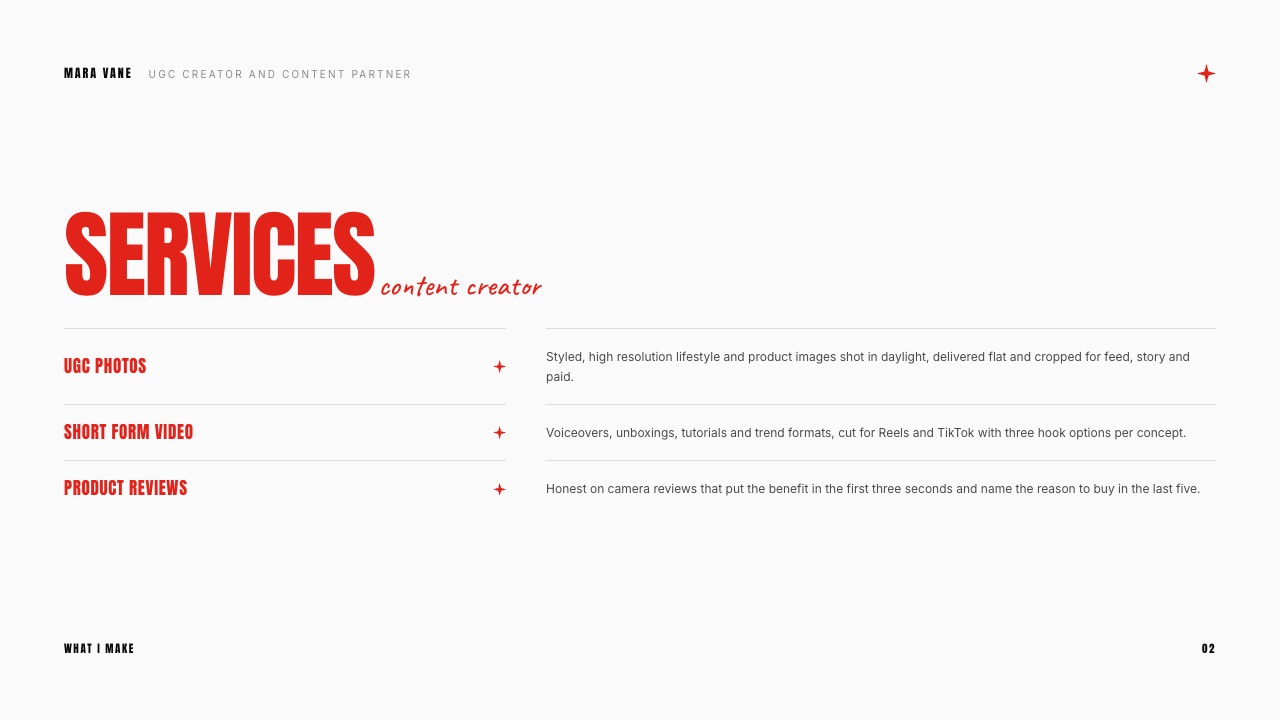
Framekit Slides gives you unlimited decks on every plan including Free, so keeping four aimed versions of one kit costs nothing and the AI slide writer can redraft the cover line for each category from a sentence of instruction.
Whatever tool you use, the rule holds: one kit per category beats one kit with a category list on slide 2.
The thing that goes wrongthe creator hedges. The kit says "I work across food, travel, fitness and lifestyle", the partnerships manager reads it as "has no particular audience", and the deck is closed on slide 1.
Step 2. Pull only the numbers you can defend
Every number in a media kit is a promise that you will be able to answer a question about it, so the test for including a metric is not whether it flatters you, it is whether you can explain how it was measured.
Take them from the platform's own analytics, name the window they cover, and date them. "31,000 accounts reached, 28-day window, August 2026" is a fact. "31k+ reach" is a claim with the evidence removed, and a partnerships manager who buys media for a living reads the second one as the first one hiding.
| Metric | Where it comes from | Show it when | Leave it off when |
|---|---|---|---|
| Followers or subscribers | Platform profile | It is growing, or the number is genuinely big for the niche | It is the only number you have |
| Accounts reached per post | Platform analytics, 28 or 30 day window | Reach regularly beats your follower count | Reach is inflated by one viral post |
| Saves and shares | Platform analytics per post | You make reference content people come back to | The numbers are small and you are padding |
| Link taps or clicks | Platform analytics or your link tool | The brand's goal is traffic or a code redemption | You have never run a link campaign |
| Audience age, gender, top cities | Platform audience insights | The brand sells to a specific demographic or market | Your audience does not match theirs, in which case say so |
| Email subscribers | Your email tool | You have a list, because a list is the only audience you own | The list exists but you never send to it |
Two omissions do more good than any addition. Leave out impressions when you are also showing reach, because the bigger number invites the question of which one is real.
And leave out engagement rate unless you say exactly how you calculated it, since the same post supports three different rates depending on whether you divide by followers, by reach or by views.
One more discipline: screenshot the analytics you quote and keep the screenshots in a folder with the date in the filename.
You will be asked for them on the second or third deal, and a creator who can produce the underlying screen within an hour reads as a professional supplier and not a hopeful.
The thing that goes wronga kit quotes a 90-day peak next to a 7-day average without labelling either, the brand notices, and every other number in the deck now needs checking.
Step 3. Write the audience slide a brand can act on
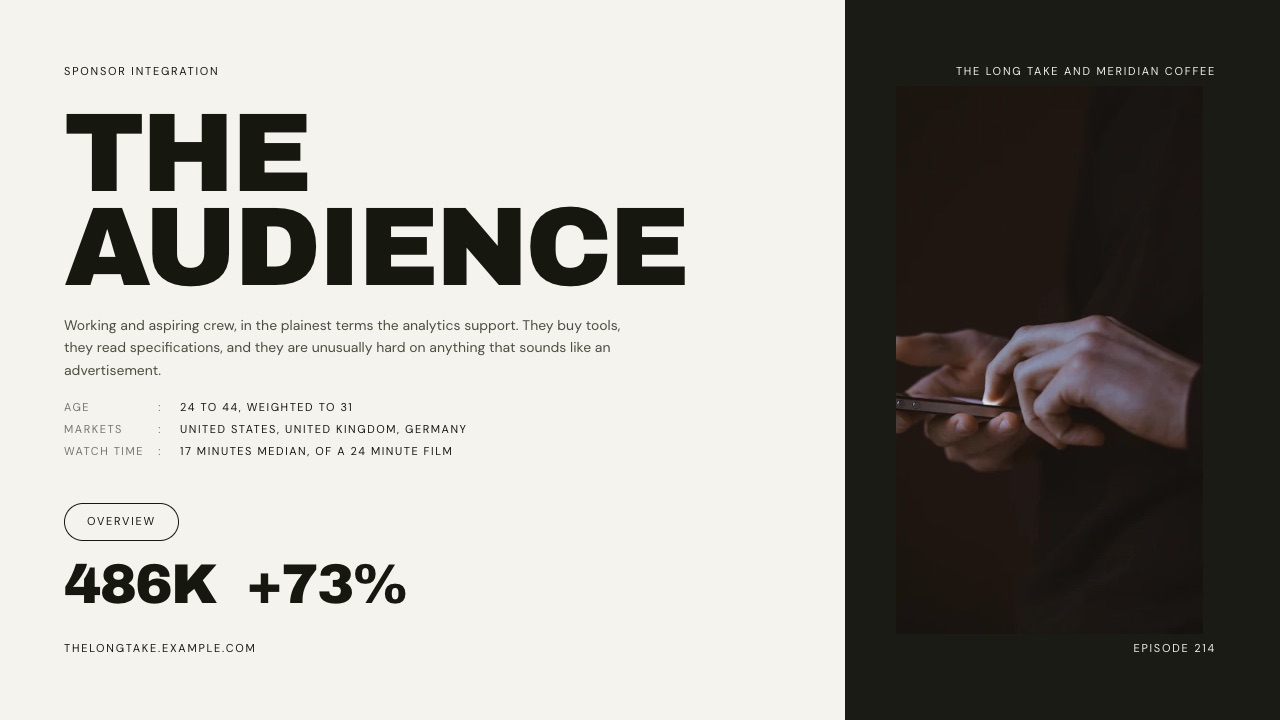
The audience slide is where most kits lose the deal, because they report the follower count instead of describing who those people are and what they were about to buy.
Write three lines, in this order. Who they are: "home cooks aged 25 to 40, 71 percent women, biggest cities London, Manchester and Dublin". What they come to me for: "weeknight recipes with equipment they already own". What they do after: "1,850 link taps on the August pan collaboration, which is 6 percent of the 31,000 accounts that post reached".
That third line is the one nobody writes and everyone buying wants. Reach is an audience metric; a link tap is a behaviour, and behaviour is what a brand is paying for.
If you have never run a link campaign, use the closest proxy you can evidence: comments asking where a product is from, saves on a product-led post, a code redemption count from a previous partner.
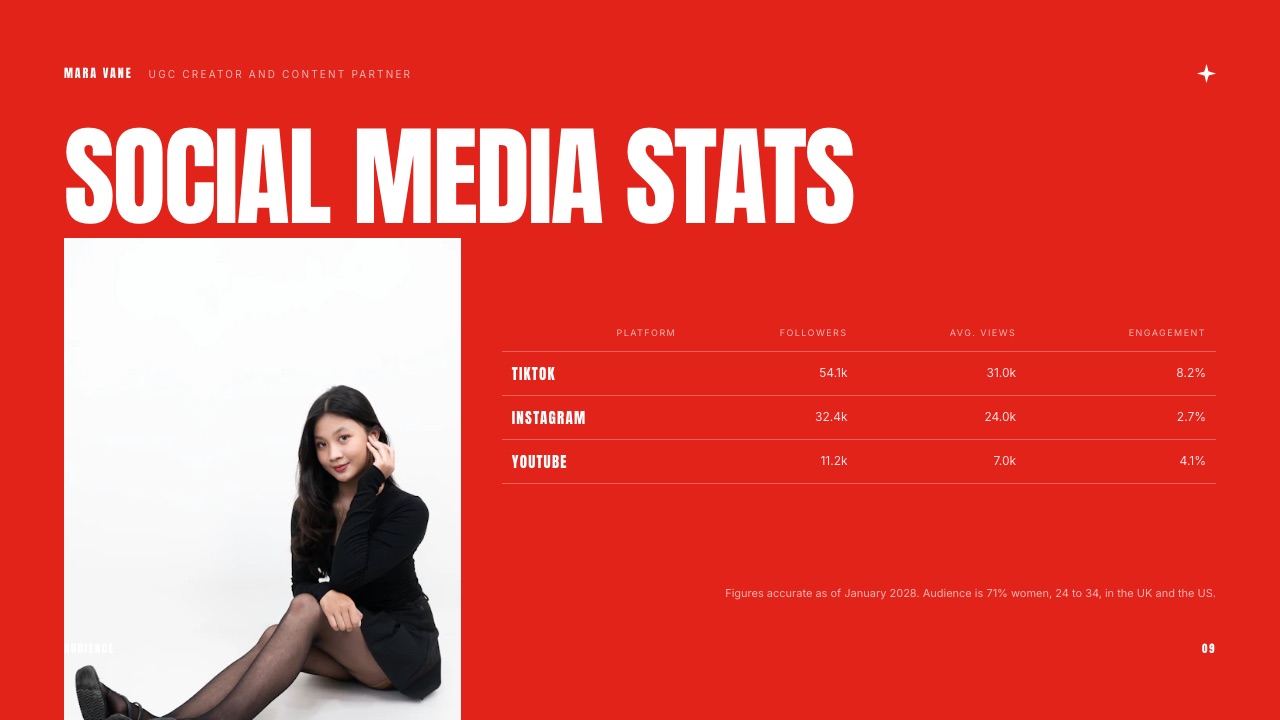
Keep platform breakdowns to one line each and put them at the bottom of the slide. A brand does not need your TikTok completion rate on the slide that establishes who your audience is; they need to know your audience is their customer.
If you want a deeper reference on how creator portfolios present this material, UGC portfolio examples shows the layouts that get used in practice.
The thing that goes wrongthe audience slide is a chart of follower growth. Growth is your metric, not theirs, and a rising line with no buying behaviour attached tells a brand nothing about whether a campaign will work.
Step 4. Build one case study with a before, an after and a number
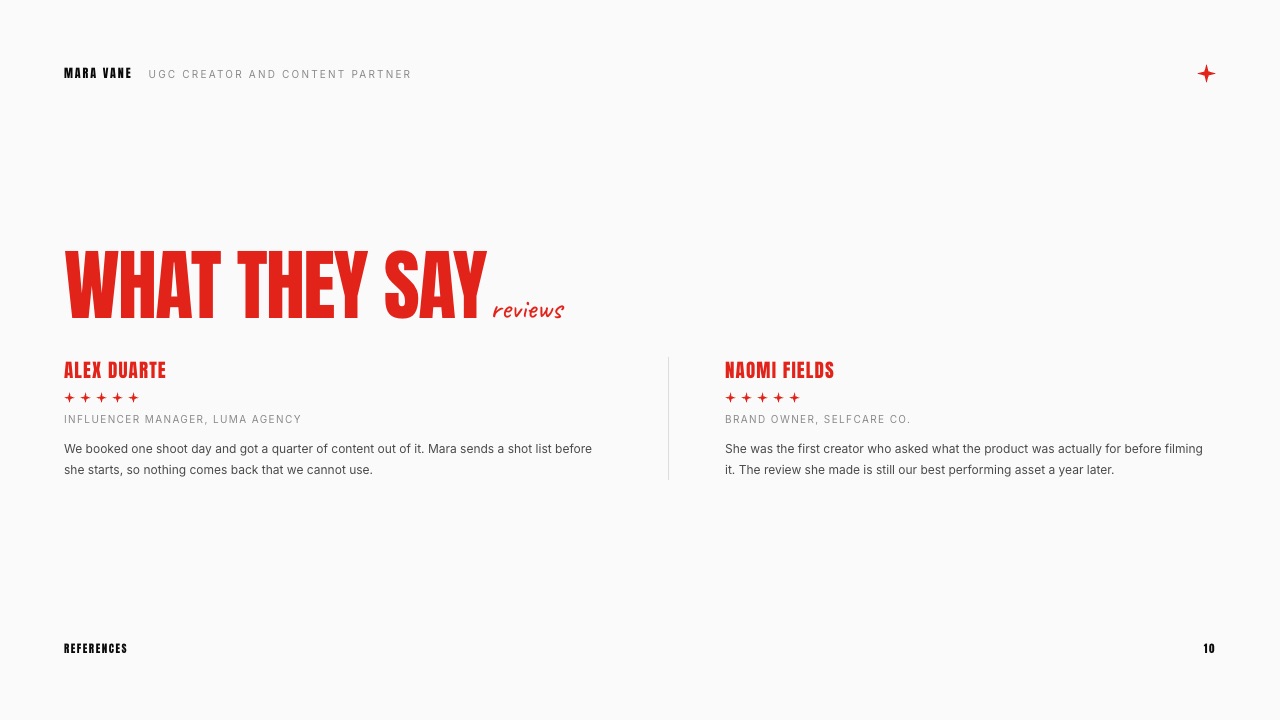
A case study slide is the only part of a media kit that proves anything, and it works because it swaps your claim about being good at this for a brand's account of what happened when you were.
Use four blocks and keep them in this order: the brief, what you made, what happened, and what the brand said. The brief is one sentence about the problem, not the deliverable.
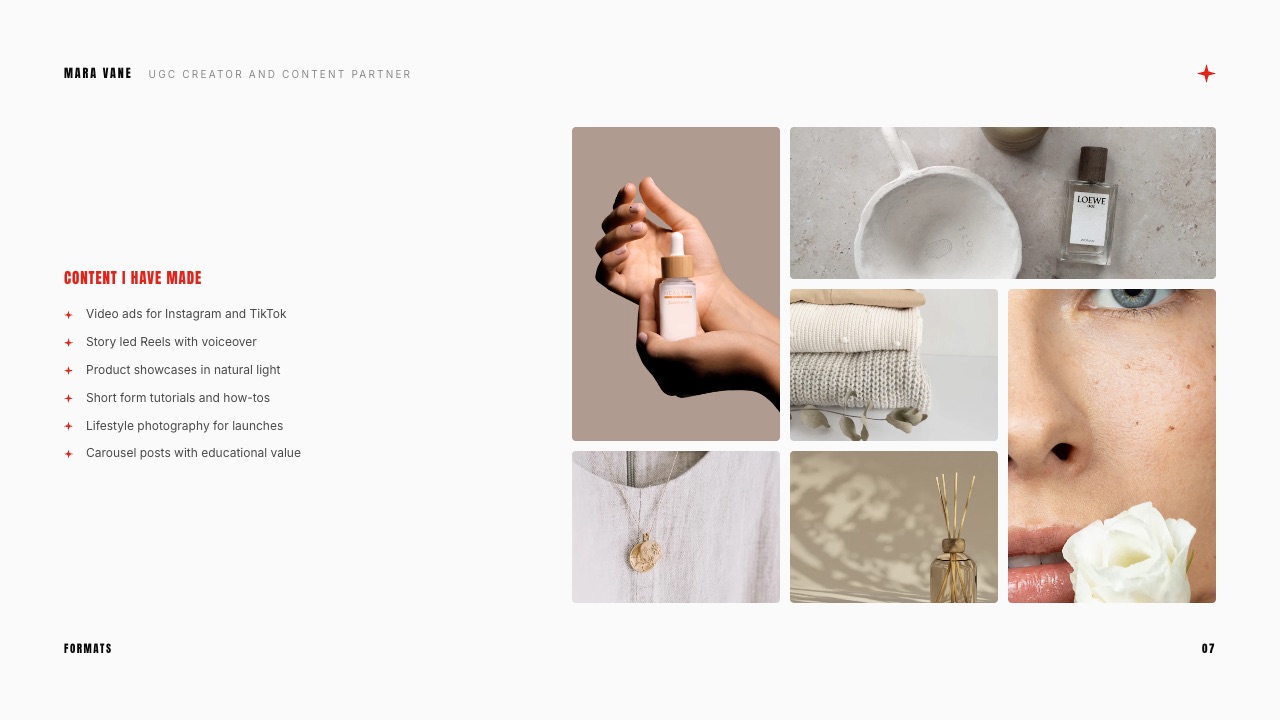
What you made is two or three frames from the actual work, large enough to see. What happened is the number, labelled with its window. What the brand said is one sentence of quoted feedback, used with their permission.
The example creator's version reads like this: a pan brand needed weeknight recipe content for a new range; three Reels and nine stills over four weeks; 31,000 accounts reached on the lead Reel against a 9,400 follower count, and 1,850 link taps at a 6 percent tap rate; the brand's marketing lead calling it their best-performing creator content that quarter.
Four lines, one slide, and every figure traceable to a screenshot.
If you have no paid work yet, the honest version is a self-directed case study labelled as one in the slide title: you picked a product you already use, made the content you would make for that brand, and published it.
Show the same four blocks with real numbers from your own post. A labelled spec piece is credible. A spec piece presented as a client campaign is the one thing in this guide that can end a relationship before it starts.
One structural note. Put the case study at slide 4, before the price and after the audience, because that is the order the reader's questions arrive in.
A brand that has just understood your audience and then sees proof of what your audience does is a brand ready to read a number. Reverse those two slides and the price arrives as a surprise.
The thing that goes wrongthe case study is a collage of five campaigns with no numbers, which reads as a portfolio, not evidence. Portfolio work belongs on the website you link from the last slide, not in the middle of a sales document.
Step 5. Put prices in the kit, and put 3 of them
A media kit with no price in it creates one extra email in a process that dies of extra emails, and the creator who forces a brand to ask "what are your rates" is the creator who gets answered last.
Show 3 packages. The first is the single deliverable that lets a brand test you cheaply. The second is the one you actually want sold, sized so it makes a campaign, not a post.
The third exists to make the second look reasonable and to catch the brand with a bigger budget than you assumed. Price them with real numbers and mark them as starting points for the example month and not an immovable rate card.
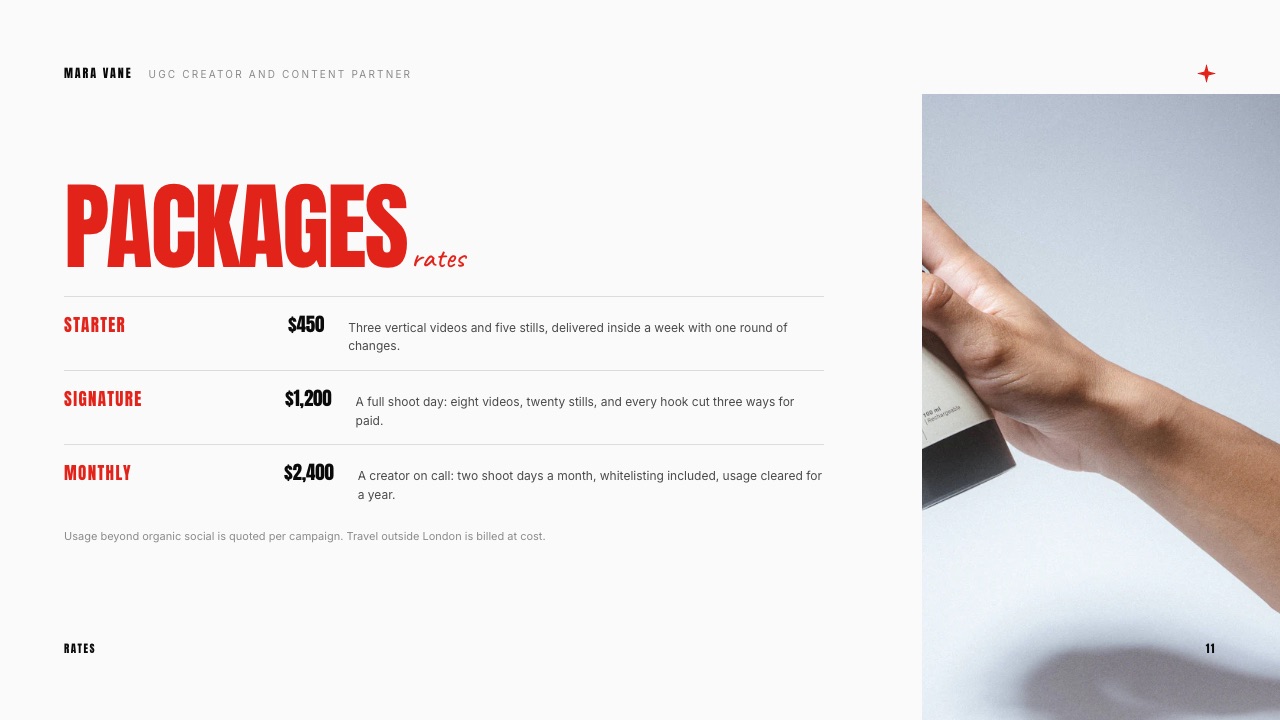
| Package | What the brand gets | Example price | What moves the number |
|---|---|---|---|
| Single piece | One Reel, one round of revisions, 30 days organic use | $450 | Extra revision rounds, a scripted brief, a short turnaround |
| Campaign | Three pieces plus nine stills, two rounds, 90 days organic and paid social use | $1,200 | Paid usage window, whitelisting on the brand's account, exclusivity |
| Quarterly | Nine pieces across three months, monthly planning call, 12 months use | $2,400 | Category exclusivity, rights beyond social, talent usage in stores or email |
The column on the right is the part most creator kits omit and most negotiations turn on.
Usage is the price driver: the same Reel costs one number for 30 days of organic use on your own channel and a different number when the brand runs it as an ad for a quarter.
Say so in the kit, in one line, so that the conversation about paid usage happens before the shoot instead of after it.
Work out what your price looks like as a media buy before you send it, because the person reading it will do that conversion anyway.
The example creator's $1,200 campaign package against the 31,000 accounts her lead Reel reached is $38.71 per thousand reached, a figure a partnerships manager can hold next to the rest of their budget, and one you want in your head before the call, not during it.
Two practical rules. Write "from" in front of the package prices so you have room to quote a real number after a brief, and never show a discount in the kit itself, since a public discount becomes the price.
For a deeper breakdown of how creators structure these numbers, the UGC rate card guide covers deliverable-by-deliverable pricing in a way a single slide cannot.
The thing that goes wrongthe kit says "rates available on request". The brand requests rates from three creators, two answer with numbers and one answers with a calendar link, and the calendar link loses.
Step 6. Lay out the 8 slides so they survive a phone screen
The kit is read on a phone before it is read anywhere else, which means one idea per slide, a headline that states the idea, and type big enough to read at the size of a thumbnail.
Here is the skeleton. It is deliberately short, and the right-hand column is what to leave out, which is the harder half of the job.
| Slide | What it answers | Leave off |
|---|---|---|
| 1. Cover | Who you are, what you make, for whom | Taglines, logos of brands you have not worked with |
| 2. About | Why you and not the next creator | Your origin story, anything before the last three years |
| 3. Audience | Who follows you and what they do next | Follower-growth charts, impressions next to reach |
| 4. Case study | Proof it worked, with a number | Four case studies at once |
| 5. What I make | Deliverables, formats, turnaround | Your equipment list |
| 6. Past partners | Credibility at a glance | Brands you tagged but never worked with |
| 7. Packages | What it costs and what changes it | Discounts, hourly rates |
| 8. Next step | How to book and what happens after | A contact form, a calendar wall of options |
Four design rules carry the rest. One headline per slide, written as a statement, not a label, so "our audience buys kitchen equipment" beats "audience".
Real work as the images, at full bleed, because a brand is buying your eye and a stock photo argues against it. Contact details on slide 1 and slide 8, since the kit gets forwarded and the forwarder rarely retypes your handle.
And your own fonts and colours throughout, which on Framekit Slides is available on every plan for colours and on paid plans for uploaded custom fonts.
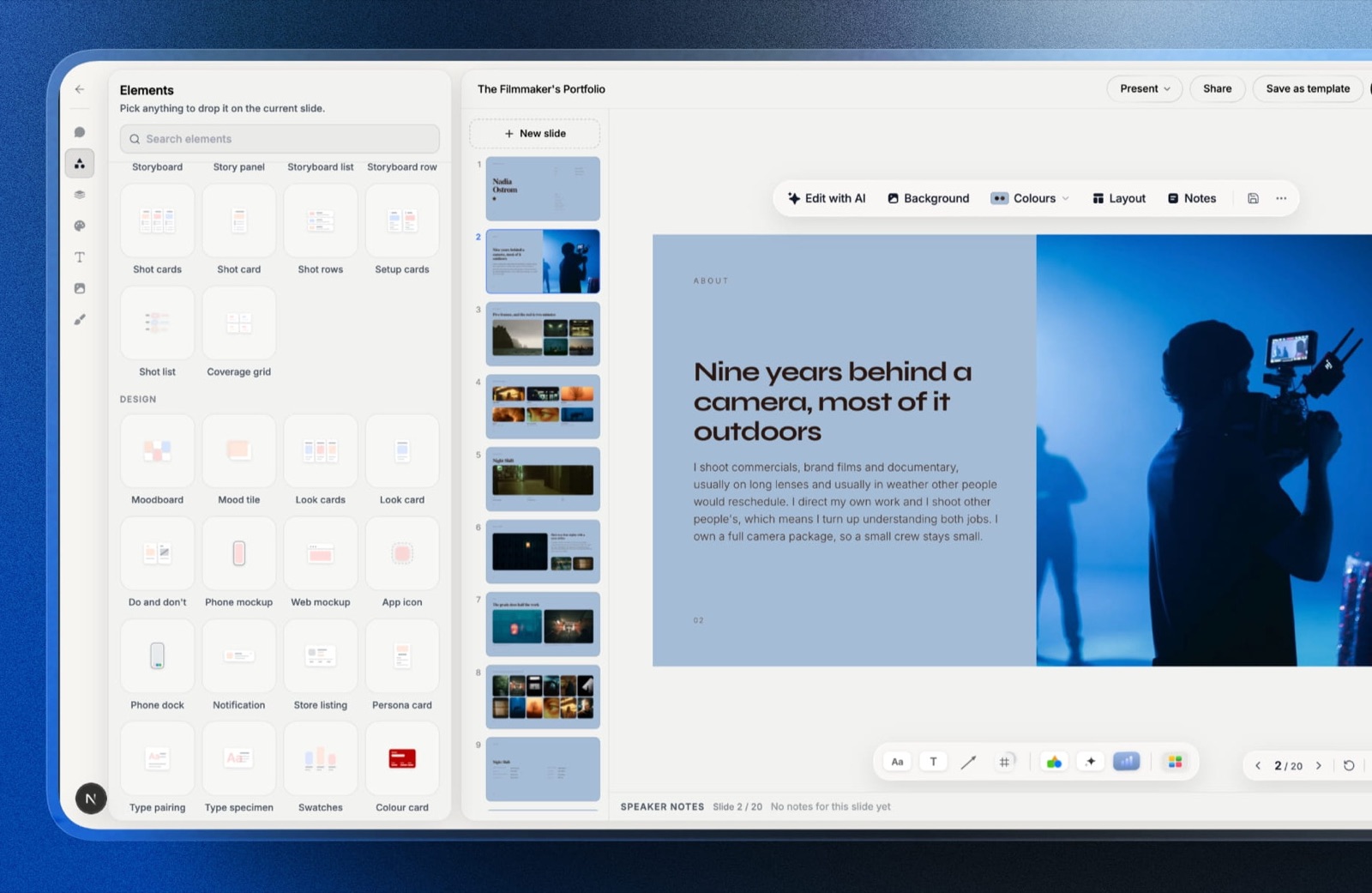
Framekit is an AI website builder whose Slides tool builds this deck on the same account as the portfolio site the last slide points to, which matters here only because the two artefacts stay in the same fonts and colours without you rebuilding anything.
Describe a slide in a sentence and the AI slide writer lays it out; speaker notes sit under every slide, which is where the numbers behind each claim belong when you present it live.
If you want the general deck craft instead of the media-kit version, how to make a pitch deck covers structure and narrative in more depth.
The thing that goes wrongthe deck is designed at desktop size with 14-point body copy and three columns per slide. On a phone it is a grey rectangle, and the partnerships manager who cannot read slide 3 does not open slide 4.
Step 7. Send it as a PDF, a link, or honestly both
The delivery format is a real decision and not a detail, because a PDF is the version that survives being forwarded into a procurement folder and a link is the version you can fix after you send it.
Send a PDF when the brand is a large company, when the kit is going into an internal review, or when you have any reason to think it will be opened without a network connection.
Export at a sensible size, name the file so it identifies you when it is sitting in a folder of twelve, and use a date, not a version letter: nadia-okafor-media-kit-2026-09.pdf.
A deck of this length exports well under Gmail's 25MB attachment limit, and Gmail replaces anything larger with a Drive link automatically, so file weight is not your problem. Version control is.
Send a link when you are still refining prices, when you want the kit to stay current after it is forwarded, or when the deck includes video.
A link means the brand that opens it in November sees November's rates and not the numbers you sent in September.
Framekit gives you a share link and full-screen presenting on every plan including Free, plus PDF export on every plan, so you can do both from one deck without rebuilding it.
Here is the honest limit. A Framekit deck link reports a total view count and nothing else: no per-viewer analytics, no record of which company opened it, no password on the link.
If knowing that the brand opened your kit twice on Tuesday is part of how you decide when to follow up, you want a different tool for the link version, and the options are covered in the cost section below.
The thing that goes wrongthe creator sends a Google Drive link to a PDF, the brand hits a permission request, and the request goes to an email address the creator checks on Sundays.
Step 8. Update the kit on a schedule, not when someone asks
A media kit goes stale in a specific and embarrassing way, which is that its numbers describe a version of your audience that stopped existing two quarters ago, and you only find out while someone is reading it.
Put a recurring 45 minutes in the calendar every quarter. Refresh the analytics window on the audience slide and re-date it. Replace the case study if a better one has happened.
Re-read the packages slide against what you have actually been charging, because rates drift upward in negotiation long before they drift upward in the deck. Change the cover line only if the category has genuinely changed.
Keep the old PDFs, because when a brand comes back 9 months later working from your kit you want to know which numbers and which prices they are reading. A dated filename does that for free.
The link version has the opposite property: a shared deck updates under everyone who holds the link, including the brand you sent it to in June. If you raise prices, send the new link with one sentence saying rates changed on a date.
The thing that goes wrongthe kit is updated only when a brand asks for it, which means every update happens in a rush, in the hour a reply was due, using whatever numbers are on screen.
What building the kit actually costs
Building a media kit is nearly free in 2026, and the money only appears when you want either your own fonts on it or per-viewer analytics behind the link, which are two very different reasons to pay.

| Tool | What it costs | What it does not do |
|---|---|---|
| Framekit Slides | Free plan with unlimited decks, AI slide writer, PDF export and share links; Starter $9/mo ($7 yearly) removes the byline and opens the full template library; Pro $19/mo adds picture-based PowerPoint export up to 60 slides | No password on deck links and no per-viewer analytics, only a total view count; no invoicing or contracts anywhere in the product |
| Canva | A free tier and a paid tier; the pricing page blocks automated requests so no figure is quoted here | Brand-kit features sit behind the paid tier, and the templates are the ones every other creator is also using |
| Figma | Free Starter plan; Professional full seat $16 a month billed monthly | Nothing about it is built for a media kit, so you are designing from a blank canvas and exporting by hand |
| Pitch | Free with 100 one-time AI credits and 2 external guests; Team listed at EUR 15 per seat per month billed yearly for European buyers, which is the tier with advanced links | Per-viewer link analytics start on the Team tier, so the free plan does not answer the question most creators want answered |
| Storydoc | Starter $19.80 a month billed annually, $237.60 a year, 5 active documents | The active-document cap bites quickly if you keep an aimed kit per brand category |
| Notion | Free plan; Plus listed at EUR 9.50 per member per month billed annually for European buyers | It is a page, not a deck: no slide export, and a brand cannot present from it |
| Adobe Express | Free plan; Premium listed at GBP 9.98 a month including VAT for UK buyers, with brand kits | Premium is priced around stock and generative credits you may never use for an 8-slide kit |
The decision underneath the table is simple once you name it. If the kit is a document you send, build it free and spend nothing.
If the kit is a document you want to watch being read, you are buying analytics, not design, and Pitch's Team tier or Storydoc is the cheaper honest answer than any amount of design tooling.
In one linenothing in this table stops you making a good media kit on a free plan, so treat any spend as buying one specific missing capability and never as buying quality.
How to present a small audience without apologising for it
A small audience is a positioning problem, not a numbers problem, and the kits that win with 9,000 followers are the ones that never put the follower count in the largest type on the slide.
Three moves do the work. Lead with a ratio, not a total. The example creator's lead Reel reached 31,000 accounts against 9,400 followers, which is 3.3 times the follower count, and that ratio is a more interesting fact about the audience than either number alone. Lead with behaviour. A 6 percent link-tap rate on a product post is a purchasing signal; 100,000 passive followers is not. Lead with concentration. If 71 percent of your audience is the brand's exact customer, say the percentage, because a small concentrated audience outperforms a large diffuse one for a product with a narrow buyer.
Then be plain about scale instead of hiding it. A brand that discovers your real reach after signing is a brand that does not book you twice.
A kit that says "this is a small, concentrated audience and here is what it does" converts at a rate that surprises creators who spent a year buying follower growth instead.
There is a category of brand that specifically wants this.
Smaller and newer brands run creator work in house on a fixed budget, with a preference for creators whose audience they can actually describe, which is exactly the argument a concentrated kit makes.
The 2026 Influencer Marketing Benchmark Report, a survey of more than 600 industry respondents, found 66.3 percent running programmes entirely in house and the strongest stated expansion intent sitting with nano and micro creators and not macro ones, which tells you who is reading your kit and what they are looking for.
Which version of the kit should you build first
Answer these in order and stop at the first yes, because the right first build depends on how brands currently reach you, not on what looks most impressive.
Are you pitching brands cold, by email, this month? Build the 8-slide deck and export a PDF. It is the artefact that attaches, forwards and survives an internal review, and you can have it finished today.
Do brands find you and ask for a kit? Build the link version first and keep the PDF as the export.
A living page or deck that you update quarterly beats a PDF whose numbers you have to remember to resend, and how to share a presentation online covers the link mechanics across tools.
Do you need to know which brand opened it? Then the link belongs in a tool that sells per-viewer analytics, which today means Pitch on its Team tier, Storydoc or DocSend. Framekit does not do this and there is no point pretending otherwise.
Are you selling a service instead of an audience? Then what you want is a capability deck and a portfolio, not a media kit; start from portfolio presentation templates and put the pricing slide at the end.
Do you already have a portfolio site that ranks? Add a media kit page to it and link the PDF from there, so the kit gets found without an email. How to get clients from your website is the version of that argument for creative businesses selling services, not sponsorships.
Frequently Asked Questions
What should a media kit include in 2026?
A media kit should include 8 things in this order: a cover that states who you are and for whom, a short about section, an audience slide with behaviour and not only size, one case study with a labelled number, a list of what you make, past partners, 3 priced packages, and a next step with contact details.
Anything else competes with those eight. The most common missing piece is the price, and it is the piece that decides how fast you get a reply.
How many pages should a creator media kit be?
Eight slides, or six if you have not worked with a brand yet. A media kit is read in a skim on a phone before anyone reads it properly, so length works against you: each extra slide reduces the chance the pricing slide is reached.
If you have more proof than fits, put one case study in the kit and link a portfolio page for the rest. Long kits do not signal seriousness, they signal an inability to choose.
Should I put my rates in my media kit?
Yes, put 3 priced packages in the kit with the word "from" in front of each.
A brand comparing four creators answers the two who sent numbers first, and a kit without prices adds a round trip to a process the brand has already budgeted three emails for.
Pricing in the kit also filters out the brands whose budget was never going to reach you, which saves calls. Keep usage terms next to the price, since usage is what changes the number.
Do I need a lot of followers to have a media kit?
No. A media kit is a sales document, not a size claim, and a creator with 9,400 followers whose lead post reached 31,000 accounts has a better story than a larger account with passive reach.
Lead with the ratio, the behaviour and the concentration of your audience, not the total.
Brands running creator programmes in house are frequently looking for exactly this kind of specific, describable audience over the biggest number available.
What is the difference between a media kit and a rate card?
A media kit is the full sales document: audience, proof, deliverables, prices and the next step.
A rate card is one page or one slide of it, listing deliverables against prices, and it is what you send when a brand already knows who you are and asks a single question. Most creators need the kit, with the rate card as a slide inside it.
Sending a bare rate card cold skips the proof that justifies the number.
Should I send a media kit as a PDF or a link?
Send a PDF when it is going into a large company or an internal review, because a PDF forwards and opens without permissions. Send a link when your numbers or prices are still moving, because the link stays current after it is forwarded.
The practical answer for most creators is both from one deck: build it once, share the link in the email and attach the PDF for the folder it will end up in.
How often should I update my media kit?
Every quarter, in a scheduled 45 minutes, and always before a pitch round.
Refresh the analytics window and re-date it, swap the case study if a better one exists, and check the packages against what you have actually charged in the last 3 months.
Keep the old dated PDFs so you know which numbers a brand is quoting back at you. The failure mode is updating only under deadline pressure, which is how stale figures survive.
Can I make a media kit for free?
Yes, entirely. Framekit Slides gives you unlimited decks, an AI slide writer, speaker notes, a share link and PDF export on its Free plan, and Canva and Adobe Express both have free tiers that will get you an 8-slide deck.
What you pay for later is narrow: removing a byline, uploading your own brand fonts, or buying per-viewer analytics on the link. None of those are quality, so build the kit first and decide afterwards.
Can I see which brand opened my media kit?
Not with Framekit, which reports a total view count on a deck link and nothing per viewer, and does not offer a password on that link either.
Tools built around that question do: Pitch sells advanced links with visits, slide views and time spent from its Team tier, listed at EUR 15 per seat per month billed yearly for European buyers, and Storydoc sells document analytics from $19.80 a month billed annually.
If open tracking drives your follow-up timing, buy it from them.
Media kit or portfolio website: which do I build first?
Build the deck first if you are pitching this month, since it is faster and it is the artefact a brand forwards internally.
Build the website first if brands are already finding you, because a page works while you sleep and a PDF only works when you send it.
The strongest setup is both, with the kit linked from the site and the site linked from the kit's final slide, so whichever one a brand finds leads to the other.
Final Verdict
Make the media kit 8 slides, aim it at one category of brand, put a defended number on the audience slide and a real price on the packages slide, and send it as a PDF with a link alongside.
That is the whole procedure, and the reason it works is that it answers a partnerships manager's three questions in the order they ask them and not in the order that flatters you.
Framekit Slides is the recommendation for building it: unlimited decks on every plan including Free, an AI slide writer that drafts a slide from a sentence, speaker notes for the numbers behind each claim, PDF export and a share link on every plan, and your own colours across the deck without a subscription.
Where Framekit losesdeck links carry no password and no per-viewer analytics, only a total view count, so Framekit is not for the creator whose follow-up process depends on knowing that a specific brand opened the kit on Tuesday.
That reader should use Pitch on its Team tier, Storydoc or DocSend and accept the subscription.
Framekit also does not do invoicing, contracts or e-signatures, so once a brand says yes you will need a dedicated contract tool for the paperwork, and PowerPoint export is Pro and up and produces picture slides, not editable text, which is a real trade-off if the brand insists on an editable file.
Related readingthe best media kit makers, the media kit website version, UGC rate cards, UGC portfolio examples and how to make a pitch deck.
The kit only works once it is sent, so read how to pitch a brand as a creator for the email that gets it opened, and how to make a case study deck for the proof slide that carries the most weight.