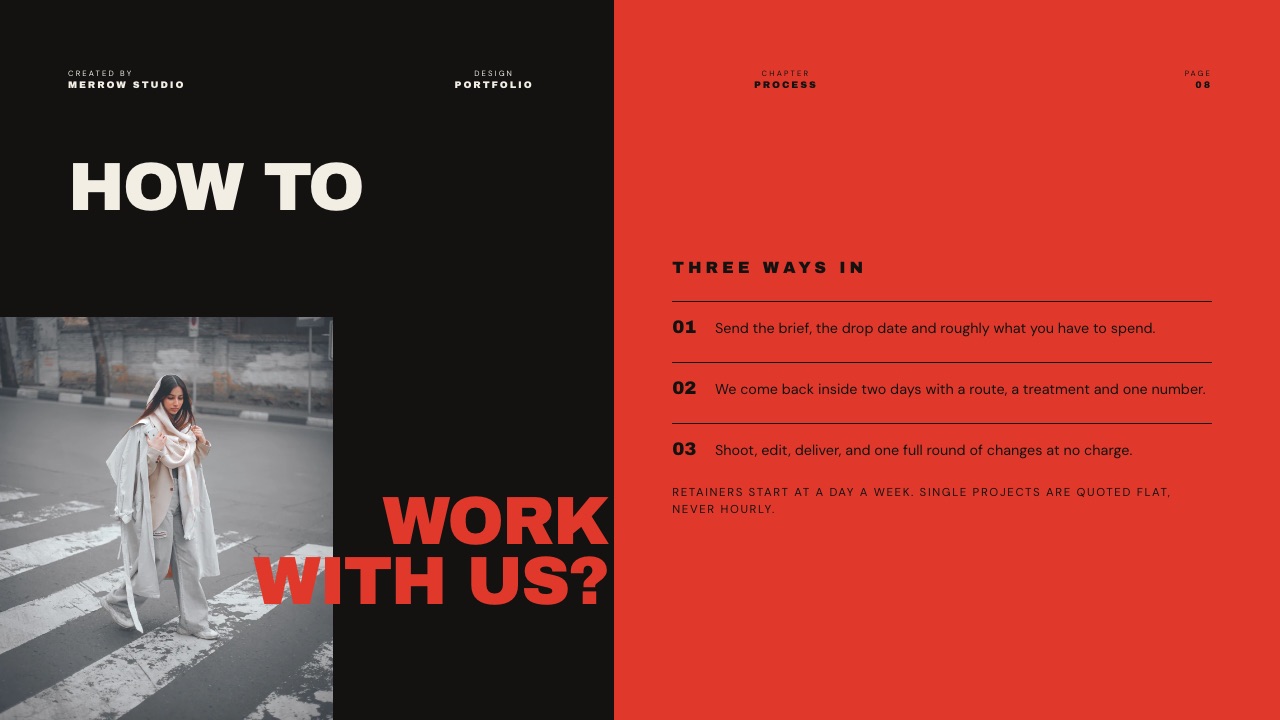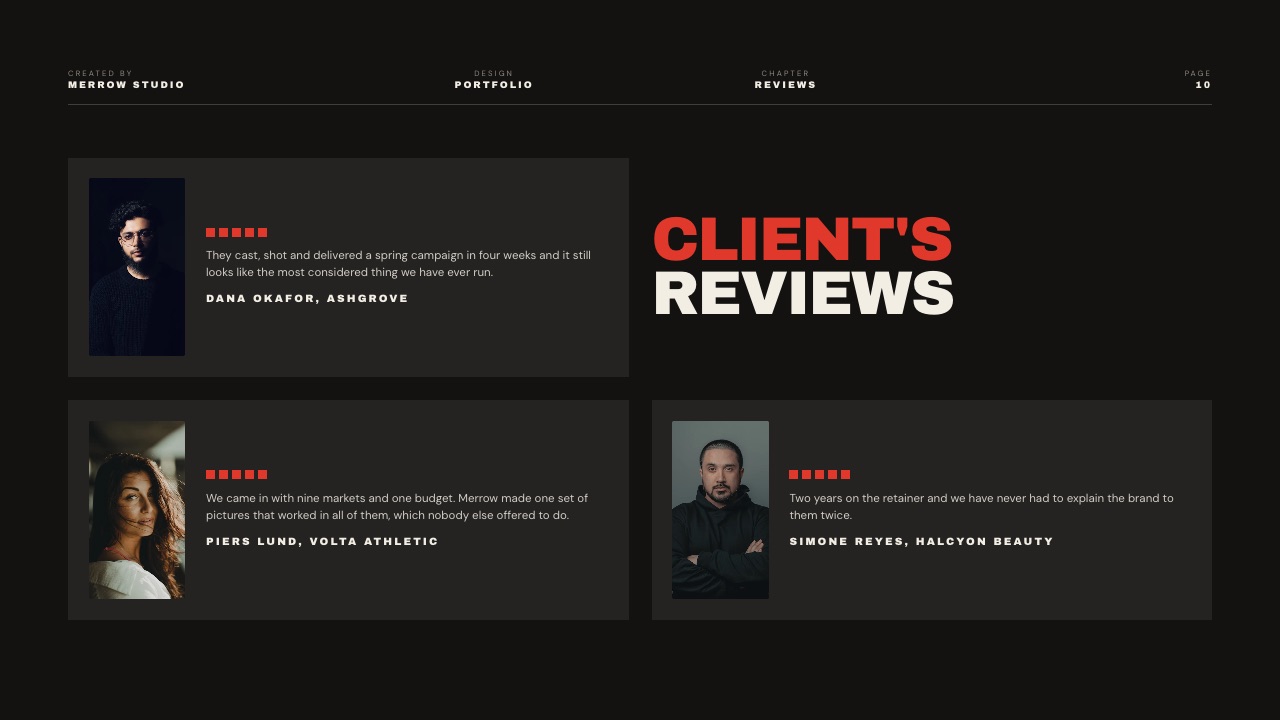
Framekit templates
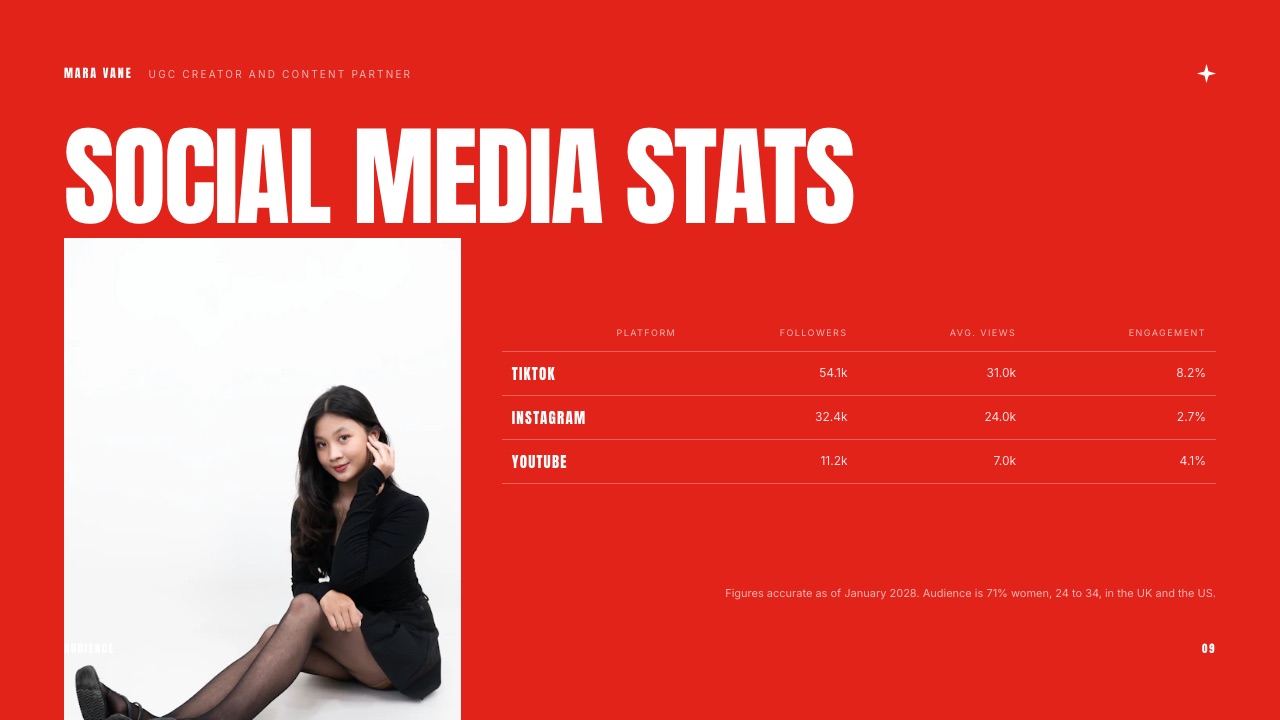
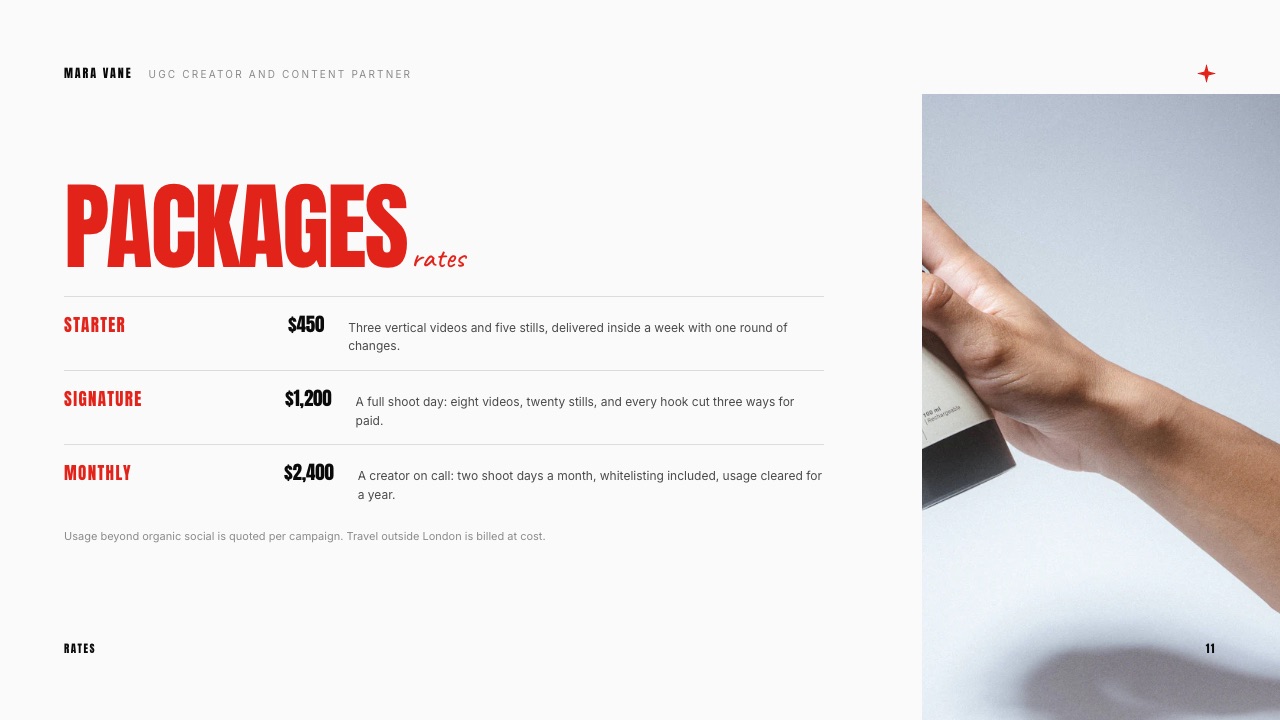
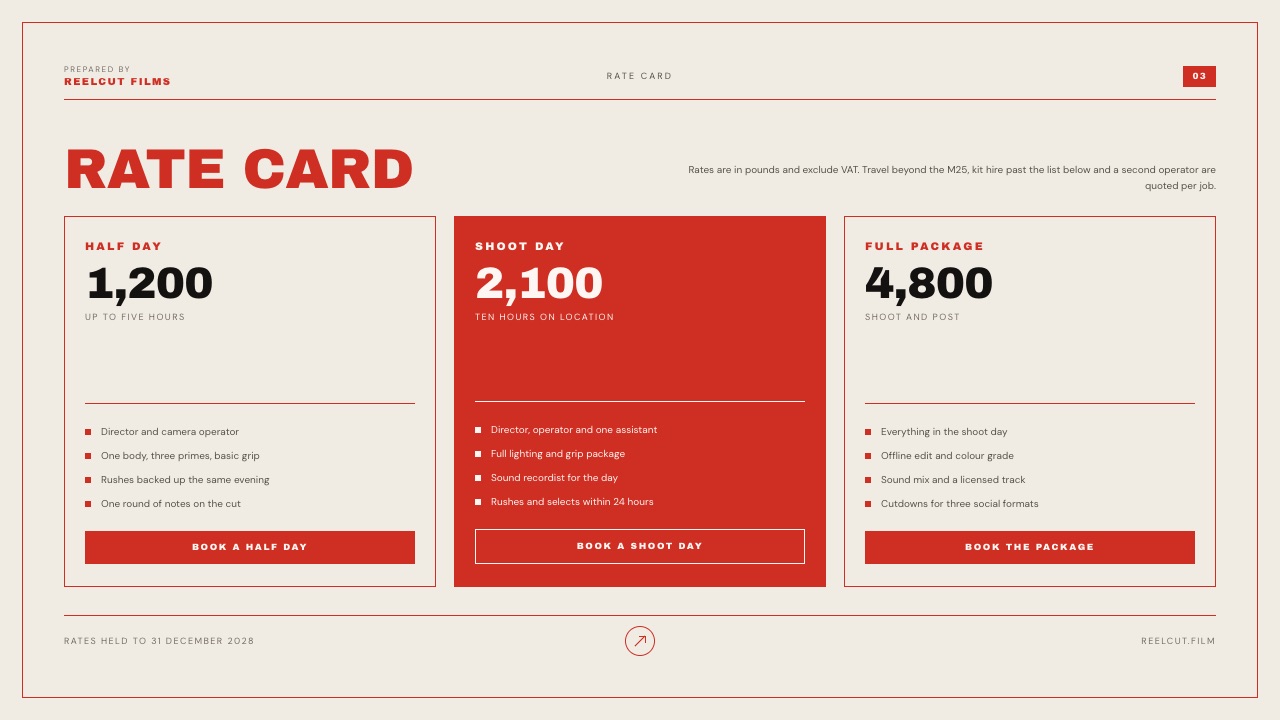
Start from a designer-made template
 Use template
 Use template
 Use template
 Use template
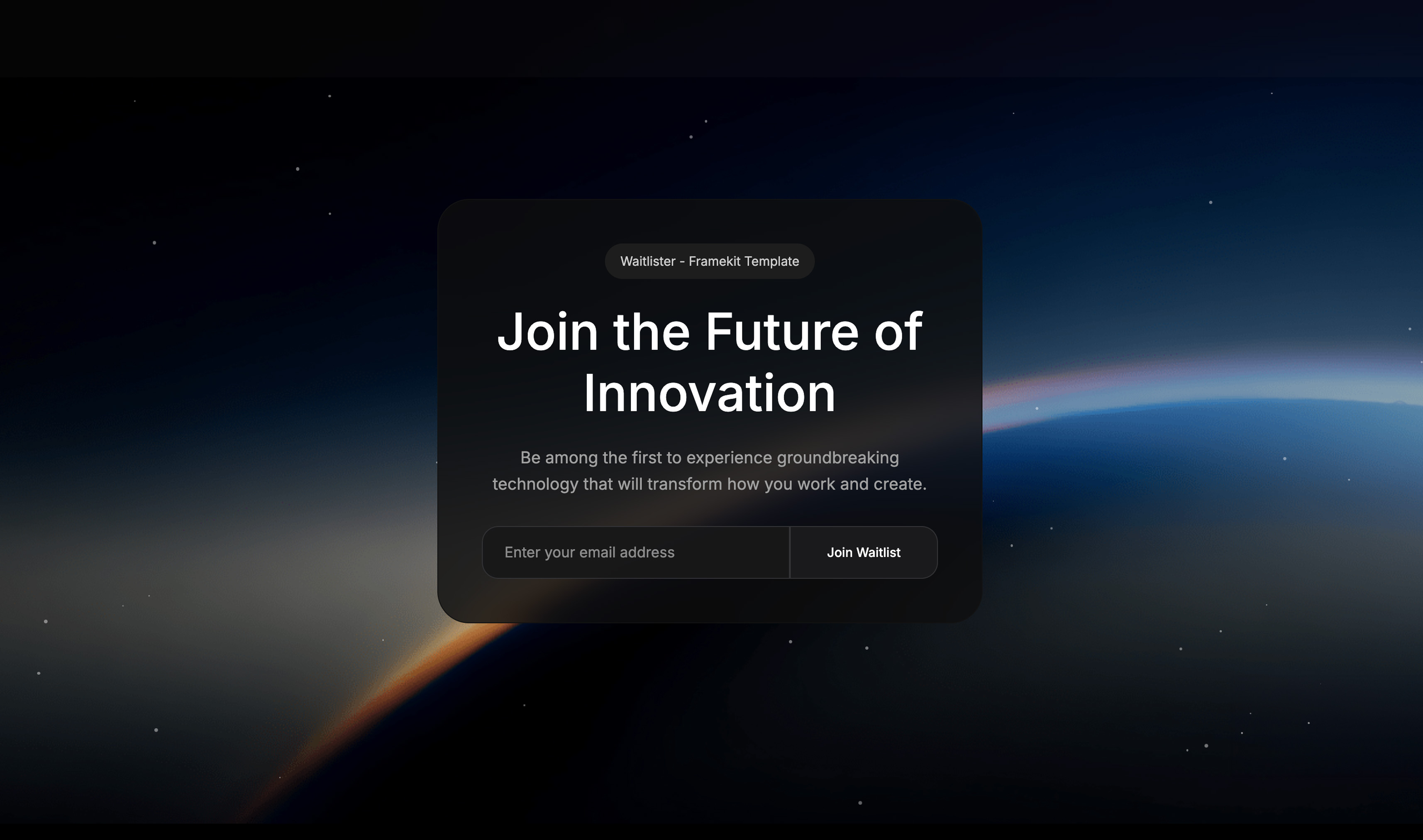 Use template
 Use template
 Use template
 Use template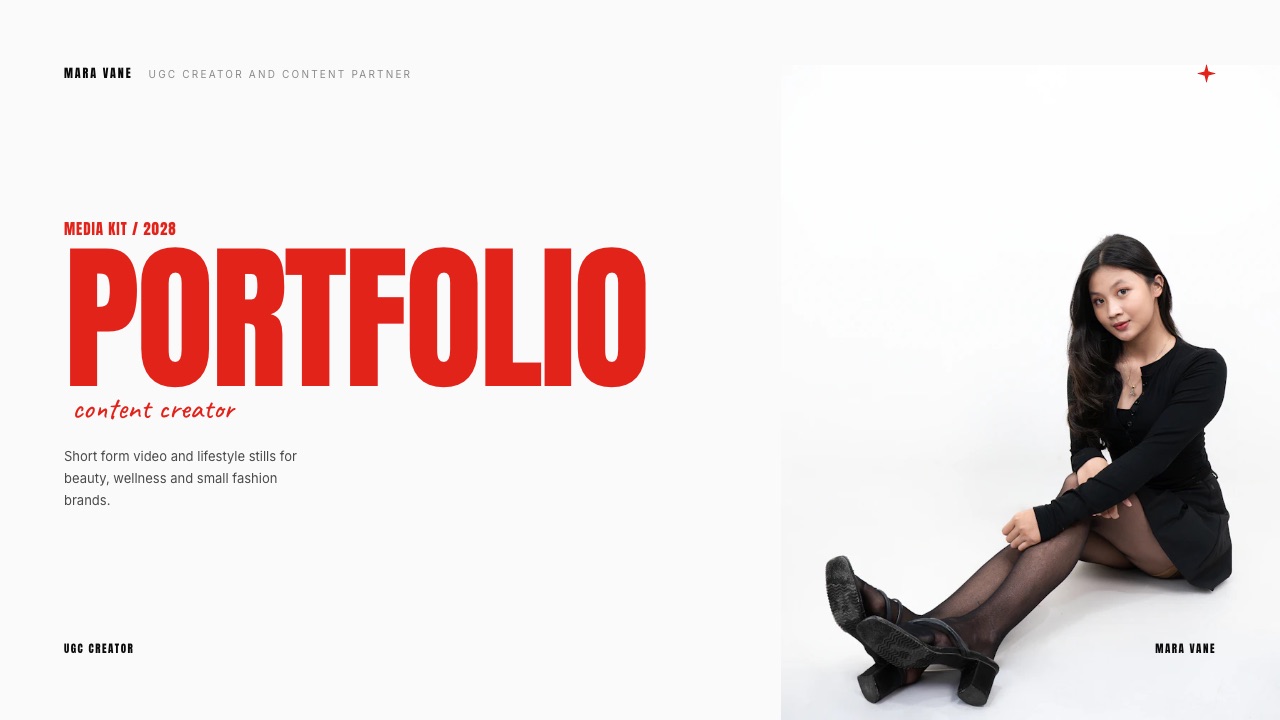
A creator with 9,200 Instagram followers sends twenty pitches in a month and hears back from three. The three replies do not come because the deck was prettier.
They come because the email reached a real person, the kit answered the price question on slide seven, and a follow-up landed nine days later while the brief was still open.
That is the uncomfortable part of choosing pitch tools for content creators: the artifact everyone shops for, the deck, is the cheapest and least decisive piece of the job.
The tool market is organised around it anyway, so you end up paying a deck subscription to solve a deliverability and follow-up problem.
A pitch tool for content creators is any app that builds or sends the document a brand reads before it decides to pay you, which in practice means a media kit, a rate card, or a short proposal delivered as a PDF, a link or a page.
Framekit Slides is the pick for building and sending the kit itself, because unlimited decks, the AI slide writer, speaker notes, a share link and PDF export are all on the free plan, so nothing about the document forces a subscription; the trade-off is that a Framekit deck link reports a total view count and nothing per viewer, with no link password.
Take Pitch if you need to see which brand opened which slide, Beacons if you want an always-on media kit page that updates its own follower numbers, and Canva if you want a template you have already seen a hundred times and will not have to explain to anyone.
Full disclosure: Framekit is our product, so treat the ranking as a claim to check rather than a verdict to accept. Competitor figures here were read on each vendor's own published page in September 2026 and linked wherever that page answers an automated request; Canva's and Gamma's pricing pages refused ours, so their numbers are labelled as a browser reading and left unlinked. Pitch, Storydoc and DocSend all beat Framekit on knowing who read your kit, which is said again in the verdict rather than buried here.
How this comparison was put together
Every figure below belongs to one of three buckets, and saying which is which matters more in this category than in most, because half these companies change their prices by region and the other half hide them behind a signup wall.
Read at the source. Prices, plan limits and feature lists come from each vendor's own published page in September 2026, fetched directly and linked inline where the page answered.
Where a page served euro pricing to us, the euro figure is what appears here; it is not converted with an invented rate.
Pitch is the clearest case: its page quoted euro amounts to our fetch while a browser in the same week saw dollars, so regional pricing is real and you should check your own checkout.
Calculated. The annual stack costs are arithmetic you can redo in a minute, built on one carried example: a food and travel creator with 9,200 Instagram followers and 4,100 on TikTok, selling a three-deliverable package at $1,400 and sending twenty pitches a month.
Not claimed. Nobody here ran a hands-on trial of twelve products, and there is no reply-rate study worth citing on creator pitching, so this guide does not invent one.
Where a tool's behaviour could only be confirmed by using it, the text says what the vendor documents and stops there. Framekit's own capabilities are stated from what ships today on the plan named, including the things it does not do.
Creator pitching by the numbers
These six facts do more to shape a sensible tool choice than any feature grid, because each one is a constraint that quietly decides whether a given subscription earns its place in your month.
- 3 artifacts make up a pitch: the email, the kit, the follow-up. Most tools carry one.
- $0 is the real floor for the document itself, on Framekit, Google Slides, Canva Free and Microsoft 365 for the web.
- 4 of 12 tools here publish per-viewer or per-link read data: Pitch, DocSend, Storydoc and Beautiful.ai. Framekit is not one of them.
- 9% is what Beacons takes on a digital sale on its Free and Creator plans, which matters if your kit doubles as your storefront.
- EUR 49/mo is Hunter's entry paid plan, which is the cost of the part of pitching that no deck tool touches.
- 60 slides is the cap on Framekit's PowerPoint export, which is Pro and up and exports each slide as a picture.
The twelve tools at a glance
The table below is the whole argument in compressed form, and the column that decides most creator choices is not price but the last one, since a tool that cannot carry the follow-up leaves you paying for two.
| Tool | Free plan usable for a real kit | Knows who opened it | Published entry price | The catch |
|---|---|---|---|---|
| Framekit Slides | Yes, unlimited decks and PDF export | No, total views only | $0, paid from $9/mo | No link password, no per-viewer data |
| Canva | Yes, with a smaller template set | No | EUR 110/yr for Pro | Everyone recognises the templates |
| Gamma | Signup credits only | No, deck analytics on Pro | EUR 8/seat/mo yearly | Credits, not decks, are the unit |
| Pitch | Yes, with 2 external guests | Yes, on paid links | EUR 10/mo yearly | Advanced links are capped at 25 |
| DocSend | No free tier published | Yes, page by page | Not published to us | Pricing page blocks automated reads |
| Google Slides | Yes | No | $0 with a Google Account | Design is on you |
| Beacons | Yes, media kit included | No, page views only | $10/mo | 9% on sales until Creator Plus |
| Notion | Yes | No | EUR 9.50/user/mo | 5 MB file cap on Free |
| Figma Slides | 3 Slides files in a team | No | $16/mo full seat | Free file cap bites fast |
| Storydoc | Trial only | Yes, extended on Pro | $19.80/mo billed annually | 5 active documents on Starter |
| Beautiful.ai | Trial only | Yes, viewer analytics | $14.50/mo billed annually | Card required for the trial |
| Hunter | Yes, 50 credits/month | Not applicable | EUR 49/mo | Finds the address, writes nothing |
In one lineThe table is ordered by how this guide ranks the tools rather than by price, because the cheapest tool that cannot do the job you bought it for is not cheap, and in this category the job splits three ways.
How the ranking is weighted, and where Framekit scores badly
The rubric has four weights and they are published here so you can disagree with them rather than guess: document quality at 30 percent, cost to run for a year at 30 percent, sending and tracking at 25 percent, and speed from blank page to sendable draft at 15 percent.
Sending and tracking is where the house pick scores worst.
On that criterion Framekit sits fifth, behind Pitch, DocSend, Storydoc and Beautiful.ai, because a Framekit deck link gives a total view count and nothing else: no per-viewer breakdown, no email gate, no password on the link.
If tracking were weighted at 40 percent instead of 25, Pitch takes first place in this list and the whole ranking flips.
Cost is weighted at 30 percent because creator pitching is high volume and low certainty. You will send a hundred kits to get a handful of deals, and a tool that charges per document or per active link taxes the attempts rather than the wins.
1. Framekit Slides: Best for Sending a Kit Without a Subscription

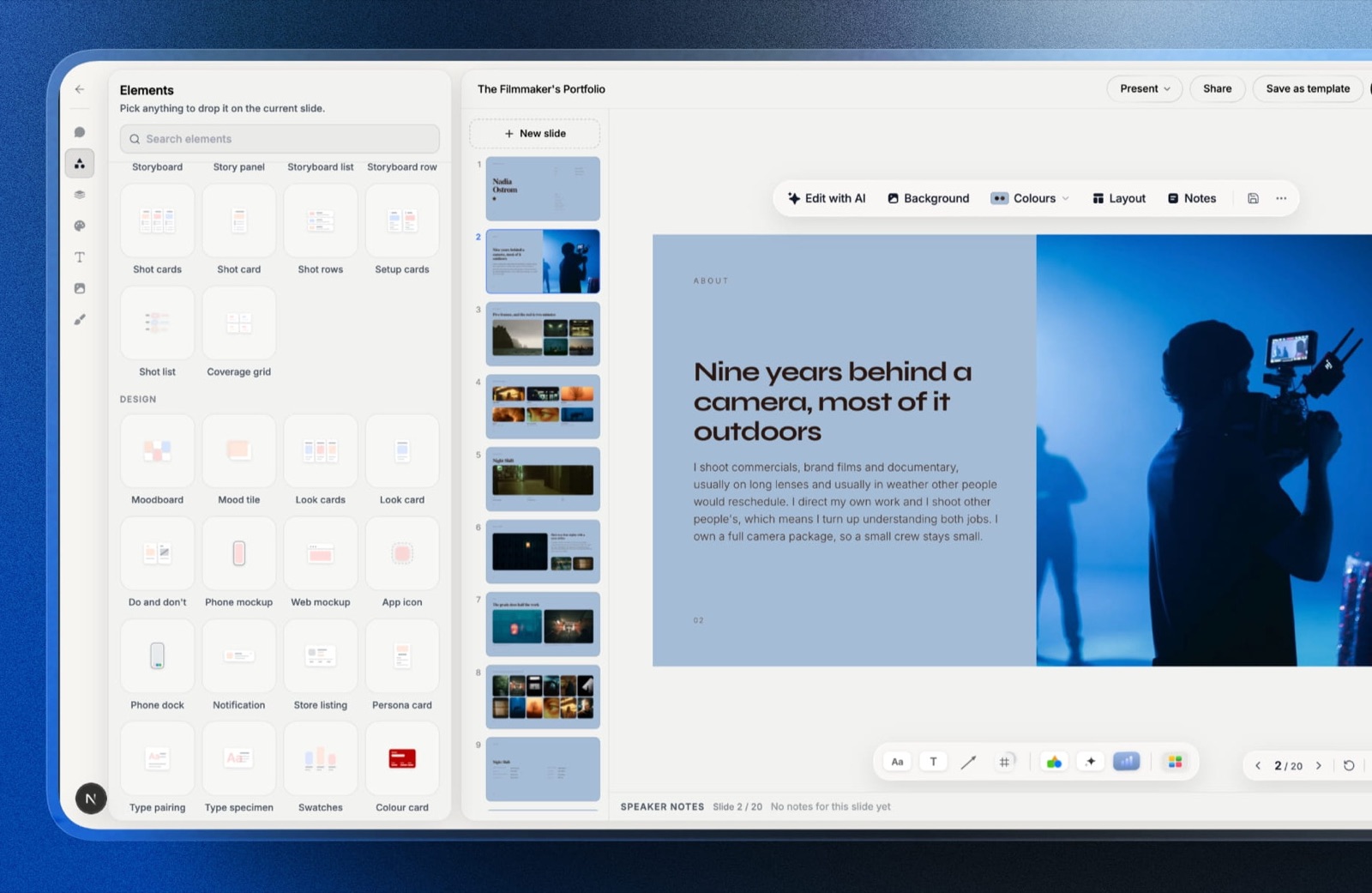
Framekit is an AI website builder whose Slides tool is the reason it turns up in a pitch-tool list at all, because the deck, the portfolio site it links to and the gallery you deliver the finished work in sit on one vendor account you pay for and administer, while the brand on the other end signs up for nothing and simply opens a link.
For a creator pitching brands, the part that matters is narrower than that: what does it cost to produce and send a kit, and what happens when you send the eleventh one.
The real numbernothing about the document forces an upgrade. Unlimited decks, the AI slide writer, speaker notes, full-screen presenting, a share link and PDF export are all on the free plan, so twenty pitches a month cost the same as one.
The paid line starts at $9 a month, or $7 billed yearly, and buys the full template library, uploaded fonts and the removal of the Framekit byline.
The detail nobody writesthe elements panel carries shot lists, moodboard grids, storyboards and charts as first-class blocks rather than as clip art, and slides accept YouTube and Vimeo embeds.
For a creator whose proof is motion, that means the "content I have made" slide can play a reel inside the deck instead of pointing at a Drive folder, which is the single most common reason a brand stops reading a kit.
The gotcha that bites in week threethe share link has no password and no per-viewer analytics. You get a total view count.
When a brand manager forwards your kit to procurement, you will not know it happened, you cannot revoke the link's reach, and you cannot tell a warm lead from a cold forward.
If your follow-up strategy depends on open signals, this is a real loss and the reason Pitch and DocSend exist.
The second gotchaPowerPoint export is Pro and up, capped at 60 slides, and picture-based. Each slide leaves as a full-bleed image with the speaker notes attached as real notes, so nothing reflows and nothing is editable on the other side.
That is fine for a kit a brand reads and wrong for a deck an agency has to rebrand.
Skip it ifyou pitch enterprise clients whose procurement asks for a tracked, password-protected link, or you need the recipient to edit the file. Both are answered elsewhere in this list and neither is a roadmap item you should wait for.
Verdict: the best place to build a creator kit and the wrong place to build an investor data room. On the job this post is about, producing a good-looking, image-heavy document and sending it forty times without a bill, nothing else here is free in the same unconditional way.
2. Canva: Best for a Template You Will Not Have to Explain
Canva earns its place through sheer gravity. Brand managers recognise the layouts, freelancers can open your file without a tutorial, and the free tier has been good enough to build a working media kit for years, which is more than most of this category can say.
Canva's own pricing page refused our automated request in September 2026, so the figures here come from a browser reading that week: Free at EUR 0, Pro at EUR 110 a year for one person, and Business at EUR 170 a year per person, with Pro listing 3.6 million templates against 1.6 million on Free.
Those are European prices and yours may differ.
The gotchathe template advantage and the template problem are the same fact. A brand partnerships manager who opens eleven kits a week has seen your layout, and recognisable means forgettable.
The second issue is font and asset licensing: elements and fonts that are Pro-only will quietly swap or watermark if your subscription lapses, which turns an archived kit into a broken one.
Skip it ifyour pitch leans on an unusual typographic identity, or you are pitching design-led brands who will read the template as a signal about your production values.
Verdict: the safe default, and safe is worth something when the deck is not the thing you are selling. If you want the same convenience with less recognisability, Canva alternatives for presentations covers the trade you are making.
3. Pitch: Best for Knowing Which Brand Opened Your Kit
Pitch is the answer to the question Framekit cannot answer, and it is worth being plain about that rather than damning it with a paragraph of faint praise.
Its published pricing quoted euro amounts to our fetch in September 2026: Free at EUR 0, Plus at EUR 10 a month billed yearly, Team at EUR 15 and Business at EUR 20, with yearly billing stated as a 17 percent saving.
The real numberTeam includes 25 advanced links, which are the ones that record visits and engagement on a per-link basis. Business lifts that to unlimited.
If you pitch twenty brands a month and want each one on its own tracked link, 25 covers 25 of the 60 brands in a quarter and you ration the rest, and the EUR 5 step from Team to Business is what buys you the other 35.
The detail nobody writesthe Free plan allows two external guests. That is a collaboration limit rather than a viewing limit, but it catches creators who assume a free workspace can carry a manager and an editor alongside two brand contacts.
The gotchaPowerPoint export and custom fonts both start at Plus. A free Pitch account is a fine place to build and a poor place to hand over.
Skip it ifyou send few enough pitches that you would remember who you sent what to, in which case you are paying EUR 180 a year for a feeling of visibility.
Verdict: the correct pick when the follow-up email depends on knowing the deck was read. Creators weighing it against other tracked-deck tools should read the Pitch alternatives comparison before committing to a yearly plan.
4. Beacons: Best for an Always-On Media Kit Page
Beacons attacks the problem from a different direction. Instead of a document you attach, it gives you a hosted page that pulls your follower and engagement numbers in and refreshes them, so the kit a brand opens in November is not quoting your August audience.
Its published plans list Free at $0 with a daily-updating media kit, unlimited digital products at a 9 percent seller fee and 50 email sends a month; Creator at $10 a month or $100 a year; Creator Plus at $30 a month or $300 a year, which is where the transaction fee drops to zero; and Creator Max at $100 a month.
The real numberthe 9 percent fee is the line item that matters if the same account sells anything. On $1,400 of product sales in a month that is $126, and three such months is $378, more than the $300 annual price of Creator Plus.
The fee survives on Free and Creator and disappears on Creator Plus, so run the crossover against whichever plan you are on: $30 divided by 9 percent is $333 a month of sales from Free, and the $20 gap between Creator and Creator Plus divided by 9 percent is $222 a month.
The gotchaan auto-updating stats page is only an advantage while the numbers go up. A soft quarter is visible to every brand who bookmarked the link, and there is no version of the page frozen at your best month, which is exactly what a PDF is.
Skip it ifyour pitch depends on a case study and a price rather than on audience size, because the page format pushes stats to the top and buries the proof.
Verdict: the best answer to "send me your media kit" when you never want to touch the file again. Creators comparing creator storefronts as well as kits should read Beacons against Stan Store rather than deciding on the kit alone.
5. Gamma: Best for Getting to a First Draft You Can Argue With
Gamma is the fastest way in this list to turn a paragraph of intent into something that looks like a deck, and the honest framing of that is: it is a drafting tool that happens to output slides.
For a creator staring at a blank kit, that is worth more than another template gallery.
Gamma's pricing page also refused our automated request in September 2026, so these are browser figures from that week: Free at EUR 0 with 400 credits granted at signup and up to 10 slides per prompt; Plus at EUR 8 per seat per month billed annually, or EUR 10 monthly, with 1,000 monthly credits, up to 100 slides per prompt and Gamma branding removed; Pro at EUR 18 per seat per month billed annually with 4,000 credits and detailed analytics.
The gotchathe unit you buy is credits, not decks, and credits are consumed by actions whose cost varies with model and length.
That makes the monthly ceiling genuinely hard to predict, and the free allowance does not renew, so a creator who edits heavily can exhaust a signup grant inside a week of one project.
Skip it ifyou already know what your kit says. Gamma's value is in the drafting, and if the copy is settled you are paying for a layout engine.
Verdict: excellent at the first ninety minutes of a document and unremarkable after that. If the credit model is what puts you off, Gamma alternatives is the comparison to read next.
6. Google Slides: Best Free Tool for a Handover a Brand Can Edit
Google Slides is the least fashionable pick here and the most quietly correct one in a specific case: the brand wants the file, not a link, and someone on their side will change a line before it goes to their client.
Google's own page confirms the simple part, that anyone with a Google Account can create in Slides, with live editing, comments and offline editing included.
The real number$0 for personal use, against EUR 6.80 per user per month for the Workspace Starter plan if you want the same thing on your own domain with 30 GB of pooled storage, according to Google's published pricing, which served euro amounts to our fetch.
The gotchaevery design decision is yours, and image-heavy creator kits are where that shows. Slides will happily let you ship a kit with three different greys and a stretched hero image, and nothing in the product will stop you.
Skip it ifthe visual quality of the document is part of what you are selling, which for most photographers and videographers it is.
Verdict: the right tool for the file a brand's team will edit, and the wrong tool for the kit that has to win the meeting. The PowerPoint and Google Slides comparison is worth a read if the brand's template is a .pptx.
7. DocSend: Best for a Document You Want Locked and Watched
DocSend is a sending tool that happens to accept decks, which is the opposite of everything above it in this list, and for a creator pitching large organisations that inversion is sometimes exactly right.
Dropbox's product page documents the mechanics: page-level analytics showing time per page and where readers drop off, a notification when a document is opened, the option to require an email and a passcode before viewing, one-click NDAs and virtual data rooms.
The honest gapDocSend's pricing page returned a block to our automated request in September 2026, so no price is quoted here. Check it yourself before budgeting, and treat any figure you find on a third-party blog as unverified.
The gotchaevery gate you add costs you readers. Requiring an email before a brand manager can see your kit is a reasonable trade for a funding round and a poor one for a $1,400 collaboration, because the manager will simply move to the next creator whose kit opened in one click.
Verdict: overkill for most creator pitching and the only correct answer when the document contains rates you do not want circulated. If the tracking is what appeals but the gating is not, DocSend alternatives sets out the middle ground.
8. Notion: Best for a Pitch Page You Update Constantly
Notion carries creator kits by accident more than by choice, because the creator already had a workspace and making a page public is one toggle away.
It is a better answer than it sounds: a Notion page is easy to keep current, easy to link, and easy for a brand to skim on a phone.
Its pricing page served euro amounts to our fetch in September 2026: Free at EUR 0, Plus at EUR 9.50 per user per month, Business at EUR 19.50, with annual billing stated as up to 20 percent off.
The Free plan allows up to 10 external guests, keeps 7 days of page history and caps individual file uploads at 5 MB.
The gotchathat 5 MB cap is the whole story for a visual creator. A single full-quality still from a modern camera clears it, so your proof arrives as compressed thumbnails or as links out to Drive, and a kit that sends the reader somewhere else has lost them.
Skip it ifthe pitch is image-led, which for photographers, videographers and most lifestyle creators it is.
Verdict: a genuinely good rolling pitch page for writers, strategists and consultants, and the wrong container for a portfolio that has to look like your work.
9. Storydoc: Best for a Scrolling Web Document With Read Data
Storydoc takes the deck and makes it a web page that scrolls, which suits creator pitches better than the slide metaphor does, because a brand manager reading on a phone is scrolling anyway.
Its published pricing lists Starter at $19.80 a month billed annually, which is $237.60 a year, with 5 active documents and basic analytics; Pro at $36 a month billed annually, which is $432 a year, with 30 active documents and extended analytics; and a Team tier that is quote-only.
The real numberthe unit is active documents, not sends. Five active documents on Starter means a creator running personalised kits for each brand is either recycling documents or on Pro within a quarter, so read that as $432 a year rather than $237.60.
The gotchaa scrolling web document does not become a PDF that survives an email thread. When the brand forwards your pitch internally, some of that interactivity becomes a link somebody has to click twice.
Verdict: a strong format for creators who pitch the same offer repeatedly with light personalisation, and an expensive one for anybody who rewrites every kit. Storydoc alternatives is the comparison if the active-document cap is the sticking point.
10. Figma Slides: Best for Creators Already Living in Figma
Figma Slides is the obvious choice for a creator who already designs in Figma and a strange one for anybody else, since the whole value is that the deck sits beside the assets, components and colours you already maintain.
The catch is on the free tier, and it is specific.
Figma's Starter plan documentation states that Starter includes 3 Figma Slides files alongside 3 design files and 3 FigJam files, with an unlimited number of drafts.
Drafts are files you have not moved into a folder, so the free ceiling arrives the moment you start organising. A full seat on the Professional plan is $16 a month, with collaborator seats at $3.
Skip it ifyou do not already open Figma weekly. The learning curve is not worth paying for a deck you will build four times a year.
Verdict: excellent for designers and illustrators pitching brand work, and an odd purchase for a video creator whose assets live in Premiere and a Drive folder. Figma Slides alternatives covers the exit if the file cap is what pushed you.
11. Beautiful.ai: Best for a Deck That Fixes Its Own Layout
Beautiful.ai is built on one idea: slides that re-lay themselves out as you add to them, so the deck stays aligned even when the person writing it is not a designer. For a creator who knows the copy but not the grid, that is a reasonable thing to buy.
Its pricing page lists Pro at $14.50 a month billed annually for a single seat, which includes PowerPoint import and export, custom brand styling and viewer analytics; Team at $40 per user per month billed annually or $50 monthly for 2 to 20 users; and a one-month option at $45.
The trial runs 14 days and asks for a card.
The gotchathe auto-layout that saves you is the same system that refuses your idea. Full-bleed photography and asymmetric type, which is most of what makes a creative kit look like the person who sent it, fight the templates rather than fit them.
Verdict: a sound tool for structured, data-shaped decks and a frustrating one for image-led creator work. Beautiful.ai alternatives is the next read if the constraint is what you are escaping.
12. Hunter: Best for the Part of Pitching No Deck Tool Touches
Hunter is in this list because it fixes the failure that actually kills creator pitches: the kit was fine and it went to an inbox nobody reads. It finds and verifies work email addresses, which is the difference between pitching a brand and pitching a contact form.
Its published pricing served euro amounts to our fetch: a Free tier with 50 credits a month, Starter at EUR 49 a month or EUR 34 a month billed yearly with 2,000 monthly credits, and Growth at EUR 149 a month with 10,000 credits.
Fifty free credits a month is roughly fifty lookups, which at twenty pitches a month is enough.
The gotchaverification is not permission. A found address gets you delivery, not a welcome, and creators who treat a verified list as a mailing list generate spam complaints that follow their domain around.
Verdict: the cheapest meaningful upgrade to a creator pitch process, and the clearest proof that a deck tool is not a pitch stack. It writes nothing and designs nothing, and it still moves more replies than switching deck apps ever will.
What a full creator pitch stack costs in a year
Tool choice only becomes a money question once you price the whole pitch, which means the document, the sending and the finding, so here are three defensible stacks with the arithmetic shown rather than summarised.
| Stack | Document | Sending and tracking | Finding the contact | Year one |
|---|---|---|---|---|
| Free floor | Framekit Slides, $0 | Framekit share link and PDF, $0 | Hunter Free, 50 credits/mo, EUR 0 | $0 |
| Tracked | Framekit Slides paid, $7/mo yearly | Pitch Team, EUR 15/mo yearly | Hunter Free, EUR 0 | $84 plus EUR 180 |
| Heavy | Storydoc Pro, $36/mo yearly | Included in Storydoc | Hunter Starter, EUR 34/mo yearly | $432 plus EUR 408 |
In one lineThe gap between the free floor and the heavy stack is $432 plus EUR 408 a year, and the dollar half alone is 31 percent of one carried $1,400 package, so the honest question is whether tracking and interactivity win you more than one extra collaboration every twelve months.
Run the test on your own numbers rather than on these. Take last quarter's pitches, count the replies that came from a follow-up you sent only because you saw the deck had been opened, and multiply that count by your average deal.
If that figure is below EUR 180, the tracking tier is a comfort purchase.
What tracking actually buys and what it quietly costs
Open tracking is the single most oversold feature in this category, so it is worth separating what it genuinely tells you from what creators imagine it tells you when they pay for it.
What it tells you: that a link was loaded, roughly when, and on the better tools how long each page held attention. That is real information and it makes a follow-up email specific rather than plaintive, which is worth something.
What it does not tell you: whether the person who matters read it. Forwarded links, shared screens, email preview panes and privacy proxies all generate or suppress events that look nothing like the truth.
DocSend's answer is to gate the document behind an email and a passcode, which converts the uncertainty into friction the brand has to accept.
The cost is measured in replies, not dollars. A kit that opens in one tap from a phone on a Tuesday afternoon is read; a kit that asks for an email first is read later or never.
For a creator whose pitch is worth $1,400, that friction is a bad trade. For a production company pitching a $60,000 campaign, it is not.
In one lineBuy tracking when the deal is big enough that a second follow-up is worth designing, and skip it when your pitch volume means you would rather have ten more opens than know the fate of any single one.
Where each of the three artifacts should live
Splitting the pitch into its three parts is what makes the spending decision obvious, because each part has a different cheapest-correct answer and almost nobody needs one tool to cover all three.
The email. No tool in this list writes it for you well.
Hunter finds the address, your normal mail client sends it, and the only rule that matters is that the first line names something specific about the brand. How to pitch a brand as a creator covers the structure.
The kit. This is the deck decision and it is the one this post ranks.
Framekit Slides for a free, image-led document you send as a link or a PDF; Canva if recognisability is fine; Beacons if you would rather maintain a page than a file. How to make a media kit covers what goes on each slide, and the tool ranking for kits specifically goes deeper on that one artifact.
The follow-up. This is where tracking earns its keep or does not. A calendar reminder nine days out costs nothing and beats an untracked hope; a tracked link tells you whether to send the nudge or the new angle.
In one lineMost creators overspend on the middle artifact and underspend on the first and third, which is why a $0 deck plus a disciplined follow-up routine outperforms a EUR 432 subscription and no system.
The three jobs Framekit will not do for you
Ranking our own product first only means anything if the boundary is drawn in public, so here is the boundary, stated as plainly as the feature list above it and with the specialist named in each case.
No open tracking. A Framekit deck link reports a total view count. There is no per-viewer breakdown, no notification when a specific recipient opens it, and no password on the link.
Pitch and DocSend are the answers, and this is the criterion where Framekit ranks fifth of the twelve in its own rubric, behind Beautiful.ai as well.
No CRM. There is nowhere in Framekit to log that you pitched a brand in March, that the contact moved agencies in June, or that a deal is at proposal stage.
Creators running real pipeline use a spreadsheet or a dedicated tool, and a spreadsheet is genuinely fine up to a few dozen live conversations.
No email sequences and no sending. Framekit does not send your pitch email, does not schedule a follow-up, and does not run a sequence.
You send from your own mail client, which is what most brands prefer anyway, and you find the address with something like Hunter.
In one lineFramekit covers the document and the link it lives behind, which is one third of the pitch, and the honest version of the recommendation is that the other two thirds cost you either discipline or a second subscription.
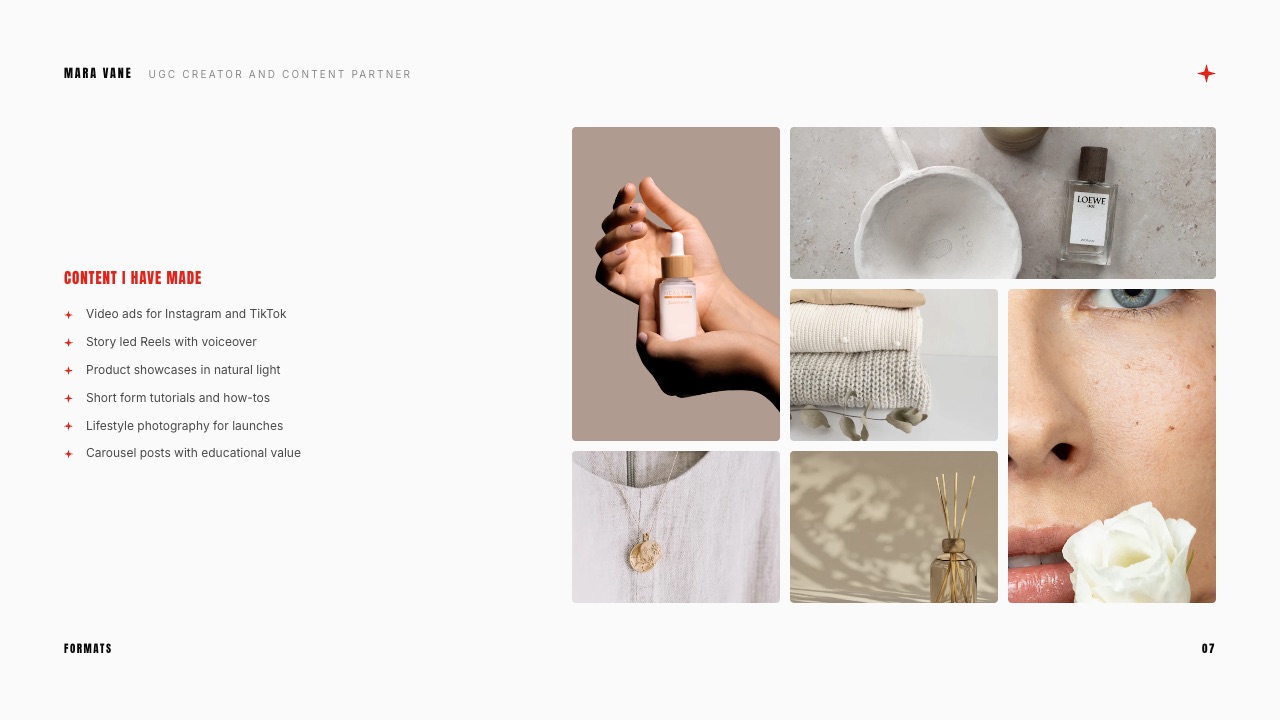
Decision guide: pick by the constraint that binds you
Work down these questions in order and stop at the first yes, because the constraint that binds first is the one that should choose the tool rather than the feature list you find most appealing.
Does the deal size justify friction? If a single collaboration is worth five figures and procurement expects a gated link, start at DocSend and accept the lost opens. If not, go to the next question.
Do you need to know who opened it? If your follow-up routine is genuinely built on open signals, Pitch Team at EUR 15 a month billed yearly is the cheapest honest version of that. If you would not change your behaviour based on the answer, skip it.
Will a brand edit the file? If the kit becomes an internal document their team rewrites, hand over Google Slides or a PowerPoint file and stop optimising for beauty.
Is the pitch image-led? If your proof is photographs, frames or reels, build it in Framekit Slides or Canva. Notion's 5 MB upload cap and Beautiful.ai's auto-layout both fight image-heavy work for different reasons.
Do you want to stop maintaining a file at all? If your answer to "send me your kit" should be a link you never touch again, Beacons Free is the shortest path, with the 9 percent sales fee as the thing to watch if the page also sells.
Are you at zero budget? Then Framekit Slides plus Hunter's free 50 credits a month is a complete, non-crippled pitch stack, and the only thing you are missing is per-viewer data you probably would not have acted on.
Frequently Asked Questions
What is the best pitch tool for content creators in 2026?
Framekit Slides is the best pitch tool for content creators who need to build and send a media kit without a subscription, because unlimited decks, the AI slide writer, speaker notes, a share link and PDF export are on the free plan.
Pitch is the better choice if you need per-viewer tracking, since Framekit deck links report only a total view count.
Beacons suits creators who would rather maintain an always-on page than a file, and Canva remains the safe default when template familiarity is an advantage rather than a liability.
Can you build a professional media kit for free?
Yes. A complete creator media kit can be built and sent at no cost on Framekit Slides, which puts unlimited decks, PDF export and a share link on its free plan, or on Canva Free, Google Slides or Microsoft 365 for the web.
The free versions cost you elsewhere: Framekit's free plan carries a Framekit byline and locks the full template library behind the $9 a month Starter plan, Canva Free lists 1.6 million templates against 3.6 million on Pro, and Google Slides gives you no design help at all.
Does Framekit tell you when a brand opens your deck?
No. Framekit deck share links report a total view count and nothing per viewer, so you cannot tell which recipient opened the kit, when they did it, or how long they spent on the rate slide. There is also no password on a deck link.
Creators whose follow-up depends on open signals should use Pitch, whose Team plan includes 25 advanced links that record visits and engagement, or DocSend, which documents page-level analytics and an optional email and passcode gate before viewing.
Pitch vs Framekit Slides: which should a creator choose?
Choose Framekit Slides if the constraint is cost and the document is image-led, since every core deck feature including PDF export is free and unlimited.
Choose Pitch if the constraint is visibility, since its paid plans track which links were opened and for how long.
The price gap is the decision: Framekit is $0 to send unlimited kits, while Pitch's Team plan was listed at EUR 15 a month billed yearly when we read its pricing page in September 2026, which is EUR 180 a year for tracking you may not act on.
How many slides should a creator media kit be?
Six to ten slides is the working range for a creator media kit, and the eight-slide version covers the job without padding: cover, who you are, the audience, one case study with a real result, what you make, past partners, packages with prices, and the next step.
Anything longer gets skimmed rather than read, and anything shorter drops the packages slide, which is the one a brand opened the kit to find.
Should the media kit be a PDF or a link?
Send both, and lead with the one the brand asked for. A PDF survives forwarding, opens without a login and cannot break when your subscription lapses, which makes it the safer attachment.
A link can be updated after you send it and can report that it was opened, which is why tracked-link tools exist.
Framekit exports a PDF and produces a share link on every plan, including Free, so the choice does not cost anything either way.
Is Beacons better than a PDF media kit?
Beacons is better when your audience numbers are the strongest part of your pitch and you do not want to rebuild the kit every quarter, because its media kit page updates its own stats daily on the free plan.
A PDF is better when your proof is a case study, when you want the brand to see a specific frozen month, or when the kit needs to survive being forwarded into an inbox with no internet.
The two are cheap enough to run together, since Beacons Free costs nothing and a Framekit PDF costs nothing.
What does a creator pitch stack cost per year?
A complete creator pitch stack costs nothing at the floor and roughly $432 plus EUR 408 a year at the heavy end. The free floor is Framekit Slides for the document at $0 and Hunter's free tier at 50 lookups a month.
The heavy version is Storydoc Pro at $36 a month billed annually, which is $432 a year, plus Hunter Starter at EUR 34 a month billed yearly, which is EUR 408.
Everything in between is a question of whether tracking wins you more than one extra deal a year.
Do brands care which tool the media kit was made in?
No, and any tool that suggests otherwise is selling you something. Brand partnership managers care that the audience matches, that you have delivered comparable work, and that the price is stated.
Tool choice only becomes visible in two ways: a template a manager has seen eleven times this month reads as low effort, and a file that arrives broken, watermarked or gated reads as an obstacle. Both are avoidable on a free plan.
Can Framekit export a PowerPoint file for a brand?
Yes, on the Pro plan at $19 a month and above, with two limits worth knowing before you promise it.
The export is picture-based, so every slide arrives as a full-bleed image and the text is not editable in PowerPoint, and it caps at 60 slides. Speaker notes do come across as real notes.
If the brand needs to edit the words, build that version in Google Slides or PowerPoint instead and keep Framekit for the document you control.
What is the cheapest way to track whether a brand read your kit?
The cheapest published option among the tools here is Pitch, whose Plus plan was listed at EUR 10 a month billed yearly when we read the page in September 2026, although the engagement-tracking advanced links start on the Team plan at EUR 15.
Storydoc's Starter plan at $19.80 a month billed annually includes basic analytics but caps you at five active documents.
DocSend's pricing was not published to our fetch, so budget for it by checking the page yourself rather than trusting a figure from a comparison article.
Do you need a website as well as a media kit?
Not to get your first brand deals, but it changes what happens after them.
A kit is something you send; a site is something a brand finds when they search your name after a colleague mentions you, and it holds the case studies a kit can only summarise.
The cheap version is to keep the kit as a PDF and let a simple portfolio site carry the depth, which is the argument made in the media kit website comparison.
Final Verdict
Framekit Slides is the recommendation for the job this post is about, which is producing and sending a creator media kit or brand pitch without a subscription setting a ceiling on the number you are allowed to send.
Unlimited decks, the AI slide writer, speaker notes, a share link and PDF export on the free plan mean the twentieth kit of the month costs exactly what the first one did, and the elements and video embeds mean an image-led creator does not have to fight the format.
Where Framekit loses is visibility after the send. The deck link has no password and no per-viewer analytics, only a total view count, so Pitch and DocSend are simply better when knowing who opened what changes what you do next.
It is not for creators running a real sales pipeline either, because there is no CRM, no email sequence and no sending, and the PowerPoint export is Pro and up, picture-based and capped at 60 slides, so an agency that needs to edit your file is better served by Google Slides.
The stack this guide would actually run on the carried example, a creator pitching a $1,400 package twenty times a month, is Framekit Slides on Free for the kit, Hunter's free tier for the addresses, and a calendar reminder for the follow-up, at a combined cost of nothing.
Add Pitch Team only after you can point at a deal that a tracked open won you.
Related readingthe media kit maker ranking, how to make a media kit, UGC rate cards, UGC portfolio examples and how to share a presentation online.
If the kit is landing but the deals are not, look at the offer before you look at the document, and how to pitch a brand as a creator is the better next read.
Creators whose kit doubles as a shopfront should also look at website builders for UGC creators.