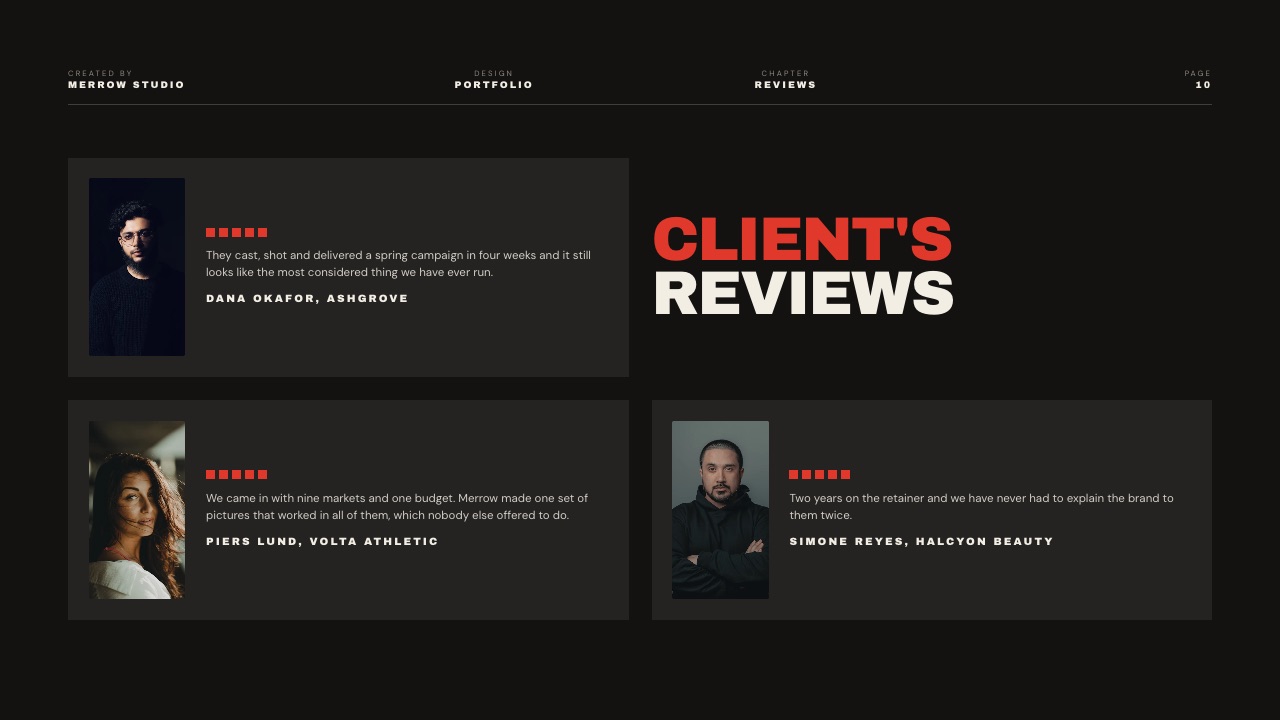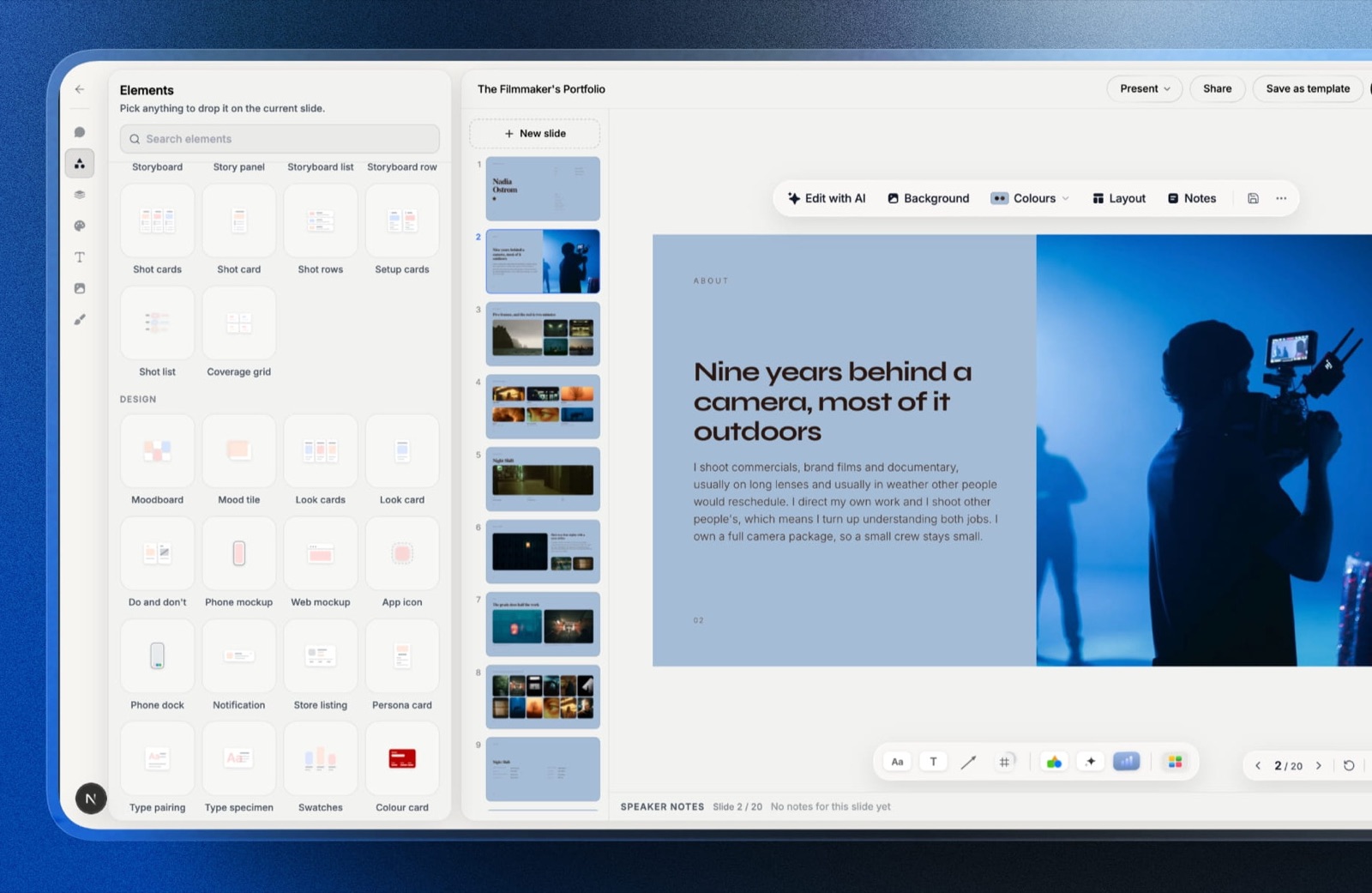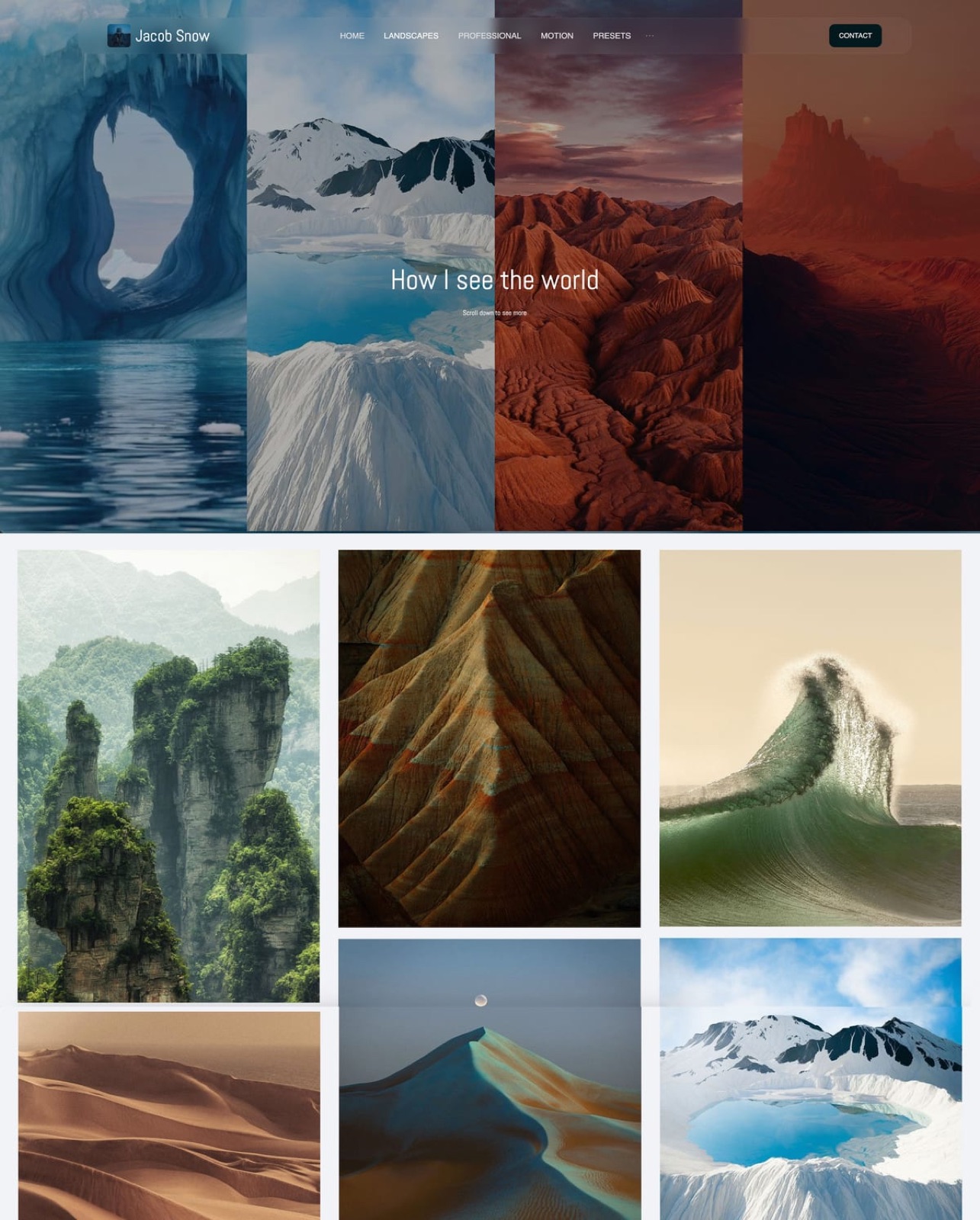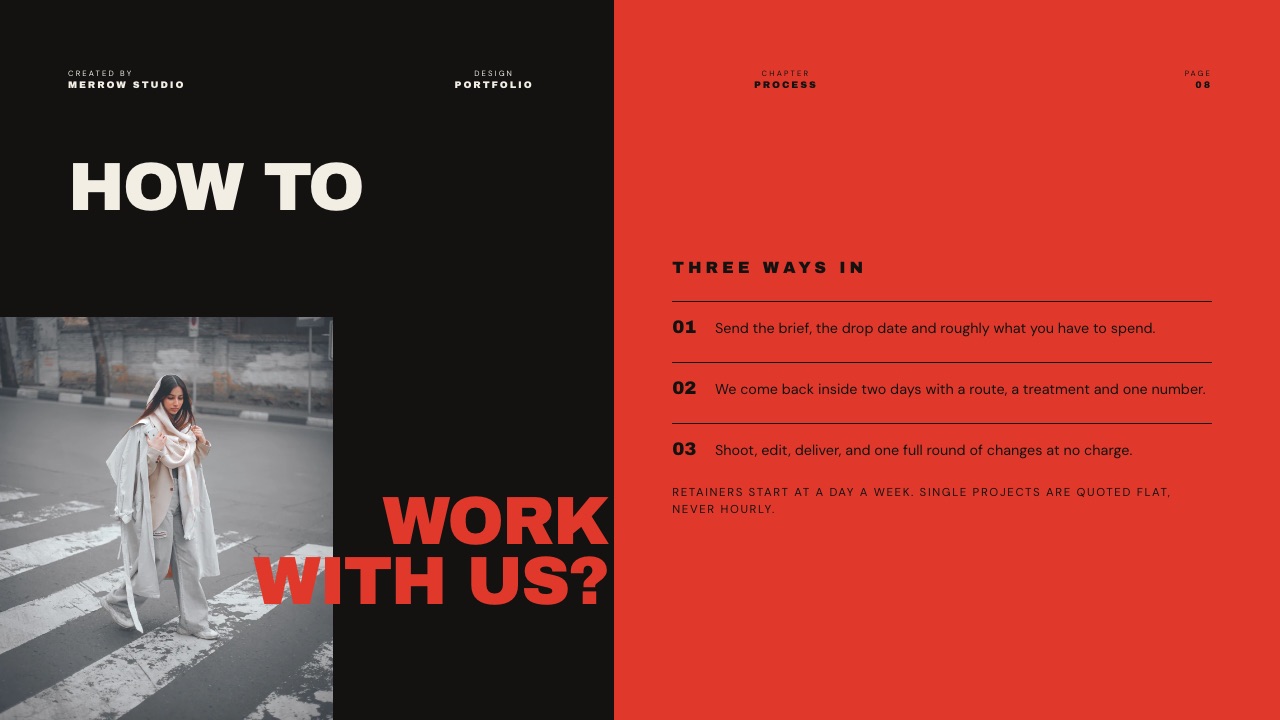
Framekit templates
Start from a designer-made template
 Use template
 Use template
 Use template
 Use template
 Use template
 Use template
 Use template
 Use template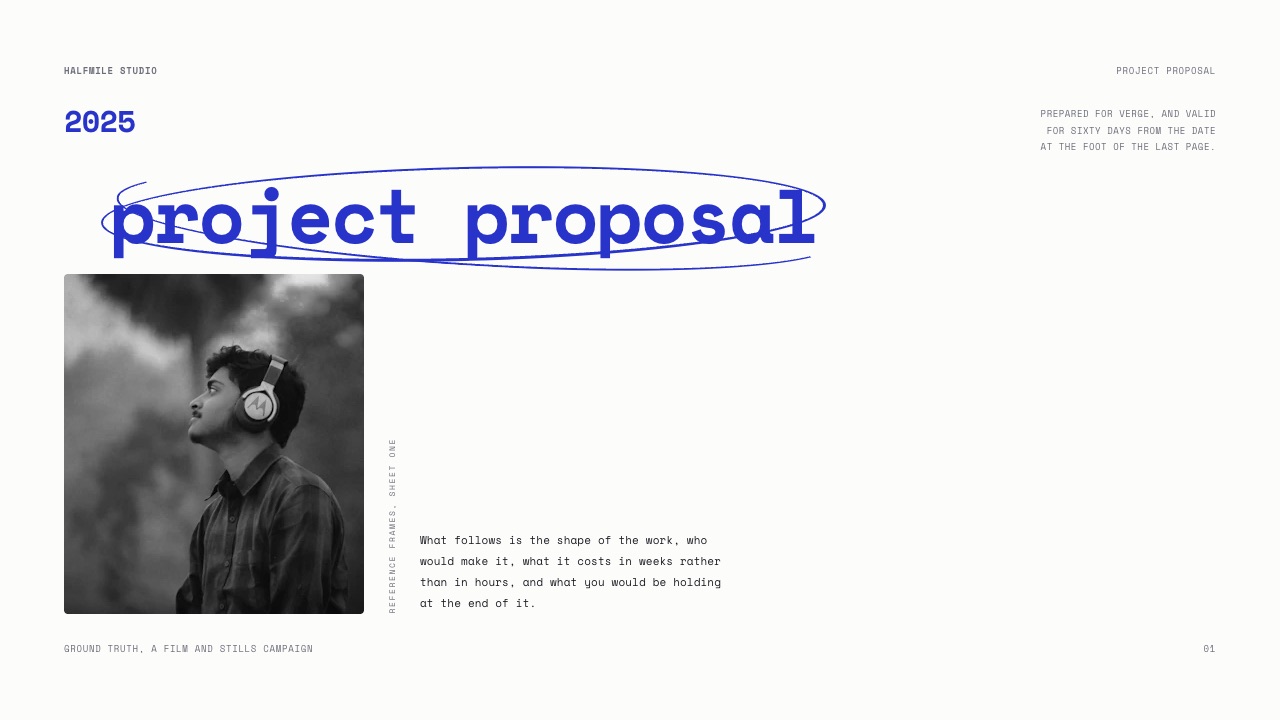
A YouTube creator quotes $4,800 for one 60-second mid-roll and two Shorts.
The brand says yes on a Tuesday. 11 days later nothing is signed, because the proposal never said how long the brand may run the footage as a paid advert, and now legal has questions that the creator has no answer to and no price for.
That is the gap 10 of the 12 brand deal proposal tools below do not close. They are shopping for a prettier document when the thing that stalls deals is a missing clause, an unsigned page or an invoice sent with 30-day terms to a company that pays in 60.
A brand deal proposal is the document a creator sends after interest and before money, setting out the deliverables, the usage rights, the exclusivity, the timeline and the price, in a form the brand can approve and a form you can enforce.
Framekit Slides is the pick for the proposal document itself, because the rate card, the case study and the deliverables list can sit in one designed deck that you send as a link or a PDF with no subscription and no per-document cap; the trade-off is that Framekit signs nothing, invoices nothing and tells you nothing about who opened it.
Add Docusign when a signature is genuinely required, Bonsai when you want the proposal, the contract and the invoice in one flow, and DocSend when knowing which page the brand reread is worth the friction of gating the file.
Full disclosure: Framekit is our product, which is the reason this page shows its limits in detail instead of at the end. Prices were read on each vendor's own published page in September 2026 and linked wherever that page answered an automated request; Canva's, Gamma's, DocSend's and PandaDoc's pages did not, and each of those four is flagged in place and not filled in from a third-party summary. All three of DocSend, Pitch and Storydoc beat Framekit on knowing who read a proposal, and Bonsai, Docusign and Wave all do things Framekit does not do at all.
How this comparison was researched
Three kinds of statement appear below and they carry different weight, which matters here because this category mixes consumer software with legal tooling and the two are documented very differently.
Read at the source. Plan names, prices and limits come from each vendor's published page in September 2026, fetched directly and linked inline where the page answered.
Five pages gave euro amounts and those are printed as euros, not converted. Four vendors refused automated reads entirely and are marked where they appear, with no substitute figure invented.
Calculated. All arithmetic is shown so you can redo it against your own deal flow, starting from one carried deal.
The carried example throughout is a creator quoting $4,800 for a sponsor integration: one 60-second mid-roll, two Shorts, 90 days of paid usage rights and six months of category exclusivity in beverages.
Not claimed. Nothing here is a legal opinion, and nothing here rests on having run 12 trials.
Where a claim could only be settled by signing a contract inside a product, the text says what the vendor documents and leaves the rest alone. Framekit's own entries state only what ships today on the plan named.
Brand deal paperwork by the numbers
Six numbers shape the tool decision more than any feature list, because each one is a place where a proposal either converts into money or sits in an inbox while the campaign date moves.
- 3 documents hide inside one proposal: the pitch, the paper and the invoice.
- 2 clauses decide the price more than the deliverables do: usage rights and exclusivity.
- 5 envelopes a month is the cap on Docusign's Personal plan at $11 a month.
- $0 is the published cost of unlimited invoices on Wave's free Starter plan.
- 2.9% plus $0.60 is Wave's card processing rate, which on a $4,800 deal is $139.80.
- No per-viewer analytics on a Framekit deck link, which is the honest limit of the house pick.
The twelve tools across the three documents
This is the table to read first, because almost every bad purchase in this category comes from buying a tool that is excellent at one of these three columns and assuming it covers the other two.
| Tool | Builds the pitch | Handles the paper | Sends the invoice | Published entry price |
|---|---|---|---|---|
| Framekit Slides | Yes, image-led decks | No | No | $0, paid from $9/mo |
| Canva | Yes, template-led | No | No | EUR 110/yr Pro |
| Gamma | Yes, AI drafted | No | No | EUR 8/seat/mo yearly |
| Pitch | Yes, with tracked links | No | No | EUR 10/mo yearly |
| DocSend | Hosts and tracks it | Gating and NDAs | No | Not published to us |
| Storydoc | Yes, scrolling web doc | No | No | $19.80/mo annually |
| Bonsai | Proposals and templates | Contracts | Yes | $9/user/mo annually |
| Docusign | No | Signature only | No | $11/mo |
| PandaDoc | Yes | Yes | Quotes | Not published to us |
| Notion | Yes, as a page | No | No | EUR 9.50/user/mo |
| Google Slides | Yes, plain | No | No | $0 |
| Wave | No | No | Yes, unlimited | $0 |
In one lineOnly 2 of the 12 genuinely span all 3 documents, and both of them are worse at the first column than the deck tools above them, which is the trade at the centre of every stack decision on this page.
How the ranking is weighted, and the criterion Framekit loses
Four weights, published so you can argue with them: document quality at 30 percent, what it costs to run for a year at 25 percent, how much of the paper trail it covers at 25 percent, and tracking and sending at 20 percent.
Framekit scores 4th on the paper trail and 4th on tracking, which is two of the four criteria.
It signs nothing, stores no countersigned copies, raises no invoices and reports exactly one number on a deck link, a total view count, with no password.
It takes 1st place on document quality and on cost, and if paper-trail coverage were weighted at 40 percent instead of 25, Bonsai would win this list outright.
Cost is weighted at 25 and not 40 for a specific reason: proposal volume is low. Most creators send between two and eight of these a month, so a per-document cap hurts more than a monthly fee, and the tools that charge by active document are the ones to watch.
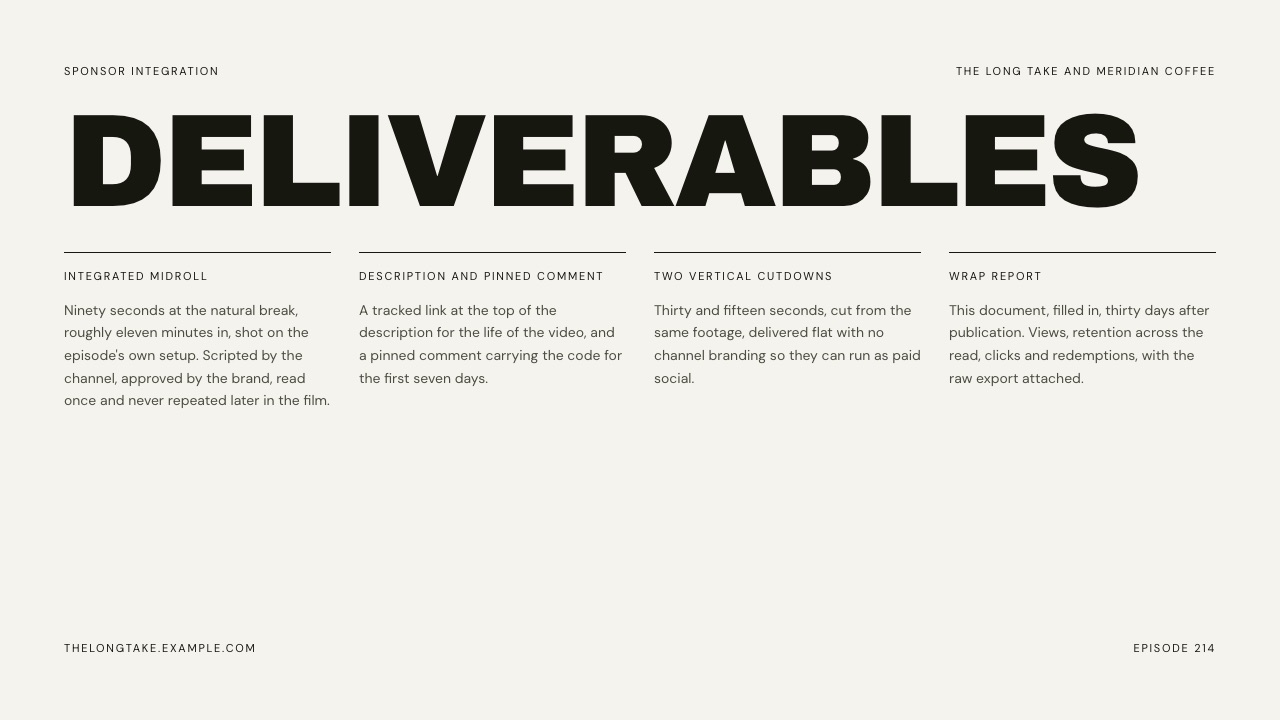
1. Framekit Slides: Best for the Proposal Document Itself

Framekit is an AI website builder whose Slides tool exists because creative proposals are image problems before they are word problems, and a brand deal proposal is the clearest case of that: the deliverables list is boring text, and the case study next to it is the reason the number gets approved.
The real numberunlimited decks on all four plans including Free, with the AI slide writer, speaker notes, full-screen presenting, a share link and PDF export also on Free.
That means no active-document caps, which is the specific cost that catches creators elsewhere in this list.
Paid plans start at $9 a month, $7 billed yearly, and add the full template library, uploaded fonts and removal of the Framekit byline.
The detail nobody writesspeaker notes on all 12 or 15 slides are the underrated feature in a proposal context.
Put the reasoning behind each price in the notes, present the deck live on the call, and export the PDF without them, so the brand gets the clean document and you keep the argument.
Most creator deck tools treat notes as an afterthought or a paid tier.
The gotcha that bites in week threeFramekit does nothing after approval. There are no signatures, no countersigned copies stored, no invoices and no reminders.
The $4,800 you quoted sits in a deck until you move it into some other system by hand, and if the brand changes a deliverable you are editing a slide, not amending a contract with a version history.
The second gotchathe deck share link has no password and no per-viewer analytics, only one total view count. For a proposal that contains your rate card, that is a genuine consideration, because you cannot stop the link circulating and you will not know that it did.
Skip it ifthe brand's procurement process requires a signed agreement inside the same tool, or your proposals routinely get redlined and need clause-level version tracking. Bonsai and PandaDoc are built for that and Framekit is not pretending to be.
Verdict: the best place to build the document a brand says yes to, and the wrong place to keep the agreement they said yes to. Pair it with a signature tool and an invoice tool and you have covered the whole job for $216 a year, $12 under the all-in-one.
2. Bonsai: Best for Proposal, Contract and Invoice in One Flow
Bonsai is the closest thing here to a single answer, and for creators who hate administration that is worth real money.
The point is not any individual document; it is that an approved proposal becomes a contract and the contract becomes an invoice without you rekeying the deliverables three times.
Its published pricing lists Basic at $15 per user a month, or $9 billed annually, covering time tracking, tasks, unlimited projects and clients and a CRM.
Essentials at $25 a month, or $19 annually, is the tier that matters here: it adds proposals and contracts, invoices and payments, forms, scheduling and a client portal.
Premium is $39 a month or $29 annually and Elite is $59 or $49 with a three-user minimum.
The real number$228 a year on Essentials billed annually. On the carried $4,800 deal that is 4.75 percent of one integration, which is cheap if it converts one stalled proposal a year and expensive if you send three proposals a year and remember your own terms.
The gotchathe document itself is the weak end of the 3. Bonsai proposals are competent business documents, not image-led creative decks, and a creator whose proof is footage will find the format flattening.
Note also that the plan table does not itemise e-signature as its own line, so if a countersigned agreement with an audit trail is the specific thing you need, confirm it against your own account before relying on it.
Skip it ifyour proposals are visual pitches and not scoped statements of work, or you already run invoicing somewhere and only need the paper.
Verdict: the right buy for a creator with a real pipeline and no patience for admin, and the wrong buy for a creator whose proposals have to look like their work. Contract and proposal tools for creatives compares it against the specialists.
3. DocSend: Best for a Proposal You Need to Watch and Gate
DocSend is a controlled sending layer, and it is the most useful tool in this list on exactly one question: did the brand reread the pricing page.
Dropbox's product page documents page-level analytics showing time per page and where readers drop off, a notification when a document is opened, the option to require an email and a passcode before viewing, one-click NDAs and data rooms.
The honest gapDocSend's own pricing page refused our automated request in September 2026, so no price appears here. Do not take a figure from a comparison article as fact, including the tables on pages like this one; open the vendor page yourself.
The real mechanicpage-level dwell time changes the follow-up and not the document. If a brand spent four minutes on the usage-rights page, your next email addresses usage rights, and that is a materially different conversation from a generic nudge.
The gotchagating costs you readers. Requiring an email before a brand manager can open a $4,800 proposal is friction the manager did not agree to, and a proportion of them will simply not bother. The feature is priced and designed for deals where that trade is worth paying for.
Verdict: the sharpest instrument here and an awkward fit for most creator deals. If the tracking appeals but the gate does not, DocSend alternatives covers the lighter options.
4. Docusign: Best for the Signature and Nothing Else
Docusign does one thing and does not pretend to do the other two, which after a run of all-in-one tools is refreshing. For a creator, the question is only whether the volume justifies the plan.
Its published eSignature plans list Personal at $11 a month, or $132 a year billed monthly, with a limit of 5 envelopes per month; Standard at $30 per user a month, or $360 a year, with 100 envelopes per user per year; and Business Pro at $45 per user a month, or $540 a year, with the same 100-envelope allowance and more features.
Enhanced plans are quote-only.
The real numberthe Personal plan's 5 envelopes a month is 60 signed agreements a year for $132, which is roughly $2.20 per signed deal. Against a $4,800 integration that is noise, and against a $400 gifted-product collaboration it is a rounding error you should still notice.
The gotchathe 100 envelope units on Standard and Business Pro are annual and not monthly, so a creator with a seasonal rush cannot smooth usage across the year the way the monthly Personal cap implies. Read the allowance shape, not just the 100.
Verdict: the correct purchase the first time a brand's legal team asks for a signed agreement, and an unnecessary one before that, since a countersigned PDF by email is still a contract on most deals under five figures.
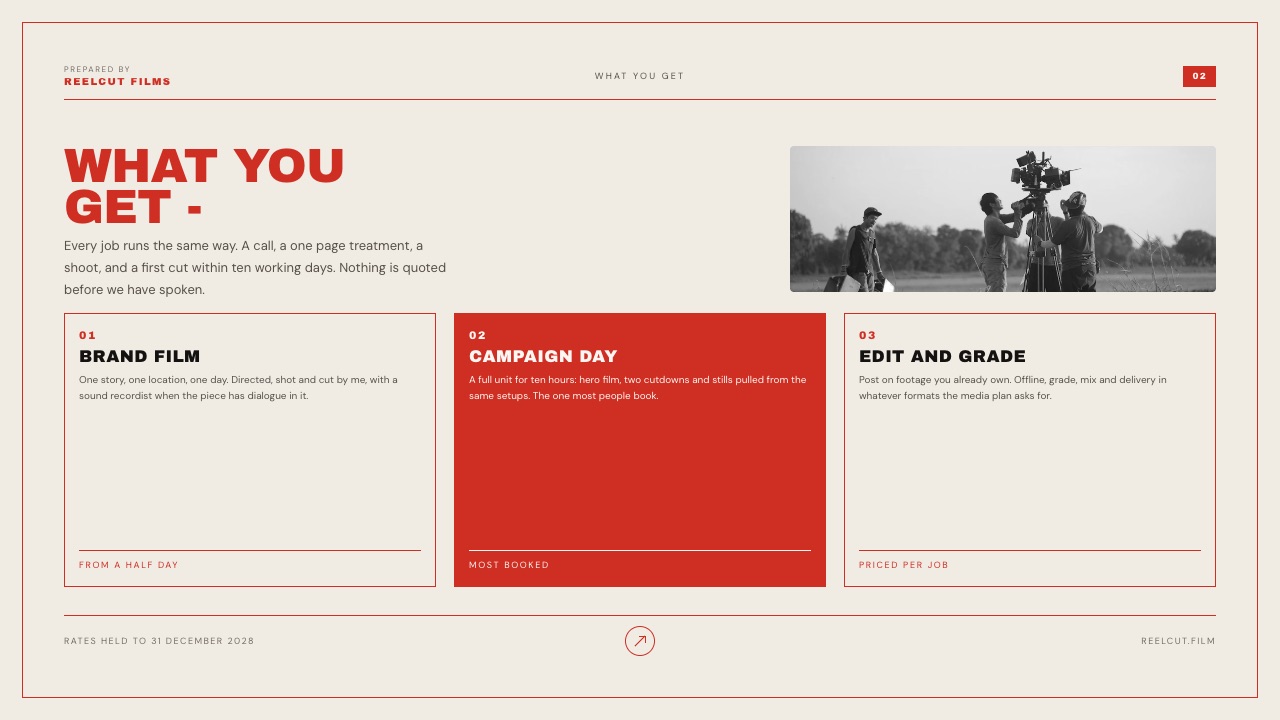
5. Canva: Best for a Proposal Nobody Has to Learn to Read
Canva's strength in a proposal context is social, not technical. A brand's marketing coordinator can open, comment on and even edit your document without a conversation about formats, and on a $4,800 deal that frictionlessness can be worth more than a better grid.
Canva's pricing page refused our automated request in September 2026, so these figures come from a browser reading that week and are European: Free at EUR 0, Pro at EUR 110 a year for one person, Business at EUR 170 a year per person, with Pro listing 3.6 million templates against 1.6 million on Free.
The gotchaproposal templates drawn from a library of 3.6 million are a tell. When your $4,800 scope arrives on a layout the brand also uses for internal decks, the document stops reading as a professional quote and starts reading as a form.
That is a subtle pricing problem, not just an aesthetic one.
Skip it ifyou are quoting at the top of your range and the document is part of the justification.
Verdict: a solid, low-friction proposal builder at EUR 110 a year that will never help you charge more. Creators who want the ease without the familiarity should look at Canva alternatives for presentations.
6. PandaDoc: Best for Proposals That Turn Into Signed Quotes
PandaDoc sits in the same territory as Bonsai but leans harder on the document itself, with quote blocks, approvals and signature built into the same file instead of bolted on afterwards.
For creators who sell tiered packages, a proposal where the brand selects a tier and signs in one pass is a genuinely better mechanism than a deck plus a separate agreement.
The honest gapPandaDoc's pricing page returned a rate-limit response to every attempt we made in September 2026, including with a browser user agent, so no price is quoted here. Check the page directly before budgeting.
The gotchatools built around quotes and approvals produce documents that look like software output. If your negotiating position rests on taste, the format works against you, and that is the same trade as Bonsai with a longer feature list.
Verdict: worth a look when your proposals are genuinely transactional and you want selection plus signature in one file, and worth skipping when the proposal is a creative pitch with a price at the end. Client proposal software covers where it sits against the rest.
7. Pitch: Best for Knowing the Proposal Was Actually Read
Pitch is the deck tool with tracking built into the sharing model instead of sold as an add-on, which makes it a sensible middle point between an untracked PDF and a gated DocSend link.
Its published pricing served euro amounts to our fetch in September 2026: Free at EUR 0 with 100 one-time AI credits and two external guests, Plus at EUR 10 a month billed yearly, Team at EUR 15 with 25 advanced links that record visits and engagement plus 25 guests, and Business at EUR 20 with unlimited advanced links.
Yearly billing is stated as a 17 percent saving. A browser in the same week saw dollar pricing, so the four figures above may not be the ones at your checkout.
The real number25 advanced links on Team. A creator sending eight proposals a month exhausts that in the first quarter, so the practical plan for anyone with real deal flow is Business at EUR 20, or EUR 240 a year.
The gotchacustom fonts and PowerPoint export both start on Plus at EUR 10, so a free Pitch account cannot produce a branded handover, which is exactly what a proposal needs to become.
Verdict: the best tracked deck for proposals under five figures, where gating would cost you more than the data is worth. Read Pitch alternatives if the advanced-link cap is what worries you.
8. Storydoc: Best for a Proposal That Scrolls Like a Web Page
Storydoc turns the proposal into a scrolling page with embedded video and read analytics, which fits creator work well because the case study can play instead of sitting as a screenshot.
Its published pricing lists Starter at $19.80 a month billed annually, which is $237.60 a year, with 5 active documents and basic analytics, and Pro at $36 a month billed annually, or $432 a year, with 30 active documents and extended analytics.
Team is quote-only with unlimited documents.
The real numberactive documents, not sends, is the unit that bites. Personalised proposals are the whole point of this category, so a creator sending eight a month passes the 5 document Starter allowance inside the first month, which makes the honest price $432 a year and not $237.60.
The gotchaa scrolling document is the awkward half of the two to archive. When the deal closes and somebody asks what exactly was agreed, a live page that has been edited since is a worse record than a PDF you exported on the day.
Verdict: an excellent format for one half of a proposal, the pitch, and a poor one for the paper half. Storydoc alternatives is the next read if the document cap is the blocker.
9. Gamma: Best for Drafting the Scope Before You Design It
Gamma is the quickest route from a rough brief to something with structure, and in a proposal that structure is most of the value: deliverables, timeline, price, next step, in an order that makes sense.
Its pricing page refused our automated request in September 2026, so these are browser figures from that week, in euros: Free at EUR 0 with 400 credits granted at signup and up to 10 slides per prompt; Plus at EUR 8 per seat a month billed annually, which is EUR 96 a year, or EUR 10 monthly, with 1,000 monthly credits, up to 100 slides per prompt and Gamma branding removed; Pro at EUR 18 per seat a month billed annually with 4,000 credits and detailed analytics.
The gotchacredits are the unit and their cost varies by action, model and length, which makes the 1,000 a month on Plus hard to plan around. The 400 credit signup grant does not renew, so a creator who iterates heavily on one proposal can run out before the deal is signed.
Verdict: a good first draft engine at EUR 96 a year and a weak final document, which is a fine thing to be if you move the output somewhere else. Gamma alternatives covers the move.
10. Notion: Best for a Proposal the Brand Can Comment On
Notion works for proposals that will be argued over, because a shared page with comments in the margin is a better negotiation surface than an email thread quoting slide numbers.
Its pricing page served euros to our fetch in September 2026: Free at EUR 0, Plus at EUR 9.50 per user a month, Business at EUR 19.50, with annual billing up to 20 percent off.
The Free plan allows up to 10 external guests, keeps 7 days of page history and caps file uploads at 5 MB each.
The gotcha7 days of page history on the free plan is the problem in a proposal context, not the file cap.
If the scope changes twice during a two week negotiation, the record of what you originally offered is gone, and in a disagreement about deliverables that record is the only thing that helps you.
Verdict: a strong collaborative surface at EUR 9.50 a month and a weak final artifact. Export a PDF the moment the scope is agreed, whatever else you do.
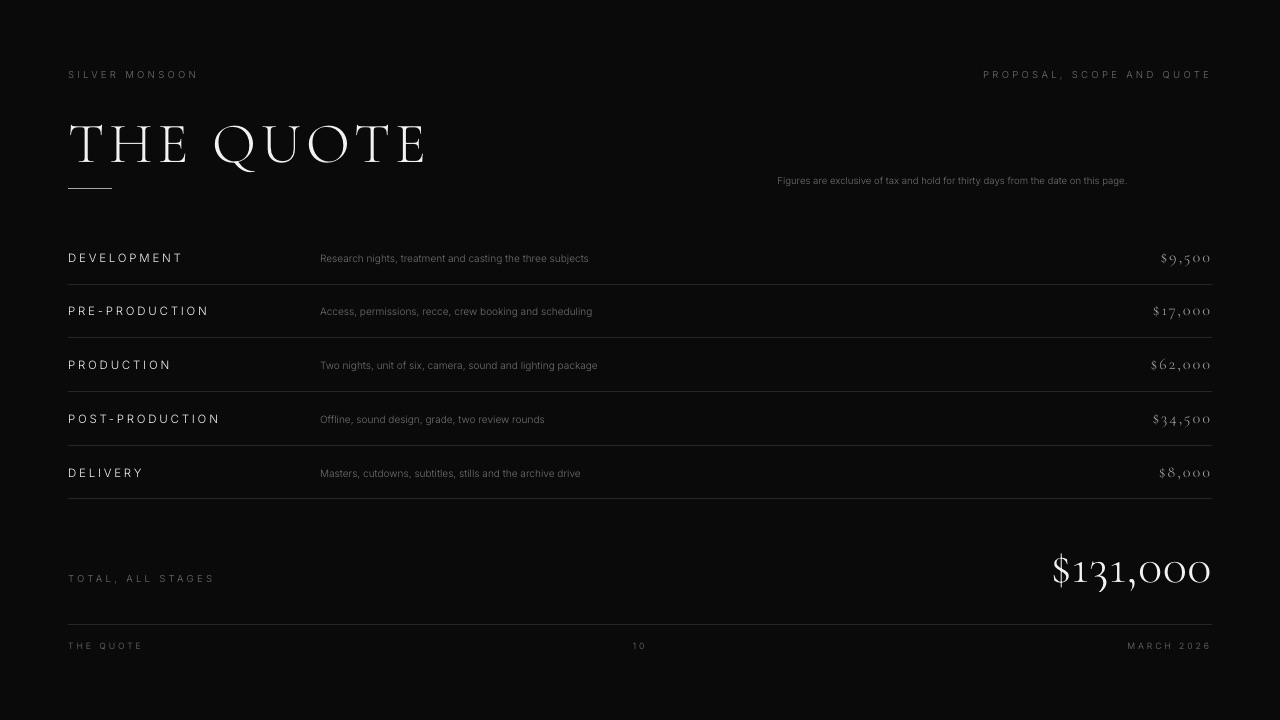
11. Google Slides: Best Free Proposal a Brand Can Edit
Google Slides is the pragmatic answer when the brand's side will change something before it goes to their client, and Google's own page confirms the basics, that anyone with a Google Account can create in Slides, with live editing, comments and offline access.
The real number$0 for personal use, against EUR 6.80 per user a month for Workspace Starter with 30 GB pooled storage per person, according to Google's published pricing, which quoted euros to our fetch.
The gotchacomment threads on a shared proposal are a permanent record of your negotiation, visible to every person the brand adds to the file. Creators regularly leave internal notes on a slide and forget that the brand manager's director can read them.
Verdict: the right format for an editable handover and the wrong one for the version that has to win the price argument. The PowerPoint and Google Slides comparison is worth reading if the brand's template is a .pptx.
12. Wave: Best for the Invoice After the Yes
Wave is in this list because a proposal that nobody invoices is a document, not a deal, and the free tier covers the one part of a brand collaboration that creators most commonly bolt onto a spreadsheet.
Its published pricing lists a free Starter plan that can "create unlimited estimates, invoices, bills, and bookkeeping records", and a Pro plan at $19 a month or $190 a year.
Card processing runs at 2.9 percent plus $0.60 per transaction on Starter, and 3.4 percent plus $0.60 for Amex, with Pro waiving the fixed 60 cents on the first ten transactions a month.
The real numberon the carried $4,800 integration, card processing at 2.9 percent plus $0.60 costs $139.80. That is the argument for invoicing a brand by bank transfer and not card, because $139.80 is more than a full year of any of the three stacks below.
The gotchaunlimited free invoices does not mean fast money. Brands pay on their own terms, and the tool cannot shorten a 60-day cycle, which is why the payment-terms line belongs in the proposal and not on the invoice.
Verdict: the cheapest correct answer for the money half of a brand deal, and a reminder that the invoice, not the deck, is the document that decides when you get paid. Creators weighing processing costs should also read Stripe fees for creators.
What the proposal has to say that no tool prompts for
Every tool above will happily let you send a proposal missing the two clauses that decide the price, which is the strongest argument in this guide for treating software as the least important part of the decision.
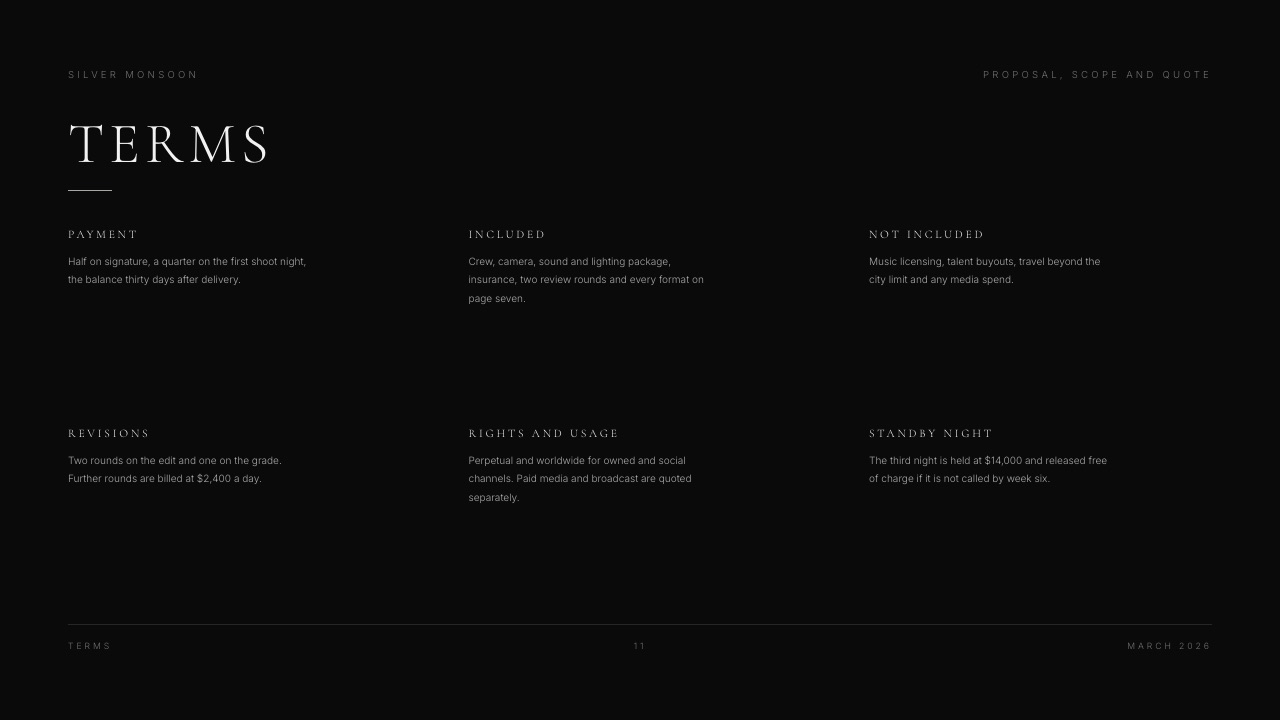
Usage rights. Deliverables are what you make; usage is what the brand may do with them for the next 90 days.
Organic posting on your own channel is one thing, and 90 days of paid advertising on the brand's account is another, with a different price.
If the proposal does not state the window and the placements, you have sold unlimited use at an organic rate.
Exclusivity. Six months of beverage-category exclusivity means turning down every competitor in that category for half a year. That is a real cost and it belongs in the price, not in the goodwill.
Approval rounds. Two rounds included, a stated rate after that. Without a number, revision creep is free for the brand and unpaid for you, and it is the single most common reason a $4,800 job pays like a $3,000 one.
Payment terms. Net 30 from invoice, with a deposit on larger jobs. This is the one line of the four that separates a paid quarter from a stressful one.
In one lineA plain-text proposal with those four clauses beats a beautiful deck without them every time, which is why the ranking above weights the document at 30 percent and not 60.
What three honest stacks cost in a year
Splitting the job across specialists beats the all-in-one on price by $12 a year, and the table below shows where that gap comes from, using only the figures published on each vendor's page in September 2026.
| Stack | Pitch document | Paper | Invoice | Year one |
|---|---|---|---|---|
| Free floor | Framekit Slides, $0 | Countersigned PDF by email, $0 | Wave Starter, $0 | $0 |
| Split specialists | Framekit Slides paid, $7/mo yearly | Docusign Personal, $11/mo | Wave Starter, $0 | $216 |
| All in one | Bonsai Essentials, $19/mo yearly | Included | Included | $228 |
In one lineThe split stack and the all-in-one land within $12 of each other over a year, so the decision is not really about money, it is about whether you want the better proposal document or the better paper trail, because for $216 or $228 almost nobody gets both.
Run the test on your own last four deals. Count the number that stalled after verbal approval, and for each one write down whether it stalled on a missing clause, a missing signature or a slow invoice.
If two or more stalled on paper, buy the paper tool and stop shopping for decks.
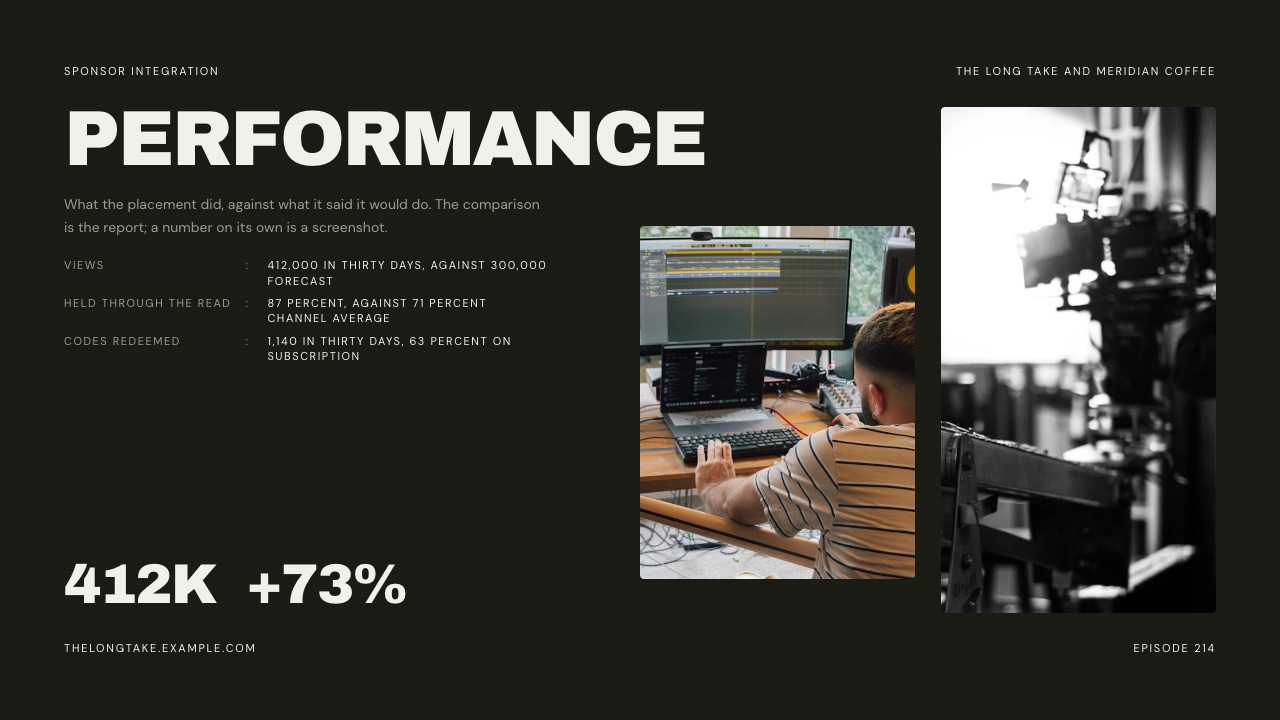
The four things Framekit does not do in a brand deal
A house pick that never names its own gaps is an advertisement, so here is the boundary drawn in full, with the tool you should use instead in each case.
No e-signature. Framekit collects no signatures, stores no countersigned copies and keeps no audit trail of who agreed to what. Docusign's Personal plan at $11 a month covers 5 envelopes a month, which is more than most creators need.
No invoicing. There is no invoice, no payment reminder and no record of what has been paid. Wave's free Starter plan issues unlimited invoices at $0 a month.
No CRM and no pipeline. Nothing in Framekit tracks that a proposal is outstanding, that a contact moved agencies, or that a deal is due to close this month.
Bonsai's Basic plan at $9 a user a month billed annually includes a CRM, and a spreadsheet is genuinely fine below about 30 live conversations.
No proposal analytics. The deck link reports one total view count. No per-viewer data, no page dwell time, no password. DocSend and Pitch both answer this and both are better than Framekit on that criterion.
In one lineFramekit covers the document and the link, which is one third of a brand deal, and the guide's recommendation is to pair it with two cheap specialists instead of pretending the other two thirds do not exist.
Decision guide: work down until one fits
Answer these in order and stop at the first yes, because the binding constraint should choose the tool, not the feature you find most appealing on a comparison page.
Does a legal team need a countersigned agreement? If yes, buy Docusign at $11 a month and build the document wherever you like. The signature requirement does not dictate the deck.
Do proposals in your business get redlined clause by clause? If yes, Bonsai or PandaDoc, because version history on a contract is the feature and a deck tool has none.
Is the price justified by the work you are showing? If yes, build it in Framekit Slides or Canva, where the case study and the frames carry weight, and keep the paper separate.
Do you need to know which page the brand reread? If yes and the deal is big enough to justify friction, DocSend; if yes and it is not, Pitch Team at EUR 15 a month billed yearly.
Will the brand's side edit the file? If yes, Google Slides, and accept that the document will look like everyone else's.
Are you at zero budget? Then Framekit Slides for the proposal, a countersigned PDF by email for the paper and Wave Starter for the invoice covers the entire deal for $0, and the only thing you are missing is analytics.
Frequently Asked Questions
What is the best tool for a brand deal proposal in 2026?
Framekit Slides is the best tool for building the brand deal proposal itself, because unlimited decks, an AI slide writer, a share link and PDF export are on the free plan, so there is no per-document cap on the number of brands you can quote.
It does not sign, invoice or track, so pair it with Docusign at $11 a month for signatures and Wave's free plan for invoices.
Bonsai at $228 a year is the better single purchase if you want one tool carrying the proposal, the contract and the invoice together.
Do you need an e-signature for a brand deal?
Not below five figures, and that surprises creators. Most brand collaborations under $10,000 are agreed by email with a countersigned PDF, which is a contract in most jurisdictions and is what both sides actually do.
An e-signature tool becomes necessary when the brand's legal or procurement team requires an audit trail, which tends to start at larger companies and larger budgets.
Docusign's Personal plan at $11 a month covers 5 envelopes a month if you need it, and there is no reason to buy it before a brand asks.
What should a brand deal proposal include?
A brand deal proposal should state the deliverables, the usage rights window and placements, any category exclusivity and its duration, the number of approval rounds included and the rate after that, the timeline, the total price and the payment terms.
Usage rights and exclusivity are the two lines that most change the correct price and the two creators most commonly leave out. A proposal missing them has effectively sold unlimited use and open-ended exclusivity at an organic-post rate.
Framekit vs Bonsai for creator proposals: which is better?
Framekit Slides is better if the proposal has to look like your work, since it builds image-led decks with your own fonts and colours and costs $0 to send.
Bonsai is better if the proposal is one step in a paperwork chain, since its Essentials plan at $19 a user a month billed annually turns proposals into contracts and invoices without rekeying.
The clean split: Framekit wins the document, Bonsai wins everything after the yes, and the two stacks land within $12 of each other over a year.
Can you track whether a brand opened your proposal?
Yes, but not with every tool, and not with Framekit. Framekit deck links report one total view count and nothing per viewer. Pitch tracks visits and engagement on advanced links, with 25 of them on its Team plan and unlimited on Business.
DocSend goes further, documenting page-level analytics that show time per page and where readers dropped off, plus an optional email and passcode gate. Storydoc includes basic analytics on Starter and extended analytics on Pro.
How much does it cost to run proposals as a creator?
Running proposals costs nothing at the floor and about $228 a year at the all-in-one end. All three free: Framekit Slides for the document, a countersigned PDF by email for the paper and Wave's free Starter plan for unlimited invoices.
The split-specialist version, Framekit paid yearly at $7 a month plus Docusign Personal at $11 a month, is $216 a year. Bonsai Essentials billed annually is $228 a year and covers all three documents in one place.
What is the cheapest way to invoice a brand?
Wave's free Starter plan is the cheapest published route, since it creates unlimited invoices, estimates and bookkeeping records at $0 a month.
The real cost is processing, not software: Wave lists 2.9 percent plus $0.60 for card payments, which on a $4,800 integration is $139.80.
Bank transfer avoids that $139.80 entirely, which is why creators invoicing four-figure brand deals should ask for a transfer and keep the card option for smaller jobs where convenience matters more than the percentage.
Should a proposal be a PDF or a link?
Send a PDF and keep a link for yourself. A PDF is a fixed record of exactly what you offered on a given day, which matters when a deliverable is disputed three weeks later, and it opens without a login inside a forwarded email thread.
A live link is easier to correct and can be tracked, but an edited page is a worse record than a frozen document. Framekit produces both on all four plans, so there is $0 cost to doing both.
How do you price usage rights in a brand deal?
Usage rights are priced as a percentage uplift on the production fee, scaled by the window and the placements, and the specific numbers are yours and not an industry constant.
What matters procedurally is that the proposal names the window in days, names the placements, and states that anything beyond them is a new quote.
A creator quoting $4,800 for organic delivery who then discovers the footage running as a 90-day paid advert has not been cheated; they wrote a proposal that allowed it.
Does Framekit store a signed copy of the agreement?
No. Framekit has no e-signature, stores no countersigned agreements and keeps no audit trail of approvals, so the record of what was agreed lives wherever you put it, which for most creators is an email thread and a PDF in a project folder.
If your deals need a searchable archive of signed agreements, use Docusign or a proposal tool with contracts built in, and treat Framekit as the place the persuasive version of the document was made.
What is the fastest way to send a proposal the same day?
Start from a proposal template and not a blank deck, fill only the deliverables, price and terms, and send the PDF.
Framekit's AI slide writer will draft the structure from a description on any plan including Free, and the template library on paid plans starts you closer.
The step that actually saves time is deciding your standard terms once, since most same-day proposals are slow because the creator is inventing the approval-rounds clause from scratch again. How to write a project proposal as a freelancer covers the skeleton.
Final Verdict
Framekit Slides is the recommendation for the proposal document in a brand deal, because the rate card, the case study and the deliverables list can share one designed deck, because there is no active-document cap to ration the number of brands you quote, and because PDF export and a share link are on the free plan instead of behind a tier.
Where Framekit loses is all three of the documents after the brand says yes. It does not sign, does not store a countersigned copy, does not invoice, does not track who opened the file and puts no password on the link.
Docusign, Wave, Bonsai and DocSend each beat it on one of those, and a creator whose proposals routinely get redlined needs contract version history that Framekit will not provide.
The stack this guide would actually run on the carried $4,800 integration is Framekit Slides for the proposal, a countersigned PDF by email until a brand's legal team asks for more, and Wave's free plan for the invoice, with an instruction to pay by bank transfer to avoid the $139.80 in card processing.
Buy Docusign the first time someone asks, and buy Bonsai only when admin is costing you more hours than the $228 a year would.
Related readingclient proposal software, how to write a project proposal as a freelancer, UGC rate cards, videographer rate card templates and sponsorship deck templates.
If the proposal comes after an introduction that has not happened yet, how to pitch a brand as a creator is the better starting point, and creators invoicing across borders should read VAT on digital products for creators before quoting a European brand.