Framekit templates
Start from a designer-made template
 Use template
 Use template
 Use template
 Use template
 Use template
 Use template
 Use template
 Use template
Searching for Framekit alternatives means one of three things. You tried it and something specific was missing. You are comparing before you commit. Or you are already a customer and you have hit a wall that a plan upgrade does not fix.
All three deserve a straight answer rather than a retention page.
We make Framekit, so this is an unusual article to publish, and it is worth saying why we are publishing it.
There are jobs Framekit does not do, and a list of them with the right tool named beside each is more useful to you and more honest than a comparison table engineered to end in our favour.
Framekit is an AI website builder for photographers, filmmakers, designers and creators, with client galleries, video review, decks and a digital store on one account.
An alternative is a product that covers the same job better for a specific person, which means the right one depends entirely on which of those five things you came for.
Framekit covers five jobs on one account, so the right alternative depends on which of them you came for.
For print and album sales, Pixieset, Pic-Time or ShootProof, because Framekit has no print lab on any plan. For long-form video review, Frame.io, which takes files we refuse. For editable decks a client can rewrite, Canva or Gamma.
For paid memberships or a newsletter, Ghost or beehiiv. For hand-built design control, Webflow or Framer. For a single static page, Carrd at $19 a year. If the gap is agency multi-site management, Duda. Sections below say which one and why.
Full disclosure: this is our own product's alternatives page, so read it with that in mind. The test we set ourselves was to name the specific competitor for each gap rather than describing the gap vaguely and pivoting back. Every price was verified in September 2026.
How to Read This
Framekit is five products on one account, so "alternatives to Framekit" is not one question. A photographer leaving over print sales and a designer leaving over layout control need completely different software, and a list ranked one to ten would be useless to both.
So this is organised by the reason you are looking, not by a score. Find your reason, take the named tool, and go. The last two sections cover what to check before you move and what you lose in the switch, because those apply whichever direction you go.
In one linepick the section that matches your gap rather than the tool with the highest rating, because there is no single product that replaces all five halves of this one.
| The gap you hit | Use this instead | Why |
|---|---|---|
| Print and album sales | Pixieset, Pic-Time, ShootProof | We have no print lab on any plan |
| Cuts over 3GB | Frame.io | Our review file ceiling stops at 3GB |
| Client must edit the file | Canva, Gamma | Our PowerPoint export is picture-based |
| Password or per-viewer analytics on a deck | Gamma Pro | We offer neither at any tier |
| Paid memberships or a newsletter | Ghost, beehiiv, Patreon | Our store sells one-off products only |
| Hand-built layout and motion | Webflow, Framer | We generate and edit, not author |
| One static page | Carrd | $19 a year beats anything we sell |
| Ten or more client sites | Duda | No multi-site dashboard or white-label |
| Global tax filed for you | Paddle, Lemon Squeezy | We are not a merchant of record |
If You Need Print and Album Sales
This is the most common reason to leave, and it is a real one. Framekit has no print lab on any plan, no album ordering, no fulfilment and no wall-art upsell. Photographers whose income includes physical products are giving up money by staying.
Pixieset is the all-rounder: polished galleries clients recognise, a print store, and a website in the same suite. Its free plan carries a 15 percent commission on store sales, which the paid tiers remove.
Pic-Time is the one to pick if selling is the point rather than an add-on. Its automated sales campaigns and wall-art previews genuinely sell more than a passive store does, and its sales analytics are the deepest in the category.
ShootProof is the pick if the commission is what bothers you, because it takes none on print sales at any tier and prices by photo count instead.
The honest comparisonon a $6,000 print year, a 15 percent commission is $900. Our zero commission saves you nothing on that $6,000 because you cannot sell it through us at all. If prints are real revenue, their fee is worth paying.
Our client gallery comparison prices all three properly.
If Your Cuts Are Long
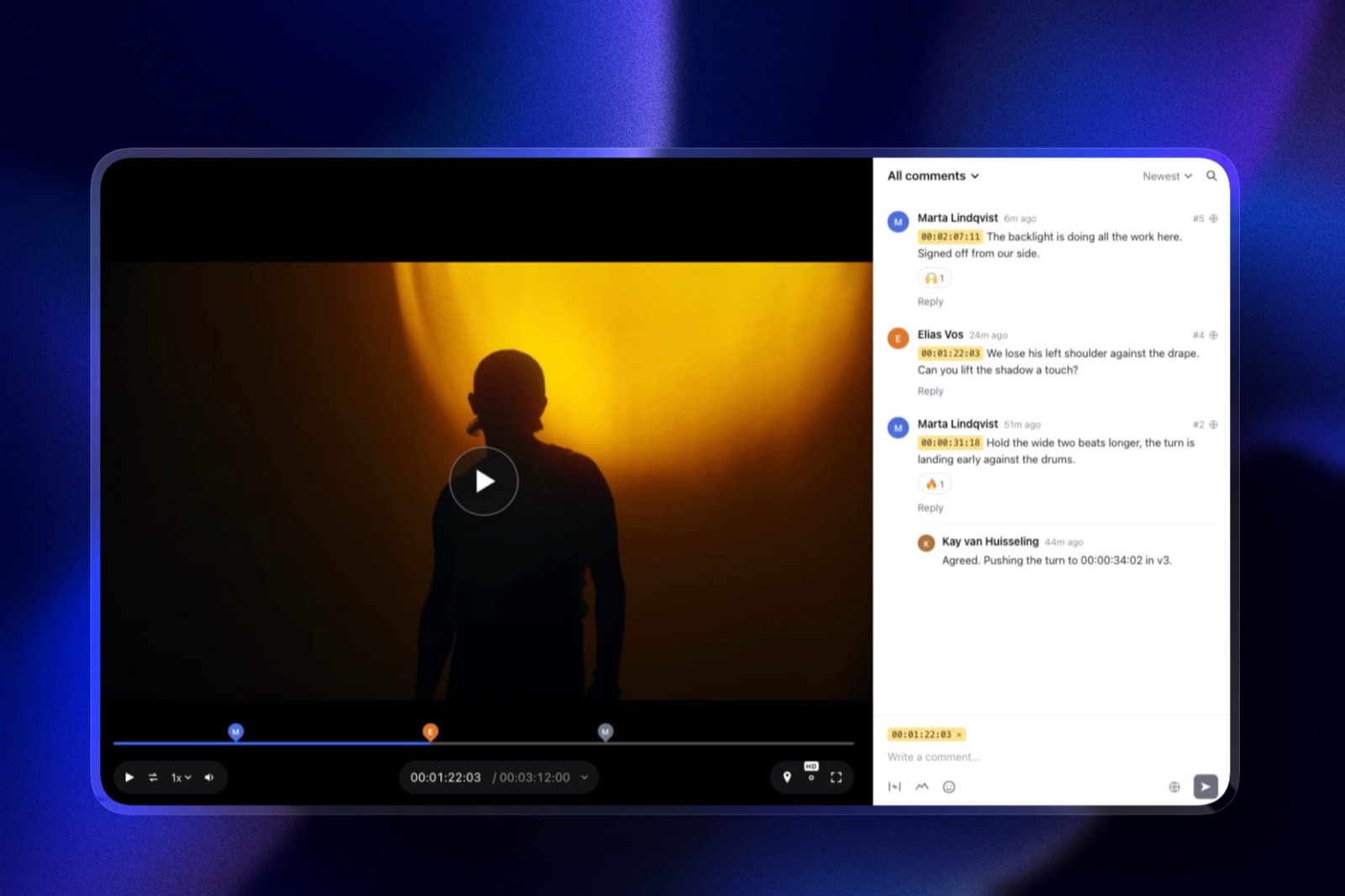
Framekit's video review caps a file at 500MB on Free, 1GB on Starter, 2GB on Pro and 3GB on Business. Full ceremony films, documentary assemblies and feature cuts exceed every tier.
Frame.io is the answer and it is not close.
It takes feature-length files, lives inside Premiere and After Effects, moves footage from camera to cloud during the shoot, separates internal comments from client ones on its Team plan, and is cheaper per terabyte than we are: $156 a member a year including 2TB.
Krock.io and Vimeo are the cheaper long-form options if Frame.io's per-member pricing is more than you need.
The honest comparisonwe cover short-form review well and stop dead at long-form. No plan changes that, so if your reviewed deliverable is routinely over 3GB there is nothing to weigh. Our Frame.io comparison lays out the file-size table.
If the Client Has to Edit the File
Framekit's PowerPoint export, from the Pro plan, renders each slide as a full-bleed picture with speaker notes preserved. A recipient can present it and cannot rewrite it.
Canva hands over a genuinely editable file, has a vastly larger template library, and supports live multi-cursor co-editing that we do not have at all.
Gamma exports editable PowerPoint and Google Slides, and adds the two things we are asked for most and do not offer: a password on a shared deck and per-viewer analytics.
The honest comparisonif your contract says the client receives editable source files, this is settled and we are the wrong tool. Our decks win on creative documents such as treatments and lookbooks, and lose on anything that has to be handed over and reworked.
Both are compared in full in Framekit vs Canva and Framekit vs Gamma.
If You Sell Memberships or Run a Newsletter
Framekit's store sells one-off digital products. There is no subscription billing, no member area and no email sending, so recurring income has to live elsewhere.
Ghost is the pick for a paid publication, and its pricing takes no percentage of subscription revenue, which is the whole reason writers move to it.
beehiiv is the pick if newsletter growth and sponsorship revenue are the business.
Patreon is the pick for community-first creators who want tiers and perks rather than a publication.
Podia or Kajabi if the product is courses with a membership attached.
The honest comparisona one-off store is not a substitute for recurring billing and we are not going to describe it as one. Plenty of creators run the newsletter on Ghost and keep the portfolio and the store on Framekit, which is a reasonable split rather than a compromise.
If You Want to Hand-Build Every Pixel
Framekit generates a site and lets you edit it, with custom HTML, CSS and JavaScript from the Pro plan. What it does not give you is a design canvas where you author every breakpoint yourself.
Webflow is the ceiling: full manual control, a real CMS with custom collection types, and the deepest structural control in the category. It costs more in money and considerably more in hours.
Framer is the pick if motion is part of what you sell, with scroll-linked transitions and micro-interaction tooling we do not attempt to match.
Cargo or Readymag if art direction is itself the thing your portfolio demonstrates.
The honest comparisonif the site is your deliverable and clients pay you for bespoke layout and motion, an AI builder removes the thing you charge for. We are the right tool when the site is the means and your client work is the product.
If You Only Need One Page
Carrd at $19 a year is cheaper and simpler than anything we offer, and if you will never add a second page, a store or client galleries then it is the better purchase. We say this in every post where it comes up because it keeps being true.
The honest comparisonour free plan publishes ten pages and a store at $0, which beats $19 a year only if you use them. One static card with a headshot and a contact line does not need us.
If You Manage Client Sites as an Agency
Framekit works cleanly up to roughly ten client sites and then stops scaling, because there is no multi-site dashboard, no white-label and no per-client billing. Past that you are administering ten separate subscriptions.
Duda exists precisely for this: a proper agency dashboard, white-label, and client billing built in.
The honest comparisonten sites on our Starter plan is about $1,080 a year against roughly $4,116 on Webflow CMS with an agency workspace, so the money is good until the admin overtakes it. We would rather tell you where that line is than sell you ten subscriptions.
If You Need Tax Handled For You
Framekit is not a merchant of record, which means you are the seller on every transaction and the VAT and sales-tax obligations that follow are yours to handle.
For a seller with meaningful volume into the EU, that administrative load is a genuine reason to pay someone else more per sale.
Paddle and Lemon Squeezy take that on, filing global tax as the merchant of record, and Paddle publishes its fee so the trade is easy to price.
They charge more per sale, and that difference is the price of not doing the paperwork.
The honest comparisonour fee is lower and our compliance burden is yours. For a seller doing meaningful volume into the EU, the higher fee frequently costs less than an accountant does.
What Framekit Does Well Enough That Leaving Costs You Something
Fairness cuts both ways, and a list of gaps with no counterweight would be its own kind of dishonest. Here is what you actually give up in the move, whichever of the alternatives above you pick, so you can weigh it rather than discover it in month two.
- One account instead of four. Most alternatives above solve one of the five jobs. Leaving for a print store usually means paying for a portfolio site again. Leaving for Frame.io means paying separately for delivery.
- No commission on client delivery. Galleries carry no delivery commission on any plan, including free, because there is no store taking a cut.
- Seats in the plan. Three team members on Pro at $19 a month for the account, unlimited on Business, rather than per-seat billing.
- A free plan that does not expire. Ten pages, 10GB, unlimited galleries, unlimited decks and a working store at $0.
- A fee that falls to zero. The product-sale fee runs 5 percent, 3 percent on Pro and 0 percent on Business at $39, where a marketplace percentage never falls.
In one linethe question is rarely "is this alternative better", it is "is it better enough to pay for the three things it does not replace".
Before You Switch, Check These Four Things
Four things trip people up in a platform move, and all four are cheaper to handle before you start than after. This applies leaving us, arriving here, or moving between any two tools in this article.
- Your domain. If it is registered through any builder rather than a registrar in your own name, move it first. This is the single most common way people get stuck.
- Your files. Nothing in this category imports another platform's site, ours included. A move means rebuilding, which for a ten to twenty page portfolio is an evening.
- Your links. Old gallery and deck links stop working when an account closes. Give clients notice and keep the old plan running for a month past the move.
- Your customer list. If you sell, export the buyer emails before you close anything. On a marketplace you often cannot, which is its own argument.
Frequently Asked Questions
What is the best Framekit alternative?
There is no single one, because Framekit covers five jobs. For print and album sales it is Pixieset, Pic-Time or ShootProof. For long-form video review it is Frame.io. For editable decks it is Canva or Gamma.
For memberships and newsletters it is Ghost or beehiiv. For hand-built design control it is Webflow or Framer. For a single page it is Carrd at $19 a year. Pick by the gap you hit rather than by a rating.
Why would a photographer leave Framekit?
Print sales, almost always.
Framekit has no print lab, no album ordering and no fulfilment on any plan, so a photographer whose income includes wall art or albums earns more on a platform that sells them, even after that platform's commission.
The second reason is storage: wedding photographers pass the free plan's 10GB in their first month and need Starter or Pro from the start.
Is there a free alternative to Framekit?
Several, and they withhold different things. Pixieset's free gallery plan is generous but carries a 15 percent store commission. Frame.io's free plan is feature-rich with 2GB and two projects.
Canva's free plan is one of the best in software.
Framekit's own free plan publishes ten pages with unlimited galleries, unlimited decks and a working store at $0, so the honest comparison is which limitation you can live with rather than which is free.
Can I move my Framekit site to another platform?
You can rebuild it anywhere, but no platform imports it, just as Framekit does not import from Webflow, Squarespace or Portfoliobox.
Your domain moves freely if it is registered in your own name, your images are yours to download, and the rebuild for a typical portfolio is an evening's work. Move the domain first and keep the old site live until the new one is published.
Framekit vs Squarespace: which should I use?
Squarespace if you sell physical products, want the broadest app ecosystem, or prefer picking a template over generating one.
Framekit if you want client galleries, video review and a store for digital files on the same account, which Squarespace does not offer, and a site generated around your work.
Squarespace is the safer general choice and Framekit is the more specific one for creative delivery work.
What is the cheapest alternative to Framekit?
Carrd at $19 a year, if a single page is genuinely all you need.
Beyond one page the comparison changes quickly, because Framekit's free plan publishes ten pages with a store at $0 and Starter is $84 a year on yearly billing, which is below most full site builders.
The cheapest option is only the cheapest if it does the job, and for a portfolio with project pages and client delivery it does not.
Does Framekit lock me in?
Not through the domain, which you should register in your own name and can point anywhere at any time. Not through your files, which you can download.
The practical lock-in is the same as every builder in this category: the site itself does not export to another platform, so switching means rebuilding. That is worth weighing before you start, not after.
Which alternative is best for selling digital products?
Payhip for a free hosted store with an honest fee ladder, Lemon Squeezy or Paddle if you want a merchant of record handling global tax, and Gumroad if speed to a first sale matters more than the percentage.
Framekit's own case is that the store sits on your own domain with a fee that falls to 0 percent on the $39 Business plan, which beats a fixed marketplace cut above roughly $780 a month in sales.
Is Framekit worth it if I only need a website?
Possibly not, and it depends on what else you pay for. If you need a portfolio and nothing else, Squarespace, Format and Framer are all reasonable and you should pick on design preference.
Framekit earns its place when the galleries, review links, decks or store would otherwise be separate subscriptions, because that is where one plan replaces three.
What do I lose by switching away from Framekit?
Usually the consolidation. Most alternatives replace one of the five products, so leaving for a print store means paying for a portfolio site again, and leaving for Frame.io means paying separately for client delivery.
You also give up commission-free gallery delivery, seats included in the plan rather than billed per head, and a free tier that does not expire. Whether that matters depends on how many of the five you actually use.
Final Verdict
If you came here because Framekit was missing something specific, the tool you need is named above and you should go and use it.
Print sales, long-form review, editable handoff, memberships, hand-built layout, one static page, agency multi-site, merchant-of-record tax: those are real gaps, they are not on a roadmap we can point you to, and a competitor does each of them properly today.
Who should not use Framekit. Anyone whose income is print or album sales. Anyone reviewing cuts over 3GB. Anyone whose clients receive editable source files. Anyone running paid memberships or a newsletter.
Anyone who sells bespoke design and motion as the deliverable. Anyone who needs one static page. Any agency past roughly ten client sites.
Who should. Creatives running several of these jobs at once who are currently paying for them separately.
That is the only claim this product makes that a single-purpose alternative cannot match, and if it does not describe you then one of the tools above is the better purchase.
Related readingFramekit's full pricing, the best client gallery platforms, and the best Frame.io alternatives.
Competitor pricing and plan rules verified against each vendor's published pages in September 2026. Framekit limits read from the shipped product the same month.