Framekit templates
Start from a designer-made template
 Use template
 Use template
 Use template
 Use template
 Use template
 Use template
 Use template
 Use template
Canva is the most successful design tool ever made, and most people weighing Framekit vs Canva are not really comparing design tools.
They are asking something narrower: can the thing I already pay for make the specific document my client is waiting for, and is one of my subscriptions doing a job the other already does.
So this comparison is deliberately narrow. Canva makes files, in more formats than anything else on the market. Framekit publishes and delivers: a portfolio site, a client gallery, a review link, a store and the decks that travel with them.
They overlap on decks and, since Canva's websites went multi-page, a little on sites.
A design platform is software for producing visual documents such as slides, social graphics, print layouts and video, while a creative business platform is software that publishes and delivers finished work to clients at a URL; Canva is the first and Framekit is the second.
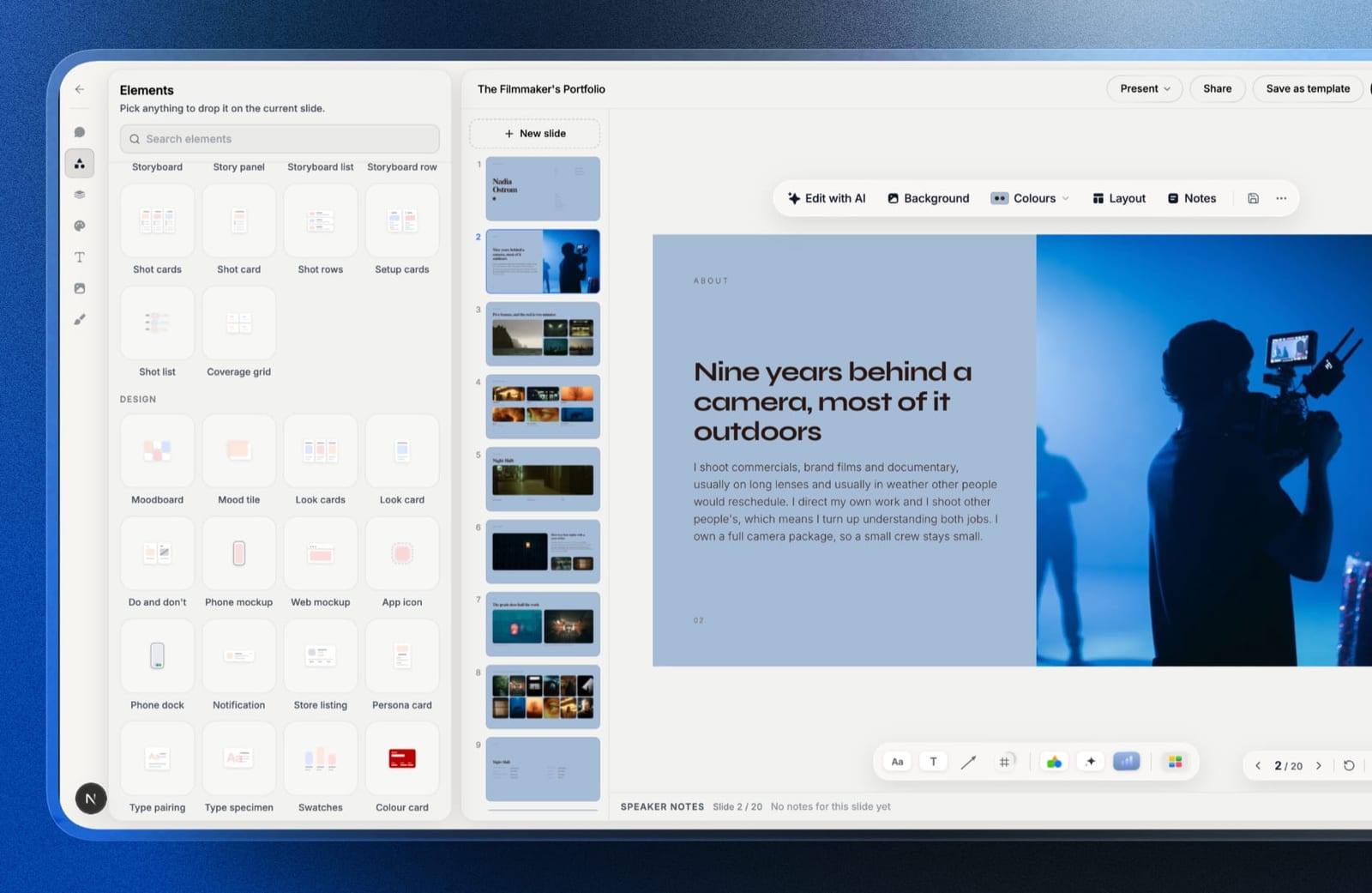
Framekit is an AI website builder that also ships Slides for treatments, lookbooks and portfolio decks, plus client galleries, video review and a digital store on one account.
On 12 October 2026 we re-verified Canva's plans, AI allowances, collaboration features and website limits on its own pricing page and help centre, and corrected this page's earlier claims that Canva publishes only single-page sites and that Framekit's AI is unmetered.
We also withdrew its team pricing for Framekit, after confirming in the product that Framekit's team members administer the website and cannot open decks.
Framekit is the better tool when the output lives at a link you own, such as a portfolio site, a delivered client gallery, a video review or a store, and for creative decks such as treatments, lookbooks and portfolio books, because Canva has no galleries, review or store and its templates are built for general business and social work.
Canva is the better tool for breadth, for any deck more than one person builds, since its live co-editing and comments are on every plan while a Framekit deck belongs to the account that made it, and whenever a client must edit the file, since Framekit exports PowerPoint only as pictures.
Most working creatives should keep Canva Free and question whether they need Canva Pro at $144 a year.
Full disclosure: Framekit is our own product. Canva is not a competitor this page can dismiss, and it would be worthless if it tried: it is an excellent tool with a free plan most people never outgrow. Canva facts come from its own pricing page and help centre, read on 12 October 2026; Framekit facts come from the shipped product. Nothing here is a timed or scored hands-on test of either tool, and the section on when not to pay us is near the end.
How This Comparison Was Put Together
This comparison is built from what Canva and Framekit each publish about their own plans, limits and features, plus worked arithmetic on those figures, because the decision most readers face is a money and workflow decision rather than a question of which editor feels nicer.
Read at the source. For Canva: the plan cards, AI allowance FAQ and full feature comparison on Canva's pricing page, the help centre's Canva Websites overview and its article on download file types.
For Framekit: the shipped product and its plan configuration.
A note on currency. Canva localises prices. Read from Europe on 12 October 2026, its page showed Pro at EUR 110 a year for one person and Business at EUR 170 a year per person, and said yearly billing saves from 16 percent.
The dollar figures below are the US prices Canva showed in September 2026: Pro at $144 a year, or $18 month to month, and Business at $25 a person a month. Framekit's prices are in US dollars.
Calculated, not measured. The year-one costs further down are arithmetic on those published prices at three levels of use. There are no load times, speed scores or timed builds on this page for either tool.
Framekit vs Canva by the Numbers
These are the figures that settle most Framekit vs Canva decisions, each read from the vendor's own page in October 2026 or calculated from it, and each one comes back later in a table where the reasoning is laid out.
- 3.6 million. Templates on Canva's paid plans, and 1.6 million on Free. Framekit's library is a small, curated set for creative work.
- 1 person. Who can use a Canva Pro account. Teams need Canva Business, priced per person; Canva Teams is closed to new sign-ups.
- 1 account per deck. A Framekit deck belongs to the account that made it; the 3 team members on Pro and unlimited ones on Business are website admins who cannot open decks.
- 45 pages. The most a multi-page Canva website can have. Framekit sites run from 10 pages on Free to unlimited on Business.
- 20 and 200. Canva's monthly AI allowance in uses of Premium AI tools on Free and Pro. Framekit also has a monthly AI allowance on every plan; neither tool meters hand design.
- 0. The number of client galleries, video review links or stores on any Canva plan.
- 60 slides. The cap on Framekit's picture-based PowerPoint export, on Pro and up.
Framekit vs Canva at a Glance
Read this table in order, because the rows are ranked by how often they decide the choice for a photographer, filmmaker or designer rather than by feature count, and the first four rows settle it most of the time.
| Framekit | Canva | |
|---|---|---|
| Client galleries with password and download PIN | Yes, unlimited, every plan | No |
| Video review with frame-accurate comments | Yes, every plan | No |
| Store for digital files | Yes, 5% fee on Free and Starter, 0% on Business | No store on any plan |
| Website | Multi-page portfolio site, custom domain from Starter | Multi-page up to 45 pages, custom domain on paid plans |
| Decks | Unlimited, templates for treatments, lookbooks, proposals | Unlimited, 3.6 million templates across formats |
| Social graphics, print, video editing, whiteboards | No | Yes |
| Live co-editing and comments | No | Yes, every plan |
| Client can edit what you send | No, PowerPoint export is pictures | Yes, PPTX download for presentations |
| AI | Monthly allowance on every plan | Monthly allowance on every plan; standard AI tools unmetered on paid |
| Who works on decks | The account holder only; Pro's 3 team members edit the website | One person on Pro; per person on Business; co-editing on every plan |
| Storage | 10GB to 2TB, pooled | 5GB to 1TB |
| Entry paid plan | $9 a month, or $84 a year | $18 a month, or $144 a year |
In one lineCanva makes more kinds of file for more people at once, and Framekit publishes and delivers the things a client opens at a link, which is why most working creatives end up paying for one and using the free tier of the other.
Where Canva Wins
Canva beats Framekit outright in five areas, and none of them are close enough to argue about, so if any one of them is central to how you work, the rest of this comparison is academic and you should stay where you are.
Breadth. Canva covers presentations, social graphics, print, a photo editor, video, websites, whiteboards, docs, sheets, email and courses in one editor. Framekit makes websites, galleries, review links, decks and a store.
If your week involves eight Instagram carousels, a menu, a business card and a deck, Canva does all of it and Framekit does the deck.
Collaboration on every plan. Canva lists real-time collaboration, comments, task assignment and anonymous collaboration on Free as well as paid plans.
Framekit has no live co-editing and no comments on decks, and a deck belongs to the account that made it, so a second person cannot open it at all; one person builds it and the other comments on a PDF.
For a studio that drafts together, that is a daily difference.
Editable handoff. When an agency producer asks for the file so they can drop two of your slides into their master, Canva hands over a PowerPoint they can edit.
Canva's own help article warns that a design may look different in PowerPoint and that animations and embedded videos are not supported there, but the text is live.
Framekit's PowerPoint export, from Pro, turns each slide into a full-bleed picture with your speaker notes kept, up to 60 slides: presentable anywhere, not rewritable. Canva also imports PowerPoint files; Framekit imports none.
Templates and assets at scale. 3.6 million templates and 141 million stock photos, graphics, videos and audio tracks on paid plans, plus brand kits (one on Free, five on Pro, 100 on Business) and element locking.
Framekit's library is small and built for a narrow band of creative documents.
A free plan that most people never exhaust. Canva Free includes 1.6 million templates, real-time collaboration, presentations, websites and up to 20 uses a month of its Standard or Premium AI tools.
Any comparison that quietly assumes you pay Canva $144 a year is stacking the deck.
Already deciding between Canva and other deck tools? Canva vs Google Slides and Gamma vs Canva cover the two head-to-heads readers ask about most.
Where Framekit Wins

Framekit wins in four areas too, and the pattern is worth naming: they are things Canva does not attempt rather than things it does worse, which makes this a category boundary rather than a feature race and explains why so many people run both.
Client delivery. Unlimited client galleries on every plan, holding photos and video together, with a gallery password, a separate download PIN, client favourites, watermarks on photos, and the option to download everything or favourites only.
Canva has no equivalent, so a photographer who designs in Canva also pays for a gallery platform.
Review rounds. Upload a cut, send a link, and clients comment at the exact frame, draw on the frame and approve or request changes, without making an account. Version stacks keep v1 and its notes when v2 arrives. Again, Canva has nothing here.
Selling files. A store for presets, LUTs, templates and guides, sold from your site or through a shareable checkout link, with a platform fee of 5 percent on Free and Starter, 3 percent on Pro and 0 percent on Business.
Payments run through your own Stripe account, and checkout is hosted on a Framekit page carrying your name and logo. Canva's plans list no store or checkout.
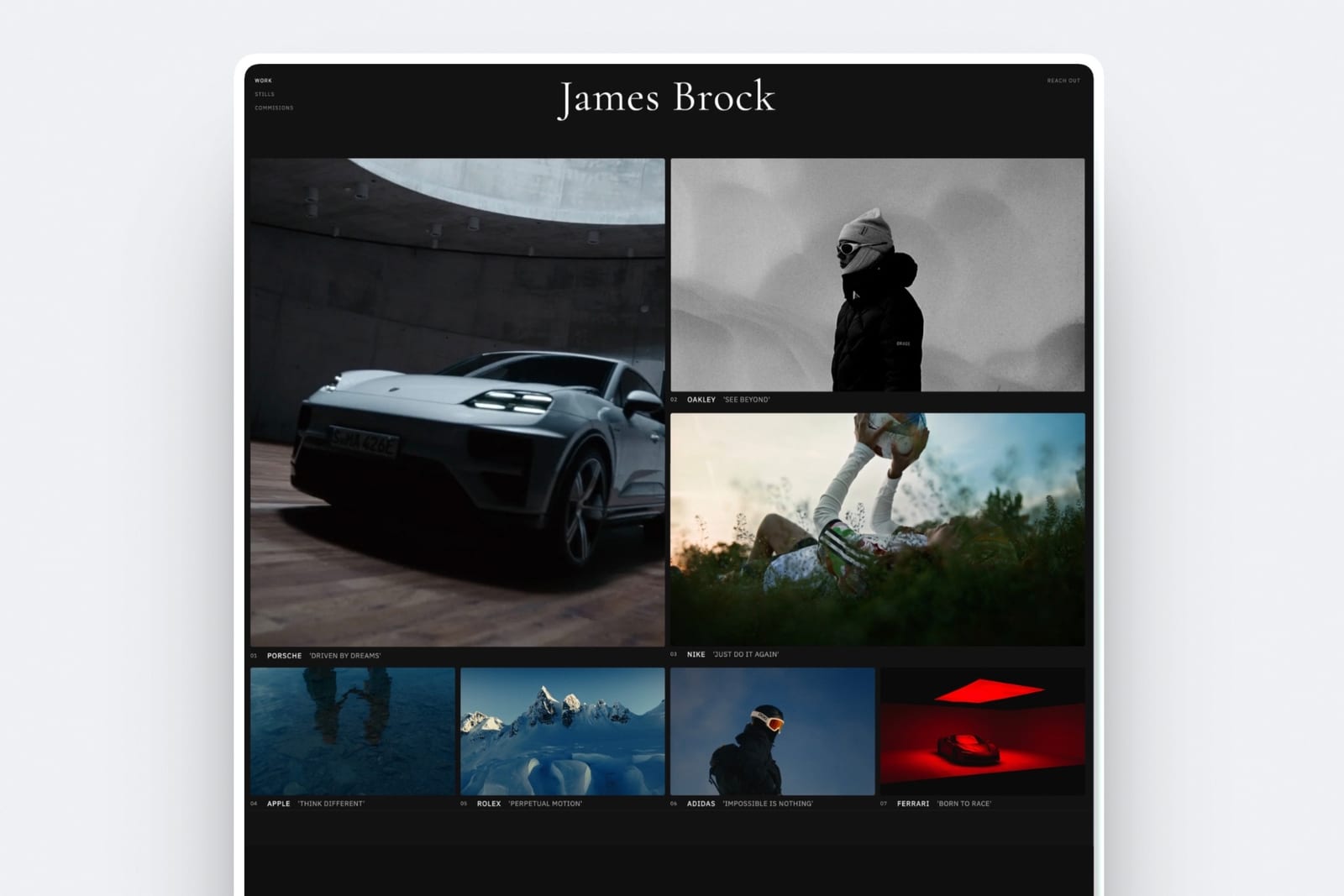
A site built for a portfolio. Canva's websites are real and now multi-page, but they are designs published to the web.
Framekit generates a multi-page portfolio from a description, with project pages, contact forms, per-page SEO titles and descriptions, visitor analytics and a custom domain from Starter, on the same storage pool as your galleries and reviews.
In one lineeverything in this section is a thing that lives at a URL and gets opened by a client, which is the line between the two products and the reason a deck comparison alone undersells the decision.
The Deck Comparison, Which Is the Real Question
Most people searching Framekit vs Canva already have Canva and want to know whether it is enough for a treatment, a lookbook or a pitch, so here is the split on decks specifically, stated as plainly as it can be from what each product ships.
Canva is better when the deck is a working document.
A team deck several people edit, a client who needs the file, a presentation that will be restructured three times before it ships, or any format where a template among 3.6 million gets you most of the way.
Canva also has multiple presentation modes and basic design insights on every plan, with advanced insights on Pro.
Framekit is better when the deck is a finished artefact that has to look art-directed rather than assembled from a business template.
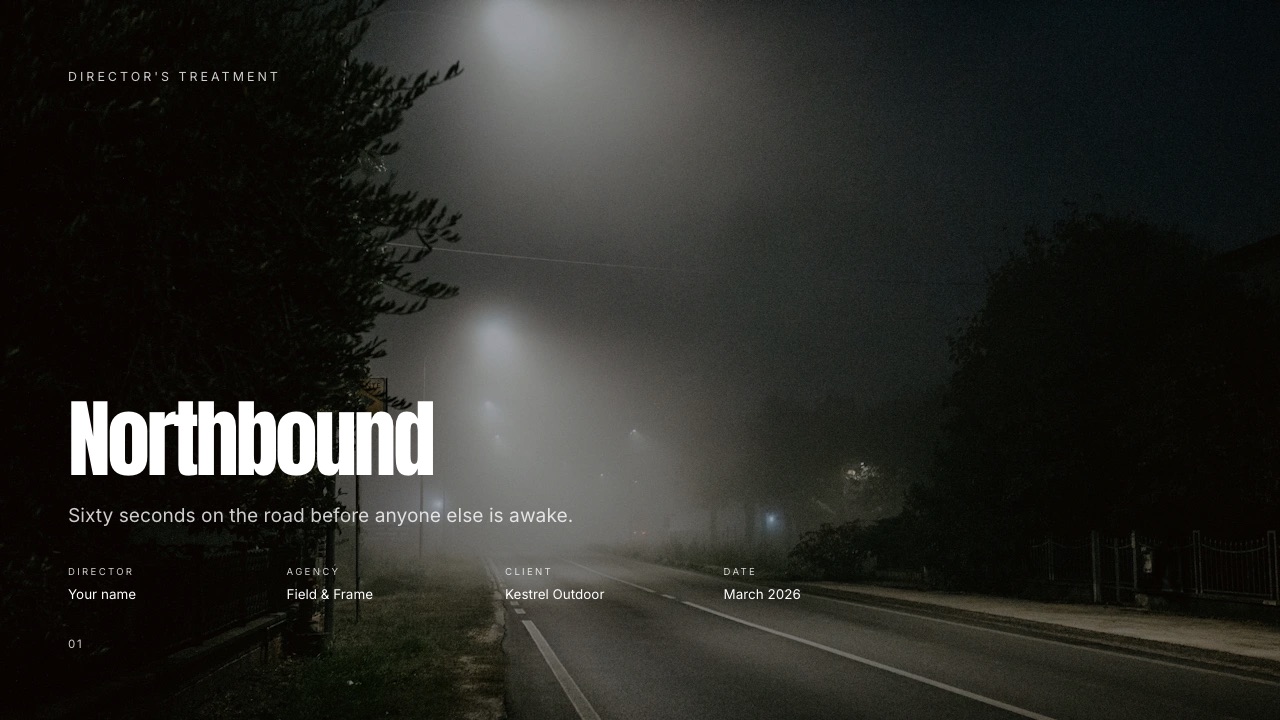
Director's treatments, lookbooks, photography portfolio books, production proposals with a quote, rate cards and shot lists are templates built for those documents, with the sections already laid out.
Paste a YouTube, Vimeo or Instagram link and it becomes a player on the slide, so a reference clip plays where a still would sit.
The gotcha on Framekit's sidea Framekit deck link has no password, no expiry and no per-viewer analytics, only a total view count per deck. You can reset a link, which kills the old one immediately, or unpublish it.
For a treatment a brand's legal team treats as confidential, send a PDF to named people instead.
The gotcha on Canva's sidea treatment built from a general business template tends to look like one. That is a taste judgement rather than a measurement, so look at both outputs and make it yourself.
If you want the structure first, how to write a film treatment walks through it.
In one lineCanva for decks that get edited by several people and handed over as files, Framekit for decks that represent your work and get sent as a link or a PDF.
Elements for Shot Lists, Storyboards and Moodboards
The practical gap on creative decks is less about templates than about the building blocks inside a slide, because a treatment or a production deck repeats the same few structures, and having them ready saves the hour you would otherwise spend drawing tables.
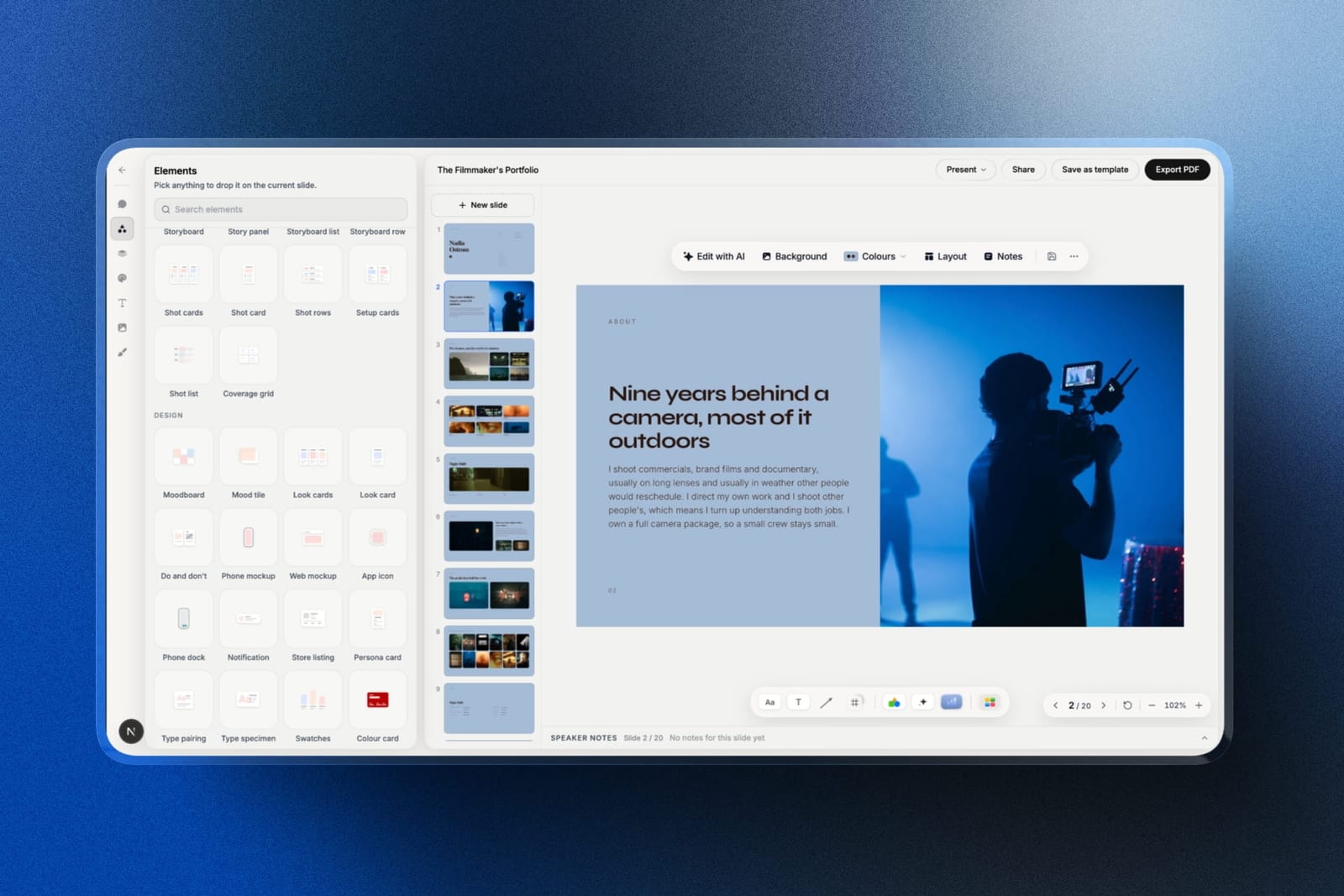
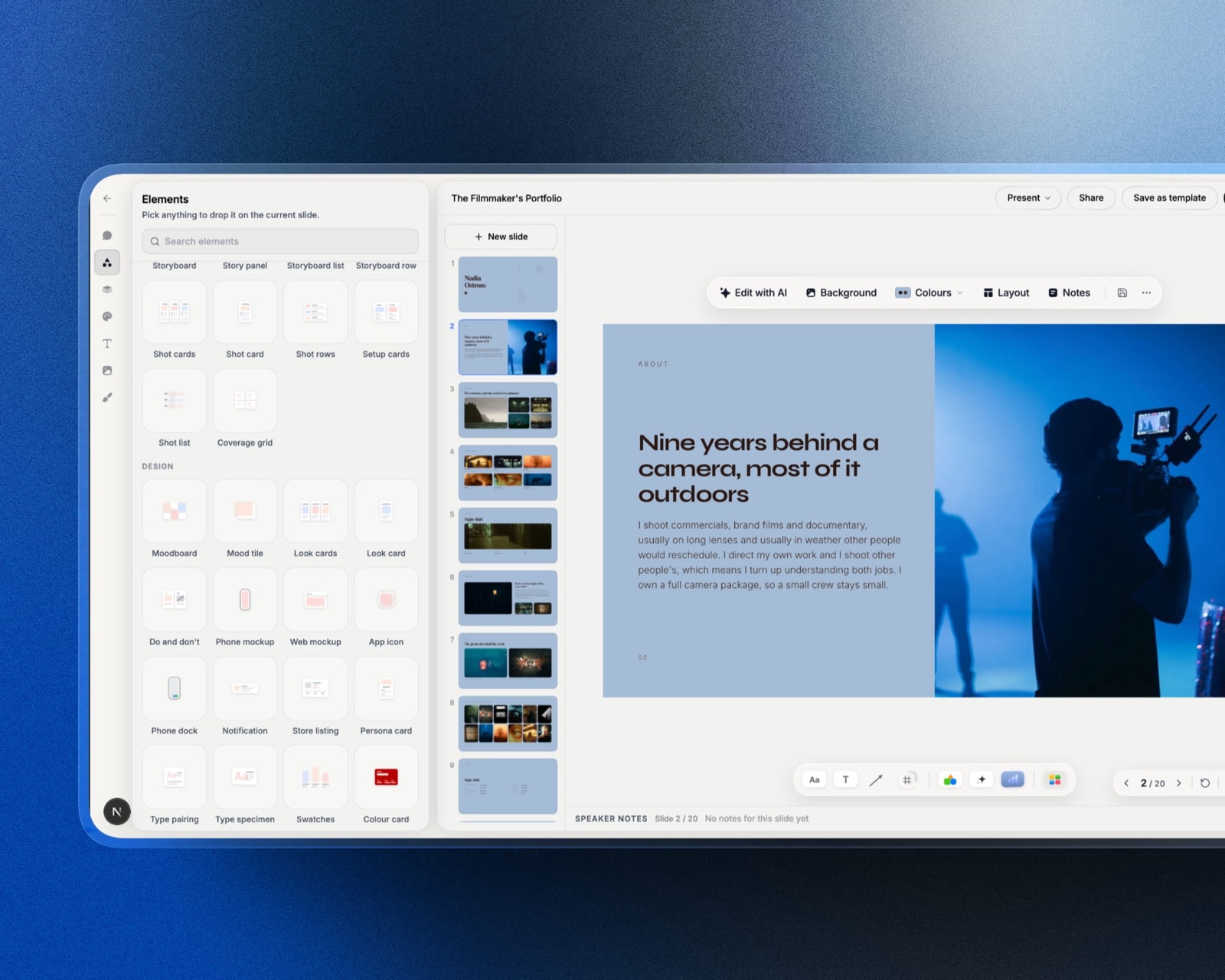
Framekit Slides ships ready-made elements for shot lists, shot cards, storyboard panels and rows, moodboards, look cards, a coverage grid, phone and web mockups, colour swatches, type specimens and charts.
Your uploaded fonts and colours carry across every slide on paid plans, and every slide has speaker notes.
Canva can build all of those from shapes, frames and grids, and its element library is vastly larger, but you assemble the structure yourself or find a template that already has it.
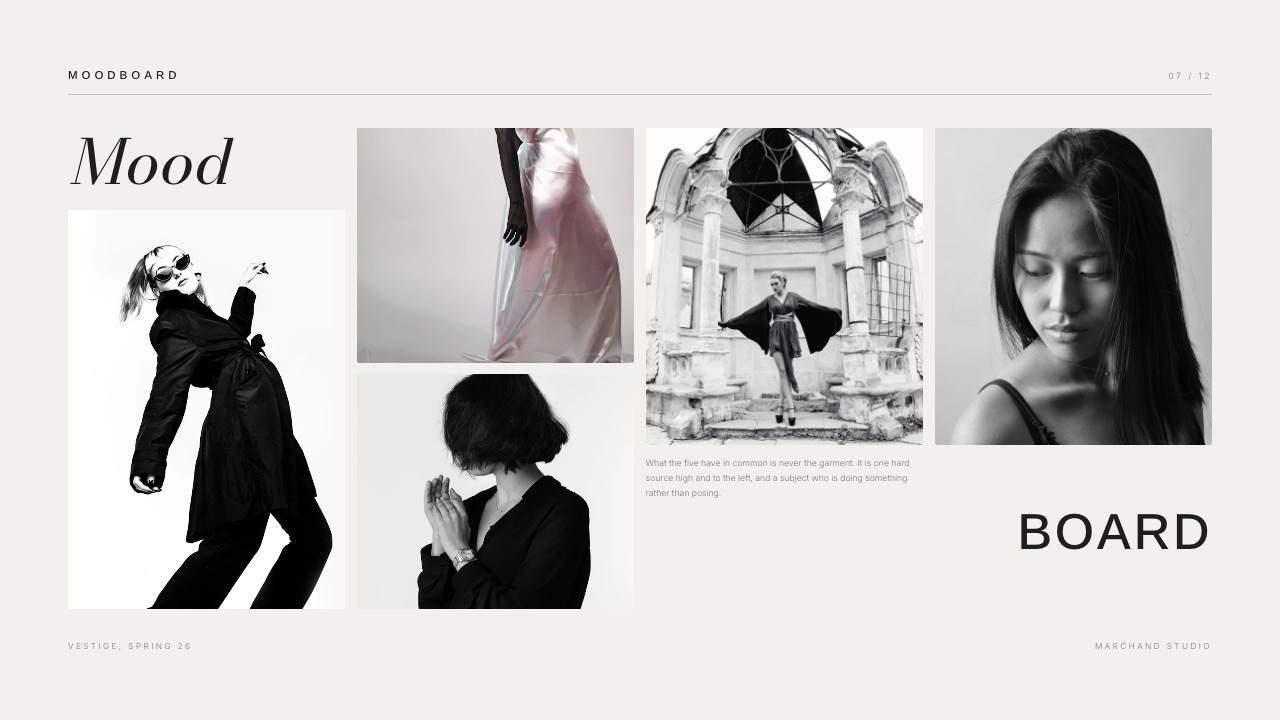
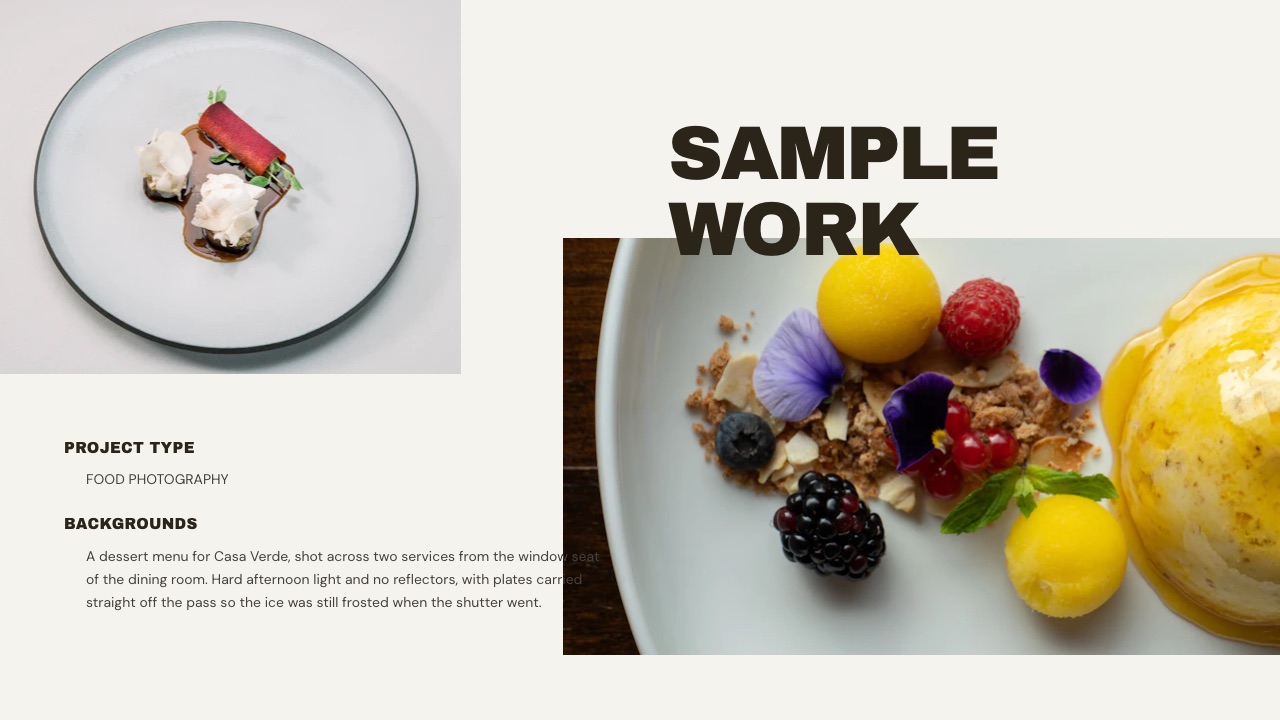
For photographers the equivalent is the portfolio book: full-bleed images, a short caption, and a consistent rhythm across ten or twenty pages. A Framekit portfolio book template keeps the image slots and type scale fixed so the work does the talking.
In one lineCanva has more parts and Framekit has the specific parts a creative deck reuses, which saves time only if your decks are treatments, lookbooks and portfolio books rather than everything else.
How Each Tool Limits AI
Both Canva and Framekit put a monthly limit on AI and leave hand design unmetered, so neither offers AI without a ceiling, and the useful comparison is what each allowance covers and what happens when it runs out.
Canva's pricing FAQ splits its AI in two. Standard AI tools such as Magic Write and Translate can be used "abundantly" on paid plans and do not count towards the allowance.
Everything else draws on a shared monthly allowance that resets each month: up to 20 uses of Standard or Premium AI tools on Free, up to 200 uses of Premium AI tools or 20 of Ultra on Pro, and twice that on Business, with fair-use limits and an AI Pass add-on for more.
Framekit has a monthly AI allowance on every plan, Free included, that grows with the plan; deck AI draws on one pool across all your decks. Framekit does not publish the allowance as a count, so this page does not quote one.
What is fixed: decks are unlimited, building from a template or editing a slide by hand never touches the allowance, and when the month's allowance is used, AI generation pauses until it resets while every manual tool keeps working.
In one lineon both tools the AI is the metered part and the design work is not, so a creative who builds mostly from templates and edits by hand will rarely feel either limit.
What a Year Costs at Three Levels of Use
The money question is rarely Canva or Framekit, because they replace different subscriptions, so the honest comparison is your whole stack priced over a year, at three realistic levels of use, using the US prices above and Framekit's yearly billing.
| Level of use | Canva only | Framekit only | Both together | What decides it |
|---|---|---|---|---|
| Starting out: a portfolio, a few decks, the odd graphic | $0 on Free | $0 on Free, Framekit subdomain and badge | $0 | Whether a free subdomain and badges are acceptable |
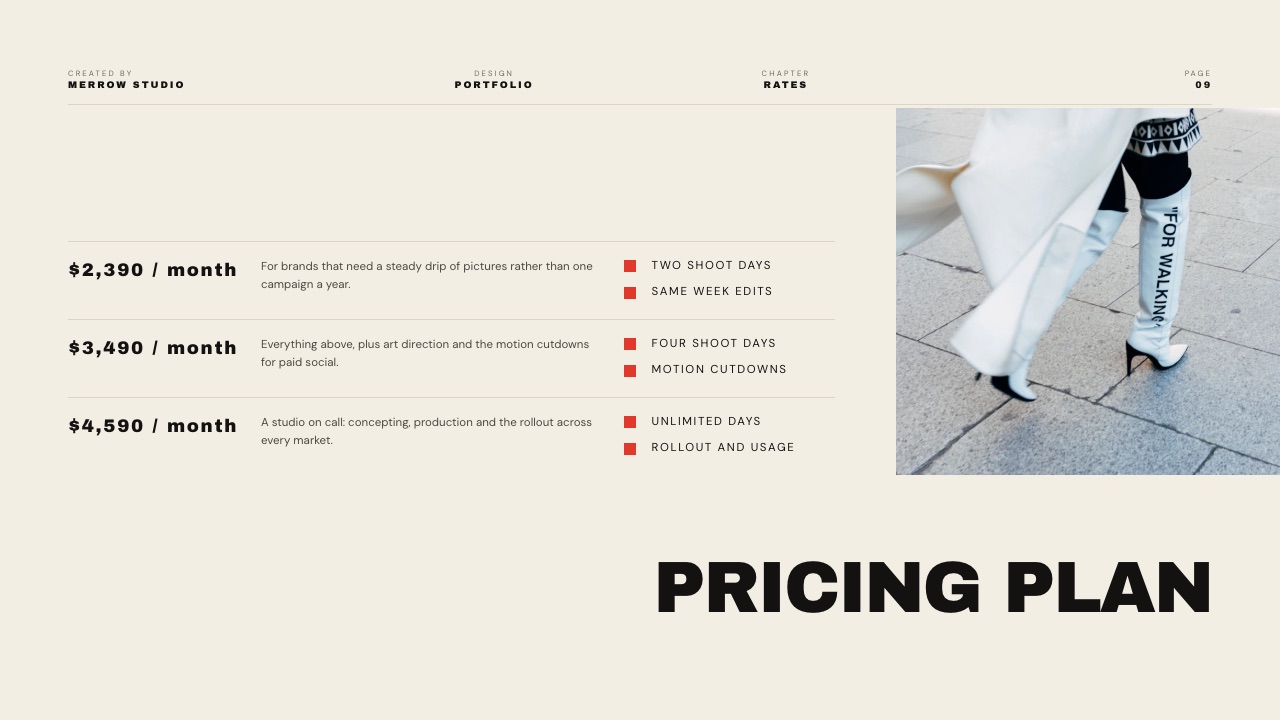
| Working solo: own domain, client deliveries, decks weekly | $144 on Pro, but no galleries, review or store | $84 on Starter, or $180 on Pro for PowerPoint export and a 3% store fee | $228 to $324 | Whether you use Canva Pro's premium templates, brand kits and background remover every month |
| Studio of three, everyone edits the decks | $0 on Free with live co-editing, or $900 on Business for brand controls | Not workable on one account; three separate Starter accounts at $252 share no decks | Canva for the decks, plus $84 to $180 of Framekit for the site and deliveries | Canva, because Framekit has no shared decks |
| Studio of three, one producer builds the decks and runs deliveries | $900 on Business if all three need Canva's paid tools | $180 on Pro; Pro's three team members can edit the website, not the decks | $180 with Canva Free, or $324 with one Canva Pro seat for the designer | Whether only the producer and the designer need paid tools |
Read the middle row carefully, because it is where most people sit. Canva Pro alone is $144 a year and still leaves you paying separately for galleries and review.
Framekit Starter alone is $84 and covers the site on your own domain, galleries, review, decks and a store, but not social graphics or print.
Together, $228 a year is often less than Canva Pro plus a separate gallery platform and website subscription.
The bottom two rows are where an earlier version of this page went wrong.
It priced Framekit Pro at $180 for three people sharing decks, but Framekit's team members are website admins: a deck belongs to the account that made it, there is no deck invite, and a teammate cannot open it.
If three people edit decks together, Canva wins outright, and its Free plan already includes live co-editing and comments, with Business at $25 a person a month adding brand controls and approvals.
Framekit Pro at $180 only fits the last row, where one producer builds the decks and runs the galleries and review while colleagues help on the website.
Run this audit on yourself. List every creative subscription you pay, write what each one is actually for, and open your Canva account to check whether you used brand kits, premium templates, background removal or the stock library last month.
If you did, keep Pro. If you mostly made decks and the occasional graphic, Canva Free plus Framekit covers it, and the overlap you find is usually the gallery platform and the website subscription, not Canva.
Limits and Exports Side by Side
Most decisions between Canva and Framekit get settled by a limit you meet in month two rather than a feature you see on day one, so this table puts the published limits, export formats and plan gates next to each other.
| Limit or feature | Framekit | Canva |
|---|---|---|
| Decks | Unlimited on every plan | Unlimited on every plan |
| Templates | Curated creative library, full library from Starter | 1.6 million Free, 3.6 million paid |
| PDF export | Every plan | Every plan |
| PowerPoint export | Pro and up, slides as pictures, speaker notes kept, up to 60 slides | Presentations only, editable; may look different, no animations or embedded video |
| Import PowerPoint | No | Yes |
| Live co-editing and comments | No | Every plan |
| Share link | Anyone with the link, not indexed by search engines, total view count | Link sharing every plan, custom short links on Pro |
| Password on a deck link | No | Not listed on the pricing page |
| Website pages | 10 Free, 30 Starter, 200 Pro, unlimited Business | Up to 45 per website |
| Custom domain | From Starter | Paid plans; Pro connects up to 5 domains |
| Storage | 10GB, 50GB, 300GB, 2TB pooled | 5GB, 100GB, 500GB, 1TB |
| Client galleries | Unlimited; photos up to 100MB each, videos 500MB to 3GB by plan | None |
| Video review | Every plan, videos up to 2 hours | None |
| Store fee | 5%, 5%, 3%, 0% by plan | No store |
| People covered | Decks, galleries and review: the account holder; website: 3 team members on Pro, unlimited on Business | One person on Pro; per person on Business |
One row needs a caveat. Canva's site and deck links have sharing controls this page did not verify plan by plan, so "not listed on the pricing page" means exactly that and nothing more.
What Happens When You Hit the Edges
The situations that generate most regret in a Framekit vs Canva decision are the edge cases nobody checks before buying, so here is what each tool does in six of them, using the vendors' documented behaviour rather than assumption.
The client wants to edit your deck. Canva downloads an editable PPTX, with the warning that it may look different and that animations and embedded videos will not carry over.
Framekit's PowerPoint file is pictures; send the PDF or rebuild the slides they need in their master.
You need to deliver 400 photos and a highlight film. Canva has nowhere to put them. Framekit holds both in one gallery with a password, a download PIN and favourites, within your storage pool: 10GB on Free, 50GB on Starter, 300GB on Pro.
A confidential treatment leaks. On Framekit, reset the link: the old one stops working immediately and a new one is created. Then send the new link only to named people, or a PDF.
Your Canva site grows past one page. Canva websites now support up to 45 pages, so this is no longer a reason to leave; Canva Free publishes up to 10 sections per page and five websites on its free domain.
You want to sell a preset pack. Canva lists no store. On Framekit you list it, share the buy link anywhere, and the buyer downloads instantly after paying through your Stripe account; Framekit does not handle VAT or sales tax, and its fee is kept on refunds.
Your team grows from one to three. Canva Pro cannot be shared, so the move is to Business, priced per person, or to Free if co-editing is all you need.
On Framekit, Pro adds three team members who can edit the website, but decks, galleries and review stay with the account holder, so a second deck builder needs a separate account.
Using Both, Which Is What Most People Should Do
The sensible division of labour between Canva and Framekit is clear enough that it is the same advice you would give a friend who pays neither company, and it rests on the fact that the two products barely overlap outside decks.
- Canva Free for social graphics, quick one-off layouts, print pieces, anything needing a template Framekit does not have, and anything a client must edit.
- Framekit for the portfolio site, client galleries, review links, the store and the decks that represent your work rather than organise it.
- Canva Pro only if you use brand kits, premium templates, background removal, the stock library or the content planner often enough to notice. Many creatives pay for it out of habit and use none of them in a typical month.
If you are also comparing deck-first tools, the best Canva alternatives for presentations ranks them, and the best lookbook software covers photographers and stylists specifically.
Moving Deck Work From Canva to Framekit: A Checklist
Moving decks from Canva to Framekit is a rebuild rather than an import, since Framekit imports no deck files, so this checklist moves only the decks you send repeatedly and keeps Canva for everything it still does better.
| Step | What to do | Why |
|---|---|---|
| 1. Download your archive | Export each Canva deck you keep as PDF, and as PPTX where a client may ask | Your archive stops depending on any one subscription |
| 2. Sort by job | Split decks into creative documents (treatments, lookbooks, proposals) and working documents (team decks, editable handoffs) | Only the first group belongs in Framekit |
| 3. Pick templates | Match each repeat format to the closest Framekit template | Template-built decks need little or none of the AI allowance |
| 4. Set brand once | Upload your fonts and colours on a paid plan | They apply across every slide in every deck |
| 5. Move delivery | Put the next shoot in a Framekit gallery and the next cut in a review link | This is where the subscription savings come from |
| 6. Check Canva usage | After a month, look at which Canva Pro features you used | Downgrade to Free only if the answer is none |
What does not move: live co-editing, comments, editable PowerPoint handoff and the template breadth. Keep Canva for those.
How to Choose: A Decision Tree
Work through these questions in order and act on the first yes, because each one is disqualifying for the other tool rather than a preference, and most creatives reach a yes within the first three.
1. Does the client need to edit the file you send? Yes: Canva. No: go to question 2.
2. Does the deliverable live at a link as a gallery, a review or a store? Yes: Framekit, since Canva does none of them. No: go to question 3.
3. Is the deck a treatment, lookbook, portfolio book, proposal or shot list? Yes: Framekit, for templates and elements built for those. No: go to question 4.
4. Do several people edit the same deck at the same time, or leave comments on it? Yes: Canva, which has both on every plan. No: go to question 5.
5. Is the job a social graphic, a print piece or a video edit? Yes: Canva. Framekit does not attempt any of them. No: go to question 6.
6. Still unsure? Use Canva Free and Framekit Free together and pay for neither until one of them runs out of something you need.
Frequently Asked Questions
Is Framekit a Canva alternative?
Framekit is a Canva alternative only for part of what Canva does.
It covers creative decks such as treatments, lookbooks and portfolio books, and it adds a portfolio website, client galleries, video review and a store that Canva does not have.
It does not replace social graphics, print, video editing, whiteboards or live co-editing, so most people who move their decks keep Canva Free for everything else.
Can Canva build a portfolio website?
Yes. Canva publishes websites on every plan, multi-page sites support up to 45 pages, and a custom domain needs a paid plan, where Pro can connect up to five domains you own.
What Canva does not add is client galleries, video review or a store around the site. Framekit builds a multi-page portfolio on your own domain from Starter, on the same account as those tools.
Framekit vs Canva for a film treatment: which is better?
Framekit is better for a film treatment when it represents your work, because its treatment templates arrive with the statement, visual approach, look and feel, storyboard and shoot plan laid out, and video references play on the slide.
Canva is better if a producer must edit the file or several people are drafting at once. Framekit deck links have no password, so send confidential treatments as a PDF.
Does Framekit export editable PowerPoint files like Canva does?
No, and this is Canva's clearest win. Framekit's PowerPoint export, from the Pro plan, renders each slide as a full-bleed picture with speaker notes kept as real notes, up to 60 slides, so it presents anywhere but cannot be retyped.
Canva downloads presentations as editable PPTX files, with its own warning that a design may look different in PowerPoint and that animations and embedded videos do not carry over.
Is Canva cheaper than Framekit?
At the free tier both cost nothing. Paid, Canva Pro is $144 a year for one person and Framekit Starter is $84 a year, but they replace different subscriptions, so the useful comparison is your whole stack.
For three people it depends on who builds the decks: if all three do, Canva wins, because its Free plan includes live co-editing and Framekit decks cannot be shared between accounts; if one producer builds them, Framekit Pro at $180 a year covers that person's decks, galleries and review, where three Canva Business seats at $25 a person a month would be $900.
Can Canva Pro be shared with a team?
No. Canva's pricing FAQ says only one person can use a Canva Pro account. Teams use Canva Business, priced per person with pay-as-you-grow billing, and the older Canva Teams plan is closed to new sign-ups.
Framekit Pro includes three team members at $19 a month and Business unlimited ones at $39, but they are website admins: decks, galleries and video review belong to the account holder, so Framekit is not a shared deck tool either.
Can I sell digital products through Canva?
Canva's pricing page lists no store or checkout on any plan, so selling a preset pack or template from a Canva site means adding a separate checkout service.
Framekit's store sells digital files from your site or a shareable buy link, through your own Stripe account, with a platform fee of 5 percent on Free and Starter, 3 percent on Pro and 0 percent on Business.
Does Canva do client galleries or video review?
No to both. Canva has no client gallery with a password and download controls, and no frame-accurate video review, so photographers and filmmakers who design in Canva also pay for a gallery platform and often a review tool.
That overlap, rather than any deck feature, is usually what makes people look at Framekit.
Does Canva limit AI the way Framekit does?
Yes. Both tools put a monthly allowance on AI. Canva's pricing FAQ gives up to 20 uses of Standard or Premium AI tools on Free and up to 200 uses of Premium AI tools on Pro, with Standard tools such as Magic Write unmetered on paid plans.
Framekit has a monthly AI allowance on every plan that grows with the plan; decks and hand edits never draw on it.
Can two people work on a Framekit deck at the same time?
No. Framekit has no live co-editing and no comments on decks, and a second person cannot work on a deck even in turns.
Canva lists real-time collaboration and comments on every plan, including Free, and for a studio that drafts together that is a daily difference.
Framekit's team members, three on Pro and unlimited on Business, are website admins and cannot open a deck at all, because each deck belongs to the account that made it.
Should I cancel Canva Pro if I use Framekit?
Possibly, and it takes five minutes to check. Open Canva and look at whether you used brand kits, premium templates, background removal, the stock library or the content planner last month. If you did, keep Pro.
If you mainly made decks and the occasional graphic, Canva Free plus Framekit covers it, and $144 a year is a real saving for a solo creative.
Which has better templates, Canva or Framekit?
Canva, by a very large margin on breadth: 3.6 million templates on paid plans across every format.
Framekit's library is small and built narrowly for creative documents and portfolio sites, so it wins only inside that range, where a treatment template is actually a treatment rather than a business deck with film stills dropped in.
Judge it by looking at both.
Can I import my Canva decks into Framekit?
No. Framekit has no deck import from Canva, PowerPoint or Google Slides, so moving means rebuilding each deck, ideally from the closest Framekit template with your copy pasted in. Download every Canva deck you keep as a PDF first, and only rebuild the formats you send repeatedly.
Which is better for a photographer, Canva or Framekit?
Framekit is better for the parts of a photographer's business that live at a link: the portfolio site, client galleries with favourites and download PINs, and a store for presets.
Canva is better for the social graphics, print pieces and promotional material around them. Most photographers do best with Framekit for the site and delivery and Canva Free for marketing graphics.
Final Verdict
Canva and Framekit overlap in one place, decks, and a little on websites, and diverge everywhere else.
On decks the split is clean: Canva for working documents that several people edit and a client may need as a file, Framekit for finished creative documents that represent your work.
Beyond decks it is not a contest, because Canva does not deliver client galleries, host review rounds or sell files, and Framekit does not make social graphics, lay out print or edit video.
Where Framekit loses. Framekit does not export editable PowerPoint, does not offer live co-editing or comments on decks, does not put a password on a deck link, and does not make social, print or video content.
It is not for studios where more than one person builds or edits decks, because a Framekit deck belongs to one account and its team members are website admins, and it is not for clients who contractually receive editable source files.
Where it wins. Creatives whose deliverables live at a link: a portfolio that has to win work, photos that have to reach a client, a cut that has to be approved, and a file that has to be sold, on one account from $0 to $39 a month, with Canva Free alongside for everything else.
Related readingFramekit vs Gamma, the best presentation tools for filmmakers, the best presentation tools for photographers, Framekit's pricing and how to sell Canva templates.