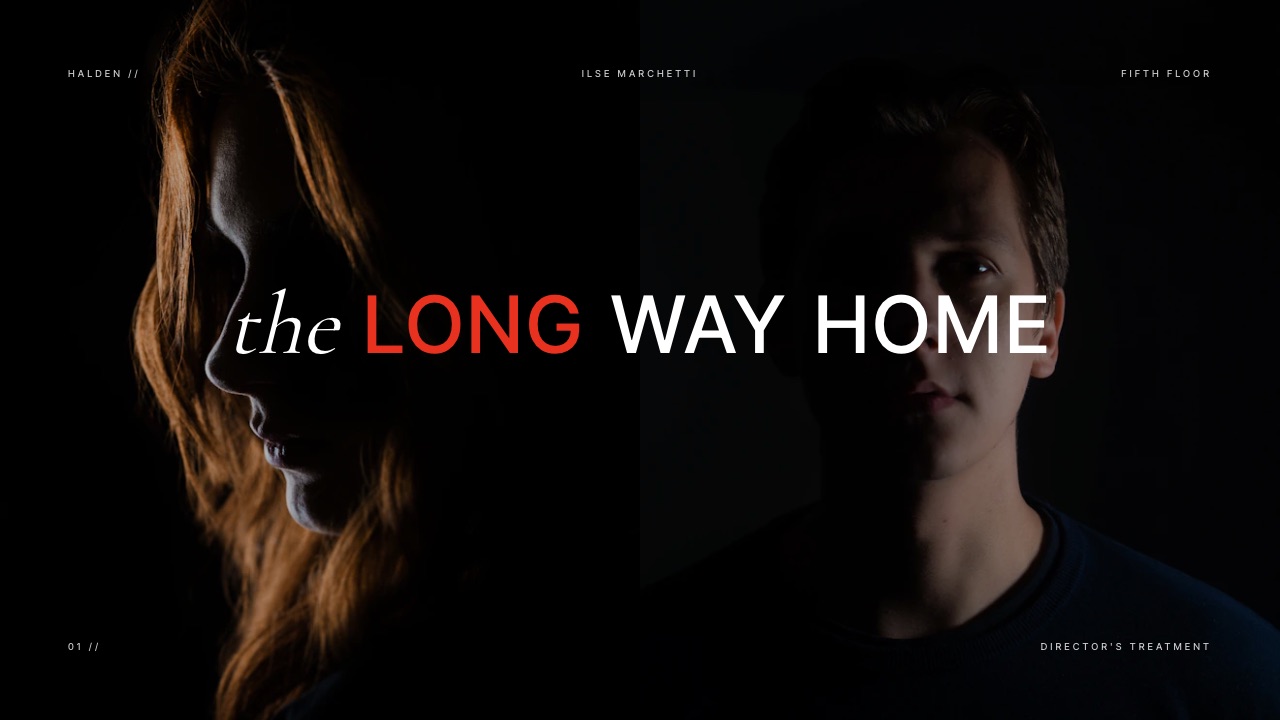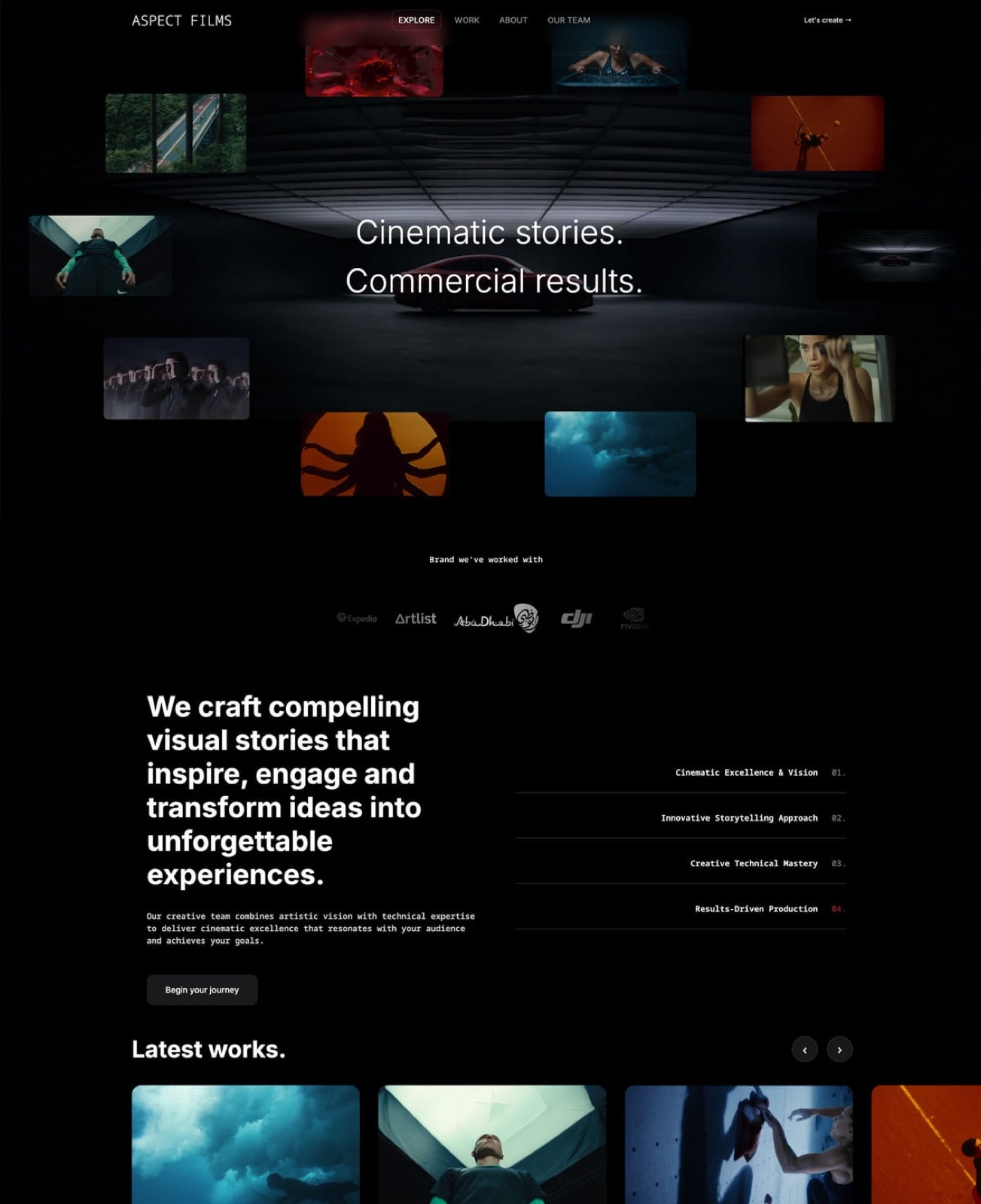
Framekit templates
Start from a designer-made template
 Use template
 Use template
 Use template
 Use template
 Use template
 Use template
 Use template
 Use template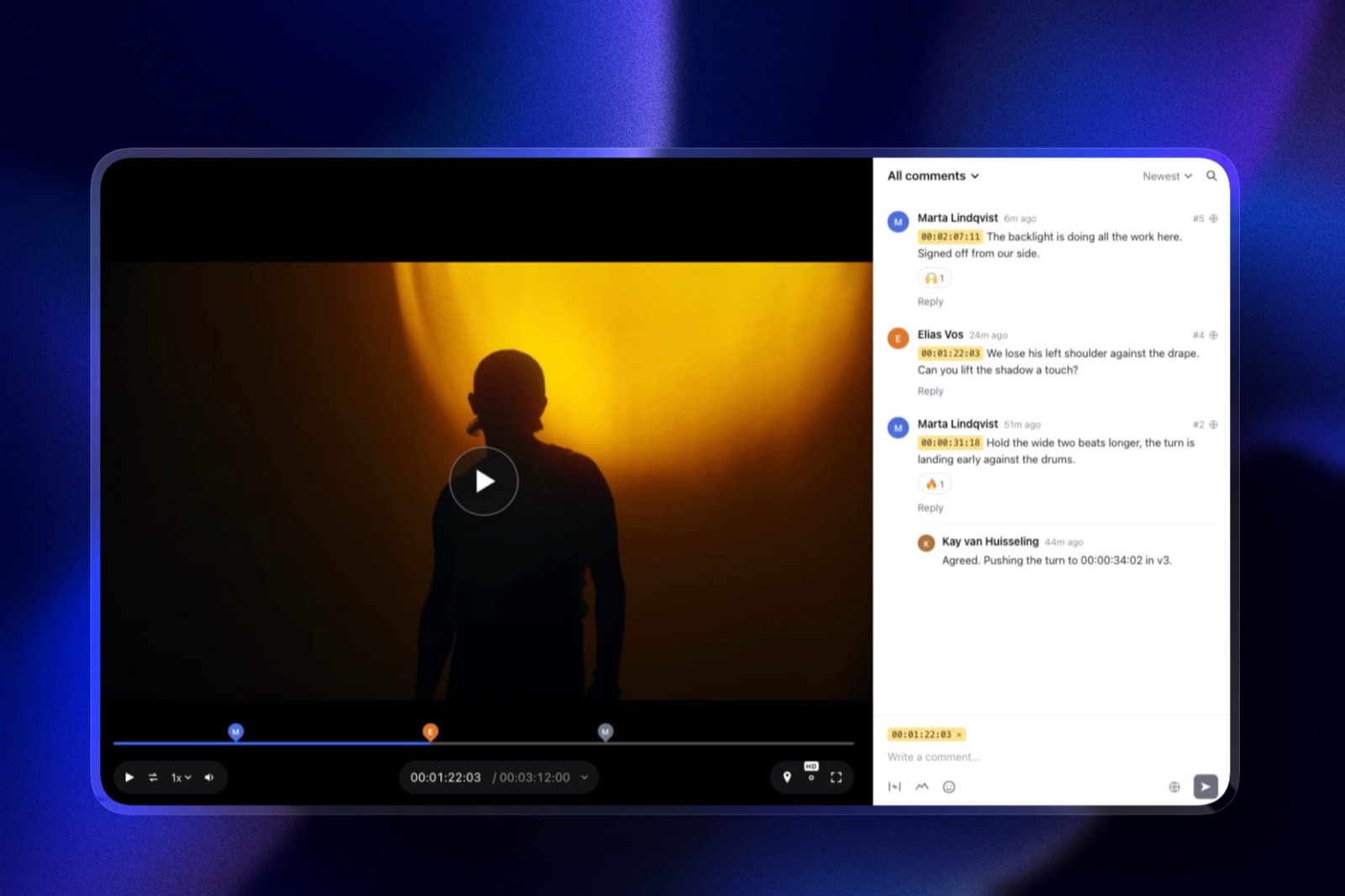
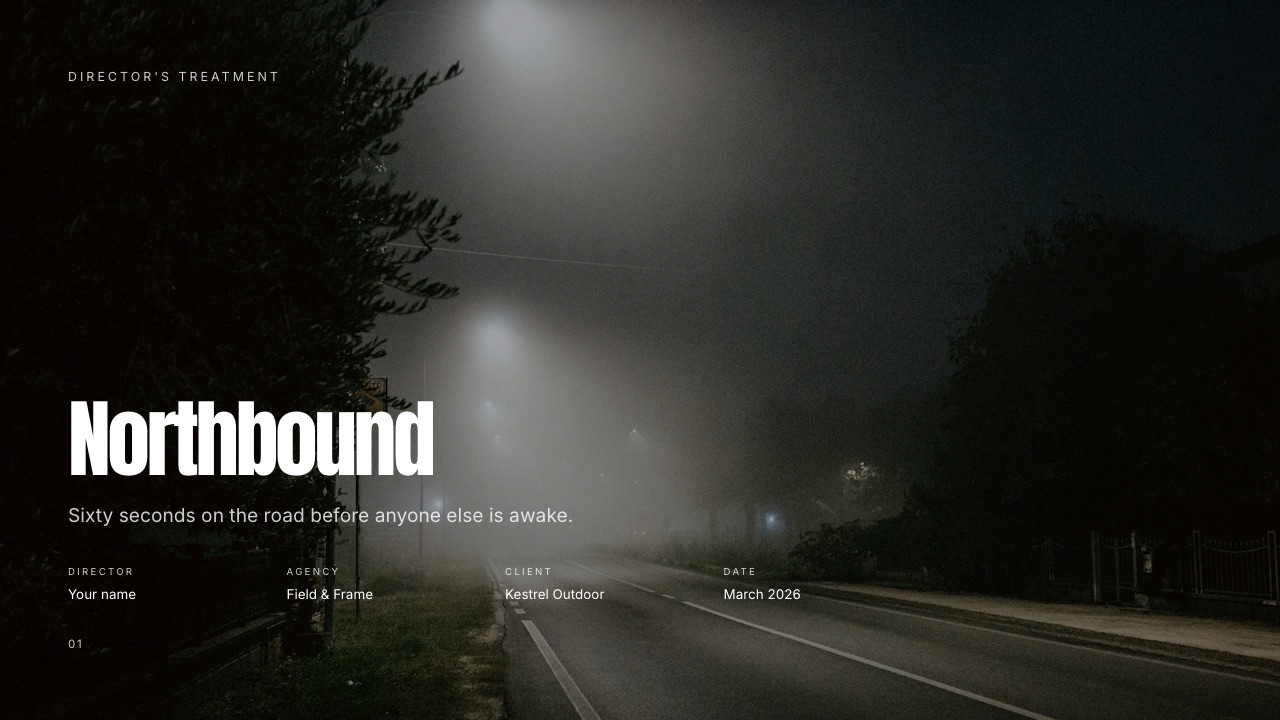
A filmmaker working alone finishes a branded job and counts what it took to hand over: a treatment the client read, a rough cut the client marked up, twelve gigabytes of masters and selects, and a site where the finished film now lives.
Four surfaces, four vendors, four renewal dates.
None of those tools was bad. The failure mode of a one-person film business is never a missing feature, it is the afternoon lost to a card that expired on a subscription you use once a quarter.
That is the lens this guide uses. Tools for solo filmmakers get ranked here on three things a team would never care about: the per-file upload ceiling, the total cost across a year, and the number of separate vendors you are left administering when the shoot is over.
A solo filmmaker tool is a piece of software one person can run end to end without a producer, an assistant or an IT budget, which in practice means it either does the creative work itself or carries the work to a client without asking that client to create an account.
Framekit ranks first for a solo filmmaker because the treatment, the review link, the client delivery and the portfolio site run on one account and one bill from a free plan, with Pro at $19 a month or $15 billed yearly, against $276 a year for just two of the separate specialists that cover two of those four jobs.
It does not touch the edit: DaVinci Resolve is the pick there and its free version is genuinely free, Frame.io wins any workflow that needs Camera to Cloud or a Premiere Pro panel, and Audacity is still the answer for sound on no budget.
Full disclosure: Framekit is our product, so treat the ranking as an argument to check rather than a result. Competitor figures come from each vendor's own published page, read in September 2026 and linked where the page answers an automated request; pages that served European pricing are quoted in euros and labelled. Adobe and Vimeo do not serve their plan tables to automated requests at all, so no price is quoted for either.
How this guide was researched
Everything below is one of three kinds of statement, and the distinction matters more here than in most comparisons because two of the biggest names in filmmaking software will not show a bot a price.
Read at the source. Plan names, prices, storage numbers and feature gates come from the vendor's own page in September 2026, linked inline.
Where a page served euros, the figure stays in euros, because converting it at a rate we made up would turn a fact into an estimate.
Calculated. The annual arithmetic is ours and is written out so you can substitute your own tiers.
The carried scenario is one filmmaker with no staff shooting about one branded job a month, each producing a treatment, a rough cut for comment, roughly twelve gigabytes of masters and selects, and a portfolio update.
Not available. Adobe's plan pages returned nothing to our requests and its help subdomain returned a 403, so Premiere Pro is discussed by capability and never by price.
Vimeo's pricing pages load but serve only navigation to an automated request, so no Vimeo plan figure appears here either. Neither is linked, because linking a page we could not read would be citation theatre.
Solo filmmaker software by the numbers
These are the figures the rest of the guide turns on, and every one of them is a limit rather than a feature, because limits are what a one-person operation actually collides with.
- 2 hours is the maximum length of a single video in Framekit Video Review on any plan, and 3GB is the largest single file, on Business.
- 2 projects is the cap on the Frame.io free tier, alongside 2GB of storage and up to two members.
- $295 buys DaVinci Resolve Studio 21 outright, with no subscription attached.
- $276 a year is what Frame.io Pro plus Pixieset Basic alone comes to, covering review and stills delivery and nothing else.
- $180 a year is Framekit Pro billed yearly, covering review, galleries, decks, a site and a store.
- 1 vendor versus 4 is the administrative difference, and it is the one that costs you evenings rather than dollars.
The quick comparison table
Read the last two columns first. The price tells you what the year costs, and the limit column tells you whether the tool can actually hold your work, which is the question that ends most free-tier experiments.
| Tool | What it does for a soloist | Entry paid price | The limit that bites |
|---|---|---|---|
| Framekit | Treatment, review, delivery, site, store | $9/mo, $19/mo Pro | 2GB per video on Pro, 2 hours max |
| DaVinci Resolve | Edit, grade, sound, VFX | $295 one-off for Studio | Free version is 8-bit up to Ultra HD |
| Frame.io | Review, Camera to Cloud, NLE panels | $15/member/mo | Free tier is 2 projects and 2GB |
| Adobe Premiere Pro | The edit most collaborators open | not served to us | Subscription only |
| Pixieset | Stills delivery and print sales | $8/mo yearly | 10GB on the entry paid tier |
| Dropbox | Originals, masters, backup | EUR 9.99/mo | No timecoded comments, no gallery |
| Vimeo | Public reel hosting and a player | not served to us | Plan table hidden from bots |
| Notion | Production notes and a client list | EUR 9.50/member/mo | Nothing a client can review on |
| Milanote | References before the treatment exists | $9.99/mo yearly | Free tier is 100 items |
| Squarespace | The conventional portfolio site | EUR 17/mo annual on Core | 5% fee on digital content on Core |
| Audacity | Sound repair and voiceover | Free | Desktop only, no collaboration |
| Pitch | A deck you need to track per viewer | EUR 10/mo annual | Analytics start on the Team tier |
Euro figures were served to us by those vendors in September 2026 and are reproduced rather than converted. Every number is sourced in the section for that tool.
What a solo filmmaker's stack costs across a year
In one lineTwo specialists covering only review and stills delivery come to $276 across a year at the tiers a working soloist would actually choose, which is $96 more than an account that also carries the treatment, the site and the store.
The arithmetic below runs tier by tier on each vendor's own published rate, at the plan a working soloist would actually choose, and it keeps the dollar-priced lines separate from the euro ones rather than converting between them at a rate nobody quoted us.
| Job | Separate tool | Annual cost | Covered by Framekit Pro |
|---|---|---|---|
| Rough cut with timecoded notes | Frame.io Pro at $15/mo | $180 | Yes, Video Review |
| Stills delivery to the client | Pixieset Basic at $8/mo yearly | $96 | Yes, Client Galleries |
| Portfolio site with a reel | Squarespace Core at EUR 17/mo | EUR 204 | Yes, Website |
| Masters and originals | Dropbox Plus at EUR 9.99/mo | EUR 119.88 | No, keep Dropbox |
| Treatment the client reads | Milanote at $9.99/mo yearly | $119.88 | Yes, Slides |
| USD lines only | three subscriptions | $395.88 | $180 on Pro billed yearly |
The euro lines are left in euros on purpose. Even ignoring them entirely, the dollar-priced part of the stack is $395.88 a year against $180 for Framekit Pro billed yearly, or $228 if you pay monthly.
One line in that table does not move, and it is worth saying early: Dropbox stays. Framekit is not a place to store camera originals, and the next section explains exactly why with the number that decides it.
Run this on your own year rather than ours. Open your card statement, find every software charge that a client has indirectly touched in the last twelve months, and add them up. Then count the renewal dates.
The second number is the one that explains why the first one keeps growing.
The per-file ceiling is the number that decides everything
In one linePlan prices are what you compare before you buy and per-file ceilings are what you collide with afterwards, so a filmmaker choosing a platform should check the largest single file it accepts before checking anything else.
Framekit Video Review accepts a single video up to 500MB on Free, 1GB on Starter, 2GB on Pro and 3GB on Business, with a maximum length of two hours on any plan. A compressed H.264 review copy of a three-minute brand film sits far inside that. A 4K ProRes master does not.
That is the split to design your workflow around. Review copies, client selects and finished deliverables belong on a platform built for clients.
Camera originals, ProRes masters and project files belong in Dropbox or on your own drives, because no client-facing tool in this list is priced to be a media archive.
Storage on Framekit is a single pool shared by the website, the galleries and the video reviews: 10GB on Free, 50GB on Starter, 300GB on Pro and 2TB on Business, of which 3GB, 15GB, 150GB and 750GB respectively can be video.
A soloist delivering one job a month lives comfortably inside Pro. A soloist archiving every job they have ever shot does not, and should not try.
1. Framekit: Best for everything the client touches

Framekit is an AI website builder that also runs the treatment, the review link, the client delivery and the digital store from the same login, which is why a one-person film business gets more out of it than a studio would.
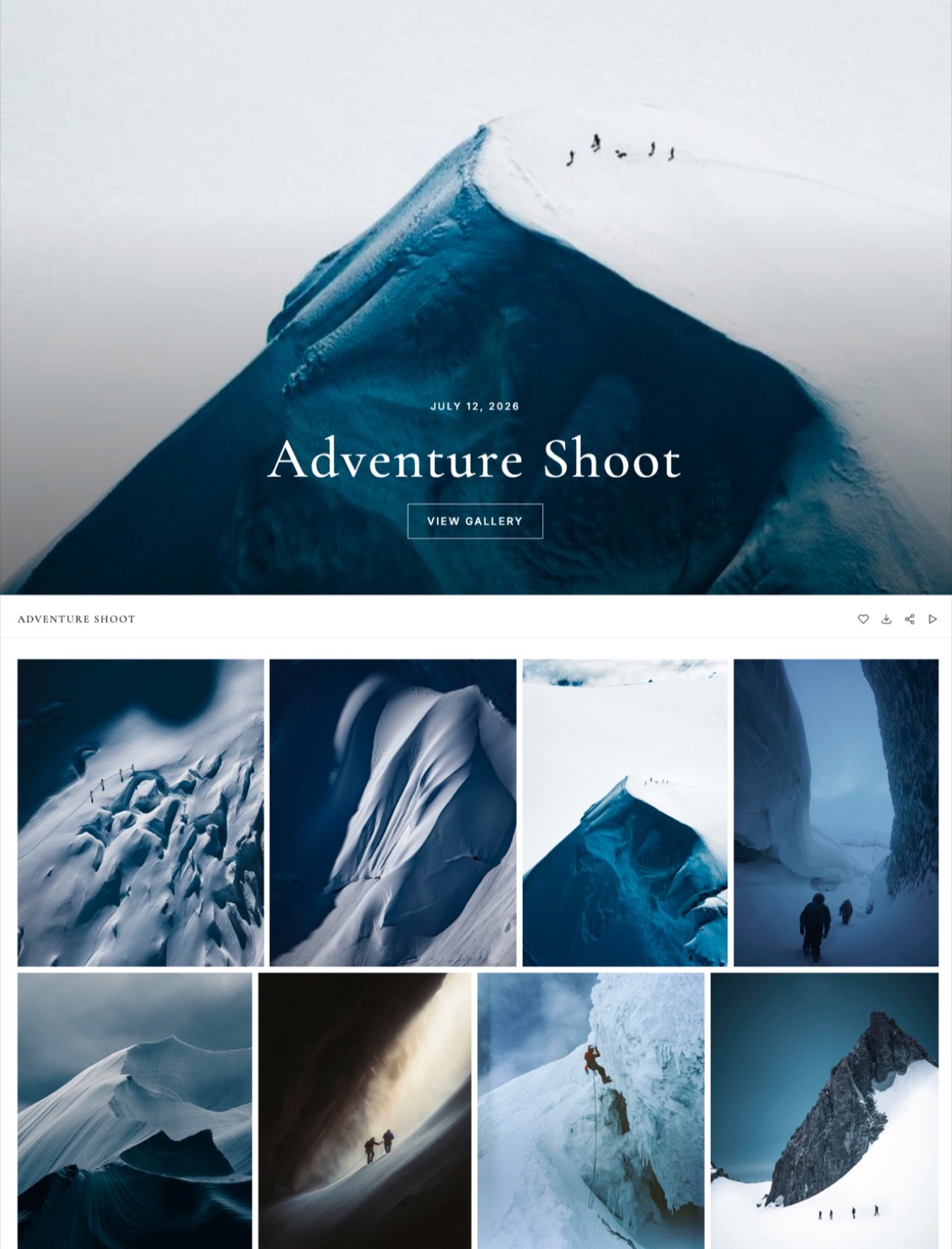
What is actually included on every plan, Free toounlimited decks in Slides with an AI slide writer and speaker notes, video review with timecoded comments, unlimited client galleries that take video as well as photographs, unlimited products in the store, and hosting with SSL and a CDN.
Paid plans add a custom domain, remove the Framekit badge from the site, the galleries, the review pages and the decks, and raise the storage pool.
The number worth remembering$180 a year on Pro billed yearly covers review, delivery, decks, a site and a store, against $276 a year for Frame.io Pro and Pixieset Basic covering two of those five. Paying monthly it is $228 instead of $180.
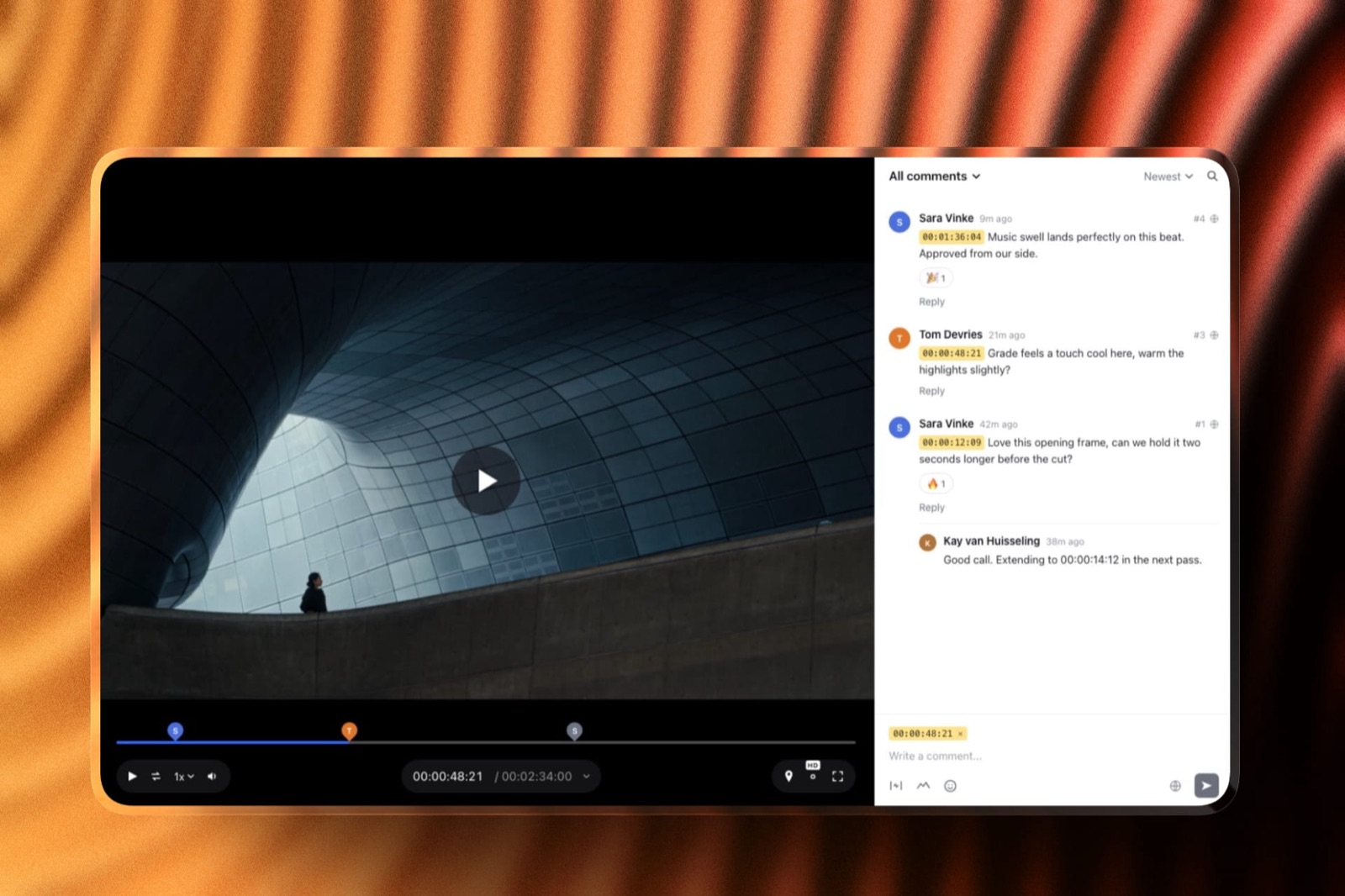
The detail that does not appear in a feature gridvideo review guests do not sign up for anything. A producer or a brand manager opens the link, draws on the frame, pins a note to a timecode and replies to yours, with no account and no password unless you set one.
Versions stack in order and the notes on the old version stay attached to the old version, so an approval history survives a recut.
The gotcha that bites in week threethe per-video ceiling. 2GB on Pro sounds generous until the day a client asks for the graded master rather than a review copy, and then you are back in Dropbox.
Deck links also have no password and no per-viewer analytics, only a total view count, so a rate card sent to eleven production companies tells you nothing about which three read it.
Who should skip ita filmmaker whose entire problem is the edit. There is no Camera to Cloud, no Premiere Pro or Resolve panel, no transcription, no frame-by-frame compare and no SSO, and none of those are on the way.
If your day is spent inside an NLE and your reviewers are other editors, Frame.io is a better purchase than this and the rest of this list is background noise.
Verdict: the strongest single purchase for a soloist whose bottleneck is client-facing admin, and the wrong purchase for anyone whose bottleneck is post-production.
The wider category comparison is in the best all-in-one platforms for filmmakers, and the end-to-end version of this argument is the complete client workflow for filmmakers.
2. DaVinci Resolve: Best value in filmmaking software, still
DaVinci Resolve is the only tool in this guide that does editing, colour, sound and visual effects in one application, and the free version is not a trial, a watermarked demo or a thirty-day window.
Blackmagic's product page states that the free version "works with virtually all 8-bit video formats at up to 60fps in resolutions as high as Ultra HD 3840 x 2160", and lists DaVinci Resolve Studio 21 at $295 as a one-off purchase rather than a subscription.
That $295 is the most consequential number in solo filmmaking economics.
Every other serious post tool in this category is rented by the month, and a soloist who buys Studio once has bought the neural engine features, higher bit depths and higher frame rates for the life of the machine.
The gotchaResolve is heavy, and the cost lands on your hardware rather than your card. The Fairlight and Fusion pages are also full applications in their own right, which means the learning curve is not one curve but four, and most soloists only ever climb two of them.
Who should skip itnobody on a budget, honestly. Even filmmakers who cut in Premiere Pro tend to keep Resolve installed for the grade.
Verdict: the best money in this entire list is the money you do not spend, and Resolve free is where a solo filmmaker should start every time.
3. Frame.io: Best for review that starts at the camera
Frame.io is the tool a solo filmmaker buys the moment their review stops being a link they send and starts being a stage in the edit, because it is the only option here that reaches back into the camera and forward into the timeline.
The pricing page in September 2026 shows Free at $0 with 2GB of storage, up to two members and up to two projects; Pro at $15 per member per month with 2TB included plus 2TB per additional member and up to five members; Team at $25 per member per month with 3TB included and up to fifteen members; and Enterprise on request with advanced watermarking and digital rights management.
Annual billing is presented as a 13% saving. Camera to Cloud, transcription and captions appear on the free tier, and Premiere Pro, Final Cut Pro and Lightroom integrations are listed on the paid tiers.
Camera to Cloud on a free plan is the detail worth naming plainly, because it is the feature no competitor matches and it means a director in another city can be watching selects while you are still on location.
The gotchathe free tier's two-project cap is not a nudge, it is a wall, and a filmmaker running three jobs at once hits it in month one. On paid plans storage is counted per member, so the numbers in the table stop describing your account the moment you add an assistant editor.
Who should skip ita filmmaker who shoots as much stills as motion. Frame.io will not deliver a gallery of 400 photographs to a client, and paying $15 a month for review in the months you only shot photographs is a slow leak.
Verdict: the best review tool in the category by a clear margin, and a single-purpose one in a business that has four purposes.
If you are already on it and wondering what else clears the bar, the best Frame.io alternatives covers the switch, and how to send a video to a client for review covers the mechanics.
4. Adobe Premiere Pro: Best for jobs where somebody else opens your project
Premiere Pro earns its place on a solo filmmaker's list for a reason that has nothing to do with features: it is the project file the rest of the industry can open, and a soloist who takes on freelance edits will be handed Premiere projects whether they like it or not.
No price is quoted here. Adobe's plan pages returned nothing to our requests in September 2026 and its help subdomain returned a 403, so rather than reprint a figure from memory, this entry stays on capability.
Check Adobe's own plan page for the current rate before you commit, because the subscription is the whole cost model.
What Premiere Pro gives a soloist is compatibility and the Frame.io panel, which together mean review notes and the timeline live in one window. That combination is the single strongest argument for a subscription workflow over a one-off purchase.
The gotchaa subscription you stop paying is an editor you stop having, and any project file you cannot open is a project you cannot revise. Filmmakers who bill irregularly feel that acutely in a quiet quarter.
Who should skip itanyone whose clients never ask for a project file. If every delivery you make is a finished export, the rental model is buying you compatibility you do not use.
Verdict: worth paying for if collaboration is part of your income, and hard to justify from scratch against a free Resolve install if it is not.
5. Pixieset: Best for the stills half of a hybrid shoot
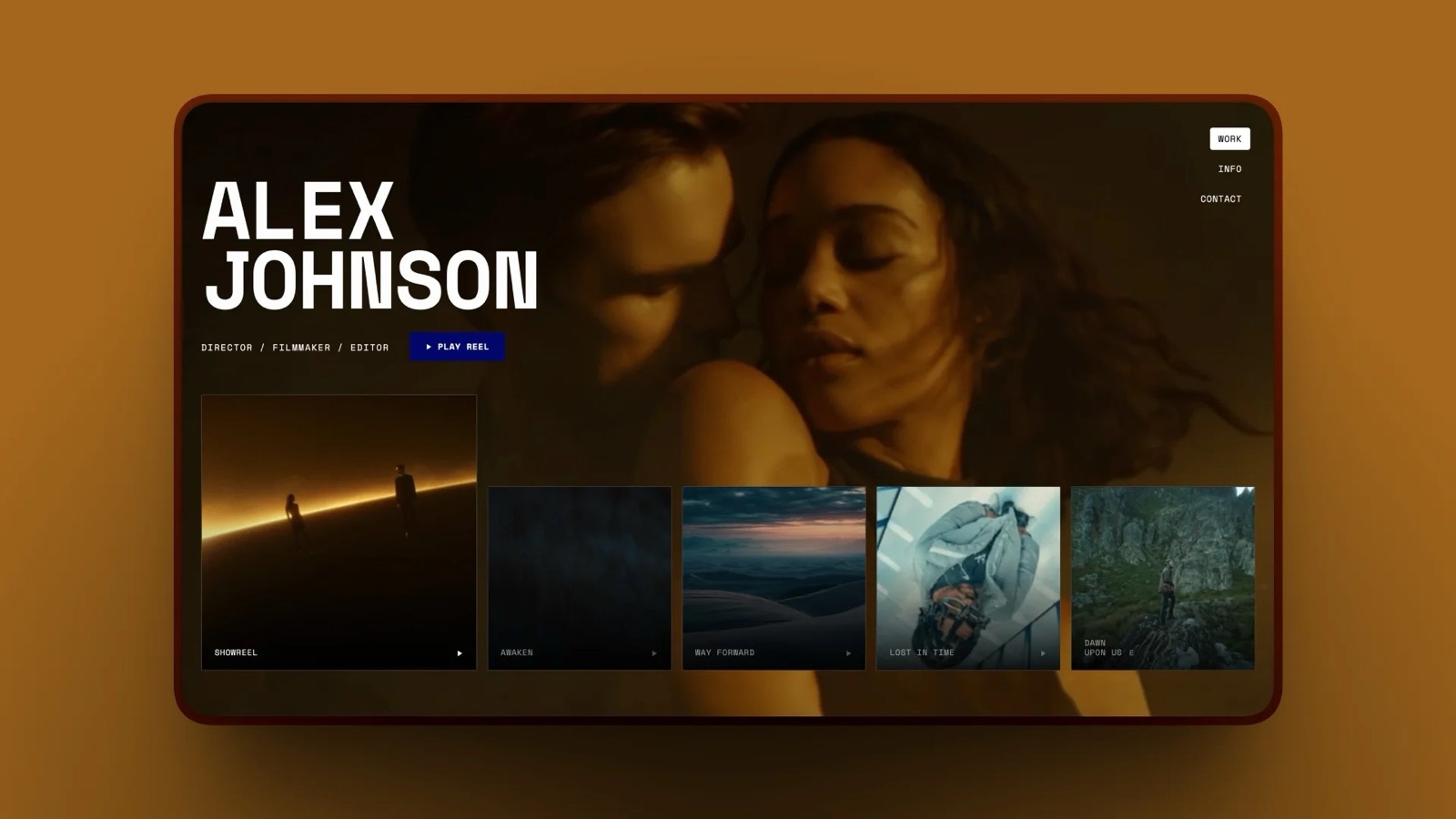
Pixieset belongs on a filmmaking list because the day a brand asks for stills from the shoot is the day a video-only stack runs out of road, and a 3GB free gallery is the cheapest way to already have an answer.
Its Client Gallery pricing in September 2026 lists Free at $0 with 3GB and a 15% commission on store sales, Basic at $10 a month or $8 billed annually with 10GB, Plus at $20 or $16 annually with 100GB, Pro at $30 or $24 annually with 1000GB, and Ultimate at $50 or $40 annually with unlimited storage, with every paid tier commission-free.
The number worth rememberingthe 15% free-tier commission. On $400 of print orders that is $60, which is more than seven months of Basic at the annual rate, so the free plan is the expensive one the moment you sell anything.
The gotcha10GB on the entry paid plan disappears fast when the folder contains full-resolution files, and the next step up doubles the monthly price. Storage tiers are where gallery platforms make their money and where photographers get surprised.
Who should skip ita filmmaker who has never delivered a photograph and never will. This is a photography product with a photography price.
Verdict: the right tool for stills delivery with prints attached, and not a tool you buy for motion work.
The alternatives round-up is here, and the video angle specifically is in client galleries for videographers.
6. Dropbox: Best for the masters that no client-facing tool should hold
Dropbox is the least interesting tool in this guide and the one you should not try to remove, because camera originals, ProRes masters and project files need a home that is priced by the terabyte rather than by the client.
The plans page served us euros in September 2026: Basic free with 2GB, Plus at EUR 9.99 a month with 2TB, a Standard team plan at EUR 12 per user per month with team storage starting at 3TB, and an Advanced team plan at EUR 18 per user per month starting at 15TB.
Two terabytes for roughly ten euros a month is the cheapest sync-backed storage a soloist can buy, and sync, not sharing, is the feature you are paying for.
The gotchaa shared Dropbox folder is a terrible delivery experience and an even worse review experience.
There is no watermark, no expiry, no favourites, no download PIN and no way to attach a note to 00:02:31, and clients rename files inside shared folders with a confidence that sync faithfully preserves.
Who should skip itnobody, but stop using it as your front door. Deliver from something built for delivery and keep Dropbox behind the curtain.
Verdict: infrastructure, not workflow, and the one line in the annual cost table that should stay exactly where it is.
7. Vimeo: Best for a public reel that does not sit next to a competitor
Vimeo remains the default public home for finished film work, and the reason is restraint: the player does not follow your reel with an autoplay queue of other people's films, and the embed does not carry a recommendation engine into your portfolio.
No plan price is quoted here. Vimeo's pricing pages load but serve only navigation to an automated request, so the figures are not something this guide can verify, and no Vimeo pricing URL is linked for that reason. Read the plan table in a browser before you buy.
What Vimeo is genuinely good at for a soloist is the finished artefact: a clean embed, a password on a public page, and a link you can put in an email to a producer without your work being framed by an ad.
The gotchaVimeo is a publishing tool wearing a review tool's coat. Review notes there are a lighter experience than a purpose-built review page, and a public showcase page is not the same object as a private client delivery with an expiry date on it.
Who should skip ita filmmaker whose audience is on YouTube. Reach and discovery are not what Vimeo optimises for, and pretending otherwise costs views.
Verdict: the right place for the finished reel and the wrong place for work in progress.
8. Notion: Best for the production paperwork nobody else will make for you
Notion is where a solo filmmaker keeps the things that have no other home: the shot list, the kit list, the release forms, the rates you charged three clients ago and the running note about which grip truck was worth it.
The pricing page served us euros in September 2026, showing Free at EUR 0 per member per month, Plus at EUR 9.50, Business at EUR 19.50, and Enterprise on request, with a note that yearly billing saves up to 20%.
For one person the free tier is genuinely workable, which is unusual in this list, and the reason to upgrade is almost never features but the moment a second person needs to edit the same page.
The gotchaa Notion workspace decays silently. Nothing breaks, no alert fires, and the pages you stopped maintaining simply become a museum of an older version of your process. Filmmakers with irregular schedules are especially prone to this.
Who should skip itanyone who will not maintain it. A blank page rewards discipline and punishes everything else.
Verdict: the best free production office a soloist can build, provided they actually build it.
The template side of this is covered in the best call sheet apps for film production.
9. Milanote: Best for the stage before the treatment exists
Milanote is the tool for the fortnight when a job is still a feeling: a wall of frames, three songs, two locations and a sentence you keep rewriting, held on a board rather than forced into a document.
The plans page in September 2026 shows a free tier limited to 100 notes, images or links plus 10 file uploads with unlimited shared boards, a Pay Per Person plan at $9.99 a month billed annually or $12.50 monthly, and a team plan at $49 a month billed annually.
The 100-item free cap is the most legible limit of any free tier here, because you can count it. A single reference wall for a commercial will use half of it.
The gotchaa board is not a bid. Agencies and brands expect a treatment that reads like a document with a point of view, and sending a reference board instead reads as unfinished thinking even when the thinking is finished.
Who should skip itdirectors who already think in slides. If your instinct on a new brief is to open a deck, this is a second home for the same images.
Verdict: an excellent hundred dollars a year for the part of the job nobody pays you for, and never the thing you send.
The next step after the board is covered in how to write a film treatment and the best film treatment software.
10. Squarespace: Best for the conventional portfolio answer

Squarespace is the site most filmmakers end up on by default, and the default is not a bad one: the templates are typographically careful, the video handling is competent, and nothing about the finished site looks improvised.
Its pricing page served us euros in September 2026: Basic at EUR 11 a month on annual billing or EUR 15 monthly, with a 2% online store fee and a 7% fee on digital content; Core at EUR 17 annual or EUR 24 monthly, with a 0% store fee and 5% on digital content; and Advanced at EUR 29 annual or EUR 42 monthly, with 0% on both.
That digital-content fee is the line to read twice if you plan to sell LUTs or a preset pack, because 5% on Core and 7% on Basic apply on top of payment processing and on top of the subscription.
The gotchathe site is one surface and the job has four. A Squarespace subscription does not review a cut, does not deliver a gallery with a download PIN and does not build a treatment, so it is the start of a stack rather than the end of one.
Who should skip ita filmmaker who wants the site and the client-facing tools on the same bill.
Verdict: a good website and only a website, which is exactly what some people want.
The head-to-heads are in Framekit vs Squarespace for design quality and the category list in the best website builders for filmmakers.
11. Audacity: Best free fix for sound you cannot reshoot
Audacity is thirty-odd years old, ugly, and still the fastest way to rescue a noisy lavalier recording or cut a voiceover when you do not want to open a full post suite to do it.
Its own site states that "Audacity has always been and will always remain free for everyone", that it is "proudly open source", and that it "Runs on all major operating systems - Windows, MacOS and Linux".
Free and open source matters more in sound than anywhere else in a solo stack, because audio repair is the task you need once a quarter at eleven at night, and that is the worst possible moment to discover a trial has expired.
The gotchait is a desktop application with no collaboration, no versioning and no cloud anything, so it sits outside whatever workflow you have built. Treat it as a bench tool.
Who should skip itanyone already mixing in Fairlight inside Resolve, which is most people who have committed to Resolve.
Verdict: keep it installed, use it rarely, never pay for the thing it does.
12. Pitch: Best when you need to know who opened the deck
Pitch is the answer to a narrow but genuine solo filmmaker problem: you sent a rate card or a bid to a dozen production companies and you want to know which ones actually read it before you follow up.
The pricing page served us euros in September 2026, listing Free at EUR 0, Plus at EUR 10 a month on annual billing, Team at EUR 15, Business at EUR 20 and Enterprise on request.
Advanced links that track visits, slide views and time spent on a slide start on the Team tier.
Time on slide is the metric that changes behaviour. Knowing that a producer spent ninety seconds on your rate card and four on your reel tells you what the follow-up email should say.
The gotchaanalytics live two tiers up. The Free and Plus plans do not include advanced links, so the feature people choose Pitch for is not the feature the entry price buys.
Who should skip itanyone pitching one client at a time. Tracking is a tool for volume outreach, not for the job you already have.
Verdict: a specialist purchase that earns its money during an outreach push and sits idle the rest of the year.
Where Framekit is the wrong tool, said plainly
In one lineThere are three jobs in a solo filmmaker's week where Framekit is not the answer and pretending otherwise would waste your money, and naming them is more useful than another paragraph about what it does cover.
The edit, the grade and the mix. Framekit does not cut, colour or mix anything.
DaVinci Resolve does all three and its free version is real, Premiere Pro is the project file your collaborators expect, and Audacity handles the sound repairs that do not justify opening a suite.
Nothing in Framekit overlaps with any of them.
Camera to Cloud, NLE panels and transcription. These are Frame.io features and they are not on the Framekit roadmap this guide can speak to, so if footage needs to reach a reviewer from the camera, or notes need to appear inside Premiere Pro, or you need an automatic transcript, buy Frame.io.
Masters and archives. The per-video ceiling tops out at 3GB on Business and the length ceiling is two hours on every plan, so graded masters and camera originals belong in Dropbox or on drives you own. Framekit is a delivery and review surface, not a media vault.
Print sales. If a client wants a framed print of a still from the shoot, Framekit has no print lab and no fulfilment. Pixieset, Pic-Time and ShootProof all do, and the sale is worth more than the tidiness of one bill.
How to choose, as a branching set of questions
In one lineAnswer these in order and stop at the first yes, because the right first purchase for a solo filmmaker depends on which part of the job is currently costing the most, not on which tool has the longest feature list.
Do you own a working edit application? If no, install DaVinci Resolve free before you spend a cent on anything else in this guide. Nothing here matters if you cannot finish a cut.
If yes, do reviewers need notes inside Premiere Pro, or footage sent straight from the camera? If yes, Frame.io is the centre of your stack and the rest should be assembled around it. Budget $180 a year for Pro and plan for the project cap on Free.
If no, do clients receive more than two separate links from you per job? If yes, consolidation is the cheapest improvement available, and Framekit covers the treatment, the review, the delivery and the site from $0 with Pro at $180 a year billed yearly.
If yes, do you also deliver photographs that clients might print? If yes, keep a Pixieset plan alongside whatever else you buy, because no all-in-one platform in this list runs a print lab.
If no, is your problem that nobody can find your work? If yes, the purchase is a site and a reel host, not a workflow tool. Squarespace and Vimeo are the conventional pairing and Framekit covers the site half on the same account as everything else.
If none of that fits and you are still figuring out what the film is, spend nothing, open Milanote or Notion, and come back when a client is waiting on a link.
Frequently Asked Questions
What software does a solo filmmaker actually need in 2026?
Four things, and only one of them has to cost money. You need an edit application, and DaVinci Resolve's free version covers editing, colour and sound.
You need somewhere clients comment on a cut, somewhere clients receive the finished files, and somewhere the work lives publicly.
Framekit covers those last three plus a treatment tool on one account from $0, with Pro at $19 a month or $15 billed yearly. Everything else in this guide is a preference.
Is DaVinci Resolve really free, or is it a trial?
DaVinci Resolve's free version is a permanent free product, not a trial.
Blackmagic's own product page states it works with virtually all 8-bit video formats at up to 60fps in resolutions as high as Ultra HD 3840 x 2160, and sells DaVinci Resolve Studio 21 separately at $295 as a one-off purchase rather than a subscription.
The paid Studio version adds the neural engine features, higher bit depths and higher frame rates.
Frame.io or Framekit for a filmmaker working alone?
Frame.io if the review has to touch your camera or your timeline, Framekit if review is one of four client-facing jobs you are paying for.
Frame.io includes Camera to Cloud, transcription and Premiere Pro and Final Cut Pro panels, none of which Framekit has. Framekit includes video review, client galleries, decks, a website and a store on one plan, which Frame.io does not.
The free tiers differ too: Frame.io Free caps at two projects and 2GB.
What is the largest video file I can send a client for review?
On Framekit the single-file ceiling is 500MB on Free, 1GB on Starter, 2GB on Pro and 3GB on Business, with a maximum length of two hours on any plan, which comfortably covers a compressed review copy and does not cover a ProRes master.
For masters and camera originals, keep a Dropbox plan: Plus was listed at EUR 9.99 a month with 2TB when we read the plans page in September 2026.
How much does a solo filmmaker's software stack cost per year?
Using published rates in September 2026, Frame.io Pro at $15 a month is $180 a year and Pixieset Basic at $8 a month billed annually is $96, so review and stills delivery alone are $276 before a website or a treatment tool.
Add Milanote at $9.99 a month billed annually and the dollar-priced part reaches $395.88. Framekit Pro billed yearly is $180 and covers review, galleries, decks, a site and a store.
Do my clients need an account to leave feedback?
Not on Framekit. Video review guests leave timecoded comments, draw on the frame, reply and react without signing up for anything, and galleries open with a gallery password and use a separate download PIN rather than an account.
You can require an email address before someone views a gallery if you want to collect it. This matters more for one-person businesses, because every account you ask a client to create is a support request you will personally answer.
Can I sell LUTs or presets alongside my film work?
Yes, and the fee structure is the thing to compare.
Framekit's store sells digital files only and charges 5% on Free and Starter, 3% on Pro and 0% on Business at $39 a month, so the flat plan wins above $780 a month in sales against the 5% tiers.
Squarespace listed a 7% digital content fee on Basic and 5% on Core when we read its pricing page in September 2026, on top of the subscription.
What does Framekit not do that a filmmaker will miss?
Framekit does not edit, grade or mix, has no Camera to Cloud, no Premiere Pro or Resolve panel, no transcription and no frame-by-frame compare, and it does not run a print lab, send an invoice or hold a signed contract.
Deck share links carry no password and no per-viewer analytics, only a total view count. Those are real gaps and this guide ranks Resolve, Frame.io, Pixieset and Pitch above it on exactly those jobs.
Is Vimeo still worth paying for?
Vimeo is still the cleanest public home for a finished reel, because the player does not surround your film with recommendations for other people's work.
This guide does not quote a Vimeo price, because its pricing pages serve only navigation to automated requests and an unverified figure is worse than none.
Check the plan table in a browser, and weigh it against simply embedding the reel on your own site.
Should I pay for a website builder if I already have a gallery tool?
Only if the gallery tool cannot be your public face, which is true of every gallery product compared here.
Gallery platforms are built for private client delivery, so their public pages are thin, and a filmmaker's portfolio needs a reel, a case study and a contact form.
Framekit gives 200 site pages on Pro alongside the galleries and review pages, and Squarespace Core was listed at EUR 17 a month on annual billing when we read its pricing page in September 2026.
Final Verdict
For one person running a film business with no staff, Framekit is the best single purchase in this list, because the treatment, the review link, the client delivery and the portfolio site come from one account with one renewal date, at $0 to start and $180 a year on Pro billed yearly, against $276 a year for two separate specialists that cover two of those four jobs.
Where Framekit loses is the entire post-production half of filmmaking, and the concession is not a small one.
It does not edit, grade or mix, so DaVinci Resolve at free and Premiere Pro on subscription are the real answers there, with Audacity for the sound jobs that do not justify a suite.
It has no Camera to Cloud, no NLE panels, no transcription and no frame-by-frame compare, which is why Frame.io ranks third here and would rank first for any filmmaker whose reviewers are other editors.
It will not hold a ProRes master, because the per-file ceiling tops out at 3GB. It does not run a print lab, so a hybrid shooter selling prints keeps Pixieset.
And its deck links report a view count and nothing else, so a filmmaker running a volume outreach push should buy Pitch on top.
Choose the edit tool first, buy the client-facing account second, and keep exactly one storage subscription behind both.
Related readingthe website half of this is covered in how to build a filmmaker website that books clients and what a filmmaker portfolio should include, the money side in how to make money as a videographer, and the review category in the best video review and approval tools.