Framekit templates
Start from a designer-made template
 Use template
 Use template
 Use template
 Use template
 Use template
 Use template
 Use template
 Use template
You post a shot. It is a single screen, cropped to 4:3, colour-balanced to look good in a feed of other 4:3 screens. It gets 240 likes.
Nobody asks what problem it solved, because the format does not have room for the answer, and after a while you notice you have started designing things that photograph well rather than things that work well.
Then a client does come through the platform, and you discover the second half of the arrangement, which is the reason most designers start looking for a Dribbble alternative: the subscription was not the fee.
Dribbble also takes a percentage of the project, the client pays a percentage too, and payment processing sits on top of both.
You paid to be seen, then paid again to be hired.
A Dribbble alternative is any platform where designers publish work and attract clients outside Dribbble's shot-based feed, which covers rival communities, freelance marketplaces, awards sites, curation tools, and, at the far end, a portfolio site on a domain you own.
The best Dribbble alternative in 2026 is Framekit for designers who want the client to land somewhere they control, because the portfolio lives on your own domain, nobody takes a percentage of a project that arrives through it, and there is no crop dictating what your work looks like.
The honest trade-off, stated up front: Framekit has no community and no feed, so it brings you nobody on its own.
Behance is the biggest replacement community, Layers is the closest to what early Dribbble felt like, and Contra is the strongest place to actually take on client work at 0% commission.
Framekit is an AI website builder that turns your case studies into a portfolio site in minutes, and the free plan publishes without a credit card.
Full disclosure: Framekit, ranked #1 below, is our own product. We compared these platforms on their published fees, formats and terms, verified every fee against the platform's own documentation in July 2026, and we link to all eleven. Updated 12 October 2026: we removed a claim that we rebuilt a portfolio on every platform, which we cannot document, and corrected two counts in the summary. Where they beat us, plainly: Dribbble and Behance produce inbound enquiries we cannot, Layers and Cara have communities we have no equivalent to, Contra handles contracts and payments for client work which we do not touch, Working Not Working reaches in-house recruiters directly, and Awwwards confers a credential no website builder can give you. Read the ranking knowing all of it.
How We Compared These Dribbble Alternatives
Designers leave Dribbble for three different reasons and most comparisons only address one. Some leave because the shot format flattens their work. Some leave because of the fees. Some leave because the leads dried up.
We rated eleven platforms, from their published terms and formats, on five criteria covering all three.
Client leads, weighted 25%. Does the platform actually produce paid work, or just views?
Total cost to get paid, weighted 25%. Subscription plus any percentage taken from the project itself. This is the term most designers never add up.
Portfolio depth, weighted 20%. Can you show a full case study with process and reasoning, or only an image?
Ownership, weighted 20%. Does the work live at an address you control, and does the client relationship belong to you afterwards?
Community, weighted 10%. Peer feedback, visibility, and the professional network effects that made Dribbble matter in the first place.
The carried example throughout is a $3,000 brand identity project, which is a realistic mid-market freelance engagement, and a designer taking six of them a year. We hold both numbers in every section so the fee math stays comparable.
Three kinds of finding, kept separate. What is our editorial judgement: the posting flow and the case-study formats, read from each platform's help pages and public profiles, without rebuilding a portfolio on any of them.
What we verified from primary sources: every fee and subscription price, checked against each platform's own published documentation in July 2026 and linked inline.
What we report as community sentiment rather than our own measurement: how many leads each platform produces, which depends on discipline, seniority, and luck far more than any single test account could isolate.
What Comparing 11 Dribbble Alternatives Showed
The figures underneath the ranking, verified against each platform's published documentation in July 2026.
- Dribbble charges on three axes at once: a subscription, a Designer Platform Fee starting at 4%, and a Client Platform Fee of 2% to 5% depending on project size, with payment processing on top of both.
- Dribbble's Designer Platform Fee is waived for annual Pro Standard and Pro Plus members, which means the $96-a-year plan can be cheaper in practice than the $48-a-year one.
- On the carried $3,000 project, Dribbble's designer-side cut is $120 on a monthly plan and $0 on an annual Pro Standard plan, which is a $720 difference across six projects a year.
- Contra charges 0% commission and then applies a tiered per-payment fee of $2 to $29 on its free plan, so "commission-free" and "fee-free" are not the same claim.
- Only 2 of 11 give you a portfolio at an address you own rather than a profile URL: Framekit and Cargo.
- 4 of 11 let you publish a full case study with process, reasoning, and outcome rather than an image with a caption: Framekit, Behance, ArtStation and Cargo.
For a pick matched to why you are leaving, jump to the decision tree. First, the field.
The 11 Best Dribbble Alternatives in 2026: Full Comparison
On the scoring: each platform is rated against the five weights above from its published terms, formats and fees, and client leads and total cost tie for the heaviest because between them they decide whether the platform makes you money or costs you money.
Our own row is deliberately uneven. Framekit takes 10 on ownership and cost and 3 on community, the lowest community score in this comparison, because we have no feed, no followers, and no way to show your work to a stranger.
Behance takes 9 on community and 3 on ownership. Those two rows are the trade the whole page is about.
| Platform | Best For | Takes a cut of your projects | Full case studies | Own domain | Our Rating |
|---|---|---|---|---|---|
| Framekit | The site clients land on | No | Yes | Yes | 9.0/10 |
| Behance | The largest replacement community | No | Yes | No | 8.5/10 |
| Contra | Taking on client work at 0% commission | Per-payment fee, no commission | Partial | No | 8.4/10 |
| Layers | The closest to early Dribbble | No | No | No | 8.1/10 |
| Working Not Working | Reaching in-house recruiters | No | Partial | No | 7.9/10 |
| Awwwards | A credential for web work | No | Partial | No | 7.7/10 |
| ArtStation | 3D, concept, and game art | Marketplace only | Yes | No | 7.6/10 |
| Cargo | An art-directed personal site | No | Yes | Yes | 7.5/10 |
| Cara | Illustrators and a human-made-art policy | No | No | No | 7.2/10 |
| Where the clients already are | No | Partial | No | 7.0/10 | |
| Cosmos | Curation and quiet discovery | No | No | No | 6.6/10 |
Fees and subscription prices verified against each platform's published documentation in July 2026. Payment processing of about 2.9% plus $0.30 applies to any project paid through a platform's payment rails.
What a $3,000 project actually costs you
The subscription is the number designers compare. This is the number that decides what lands in your account.
| Where the project comes through | Designer-side cut | You receive on $3,000 |
|---|---|---|
| Your own site, invoiced by bank transfer | None | $3,000 |
| Your own site, invoiced via Stripe | 2.9% plus $0.30 | About $2,912.70 |
| Contra, Pro plan | 0% commission, reduced per-payment fee | About $2,900 to $2,985 |
| Contra, free plan | 0% commission, tiered per-payment fee up to $29 | About $2,880 to $2,971 |
| Dribbble, annual Pro Standard or Pro Plus | 0% designer fee, plus processing | About $2,912.70 |
| Dribbble, monthly plan | 4% designer fee, plus processing | About $2,792.70 |
| Working Not Working, Awwwards, Behance, Layers | None, they do not process payments | $3,000 minus your own invoicing costs |
Dribbble figures follow its published project fees documentation.
Clients pay a separate Client Platform Fee of 5% on projects up to $500, 3.5% from $501 to $1,000, and 2% above $1,001, which raises the price your client sees even when your own fee is zero.
The annual-plan quirk worth knowing. Dribbble waives the Designer Platform Fee for annual Pro Standard and Pro Plus members. At six $3,000 projects a year, paying $96 annually instead of $8 monthly saves $720 in fees and costs nothing extra.
1. Framekit: Best place for the client to land

Our rating: 9.0/10
Framekit is an AI website builder that produces a full portfolio site from a description of your practice, and its argument in this comparison is narrow and specific: no platform takes a percentage of a project that arrives through a site you own, and no crop decides what your work looks like.
Ask the AI for a project page and it can lay one out as a case study, with room for a problem statement, a process section and an outcome, which is the structure a design case study needs and the exact structure a shot format cannot hold.
The difference from posting to a feed is the absence of a fixed aspect ratio: a wordmark, a three-screen flow, and a long brand guideline excerpt can each sit on the page at the size it deserves rather than being cropped into a uniform square.
Best forDesigners who want client enquiries to arrive at an address they control, with case studies that can explain the reasoning rather than only show the result.
Key features:
- A full portfolio site on your own domain, generated from a prompt
- Project pages long enough for problem, process, and outcome, drafted by the AI from your description
- No percentage taken from any project that comes through it
- A store for digital products, at 5% falling to 0% on the $39 Business plan
- Generated by Cadence, Framekit's own premium model, with Score for faster iterations
The real numberon the carried $3,000 project, a client who found you through your own site and paid by bank transfer costs you $0 in platform fees, or about $87.30 if you invoice through Stripe.
Through Dribbble on a monthly plan the same project costs $120 in Designer Platform Fee plus processing. Across six projects a year that is a $720 difference on identical work, which is more than six years of Framekit Starter at $9 a month.
PricingFree $0, Starter $9 a month, Pro $19 a month, Business $39 a month, Enterprise $59 a month.
Pros:
- Nobody takes a percentage of the client work it produces
- Case studies can be as long and as detailed as the project deserves
- The URL, the search authority, and the client relationship stay yours
Cons:
- No community, no feed, and no followers, so it produces no leads on its own
- No contracts, escrow, or payment handling for client projects
- Newer than the established platforms, with a smaller template library
Skip it ifleads are the entire reason you were on Dribbble. If your pipeline comes from being browsed rather than from being searched for, a site with no audience will not fix that in the first month. Run Framekit as the destination and keep a community profile as the source.
Verdict: Framekit is the best place for a client to land and the worst place to be found, which is why the honest recommendation is to pair it with a community rather than to replace one with it. Start free at framekit.ai, or read our best website builder for UX designers guide for the product-design-specific field.
2. Behance: The largest replacement community
Our rating: 8.5/10
Behance is the obvious move and a genuinely good one for anyone whose complaint about Dribbble is the shot format.
Behance projects hold multiple images, long-form text, video, and process work, so a rebrand can be presented as a rebrand rather than as one hero image with a caption.
Its audience spans photography, illustration, motion, and industrial design rather than concentrating on product UI.
It is still a profile on Adobe's platform, so the URL, the audience, and the search authority belong to Adobe rather than to you, and every project page ends with a grid of similar work by other designers.
Best forDesigners whose work needs more than one image to make sense, and who want the largest general creative audience.
The real numberBehance costs nothing and takes nothing from client work, which makes it free in the only sense that matters to a freelancer.
The cost is structural rather than financial: your strongest work sits at a behance.net address, so the search authority accrues to Adobe and the visitor at the end of your project is offered your competitors.
Pricingfree; a Behance Pro tier exists within Adobe's subscriptions.
Pros:
- Full multi-image, long-form project pages rather than single shots
- No fees on any client work that comes through it
- The broadest creative audience of any community here
Cons:
- The URL and the audience belong to Adobe
- Project pages end by recommending other designers
- Discovery has become harder as the platform has grown
Skip it ifyou want the search result for your own name. See our best Behance alternatives comparison for that argument in full.
Verdict: Behance is the strongest straight swap for Dribbble if the format is your complaint, and it moves the ownership problem rather than solving it. Visit Behance
3. Contra: Best for actually taking on client work
Our rating: 8.4/10
Contra is built for the part of freelancing Dribbble handles least well: contracts, scope, invoicing, and getting paid.
It advertises 0% commission, which is genuine and is also not the whole fee structure, and its profiles work as lightweight portfolios so a client can see the work and hire you in one place.
The important nuance, and the reason to read the pricing page rather than the marketing: commission-free does not mean free.
Best forDesigners who already have a pipeline and want professional contracts and payments without a marketplace taking a percentage.
The real numberContra takes 0% commission on project payments, and applies a tiered per-payment platform fee of roughly $2 to $29 on its free plan depending on payment size, with a Pro plan at about $29 a month or $199 a year that roughly halves those fees.
On the carried $3,000 project that is a flat fee measured in tens of dollars rather than the $120 a 4% commission would take, so the saving is real, and the claim is more precise than "free".
Pricingfree with tiered per-payment fees of about $2 to $29; Pro about $29 a month or $199 a year with reduced fees.
Pros:
- 0% commission on project value, which genuinely beats percentage marketplaces
- Contracts, scope, and payments handled properly
- Profiles function as a lightweight portfolio
Cons:
- The per-payment fee means it is commission-free rather than fee-free
- Weak as a discovery engine, so it suits designers who bring their own clients
- The profile is not a substitute for a real portfolio site
Skip it ifyou need the platform to find clients for you. Contra is a payments and contracts layer, and it is honest about that.
Verdict: Contra is the best way here to run client work professionally without giving away a percentage, and a poor way to find the client in the first place. Visit Contra
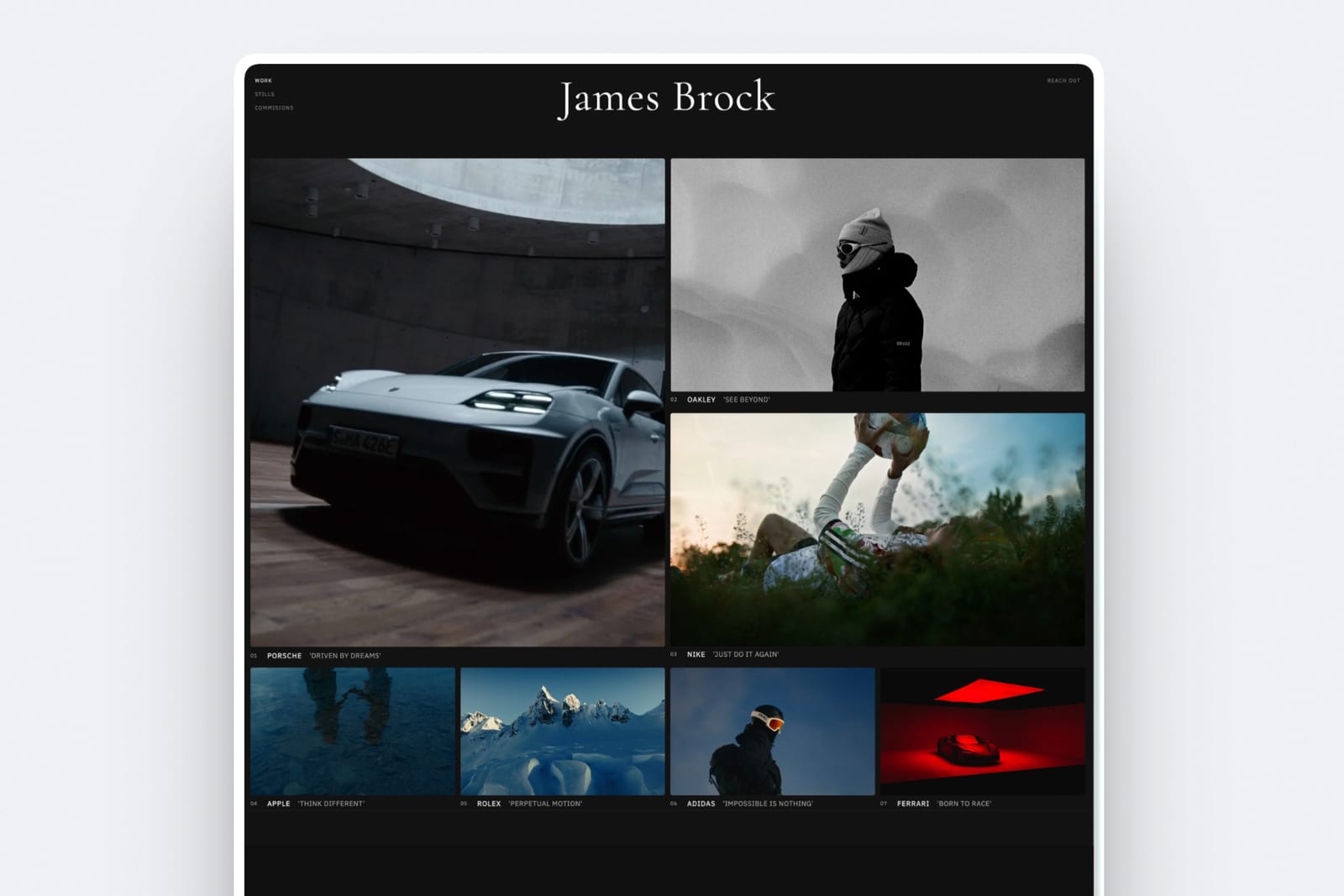
4. Layers: Closest to what early Dribbble felt like
Our rating: 8.1/10
Layers is a community for designers to share work, connect, and find jobs, and the reason designers keep recommending it is atmospheric rather than technical: it feels like Dribbble did before the feed optimised itself.
Smaller audience, more actual conversation, less pressure to produce shots that photograph well.
That smallness is the whole proposition and the whole limitation. You will get better responses and fewer of them.
Best forDesigners who miss peer feedback and community rather than reach, and who want a feed that is not optimised for engagement.
The real numberLayers is free to join and takes nothing from client work. The trade is audience size: a smaller community means fewer strangers see your work, and the leads that come from it are correspondingly rarer, so treat it as a place to be part of a scene rather than as a pipeline.
Pricingfree.
Pros:
- A genuine community feel with real peer conversation
- Free, with no cut of anything
- A job board that reaches designers specifically
Cons:
- A much smaller audience than Dribbble or Behance
- Still a profile URL rather than a site you own
- The shot-style format has the same depth limitations
Skip it ifreach is what you need. Layers offers atmosphere, not volume.
Verdict: Layers is the pick for designers who want a scene rather than an algorithm, and it will not replace Dribbble's raw audience size. Visit Layers
5. Working Not Working: Best for reaching in-house recruiters
Our rating: 7.9/10
Working Not Working is a curated talent network where creative directors and in-house recruiters at agencies and brands go to find people.
It is not a feed and not a portfolio host in the usual sense: it is a searchable roster with an availability status, which is a materially different product from a community.
For a designer whose target is agency and in-house contract work rather than small-business clients, this reaches a buyer that none of the community platforms do.
Best forDesigners and art directors targeting agency and in-house contract work rather than direct small-business clients.
The real numberWorking Not Working takes no percentage of the work it produces, so a $3,000 project pays $3,000 minus whatever your own invoicing costs.
Its value is entirely in who is looking: recruiters at agencies and brands rather than founders searching for a logo, which changes both the size and the type of the work that arrives.
Pricingmembership-based, with a curated application process.
Pros:
- Reaches agency and in-house creative recruiters directly
- No cut of the work it produces
- An availability status that generates timely enquiries
Cons:
- Curated entry, so acceptance is not guaranteed
- Not a portfolio host, so you still need a site
- Wrong audience if your clients are small businesses and startups
Skip it ifyour clients are founders and small businesses. This network is pointed at a different buyer.
Verdict: Working Not Working reaches the highest-budget buyer in this comparison and is the least useful place to actually display work, which makes it a pointer at a portfolio rather than a portfolio. Visit Working Not Working
6. Awwwards: Best credential for web work
Our rating: 7.7/10
Awwwards is not a portfolio platform, it is a recognition system, and for web designers the distinction is the point.
A Site of the Day badge is a credential you can put on your own site, in a pitch deck, and in an email subject line, and it carries weight with exactly the clients who pay well for web work.
It costs money to submit and there is no guarantee of anything, which makes it a marketing expense rather than a portfolio decision.
Best forWeb and interaction designers who want an external credential to put in front of clients.
The real numberAwwwards charges a submission fee per site entered, with no guarantee of an award, so treat it as advertising spend rather than a listing.
Judged that way it is reasonable: a single Site of the Day mention can justify a year of submissions if it wins one web project at the carried $3,000 or above.
Pricingper-submission fees, with paid membership tiers.
Pros:
- A credential that carries real weight with web clients
- Genuine discovery for award-winning work
- A quality bar that filters the field for browsing clients
Cons:
- Paid submission with no guarantee of recognition
- Only relevant to web and interaction work
- Not a portfolio host at all
Skip it ifyou do brand, print, or product design. The award category does not cover you.
Verdict: Awwwards is a credential worth buying if web work is your business, and irrelevant to everyone else on this page. Visit Awwwards
7. ArtStation: Best for 3D, concept, and game art
Our rating: 7.6/10
ArtStation is where games, film, and animation studios recruit, which makes it the correct primary platform for concept artists, 3D modellers, and environment artists rather than an alternative in the general sense.
Its project pages handle turntables, breakdowns, and wireframes properly, which no shot format does.
It also runs a marketplace for brushes, models, and tutorials, with terms that vary by membership tier and have changed since Epic Games acquired the platform.
Best forConcept artists, 3D artists, and anyone whose target employer is a game, film, or animation studio.
The real numberArtStation takes no cut of freelance client work arranged through it, and its marketplace share varies by membership tier and by whether you referred the buyer yourself.
Because that split has changed more than once, price any marketplace listing against ArtStation's current published terms rather than against any comparison page.
Pricingfree membership with a paid Pro tier; marketplace terms vary by tier.
Pros:
- The recruiting channel for games, film, and animation studios
- Project pages built for 3D breakdowns and turntables
- A marketplace with buyers already present
Cons:
- Wrong audience for brand, product, or web designers
- Profile and followers belong to the platform
- Marketplace terms are tier-dependent and have changed
Skip it ifyou are a UI, brand, or web designer. The audience is specific and that specificity is the value.
Verdict: ArtStation is not a general Dribbble replacement, it is the correct home for one set of disciplines and the wrong home for the rest. Visit ArtStation
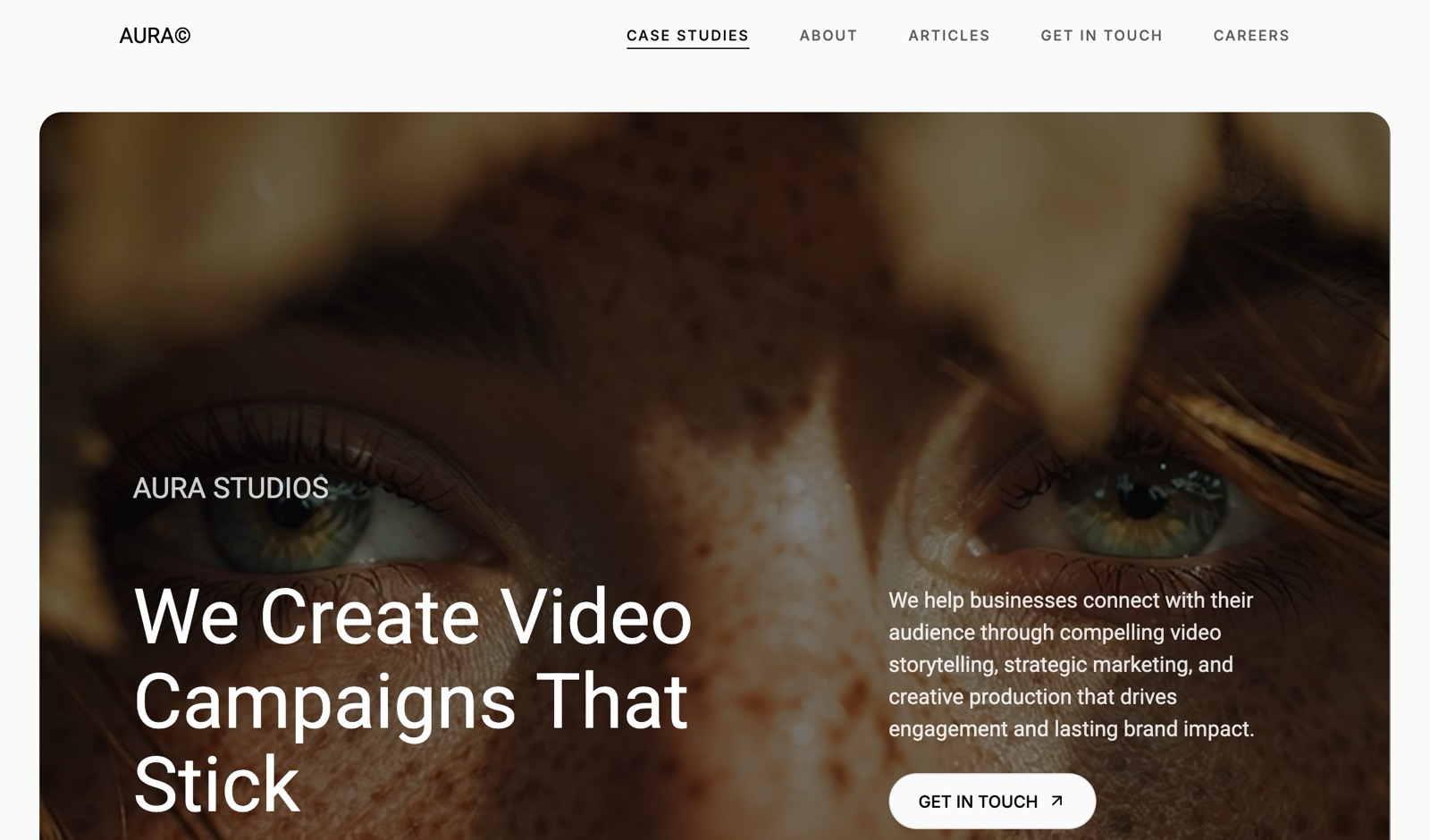
8. Cargo: Best for an art-directed personal site
Our rating: 7.5/10
Cargo is the choice when the portfolio itself needs to demonstrate art direction. Its layouts escape the standard grid, its type controls are deep, and among independent designers a Cargo site reads as a small signal of intent.
If the reason you are leaving Dribbble is that everything there looks the same, this is the most direct answer.
Its pricing is also the simplest in this comparison: one plan, one price, no tier ladder.
Best forDesigners and art directors whose site is itself a piece of the portfolio.
The real numberCargo is $14 a month billed yearly or $19 monthly, with a custom domain included, per Cargo's rates page.
At $168 a year it costs more than Framekit Starter's $108 and takes no cut of any client work, which for a designer running six projects a year is the number that matters far more than the subscription gap.
Pricing$14 a month billed yearly, $19 billed monthly, one plan.
Pros:
- Layout and typography freedom for designers with a point of view
- One flat plan with no feature gating and a domain included
- Takes nothing from client work
Cons:
- Assumes design judgment rather than supplying it
- No community and no discovery whatsoever
- A smaller ecosystem when you get stuck
Skip it ifyou want the platform to make design decisions for you.
Verdict: Cargo is the answer for a designer whose site should prove they can art direct, and overkill for one who just needs somewhere to put case studies. Visit Cargo
9. Cara: Best for illustrators
Our rating: 7.2/10
Cara is a portfolio and social platform built for human-made art, and its differentiator is a policy rather than a feature: it filters AI-generated images.
A large number of illustrators moved there for that reason specifically, which makes the community's composition the product.
For a product or brand designer it is the wrong room. For an illustrator whose objection to the current landscape is exactly what Cara filters, it is the only platform here that addresses it.
Best forIllustrators and concept artists who want a human-made-art community.
The real numberCara is free, takes nothing from client work, and has no paid tier gating the fundamentals.
What it costs you is reach: the audience is smaller than Behance or Dribbble, so it works as a community rather than as a pipeline, and its about page describes it as a platform for artists by artists rather than as a marketplace.
Pricingfree at the core, with optional paid extras.
Pros:
- Free, with an explicit human-made-art policy its users chose
- Supports images, GIFs, video, and 3D embeds
- Profiles read as portfolios rather than as timelines
Cons:
- A smaller audience than the major communities
- No custom domain and no ownership of the URL
- Wrong audience for product, brand, and web designers
Skip it ifyou are not an illustrator. The community is specific.
Verdict: Cara is the right community for illustrators who care what their work sits next to, and not a general Dribbble replacement. Visit Cara
10. LinkedIn: Where the clients already are
Our rating: 7.0/10
Including LinkedIn is not filler. Designers underuse it badly, and it is the only platform in this comparison where the people who sign off on design budgets already have accounts and already scroll.
A case study posted as a LinkedIn carousel can reach more buyers than the same work on a design community, because on a design community your audience is other designers.
The presentation is worse than anywhere else here. That is the trade: a worse room full of better prospects.
Best forDesigners whose clients are founders, marketing leads, and business owners rather than other designers.
The real numberLinkedIn is free, takes nothing from client work, and reaches decision-makers directly rather than peers.
The honest measure is that on a design community your audience is largely people who do what you do, and on LinkedIn it is largely people who buy what you do, which is a difference in kind rather than degree.
Pricingfree, with optional paid Premium tiers.
Pros:
- Your actual buyers are already on it
- Free, with no cut of anything
- Carousel posts suit case-study formats
Cons:
- Presentation quality is the worst in this comparison
- Requires a posting habit rather than a portfolio upload
- No portfolio structure, so the work needs a home elsewhere
Skip it ifyou work for agencies rather than end clients. Then Working Not Working reaches your buyer better.
Verdict: LinkedIn is the least designerly platform here and quite possibly the best one for getting hired, which is an uncomfortable thing for a design comparison to conclude and appears to be true. Visit LinkedIn
11. Cosmos: Curation and quiet discovery
Our rating: 6.6/10
Cosmos is a visual curation tool rather than a portfolio platform, built as a calm space to save and organise images, sites, and video without ads or like counts.
Designers use it the way they once used mood boards, and being saved into other people's collections is a quieter, slower kind of discovery than a feed provides.
It is included here because it comes up again and again in designers' public conversations about leaving Dribbble, not because it replaces a portfolio.
Best forDesigners who want a calm curation space and passive discovery through being saved rather than promoted.
The real numberCosmos is free at its core and takes nothing from any work, because it does not process payments or broker projects. Its value is not measurable in leads: it is a research and reference tool where being collected by other designers produces occasional, unpredictable visibility.
Pricingfree core, with optional paid tiers.
Pros:
- A calm interface with no ads or engagement metrics
- Genuinely useful as a research and reference tool
- Being saved into collections is a slow form of discovery
Cons:
- Not a portfolio platform and not a lead source
- No case-study format at all
- Discovery is incidental rather than designed
Skip it ifyou need work. Cosmos is where designers go to think, not to be hired.
Verdict: Cosmos is a genuinely good tool that solves none of the problems this page is about, and it belongs in the list because designers keep naming it anyway. Visit Cosmos
What Dribbble Actually Costs
In one lineDribbble charges on three axes at once, and the one designers never add up is the percentage it takes from the project itself, which on six $3,000 projects a year is $720 on a monthly plan and $0 on an annual one.
Dribbble's pricing is published and still routinely misread, because most people stop reading at the subscription.
The subscription. Pro Lite is $8 a month or $48 a year, Pro Standard is $16 a month or $96 a year, and Pro Plus is $199 a month, per Dribbble's published pricing.
The entry tier is one of the few plans anywhere where annual billing halves the price rather than trimming a fifth off it.
The Designer Platform Fee. This is the one that surprises people. A graduated Designer Platform Fee starting at 4% applies to projects run through the platform, and it is waived for annual Pro Standard and Pro Plus members.
That produces a genuinely counterintuitive result: the $96-a-year plan can cost less in total than the $48-a-year one, because the more expensive plan removes the percentage.
The Client Platform Fee. Your client pays too: 5% on projects up to $500, 3.5% from $501 to $1,000, and 2% above $1,001, with an extra flat $2 on projects under $100.
This does not come out of your fee, and it does raise the number your client sees, which is a real factor in whether they say yes.
Payment processing. 2.9% plus $0.30 sits on top of all of the above.
Run it on your own year. Take the projects that genuinely came from the platform, multiply by the designer fee that applies to your plan, and compare that to what the annual plan costs.
A designer taking six $3,000 projects a year on a monthly plan is paying $720 in platform fees to avoid a $48 price difference.
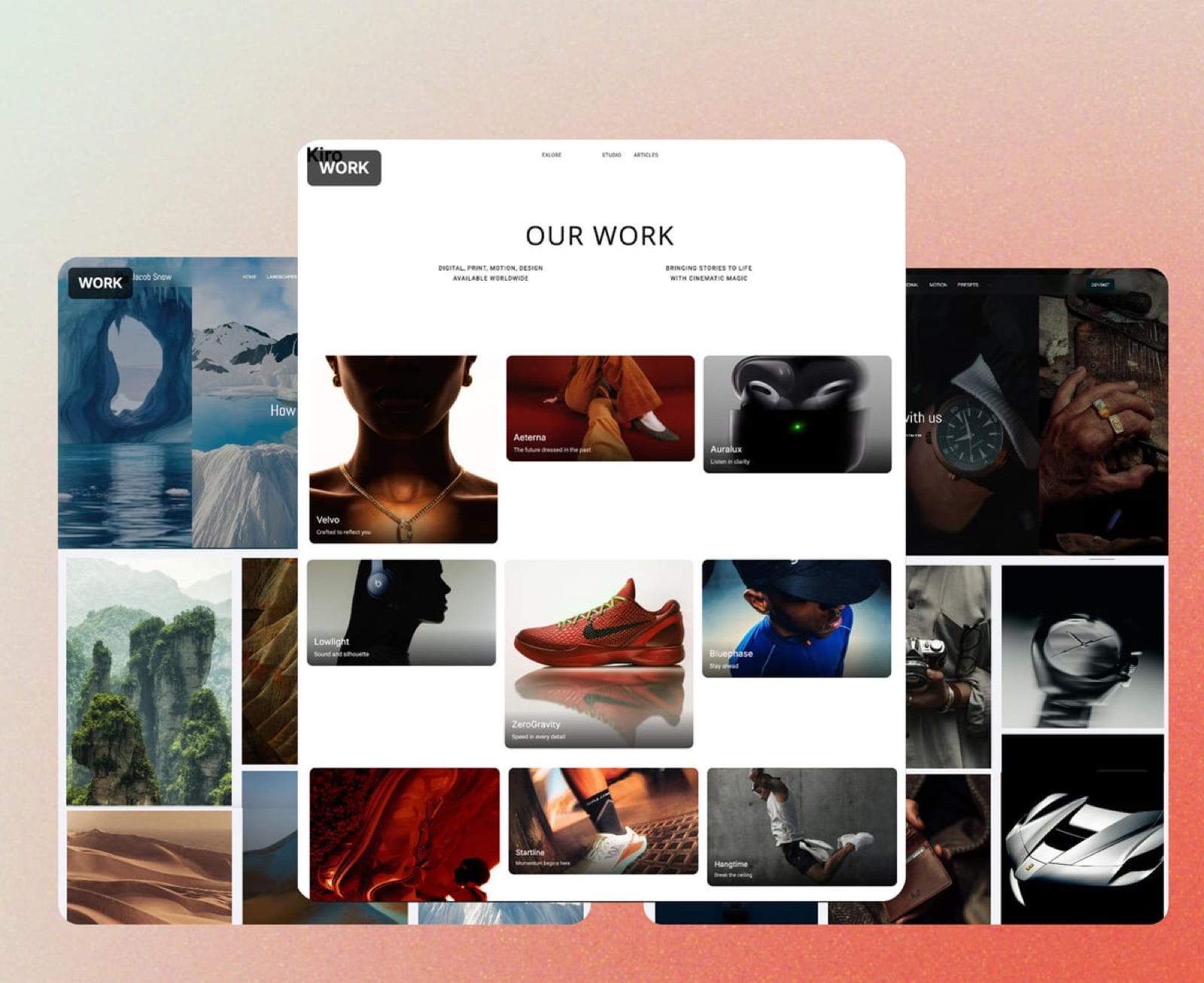
The Shot Problem: What the Format Costs Your Work
In one linea fixed crop rewards work that photographs well, which quietly selects for surface polish over problem-solving and trains designers to present outcomes without reasoning.
This is the complaint that has followed Dribbble for a decade, and it is worth stating precisely rather than as a vibe.
The crop is an editorial decision. A format that shows one image at one ratio can hold a screen, a mark, or an illustration.
It cannot hold a research finding, a rejected direction, or the constraint that made the solution necessary. Over time you stop making work that needs those things, or you stop showing the part that does.
Polish reads better than thinking in a thumbnail. Two shots side by side in a feed are compared on execution, because execution is the only variable visible at that size.
That is not a moral failing of the platform, it is a property of the container, and it has consequences for what gets attention and therefore for what gets made.
Clients buy reasoning, not thumbnails. The designers who charge the most tend to be the ones who can explain why, and the format that best demonstrates why is a case study with a problem, a process, and an outcome.
Behance and a portfolio site both hold that. A shot does not.
What to do about it. Keep the shot as an advertisement and put the argument somewhere with room.
Post the crop to the feed, link to the full case study on your own site, and let the platform do the job it is genuinely good at, which is getting a stranger to look for four seconds.
The Fine Print: Fees, Leads, Exports, and Getting Out
In one linethe terms that decide your second year are whether the platform takes a cut of your projects, whether the leads are yours or the platform's, and whether anything you built there can leave with you.
Read past the commission line. Contra advertises 0% commission and charges a per-payment fee. Dribbble waives its designer fee only on specific annual tiers. Neither is dishonest and both are easy to misread, so price the total, not the headline.
Who owns the lead. On a marketplace, contacting a client off-platform usually breaches the terms, which means the relationship is rented rather than owned. On your own site the client emails you directly and no terms apply.
This matters most on the second project with the same client, which is where freelance income actually comes from.
What exports. Images export everywhere. Case-study text, project ordering, and layout export from nothing here in a form another platform can read, so keep your written case studies in a document you control rather than only inside a platform's editor.
Your URL after you leave. Profile links break when you stop paying or when a platform winds down, and every link anyone made to your work breaks with them. A domain you own is the only address on this page that survives your changing your mind.
Availability signals. Working Not Working and Contra both let you mark availability, which produces timely enquiries a static portfolio never will. If you are actively looking, that single toggle is worth more than most features on this page.
How to Choose a Dribbble Alternative: A Decision Tree
Three questions in order. The first branch that matches you is the answer.
Start here: what is your actual complaint about Dribbble?
- The fees. Move the client relationship off the platform. Use Contra for contracts and payment at 0% commission, or invoice directly from your own site with Framekit, and keep a free profile somewhere for discovery.
- The format flattens my work. Go to Behance for long-form projects, or build a case-study site on your own domain with Framekit or Cargo.
- The leads dried up. Go to the next question.
Who actually buys your work?
- Agencies and in-house creative teams: Working Not Working, and keep LinkedIn current.
- Founders, marketing leads, and small businesses: LinkedIn, genuinely, plus a portfolio site they can be sent to.
- Game, film, and animation studios: ArtStation.
- Web clients who care about craft: Awwwards for the credential, plus your own site.
What kind of designer are you?
- Illustrator: Cara for community, your own site for clients.
- Product or UI designer: Behance or Layers for community, Framekit for the case studies.
- Art director or independent studio: Cargo or Framekit, and let the site be part of the argument.
Frequently Asked Questions
What is the best Dribbble alternative in 2026?
The best Dribbble alternative in 2026 is Framekit for designers who want clients to arrive at a site they own, because no platform takes a percentage of a project that comes through it and case studies are not constrained by a crop.
The honest limitation is that Framekit has no community and produces no leads on its own, so pair it with Behance for the largest replacement audience, Layers for community, or Contra if what you need is to run client work at 0% commission.
Does Dribbble take a cut of client projects?
Yes.
Beyond the subscription, Dribbble applies a graduated Designer Platform Fee starting at 4% on projects run through the platform, waived for annual Pro Standard and Pro Plus members, and clients pay a separate Client Platform Fee of 5% up to $500, 3.5% from $501 to $1,000, and 2% above $1,001.
Payment processing of 2.9% plus $0.30 applies on top. On a $3,000 project the designer-side fee is $120 on a monthly plan and $0 on an annual Pro Standard plan.
How much does Dribbble Pro cost in 2026?
Dribbble Pro Lite is $8 a month or $48 billed annually, Pro Standard is $16 a month or $96 annually, and Pro Plus is $199 a month or $1,188 annually.
Annual billing on the entry tier is exactly half the monthly price rather than the usual 20% discount.
The more important detail is that annual Pro Standard and Pro Plus remove the Designer Platform Fee on projects, which can make the $96 plan cheaper in total than the $48 one for anyone taking client work through the platform.
Is Dribbble still worth it for designers in 2026?
Dribbble is worth it as a discovery channel if your work suits the shot format and you take client projects on an annual Pro Standard plan that waives the designer fee.
It is poor value on a monthly plan if you run projects through the platform, because the 4% fee on six $3,000 projects is $720 a year against a $48 saving on the subscription.
It remains a poor place to explain reasoning, so most designers should treat it as advertising that points at a portfolio elsewhere.
Behance vs Dribbble: which is better for designers?
Behance is better for work that needs more than one image, because projects hold multiple images, long-form text, and video, and its audience spans photography, illustration, and motion rather than concentrating on product UI.
Dribbble is better for inbound client enquiries, particularly for product and brand designers, and it has hiring tooling Behance lacks.
Neither gives you the URL or the search authority, so the strongest arrangement is whichever suits your discipline, pointing at a site you own.
Which Dribbble alternative is free?
Behance, Layers, Cara, LinkedIn, and Cosmos are all free to join and take no cut of client work. Contra is free with tiered per-payment fees of about $2 to $29 and 0% commission.
Framekit has a free plan that publishes a full portfolio site with a framekit.ai subdomain, moving to $9 a month for a custom domain.
Awwwards and Working Not Working are the two here that require payment or curated application to participate meaningfully.
Can I get freelance clients without Dribbble?
Yes, and most working designers do.
The three routes that produce paid work most reliably are a portfolio site that ranks for your own name so referrals can find you, a presence where your buyers already are rather than where designers are, which usually means LinkedIn for direct clients or Working Not Working for agencies, and previous clients returning, which is why owning the relationship matters more than any platform.
Community profiles supply strangers; those three supply income.
What is the best portfolio site for UI and product designers?
For UI and product designers specifically, a case-study site on your own domain outperforms any profile, because the work needs a problem statement, a process, and an outcome to be evaluated properly, and hiring managers read those.
Framekit's AI drafts pages in that shape from a description, on your own domain from the $9 Starter plan, Cargo suits designers who want to art direct the site itself, and Behance is the strongest free option that still holds a full case study.
Dribbble's shot format is the weakest container for this discipline.
Is Contra really commission-free?
Contra charges 0% commission on project value, which is genuine, and it applies a tiered per-payment platform fee of roughly $2 to $29 on its free plan depending on payment size, with a Pro plan at about $29 a month or $199 a year that reduces those fees.
So it is commission-free rather than fee-free. On a $3,000 project the distinction is favourable: a flat fee in the tens of dollars against the $120 a 4% commission would take.
Do I need a portfolio website if I have a Dribbble profile?
Yes, for three reasons a profile cannot cover: a site ranks for your own name so referrals reach you rather than a platform, it holds full case studies with the reasoning clients pay for, and it survives the platform changing its pricing, its algorithm, or its existence.
The practical setup is to keep the profile as a discovery channel with your domain in the bio, and publish the full case study on the site so the platform sends people to you.
What happened to Read.cv and other portfolio platforms?
Several portfolio and profile platforms have wound down or been acquired in recent years, which is the structural argument for owning your address rather than renting one.
When a platform closes, profile URLs stop resolving and every link anyone made to your work breaks with them, including links in press coverage and old client emails.
A portfolio on your own domain survives that, because you control the redirects.
Should I delete my Dribbble account if I build my own site?
No. Deleting it throws away whatever discovery it provides and breaks existing links for no gain.
The better move is to downgrade to a free or annual plan depending on whether you take projects through the platform, trim the profile to your strongest work, put your domain in the bio and in every shot description, and publish the full case study on your own site with only the crop on the feed.
Does Framekit take a cut of client projects the way Dribbble does?
No. Framekit charges a platform fee on product sales in its store, not on client work, so a $3,000 project that arrives through your own site costs nothing in platform fees, or about $87.30 if you choose to invoice through Stripe.
The same project booked through Dribbble on a monthly plan carries a $120 Designer Platform Fee plus processing. Across six projects a year that is a $720 difference on identical work.
The trade is discovery: Dribbble charges that fee because it put the client in front of you, and a site with no audience does not do that in month one.
Final Verdict: The Best Dribbble Alternative in 2026
After reading eleven platforms' fee pages, formats and terms side by side, the pattern is that designers argue about formats and get charged on fees.
Framekit is the best Dribbble alternative in 2026 for designers who want the client to land somewhere they own. No platform takes a percentage of the work, the case study can be as long as the project deserves, the URL is your name, and the free plan publishes a real site.
Where Framekit loses, plainly: we have no community, no feed, and no followers, so we bring you nobody.
If your pipeline came from being browsed rather than searched for, go to Behance for the largest audience, Layers for the community, Working Not Working if agencies hire you, LinkedIn if founders do, and ArtStation if you make game or film art.
Contra is the way to run the client work itself at 0% commission, Awwwards is a credential worth buying for web designers, Cargo is for designers whose site is part of the portfolio, Cara is for illustrators, and Cosmos is where designers go to think rather than to get hired.
But if you are paying a subscription and then paying a percentage of the work that subscription produced, the platform is charging you twice for one introduction.
For more, read our best Behance alternatives comparison, the best website builder for graphic designers, the best website builder for UX designers, and our guide to getting clients from your website.
_All platform fees and subscription prices re-verified against each platform's published documentation, July 2026._