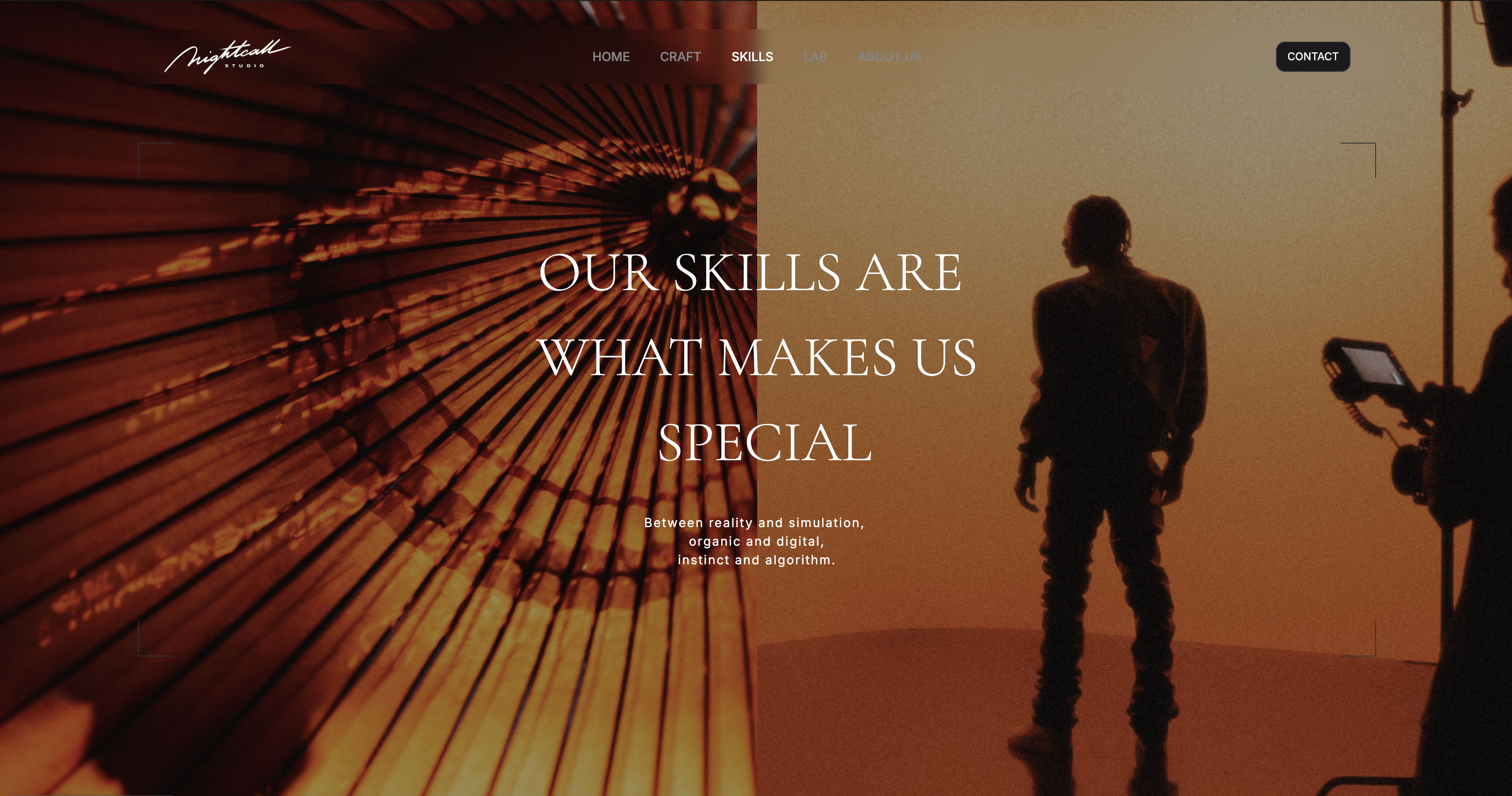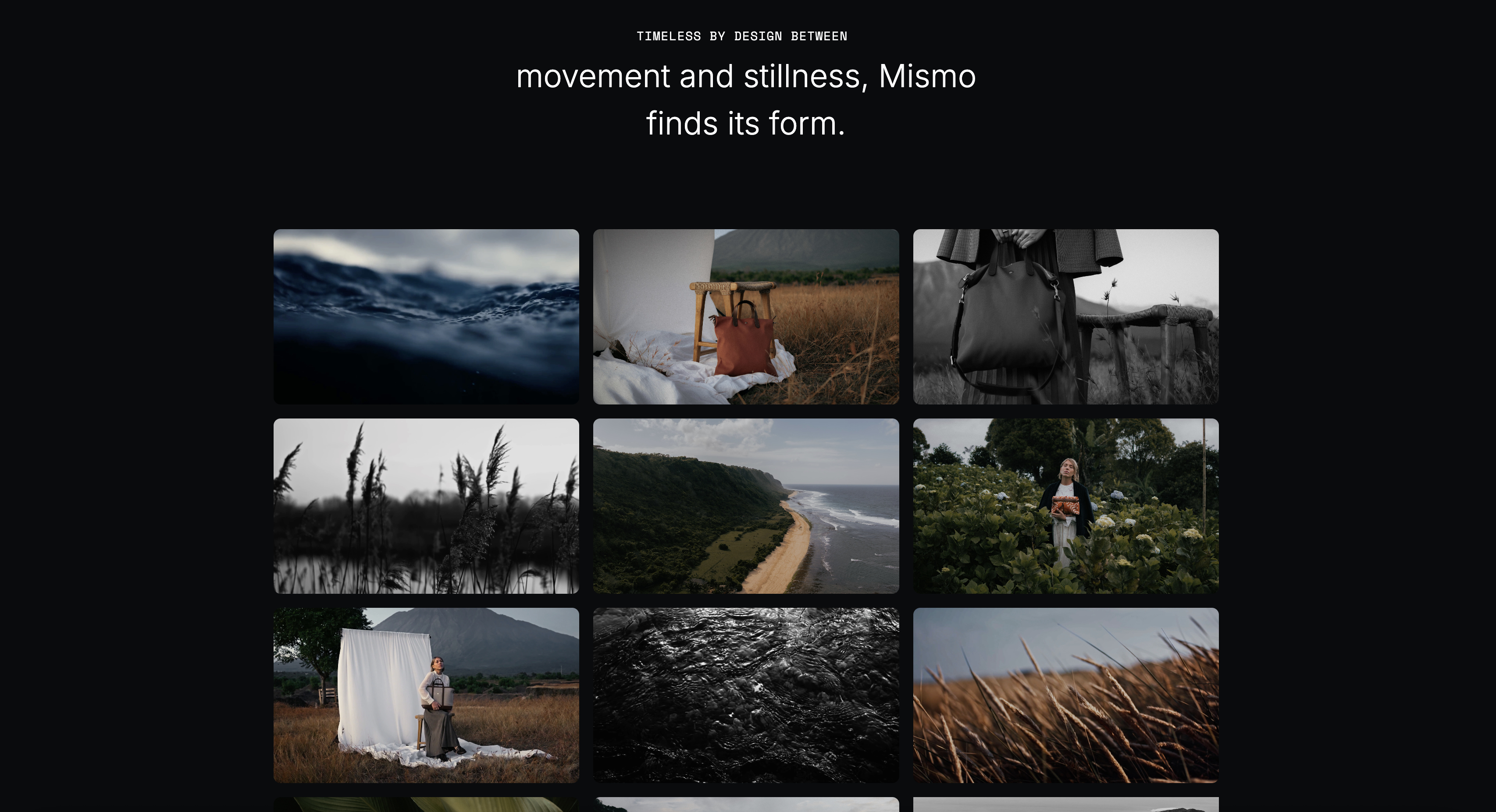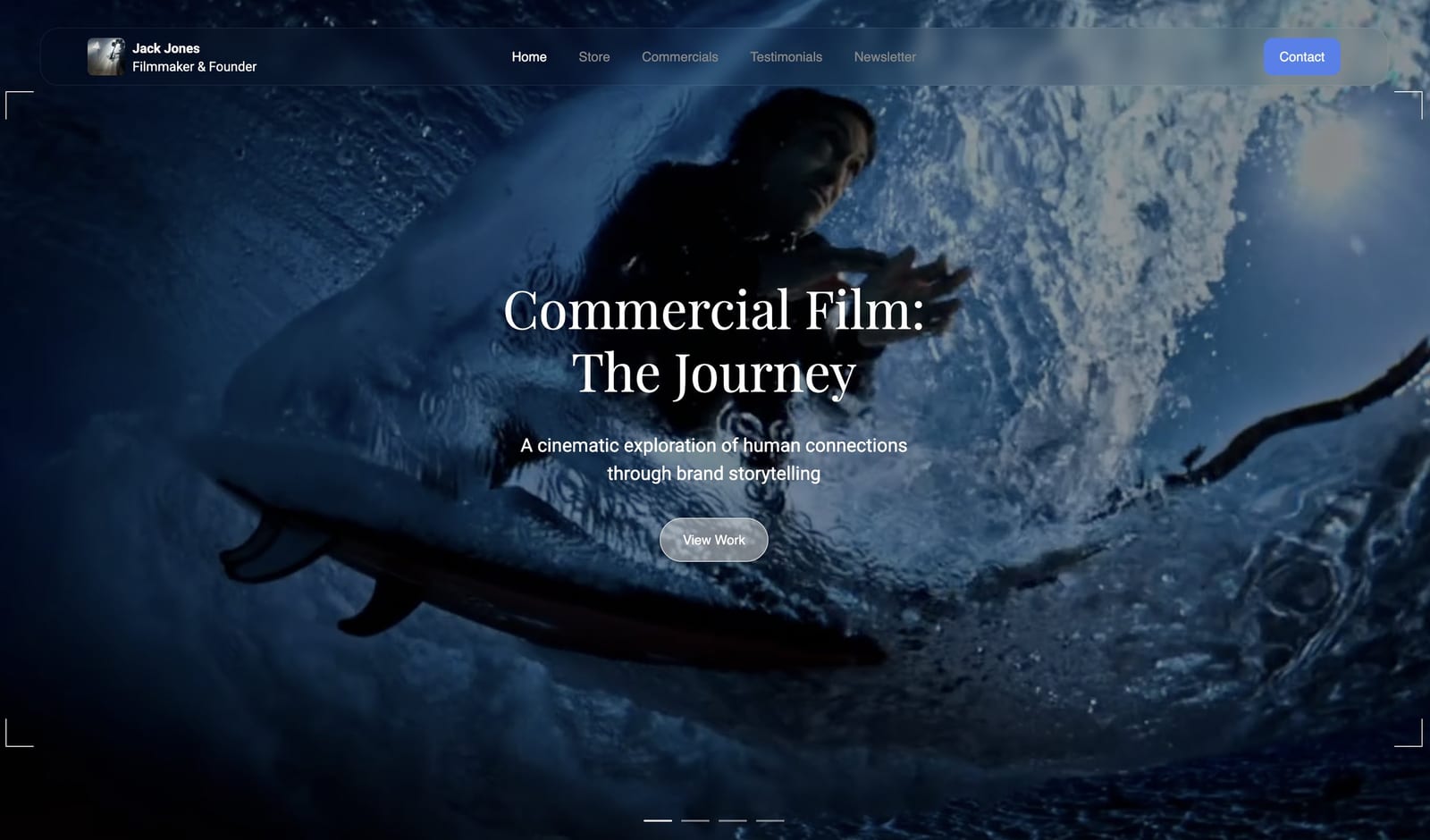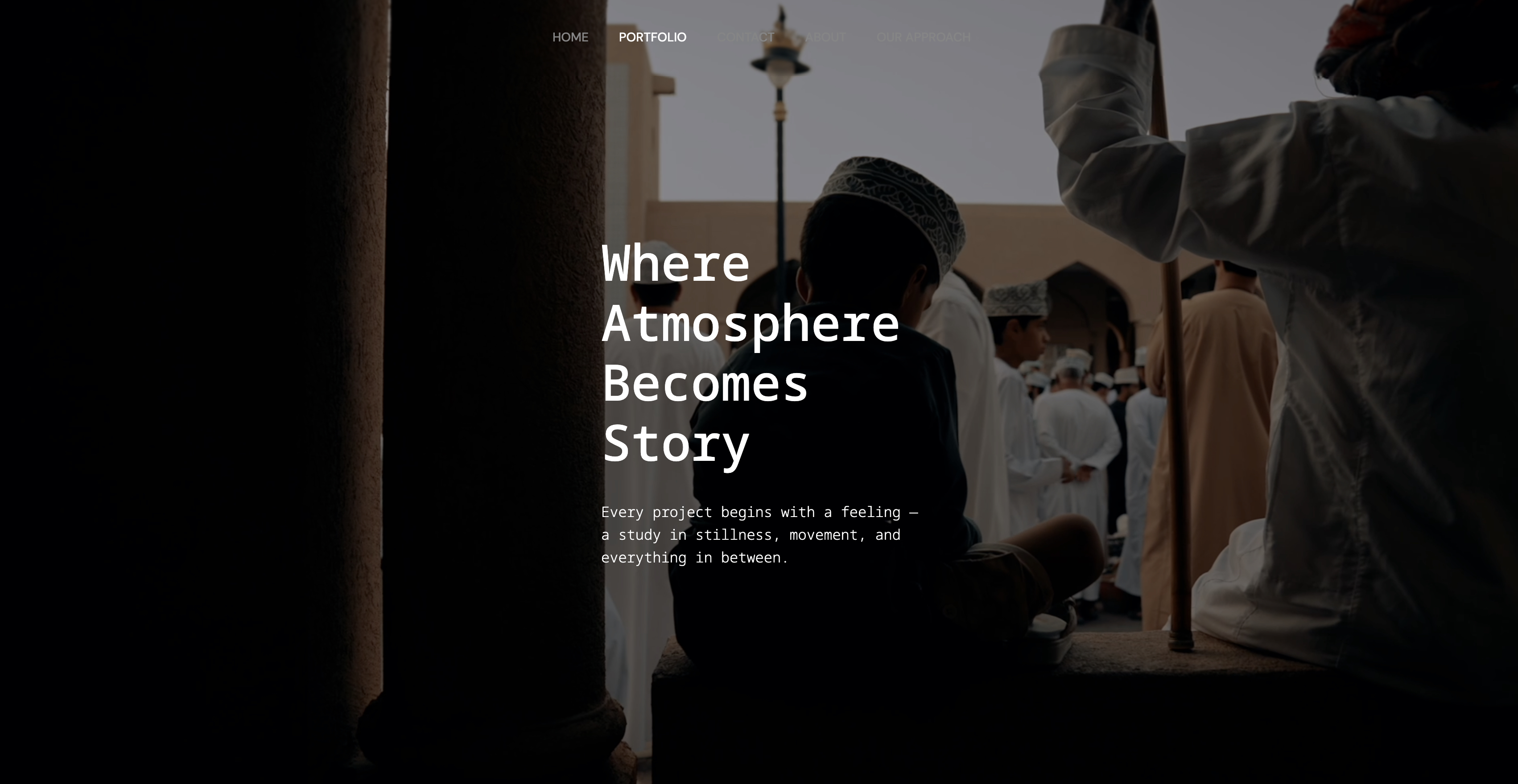
Framekit templates
Start from a designer-made template
 Use template
 Use template
 Use template
 Use template
 Use template
 Use template
 Use template
 Use template
A director hands you six minutes of branded documentary, a Tuesday deadline, and one line of feedback: make it feel bigger.
You have 90 minutes of interview, a scratch VO recorded in a hotel room, drone plates that are noisier than you remembered, and no budget for a sound stage or a colourist.
Almost every article about AI filmmaking answers a different question than the one you just asked.
They rank video generators, which is the part of this job you are least likely to use on Tuesday, and skip the tools that would actually get the cut finished: the ones that clean the VO, denoise the plates, break down the script, cut on the transcript, and put the finished film somewhere a client can watch it without a download link expiring.
The generator gets the headlines. The timeline gets the work.
An AI tool for filmmakers is any software that automates a step of the filmmaking process using machine learning, spanning script breakdown, editing, colour, sound restoration, footage upscaling, generation, and the delivery of the finished film.
Score is the one thing on that list AI has not solved cheaply, so it is still worth reading which music libraries actually license client work before a track goes anywhere near a paid edit.
The last item on that list is the one most guides drop: Framekit is an AI website builder for filmmakers with Slides and video review in the same account, so the treatment, the client's timecoded notes, and the site the finished film lives on are one login rather than three subscriptions.
It is ranked third rather than first because it does nothing inside your timeline, and the free plan needs no credit card.
The best AI tools for filmmakers in 2026 depend on the job, and no single tool wins the category.
For AI inside the edit itself, DaVinci Resolve is the strongest and its free version is genuinely full-featured. For generative shots and in-editor AI cleanup, Runway leads. For voice, ADR, and dubbing, ElevenLabs is the standard.
For restoring and upscaling old or noisy footage, Topaz Video AI, though it moved to subscription-only in October 2025. For cutting long-form interview work on a transcript, Descript.
And for the two ends most lists ignore, Framekit ranks third: AI treatments and pitch decks with shot lists and storyboards before the shoot, and timecoded client review, galleries, and a site for the finished film after it.
Full disclosure: Framekit is our own product and we rank it third, behind two editors that do what we cannot. It is a website builder with Slides, video review, and client galleries, not a post-production tool. Competitor prices were verified against each vendor's pricing page in July 2026 and Framekit's plans re-verified in September 2026, and we link to all twelve. Where the others beat us is most of this page: Resolve, Premiere, Runway, ElevenLabs, Topaz, and Descript all touch the film itself, and we only touch the pitch before it and the review and delivery after it.
This guide was corrected on 12 October 2026: results we had described from footage run through the tools are gone, the ratings now read as our judgement of published features, and a wrong claim about Framekit's place in the stack costs was taken out.
How We Compared These AI Tools for Filmmakers
Most AI filmmaking lists are really AI video generator lists, which describes a narrow slice of what filmmakers do. We covered the whole pipeline and rated twelve tools on five criteria, drawing on vendor pricing pages, plan limits and product documentation.
Usefulness on a real job, weighted 30%. Would a working filmmaker reach for this on a paid deadline, or is it a thing to try on a weekend? This carries the most weight because most of this category fails that test.
Output ceiling, weighted 25%. What the tool documents it can deliver in resolution, formats, and licensing, and whether that is enough for a client screen rather than a social crop.
Cost against the value returned, weighted 20%. The real annual number, including credit models that make monthly cost unpredictable.
Control, weighted 15%. Can you direct the result, or do you re-roll until something works?
Where it sits in the pipeline, weighted 10%. Tools that live inside your existing NLE beat tools that require a round trip.
The carried example is a six-minute branded documentary: 90 minutes of interview, a scratch voiceover, noisy drone plates, and a client review round.
We reference that job in every review so the recommendations stay concrete, as a planning scenario that shows where each tool would sit, not as footage we cut through each one.
Three kinds of finding, kept separate. What comes from primary sources: every plan price and credit allowance, read on the vendor's own pricing page in July 2026 and linked inline, along with the features each vendor documents.
What is our call: the ratings, and where each tool would sit in the example job, which reflect those documented features rather than footage we graded or cleaned.
What we flag as fast-moving rather than settled: generative video model quality, which changes on a timescale of weeks, so treat any ranking of generators, including ours, as a snapshot.
What Comparing 12 AI Filmmaking Tools Showed
The figures underneath the ranking, verified against each vendor's published pricing in July 2026.
- The single most capable AI toolset for filmmakers costs $0: DaVinci Resolve's free version includes Magic Mask, voice isolation, and speed warp with no watermark and no time limit.
- Topaz Labs ended its perpetual licence in October 2025 and moved Topaz Video AI to subscription only, at $299 a year for Personal and $699 for Pro.
- DaVinci Resolve Studio remains a one-time $295 purchase with future updates included, which makes it cheaper than a single year of Topaz.
- 5 of 12 price on credits rather than time, which means your monthly cost depends on output volume and is genuinely hard to forecast.
- Runway retired its Unlimited plan and replaced it with Max at $76 a user per month on annual billing, which carries 9,500 credits against Pro's 2,250 at $28.
- A realistic annual AI stack for an independent filmmaker lands between $0 and about $1,900 depending on which of these you actually need.
For a stack matched to the work you do, jump to the decision tree. First, the field.
The 12 Best AI Tools for Filmmakers in 2026: Full Comparison
A note on the scores: each tool is weighed against the five criteria above, and usefulness on a real job carries the heaviest because this category is unusually full of things that demo well and never get opened again.
Our own tool scores 8.9 and sits third, because treatments, shot lists, and the client review round are real jobs on every paid production.
It scores 9 on cost and 3 on pipeline fit, the lowest single mark in the top five, because it has no NLE integration and does nothing to your footage.
Resolve scores 10 on usefulness and 10 on cost, which is why it is first and why we are not.
| Tool | What it does | Pricing | Free tier | Our Rating |
|---|---|---|---|---|
| DaVinci Resolve | AI inside a full NLE and grade | Free, Studio $295 one-time | Yes, full-featured | 9.5/10 |
| Adobe Premiere Pro | AI inside the industry-standard timeline | Subscription | Trial | 9.0/10 |
| Framekit | AI treatments, client review, site and delivery | Free to $59 a month | Yes, core review and Slides features | 8.9/10 |
| Runway | Generative video and in-editor cleanup | $12 to $76 a user monthly | 125 credits once | 8.8/10 |
| ElevenLabs | Voice, ADR, and dubbing | $6 to $990 a month | Yes, 10,000 credits | 8.6/10 |
| Topaz Video AI | Upscale, denoise, frame rate | $299 or $699 a year | No | 8.4/10 |
| Descript | Transcript-based editing | $16 to $50 a month annually | Yes, 60 minutes | 8.2/10 |
| Luma | Multi-model generation | $30 to $300 a month | Yes | 8.1/10 |
| Kling AI | Low-cost capable generation | From about $7 a month | Yes | 7.8/10 |
| Google Veo | Generation with native audio | Via Google subscriptions | Limited | 7.6/10 |
| Filmustage | Script breakdown and scheduling | Subscription | Trial | 7.3/10 |
| CapCut | Fast social cutdowns | Free with paid tier | Yes | 7.0/10 |
All prices verified against each vendor's published pricing page in July 2026. Credit-based tools are priced by output volume, so your real monthly cost depends on how much you generate.
What a realistic annual stack costs
Filmmakers rarely buy one tool. This is what three genuine stacks cost per year, using the plans a working filmmaker would actually be on.
| Stack | Tools | Cost per year |
|---|---|---|
| The free stack | DaVinci Resolve free, ElevenLabs free, Kling free tier, Framekit free | $0 |
| The independent stack | Resolve Studio one-time $295, ElevenLabs Starter $72, Descript Hobbyist $192, Framekit Starter $108 | $667 in year one, $372 after |
| The commercial stack | Resolve Studio $295, Runway Pro $336, ElevenLabs Creator $132, Topaz Video AI Personal $299, Descript Creator $288, Framekit Pro $228 | About $1,578 in year one |
Resolve Studio is a one-time purchase, so it drops out of the total in year two. Every other line is recurring.
The number most filmmakers get wrong. The free version of DaVinci Resolve is not a trial. There is no watermark, no time limit, and no feature gating on core editing, grading, Fairlight audio, or Fusion. Before you subscribe to anything on this page, confirm the free tool cannot already do it.
1. DaVinci Resolve: Best AI inside a real NLE
Our rating: 9.5/10
DaVinci Resolve is the most useful AI toolset in this comparison and it is largely free, which is a sentence that should end most filmmakers' shopping.
Its machine-learning features live inside the timeline where the work happens: Magic Mask isolates a subject without rotoscoping, voice isolation pulls a usable interview out of a noisy room, speed warp generates in-between frames for slow motion, and depth-map generation lets you grade foreground and background separately.
On the example documentary, the two features with the clearest payoff are voice isolation on the hotel-room scratch VO, which is built to turn it into a usable guide track rather than a placeholder, and Magic Mask for a secondary grade on the interviewee, which would otherwise be a rotoscoping afternoon.
Neither is a party trick. Both are things a colourist charges for.
Best forAny filmmaker who edits and grades, which is to say almost all of them.
Key features:
- Magic Mask for subject isolation without manual rotoscoping
- Voice isolation and dialogue separation in Fairlight
- Speed warp frame interpolation for retimed footage
- Depth map generation for separating foreground and background grades
- The full editor, grade, audio, and VFX pages in one application
The real numberthe free version costs $0 with no watermark and no time limit, and Studio is a one-time $295 purchase with future updates included, per Blackmagic Design.
A monthly rental at about $30 exists for short projects. Against Topaz Video AI at $299 a year, Resolve Studio pays for itself permanently in year one and costs nothing after that.
Pricingfree version $0, Studio $295 one-time, monthly rental about $30.
Pros:
- The best AI-in-the-edit toolset here, and most of it is in the free version
- A one-time Studio purchase rather than a subscription
- Everything in one application, so no round trips
Cons:
- A steep learning curve if you are coming from a simpler editor
- Studio features need capable hardware, particularly for neural-engine work
- Generative video is not its business at all
Skip it ifyour studio is standardised on Premiere and the collaboration overhead of switching outweighs the tools. That is a real constraint and not a small one.
Verdict: DaVinci Resolve is the first thing an independent filmmaker should install and the last thing they should pay for, because the free version already covers most of what the paid tools on this page sell. Visit DaVinci Resolve
2. Adobe Premiere Pro: AI in the standard timeline
Our rating: 9.0/10
Premiere's advantage is not that its AI is better than Resolve's, it is that the AI is where most professional post already happens.
Enhance Speech is Adobe's one-click cleanup for bad location audio, text-based editing cuts interview material from a transcript, and generative extend fills gaps at the end of a shot that is two seconds short, which is a specific and common problem it solves elegantly.
For an editor already inside Creative Cloud, none of this requires a decision. That is worth more than a feature comparison.
Best forEditors already working in Premiere, particularly on collaborative jobs where the studio standard decides the tool.
The real numberPremiere is sold through Creative Cloud subscriptions rather than as a standalone purchase, so its cost is whatever your Adobe plan is, and its AI features come bundled rather than metered.
That bundling is the argument: if Creative Cloud is already on your card, Enhance Speech and text-based editing are free at the margin, where the equivalent standalone tools are $200 to $300 a year.
Pricingincluded with Creative Cloud subscriptions; no standalone perpetual option.
Pros:
- The AI lives where professional post already happens
- Enhance Speech targets bad location audio in one click
- Text-based editing is strong for interview and documentary work
Cons:
- Subscription only, with no one-time purchase
- The grade is weaker than Resolve's without a round trip
- Generative features consume credits on some plans
Skip it ifyou are choosing a first NLE with no legacy. Resolve gives you more for less. See our best website builders for filmmakers guide for the presentation half of the workflow.
Verdict: Premiere is the right answer when the studio, the client, or the collaborator has already decided, and rarely the right answer when the choice is genuinely open. Visit Adobe Premiere Pro
3. Framekit: Best AI for treatments, client review, and delivery

Our rating: 8.9/10
Framekit is an AI website builder that also holds Slides, Frame.io-style video review, client galleries, and a digital store in one account, and it ranks third because it covers the two ends of the job the tools around it ignore: the pitch before the shoot and the review round after the cut.
It does nothing to your footage, which is why Resolve and Premiere sit above it.
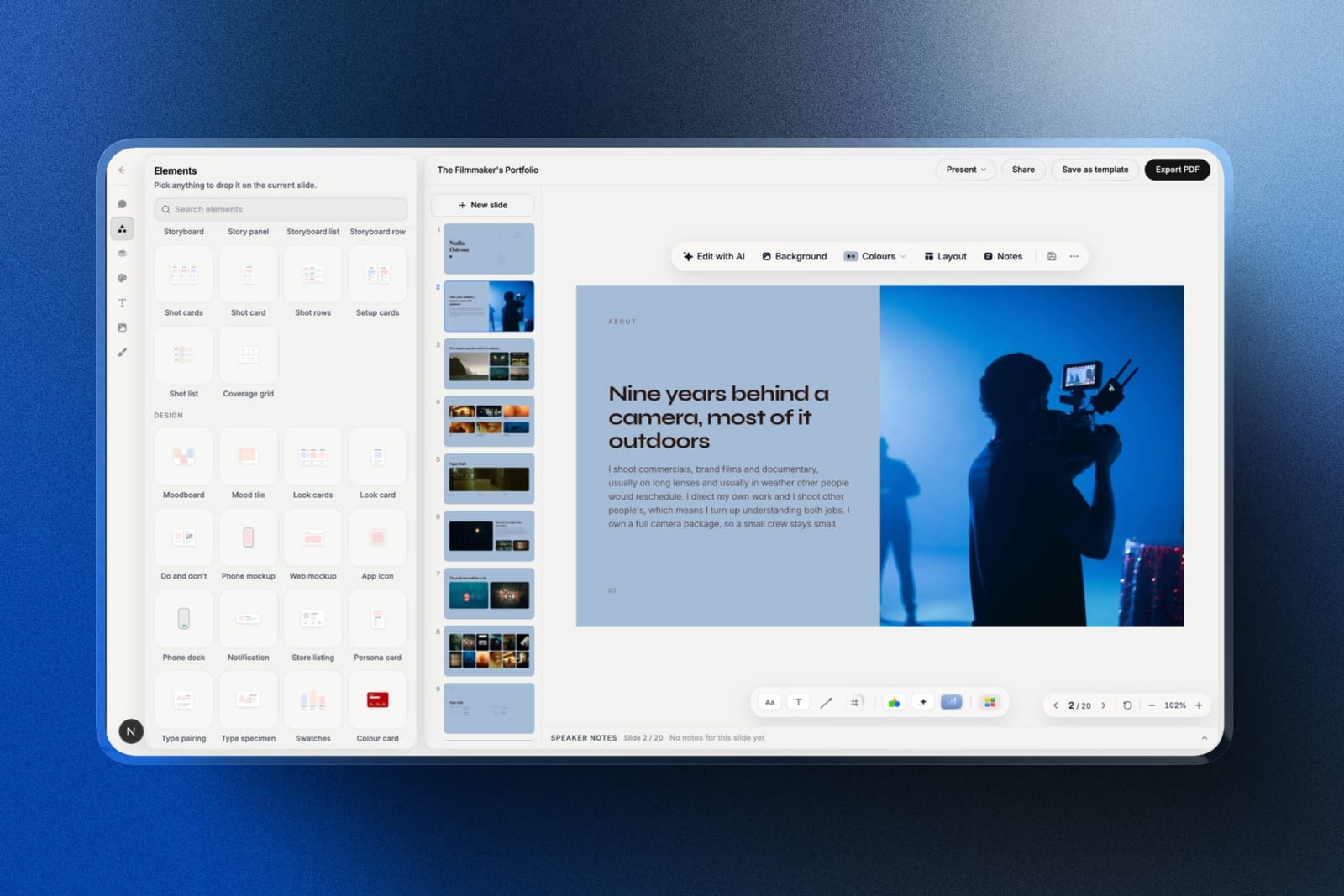
Before the shootSlides writes and lays out a treatment, pitch deck, or lookbook from a description, and everything stays editable by hand.
It ships film-specific elements, including shot lists, storyboard panels and rows, moodboards, look cards, and a coverage grid, with speaker notes on every slide.
On the carried documentary, that is the director's treatment and the shot plan for the drone day, in the same place.
After the cutthe client review round runs in Framekit's video review. You upload the cut and share one link, and the client comments at the exact frame without an account, draws on the frame, and marks the version approved or needs changes.
When v2 goes up, v1 and its notes stay in the stack. The approved film then gets a project page on your own site, and stills or BTS go out in a client gallery.
The real numberevery core review feature is on the free plan, and so are Slides' AI writing, film elements, and PDF export, with AI drafting drawing on a monthly allowance on every plan; the template library, custom fonts, and byline removal are paid.
Starter at $9 a month adds a custom domain, $108 a year, and Pro at $19 a month raises the review upload cap from 500MB to 2GB per file and adds PowerPoint export.
The gotchareview has no NLE panel, so notes do not land in Resolve or Premiere as markers, and the 3GB per-file cap on the top plan means you review an H.264 export, not a master. PowerPoint export is picture-based, so a producer cannot edit your deck text in PowerPoint.
PricingFree $0, Starter $9 a month, Pro $19 a month, Business $39 a month, Enterprise $59 a month.
Pros:
- AI treatments and pitch decks with shot lists and storyboards built in
- Client review with timecoded notes, drawing, versions, and approval statuses
- Site, galleries, and a LUT store in the same account
Cons:
- Does nothing inside the edit, the grade, or the sound mix
- No NLE integration and no Camera to Cloud
- No video hosting at broadcast scale, so long public films still need a dedicated host
Skip it ifwhat you needed from this page was a post-production tool. Resolve, Premiere, Runway, ElevenLabs, Topaz, and Descript all touch the footage, and we do not.
Verdict: Framekit is the best AI tool for the parts of a production that happen outside the timeline, from the treatment to the client's approval to the film's permanent home. See Framekit Slides and video review, or read our guide to building a filmmaker website that books clients.
4. Runway: Best generative video and in-editor AI
Our rating: 8.8/10
Runway is the tool that made generative video a professional conversation rather than a novelty, and its underrated half is the utility side: background removal, inpainting to erase a boom or a sign, frame interpolation, and motion tracking that work on real footage rather than only generating new footage.
On a commercial job, the erase-an-object tool earns its keep far more often than text-to-video does.
Generation quality is genuinely good and genuinely inconsistent, in the way all of these are, so budget re-rolls into your credit maths rather than assuming a first-pass hit.
Best forCommercial and branded work needing plate cleanup, object removal, and occasional generated inserts.
The real numberRunway is $12 a user a month on annual billing for Standard with 625 credits, $28 for Pro with 2,250, and $76 for Max with 9,500, per Runway pricing, with monthly billing roughly 20% higher.
The Unlimited plan was retired and replaced by Max. Credits are the thing to model: a re-rolled shot costs the same as a successful one, so an unpredictable job can consume a month's allowance in an afternoon.
Pricingfree 125 one-time credits, Standard $12 a user monthly on annual billing, Pro $28, Max $76, Enterprise custom.
Pros:
- The strongest combination of generation and practical plate cleanup
- Object removal and inpainting that work on existing footage
- A genuinely usable free allowance to evaluate with
Cons:
- Credit pricing makes monthly cost hard to forecast
- Re-rolls cost the same as successes
- Generation quality varies shot to shot in ways you cannot fully direct
Skip it ifyour work is documentary and interview-led. You will pay for generation you never use, and Resolve covers the cleanup you do need.
Verdict: Runway is the most professionally useful generative tool here, and its utility features justify it more often than its headline ones do. Visit Runway
5. ElevenLabs: Best voice, ADR, and dubbing
Our rating: 8.6/10
ElevenLabs is the tool on this list most likely to become invisible infrastructure, because voice work is where AI has quietly crossed from impressive to indistinguishable.
For a filmmaker it covers three real jobs: scratch and final voiceover, ADR replacement for a line lost to wind or traffic, and dubbing a finished film into another language while keeping the performance.
On the carried documentary, the honest use is the scratch VO. You record a guide, the client approves the cut against a synthetic read, and the real narrator records once at the end instead of three times through revisions.
Best forDocumentary, branded, and explainer work needing voiceover, ADR, or multi-language versions.
The real numberthe free plan gives 10,000 credits with no commercial licence, Starter is $6 a month for 30,000 credits and is the first tier that grants commercial rights, Creator is $11 a month for 121,000 credits, and Pro is $99 for 600,000, per ElevenLabs pricing.
The detail that matters for professional work is that the free tier's lack of a commercial licence rules it out for anything a client pays for, so the real entry price is $6, not $0.
PricingFree $0 with no commercial licence, Starter $6, Creator $11, Pro $99, Scale $299, Business $990 a month.
Pros:
- Voice output good enough for client-facing work
- The first paid tier at $6 is genuinely cheap for what it does
- Dubbing preserves performance across languages
Cons:
- The free tier grants no commercial licence, so professional use starts at $6
- Credit accounting is per character, so long-form narration adds up
- Voice cloning raises consent questions you have to handle yourself
Skip it ifevery project uses a real narrator you already work with. The value here is in the revision loop, not the final read.
Verdict: ElevenLabs is the cheapest genuinely professional tool on this page, and the licence boundary at $6 is the one thing to read before using it on paid work. Visit ElevenLabs
6. Topaz Video AI: Best restoration and upscaling
Our rating: 8.4/10
Topaz Video AI does one family of jobs better than anything else here: making footage that should not be usable usable.
Upscaling archival material to 4K, denoising high-ISO night exteriors, deinterlacing old broadcast masters, and generating in-between frames for slow motion that was not shot for it.
For documentary work with archive, this is not a convenience, it is the difference between a sequence existing and not existing. That is why the pricing change matters so much.
Best forDocumentary and archive work, restoration, and anyone regularly upscaling or denoising delivered footage.
The real numberTopaz Labs ended its perpetual licence in October 2025 and moved Topaz Video AI to subscription only, at $299 a year for Personal and $699 for Pro.
That reframes it entirely: what used to be a one-time purchase you owned is now an annual cost that stops working if you stop paying, and at $299 a year it costs more each year than DaVinci Resolve Studio costs once.
PricingPersonal $299 a year, Pro $699 a year; the perpetual licence was discontinued in October 2025.
Pros:
- The best upscaling, denoising, and frame interpolation available
- Genuinely rescues archive and high-ISO footage
- Batch processing for long-form restoration work
Cons:
- Subscription only since October 2025, with no perpetual option for new buyers
- $299 a year is more than Resolve Studio costs once
- Processing is hardware-hungry and slow on modest machines
Skip it ifyou shoot everything yourself in controlled conditions. Resolve's own noise reduction and speed warp cover a lot of ground for $0.
Verdict: Topaz is still the best at what it does and is now considerably harder to justify, and the honest advice is to rent it for the project that needs it rather than carry it year-round. Visit Topaz Labs
7. Descript: Best transcript-based editing
Our rating: 8.2/10
Descript turns 90 minutes of interview into a document you can edit like text, and for anyone cutting documentary, podcast, or talking-head work that is a genuine change in method rather than a feature.
Delete a sentence in the transcript and it leaves the timeline. Its filler-word removal and studio-sound cleanup handle the tedious first pass that nobody enjoys.
It is not a finishing tool. The paper edit happens here and the real cut happens in Resolve or Premiere, which is a workflow rather than a replacement.
If the transcript itself is all you need and the editing layer around it is surplus, the cheaper dedicated options in our roundup of transcription tools for video editors do that one job for a fraction of the subscription.
Best forDocumentary, interview, and podcast-video work where the first pass is a paper edit.
The real numberDescript is free for 60 minutes of transcription a month, then Hobbyist at $24 a month or $16 on annual billing, Creator at $35 or $24, and Business at $65 or $50, per Descript pricing.
At $192 a year, Hobbyist is worth it if you cut more than one interview-led project a month and hard to justify below that.
Pricing (annual billing)Free $0 with 60 minutes, Hobbyist $16 a month, Creator $24, Business $50.
Pros:
- Transcript-based editing genuinely accelerates interview work
- Filler-word removal and audio cleanup handle the tedious pass
- The free tier is enough to evaluate on a real project
Cons:
- A paper-edit tool rather than a finishing tool, so it adds a step
- Media-hour limits rather than pure transcription hours on paid tiers
- Overkill for scripted or non-dialogue work
Skip it ifyour work is scripted, visual, or music-led. There is no transcript to edit.
Verdict: Descript is the right tool for a specific and common job, and it earns its subscription only if that job is most of your year. Visit Descript
8. Luma: Multi-model generation in one subscription
Our rating: 8.1/10
Luma's interesting move in 2026 was to stop being one model.
Its Agents subscription bundles its own Ray model with several third-party ones under a single credit pool, which means a filmmaker can try competing generators without maintaining four subscriptions and four billing relationships.
For a category where the best model changes every few weeks, one bill and one credit pool is a genuinely practical answer to an impractical situation.
Best forFilmmakers who want access to several generative models without managing several subscriptions.
The real numberLuma Agents runs at about $30 a month for Plus, $90 for Pro, and $300 for Ultra, with the older Dream Machine plans at roughly $9.99, $29.99, and $94.99 still documented.
The value depends entirely on whether you use generation regularly: at $360 a year, Plus needs to replace real production spend to justify itself, and for most documentary and commercial work it does not.
PricingAgents Plus about $30 a month, Pro about $90, Ultra about $300; legacy Dream Machine tiers from about $9.99.
Pros:
- Several competing generative models under one credit pool
- Sensible answer to a market where the best model keeps changing
- A free tier to evaluate before committing
Cons:
- Expensive relative to how often most filmmakers actually generate
- Credit pooling makes per-shot cost opaque
- Generation quality remains inconsistent across all models
Skip it ifyou generate occasionally. Kling at about $7 a month covers casual use for a tenth of the price.
Verdict: Luma is the right subscription for a filmmaker who generates weekly and the wrong one for a filmmaker who generates monthly. Visit Luma
9. Kling AI: Cheapest capable generation
Our rating: 7.8/10
Kling is the low-cost way into generated video, with a permanent free tier and paid plans from about $7 a month, and for a filmmaker who wants to try a generated insert without committing to a $30-a-month subscription, it is the sensible place to experiment.
It has a permanent free tier, which matters more than its feature list: this is a category where you should test before you subscribe, and most competitors make that hard.
Best forFilmmakers experimenting with generated shots who do not want a large monthly commitment.
The real numberKling's standard tier runs from roughly $7 a month with a permanent free tier alongside it, which is around a quarter of Runway Pro and a fifth of Luma Agents Plus.
For occasional use that price difference is the whole argument, and for heavy use the credit allowances are correspondingly smaller.
Pricingfree tier available; standard tier from about $7 a month.
Pros:
- The lowest paid entry price among the generators here
- A permanent free tier rather than a one-off credit grant
- Low commitment for occasional generation
Cons:
- Smaller credit allowances than the pricier competitors
- Less integrated with professional post workflows
- Documentation and support are thinner
Skip it ifgeneration is central to your work. The allowances will not carry a real production.
Verdict: Kling is the right first generative subscription and the wrong one to scale on, which makes it an excellent way to find out whether you need this category at all. Visit Kling AI
10. Google Veo: Generation with native audio
Our rating: 7.6/10
Veo's distinguishing feature is that it generates audio in the same pass as the image rather than requiring a separate sound design step, which changes what a generated shot is useful for.
A generated establishing shot with matching ambience is a usable plate; the same shot silent is a starting point.
Access is the awkward part. Veo is distributed through Google's own subscriptions and through aggregators like Luma rather than as a standalone filmmaker product, so pricing depends on which route you take.
Best forFilmmakers who want generated shots that arrive with usable audio rather than silent.
The real numberVeo does not have a single standalone filmmaker price, because access comes bundled through Google subscription tiers or through aggregators that include it in a shared credit pool.
That makes direct cost comparison impossible, which is itself the finding: budget for it as part of whichever bundle you already pay for rather than as a line item you can price independently.
Pricingaccess via Google subscription tiers and third-party aggregators; no standalone filmmaker plan.
Pros:
- Generates audio in the same pass as the image
- Available through bundles you may already pay for
Cons:
- No clean standalone pricing for filmmakers
- Access route varies, which complicates budgeting
- Availability and limits change frequently
Skip it ifyou need predictable per-shot costs. The access model makes that difficult today.
Verdict: Veo's native audio is a real advantage and its distribution is a real annoyance, which makes it a tool to reach through a bundle rather than one to buy. Visit Google DeepMind
11. Filmustage: Script breakdown and scheduling
Our rating: 7.3/10
Filmustage is the only tool in this comparison aimed at pre-production, and its inclusion is a corrective: the AI conversation in filmmaking has concentrated almost entirely on post while script breakdown, the most tedious clerical job in the process, has quietly become automatable.
Upload a script and it tags characters, props, wardrobe, locations, and vehicles, then produces a breakdown and a shooting schedule. For a first AD or a producer on a small production, that is hours of highlighter work.
Best forProducers, first ADs, and directors on scripted productions who do their own breakdowns.
The real numberFilmustage is subscription-priced with tiers by project volume and a trial to evaluate with.
The value is measured against the hours it replaces: a manual feature breakdown is typically several days of work, so even a modest subscription pays for itself on one production, which is a much clearer return than most tools on this page can claim.
Pricingsubscription tiers by project volume, with a trial.
Pros:
- Automates genuinely tedious script breakdown work
- Produces schedules and reports as well as tags
- Clear return on a single scripted production
Cons:
- Useless for documentary, commercial, or unscripted work
- Output still needs a human pass before you shoot from it
- Narrow enough that most filmmakers will not need it
Skip it ifyou do not shoot from scripts. That is most of this page's readers.
Verdict: Filmustage solves a real problem for a specific group and is irrelevant to everyone else, which is a fair description of a good specialist tool. Visit Filmustage
12. CapCut: Fast social cutdowns
Our rating: 7.0/10
CapCut is not a filmmaking tool and it is on this list because filmmakers use it anyway. Every branded film now ships with vertical cutdowns, and cutting those in Resolve is like using a lathe to sharpen a pencil.
Auto-captions, auto-reframe, and beat detection are built for exactly that job.
The trade-offs are real: colour management is loose, the export pipeline is not built for professional deliverables, and it is a consumer product with consumer priorities.
Best forProducing vertical and square social cutdowns of a finished film quickly.
The real numberCapCut is free with a paid tier, which makes it the cheapest way to produce the social deliverables that increasingly come attached to commercial jobs.
The honest accounting is in time rather than money: the cutdowns are usually unbilled work at the end of a project, so the tool that does them fastest wins by default.
Pricingfree with a paid tier for advanced features.
Pros:
- The fastest route to captioned vertical cutdowns
- Auto-reframe and beat detection built in
- Free for the core features
Cons:
- Loose colour management, unsuitable for finishing
- A consumer product with consumer export priorities
- Not appropriate for anything client-facing at full quality
Skip it ifthe deliverable is the film itself. Use it only for the social edits.
Verdict: CapCut is a bad finishing tool and the right tool for the unbilled hour at the end of a job, which is a more useful thing to know than a feature list. Visit CapCut
What an AI Filmmaking Stack Actually Costs
In one linethe free stack is genuinely capable and costs $0, the realistic independent stack is about $372 a year after a one-time $295, and the commercial stack lands near $1,578 in year one, most of which is subscriptions that stop working when you stop paying.
The pricing shift worth understanding in this category is the move away from owning software.
Perpetual licences are disappearing. Topaz Labs ended its perpetual licence in October 2025 and moved Topaz Video AI to subscription at $299 a year. Adobe went subscription-only years ago.
Blackmagic remains the significant holdout, with Resolve Studio at a one-time $295 including future updates. That difference compounds: over five years, Resolve Studio costs $295 and Topaz costs $1,495.
Credits make budgets unpredictable. Runway, Luma, ElevenLabs, and Kling all price by output rather than by time.
A month where a client requests six revisions of a generated shot costs several times a month where they approve the first.
Budget the credit tools per project rather than per month, and check whether unused credits roll over, because on most of these they do not.
Free tiers are not all the same. DaVinci Resolve's free version is a genuinely complete tool. ElevenLabs' free tier explicitly grants no commercial licence, so it cannot be used on paid work at all.
Runway's free allowance is a one-time credit grant rather than a monthly one. Read which kind you are being offered.
The unbilled hours are the real cost. Social cutdowns, client revision rounds, and delivery are almost never in the quote, and they are exactly where these tools pay off.
A tool that saves two unbilled hours a project is worth more than one that saves two billed hours.
Run it on your own year: list the last five projects, write down which step took the most unbilled time, and buy the tool that addresses that step. Most filmmakers discover it is audio cleanup or delivery, and neither of those is a video generator.
AI-Generated Music, and Who Actually Owns It
Generating a track instead of licensing one is now a real option, and the question that decides whether it is a viable one for client work is not quality. It is ownership, and the answers on the pricing pages are blunter than most creatives expect.
Suno publishes it plainly. Its free plan gives 50 credits renewing daily with no commercial use at all.
Pro is $8 a month, or $7.47 a month billed annually at $89.60 a year, with 2,500 credits refreshing monthly and commercial use rights for new songs made on the plan.
Premier is $24 a month, or $22.40 billed annually at $268.80, with 10,000 credits. The distinction that matters: the free tier is for experimenting, and any track in a client deliverable requires a paid plan.
AIVA goes further and states who holds the copyright per tier, which almost nobody in this category does. Its free plan gives 3 downloads a month with copyright owned by AIVA.
Standard at 11 euro a month billed annually gives 15 downloads a month, still with copyright owned by AIVA. Only Pro, at 33 euro a month billed annually with 300 downloads, transfers copyright owned by you.
Read that middle tier again, because it is the trap. A creative on AIVA Standard is paying monthly, downloading tracks, putting them in client work, and does not own them.
That is a materially different position from a stock licence, which grants you defined rights in writing, and it is worse rather than better.
Three practical consequences for anyone considering generated music on paid work. Check whether your plan grants commercial use or transfers copyright, since those are not the same thing and the cheaper tiers frequently grant neither.
Check whether rights are retroactive or apply only to tracks made while subscribed, because Suno's wording covers new songs made on the plan.
And tell your client the music is generated, because a broadcaster, an agency, or a brand with a legal team increasingly has a position on it, and discovering that after delivery is the expensive version of the conversation.
None of this makes generated music a bad choice. For a personal project, a social cut, or a mood piece where nobody will ever ask, Suno Pro at $89.60 a year is dramatically cheaper than any licence in this article.
For a broadcast commercial or anything with a rights schedule attached, a stock catalogue gives you a written licence and an indemnity, which is exactly what you are paying for, and our comparison of stock music licensing sites prices those properly.
In one lineSuno's free plan forbids commercial use entirely and AIVA keeps the copyright on its free and Standard tiers, so generated music is cheap for personal work and needs its ownership terms read carefully before it goes anywhere near a client deliverable.
What AI Still Cannot Do on a Real Production
In one linegeneration cannot hold continuity across shots, cannot be directed precisely, and cannot deliver rights-clean material with the certainty a commercial client requires, which is why the useful AI in filmmaking is still mostly the boring kind.
A comparison that only lists capabilities is marketing, so here are the limits as of July 2026.
Continuity across shots. Generating one striking shot is solved.
Generating the same character, wardrobe, and location across a sequence of shots that cut together is not, and this is the single largest gap between a demo and a deliverable.
Treat every generative tool here as weak on it until your own test sequence proves otherwise.
Direction rather than re-rolling. You cannot yet give a generative model a note the way you give an actor or a VFX artist a note.
You adjust the prompt and re-roll, which is a different and less controllable process, and it is why credit budgets get consumed faster than anyone plans for.
Rights certainty. Commercial clients ask what the material was trained on and whether the output is clear for broadcast. The answers vary by vendor and are not always satisfying.
Check your client's contract before delivering generated material, because the indemnity question lands on you.
Voice consent. Cloning a voice requires the consent of its owner, and the fact that the tool does not ask for proof does not mean you are covered. Get it in writing, particularly for ADR on a performer's dialogue.
The look. AI colour tools are getting good at technical correction and remain bad at taste. Denoising, upscaling, and matching are automatable. Deciding what the film should feel like is not, and that is the part clients are paying you for.
How to Choose Your AI Filmmaking Stack: A Decision Tree
Three questions in order. The first branch that fits is where to spend.
Start here: what takes the most unbilled time on your projects?
- Audio cleanup and voiceover: ElevenLabs Starter at $6 a month for commercial rights, plus Resolve's free voice isolation. This is the cheapest genuine improvement available in this category.
- Cutting long interviews: Descript at $16 a month on annual billing for the paper edit, finishing in Resolve or Premiere.
- Rescuing footage that should not be usable: Topaz Video AI at $299 a year, and rent it for the project rather than carrying it year-round.
- Treatments, pitch decks, client review, and somewhere for the finished film to live: Framekit, free to start.
Do you actually need generated shots?
- No, my work is documentary, interview, or shot on location. Skip every generator on this page and spend the money on Resolve Studio and audio tools. Most filmmakers are here.
- Occasionally, for an insert or a plate: Kling at about $7 a month, or Runway Standard at $12 on annual billing if you also want object removal.
- Regularly, generation is part of the offer: Runway Pro at $28 or Luma Agents Plus at about $30, and budget re-rolls into your credit allowance.
Which editor are you in?
- Free or choosing fresh: DaVinci Resolve, and buy Studio at $295 once when you need the neural features.
- Standardised on Adobe: Premiere, and use Enhance Speech before buying a separate audio tool.
- Cutting social deliverables at the end: CapCut, and do not finish anything client-facing in it.
Frequently Asked Questions
What are the best AI tools for filmmakers in 2026?
The best AI tools for filmmakers in 2026 depend on the job rather than one winner.
DaVinci Resolve has the strongest AI inside an editor and its free version is genuinely full-featured, Runway leads for generative shots and plate cleanup, ElevenLabs is the standard for voice and ADR at $6 a month for commercial rights, Topaz Video AI is best for restoration at $299 a year, and Descript is best for cutting interviews on a transcript.
Framekit ranks third, covering AI treatments and pitch decks before the shoot and client review, galleries, and the site the finished film lives on after it.
What is the best free AI tool for filmmakers?
DaVinci Resolve's free version is the most capable free AI toolset available to filmmakers, including Magic Mask for subject isolation, voice isolation for noisy dialogue, speed warp frame interpolation, and depth-map generation, with no watermark and no time limit.
Kling AI has a permanent free generative tier, and Framekit's free plan publishes a real site with unlimited client galleries. ElevenLabs has a free tier but it grants no commercial licence, so it cannot legally be used on paid work.
Is Topaz Video AI still a one-time purchase?
No. Topaz Labs ended its perpetual licence in October 2025 and moved Topaz Video AI to subscription only, at $299 a year for Personal and $699 for Pro, with access ending if the subscription lapses.
That change makes it more expensive over time than DaVinci Resolve Studio, which remains a one-time $295 purchase with future updates included.
For occasional restoration work, subscribing for the months a project needs it is usually cheaper than carrying it year-round.
Can AI video generators replace real footage on client work?
Not yet for most professional deliverables, and the reason is continuity rather than image quality.
Generating one striking shot is solved; generating a character, wardrobe, and location that stay consistent across a sequence that cuts together is not.
Generated material is currently most useful as inserts, plates, and establishing shots rather than as principal photography, and commercial clients increasingly ask about training data and broadcast rights, so check the indemnity position in your contract before delivering it.
How much does an AI filmmaking stack cost per year?
Between $0 and roughly $1,578 depending on what you actually need. A capable free stack of DaVinci Resolve, ElevenLabs free, Kling's free tier, and Framekit's free plan costs nothing.
An independent stack of Resolve Studio at a one-time $295, ElevenLabs Starter at $72 a year, Descript Hobbyist at $192, and Framekit Starter at $108 is $667 in year one and $372 after.
A commercial stack adding Runway Pro and Topaz reaches about $1,578 in year one.
Runway vs Luma vs Kling: which is best for filmmakers?
Runway is the most professionally useful because it combines generation with practical plate cleanup like object removal and inpainting, at $12 to $76 a user a month.
Luma is the best value if you want several competing models under one credit pool, at about $30 a month for Agents Plus.
Kling is the cheapest capable option from about $7 a month with a permanent free tier, which makes it the right way to find out whether you need this category before subscribing to anything larger.
Does DaVinci Resolve have AI features in the free version?
Yes, and this is the most commonly missed fact in this category.
The free version includes Magic Mask for subject isolation, voice isolation for dialogue recovery, speed warp frame interpolation, and depth-map generation, with no watermark and no time limit.
Resolve Studio at a one-time $295 adds further neural-engine features and higher-end codec support, but a filmmaker can do professional AI-assisted editing, grading, and audio work without paying anything.
What AI tool is best for cleaning up bad location audio?
For dialogue recorded badly on location, DaVinci Resolve's voice isolation and Adobe Premiere's Enhance Speech are the two strongest options, and both are included with tools you may already have rather than sold separately.
For replacing a line entirely rather than cleaning it, ElevenLabs handles ADR from $6 a month with a commercial licence.
Audio cleanup is, in our view, the highest-return AI category for documentary and branded filmmakers, and it is the one most roundups skip in favour of generators.
Do AI filmmaking tools use credits or subscriptions?
Both, and the difference matters for budgeting. Resolve Studio is a one-time $295 purchase, Descript and Topaz charge flat subscriptions, and Runway, Luma, ElevenLabs, and Kling charge by credits consumed, so cost scales with output.
Credit models make monthly spend genuinely unpredictable, because a re-rolled generation costs the same as a successful one and unused credits usually do not roll over, so budget credit tools per project rather than per month.
What is the best AI tool for a filmmaker's website?
Framekit is an AI website builder for filmmakers that generates a reel-led site from a prompt, on your own domain from Starter up, with client galleries for private delivery included on every plan including free, and a store for selling LUTs and preset packs at 5% falling to 0% on the $39 Business plan, plus Stripe processing.
The same account adds Slides for AI treatments and pitch decks and Frame.io-style video review with timecoded client notes. It does nothing inside your timeline, which is why it is ranked third on this page rather than first.
Can AI do script breakdowns and scheduling?
Yes, and it is the most overlooked application in filmmaking.
Filmustage tags characters, props, wardrobe, locations, and vehicles from an uploaded script and produces a breakdown and shooting schedule, replacing what is traditionally several days of highlighter work on a feature.
The output still needs a human pass before you shoot from it, and it only applies to scripted production, which is why the AI conversation has concentrated on post despite pre-production having the clearer return.
Will AI replace filmmakers?
Not on the evidence of the tools reviewed here, which are overwhelmingly good at the technical and clerical parts of the job and poor at the decisions.
AI can denoise a plate, isolate a subject, replace a line, break down a script, and upscale an archive clip.
It cannot hold continuity across a sequence, take a direction note, or decide what a film should feel like, and the last of those is what clients are actually paying for.
The realistic 2026 picture is fewer unbilled hours rather than fewer filmmakers.
Final Verdict: The Best AI Tools for Filmmakers in 2026
Having mapped the same six-minute documentary onto each tool's published features and plans, we reach an unglamorous conclusion: the AI that helps filmmakers most is the boring kind, and most of the best of it is free.
Install DaVinci Resolve first. Its free version has the strongest AI-in-the-edit toolset here and no watermark, and Resolve Studio at a one-time $295 is cheaper over five years than a single subscription on this page.
Add ElevenLabs at $6 a month for voice with a commercial licence, and Descript at $16 a month if you cut interviews.
Add a generator only if a client is paying for generated shots, and rent Topaz for the project that needs restoration rather than carrying $299 a year.
Framekit is third, for the treatment before the shoot and the client review and permanent home after it. Where Framekit loses, and it is most of this page: we do nothing to your footage.
No edit, no grade, no sound, no generation, and no NLE panel for review notes. If what you needed was a post-production tool, Resolve, Premiere, Runway, ElevenLabs, Topaz, and Descript are all better answers than we are.
Runway is the professional generator, Luma is the model bundle, Kling is the cheap way to test the category, Veo brings its own audio, Filmustage fixes pre-production, CapCut does the unbilled social hour, and Premiere wins when the studio has already chosen.
But the film still has to go somewhere when it is done, and an expiring transfer link is not a home.
For the score, the best AI music generators for video reads the licence terms line by line, which in that category matters more than how the music sounds.
For more, read our best website builders for filmmakers comparison, our guide to building a filmmaker website that books clients, the best AI tools for photographers and best AI tools for designers, and if you license footage too, the best places to sell stock footage.
_All plan prices re-verified against each vendor's published pricing page, July 2026. Generative model quality changes on a timescale of weeks; treat any ranking of generators as a snapshot._
Post-production has its own set, and the 13 best AI tools for video editors ranks them by the hours they are built to take out of a delivery.