Framekit templates
Start from a designer-made template
 Use template
 Use template
 Use template
 Use template
 Use template
 Use template
 Use template
 Use template
You spent a week in Iceland and came home with 140 usable 4K clips. You upload them to a stock library, wait three months, and check the dashboard: 62 downloads, $91.40 earned. The clips are good. The library sold them. You got fifteen cents on the dollar.
That is the deal almost every filmmaker signs without reading, because the alternative sounds like more work. It is more work.
It is also the difference between keeping 15% of a licence and keeping 92% of it, and on a library that takes years to build, that gap compounds into an entire second income.
Fifteen percent is not a royalty. It is a finder's fee.
Selling stock footage means licensing your video clips to buyers who need them, either through a marketplace that supplies the buyers and keeps most of the fee, or from your own site where you supply the buyers and keep almost all of it.
Every platform below sits somewhere on that trade. This October 2026 revision drops an earlier line saying we uploaded and submitted clips ourselves, and corrects the direct-sale arithmetic by forty cents a clip.
The best place to sell stock footage in 2026 depends entirely on whether you have an audience.
If you do, sell direct from your own site with Framekit, where a $99 clip leaves about $90.88 in your account on the free plan against $14.85 on Shutterstock's entry tier.
If you do not have an audience, a marketplace is the right answer, and Pond5 pays the best rate at 50% non-exclusive and 60% exclusive on a price you set yourself.
Adobe Stock at a flat 33% is the best balance of rate and reach, iStock pays 20% non-exclusive on video, and Shutterstock has the most buyers and the lowest entry rate.
The honest trade-off with selling direct: Framekit sends you exactly zero buyers, and a marketplace sends you thousands.
Framekit is an AI website builder with a built-in store for digital files, so a footage pack can sit next to your reel on your own site (on your own domain from Starter), and the free plan needs no credit card.
Full disclosure: Framekit, ranked #1 below, is our own product, and the ranking above comes with a large asterisk we put in the Quick Answer rather than burying here: selling direct only beats a marketplace if people already know your name. We verified every contributor rate against each platform's published rate card or contributor documentation in July 2026, we link to all eleven, and we say plainly where each beats us. Pond5, Adobe Stock, Shutterstock, and iStock all put your clips in front of buyers actively searching for them, which we do not do at all. Artgrid and Filmsupply have curation and licensing relationships no individual can replicate. Read the ranking knowing that.
How We Compared These Places to Sell Stock Footage
Stock platforms are usually compared on library size, which tells a buyer something useful and a seller nothing at all. We rated eleven platforms, from their published contributor terms, on five criteria that decide what a filmmaker actually earns.
Royalty rate, weighted 30%. What percentage of the licence fee reaches you. This carries the most weight because it is the only term that applies to every single sale, forever.
Buyer volume, weighted 25%. How many people are actively searching the platform for footage. A high rate on a platform with no buyers pays nothing, which is the trap at both ends of this list.
Pricing control, weighted 15%. Do you set the price, or does the platform? Marketplaces that set prices can and do cut them.
Exclusivity terms, weighted 15%. What you give up for the better rate, and whether you can list the same clip elsewhere.
Payout and transparency, weighted 15%. Minimum thresholds, payment timing, and whether the rate structure is published at all.
The carried example throughout this guide is a single 4K clip licensed at $99, which is a realistic mid-range licence fee, and a filmmaker with a 400-clip library. We hold both numbers in every section so the math never switches examples on you.
Two kinds of finding, kept separate, and neither involved uploading footage: we did not submit clips to any of these libraries, so upload, keywording and review behaviour is described from each platform's contributor docs.
What we verified from primary sources: every royalty percentage, checked against each platform's published rate card or contributor help documentation in July 2026 and linked inline.
What we could not verify and say so plainly: Artgrid and Filmsupply do not publish contributor terms, so we describe their model rather than quoting a rate we do not have.
What Comparing 11 Stock Footage Platforms Showed
The figures underneath the ranking, verified against each platform's published contributor documentation in July 2026.
- The spread between the best and worst royalty on a $99 licence is $76.03: about $90.88 selling direct on Framekit's free plan against $14.85 at Shutterstock's entry level.
- 6 of 11 pay less than half the licence fee to the person who shot the footage.
- Pond5 pays the highest marketplace rate at 50% non-exclusive and 60% exclusive, and is one of only two here where you set your own price.
- iStock's rate card effective July 2026 pays 20% on video for non-exclusive contributors and 25% for exclusive ones.
- Shutterstock's rate is not fixed: it runs from 15% to 40% on a tier that resets, so a good year ends by putting you back at the bottom.
- 2 of 11 do not publish contributor terms at all (Artgrid and Filmsupply), which is a real finding rather than a gap in our research.
For a pick matched to where you are, jump to the decision tree. First, the full field.
The 11 Best Places to Sell Stock Footage in 2026: Full Comparison
Reading the ratings: every platform below is scored against the five weights set out above. Royalty rate carries the heaviest of them because it applies to every sale for as long as the clip exists, and because it is the term filmmakers most often discover only after uploading.
That weighting is why our own score is not a sweep. Framekit takes 10 on royalty and pricing control and 2 on buyer volume, which is the lowest score anywhere in this comparison on any criterion.
Shutterstock is the mirror image at 10 on buyer volume and 3 on royalty. If you take one thing from this page, take that pairing.
| Platform | Royalty on video | You set the price | Best For | Our Rating |
|---|---|---|---|---|
| Framekit (your own site) | About 92% net, or 97% on Business | Yes | Filmmakers with an audience | 9.0/10 |
| Pond5 | 50% non-exclusive, 60% exclusive | Yes | The best marketplace rate | 8.8/10 |
| Adobe Stock | 33% flat | No | Rate and reach combined | 8.5/10 |
| Filmsupply | Not published, curated | No | Premium cinematic licensing | 8.2/10 |
| Artgrid | Not published, curated | No | Curated subscription library | 8.0/10 |
| iStock and Getty Images | 20% non-exclusive, 25% exclusive | No | Premium and editorial buyers | 7.6/10 |
| Shutterstock | 15% to 40%, tiered | No | The largest buyer base | 7.4/10 |
| Storyblocks | Revenue-share pool | No | Volume through subscriptions | 7.2/10 |
| Motion Array | Revenue-share pool | No | Selling templates alongside clips | 7.0/10 |
| Envato Elements | Revenue-share pool | No | Bundled-subscription reach | 6.8/10 |
| BlackBox | Distributes for a share | No | Getting one clip onto many sites | 6.5/10 |
Rates verified against each platform's published contributor rate card or help documentation in July 2026. Payment processing of roughly 2.9% plus $0.30 applies to direct sales.
Confirm current terms before uploading, because several of these have changed within the past two years.
What a $99 clip actually leaves you
This is the table the category needs and nobody publishes. Same clip, same licence fee, eleven different outcomes.
| Where you sell it | Your share | What lands in your account |
|---|---|---|
| Your own site, Framekit Business plan | 0% platform fee | About $95.83 |
| Your own site, Framekit free plan | 5% platform fee | About $90.88 |
| Pond5, exclusive | 60% | $59.40 |
| Pond5, non-exclusive | 50% | $49.50 |
| Adobe Stock | 33% | $32.67 |
| iStock, exclusive | 25% | $24.75 |
| iStock, non-exclusive | 20% | $19.80 |
| Shutterstock, top tier | 40% | $39.60 |
| Shutterstock, entry tier | 15% | $14.85 |
Direct-sale figures are net of roughly 2.9% plus $0.30 in payment processing. Marketplace figures are the published royalty applied to a $99 licence, before any withholding tax.
The number worth sitting with. Selling the same clip yourself instead of at Shutterstock's entry rate is a difference of $76.03. On 100 sales a year that is $7,603, which is more than most filmmakers earn from stock in total.
1. Framekit: Best if you have an audience

Our rating: 9.0/10
Framekit is an AI website builder with a store for digital files built in, which makes it the highest-paying place on this list and the one that will sell nothing at all if nobody knows who you are.
Those two facts are the same fact, and any page that gives you the first without the second is selling you something.
Here is what setting it up involves. You describe the practice in a prompt and the AI drafts a site with a reel-led homepage, project pages, and a store section already structured.
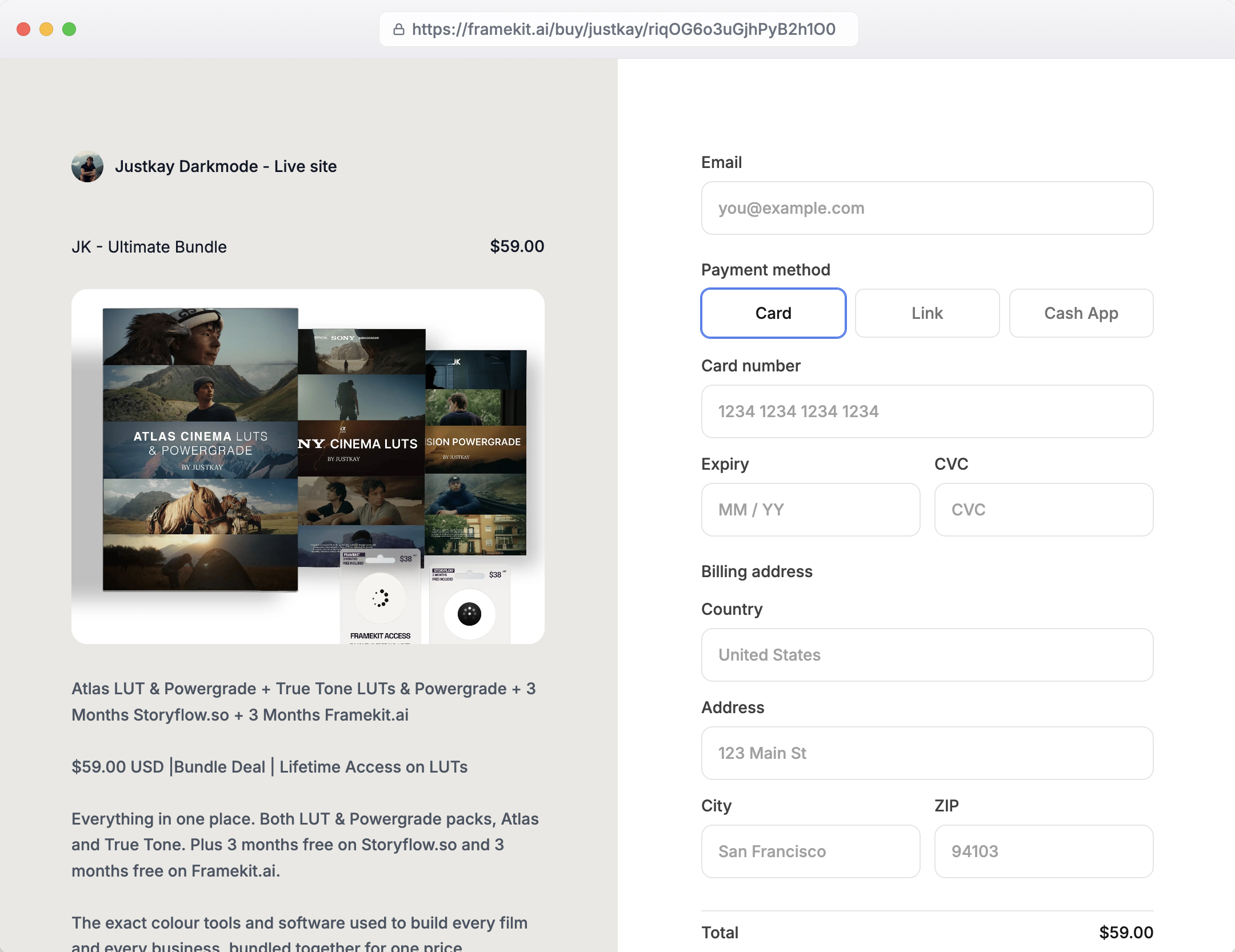
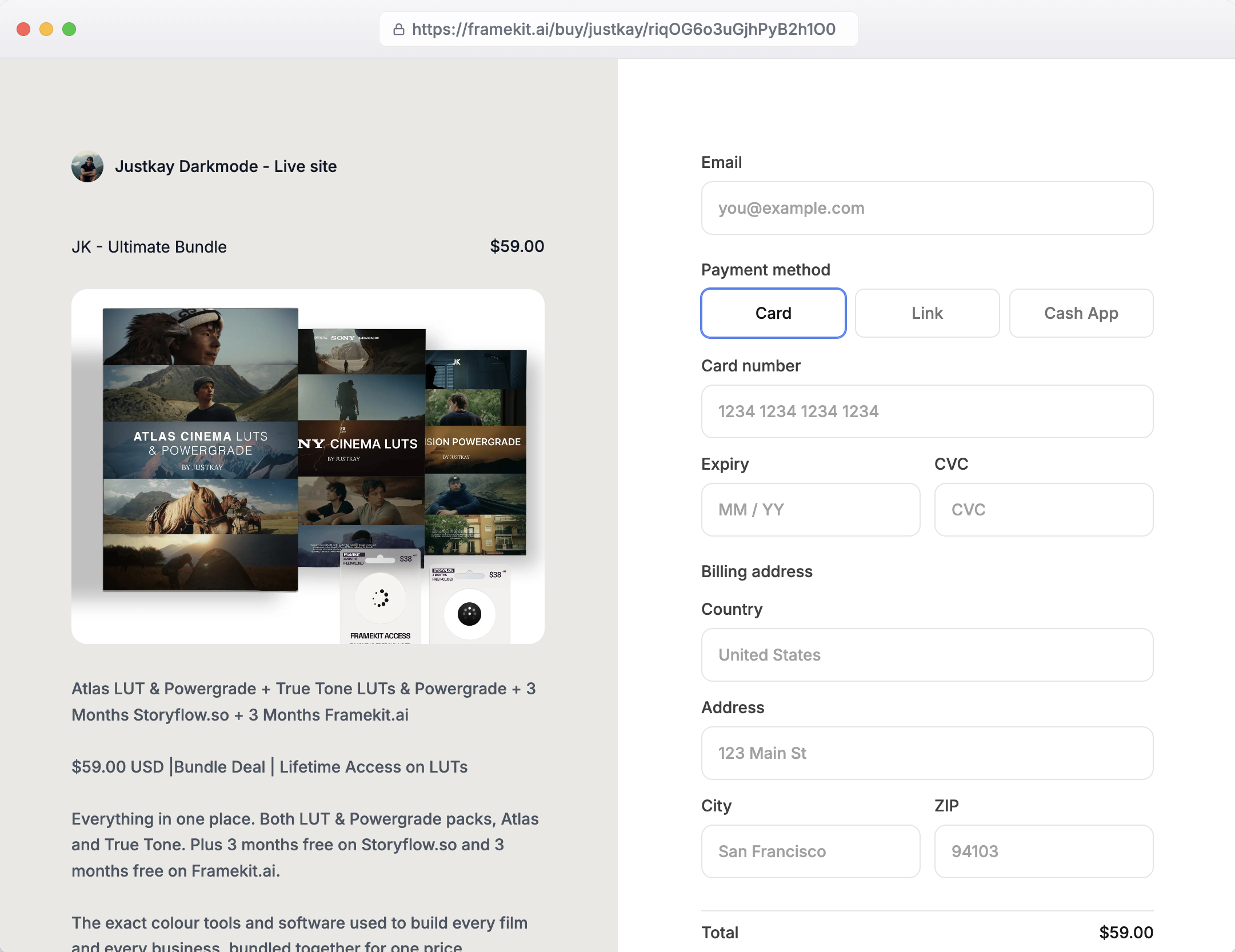
Adding a footage pack means uploading the ZIP, writing a description, setting a price, and connecting Stripe; buyers pay on a checkout page Framekit hosts at framekit.ai/buy, carrying your name and logo.
The detail worth reporting is that the store and the portfolio are the same site: a director who arrives from your Instagram to watch your reel passes your footage packs on the way, which is a conversion path no marketplace gives you because on a marketplace nobody arrives for you.
Best forFilmmakers, colourists, and videographers who already have an audience from YouTube, Instagram, a newsletter, or client work, and want to keep the licence fee rather than a slice of it.
Key features:
- A native store for digital files, so footage packs, LUTs, and presets sell from the same site as your reel
- Platform fee of 5% on Free and Starter, 3% on Pro, and 0% on the $39 Business plan
- You set the price, the licence terms, and the buyer relationship
- Client galleries included on every plan for delivering client work privately
- Generated by Cadence, Framekit's own premium model, with Score for faster iterations
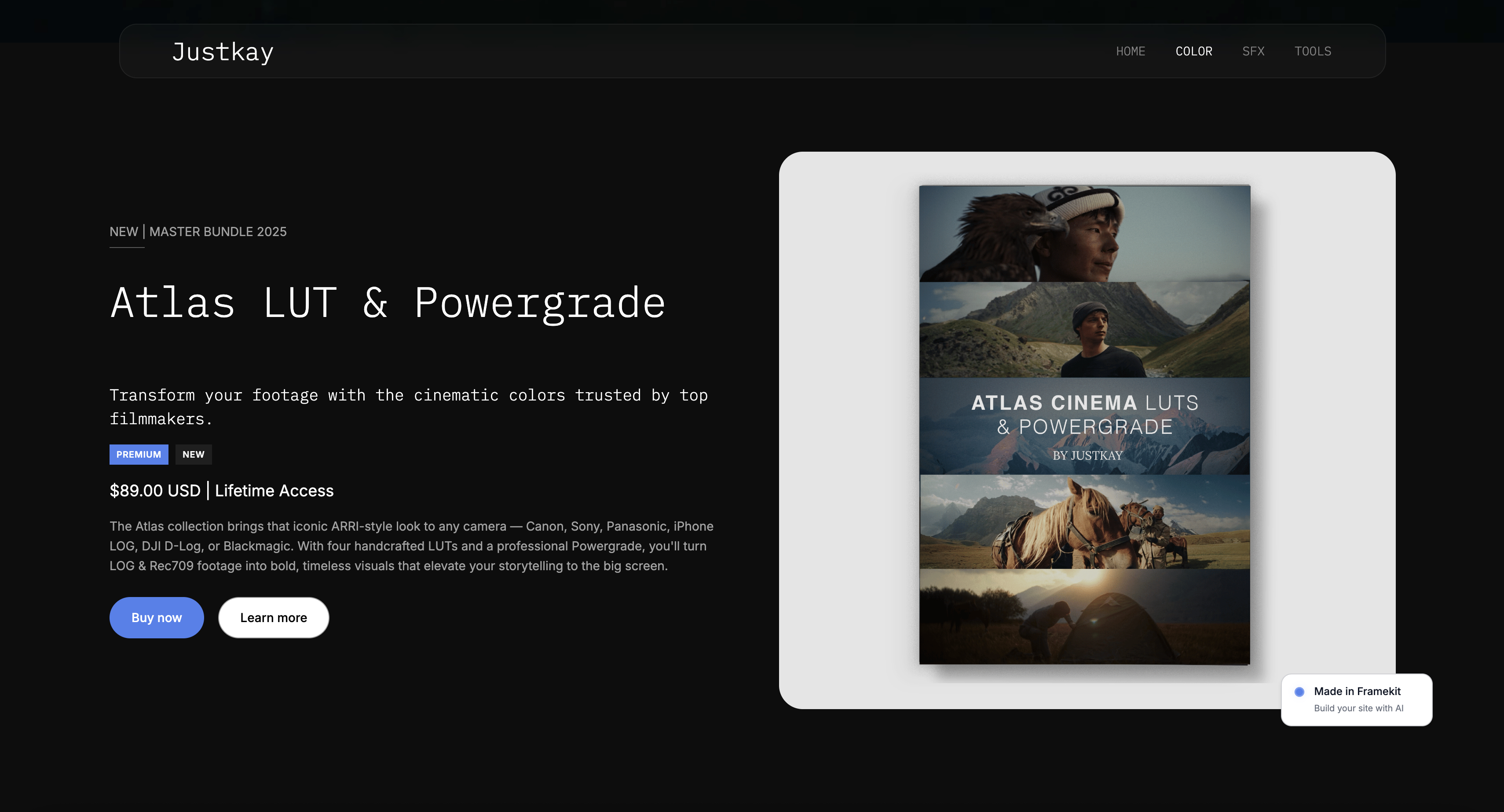
The real numberthe carried $99 clip nets about $90.88 on the free plan, after the 5% platform fee and roughly 2.9% plus $0.30 in processing. On the $39 Business plan the platform fee is 0%, so the same licence nets about $95.83.
The crossover where a flat $39 a month beats a 5% cut is $780 a month in sales, so below that you should stay on the free or Starter plan, and we will tell you so rather than upsell you.
PricingFree $0, Starter $9 a month, Pro $19 a month, Business $39 a month, Enterprise $59 a month, with product-sale fees of 5%, 5%, 3%, 0%, and 0% respectively.
Pros:
- By far the highest share of the licence fee of anything in this comparison
- You control price, licence terms, and the customer relationship
- Reel, portfolio, and store on one site rather than three platforms
Cons:
- Zero buyer discovery: nobody browses your site the way they browse a stock library
- No licence enforcement, no legal team, and no model-release infrastructure
- You handle your own marketing, keywording is irrelevant, and traffic is entirely your job
Skip it ifyou have no audience. This is the most important line on the page. A clip that earns $14.85 on Shutterstock forty times a year earns $594. The same clip on a site nobody visits earns nothing, and 92% of nothing is nothing. Build the audience first, or run both.
Verdict: Framekit is the best place to sell stock footage for a filmmaker who already has people paying attention, and the worst place for one who does not, with very little middle ground. Most working videographers should run a marketplace for reach and their own store for margin. Start free at framekit.ai, or see how filmmakers structure the site around it in our best website builders for filmmakers guide.
2. Pond5: Best marketplace royalty
Our rating: 8.8/10
Pond5 is the marketplace filmmakers recommend to each other, and the reason is arithmetic rather than affection.
It pays 50% to non-exclusive contributors and 60% to exclusive ones, and it is one of the only large libraries where you set your own price rather than accepting whatever the platform decides your work is worth this quarter.
That pricing control matters more than the headline percentage. On platforms that set prices, a rate cut and a price cut are two different levers the platform can pull, and it has pulled both across this industry. On Pond5 a percentage cut would at least be visible.
Best forFilmmakers who want the best available marketplace rate and control over what their clips are priced at.
The real numberat 50% non-exclusive, the carried $99 licence pays $49.50, and at 60% exclusive it pays $59.40.
That exclusive rate is the highest marketplace share in this comparison and roughly four times Shutterstock's entry tier, though going exclusive means those clips cannot be listed anywhere else, which is the actual price of the extra ten points.
Pricing for contributorsfree to join; 50% non-exclusive, 60% exclusive, contributor-set pricing.
Pros:
- The highest published royalty of any large marketplace here
- You set your own prices rather than accepting platform pricing
- A footage-first library rather than a photo library with video attached
Cons:
- Fewer buyers than Shutterstock or Adobe Stock, so a higher share of a smaller pool
- The 60% rate requires exclusivity, which closes off every other platform
- Search visibility for new contributors takes time to build
Skip it ifyour volume is low and you need the biggest possible buyer pool to get any sales at all. A high rate on few downloads can still lose to a low rate on many.
Verdict: Pond5 is the best marketplace on this page for a filmmaker who cares about rate, and the exclusivity decision is worth modelling on your own numbers before you take the extra ten points. Visit Pond5
3. Adobe Stock: Best balance of rate and reach
Our rating: 8.5/10
Adobe Stock is the sensible middle of this market.
It pays a flat 33% on video with no tiers, no resets, and no ladder to climb, and its buyers are inside Creative Cloud, which means a video editor can licence a clip without leaving Premiere Pro.
That integration is a real distribution advantage that has nothing to do with search rankings.
The flat rate is the underrated feature. On tiered platforms, a strong year lifts you into a better bracket and then the counter resets, which means the platform captures your best work at your worst rate over and over.
Best forFilmmakers who want a decent rate without exclusivity and buyers who are already inside Adobe's tools.
The real numbera flat 33% pays $32.67 on the carried $99 licence. That is less than Pond5 but more than double Shutterstock's entry tier, and because it never resets, a contributor earning steadily makes more here over three years than on a tiered platform they keep falling out of.
Pricing for contributorsfree to join; flat 33% royalty on video, non-exclusive.
Pros:
- A flat rate that does not reset or require climbing a ladder
- Buyers licensing directly inside Creative Cloud applications
- Non-exclusive, so the same clips can live on Pond5 and elsewhere
Cons:
- 33% is still two thirds of the fee going to the platform
- You do not set prices
- Review and acceptance can be slow and inconsistent
Skip it ifyou want maximum rate and are willing to trade reach for it. Pond5 exclusive pays nearly double.
Verdict: Adobe Stock is the most sensible default for a non-exclusive footage library, mainly because a flat rate you can plan around beats a tier that keeps taking your good years away. Visit Adobe Stock
4. Filmsupply: Best for premium cinematic licensing
Our rating: 8.2/10
Filmsupply is not a stock library in the ordinary sense.
It licenses footage cut from real films and commercials to agencies and brands, at licence fees far above marketplace rates, and it represents filmmakers rather than accepting uploads.
If your footage is genuinely cinematic and shot on a proper production, this is the tier above everything else here.
What you cannot do is compare it on rate, because Filmsupply does not publish contributor terms. That is worth stating plainly rather than filling with a guess: the model is representation and negotiated splits, and the only way to know your number is to apply and be told.
Best forFilmmakers with genuinely cinematic, production-grade footage aimed at agency and brand buyers.
The real numberFilmsupply licences start around $109 for internal-use projects and rise substantially for broadcast and campaign use, which puts a single licence well above a marketplace download.
Contributor splits are not published, so treat any percentage you read elsewhere, including on comparison pages, as unverified.
Pricing for contributorscurated representation; contributor terms are not published.
Pros:
- Licence fees an order of magnitude above marketplace downloads
- Agency and brand buyers rather than volume subscribers
- Curation that keeps your work next to work of the same standard
Cons:
- Contributor terms are not published, so you cannot model earnings in advance
- Submission is curated, so most filmmakers will not be accepted
- Requires genuinely production-grade footage, not travel B-roll
Skip it ifyour library is drone shots and city timelapses. Filmsupply's whole proposition is that its library is not that.
Verdict: Filmsupply is the highest tier of this market and the least transparent, which is a fair trade if your footage belongs there and a waste of a submission if it does not. Visit Filmsupply
5. Artgrid: Best curated subscription library
Our rating: 8.0/10
Artgrid sits between a marketplace and a boutique.
It sells buyers an unlimited-download subscription and pays contributors from that revenue, and it selects filmmakers rather than accepting open uploads, which keeps the library's quality floor high and its aesthetic consistent in a way Shutterstock's cannot be.
For a filmmaker, the appeal is being in a library buyers actually browse for pleasure rather than search out of necessity. The catch is the same one Filmsupply has: terms are not published.
Best forFilmmakers with a consistent cinematic style who want to be in a curated library rather than an open marketplace.
The real numberArtgrid pays contributors from subscription revenue rather than per-licence, and it does not publish the split, so any specific percentage you see quoted for it should be treated as unverified.
What is verifiable is the model: subscribers download without per-clip fees, so contributor earnings track the platform's subscription revenue rather than a licence price you can calculate in advance.
Pricing for contributorscurated submission; revenue share from subscriptions, terms not published.
Pros:
- A curated library with a genuinely consistent standard
- Subscription model means downloads are not gated by per-clip price
- Buyers browse it for inspiration, not just for search results
Cons:
- Contributor terms are not published, so earnings cannot be modelled up front
- Curated intake, so acceptance is not guaranteed
- Subscription-pool earnings are less predictable than a per-licence percentage
Skip it ifyou need to know your rate before you commit footage. That information is not available before you apply.
Verdict: Artgrid is a strong home for cinematic work and an impossible one to price in advance, which makes it a good second platform rather than a first bet. Visit Artgrid
6. iStock and Getty Images: Best for premium and editorial buyers
Our rating: 7.6/10
Getty is the incumbent, and iStock is its self-serve arm.
Between them they reach editorial buyers, publishers, and enterprise licensing that the newer marketplaces do not, and a Getty credit still carries weight in a way a Shutterstock credit does not.
For editorial and news-adjacent footage, this is where the buyers with budgets are.
The rate is the problem, and unusually for this industry, it is published clearly.
Best forFilmmakers with editorial, documentary, or premium commercial footage aimed at publishers and enterprise buyers.
The real numberthe iStock rate card effective July 2026 pays 20% on video for non-exclusive contributors and 25% for exclusive ones, with exclusive contributors able to earn higher rates by hitting download targets during the year.
On the carried $99 licence that is $19.80 non-exclusive and $24.75 exclusive, which is below Pond5 and Adobe Stock on both sides of the exclusivity line.
Pricing for contributorsfree to join; video royalties of 20% non-exclusive and 25% exclusive, with target-based increases for exclusives.
Pros:
- Access to editorial, publishing, and enterprise buyers others do not reach
- A published, unambiguous rate card
- Premium licence values on the Getty side
Cons:
- The lowest exclusive rate of the major platforms here
- You do not set prices
- Exclusivity buys only five extra points at the base level
Skip it ifyour footage is generic commercial B-roll. You are giving up 80% of the fee to reach buyers who are not looking for that.
Verdict: iStock and Getty are worth it for editorial and premium work where the buyer exists nowhere else, and hard to justify for anything a Pond5 buyer would also license at more than twice the rate. Visit iStock
7. Shutterstock: Biggest buyer base, lowest entry rate
Our rating: 7.4/10
Shutterstock has more buyers than anything else in this comparison, and for a new contributor with no audience that is worth real money. Clips sell here that would sit untouched on a boutique library, and volume is a legitimate strategy.
The rate structure is where filmmakers get frustrated, and it is worth understanding precisely rather than emotionally.
Royalties are tiered from 15% to 40% based on cumulative earnings, and the tier counter resets, so climbing to 40% does not mean staying at 40%. You climb, you reset, you climb again.
Best forNew contributors with no audience who need volume, and filmmakers with large generic libraries.
The real numberat the 15% entry tier the carried $99 licence pays $14.85, and at the 40% top tier it pays $39.60.
Because the tier resets, most contributors spend a meaningful part of every year in the lower brackets, which means the effective annual rate is well below the top number the platform advertises.
Pricing for contributorsfree to join; tiered royalties from 15% to 40% based on cumulative earnings, with the tier resetting.
Pros:
- The largest buyer base of any platform in this comparison
- Volume can outperform rate for a large generic library
- Simple, high-throughput upload and review
Cons:
- The 15% entry rate is the lowest published rate here
- The tier resets, so good years end by returning you to the bottom
- You do not set prices, and the platform has cut them before
Skip it ifyour library is small or specialised. Volume is the entire argument for Shutterstock, and a hundred niche clips will not generate it.
Verdict: Shutterstock is a numbers game that works if you have the numbers, and a slow way to give away good footage if you do not. Pair it with a higher-rate platform rather than treating it as your only listing. Visit Shutterstock
8. Storyblocks: Best for volume through subscriptions
Our rating: 7.2/10
Storyblocks sells buyers an unlimited-download subscription and pays contributors from a shared revenue pool, which changes the shape of contributor income entirely. There is no per-licence percentage to calculate.
Your earnings track how much of the platform's subscription revenue your downloads represent.
For a contributor this is either good or bad depending on how the pool moves, and the honest answer is that it is harder to forecast than a percentage, though it also means a download is never blocked by price.
Best forContributors with large libraries who want downloads unconstrained by per-clip pricing.
The real numberStoryblocks pays from a share of total subscription revenue rather than a fixed percentage of a licence fee, so the carried $99 example does not apply here at all.
That is the point worth taking away: a subscription-pool platform cannot be compared on royalty percentage, and any table that puts one next to a per-licence rate is comparing different things.
Pricing for contributorsfree to join; revenue-share from the subscription pool rather than a per-licence percentage.
Pros:
- Downloads are not limited by a per-clip price barrier
- Large subscriber base with steady download volume
- Detailed performance analytics for contributors
Cons:
- Earnings are harder to forecast than a fixed percentage
- No pricing control at all
- Pool economics mean your rate depends on everyone else's downloads too
Skip it ifyou want predictable per-sale income. A pool is structurally unpredictable.
Verdict: Storyblocks suits a high-volume contributor who values download frequency over per-sale certainty, and frustrates anyone who wants to know what a clip earns before it sells. Visit Storyblocks
9. Motion Array: Best if you also sell templates
Our rating: 7.0/10
Motion Array is the platform to look at if footage is only part of what you make.
It sells stock clips alongside Premiere Pro and After Effects templates, presets, LUTs, and music, all through one subscription, and its buyers are editors rather than art directors.
If you produce templates and packs as well as footage, listing everything in one place has real practical value.
As a pure footage library it is smaller than the majors, so treat it as a secondary listing rather than a primary one unless templates are your main product.
Best forVideo editors and motion designers who sell templates, presets, and LUTs as well as clips.
The real numberMotion Array pays contributors from subscription revenue rather than a per-licence percentage, so like Storyblocks it cannot be compared on royalty rate.
What it offers instead is category breadth: a filmmaker who sells a LUT pack, a title template, and footage can list all three to the same buyers, which is a different kind of advantage from a higher rate.
Pricing for contributorsfree to join; revenue share from subscription income across all asset categories.
Pros:
- Sell footage, templates, presets, and music to the same buyer base
- An editor-focused audience that buys production assets regularly
- One contributor account across several product types
Cons:
- A smaller footage library than the majors, so lower clip volume
- Subscription-pool earnings rather than a per-licence rate
- Less useful if footage is all you produce
Skip it ifyou only shoot. The breadth is the reason to be here.
Verdict: Motion Array is worth it for creators whose output spans footage and edit-room assets, and unremarkable for a pure footage library. If LUTs are part of your catalogue, see our comparison of the best platforms to sell LUTs. Visit Motion Array
10. Envato Elements: Best bundled-subscription reach
Our rating: 6.8/10
Envato Elements bundles stock video with templates, graphics, fonts, and audio in one unlimited subscription aimed at agencies and freelancers who need everything at once. The audience is enormous and the download volume is real, which is the argument for being there.
The counter-argument is the same as every pool: your clip competes for a share of subscription revenue against an extremely large catalogue, and the per-download economics are thin.
Best forContributors chasing download volume across a very large, general-purpose subscriber base.
The real numberEnvato pays from a subscription revenue pool rather than a per-licence percentage, and the size of the catalogue means a single clip's share of that pool is small.
Volume is the only route to meaningful income here, which makes it a poor fit for a small library of carefully-shot work.
Pricing for contributorsfree to join; revenue share from the subscription pool.
Pros:
- A very large subscriber base with high download volume
- Sell alongside templates, audio, and graphics
- No per-clip price barrier for buyers
Cons:
- Per-download earnings are thin against a huge catalogue
- No pricing control and no per-licence transparency
- Best-suited to volume rather than craft
Skip it ifyou shoot a small amount of very good footage. This is a volume platform.
Verdict: Envato Elements is a reasonable additional listing for a large library and a poor primary home for a small one. Visit Envato Elements
11. BlackBox: Best for distributing one clip to many sites
Our rating: 6.5/10
BlackBox solves an administrative problem rather than an earnings one.
Instead of uploading, keywording, and managing the same clip across six marketplaces, you submit once and it distributes to multiple libraries, taking a share for doing so.
For a filmmaker whose bottleneck is metadata rather than shooting, that is a genuine time saving.
You are, of course, adding a layer between yourself and an already-thin royalty. Whether that trade works depends entirely on how much you value the hours.
Best forFilmmakers who want multi-platform distribution without managing uploads and keywords on each one.
The real numberBlackBox takes a share of what the underlying marketplaces pay you, so your effective rate is a percentage of an already-reduced percentage.
On a $99 licence that started at Shutterstock's 15%, another layer applied to $14.85 leaves very little, which is why the tool makes more sense for large libraries where the saved hours are worth more than the shaved margin.
Pricing for contributorsfree to join; takes a share of the royalties earned through the platforms it distributes to.
Pros:
- One upload and one keywording pass across multiple marketplaces
- Genuinely saves hours for a large library
- Useful discovery of which platforms perform for your work
Cons:
- Adds a share on top of already-low marketplace royalties
- You do not control the listing on each destination
- The economics only work at volume
Skip it ifyour library is small enough to upload yourself. The convenience is not worth another cut on a few dozen clips.
Verdict: BlackBox buys back hours at the cost of margin, which is a sensible trade at four hundred clips and a bad one at forty. Visit BlackBox
What Stock Libraries Actually Cost You
In one lineon the carried $99 licence, the platform keeps between $39 and $84, and the gap between the best marketplace rate and the worst is larger than most filmmakers' entire annual stock income.
Every stock platform is a distribution deal. You supply the footage, they supply the buyer, and the split is the price of the buyer.
That is a fair trade and worth stating clearly before the criticism, because a filmmaker with no audience genuinely cannot sell a clip at any price.
It is also worth reading the deal from the other chair now and then, since the stock footage sites worth licensing from are mostly the same names you upload to, and what they charge a buyer for your clip is the number your royalty is a slice of.
The question is what the buyer costs. Here is the same $99 licence again, expressed as what the platform keeps: Shutterstock at the entry tier keeps $84.15. iStock non-exclusive keeps $79.20. Adobe Stock keeps $66.33.
Pond5 non-exclusive keeps $49.50, and exclusive keeps $39.60. Selling from your own site, the platform and processor together keep about $8.12.
Now scale it. Take a filmmaker with a 400-clip library generating 500 downloads a year at an average $99 licence, which is $49,500 in gross licence value. At Shutterstock's entry tier they earn $7,425. At Pond5 exclusive they earn $29,700.
Selling direct they earn about $45,440. Those are the same 500 sales.
The catch, stated as bluntly as the rest: the direct-sale column assumes 500 people found your site and bought, which is the hardest number on this page to produce. The marketplace columns assume only that you uploaded.
Run it on your own dashboard. Take last year's stock earnings and divide by your royalty rate to get the gross licence value your footage generated. That figure, not your payout, is what your work was worth to the market. The difference is what you paid for distribution.
Exclusivity, Resets, and the Terms That Change Your Rate
In one lineexclusivity typically buys five to ten extra percentage points and closes off every other platform, and tiered rates that reset mean the advertised top rate is not the rate you actually earn across a year.
These are the mechanics that decide your real income, and they are the ones vendor pages summarise into a single friendly number.
Exclusivity is a trade, not an upgrade. Pond5 pays 60% exclusive against 50% non-exclusive, and iStock pays 25% against 20%. Ten points and five points respectively, in exchange for not listing that clip anywhere else.
Model it honestly: if listing non-exclusively on three platforms produces more than a 20% uplift in total downloads, exclusivity costs you money.
Tiered rates reset. Shutterstock's 15% to 40% band is based on cumulative earnings, and the counter resets, so a contributor who reaches the top bracket in November starts the next period at the bottom.
Your effective annual rate is a weighted average across brackets, and it is always lower than the top number.
Subscription pools are not comparable to per-licence rates. Storyblocks, Motion Array, and Envato Elements pay from a share of subscription revenue. There is no percentage of a licence fee because there is no licence fee.
Any comparison table that lists a pool platform next to a percentage is comparing two different units, which is why ours marks them as pools instead.
Prices can be cut without your consent. On every platform where you do not set the price, the platform can reduce it, and this industry has done so repeatedly.
Your percentage staying the same while the price falls is a pay cut delivered without a rate change, which is exactly why pricing control is a criterion in our rubric.
Withholding tax applies before you see it. Contributors outside the platform's home country typically have tax withheld at source, at a rate that depends on your country's treaty position and whether you completed the tax form.
Filling in the form correctly is often worth more than moving platforms.
The Realistic Setup: Run Both
In one linethe highest-earning filmmakers in this category do not choose between a marketplace and their own store, they use marketplaces for discovery and their own site for margin on the same footage.
Treating this as a binary is the most common mistake, and it costs money in both directions.
Marketplaces are advertising you get paid for. Every download is a buyer who found your work without you spending anything to reach them, and a portion of those buyers will look you up.
Non-exclusive listing on Pond5 and Adobe Stock costs you nothing except the split, and it is the cheapest audience-building any filmmaker has access to.
Your own store is where the margin is. The same footage, packaged as a themed pack at a real price, sold to people who already follow you, keeps about 92% instead of 33%.
The pack is also a better product than the clip: a buyer who wants your Iceland look wants twenty clips with a matching grade, not one.
The practical arrangement: list individual clips non-exclusively on one high-rate marketplace and one high-volume one, package the best of the same footage into themed packs on your own site, and point every profile bio and video description at your domain.
Over time the direct channel grows and the marketplace becomes the top of the funnel rather than the whole business.
This is also the honest reason our own product is ranked first with a caveat rather than first outright. It wins on rate and loses on reach, and a filmmaker who ignores the second half of that sentence will earn less, not more.
How to Choose Where to Sell Stock Footage: A Decision Tree
Three questions in order. The first branch that fits you is your answer.
Start here: does anyone already follow your work, on YouTube, Instagram, a newsletter, or through client relationships?
- No, or fewer than a couple of thousand people. Start with marketplaces. Choose Adobe Stock for a flat 33% and Creative Cloud reach, add Pond5 non-exclusively at 50% for rate, and add Shutterstock if your library is large and generic enough for volume to matter. Come back to your own store when people know your name.
- Yes, there is an audience. Go to the next question.
Is your footage production-grade cinematic work, or is it generic commercial B-roll?
- Genuinely cinematic, shot on a real production: apply to Filmsupply and Artgrid for curated licensing at far higher fees, and sell themed packs from your own site with Framekit.
- Generic but useful, drone, timelapse, city, nature: sell packs on your own site for margin and list the same clips non-exclusively on Pond5 and Adobe Stock for reach.
How much administration are you willing to do?
- I will manage each platform myself: list non-exclusively on two or three, and keep your own store for packs.
- I want one upload to reach many libraries: use BlackBox and accept the extra share, which only pays off above roughly a few hundred clips.
- I sell templates, LUTs, and presets too: add Motion Array, and sell the premium versions directly.
Frequently Asked Questions
What is the best place to sell stock footage in 2026?
The best place to sell stock footage in 2026 is your own website if you have an audience, because a $99 licence sold through Framekit leaves about $90.88 after fees against $14.85 at Shutterstock's entry tier.
If you have no audience, Pond5 is the best marketplace at 50% non-exclusive and 60% exclusive with contributor-set pricing, followed by Adobe Stock at a flat 33%.
Most working filmmakers should run both: marketplaces for discovery and their own store for margin.
How much do stock footage sites pay contributors?
Published video royalties in 2026 range from 15% to 60% of the licence fee.
Pond5 pays 50% non-exclusive and 60% exclusive, Adobe Stock pays a flat 33%, iStock pays 20% non-exclusive and 25% exclusive on its July 2026 rate card, and Shutterstock pays a tiered 15% to 40% that resets.
Storyblocks, Motion Array, and Envato Elements pay from subscription revenue pools rather than a percentage, so their earnings cannot be compared as a rate.
Which stock footage site pays the highest royalty?
Pond5 pays the highest published royalty among the major marketplaces, at 60% for exclusive contributors and 50% for non-exclusive ones, and it also lets contributors set their own prices.
Selling from your own site pays substantially more than any marketplace, keeping roughly 92% of the licence after a 5% platform fee and payment processing, or about 97% on Framekit's $39 Business plan, but it supplies none of the buyers.
Is selling stock footage still worth it in 2026?
It is worth it as a secondary income stream if you already shoot for other reasons, and a poor primary business if you shoot specifically for stock.
The reason is the split: on the majority of platforms the filmmaker keeps under half the licence fee, so gross library value has to be large before payouts matter.
The filmmakers earning meaningfully from footage in 2026 tend to sell themed packs directly to their own audience and use marketplaces as discovery rather than as the whole business.
Should I go exclusive with a stock footage platform?
Only if the rate uplift exceeds what you would earn listing the same clips elsewhere.
Pond5 pays ten extra percentage points for exclusivity and iStock pays five, so the test is whether non-exclusive listings across two or three platforms would generate more than a 20% increase in total downloads.
For most contributors with generic footage they do, which makes non-exclusive listing the better default, while highly distinctive work that sells mainly on one platform can be worth committing.
Pond5 vs Shutterstock: which is better for stock footage?
Pond5 is better on economics and Shutterstock is better on volume. Pond5 pays 50% to 60% and lets you set prices, so a $99 licence returns $49.50 or $59.40.
Shutterstock pays a tiered 15% to 40%, so the same licence returns $14.85 at entry level, but it has considerably more buyers.
A new contributor with no audience often earns more on Shutterstock through volume, while an established library usually earns more on Pond5 through rate.
Can I sell the same footage on multiple stock sites?
Yes, as long as you have not signed an exclusivity agreement for those specific clips.
Non-exclusive listing on Adobe Stock, Pond5, Shutterstock, and others simultaneously is standard practice and is how most contributors maximise total downloads.
Exclusivity is per-file on some platforms and per-account on others, so read the specific terms before opting in, and keep a record of which clips are committed where.
How much can you realistically make selling stock footage?
Most contributors earn modest amounts, and the distribution is heavily skewed toward large libraries.
The honest arithmetic: a 400-clip library generating 500 downloads a year at an average $99 licence produces $49,500 in gross licence value, which pays about $7,425 at Shutterstock's entry tier, about $29,700 at Pond5's exclusive rate, and about $45,440 sold directly.
Library size and rate matter far more than clip quality once footage clears the technical bar.
Do I need model releases and property releases to sell stock footage?
Yes for any commercial-use footage containing recognisable people, private property, or trademarked material, and every major platform will reject submissions without them.
Editorial-use licensing has looser requirements but restricts how buyers can use the clip and generally commands lower fees.
If you sell directly from your own site you are responsible for the licence terms yourself, which is a genuine advantage of a marketplace: the legal infrastructure comes with the split.
Can I sell stock footage from my own website?
Yes, and it keeps by far the most money.
With Framekit you upload the footage pack as a digital product, set your own price and licence terms, and connect your own Stripe account, paying 5% on the free and Starter plans, 3% on Pro, and 0% on the $39 Business plan.
The trade is that you supply every buyer yourself, so this works when you already have an audience and produces nothing when you do not.
Which stock platforms do not publish their contributor rates?
Artgrid and Filmsupply do not publish contributor terms, and both operate curated or representation-based models where the split is set on application rather than advertised.
This is a genuine finding rather than an oversight: it means you cannot model earnings before committing footage, so treat them as a second platform to try rather than a primary bet, and treat any specific percentage quoted for them on comparison sites as unverified.
What is the difference between a royalty percentage and a subscription pool?
A royalty percentage pays you a fixed share of each licence fee, so a 33% rate on a $99 licence pays $32.67 every time.
A subscription pool pays you a share of the platform's total subscription revenue based on your share of total downloads, so there is no per-licence figure at all and earnings vary with both your performance and everyone else's.
Storyblocks, Motion Array, and Envato Elements use pools, while Pond5, Adobe Stock, iStock, and Shutterstock use percentages.
Framekit vs Pond5: when does selling a clip direct actually win?
The moment you have somewhere to send people. On the carried $99 licence, Framekit nets about $90.88 on the free plan and about $95.83 on the $39 Business plan, against a marketplace royalty that is a fraction of that on the same clip.
The arithmetic is not the hard part.
The hard part is that Pond5 puts your clip in front of buyers who were already searching and your own site does not, so a direct store only beats a marketplace once your newsletter, your channel or your client list is doing the finding.
Most working shooters end up running both: the marketplace for discovery, the store for the buyers it introduces you to.
Final Verdict: The Best Place to Sell Stock Footage in 2026
After comparing eleven platforms, the split is not really between good and bad libraries. It is between paying for distribution and supplying your own.
If you already have people paying attention, sell direct.
A $99 licence sold from your own site with Framekit leaves about $90.88 on the free plan and about $95.83 on Business, against $32.67 at Adobe Stock and $14.85 at Shutterstock's entry tier, and the footage sits next to the reel that made someone want it in the first place.
Where Framekit loses, and it is not a small loss: we send you no buyers whatsoever. Zero. A marketplace sends you thousands, and for a filmmaker without an audience that is the entire ballgame.
If that is you, start at Adobe Stock for its flat 33% and Pond5 for its 50% to 60%, add Shutterstock if your library is big enough for volume to work, and apply to Filmsupply or Artgrid if your footage genuinely belongs at that tier.
Pond5 is the rate pick, Adobe Stock is the sensible default, iStock is for editorial buyers, Shutterstock is the volume play, Storyblocks and Envato are pools, Motion Array suits template makers, and BlackBox buys back your admin hours.
But once people know your name, every clip you license through a marketplace is one you could have sold for four times as much from a page you own.
For more, read our comparison of the best platforms to sell LUTs, the best website builders for filmmakers, the best AI tools for filmmakers, our guide to the best zero-commission selling platforms, and if presets are part of your catalogue, the best platforms to sell presets.
_All contributor rates re-verified against each platform's published rate card or contributor documentation, July 2026._