Framekit templates
Start from a designer-made template
 Use template
 Use template
 Use template
 Use template
 Use template
 Use template
 Use template
 Use template
The most valuable thing AI does for a working photographer is not generate images - it is hand back time.
A wedding photographer shoots three or four thousand frames, then loses a day to culling the duplicates and blinks, and another day or two matching an editing style across the keepers.
AI now does both in a fraction of that time, learning your taste and applying it while you sleep. That is the real AI story for photographers in 2026: not novelty, but hours returned to shooting, living, and running the business.
The tools that give back the most time are the ones worth paying for, and they are not the flashiest.
This guide ranks the 9 best AI tools for photographers by the job each does and how much it actually helps, from the culling and editing tools that save the most time to the website, retouching, and enhancement tools that each own a task.
We are honest about where our own product sits: Framekit is an AI website builder with client galleries and a store in the same account, so it ranks third, as the best AI tool for the business side of photography, but it does not cull or edit photos, and the two tools that do rank above it because that is where the daily hours are won.
Competitor prices were checked in July 2026, and Framekit's plans and gallery features were re-verified in September 2026.
On 12 October 2026 we dropped speed and accuracy claims we could not source, and corrected a line that implied paid plans take Framekit branding off galleries.
Lightroom's entry price now follows Adobe's September 2026 plan page, because the page refused our automated read on 12 October.
The best AI for photographers gives back the hours lost to culling and editing - not novelty images.
An AI tool for photographers is software that automates a slow part of the photography workflow - culling thousands of frames, editing in your style, retouching portraits, building a website, or enhancing image quality - using machine learning to do in minutes what once took hours of manual work.
The editing half of that workflow is a category of its own, and our ten-year cost comparison of subscription and perpetual editors covers what you keep if you ever stop paying.
The best AI tools for photographers in 2026 depend on the job.
For the biggest daily time saving, Aftershoot leads by culling, editing, and retouching in one flat-priced tool, while Imagen is the top pick for editing in your exact personal style.
For retouching specifically, Evoto is best; for culling alone, Narrative Select; and Adobe Lightroom's built-in AI covers denoise and masking most photographers already use.
Framekit ranks third as the best AI tool for a photographer's website, client deliveries, and digital store in one account, though it does not edit photos.
Match the tool to the job, and prioritize the culling and editing AI that returns the most hours.
Framekit is an AI website builder that builds a photographer's portfolio site and runs client galleries and a digital store in the same account, and the free plan needs no credit card.
Full disclosure: Framekit, ranked third here, is our own product. The AI that saves a working photographer the most time is culling and editing, and Aftershoot and Imagen do that far better than we do - we do not cull, edit, or retouch photos at all, and Evoto, Narrative Select, and Lightroom each beat us at their own job. Framekit ranks third because it covers the site, deliveries, and digital store in one account, not because it touches your images.
How We Compared These AI Tools for Photographers
We rated each tool against a working photographer's typical week, using its published plans, pricing model and documented features, on how much time and value it is built to return:
Time saved. How many hours the tool is designed to give back on a typical job, judged from what it automates rather than from a stopwatch, since that is AI's core value to a photographer.
The job it does. Culling, editing, retouching, website building, enhancement, or text - and how well it does that one job.
Quality. Whether the tool is documented and positioned for professional client work rather than only for speed; this is our reading, not a measured score.
Pricing model. Flat, per-image, or credit-based, and what it costs at real volume, checked in July 2026.
Who it fits. The photographer and workflow each tool serves best.
We follow one photographer through the guide: a wedding and portrait photographer with thousands of images to cull and edit each week, and a website to keep current. We re-verified every price in July 2026 and note the pricing model, since it varies widely.
What Comparing 9 AI Photography Tools Showed
- The highest-value AI for photographers is culling and editing, which returns the most hours, so those tools lead a ranking by real value.
- Pricing models differ sharply: Aftershoot is flat and unlimited, Imagen and Evoto charge per image or credit, which changes the cost entirely at volume.
- Editing in your own style is now realistic: Aftershoot and Imagen learn your personal editing profile rather than applying a generic look.
- AI is a workflow accelerator, not a replacement - it culls and edits a first pass that a photographer refines, and the taste still has to be yours.
- AI tools are specialized by job, so a photographer typically uses a few - one for culling and editing, one for the website - rather than a single tool for everything.
The 9 Best AI Tools for Photographers in 2026
How the ratings work: each tool is rated on time saved, the job it does, quality, and cost, ranked by real value to a working photographer.
The two culling and editing tools lead because they save the most time; Framekit is third because it covers the site, client delivery, and store in one account, but it scores lowest of the top six on time saved per shoot, since it never touches an image.
| Tool | What It Does | Free Tier or Trial? | Our Rating |
|---|---|---|---|
| Aftershoot | Culling, editing, retouching | 30-day trial | 9.2/10 |
| Imagen | AI editing in your style, culling | Free trial photos | 9.0/10 |
| Framekit | AI website, client galleries, store | Free plan | 8.9/10 |
| Adobe Lightroom AI | Denoise, masking, remove | Trial | 8.8/10 |
| Narrative Select | AI culling | Free tier | 8.6/10 |
| Evoto | AI retouching | Free credits | 8.5/10 |
| Photoshop AI | Generative fill and remove | Trial | 8.3/10 |
| Topaz Photo AI | Upscale, denoise, sharpen | Trial | 8.1/10 |
| ChatGPT / Claude | AI copywriting and SEO | Free tier | 7.9/10 |
Prices and models re-verified July 2026. Culling and editing tools save the most time; each other tool owns a distinct job. Confirm current pricing before deciding.
1. Aftershoot: Best Overall for Culling and Editing
Our rating: 9.2/10
Aftershoot is the most complete AI workflow tool for photographers, handling culling, editing, and retouching in one platform at flat, unlimited pricing with no per-image meter running in the background.
It is built to sort thousands of frames, cutting duplicates, blinks, and missed focus, then edit the keepers in a style it learns from your past work, so a wedding that once cost two days of culling and editing becomes a first pass you review rather than a job you start from scratch.
For a high-volume wedding or portrait photographer, that is the single biggest block of time AI can hand back, and the flat price means the tool costs the same whether you edit three thousand images a month or thirty thousand.
It learns your taste rather than applying a generic preset, which is why the finals still look like yours.
Best forHigh-volume photographers who want culling, editing, and retouching in one flat-priced AI tool that learns their personal style.
Key features:
- AI culling that removes duplicates, blinks, and out-of-focus frames in minutes
- A personal editing profile that applies your own look across a full shoot
- Retouching in the Complete bundle for skin and portrait cleanup
- Flat, unlimited pricing with no per-image or per-export fees
- A desktop app that batches whole weddings offline while you do other work
The real numberAftershoot's Pro plan, with culling and a personal editing profile, is about $40 a month billed annually, and the Complete bundle that adds retouching is about $45 - flat and unlimited, so a photographer editing tens of thousands of images a month pays the same as one editing a few thousand.
PricingSelects (culling) about $10 a month, Essentials about $20, Pro about $40, Complete bundle about $45, billed annually, with a 30-day trial.
Pros:
- Culling, editing, and retouching together in one tool
- Flat, unlimited pricing that never scales with volume
- Learns your personal style rather than a generic look
Cons:
- The AI edits a first pass you still refine, not a finished set
- Overkill for low-volume shooters who edit a handful of frames
- Retouching sits in the pricier Complete bundle
Skip it ifyou want per-image pricing for low volume, where Imagen may cost less, or you only need culling, where Narrative is cheaper.
Verdict: Aftershoot is the best overall AI tool for photographers, returning the most time across culling, editing, and retouching at a price that never punishes volume. Visit Aftershoot
2. Imagen: Best AI Editing in Your Style
Our rating: 9.0/10
Imagen is built around one job done exceptionally well: editing in your exact personal style.
It trains a Talent Profile on thousands of your past edits, then applies that look consistently across a new shoot, matching exposure, white balance, and tone the way you would by hand.
Culling is included, but the editing is the reason photographers choose it - the finals come back looking like your work, not a filter.
Its per-photo pricing suits photographers who would rather pay for what they use than commit to a flat subscription, and a learned personal style is the entire focus of the product.
For a photographer whose signature is their edit, having that look reproduced at scale overnight is the core appeal.
Best forPhotographers whose signature is their editing style and who want AI to reproduce it precisely across every shoot.
Key features:
- A personal editing profile trained on your own past edits
- Consistent color, exposure, and tone across an entire shoot
- AI culling included alongside the editing
- Per-photo pricing that scales with what you actually use
- Cloud processing that returns edited catalogs back into Lightroom
The real numberImagen charges about $0.05 a photo with a low monthly minimum around $7, so a 600-image wedding edit costs roughly $30 - predictable per job, and cheaper than a flat plan when your monthly volume is modest.
Pricingabout $0.05 per photo, with a monthly minimum near $7, and free trial photos to test the profile.
Pros:
- Editing in a learned personal style that looks like your own
- Pay-per-photo pricing rewards lower volume
- Culling included with the edit
Cons:
- Per-photo cost can exceed Aftershoot's flat rate at very high volume
- Building an accurate profile needs a body of past edits
- The cloud round-trip adds a step versus a local app
Skip it ifyou edit huge volumes every month and prefer flat, unlimited pricing, which Aftershoot fits better.
Verdict: Imagen is the best AI editor for reproducing your personal editing style at scale, with pay-per-photo pricing that suits all but the highest volumes. Visit Imagen
3. Framekit: Best AI for Your Website, Deliveries, and Store

Our rating: 8.9/10
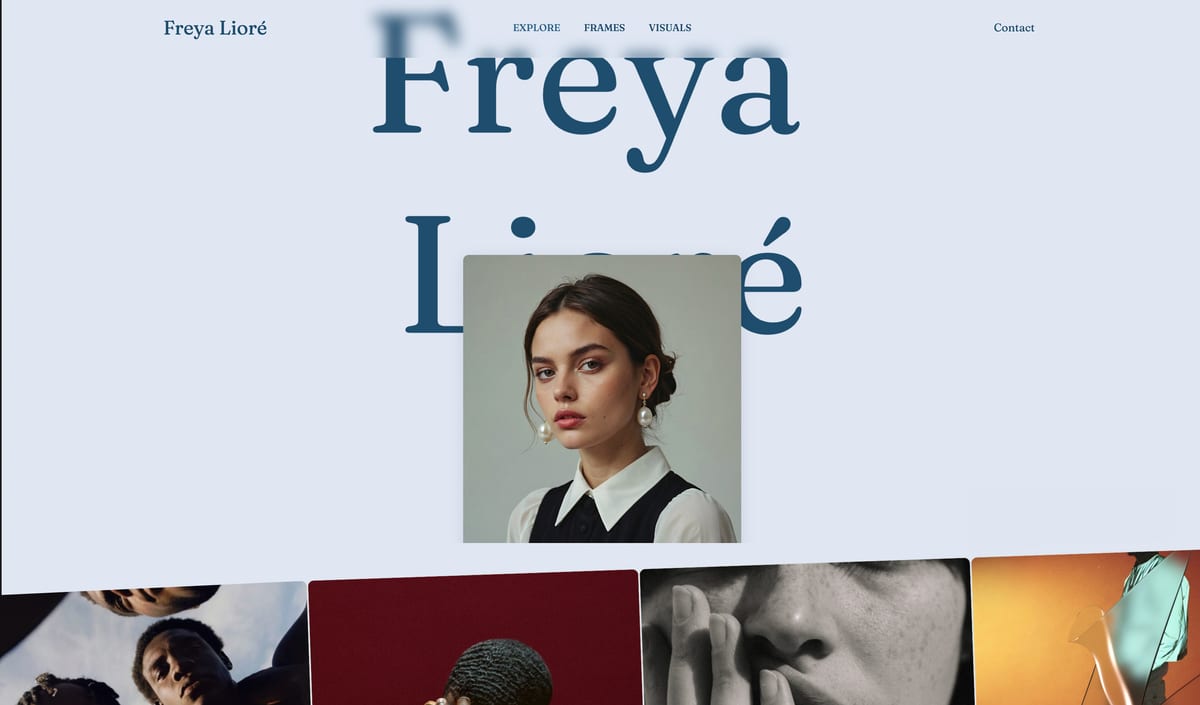
Framekit is an AI website builder that also runs a photographer's client galleries, video review, Slides decks, and a digital-download store from one account, and it earns third place because it owns everything that happens after the edit.
It does not cull, edit, or retouch a single photo, which is why Aftershoot and Imagen sit above it. But the finished shoot still has to be delivered, the portfolio still has to win the next booking, and that work recurs every week too.
How the AI part worksyou describe the business or give it a screenshot of a site you admire, and Framekit's own models (Cadence for quality, Score for speed) generate full sections with written copy that you then edit in a visual editor.
Templates are built with AI and refined by senior designers, so the starting point looks like a portfolio rather than a blank grid.
The standout detail for photographersthe galleries close the loop with your editing tools.
Clients heart photos into named lists and add a note to any frame, and on your side one click copies the picked filenames, ready to search in Lightroom before you retouch the album selects in Evoto or Aftershoot.
Photos and video go out in the same link, with watermarks, a download PIN, and a "favorites only" download.
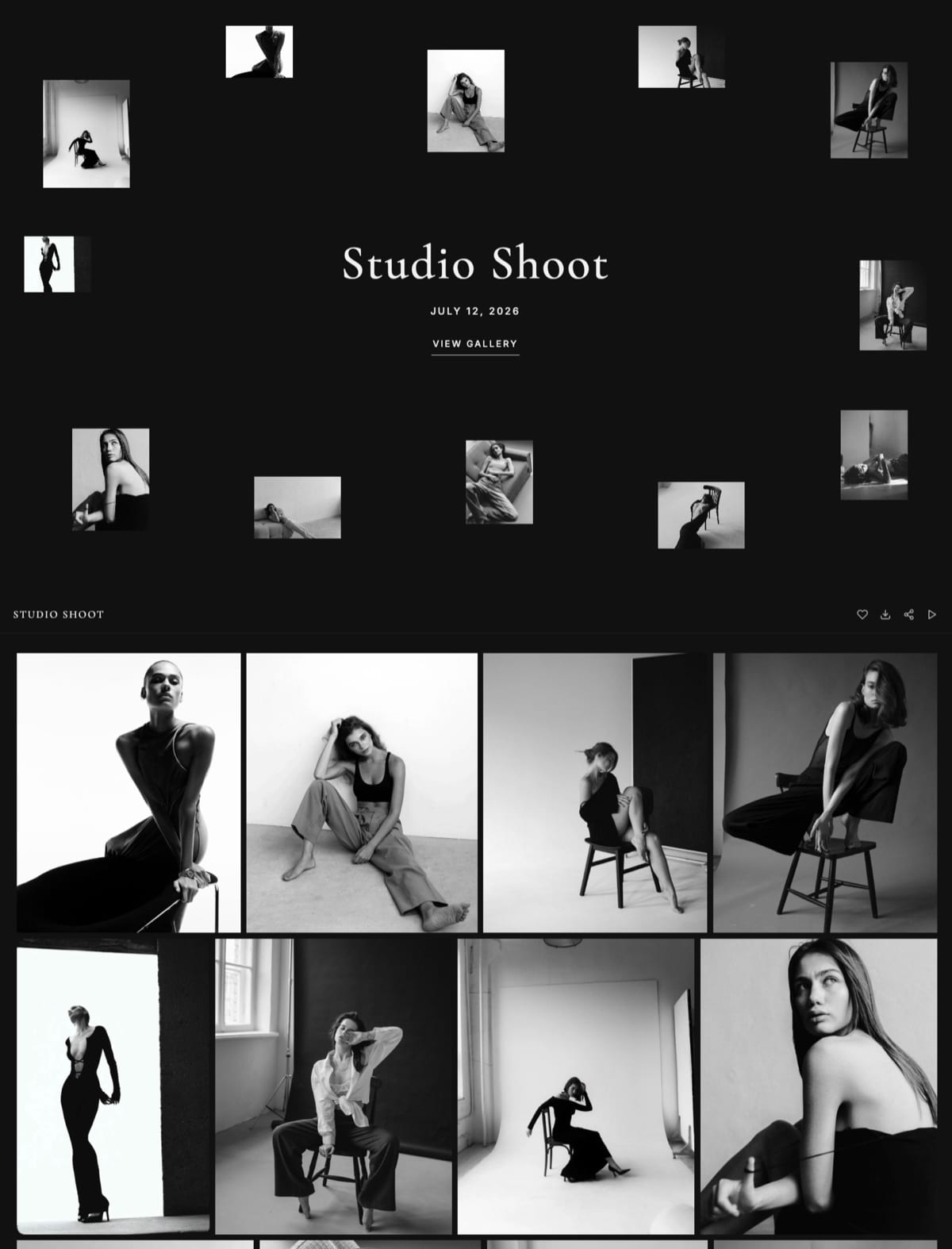
The real numberevery gallery feature is on the free plan, with unlimited galleries in 10GB of pooled storage; Pro at $19 a month holds 300GB across site, galleries, and reviews.
The store sells presets or guides at a 5% fee that drops to 0% on the $39 Business plan, which pays for itself past about $780 a month in sales, with Stripe processing on top either way.
The gotchathe store is digital-only, so it will not sell prints, and there is no print-lab fulfilment in the galleries. If prints are how you monetise a shoot, pair it with a print-selling gallery or choose one.
Pros:
- AI generates the portfolio site, sections, and copy
- Galleries with named favorite lists and per-photo notes on every plan
- Site, deliveries, and a digital store in one account and one storage pool
Cons:
- Does not cull, edit, or retouch photos
- No print store or lab fulfilment
- Custom domain and website badge removal need the $9 Starter plan, and galleries keep a small Made with Framekit footer on every plan
Skip it ifyour bottleneck is purely editing hours, or your income depends on print sales from galleries. Aftershoot and a print-selling gallery are the better fit.
Verdict: Framekit is the best AI tool for the business half of photography, the site, the deliveries, and the store in one account, and the right third tool after your culling and editing AI. Start with the Framekit client galleries or see what it builds at framekit.ai.
4. Adobe Lightroom AI: The Built-In AI Most Already Use
Our rating: 8.8/10
Lightroom's built-in AI is the one most photographers already own, sitting inside the editor they use every day.
Denoise cleans high-ISO files, AI masking selects skies, subjects, and skin automatically, Lens Blur adds depth, and Generative Remove erases distractions without a trip to Photoshop.
None of it is a separate purchase for a Lightroom subscriber, which makes it the most accessible AI in this guide.
It does not cull a full shoot or batch-edit in your personal style the way Aftershoot or Imagen do, so it is an assist during editing rather than a workflow that runs while you sleep.
But for AI-powered adjustments and selections on the images you are already working, it is powerful and, for most photographers, already paid for.
Best forLightroom users who want capable AI adjustments and selections inside the editor they already pay for, with nothing new to buy.
Key features:
- Denoise for clean high-ISO and low-light files
- AI masking that selects sky, subject, and skin automatically
- Generative Remove for erasing distractions in place
- Lens Blur for adding depth after the shot
- Built into the Lightroom catalog and editing workflow
Pricingincluded in an Adobe Lightroom or Photography plan, from US$11.99 a month for Lightroom (1TB) as last read in September 2026, with a free trial.
Pros:
- Already inside the editor most photographers use
- No separate subscription or app to learn
- Strong denoise and masking for everyday editing
Cons:
- Does not cull or batch-edit a full shoot in your style
- Tied to an ongoing Adobe subscription
- AI features are per-image assists, not a hands-off pass
Skip it ifyou need batch culling or full-shoot style editing, which is Aftershoot or Imagen territory.
Verdict: Lightroom AI is the most accessible AI for photographers, built into the editor most already use and strong for everyday adjustments and selections. Visit Adobe Lightroom
5. Narrative Select: Best AI Culling
Our rating: 8.6/10
Narrative Select is a culling specialist built for the slowest part of the workflow, and because culling is the whole product, it is the tool to look at if you want selection handled by something that does nothing else.
It sorts thousands of frames, rates them, checks focus by zooming straight to the eyes, and flags closed eyes and near-duplicates, turning a cull that used to eat an afternoon into a review pass.
Its plans run from an affordable culling tier up through higher ones that add AI editing, and a free tier lets you try the workflow before paying.
For a photographer who wants dedicated, accurate culling and edits in Lightroom or elsewhere, it is a focused, low-cost specialist that slots cleanly into an existing pipeline.
Best forPhotographers who want a dedicated culling tool and handle editing in another tool.
Key features:
- Fast AI culling across thousands of frames
- Focus checking that zooms to the eyes automatically
- Closed-eye and duplicate detection
- Star ratings and scene grouping that pass into Lightroom
- Higher tiers that add AI editing on top of culling
Pricingroughly $10 to $60 a month depending on tier, with a free plan to start.
Pros:
- Culling from a dedicated specialist that does nothing else
- An affordable entry tier and a free plan
- Focus and eye checks that catch soft frames
Cons:
- Editing lives in higher tiers, unlike Aftershoot's bundle
- Culling only on the entry plan
- One more tool to run alongside your editor
Skip it ifyou want culling and editing in a single tool, which Aftershoot bundles at flat pricing.
Verdict: Narrative Select is our pick for dedicated AI culling, especially if you edit elsewhere. Visit Narrative
6. Evoto: Best AI Retouching
Our rating: 8.5/10
Evoto is the retouching specialist, automating the skin and portrait work that once meant hours in Photoshop.
It smooths skin while keeping texture, removes blemishes, adjusts face and body, cleans backgrounds, and handles makeup and portrait enhancements, aimed squarely at professional client work.
For a portrait, wedding, or beauty photographer, it turns the most tedious part of finishing into a fast automated pass.
It runs on a credit model - one credit per exported image - with pay-as-you-go and package options, plus free credits to try it.
Because cost scales with how many images you export rather than a flat fee, heavy retouchers should price the packages against their real output before committing.
Best forPortrait, wedding, and beauty photographers who retouch at volume and want the skin and face work automated.
Key features:
- AI skin smoothing that preserves natural texture
- Blemish removal and face and body adjustments
- Background cleanup and portrait enhancements
- Batch retouching across a full set of portraits
- Credit-based exports with pay-as-you-go or packages
The real numberEvoto costs roughly $0.14 a credit with one credit per exported image, so retouching a 200-image portrait set runs about $28 - cheap for the time it saves on skin work, but a cost that climbs with export volume.
Pricingcredit-based at about $0.14 per exported image, with free credits to start and discounted packages.
Pros:
- Skin and portrait retouching for client sets, automated
- Batch handling across a whole set
- Free credits to test before paying
Cons:
- The credit-per-export cost scales with volume
- Overkill if your retouching is light
- Another export step outside your main editor
Skip it ifyour retouching is light or handled inside Lightroom; Evoto earns its keep on retouch-heavy work.
Verdict: Evoto is the best AI retouching tool for portrait and wedding photographers who retouch at volume and want the skin work done fast. Visit Evoto
7. Photoshop AI: Generative Fill and Remove
Our rating: 8.3/10
Photoshop's AI handles the composite and cleanup tasks a photographer reaches for now and then.
Generative Fill adds or replaces elements from a text prompt, Generative Remove erases distractions cleanly, and Generative Expand extends a background beyond the frame, all inside the tool most photographers already have through Adobe.
For detailed, one-off pixel work - taking a distraction out cleanly, opening up a cropped edge, or building a composite - it is genuinely capable.
What it is not is a workflow-speed tool for whole shoots. It works image by image, so it complements the batch culling and editing tools rather than competing with them.
For selective, creative retouching on a hero frame, though, it remains one of the strongest AI tools a photographer can point at a single image.
Best forPhotographers who need occasional generative edits, composites, and detailed cleanup on individual images within an Adobe workflow.
Key features:
- Generative Fill to add or replace elements from a prompt
- Generative Remove for clean distraction cleanup
- Generative Expand to extend a background or frame
- Precise, layer-based control for composites
- Inside the Photoshop most photographers already use
Pricingincluded in an Adobe Creative Cloud plan with Photoshop, with a free trial.
Pros:
- Powerful generative edits on individual images
- Deep, layer-based control for composites
- Part of an existing Adobe workflow for many
Cons:
- Image-by-image, not a batch or full-shoot tool
- Requires an ongoing Adobe subscription
- Steeper to learn than a one-click editor
Skip it ifyou want batch culling or whole-shoot editing; Photoshop AI is for detailed one-off work.
Verdict: Photoshop AI is the best tool for occasional generative edits, composites, and detailed cleanup on individual images within an Adobe workflow. Visit Photoshop
8. Topaz Photo AI: Upscale, Denoise, and Sharpen
Our rating: 8.1/10
Topaz Photo AI is the image-enhancement specialist, built to rescue and enlarge difficult files.
It upscales low-resolution images for large prints, strips noise from high-ISO and low-light shots, and sharpens soft or slightly missed frames, using models built specifically for the hardest files, a narrower and deeper job than Lightroom's built-in versions take on.
When a frame is technically flawed but too good to lose, it is the tool that saves it.
It is subscription-only now, at roughly $25 a month for the Photo app or more for the full suite, after Topaz ended its perpetual licenses in late 2025.
For a photographer who regularly needs to enlarge small files or clean up noisy low-light work, that recurring cost buys a tool dedicated to tough images rather than a general editor's add-on.
Best forPhotographers who regularly rescue or enlarge difficult files - noisy, soft, or low-resolution - for professional output.
Key features:
- AI upscaling for large prints from small files
- Noise removal for high-ISO and low-light shots
- Sharpening that recovers slightly soft frames
- Models tuned for the hardest, most degraded files
- A standalone app or plug-in for Lightroom and Photoshop
The real numberTopaz Photo AI runs about $25 a month for the Photo app, so rescuing the occasional unrepeatable frame - a noisy reception shot, a soft candid - costs a recurring fee that pays off only if you hit those files regularly.
Pricingsubscription-only, roughly $25 a month for the Photo app or more for the full suite, after perpetual licenses ended in 2025; a free trial is available.
Pros:
- A dedicated enhancement tool for difficult files
- Upscales small files large enough to print
- Works standalone or as a plug-in
Cons:
- Subscription-only since perpetual licenses ended
- A narrow use case for many photographers
- Overkill if your files rarely need rescuing
Skip it ifyour files rarely need heavy enhancement; Lightroom's Denoise may cover the occasional noisy frame.
Verdict: Topaz Photo AI is the best enhancement tool for photographers who regularly rescue or enlarge difficult, noisy, or low-resolution images. Visit Topaz Labs
9. ChatGPT / Claude: AI Copywriting and SEO
Our rating: 7.9/10
General AI assistants like ChatGPT and Claude do not touch a single image, but they take on the writing that surrounds a photography business - the work most photographers put off for weeks.
About-page copy, client and inquiry emails, blog posts, SEO descriptions, package wording, and social captions all draft in seconds, ready for you to edit into your voice.
For a photographer who dreads writing or simply has no time for it, that is a real workload lifted.
The site copy that explains your work, the inquiry replies that book clients, and the blog posts that help you rank are all a genuine business chore these tools shrink - and both have capable free tiers, so you can test them before paying for anything.
Best forPhotographers who want fast, decent copy for their website, client emails, blog, and marketing without hiring a writer.
Key features:
- Drafts about-page and website copy in your voice
- Writes client, inquiry, and follow-up emails
- Generates SEO titles, descriptions, and blog posts
- Produces social captions and package wording
- Capable free tiers with low-cost paid upgrades
Pricingcapable free tiers on both, with paid plans about $20 a month for higher limits and better models.
Pros:
- Fast, usable first drafts for all business writing
- Free tiers make them risk-free to try
- Help with the SEO copy that supports your site
Cons:
- Does nothing for images or editing
- Drafts need editing into your real voice
- Generic without your own facts and details
Skip it ifyou want AI that works on photos; these tools handle words, not images.
Verdict: ChatGPT and Claude are the best AI tools for the writing around a photography business - site copy, emails, and SEO - at little or no cost. Visit ChatGPT
AI Saves Time, It Does Not Replace Taste
In one lineAI culls and edits a fast first pass, but the selection judgment and the editing taste still have to be the photographer's, so the tools that win are the ones that learn and accelerate your style rather than impose a generic one - which is why personal-profile editing beats one-size-fits-all.
It is worth being clear about what AI does and does not do for a photographer, because the fear and the hype both miss it.
AI does not replace the photographer's eye - it does the mechanical bulk of culling and editing so the eye can be spent where it matters.
The best culling AI narrows thousands of frames to the keepers, but you make the final selects; the best editing AI applies your style across a shoot, but you refine the finals and handle the images that need a human call.
The taste remains yours; the drudgery is what AI removes.
This is why the tools that learn your personal style - Aftershoot's editing profile, Imagen's trained look - are more valuable than generic one-click filters.
A photographer's edit is part of their signature, and an AI that reproduces it consistently across a shoot amplifies the photographer rather than flattening them into a preset.
Choose AI that accelerates your judgment, not AI that substitutes a generic one for it, and treat every automated pass as a draft you own and refine.
Our best photography business tools guide covers where these fit the wider stack.
Match the AI Tool to the Job, Not the Hype
In one lineAI photography tools are specialized by job - culling, editing, retouching, website, enhancement, text - so a photographer builds a small stack of the ones that fit their workflow rather than chasing a single do-everything tool, and the right stack starts with whatever wastes the most of your time.
There is no single best AI tool for photographers, because they do different jobs, and the useful question is which one addresses your biggest time drain.
If culling eats your evenings, a culling and editing tool like Aftershoot returns the most hours. If your signature edit takes forever to apply, Imagen reproduces it. If you retouch heavily, Evoto.
If your website is outdated and costing you clients, Framekit builds it. The right AI stack is assembled from your actual bottlenecks, not from a list of the newest tools.
For most working photographers, that stack is small: one tool for culling and editing, perhaps one for retouching, the built-in AI in Lightroom, and an AI website tool - four tools covering the whole workflow, each doing a job it is best at.
Chasing a single do-everything AI usually means accepting a worse version of each job, while a focused stack of specialists returns the most time for the money.
Start with the tool that fixes your worst bottleneck, prove the time saved, and add from there. Our best free tools for photographers guide covers the no-cost options.
How to Choose AI Tools for Photography: A Decision Tree
Start with the task that wastes the most of your time, then add tools by bottleneck.
What is your biggest time drain?
- Culling and editing thousands of frames. Aftershoot for both in one flat-priced tool, or Imagen for editing in your style with per-photo pricing.
- Culling alone. Narrative Select, a dedicated, affordable culling specialist.
- Retouching portraits at volume. Evoto, the AI retouching specialist.
What else do you need AI for?
- Rescuing noisy, soft, or low-resolution files: Topaz Photo AI.
- Generative edits and composites: Photoshop AI.
- Denoise and masking inside your editor: Lightroom's built-in AI.
Beyond the images?
- A website, client galleries, and a store in one account: Framekit, the AI website builder.
- Copy for your site, emails, and marketing: ChatGPT or Claude.
- Generated portraits, and what they cost per image you would actually publish: the best AI headshot generators.
- Repairing damaged prints and old family photographs: the best AI photo restoration tools.
Frequently Asked Questions
What are the best AI tools for photographers in 2026?
The best depend on the job. For culling and editing - where AI saves the most time - Aftershoot leads by doing both plus retouching in one flat-priced tool, and Imagen excels at editing in your personal style.
Evoto is best for retouching, Narrative Select for culling alone, and Lightroom's built-in AI covers denoise and masking. Framekit ranks third as the best AI tool for a photographer's website, client galleries, and store in one account.
Topaz Photo AI enhances difficult files, and ChatGPT or Claude handle copywriting. Most photographers use a small stack of these, led by whichever addresses their biggest time drain, usually culling and editing.
What is the best AI tool for culling photos?
Narrative Select is our pick for a dedicated culling tool, built to sort thousands of frames, check focus by zooming to the eyes, and flag duplicates and closed eyes, from about $10 a month.
Aftershoot also culls and adds editing and retouching in the same flat-priced tool, so it is the best choice if you want culling plus editing together.
For culling alone at the lowest cost, Narrative Select is ideal; for culling as part of a full AI workflow, Aftershoot. Both turn the slowest part of the workflow into a review pass rather than a from-scratch job.
What is the best AI tool for editing photos in my style?
Aftershoot and Imagen both edit in your personal style by learning from your past edits, rather than applying a generic look.
Aftershoot builds a personal editing profile within its flat-priced, unlimited tool that also culls and retouches, while Imagen trains on your edits and charges per photo, with style reproduction as its whole focus.
Choose Aftershoot for flat pricing and an all-in-one workflow, or Imagen for pay-per-photo pricing and a focus on style reproduction.
Both reproduce your signature edit across a shoot, which is far more valuable than one-click filters that flatten your look into a preset.
What is the best AI retouching tool for photographers?
Evoto is the best AI retouching specialist, automating skin smoothing, blemish and background removal, and body and face adjustments for professional sets, using a credit model of one credit per exported image with package and pay-as-you-go options.
It turns hours of manual Photoshop retouching into a fast automated pass you refine, ideal for portrait, wedding, and beauty photographers who retouch heavily.
For lighter retouching, Lightroom's tools or Photoshop's AI may suffice, but for volume retouching, Evoto is purpose-built and returns the most time on that specific task.
Does Lightroom have AI, and is it enough?
Yes, Lightroom includes powerful built-in AI: Denoise for high-ISO files, AI masking that auto-selects skies, subjects, and skin, Lens Blur, and Generative Remove for distractions.
For AI-assisted adjustments during editing, it is often enough and is already included for Lightroom users.
What it does not do is batch-cull thousands of frames or edit a whole shoot in your personal style automatically, which is where dedicated tools like Aftershoot and Imagen add value on top.
So Lightroom's AI covers enhancement and selection within editing, while workflow AI handles culling and full-shoot style editing.
Is Framekit an AI tool for photographers?
Yes, Framekit is an AI website builder - it uses AI to build a photographer's portfolio site from a description or a reference screenshot, with no code.
It also runs client galleries and a digital-download store in the same account, which is why it ranks third here as the best AI tool for the business side of photography.
It does not cull, edit, or retouch photos, which is why it ranks below Aftershoot and Imagen - those save more daily time.
Framekit is the right AI tool for building and running your website, and dedicated editing tools are right for the images themselves; a photographer uses both.
Aftershoot vs Imagen - which is better?
Both are excellent AI editing tools that learn your style; the difference is pricing and scope.
Aftershoot is flat and unlimited, culling, editing, and retouching in one tool, which is best for high-volume photographers who want predictable costs and an all-in-one workflow.
Imagen charges per photo with a low minimum and focuses on editing in your style with culling, which suits lower-volume photographers who prefer paying for what they use.
Choose Aftershoot for flat pricing and the fullest workflow, Imagen for pay-per-photo and style-focused editing. Run the math on your image volume, since that decides which is cheaper.
How much do AI photography tools cost?
Pricing models vary widely. Aftershoot is flat: about $10 a month for culling up to $45 for the complete bundle. Imagen is per photo at about $0.05 with a low minimum. Narrative Select runs from about $10 a month.
Evoto uses credits, one per exported image, with packages. Topaz Photo AI is about $25 a month. Lightroom's AI is included in the Photography plan. General assistants like ChatGPT and Claude have free tiers.
Budget by your volume and model: flat pricing suits high volume, per-image or credit models suit lower volume, so match the pricing model to your output.
Can AI edit photos in my personal style?
Yes, modern AI editing tools learn your personal style rather than applying a generic filter.
Aftershoot builds a personal editing profile from your past edits, and Imagen trains on your catalog to reproduce your look, both applying your style consistently across a shoot.
This is the key advance over one-click presets: the AI amplifies your signature edit rather than flattening it. You still refine the finals and handle images needing a human call, but the bulk of applying your look is automated.
For a photographer whose edit is part of their brand, style-learning AI reproduces it at scale.
Will AI replace photographers or photo editors?
No - AI accelerates the mechanical parts of the workflow but does not replace the photographer's eye or taste. It culls a first pass you finalize and edits in a style you defined and refine, removing drudgery rather than judgment.
The selection of the best frames, the creative direction, the client relationship, and the images needing a human call remain the photographer's.
AI is a workflow accelerator that lets photographers spend less time on repetitive tasks and more on shooting and their business.
It changes how photographers work, returning hours, rather than replacing the skill and taste that define good photography.
What is the best free AI tool for photographers?
Several have free tiers: Narrative Select has a free culling tier, Evoto offers free credits to try, Framekit has a free plan for building a website, and ChatGPT and Claude have capable free tiers for copywriting.
Lightroom's AI is included if you already have the Photography plan. Most dedicated editing tools like Aftershoot and Imagen offer trials rather than permanent free plans, since the compute has a real cost.
For a photographer starting with AI at no cost, begin with the free tiers to test each tool's value before committing to a paid plan for the ones that save you real time.
Is AI culling accurate enough to trust?
AI culling is worth trusting for the first pass as long as you treat it as one: its job is checking focus and catching closed eyes or duplicates across thousands of frames, the checks people do least carefully when tired.
Tools like Narrative Select and Aftershoot zoom to the eyes to verify focus, which many photographers do less rigorously by hand late at night.
That said, you make the final selects - the AI narrows thousands to a strong shortlist, and your eye chooses the best and catches the exceptions.
Check it against your own picks on one past wedding before you rely on it, and use it as a first pass you finalize.
How much time does AI actually save a photographer?
How much time AI saves a photographer depends on volume, and the honest way to know is to time it yourself: cull and edit one past wedding your usual way, run the same files through a trial of Aftershoot or Imagen, and compare the hours including the refinement pass.
We do not publish hours-saved figures, because a number like that needs a documented test. The savings concentrate in culling and in applying a consistent edit across a shoot, and retouching at volume is the next biggest block.
The time saved is why culling and editing AI leads this ranking - it is the most valuable thing AI does for a working photographer.
Final Verdict: The Best AI Tools for Photographers
The real value of AI for photographers is returned time, and it is won mostly in culling and editing - so the tools that lead are the ones that shrink those tasks, not the flashiest image generators.
Aftershoot is the best overall for returning time across culling, editing, and retouching in one flat-priced tool, with Imagen the best for editing in your exact style, Evoto for retouching, and Narrative Select for culling alone.
Lightroom's built-in AI covers enhancement most already have.
Framekit is third, the best AI tool for the business half - your website, client deliveries, and digital store in one account.
Where Framekit loses: it does not cull, edit, or retouch photos, and its store does not sell prints, so it is not for the darkroom and not for print sales.
Build a small AI stack from your real bottlenecks: culling and editing first, where the hours are, then retouching, enhancement, and a website as needed. Let AI remove the drudgery, and keep the taste your own.
For more, read our best photography business tools guide, our best free tools for photographers, and the best website builders for photographers.
_AI-tool pricing checked against each provider's plans in July 2026; AI tools and prices change fast, so confirm current rates and models before buying._
Product work has its own toolset, and the 8 best AI product photography tools prices them per finished image and reads every commercial licence tier.