Framekit templates
Start from a designer-made template
 Use template
 Use template
 Use template
 Use template
 Use template
 Use template
 Use template
 Use template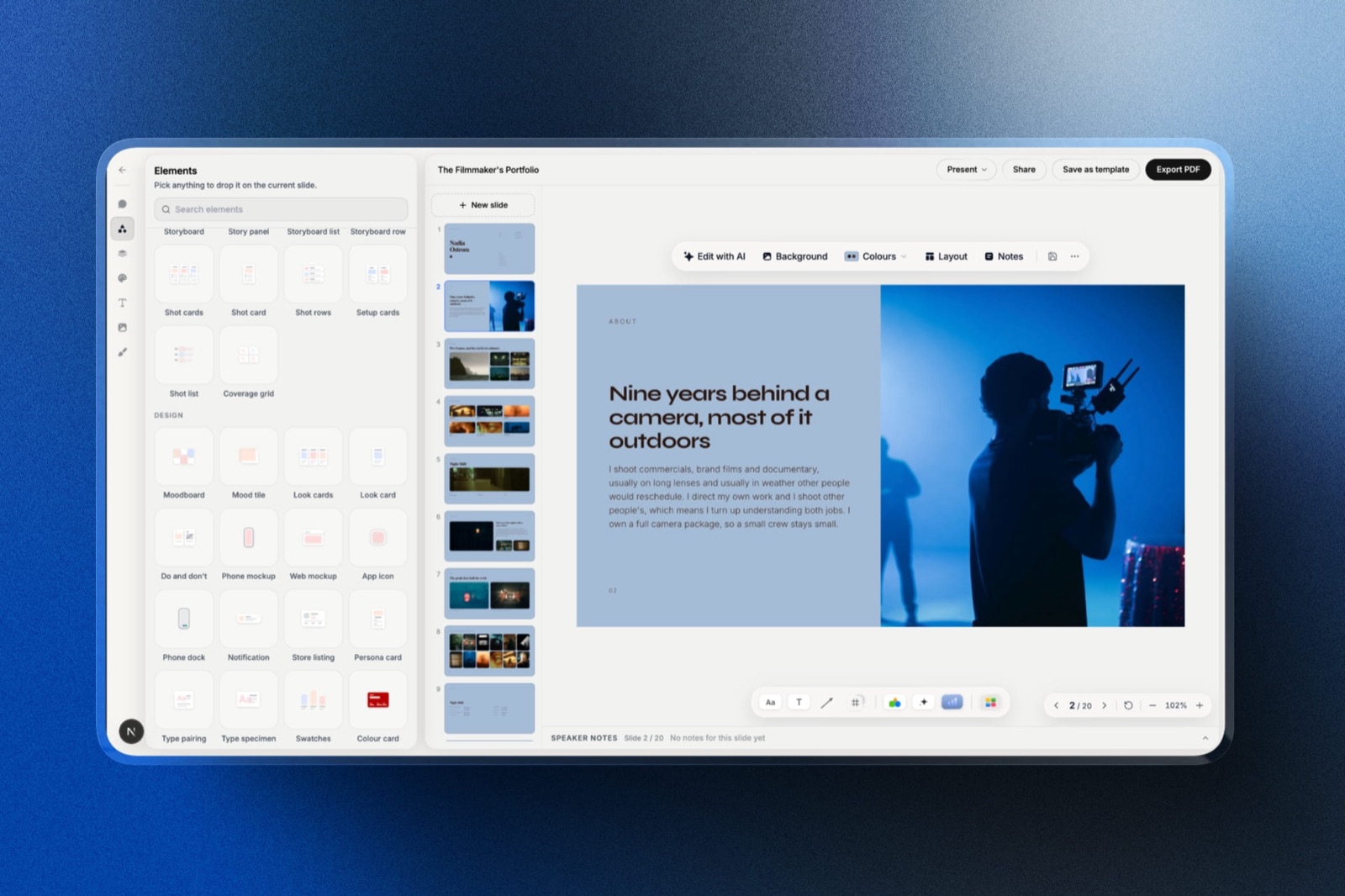
Picture a founder who signs up to Gamma on Monday, builds a 12-slide investor deck, regenerates it twice with nicer images, and by Thursday the free account says there are no credits left.
Nothing about Gamma pricing looked expensive on the plan page. The free plan costs $0. The catch is that the free plan comes with 400 credits, once, and the image model chosen on Monday decided how fast they went.
That is the whole shape of Gamma pricing in 2026: the plan sets how many credits you get each month, and the deck you build sets how many you spend. A plan comparison that stops at the monthly price answers the wrong half of the question.
A Gamma credit is the unit Gamma uses to meter AI work, charged per generated card (slide) and per generated image, with the amount varying by AI model and by the length of the generation. Everything you do by hand in Gamma is free; everything the AI does costs credits.
Gamma pricing in 2026 runs from Free ($0, 400 one-time credits, a Made with Gamma badge on exports) to Plus at $9 a seat a month billed annually ($108 a year, 1,000 credits a month, no badge), Pro at $18 ($216 a year, 4,000 credits, analytics, passwords on shared docs and custom domains) and Ultra at $90 ($1,080 a year, 20,000 credits).
Plus is the right plan for most solo users, because a 12-slide deck with standard images uses roughly 24 to 126 credits; pay for Pro only for its analytics or domains, or if you would otherwise buy two credit top-ups a month.
For creatives who want unlimited decks without a credit meter, Framekit Slides is the better fit, while Canva, Pitch, Google Slides and Claude suit editable design, team analytics, zero cost and drafting from context.
Full disclosure: Framekit is our product and appears only in this summary and in the alternatives section near the end; the rest of this article is about Gamma. Nothing here comes from a paid Gamma account of our own. Every price and rule is taken from Gamma's pricing page and help centre as they read on 19 September 2026, with help articles linked inline, and every per-deck figure is arithmetic on Gamma's own published credit rates, shown so you can check it. Where Gamma's pages disagree with each other, this article says so rather than picking the convenient number.
Where These Gamma Prices Come From
Gamma's pricing page blocks automated readers and renders its prices with JavaScript, so every figure below was read from a text rendering of that page served to a US visitor on 19 September 2026, then cross-checked against Gamma's help centre, and the method is split three ways so you can see what is fact and what is arithmetic.
Read at the source. Gamma's pricing page (annual tab, US dollars), and these help centre articles: how credits work, buying more credits, the Business plan, exporting and the badge, sharing settings, refunds and downgrading, plus the per-card and per-image credit rates in Gamma's developer documentation.
Calculated. One carried example runs through the article: a 12-slide pitch deck with 6 AI-generated images, the size most people mean when they say "a deck".
Credit ranges multiply Gamma's published per-card and per-image rates; dollar-per-deck figures divide a plan's annual price by the credits it issues in a year.
Reported by users. Not used. Credit consumption depends on prompts, models and regenerations, so individual user reports of "a deck cost me X credits" are not comparable, and none are quoted.
Currency. The US page shows annual rates by default and its month-to-month dollar rates did not render in our read. For monthly billing, the figures quoted are the euro prices Gamma listed for European buyers in September 2026, labelled as such and not converted.
Gamma Plans and Prices at a Glance
Gamma has five self-serve plans in September 2026, and the table below lays each one out with the price, credits and the features that actually change between tiers, so you can see in one place where each jump in price buys something you would use.
| Plan | Annual billing (US) | Monthly billing (as listed for European buyers) | Monthly credits | Slides per prompt | What it adds |
|---|---|---|---|---|---|
| Free | $0 | EUR 0 | 400 once, at sign-up | 10 | Presentations, docs, sites, social posts; PDF, PPTX, PNG and Google Slides export with a badge |
| Plus | $9 a seat a month ($108 a year) | EUR 10 | 1,000 | 100 | Removes Gamma branding; advanced image models |
| Pro | $18 a seat a month ($216 a year) | EUR 24 | 4,000 | 100 | Premium image models, custom branding, detailed analytics, passwords on shared docs, 10 custom domains, API |
| Ultra | $90 a seat a month ($1,080 a year) | EUR 86 | 20,000 | 100 | The most advanced text, image and video models, 100 custom domains, early access |
| Business | $40 a member a month, billed annually (help centre) | Annual only | 10,000 per seat (pricing page) | 100 | SSO, shared credit pool, SOC 2 documents, locked training opt-out, 100 custom domains |
Gamma says annual billing saves "up to 28%" compared with paying monthly.
There is also a Team plan, which Gamma's refund policy lists with 6,000 monthly credits and its help centre says is sold only with annual billing, but its price was not shown in our read, so it is left out of the table rather than guessed.
Three places Gamma's own pages disagree
Pricing pages drift, and Gamma's help centre has not caught up with every change. These are the inconsistencies worth knowing before you buy.
- Business credits. The pricing page FAQ and the refund policy both say Business includes 10,000 credits per seat per month. The Business help article still says 6,000, "up from 4,000 on Pro". Check the number on your checkout screen.
- Business price. The Business help article says $40 per member per month billed annually. The same plan was listed at EUR 35 a seat a month for European buyers. Neither figure appeared on the US annual tab we read.
- Ultra billing. An older help article says Ultra is "only available monthly" at an introductory price. The pricing page now shows Ultra at $1,080 a seat billed annually.
Gamma Pricing by the Numbers
These six numbers, all from Gamma's own pages or calculated from them, answer most of the questions people type into search about Gamma pricing in 2026, from whether Gamma is free to how many decks a plan really covers.
- 400 credits. Everything a free account gets, once. Free credits never refresh; referrals add 200 each, up to 2,000 held at a time.
- 1 to 3 credits per slide. Gamma's published rate for each generated card, depending on the text model Gamma picks.
- 2 to 125 credits per image. The spread across Gamma's four image tiers, from 2 on the cheapest standard model to 125 on the dearest ultra model.
- $0.004 per credit. The price of purchased credits: 1,500 for $6, available only on paid plans.
- 2 times. Unused plan credits roll over up to double the monthly allowance, so Plus can hold at most 2,000.
- 3 days. Gamma's refund window since 1 December 2025, and only if you have used less than a set share of your credits.
How Gamma Credits Work
In one lineGamma charges credits for every AI action, draws first from your monthly plan credits and then from any you bought, rolls unused plan credits over to twice the monthly amount, and never refreshes the 400 credits on the free plan.
Credits are the real currency of Gamma pricing, and the rules are spread across several help articles. Here they are in one place.
What costs credits. Generating a presentation, adding cards with AI, editing with Gamma's agent, trying new layouts and generating or editing images. Typing, dragging, restyling and exporting by hand cost nothing.
Gamma says you are not charged for AI errors or for clarification questions.
What decides the amount. Gamma's credits article says consumption "can vary based on what you're doing, which AI model is used, and the length or complexity of the generation." For images, the credit cost of each model is shown before you generate.
The order credits are spent in. Plan credits first, then purchased credits, then, on Business and Enterprise only, the shared workspace pool.
Refresh and rollover. Paid plans refill every month on your billing date, including annual plans, which issue credits monthly rather than all at once. Unused plan credits roll over up to twice the monthly allowance.
Purchased credits sit outside that cap and never expire while you stay subscribed.
Free plan rules. 400 credits at sign-up that never refill. You can earn 200 per referral, holding up to 2,000 at a time. Free users cannot buy credits.
Buying more. Paid users can buy 1,500 credits for $6, in blocks of 1,500, or set up auto-recharge at a threshold.
On individual plans credits belong to each member, so auto-recharge charges separately per person: Gamma's own example is three teammates dropping below the threshold and three $6 charges, $18 in total.
Tokens, a separate limit. Gamma also caps how much text one generation can process: 50,000 tokens per initial generation on Free and 100,000 on Plus and Pro, according to its tokens article.
A very long source document can hit that ceiling before credits matter.
What a Gamma Deck Really Costs in Credits
In one lineA 12-slide Gamma deck costs 12 to 36 credits for the slides and anywhere from 12 to 750 more for six images, so the image model you choose, not the number of slides, is what decides how far any Gamma plan stretches.
Gamma publishes its unit rates in its developer documentation: 1 to 3 credits per card, and per image 2 to 15 credits on standard models, 20 to 33 on advanced, 34 to 75 on premium and 30 to 125 on ultra.
Gamma's help centre says decks made in the app are also "metered per slide and per image". Multiply those out and you get the envelope for any deck.
| Deck | Slides | Images | Credit range (published rates) | Gamma's own illustration |
|---|---|---|---|---|
| Text-only outline | 12 cards: 12 to 36 | None | 12 to 36 | n/a |
| Short deck, standard images | 10 cards: 10 to 30 | 5 standard: 10 to 75 | 20 to 105 | about 20 to 60 |
| Carried deck, standard images | 12 cards: 12 to 36 | 6 standard: 12 to 90 | 24 to 126 | n/a |
| Carried deck, advanced images | 12 cards: 12 to 36 | 6 advanced: 120 to 198 | 132 to 234 | n/a |
| Carried deck, premium images | 12 cards: 12 to 36 | 6 premium: 204 to 450 | 216 to 486 | n/a |
| Long document, premium images | 20 cards: 20 to 60 | 15 premium: 510 to 1,125 | 530 to 1,185 | about 320 to 1,070 |
| Social set, ultra images | 30 cards: 30 to 90 | 30 ultra: 900 to 3,750 | 930 to 3,840 | about 930 to 3,900 |
Gamma's illustrations come from the same documentation. They sit close to the raw multiplication for the social set and well below it for the short deck and the long document, so treat the envelope as a budgeting ceiling and Gamma's own figures as the likely case.
Two things push real usage above these numbers. Every regeneration spends again, so a deck built three times costs three decks. And agent edits after generation ("make slide 4 punchier", "swap these images") each cost credits too, which the table does not include.
How many decks each plan covers
Taking the carried 12-slide deck at the top of each range, so the count is conservative, here is how far each plan's allowance goes.
| Plan | Credits | Decks with standard images (126 each) | Decks with advanced images (234 each) | Decks with premium images (486 each) |
|---|---|---|---|---|
| Free | 400, once | 3, in total | 1, in total | 0 |
| Plus | 1,000 a month | 7 a month | 4 a month | 2 a month |
| Pro | 4,000 a month | 31 a month | 17 a month | 8 a month |
| Ultra | 20,000 a month | 158 a month | 85 a month | 41 a month |
At the bottom of the standard range (24 credits a deck) the same plans stretch to 16 decks on Free and 41 a month on Plus. The honest summary: a solo freelancer building a handful of decks a month with standard or advanced images fits comfortably inside Plus.
One more limit applies to Free regardless of credits: generation is capped at 10 slides per prompt, so the carried 12-slide deck needs a second prompt or two cards added by hand.
Cost per Deck in Dollars
In one lineAt annual prices a Gamma credit costs $0.009 on Plus and $0.0045 on Pro and Ultra, and purchased top-ups cost $0.004, so the carried standard-image deck costs about $1.13 of Plus credits, $0.57 of Pro credits or $0.50 of top-ups.
Converting credits to dollars shows something the plan page does not: Plus is the most expensive way to buy a credit, and top-ups are the cheapest.
| Source of credits | Annual price | Credits per year | Price per credit | Carried deck, standard images (126 credits) | Carried deck, premium images (486 credits) |
|---|---|---|---|---|---|
| Plus | $108 | 12,000 | $0.009 | $1.13 | $4.37 |
| Pro | $216 | 48,000 | $0.0045 | $0.57 | $2.19 |
| Ultra | $1,080 | 240,000 | $0.0045 | $0.57 | $2.19 |
| Top-up | $6 per 1,500 | as bought | $0.004 | $0.50 | $1.94 |
This matters for the most common upgrade decision. The gap between Plus and Pro is $9 a month on annual billing. A top-up is $6 for 1,500 credits.
So a Plus user who runs short can buy one top-up a month and still pay less than Pro ($15 against $18).
A Plus user who buys two top-ups a month is paying $21 for 4,000 credits, $3 more than Pro, which would also add analytics, passwords and custom domains.
The rule of thumbif you buy two or more top-ups a month on Plus, switch to Pro. If you buy one, stay on Plus.
Gamma Plus vs Pro: What the Extra $108 a Year Buys
In one lineGamma Pro costs $108 a year more than Plus and adds three times the credits, viewer analytics, password-protected documents, search indexing, custom branding, premium image models, custom domains and API access, which is worth it only if you use at least two of those.
Plus and Pro are the two plans most individuals choose between, so here is the difference, line by line.
| Feature | Plus ($108 a year) | Pro ($216 a year) |
|---|---|---|
| Monthly credits | 1,000 (hold up to 2,000) | 4,000 (hold up to 8,000) |
| Made with Gamma badge | Removed | Removed |
| Image models | Basic and advanced | Basic, advanced and premium |
| Detailed analytics | No | Time per slide, views per slide, slides viewed, unique viewers |
| Password on a shared doc | No | Yes (docs only, not Gamma sites) |
| Discoverable on the web | No | Yes |
| Custom domains | No | Up to 10 |
| Custom branding | No | Yes, including headers and footers |
| API access | No | Yes |
| Refund threshold in the first 3 days | Less than 200 credits used | Less than 600 credits used |
The analytics row is the one people underestimate. Gamma's analytics show which slides a prospect lingered on and how far they read, and Gamma users appear by name while everyone else shows as an anonymous viewer.
For anyone who sends proposals and follows up, that is the Pro feature that changes behaviour.
Choose Plus if you make decks for yourself or present them live, want the badge gone and stay within about seven standard-image decks a month.
Choose Pro if you send decks to prospects and want to know what they read, need a password on a shared document, publish Gamma pages on your own domain, or keep buying two top-ups a month.
Gamma Pricing for Teams: The Seat Maths
In one lineEvery Gamma plan is priced per seat, individual plans bill a new seat when an invited member accepts, and credits on Plus, Pro and Ultra are never pooled, so a three-person studio pays three times the price for three separate credit balances.
Gamma's help centre is explicit: two users on Pro are billed double. On individual plans each seat has its own credits, and auto-recharge triggers separately for each member, while Business and Enterprise share a pooled workspace balance.
| Team of 3, billed annually | Price per year | Credits per month | Pooled? |
|---|---|---|---|
| Plus x 3 | $324 | 3 x 1,000 | No, each person has their own |
| Pro x 3 | $648 | 3 x 4,000 | No |
| Business x 3 (at the help centre's $40) | $1,440 | 3 x 10,000 (per the pricing page) | Yes, a shared workspace pool |
Two details catch teams out. First, all members of a workspace must be on the same plan, so you cannot put a designer on Pro and two writers on Plus.
Second, on individual plans a new seat is billed the moment the invite is accepted, so inviting a freelancer for one project adds a full seat to the bill.
The pooled credits are the real reason to consider Business for a team. On Plus or Pro, one heavy user can run out while two light users sit on unused credits they cannot share.

The Badge, Exports and Sharing by Plan
In one lineEvery Gamma plan exports to PDF, PPTX, PNG and Google Slides, but the Made by Gamma badge lands on PDF and PPTX exports whenever the workspace is on Free at the moment of export, even for decks built while you were paying.
The badge rule is the most misunderstood part of Gamma pricing, because it follows the workspace's current plan rather than the plan the deck was made on.
Gamma's export article is explicit: a document made on a paid plan will still show the badge if the subscription has since expired, and there is no retroactive removal for exports already made on Free.
| What you want to do | Free | Plus | Pro | Ultra |
|---|---|---|---|---|
| Export PDF, PPTX, PNG, Google Slides | Yes, badge on PDF and PPTX | Yes, no badge | Yes, no badge | Yes, no badge |
| Hide the badge on shared links | No | Yes | Yes | Yes |
| Share a view, comment or edit link | Yes | Yes | Yes | Yes |
| Password on a shared doc | No | No | Yes | Yes |
| Make a gamma discoverable by search engines | No | No | Yes | Yes |
| Detailed viewer analytics | No | No | Yes | Yes |
| Custom domains | No | No | 10 | 100 |
Two small facts are worth knowing. Tables export to PowerPoint as real, editable tables by default on every plan, though PowerPoint squares off Gamma's rounded corners.
And printing a deck from the browser while signed in (Cmd or Ctrl plus P) adds no badge on any plan, which is a legitimate way to get a clean personal PDF from a free account.
When Credits Run Out, You Cancel or You Want a Refund
In one lineRunning out of credits on a paid plan only stops the AI, cancelling drops you to the free plan's 400 credits at the end of the period, downgrades never refund, and refunds exist only within 3 days of subscribing and under a credit-use threshold.
These rules decide what a bad month costs, so they belong in any honest account of Gamma pricing.
Out of credits on a paid plan. You keep every non-AI feature and can edit by hand. To keep using AI, buy credits ($6 per 1,500), set up auto-recharge, wait for the monthly refill, or upgrade.
Out of credits on Free. You cannot buy more. The options are referrals (200 each) or a paid plan.
Cancelling. Your plan runs to the end of the period you paid for, then the workspace moves to Free and plan credits reset to 400. Purchased credits survive and expire one year after cancellation.
Your gammas stay yours; premium features switch off, and future exports carry the badge again.
Downgrading. A move to a lower plan takes effect at the end of the current billing period, with no proration and no refund. Plan credits carry over up to the new plan's rollover cap, and purchased credits stay in full, according to Gamma's downgrade article.
Refunds. Since 1 December 2025, Gamma refunds only on request within 3 days of subscribing, monthly or annual, and only below a usage threshold. The thresholds in Gamma's refund policy:
| Plan | Monthly credits | Refund only if you have used less than |
|---|---|---|
| Plus | 1,000 | 200 credits (20%) |
| Pro | 4,000 | 600 credits (15%) |
| Team | 6,000 | 900 credits (15%) |
| Business | 10,000 | 1,000 credits (10%) |
| Ultra | 20,000 | 2,000 credits (10%) |
Read that with the credit table above.
A single premium-image version of the carried deck (216 to 486 credits) can put a new Plus subscriber past the 200-credit threshold, so test on standard images in your first three days if a refund matters to you.
Gamma does not offer a traditional free trial; the free plan's 400 credits play that role.
Is Gamma Worth Paying For?
In one lineGamma is worth paying for if you generate decks from prompts more than a couple of times a month and send them as links, and it is poor value if you mostly edit by hand, since every paid tier is priced around AI credits you would not use.
The value case is strongest for three kinds of user. Consultants and freelancers who send proposals as links get the badge removed on Plus and, on Pro, analytics that show whether a prospect read the pricing slide.
Marketers who produce many short decks and one-page sites use credits steadily enough to justify a monthly allowance.
And anyone who imports old PowerPoint decks to refresh them gets real use from Gamma's rebuilt import, which its help centre says keeps layouts editable.
The value case is weakest for people who present live from a finished deck, edit most slides by hand, or need decks built around a specific creative structure. For them, paying $108 a year for 12,000 AI credits is paying for the wrong thing.
A quick test on your own usage: count the decks you made in the last three months, multiply by 126 for standard images or 234 for advanced ones, and divide by three. If the monthly figure is under 1,000, Plus covers you.
If it is under 400 in total over the whole quarter, the free plan does, provided the badge on exports does not bother you.
Cheaper or Better-Fit Alternatives to Gamma
Gamma's credit model suits prompt-heavy deck building, and five alternatives suit other habits better, each for a different reason, from unlimited decks without a credit meter to entirely free editors and decks drafted from context you already have.
Framekit: best for creatives who want unlimited decks
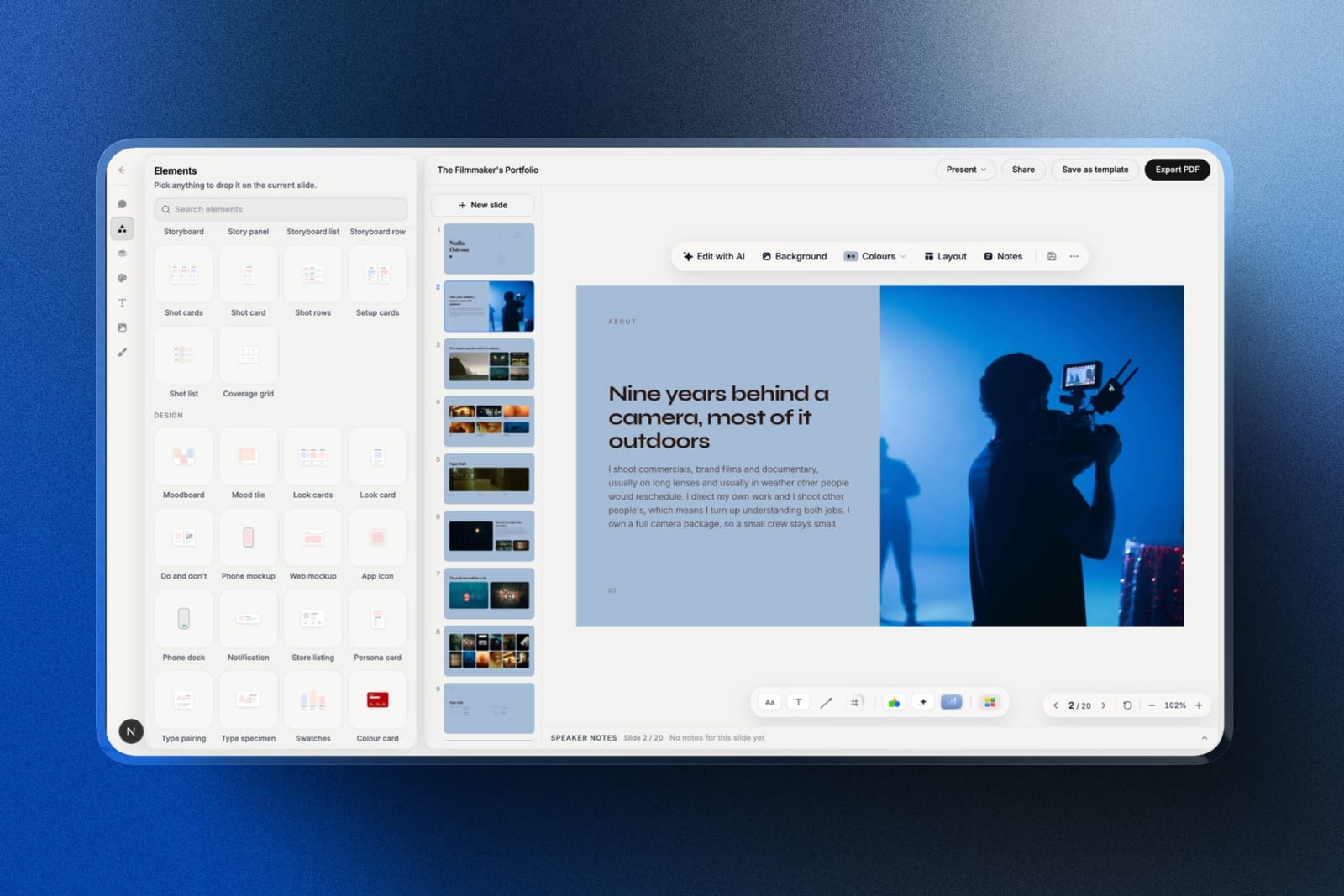
Framekit is an AI website builder with a Slides tool that makes unlimited decks on every plan, including Free, so a photographer or filmmaker never counts credits per deck.
Its AI slide writer works one slide at a time and is on every plan; heavier AI use draws on a monthly allowance that grows with the plan rather than a per-slide charge.
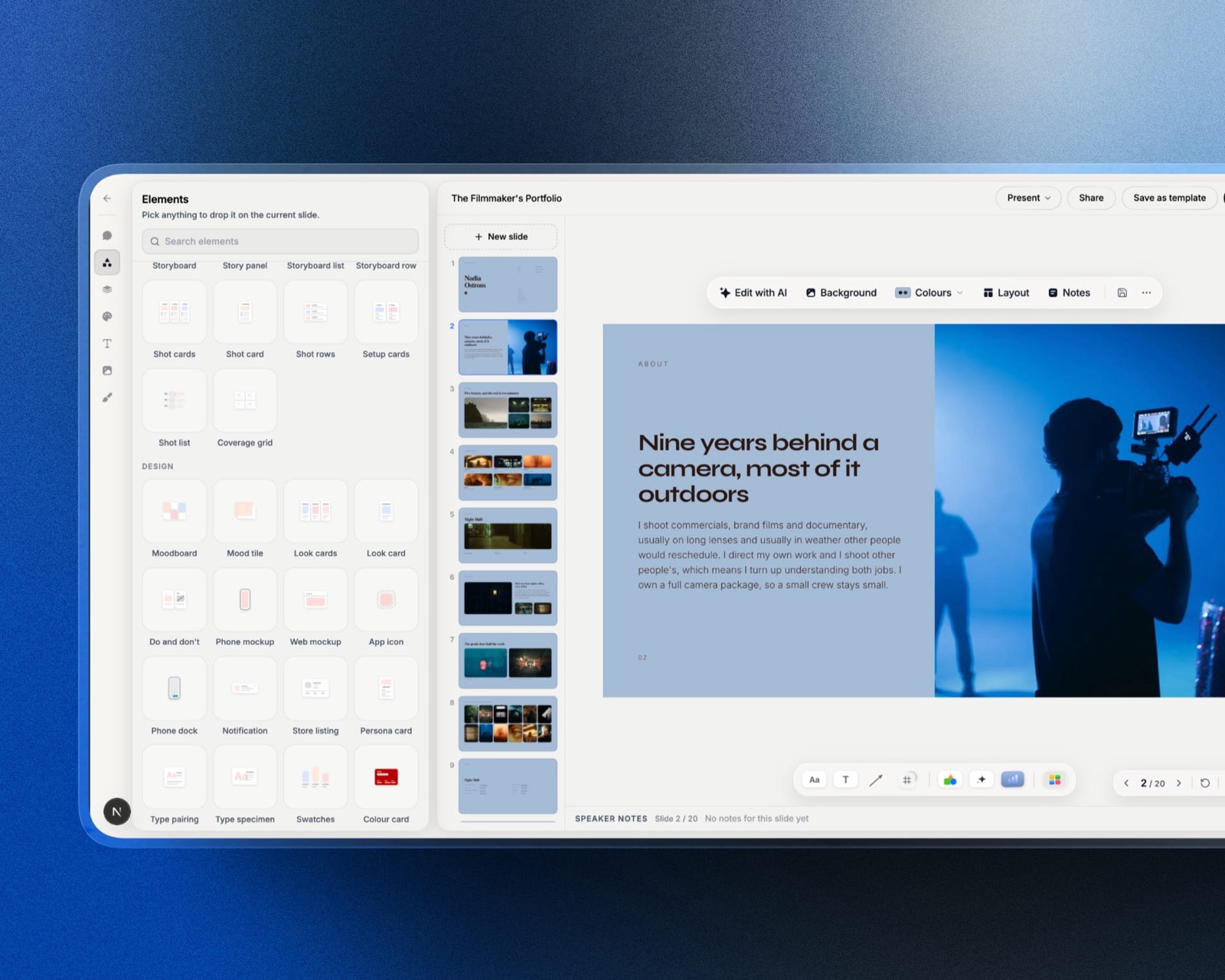
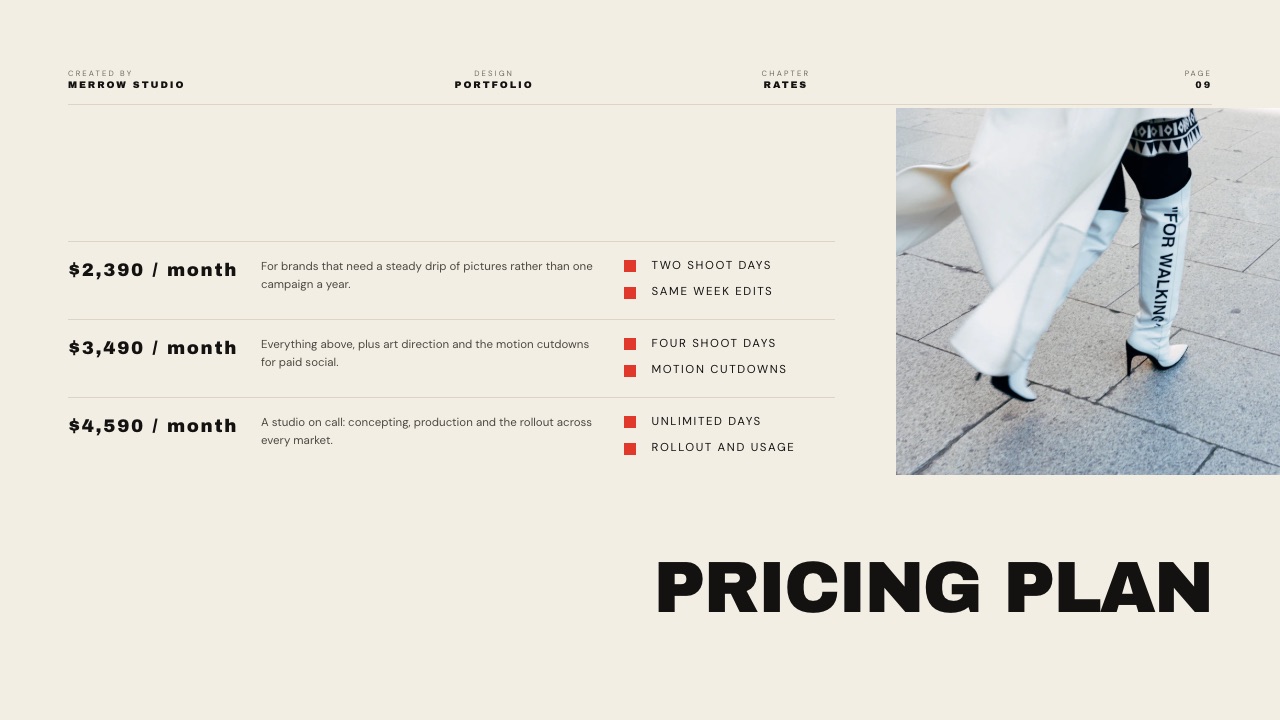
The templates are built for creative work: treatments, lookbooks, film pitch decks, portfolio books, rate cards and credentials decks, with shot list, moodboard and storyboard elements.
The full template library and removing the Framekit byline start on Starter at $7 a month billed yearly ($84 a year), less than Gamma Plus, and the deck shares an account with your website and client galleries.
Where Gamma is betterGamma generates a whole deck from one prompt, Framekit does not; Gamma Pro has per-viewer analytics and passwords on docs, while Framekit deck links have neither (only a total view count); and Framekit's PowerPoint export, on Pro and up, is picture-based rather than editable.
Canva: best for editable design beyond decks
Canva Pro costs US$144 a year for one person, as Canva's pricing page showed US visitors in September 2026, and covers presentations alongside social posts, video and print, with 3.6 million templates on Pro against 1.6 million on Free.
Its AI is metered by uses rather than per-slide credits, with Pro giving ten times the AI of the free plan. It is the natural choice when a client or team needs to edit the file.
The Gamma vs Canva comparison goes through the trade in detail.
Pitch: best for team decks with analytics
Pitch's pricing page lists a Free plan for 1 to 5 members with unlimited presentations and 100 AI credits that do not renew, Plus at $13 a month paying yearly with 500 AI credits a month and PowerPoint export, and Team at $19 with advanced links that track visits, slide views and time on slide.
Pitch's credits are shared across the whole team, which avoids Gamma's per-seat balances.
Google Slides: best when the budget is zero
Google Slides is free with a Google account, has no credit meter and no badge, and remains the default for collaborative decks in schools and many companies.
It has far less AI deck generation than Gamma, so you trade speed for zero cost. The best free presentation software guide covers it alongside other free editors.
Claude: best if you already pay for Claude Pro
Claude Pro, at $17 a month billed annually ($200 a year) or $20 monthly on Claude's pricing page, now includes Claude Slides, a beta that launched on 16 September 2026 and drafts decks inside a normal conversation, with PowerPoint and PDF download.
There is no per-deck credit count; deck work draws on the plan's shared usage limits. The catch is sharing: Anthropic's help centre says viewers of a shared Claude Slides link need a Claude account.
Gamma even offers a connector that runs inside Claude and bills Gamma credits, so the two can work together.
Which Gamma Plan Should You Choose?
This decision guide runs through the questions in the order that settles a Gamma plan fastest, starting with whether you need the AI at all, because Gamma's paid tiers are priced mostly around credits and a user who edits by hand gains little from them.
1. Do you generate decks from prompts, or mostly edit by hand? If mostly by hand, you may not need Gamma at all; Google Slides or Canva Free will do. If you generate, go to question 2.
2. How many decks a month? Multiply by 126 credits for standard images or 234 for advanced. Under 400 in total, ever, and you can live with the badge: stay on Free. Under 1,000 a month: Plus at $108 a year. Over that, go to question 3.
3. Would you buy two or more top-ups a month on Plus? If yes, Pro at $216 a year is cheaper and adds analytics. If no, stay on Plus and top up at $6 per 1,500 credits when needed.
4. Do you send decks to prospects and need to know what they read, or publish on your own domain? If yes, Pro, whatever your credit use. If no, Plus.
5. Are you a team of several people with uneven usage? If yes, compare Business, where credits pool, against individual seats where they do not. If no, stay on an individual plan.
6. Are your decks treatments, lookbooks or portfolios rather than business decks? If yes, look at a creative specialist such as Framekit Slides before paying for credits.
Frequently Asked Questions
How much does Gamma cost in 2026?
Gamma costs $0 on Free, $9 a seat a month billed annually on Plus ($108 a year), $18 on Pro ($216 a year) and $90 on Ultra ($1,080 a year), according to Gamma's pricing page in September 2026.
Business is $40 per member per month billed annually, per Gamma's help centre. Monthly billing costs more; for European buyers Gamma listed EUR 10, EUR 24 and EUR 86 a month for Plus, Pro and Ultra.
Is Gamma free to use?
Yes, Gamma has a free plan with no time limit and no credit card, but its AI runs on 400 credits given once at sign-up that never refresh. That is roughly 3 to 16 twelve-slide decks with standard images.
Free generates up to 10 slides per prompt, and PDF and PPTX exports carry a Made by Gamma badge. More credits come only from referrals (200 each) or a paid plan.
How many credits does a Gamma presentation use?
A 12-slide Gamma presentation with 6 standard images uses about 24 to 126 credits, based on Gamma's published rates of 1 to 3 credits per card and 2 to 15 per standard image.
With advanced images the same deck uses 132 to 234 credits, and with premium images 216 to 486. Gamma's own example puts a 10-card deck with 5 basic images at about 20 to 60 credits.
What is the difference between Gamma Plus and Pro?
Gamma Pro costs $216 a year against $108 for Plus and adds 4,000 monthly credits instead of 1,000, premium image models, detailed viewer analytics, passwords on shared docs, search indexing, custom branding, up to 10 custom domains and API access.
Both remove the Made with Gamma badge. Choose Pro if you need analytics or domains, or would buy two or more credit top-ups a month on Plus.
Do Gamma credits roll over?
Yes, Gamma plan credits roll over up to twice your monthly allowance, so Plus can hold at most 2,000 and Pro 8,000. Annual plans issue credits monthly, not all up front, under the same rule.
Purchased credits are tracked separately, do not count toward the cap and never expire while you stay subscribed. Free-plan credits do not roll over or refresh at all.
Can I buy extra Gamma credits?
Yes, on paid plans only. Gamma sells extra credits at 1,500 for $6, in blocks of 1,500, as one-time purchases in single-user workspaces or through auto-recharge at a threshold you set.
On individual plans auto-recharge charges each member separately. Free users cannot buy credits and must upgrade or earn 200 credits per referral.
Does Gamma remove the watermark on paid plans?
Yes. Any paid Gamma plan, starting with Plus at $108 a year, removes the Made with Gamma badge from shared links and new PDF and PPTX exports.
The badge returns on exports made after a subscription lapses, even for decks created while you were paying, and old exports made on Free keep it. Printing from the browser while signed in never adds the badge.
Does Gamma offer refunds?
Gamma refunds only if you ask within 3 days of subscribing, on monthly or annual plans, and only if you have used less than a threshold of credits: under 200 on Plus, 600 on Pro, 900 on Team, 1,000 on Business and 2,000 on Ultra.
The policy has applied since 1 December 2025. Downgrades never trigger a refund or proration.
Is Gamma cheaper than Canva or Claude?
Gamma Plus at $108 a year is cheaper than Canva Pro at US$144 a year and Claude Pro at $200 a year billed annually.
Canva, though, covers social, video and print design as well as decks, and Claude Pro includes Claude Slides alongside everything else Claude does, so the cheapest option depends on whether you need a deck tool alone or a wider subscription.
What happens to my Gamma decks if I cancel?
Your Gamma decks stay in your account after you cancel.
Paid features and plan credits last until the end of the period you paid for, then the workspace moves to Free with 400 plan credits, premium features switch off and future PDF and PPTX exports carry the badge again.
Purchased credits remain and expire one year after the cancellation date.
Final Verdict
Gamma pricing is fair once you stop reading it as a monthly fee and start reading it as a credit budget.
For most solo users, Plus at $108 a year is the right plan: 1,000 credits a month covers about seven standard-image decks at the top of Gamma's published range, and it removes the badge.
Pro at $216 a year earns its extra $108 only through analytics, custom domains, or heavy use that would otherwise mean two top-ups a month.
The trade-off to watch is the image model. The same 12-slide deck costs 24 to 126 credits with standard images and up to 486 with premium ones, so the model picker is where a Gamma budget is won or lost.
Where Framekit loses to Gamma is one-prompt deck generation, per-viewer analytics and editable PowerPoint export; Framekit Slides does not do any of those.
It is the better fit for photographers, filmmakers and designers who want unlimited decks built on creative templates without a credit meter, and it is not for teams who live in Gamma's analytics.
Related reading: the best Gamma alternatives guide ranks eight other tools, the best AI presentation makers covers the wider field, how much a pitch deck costs prices the designer route, and the best pitch deck software compares tools built for fundraising.
For the decision that usually comes next, see how Claude Slides compares with Gamma and nine Claude Design alternatives for creatives.