Framekit templates
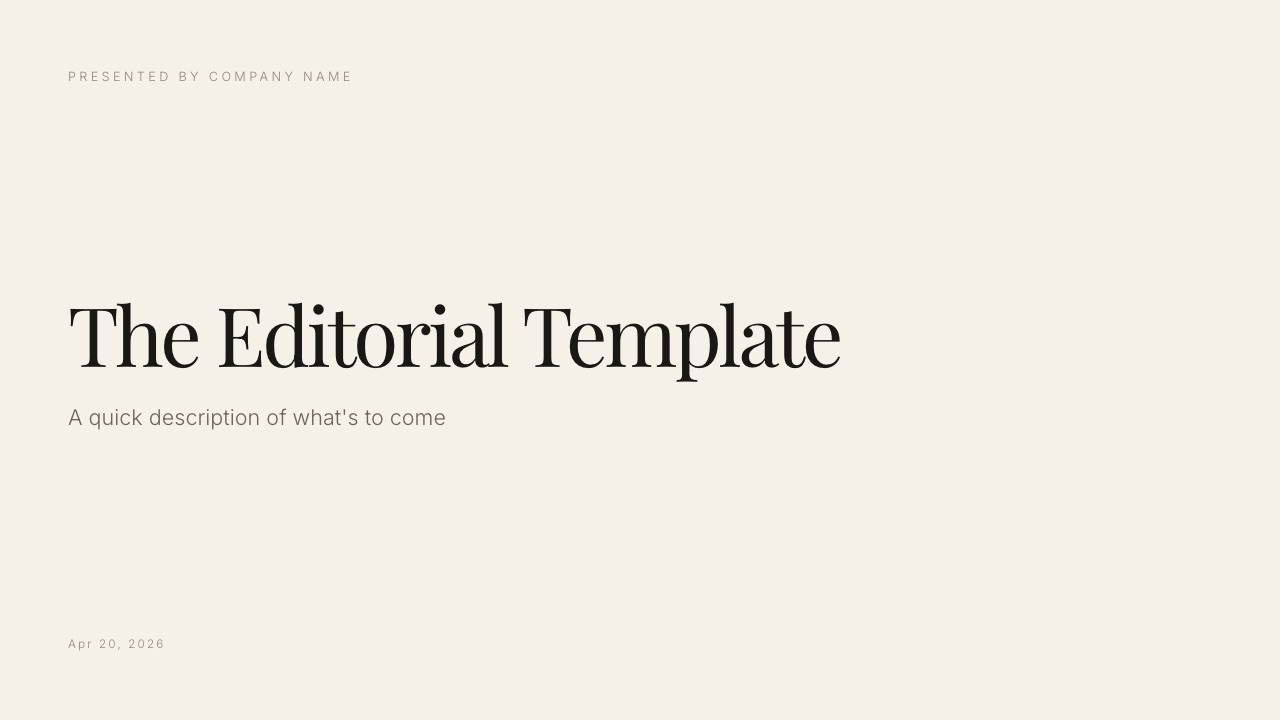
Start from a designer-made template
 Use template
 Use template
 Use template
 Use template
 Use template
 Use template
 Use template
 Use template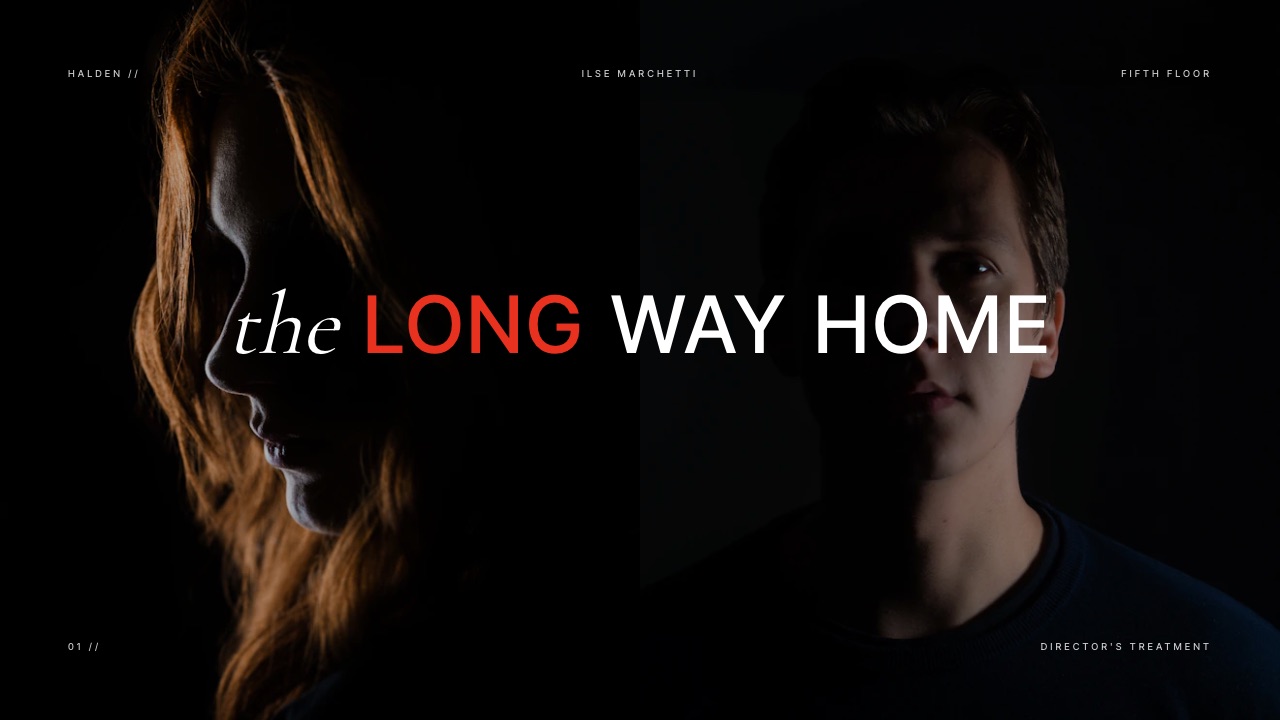
A director asks Claude Design for a 12-slide treatment on Monday morning and has something handsome by lunch.
By Wednesday the agency producer has asked three things Claude Design was not built to answer: can I open this without making a Claude account, can I edit your deck in our template, and can you send the version that matches your website?
That is usually when people start looking for Claude Design alternatives.
None of that makes Claude Design weak. Anthropic's tool, launched on 17 April 2026, is one of the best ways to get from a paragraph to a first visual draft.
It is a generalist, though, and creatives mostly make specific documents: treatments, lookbooks, rate cards, portfolio decks and project pages that have to live somewhere with their name on it.
A Claude Design alternative is a tool that does one of the jobs people bring to Claude Design (decks, one-pagers, landing pages, prototypes, moodboards) in a form that suits a particular output better, whether that means a template built for the document, a link under your own brand, a native file someone else can edit, or a design system a team maintains.
For creatives, the best Claude Design alternative is Framekit, because its Slides templates are built for treatments, lookbooks and portfolio decks and the deck sits on the same account as the website, client galleries and video review it points to.
The trade-off is that Framekit's AI writes one slide at a time rather than a whole deck from a prompt, its PowerPoint export is picture-based, and deck links have no password or per-viewer analytics.
Canva is the best pick when a client must edit the file, Figma when a design team owns the system, Gamma for AI decks shared as an open link, and Lovable when the one-pager should become a real landing page.
Full disclosure: Framekit is our product and it is ranked first here for one reader: the creative making treatments, lookbooks and portfolio decks. For a startup deck, a product prototype or a coded landing page, other tools on this list beat it, and those reviews say so without pivoting back to us. Storyflow, ranked ninth as a planning tool, is a sister product to Framekit from the same team. This ranking was not built from sessions inside each product; every price and feature comes from the vendor's own pages, read on 19 September 2026 and linked where they load.
How These Claude Design Alternatives Were Chosen and Scored
Most lists of Claude Design alternatives are written for product teams prototyping apps, so this one starts from a different reader: a filmmaker, photographer, designer or content creator who uses Claude Design for decks, treatments, lookbooks, one-pagers and portfolio pages.
Read at the source. Each vendor's pricing page and, where needed, its help centre, read on 19 September 2026.
For Claude Design that means Anthropic's launch announcement, its getting-started guide and Claude's pricing page.
Canva's and Adobe's pricing pages block automated requests, so their US prices were read through a text rendering of the same page and are quoted without a link.
Calculated. One carried example runs through the list: a freelance director who, each month, sends one 12-slide treatment to an agency producer who does not use Claude, updates a one-page rate sheet, and keeps a portfolio page current.
Each tool is priced at the cheapest plan that does its part of that job, without the vendor's badge where the vendor adds one, as an annual figure you can check.
Reported by users. Not used. Claude Design changed substantially in September 2026, when it moved into ordinary Claude conversations, so older user sentiment describes a product that no longer exists in the same form.
The four jobs every tool is scored on
Claude Design is a generalist that turns a conversation into HTML, and the alternatives win when you need one of four things it does not specialise in.
Each tool below gets 0 to 3 on each job, where 3 means it is the best available way to do that job and 0 means it does not do it.
- House template. Does the tool have ready-made structures for a specific creative document, such as a director's treatment, a lookbook or a rate card, so you start from the right slides rather than a generic deck?
- Branded link. When you send the result as a link, does it open for anyone, carry your name rather than the vendor's, and tell you anything about who opened it?
- Editable file. Can someone else open the result in their own tool and change it, as a native design file, an editable PPTX or real code?
- Team system. Can a team store fonts, colours, components and rules once and have every new piece follow them?
The weights are equal. That is a deliberate choice: a creative's priorities swing between these four from one job to the next, and the right answer for a reader is the tool that is strongest on the job in front of them, not the highest total.
Claude Design Alternatives by the Numbers
These six figures, each taken from a vendor's own page or calculated from it on 19 September 2026, frame what switching away from Claude Design actually changes.
- 1 Claude account per viewer. Anthropic's guide says anyone opening a shared Claude Design link on Pro, Max or Team needs a Claude account. Gamma links, Pitch's tracked links and Lovable's published sites are all built to be opened by people who have never used those tools.
- $200 a year. Claude Pro billed annually, the cheapest way to get Claude Design. There is no free tier for it.
- $84 a year. Framekit Starter billed yearly, the cheapest plan on this list that unlocks a full template library and removes the vendor's mark from decks.
- $3 a month. A Figma Collab seat, which includes full access to Figma Slides.
- 15 destinations. The number of apps Claude Design can send work to, including Canva, Gamma, Lovable and Adobe, so several "alternatives" here are also where Claude Design output ends up.
- 0 version history. Anthropic lists the lack of version history, and basic multi-person editing, as known limitations of Claude Design in beta.
The Four-Job Scorecard
This scorecard rates Claude Design and all nine alternatives from 0 to 3 on the four jobs creatives bring to it, so you can scan straight to the job you actually have this week instead of trusting a single overall ranking.
| Tool | House template | Branded link | Editable file | Team system | Cheapest plan for the carried job, per year |
|---|---|---|---|---|---|
| Claude Design (baseline) | 1 | 1 | 2 | 3 | $200 (Claude Pro, annual) |
| Framekit | 3 | 2 | 1 | 1 | $84 (Starter, yearly) |
| Canva | 2 | 1 | 3 | 2 | $144 (Pro) |
| Figma (Make and Slides) | 1 | 1 | 3 | 3 | $192 (Professional Full seat at $16 a month) |
| Gamma | 1 | 3 | 2 | 1 | $108 (Plus, annual) |
| Pitch | 1 | 3 | 2 | 2 | $156 (Plus at $13 a month, paying yearly) |
| Adobe Express | 2 | 1 | 2 | 2 | $119.88 (Premium at $9.99 a month) |
| Lovable | 0 | 3 | 3 | 2 | $300 (Pro at $25 a month) |
| Milanote | 1 | 1 | 0 | 0 | $119.88 ($9.99 a month, annual) |
| Storyflow | 1 | 1 | 0 | 1 | $95.88 (Plus, annual) |
Three readings of the table matter more than the ranking. Framekit's 1 on editable files is real: its PowerPoint export is pictures, so a client cannot rewrite your slides in their master.
Claude Design's 3 on team system is real too, and none of the deck tools matches its ability to build a design system from a codebase.
And Lovable's 0 on house templates simply reflects that it builds from prompts, not from a treatment library.
Where Claude Design Still Wins
Before switching, it is worth being precise about what you would give up, because on three jobs no tool on this list does what Claude Design does, and pretending otherwise would make every recommendation below less useful.
Conversation-driven iteration. You describe a change and Claude applies it across the whole design, or you comment inline on one element, or drag it on the canvas, or use adjustment knobs Claude builds for you.
Since September 2026 this works inside any Claude conversation, with your projects, files and connected apps already in context. None of the alternatives starts from what you discussed with an AI yesterday.
Code-powered prototypes. Anthropic's announcement describes prototypes with voice, video, shaders, 3D and built-in AI, and a handoff bundle for Claude Code when the design is ready to build.
For an interactive portfolio concept or an installation pitch, that is a different category from a slide.
A design system from your codebase. During onboarding Claude Design can read a codebase and design files and build the system every later project uses.
Figma is the only alternative here with comparable team-system depth, and it needs a designer to build the system by hand.
Where it loses for creativesevery viewer of a shared link needs a Claude account, there is no version history yet, multi-person editing is described by Anthropic as basic, and it has no house templates for a treatment or a lookbook.
Anthropic's own guide now sends presentation work to Claude Slides, a separate beta that launched on 16 September 2026.
Verdict: keep Claude Design for exploration, interactive prototypes and anything governed by a code-based design system. Look elsewhere when the output is a specific creative document or has to be opened by someone outside Claude.
1. Framekit: Best for Treatments, Lookbooks and Portfolio Decks
Framekit is an AI website builder for photographers, filmmakers and designers, and its Slides tool puts treatments, lookbooks and portfolio decks on the same account as the portfolio site, client galleries and video review they refer to.
That is the job it wins: the creative document that is part of a body of work, not a one-off.
The difference from Claude Design shows in the first minute. Claude Design starts from a blank canvas and your prompt.
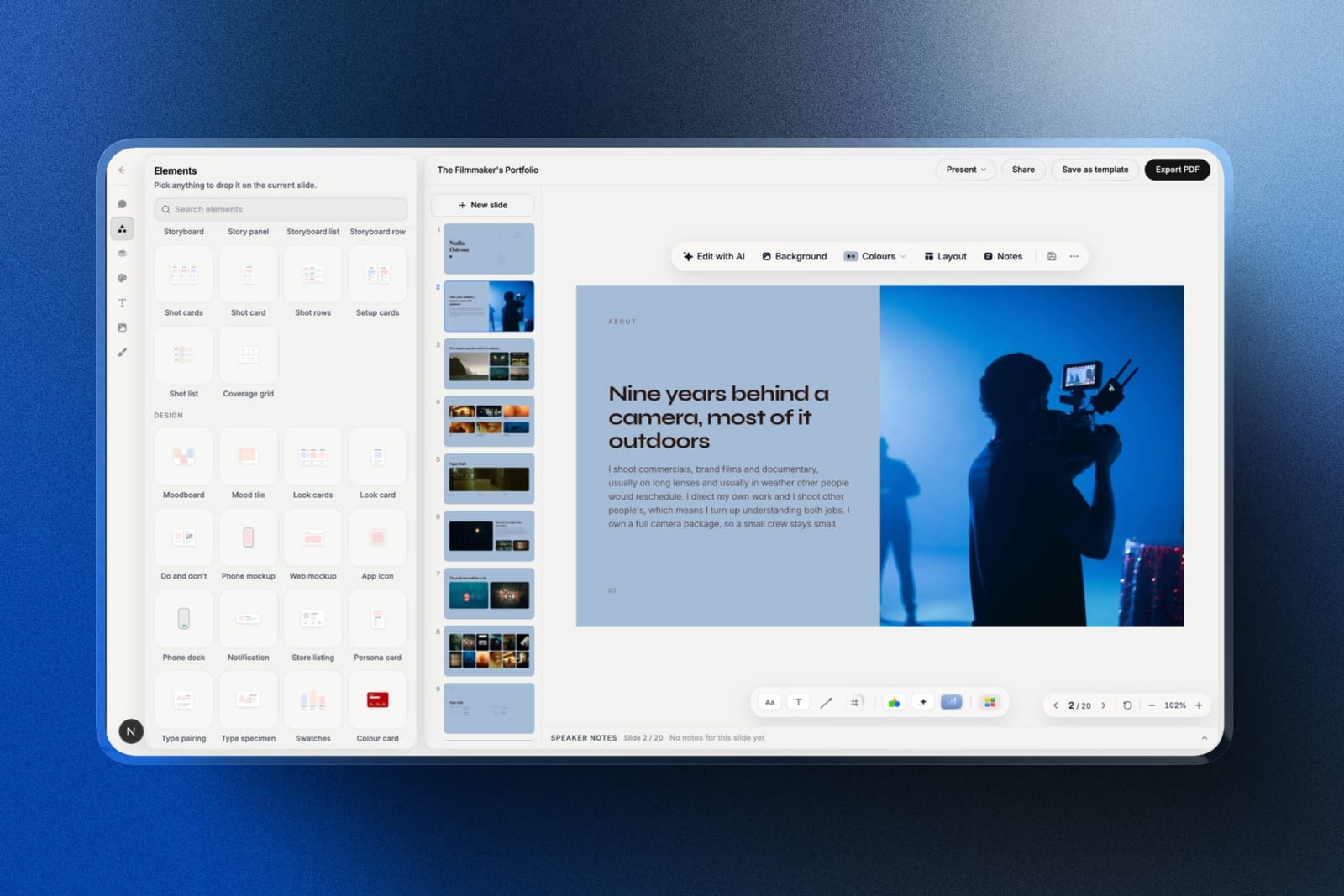
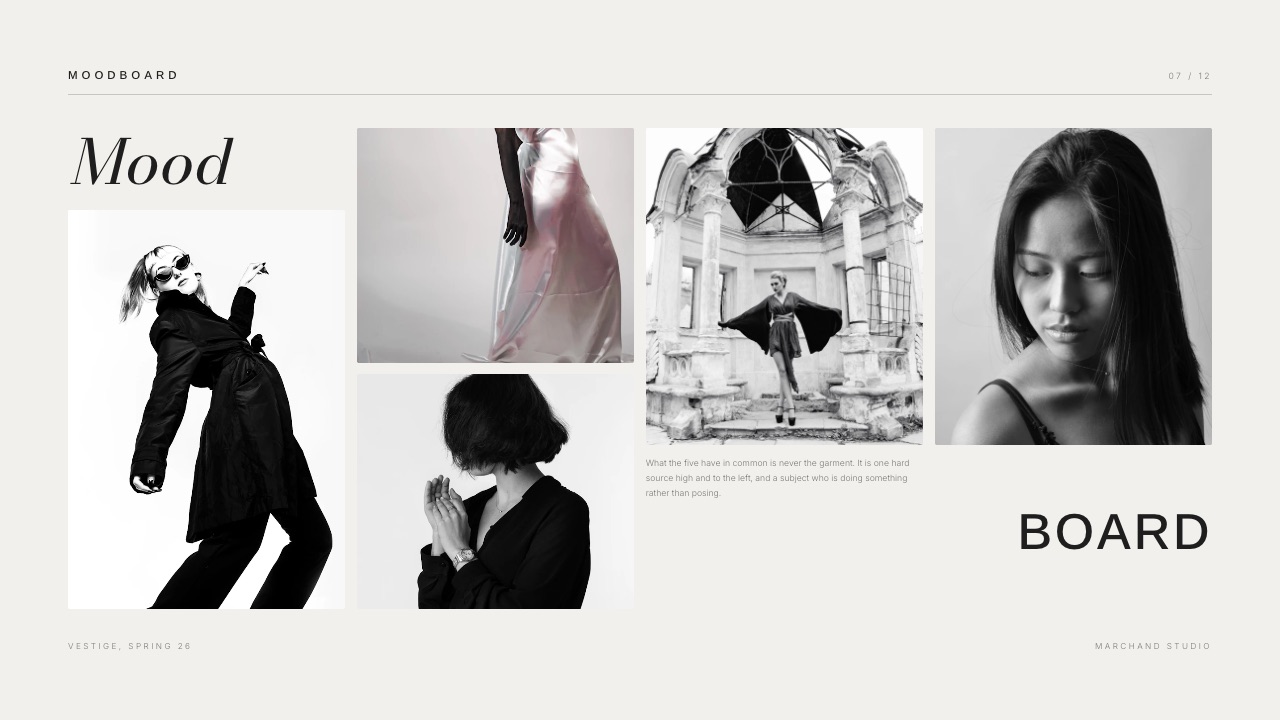
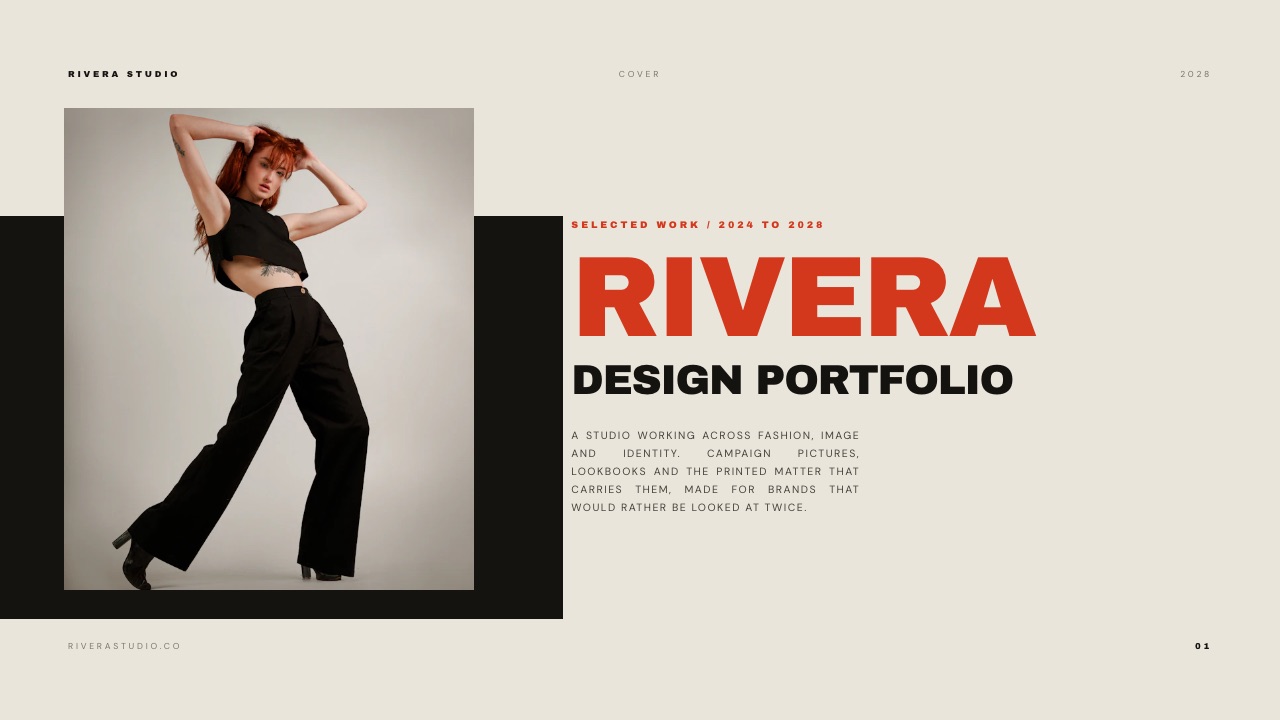
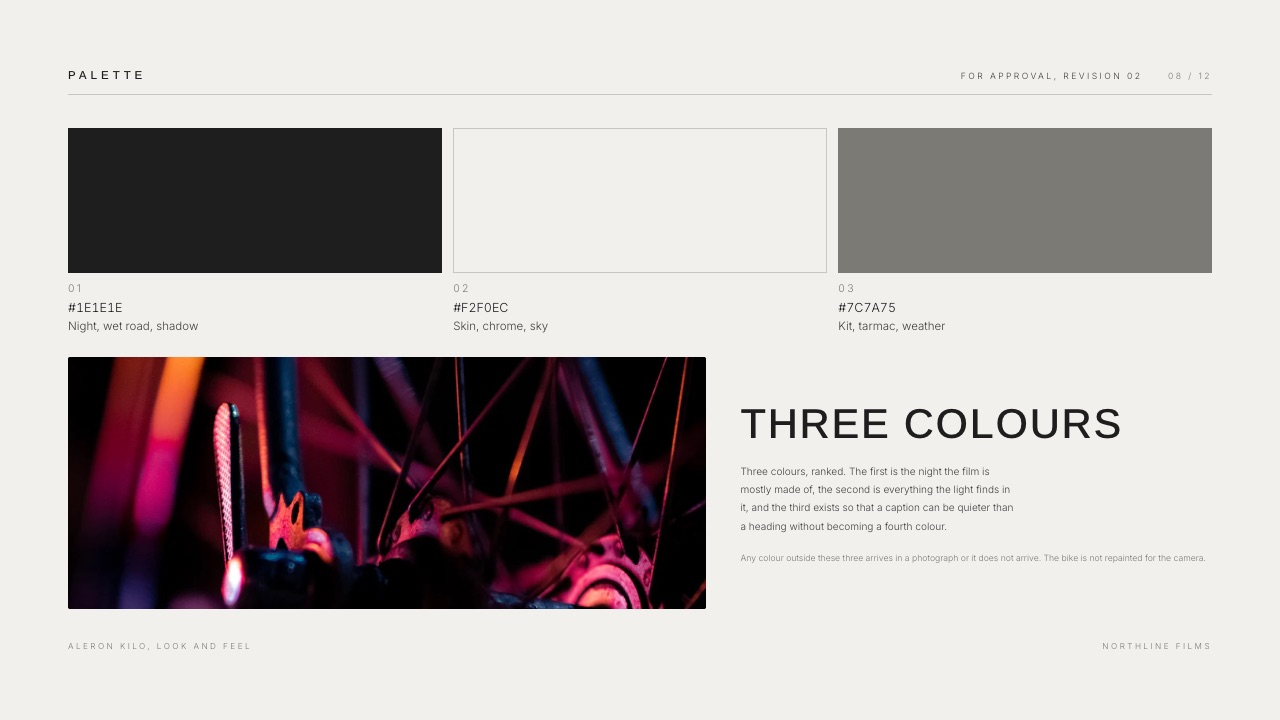
Framekit Slides starts from a template whose slides are already named for the document: the 20-slide Director's Treatment for a Commercial opens with a cover, a director's statement, a visual approach, references, a storyboard, shoot days, crew and delivery.
The Wedding Film Client Proposal has packages, add-ons, the day, payment and availability. The structure is the part a first-time treatment writer usually gets wrong, and here it is already decided.
Best fordirectors, DPs, photographers, stylists and small studios sending treatments, lookbooks, credentials decks, rate cards and portfolio books.
What it does better than Claude Design:
- Templates built for creative documents, from a 10-slide Photography Portfolio Book to a 20-slide Production Company Credentials deck.
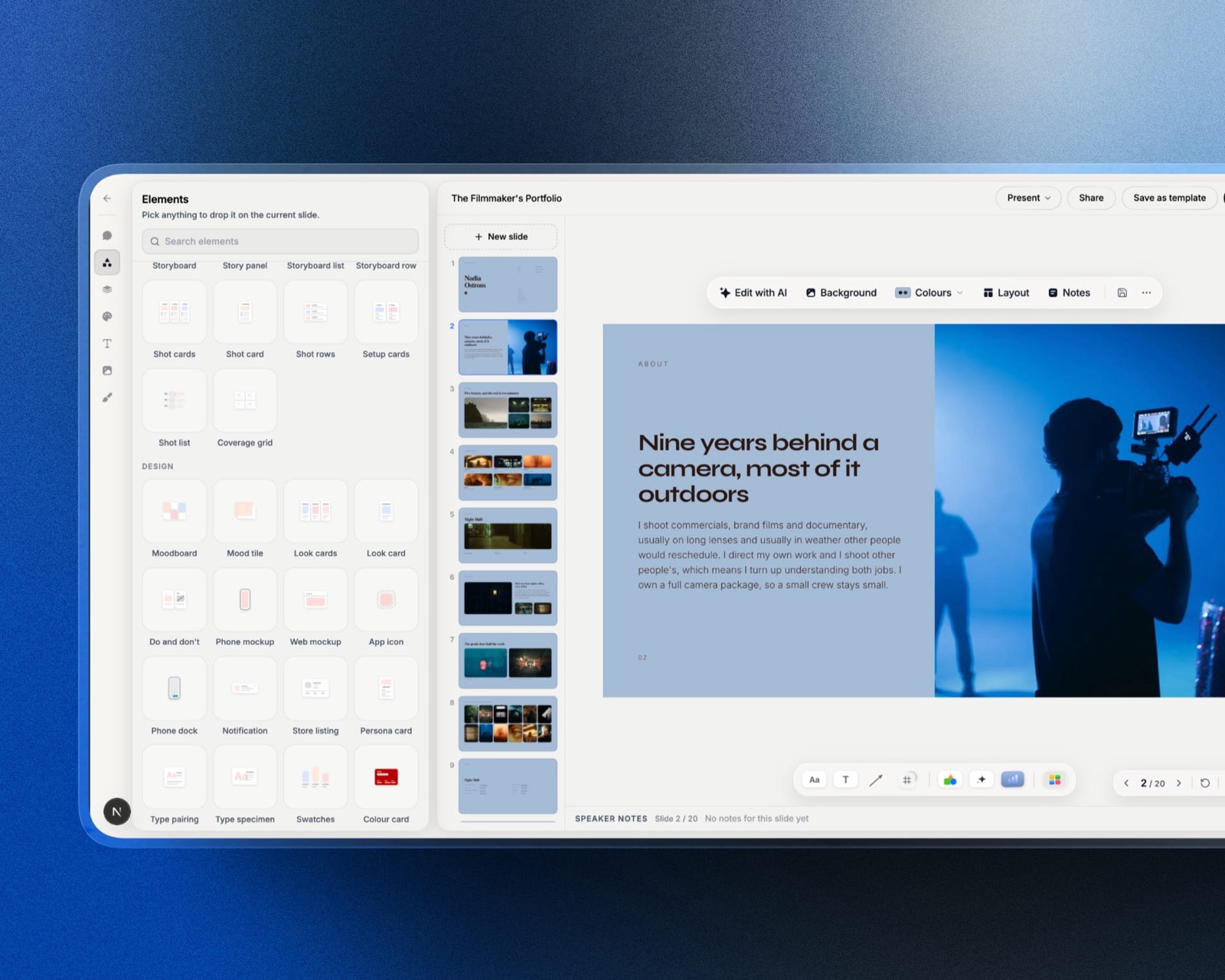
- Ready-made elements for shot lists, moodboards, storyboards and charts, plus YouTube and Vimeo embeds so a reference clip plays on the slide.
- One account for the deck, the website it links to, the client gallery and the review link for the cut, on one bill.
- Unlimited decks on every plan, including Free, with speaker notes, full-screen presenting, a share link and PDF export.
The real number$84 a year. Framekit Starter at $7 a month billed yearly unlocks the full template library, your own uploaded fonts and removes the Framekit byline from decks. The Free plan makes unlimited decks with the AI slide writer but without the full template library.
The standout detailthe AI writer works at the level of a slide. You describe the slide ("three reference frames and a line on the grade") and the AI writes and lays it out in your fonts and colours.
For a treatment written section by section that is the right unit; for someone who wants twenty slides from one sentence, it is not.
The gotcha that bites in week threethe agency producer asks for the PowerPoint so they can drop two of your slides into their master.
On Framekit Pro and up you can export PPTX, but each slide arrives as a full-bleed picture with your speaker notes kept as real notes, up to 60 slides. They can present it, not rewrite it.
Where Claude Design is still betterdrafting from context you already have in Claude, interactive prototypes, and applying a design system read from a codebase. Framekit also shows only a total view count per deck and cannot password-protect deck links, which Pitch and Gamma can do.
Skip it ifyou make startup, sales or board decks, need client-editable PowerPoint files, or want per-viewer analytics on every link.
Verdict: for a creative whose deck is one piece of a portfolio, Framekit is the best Claude Design alternative, and the $84 Starter plan is the one to buy. For everyone else on this page, one of the next eight is a better fit.
2. Canva: Best When the Client Must Edit the File
Canva is the alternative for the moment a client says "send it over so our team can tweak it." A Canva design stays a Canva design: fully editable, shareable with edit rights, and familiar to far more marketing teams than Claude, Figma or any deck-specific tool.
It also sits on Claude Design's own export list.
Anthropic built a direct send-to-Canva path at launch, and Canva's statement in the announcement says designs arrive "fully editable and collaborative." That makes Canva less a replacement than a finishing room: draft the direction in Claude Design, finish and hand over in Canva.
Best forcontent creators, social-first brands and freelancers whose clients live in Canva.
What it does better than Claude Designnative editable files a non-designer can change, a template library Canva counts at 1.6 million on Free and 3.6 million on Pro, 141 million premium photos, videos, graphics and audio files on Pro, brand kits, and social scheduling.
The real numberUS$144 a year for Canva Pro for one person, and US$250 a year per person on Business, as Canva's pricing page showed US visitors on 19 September 2026. The Free plan includes up to 20 AI uses; Pro gives ten times the AI of Free, with an AI Pass add-on at extra cost.
The standout detailPro includes 5 brand kits, where Free allows 1 kit limited to 3 colours. For a freelancer juggling several clients' identities, that difference is worth more than the template count.
The gotchaCanva's strength is breadth, and a treatment built from a generic template looks like one. Expect to spend real time replacing stock imagery and tightening type before a film deck reads as yours.
Where Claude Design is still betterone prompt in Claude Design can apply a whole design system and iterate by conversation; Canva's AI works well at the element level but does not read your codebase.
Skip it ifyour audience judges taste, such as a commissioner reading treatments, and you do not have time to undo the template look.
Verdict: Canva is the most practical Claude Design alternative when the file has to leave your hands and be edited by someone else. The existing Canva alternatives guide covers the reverse move if Canva's template look is the problem.
3. Figma: Best When a Design Team Owns the System
Figma is the alternative for designers and studios that already treat a design system as a product.
Figma Make turns prompts into working prototypes, Figma Slides builds decks on the same components, and everything lives in native files a design team can version, branch and maintain.
This is the only tool on the list that competes with Claude Design on the team-system job. Claude Design can infer a system from code; Figma is where the system is authored, with libraries shared across a team.
For a studio whose identity work, pitch decks and client prototypes all draw on one component set, that is the deciding factor.
Best forproduct designers, brand studios and design leads.
What it does better than Claude Designnative, editable design files; team-wide design libraries; and Dev Mode for handing a design to developers.
The real numbera Professional Full seat is $16 a month on Figma's pricing page, with 3,000 AI credits a month, and it includes Figma Design, Make, Draw, Sites, Dev Mode, FigJam, Slides and Buzz.
The less-known number is $3: a Collab seat includes full access to Figma Slides and FigJam, so a producer who only builds and edits decks does not need a Full seat.
The standout detailthe Starter plan is free with 150 AI credits a day, capped at 500 a month, enough to try Figma Make on a real brief before paying.
The gotchaFigma rewards structure. A photographer who wants a lookbook by Friday will spend the first hours learning auto layout and components, which is time Claude Design or a template tool would not ask for.
Where Claude Design is still betterspeed from a blank page, and anyone without Figma skills gets further in Claude Design in the first hour.
Skip it ifnobody on your team designs in Figma already.
Verdict: Figma is the best Claude Design alternative for design teams and a poor one for solo creatives in a hurry. For more options in this lane, see the Figma alternatives guide.
4. Gamma: Best for AI Decks Shared as an Open Link
Gamma is the closest thing to Claude Design's prompt-to-result speed in a tool built only for decks, documents and simple sites, and it is the strongest answer to the Claude-account problem: a Gamma link opens for anyone, and its paid plans tell you who read what.
For the carried example, this is the tool that fixes Wednesday's first question.
The agency producer who will not make a Claude account opens a Gamma link without one, and on Gamma Pro you can see time spent per slide, the share of views each slide received and unique viewers over the last 30 days, according to Gamma's analytics help article.
Best forfreelancers and small studios sending pitch and proposal decks to people outside their organisation.
What it does better than Claude Designopen links, viewer analytics, password-protected documents and custom domains on Pro, a free plan that makes real decks, and exports to PDF, PPTX, PNG and Google Slides with tables kept editable in PowerPoint.
The real number$108 a year for Plus ($9 a seat a month billed annually), which removes the Made with Gamma badge and refills 1,000 credits a month. Pro is $216 a year with 4,000 credits, analytics and up to 10 custom domains. Free starts with 400 credits that never refresh.
The standout detailGamma is also a Claude Design destination. Claude Design lists Gamma among the apps it can send work to, and Gamma's own quote on Anthropic's product page says designs arrive fully editable. Draft in Claude, publish in Gamma is a supported workflow, not a workaround.
The gotchacredits. Gamma meters AI by card and by image, and its credits article says the cost varies with the model and the length of the generation.
Advanced and premium image models cost far more per image than standard ones, so a picture-heavy lookbook drains an allowance faster than a text deck.
Where Claude Design is still betterdesign-system fidelity and interactive prototypes; Gamma's themes are good but they are themes.
Skip it ifyou need a document structured like a film treatment rather than a business deck, or a native file for a designer.
Verdict: Gamma is the best Claude Design alternative for decks that must be read by strangers, and the Plus plan at $108 a year is enough for most freelancers. If Gamma itself is the question, the best Gamma alternatives guide compares eight options.
5. Pitch: Best for Team Decks With Tracked Links
Pitch is a collaborative presentation tool for teams, and its advantage over Claude Design is everything that happens after a deck is sent: tracked links, shared rooms for clients, and a workspace where several people build decks on the same custom templates.
Its free plan is unusually complete for up to 5 members: unlimited presentations, custom templates, basic sharing links and 100 AI credits that do not renew. Pitch's pricing page puts Plus at $13 a month paying yearly, with 500 AI credits a month, custom fonts, video uploads and PowerPoint export without Pitch branding.
Team, at $19 a month, adds 25 advanced links that track visits, slide views and time on slide, plus 2 shared pitch rooms. Paying yearly saves 17%.
The gotchathe tracking that makes Pitch worth choosing starts on Team, not Plus, so a solo creative who wants to know whether the producer reached the budget slide pays the Team rate.
Skip it ifyou work alone and do not need analytics; Plus gives you a good editor but not the reason to leave Claude.
Verdict: Pitch is the right Claude Design alternative for small studios that pitch as a team and want to see what clients read. Pitch users weighing a move can start with the Pitch alternatives comparison.
6. Adobe Express: Best for Social Assets and Branded One-Pagers
Adobe Express covers the social posts, flyers, one-pagers and quick presentations that make up a lot of Claude Design's creative use, with Adobe's stock and font libraries behind it and generative features Adobe describes as designed to be commercially safe.
The US pricing page lists Adobe Express Free at $0 and Premium at US$9.99 a month, with 250 generative credits a month per user, all premium templates and more than 200 million Adobe Stock assets.
Premium also raises the font library from 4,000 to more than 30,000 and lets you create branded templates rather than only use them. Its document-to-presentation generator is limited to 5 uses in total on the Free plan.
Adobe is also on Claude Design's destination list, through Adobe's own connectors, so the same send-onward workflow Gamma and Canva offer applies here.
The gotchaExpress is strongest for short-form, multi-format content. A 12-slide treatment is possible, but nothing in its template library is built around one.
Verdict: Adobe Express is the best Claude Design alternative for creators whose weekly output is social assets and one-pagers, especially if they already work in Photoshop or Illustrator.
7. Lovable: Best When the One-Pager Should Be a Real Landing Page
Lovable builds websites and web apps from chat, and it is the alternative for the Claude Design job that ends in a live page: a project microsite, a launch page for a short film, a landing page for a preset pack.
Where Claude Design exports standalone HTML or hands off to Claude Code, Lovable publishes directly. Lovable's pricing page lists Free at $0 with 5 build credits a day (up to 30 a month) and 5 lovable.app domains, and Pro at $25 a month with 100 monthly credits plus daily grants, custom domains, badge removal and design systems.
Plans are priced by credits rather than seats, with unlimited members.
The gotchaLovable's example costs show a simple style tweak at 0.50 credits and adding authentication at 1.20, but "default mode" pricing varies with task complexity, so a heavily iterated page is hard to budget for in advance. Monthly plan credits expire two months after they are issued.
Skip it ifyour page is really a portfolio. A website builder with portfolio templates will get you further than a general app builder.
Verdict: Lovable is the best Claude Design alternative when the output is a working landing page that needs to live on your domain, and more than most creatives need for a static project page.
8. Milanote: Best for the Moodboard Before the Deck
Milanote is a visual board for collecting and arranging references, notes and links, and it replaces the exploratory end of Claude Design: the stage where you are working out what the treatment is before anyone designs it.
Milanote's plans page lists a Free plan with no time limit, 100 notes, images or links and 10 file uploads, then $9.99 a month billed annually or $12.50 billed monthly for unlimited items and uploads.
Team plans start at $49 a month billed annually for up to 10 people.
The gotchathe free plan's 10 file uploads, not the 100-item limit, is what a real moodboard hits first.
Verdict: Milanote is the best Claude Design alternative for gathering and arranging references, and not a place to finish a client document. Pair it with a deck tool, and see the lookbook software guide for the finishing step.
9. Storyflow: Best for Planning the Treatment Before Designing It
Storyflow is an AI visual workspace for planning creative projects, with moodboards, story beats, shot lists, treatment drafts and production plans on one infinite canvas.
It is a sister product to Framekit, built by the same team, and it appears here for one reason: many people use Claude Design to think through a project visually, and that thinking step is exactly what Storyflow is for.
The difference from Claude Design is intent. Claude Design produces a designed artifact; Storyflow holds the messy middle, the beats, references and draft paragraphs that become a treatment.
Its guide on how to write a director's treatment walks through that step.
Storyflow's pricing page lists Plus at $7.99 a month billed annually ($95.88 a year) and Pro at $14 a month annually or $19 monthly, which adds AI image generation.
It is in paid early access, with a Free plan due before the end of 2026; people invited to a board by a paid member can join free today.
The gotchait is a planning tool, not a presentation tool, so the finished treatment still has to be designed somewhere else.
Verdict: Storyflow is the right Claude Design alternative for planning a film or campaign before it becomes a deck, and the wrong one if you need the deck itself.
What Leaving Claude Design Costs: The Carried Example Priced
In one lineFor the freelance director who sends a treatment, updates a rate sheet and keeps a portfolio page each month, the realistic setups range from $84 to $408 a year, and the cheapest one is also the only one where all three pieces live on one account.
Most people do not replace Claude Design with a single tool. They keep Claude for thinking and add whatever fixes their specific gap. Here is what the common combinations cost for the carried example, at each vendor's published annual rate on 19 September 2026.
| Setup | Per year | Treatment opens without a Claude account | Rate sheet | Portfolio page on your domain |
|---|---|---|---|---|
| Claude Pro only | $200 | No | Claude Design one-pager | Standalone HTML you host yourself |
| Claude Pro plus Gamma Plus | $308 | Yes, as a Gamma link | Gamma card or doc | Gamma site (custom domains start on Pro) |
| Claude Pro plus Canva Pro | $344 | As a Canva link or PDF | Canva template | Needs a separate site |
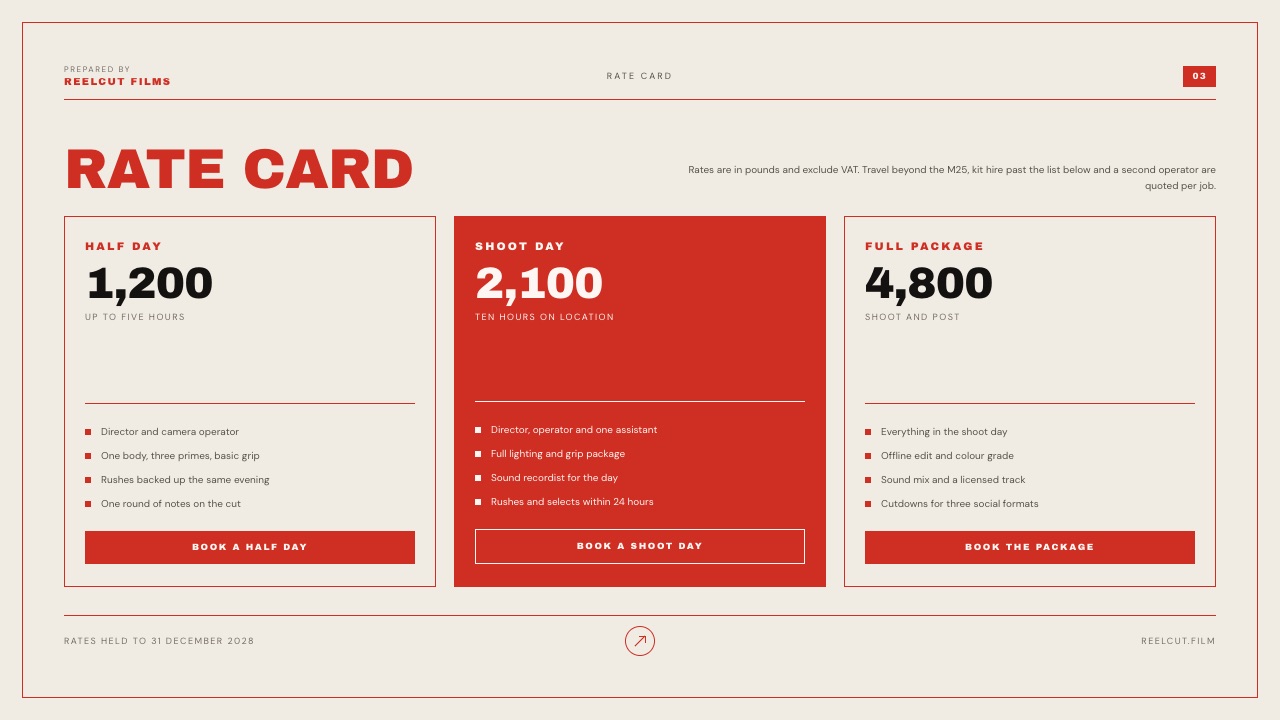
| Framekit Starter | $84 | Yes, as a Framekit deck link or PDF | Rate Card template in Slides | Yes, custom domain on paid plans |
| Framekit Starter plus Storyflow Plus | $179.88 | Yes | Rate Card template | Yes, with planning in Storyflow |
| Figma Professional (one Full seat) | $192 | As a Figma link or PDF | Figma file | Figma Sites is included on Full seats |
| Lovable Pro plus Gamma Plus | $408 | Yes | Gamma | Yes, a coded page on your domain |
A test you can run on your own month: list every document you sent a client in the last 30 days, mark which ones the client had to open in a tool they do not use, and which ones you had to rebuild in another format.
Whichever column has the most marks is the job your alternative has to do, and the scorecard above tells you which tool does it best.
Two caveats on the table. Figma's $16 Full-seat price is the figure its page displays for Professional; if you pay monthly or annually at a different rate, recalculate. And every combination with Claude Pro assumes you keep Claude for everything else, which most readers will.
Moving Work Out of Claude Design Without Starting Over
In one lineClaude Design already exports to PDF, PPTX, standalone HTML and a zip, and sends directly to Canva, Gamma, Lovable, Adobe and a dozen other tools, so switching is usually a handoff, not a rebuild from scratch.
The practical question after choosing an alternative is how to move the work you already have. Anthropic's getting-started guide lists these routes, and the right one depends on where the work is going next.
| Where the work is going | Best route out of Claude Design | What survives |
|---|---|---|
| Canva | Send to Canva | Canva describes the result as fully editable |
| Gamma | Send to Gamma | Gamma describes the result as fully editable |
| Lovable, Vercel, Netlify, Replit, v0 | Send to the app, or standalone HTML | The code |
| Figma | Export as PPTX or PDF, then rebuild | Layout reference only; there is no direct Figma route in Anthropic's list |
| Framekit Slides | Export PDF as a reference, rebuild on a template | Copy and images; the structure comes from the template |
| Google Slides | Export to Google Slides, only from claude.ai/design | Slides |
| Anyone | A static copy |
Figma and Framekit are the honest exceptions: neither appears on Claude Design's send-to list, so moving a Claude Design draft into either means rebuilding. For a treatment that is often fine, because the template's structure is the point of switching.
How to Choose a Claude Design Alternative
This decision guide asks the questions in the order that eliminates the most tools fastest, starting with who has to open the finished work, because that one answer rules out Claude Design itself for many creatives before any feature matters.
1. Will the person receiving your work refuse to make a Claude account? If no, you may not need an alternative at all; keep Claude Design and export PDFs when needed. If yes, go to question 2.
2. Is the output a specific creative document, such as a treatment, lookbook, credentials deck or portfolio book? If yes, use Framekit, whose templates start with that structure. If no, go to question 3.
3. Must someone else edit the result in their own tool? If they use Canva, choose Canva. If they are designers working in Figma, choose Figma.
If they need a PowerPoint they can rework, choose Gamma, whose PPTX export keeps tables editable, or Pitch, which exports PPTX without its branding from Plus. If nobody edits it, go to question 4.
4. Do you need to know who opened it and what they read? If yes and you work alone, choose Gamma Pro. If you pitch as a team, choose Pitch Team. If not, go to question 5.
5. Is the output really a web page? If it must be a working page on your domain, choose Lovable, or a website builder if it is a portfolio. If not, go to question 6.
6. Are you still working out what the project is? If yes, plan in Milanote or Storyflow first and design later. If you know what it is and just need social assets fast, choose Adobe Express.
Frequently Asked Questions
What is the best Claude Design alternative for creatives?
The best Claude Design alternative for creatives is Framekit when the output is a treatment, lookbook or portfolio deck, because its Slides templates start with the right structure and the deck lives on the same account as your website and client galleries.
Canva is better when a client must edit the file, Figma when a design team maintains a system, and Gamma when a deck must open as a link for anyone.
Is there a free alternative to Claude Design?
Yes.
Claude Design has no free tier, since it requires Claude Pro at $200 a year billed annually or $20 a month, but several alternatives have free plans that do real work: Framekit Slides makes unlimited decks on its Free plan, Gamma Free starts with 400 credits, Canva Free includes 1.6 million templates, Figma Starter includes up to 500 AI credits a month, and Pitch Free covers up to 5 members.
Claude Design vs Canva: which is better?
Claude Design is better for exploring a direction by conversation and applying a design system from code, while Canva is better for editable files that clients and marketing teams can change themselves.
The two work together: Claude Design can send a design straight to Canva, where Canva says it arrives fully editable. Canva Pro costs US$144 a year; Claude Design comes with Claude Pro at $200.
Claude Design vs Figma: which should a designer use?
Figma is the better choice for a designer or studio that maintains a component library, needs native design files and hands work to developers, with a Professional Full seat at $16 a month.
Claude Design is faster from a blank page and can build a design system by reading a codebase. Many design teams will use Claude Design to explore and Figma to finish.
Claude Design vs Gamma for presentations?
Gamma is better for presentations that outsiders will open, because Gamma links need no account and Gamma Pro adds viewer analytics, passwords and custom domains. Claude Design links require every viewer to have a Claude account.
Anthropic also now points presentation work to Claude Slides rather than Claude Design. Claude Design can send work directly to Gamma, so the two combine well.
Do people need a Claude account to view a Claude Design link?
Yes. Anthropic's getting-started guide says that on Pro, Max and Team plans you can share a Claude Design project with anyone who has the link, but they need a Claude account to open it.
On Enterprise, links stay inside the organisation unless an owner turns on external sharing. If your audience will not sign in, export a PDF or use a tool with open links.
Can Claude Design make a film treatment or lookbook?
Claude Design can produce a treatment or lookbook from a prompt, but it has no house templates for either, so the structure is whatever the conversation produces.
Tools with treatment and lookbook templates, such as Framekit Slides, start from slides like director's statement, visual approach, references, storyboard and delivery, which is the part first-time treatment writers most often get wrong.
Which Claude Design alternative exports editable PowerPoint files?
Gamma and Pitch are the safest bets: Gamma's PowerPoint export keeps tables as real editable tables, and Pitch includes PPTX export without its branding from the Plus plan at $13 a month paying yearly.
Framekit's PowerPoint export, on Pro and up, is picture-based, so slides arrive as images. Claude Design also exports PPTX directly.
What is the difference between Claude Design and Claude Slides?
Claude Design, launched on 17 April 2026, is Anthropic's tool for designs, prototypes, one-pagers and on-brand visual work, including code-powered prototypes.
Claude Slides, launched in beta on 16 September 2026, is Anthropic's tool for presentations inside a normal Claude conversation, with PowerPoint and PDF download. Anthropic's own help centre now says to use Claude Slides for presentations.
What does Framekit cost once I need my own fonts and no byline?
$84 a year. Starter at $7 a month billed yearly unlocks the full template library, lets you upload your own brand fonts and removes the Framekit byline from decks.
The Free plan before that makes unlimited decks with the AI slide writer and PDF export but without the full template library, which is usually enough to find out whether the output suits your work.
The cost worth checking against that is not another deck tool, it is the hours a treatment currently takes you in a page-layout app.
Final Verdict
Claude Design is an outstanding first-draft machine and the best tool on this page for conversational iteration, interactive prototypes and design systems read from code.
It is a weaker finishing tool for creatives, because every shared link needs a Claude account and nothing in it is built around a treatment or a lookbook.
For creatives making treatments, lookbooks and portfolio decks, Framekit is the best Claude Design alternative, at $84 a year on Starter with the deck, the site and the client deliveries on one account.
Canva wins when the client edits, Figma when a team owns the system, Gamma when strangers must open the link, and Lovable when the page must be live code.
Where Framekit loses is plain: its AI writes a slide at a time instead of generating a whole deck from one prompt, its PowerPoint export is pictures that cannot be rewritten, and its deck links have neither passwords nor per-viewer analytics.
It is not for startup decks, sales decks or anything a client needs to edit in PowerPoint; Gamma, Pitch or Canva is the better fit there.
Related reading: the best AI tools for designers covers the wider design stack, the best AI presentation makers ranks deck generators, and the best film treatment software goes deeper on treatment tools for directors.
Weighing the two biggest names head to head?
Read Claude vs Gamma for presentations, and if a deck is for a portfolio review, the portfolio presentation template walks through the running order.