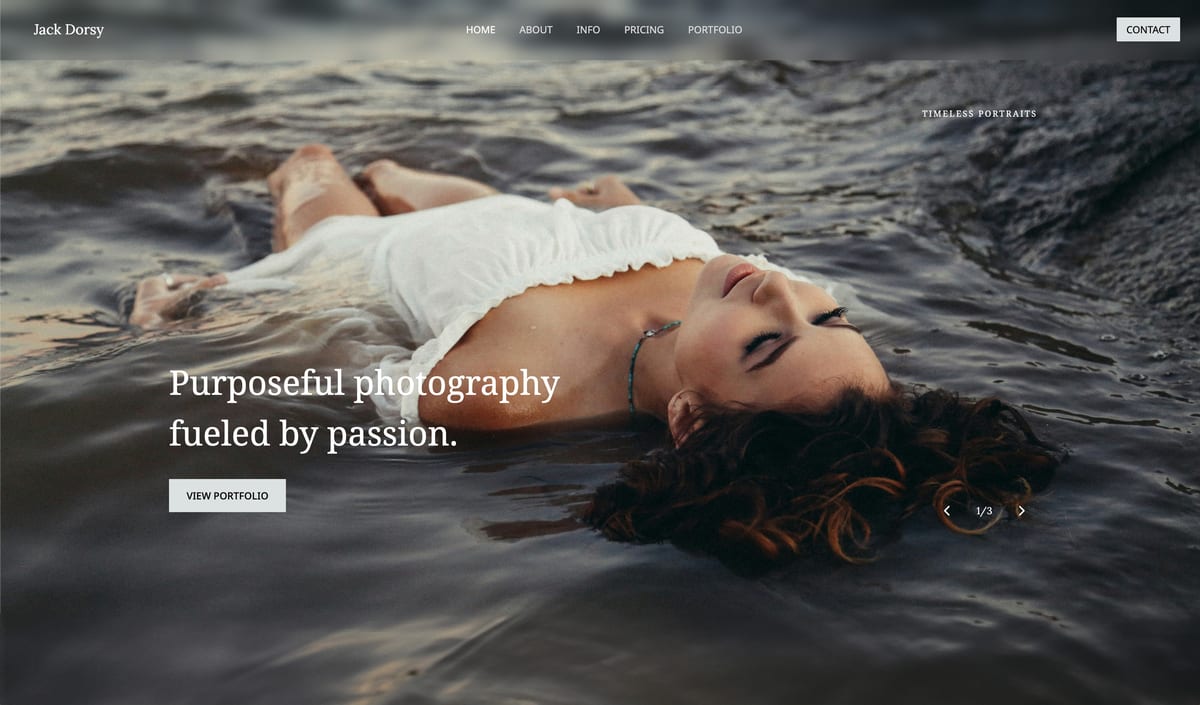
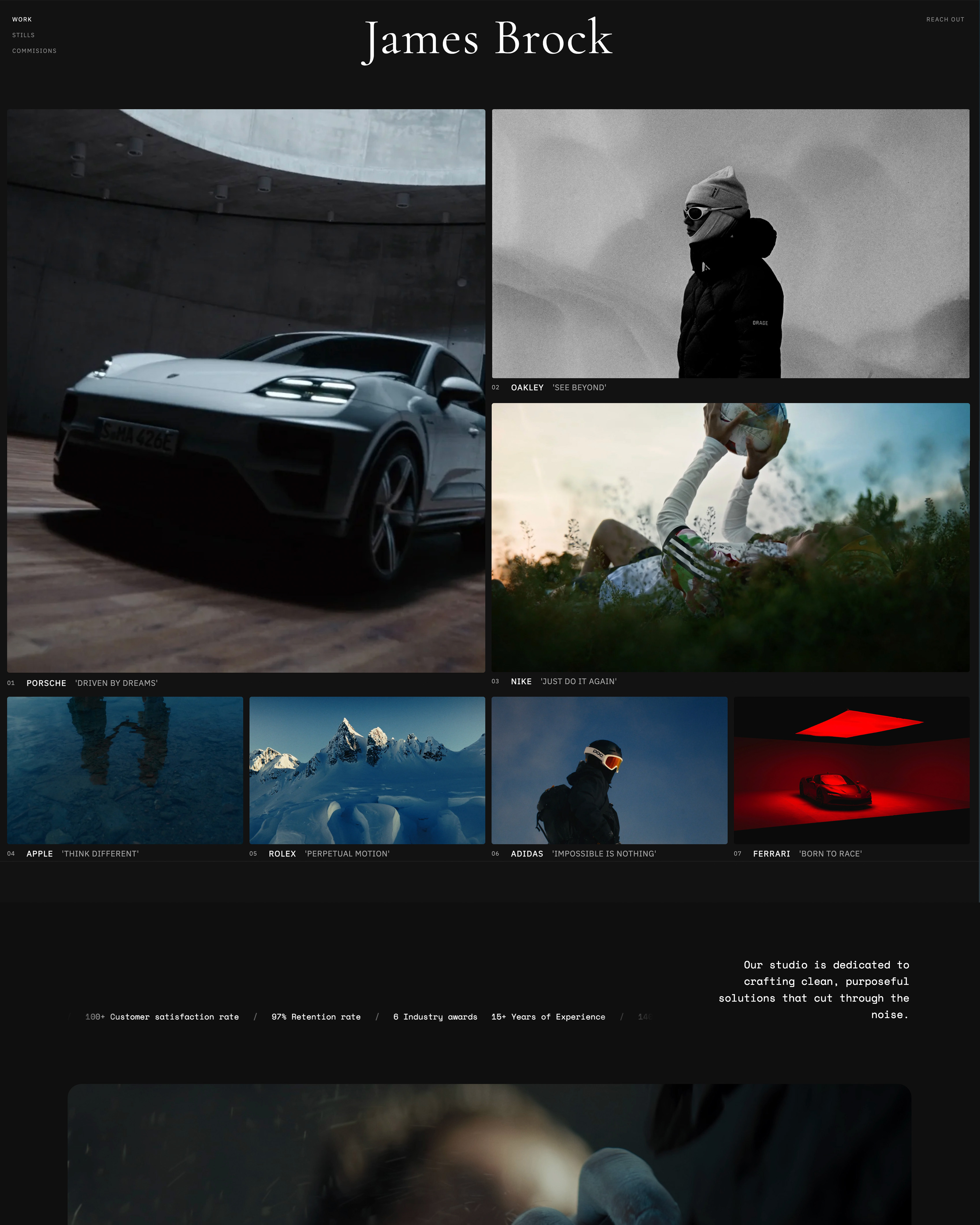
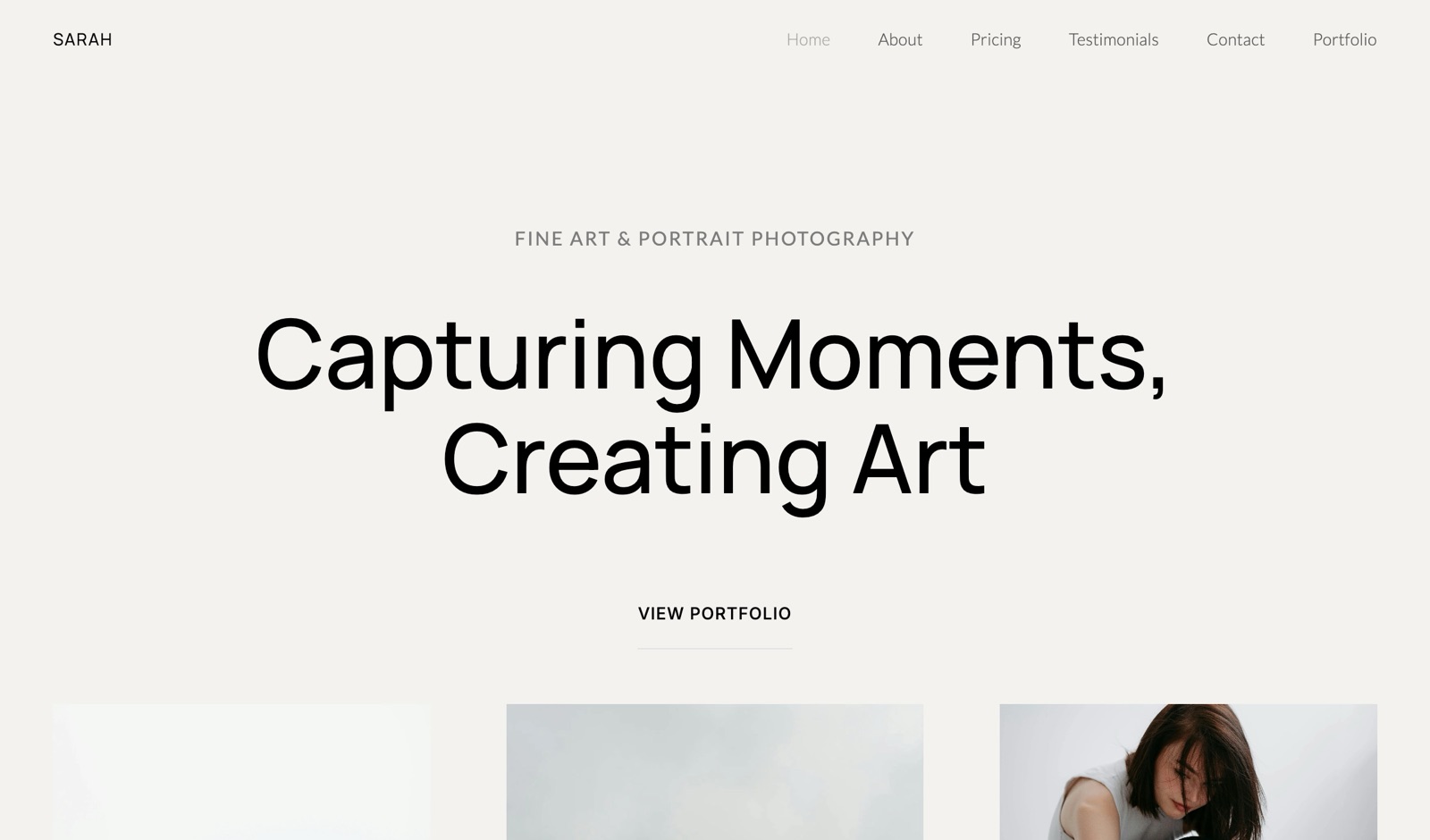
Framekit templates
Start from a designer-made template
 Use template
 Use template
 Use template
 Use template
 Use template
 Use template
 Use template
 Use template
A working photographer's business does not run on one app. It runs on a stack: a website, a gallery tool, a store for digital products, a CRM for bookings and contracts, an editor, accounting software, an email list, maybe a scheduler.
Buy each one separately and the math is sobering - a full stack of Squarespace, a gallery platform, a CRM like HoneyBook or Dubsado, Lightroom, QuickBooks, Flodesk, and Acuity runs well past $2,000 a year in software before you have edited a single frame.
The question is not which single tool wins. It is which tools each own a real job, and where one tool can honestly replace two or three.
That is the honest way to choose photography business tools, and it is why this guide is organized by the job each tool owns rather than as a single winner-takes-all ranking. Some jobs, like editing, have one obvious answer.
Others, like the client-facing layer of website, galleries, and store, are where most photographers overspend by stacking three subscriptions that one tool can carry.
We ranked all 11 on the job they own, and we are clear about where a tool here does not compete at all. Every tool's pricing was re-checked in July 2026.
Updated 12 October 2026: we corrected what Framekit's store sells (digital downloads only, no prints), where its custom domain starts, and a line that described building the stack ourselves.
Adobe's plan pages refused our automated read that day, so the Lightroom and Photography prices below are Adobe's September 2026 figures, replacing an outdated $10.
No single app runs a photography business - the smart move is knowing which tool owns which job.
A photography business tool is software a working photographer runs to book clients, deliver and sell photos, edit, invoice, or market - and most photographers run a whole stack of them, a website and gallery platform, a CRM, an editor, accounting software, and an email tool, rather than any single app.
The best photography business tool in 2026 for the client-facing revenue layer is Framekit, because it consolidates your website, client galleries, and digital-product store into one platform, on your own domain from the $9 Starter plan, replacing two or three stacked subscriptions.
The honest limit: Framekit is not a CRM, an editor, an accounting tool, or an email marketer - for booking and contracts use HoneyBook, Dubsado, or Studio Ninja; for editing, Adobe Lightroom; for accounting, Wave or QuickBooks; for email, Flodesk.
No single tool runs the whole business, and Framekit owns the revenue-facing layer, not the back office.
Framekit turns your website, galleries, and store into one owned platform, cutting the client-facing part of your stack, and the free plan needs no credit card.
Full disclosure: Framekit, ranked #1 below, is our own product, and this is a roundup of a whole stack, not a claim that one tool does everything. Framekit owns the website, galleries, and store layer. It does not book clients, send contracts, edit photos, do your books, or run your email list - and this guide names the best specialist for each of those jobs, because pretending one tool replaces all of them would be dishonest. We re-verified every price in July 2026. If you want a single tool for booking, contracts, and invoicing, a CRM beats us, and we say so plainly below.
How We Compared These Photography Business Tools
We mapped the stack a full-time photographer actually runs and judged each tool, from its published plans and features, on the single job it owns, not on a feature checklist:
The job it owns. What this tool is genuinely best at, and whether that job is essential or optional for your business.
Consolidation. Whether it replaces other tools or adds another subscription, since a stack of overlapping apps is where money leaks.
Ownership. Whether the client-facing work lives on something you own or on a platform's subdomain.
Real cost. The monthly price plus any per-sale or transaction fees, checked in July 2026.
Who it is not for. The photographer who should skip it, because no tool here fits everyone.
We follow one photographer through the guide: a full-time portrait and wedding photographer running bookings, delivery, digital-product sales, and an email list. We re-checked every price in July 2026 and note where a tool recently changed its plans.
What Comparing 11 Photography Business Tools Showed
- A full separately-bought stack runs past $2,000 a year, so consolidation is the single biggest lever on your software cost.
- The client-facing layer - website, galleries, store - is where photographers most often stack three subscriptions that one owned tool can carry.
- The back office - CRM, contracts, invoicing, accounting - is a different job, and dedicated tools like HoneyBook, Dubsado, and Studio Ninja do it far better than any website builder.
- Editing has one near-universal answer, Adobe Lightroom, and no business tool replaces it.
- Framekit is the one tool here whose every plan, free included, carries a website, unlimited galleries and a digital store; the rest each own a single lane or, like Pixieset and Sprout Studio, cover part of that layer.
The 11 Best Photography Business Tools in 2026
How the ratings work: each tool is scored on the job it owns, how much it consolidates, ownership, and cost.
Because these tools do different jobs, the ranking reflects how essential and consolidating each is - Framekit tops it for owning and merging the revenue-facing layer, not for doing everything.
| Tool | Category | Best For | Our Rating |
|---|---|---|---|
| Framekit | Website + galleries + store | The owned revenue layer | 9.2/10 |
| Adobe Lightroom | Editing | Culling and editing | 8.9/10 |
| HoneyBook | Client management | Booking to payment in one | 8.8/10 |
| Dubsado | CRM + automation | Workflow automation | 8.5/10 |
| Studio Ninja | Photography CRM | Simple photography admin | 8.3/10 |
| Pixieset | Galleries + store | Gallery delivery | 8.2/10 |
| Wave / QuickBooks | Accounting | Bookkeeping and taxes | 8.0/10 |
| Flodesk | Email marketing | Beautiful newsletters | 7.9/10 |
| Canva | Design and graphics | Marketing graphics | 7.8/10 |
| Sprout Studio | All-in-one suite | One-tool back office | 7.7/10 |
| Acuity Scheduling | Scheduling | Client booking | 7.5/10 |
Pricing re-verified July 2026. CRMs and accounting tools charge monthly; some add transaction fees; note Flodesk changed its plans in December 2025. Confirm current pricing before you buy.
1. Framekit: Best for the Owned Revenue Layer

Our rating: 9.2/10
Framekit is an AI website builder with client galleries and a digital-product store built in, and its job in your stack is the client-facing revenue layer: the website clients land on, the galleries you deliver, and the store where you sell presets, LUTs, and templates as digital downloads - all on one account, on your own domain from the $9 Starter plan.
Most photographers assemble this from three tools: a site builder like Squarespace, a gallery platform like Pixieset, and a store like Gumroad.
Framekit carries all three in one subscription, which is where it earns the top spot in this roundup.
Best forPhotographers who want their website, client galleries, and product store in one owned platform instead of three stacked subscriptions.
Key features:
- Website, client galleries, and digital store in one platform, on your own domain from Starter
- Unlimited galleries on every plan, so delivery has no cap
- A store for presets, LUTs, and templates as digital downloads, with a low transaction fee (no print sales)
- Designer-trained AI (the Cadence and Score models) that builds the site for you
- One subscription and one brand instead of a site tool plus a gallery tool plus a store

Here is the honest boundary, and it matters for a roundup like this. Framekit does not run your back office.
It does not book clients, send contracts, generate invoices, track leads, edit photos, do your bookkeeping, or send your email newsletters. Those are real jobs, and this guide names the best tool for each below.
What Framekit does is take the part of the stack where photographers most often overpay - a $29-a-month site plus a $20-a-month gallery tool plus a store that skims 10% per sale - and consolidate it into one platform from $9 to $39 a month, with a 5% to 0% product-sale fee depending on plan plus Stripe's own processing, on a site you own rather than rent.
The real numberstacking Squarespace Core at about $29 a month and a mid-tier gallery plan at about $20 a month is roughly $588 a year for site plus galleries alone, before a store.
Framekit Pro is $19 a month, about $228 a year, for the site, unlimited galleries, and a store together - and each sale is sent to your brand, not a marketplace's.
Pricing (pooled account storage in parentheses)Free $0 (10GB), Starter $9 per month (50GB), Pro $19 per month (300GB), Business $39 per month (2TB). Product-sale fee: 5% on Free and Starter, 3% on Pro, 0% on Business.
Pros:
- Consolidates website, galleries, and store into one owned platform
- Unlimited galleries and a low or zero product-sale fee
- Cuts the client-facing part of your stack roughly in half
Cons:
- Not a CRM, so no booking, contracts, or invoicing
- Not an editor, accounting tool, or email marketer
- You still need back-office tools alongside it
Skip it ifyou want one tool to run booking, contracts, and invoicing - that is a CRM like HoneyBook or Dubsado, not a website builder.
Verdict: Framekit is the best tool for the owned revenue layer of a photography business, consolidating three subscriptions into one you control. Pair it with a CRM, an editor, and accounting for the rest of the stack. Compare the gallery side in our best client gallery platforms guide, or start free at framekit.ai.
2. Adobe Lightroom: Best for Editing
Our rating: 8.9/10
Lightroom is the one tool in this guide almost every photographer runs and none of the others replace: culling, editing, presets, and catalog management, the craft layer of the business.
At US$19.99 a month billed annually for the 1TB tier new subscribers can buy, the Photography plan is the least controversial line on the invoice, and its AI masking and denoise have only widened its lead.
No CRM, gallery tool, or website builder does this job, which is why editing is a fixed cost in every stack rather than a choice you re-open each year.
The step before it is worth costing separately: culling tools are priced per image, per month, and once forever, and the three models diverge sharply across a full wedding season.
Best forPhotographers who need serious RAW culling, editing, and catalog management, which is nearly all of them.
Key features:
- Non-destructive RAW culling, editing, and catalog management
- AI masking, denoise, and lens corrections that cut time per shoot
- Preset creation and syncing across desktop and mobile
- Cloud sync so edits and catalogs follow you between devices
- A tight round-trip with Photoshop on the Photography plan
The real numberthe Photography plan was US$19.99 a month billed annually for 1TB on Adobe's plan comparison when it last answered us in September 2026, the one editing cost most photographers simply accept, because no business tool in this roundup touches the editing job at all.
PricingPhotography plan (1TB) US$19.99 a month and Lightroom (1TB) alone US$11.99, both billed annually as last read in September 2026; subscription only, with no perpetual license.
Pros:
- The near-universal editing standard, unmatched by any bundled tool
- AI masking and denoise remove real minutes from every shoot
- Presets and cloud sync keep edits consistent across devices
Cons:
- Subscription only, so the day you stop paying, the editor stops
- The entry storage tier fills fast with heavy catalogs
- Does nothing for booking, delivery, or selling
Skip it ifyou edit entirely in Capture One or another editor, though most photographers still touch Lightroom somewhere.
Verdict: Lightroom is the near-universal editing tool, and no business platform here competes with it - budget it as a fixed cost. Visit Adobe Lightroom
3. HoneyBook: Best Client Management
Our rating: 8.8/10
HoneyBook owns the job Framekit does not: client management from inquiry to payment - lead capture, proposals, contracts, invoices, and payments in one flow.
For a photographer who wants booking-to-paid in a single tool, it is the category leader, with a polished client experience that reads professional to the couple or client on the other end.
Where a website builder shows and sells your work, HoneyBook runs the paperwork behind the booking.
Best forPhotographers who want inquiry, contract, invoice, and payment handled in one booking-to-paid tool.
Key features:
- Lead capture, proposals, and branded contracts in one place
- Invoicing and card payments built in
- Automated inquiry and follow-up workflows
- A client portal that reads professional to couples and clients
- Scheduling included, so a separate booking tool is often redundant
The real numberplans run $36 a month for Starter, $59 for Essentials, and $129 for Premium billed monthly and cheaper billed annually, and every plan adds a 2.9% plus 25-cent fee on card payments (HoneyBook pricing), so the subscription is not the whole cost.
Pricing$36 Starter / $59 Essentials / $129 Premium per month; card fee 2.9% plus 25 cents; trial only, with no permanent free plan.
Pros:
- The most polished booking-to-payment flow in the category
- Contracts, invoicing, and scheduling in one subscription
- A professional client experience that lifts your brand
Cons:
- No permanent free plan, only a trial
- The 2.9% plus 25-cent payment fee sits on top of the subscription
- It raised prices sharply in 2025, so the entry tier costs more than long-time users remember
Skip it ifyou want deeper workflow automation, where Dubsado goes further, or a photography-specific tool at a lower price, where Studio Ninja fits.
Verdict: HoneyBook is the best single tool for running bookings, contracts, and invoicing end to end. Visit HoneyBook
4. Dubsado: Best for Workflow Automation
Our rating: 8.5/10
Dubsado covers the same booking-to-invoice ground as HoneyBook but leans harder into automation: multi-step workflows that fire emails, forms, and tasks as a project moves, which pays off once your client volume is high enough to feel the repetition.
For a photographer running a full calendar, the automation quietly does the follow-up that would otherwise slip, which is where it earns its place beside the simpler CRMs.
Best forPhotographers with enough volume to automate a repeatable booking-to-invoice workflow.
Key features:
- Multi-step workflows that trigger emails, forms, and tasks automatically
- Contracts, proposals, and invoicing in one place
- Customizable forms and client portals
- Scheduling and payment collection built in
- A no-time-limit free trial capped at three clients
The real numberStarter runs about $20 a month and Premier about $40 for scheduling and automation (Dubsado pricing), and the free trial has no time limit but caps you at three clients, so you can test the whole system before paying.
PricingStarter about $20 a month, Premier about $40 a month; free trial with no time limit and a three-client cap.
Pros:
- The deepest workflow automation of the photography CRMs
- Try the full tool free within a three-client cap
- A lower base price than HoneyBook's entry tier
Cons:
- The automation power comes with a steeper setup
- Overkill for a photographer with a light booking calendar
- Less out-of-the-box polish than HoneyBook
Skip it ifyou want the simplest possible booking tool; Studio Ninja and HoneyBook are gentler to set up.
Verdict: Dubsado is the best CRM for a photographer who will invest in automating a high-volume workflow. Visit Dubsado
5. Studio Ninja: Best Simple Photography CRM
Our rating: 8.3/10
Studio Ninja is built specifically for photographers and aims at simplicity: lead management, bookings, contracts, and invoicing without the setup curve of a heavier CRM.
For a photographer who wants photography-shaped admin and not a general-purpose tool to configure, it hits a sweet spot - the workflow maps to how shoots actually run, so you spend the setup time shooting instead of building forms.
Best forPhotographers who want photography-shaped client admin, not a general-purpose CRM to configure.
Key features:
- Lead, booking, contract, and invoice management in one photographer-shaped tool
- A visual job workflow that maps to how shoots actually run
- Automated reminders for enquiries, payments, and tasks
- Calendar and payment integrations
- A gentle setup curve compared with heavier CRMs
The real numberStarter is about $16 a month for five active jobs, Pro about $27 for unlimited jobs, and Master about $40 (Studio Ninja pricing), so a busy photographer needs at least the Pro tier to clear the job cap.
PricingStarter about $16 a month (five active jobs), Pro about $27 (unlimited jobs), Master about $40.
Pros:
- Purpose-built for photographers, so little configuration
- The simplest booking-to-invoice setup of the three CRMs here
- A lower entry price than HoneyBook
Cons:
- Starter's five-job cap pushes most working pros to Pro
- Less automation depth than Dubsado
- Fewer all-in-one extras than HoneyBook or Sprout Studio
Skip it ifyou want the automation depth of Dubsado or the all-in-one polish of HoneyBook.
Verdict: Studio Ninja is the best pick for a photographer who wants straightforward, photography-specific client admin. Visit Studio Ninja
6. Pixieset: Galleries and Store
Our rating: 8.2/10
Pixieset is the gallery-and-store layer for photographers who keep that separate from their website: polished client galleries, a print store, and a clean delivery experience.
As a dedicated gallery platform it is among the strongest, which is why it earns a place even where Framekit consolidates the same job into an owned site.
The real question is not whether Pixieset is good - it is whether you want galleries bundled into your own site or run as a standalone tool on a Pixieset subdomain.
Best forPhotographers who want a dedicated gallery-and-print-store platform kept separate from their website.
Key features:
- Polished client galleries with favorites, downloads, and slideshows
- A print store with professional-lab fulfilment
- Watermarking, passwords, and client download controls
- A free tier plus paid plans from about $10 a month
- A separate Studio Manager add-on for CRM and invoicing
The real numberthe free tier carries a 15% store commission, while paid plans from about $10 a month drop that to 0%, so a selling photographer wants a paid plan; delivery runs on a Pixieset subdomain unless you map a domain to it.
Pricingfree tier (3GB, 15% store commission); paid plans from about $10 a month at 0% store commission.
Pros:
- A dedicated, polished gallery-and-store platform
- Professional-lab print fulfilment that Framekit does not run
- 0% store commission on paid plans
Cons:
- Galleries live on a Pixieset subdomain, not your owned site by default
- Another subscription and login beside your website
- Overlaps directly with Framekit's gallery and store role
Skip it ifyou want galleries and a store bundled into your owned website rather than run as a standalone tool - that is Framekit's consolidation lane, and our best Pixieset alternatives guide covers moving that layer onto your own site.
Verdict: Pixieset is among the strongest dedicated gallery-and-store platforms, worth it if you keep delivery separate from your site. Visit Pixieset
7. Wave / QuickBooks: Best for Accounting
Our rating: 8.0/10
Accounting is the least glamorous line in the stack and the one photographers most often neglect until tax season.
Wave offers genuinely free core accounting and invoicing, which covers many solo photographers, while QuickBooks, from around $35 a month, adds deeper reporting, mileage, and accountant-friendly exports that scale with a growing business.
Neither is photography-specific, and neither is replaced by a CRM's basic bookkeeping reports once your taxes get real.
Best forPhotographers who need real bookkeeping - free while solo, deeper as the business grows.
Key features:
- Free core accounting, invoicing, and receipt tracking in Wave
- Income and expense categorization ready for tax time
- QuickBooks adds reporting, mileage, and accountant-friendly exports
- Bank connections and reconciliation
- Both handle a photography profit-and-loss without extra add-ons
The real numberWave's core accounting and invoicing are genuinely free, covering many solo shooters, while QuickBooks starts around $35 a month for the deeper reporting a growing studio needs - so start free and upgrade only when complexity demands it.
PricingWave free for core accounting and invoicing; QuickBooks from around $35 a month.
Pros:
- Wave is genuinely free for solo-photographer bookkeeping
- QuickBooks scales to accountant-grade reporting and taxes
- Neither is replaced by a CRM's basic bookkeeping reports
Cons:
- Neither is photography-specific
- QuickBooks' cost climbs with add-ons and extra users
- Migrating from Wave to QuickBooks later takes some cleanup
Skip it ifhonestly, you should not skip accounting - but a CRM's built-in invoicing may delay the need until your taxes get more serious.
Verdict: Accounting is a job no gallery or website tool touches, so it stays a separate, essential line - start with Wave and move to QuickBooks when complexity demands it. Visit Wave
8. Flodesk: Best for Email Marketing
Our rating: 7.9/10
Flodesk is the email tool photographers reach for because its templates look designed rather than corporate, which matters when your brand is visual.
Email is where a photographer turns past clients into repeat bookings and preset buyers, so it earns its place, but it is a distinct job no gallery or CRM fully covers - which is why it sits in the stack as its own line rather than folded into another tool.
Flodesk is not the cheapest way to do that job once your list grows, and our subscriber-tier cost comparison of eleven email platforms prices the same list at 1,000, 5,000, and 25,000 contacts if you want to check the trade before you commit.
Best forPhotographers who want designed newsletters that turn past clients into repeat bookings and product sales.
Key features:
- Email templates that look designed, not corporate
- A visual layout editor suited to a photography brand
- Automated welcome and nurture sequences
- Signup forms and landing pages
- Sales workflows for selling presets and digital products by email
The real numberFlodesk retired its flat-rate unlimited plan for new members in December 2025, and pricing now scales with subscriber count - roughly $25 a month for Lite up to 1,000 subscribers, more as your list grows, with legacy customers grandfathered (Flodesk pricing).
Pricingfrom about $25 a month (Lite, up to 1,000 subscribers), scaling with list size; legacy flat-rate plans grandfathered.
Pros:
- The most designed email templates for a visual brand
- Automations that drive repeat bookings and product sales
- Pairs naturally with a store for selling presets
Cons:
- Retired its flat unlimited plan for new members in December 2025
- Cost now scales with subscriber count as your list grows
- A distinct job that no gallery or CRM fully covers
Skip it ifyou need only occasional email and a free tier, where Mailchimp and others offer that at smaller list sizes.
Verdict: Flodesk is the email tool for a visual brand that wants designed newsletters driving repeat work. Visit Flodesk
9. Canva: Best for Marketing Graphics
Our rating: 7.8/10
Canva is the design tool for everything around the photography itself: social posts, pricing guides, welcome PDFs, and marketing graphics, with a capable free tier and Pro at around $13 a month.
It is not for editing photos - that is Lightroom - but for the branded collateral a photography business needs, it is fast and requires no design training.
Most photographers open it occasionally rather than daily, which is why it sits mid-pack: useful, cheap, and optional rather than load-bearing.
Best forPhotographers who need branded marketing collateral without design training.
Key features:
- Templates for social posts, pricing guides, and welcome PDFs
- A brand kit for consistent fonts, colors, and logos
- Drag-and-drop design that needs no training
- Export-ready graphics for web, print, and social
- A capable free tier plus Pro at about $13 a month
The real numberthe free tier covers most occasional needs, and Pro at about $13 a month adds brand kits and premium assets - useful and cheap, but a tool most photographers reach for now and then rather than every day.
Pricinga capable free tier; Pro at about $13 a month.
Pros:
- Fast branded collateral with no design skill required
- A genuinely useful free tier
- A cheap Pro upgrade for brand kits and premium assets
Cons:
- Not a photo editor - that job belongs to Lightroom
- Occasional rather than load-bearing for most photographers
- Template-based work can look generic without effort
Skip it ifyou already design in Photoshop or Affinity and do not need templated collateral.
Verdict: Canva is the fast, cheap marketing-graphics layer, distinct from both editing and your client-facing site. Visit Canva
10. Sprout Studio: All-in-One Photography Suite
Our rating: 7.7/10
Sprout Studio tries to be the whole back office in one tool: CRM, invoicing, contracts, bookings, scheduling, galleries, email, and album proofing, built specifically for photographers.
For a photographer who wants a single subscription for the business side, it is a genuine option, and it overlaps with several tools in this guide at once - which is exactly its pitch and its trade-off.
Best forPhotographers who want one login for the back office and will trade some per-lane quality for it.
Key features:
- CRM, contracts, invoicing, and bookings in one suite
- Scheduling, email, and album proofing built in
- Galleries included alongside the admin tools
- Built specifically for photographers
- One subscription covering several jobs at once
The real numberSprout Studio runs from about $19 a month for Lite to $69 for Unlimited (Sprout Studio pricing), so one subscription covers several tools - but each module is decent rather than the strongest in its lane, so you trade some quality for consolidation.
Pricingfrom about $19 a month (Lite) to $69 a month (Unlimited).
Pros:
- One login for the whole photography back office
- Photographer-specific, so little generic configuration
- Consolidates several subscriptions into one bill
Cons:
- Each module is adequate rather than the strongest in its lane
- Its galleries are not a dedicated gallery platform
- Its site is not an owned website builder
Skip it ifyou want the best tool in each lane rather than one adequate suite - build the specialist stack instead.
Verdict: Sprout Studio suits a photographer who values one login over the strongest tool in each lane. Visit Sprout Studio
11. Acuity Scheduling: Best for Client Booking
Our rating: 7.5/10
Acuity, owned by Squarespace, does one job well: letting clients book and pay for sessions from your calendar without the back-and-forth.
For a portrait or mini-session photographer whose bookings are high-volume and calendar-driven, it removes real friction, though a full CRM like HoneyBook or Dubsado includes scheduling and may make a standalone tool redundant.
Best forPortrait and mini-session photographers whose booking volume is the bottleneck.
Key features:
- Client self-booking and payment from your calendar
- Automated confirmations, reminders, and intake forms
- Calendar sync that prevents double-bookings
- Mini-session and package scheduling
- Squarespace ownership, so it pairs with a Squarespace site
The real numberAcuity runs from about $20 a month for the Emerging plan up to about $49 for higher tiers, so it earns its place mainly when booking volume justifies a dedicated scheduler over the one already built into a full CRM.
Pricingfrom about $20 a month (Emerging), about $27, and about $49 for higher tiers; owned by Squarespace.
Pros:
- Removes the booking back-and-forth for high-volume calendars
- Clean client self-booking and payment
- Pairs naturally with a Squarespace site
Cons:
- A full CRM like HoneyBook or Dubsado already includes scheduling
- Standalone value only when booking is the bottleneck
- Another subscription if you already run a CRM
Skip it ifyou already run HoneyBook or Dubsado, whose built-in scheduling likely makes a standalone tool redundant.
Verdict: Acuity is the scheduling layer, valuable mainly when booking volume justifies a dedicated tool. Visit Acuity Scheduling
The Client-Facing Layer Is Where Stacks Leak Money
In one linethe website, galleries, and store are one job wearing three subscriptions in most photographers' stacks, so consolidating them into one owned platform is the biggest single saving available - which is exactly the lane Framekit occupies.
Look at where the money actually goes in a photographer's software budget and a pattern appears: the back-office tools each own a distinct job, but the client-facing layer is one job - showing and selling your work - split across three bills.
A site builder hosts the portfolio, a separate gallery platform delivers the photos, and a third store takes a cut of every digital sale. Each is a subscription, each is a login, and the store often skims 10% per sale on top.
This is the leak, and it is why consolidating the client-facing layer saves more than trimming any single back-office tool.
One platform that carries the website, the galleries, and the store removes two subscriptions and a per-sale skim at once, and if it runs on a domain you own, it also stops sending your buyers to a marketplace that shows them competitors.
The back office - CRM, editing, accounting - stays specialized, but the revenue-facing layer is the one place consolidation is almost always the right call.
Our best website builders for creative professionals guide covers the owned-site side of that decision.

The Back Office Is Where Specialists Beat Any All-in-One
In one linebooking, contracts, invoicing, editing, and accounting are jobs where a dedicated tool beats a bundled one, so the honest stack is a consolidated client-facing layer plus dedicated specialists for the back office - not one app pretending to do everything.
The mirror image of the client-facing layer is the back office, and here the advice flips.
Booking and contracts, editing, and accounting are jobs where depth matters, and the all-in-one suites that try to cover all of them tend to be adequate at each rather than excellent.
A dedicated CRM like HoneyBook or Dubsado handles the booking-to-paid flow better than a website builder's add-on ever will; Lightroom edits better than any bundled tool; real accounting software survives a tax audit in a way a CRM's basic reports do not.
So the honest stack is not one app. It is a consolidated client-facing layer - website, galleries, store in one owned platform - paired with specialists for the jobs that reward depth.
That is why this guide ranks Framekit first for the lane it owns while sending you to HoneyBook, Dubsado, Studio Ninja, Lightroom, and Wave for the lanes it does not.
A photographer who wants the single-login convenience of an all-in-one like Sprout Studio can have it, but the trade is quality for consolidation, and it is worth making that trade with eyes open.
Our best photo delivery tools guide covers the delivery lane in depth.
How to Build Your Photography Tool Stack: A Decision Tree
Start with the job you are overpaying for or duplicating, then fill the gaps.
Are you paying for a separate website, gallery tool, and store?
- Yes, all three. Consolidate them into Framekit - one owned platform for the client-facing layer, replacing two or three subscriptions.
- No, that is already handled. Move to the back office below.
What is your biggest back-office gap?
- Booking, contracts, and invoicing: HoneyBook for all-in-one, Dubsado for automation, or Studio Ninja for simple photography admin.
- Editing: Adobe Lightroom - non-negotiable and unreplaced.
- Accounting: Wave if you are solo and simple, QuickBooks as you grow.
- Email marketing: Flodesk for designed newsletters that drive repeat bookings.
Want one login for the whole back office and will trade some quality for it?
- Yes: Sprout Studio as an all-in-one photography suite.
- No, I want the best tool per job: build the stack above.
Frequently Asked Questions
What are the essential business tools for photographers?
The essential stack is a website and gallery platform to show and deliver work, a CRM for bookings, contracts, and invoicing, an editor, and accounting software, with an email tool and scheduler as strong additions.
The website, galleries, and store can be consolidated into one owned platform like Framekit, while the back office - CRM, editing, accounting - stays specialized.
Not every photographer needs every tool, but a working professional typically runs some version of this stack, and the goal is to own the client-facing layer and pick the best specialist for each back-office job.
What is the best all-in-one tool for a photography business?
There is no single tool that does the whole job well, which is the honest answer.
All-in-one suites like Sprout Studio and HoneyBook cover much of the back office, but their galleries and sites are not as strong as dedicated tools, and no all-in-one replaces Lightroom for editing.
The best approach is to consolidate the client-facing layer - website, galleries, store - into one owned platform like Framekit, then pair it with a dedicated CRM, editor, and accounting tool.
Consolidate where one job wears three subscriptions; specialize where depth matters.
Do I need a CRM as a photographer?
If you book clients, send contracts, and invoice, a CRM saves real time and looks more professional to clients than piecing it together manually.
HoneyBook, Dubsado, and Studio Ninja all handle the booking-to-paid flow, differing mainly in automation depth and price.
A photographer just starting, with a handful of clients, can manage with simpler tools, but once bookings are regular, a CRM pays for itself in hours saved and fewer dropped leads.
It is a different job from your website and galleries, so it is a separate line in the stack.
How much do photography business tools cost per year?
A full stack bought separately runs past $2,000 a year: a website at about $29 a month, galleries at about $20, a CRM at $40 to $59, Lightroom at $10, accounting at $35, and email at $25 add up quickly.
The biggest saving is consolidating the client-facing layer - website, galleries, and store - into one platform like Framekit from $9 to $39 a month, which can replace two or three of those lines.
The back-office tools stay separate, but cutting the overlap in the revenue-facing layer is the single largest lever on the total.
Can one tool replace my whole photography software stack?
No, and any tool claiming to is overpromising on at least one job.
All-in-one suites cover parts of the back office but have weaker galleries and no real editor; a website builder consolidates the client-facing layer but is not a CRM or accounting tool.
The realistic goal is fewer tools, not one tool: consolidate the website, galleries, and store into one owned platform, then run a dedicated CRM, Lightroom, and accounting alongside.
Aiming for a single app usually means accepting a weak version of a job that matters.
Is Framekit a photography CRM?
No, Framekit is not a CRM, and it does not book clients, send contracts, or generate invoices.
Framekit is an AI website builder with client galleries and a digital-product store, so it owns the client-facing revenue layer - your website, gallery delivery, and product sales - on your own domain from the $9 Starter plan.
For the CRM job of bookings, contracts, and invoicing, use HoneyBook, Dubsado, or Studio Ninja alongside Framekit.
The two do different jobs, and a complete stack usually includes both a consolidated client-facing platform and a dedicated CRM.
What is the best tool to sell digital products as a photographer?
For selling presets, LUTs, and templates on a site you own, Framekit includes a store with a 5% to 0% transaction fee depending on plan, plus Stripe's processing, so sales happen on your brand rather than a marketplace.
Standalone options like Gumroad are quick to start but charge around 10% plus a flat fee per sale and put your product on their page next to competitors.
The best choice depends on whether you want the store integrated into your owned site and galleries, which favors a consolidated platform, or a fast standalone storefront. Our guide to selling digital products covers the fee math in detail.
HoneyBook vs Dubsado vs Studio Ninja - which CRM should I choose?
HoneyBook is the most polished all-in-one for booking to payment and the easiest to start, at a higher price after its 2025 increase.
Dubsado goes deepest on workflow automation and rewards photographers who invest in setup, at a lower base price.
Studio Ninja is the simplest and most photography-specific, best for a photographer who wants straightforward admin without configuration.
All three cover the core booking-to-invoice job, so the choice comes down to whether you value polish, automation, or simplicity, and how much you want to spend.
What is the best email marketing tool for photographers?
Flodesk is the common pick because its templates look designed, which suits a visual brand, though it changed its pricing in December 2025 and now scales with subscriber count rather than a flat unlimited rate.
Alternatives like Mailchimp offer a free tier at lower list sizes.
Email marketing is where a photographer turns past clients into repeat bookings and product buyers, so it earns a place in the stack, but it is a distinct job that no gallery or CRM fully covers.
Choose based on how designed you need the emails to look and how large your list is.
Do I need a separate website and gallery tool?
Not anymore - the website and gallery are the same job, showing and delivering your work, and platforms like Framekit carry both plus a store in one owned subscription.
Running a separate site builder and gallery platform means two bills, two logins, and often a gallery on a subdomain rather than your own site.
Consolidating them saves money and, from the $9 Starter plan, keeps everything on a domain you control.
The exception is if you are committed to a specific gallery platform's features, but for most photographers, one platform for site and galleries is the cheaper, simpler choice.
What accounting software should a photographer use?
Wave offers genuinely free core accounting and invoicing that covers many solo photographers, making it the best starting point.
QuickBooks, from around $35 a month, adds deeper reporting, mileage tracking, and accountant-friendly exports as your business grows and your taxes get more complex.
A CRM's basic bookkeeping reports are not a substitute for real accounting software once you are filing serious taxes.
Start with Wave while you are simple and solo, and move to QuickBooks when your finances justify the cost and the deeper features.
What is the cheapest way to run a photography business?
Consolidate the client-facing layer into one platform and use free tools where they are genuinely good.
Framekit has a free plan for website and galleries, Wave is free for accounting, and Lightroom at US$11.99 a month on its own is the one editing cost most photographers accept.
The biggest waste is stacking a separate website, gallery tool, and store when one platform carries all three, so cutting that overlap is the cheapest single move.
Add paid CRM and email tools only when your client volume makes them pay for themselves.
Is Sprout Studio or HoneyBook better?
HoneyBook is the stronger dedicated client-management tool, with a more polished booking-to-payment flow, while Sprout Studio is a broader all-in-one that adds galleries, email, and proofing built for photographers.
If you want the best CRM experience and will run galleries elsewhere, HoneyBook wins; if you want one login for the whole back office and will accept adequate galleries, Sprout Studio makes sense.
Neither replaces a dedicated owned website and gallery platform or Lightroom, so both sit inside a larger stack rather than being the whole answer.
What is the best free tool for photographers?
Several tools have genuinely useful free tiers: Framekit's free plan for a website and galleries, Wave for accounting, Canva's free tier for marketing graphics, and Pixieset's free gallery tier.
The catch is that free tiers have limits - storage, client caps, or branding - that a growing business outgrows.
The smart approach is to start on free plans to keep costs near zero while you build, then upgrade the one or two tools that become load-bearing. Editing is the exception, since Lightroom has no free tier most professionals rely on.
Final Verdict: The Best Photography Business Tools
No single app runs a photography business, and any tool that claims to is weak at some job that matters. The smart stack consolidates where one job wears three subscriptions and specializes where depth counts.
Framekit is the best tool for the client-facing revenue layer - website, galleries, and store in one owned platform - because that is the part of the stack where photographers most often overpay, and consolidating it saves more than trimming any back-office tool.
It tops this roundup for owning and merging that lane, on your own domain from Starter.
Where Framekit loses across a whole business: anyone who needs a CRM, an editor, accounting, or email marketing, because Framekit does none of those.
Pair it with HoneyBook, Dubsado, or Studio Ninja for booking and contracts, Lightroom for editing, Wave or QuickBooks for accounting, and Flodesk for email.
That is the honest stack, and we would rather tell you to buy four tools than pretend one does everything.
Consolidate the client-facing layer, specialize the back office, and drop the overlapping subscriptions in between. Start by owning your website, galleries, and store in one place.
For more, read our best client gallery platforms comparison, our best website builders for creative professionals, the best studio management tools for photographers, the best photo delivery tools, and our best client galleries for portrait photographers.
_Tool pricing checked against each provider's plans in July 2026; CRM and email prices change often, so confirm current rates before buying._