Framekit templates
Start from a designer-made template
 Use template
 Use template
 Use template
 Use template
 Use template
 Use template
 Use template
 Use template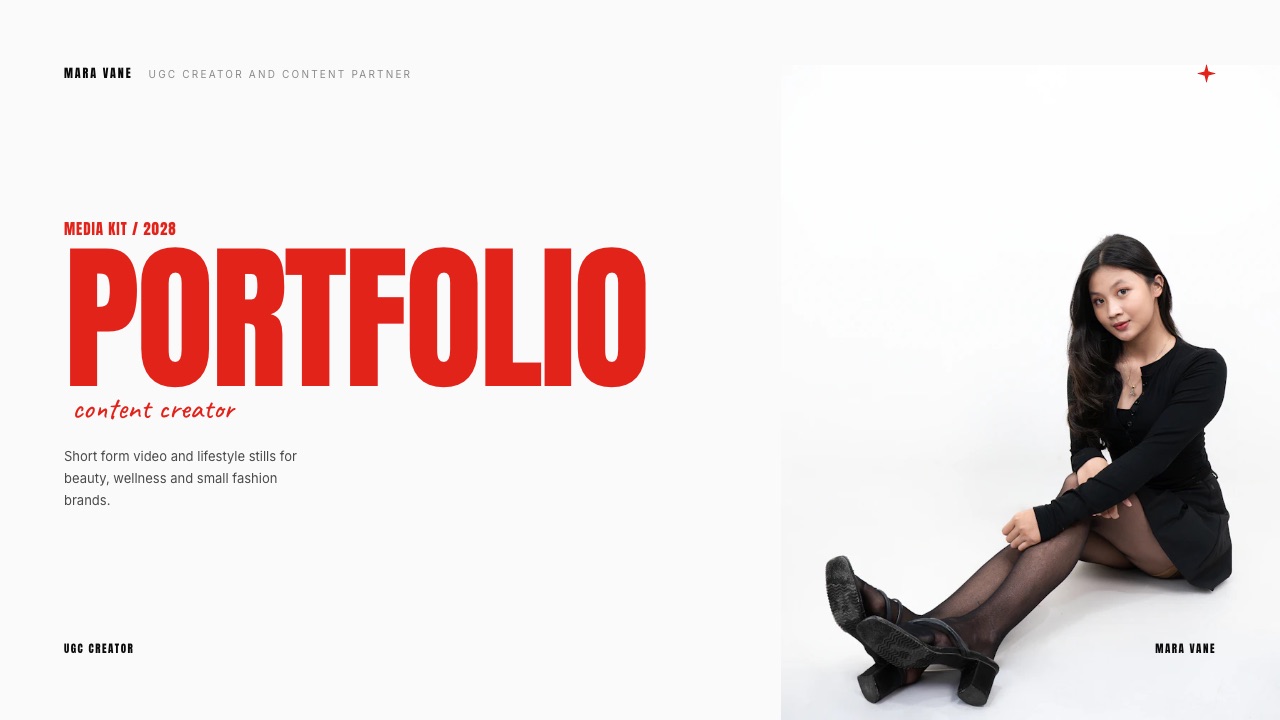
A skincare brand replies on a Tuesday afternoon asking for your rates and a 12 slide media kit. You have 18,000 followers, a preset pack that sells about twenty copies a month, and no deck. The brand wants it by Friday.
That is the moment a creator goes looking for free tools for content creators, and it is the worst possible moment to be comparing 12 pricing pages.
So this guide does the comparison in advance, and it ranks the 12 tools on one question instead of on feature counts: what does this free tier take from you once it starts working?
A free creator tool is software with a no-cost tier you can run an actual business on, not a trial that expires, a demo that watermarks your export, or a plan that quietly disappears the moment a client asks for something professional.
Framekit is the pick for the surfaces that make money, because a media kit deck, a hosted site and a store that takes real card payments all sit on one free account, and the store charges 5 percent instead of a percentage that never falls.
CapCut and DaVinci Resolve are the editors to pair with it, beehiiv is the free newsletter that actually scales to 2,500 subscribers, and Canva is still the fastest way to get a thumbnail out the door.
The trade-off is plain: Framekit does not send email campaigns, does not schedule posts and does not give you per-link click analytics, so a working creator stack in 2026 is three or four tools, not one.
Full disclosure: Framekit is our product, so read every Framekit claim here as something to check and not something to believe. Competitor figures come from each vendor's own published pricing page or help centre, read in September 2026 and linked inline wherever the page answers an automated request. Where it does not, three of these 12 entries carry a plain "not published" instead of a guess. beehiiv beats us on email outright, Buffer beats us on scheduling, Linktree and Beacons beat us on link-in-bio click data, and Gumroad beats us on how little you have to set up before your first sale.
How this list was put together, and what it deliberately does not claim
There is no hands-on bake-off behind any of these 12 entries, and pretending otherwise would be the fastest way to make the rest of the numbers worthless, so here is exactly where each figure came from and how confident you should be in it.
Read at the source. Plan limits and prices were read on each vendor's own pricing page or help centre in September 2026 and linked inline.
Four pages would not serve their figures to an automated reader: Canva, Beacons, CapCut Pro and WeTransfer.
Canva's numbers below were read in a browser and are quoted in euros because that is what the page served; Beacons and CapCut Pro appear with no price at all, which is more useful to you than an invented one.
Calculated. All the money arithmetic uses one carried example and shows its working: a creator with 18,000 followers selling a $29 Lightroom preset pack at twenty copies a month, which is $580 a month and $6,960 a year.
Put your own numbers in place of the $580 and the shape of the answer holds.
Reported by others. No claims in this guide rest on review-site scores or on sentiment. There are no star ratings here, because a four-point-something average across two thousand strangers tells you nothing about whether a 3 GB cap will break your Friday.
One more honest limit. Framekit's own capabilities are stated from the product's published plan limits, not from a comparative test, and every one of them is checkable on a free account in about 10 minutes.
The creator stack by the numbers
Six figures do most of the work in this guide, and every later section is built on one of them, so it is worth reading them once slowly before you decide which free tiers your own stack can survive on.
- $3.40 is what Gumroad takes on a $29 sale through your own link: 10 percent plus $0.50, per their pricing page.
- $1.45 is what Framekit's 5 percent Free-plan fee takes on the same $29 sale, with Stripe's processing charged separately on your own Stripe account.
- 2,500 subscribers is where beehiiv's free tier stops, which is further than any other free newsletter tier in this list goes.
- 3 channels and 10 scheduled posts per channel is Buffer's free ceiling, per its pricing page.
- 5 MB is the maximum size of a single file upload on Notion's free plan, which is the limit nobody notices until they try to attach a video.
- $780 a month in sales is where Framekit's 5 percent Free fee stops being the cheap option and a flat $39 Business plan at 0 percent takes over, because $39 divided by 5 percent is $780.
In one linethe nine free tools here that make things stay free or stop at a flat fee, while the three that stand between you and a payment are free only until you are worth charging, and that distinction is the entire ranking below.
Every free tier in one table
The table below is the fastest way to see where each free plan stops, because almost every one of these tools is generous right up to the point where you would rely on it, and the cliff is never in the same place twice.
| Tool | What the free tier gives you | Where it stops | What passing it costs |
|---|---|---|---|
| Framekit | Unlimited decks, unlimited galleries, unlimited products, a hosted site, 10 GB pooled | 10 GB total, 10 site pages, 500 MB per video file, 5 percent store fee, Framekit badge | Starter $9/mo, Pro $19/mo, Business $39/mo at 0 percent |
| Canva | A free design tier with 1.6 million-plus templates | The larger 3.6 million-plus template set and the Pro toolset | Pro EUR 110/year, Business EUR 170/year per person |
| CapCut | Full mobile and desktop editing, captions, templates | Some effects and export options are Pro | Not published to an automated reader |
| DaVinci Resolve | Edit, colour, Fairlight audio, Fusion VFX, up to Ultra HD 60fps | Neural Engine tools, 10-bit above 4K, advanced HDR | Studio, $295 once |
| Notion | Unlimited blocks solo, 10 guests | 5 MB per file upload, blocks limited for 2+ members | Plus EUR 9.50 per seat per month |
| beehiiv | Up to 2,500 subscribers, unlimited sends, 3 publications | Automations, digital products, ad network | Scale $43/mo, Max $96/mo |
| Buffer | 3 channels, 10 scheduled posts per channel | The 11th post, on every channel | Essentials $5 per channel per month |
| Gumroad | Full store, no monthly fee | Every sale, forever | 10 percent plus $0.50 direct, 30 percent via the marketplace |
| Linktree | Unlimited links, core appearance, basic analytics | Deeper analytics and customisation are paid | Not published to an automated reader |
| Beacons | A free creator page with a store attached | Pricing tiers exist but the page will not serve them to a bot | Not published |
| OBS Studio | Recording, streaming, scenes, filters, plugins | Nothing. It is GPL software | $0 |
| Photopea | PSD, AI, PDF, SVG, Figma and RAW editing in a browser | Advertising on the free tier | A paid ad-free tier, price not read at the source |
In one lineThree of these 12 take a percentage of money you earned, which is the only category where the cost keeps climbing as you get better at your job, and the other nine either stay at $0 or stop at a flat monthly fee you can budget a year ahead.
1. Framekit: Best Free Tools for the Surfaces That Make Money

Most free creator plans give you somewhere to put things and no way to get paid through them, which is why the interesting question is not how much storage a free tier has but whether a brand and a buyer can both reach you through it without paying anything.
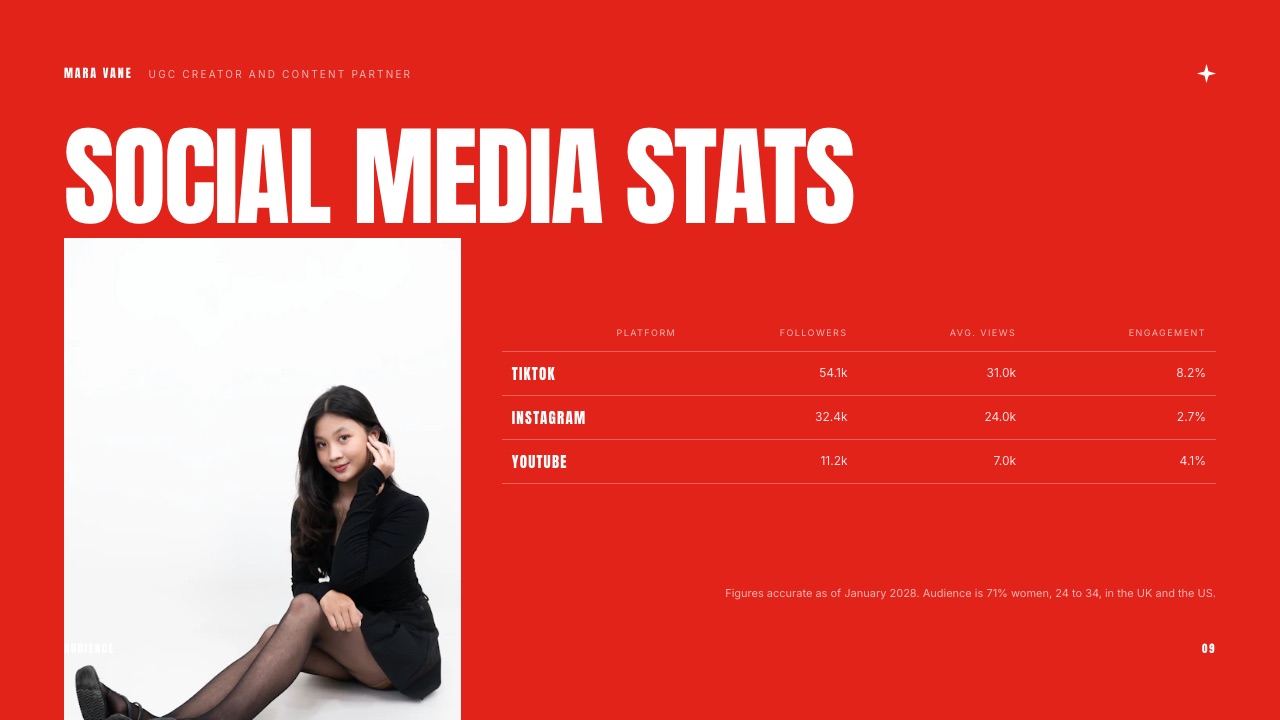
Framekit is an AI website builder for creators who need a public front door, and it ships four more surfaces on the same account: Slides for decks, Client Galleries for delivery, Video Review for feedback on cuts, and a store for digital files.
All five are on the free plan, which means one vendor to administer instead of four.
The texturethe useful detail is what is missing from the paywall and not what is behind it. Unlimited decks on Free, with speaker notes on all 12 slides of a media kit, a share link, full-screen presenting and PDF export. Unlimited galleries on Free.
Unlimited products on Free. The free plan's ceiling is 10 GB of pooled storage shared across the site, the galleries and the video reviews, and 10 pages of website, not a feature list with holes punched in it.
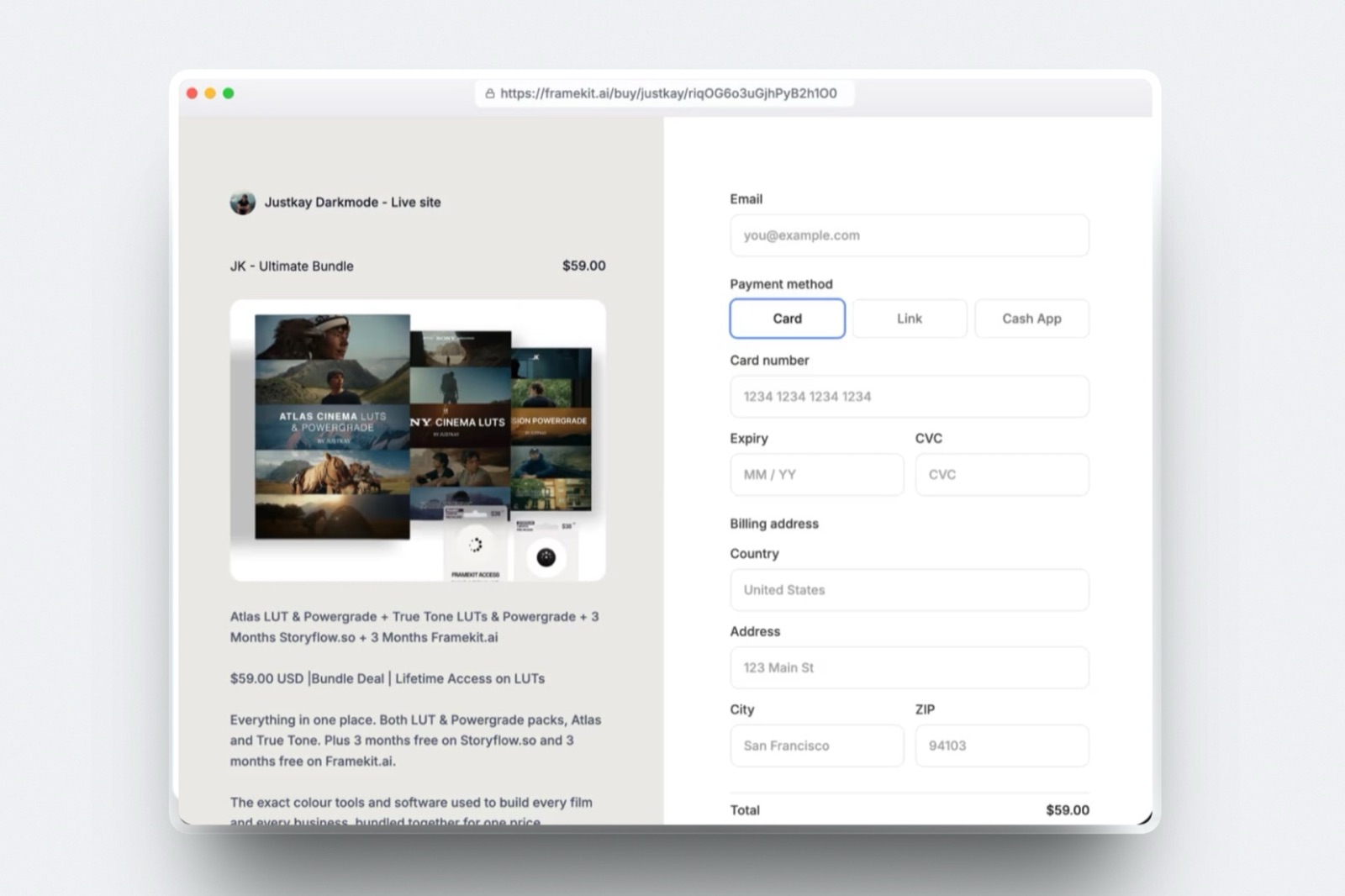
The real numberon the carried $29 preset pack, the Free plan's 5 percent store fee is $1.45 a sale. 20 sales a month is $29 a month, $348 a year, and Stripe's own processing sits on top because checkout runs on your own Stripe account and not ours.
The same 20 sales through a Gumroad direct link is $3.40 each, $68 a month, $816 a year, with processing included in that figure. The gap is real but it is not the whole $468 it looks like until you subtract your own processing rate.
Nobody on the other end signs up for anything. A brand opening your media kit gets a link, a buyer gets a checkout, and a client looking at a gallery enters a password instead of creating an account.
That is worth checking on all 12 tools here, because a handover that requires the recipient to register is a handover that gets delayed.
The detail nobody writes downthe store uses Stripe Connect direct charges, which makes you one of the two possible merchants of record and specifically the one in charge.
Your name is on the receipt, your Stripe account holds the money, and the VAT or sales-tax question is yours to answer.
That is a genuine responsibility, and it is also the reason the fee is 5 percent and not the 10 to 30 percent a platform charges when it takes the tax problem off your hands.
If you want someone else to be merchant of record, that is a fair reason to pick a different tool, and our guide to selling digital products without a platform cut walks through the trade.
The gotcha in week threethe 500 MB per-file video cap on Free. A 90-second vertical cut is fine.
A ten-minute 1080p master is not, and the fix is either compressing it or moving to Starter at $9 a month, where the per-file cap goes to 1 GB and the pool goes to 50 GB.
The second one is the Framekit badge, which sits on all four free surfaces, the site, the galleries, the review pages and the decks, until you are on a paid plan, and the absence of a custom domain on Free, which matters the first time you send a rate card to a brand.
Skip it ifyour business is an email list of 2,500 or more.
Framekit does not send newsletters or campaigns, has no automations and no broadcast tool, so if the thing you are building is a 20,000-subscriber list with sequences, this is not your stack and beehiiv below is.
Skip it too if what you need is scheduled posting or click-level analytics on a link-in-bio page, because those are two different products and Framekit is neither.
Verdict: the best free plan in this list for anything that ends in a payment or a signed brand deal, and an actively poor choice for anything that ends in an email send. Treat it as the money half of the stack and pick the audience half separately.
2. Canva: Best Free Tier for Getting a Thumbnail Out the Door
Canva earns its place on this list for a reason that has nothing to do with design quality and everything to do with elapsed time, because the job it does better than anything else is turning a half-formed idea into a finished 1280 by 720 image before you lose interest in it.
The texturethe free tier is a browser for 1.6 million templates first and an editor second, which is exactly right when the artefact is disposable.
You are not building a brand system in Canva at 11pm; you are making a thumbnail for a video that goes out tomorrow, and the template you start from carries most of the composition decisions for you.
The real numberCanva's pricing page does not answer an automated request, so these figures were read in a browser in September 2026 and the page served European pricing: Free at EUR 0, Pro at EUR 110 per year for one person, Business at EUR 170 per year per person.
No dollar figure is quoted here because none was readable at the source, and a converted number would be a guess dressed up as a fact.
The detail nobody writes downthe gap between the two tiers is measured in templates and not in tools.
The figures the lead read in a browser put the free library at over 1.6 million templates and the Pro library at over 3.6 million, which means the free constraint is the range of starting points and not the quality of the finish.
That is invisible on design one and quite visible on design 40, when the good free layouts have all been used.
The gotcha in week threetemplate drift. When the composition comes from a template and the colours come from the template too, 30 days of output looks like a month of someone else's output.
The fix is to pick three fonts and five hex codes and apply them by hand on every single design, which is free and tedious, or to pay for the tier that stores them for you.
Skip it ifyou are producing vector artwork that has to survive being scaled onto packaging or a vehicle wrap. Canva is not a vector tool in that sense, and Inkscape or Penpot will serve you better for a fraction of the frustration.
Verdict: the correct default for anything disposable and the wrong default for anything that carries your name for years. Use it for thumbnails, carousels and stories, and use something else for the logo. If you have started to feel the ceiling, our roundup of Canva alternatives covers what to move to and when.
3. CapCut: Best Free Editor for Short-Form Video
Short-form editing is a genre with its own grammar, and CapCut is built around that grammar instead of a traditional timeline, which is why a creator who has never opened a professional editor can cut a watchable 30-second video in one sitting.
The textureauto-captions are the one feature that does the most work.
Burned-in captions are effectively mandatory on short-form now, and the difference between typing 200 words of them yourself and having them generated and styled is roughly the difference between finishing a video and abandoning it.
The real numberCapCut's own pages that answer an automated request advertise a free desktop editor without publishing a price for CapCut Pro, so no price appears here.
If someone quotes you a specific monthly figure for Pro and cannot show you the page it came from, treat it the way you would treat any other unsourced number.
The detail nobody writes downthe template ecosystem is the actual product. Applying one trending template to your own clips is a different creative act from editing, and it is the one most short-form creators are really doing.
That is neither good nor bad, but it does mean your output inherits the rhythm of whatever is trending, which is why so much short-form looks identical.
The gotcha in week threeproject portability. Work built around app-specific templates and effects does not travel cleanly into another editor, so a project you want to recut at higher quality in two years is faster to rebuild than to migrate.
Skip it ifyour deliverable is a 20-minute edit with a proper colour pipeline or a client who needs a ProRes master. That is Resolve's job, not this one.
Verdict: the best free short-form editor there is, and a bad place to keep anything you might need to re-edit in two years. Cut fast, export, and archive the source clips somewhere else.
4. DaVinci Resolve: Best Free Editor for Long-Form and Colour
Resolve is the strangest entry in this guide, because it is a full professional post-production suite given away at no cost by a company that makes its money on cameras and hardware, and the free version is not a crippled demo.
Blackmagic's product page lists the free version as handling virtually all 8-bit formats at up to 60fps in resolutions as high as Ultra HD 3840 by 2160, with multi-user collaboration and HDR grading included.
The paid Studio version is $295 once, not a subscription, and it adds the Neural Engine tools, 10-bit support above 4K, additional Resolve FX and Fairlight plugins, and text-based editing.
The gotchathe learning curve is genuinely steep and the hardware requirements are real, and the free version still expects a machine that can play 4K back. Resolve on an underpowered laptop is an exercise in patience, and the page count of its manual is not a joke.
Skip it ifyou post three vertical videos a week and nothing else. The ceiling you are buying access to is one you will never approach, and CapCut will get the work out faster.
Verdict: the single most valuable free download on this list for anyone whose work is longer than a minute, and the one tool here where the paid upgrade is a $295 one-off instead of a rent you pay forever.
5. Notion: Best Free Planning Surface for a Content Calendar
A content calendar is the least glamorous tool in a creator stack and the one whose absence shows up fastest, because the failure mode of not having one is not disorganisation, it is silence for 11 days followed by four posts in an afternoon.
Notion's pricing page describes the Free plan as unlimited blocks for an individual, with block limits arriving once a second member joins, up to 10 guests, and a 5 MB ceiling on any single file upload.
Paid plans were served in euros when the page was read: Plus at EUR 9.50 per seat per month, Business at EUR 19.50.
The real number to hold onto is that 5 MB. It is fine for a brief, a screenshot or a PDF.
It is not fine for a video, a RAW file, a font bundle or anything a client sends you, which means Notion is a planning surface and not a storage surface, and treating it as both ends in a bad afternoon.
The gotchaa database schema you invent in week one will be wrong by week six, and rebuilding it is a two hour job nobody budgets for. Start with four properties (status, platform, publish date, hook) and add more only when you have felt the lack twice.
Verdict: the best free place to decide what you are making, and a poor place to keep what you made.
6. beehiiv: Best Free Newsletter Tier for an Audience You Own
An email list is the only part of a creator business that survives a platform changing its algorithm, its ownership or its mind, which makes the height of a free newsletter tier one of the more consequential numbers in this guide.
beehiiv's published pricing, read in September 2026, puts the free Launch tier at up to 2,500 subscribers with unlimited sends, up to 3 publications, a custom domain, a link-in-bio page, campaign analytics and API access, with paid tiers starting at $43 a month for Scale and $96 for Max.
That page returns a 403 to automated requests, so it is quoted here and not linked, which is the honest version of a figure read in a browser.
The real number2,500 free subscribers at, say, a 40 percent open rate is a thousand people reading you, which is more attention than most creators get from an algorithmic feed on a good week.
The detail nobody writes downthe free tier includes a custom domain at no cost. Plenty of free newsletter tiers put your list behind their subdomain and their branding, which quietly makes the audience theirs and not yours. A free tier that lets you own the address is a different proposition.
The gotcha in week threedeliverability is a discipline, not a setting you switch on once. A list that grows fast from a giveaway and then gets a 12 percent open rate is a list that will land in promotions tabs for months. Prune the non-openers at 90 days and your sender reputation stays intact.
Skip it ifyour business is transactional email or you need a full marketing-automation suite with lead scoring and CRM sync. This is a newsletter platform that grew commerce features, not the other way round.
Verdict: the highest free ceiling for email in this list and the one tool here whose free tier is genuinely enough to build an asset instead of a demo.
7. Buffer: Best Free Scheduler for Three Channels
Scheduling tools are bought for the wrong reason, which is the fantasy of a month of content queued in advance, and they earn their keep for a much duller reason, which is that posting at the same hour seven days a week is easier when a machine does it.
Buffer's free plan, per its pricing page, connects up to 3 channels with 10 scheduled posts per channel that refill as they publish, one user, 100 content ideas and basic insights.
Essentials is $5 per channel per month, or $60 a year per channel, and Team is $10 per channel per month.
The arithmetic that decides ita creator on four platforms who wants a two week buffer needs four channels and roughly 12 posts queued each, which is $20 a month on Essentials, or $240 a year. If posting on the fourth platform does not earn $240 a year, drop the platform instead of paying for it.
The gotchaplatform APIs change, and native posting for some formats stays out of reach of all three free channels for months after launch. Anything genuinely new tends to need the native app first.
Verdict: the free tier is a real tool and not a teaser, and three channels is the right number of platforms for most creators anyway.
8. Gumroad: Best Free Way to Have Something for Sale by Tonight
Gumroad is the fastest route from a finished file to a working checkout that exists, and it charges $0 to start, which is why it has been the default first store for a decade of creators selling presets, templates and ebooks.
The texturethe setup is genuinely minutes and four steps. Upload the file, set a price, get a link, put the link in your bio. There is no site to build, no domain to point, no Stripe onboarding to survive first.
The real numberGumroad's pricing page states a 10 percent plus $0.50 fee on sales through your own profile or direct links, rising to 30 percent when a customer finds the product through Gumroad's own marketplace, with no monthly fee.
On the carried $29 preset pack that is $3.40 a sale direct, leaving $25.60. At twenty sales a month it is $68 a month and $816 a year.
The detail nobody writes downthe 30 percent marketplace rate is not a penalty, it is a customer-acquisition price, and it is only worth arguing about if the marketplace is sending you buyers you would not have had.
Check what share of your 20 monthly sales carries the 30 percent rate before deciding whether it is a problem.
The gotcha in week threethe checkout is Gumroad's, which means the receipt, the account and the follow-up relationship carry Gumroad's name and not yours, and the percentage does not fall as you grow.
A creator doing $2,000 a month direct is paying about $2,400 a year in platform fees on top of processing, and nothing about scaling reduces that rate.
Skip it ifyou already have a site and a Stripe account, because at that point you are paying a double-digit percentage for a hosted page you no longer need. Our Gumroad fee breakdown shows the crossover, and the alternatives guide covers where people move to.
Verdict: the best place in this list to start and a deliberate place to leave, and the decision to leave is arithmetic, not loyalty.
9. Linktree: Best Free Link-in-Bio for Not Thinking About It
The link-in-bio page is the least interesting page a creator owns and one of the two or three most trafficked, which is a combination that argues for spending no time on it instead of building something clever.
Linktree's pricing page lists Free, Starter, Pro and Premium tiers and describes the free plan as unlimited links, core appearance options and basic analytics.
It does not publish figures to an automated reader, noting only that pricing varies by region and shows in local currency, so no price is quoted here.
The gotchaa link page you do not own is a redirect with no audit trail. If the service changes its free tier, your bio link is the thing that breaks, and every post you ever made points at it.
Verdict: fine, fast and free, and worth replacing with a page on your own domain the moment you have one.
10. Beacons: Best Free Creator Page With a Store Attached
Beacons sits in the same slot as Linktree but tries to be a business and not a redirect, bundling four things into one page, a link list, a storefront, a media kit builder and outreach tools aimed specifically at creators chasing brand deals.
Its pricing page returns a 403 to automated requests and would not serve its tiers, so this entry carries no price and no fee percentage.
That is a real limitation of this guide and not a comment on the product, and it is the kind of thing worth checking yourself before committing.
The gotchaall-in-one creator platforms tend to hold the customer relationship, which is the same structural issue as any hosted checkout. Before you build a store there, find out who owns the buyer's email address.
Verdict: worth a look if you want one page doing four jobs, and worth reading the fee page carefully first. Our comparison of Beacons and Stan Store covers how the two differ.
11. OBS Studio: Best Free Recording and Streaming Software
OBS is the piece of software most creators install for one narrow reason, a livestream, and then keep for years because it turns out to be the best screen and camera recorder available at any price.
The project's own site describes it as free and open source, with real-time capture and mixing from cameras, windows, browser sources and images, unlimited scenes with transitions, audio filters with VST plugin support, a studio mode for previewing before you go live, and scripting in Lua and Python.
It runs on Windows, macOS and Linux.
The gotchaaudio. Getting desktop audio, microphone audio and a separate track for each into a recording is a three track configuration problem that eats an evening once, and then never again.
Verdict: free forever, no account, no upsell, and better than most paid alternatives at recording a talking head with a screen share.
12. Photopea: Best Free Image Editor That Needs No Install
Photopea is the answer to a specific and frequent problem, which is that somebody has sent you a layered PSD and you do not have Photoshop, and it solves it in a browser tab without an account.
Photopea opens PSD, AI, PDF, SVG, Figma files and RAW formats including CR2, NEF and ARW, alongside the usual PNG, JPG and WEBP, and it does the layers, masks and adjustment work you would expect.
It is funded by advertising, and its own page describes the premium features as available for $0.
The gotchait is a browser tab, which means a crashed tab is a lost session if you have not saved. Save to a local file every 10 minutes instead of trusting the session.
Verdict: the most useful free tool on this list per megabyte of download, because the download is 0 megabytes.
What free actually costs once the money starts
In one linea percentage fee is not a price, it is a share of your business, and the only honest way to compare two free stores is to run your own real sales volume through both of them and look at the annual figure at the bottom.
Here is the carried $29 pack run through three options at four volumes. The preset pack is $29.
The rates are Gumroad's published 10 percent plus $0.50 on direct sales, Framekit's 5 percent on Free and Starter, and Framekit's 0 percent on the $39 Business plan.
Card processing is charged separately by Stripe on your own account in the Framekit rows and is included in the Gumroad rate, so these are not identical-shaped numbers and the table says so.
| Monthly sales | Gumroad direct (10% + $0.50) | Framekit Free (5%) | Framekit Business ($39/mo, 0%) |
|---|---|---|---|
| $290 (10 packs) | $34.00/mo, $408/yr | $14.50/mo, $174/yr | $39/mo, $468/yr |
| $580 (20 packs) | $68.00/mo, $816/yr | $29.00/mo, $348/yr | $39/mo, $468/yr |
| $1,160 (40 packs) | $136.00/mo, $1,632/yr | $58.00/mo, $696/yr | $39/mo, $468/yr |
| $2,900 (100 packs) | $340.00/mo, $4,080/yr | $145.00/mo, $1,740/yr | $39/mo, $468/yr |
The shape of that table is the whole argument. Two of those three columns climb forever and one of them stops at $468.
The crossover is $780 a month of sales, because $39 divided by 5 percent is $780, and below $780 the Free plan is genuinely the cheaper choice, not the one we would like you to be on.
The test you can run tonightopen last month's sales total, multiply by 0.10, add fifty cents times the number of orders, and multiply by twelve. That is what a 10 percent platform keeps from you next year if nothing changes. Then do the same at 5 percent and at zero.
Those three numbers tell you which plan you should be on more reliably than any review will.
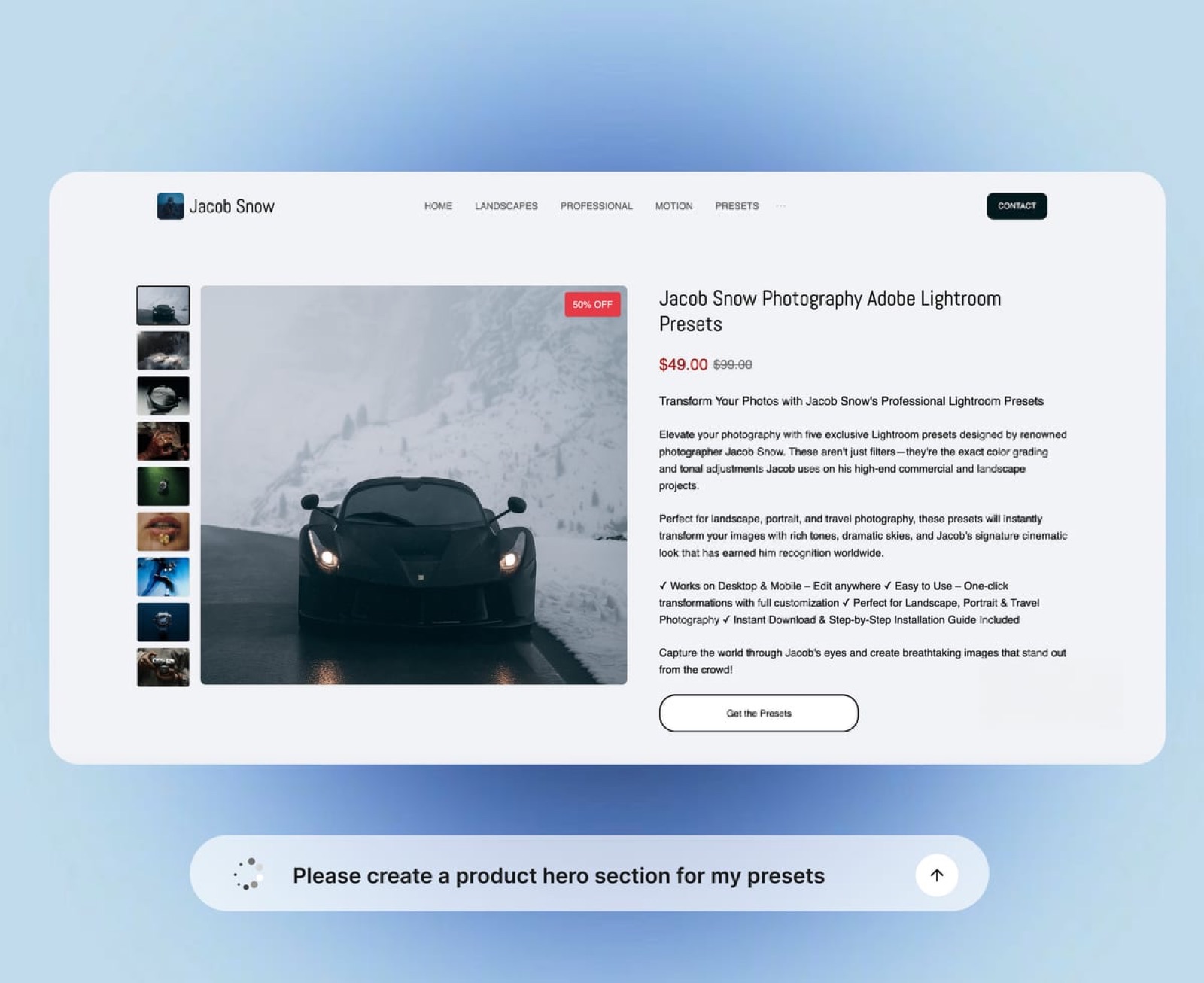
The three jobs no free tier in this list does for you
In one lineevery stack assembled from free tiers has the same three holes in it, and knowing which ones you are living with is more useful than pretending a single tool covers everything.
Nobody here does your invoicing, contracts or CRM. Not Framekit, not Canva, not Notion. A brand deal needs a contract and an invoice, and none of these 12 produce either.
Notion can hold a template you fill in by hand, which is free and works, and a dedicated tool is worth paying for at about the point you have three retainer clients. Our roundup of invoicing tools for freelance creatives covers the options.
Nobody here tells you what to post. Analytics tiers on free plans are shallow by design, and the deepest free insight in this list is Buffer's basic insights and Linktree's basic analytics.
You will be reading the native platform dashboards for real numbers whatever you pay across these 12.
Nobody here does email marketing except beehiiv. Framekit does not send campaigns. Notion does not. Canva does not. If email is the plan, the free newsletter tier is a load-bearing choice and not a nice extra, and it should be picked first and not last.
What a working free creator stack looks like in practice
In one linethe stack most creators actually need is four tools and not one, chosen so that each one owns a distinct surface and none of them holds a piece of the business that another one needs.
Start from the money and work backwards. One tool owns the three things that get paid for: the media kit, the site, the store. One owns the audience: the list. One owns the making: the editor. One owns the distribution: the scheduler or the native apps.
A concrete version for the carried example creator, at $0 a month: Framekit Free for the media kit deck, the site and the preset store; beehiiv Launch for the list up to 2,500; CapCut for short-form and DaVinci Resolve for anything longer; Buffer Free for three channels.
That is four accounts, zero dollars, and the only variable cost is the 5 percent on sales.
The first thing that should break is the 10 GB of storage, not a feature.
At 10 GB pooled, a creator posting regularly will fill the Framekit pool in a few months of gallery and video-review use, and the $9 Starter plan takes that to 50 GB and lifts the per-file video cap to 1 GB.
That $9 is the upgrade worth making first, ahead of any design subscription.
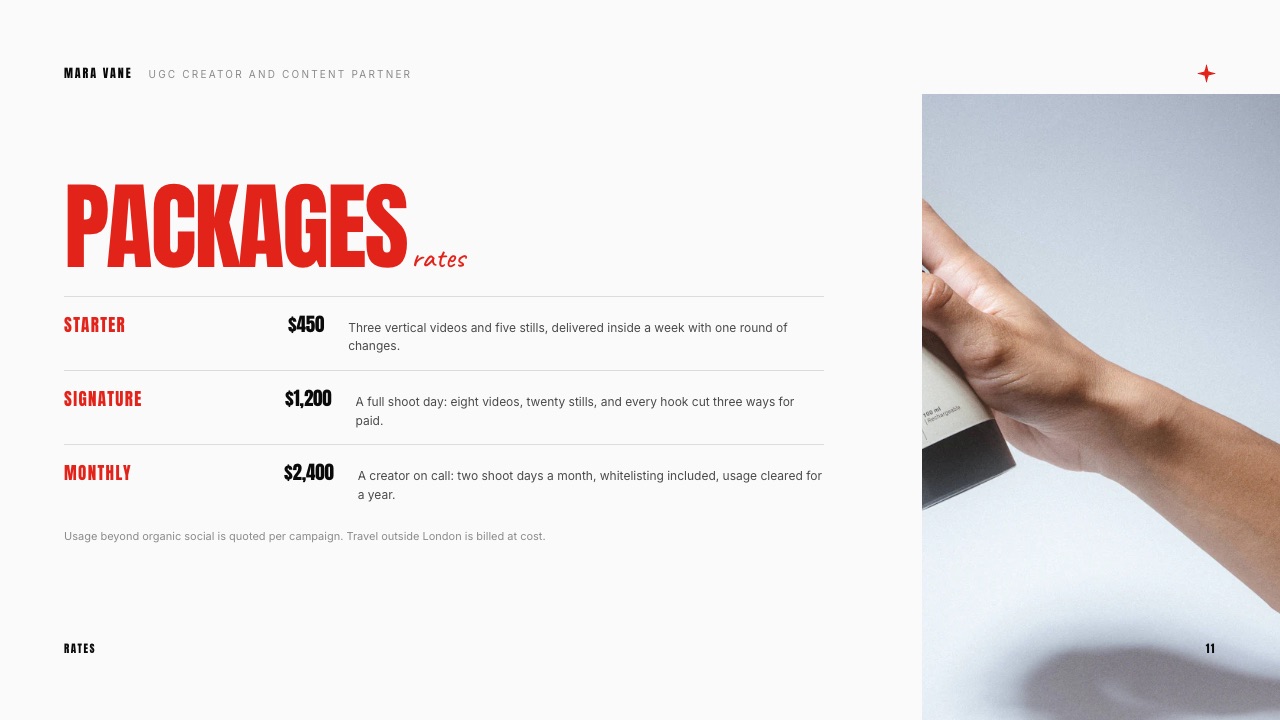
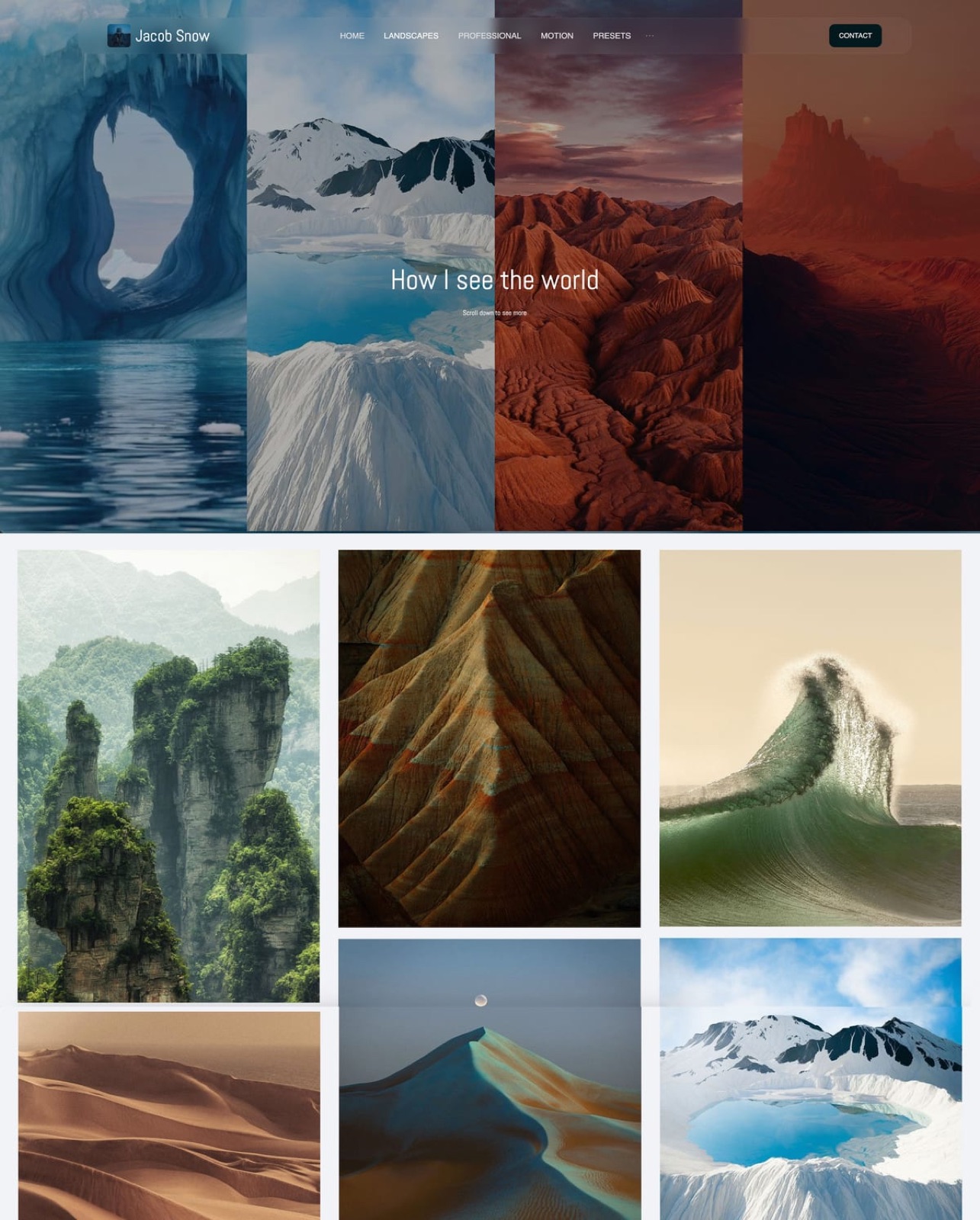
Choose your free stack with four questions
In one linework through these four questions in order and stop at the first one that describes you, because the right free stack depends far more on where your money comes from than on which tools look best in a feature table.
Question one: does your income come from brand deals? If yes, the media kit and the rate card are the assets that matter, and you need a deck tool and a site before you need anything else. Framekit Free covers both on one account at $0. If no, go to question two.
Question two: does your income come from selling files? If yes, the fee percentage is the single largest cost in your business at volume, and the decision is between the convenience of a hosted store at 10 percent plus fifty cents and the setup cost of your own at 5 percent falling to 0 percent.
At $290 a month in sales the gap is $19.50, so take the convenience. If not, go to question three.
Question three: does your income come from an email list or a sponsorship read? If yes, the newsletter platform is the business and everything else is support, so pick the highest free subscriber ceiling you can find and build the rest around it. beehiiv's 2,500 is that ceiling in this list.
If no, go to question four.
Question four: are you still pre-revenue? Then take the four free tiers that take no share of revenue at all, which are DaVinci Resolve, OBS Studio, Photopea and CapCut, and avoid anything that will hold your customer relationship before you have customers.
Build the audience, and decide about percentages when there is a percentage to argue about.
Frequently Asked Questions
What are the best free tools for content creators in 2026?
The best free tools for content creators in 2026 are Framekit for the money-making surfaces (a media kit deck, a hosted site and a digital store on one free account), CapCut and DaVinci Resolve for video, beehiiv for an email list up to 2,500 subscribers, Canva for fast social graphics, Buffer for scheduling three channels, and OBS Studio for recording.
No single free tier covers all four jobs, so a working stack is three or four accounts and not one.
Is Framekit actually free, or is it a trial?
Framekit's free plan is a permanent plan and not a trial.
It includes unlimited decks, unlimited client galleries, unlimited store products, a hosted site with SSL and CDN, and video review, with a ceiling of 10 GB of pooled storage, 10 site pages and 500 MB per video file.
The costs on Free are a 5 percent fee on store sales, a Framekit badge on your public pages, and no custom domain. Nothing expires and no card details are required to start.
How much does Gumroad take from a sale in 2026?
Gumroad charges 10 percent plus $0.50 on sales made through your own profile or direct links, and 30 percent when a buyer discovers the product through Gumroad's marketplace, with no monthly fee, according to its published pricing page read in September 2026.
On a $29 product that is $3.40 per direct sale, leaving $25.60. At twenty sales a month the annual cost is $816, and the rate does not fall as your volume grows.
Which free tool should I pick if I only want one?
If you can only run one free account, pick the one that owns the surface your income arrives through. For brand deals that is a deck and a site, which Framekit Free covers on one login.
For product sales it is a store, and Gumroad is the fastest start while Framekit is the cheaper long-run rate. For an audience business it is beehiiv.
Picking a video editor first is the common mistake, because editors are the easiest piece to replace later.
Does a free plan mean my work has someone else's branding on it?
Yes on 11 of these 12, and it is worth checking where. Framekit's free plan puts a Framekit badge on your site, galleries, review pages and decks, and does not allow a custom domain; paid plans from $9 a month remove both.
Canva's free tier exports without a watermark but withholds the brand kit. beehiiv's free tier does allow a custom domain, which is unusual. Read the branding line before the feature list, because it is the part a client sees.
Can I run a creator business without paying for anything?
You can run a real creator business on free tiers, but two costs are unavoidable: payment processing, which Stripe or any processor charges on every sale regardless of platform, and a percentage fee on hosted stores.
Everything else on this list, including a full professional video editor, a browser image editor, a recording suite and a newsletter up to 2,500 subscribers, genuinely costs nothing.
The first upgrade most creators need is storage, not features.
beehiiv vs Framekit: which should a creator start with?
beehiiv and Framekit solve different halves of a creator business and most creators end up paying for both eventually. beehiiv owns email, with a free tier up to 2,500 subscribers, unlimited sends and a custom domain, and Framekit does not send email at all.
Framekit owns the site, the media kit deck and the digital store, which beehiiv's commerce features approach but do not replace. Start with beehiiv if your plan is a newsletter, and with Framekit if your plan is brand deals or file sales.
What is the catch with free video editing software?
With DaVinci Resolve and OBS Studio there is effectively no catch, because both are complete tools funded elsewhere, by hardware sales and by open-source contribution respectively.
With app-based editors the catch is portability, not price: projects built on platform-specific templates and effects do not migrate cleanly to another editor, so anything you might recut later should have its source clips archived separately from the project file.
Do I lose my customers if I move off a hosted store?
The answer turns on one fact: who the merchant of record is. On a hosted platform that acts as merchant of record, the buyer relationship and the receipt are the platform's, and exporting a customer list is a request and not a right.
Framekit's store uses Stripe Connect direct charges, which makes you the merchant of record, so the payment sits in your own Stripe account and the customer record is yours, with the matching responsibility for VAT and sales tax.
How much storage does a creator actually need?
A creator delivering two galleries and a month of review cuts fills 10 GB fast, which is why free tiers in the 2 GB to 15 GB range run out so quickly.
Framekit's 10 GB free pool is shared across the site, galleries and video reviews, and the $9 Starter plan takes it to 50 GB.
Archive finished projects to a local drive instead of paying to store completed work in a delivery tool, which is the cheapest storage decision available.
Is Canva Pro worth paying for as a creator?
Canva Pro is worth paying for at the point where you are making the same design repeatedly and a brand kit would stop you rebuilding your palette by hand.
Its pricing page was read in a browser in September 2026 and served European figures: EUR 110 a year for one person on Pro.
Below roughly one design a day the free tier is enough, and above it the saved time is easy to justify against the annual cost.
Final Verdict
Framekit is the pick for the surfaces a creator gets paid through, because a media kit deck, a hosted site, a client gallery and a store that takes real card payments all run on one free account, and because the store fee starts at 5 percent and drops to zero on a flat $39 plan instead of climbing with your success.
Where Framekit loses is email and distribution, which is two of the four jobs above.
It does not send newsletters, it does not schedule posts, and it gives you no per-link click analytics on a bio page, so a creator whose entire business is a list of 2,500 should start with beehiiv and treat Framekit as the place that list buys things.
It is also not for anyone who needs a platform to be merchant of record and handle their tax, because Framekit's checkout makes you the seller of record on your own Stripe account.
And on Free, a video longer than 2 minutes at full quality will run into the 500 MB per-file cap, which is a $9 problem and not a dealbreaker, but an honest one.
Take the four free tiers that never charge you anything for the making, pick one paid-only-when-you-earn tool for the money, and refuse to pay a percentage that does not fall.
Related readingfree website builders compared, how to build a media kit site as a creator, free presentation software, website builders for UGC creators and Stripe fees explained for creators.