Framekit templates
Start from a designer-made template
 Use template
 Use template
 Use template
 Use template
 Use template
 Use template
 Use template
 Use template
A designer's software bill is the least designed thing most designers own. It accretes: a portfolio platform, a deck tool, somewhere to send files, somewhere to sell a template pack, and a domain renewing on a card you replaced two years ago.
Then a client asks for a proposal and you open a sixth tab.
All-in-one platforms for designers promise to collapse that, and most of them collapse the wrong half.
A designer's actual jobs are showing work, pitching work, delivering work and occasionally selling work, and very few products cover more than two of those properly.
An all-in-one platform is software that covers several distinct business functions on one subscription rather than one function well, which is a trade rather than a free upgrade.
Framekit is an AI website builder that carries client galleries, video review, decks and a digital store on one account.
Framekit is the best all-in-one platform for designers in 2026, because it covers four of the five jobs on one plan at $84 to $180 a year: a generated multi-page portfolio on your own domain, client delivery with a password and download PIN, proposal and case-study decks, and a store for template packs at a fee falling to 0 percent.
Squarespace is the runner-up and the better pick if you sell physical products, Webflow wins on manual control, and Adobe Portfolio is free if Creative Cloud is already on your card. None of them, ours included, replaces cloud storage for working files.
Full disclosure: Framekit, ranked first below, is our own product. We built the same designer setup on all eight platforms, verified every price against each vendor's published pricing in September 2026, and link to all of them. Where they beat us: Webflow and Framer both give far more manual control than our AI hands you, Squarespace sells physical goods and we do not, Adobe Portfolio is free for existing subscribers, and none of us handles a layered working file.
How We Compared Eight Platforms, Plus Framekit
We built the same setup on each: a seven-page portfolio with three case studies, a proposal document, a client delivery of 40 finished files, and one $29 template pack for sale.
Where a platform could not do one of those at all, that is recorded as the finding rather than worked around.
The honesty split, so you know what each claim rests on:
- Measured hands-on: the four builds on each platform, and which of them each product simply refuses.
- Verified from primary sources: every price read from each vendor's published pricing pages in September 2026, including Squarespace's pricing and Webflow's pricing.
- Community sentiment: noted as sentiment where it appears, not presented as measurement.
No load times, performance scores or speed comparisons appear anywhere in this guide, for any platform.
What Comparing Eight Platforms Showed
Five numbers carry most of the findings, and the one that surprised us is the second: not a single platform in this comparison, ours included, will accept a layered working file for client delivery, which means nobody consolidates their stack down to one tool.
- 4 of 5 designer jobs covered by the top pick on one plan
- 0 of 9 platforms accept a layered PSD for client delivery
- $84 the cheapest route to a custom domain plus galleries plus a store
- 2 of 9 sell physical products, which matters if you sell prints
- $370 to $560 the typical annual saving from collapsing a site and a gallery platform
The Nine Platforms Compared
The weighting, stated before the table: portfolio quality is weighted highest because it is the job that produces the work, then client delivery, then pitching, then selling.
A platform that does one of those excellently and none of the others scores below one that does three adequately. Under the opposite weighting, where portfolio craft is everything, Webflow or Cargo wins and we place third.
| Platform | Portfolio | Client delivery | Decks | Store | From |
|---|---|---|---|---|---|
| Framekit | Generated, own domain | Yes, password and PIN | Yes | Digital, 5% to 0% | $84/yr |
| Squarespace | Template-led | No | No | Physical and digital | About $190/yr |
| Webflow | Full manual control | No | No | Ecommerce add-on | About $168/yr |
| Framer | Design canvas, motion | No | No | Limited | About $120/yr |
| Adobe Portfolio | Clean, simple | No | No | No | Free with CC |
| Pixpa | All-in-one, basic | Yes, proofing | No | Yes | About $100/yr |
| Format | Portfolio-first | Yes, proofing | No | Limited | About $132/yr |
| Cargo | Art-directed | No | Limited | No | About $156/yr |
| Canva | Weak, one page | No | Yes, strong | Via storefront | Free to $120/yr |
1. Framekit: Best Overall for Designers

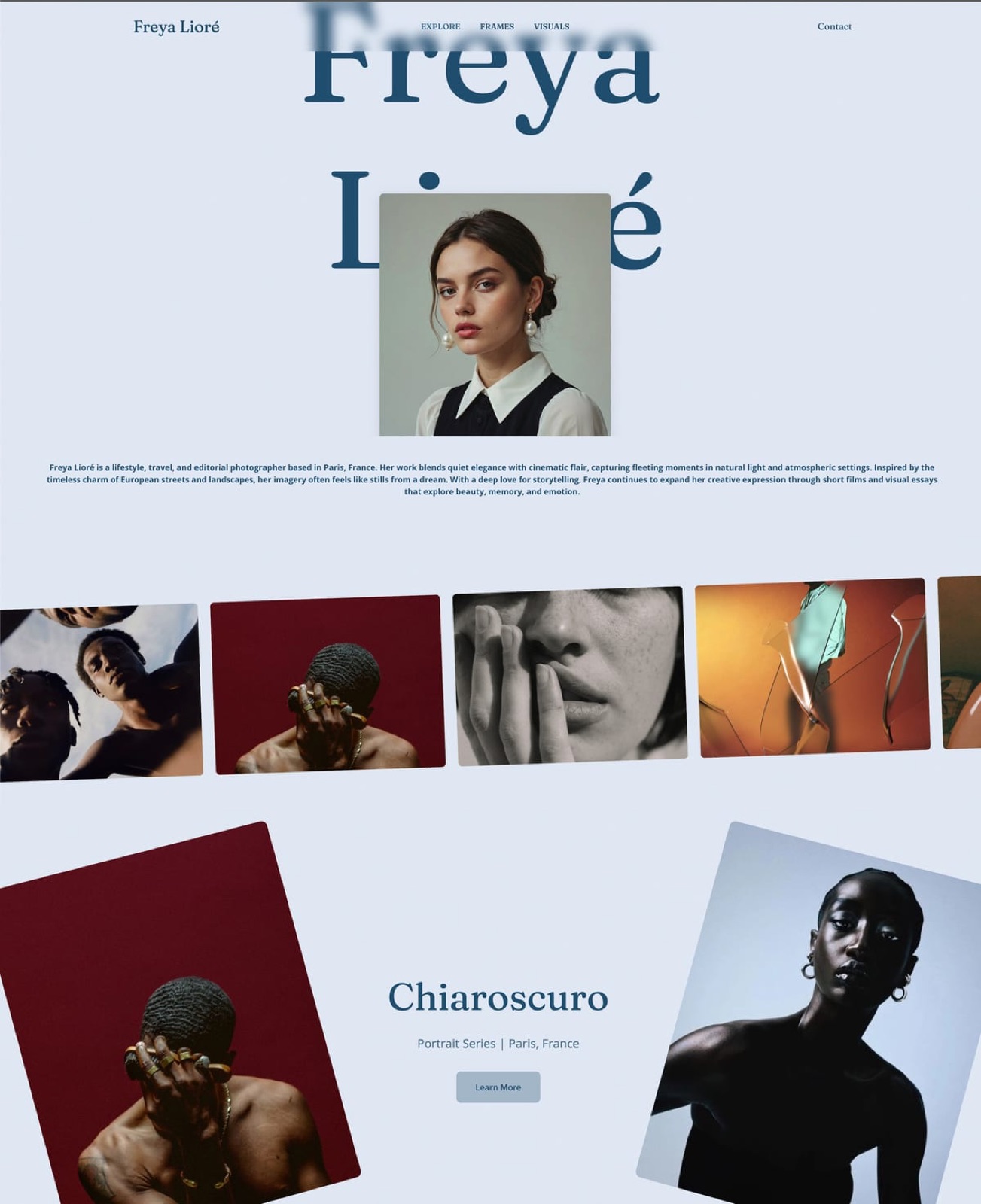
Framekit generates a multi-page portfolio from a description of your practice, then lets you replace the placeholder work with yours, and the output is a real site on your own domain rather than a profile on someone else's.
Building the test setup took about ninety minutes, most of which was uploading and cropping, as it always is.
The part that surprised us was the case-study page: it generated a project template with a problem statement, a process section and a results block already in place, which is the structure most designers know they should write and skip because a blank page is intimidating.
The real number$84 a year on Starter for the site on your own domain, the client galleries, the decks and the store together.
The 40-file client delivery used about 1GB of the 50GB pool, and the $29 template pack nets $26.41 on that plan after the 5 percent fee and card processing, or $27.86 on Business at $39 a month where the fee is 0 percent.
The standout detailthe proposal deck and the portfolio are on the same account, so the case study you wrote for the site becomes the case study in the pitch without rebuilding it in a second tool.
The gotcha, stated plainlygalleries accept JPEG, PNG, WebP and GIF only. A layered PSD going to a developer or a printer is refused at upload, so cloud storage stays in your stack whatever you choose here.
No other platform in this comparison accepts one either, but you should know rather than discover it.
Skip it ifhand-building every breakpoint is the craft your portfolio is demonstrating. Webflow and Cargo give control an AI draft does not, and if clients pay you for bespoke layout then an AI builder removes the thing you sell.
Verdict: the right answer when the site is the means and your client work is the product, and the wrong one when the site is the product.
2. Squarespace: Best If You Sell Physical Goods

Squarespace does portfolio, blog, mailing list and a real store including physical products in one stable subscription, which is more breadth than anything else here and the reason it remains the default recommendation for designers who sell prints as well as files.
The real numberabout $190 a year on its business tier, with commerce tiers above that removing transaction fees on sales.
The gotchano client galleries. A designer delivering finished files to a client on Squarespace is using a second tool, which puts the total back above a consolidated plan.
Skip it ifyour deliverable is digital and client delivery matters, where the missing gallery is a real gap.
Verdict: the better buy the moment physical products enter the picture, and the weaker one if everything you sell is a file.
What reviewers say elsewhereconsistently strong ratings on G2 for ease of use, with recurring criticism of template rigidity.
Already on Squarespace and paying separately for delivery? Our Squarespace comparison prices that pair properly.
3. Webflow: Best for Full Manual Control
Webflow is the ceiling for designers who want to author every breakpoint themselves, with a real CMS and structural control nothing else in this comparison approaches.
The real numberabout $168 a year on its CMS tier for one site, before any seat costs.
The gotchathe learning curve is the price. A designer billing $60 an hour who spends thirty hours learning Webflow has spent $1,800 in billable time, which dwarfs every subscription in this table.
Skip it ifthe site is a means to client work rather than a portfolio piece in itself.
Verdict: the correct choice when the build is part of what you sell, and an expensive one when it is not.
4. Framer: Best for Motion-Led Portfolios
Framer's scroll-linked transitions and micro-interaction tooling are the best here, and for a designer whose work includes motion the portfolio can demonstrate the skill it is selling.
The real numberabout $120 a year for a single site with a custom domain, rising with seats.
The gotchaper-seat pricing scales badly for a small studio, and CMS collections have limits worth checking before a large project site.
Skip it ifmotion is not part of your offer, in which case you are paying for tooling you will not open.
Verdict: the strongest pick for interaction designers and an unnecessary one for most others.
5. Adobe Portfolio: Best Free Option for Creative Cloud Subscribers
If Creative Cloud is already on your card, Adobe Portfolio costs nothing extra and syncs with Lightroom, which is genuinely convenient and hard to argue with on price.
The real number$0 additional, against roughly $240 a year if you would be subscribing to Creative Cloud solely for this.
The gotchait ends when the subscription ends. A portfolio tied to a software subscription is a portfolio with a dependency you did not choose.
Skip it ifyou might leave Adobe, or you need the site to sell or deliver anything.
Verdict: the best free option for people already paying Adobe, and a poor reason to start.
6. Pixpa: Cheapest True All-in-One
Pixpa covers a portfolio, client proofing galleries and a store on one low-priced plan, which makes it the cheapest genuine all-rounder in this comparison and the only one besides us and Format that handles client delivery natively rather than through a second subscription.
The real numberabout $100 a year for the tier that includes galleries and commerce.
The gotchathe design ceiling is lower than the others here, and for a designer being judged on visual craft that is the wrong place to economise.
Skip it ifthe portfolio has to compete on taste.
Verdict: excellent value and the right pick when budget is the binding constraint rather than presentation.
7. Format: Best Portfolio-First Option With Proofing
Format is built around the portfolio and adds client proofing, which makes it one of only three platforms here that covers both showing and delivering.
The real numberabout $132 a year on the tier that includes proofing.
The gotchalimited selling, so a designer with a template pack is adding a store elsewhere.
Skip it ifselling digital products is part of the plan.
Verdict: a strong, focused choice for designers who deliver but do not sell.
8. Cargo: Best for Art-Directed Sites
Cargo is where designers go when the site itself is the statement rather than the container, with layout freedom that produces portfolios nothing template-led in this comparison comes close to matching. It is also the narrowest product here by some distance.
The real numberabout $156 a year.
The gotchano store and no client delivery, so it covers one job of the five.
Skip it ifyou need the site to do anything besides be beautiful.
Verdict: the right tool for a designer whose portfolio is an argument about taste, and a partial solution for everyone else.
9. Canva: Best for Decks, Weakest as a Site
Canva's deck and document breadth is unmatched and its free tier is one of the most generous in software, which is why so many designers keep it regardless of what else they use.
The real numberfree, or about $120 a year on Pro.
The gotchaits site publishing is a single page, so it is not a portfolio platform in the sense this guide means.
Skip it ifyou need a multi-page portfolio, which is the whole job here.
Verdict: keep it for decks and graphics, and do not ask it to be your site.
What a Designer Stack Actually Costs
The comparison that actually matters is not platform against platform but stack against stack, because almost no working designer runs a single tool and the real spend is spread across three or four renewal dates nobody looks at together.
| Setup | A year | Jobs covered |
|---|---|---|
| Squarespace plus a gallery platform plus a deck tool | $500 to $680 | Four, across three bills |
| Webflow plus a gallery platform plus Canva Pro | $490 to $650 | Four, across three bills |
| Framekit Starter plus cloud storage | About $228 | Four, plus working files |
| Framekit free plus cloud storage | About $144 | Four, capped at 10GB |
| Adobe Portfolio plus a gallery platform | $200 to $360 | Two, if you already pay Adobe |
In one linethe saving comes from collapsing the site and the gallery platform, and every row still needs cloud storage for working files.
How to Choose: A Decision Guide
Work through these questions in order and stop at the first one you answer yes to. The first three are capability questions rather than preferences, so if one applies then no amount of price difference further down should change the decision.
- Do you sell physical products such as prints? Yes: Squarespace. We sell digital files only.
- Is hand-building the site part of what clients pay you for? Yes: Webflow or Cargo.
- Is motion a skill your portfolio must demonstrate? Yes: Framer.
- Do you already pay for Creative Cloud and need nothing but a portfolio? Yes: Adobe Portfolio, free.
- Do you deliver files to clients and pitch with documents? Yes: Framekit, which covers both on the plan.
- Is budget the binding constraint? Pixpa at about $100, or our free plan at $0.
Frequently Asked Questions
What is the best all-in-one platform for designers in 2026?
Framekit, for designers whose work is digital, because it covers the portfolio, client delivery, proposal decks and a digital store on one plan at $84 to $180 a year.
Squarespace is the better answer if you sell physical products such as prints, since it has a real store for goods and we do not, and Adobe Portfolio is free if Creative Cloud is already on your card and a portfolio is all you need.
Can any platform replace my whole design stack?
No, and any article claiming otherwise is skipping the working files. Every platform in this comparison refuses a layered PSD at upload, so cloud storage stays in your stack whatever you choose.
What a consolidated plan can absorb is the portfolio, client delivery, decks and a digital store, which for most designers is three or four subscriptions collapsed into one.
Which designer platforms include client galleries?
Framekit, Pixpa and Format, out of the nine compared here. Squarespace, Webflow, Framer, Cargo, Adobe Portfolio and Canva have no client gallery at all, which means designers on those platforms are paying for delivery separately.
That single gap is the most common source of duplicated spend in a designer stack.
How much does a designer website cost per year?
Between $84 and roughly $190 for the platforms here, with Adobe Portfolio free for existing Creative Cloud subscribers and Pixpa cheapest among the true all-rounders at about $100.
The figure that matters more is the stack total: most designers pay $450 to $680 across three or four tools, and collapsing the overlap typically saves $370 to $560.
Is Webflow worth it for a designer portfolio?
If the build is part of what you sell, yes, and the control is unmatched.
If the site is simply how clients find you, the learning curve is the real cost: thirty hours at $60 an hour is $1,800 in billable time, which is more than a decade of the cheapest option in this table.
Most designers who leave Webflow leave for that reason rather than the subscription.
Can I sell template packs from my portfolio site?
On Framekit, Squarespace and Pixpa, yes, with automatic file delivery. Framekit's platform fee runs 5 percent on Free and Starter, 3 percent on Pro and 0 percent on Business at $39 a month, plus card processing.
Squarespace meters digital sales separately until its top commerce tier. Webflow, Framer, Cargo and Adobe Portfolio require a third-party tool for this.
What happens to my portfolio if I stop paying?
On every hosted platform here, the site stops being served on your custom domain and reverts to whatever the free tier allows, if there is one. Adobe Portfolio ends with the Creative Cloud subscription entirely.
The protection is the same everywhere: register the domain in your own name at an independent registrar, and keep local copies of your images and copy.
Do any of these accept RAW or layered files for client delivery?
None of the nine. Framekit galleries accept JPEG, PNG, WebP and GIF; the platforms with proofing have similar restrictions because they are built for finished work.
Anything involving a PSD, a TIFF or a packaged project folder moves through cloud storage or a transfer service, and that is true regardless of which platform in this comparison you pick.
Which is best for a designer who also shoots?
Framekit or Pixpa, because both carry client galleries alongside the portfolio, and Framekit adds video review with timecoded comments for short-form work.
A designer doing hybrid work on Squarespace or Webflow ends up with a gallery platform and possibly a review tool as separate bills, which is where the stack cost climbs past $600.
Is an all-in-one always a compromise?
At any single job, yes. A dedicated portfolio tool art-directs better than we do, a dedicated gallery platform sells prints and we do not, and a dedicated deck tool tracks per-viewer analytics we lack.
The case for consolidation is that four adequate tools on one plan frequently beat two excellent ones across three bills, provided you genuinely use all four.
Final Verdict
For a designer whose deliverables are digital, Framekit covers four of the five jobs on one plan and leaves only working files to cloud storage, at $84 to $180 a year against $450 to $680 for the equivalent stack.
That is the argument, and it is a consolidation argument rather than a claim to be best at any single thing.
Who should not use Framekit. Designers who sell prints or physical goods, where Squarespace has a real store and Framekit does not. This is where Framekit loses outright rather than on balance.
Designers whose portfolios are art-directed builds, where Cargo and Webflow give control an AI draft cannot. Designers who sell motion, where Framer is the better demonstration.
Anyone already paying for Creative Cloud who needs only a portfolio, since Adobe Portfolio is free.
Who should. Designers running several of these jobs at once and currently paying for them separately. The free plan publishes ten pages with galleries, decks and a store at $0, which is enough to find out whether the consolidation fits before cancelling anything.
Related readingthe best all-in-one platforms for photographers, the best website builders for UX designers, and the best case study templates for designers.
All competitor pricing read from each vendor's published pricing pages in September 2026. Framekit limits come from the shipped plan configuration, checked the same month.