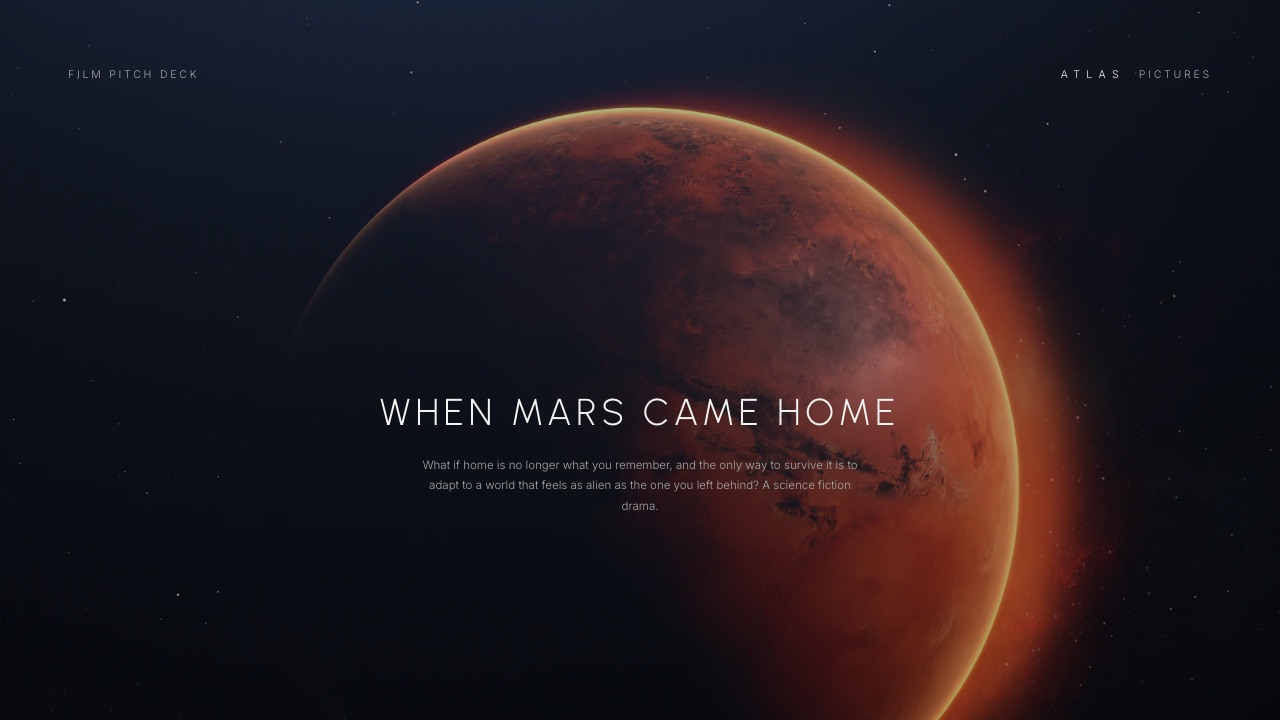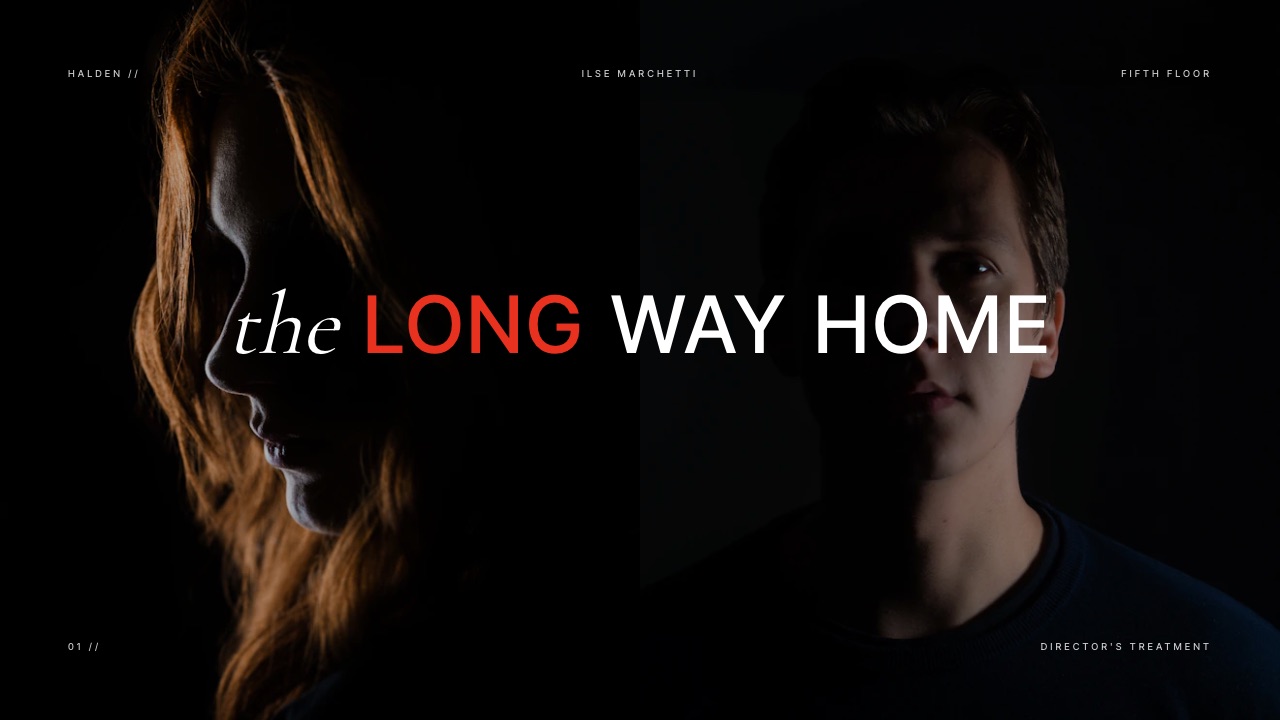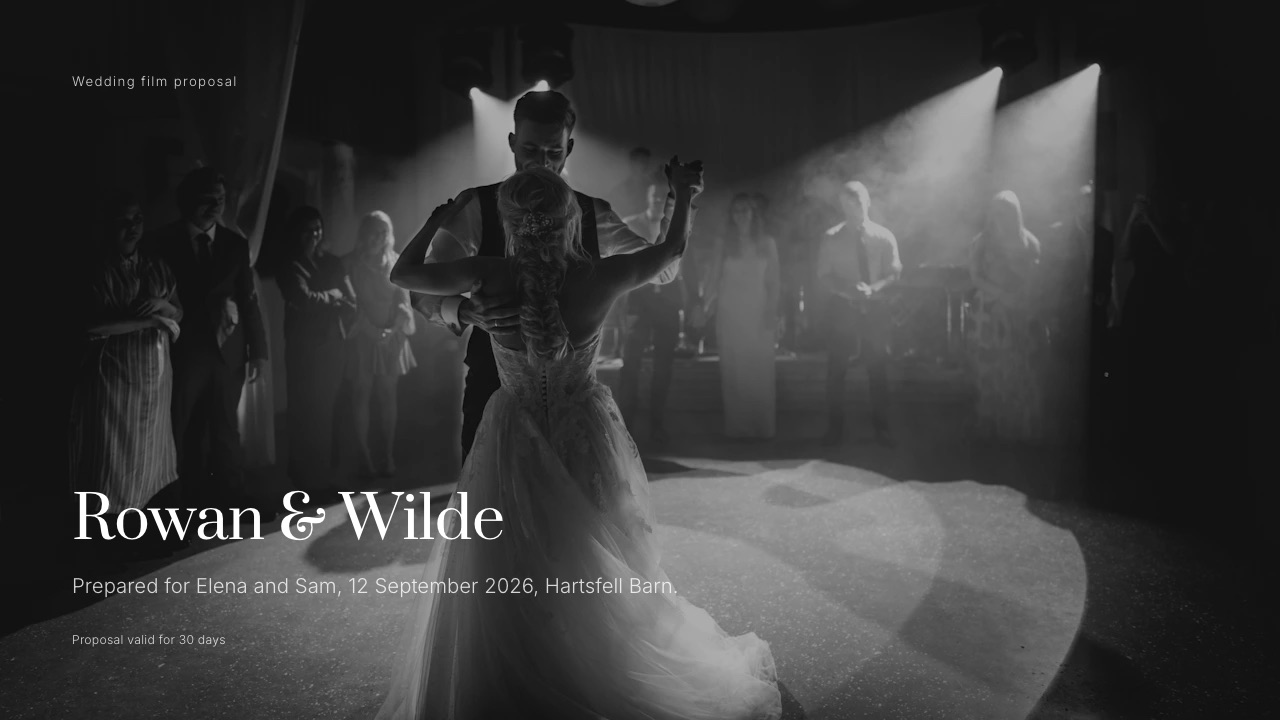
Framekit templates
Start from a designer-made template
 Use template
 Use template
 Use template
 Use template
 Use template
 Use template
 Use template
 Use template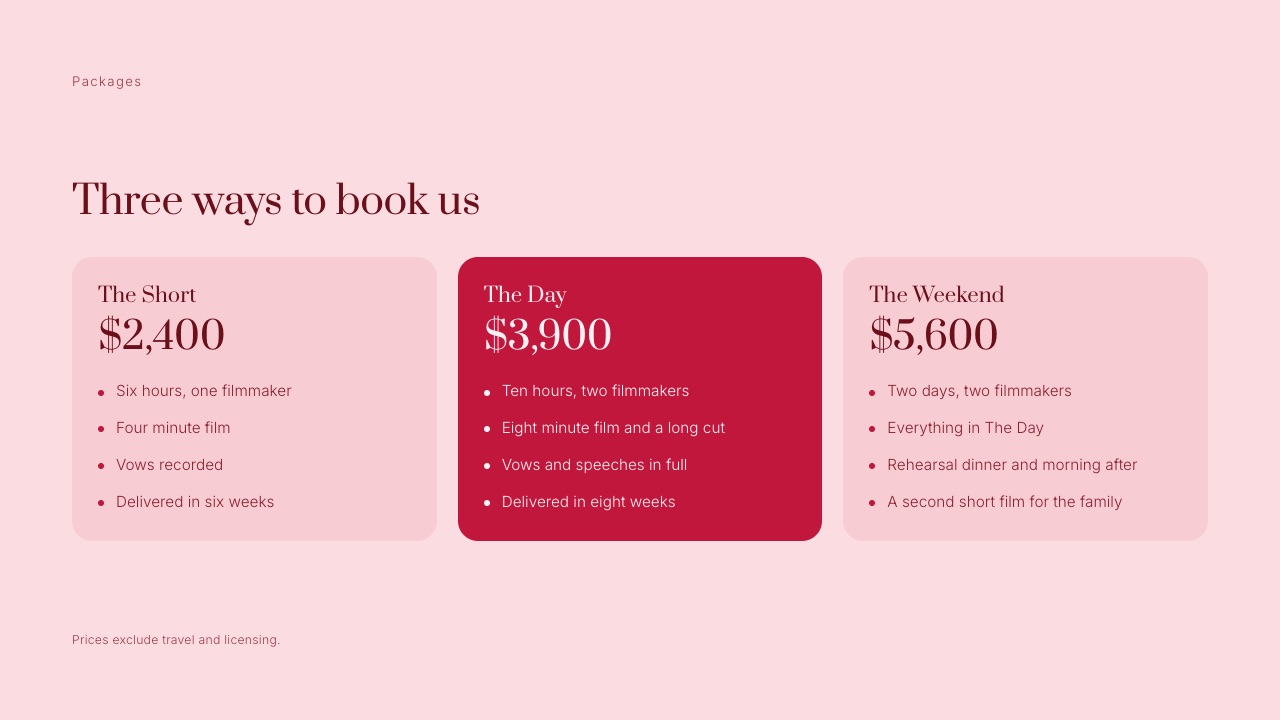
A couple emails on a Sunday night asking for your wedding videography pricing guide. They have already read that a wedding videographer costs $2,300 on average, and your middle package is $3,900.
They will open your PDF on a phone, find the number, and decide in about the time it takes to scroll one page whether you are expensive or worth it.
The number did not create that gap. The missing explanation did. A ten-hour wedding day turns into roughly sixty-four hours of your work once planning, ingest, editing and revisions are counted, and the couple only ever sees the ten.
A wedding videography pricing guide is a short client-facing document, sent after an inquiry, that shows your films, lists your packages and add-ons with prices, explains how the day and the edit work, and sets out how booking, payment and delivery happen, so a couple can say yes without a sales call.
US couples paid an average of $2,300 for a wedding videographer according to The Knot's 2026 Real Weddings Study, while Zola's cost index puts the average at $3,993, so a 2026 pricing guide has to justify where you sit between those numbers by showing the edit, not just the hours.
Price from the hours you actually work (a ten-hour day is about sixty-four), offer three packages, list add-ons separately, and take a 25% deposit.
Build the guide in Framekit Slides if you want it to live as a link beside your website and the galleries you deliver in, in Canva for the largest template library, or in HoneyBook if the same document must also collect the signed contract and the deposit.
Full disclosure: Framekit is our product, and it ranks first in the tools section for one job: a pricing guide that lives on the same account as your site and your film delivery. We did not use the other tools for this piece; we read their pricing pages and product pages in September 2026 and link them. Framekit does not do contracts, e-signatures or invoicing, and HoneyBook does, so if you want one document that books and bills the couple, HoneyBook is the better fit for that part.
How These Prices and Examples Were Put Together
Every figure in this guide comes from one of three places, and they are kept apart on purpose so you can tell a published statistic from our arithmetic and from a template's sample copy before you put any of it in front of a couple.
Read at the source. Cost data comes from The Knot's videographer cost page (updated 11 May 2026) and its 2026 Real Weddings Study release, both drawn from 10,474 US couples who married in 2025; from Zola's wedding videographer cost guide (updated 4 March 2026); and from Bridebook's UK videography cost article (updated 27 July 2026) and its UK Wedding Report 2026.
The Knot's and Bridebook's cost articles refuse automated requests, so their figures are quoted by name without a link. Tool prices come from each vendor's own page, read on 19 September 2026.
Calculated. The hours behind a package, the price-floor formula and the file-size maths are our arithmetic, shown line by line so you can run it with your own numbers.
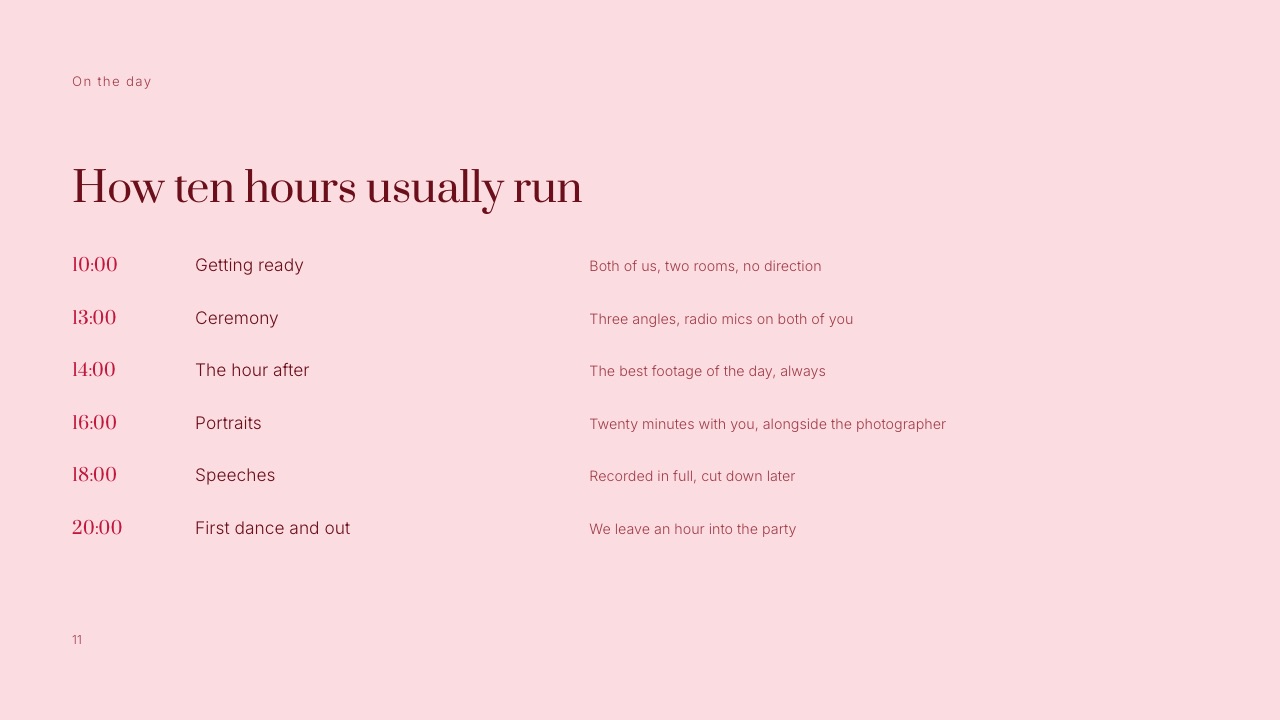
Rendered. The Framekit slides pictured here are the real Wedding Film Client Proposal and Wedding Film Treatment templates, rendered slide by slide.
The package prices on them ($2,400, $3,900 and $5,600) are the template's sample copy, not market data, and are treated as an example throughout.
Reported by users. Nothing. We found no published study that measures how a pricing guide's design changes booking rates, so this guide makes no conversion claims.
The carried example. A two-person wedding film studio selling the template's middle package, The Day, at $3,900: ten hours, two filmmakers, an eight-minute film and a long cut, delivered in eight weeks. Every calculation below uses it.
Wedding Videography Prices in 2026: The Numbers Couples Bring
Couples arrive at your guide with a number already in their heads, usually one of the national averages below, so these are the reference points your prices will be read against whether or not you ever mention them.
- $2,300: the average US couple's spend on a wedding videographer in The Knot's 2026 Real Weddings Study (2025 weddings). Couples in the lowest budget quartile spent $1,000, the median quartile $1,900 and the top quartile $3,300.
- 37%: the share of couples in The Knot's data who booked a videographer at all, against 88% who hired a photographer. Video is still the vendor couples decide to add, not the one they assume.
- $3,993: Zola's national average from its Wedding Cost Index, with most couples spending $3,200 to $4,800, about 8% of the total budget. San Francisco averaged $6,091 and Salt Lake City $3,005.
- $200 to $400 an hour: the typical overtime range Zola reports for wedding videographers.
- £1,514: Bridebook's 2026 UK average, with most couples paying £500 to £2,500. Bridebook puts a camera operator at £450 to £650 a day and editing at £350 a day on top.
- $34,000 and 117 guests: the average US wedding in The Knot's 2026 study, which is the budget your package competes inside.
| Region (US, 2025 weddings) | Average videographer spend | Gap to the national $2,300 |
|---|---|---|
| Mid-Atlantic | $3,000 | +$700 |
| Northeast and New England | $2,700 | +$400 |
| Midwest | $2,200 | -$100 |
| West | $2,200 | -$100 |
| South and Southeast | $2,100 | -$200 |
| Southwest | $2,100 | -$200 |
Source: The Knot's videographer cost page, regional table, read 19 September 2026. The spread between the cheapest and dearest region is $900, which is smaller than the gap between The Knot and Zola at national level.
Age matters too: in the same data Gen X couples spent $1,600 on average, while the Millennial and Gen Z averages sat between $2,200 and $2,500.
Why the Two National Averages Disagree by $1,693
In one lineThe Knot's $2,300 and Zola's $3,993 measure different things from different people, so neither is "the price of a wedding film", and a guide that argues with either number loses the couple before the packages page.
The Knot asks recently married couples what they spent, and splits the answer by the size of the couple's whole wedding budget: couples in the smallest-budget quartile spent $1,000 on video, the largest $3,300.
Its average therefore mixes small weddings that bought a few hours of ceremony coverage with large ones that bought a full studio.
Zola describes its figure as coming from its Wedding Cost Index, which tracks spending trends on its own platform, and its city examples are quoted for 150-guest weddings, which are larger than The Knot's 117-guest average.
So the two numbers can both be honest and still describe different samples.
Our reading, which is an inference and not something either company states: The Knot's number is closer to what the whole country pays, and Zola's is closer to what a couple planning a full-sized wedding on a planning platform spends.
| What the couple read | The number | What it really describes | What your guide should do with it |
|---|---|---|---|
| The Knot, Real Weddings Study | $2,300 average, $1,000 to $3,300 by budget quartile | What 2025 couples reported paying, across every budget size | If you price above $3,300, you are in The Knot's top quartile. Show why on the first two pages |
| Zola, Wedding Cost Index | $3,993 average, $3,200 to $4,800 typical | Platform spending on full-sized weddings, city spread $3,005 to $6,091 | If you price inside $3,200 to $4,800, you are normal here. Say what the middle package includes, not that it is good value |
| Bridebook, UK 2026 | £1,514 average, £500 to £2,500 typical | UK couples, with a day rate of £450 to £650 plus £350 a day to edit | Show the edit days explicitly, since Bridebook's own breakdown prices editing separately |
| A rival's guide | Whatever they charge | One studio's positioning | Do not compare. Compare deliverables instead: minutes of film, cuts, audio, delivery time |
The test you can run tonightput your middle package next to The Knot's quartiles ($1,000, $1,900, $3,300). If it sits above $3,300, your guide's second and third pages must be films and proof, not a price list, because the reader has been told your number is unusual.
How Much to Charge for Wedding Videography: Price the Edit, Not the Day
In one lineA wedding film is priced by the hour a couple never sees, because the carried example's ten-hour day becomes sixty-four working hours, and a price that only covers the ten quietly pays you far less per hour than the headline suggests.
Bridebook's UK breakdown makes the point in one line: a camera operator at £450 to £650 a day, and editing at £350 a day on top. The edit is billed in days, the shoot in hours, and it is easy to price only the part the couple can see.
Here is where the hours go on The Day package. These are example hours for a two-person studio, not a survey. Swap in your own from your last three weddings; your editing timeline already knows the real number.
| Stage | Example hours | Who does it |
|---|---|---|
| Inquiry reply, call, sending the guide | 2 | Lead filmmaker |
| Planning call and timeline with the photographer | 2 | Lead filmmaker |
| Travel and setup, both ways, within 60 miles | 2 | Lead filmmaker |
| The wedding day | 10 | Lead filmmaker |
| The wedding day | 10 | Second filmmaker, paid a day fee |
| Ingest, sync, two backups | 3 | Lead filmmaker |
| Edit the eight-minute film | 20 | Lead filmmaker |
| Assemble the long cut (ceremony and speeches) | 7 | Lead filmmaker |
| Grade and sound mix | 4 | Lead filmmaker |
| One round of changes | 2 | Lead filmmaker |
| Export, upload and delivery | 2 | Lead filmmaker |
| Total | 64 (54 of them yours) |
Now the money on the same package, again with example costs you should replace with your own.
| Line | Example amount |
|---|---|
| Package price, The Day | $3,900 |
| Second filmmaker day fee (example) | -$600 |
| Music licence for the film (example) | -$150 |
| Card processing at 3% (example rate, check your processor) | -$117 |
| Software, storage and delivery share per wedding (example) | -$25 |
| Fuel and parking (example) | -$40 |
| Left for the lead filmmaker | $2,968 |
| Per hour of the 54 you worked | about $55 |
That $55 is before income tax, gear replacement, insurance, marketing and the quiet months with no weddings. It is the number to argue with, not the $3,900.
The price-floor formula
Work backwards from the year, not forwards from a competitor. The formula is: (what you want to earn + what the business costs to run) ÷ the weddings you can realistically film and edit = your average price per wedding.
An example: $60,000 in pay plus $15,000 in costs (camera replacement, insurance, software, marketing), divided by 25 weddings, is a $3,000 average.
At 54 hours a wedding, 25 weddings is 1,350 hours of wedding work before you answer a single inquiry that does not book, so 25 is already a full year for a solo lead.
If the formula says $3,000 and your market's middle is The Knot's $1,900, you have three levers. Sell products that are cheaper to edit, such as a four-minute film with no long cut.
Move up-market with a portfolio that earns Zola-range prices. Or hand more of the day to second shooters so each wedding earns more without adding to your own editing time.
Where packages quietly underprice themselves
Run the same arithmetic across all three template packages and a pattern appears that is easy to miss: in this example, the bigger packages pay less per hour than the smallest one.
| Package (template sample price) | Your hours (example) | Direct costs (example) | Left for you | Per hour |
|---|---|---|---|---|
| The Short, $2,400: six hours, one filmmaker, four-minute film | 31 | $287 | $2,113 | about $68 |
| The Day, $3,900: ten hours, two filmmakers, eight-minute film and long cut | 54 | $932 | $2,968 | about $55 |
| The Weekend, $5,600: two days, two filmmakers, a second short film | 77 | $1,573 | $4,027 | about $52 |
The Weekend is the package couples choose when they care most, and in this example it pays about $16 an hour less than The Short.
If you want every package to earn The Short's rate, The Weekend needs to be about $6,800 (77 hours at $68 plus $1,573 in costs). You may still choose to discount the top tier; just choose it, rather than discovering it in December.
Building Three Packages Couples Can Compare
In one lineThree packages built on hours, number of filmmakers and minutes of finished film let a couple compare you in one glance, and anything that is not one of those three belongs on the add-ons page, not inside a fourth tier.
The Wedding Film Client Proposal template in Framekit Slides lays the packages out exactly that way: three cards, each with coverage hours, the crew, the length of the film, and the delivery time, with a footnote that prices exclude travel and licensing.
The middle card is filled in colour, which is a design choice, not a trick; it marks the package most couples should read first.
| Package line | The Short | The Day | The Weekend |
|---|---|---|---|
| Template sample price | $2,400 | $3,900 | $5,600 |
| Coverage | Six hours | Ten hours | Two days |
| Filmmakers | One | Two | Two |
| Finished film | Four minutes | Eight minutes and a long cut | Everything in The Day plus a second short film for the family |
| Audio | Vows recorded | Vows and speeches in full | As The Day, plus the rehearsal dinner and morning after |
| Delivery | Six weeks | Eight weeks | Not stated on the slide; set your own |
| Where it sits against The Knot's quartile averages | Between the median ($1,900) and top ($3,300) | Above the top quartile's $3,300 | $2,300 above the top quartile |
| Where it sits against Zola's typical range | Below $3,200 | Inside $3,200 to $4,800 | Above $4,800 |
Three things make packages comparable. First, the same units on every card: hours, people, minutes of film, weeks to delivery.
Zola's own tiers use the same logic (basic at four to six hours with one videographer and a three-to-five-minute highlight film, standard at six to eight hours, premium at eight to twelve), so couples who have read it will recognise the shape.
Second, one variable should change at a time between neighbouring tiers. The Short to The Day adds hours, a second filmmaker and a longer film all at once, which is fine because the price jump ($1,500) is large enough to carry it.
If your tiers are closer together, change fewer things.
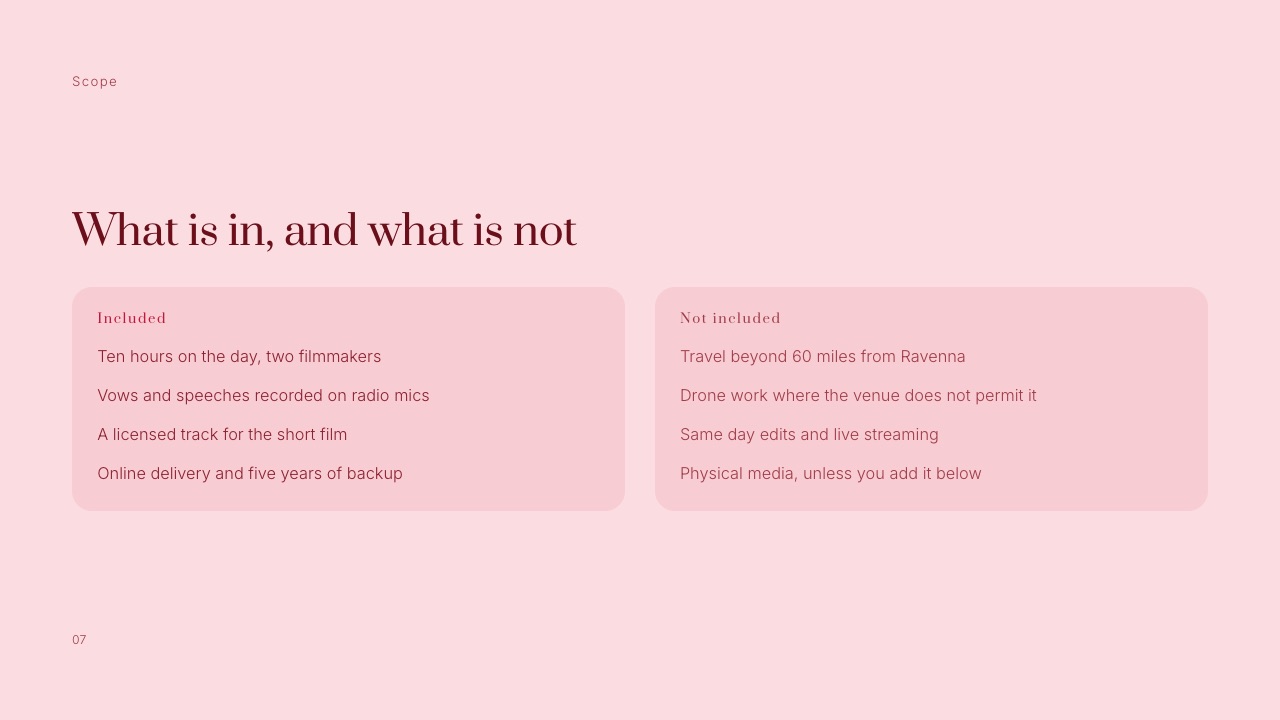
Third, the footnote. "Prices exclude travel and licensing" is five words, and it heads off an argument you would otherwise have after the deposit is paid. If you include a licensed track in every package, as the template's Included slide does, say that too.
Add-Ons, Overtime and Raw Footage: The Page That Protects Your Margin
In one lineAdd-ons are where a wedding videography price list either earns its margin or leaks it, because every extra a couple can request without a price on it becomes a favour you end up editing for free.
The template's Add-ons slide lists five extras with a one-line description and a price each. Those prices are sample copy, but the structure is the lesson: each add-on names what it is, in the couple's words, so nobody has to ask what "social cut" means.
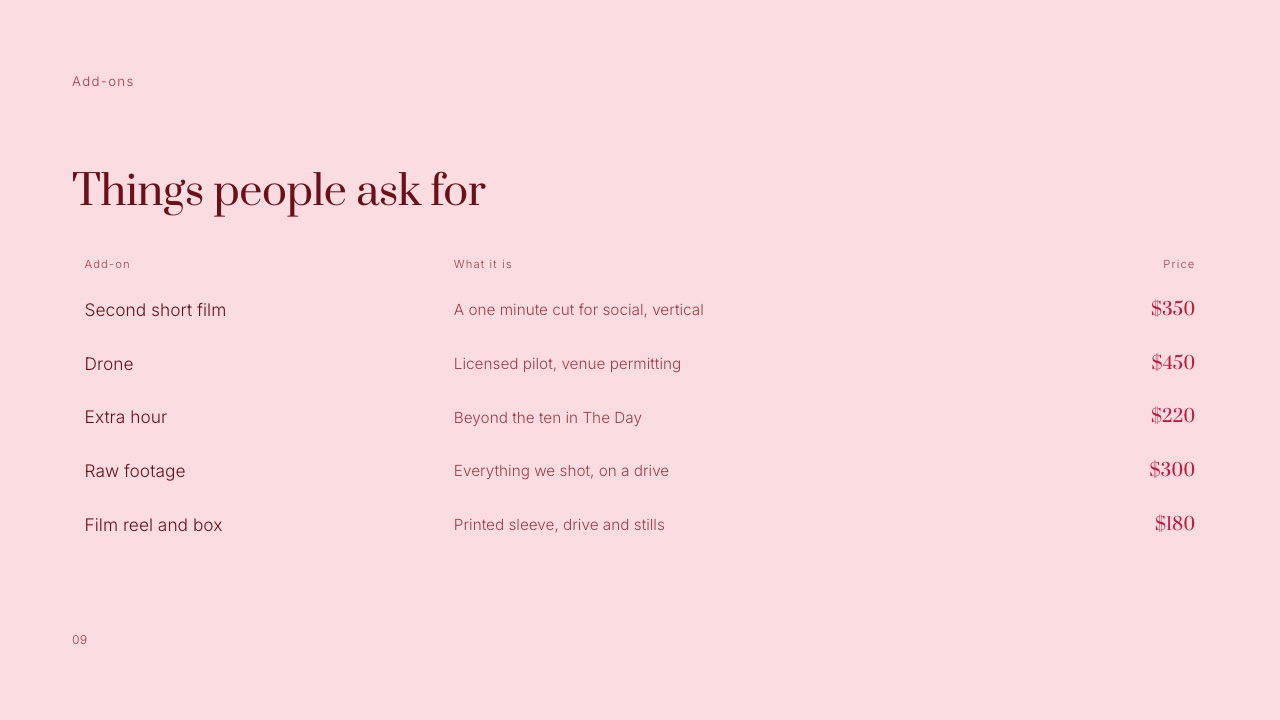
| Add-on | Template sample price | Market reference you can cite | What to write beside it |
|---|---|---|---|
| Extra hour | $220 | Zola: overtime typically $200 to $400 an hour | "Beyond the ten in The Day", and whether it is agreed on the day or in advance |
| Second short film | $350 | No published benchmark found | Length and format: "a one-minute vertical cut for social" |
| Drone | $450 | No published benchmark found | "Licensed pilot, venue permitting", so a no-fly venue is not a refund dispute |
| Raw footage | $300 | Zola lists raw footage as a common extra cost | That raw means unedited and ungraded, and how it is delivered |
| Physical keepsake | $180 | Zola: USB drives and packaging add $50 to $200 | What is in the box, and that online delivery is already included |
Three add-on rules save most arguments. Price overtime per hour, not per "block", so a speech that runs twenty minutes long does not turn into a negotiation at 21:00. Say whether raw footage includes the second filmmaker's cards.
And never make the long cut an add-on on your middle package if your competitors include it; couples compare deliverables, and a missing ceremony edit reads as a missing ceremony.
What about content creators? Zola's 2026 survey found that 21% of couples hired a "unique" vendor and that wedding content creators were the most requested, with over 60% of those couples paying $500 to $999.
That is not your competitor for the film; it is a competitor for your second short film add-on. If you sell a vertical social cut, price it with that $500 to $999 range in mind and say how fast it arrives.
Deposits, Payment Terms and What Is Not Included
In one lineThe payment and scope pages are the two a couple reads twice, so write them as plain schedules with percentages and dates, because vagueness here is what turns a signed booking into a refund request eight months later.
The template's Payment slide splits the fee 25% on booking, 50% four weeks before, and 25% on delivery after the couple has seen the first cut. On The Day at $3,900 that is $975 to hold the date, $1,950 at the planning call and $975 on delivery.
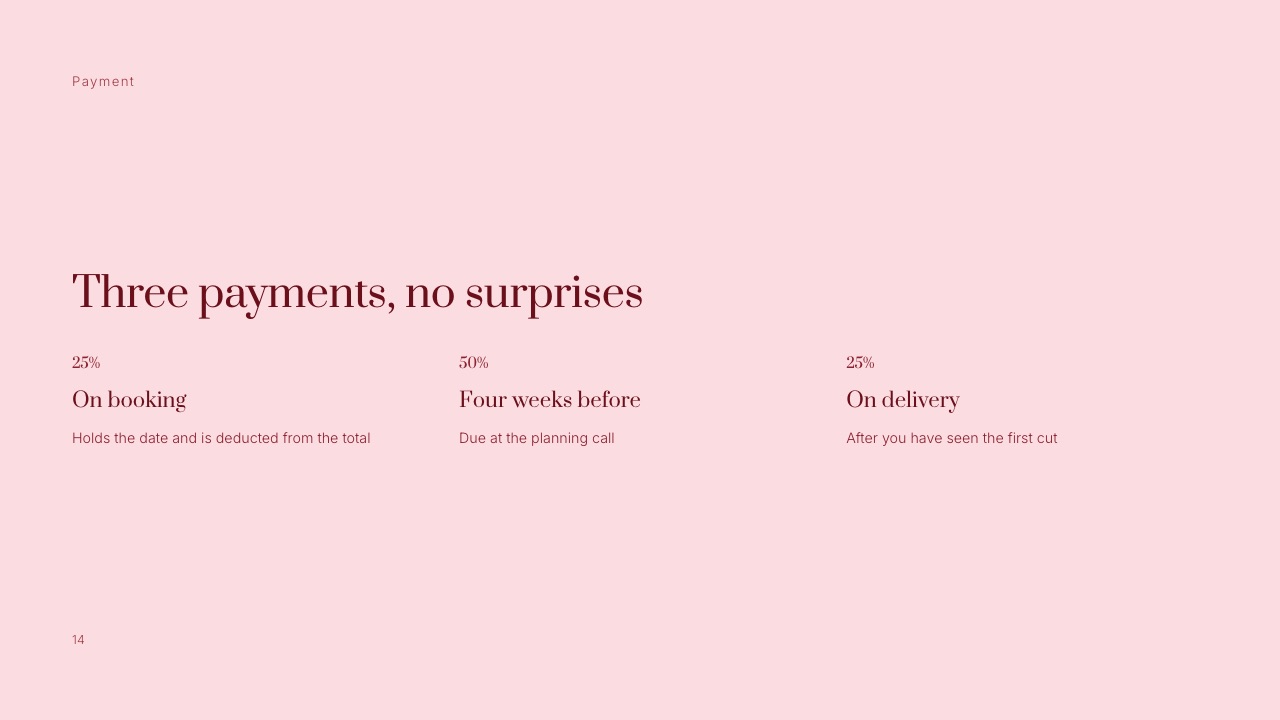
Why that shape works: the deposit is large enough to hold a Saturday you will turn other couples away from, the big payment lands before you spend the day filming, and the final 25% is tied to something the couple can see.
If you prefer a larger deposit, that is your call; whatever percentage you choose, tie it to the date being held and say plainly whether it is refundable.
The scope slide, "What is in, and what is not", does the other half of the work.
The template lists ten hours with two filmmakers, radio-miked vows and speeches, a licensed track and online delivery with five years of backup on one side; travel beyond 60 miles, drone work where a venue forbids it, same day edits and live streaming, and physical media on the other.
Write your own version with three kinds of line:
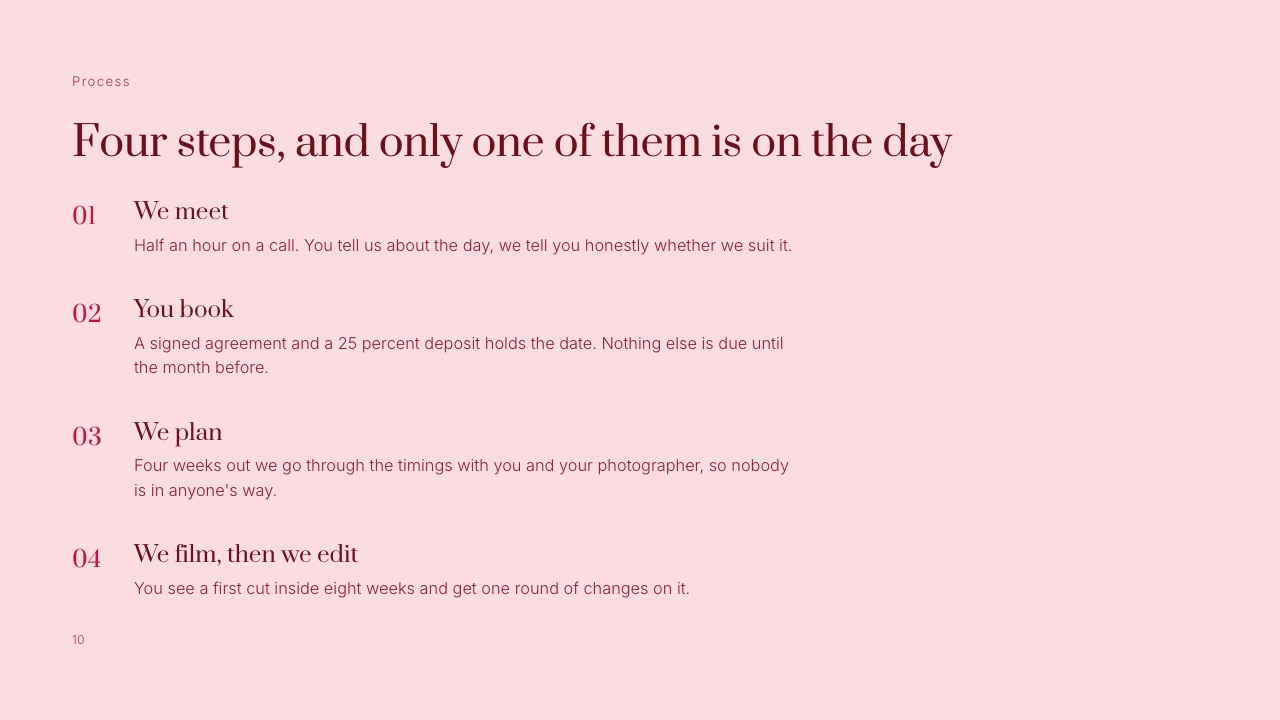
- Deliverables with numbers. Minutes of film, number of cuts, weeks to delivery, rounds of changes (the template's How it works slide promises a first cut inside eight weeks and one round of changes).
- Exclusions that cause disputes. Travel distance, drone permissions, live streaming, raw footage, extra revision rounds.
- The date hold. The template's Availability slide says the date is held for ten days from the day the proposal is sent. That one sentence gives a couple a reason to decide this month.
A pricing guide is not a contract. Put the same terms in a signed agreement from a contract tool or a lawyer's template, and make the guide agree with it line for line.
The Wedding Videography Pricing Guide Template, Page by Page
In one lineA pricing guide that books couples answers their questions in the order they ask them, films first and price second, which is why the 20-slide template below puts packages on page eight and not on page one.
Framekit's Wedding Film Client Proposal template has 20 slides. You do not need all of them, and the table marks which ones earn their place in a short guide sent to a cold inquiry and which belong in the longer version sent after a call.
| # | Slide | The couple's question it answers | Short guide (cold inquiry) |
|---|---|---|---|
| 1 | Cover | Whose guide is this, and does it look like our wedding? | Yes |
| 2 | Hello | Who are these people? | Yes |
| 3 | Our films | Do we like their films? | Yes |
| 4 | A closer look | What does one wedding look like from start to finish? | Optional |
| 5 | What couples say | Did people like them? | Yes |
| 6 | What we do | What exactly do they film? | Optional |
| 7 | Included | What is in the price, and what is not? | Yes |
| 8 | Packages | What does it cost? | Yes |
| 9 | Add-ons | What costs extra? | Yes |
| 10 | How it works | What happens after we say yes? | Yes |
| 11 | The day | Where will they be on the day, and when do they leave? | After the call |
| 12 | What you get | What arrives, and in what form? | Yes |
| 13 | Usage | Can we post it, and can they? | After the call |
| 14 | Payment | When do we pay, and how much? | Yes |
| 15 | What we need | What do they need from us? | After the call |
| 16 | Questions | The five things everybody asks | Yes |
| 17 | Couples | Who else booked them? | Optional |
| 18 | Availability | Is our date free, and for how long? | Yes |
| 19 | Us | Can we trust them in the room? | Optional |
| 20 | Next | What do we do now? | Yes |
The cold-inquiry version is 13 slides.
The first five are all proof, which is deliberate: The Knot's data says only 37% of couples book a videographer at all, so for most readers the first question is not "which package" but "do we want video", and films answer that faster than prices.
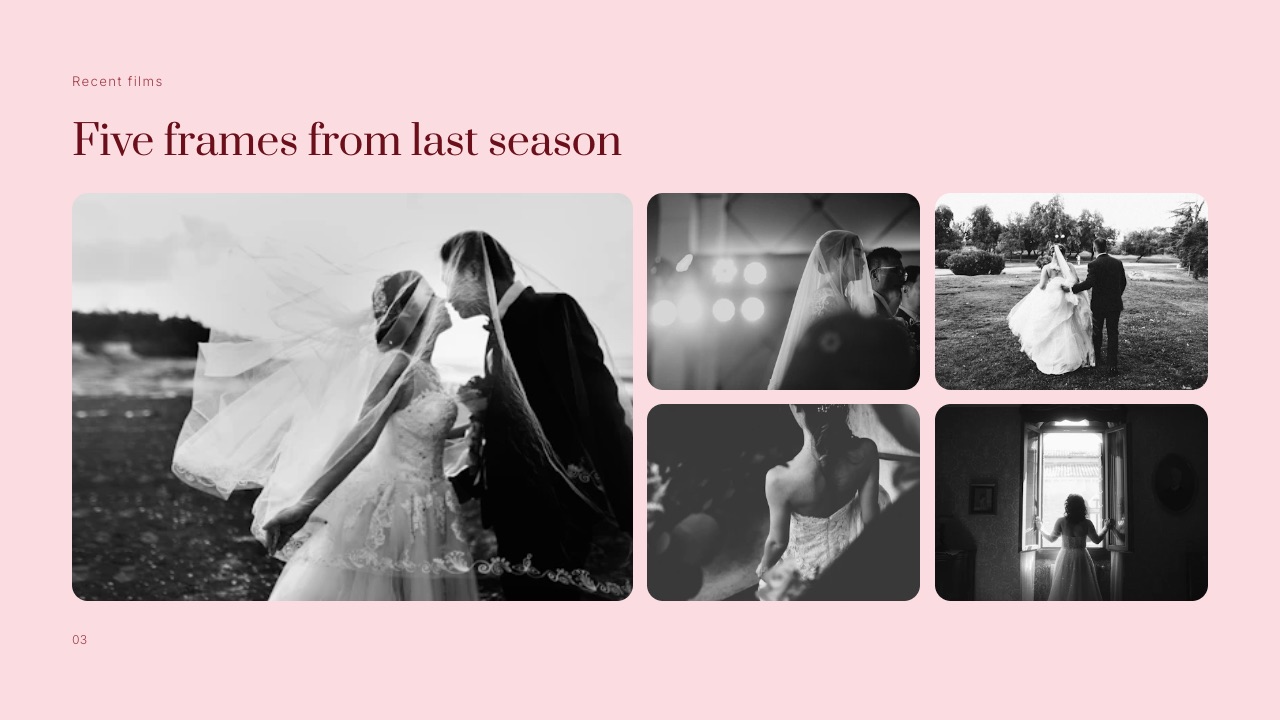
On a slide deck the Our films page shows stills. Framekit Slides can embed YouTube and Vimeo videos on a slide, so when the guide is shared as a link the couple can play a film without leaving the deck.
A PDF cannot play video, so if you send the PDF version, put each film's link in its caption.
The Usage slide is the easiest one to leave out, and the costliest. Say whether you may post the film on your site and socials, whether the couple can post it, and what happens with the licensed music if they upload it somewhere the licence does not cover.
Your music licence terms decide this, not you, so read them before you promise anything.
The treatment that sells the top package
Couples choosing a top package are buying a film, not coverage, and a short treatment does more than a longer feature list.
Framekit's Wedding Film Treatment template has 12 slides (Cover, Concept, References, Narrative flow, Cinematography, Look book, Editing, Effects, Colour palette, Colours, Look and feel, Thank you), and sending three or four of them after the call shows the couple what their film will feel like before they pay for it.
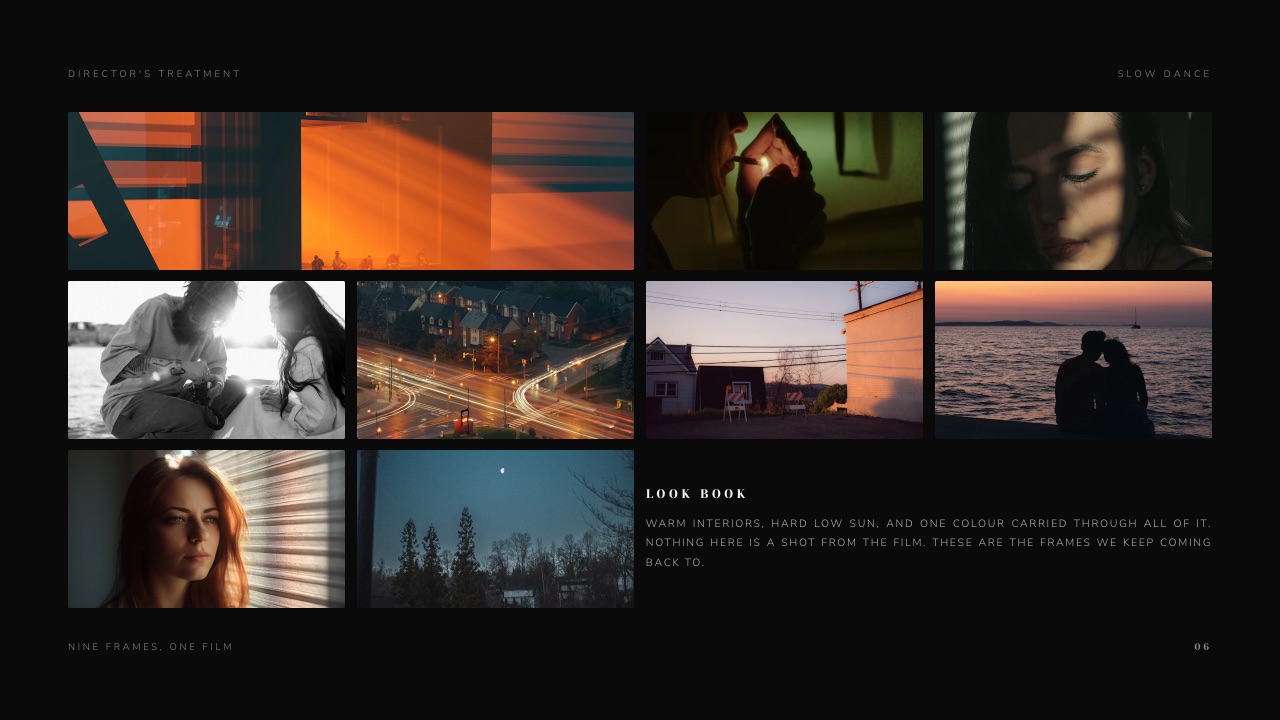
Keep it honest. The template's look book says outright that none of the frames is from the film; they are references. That line matters, because a couple who later compares the delivered film with a stranger's reference frame will remember what you promised.
Delivering the Film: Where File Sizes Meet Your Promises
In one lineThe "What you get" page of your guide makes promises about delivery and backup that your storage has to keep for years, so size them in gigabytes before you print "five years of backup" on a slide a couple will screenshot.
File size is bitrate multiplied by running time. The formula is minutes × 60 × megabits per second ÷ 8 = megabytes. Here it is for the films in The Day, at bitrates chosen as examples for a high-quality master and for a web delivery copy.
| File | Length | Example bitrate | Size |
|---|---|---|---|
| Eight-minute film, high-quality master | 8 min | 45 Mbps | about 2.7 GB |
| Eight-minute film, web delivery copy | 8 min | 20 Mbps | about 1.2 GB |
| Long cut, web delivery copy | 45 min | 8 Mbps | about 2.7 GB |
| Long cut at a higher bitrate | 45 min | 16 Mbps | about 5.4 GB |
| One-minute vertical social cut | 1 min | 12 Mbps | about 90 MB |
That table is why the delivery page should name two kinds of file.
The couple streams and downloads web copies from a gallery; masters and raw footage go on a drive or a file-transfer service, because a 5.4 GB long cut or a set of 4K camera cards is bigger than most gallery platforms accept per file.
Framekit's client galleries hold photos and video in the same gallery, with a per-video cap of 500 MB on Free, 1 GB on Starter, 2 GB on Pro and 3 GB on Business.
The eight-minute web copy at 1.2 GB fits on Pro; the 2.7 GB long cut needs Business. Multi-gigabyte 4K masters beyond 3 GB do not fit on any plan, and we would not pretend otherwise: those belong on a drive or transfer service.
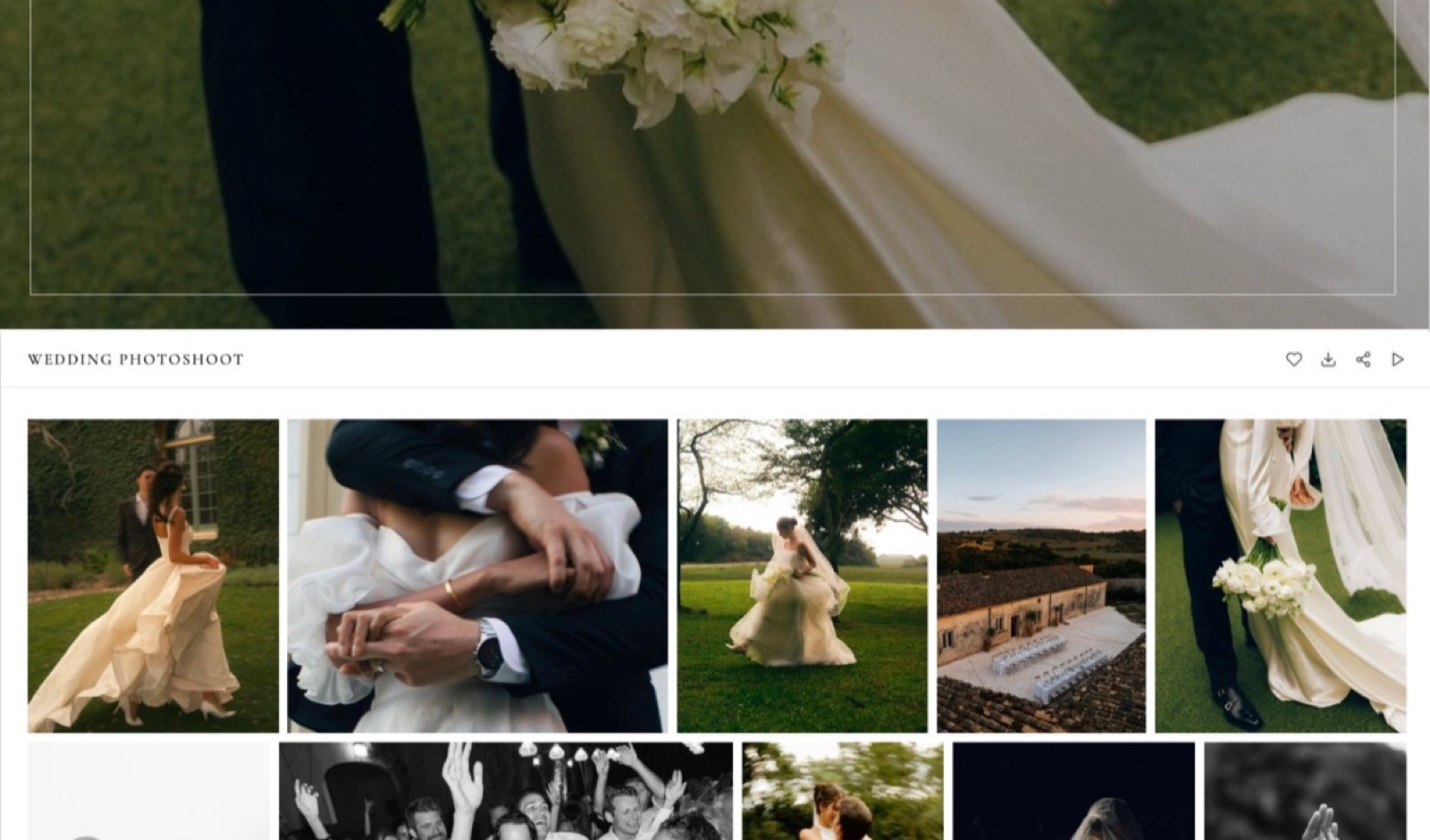
Storage is the second promise. Delivery copies of The Day come to roughly 4 GB per wedding (1.2 GB film, 2.7 GB long cut, a social cut).
A studio filming 25 weddings a year that keeps five years online is holding about 125 weddings, or 500 GB of video.
Framekit's storage is one pool shared by the website, galleries and video reviews: Pro includes 300 GB with 150 GB of it for video, Business 2 TB with 750 GB for video, so the five-year promise is a Business-plan promise.
Whatever platform you use, keep a separate backup of the masters; a delivery gallery is not an archive.
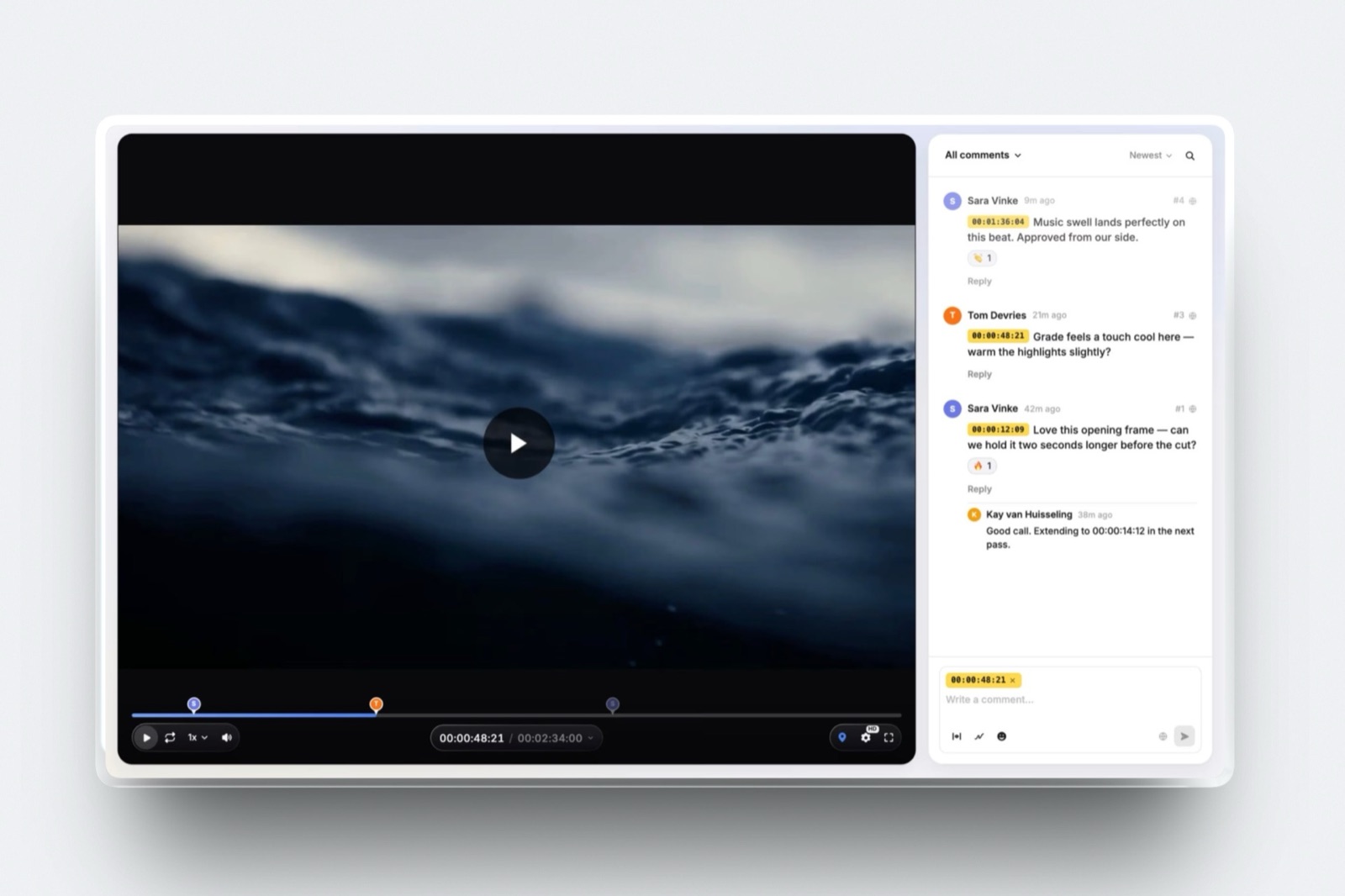
The first cut is where Video Review fits in. The template promises one round of changes, and a round goes faster when the couple leaves notes pinned to the exact timecode instead of an email that says "the bit with Grandma".
In Framekit Video Review, guests comment without an account, draw on the frame, and see the next version stacked on the first with the old notes kept; approval statuses mark when the round is closed.
For more options built for this job, see the best video review tools for wedding videographers, and for the delivery side, how to deliver photos and video together.
Tools to Make the Wedding Videography Pricing Guide
A pricing guide can be built in almost anything that exports a PDF, so the five tools below are ranked on the job around the guide: how fast it looks like your films, where it lives once sent, and whether it can also collect a contract and a deposit.
| Tool | Price read in September 2026 | Starting point | How the couple receives it | Contract and deposit |
|---|---|---|---|---|
| Framekit Slides | Free plan; template library from Starter at $9 a month ($7 billed yearly) | A 20-slide Wedding Film Client Proposal | A link, a PDF, or presented full screen | No |
| Canva | Free; Pro EUR 110 a year (European pricing) | Large template library | A PDF or a Canva link | No |
| Affinity | Free | A blank page | A PDF you design yourself | No |
| HoneyBook | Starter $29, Essentials $49, Premium $109 a month, billed yearly | Brochure and proposal templates | Inside HoneyBook's client flow | Yes |
| Google Slides | Free with a Google account | A basic deck | A Google link or a PDF | No |
1. Framekit Slides: Best for a Guide That Lives Beside Your Films
Framekit Slides is the deck tool inside Framekit, and its Wedding Film Client Proposal is the only template in this list built page for page as a wedding film pricing guide: Our films, Included, Packages, Add-ons, How it works, The day, Payment, Availability and twelve more.
You replace the sample prices and frames rather than designing twenty pages from nothing.
The real numberSlides, unlimited decks, the AI slide writer, speaker notes, share links and PDF export are on the Free plan.
The template library, your own uploaded fonts and removing the Framekit byline start on Starter at $9 a month, or $7 billed yearly, so this particular template is a paid-plan starting point.
The standout detailthe guide sits on the same account as the website the couple found you on, the gallery you deliver in and the review page where they watch the first cut, so one set of fonts and colours runs from inquiry to delivery.
Framekit is an AI website builder for wedding filmmakers and photographers whose Slides, client galleries and Video Review share one account, so the pricing guide, the first cut and the finished film all carry the same brand.
The gotchaa shared deck link has no password and no per-viewer analytics, only a total view count, so you will not know whether this particular couple opened it.
PowerPoint export (Pro and up) is picture-based, so a planner who wants to edit your slides in PowerPoint cannot. And Framekit does not send contracts, take deposits or issue invoices.
Skip it if you want the pricing guide and the signed contract to be the same document; use HoneyBook or pair Framekit with a contract tool from this guide to contract and proposal tools.
Verdict: the best choice when the guide is one part of a site, gallery and review workflow you already run, and the wrong one if you need the guide to bill the couple.
2. Canva: Best for the Widest Choice of Ready-Made Layouts
Canva is where most wedding filmmakers start, and for good reason: the template library is enormous (Canva says 3.6 million or more on Pro, against 1.6 million or more on Free), the editor is quick, and a finished guide exports as a PDF that opens on any phone.
The real numberPro is EUR 110 a year for one person as listed for European buyers in September 2026. Canva's pricing page refuses automated requests, so we are quoting a browser check and not linking the page.
The standout detailthe brand kit on paid plans keeps your fonts and colours consistent across the guide, the Instagram posts and the thank-you cards, which matters if Canva already makes the rest of your marketing.
The gotchaa big library also means a couple may recognise a layout they have seen in another studio's guide, so change the structure, not just the photos.
Skip it if you want nothing but a clean PDF with your own typography and have the design skill for it; Affinity is free and gives you more control. Already outgrowing it? Here are the best Canva alternatives.
Verdict: the fastest way to a polished PDF, and the safe default for a studio that already lives in Canva.
3. Affinity: Best for a Print-Quality Layout You Design Yourself
Affinity now presents itself as professional design, photo editing and page layout in one app, free for everyone, with the option to send finished work to Canva.
For a filmmaker who can design, it is the most typographic control in this list for nothing.
The real number$0, per Affinity's own homepage in September 2026.
The gotchait is a desktop design app, not a template shop. You build all fourteen or twenty pages yourself, and the result is a file, not a link, so updating a price means exporting and resending the PDF.
Skip it if you have never set a grid or picked a type scale; the time you save on money you will spend on layout.
Verdict: the right tool for a studio with a designer's eye and a printed guide in mind.
4. HoneyBook: Best for a Guide That Also Books and Bills
HoneyBook is a client-management platform rather than a design tool, and its strength is what happens after the couple reads the guide: proposals and contracts, invoices and payments, a client portal and a scheduler in one place. HoneyBook's pricing page lists Starter at $29 a month, Essentials at $49 and Premium at $109, billed yearly, each with a free trial, and a limited-time discount banner was running when we read it.
The real numberremoving "Powered by HoneyBook" is an Essentials feature, so a fully branded client flow starts at $49 a month billed yearly, or $588 a year.
The standout detailthe deposit on the Payment page can be the actual deposit, taken in the same flow as the signed agreement, which removes the email that says "I'll send the invoice separately".
The gotchayou are designing inside a business tool, so a guide that looks like your films takes more work than in a deck or design app.
Skip it if you book ten weddings a year and a free contract template covers you. HoneyBook's cost sits on top of whatever builds your website and delivers your films. Weighing it up?
See the best HoneyBook alternatives.
Verdict: the best pick when paperwork, not design, is what slows your bookings.
5. Google Slides: Best Free Starting Point
Google Slides is free with a Google account, shares as a link or exports a PDF, and every planner and parent can open it. For a first season with no budget, a clean twelve-slide guide in Google Slides beats no guide.
The gotchayou start from a near-blank deck, and a shared link opens in Google's interface rather than something that looks like your studio.
Verdict: fine for season one; plan to replace it once your films deserve a better frame. For the head-to-head, see Canva vs Google Slides.
How to Choose: A Decision Guide for Your Pricing Guide
Work through these questions in order and stop at the first one that settles it, because the right tool and structure for your guide depend on how you book, not on which template looks prettiest this week.
- Do you need the guide to collect a signed contract and a deposit in the same flow? If yes, use HoneyBook, or pair any design tool with a contract service. If no, go on.
- Is your middle package above The Knot's top-quartile average of $3,300? If yes, put films and couples' words on the first five pages and send a treatment for the top tier. If no, a shorter 10 to 12 page guide is enough; go on.
- Do you already run your site, galleries and film review in one place? If yes, and it is Framekit, build the guide in Slides from the Wedding Film Client Proposal template so everything shares one brand. If no, go on.
- Do you already make your marketing in Canva? If yes, stay there and use the brand kit. If no, go on.
- Can you design a layout from scratch? If yes, Affinity is free and gives you full control. If no, start in Google Slides this season and move up next year.
Whatever you pick, run the hours table on your own packages first. A guide cannot fix a price that pays $52 an hour for your most demanding package.
Frequently Asked Questions
How much should I charge for wedding videography in 2026?
Charge enough that your middle package covers the hours you really work, which for a ten-hour two-filmmaker day is about 54 of your own hours plus a second shooter.
As reference points, The Knot's 2026 Real Weddings Study puts the US average at $2,300 with a top-quartile average of $3,300, and Zola's index puts it at $3,993 with most couples spending $3,200 to $4,800.
Then work backwards from your target income and the number of weddings you can edit in a year.
What is the average cost of a wedding videographer in 2026?
The average cost of a wedding videographer in the US was $2,300 according to The Knot's 2026 Real Weddings Study, which surveyed 10,474 couples married in 2025, and $3,993 according to Zola's Wedding Cost Index.
Regionally, The Knot's figures range from $2,100 in the South and Southwest to $3,000 in the Mid-Atlantic. In the UK, Bridebook's 2026 data puts the average at £1,514.
Why is Zola's wedding videographer average higher than The Knot's?
Zola's $3,993 and The Knot's $2,300 come from different samples.
The Knot surveys couples about what they spent across every budget size, with its smallest-budget quartile averaging $1,000; Zola says its figure comes from its Wedding Cost Index of platform spending, and quotes city examples for 150-guest weddings.
Treat The Knot as the national picture and Zola as the full-sized-wedding picture, and position your packages against both.
What should a wedding videography pricing guide include?
A wedding videography pricing guide should include your films, words from past couples, what is and is not included, three packages, priced add-ons, how the process works, what the couple receives, a payment schedule, answers to common questions, your availability and a clear next step.
Framekit's Wedding Film Client Proposal template covers these in 20 slides, and a 13-slide version works for a cold inquiry.
Should wedding videographers put prices on their website?
Showing a "packages from" price on your website filters out couples whose budget is far below yours, while the full pricing guide explains what each package includes.
The Knot's data shows only 37% of couples book a videographer at all, so many visitors are still deciding whether they want video; a starting price plus a guide sent on request lets your films make that case before the full price list does.
How much do wedding videographers charge for overtime?
Wedding videographers typically charge $200 to $400 an hour for overtime, according to Zola's 2026 cost guide. Framekit's Wedding Film Client Proposal template uses $220 an hour as sample copy for an extra hour beyond ten.
Price overtime per hour rather than in blocks, and state in the guide and the contract whether it can be agreed on the day.
Should wedding videographers include raw footage?
Raw footage is usually sold as an add-on rather than included, and Zola lists it among the common extra costs couples should ask about.
If you offer it, say that raw means unedited and ungraded, whether it includes the second filmmaker's cards, and how it is delivered, since a full day of 4K footage is far larger than any gallery's per-file limit and belongs on a drive.
How much deposit should a wedding videographer take?
A wedding videographer's deposit should be large enough to hold a date you will turn other couples away from.
Framekit's Wedding Film Client Proposal template uses 25% on booking, 50% four weeks before the wedding and 25% on delivery after the first cut; on a $3,900 package that is $975, $1,950 and $975.
State whether the deposit is refundable, and match the guide to your signed contract.
How should I deliver a finished wedding film to the couple?
Deliver web-quality copies of the film through an online gallery the couple can stream and download from, and send masters or raw footage on a drive or file-transfer service.
In Framekit's client galleries, photos and video share one gallery, with per-video caps of 1 GB on Starter, 2 GB on Pro and 3 GB on Business, so an eight-minute film at about 1.2 GB fits on Pro while multi-gigabyte masters do not fit on any plan.
Framekit Slides vs Canva for a wedding pricing guide: which is better?
Framekit Slides is better when the guide should share an account and brand with your website, client galleries and film review, and it has a dedicated 20-slide Wedding Film Client Proposal template.
Canva is better for sheer template choice and for studios that already make their marketing there. Neither collects a contract or a deposit; HoneyBook does.
Final Verdict
A wedding videography pricing guide works when it answers the couple's questions in order and when the prices on page eight pay for the hours nobody sees.
Start from the data couples read (The Knot's $2,300, Zola's $3,993), run the hours table on every package, fix any tier that earns less per hour than your smallest one, and put films before prices.
For building it, Framekit Slides is our pick if your site, galleries and review already live in Framekit or you want them to, because the guide, the first cut and the finished film then carry one brand.
Where Framekit loses: it does not send contracts, take deposits or show which couple opened your link, so HoneyBook is the better fit for a studio whose bottleneck is paperwork, and Canva is the better fit for a studio whose marketing already lives in Canva.
Framekit is not for anyone who needs the pricing guide itself to be the invoice.
Related readingchoose where couples find you with the best website builder for wedding videographers, compare delivery options in the best client galleries for videographers and for wedding photographers, and set your editing rates for other work with how much to charge for video editing.
Photographers building the same document should read the photography pricing guide template, and for non-wedding work the videographer rate card template sets day rates the way crew cards do.