Framekit templates
Start from a designer-made template
 Use template
 Use template
 Use template
 Use template
 Use template
 Use template
 Use template
 Use template
If you shoot both, you already know the problem: you deliver photos from one platform and video from another, the client gets two links, and they open one. The photos, because 600 stills are ready days before a 38-minute edit is.
The financial version is worse. A gallery subscription that meters video in hours and a transfer or hosting subscription that has no gallery is two bills for one shoot.
On the numbers below, a hybrid wedding shooter can pay $252 to $320 a year for a single-home platform, or two subscriptions for a split one, and in the split case the client still has to be told twice where everything is.
A hybrid delivery is a single client handover containing both the edited stills and the finished video from the same shoot, sent as one link with one password rather than as two separate deliveries.
Doing it well is almost entirely a question of one number that most platforms do not publish: the maximum size of a single video file.
Put the stills and the cuts in the same gallery and send one link, but pick the plan by the per-file video cap rather than by the total storage, because a long-form edit is the file that breaks.
Framekit Client Galleries takes photos up to 100MB each and video per file at 500MB on Free, 1GB on Starter, 2GB on Pro and 3GB on Business, all out of one pooled allowance shared with your website, which makes it the cheapest single home at $180 a year on Pro.
Pic-Time and ShootProof both hold photos and video too but meter them as separate allowances, and both sell prints, which Framekit does not.
Full disclosure: Framekit is our product. Every competitor figure here was read on the vendor's own published page in September 2026 and every one is linked. Framekit has no print lab and no print store, so Pixieset, Pic-Time and ShootProof beat us on any job where print revenue matters. We also publish a per-file video cap that our competitors do not publish, which is a genuine constraint on us as well as a disclosure, and this post treats it as both.
How These Numbers Were Put Together
This is a procedure with arithmetic in it, so it matters which figures were read off a vendor page, which were calculated here, and which could not be established at all.
Read at the sourceevery price, storage allowance and format limit below came from the vendor's own published pages in September 2026. Pixieset's pricing page lists its Client Gallery tiers, and its file size and format requirements state that galleries accept "JPEG and PNG files up to 100 MB" and video as "MP4, MOV, AVI and M4V files up to 3840 x 2160px (4K)". Pic-Time's pricing page meters photo and video separately on every tier. ShootProof's plans page does the same from its Professional tier up. SmugMug's plans page describes unlimited full-resolution JPEG storage and a paid RAW add-on.
Calculatedevery file size, every yearly storage total and every annual cost in this post is arithmetic on a stated bitrate or a stated monthly price, and the formula is published below so you can redo it with your own export settings. None of it is measured.
Could not be establishednone of Pixieset, Pic-Time, ShootProof or SmugMug publishes a maximum size for a single video file on a page we could read.
Pixieset's own announcement of video in Client Gallery says you can "upload videos of any size, length and ratio" while its plans meter total video hours, so the two statements describe different limits.
Where a cap is not published, this post says so rather than guessing one.
The carried example throughout is one wedding delivered as 600 edited JPEGs, one 4-minute highlight film, one 38-minute documentary edit and two 60-second social cuts.
The One Formula That Decides Everything
In one lineEvery platform decision in this post comes down to whether your longest video file fits under a per-file cap, and you can work out that file's size in one line of arithmetic before you sign up for anything.
Here is the arithmetic, and it is the only maths in the post: take the export bitrate in megabits per second, multiply by the running time in seconds, then divide by eight for a figure in megabytes.
A 38-minute edit exported at 10 megabits per second is 10 times 2,280 seconds divided by 8, which is 2,850 megabytes, or 2.85GB. The same edit at 6 megabits per second is 1,710 megabytes, or 1.71GB.
Nothing about the picture content changes that arithmetic; only the bitrate and the length do.
That is why the per-file cap matters more than the total allowance. A photographer with 300GB of storage and a 2GB per-file cap cannot upload a 2.85GB file, and no amount of remaining space fixes it.
- 8.43GB: the size of the carried wedding delivery at the bitrates above.
- 7.29GB: the same delivery with the long edit re-exported at 6 megabits per second.
- 2GB: the per-file video cap on Framekit Pro at $19 a month, which the 2.85GB version of that edit exceeds and the 1.71GB version does not.
- 3GB: the per-file cap on Framekit Business at $39 a month, the highest one we publish.
- 100MB: the maximum size of a single photograph on both Framekit and Pixieset Client Gallery.
- $180 a year: Framekit Pro billed yearly, against $252 for Pic-Time Professional and $320.04 for ShootProof Professional.
- 0: the number of competitors on this page who publish a per-file video cap.
Step 1. Write Down Every Deliverable Before You Open a Platform
Start with a list of the actual files the client receives, because a platform chosen before the list exists is a platform chosen against a guess, and on the delivery below the guess would have been 4.8GB of stills against a real total of 8.43GB.
The list for the carried wedding is four lines: 600 edited JPEGs, one 4-minute highlight film, one 38-minute documentary edit, and two 60-second social cuts. That is four categories with wildly different sizes and only one of them is negotiable.
What to write down per linewhat it is, the count, the size in megabytes, and who it is for. The last column matters more than it looks, because two 60-second cuts are going to a phone and a 38-minute edit is going to a television, and those two want different export settings.
The thing that goes wrongforgetting the raw ceremony audio, the drone clips the client asked to keep, or the second shooter's set. Each of those arrives after you have committed to a plan, and a second shooter's 400 extra frames at 8MB each adds 3.2GB to a delivery you had already sized at 8.43GB.
Step 2. Size Every File, Then Find the Biggest One
Run the formula on each video line, add the photographs, and write down the single largest file, because that one number decides which plans are available to you.
| Deliverable | Count | Export | Size each | Line total |
|---|---|---|---|---|
| Edited JPEGs | 600 | Full resolution | about 8MB | 4,800MB |
| Highlight film | 1 | 4 min at 20 Mbps | 600MB | 600MB |
| Documentary edit | 1 | 38 min at 10 Mbps | 2,850MB | 2,850MB |
| Social cuts | 2 | 60 sec at 12 Mbps | 90MB | 180MB |
| Delivery total | 8,430MB, or 8.43GB |
The biggest single file is the documentary edit at 2,850MB. Everything else on that list would fit on any plan of any platform discussed here. One file drives the whole decision.
Photographs almost never decide it. Six hundred full-resolution JPEGs at 8MB each is 4.8GB, which sounds like the big number until you notice it is spread across 600 files, none of them anywhere near the 100MB per-photo ceiling that both Framekit and Pixieset Client Gallery apply.
The thing that goes wrongsizing the video from the timeline rather than from an export. A 38-minute sequence in your editing software tells you nothing about the delivered file, because the delivered file is whatever your export preset says it is.
Export one minute, multiply, and you have a real figure in two minutes.
Step 3. Pick the Home by the Per-File Cap, Not the Storage Total
Compare platforms on the maximum size of one video file first and on total storage second, because the total is the number every vendor advertises and the per-file cap is the number that actually stops an upload.
Framekit publishes its caps, which is convenient here and also a constraint we have to live with in public.
| Framekit plan | Price | Pooled storage | Of which video | Per photo | Per video file |
|---|---|---|---|---|---|
| Free | $0 | 10GB | 3GB | 100MB | 500MB |
| Starter | $9 a month, $7 billed yearly | 50GB | 15GB | 100MB | 1GB |
| Pro | $19 a month, $15 billed yearly | 300GB | 150GB | 100MB | 2GB |
| Business | $39 a month, $31 billed yearly | 2TB | 750GB | 100MB | 3GB |
Read that against the carried wedding. The 2,850MB documentary edit does not fit on Pro. It fits on Business, with 150MB to spare, which is not a comfortable margin. Re-exported at 6 megabits per second it is 1,710MB and fits Pro with room.
That single decision is worth $20 a month.
Now the platforms side by side. Every price is billed annually, expressed per month, as published in September 2026.

| Platform | Plan | Price | Photo allowance | Video allowance | Per-file video cap |
|---|---|---|---|---|---|
| Framekit | Pro | $15 a month | One 300GB pool | Up to 150GB of that pool | 2GB, published |
| Pixieset | Plus | $16 a month | 100GB total | Shared with photos, video needs a paid plan | Not published |
| Pic-Time | Professional | $21 a month | 100GB photo | 30GB video, about 3 hours | Not published |
| ShootProof | Professional | $26.67 a month | 1000GB photo | 50GB video | Not published |
| SmugMug | Portfolio | $23.50 a month | Unlimited JPEG | Not described on the plans page | Not published |
What that table actually saysShootProof's 1000GB of photo storage is ten times what Pixieset Plus and Pic-Time Professional give you at the same tier and more than three times the whole Framekit Pro pool, so if your problem is a decade of archived stills, ShootProof wins on the number that matters to you.
Pic-Time's split allowances are honest and easy to reason about, and its video tier is quoted in hours, about 3 at Professional, which is quicker to check a 38-minute edit against than 30GB is.
Framekit's advantage is narrower than the marketing would like: one pool, one gallery, one bill, at the lowest price on the row.
Our client gallery cost comparison works through the full price ladders, and platforms with video in the gallery covers the ones not listed here.
Step 4. Export the Video for Delivery, Not as a Master
Export a delivery file rather than uploading your master, because the master is the wrong file for a client gallery in every respect: it is enormous, it plays badly on a phone, and on most platforms it will not upload at all.
A delivery export for a client gallery is H.264 in an MP4 container, 1080p or 4K depending on what you shot and what you promised, at a bitrate chosen to land under the per-file cap.
Pixieset's own guidance recommends MP4 with H.264 and 8-bit 4:2:0 colour or below, and notes that video is never upscaled, so the resolution you export is the best resolution the client will ever have.
A worked decision on the carried wedding. The 38-minute documentary edit at 10 megabits per second is 2,850MB and needs the $39 Business plan. At 6 megabits per second it is 1,710MB and fits the $19 Pro plan.
At 1080p, 6 megabits per second is a reasonable delivery bitrate for a talking-and-cutting documentary edit with no fast motion.
If the film is full of drone movement or confetti, hold the higher bitrate and pay for Business, because a blocky ceremony is a worse outcome than $20 a month.
What about a 40-minute wedding film? Run the same arithmetic: 2,400 seconds at 10 megabits per second is 3,000MB, which is exactly the Business cap and therefore risky.
At 8 megabits per second it is 2,400MB, which still misses Pro. At 6 megabits per second it is 1,800MB and fits Pro.
So a 40-minute film is deliverable through Framekit, but only as a delivery export, and on Pro only at roughly 6 megabits per second or below.
If you need to hand over a ProRes or DNxHD master, that is not a gallery job at all and you should send it as a file transfer.
The thing that goes wrongexporting once at master quality and assuming a platform will transcode it down for you. Some will, some will reject the upload outright, and the per-file cap is applied to what you upload rather than to what the platform stores.
If you need to work out which bitrate to use, our video compression tools roundup covers the encoders, and for anything genuinely too large for a gallery, client gallery versus WeTransfer covers the transfer route.
Step 5. Build One Gallery, in the Order the Client Will Use It
Put the stills and the cuts in the same gallery and order it the way the client will actually move through it, which is almost never the order you finished the work in.
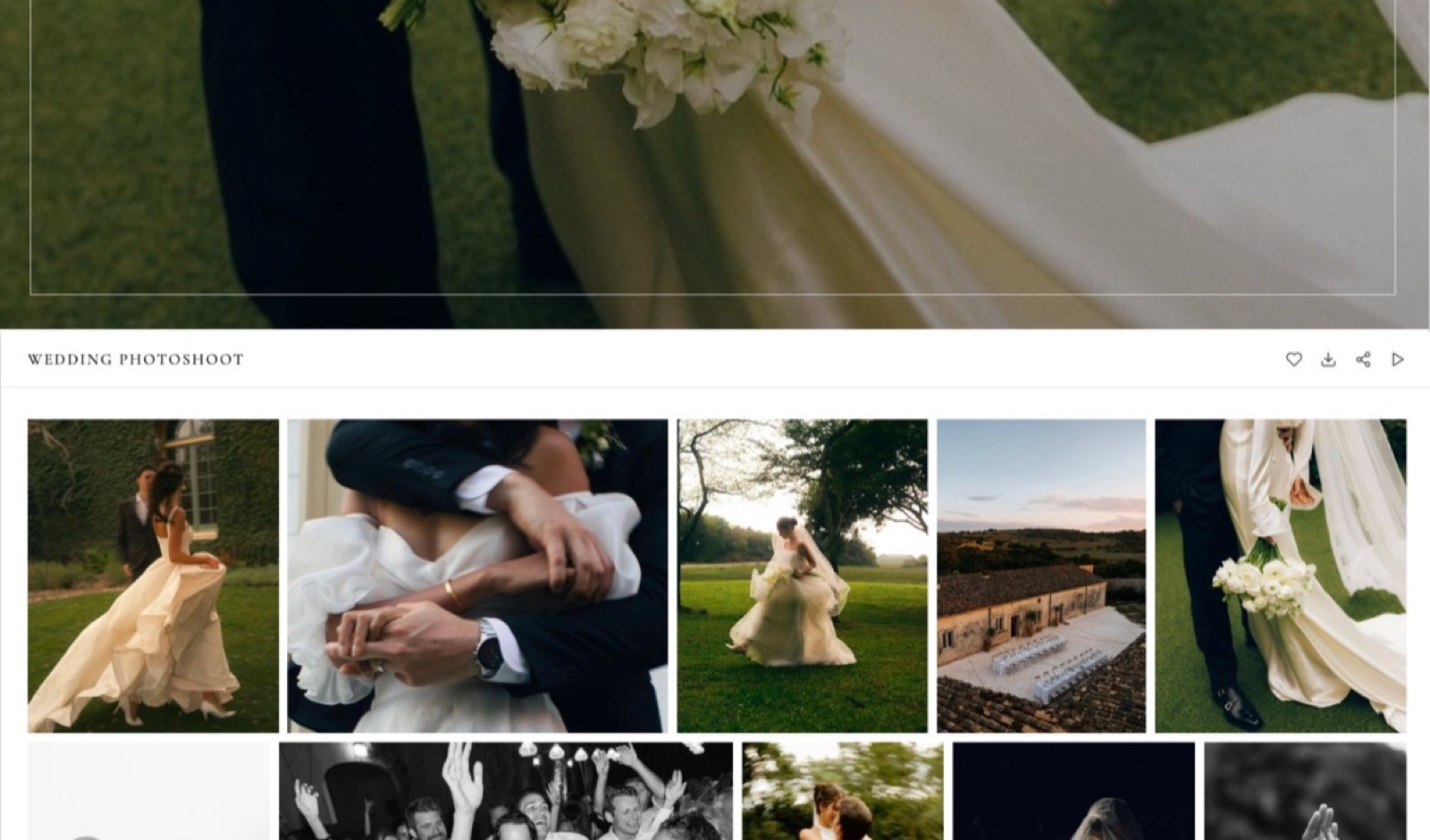
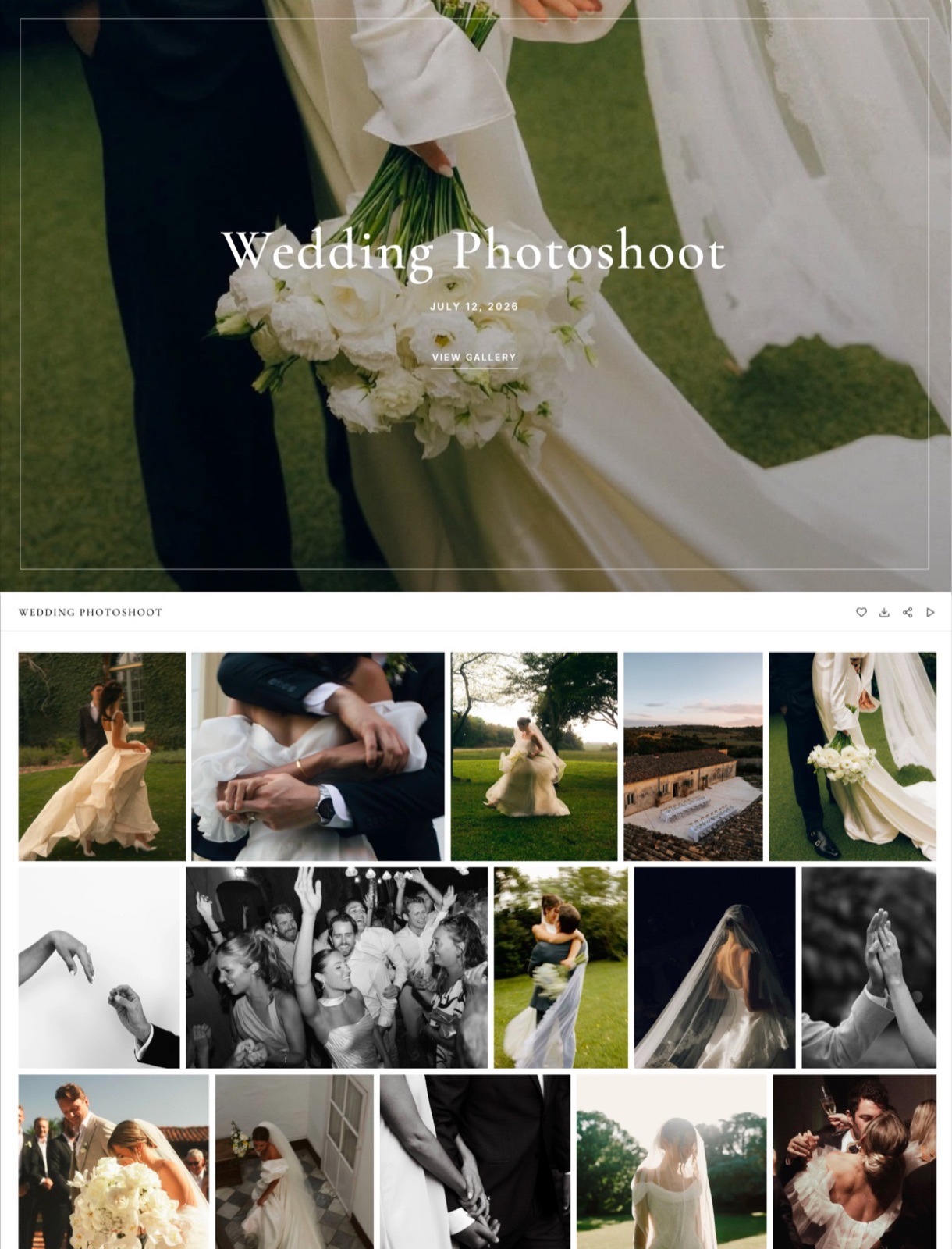
The order that works is four labelled groups: the 4-minute film, then the 600 stills, then the 38-minute edit, then the two 60-second cuts. The highlight is the emotional opener and it is the thing they will watch in the first minute.
The stills are what they came for. The long edit is a sit-down, and the social cuts are a utility they will look for later.
Use sets or sections rather than one undifferentiated grid. Six hundred photographs and four videos in a single scroll is a worse experience than four labelled groups, and a client who cannot find the ceremony emails you instead of downloading it.
Label the videos with their length. "Documentary edit, 38 minutes" sets an expectation; "Documentary edit" does not. An unlabelled 38-minute file gets closed at minute two and never reopened, and the client remembers the 4-minute one as the whole delivery.
The thing that goes wrongtreating video as a bonus tacked on the end.
If the client paid for film, the film is not an appendix, and putting a 4-minute highlight below 600 stills buries it behind roughly 25 screens of thumbnails on a phone at three across and eight down.
That is the most common failure in a hybrid delivery and it hides the work's best advertisement.
Step 6. Set Downloads and Expiry for Two Different Audiences
A hybrid gallery is read by two audiences with opposite needs, the one client who commissioned it and the 40 or so people that client forwards it to, and the download and privacy settings should be chosen for both rather than for the client alone.
The client needs full-resolution stills and the video files. The forwarded audience, which is family, colleagues or a marketing team depending on the job, needs to watch rather than to download.
What to seta password on the gallery, a separate download PIN so watching and downloading are different permissions, favourites on so the client can mark a subset, and downloads configured to offer the full set or favourites only.
All four are on every Framekit plan, the $0 one included, along with email registration if you want an address before anyone views.
Expiry. Set an end date on the day you create the gallery, 90 days out for a wedding, and tell the client twice, once at delivery and once a week before it closes.
On a hybrid delivery this matters more than on a stills-only job, because video files are the ones people put off downloading.
The thing that goes wrongone password shared with forty guests and downloads left on. That is how a full-resolution set ends up on somebody's cloud drive. Use the download PIN for the client and give the guests the view-only password.
Step 7. Send One Link, and Say What Is Inside It
Send a single link with a single password, and use the message to tell the client what is in the gallery and how long each thing is, because the message is what decides whether anyone opens the video.
The delivery message for a hybrid job carries one more line than a stills delivery: an inventory.
"Inside you will find the 4-minute film, 600 photographs, the full 38-minute edit and two short cuts for social." Four seconds of reading, and it stops the client assuming the film is missing.
Do not send two emails. A photos email and a video email is the two-link split the six steps before this one exist to avoid, and it reintroduces the whole problem at the last possible moment.
Include the download instruction for both types. Clients who can download a ZIP of 600 photographs without help routinely do not realise the 4 video files can be downloaded at all, and ask you to send them again by another route.
The thing that goes wrongsending the link before the video has finished processing. Every platform takes time to transcode, and a gallery opened during processing shows a missing or degraded video. Open all four video files yourself, from a logged-out browser, before you send.
For the wording of the delivery message itself, our photo delivery email guide has the structure, and delivering photos and video together covers the general case this post works through for one shoot.
Step 8. Do the Storage Arithmetic for a Full Year
Multiply one delivery by a realistic year of work before you choose a plan, because storage decisions are annual decisions and the cost of getting one wrong is a mid-year migration.
Take eighteen weddings a year at the carried example's 7.29GB each, with the long edit exported at 6 megabits per second. That is 131.2GB of delivery, of which 2.49GB per wedding, or 44.8GB across the year, is video.
| Framekit plan | Pooled storage | Video share of the pool | Weddings at 7.29GB each | What binds first |
|---|---|---|---|---|
| Free | 10GB | 3GB | 1 | The video share |
| Starter | 50GB | 15GB | 6 | The video share, at 2.49GB of video per job |
| Pro | 300GB | 150GB | 41 | The total pool |
| Business | 2TB | 750GB | 274 | The total pool |
Eighteen weddings a year fits Pro at $15 a month billed yearly, with room for the website's own images in the same pool. That is the honest recommendation for a hybrid wedding shooter, and it is $180 a year.
Note what the table shows about Starter. It looks like a 50GB plan, but the 15GB video share means it runs out of video space after about six weddings while 35GB of the pool is still empty.
Plans with split allowances behave like this everywhere, which is why Pic-Time publishing its video tier in hours is a sensible piece of design.
The thing that goes wrongtreating a delivery platform as an archive. Every allowance in this post is rented.
When a gallery expires, the originals belong in your own backup, and our guide to how much storage photographers need works through the archive side that none of these subscriptions cover.
What Two Tools Cost Against One
In one lineThe two-tool stack rarely looks expensive on either invoice, $96 a year for the gallery and a transfer subscription on top of it, which is exactly why it survives, and the honest comparison is not the money alone but the money plus the second link the client has to be told about.
| Setup | Annual cost | Links the client gets | What it handles |
|---|---|---|---|
| Framekit Pro alone | $180 | 1 | Stills and video in one gallery, 300GB pooled |
| Pic-Time Professional alone | $252 | 1 | 100GB photo and 30GB video, plus print sales |
| ShootProof Professional alone | $320.04 | 1 | 1000GB photo and 50GB video, plus commission-free sales |
| Pixieset Basic plus a file-transfer subscription | $96 plus the transfer bill | 2 | Stills in a gallery, video sent separately |
The split option starts at $96 a year, the cheapest line on the page, and it is still the wrong answer for most hybrid jobs, because the cost you are not counting is the one that lands on the client.
Two links means one of them is the link they remember, and the other one generates a question three weeks later when they cannot find the film.
If you are pricing a transfer tool for the second half of a split stack, Dropbox's plans page lists a free tier of "2 GB to store and share your files" and a Plus tier at EUR 9.99 a month with 2TB, as listed for European buyers in September 2026, and WeTransfer's pricing page describes free transfers of up to 2GB, though its plan table renders from JavaScript and could not be read in full.
Where Framekit Fits, and the Three Places It Does Not
In one lineOne gallery holding both file types out of a single 300GB pool is a real advantage for a hybrid shooter, and it is worth stating precisely, because the three things Framekit cannot do for that shooter sit in the next three paragraphs.
Framekit is an AI website builder for photographers and filmmakers whose client galleries take stills and video side by side, out of the same storage pool as the portfolio site those galleries sit behind.
Unlimited galleries are on every plan including the free one, with watermarking, a gallery password, a separate download PIN, favourites, slideshows, full-resolution and ZIP downloads, email sharing, email registration and auto expiry all available from the free tier upward.
Leaving the free tier is what buys galleries on your own domain without the Framekit badge, and that starts at $7 a month billed yearly.
The first place it does not fit: prints. There is no print lab, no print store and no fulfilment of any kind.
A hybrid wedding shooter whose album and wall-art sales are a real revenue line should be on Pixieset, Pic-Time or ShootProof, all three of which sell prints, and ShootProof states commission-free sales on every plan including its free one.
The second: masters and post pipelines. A ProRes master, a 4K HDR grade or anything above the 3GB per-file cap on Business is not a gallery file. Send those by file transfer.
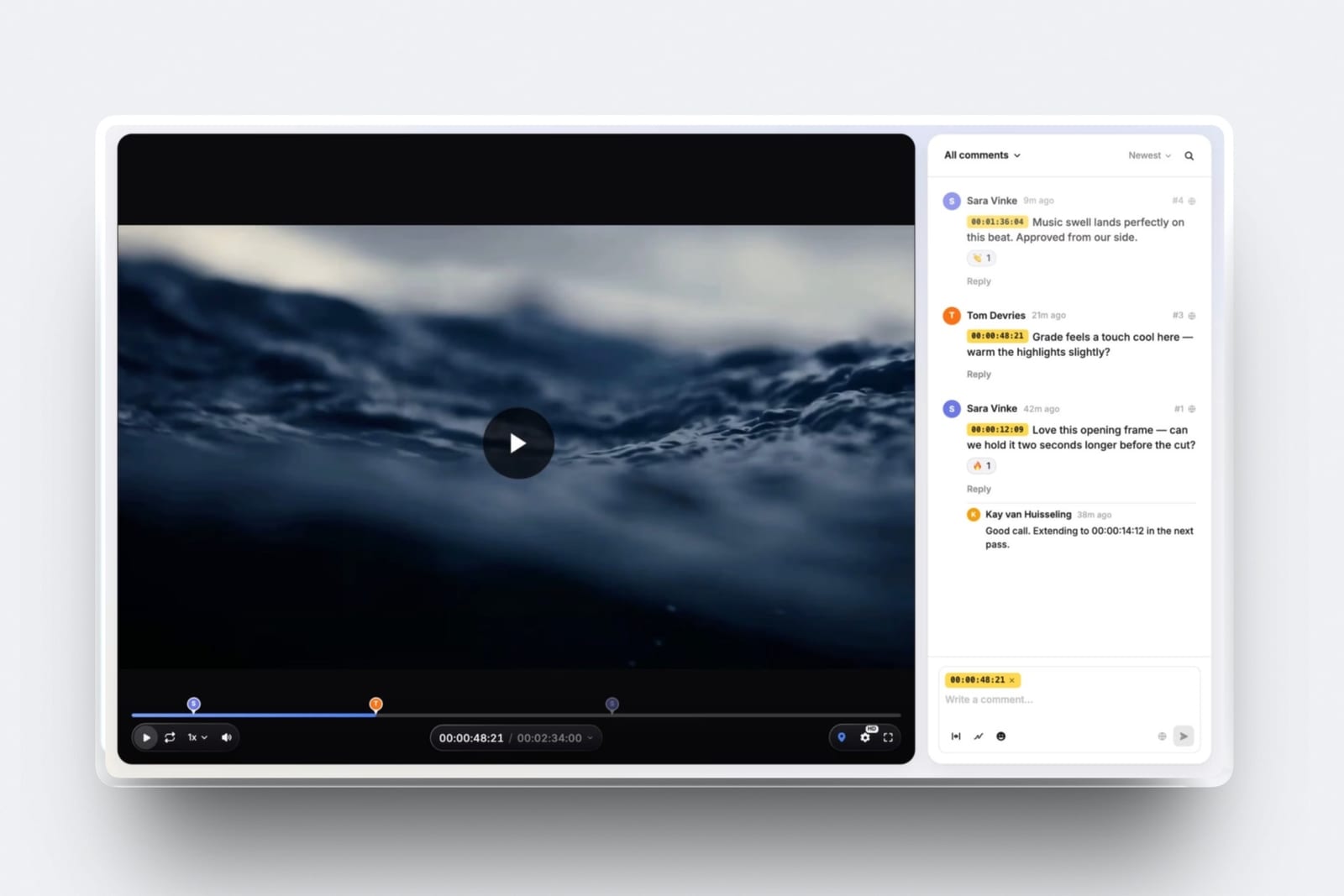
And if what you need is timecoded client feedback on a cut rather than delivery of a finished one, that is a different product; Framekit Video Review does it, with the same per-file caps, but it has no Camera to Cloud, no editing-suite panels and no transcription, which is where Frame.io remains the answer.
The third: everything around the delivery. Five absences, and none of them is on a roadmap you should wait for: no invoicing, no contracts, no booking calendar, no CRM and no face recognition.
A hybrid shooter running a business still needs those somewhere, and Framekit does not pretend to cover any of them.
Decide in Five Questions
In one lineAnswer these in order and stop at the first one that rules a platform out, because the constraint that decides a hybrid delivery is almost always a hard limit rather than a preference.
Question one: how big is your largest single video file? Run the formula. If the answer is over 3GB after a sensible delivery export, no Framekit plan takes it and you need a transfer route for that file regardless of what else you choose.
Question two: do you sell prints? If yes, pick from Pixieset, Pic-Time or ShootProof and stop here, because Framekit cannot sell a print and no other feature compensates for that if prints are revenue.
Question three: how much video will you hold at once, in hours? If the answer is over two hours per job, check whether the platform meters video separately.
Pic-Time's Professional tier is about three hours of video, and Framekit Starter's 15GB video share runs out after roughly six hybrid weddings.
Question four: do you already pay for a website? If no, a platform whose gallery storage is the same pool as the site's is one $180 subscription instead of two, and that is the strongest version of the argument for Framekit.
If yes, price the gallery on its own merits.
Question five: does anyone need to leave notes on a cut before it is final? If yes, that is review rather than delivery, and it belongs in a review tool with timecoded comments, not in a client gallery.
Frequently Asked Questions
Can you put photos and video in the same client gallery?
Yes, on Framekit, Pixieset, Pic-Time and ShootProof, all of which accept both file types in a client gallery, though they meter them differently.
Framekit draws both from one pooled storage allowance; Pic-Time and ShootProof hold separate photo and video allowances on most tiers; Pixieset requires a paid Client Gallery plan before video upload is available at all.
SmugMug's plans page describes unlimited JPEG storage and does not describe video hosting.
What is the maximum video file size for a client gallery?
The cap varies by platform, and Framekit is the only one on this page that publishes a figure: 500MB per video file on Free, 1GB on Starter, 2GB on Pro and 3GB on Business.
Pixieset, Pic-Time, ShootProof and SmugMug do not publish a per-file video cap on any page we could read. Work out your largest file before choosing, using bitrate in megabits per second multiplied by seconds divided by eight.
How do you deliver a 40-minute wedding film to a client?
Export it as a delivery file rather than a master and check it against your platform's per-file cap. At 10 megabits per second a 40-minute film is 3,000MB, at 8 it is 2,400MB and at 6 it is 1,800MB.
On Framekit that means Business at $39 a month for the high-bitrate version, or Pro at $19 for roughly 6 megabits per second and below. Anything above 3GB should go by file transfer instead.
Is it cheaper to use one platform for photos and video or two?
One platform is cheaper at every tier priced here except one, and always simpler. Framekit Pro at $180 a year holds both in one 300GB pool. Pic-Time Professional is $252 a year and ShootProof Professional is $320.04.
A split stack of Pixieset Basic at $96 a year plus a file-transfer subscription can undercut all of them on paper, at the cost of sending the client two links, one of which they will forget.
What video format should you upload to a client gallery?
MP4 with H.264 video is the safest choice across every platform here.
Pixieset's own file requirements specify MP4, MOV, AVI and M4V up to 4K, recommend MP4 with H.264 and 8-bit 4:2:0 colour or below, and note that video is never upscaled, so the resolution you upload is the best the client will ever see.
Export at the resolution you promised rather than uploading a master and hoping.
Does client gallery storage include video, or is it separate?
It varies, and this is the detail most likely to catch you out mid-year.
Framekit uses one pooled allowance shared by website, galleries and video review, with a stated video ceiling inside it: 3GB of 10GB on Free, 15GB of 50GB on Starter, 150GB of 300GB on Pro and 750GB of 2TB on Business.
Pic-Time and ShootProof publish separate photo and video allowances. Check which model applies before you count weddings.
Should you send the video before or after the photos?
Send them together, in one gallery, with the short film placed above the stills.
Splitting the delivery into a photos email and a video email recreates the two-link problem at the last step, and clients open the first link and treat the second as optional.
If you must stagger, send a sneak peek first and then the complete gallery, rather than splitting by file type.
What happens to my files if I stop paying for a gallery platform?
They stop being available to your clients, because all five storage allowances discussed in this post are rented rather than owned. That is true on Framekit, Pixieset, Pic-Time, ShootProof and SmugMug alike.
A delivery platform is not a backup, so keep your own archive of the delivered files and the originals, and treat the gallery as a distribution copy with an expiry date.
Can a client download video from a gallery at full quality?
On Framekit, yes, downloads can be enabled for both stills and video, controlled separately from viewing by a download PIN, and you can offer the full set or favourites only.
The quality available is whatever you uploaded, since none of these platforms will improve a file. That is why the export decision in step four matters: it fixes the ceiling on what the client can ever have.
Do you need a separate video review tool as well as a gallery?
Only if clients give notes on cuts before they are final, which is normal for commercial work and unusual for weddings.
Delivery and review are different jobs: a gallery hands over finished files, a review tool collects timecoded comments on drafts.
Framekit runs both on one account with the same per-file caps, but it has no Camera to Cloud, no editing-suite panels and no transcription, so heavy post pipelines still belong on Frame.io.
How long does it take to upload a hybrid wedding delivery?
That depends entirely on your connection and the total size, which on the carried example is 7.29GB to 8.43GB, so plan to start the upload the evening before you intend to send the link rather than on the morning of.
Every platform also needs time to process video after the upload finishes, and a gallery opened mid-processing shows a broken player, so check it from a logged-out browser before sending.
Final Verdict
Deliver both file types from one gallery, choose the plan by your largest video file rather than by the total allowance, export video for delivery rather than uploading a master, and send one link with an inventory of what is inside it.
For a hybrid shooter whose revenue is session and film fees rather than prints, Framekit Client Galleries is the recommendation: one pooled allowance across the website and the galleries, both file types in the same gallery, passwords, download PINs, favourites and expiry on every plan including the free one, and $180 a year on Pro for 300GB with a 2GB per-file video cap.
Where Framekit loseswe sell no prints at all, so a studio whose margin comes from albums and wall art should use Pixieset, Pic-Time or ShootProof instead, and ShootProof also gives ten times our photo storage at its Professional tier.
Our per-file video cap tops out at 3GB, which means a long film at a high bitrate, a ProRes master or a 4K HDR deliverable is not a Framekit job and needs a file transfer.
And Framekit does not do invoicing, contracts, booking or CRM, so the business running around the delivery lives elsewhere.
Framekit is not for the photographer who sells prints, and it is not for the post house moving masters. It is for the hybrid shooter who wants the stills, the film and the website on one bill and one link.
Related readingclient galleries for videographers, all-in-one platforms for photographers, cloud storage for photographers, and the wedding videography pricing guide.
For the motion side on its own, how to deliver final video files to clients sets out the spec sheet, and once the deliveries stack up, how to organize client galleries keeps the storage bill auditable.