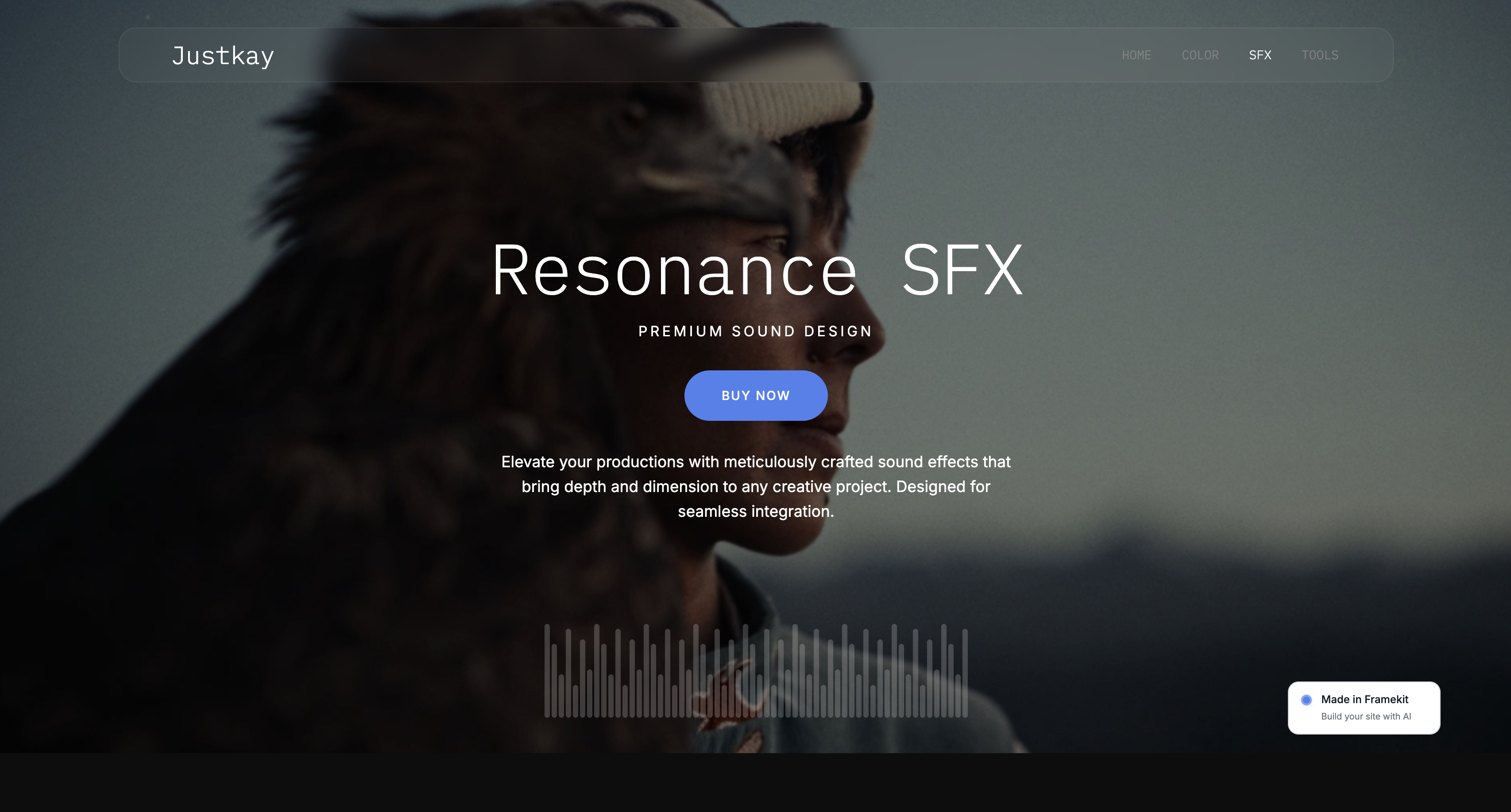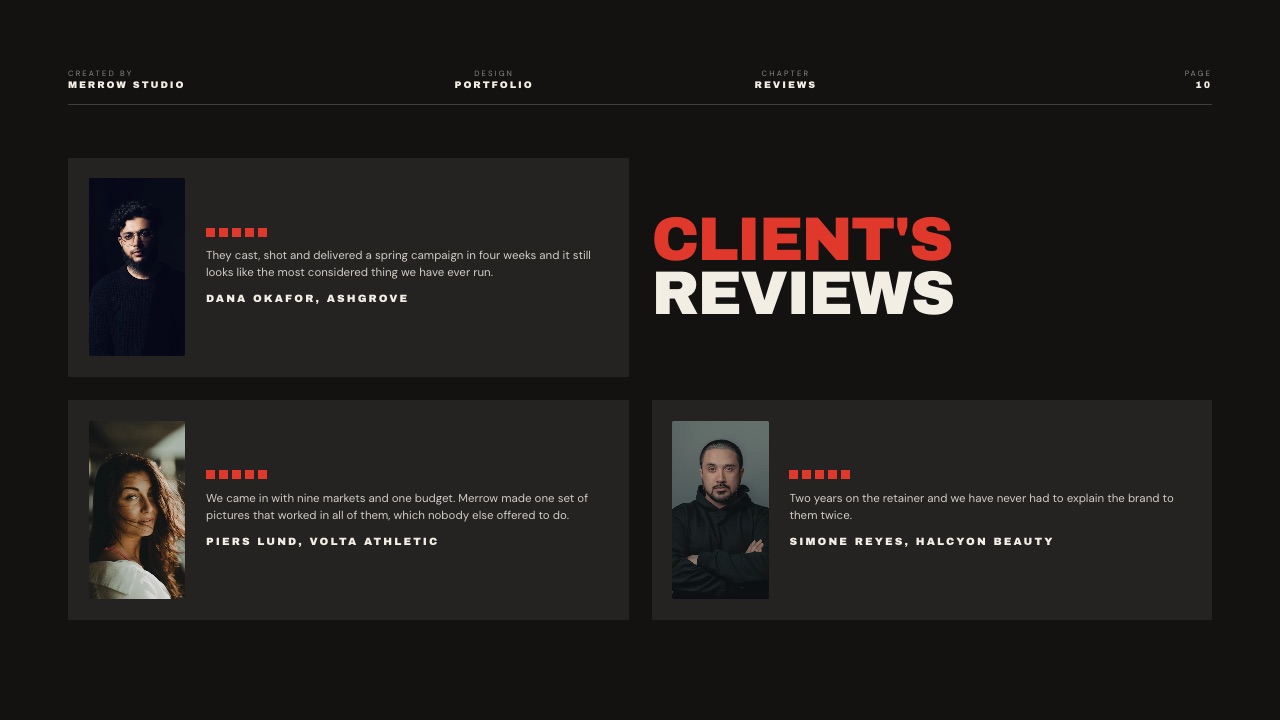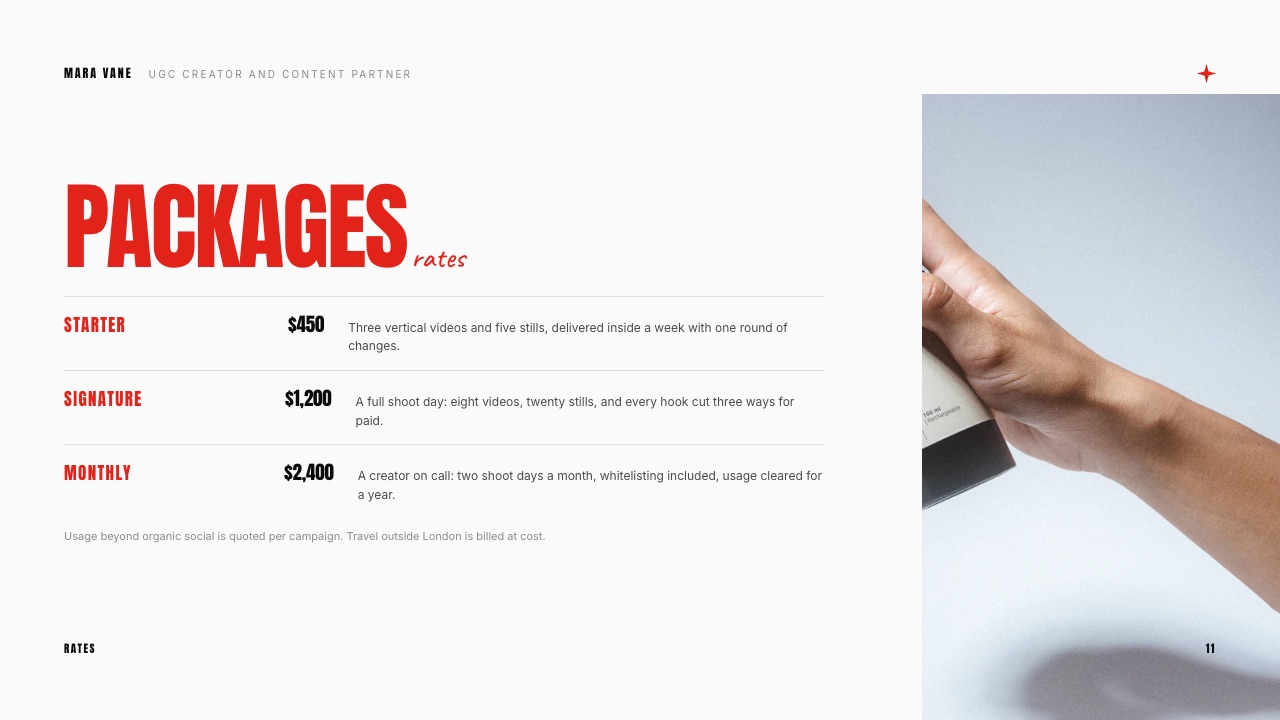
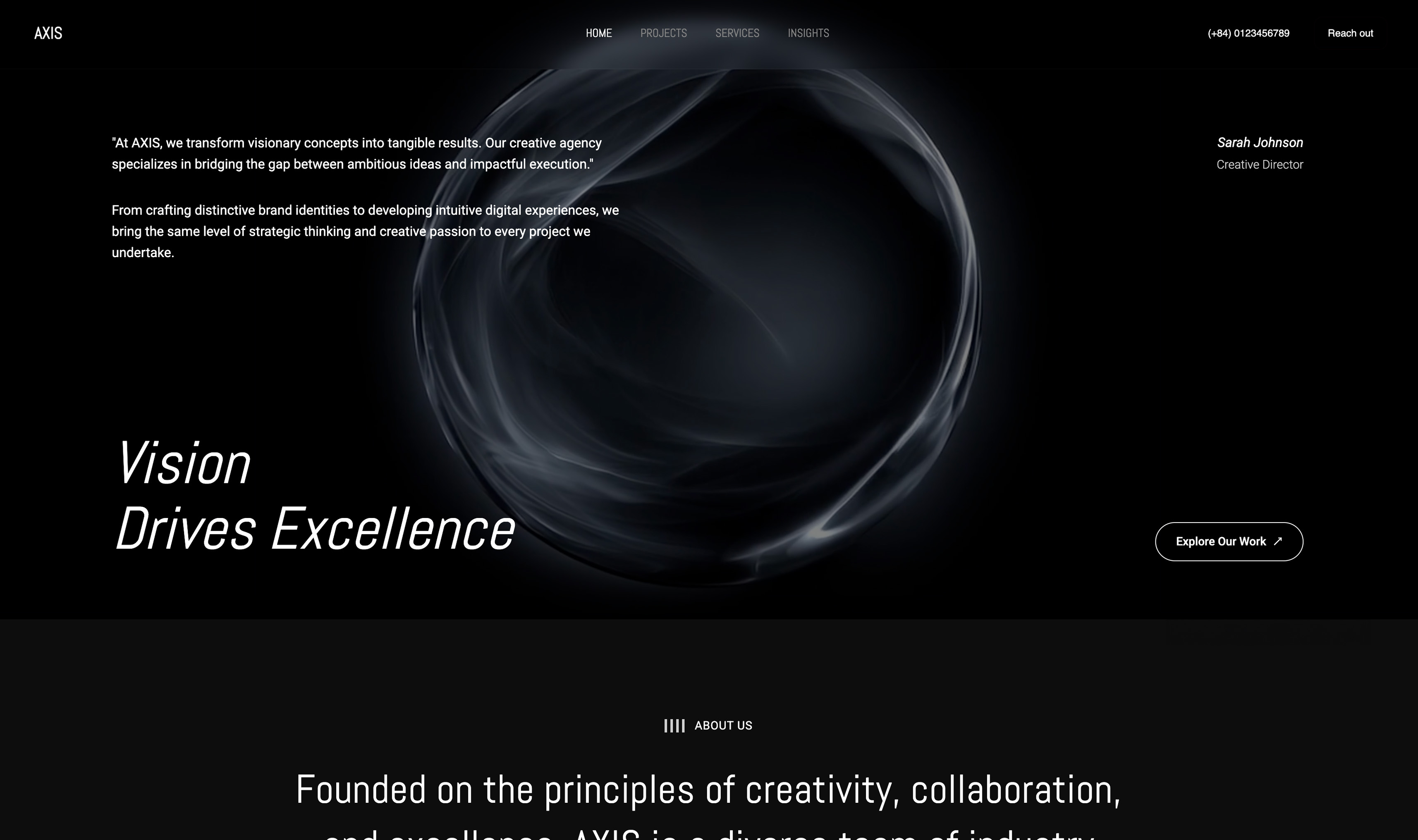
Framekit templates
Start from a designer-made template
 Use template
 Use template
 Use template
 Use template
 Use template
 Use template
 Use template
 Use template

Framekit vs Beacons is the comparison creators reach after realising a plain link list is not enough.
Beacons answered that years ago by turning the bio link into a creator business page: links, a store, email, AI tools and a media kit that refreshes itself every day.
Framekit answers it from the other side, as a website builder whose site comes with client galleries, video review, decks and a download store.
So the useful question is not which tool is better in general. It is whether your income comes mainly from an audience buying products, or from clients hiring you on the strength of your work. Beacons is built around the first.
Framekit is built around the second, and it costs more than Beacons to reach a zero seller fee, which belongs near the top of this page rather than in a footnote.
A creator monetisation platform is a hosted page that bundles a link in bio, a store, email marketing and a media kit for people who earn from an audience.
Framekit is an AI website builder that publishes a multi-page portfolio site and holds client galleries, frame-accurate video review, Slides decks and a digital-download store in one account.
Beacons is the better choice for an audience-first creator: its media kit updates itself daily from your social accounts, its store sells courses, memberships and products with buy-now-pay-later, and Creator Plus reaches a 0% seller fee at $300 a year, below Framekit Business at $372.
Framekit is the better choice for creators who are hired for their work, because a real portfolio site, client galleries, video review and decks come in one account, and its store fee of 5% on Free and Starter and 3% on Pro is lower than Beacons' 9% until you upgrade.
Full disclosure: Framekit is our product, and Beacons beats it on media kits, store breadth and the cheapest route to a 0% fee. Beacons facts come from Beacons' own pricing page, read on 12 October 2026. We describe both tools by what their makers publish and claim no hands-on test.
What changed in this October 2026 update: we re-verified every Beacons plan, fee and limit at the source, removed a claim that we built the same setup on both and ran a month of sales, corrected a line that said Framekit buyers check out on your own domain (Framekit checkout is a hosted framekit.ai page), and added the store mechanics, worked costs for three creatives, a limits table and a switching checklist.
A later pass the same day repriced the studio example, because Framekit team members edit the website only, while review, galleries and decks stay with the account holder.
How This Comparison Was Built
This comparison is built on each company's published plans plus fee arithmetic you can redo, because the decision between an audience platform and a portfolio platform turns on seller fees, page limits and what each one can deliver, and those are printed on the vendors' own pages.
Sources. Beacons' pricing page, including its plan cards and full feature table; Framekit's pricing page and product pages; and for the services a hired creator adds beside Beacons, the pricing pages of Pixieset and Frame.io.
All read on 12 October 2026.
Five questions. What each tool costs to reach a 0% seller fee; what each store can sell and how it gets paid; how each one presents you to brands; how each delivers work to clients; and what the whole setup costs over one and three years.
Not claimed. No hands-on builds, test purchases or media-kit comparisons. Where Beacons' page leaves a detail out, such as which plan unlocks a given store feature, we say so rather than guess.
Framekit vs Beacons at a Glance
Beacons is the stronger page for selling to an audience and pitching brands, while Framekit is the stronger site for being hired and delivering client work, and this table lays out the published facts behind both halves of that split.
| Framekit | Beacons | |
|---|---|---|
| Plans, billed yearly | Free; $84, $180 or $372 a year | Free; $100, $300 or $900 a year |
| Seller fee | 5% Free and Starter, 3% Pro, 0% Business | 9% Free and Creator, 0% Creator Plus and Max |
| Cheapest 0% fee | Business, $372 a year | Creator Plus, $300 a year |
| Website pages | 10, 30, 200 or unlimited | 1 site with 1 page on Free, 3 pages on Creator, 5 sites of 5 pages on Plus |
| Media kit | A Slides deck you design and update | Auto-updates daily from linked social accounts |
| What the store sells | Digital downloads | Digital products, courses, memberships; payment plans and buy-now-pay-later |
| Email marketing | Contact and booking forms; no email sends listed | 50, 500 or unlimited sends a month |
| Client galleries | Unlimited, photo and video | Not offered |
| Video review | Every plan | Not offered |
| Custom domain | Starter and up | Creator and up, with a free domain |

Where Beacons Wins
Beacons wins for the audience-first creator, because it is the better media kit, the more complete always-on creator page and the broader store, and because its Creator Plus plan reaches a 0% seller fee for $72 a year less than Framekit's Business plan does.
The best media kit in this comparison. Beacons' media kit updates daily with audience and engagement data from your linked social accounts, on every plan including Free.
Around it sit rate cards, past projects, a pricing calculator, invoices, media-kit analytics showing who viewed it and when, an email gate, sharing by link, email or PDF, and a custom media-kit address on your domain.
A Framekit media kit is a deck that looks as designed as you make it and goes stale unless you refresh the numbers yourself. For a creator pitching brands every week, Beacons is the clear first choice.
An always-on creator page. Unlimited links, real-time analytics, Smart Reply auto-DMs on Instagram, affiliate links from Beacons' brand partners, email sends of 50, 500 or unlimited a month by plan, and daily AI credits for writing, images and outreach.
Framekit's pricing page lists no email sends, DM automation or affiliate marketplace.
A broader store. Beacons sells digital products on every plan, plus courses with video hosting and memberships on Creator Plus, with buy-now-pay-later through Klarna or Affirm, payment plans, order bumps, discount codes, limited-quantity products, a product importer, more than 20 currencies and Apple and Google Pay.
Framekit's store sells digital downloads only, with no memberships, subscriptions, courses, payment plans or order bumps.
The cheaper zero. Creator Plus costs $300 a year billed annually, or $30 a month, with a 0% seller fee. Framekit's 0% plan, Business, is $372 a year or $39 a month.
Verdict: if your income is products, courses and brand deals sold to your own audience, Beacons is the better purchase, and we would rather you made it than paid us for tools you will not use. Linktree vs Beacons and Beacons vs Stan Store cover its closest rivals.
Where Framekit Wins

Framekit is an AI website builder that gives a hired creator a real portfolio site plus client galleries, video review and decks, so it wins whenever the person paying you is a client judging your work rather than a follower buying a product.
A portfolio, not a page with pages attached. Framekit publishes 10 pages on Free, 30 on Starter, 200 on Pro and unlimited on Business, each with its own title and description for search.
Beacons' website builder allows 1 page on Free, 3 on Creator and 5 sites of 5 pages each on Creator Plus, which is a creator page rather than a portfolio built to win commissions.
Client delivery and review. UGC creators, photographers and filmmakers who shoot for brands deliver footage and take notes on edits.
Framekit includes unlimited client galleries with photo and video together and frame-accurate review links on every plan, sharing one storage pool of 10GB, 50GB, 300GB or 2TB.
Beacons has neither, so a hired creator on Beacons pays for delivery and review somewhere else.
A lower fee before you upgrade. Framekit takes 5% on Free and Starter and 3% on Pro, where Beacons takes 9% on Free and Creator.
Below the volume where a 0% plan pays off, that gap is money you keep: on $300 a month in sales, it is $144 a year between the two free plans.
Decks beyond the media kit. Treatments, proposals, rate cards and pitch decks for a brand campaign sit in the same account, built from templates for creative work, with PDF export and share links on every plan.
Verdict: for a creator who is hired, Framekit covers the work clients actually pay for, from the portfolio that wins the job to the gallery that delivers it.
Media Kits: Where Beacons Is Ahead
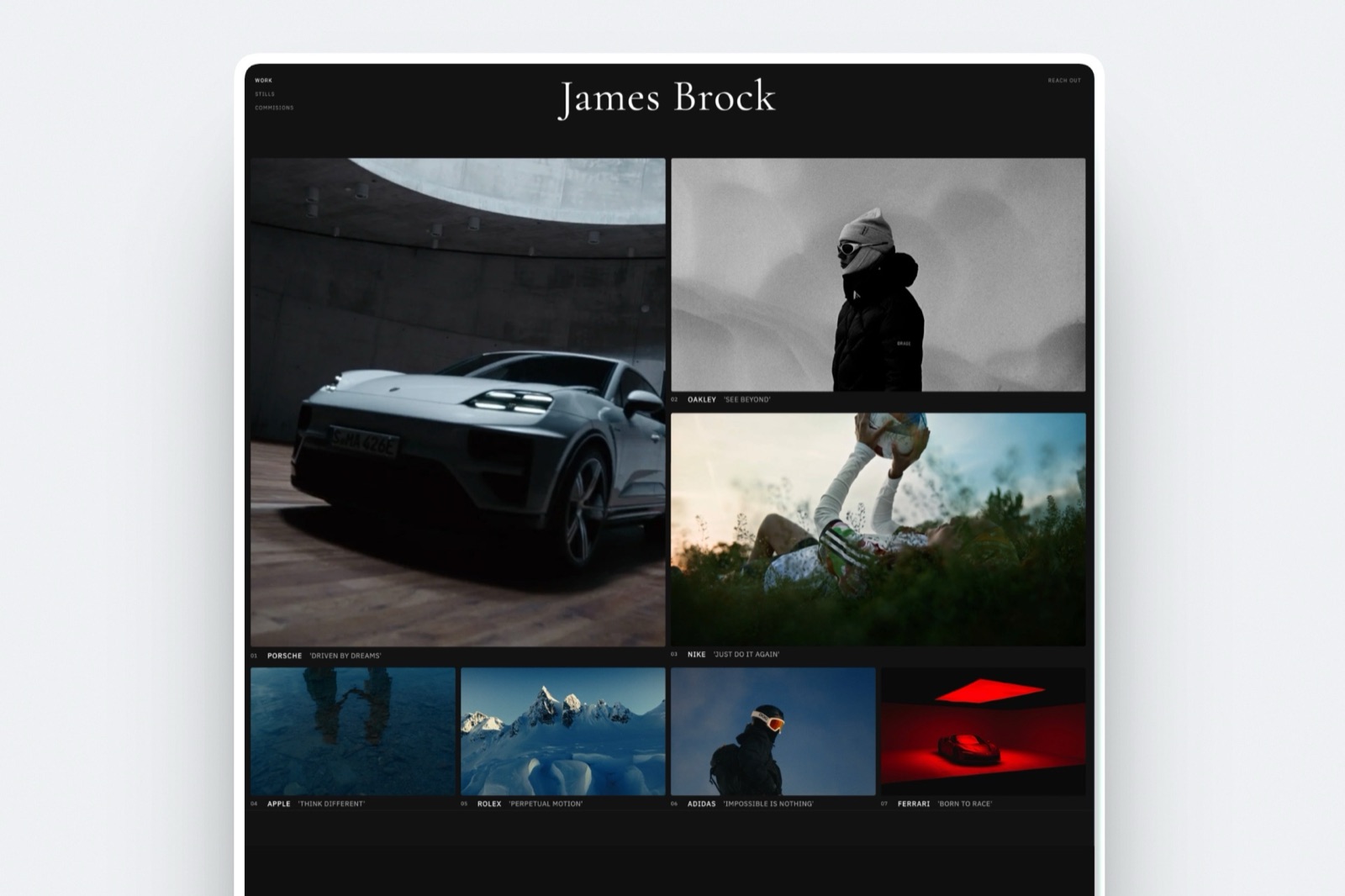
Beacons is the better media-kit tool in 2026, because its kit refreshes your audience numbers daily from linked accounts and wraps them in rates, analytics and invoicing, while a Framekit media kit is a designed deck that stays accurate only as long as you keep updating it.
What Beacons does. The kit pulls audience and engagement data from your linked social accounts every day, so the numbers a brand sees are current.
You can feature rate cards and past projects, gate the kit behind an email, see who viewed it and when, share it by link, email or PDF, host it on your own domain, and send invoices from the same place.
An AI outreach tool drafts pitch emails that link to the kit.
What Framekit does. Framekit's Slides include a UGC creator media kit template with slides for services, packages, reviews, social stats and past work, and a rate card outreach deck.
You can ask the AI to build the deck from a brief: it asks up to three quick questions, picks a style and colour theme, asks you to paste real numbers, proposes an outline for your approval, and builds the slides with speaker notes, leaving placeholders for anything you did not supply.
Share it as a link or export a PDF on every plan; free decks carry a "Made with Framekit" badge. Decks have no password protection, viewer analytics or comments.
The honest call. If you pitch brands weekly, the auto-updating kit, viewer analytics and invoicing make Beacons the better tool.
If you pitch occasionally and want the kit to look like the rest of your portfolio, a Framekit deck does the job, provided you refresh the stats before each send.
The Store, Compared Honestly
Beacons' store sells more kinds of things and reaches a 0% fee for less money, while Framekit's store is narrower, digital downloads only, with a lower fee on its free and mid plans and payment straight into your own Stripe account as the seller of record.
Beacons. Unlimited digital products on every plan, at a 9% seller fee on Free and Creator and 0% on Creator Plus and Max.
Creator Plus adds unlimited courses with video hosting, unlimited memberships, buy-now-pay-later through Klarna or Affirm, and full affiliate commissions.
Beacons' store features also list payment plans, order bumps, discount codes, limited-quantity products, a one-click product importer, more than 20 currencies, Apple and Google Pay and a Shopify integration, without saying which plan unlocks each.
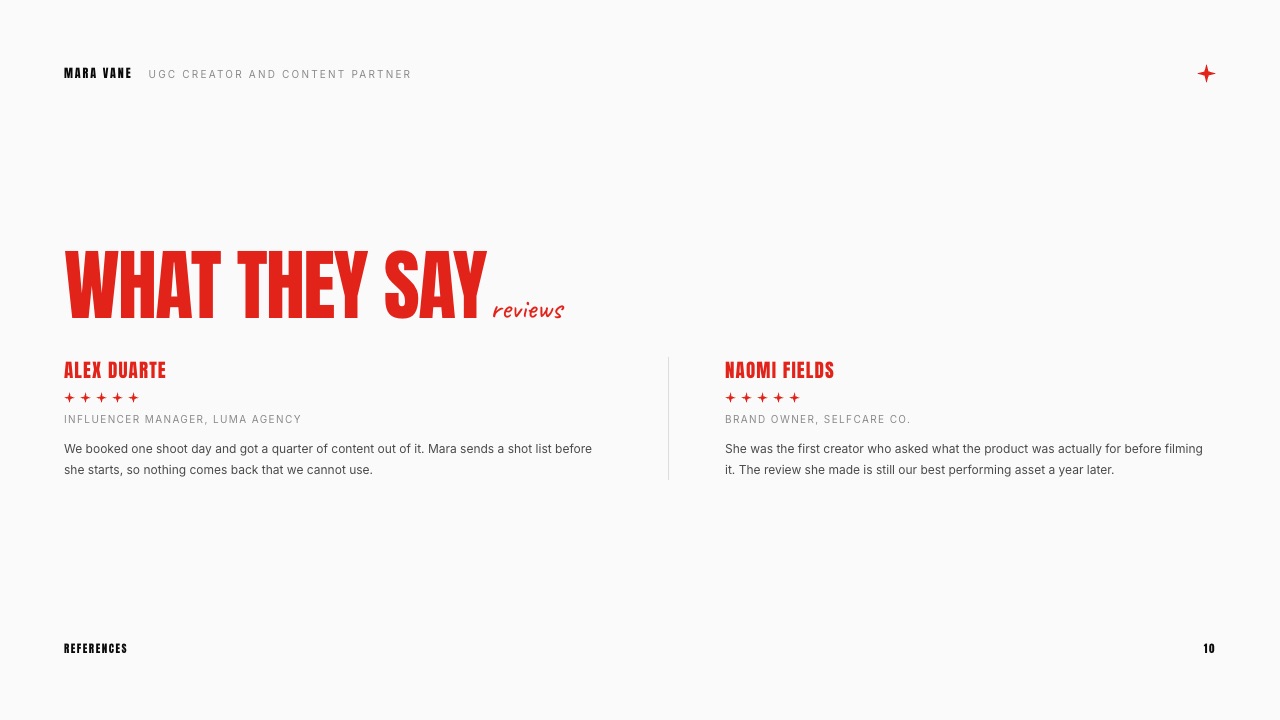
Framekit. Unlimited digital downloads on every plan, including free lead-magnet products, sold from your site or from a direct buy link that works anywhere without a site.
Payment runs through Stripe Connect as direct charges into your own Stripe account, which makes you the merchant of record, so VAT and sales tax are yours to handle.
Buyers download instantly and can come back for their files; order emails carry links valid for 7 days that you can resend.
The fee is 5% on Free and Starter, 3% on Pro and 0% on Business, charged on the post-discount price and kept on refunds, with Stripe's processing on top. Discount codes open on Pro.
Checkout is a hosted framekit.ai page with your name and logo and a "Powered by Framekit" line.
What Framekit does not sell. Subscriptions, memberships, courses, physical products, license keys or pay-what-you-want, and it has no order bumps, payment plans or abandoned-cart emails.
A creator whose income is a membership or a course should choose Beacons, or a course platform, on that alone.
The Fees at Three Volumes
The answer flips with volume: below about $330 to $360 a month in sales, a Framekit plan is the cheapest way to sell, and above that Beacons Creator Plus, at $300 a year with no seller fee, is cheaper than anything Framekit offers.
Here is one $29 product over a year, billed yearly, with card processing left out because it applies on both.
| Monthly sales | Beacons Free (9%) | Beacons Creator Plus (0%) | Framekit Starter (5%) | Framekit Pro (3%) | Framekit Business (0%) |
|---|---|---|---|---|---|
| $300 | $324 | $300 | $84 plus $180 = $264 | $180 plus $108 = $288 | $372 |
| $1,000 | $1,080 | $300 | $84 plus $600 = $684 | $180 plus $360 = $540 | $372 |
| $3,000 | $3,240 | $300 | $84 plus $1,800 = $1,884 | $180 plus $1,080 = $1,260 | $372 |
Read it honestly. At $300 a month, Framekit Starter is the cheapest option with a custom domain at $264, and Framekit Free at 5% costs $180 in fees with no plan price at all.
At $1,000 and above, Beacons Creator Plus at $300 beats Framekit Business at $372 by $72 a year. The crossover against Creator Plus sits at about $333 a month for Framekit Pro and $360 for Starter.
Run it yourselfmultiply last month's product sales by 12. If the total is under about $4,000, price Framekit Starter or Pro; above it, Beacons Creator Plus is the cheapest zero, and Framekit Business only makes sense if you use its galleries, review and portfolio.
The Work Around the Site
The tools that tip this comparison towards Framekit are the ones a hired creator uses after the pitch lands, delivering footage, collecting a brand's notes and sending a treatment or proposal, none of which an audience platform is built to handle.
Client galleries
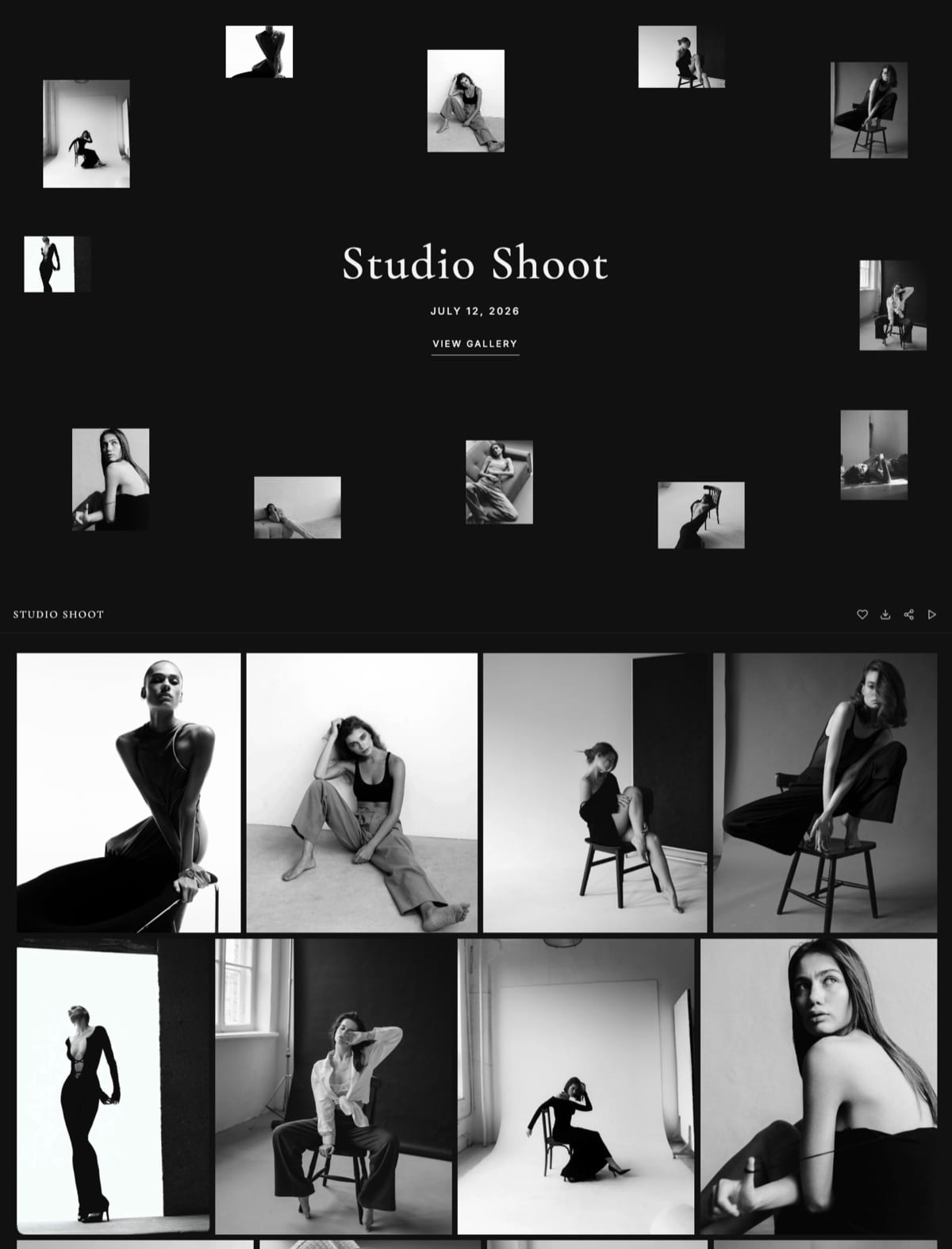
A brand shoot or a portrait session goes to the client as one link holding photos and video together.
Clients heart favourites, filter to them, and download the whole set or the picks, behind a gallery password with an optional separate PIN on downloads.
Photos can carry a watermark; videos are transcoded for smooth playback and never watermarked. Photos go up to 100MB and videos from 500MB on Free to 3GB on Business. Paid plans put galleries on your own domain.
Not offered: print ordering, client uploads or a native mobile app.
Video review
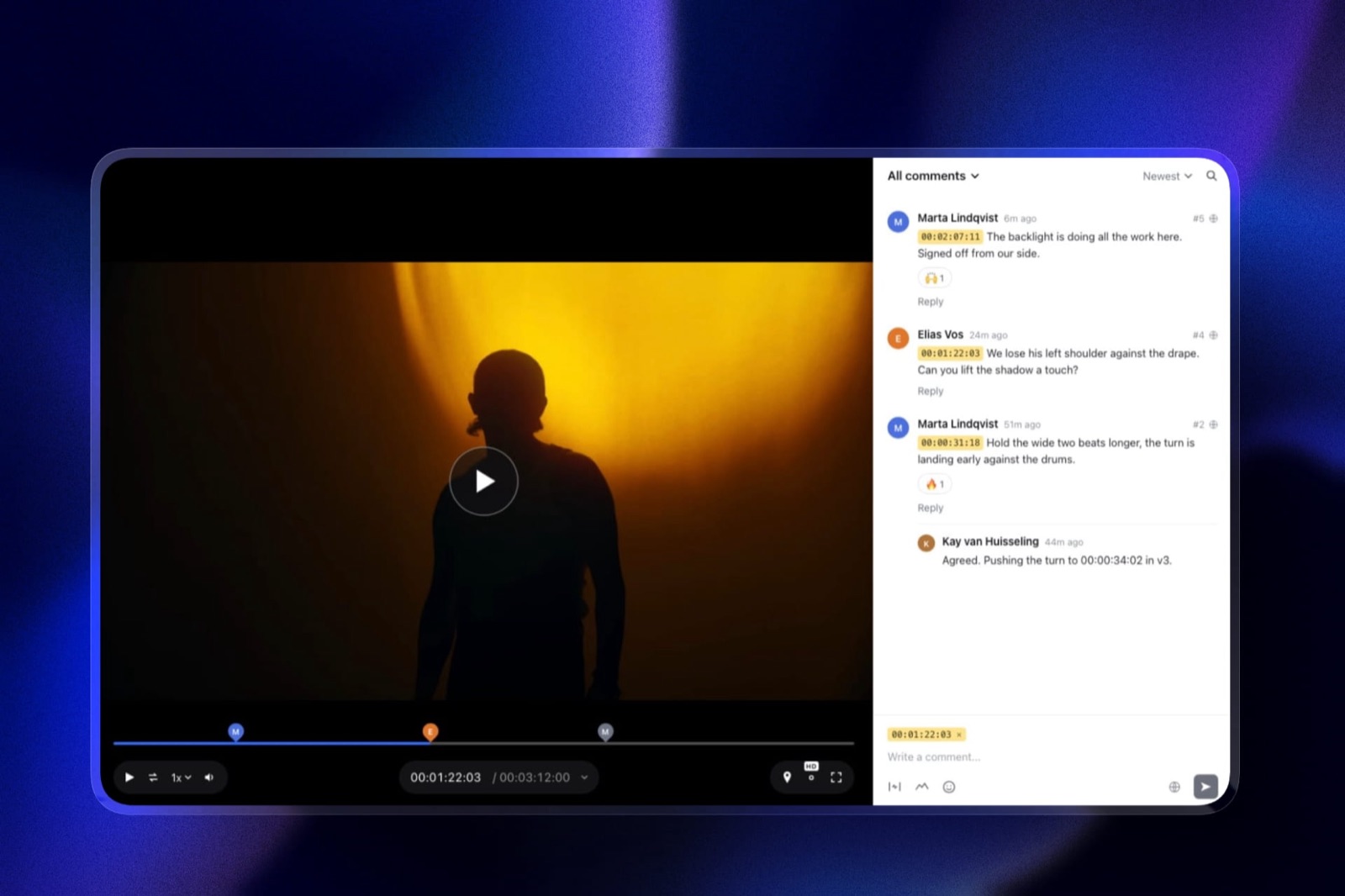
A UGC creator sends the draft; the brand comments on the exact frame, draws on the shot and replies in threads, with no account.
The next version stacks on the first, whose notes stay with it rather than carrying forward, and the round moves from needs review to approved. Review videos run up to 2 hours; files on comments open on Pro.
Not offered: side-by-side version compare, editing-suite panels or forensic watermarking.
Rate cards and proposals
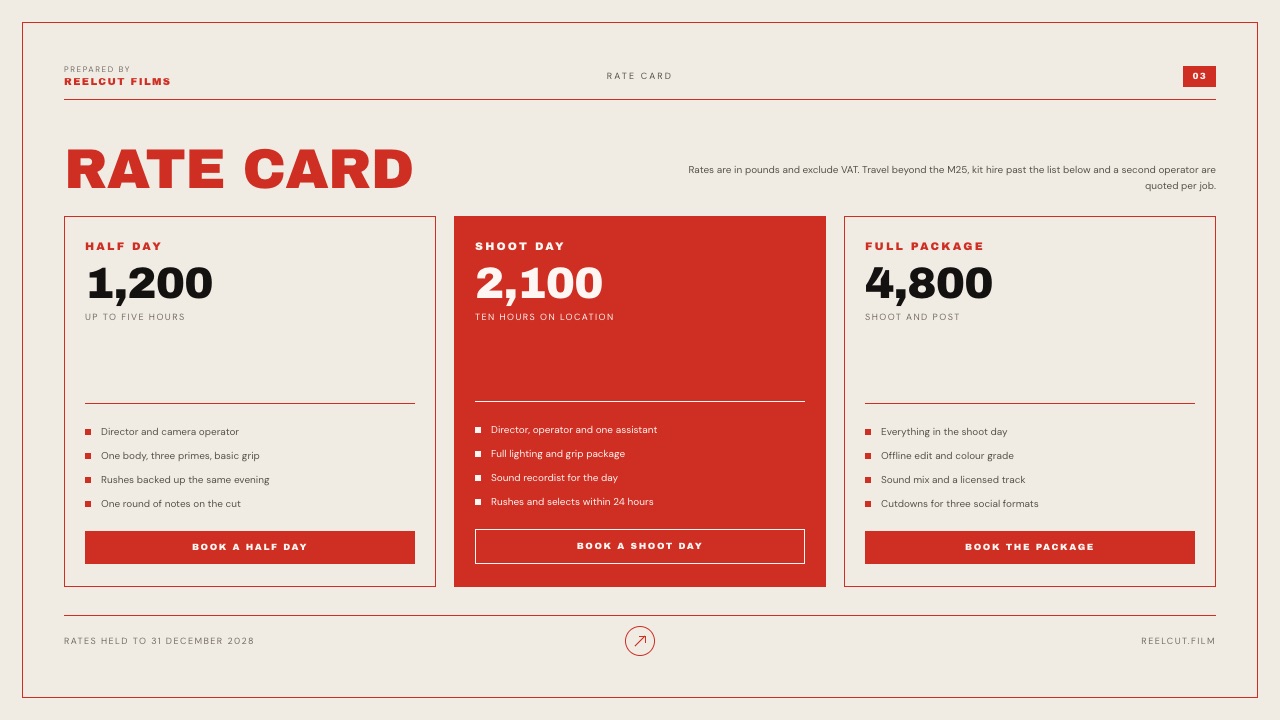
Beyond the media kit, Slides holds the documents that close a job: a rate card with packages, a campaign proposal, a treatment. PowerPoint export, picture-based, opens on Pro for brands that want a file; decks themselves cap at 40 slides.
What Each Setup Costs in Year One and by Year Three
Beacons is cheaper for the audience-first creator by $72 a year, and Framekit is cheaper for the photographer and the studio by about $170 and $300 a year, because those two would otherwise pay for galleries and review beside their Beacons page.
Assumptions you can change: yearly billing, US prices read on 12 October 2026, prices held flat for three years, card processing and domain registration left out. Beacons includes a free custom domain from Creator.
Pixieset's client gallery plans list Plus at $16 a month billed yearly with 100GB, and Frame.io's pricing page lists Pro at $15 per member a month on monthly billing, with annual billing saving 13%.
| Creative | Framekit setup | Framekit year one | Framekit by year three | Beacons setup | Beacons year one | Beacons by year three |
|---|---|---|---|---|---|---|
| Audience creator, $12,000 a year of digital products | Business ($372), 0% fee | $372 | $1,116 | Creator Plus ($300), 0% fee | $300 | $900 |
| Photographer, about 80GB of galleries live, 40 preset sales at $25 | Pro, 300GB ($180), plus 3% fee ($30) | $210 | $630 | Creator ($100), 9% fee ($90), plus Pixieset Plus ($192) | $382 | $1,146 |
| Studio of 3 making UGC and brand films, one producer running review on every job, $5,000 of sales | Business, 2TB ($372), 0% fee; the producer runs review and galleries, the other two edit the site | $372 | $1,116 | Creator Plus ($300) plus Frame.io Pro for the producer ($180) plus Pixieset Plus ($192) | $672 | $2,016 |
What the totals do not show. The audience creator on Beacons also gets the auto-updating media kit, unlimited email sends, courses and memberships, none of which Framekit offers.
Frame.io Pro includes 2TB plus 2TB per extra member and passphrase-protected shares that Framekit review lacks. Pixieset also lets clients order prints from a gallery, something no Framekit plan offers.
On Framekit only the account holder uploads reviews and manages galleries and decks; team members are website admins, so a studio where all three run client reviews would price Frame.io at $540 for three seats against separate Framekit accounts.
The studio could also run on Framekit Pro at $180 plus a 3% fee of $150 if 150GB of video storage is enough.
Which Tool for Which Job
Beacons and Framekit overlap on the link-in-bio page and the store and split on almost everything else, so the cleanest way to decide is job by job, giving each part of your week to the tool that does it natively.
| Job | Better tool | Why |
|---|---|---|
| A media kit brands see with live numbers | Beacons | Updates daily from linked socials, with viewer analytics |
| Selling a course or a membership | Beacons | Both on Creator Plus |
| Email newsletters and DM automations | Beacons | Email sends and Smart Reply auto-DMs |
| Zero seller fee at high volume | Beacons | Creator Plus at $300 a year |
| A portfolio that wins commissions | Framekit | Up to unlimited real pages |
| Delivering brand footage or a shoot | Framekit | Unlimited galleries, photo and video |
| Getting a brand's notes on a cut | Framekit | Frame-accurate review links |
| Selling presets at low volume | Framekit | 5% on Free and Starter, 3% on Pro |
| A treatment or campaign proposal | Framekit | Slides templates for creative work |
Limits and Specs Side by Side
These are the published limits that shape daily use, taken from Beacons' pricing page and Framekit's pricing page in October 2026, chosen because each is one a creator moving between audience work and client work will actually meet.
| Limit | Framekit | Beacons |
|---|---|---|
| Prices, billed monthly | $0, $9, $19, $39 | $0, $10, $30, $100 |
| Seller fee | 5%, 5%, 3%, 0% | 9%, 9%, 0%, 0% |
| Website | 10, 30, 200, unlimited pages | 1 page; 3 pages; 5 sites of 5 pages; 10 sites of 10 pages |
| Storage | 10GB, 50GB, 300GB, 2TB pooled | Not published; courses get video hosting on Creator Plus |
| Contact and booking forms, 500 to unlimited submissions a month | 50, 500 or unlimited sends a month | |
| AI | Monthly allowance on every plan; manual edits never use it | 30 or 300 daily credits, unlimited on Creator Plus |
| Media kit | Slides deck, updated by hand | Daily auto-update, analytics, invoices |
| Galleries and review | Unlimited galleries; review on every plan | Not offered |
| Team | 3 website admins on Pro, unlimited on Business; galleries, review and decks stay with the account holder | Not published on the pricing page |
| Redirects, RSS, robots.txt | No redirect manager, no RSS, robots.txt not editable | Link redirects listed for the link in bio |
What Happens When Something Changes
These are the situations that come up once a creator business has buyers and clients, answered from what Beacons and Framekit publish, so you can see the edges of each tool before a sale or a delivery hits them.
A buyer asks for a refund. On Framekit you refund through your Stripe account; Framekit keeps its fee, charged on the post-discount price, and on Business that fee is 0%.
Beacons' pricing page does not set out its refund terms, so check them before selling refund-prone products.
You grow past one product line into memberships. Beacons Creator Plus sells memberships and courses; Framekit does not, so a creator heading that way should start on Beacons or a course platform.
A brand needs the raw footage. On Framekit, send a gallery link with videos up to 3GB per file by plan, and a review link for notes on the edit. On Beacons, you would use a transfer or gallery service.
You stop paying. A lapsed Framekit plan can fall back to the Free plan on a framekit.ai address with a badge, within 10 pages and 10GB. Beacons' Free plan keeps a link in bio, a one-page website and the daily media kit, with a 9% seller fee.
A buyer loses their download. Framekit buyers can come back for their files and you can resend fresh links from 7-day order emails; updated files are not pushed to past buyers automatically.
Moving From Beacons to Framekit
Moving from Beacons to Framekit is a rebuild rather than an import, and many creators should move only part of their setup, so the steps below start with deciding what stays on Beacons before anything is recreated.
- Decide what stays. If you sell courses or memberships, or rely on the auto-updating media kit and email sends, keep Beacons for those and use Framekit for the portfolio, galleries and review.
- Secure your audience data. Make sure you hold your customer and subscriber lists outside Beacons before changing anything, so no contacts are lost.
- Build the portfolio on Framekit Free. Draft from a screenshot of your Beacons page or a template, then add a page per service or project.
- Move digital products. Recreate downloads in the Framekit store, connect Stripe, and replace old product links with Framekit buy links.
- Rebuild the media kit as a deck. Start from Framekit's UGC media kit template and paste your current numbers; set a reminder to refresh them before each pitch.
- Point your domain. Connect it on Starter or above, and if Beacons supplied a free domain, check where it is registered first.
- Swap the bio link last. Once checkout, galleries and forms work, point your social bios at the new site and keep the Beacons page live with a link to it for a month.
For other options, the best Stan Store alternatives and the best website builders for UGC creators cover the field.
Which One Should You Pick?
This decision path asks the questions in the order that separates the two tools fastest, starting with where your income comes from, because audience income and client income point to different products before any fee comparison begins.
1. Is most of your income products, courses or memberships sold to your audience? If yes, choose Beacons; Creator Plus reaches 0% for $300 a year and sells formats Framekit does not. If no, go to question 2.
2. Do clients hire you on the strength of a portfolio? If yes, choose Framekit for real pages on your own domain. If no, go to question 3.
3. Do you deliver footage or photos, or take notes on edits? If yes, Framekit; Beacons has no galleries and no review. If no, go to question 4.
4. Do you pitch brands every week? If yes, Beacons' auto-updating media kit is worth having, alongside Framekit if you also need the portfolio.
5. Do you sell less than about $4,000 a year of digital products? If yes, Framekit Starter or Pro is the cheapest way to sell; above that, Beacons Creator Plus is the cheapest zero.
Frequently Asked Questions
Which is cheaper, Framekit or Beacons?
Framekit is cheaper below about $4,000 a year of product sales, because its Starter plan takes 5% and Pro 3% against Beacons' 9% on Free and Creator.
Above that, Beacons Creator Plus, $300 a year with a 0% fee, is cheaper than Framekit Business at $372. For hired creators, Framekit's galleries and review change the total.
Does Beacons take a percentage of sales?
Yes. Beacons' pricing page lists a 9% seller fee on its Free and Creator plans and 0% on Creator Plus, $30 a month or $300 a year, and on Creator Max, as read in October 2026.
Framekit's fee is 5% on Free and Starter, 3% on Pro and 0% on Business, with Stripe's processing on top on both.
Is Beacons better than Framekit for media kits?
Yes. Beacons' media kit updates daily with audience data from your linked social accounts on every plan, and adds rate cards, viewer analytics, invoices, email gating and a custom media-kit domain.
A Framekit media kit is a Slides deck from its UGC media kit template that you update by hand, with link sharing and PDF export.
Does Framekit have a media kit?
Framekit has media kit templates in Slides, including a UGC creator kit with services, packages, reviews and social stats slides, and a rate card outreach deck.
The AI can build the deck from your brief and real numbers, and you can share a link or export a PDF on every plan. It does not update itself.
Can Beacons build a portfolio website?
Beacons includes a website builder, but its pricing page limits it to 1 page on Free, 3 pages on Creator, 5 sites of 5 pages on Creator Plus and 10 sites of 10 pages on Creator Max.
Framekit publishes 10 pages on Free, 30 on Starter, 200 on Pro and unlimited on Business, the shape a portfolio needs.
Framekit vs Beacons for UGC creators: which is better?
Framekit vs Beacons for UGC creators depends on who pays you. A UGC creator paid by brands for content needs a portfolio, footage delivery and review, which Framekit includes.
One earning mainly from an audience, through products and affiliate links, is better on Beacons, with its live media kit and 0% fee on Creator Plus.
Can I sell memberships or courses on Framekit?
No. Framekit's store sells digital downloads only, with no memberships, subscriptions, courses, payment plans or order bumps.
Beacons Creator Plus sells unlimited courses with video hosting and unlimited memberships, with buy-now-pay-later through Klarna or Affirm, so a creator building recurring income should choose Beacons or a course platform.
Who is the seller of record on Framekit's store?
You are. Framekit's store takes payment through Stripe Connect as direct charges into your own Stripe account, so you are the merchant of record and VAT and sales tax are yours to handle.
Framekit charges its fee on the post-discount price and keeps it on refunds, and Stripe's processing applies on top.
Can I use a custom domain on Beacons?
Yes, from Creator at $10 a month or $100 a year, which includes a free custom domain for your link in bio and store product URLs, and the media kit can also sit on your domain.
Framekit adds your own domain from Starter at $9 a month or $84 a year; you register the domain separately.
What does Framekit's 5% fee apply to?
Framekit's fee applies only to product sales through its store: 5% on Free and Starter, 3% on Pro and 0% on Business. It does not apply to client galleries, review links or work you invoice elsewhere.
Against Beacons' 9% on Free and Creator, the gap is worth $240 a year on $500 a month of sales.
Should I run Beacons and Framekit together?
Many creators with both audience and client income should. Keep Beacons for the link in bio, the auto-updating media kit, email and any courses or memberships, and run the portfolio, client galleries and review on Framekit.
Both have free plans, so testing the pairing costs nothing before you pay for either.
Can I move from Beacons to Framekit?
There is no importer in either direction, so moving means rebuilding the pages and products on Framekit.
Secure your customer and subscriber lists first, build the portfolio on Framekit Free, recreate your digital products, then point your domain and bio links. Courses, memberships and the live media kit have no Framekit equivalent.
Do both tools meter AI?
Yes. Beacons lists daily AI credits, 30 on Free and 300 on Creator, unlimited on Creator Plus. Every Framekit plan, Free included, has a monthly AI allowance that grows with the plan, and AI generation for sites and decks draws on it.
Editing pages and slides by hand never uses it, and decks are unlimited.
The Verdict: Framekit vs Beacons in 2026
Beacons is the strongest audience platform in this comparison: the best media kit, an always-on creator page with email and DM automation, a store that sells courses and memberships, and the cheapest 0% seller fee at $300 a year.
If your income is products and brand deals sold through your own audience, buy Beacons.
Where Framekit loses: its media kit does not update itself, its store sells digital downloads only with no memberships, courses or payment plans, its pricing page lists no email sends, and reaching 0% costs $72 a year more than on Beacons.
Its checkout runs on a hosted framekit.ai page, and VAT and sales tax are yours to handle.
Choose Framekit when you are hired as well as followed: UGC creators shooting for brands, photographers selling presets beside commissions, filmmakers sending cuts for approval.
For them the portfolio, client galleries and review links are the business, and the lower fee before an upgrade is a bonus.
Related reading: Framekit vs Linktree covers the plain link page, the best link in bio tools ranks the category, and how to make a media kit walks through the deck itself.