Framekit templates
Start from a designer-made template
 Use template
 Use template
 Use template
 Use template
 Use template
 Use template
 Use template
 Use template
You deliver the gallery, the client loves the photos, and then nothing happens. No print order, no album, no extra income - just a download and a thank-you.
A client gallery with a built-in store is supposed to fix that, turning delivery into the start of a sale instead of the end of the job.
But most of them take a cut of every order, host the checkout on their subdomain, and keep the customer as theirs, not yours.
That is the tension in choosing a gallery with a store in 2026. The store is where the profit is, so the commission, the fulfilment, and who owns the checkout matter more than the gallery's looks.
Get it wrong and you are handing a platform 15% of every print to sell your own photos.
Competitor commissions below were checked against each platform's published pricing in July 2026, and in September 2026 we re-verified Framekit's plans, pooled storage, and store fees against its live pricing page.
In October 2026 we corrected Pic-Time's plan prices and commission tiers, ShootProof's storage-based plans and the plan where Format's store begins, and removed a claim that we had placed test orders on every store, which we cannot document.
The gallery delivers the photos. The store decides whether you get paid for them.
A client gallery with a built-in store is a delivery platform that also sells - prints, albums, or digital downloads of the delivered photos, or your own digital products - so a shoot can generate orders at checkout instead of ending at the download.
Those are two different stores, and the split runs through this whole ranking.
For a store on a website you fully own, Framekit keeps your site, client galleries, video review, decks, and a digital-download store in one account, and the free plan needs no credit card - but it sells your products, not your client's photos, which is why a print-selling photographer should read the top of this list first.
The best client gallery with a built-in store in 2026 is Pixieset, because its store sells both prints (through pro labs) and digital downloads of a client's photos in a polished checkout, at 0% commission on paid plans.
ShootProof keeps the most, at 0% commission on every plan, and Pic-Time sells the most through automation.
Framekit is the pick if the store you want sells your own digital products from your own site, next to galleries that deliver photos and video - it has no print store, so we rank it second here, not first.
Full disclosure: Framekit is our own product, and we ranked it #2 here, not #1 - on purpose. For the job this article is about, a store that sells your clients' photos as prints and digital downloads, Pixieset's built-in store genuinely beats ours, because Framekit has no print store, no lab fulfilment, and no per-photo checkout inside the gallery. Framekit's store sells your own digital products, which is a different job. We compared the stores on what each vendor publishes about commission, lab fulfilment and checkout rather than on test orders, verified every commission against the vendors' pages, and we say plainly which tool wins which job.
How We Compared These Galleries With a Store
We judged each store on whether it helps you profit from delivery, not just look good doing it:
Commission. What the platform takes on each order, and on which plans. This is the number that decides your margin.
What the store sells. Prints through labs, digital downloads of the photos, albums, or your own digital products - the breadth of what you can charge for.
Print fulfilment. Whether the platform prints and ships through pro labs, and whether you can choose the lab.
Checkout quality. How smooth the buying is for the client, judged from the checkout features each platform documents (coupons, packages, mobile ordering), since a clunky checkout kills orders.
Who owns the store. Whether the checkout and the customer sit on your domain or the platform's.
For a like-for-like read we priced the same two products against each store's published commission and fulfilment terms - a framed print and a digital download - and we follow one photographer through the guide: a portrait and wedding shooter who wants each delivery to sell an album or a print or two.
We verified every fee from each vendor's own pricing pages in July 2026; reviewer sentiment is flagged where used.
What Comparing 11 Gallery Stores Showed
- Free-plan commissions run from 0% (ShootProof) to 15% (Pixieset, CloudSpot, SmugMug) to 12% (GotPhoto) - the single biggest difference in what you keep.
- On $6,000 a year of orders, a 15% free plan keeps about $900, while a 0%-commission plan keeps all of it.
- 10 of 11 sell your clients' photos as prints or digital downloads; 1 sells your own digital products instead (Framekit), on a store you own.
- Framekit, Pixpa, and Format are full website builders, so their stores can sit on your own site rather than on a gallery page.
- Every print-store platform except ShootProof charges commission on its free plan, so "free" gallery stores are the most expensive once you sell.
The 11 Best Client Galleries With a Built-In Store in 2026
How the ratings work: these are our ratings of each store's published features, covering commission and margin, what it can sell and fulfil, checkout quality, and store ownership, weighted toward what determines your profit - commission and fulfilment 40%, breadth of what you can sell 25%, checkout quality 20%, ownership 15%.
Framekit scores top on ownership but low on selling clients' photos, because it has no print store, which is why it lands second here.
| Tool | Best For | What the Store Sells | Free-Plan Commission | Our Rating |
|---|---|---|---|---|
| Pixieset | Prints and digital, polished checkout | Prints, digital downloads | 15% (0% paid) | 9.1/10 |
| Framekit | A store you own for digital products | Your own digital products | No print store; 5% digital (0% Business) | 9.0/10 |
| ShootProof | Keeping 100% of every order | Prints, digital downloads | 0% every plan | 8.9/10 |
| Pic-Time | Selling the most through automation | Prints, digital, albums | 15% (0% self-collected from Professional) | 8.8/10 |
| CloudSpot | Modern store, keep your markup | Prints, digital downloads | 15% (0% Full Suite) | 8.4/10 |
| Zenfolio | Volume sales and packages | Prints, digital, packages | 7% per order | 7.9/10 |
| SmugMug | Storage plus managed print sales | Prints, digital downloads | 15% | 7.6/10 |
| Pixpa | A cheap all-in-one store and site | Prints, digital, products | Low, plan-based | 7.5/10 |
| Format | Portfolio-first with a light store | Prints, digital | No free plan; 0% from Pro | 7.1/10 |
| GotPhoto | Volume, school and event stores | Prints, packages | 12% per order | 7.0/10 |
| PhotoDay | Volume, free to start | Prints, digital, packages | Sales fee, no subscription | 6.8/10 |
Commission verified against each platform's pricing page in July 2026. Card processing (roughly 2.9% + $0.30) applies to any order. Confirm current numbers before choosing.
Commission and store ownership at a glance
The store's real value is the money it keeps and where it lives. This is where prints, digital, and ownership pull the ranking apart.
| Tool | Sells the client's photos | Store on your own domain | Commission on paid plan | You keep the customer |
|---|---|---|---|---|
| Pixieset | Yes, prints and digital | No, Pixieset subdomain | 0% | Platform |
| Framekit | No, sells your digital products | Yes, custom domain from Starter | 0% on Business | You |
| ShootProof | Yes, prints and digital | No, subdomain | 0% | Platform |
| Pic-Time | Yes, prints, digital, albums | No, subdomain | 15% on Beginner; 0% self-collected from Professional | Platform |
| Zenfolio | Yes, prints and packages | Partial, Zenfolio-hosted | 7% | Platform |
1. Pixieset: Best Overall
Our rating: 9.1/10
Pixieset takes the top spot because the store is not bolted onto the gallery, it is part of the same page: a client opens a polished gallery of their shoot and that page offers framed prints, wall art, and digital downloads of those exact photos, in a checkout clean enough that people finish the order.
For the portrait-and-wedding shooter we follow through this guide, that turns a delivery into an album and two prints rather than a thank-you email.
Pro labs handle the printing and drop-shipping, you set the markup, and the buying flow is smooth enough that the store earns instead of just existing.
The economics only work once you upgrade.
Pixieset's free plan takes 15% of every store order (Pixieset's application-fee doc), but paid plans from about $10 a month drop that to 0%, leaving you the full markup over lab and processing.
Coupons, package pricing, and digital-download delivery are all handled without a second tool.
Best forPhotographers who want to sell prints and digital downloads of the delivered shoot from a gallery that looks premium enough to justify the order.
Key features:
- A polished client gallery with the print-and-digital store built into the same page
- Pro-lab fulfilment for framed prints and wall art, with your own markup
- Digital-download sales of the client's photos alongside prints
- Coupons, package pricing, and a mobile app so clients order from their phones
- Favoriting and download controls that steer clients toward a wall-art order
The real numberPixieset's free plan skims 15% off every order, but a paid plan from about $10 a month takes that to 0%, so on $6,000 of print and album orders you keep the roughly $900 the free plan would have taken.
PricingFree (3GB, 15% store commission); paid plans from about $10 a month dropping the commission to 0%.
Pros:
- The best all-round print-and-digital store in the category
- 0% commission once you are on a paid plan
- A checkout polished enough that clients actually complete orders
Cons:
- The store and checkout live on a Pixieset subdomain, not your domain
- The free plan's 15% cut makes "free" the most expensive way to sell
- The customer record belongs to Pixieset, not to you
Skip it ifyou would rather own the store and the customer on your own domain, even at the cost of not selling a client their prints.
Verdict: Pixieset is the best client gallery with a built-in store, full stop, when selling prints and digital downloads of your clients' photos is the point. Our best Pixieset alternatives guide covers moving the rest of your setup. Visit Pixieset
2. Framekit: Best Store You Own

Our rating: 9.0/10
Framekit is an AI website builder that holds client galleries, video review, Slides decks, and a digital-download store in one account, and the reason it ranks second here rather than first is worth saying up front: its store sells your own digital products, presets, posing guides, templates, not prints or downloads of a specific client's delivered shoot.
There is no print lab and no per-photo checkout inside the gallery. For the portrait-and-wedding shooter chasing print orders, that is the wrong shape.
For a photographer whose extra income is a preset pack or a guide, it keeps the galleries, the store, the portfolio, and the buyer list in one account you control.
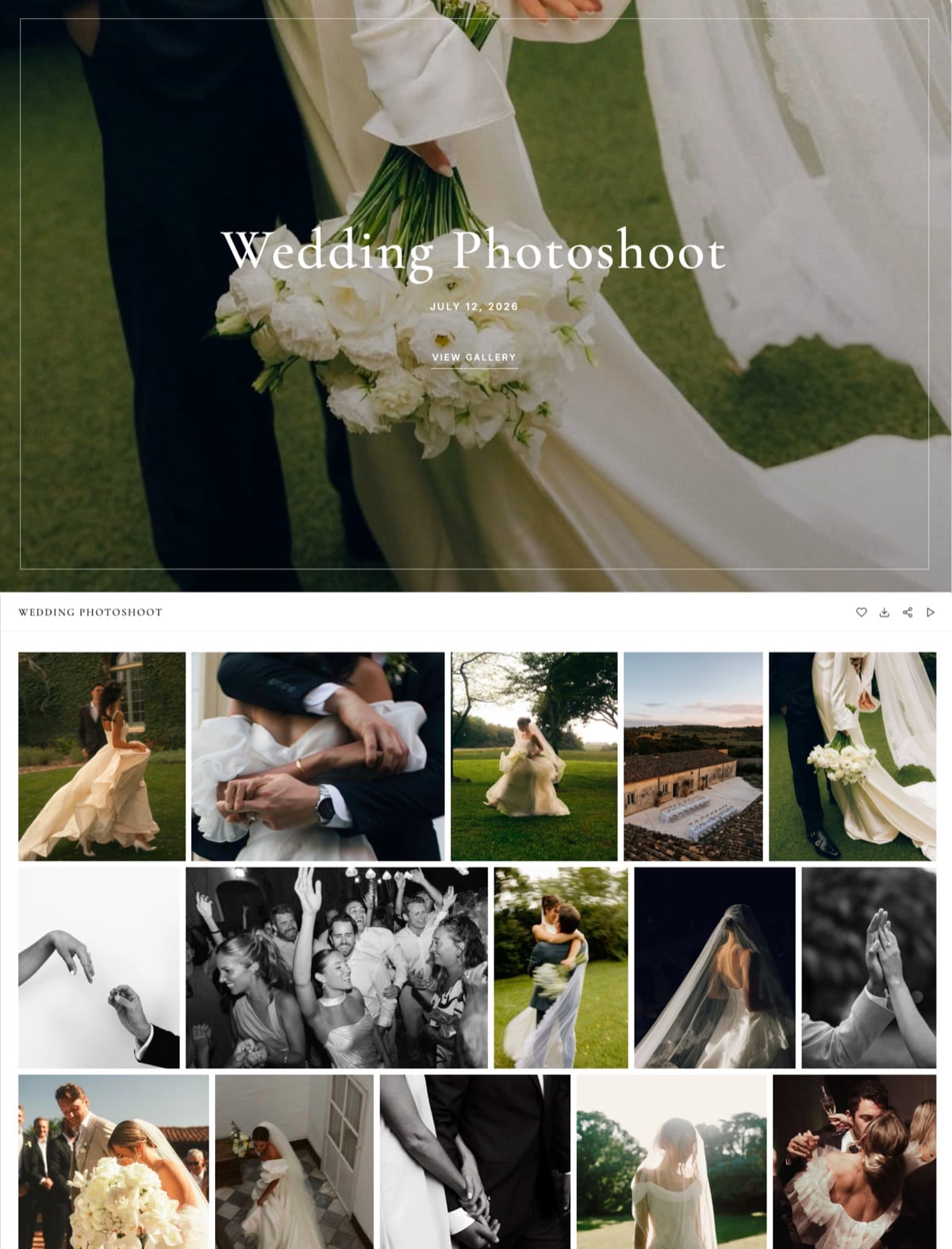
How it worksone gallery holds the edited photos and a highlight film under a single share link, and clients heart favorites into lists for the album, with no account beyond an email.
Separately, you list a product such as a $24 posing guide in the store and sell it two ways: on your site, and as a direct buy link you can paste into a delivery email or a bio.
The buyer pays, downloads instantly, and can come back for the file later.
The real numbera $24 guide nets about $21.80 on the free plan after Framekit's 5% ($1.20) and typical Stripe processing of roughly $1.00. On Business at $39 a month the Framekit fee is 0%, which pays for itself past about $780 a month in sales.
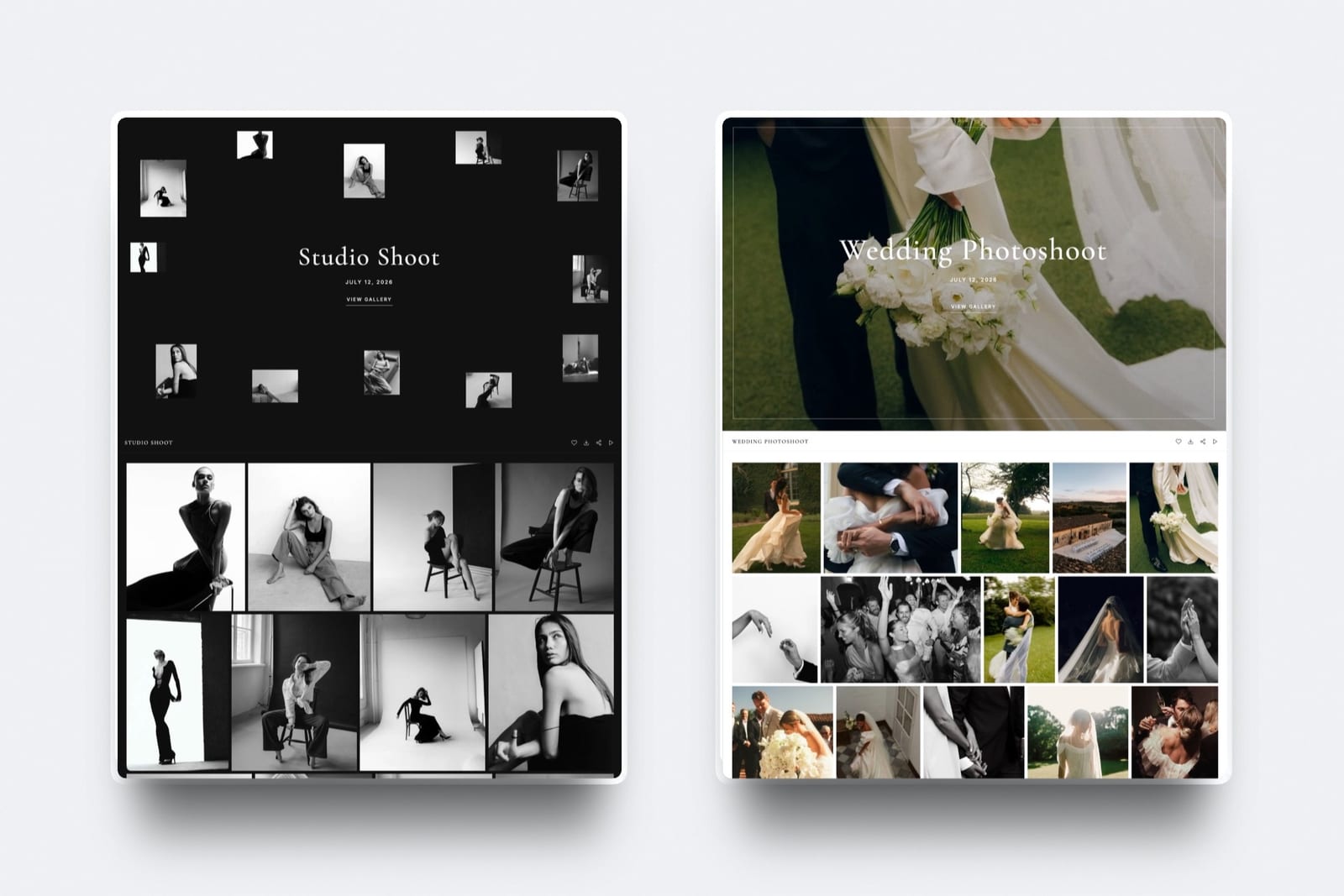
The standout detailphotos and video share one gallery and one storage pool (10GB free, 50GB Starter, 300GB Pro, 2TB Business), photos can carry a watermark, and downloads can sit behind a PIN, so the delivery and the upsell arrive in the same message.
The gotchapayments run through Stripe Connect into your own Stripe account, so you are the merchant of record and Framekit does not collect VAT or sales tax for you. Framekit's fee is also kept when you refund an order, and discount codes need Pro or above.
PricingFree $0 (5% store fee), Starter $9 a month (5%, custom domain), Pro $19 a month (3%, discount codes), Business $39 a month (0%). Every gallery feature is on every plan.
Pros:
- Galleries, store, site, and buyer list in one account, on your own domain from Starter
- Photos and video in the same gallery, with unlimited galleries on every plan
- A buy link that sells without a website, plus the store on your site
Cons:
- No print store and no lab fulfilment, so it cannot sell a client their prints
- No merchant-of-record tax handling; you handle VAT yourself
- No subscriptions, memberships, or license keys in the store
Skip it ifyour delivery income comes from prints and albums, or you run school and event volume. That is a print store, which Framekit does not have - use Pixieset, ShootProof, or GotPhoto.
Verdict: Framekit is the best pick when the store you want sells your own products from a site you own, with deliveries in the same account; for selling prints it is honestly the wrong tool, which is exactly why Pixieset sits above it. See the client galleries, or compare the field in our best client gallery platforms guide.
3. ShootProof: Best for Keeping 100%
Our rating: 8.9/10
ShootProof settles the one number that decides your margin: 0% commission on every plan, free included, so every dollar of a print or digital order is yours after only the lab and processing (ShootProof's plans).
It sells prints through pro labs and digital downloads of the client's photos, with contracts and invoicing attached, on storage-based plans from $8.33 a month billed yearly for 20GB of photos and video.
For the shooter who sells a print or two off most galleries, keeping the whole markup instead of surrendering 15% compounds across a year of deliveries.
Best forPhotographers who want to keep 100% of every print and digital order and will trade a designed store for a profitable one.
Key features:
- 0% sales commission on every plan, including free
- Pro-lab fulfilment that prints and drop-ships the client's order
- Digital-download sales of the delivered photos alongside prints
- Contracts and invoicing built in for a full client relationship
- Storage-based plans, with video up to 4K on every paid tier
The real numberon a $250 framed print through a partner lab, ShootProof's 0% leaves you the whole markup over lab cost, while a 15% platform quietly pockets about $37 of the same order.
Pricing (checked October 2026)Free with 3GB of photos, then storage plans at $8.33, $16.67, $26.67 and $50 a month billed yearly, from 20GB of photos and video up to unlimited photos plus 150GB of video, all at 0% sales commission.
Pros:
- 0% commission on every plan keeps the full margin
- Pro-lab fulfilment that drop-ships to the client
- Contracts and invoicing across the client relationship
Cons:
- The store and galleries are functional rather than designed
- Everything sits on a ShootProof subdomain, not your brand
- Professional and Premium split storage into a big photo allowance and a smaller video one
Skip it ifcheckout polish or a designed store matters more to you than keeping every dollar.
Verdict: ShootProof is the best gallery store for keeping 100% of every order, when plain and profitable beats polished. Our best ShootProof alternatives guide widens the field. Visit ShootProof
4. Pic-Time: Best for Selling the Most
Our rating: 8.8/10
Pic-Time is engineered to sell for you, not just to park a store on the gallery.
Its automated campaigns - timed sales, reminder emails, gift-giving flows - keep prompting clients to order prints and albums after delivery, which is how Pic-Time pitches earning more per gallery than a passive store.
The store sells prints, digital downloads, and albums in the most designed checkout in the category, which means the shooter's wall-art order often lands while they are shooting the next wedding.
Professional and Advanced charge 0% when you self-collect payment, and when Pic-Time collects it takes 15%, 8% or 6% of your markup on Beginner, Professional and Advanced (Pic-Time's commission doc); paid plans run from $7 to $42 a month billed yearly.
Best forPhotographers who want to maximize print and album revenue and will invest setup time in a sales engine that markets for them.
Key features:
- Automated marketing campaigns that prompt print and album orders
- The most designed store and checkout in the category
- Prints, digital downloads, and albums sold from one gallery
- 0% commission on self-collected sales on Professional and Advanced
- Gift-giving and reminder flows that sell passively after delivery
The real numberself-collect on Professional, $21 a month billed yearly, and Pic-Time's cut is 0%, so a $180 canvas order returns the full margin after the lab, while its campaigns raise how many clients order at all.
Pricing (checked October 2026)Beginner $7, Professional $21 and Advanced $42 a month billed yearly ($8, $25 and $50 monthly); commission on your markup is 15% on Beginner, 8% on Professional and 6% on Advanced when Pic-Time collects, and 0% when you self-collect on Professional or Advanced.
Pros:
- Automated print marketing that sells for you
- The most designed gallery and checkout here
- 0% commission on self-collected orders from Professional up
Cons:
- The automation takes real setup to use fully
- The 0% self-collected rate needs Professional, at $21 a month billed yearly
- Everything lives on a Pic-Time subdomain
Skip it ifyou want a simple store to sit there and take orders rather than a sales engine to configure.
Verdict: Pic-Time is the pick when maximizing print revenue is the goal and you will invest in its automation. Our best Pic-Time alternatives guide has simpler options. Visit Pic-Time
5. CloudSpot: Modern Store, Your Markup
Our rating: 8.4/10
CloudSpot brings a modern, brand-forward gallery to a store that lets you keep 100% of your markup on Full Suite plans, with 15% skimmed only on the free and entry tiers (CloudSpot's pricing).
It sells prints through labs and digital downloads, carries a light CRM, and the whole client experience feels newer than the incumbents, from around $3 a month.
For a photographer who wants delivery and the store to look current without the weight of a full platform, it hits a sweet spot the older tools miss.
Best forPhotographers who want a modern gallery and store that keeps their markup, with light client tools in the same subscription.
Key features:
- A modern, brand-forward gallery and store
- 0% commission on Full Suite plans, keeping your full markup
- Print-lab fulfilment and digital-download sales
- A light CRM for bookings in the same tool
- Brand controls that keep the gallery feeling like yours
The real numberCloudSpot's free and entry tiers take 15%, but a Full Suite plan from around $3 a month upward keeps 100% of your markup, so the move to a paid plan pays for itself as soon as you sell steadily.
Pricingfree and entry tiers at 15% commission; Full Suite paid plans from around $3 a month at 0% commission.
Pros:
- A modern, fast client experience
- 0% commission on Full Suite plans
- A light CRM bundled with the gallery and store
Cons:
- The free and entry tiers still take 15%
- Less print-sale automation than Pic-Time
- Not as deep on lab fulfilment as ShootProof
Skip it ifyou need the deepest print-sales tooling - CloudSpot is a modern experience more than a heavy sales engine.
Verdict: CloudSpot is the best pick for a modern gallery store that keeps your markup on a paid plan. Visit CloudSpot
6. Zenfolio: Volume Sales and Packages
Our rating: 7.9/10
Zenfolio brings galleries together with a mature, volume-minded store that sells prints, digital downloads, and bundled packages, with pricing and profit controls for Professional and Advanced subscribers.
Rather than a 0%-on-paid model it charges a flat 7% commerce fee on every order (Zenfolio's selling-fees doc), on plans from about $7 to $16 a month.
That 7% is permanent, so a heavy seller can end up paying more than on a 0%-commission plan elsewhere, but the packaging and volume tooling are genuinely useful for a photographer who sells in bulk.
Best forPhotographers who sell in volume and want package pricing and profit controls in the store, and will accept a flat per-order fee.
Key features:
- A mature store for prints, digital downloads, and packages
- Package pricing and profit controls for volume selling
- A customizable photographer website alongside the galleries
- Password-protected client galleries
- A long, stable track record
The real numberZenfolio's flat 7% per order turns a $200 wall-art order into about $14 of platform fee - pricier than a 0%-commission tool, cheaper than a 15% one, and simple to predict, though permanent rather than removable on a higher plan.
Pricingplans from about $7 to $16 a month, plus a flat 7% commerce fee on every order.
Pros:
- Predictable, flat per-order pricing
- Strong package and volume-selling tools
- An established website-and-gallery bundle
Cons:
- The 7% fee is permanent and adds up at volume
- Design is capable rather than the most modern
- Not built around automated print marketing
Skip it ifyou sell enough that a 0%-commission plan like ShootProof would save you more than the subscription difference.
Verdict: Zenfolio is the dependable pick for volume sellers who want package pricing and predictable per-order fees over a designed, no-commission store. Our best Zenfolio alternatives guide weighs that permanent 7%. Visit Zenfolio
7. SmugMug: Storage Plus Managed Prints
Our rating: 7.6/10
SmugMug wraps unlimited storage around a fully managed print store: it owns the order, the approved lab, and any delivery snag, so the selling is genuinely hands-off.
It takes 15% commission and requires the Portfolio plan at about $23.50 a month to sell at all (SmugMug's plans), and you cannot pick your own lab.
For a photographer who wants a bottomless archive and print sales they never have to touch, it fits, though the 15% cut and the dated store hold it back for anyone selling in real volume.
Best forPhotographers who want unlimited storage and print sales they never have to manage, and will accept a 15% cut for the convenience.
Key features:
- Unlimited photo storage on every plan
- A fully managed print store with approved-lab fulfilment
- A customizable photographer website
- Password-protected client galleries
- Hands-off order handling, including delivery issues
The real numberselling on SmugMug means the Portfolio plan at about $23.50 a month plus 15% of each sale, so a $200 wall-art order gives up about $30 in commission - the price of never touching fulfilment and never filling the drive.
PricingPortfolio plan about $23.50 a month to sell, 15% commission on sales, unlimited storage on all plans.
Pros:
- Unlimited storage for a deep archive
- Fully managed, hands-off print fulfilment
- Customizable, stable, and long-proven
Cons:
- 15% commission with no 0% path
- You cannot choose your own lab
- The store and interface feel dated
Skip it ifyou want the lowest commission or the freedom to choose your lab, where ShootProof and Pic-Time lead.
Verdict: SmugMug is the pick for a bottomless archive and print sales you never have to manage, if you accept the 15% cut and dated feel. Our best SmugMug alternatives guide weighs that commission. Visit SmugMug
8. Pixpa: Cheap All-in-One Store
Our rating: 7.5/10
Pixpa is the budget path to a gallery store, a real website, and a blog in a single subscription from about $4.80 a month.
Its store sells prints, digital downloads, and your own products, so it is flexible, but the templates are generic and the store is basic next to a dedicated print platform.
It suits a photographer who wants everything in one cheap tool and does not need the polished checkout or lab network of a Pixieset - the trade for the low price is presentation and depth.
Best forPhotographers who want a website, blog, galleries, and a store in one cheap subscription and can live with generic templates.
Key features:
- A website, blog, galleries, and store in one plan
- Sells prints, digital downloads, and your own products
- Low entry price from about $4.80 a month
- Client galleries with proofing and password protection
- A broad all-in-one feature set for the money
The real numberat about $4.80 a month Pixpa is among the cheapest ways to get galleries and a store together, so the whole client-facing setup runs for roughly $58 a year - the trade being a store and templates that are basic next to a specialist.
Pricingplans from about $4.80 a month, covering website, galleries, and store.
Pros:
- The cheapest all-in-one here
- Sells prints, digital, and your own products
- A full website and blog included
Cons:
- Templates and store are generic and basic
- No pro-lab network to match Pixieset
- Checkout polish trails the dedicated platforms
Skip it ifpresentation and a polished, lab-backed store matter more than the lowest possible price.
Verdict: Pixpa is the pick when you want galleries and a store bundled as cheaply as possible and can accept a basic experience. Our best Pixpa alternatives guide compares the field. Visit Pixpa
9. Format: Portfolio-First With a Store
Our rating: 7.1/10
Format starts from a portfolio website and layers on proofing galleries on every plan, plus a commission-free store for prints and digital sales from its Pro plan, $12 a month billed yearly in year one ($17 regular) with up to 15 products; Basic at $10 has no store.
It is a fair pick if you want a designed public site first and a simple store second, but the store and proofing are lighter than the dedicated gallery platforms, so it is no match for Pixieset or Pic-Time on selling.
For a photographer whose priority is the portfolio, with store-backed delivery as a bonus, it earns its place.
Best forPhotographers who want a designed portfolio site first and a light gallery store second, in one subscription.
Key features:
- A designed portfolio website as the core
- Proofing galleries on every plan, with a commission-free store from Pro
- Prints and digital sales from the same tool
- Password-protected client access
- Simple, all-in-one pricing
The real numberFormat's store starts on Pro, so the plan that bundles a portfolio site, proofing galleries and a store costs $144 in year one on the current offer and $204 a year at the regular rate - still cheaper than stacking a portfolio and a gallery tool separately.
Pricing (checked October 2026)Basic $10 a month billed yearly with proofing galleries but no store; Pro at $12 in year one ($17 regular) adds the commission-free store with up to 15 products; a 14-day trial rather than a permanent free plan.
Pros:
- A designed portfolio site included
- Proofing on every plan, and a store from Pro
- Simple, affordable all-in-one pricing
Cons:
- The store and proofing are lighter than a specialist's
- No pro-lab depth for serious print sales
- Selling is a bonus, not the core strength
Skip it ifthe gallery store is where your revenue lives - Pixieset or Pic-Time sells far harder.
Verdict: Format is the pick when the portfolio comes first and store-backed delivery is a welcome bonus rather than the main event. Visit Format
10. GotPhoto: Volume and Event Stores
Our rating: 7.0/10
GotPhoto is engineered for high-volume store sales - schools, sports, and the events where hundreds of families each order their own photos.
Its Free plan comes with an online shop that carries a 12% service fee per order and 5GB of storage, and paid plans lower the fee and add capacity (GotPhoto's fee structure).
It automates the matching, ordering, and fulfilment that would overwhelm a boutique gallery tool. It is the wrong shape for the single wedding shooter we follow and one of the right ones for genuine volume.
Best forVolume photographers - schools, sports, and events - who need hundreds of families to self-order from an automated store.
Key features:
- An online shop built for high-volume event and school sales
- Automated photo matching, ordering, and fulfilment
- A Free plan with a shop and 5GB of storage
- Per-order pricing that scales down on paid plans
- Tools for group and family ordering at scale
The real numberGotPhoto's Free plan runs an online shop at a 12% service fee per order, so on a large event that fee is meaningful, while paid plans lower it and add capacity as your volume grows.
PricingFree plan with a shop, 5GB storage, and a 12% service fee per order; paid plans lower the fee and add capacity.
Pros:
- Purpose-built for high-volume event and school sales
- Automates matching, ordering, and fulfilment
- A free entry point with a working shop
Cons:
- The 12% free-plan fee is meaningful at volume
- The wrong shape for boutique, single-client work
- More system than a wedding or portrait shooter needs
Skip it ifyou shoot boutique weddings or portraits rather than high-volume events - this is built for scale, not a designed single-client store.
Verdict: GotPhoto is the pick for genuine volume - schools, sports, and events - where an automated store beats a boutique gallery. Visit GotPhoto
11. PhotoDay: Volume, Free to Start
Our rating: 6.8/10
PhotoDay is a volume-photography store you can sign up for free, with no subscription, aimed at school, sports, and event shooters who want families browsing and ordering from a mobile-friendly store.
It offers private, group, and public galleries and an image-first checkout, and it earns on a fee per sale rather than a monthly plan.
Like GotPhoto it is built for scale rather than boutique client work, so it is worth a look if you shoot volume and want to start selling without a subscription.
Best forVolume photographers who want to start selling to families with no subscription and pay only a fee per sale.
Key features:
- Free sign-up with no monthly subscription
- Private, group, and public galleries for events
- A mobile-friendly, image-first checkout
- Per-sale pricing instead of a monthly plan
- Built for school, sports, and event volume
The real numberPhotoDay charges nothing to sign up and makes its money on a fee per sale, so you can open a volume store with no monthly cost - just confirm the current per-sale fee before you commit, since that is where it earns.
Pricingfree to sign up, no subscription, a fee per sale; confirm the current per-sale rate before committing.
Pros:
- No subscription to start selling
- Private, group, and public event galleries
- A mobile-first checkout families find easy
Cons:
- The per-sale fee is the cost in place of a subscription
- Built for volume, not boutique single-client work
- Lighter brand control than an owned store
Skip it ifyou shoot boutique weddings or portraits and want a designed, branded store rather than a volume-event one.
Verdict: PhotoDay is the pick for volume photographers who want to start selling to families without a subscription and pay per sale. Visit PhotoDay
What a Gallery Store Actually Costs You
In one linethe commission is the number that decides your margin, so on real order volume a 15% free plan quietly costs more than any paid 0%-commission plan, and the honest cheapest store is a paid one.
The free gallery store is the expensive one. Picture the photographer we have followed: $6,000 a year in print and album orders through the gallery.
On a 15% free plan (Pixieset, CloudSpot, or SmugMug free), that is about $900 a year to the platform. On ShootProof, or a paid plan that drops commission to 0%, it is nothing beyond the subscription and the lab.
| Your orders per year | 15% free plan | Zenfolio 7% | GotPhoto 12% | 0%-commission plan |
|---|---|---|---|---|
| $2,000 | ~$300 | ~$140 | ~$240 | $0 (plus plan) |
| $6,000 | ~$900 | ~$420 | ~$720 | $0 (plus plan) |
| $12,000 | ~$1,800 | ~$840 | ~$1,440 | $0 (plus plan) |
Card processing applies on top of every figure. Run it on your own store: take last year's order total, multiply by your plan's commission rate, and if it beats a year of a paid 0%-commission plan, the free store is costing you money.
And note where Framekit sits - to one side of this table, since it sells your own digital products rather than a client's prints, with a digital-sale fee of 5% dropping to 0% on Business.
Who Owns the Store and the Customer
In one lineevery print-store platform here hosts your checkout on its subdomain and keeps the buyer as its customer, so you profit from each order but never build a store or a list of your own - which is the one thing Framekit's owned store does differently.
There are two ways to profit from delivery. The print-store way is to sell a client's photos through a polished checkout on the platform's domain, take your markup, and let the platform keep the customer record.
That is genuinely the better path if prints are your product, and Pixieset does it best.
The owned-store way is to run your own store on your own domain, sell your own digital products, and keep the customer and the list - which builds an asset over time but cannot sell a client their prints.
Framekit does the second most completely, with Pixpa and Format offering a lighter version, and our best free product-selling software guide goes deeper on selling digital products from a site you own.
Neither way is wrong; they are different businesses, and the right store depends on which one you are running.
How to Choose a Gallery With a Store: A Decision Tree
Take these in order and stop at the first that describes you.
Do you sell your clients their own photos as prints or downloads?
- Yes, prints and downloads of the shoot are my income. Then you want a print store. Choose Pixieset for the best all-round store, ShootProof to keep 100%, or Pic-Time to sell the most through automation.
- No, I sell my own digital products (presets, guides) or make money on bookings. Go to the next question.
Do you want the store on a domain you own?
- Yes, my own domain, my own customer. Choose Framekit - galleries and a digital-product store on your own site, no print store.
- A platform subdomain is fine. Then pick by volume and fees below.
Optimizing for something specific?
- Highest volume, schools and events: GotPhoto or PhotoDay.
- Package pricing at volume: Zenfolio.
- Unlimited storage plus managed prints: SmugMug.
- Cheapest all-in-one: Pixpa.
Frequently Asked Questions
What is the best client gallery with a built-in store in 2026?
The best client gallery with a built-in store in 2026 is Pixieset, because its store sells both prints through pro labs and digital downloads of a client's photos in a polished checkout, at 0% commission on paid plans.
ShootProof keeps the most at 0% on every plan, and Pic-Time sells the most through automation. Framekit is the pick only if you want a store you own for your own digital products rather than a print store for clients' photos.
Which gallery store has the lowest commission?
ShootProof has the lowest commission because it charges 0% on every plan, including free, so you keep every dollar of a print or digital order minus lab and processing costs.
Pixieset and CloudSpot reach 0% too, but only on paid plans, and Pic-Time reaches 0% only on Professional and Advanced when you collect payment yourself; all three free plans take 15%. Zenfolio charges a flat 7% and GotPhoto 12%.
For selling your own digital products rather than prints, Framekit takes 5% on free, dropping to 0% on Business.
Does Framekit have a built-in print store?
No, and this is the honest limit of Framekit for this use case: it has no print store and no lab fulfilment, so it cannot sell a client their prints.
Framekit's store sells your own digital products - presets, guides, downloads you create - on a website you own.
If your delivery income comes from print and album sales, Pixieset, ShootProof, or Pic-Time are the right tools; Framekit is for a store you own selling digital products.
Can clients buy digital downloads as well as prints?
Yes, on most of these platforms.
Pixieset, ShootProof, Pic-Time, CloudSpot, Zenfolio, and SmugMug all sell digital downloads of the delivered photos alongside prints, so a client can buy the high-resolution files or a framed print from the same gallery.
The commission usually applies to digital sales as well as prints, so check the rate on both. Framekit is the exception - it sells your own digital products, not downloads of a specific client's shoot.
Is a free gallery store actually free?
Rarely, once you sell. Most free gallery stores - Pixieset, CloudSpot, SmugMug free - take 15% of every order, so on real volume they cost more than the paid plan that removes the commission.
ShootProof is the exception with 0% on its free plan. The honest cheapest store for a regular seller is usually a paid 0%-commission plan, not a free 15% one; do the math on your order volume before assuming free is cheaper.
Pixieset vs ShootProof for selling: which is better?
ShootProof is better on pure margin because it takes 0% commission on every plan, including free, while Pixieset takes 15% on free and 0% only on paid.
Pixieset is better on store polish and checkout experience, which can lift how much clients actually order.
If keeping every dollar matters most, ShootProof wins; if a smoother, more designed store that sells more matters more, Pixieset does, especially on a paid plan where both are 0%.
Do I keep the customer when I sell through a gallery store?
Usually not. On Pixieset, ShootProof, Pic-Time, and the other print-store platforms, the checkout and the customer record live on the platform, so you profit from the order but the buyer is the platform's customer, not yours.
The exception is a store you own: with Framekit the store, the checkout, and the customer sit on your domain, so you build a customer list and a store as an asset - though that store sells your digital products, not clients' prints.
Which gallery store is best for high-volume photographers?
For genuine volume - schools, sports, and events with hundreds of buyers - GotPhoto and PhotoDay are built for the scale, automating matching, ordering, and fulfilment that a boutique gallery tool cannot handle.
GotPhoto charges a 12% fee on its free plan, and PhotoDay is free to start with a per-sale fee. For a busy wedding or portrait studio rather than true volume, ShootProof's 0% commission usually keeps the most as orders grow.
Framekit vs Pixieset: which store should I choose?
Choose Pixieset if you sell your clients their photos as prints and digital downloads - its built-in print store does that and Framekit does not.
Choose Framekit if you sell your own digital products, like presets or guides, and want the store on a website you own alongside your galleries and portfolio.
They are different stores for different businesses: Pixieset is a print store for clients' photos; Framekit is a digital-product store you own.
Can I sell prints from my own website instead of a subdomain?
Not easily with these tools - the print-store platforms host the store on their subdomain, and Framekit, which is on your own domain, has no print store.
To sell prints from your own domain you would connect a separate print-on-demand or lab service to a site, which is more setup than a built-in gallery store.
If owning the domain matters most and you can sell digital products instead of prints, Framekit does that; if prints are essential, a subdomain store like Pixieset is the practical choice.
What happens to my store and orders if I stop paying?
On the subscription print-store platforms, your store goes offline and your galleries stop selling when you cancel or downgrade, though past order records usually remain accessible for a window. Export your sales data before cancelling.
On Framekit, downgrading to the free plan keeps your site, products, galleries, and order records in your account, though a custom domain needs Starter or above and the store fee returns to 5%.
Owning the store is what protects the asset if your plan changes.
Final Verdict: The Best Client Gallery With a Built-In Store
The store is where delivery turns into income, so the commission and the fulfilment matter more than the gallery's looks.
For the job this article is about - selling your clients their photos as prints and digital downloads - Pixieset is the best client gallery with a built-in store, with a polished checkout, lab fulfilment, and 0% commission on paid plans.
ShootProof keeps the most at 0% on every plan, and Pic-Time sells the most through automation.
Where Framekit loses on this job: anyone whose delivery income is print and album sales. Framekit has no print store and cannot sell a client their prints, which is exactly why we ranked it second here, not first, and we say so plainly.
Framekit is the best pick only when the store you want is one you own on your own domain for your own digital products.
If you sell prints, start with Pixieset. If you sell your own digital products and want the store, the galleries, and the customer on a site you own, start with Framekit.
For more, read our best client gallery platforms comparison, our best photo delivery tools guide, the best Pixieset alternatives, and for selling digital products, the best free product-selling software.
_Every commission and plan re-checked against each platform's own pricing pages in July 2026._
If your delivery includes filmwe compared the same question for hybrid shooters in client gallery platforms with video, where minute-based metering changes the maths entirely.
For volume operations selling to parents, the best GotPhoto alternatives covers the service-fee models.