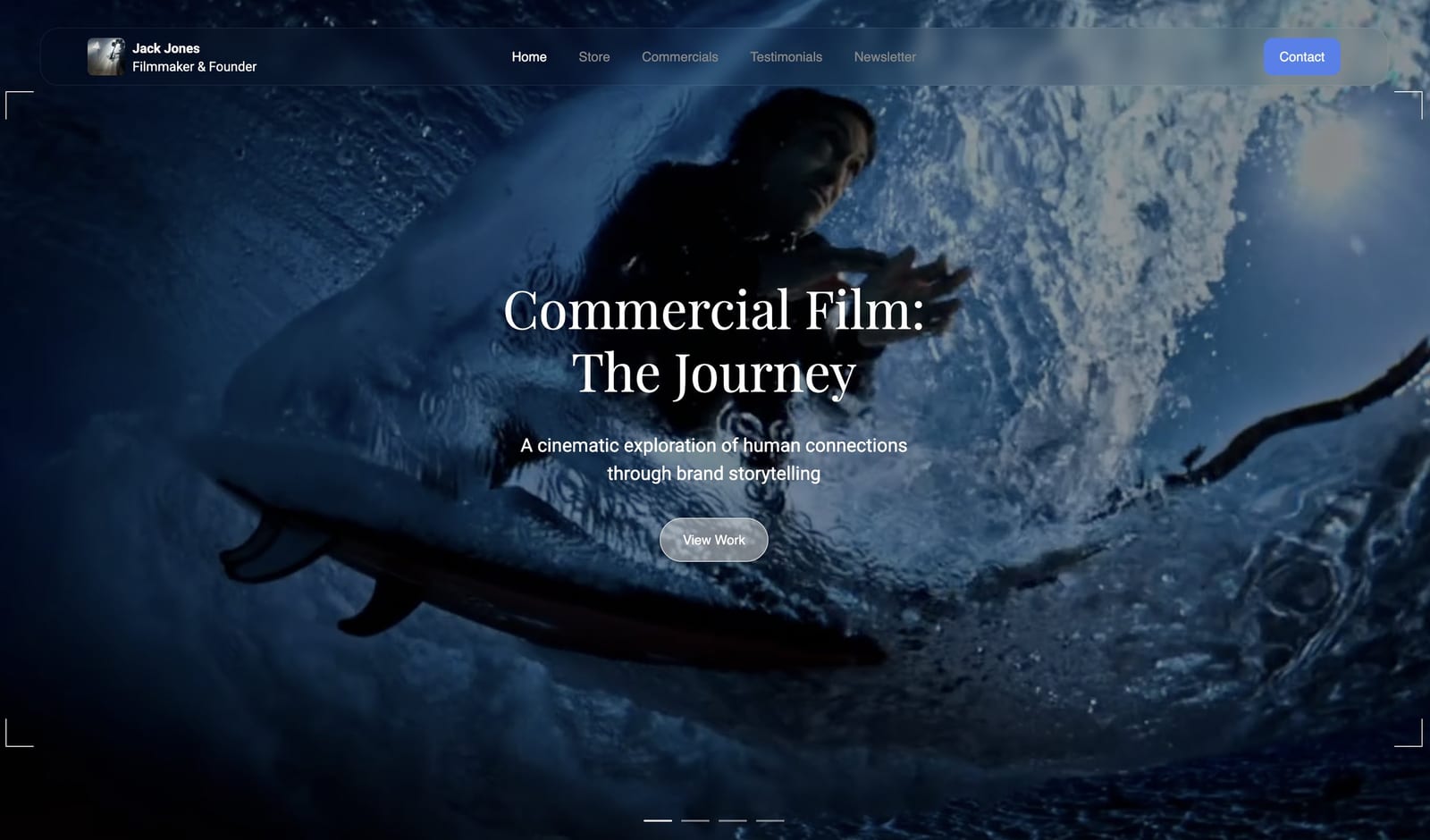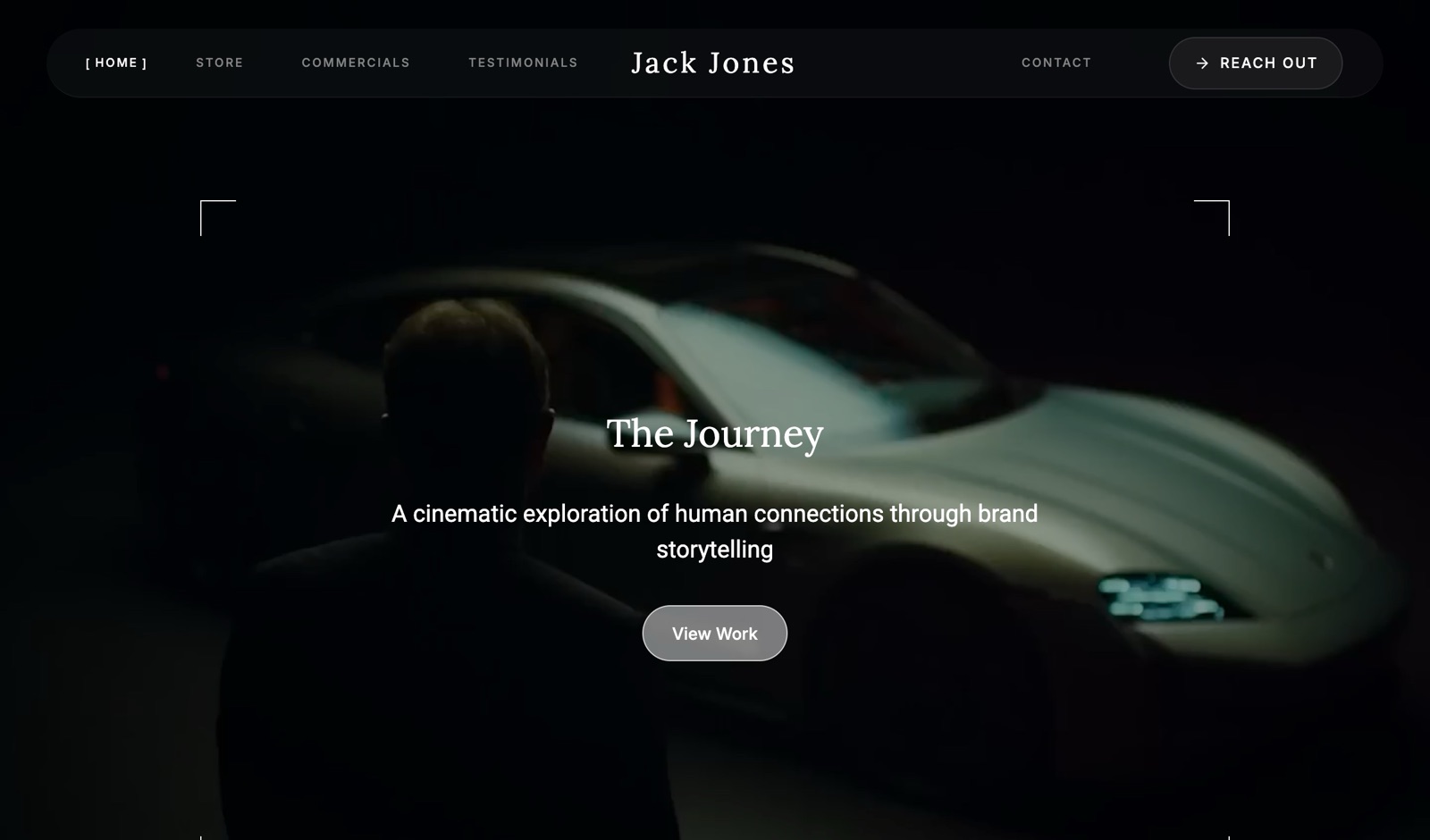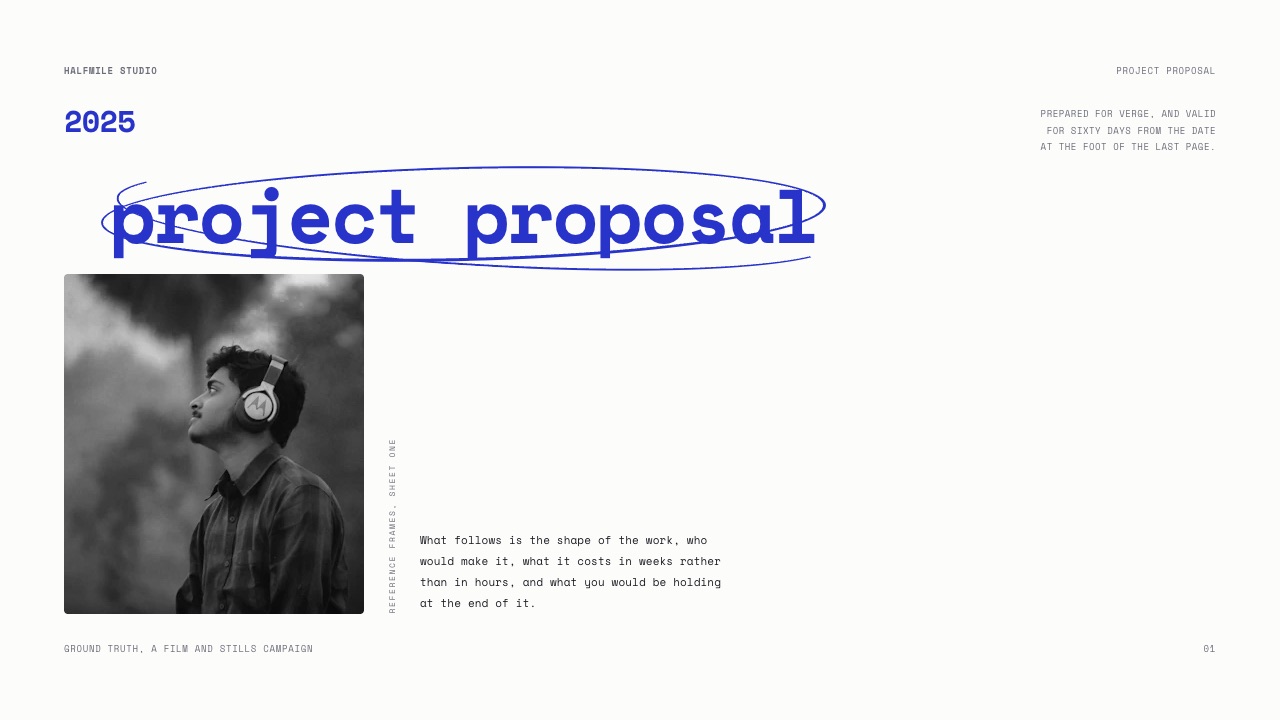
Framekit templates
Start from a designer-made template
 Use template
 Use template
 Use template
 Use template
 Use template
 Use template
 Use template
 Use template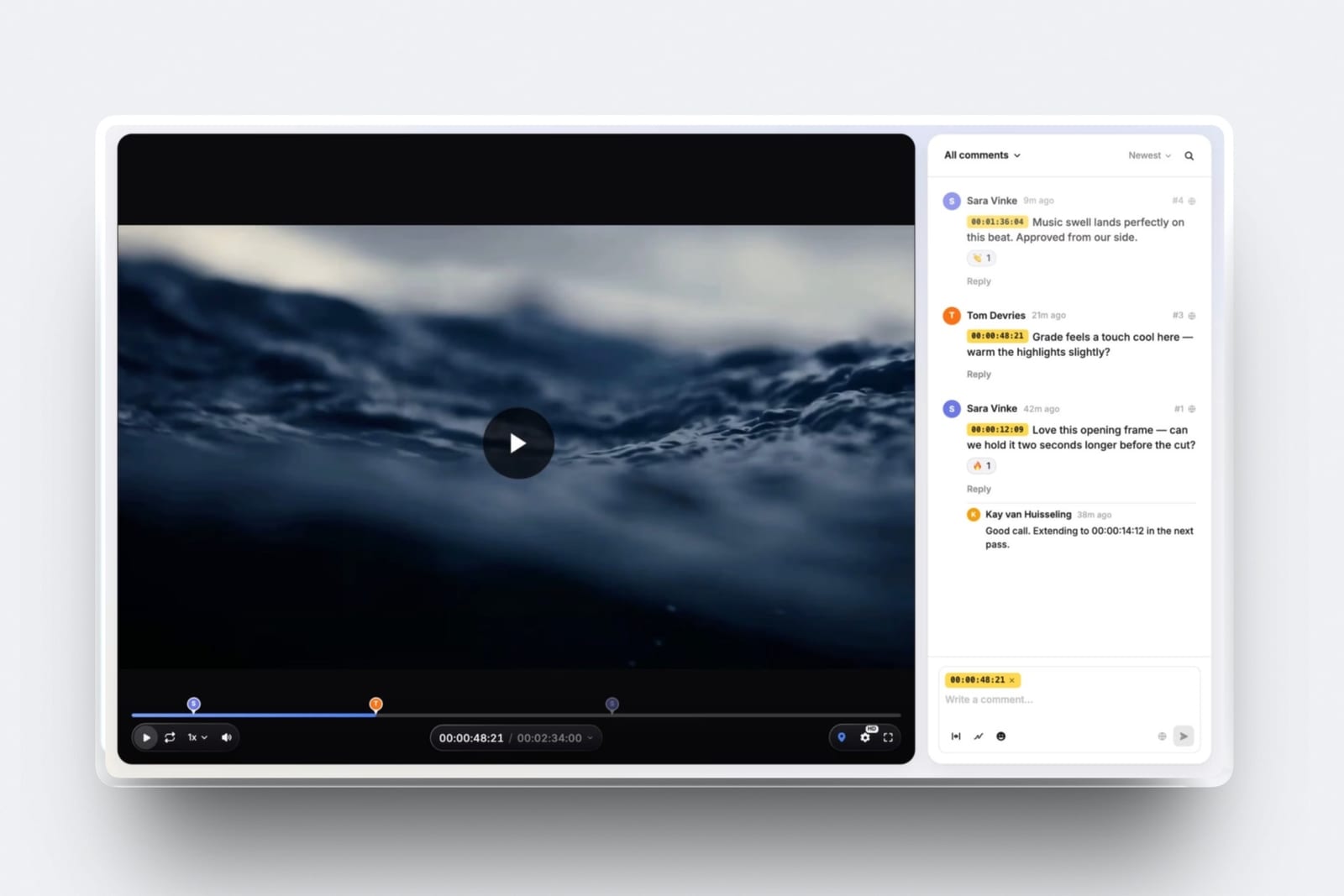
A wedding filmmaker sends eighteen highlight films a year, each one through three rounds of notes.
That is fifty-four review uploads, every one of them a 450MB export that has to survive a week of comments from a couple who have never used a review tool before. None of that work justifies a monthly bill.
So the search for video review tools without a subscription starts, and it ends back in email with a Drive link and a paragraph that says "around the 40 second mark".
The trap is that most of what markets itself as free is a fourteen-day trial with a countdown in the corner. The tools that really are free are free in different currencies, and the difference only shows up in month three.
A free video review tool is a service that lets a client watch a cut in a browser and leave feedback pinned to a specific frame or timecode, without an account, a card on file, or a recurring charge to the person who sent it.
Framekit is the pick, because video review is on its free plan with password-locked share links, auto expiry, client downloads and your own branding, and it meters megabytes per file rather than the number of files you send, so fifty-four short cuts a year never hit a counter.
The trade-off is a hard 500MB per video and a two-hour maximum length on Free, plus a Framekit badge on the page.
Frame.io Free is the better pick if you cut in Premiere or Resolve and want Camera to Cloud, Ziflow Personal is the one free tier with unlimited proofs, and Dropbox Replay makes sense only if your rushes already live in Dropbox, because Basic accounts stop at four files.
Full disclosure: Framekit is our product and this guide puts it first, so treat every sentence below as a claim to check, not a verdict to accept. Every competitor figure here was read on that company's own pricing page or help centre in September 2026 and linked, and where a page would not serve its numbers to an automated reader it is marked as not published, never guessed. Framekit has no Camera to Cloud, no Premiere or Resolve panel, no transcription and no frame-by-frame compare, and Frame.io has all four on its free plan.
How the free tiers in this guide were checked
Three different kinds of statement appear below, and keeping them apart is the only reason a guide written by a vendor is worth reading at all, so here is exactly where each number came from and what was not attempted.
Read at the source. Every plan limit, price and feature boundary was read in September 2026 on the vendor's own pricing page or help centre and is linked at the point it is used. Where a figure is served in euro and not in dollars, it says so.
Calculated. The file-size arithmetic is worked out in front of you from one carried example: a wedding filmmaker delivering eighteen weddings a year, each with a six-minute highlight film and a forty-minute ceremony edit, three rounds of notes on each.
Bitrate times duration gives megabytes, and you can run the same sum on your own exports.
Not claimed. No tool here was subscribed to, no stopwatch was run, and there are no speed or reliability numbers anywhere in this guide.
SyncSketch is included without figures because its pricing page renders in JavaScript and its help centre refuses automated readers, so its free plan is described only as existing.
No review scores from software directories appear, because the ones worth quoting block bots and the rest are not worth quoting.
The free video review tiers by the numbers
Eight figures decide which of these tools survives contact with a real client list, and every one of them is a ceiling that someone hits in a month they were not expecting to.
- 500MB per video file and a two-hour maximum length on the Framekit free plan, inside a 10GB pool shared with your site and galleries.
- 2GB of storage, two projects and two members on the Frame.io free plan, which also includes Camera to Cloud and transcription.
- Four files, ever for a Dropbox Basic account in Replay, per Dropbox's own Replay FAQ.
- Five new files a month and one active project at a time on the Filestage free plan, with limits that reset monthly and do not roll over.
- 60 days of review history on Ziflow's free Personal plan, which otherwise allows unlimited proofs and unlimited reviewers for two users.
- 1GB of uploads for the life of a free Vimeo account, which Vimeo states does not reset or renew.
- Zero free review links on Vimeo, because review links require a Standard, Advanced, Pro, Business, Premium or Enterprise plan.
- 15 minutes is the default YouTube upload ceiling until you verify the Google account with a phone code, against a technical maximum of 256GB or 12 hours.
In one linethe useful question is not which free tier is most generous in the abstract, it is which resource each one meters, because the tool that rations the thing your work produces least of is the one that stays free.
What each free plan actually meters
Every free review tier picks one resource to ration and is comparatively relaxed about the others, and reading that choice tells you in about ten seconds whether the tool fits the shape of your work.
| Tool | Free tier meters | The hard number | Runs out when |
|---|---|---|---|
| Framekit | Size of each file | 500MB per video, 2h max, 10GB pool | You send one long uncompressed cut |
| Frame.io | Total storage and projects | 2GB, 2 projects, 2 members | You keep more than four short cuts online |
| Ziflow | Time and seats | 2 users, 2GB, 60-day history | A client comes back in month three |
| Filestage | Number of files | 5 new files per month, 1 active project | Two jobs overlap |
| Dropbox Replay | Number of files | 4 files on a Basic account | Your fifth delivery |
| Loom | Number and length of recordings | 25 videos, 5 minutes each, 720p | The cut is six minutes long |
| Vimeo | The review feature itself | Review links are paid-only | Immediately, for review |
| YouTube | Nothing, until it does | 15 minutes unless verified | You upload a ceremony edit |
Framekit is the outlier in that row because it meters megabytes rather than counts. Fifty-four review uploads a year costs nothing extra as long as each export is under 500MB, which a six-minute highlight comfortably is.
Here is the arithmetic, so you can run it on your own work. A six-minute film exported at 10 Mbps is 10 multiplied by 360 seconds, which is 3,600 megabits, or 450MB. That fits with room to spare.
A forty-minute ceremony edit is a different story: squeezing it under 500MB means 4,000 megabits spread over 2,400 seconds, which is about 1.67 Mbps, a soft 720p review copy.
That is a real limit, and the honest answer is that Starter at $9 a month raises the per-file cap to 1GB, which is the cheaper fix than shipping a 1.67 Mbps ceremony edit.
What the next step up costs when free runs out
Free tiers are priced to end, so the number that matters almost as much as the free limit is what the cheapest paid plan above it costs, and the spread across these twelve tools is wider than any feature difference between them.
| Tool | Cheapest paid step | Per year | What the step buys |
|---|---|---|---|
| Framekit Starter | $9/mo, or $7/mo billed yearly | $84 to $108 | 50GB pool, 1GB per video, badge removed, custom domain |
| Frame.io Pro | $15 per member per month | $180 | 2TB, unlimited projects, up to 5 members |
| Dropbox Replay add-on | EUR 9 per user per month billed annually | EUR 108 | Unlimited files, but only on Plus or above |
| Loom Business | $18 per user per month | $216 | Unlimited videos, no 5-minute cap |
| Vimeo Standard | Paid plan required for review links | Not free at any tier | The review page itself |
| Wipster Light | $9.95/mo billed annually | $119.40 | 50GB, one person |
| Ziflow Standard | $199/mo billed annually | $2,388 | 15 users, 1TB, two workflow stages |
| Filestage Starter | $199/mo | $2,388 | Unlimited files and projects |
Two of these are not really consumer products. Ziflow and Filestage both jump from a free tier to $199 a month with nothing in between, which is an agency price and an entirely reasonable one for an agency.
If you are one person sending cuts to couples and small brands, the practical ladder is the top half of that table.
1. Framekit: Best Free Video Review Overall

Framekit is an AI website builder whose video review pages, client galleries and decks all run on the same account, which is why a free plan here is a working plan, not a sampler for one feature.
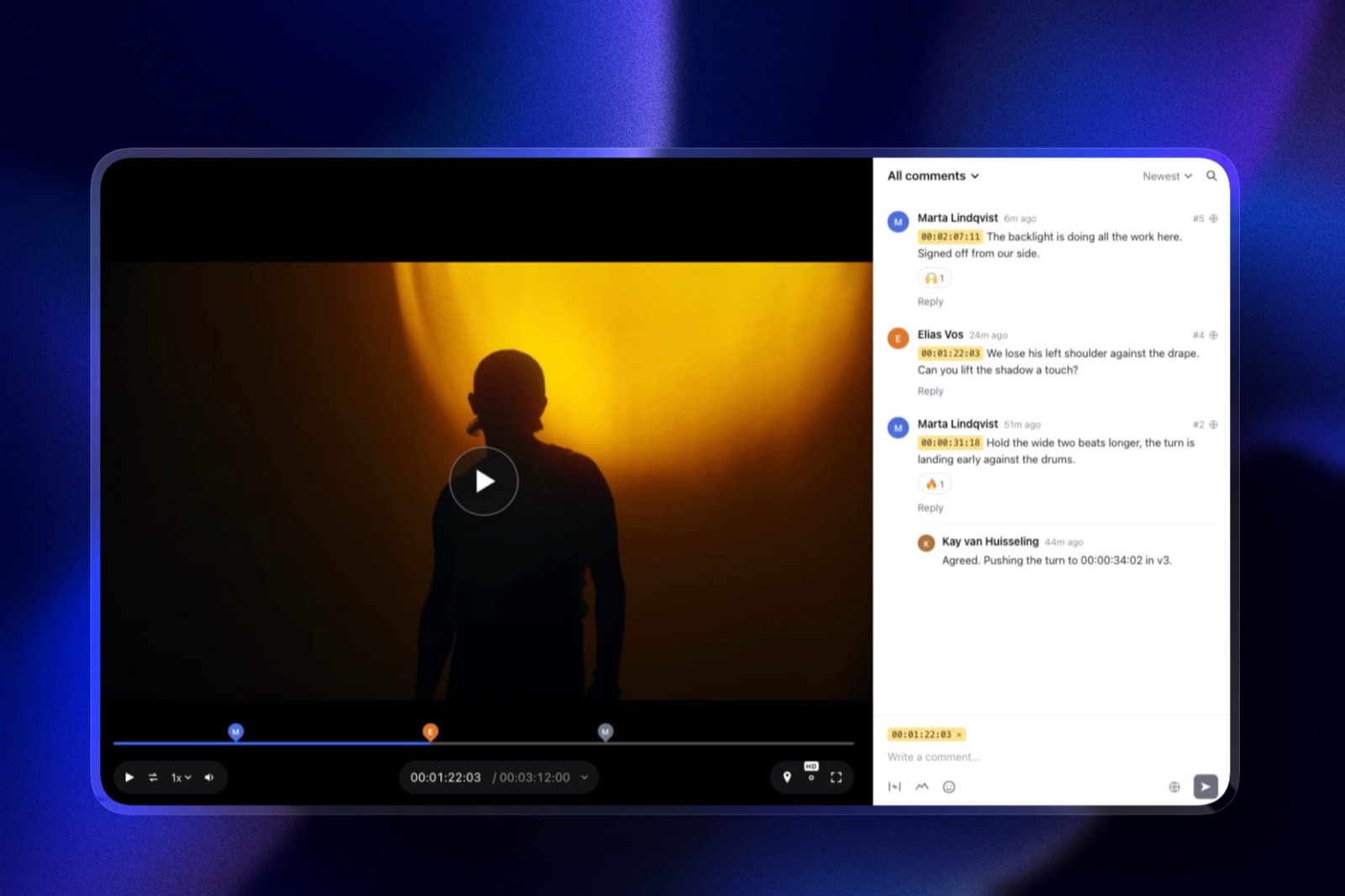
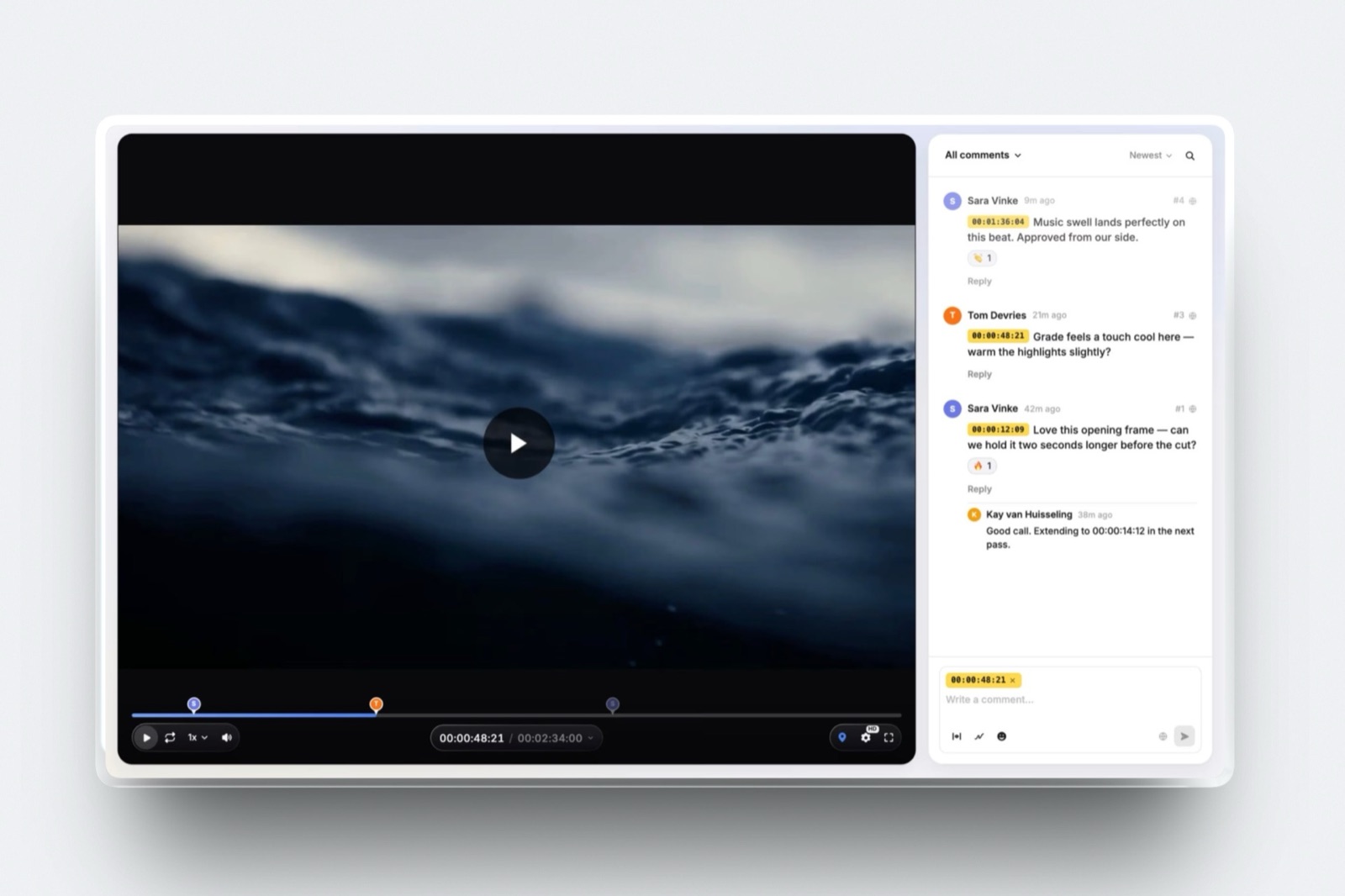
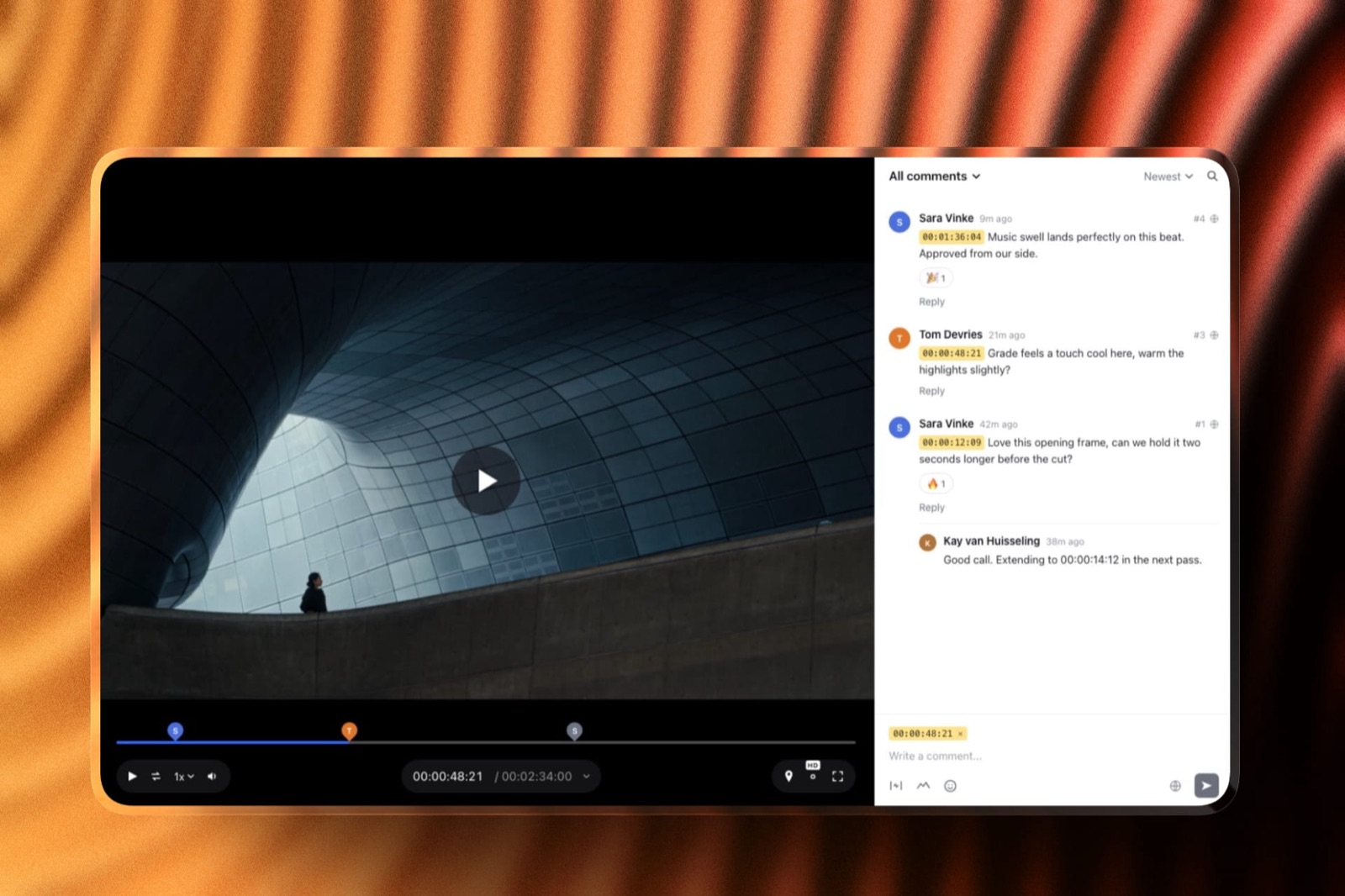
Upload a cut, send a link, and the client leaves comments pinned to the exact timecode, draws on the frame, replies and reacts without making an account.
The real number500MB per video file on Free, with a two-hour maximum length, inside a 10GB pool shared with your website and your client galleries.
At 450MB per six-minute highlight, that pool holds twenty-two review copies before you have to archive anything, and it holds them alongside whatever else you are storing.
The detail nobody writesthe controls other tools sell further up the ladder are on the free plan here.
Password-locked share links, a separate email registration step before anyone can view, automatic expiry dates, client downloads, approval statuses, and branding with your logo, banner, fonts and accent colours are all included at $0.
Version stacking keeps the old notes attached to the old cut, so round two does not erase the reason round one existed.
The gotcha that bites in week threethe 500MB cap is per file, not per month, and it is the one limit you cannot design around. A forty-minute ceremony edit under 500MB means exporting at roughly 1.67 Mbps, which looks like what it is.
The free plan also shows a Framekit badge on the review page and will not run on your own domain, so a studio that wants the page to look like part of its own site is on a paid plan from day one.
Who should skip itanyone whose review has to happen inside Premiere, Resolve or Final Cut. Framekit has no NLE panel, no Camera to Cloud, no transcription and no frame-by-frame compare or wipe, and if your process depends on any of those, the rest of this entry does not matter.
Verdict: the best free tier here for a solo filmmaker or small studio sending short cuts, because it is the only one that rations megabytes instead of counting how many times you have used it, and because the sharing controls a client relationship actually needs are not behind an upgrade. It is not the best free tier for an editor who lives inside an NLE.
If you want the workflow instead of the tool list, how to set up a video review workflow walks through the rounds, and how to send a video to a client for review covers what to write in the message.
2. Frame.io: Best Free Tier for an NLE-Based Editor
Frame.io is the tool the rest of this category is measured against, and its free plan is unusually honest about it. The published free tier gives you 2GB of storage, 2GB of mounted storage, up to two members and up to two projects, and it does not hold back the features that make Frame.io Frame.io.
The real number2GB of free storage is about four 450MB review copies. That is not a criticism so much as a description: Frame.io Free is designed as a place to run one or two live projects, not an archive.
The detail nobody writesCamera to Cloud, transcription and captions, frame-accurate comments and annotations, and version stacks with the comparison viewer are all listed as included on the free plan. Very few vendors put their signature feature on the $0 tier.
If you shoot with a camera or recorder that supports Camera to Cloud, this is the only tool in this guide that will pull the take up while you are still on set.
The gotcha that bites in week threethe free plan excludes exactly the things a client-facing sender needs. Custom-branded shares, share link expiration, internal comments, restricted projects and folders, and both static and session-based watermarking are all paid features.
So the free plan is excellent for an internal edit and awkward for a link you send to a stranger, because you cannot set it to expire and you cannot take Frame.io's name off it.
Who should skip ita photographer or wedding filmmaker who needs one review link per client and a way to stop that link working after delivery. You will spend the first month trying to find the expiry setting and then discover it is a paid feature.
Verdict: the strongest free tier in the category on craft features and the weakest on client-facing controls, which makes it the right free pick for editors and the wrong one for deliverers. Pro at $15 per member per month fixes the storage and most of the controls.
Already on Frame.io and running into the storage wall? The comparison of video review tools for freelance editors works through when the paid step is worth it.
3. Ziflow: Best Free Tier for Unlimited Proofs
Ziflow comes from the print and creative proofing world and not the film world, and it shows in the best way: the free Personal plan allows unlimited proofs and unlimited reviewers, which no other free tier here does. Ziflow's pricing page lists it at $0 for two users with 2GB of storage and one workflow stage.
The real number60 days of review history on the free plan. Everything you proof stays reachable for two months and then it does not.
The detail nobody writesunlimited reviewers is a genuinely unusual free-tier promise.
Most tools that meter people count anyone who opens the link; Ziflow counts only the two seats that manage content, which means you can put a proof in front of a client, their marketing manager, their legal reviewer and their boss without doing arithmetic first.
The gotcha that bites in week threethe 60-day history is an archive limit, not a project limit, and creative work has a habit of coming back. A client who asks in March what you changed in January will find the trail gone.
The other cliff is the price of the next plan: Standard is $199 a month billed annually, which is a jump of two orders of magnitude from free.
Who should skip itanyone who needs the review record to survive the job for contractual reasons, and anyone who was hoping for a $15 middle tier. There isn't one.
Verdict: the best free tier for a short, busy stretch, since two seats carry unlimited proofs and unlimited reviewers, and the wrong long-term home unless your company is large enough that $2,388 a year reads as small.
4. Dropbox Replay: Best If Your Footage Already Lives in Dropbox
Replay is the review layer Dropbox built on top of storage people already pay for, and when the rushes are already in your Dropbox that adjacency is worth real money.
Comments land on the frame, versions stack, and the file you are reviewing is the file in your folder, not a second copy.
The real numberfour files. Dropbox's Replay FAQ states plainly that a Dropbox Basic account gets four files, and that the paid add-on removes the file creation and upload limit entirely.
The detail nobody writesthe ceilings on the paid side are the highest in this guide by a wide margin. Dropbox's Replay page lists a maximum file size of 150GB and a maximum audio or video length of 12 hours, which means Replay is the only tool here you could hand a full conference recording or an uncompressed master without thinking about it.
The gotcha that bites in week threethe add-on is not a standalone purchase. Dropbox's own page says Basic users must upgrade to Plus or higher before buying it, so the real cost of unlimited Replay is the add-on plus a storage plan, not the add-on alone.
The add-on was served to us in euro at EUR 9 per user per month billed annually, EUR 108 a year, or EUR 11 billed monthly.
Who should skip itanyone using Dropbox Basic as their only storage. Four files is a demo, not a workflow, and the upgrade path prices two products instead of one.
Verdict: the most sensible paid upgrade in this guide if you were already paying Dropbox, and the least sensible free tier in it if you were not.
5. Filestage: Best Free Tier for Structured Approvals
Filestage is built around the idea that approval is a process with named steps and deadlines, not a thread of opinions, and even the free plan carries that shape. Its pricing page lists the free tier as one active project at a time, five new files a month, two reviewer groups, ten team members, unlimited reviewers and 2GB of storage.
The real numberfive new files per month, with limits that reset monthly and do not roll over. For the carried wedding example, three rounds on two deliverables is six files for a single wedding, so one wedding a month already exceeds the free allowance.
The detail nobody writesthe reviewer-group model is the actual product. You can put the client in group one and the brand's compliance reviewer in group two, and the second group does not see the file until the first signs off.
That is a real agency mechanic and almost nobody else offers a version of it at $0.
The gotcha that bites in week three"one active project at a time" means archiving live work to start new work. Two overlapping jobs, which is the normal state of a freelance calendar, breaks the free plan immediately.
Who should skip itevery solo creator with more than one client at a time. This free tier is a trial of a workflow product in everything but name, and the paid step is $199 a month.
Verdict: the best-designed approval flow in the category and a free tier sized for evaluating it instead of using it.
6. Loom: Best for a Recorded Walkthrough Instead of a Review Page
Loom solves an adjacent problem so well that it is worth naming here: instead of sending a cut and waiting for written notes, you record yourself talking over the cut and the client replies in the same thread.
For a client who cannot articulate what is wrong, hearing you narrate the choices is what unlocks the useful sentence.
The real numberthe free Starter plan allows up to 25 videos per person at up to five minutes each and up to 720p, with up to 50 workspace members.
The detail nobody writesthe five-minute cap is per recording, not per month, so a walkthrough of a six-minute film does not fit in one take. Splitting the commentary into two recordings works, and is more annoying than it sounds when the client has to watch them in order.
The gotcha that bites in week three720p. Loom is a screen-recording tool, and a 720p re-encode of your graded footage is not something to make colour decisions on. Use it for structural notes and never for the grade.
Who should skip itanyone who needs the client's comments attached to a frame of the master. Loom comments sit under the recording of your screen, which is not the same artefact.
Verdict: not a video review tool and a genuinely useful thing to put next to one, particularly for the round where the problem is that the client cannot say what they mean. How to give feedback on a video is the piece to send them either way.
7. Vimeo: Best Free Host Where Review Is Not Free
Vimeo is where finished films go to be watched, and its player is still the nicest place on the internet to watch a short film, so it is the first place people look for a review link.
It is also the clearest example in this guide of a free plan that does not include the thing you came for.
The real numberthe free plan allows 1GB of content for the life of the account, and Vimeo states that this does not reset or renew.
Accounts created before 17 June 2024 may have different limits, which is worth checking in your settings before you plan around it.
The detail nobody writesthe review page is explicitly gated. Vimeo's help centre says that video review links require "a Standard, Advanced, Pro, Business, Premium, or Enterprise plan", and the Starter plan is not on that list either.
So the gap is not just free versus paid, it is free and entry-level versus the tier above.
The gotcha that bites in week threethe 1GB allowance is cumulative and permanent, so deleting a video does not give the space back in the way people assume storage works. Two 450MB cuts and you are effectively done.
Who should skip itanyone treating the free plan as a review workflow. Use Vimeo for the finished film and a review tool for the rounds before it.
Verdict: an excellent showcase host with a free tier that is a portfolio, not a workflow. If you already pay for a Vimeo plan that includes review links, use them; if you do not, this is not the free route. The guide to Vimeo review alternatives covers the switch in more detail.
8. YouTube Unlisted: Best Zero-Setup Fallback
An unlisted YouTube link is the free option everyone has already used at least once, at midnight when something else failed, and it deserves an honest entry, not a sneer. It costs nothing, it plays everywhere, and the client does not need an account.
The real numberthe upload ceiling is 256GB or 12 hours, whichever is less, but the default cap on an unverified account is 15 minutes, and lifting it means verifying your Google account with a code sent by text or call.
The detail nobody writesunlisted is a weaker word than it sounds. YouTube's own documentation says unlisted videos "can be seen and shared by anyone with the link", they can appear in someone else's public playlist, and comments are on by default.
There is no password, no expiry and no way to revoke access except deleting the upload.
The gotcha that bites in week threetimestamps in YouTube comments do become clickable links, which is genuinely useful, but they are comments on a video, not notes on a cut. There is no version stacking, so round two is a second upload with a second link and a second comment thread, and reconciling them is manual.
Who should skip itanyone under an NDA, anyone whose client has a legal department, and anyone delivering work they intend to sell. An unlisted link is a link that travels.
Verdict: the best thing on this list for a rough cut you would not mind a stranger seeing, and a bad habit for everything else.
9. Google Drive: Best for the Client Who Will Not Click Anything New
Some clients will not open an unfamiliar tool, and for those people Drive is not a compromise, it is the correct answer. They already have the tab open, the permissions model is one they understand, and nothing has to be explained on a phone call.
The real numbera personal Google account includes 15GB shared across Drive, Gmail and Photos, which is more raw space than any other free tier in this guide.
The detail nobody writesDrive's Commenter permission lets someone comment without being able to edit, which is exactly the access level a client should have.
What Google's documentation does not describe is any way to anchor a comment to a timecode on a video, and this guide does not claim one exists.
The gotcha that bites in week threefeedback arrives as prose. "The bit near the end where the music changes" is a sentence you will read four times and still not locate, and the cost of that ambiguity is an extra round. That extra round is the real price of the free 15GB.
Who should skip itanyone billing by the project instead of by the hour, because every ambiguous note comes out of your margin.
Verdict: the right tool for handing over files and the wrong tool for collecting notes, which is a distinction worth holding even when the client pushes. Client gallery versus Dropbox makes the same argument for stills.
10. SyncSketch: Best Free Tier for Animation and VFX Rounds
SyncSketch was built for animation and visual effects review, where the notes are drawings instead of sentences and a single frame is the unit of discussion.
Its drawing tools and frame stepping are aimed at people reviewing motion at the level of individual frames, which is a different job from approving a wedding film.
Not publishedSyncSketch's pricing page renders its plans in JavaScript and its support centre returns a refusal to automated readers, so no plan limits or prices are quoted here.
A free tier exists and is reachable from the site's own navigation; check the figures yourself before planning around them.
The detail worth knowingthe reason animation studios reach for it is synchronised playback, where everyone on the call watches the same frame at the same moment and draws on it together. That is closer to a review session than a review link, and it suits a pipeline with a daily.
Who should skip itanyone whose review is asynchronous and client-facing. A couple approving their wedding film do not need frame-level annotation tools, and a tool aimed at supervisors will feel like a cockpit to them.
Verdict: worth a look if your work is animated or has visual effects in it, and out of scope if your reviewer is a bride, a brand manager or a founder.
11. Clipchamp: Best Free Editor That Is Not a Review Tool
Clipchamp belongs in this list because it keeps turning up in searches for free video tools, and the honest thing to do is say what it is.
It is Microsoft's browser-based editor, and its pricing page describes a free plan that exports at up to 1080p without a watermark, with the Premium tier included in Microsoft 365 Personal and Family for 4K export.
The detail nobody writesthere is no client review feature on that page at all. No commenting, no review links, no approval states, no version stacking. It is an editor, and a capable free one.
Who should skip itanyone who arrived here looking for review. Clipchamp is the thing you use before the review step, not the thing you use for it.
Verdict: a good free editor with no place in a review workflow, listed so you do not spend an evening looking for a feature it does not have.
12. Wipster: Best Trial, But There Is No Free Plan
Wipster has been doing frame-accurate review for a long time and is still one of the cleaner client-facing experiences in the category, with a reviewing page that does not ask the client to learn anything. It is here to be ruled out honestly, not ranked.
The real numberthe pricing page lists Light at $9.95 a month billed annually or $11.95 monthly with 50GB, and Team at $19.95 per user per month billed annually or $25 monthly starting at 250GB.
There is no free plan on that page, only a trial, and the trial length is not stated on it.
The detail nobody writesLight at $9.95 a month is one of the very few genuinely individual prices in a category that mostly prices for teams, and 50GB is a real allowance, not a token one.
Who should skip itanyone who came here specifically to avoid a subscription. A trial ends, and this guide is about the tools that do not.
Verdict: the best cheap paid option for a solo editor who has accepted that they are going to pay something, and not a candidate for anyone who has not.
What a free review tier actually costs you
In one linea free review tier is never free of cost, it simply moves the cost off your card and onto your calendar, your storage discipline or your client's patience, and the only honest comparison prices all three.
Start with the extra round. If a tool cannot pin a note to a frame, the client writes prose, you guess, and you send a second version to check the guess.
One extra round on a project you quoted at $1,200 costs roughly an hour of your time plus the export and the upload, and the rate you are actually earning drops accordingly. That is the number Google Drive charges you.
Then the housekeeping. A 2GB free tier that fills after four cuts means you are deleting to make room, and deleting while a client might still come back is how a note thread disappears. The cost shows up as a message you cannot find instead of a line on a statement.
Then the link you cannot close. Free tiers that withhold expiry and passwords mean every review link you have ever sent is still live. For a wedding film that is mildly awkward. For an unreleased campaign it is a breach of the contract you signed.
Here is a test you can run in five minutes without signing up for anything. Open the last three jobs you delivered, count the review links you sent, and check how many of them still play today.
Then decide whether the free tier you used is free, or whether it just has not sent you a bill yet.
Free plan or free trial: telling the difference in thirty seconds
In one linethe distinction that matters is not the word on the marketing page but whether the tool has a permanent tier with a number attached to it, because a plan rations you and a trial simply stops.
Three checks settle it.
First, look for a column headed Free with a figure in every row instead of a tick, because a tier that publishes "2GB" and "2 projects" intends to keep existing, while one that publishes only feature ticks and a countdown does not.
Second, check whether the feature you actually need appears in that column: Vimeo's free tier is permanent and its review links are still paid, which is a plan, not a trial, and equally useless to you.
Third, find the next price up, because a free tier whose nearest neighbour costs $199 a month was built to qualify leads, not to serve individuals.
Against those three checks, Framekit Free, Frame.io Free, Ziflow Personal, Loom Starter and the Dropbox Basic Replay allowance are genuine plans with published ceilings.
Filestage Free is a genuine plan whose ceilings are set below one project a month. Wipster is a trial. Clipchamp is a free editor with no review feature to gate.
| Question | Framekit Free | Frame.io Free | Filestage Free | Vimeo Free |
|---|---|---|---|---|
| Permanent tier with published limits | Yes | Yes | Yes | Yes |
| Review feature included at $0 | Yes | Yes | Yes | No |
| Password on the share link | Yes | No | Not on free | No review link |
| Expiry date on the share link | Yes | Paid feature | Not on free | No review link |
| Your branding on the page | Yes, with a Framekit badge | Paid feature | Paid feature | No review link |
| Fits a second concurrent project | Yes | Two projects | No | No review link |
The security question nobody asks until it goes wrong
In one linethe feature that decides whether a free review tool is usable for paid client work is not annotation or version stacking, it is whether you can put a password on the link and make it stop working on a date you choose.
This gets discovered backwards. The link goes out, the campaign is embargoed, and somebody forwards it. On an unlisted YouTube video there is nothing to revoke short of deleting the upload, and YouTube says so plainly.
On Frame.io's free plan, share link expiration is listed among the features the free tier excludes.
On Framekit's free plan, password-locked share links, an email registration step and automatic expiry are all present at $0, which is the single strongest reason to put it first in a guide about not paying.
Two adjacent controls matter almost as much. The first is whether the client can download the file, because a review copy that can be downloaded is a review copy that can be published before you have been paid.
The second is whether old versions stay attached to old comments, because a thread that loses its anchor becomes an argument about what was agreed.
If you are sending work under an NDA, treat the absence of a password as disqualifying regardless of how good the annotation tools are. How to password protect a client gallery covers the same reasoning for stills, and the logic transfers exactly.
Which free video review tool to pick
Six questions separate these twelve tools, and the first one you answer yes to is your answer, because each question maps onto the resource a different free tier decided to ration.
In one linework down these questions in order and stop at the first yes, because the right answer depends far more on the shape of your delivery than on any feature comparison you could run between the twelve tools above.
Do you cut in Premiere, Resolve or Final Cut and want the tool inside the NLE? If yes, take Frame.io Free and accept that you will pay when you need expiring links. If no, keep going.
Does your client work happen under an NDA or an embargo? If yes, you need a password and an expiry date at $0, which narrows the free field to Framekit. If no, keep going.
Is every deliverable under about ten minutes? If yes, Framekit Free carries it at 500MB per file and 10GB pooled, and Loom Starter covers the spoken walkthrough alongside it. If your deliverables are long-form, keep going.
Are your files enormous, and do you already pay for Dropbox? If yes, the Replay add-on at EUR 9 per user per month with a 150GB file ceiling is the cheapest sane route. If you do not already pay Dropbox, it is two subscriptions.
Do you need named approval stages with different reviewer groups? If yes, Filestage is the right design and its free tier will not hold your month, so budget for the paid step or run the stages manually. If no, keep going.
Is the work animated or effects-heavy? If yes, look at SyncSketch and verify its current limits yourself. If no, take Framekit Free and spend the saved money on storage.
Frequently Asked Questions
What is the best video review tool with no subscription in 2026?
Framekit is the best video review tool with no subscription in 2026 for a solo filmmaker or small studio, because video review is included on its permanently free plan with password-locked share links, email registration, automatic expiry, client downloads and your own branding.
The limits are 500MB per video file, a two-hour maximum length and a 10GB pool shared with your website and galleries.
Frame.io Free is the better choice for an editor who wants Camera to Cloud and an NLE-centred process, and Ziflow Personal is the only free tier here offering unlimited proofs.
Is Frame.io still free in 2026, and what do you get?
Frame.io still has a free plan in 2026.
Its pricing page lists 2GB of storage, 2GB of mounted storage, up to two members and up to two projects, and includes Camera to Cloud, transcription and captions, frame-accurate comments and annotations, version stacks and the comparison viewer.
The free plan excludes custom-branded shares, share link expiration, internal comments, 4K UHD playback, restricted projects and folders, and both static and session-based watermarking. Pro is $15 per member per month.
Can I put a password on a free video review link?
On Framekit's free plan you can password-lock a review share link and also require an email registration before anyone can view it, both at $0.
Frame.io's free plan does not include share link expiration, and an unlisted YouTube link has no password at all, since YouTube states that unlisted videos can be seen and shared by anyone who has the link.
If your work is embargoed or covered by an NDA, treat the absence of a password as disqualifying no matter how good the annotation tools are.
How many videos can I review free on Dropbox Replay?
Four. Dropbox's Replay FAQ states that a Dropbox Basic account gets four files, and that the paid Replay add-on removes the file creation and upload limit.
The add-on was listed in euro in September 2026 at EUR 9 per user per month billed annually, EUR 108 a year, or EUR 11 billed monthly, and Dropbox says Basic users must first upgrade to Plus or higher.
That makes the real cost of unlimited Replay an add-on plus a storage plan, not a single line item.
Does the free Vimeo plan include review links?
No. Vimeo's help centre states that video review links require a Standard, Advanced, Pro, Business, Premium or Enterprise plan, which excludes both the free plan and Starter.
The free plan itself allows 1GB of content for the life of the account and does not reset or renew, so it works as a showcase host, not a review workflow.
If you already pay for a Vimeo plan that includes review links, use them; if not, one of the tools with review on the $0 tier is the cheaper route.
Is an unlisted YouTube link good enough for client review?
An unlisted YouTube link is good enough only for a rough cut you would not mind a stranger seeing.
YouTube's documentation says unlisted videos can be seen and shared by anyone with the link and can appear in another person's public playlist, and there is no password, no expiry and no revoking short of deleting the upload.
Uploads are also capped at 15 minutes until you verify the Google account by phone. For anything under an NDA, use a tool with a password and an expiry date.
Framekit or Frame.io: which free plan is better?
Frame.io Free is better for craft and Framekit Free is better for client-facing delivery. Frame.io puts Camera to Cloud, transcription and the comparison viewer on its $0 tier and Framekit has none of the three.
Framekit puts password-locked links, auto expiry, email registration and your own branding at $0, while Frame.io lists share link expiration and custom-branded shares among the features its free tier excludes.
Editors take Frame.io; people who send links to clients take Framekit.
What happens to my review links if I stop paying?
On Framekit the free plan is a real plan, not a grace period, so dropping from a paid plan back to Free keeps video review available within the free ceilings: 500MB per video, two hours maximum, 10GB pooled, with the Framekit badge back on the page and no custom domain.
Anything above those ceilings has to come down.
On tools whose free tier withholds the review feature entirely, such as Vimeo, stopping payment stops review, which is a very different outcome and worth checking before you commit a client workflow to one.
Which free tier gives the most storage?
A personal Google account gives the most raw space at 15GB shared across Drive, Gmail and Photos, but it gives you no way to pin a comment to a timecode.
Among tools that actually do review, Framekit's 10GB pool is the largest free allowance here, ahead of Frame.io and Ziflow at 2GB each and Filestage at 2GB.
Framekit's pool is shared with your website and client galleries, so the practical figure depends on what else you keep in the account.
Is there a free video review tool with unlimited uploads?
Ziflow's free Personal plan is the closest, offering unlimited proofs and unlimited reviewers for two users, but it caps storage at 2GB and keeps review history for 60 days, so the uploads are unlimited while the space and the archive are not.
No tool in this guide offers unlimited storage at $0. The practical version of unlimited is a tier that meters file size instead of file count, which is what Framekit's 500MB per video limit does for anyone sending short cuts.
How big can a video be on a free review plan?
Framekit's free plan takes 500MB per video file with a two-hour maximum length. Frame.io's free plan has no published per-file cap but only 2GB of total storage, which is roughly four 450MB cuts.
Dropbox Replay allows files up to 150GB and up to 12 hours, but a Basic account can only have four of them.
To fit a forty-minute cut inside 500MB you would export at about 1.67 Mbps, which is a soft 720p copy, so long-form work is the case where paying a small monthly fee genuinely wins.
Do free review tools watermark the client's view?
None of the free tiers here apply a forensic or session watermark to the video itself.
Frame.io lists both static and session-based watermarking as paid features, and Framekit does not offer watermarking on review pages at any tier, which is one of the clearest places Frame.io is ahead.
What free plans do apply is vendor branding on the page: Framekit shows a Framekit badge on Free and removes it on paid plans, and Frame.io's custom-branded shares are a paid feature.
Final Verdict
Framekit is the pick for video review without a subscription, because it is the only free tier in this guide that meters the size of each file rather than the number of times you use it, and because the controls that make a link safe to send to a paying client are included at $0 instead of being sold as the reason to upgrade.
For a filmmaker sending fifty-four short review copies a year, that combination is the difference between a free plan and a slow-motion trial.
Where Framekit loses is everything upstream of the review page.
There is no Camera to Cloud, no Premiere, Resolve or Final Cut panel, no transcription, no frame-by-frame compare or wipe, no forensic or session watermarking and no SSO, and Frame.io has most of those on its own free plan.
If your review happens inside your editing software, Frame.io is the better fit and it is not close.
If your files are long or large, the 500MB per video ceiling on Free is a wall, not an inconvenience, and either the $9 Starter plan or a tool built for big files is the honest answer.
Do not use Framekit if you need named multi-stage approval with separate reviewer groups, because Filestage is designed for that and Framekit is not, and do not use it if you were hoping to review a forty-minute ceremony edit at full quality for nothing.
Everyone else, and particularly anyone sending short cuts to clients who have never used a review tool, should start on the free plan and only pay when the badge or the file size starts to matter.
Related readingfor the wider category, see the guide to free video review tools and the full video review tools comparison.
For the steps instead of the shortlist, read how to get a video approved in one round and how to deliver final video files to clients.
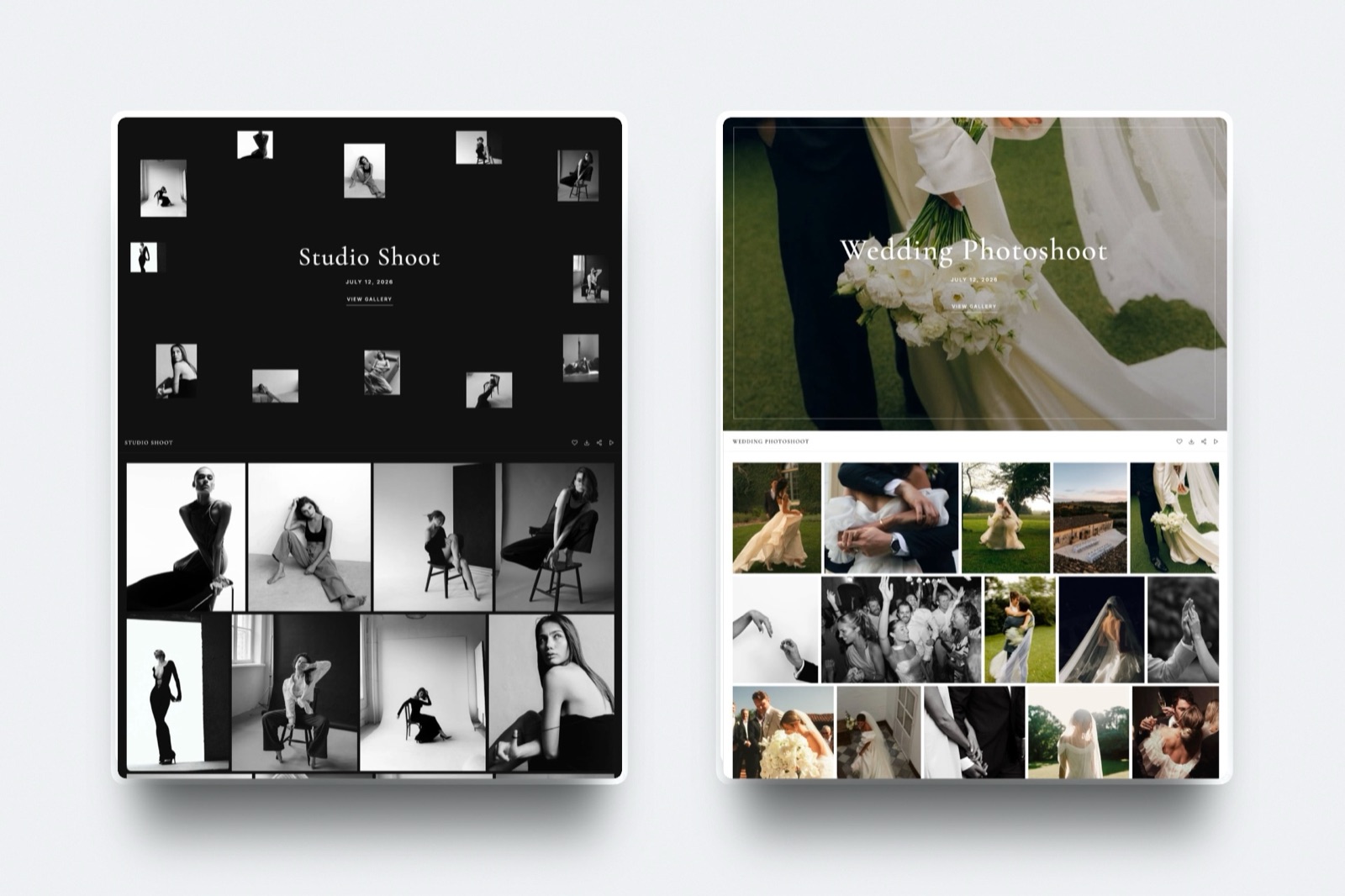
If the same client also needs stills, client galleries with video covers the delivery side.