Framekit templates
Start from a designer-made template
 Use template
 Use template
 Use template
 Use template
 Use template
 Use template
 Use template
 Use template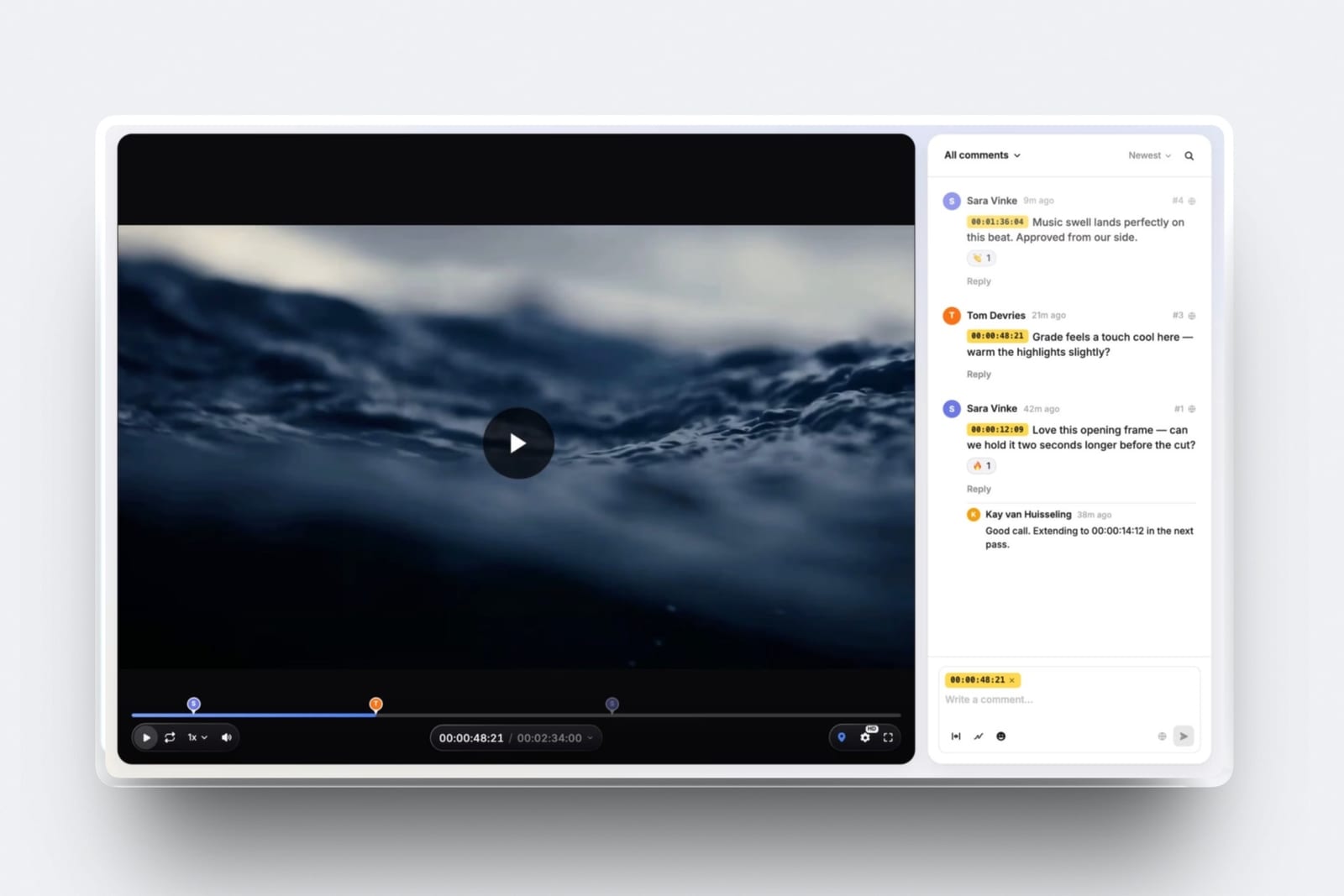
Tools for small video production teams are priced on a model that punishes the thing you are trying to do, which is grow from two people to four.
Almost every review platform on the shortlist charges per member, so the day you bring on a second editor your software bill goes up before a single extra invoice goes out.
Here is the number that starts the argument. Four people on Frame.io Pro is $60 a month, read on Frame.io's pricing page in September 2026, at $15 per member per month.
Four people on Framekit Business is $39 a month, flat, because Framekit counts accounts and not seats. That gap is $492 a year, and the $39 also carries client galleries, decks, a website and a digital store that the $60 does not.
A small video production team, for the purposes of this guide, is a group of two to five people who shoot, cut and deliver client video together, share one client list and one brand, and have no IT department to administer any of it.
Framekit takes first place on cost per client-facing surface for a team of two to five, because Pro includes 3 team members at $19 a month and Business includes unlimited team members at $39, and both cover video review, client galleries, decks and a site on one bill.
The trade-off is real and it decides the ranking for any team whose bottleneck is the edit room: if your crew lives inside Premiere Pro or DaVinci Resolve, take Frame.io instead, because Framekit ships no editing-suite panels, no Camera to Cloud and no transcription, and no seat saving survives a workflow your editors will not use.
Filestage is the pick when a client's agency needs a multi-stage approval chain, Ziflow's free tier covers a two-person shop, and Vimeo is where the finished film should live once it is approved.
Full disclosure: Framekit is our own product, so read the ranking with that in mind. Every competitor figure below was read on the vendor's own published pricing page in September 2026 and every one of those pages is linked. Frame.io beats us on storage, on Camera to Cloud, on editing-suite panels, on transcription and on single sign-on; Filestage and Ziflow model approval chains we cannot; Vimeo's player and bandwidth are a different class of product from ours.
How This Comparison Was Built, and What It Does Not Claim
This is a pricing and capability comparison assembled from published sources in September 2026, and the three kinds of statement in it carry three different weights, so here is the split before you read a single number.
Read at the source. Every price, seat limit, storage figure and feature claim about a competitor was read on that vendor's own published pricing page in September 2026, and each of those pages is linked at the point where its figure is used.
Where a page served European pricing to a European reader, the figure is quoted in euros and labelled as such rather than converted at an invented rate.
Calculated. The four-person totals, the annual figures and the stack comparison are arithmetic on those published prices, shown in full so you can substitute your own crew size. Nothing in that arithmetic was measured.
Not claimed. No product here was driven through a live client project for this article.
There are no timings, no throughput figures and no review scores, because the sites that aggregate scores refuse automated reading and a rating nobody can check is worse than no rating.
Adobe's site refuses automated requests too, so its price appears in prose below without a link.
The carried example through every section is a four-person team: two editors, a producer who also shoots, and a director. Brand films for regional clients, roughly thirty finished videos a year, one cut of each going out for client comment two or three times.
The Numbers a Small Video Team Should Argue About
Eight figures decide most of this category, and they are all seat-shaped, which is why a comparison of features alone will send a three-person team to the wrong tool and a five-person team to a bill it cannot justify.
- $60 a month: four Frame.io Pro seats at $15 per member per month, read on Frame.io's pricing page in September 2026.
- $39 a month: Framekit Business, which includes unlimited team members, so the fifth hire costs nothing.
- 3: team members included on Framekit Pro at $19 a month, which is the plan a three-person shop actually buys.
- 2: the member cap on Frame.io's free plan, which is also 2GB of storage and 2 projects, so a four-person team never starts there.
- $199 a month: the first paid tier at both Filestage and Ziflow, which buys approval routing a four-person team rarely needs.
- 8TB: what a four-member Frame.io Pro account holds, at 2TB included plus 2TB per additional member, against 2TB pooled on Framekit Business.
- 2 hours: the maximum length of a single video in Framekit Video Review, and 3GB the per-video upload cap on Business.
- 0: editing-suite panels Framekit ships. Frame.io has Premiere, Final Cut Pro and a Lightroom connection on every tier including Free.
Read the last two lines next to each other. That is the whole trade in this category, and pretending otherwise is how tool comparisons get written by people who have never had to explain a switch to two editors.
What Four People Actually Cost on Each Tool
The per-seat model is invisible on a pricing page and obvious on an invoice, so the honest way to compare these products is to fix the crew size, price every tool for exactly that crew, and let the rows do the arguing.
| Tool | Published entry tier | What four people costs per month | Per year | Seat model |
|---|---|---|---|---|
| Framekit Pro | $19/mo, 3 team members | $19 for three, upgrade for a fourth | $228 | Per account |
| Framekit Business | $39/mo, unlimited members | $39.00 | $468 | Per account |
| Frame.io Pro | $15 per member/mo | $60.00 | $720 | Per seat |
| Frame.io Team | $25 per member/mo | $100.00 | $1,200 | Per seat |
| Wipster Team | $19.95 per user/mo billed annually | $79.80 | $957.60 | Per seat |
| Vimeo Standard | $26/mo billed annually, 5 seats included | $26.00 | $312 | Flat, 5 seats |
| Dropbox Replay add-on | EUR 9 per user/mo billed annually | EUR 36.00 plus a Dropbox plan | EUR 432 | Per seat |
| Filestage Starter | $199/mo, 10 seats included | $199.00 | $2,388 | Flat, 10 seats |
| Ziflow Standard | $199/mo billed annually, 15 free users | $199.00 | $2,388 | Flat, 15 users |
| Notion Business | EUR 19.50 per member/mo | EUR 78.00 | EUR 936 | Per seat |
Two things fall out of that table that no feature list will tell you.
The flat-rate tools are either very cheap or very expensive with nothing in between, and the per-seat tools all cluster between $15 and $25 a head, so your review bill is roughly crew size times $20 a month forever.
The Framekit rows need a caveat so the table is not read as a clean win.
Business is 2TB of pooled storage against the 8TB a four-member Frame.io Pro account carries, so if your team keeps a year of camera originals in the review tool, Frame.io is cheaper per terabyte and it is not close.
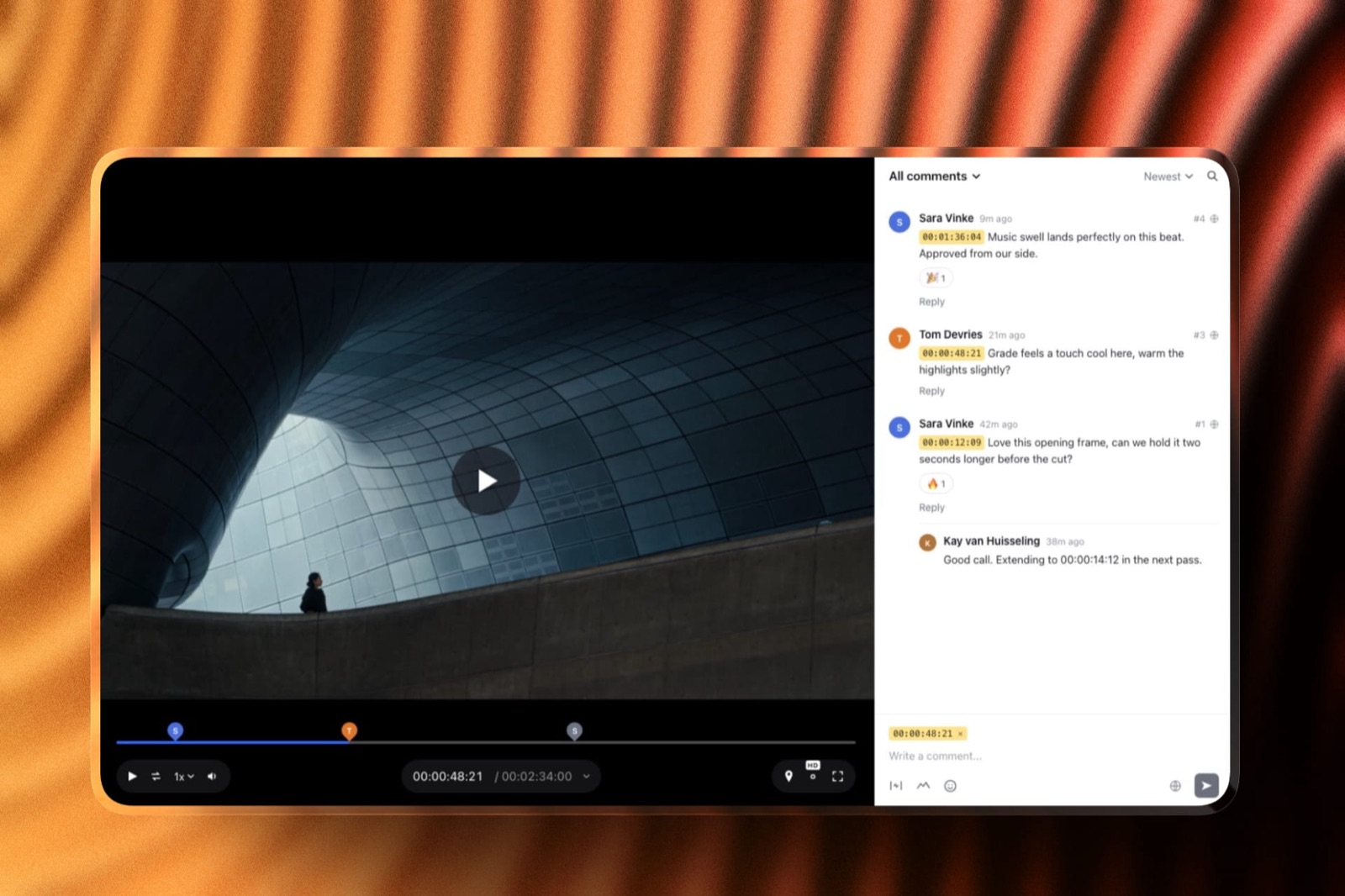
The Four Surfaces a Small Video Team Owes Every Client
In one lineEvery client job produces four things that have to live somewhere a client can reach, and most small teams pay a separate vendor for each one without ever adding up what the set costs together.
Count them on your last project. A review link for the cut. A delivery gallery for the finished files and the stills the DP grabbed. A deck somewhere in the chain, a treatment or a quote or a wrap report.
And the website the client found you on. A per-seat stack covers three of those four and leaves the deck homeless, so here is that stack priced for the same four people, using the cheapest published tier of each that does the job.
| Surface | Per-seat stack, four people | Monthly | Framekit Business |
|---|---|---|---|
| Review the cut | Frame.io Pro, 4 members | $60.00 | Included |
| Deliver files and stills | Pixieset Basic, custom domain | $8.00 | Included |
| The team website | Format Pro, billed annually | $12.00 | Included |
| Treatments, quotes, wrap decks | Nothing in the stack does this | Not covered | Included |
| Sell LUTs or presets on the side | Nothing in the stack does this | Not covered | Included at a 0% fee |
| Total | Three vendors, three bills | $80.00 | $39.00 |
That is $960 a year against $468, a difference of $492, and the cheaper side has two more surfaces in it. It is also three admin consoles against one, and three vendors to chase when a client says the link is broken on a Friday.
The per-surface arithmetic is worth stating and then immediately qualifying. Eighty dollars across three surfaces is $26.67 each; thirty-nine dollars across five is $7.80. That is division, not value.
If your team genuinely only needs review, the honest comparison is $60 against $39 and the other rows are noise.
How the Ranking Is Weighted, and Where It Would Flip
The order below is built on four weighted criteria, published here so you can disagree with the weights rather than with the conclusion, which is the only useful way to argue about a ranked list.
Cost per client-facing surface for a four-person crew carries 35%, because the surfaces a client expects are fixed and the bill is the part that moves when you hire.
Client-facing coverage carries 30%, counting how much of the four-surface job a tool handles before you have to bring in a second vendor. Edit-room integration carries 25%, covering panels, Camera to Cloud and transcription.
Admin and security carries 10%, covering single sign-on, per-seat roles and watermarking.
Here is the scoring, out of 10 on each criterion, for the five tools a small team actually chooses between.
| Tool | Cost per surface, four people (35%) | Client-facing coverage (30%) | Edit-room integration (25%) | Admin and security (10%) | Weighted |
|---|---|---|---|---|---|
| Framekit | 10 | 9 | 1 | 3 | 6.8 |
| Frame.io | 5 | 5 | 10 | 9 | 6.7 |
| Filestage | 2 | 4 | 3 | 7 | 3.4 |
| Ziflow | 2 | 3 | 4 | 7 | 3.3 |
| Vimeo | 6 | 6 | 3 | 6 | 5.3 |
Vimeo Standard at $26 a month for five seats is the lowest monthly number in the cost table, below Framekit Business at $39, and it scores 6 rather than 10 on the first column only because that $26 buys one surface where the $39 buys four.
Framekit scores 1 out of 10 on edit-room integration and 3 on admin, and those are not modesty. There are no panels and no single sign-on, and the gap at the top is one tenth of a point.
Move edit-room integration to 50% of the weight and scale the rest proportionally, and Frame.io wins this list outright at 7.8 against Framekit's 4.8.
Do that arithmetic if your editors round-trip notes from inside Premiere every day, because for that team it is the correct answer.
1. Framekit: Best for Cost Per Surface on a Team of Two to Five

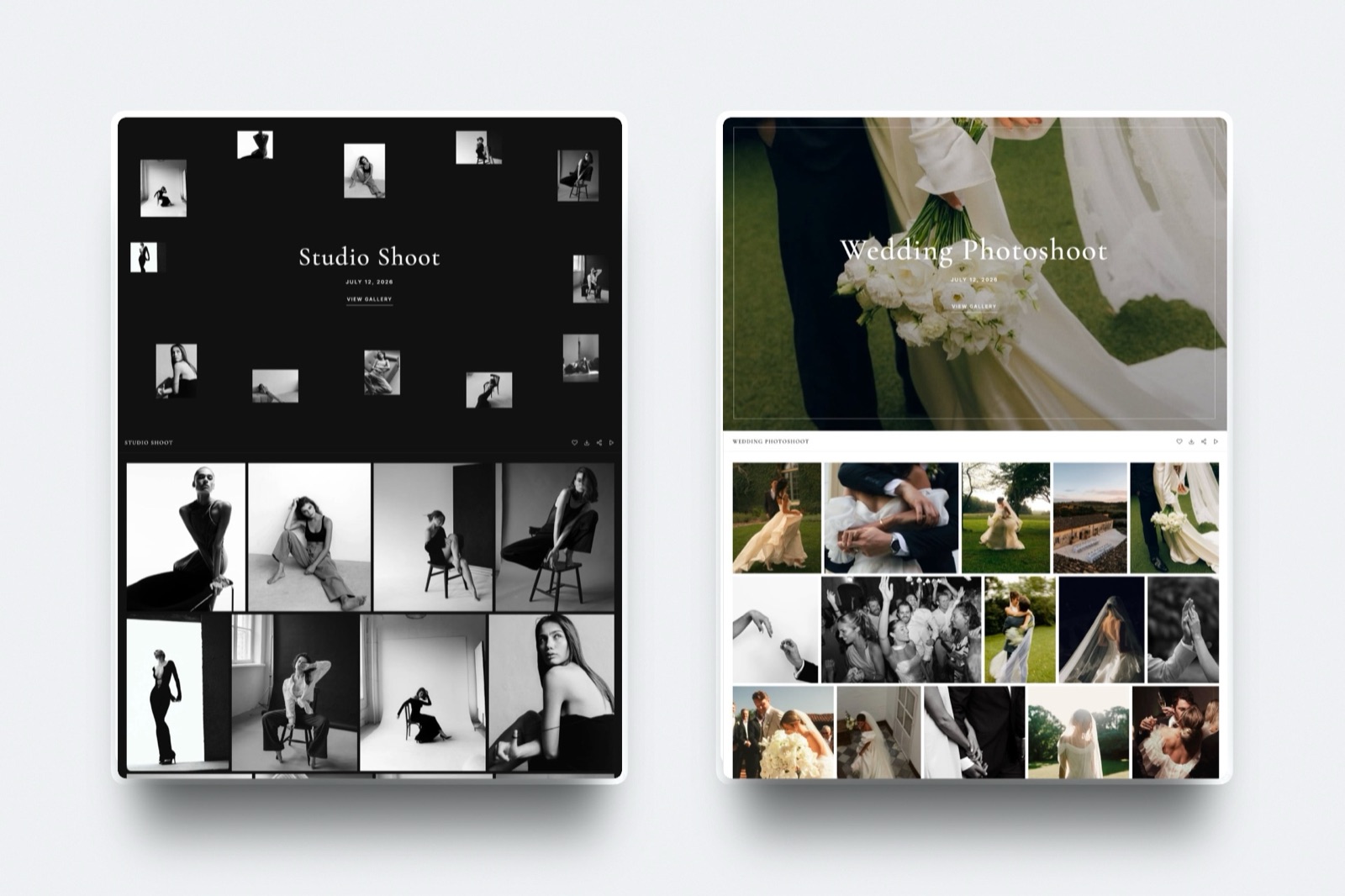
Framekit is an AI website builder that also runs the three client-facing jobs a small video team pays other vendors for: timecoded video review, client galleries that take video as well as photos, and Slides for treatments and quotes, all on one account and one bill.
Best fora two-to-five person team whose editors do not need notes inside the editing suite, and who would rather spend $39 a month once than $80 across three vendors.
The real numberBusiness is $39 a month with unlimited team members, so the difference between a three-person team and a six-person team is zero dollars. On Frame.io Pro the same growth is $45 a month, or $540 a year, and on Frame.io Team it is $75 a month.
The detail nobody writesguests never make an account to comment.
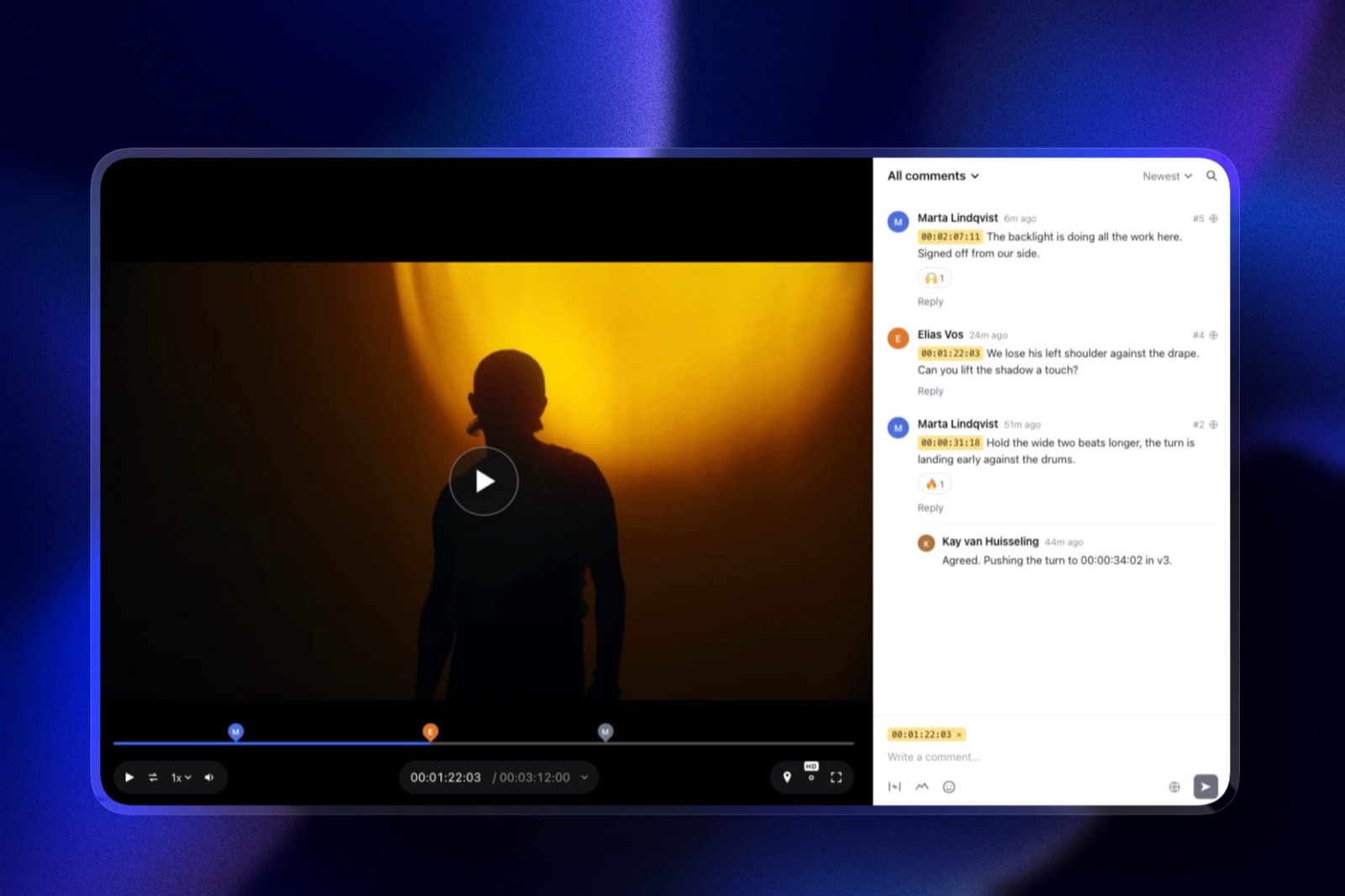
A client's marketing manager opens a password-locked link, leaves notes pinned to the timecode, draws on the frame and replies to your answers, with no signup wall between them and the note they were going to email you instead.
The number of accounts you ask a client to create is a real cost, and this one is zero.
The gotcha that bites in week threethe per-video upload cap. It is 500MB on Free, 1GB on Starter, 2GB on Pro and 3GB on Business, and maximum length is two hours. A 12-minute ProRes 422 HQ master does not fit in 3GB, so the review copy has to be an H.264 export.
Storage is also one pool shared by the website, galleries and review, so a team archiving camera originals fills 2TB faster than it expects.
Who should skip itany team whose approval loop runs through a Premiere or Resolve panel, any team that needs Camera to Cloud, any team that needs transcription for paper edits, and any company whose IT policy requires single sign-on. Framekit does none of those four things on any plan.
What it covers that the others do notthe deck. Unlimited decks on every plan including Free, with an AI slide writer, speaker notes, video embeds and ready-made shot-list and storyboard elements. A small team writes a treatment and a quote for every pitch, and in the per-seat stack that job has no home.
Verdict: the right default for a small team that sells client video and does not live inside an editing-suite panel, and the wrong choice the moment an editor asks where the Premiere extension is. It wins on the bill and on coverage, and it loses on the edit room, which is exactly the trade you should be making consciously rather than by accident.
2. Frame.io: Best If Your Team Lives in Premiere or Resolve
Frame.io is the tool the rest of this category is measured against, and for a team whose working day happens inside an editing suite it is not a close contest, because the notes arrive where the timeline already is.
Best forteams where an editor should never have to leave Premiere Pro or Final Cut Pro to read a client note, and teams shooting on location who want takes uploaded from set.
The real numberstorage. Pro is 2TB included plus 2TB per additional member, so a four-member Pro account carries 8TB for $60 a month, which is $7.50 per terabyte per month.
No other tool in this comparison is in that range, and for a team that keeps a year of rushes online it is the whole decision.
The detail nobody writesCamera to Cloud and transcription are both on the free plan.
Frame.io's pricing page lists them under a $0 tier limited to two members, 2GB and two projects, which means you can prove the C2C workflow on a real shoot before anyone signs anything.
Very few vendors put their differentiating feature in the free tier.
The gotcha that bites in week threethe security features a client's procurement team asks about are Enterprise-only. SAML2 single sign-on, session-based watermarking, forensic watermarking and multiple workspaces all sit there.
Passphrase-protected shares and link expiration start on Pro, so a free account cannot password a link at all.
Storage also grows with headcount rather than need, which is generous until you add a part-time producer who never uploads anything and still costs $15.
Who should skip ita two-person team that needs a gallery, a deck and a website more than it needs panels, because Frame.io does none of those.
Verdict: the correct answer for any small team whose editors round-trip notes from inside the suite, and an expensive partial answer for a team whose real problem is that client work touches four surfaces and only one of them is the cut. Already here and feeling the seat pinch? The trade-offs are laid out in our guide to Frame.io alternatives and the Frame.io pricing breakdown.
3. Filestage: Best for Multi-Stage Client Approval Chains
Filestage is built for a shape of work a freelance editor never encounters and an agency-facing team meets constantly: a file that must be approved by legal, then brand, then the client, in that order, with each stage recorded.
Best forteams whose deliverables get reviewed by more than one group at a client, in a fixed order, with an audit trail somebody will ask for later.
The real number$199 a month for Starter on yearly billing, which includes 10 seats. That is $2,388 a year, or five times what a four-person team pays on Framekit Business, and it is a rational price if the alternative is a compliance failure on a regulated campaign.
The detail nobody writesunlimited reviewers on every tier, including Free. Filestage's pricing page is explicit that people commenting need no accounts or seats, which is why the free tier's real limit is throughput: one active project and five new files a month.
The gotcha that bites in week threethat five-files limit resets monthly and does not roll over, and one active project means archiving your current job before you start the next one. A team using the free tier for two clients discovers this in the first fortnight.
Who should skip ita four-person team whose approval chain is one marketing manager, who would be paying $199 a month for routing logic that models a queue of one.
Verdict: the best tool here for structured approval and the wrong tool for everyone else. Buy it for the workflow, never for the price, and if the agency chain is your real problem, our rundown of video review tools for creative agencies covers that shape of work properly.
4. Ziflow: Best Free Tier for a Two-Person Proofing Team
Ziflow sits beside Filestage in the online proofing category, and its free Personal tier is the most generous starting point in this comparison for a team that has not yet outgrown two people.
Best fora two-person shop that proofs stills, PDFs and video in the same place and wants unlimited reviewers without paying anything.
The real numbertwo users, 2GB of storage, one workflow stage, unlimited proofs and unlimited reviewers, at $0 forever according to Ziflow's own pricing page. The nearest paid step is Standard at $199 a month billed annually with 15 free users and 1TB.
The detail nobody writesthe free tier keeps 60 days of review history and then the proofs are no longer accessible. Most free tiers cap storage; capping the clock is a different constraint, and it matters if you need to show a client what was approved in March.
The gotcha that bites in week threeone workflow stage and no templates on Free means every proof is configured by hand, which is fine at four proofs a month and grinding at thirty.
Who should skip ita three-person team, literally. The free tier stops at two users and the next tier costs $199, so there is no plan for you.
Verdict: an excellent free proofing tool with a pricing gap in the middle where most small teams actually live. Start here if there are two of you and static files matter as much as video.
5. Vimeo: Best Permanent Home for the Finished Film
Vimeo is not really competing with the review tools above, and reading it as a review tool is how small teams end up disappointed; it is where a film goes to live once somebody has already said yes to it.
Best forthe approved cut that has to sit on a client's site, in a case study and in your own portfolio for the next five years without an advertisement in front of it.
The real numberStarter is $13 a month billed annually with 100GB and a single seat, and review and file transfer begin there. Standard is $26 a month billed annually with 2TB and five seats, which is the tier a crew of four actually lands on, and Advanced is $76 with 7TB and ten seats.
The detail nobody writesviewers can be added to a team account free. Seats are charged for people who upload and manage, not for people who only watch and comment, which changes the arithmetic if your team is really three creators and eight stakeholders.
The gotcha that bites in week threeStarter is one seat. The moment a second person has to upload or manage rather than just watch, you are on Standard, so the version of Vimeo a production team ends up paying for is the $26 one and not the $13 one.
Who should skip ita team whose only problem is client notes on a rough cut, since the seat price buys a hosting and marketing platform you are not using.
Verdict: buy it as a player and a permanent archive, not as an approval tool, and the $13 Starter tier is honest value for that job if one person does the uploading. Our comparison of video hosting platforms and the Frame.io versus Vimeo head-to-head cover the overlap.
6. Dropbox Replay: Best If the Team Already Pays for Dropbox
Dropbox Replay is a review layer bolted onto storage you very likely already rent, and that origin is both its strongest argument and its clearest limit.
Best fora team whose rushes, projects and deliverables already live in Dropbox and whose only missing piece is a timecoded comment thread.
The real numberEUR 9 per user per month billed annually, listed as EUR 108 a year, or EUR 11 per user billed monthly for European readers on Dropbox's own Replay page. That is on top of a Dropbox plan, because Basic users have to upgrade to Plus or higher before they can buy the add-on at all.
The detail nobody writesReplay accepts files up to 150GB and video up to 12 hours long, which is far beyond every other tool in this comparison.
If your deliverable is a two-hour conference recording or a full-length documentary assembly, this is the only entry here that does not need you to make a smaller copy first.
The gotcha that bites in week threeReplay files count against your Dropbox storage. There is no separate review allowance, so a busy quarter of versions eats the same terabytes your camera originals are sitting in, and the fix is buying more Dropbox rather than more Replay.
Who should skip ita team not already on Dropbox, because you are then buying two products to get one.
Verdict: the cheapest sensible upgrade path in this list if you are already paying Dropbox, and a strange purchase if you are not.
7. Wipster: Best Cheap Per-Seat Review With Adobe Panels
Wipster has been doing video review since before the category had a name, and it still undercuts the better-known options on the per-seat line while keeping the integration that matters to motion teams.
Best fora team of two or three that wants Premiere Pro and After Effects integration without Frame.io's storage-linked pricing.
The real numberTeam is $19.95 per user per month billed annually, or $25 monthly, starting at 250GB of storage with no user limit. Light is $9.95 per month billed annually with 50GB for a single person, which is the cheapest paid review seat in this comparison.
The detail nobody writesWipster's own pricing page states there is no user cap on the Team plan, which is unusual. Frame.io Pro stops at five members and Team at fifteen; Wipster just keeps charging per head without forcing a tier change.
The gotcha that bites in week threethe storage. 250GB on Team is a tenth of what a four-member Frame.io Pro account carries, and expansions top out at 1TB unless you move to Enterprise. A team shooting multicam will feel this quickly.
Who should skip itanyone who needs org-level administration or single sign-on, both of which are Enterprise only.
Verdict: a genuinely good value per-seat review tool that most teams never shortlist, held back by storage rather than by features.
8. Dropbox: Best for Moving the Raw Files Around
Underneath every review tool there is a file transfer problem, and for small video teams the plain storage product is still doing most of the unglamorous work of getting 400GB from a card to an editor.
The real numberfor European readers, Dropbox lists Plus at EUR 9.99 a month with 2TB for one person and Standard at EUR 12 per user a month starting at 3TB for the team, with Basic free at 2GB.
Transfers go to 50GB on Plus and 100GB on Standard, which is the figure that matters when you are sending a day's rushes rather than a cut.
The gotchait has no opinion about approval. Comments on a Dropbox video are comments on a file, not notes pinned to 00:01:14, and the difference shows up as an editor scrubbing for the shot a client described in words.
Verdict: keep it as plumbing, do not promote it to a review tool, and if you are using shared links as your client delivery mechanism, our guide to sending video to clients explains what that costs you in looks and in control.
9. Notion: Best for the Production Wiki Nobody Wants to Write
Notion is the tool small teams reach for when the problem is not the footage but three people holding three different versions of the schedule in their heads.
The real numberfor European readers Notion lists Free at EUR 0 per member a month, Plus at EUR 9.50 and Business at EUR 19.50, with single sign-on arriving on Business.
Four people on Business is EUR 78 a month, which is more than Frame.io Pro for the same headcount and buys no video features at all.
The gotchait will absorb your call sheets, your shot lists, your client notes and your invoicing tracker, and then it is load-bearing, and then the free tier's limits start mattering. Plan for that before you move the whole studio into it.
Verdict: the right place for the words around a production and the wrong place for the media, and a team of four should think hard before putting the whole crew on a paid seat each.
10. DaVinci Resolve: Best Edit Suite to Standardise a Small Team On
Resolve is the reason a four-person team can now buy an entire post pipeline for less than one year of one review seat, and it changed the economics of small-team post more than any subscription product has.
The real numberDaVinci Resolve is free to download, and DaVinci Resolve Studio is a one-off $295.
For a four-person team that is $1,180 once, against $275.88 a year per seat for a Premiere Pro subscription, so Studio pays for itself against Adobe somewhere in year two and then keeps paying.
The gotchastandardising is the hard part, not licensing. If two of your editors trained on Premiere, the cost of the switch is weeks of slower work, and that is a real number even though it never appears on an invoice.
Verdict: the default recommendation for a team starting fresh in 2026, and a decision to make deliberately rather than gradually. Our comparison of video editing software goes deeper on the suite-versus-suite question.
11. Adobe Premiere Pro: Best When the Client's Agency Sends You a Project File
Premiere Pro's argument for a small team is not the editor, it is everybody else's editor, because agency work arrives as a project file with an expectation attached to it.
The real numberAdobe's own plans page lists the Premiere Pro single app at US$22.99 a month on an annual commitment billed monthly, read in September 2026. That is $275.88 a year per person, so a four-person team is $1,103.52 a year before a single plugin.
The gotchaAdobe's site refuses automated requests, so this figure is quoted from the page rather than linked, and Adobe runs frequent promotional pricing. Check the current number before you budget from it.
Verdict: buy it for compatibility with other people's workflows, not because it is the best editor for your money, and pair it with Frame.io if you want the panel that makes the subscription worth more than the software.
12. Squarespace: Best General Website Builder If You Only Need a Site

Squarespace is on this list because a production team with no website is invisible, and because it is the honest comparison point for the website line in the stack table above.
The real numberSquarespace's pricing page, read for a European buyer in September 2026, lists Basic at EUR 11 a month billed annually with a 2% online store fee and a 7% fee on digital content and memberships, Core at EUR 17 with a 0% store fee and 5% on digital content, and Advanced at EUR 29 with 0% on both.
The gotchathe digital-content fee is the one that catches video teams selling LUTs or a preset pack on the side. Seven percent on Basic is a real cut, and moving to Advanced to escape it costs EUR 18 a month more.
Verdict: a fine website and nothing else in this list's problem space, which is exactly why a team that buys it still needs a review tool and a gallery. If a portfolio is the job, our roundup of website builders with client galleries is the better starting point.
What the Fifth Hire Costs Before They Bill an Hour
In one lineThe cheapest way to understand this category is to price the same team at three, four and five people on each model, because the per-seat tools charge you for growth and the flat tools do not, and that difference compounds every year you keep growing.
Run it on your own crew rather than taking ours: today's headcount, plus the person you expect to add next year, times the per-member price on your current tool. That is the raise your software gets for doing nothing new.
| Team size | Frame.io Pro | Frame.io Team | Wipster Team | Framekit Business |
|---|---|---|---|---|
| 2 people | $30/mo | $50/mo | $39.90/mo | $39/mo |
| 3 people | $45/mo | $75/mo | $59.85/mo | $39/mo |
| 4 people | $60/mo | $100/mo | $79.80/mo | $39/mo |
| 5 people | $75/mo | $125/mo | $99.75/mo | $39/mo |
| Cost of going from 2 to 5 | +$45/mo | +$75/mo | +$59.85/mo | +$0 |
At two people Frame.io Pro is cheaper than Framekit Business and the table says so. The crossover is at three, where $45 passes $39, and everything after that widens. If you are a duo with no plans to grow, the flat plan saves you nothing and you should pick on features.
A second crossover is worth naming. Framekit Pro at $19 a month includes three team members, so a three-person team pays $19 against Frame.io Pro's $45. That is $312 a year, the single largest gap in this comparison at any crew size.
What You Give Up By Not Paying Per Seat
In one lineA flat plan is cheaper because it is a smaller product, and the four things a per-seat review tool buys you are worth more than the money to a specific kind of team, so this section exists to help you work out whether you are that team.
Four capabilities separate Frame.io from everything cheaper on this page, and none of them is a nice-to-have once a workflow depends on it, which is why the seat price is not simply a markup on the same product.
Editing-suite panels. Frame.io lists Premiere, Final Cut Pro and a Lightroom connection on every tier. The value is that an editor reads a note and jumps the playhead to it without leaving the timeline. Framekit has no panel of any kind.
Camera to Cloud. Footage uploads from set as it is shot, so a producer sees takes before the card is offloaded. On a shoot where the client is not on location, that removes a whole day from the feedback loop, and Framekit has nothing equivalent.
Transcription and captions. Frame.io includes them from the free tier, and a team cutting interviews uses transcripts to build paper edits.
Framekit does not transcribe; our roundup of transcription tools for video editors covers what to bolt on instead.
Enterprise administration. Single sign-on, per-seat roles, session-based and forensic watermarking are Enterprise-tier features at Frame.io and absent entirely at Framekit.
If a client's security questionnaire asks about SSO, the honest answer for a Framekit account is no.
Set against that, the flat plan buys coverage: galleries that take photos and video, decks, a website and a store on one bill and one domain. Neither list is longer. They are different lists, and the one that matters is the one your last three projects needed.
The Security and Sharing Questions Clients Actually Ask
In one lineBefore a brand's marketing team will put an unreleased film into your review tool, someone will ask four questions about links, passwords, expiry and downloads, and knowing which tier of which tool answers each one saves an awkward email.
Can the link be password protected? On Framekit, yes on every plan: review share links can be password locked, galleries have a separate password and a distinct download PIN, and both support email registration.
On Frame.io, passphrase-protected shares start on Pro at $15 per member, so a free account cannot do it. Filestage and Ziflow both protect review links on their free tiers.
Does the link expire? Framekit has auto expiry on review pages and galleries on every plan. Frame.io lists share link expiration from Pro upward. Ziflow's free tier expires the whole proof after 60 days whether you wanted it to or not.
Is the video watermarked? Framekit watermarks gallery images and does not do session-based or forensic watermarking on review at all.
Frame.io gives one static watermark template on Pro and reserves session-based and forensic watermarking for Enterprise, which is the only honest answer to a client worried about a leak traced to a named viewer.
Whose domain is the client visiting? On a per-seat stack the client visits a frame.io link, then a gallery on someone else's domain, then your site: three brands in one project.
On Framekit's paid plans the site, the galleries and the review pages all sit on your own domain with your logo, fonts and colours. Not a security answer, but it is the one clients remember.

Which Tool to Pick, as a Branching Decision
In one lineWork down these questions in order and stop at the first yes, because the decision is genuinely sequential and the tool that fits question one is rarely the tool that fits question five.
Do your editors need to read client notes inside Premiere Pro, After Effects or Final Cut Pro? If yes, take Frame.io, or Wipster if the budget is tight and Premiere plus After Effects covers your work. Stop here.
No cost saving is worth an approval loop your editors route around.
Do you shoot with the client absent and need takes visible from set the same day? If yes, take Frame.io for Camera to Cloud. Nothing else in this comparison does it.
Does a client's compliance team require single sign-on or a named-viewer watermark? If yes, you are shopping at Frame.io Enterprise, and the small-team pricing in this guide does not apply to you.
Does your work get approved by more than one group in a fixed order? If yes, Filestage at $199 a month models that properly and everything cheaper will be a spreadsheet pretending.
If all four answers are no, count the people on the account. Two with no growth plan: Frame.io Pro at $30 a month is competitive and Ziflow's free tier costs nothing.
Three or more, or any plan to grow: Framekit, at $19 a month for three or $39 for unlimited.
Then ask what else the client touches, because if the project also needs a gallery, a deck and a website, the flat plan covers all three and the per-seat stack needs three more vendors.
Frequently Asked Questions
What is the cheapest video review tool for a team of four in 2026?
Framekit is the cheapest of the tools compared here that covers all four client-facing surfaces for four people, at $39 a month on Business with unlimited team members included.
Vimeo Standard is lower at $26 a month for five seats but it is a hosting platform rather than a review and delivery stack.
Frame.io Pro is $60 a month for four members at $15 each, Wipster Team is $79.80 billed annually, and Filestage and Ziflow both start at $199 a month.
The caveat is capability rather than price: Framekit has no editing-suite panels, no Camera to Cloud and no transcription, so cheapest is only the right answer if your team does not need those.
Does Framekit work with Premiere Pro or DaVinci Resolve?
No. Framekit ships no panels or integrations for Premiere Pro, DaVinci Resolve, Final Cut Pro or After Effects, and there is no plan tier that adds them. Client notes are read in a browser and carried into the timeline by the editor.
If reading notes inside the editing suite is part of how your team works, Frame.io is the correct choice and lists Premiere, Final Cut Pro and a Lightroom connection on every tier including its free plan.
Frame.io or Framekit for a three-person video team?
For a three-person team the split is clean. Frame.io Pro costs $45 a month at $15 per member and gives you 6TB of storage, Camera to Cloud, transcription and editing-suite panels.
Framekit Pro costs $19 a month, includes 3 team members, and adds client galleries, unlimited decks, a website and a store, with 300GB of pooled storage.
Choose Frame.io if the edit room is the bottleneck and Framekit if the client-facing surfaces are.
How many team members does Framekit include?
Framekit Pro at $19 a month includes 3 team members and Framekit Business at $39 a month includes unlimited team members.
Team members are counted per account rather than charged per seat, so adding a fourth or a tenth person does not change the Business price. There is no per-seat enterprise administration and no single sign-on on any Framekit plan.
Is Frame.io's free plan enough for a small video team?
Frame.io's free plan is capped at 2 members, 2GB of storage and 2 projects, so it works for a solo editor or a pair on one job at a time and stops working the moment a third person joins.
It does include Camera to Cloud and transcription, which makes it a genuinely useful way to prove the workflow before paying. It cannot passphrase-protect a share link, because that starts on Pro.
Does Dropbox Replay replace Frame.io for a small team?
Dropbox Replay replaces the review layer but not the storage economics.
It costs EUR 9 per user per month billed annually for European readers, sits on top of a paid Dropbox plan, and its files count against your Dropbox storage rather than having their own allowance.
It accepts files up to 150GB and video up to 12 hours, which beats every other tool here, and it integrates with Premiere Pro, After Effects, Final Cut Pro and DaVinci Resolve.
Can clients comment on a cut without creating an account?
On Framekit, yes.
Guests open a share link and leave comments pinned to the timecode, draw on the frame, reply and react without making an account, which removes the most common point at which a non-technical client gives up and sends an email instead.
Filestage and Ziflow also allow unlimited reviewers without seats on every tier, including their free plans.
Count the accounts each tool asks your client to create before you compare prices, because on Framekit that number is zero and a review tool a client abandons at a signup screen has no value at any price.
What happens to our review links and galleries if we stop paying Framekit?
Framekit has a free plan rather than a trial, so an account that stops paying drops to Free rather than closing: unlimited galleries and unlimited decks stay, storage falls to 10GB pooled with a 3GB video allowance, the per-video upload cap falls to 500MB, and the Framekit badge returns along with the loss of your custom domain.
Data export is available on every plan. Check your total stored volume against 10GB before you downgrade, because the pool is shared across the site, galleries and review.
How much storage does a four-person video team actually need?
Most small teams need far less online than they think, because review copies are compressed exports and camera originals belong on local drives and a backup, not in a review tool.
The figure worth checking is what each plan gives you: Framekit Business is 2TB pooled with 750GB of that available to video, Frame.io Pro is 2TB plus 2TB per additional member so four members carry 8TB, and Wipster Team starts at 250GB.
If you archive rushes online, Frame.io is the only one of the three priced for it.
Do small video production teams need single sign-on?
Almost never for themselves, and sometimes for their clients. A four-person team administers four accounts by hand in five minutes; single sign-on appears on a shortlist because a large client's security questionnaire asks for it.
Frame.io lists SAML2 single sign-on on Enterprise only, Wipster on Enterprise, and Framekit does not offer it at all, so that requirement removes Framekit before price is discussed.
Is it worth paying $199 a month for Filestage or Ziflow as a four-person team?
Only if your approvals run through more than one group in a fixed order.
Filestage Starter at $199 a month includes 10 seats and unlimited reviewers, and Ziflow Standard at $199 billed annually includes 15 free users and two workflow stages, and both are priced for agency and regulated-brand workflows.
A four-person team whose approver is one marketing manager is buying routing logic for a queue of one, and $2,388 a year is a hard number to justify against $468.
Final Verdict
For a two-to-five person video team that sells client work and does not live inside an editing-suite panel, Framekit is the strongest value in this comparison: $19 a month covers three team members and $39 covers unlimited, and both include timecoded video review, client galleries that take photos and video, unlimited decks, a website and a digital store on one bill and one domain.
Against a per-seat stack of Frame.io, a gallery service and a site builder at $80 a month for the same four people, that is $492 a year and two vendors less.
Where Framekit loses is not a detail.
There are no Premiere, Resolve or Final Cut panels, no Camera to Cloud, no transcription, no frame-by-frame compare, no session or forensic watermarking and no single sign-on, and the per-video upload cap tops out at 3GB with a two-hour maximum length.
Storage is 2TB pooled on Business against the 8TB a four-member Frame.io Pro account carries. If any one of those is load-bearing in your workflow, Frame.io is the better fit and the extra $252 a year is cheap.
Take Filestage if a client's agency needs a real multi-stage approval chain, take Ziflow's free tier if there are two of you, and put the finished film on Vimeo whichever review tool you use. Then stop shopping.
The teams that lose most here are not the ones on the wrong tool, they are the ones still evaluating in month four.
Related readingour full ranking of video review and approval tools goes wider than small teams, video review tools for production companies covers the next size up, how to set up a video review workflow turns the choice into a process, client gallery platforms with video handles the delivery surface, and white label client review tools is the place to start if putting everything on your own domain is the priority.