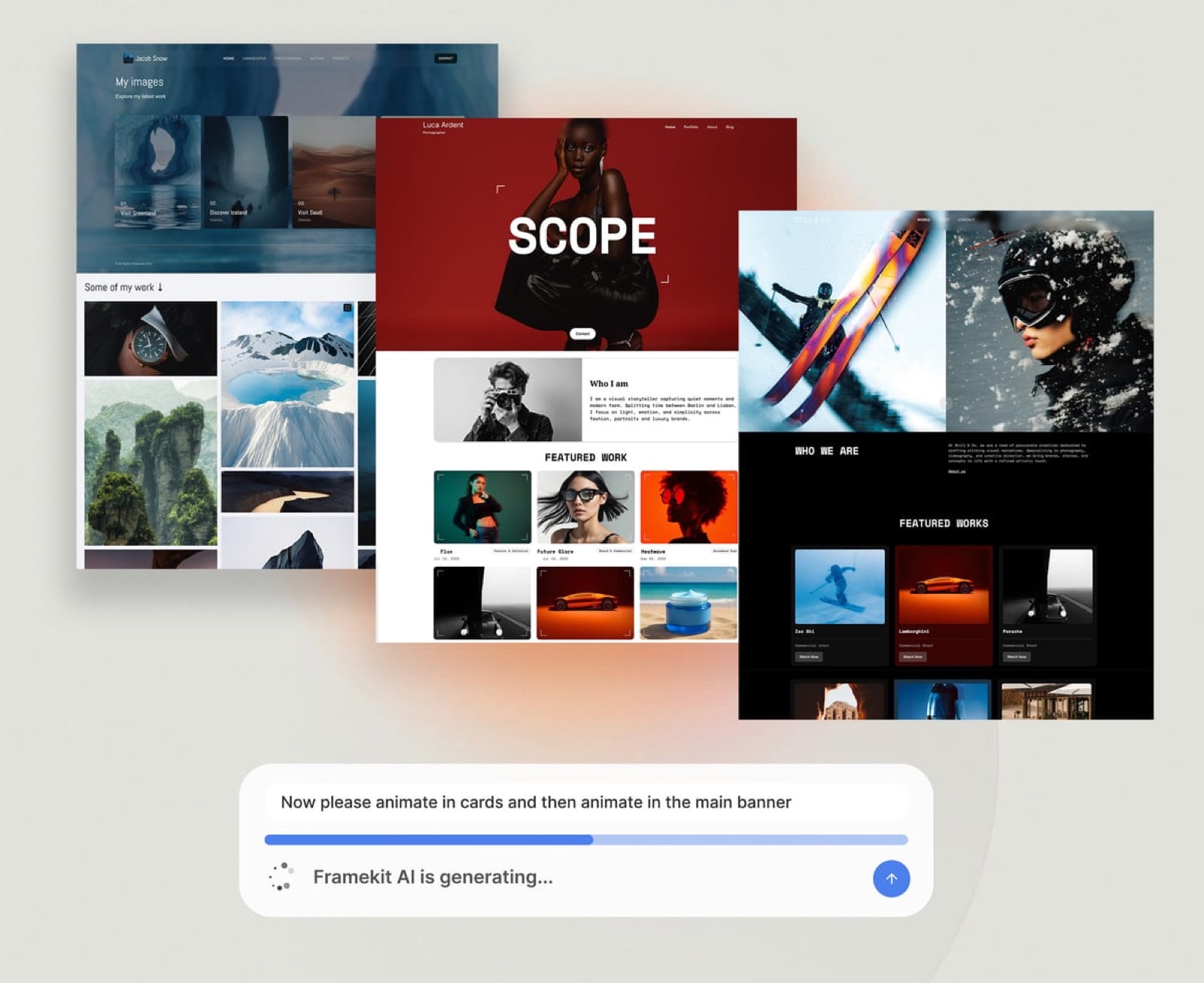
Framekit templates
Start from a designer-made template
 Use template
 Use template
 Use template
 Use template
 Use template
 Use template
 Use template
 Use template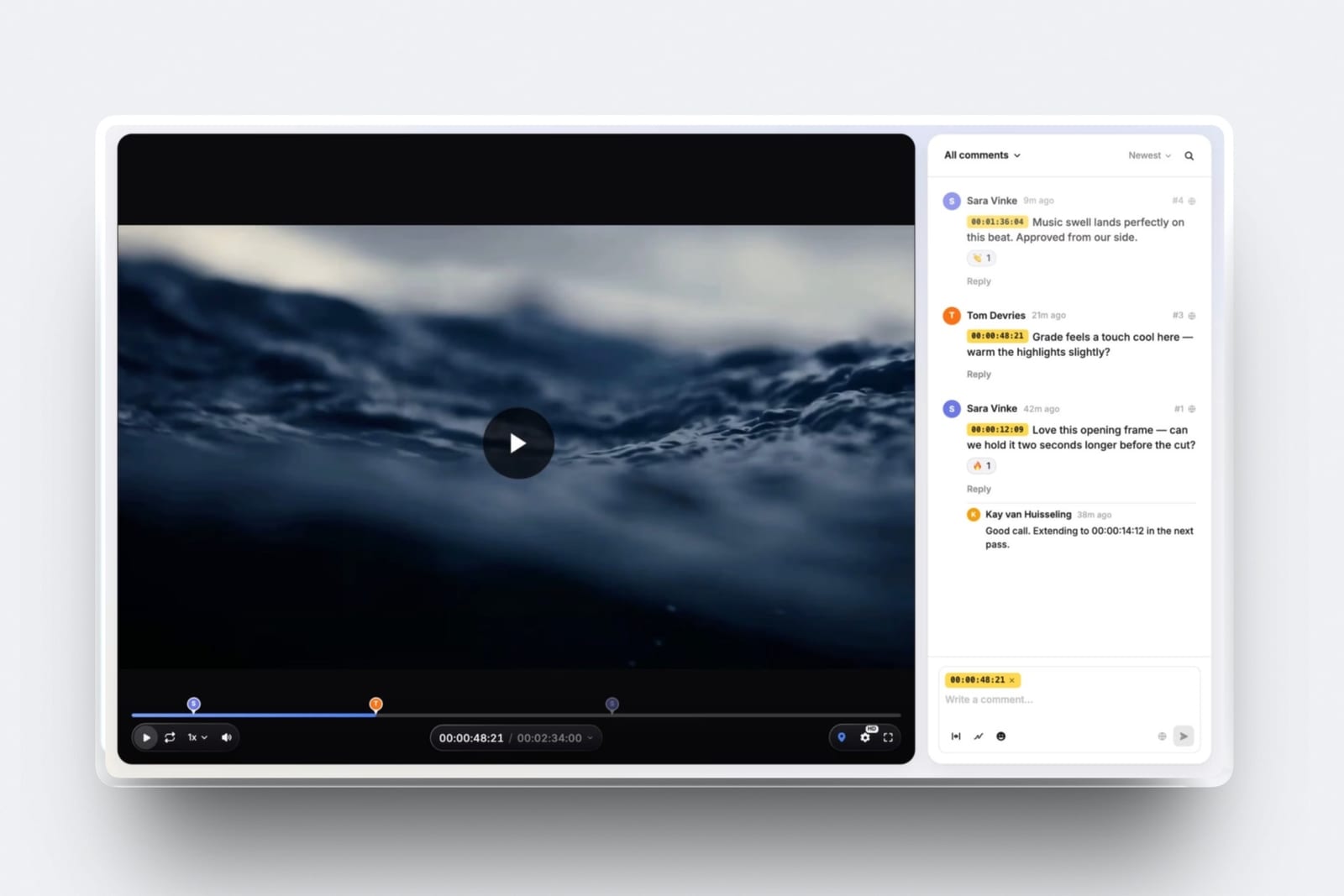
You do not get a video approved in one round by cutting better. You get it approved in one round by settling three decisions before the timeline exists, because once a client is watching a finished edit, the expensive disagreements have already been baked into it.
Here is the arithmetic on a 90-second brand film billed at $4,800.
One extra revision round costs 5 hours: 2.5 re-cutting, 1 re-timing the music and graphics, 1 reading the notes and turning prose into an edit list, and 0.5 re-exporting and re-sending.
At a $600 day rate, which is $75 an hour, that is $375 of unbilled work, plus about 4 working days of calendar while each side waits on the other.
The three checkpoints that would have prevented it take 2 hours, or $150.
A one-round approval is a review cycle in which the client's first viewing of the finished edit produces a yes and not a list of changes, because every decision the edit rests on was agreed and written down before the edit began.
It is a planning outcome, not an editing outcome, and on the job costed below it is worth $375 and 4 days, and that is why buying a better review tool alone does not deliver it.
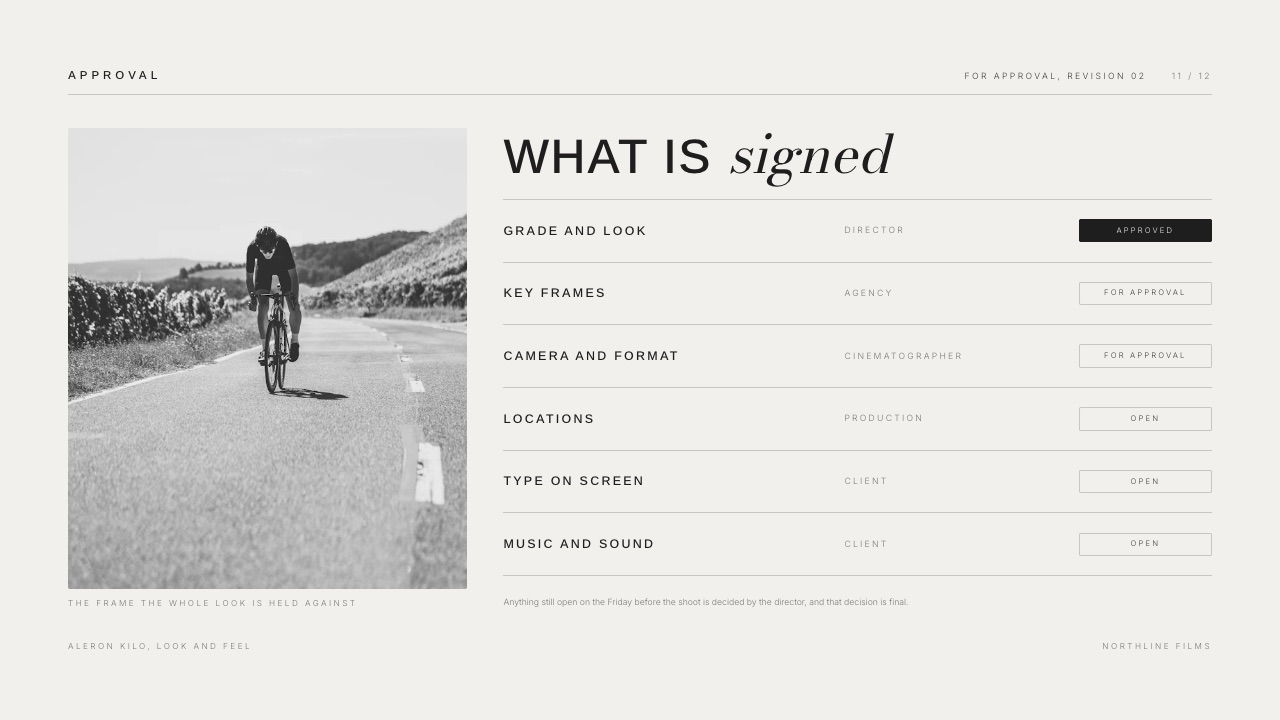
Sign off three things before you cut - the brief, the selects and the paper edit - then send the cut to one named approver on a tool that pins every comment to a timecode and asks for a written yes.
Framekit Video Review is the cheapest way to run that last step with guests who never make an account, free to start and $19 a month for a 2GB per-video cap.
Frame.io is the better fit when you need Camera to Cloud or transcription, Filestage suits agency sign-off chains at $199 a month, and Ziflow's free tier covers two users who only need one approval stage.
Full disclosure: Framekit is our own product and it is the pick at the last of eight steps, so weigh that accordingly. All four tool prices here were read on the vendor's own pricing page in September 2026 and all four are linked. Frame.io carries three things Framekit does not, Camera to Cloud, editing-suite panels and transcription; Filestage and Ziflow model multi-stage approval chains Framekit cannot; and Storyflow, named once below for the planning step, is a sister product to Framekit.
How This Guide Was Put Together
This is a procedure, not a product test, and the honest split matters because the numbers in it come from three different places and carry three different weights.
Read at the sourceevery competitor price, storage figure and plan limit below was read on the vendor's own published pricing page in September 2026. Frame.io's pricing page lists a free tier at $0 with 2GB of storage, up to two members and up to two projects, and Pro at $15 per user per month with 2TB included. Filestage's pricing page lists a free tier limited to one active project and five new files a month, then Starter at $199 a month billed annually. Ziflow's pricing page lists a free Personal tier for two users with 2GB of storage and a single workflow stage.
Calculatedthe cost of a revision round, the cost of the three checkpoints and the break-even between them are arithmetic on one carried example, shown in full so you can substitute your own day rate. None of that arithmetic is measured.
Not claimednone of the four tools here was driven through a live client project for this article, no timings are published, and no review scores are quoted, because the sites that publish them block automated reading and an unverifiable rating is worse than none.
The carried example throughout is a 90-second brand film for a coffee roaster at a $4,800 project fee, cut by a freelancer whose day rate is $600, which makes an hour of their time $75.
The Numbers That Drive the Whole Decision
The case for front-loading approval is not a feeling about client psychology, it is a comparison between two small piles of hours, 2 against 5, and they are far enough apart that the decision makes itself.
- 2 hours: the total time of the three pre-cut checkpoints on the carried example, or $150 of editor time.
- 5 hours: the time an extra revision round takes, 2.5 of them cutting, 1 re-timing and 1.5 on notes and exports, or $375.
- 4 working days: the calendar an extra round burns, mostly waiting and not working.
- $0: what Framekit Video Review costs to start, with a 500MB cap per video on the free plan and a 2-hour maximum length.
- 2GB: the per-video upload cap on Framekit Pro at $19 a month, rising to 3GB on Business at $39.
- $199 a month: Filestage's first paid tier, which is the price of multi-stage approval routing you almost certainly do not need as a freelancer.
- 1 name: the number of people who should be allowed to say the word approved.
The Three Checkpoints, and the Round Each One Removes
In one lineEach of the three checkpoints moves one category of disagreement out of the edit and into a cheap conversation, and the table below names which round each one is buying back so you can drop any checkpoint that does not apply to your job.
The three checkpoints are not a process for its own sake.
Every revision round you have ever suffered came from one of three places: the client wanted a different story, the client wanted different footage, or the client wanted the same footage in a different order.
Each checkpoint kills one of those three.
| Checkpoint | What you send | What you ask for | Time it costs | The round it prevents |
|---|---|---|---|---|
| 1. Brief sign-off | One page: audience, one message, length, where it runs, what a win looks like | A written yes on the one message | 45 min | "This is not really what we wanted to say" |
| 2. Selects review | 15 to 40 stills or short clips, grouped, with the ones you cannot use marked | A yes on the people, the takes and the product shots | 30 min | "Can we use the other take of that line" |
| 3. Paper edit | The running order as text, beat by beat, with durations | A yes on the order and the ending | 45 min | "Can we move the product shot earlier" |
2 hours in that column. 5 hours in the round it avoids. The arithmetic is not close, and it holds whether you charge $600 a day or $1,600, because both sides scale with the same rate.
The reason it works is unglamorous: text and stills are cheap to change and a timeline is not. Reordering one line of a 12 line paper edit is a keystroke.
Reordering a finished cut means re-cutting the music, re-timing the graphics and re-exporting, which is 4 of the 5 hours above.
Step 1. Name One Approver and Write Their Name in the Brief
Before anything else, get the client to tell you which single person is allowed to say the word approved, and write that name into the brief where everyone can see it.
This one decision removes more delay than any software you can buy.
A cut sent to a marketing manager, a founder and an agency producer at once does not get three sets of notes, it gets three sets of notes that contradict each other, and then it gets a fourth round while they argue.
What to say"So I can build a schedule, who is the one person whose yes ends the project? Everyone else is welcome to comment and I will weigh all of it, but I need one name for the final sign-off."
The thing that goes wrongthe client names a junior contact who cannot actually say yes. You find out at round 2 when a director appears with structural notes, and that is $375. The tell is a contact who uses phrases like "I will run it past" or "let me check with".
When you hear one, ask directly whether that person should be the named approver instead.
Concrete exampleon the coffee roaster film the first contact was a brand coordinator. Asking the question surfaced that the founder wanted to approve the voiceover script personally. That is a 15 second conversation in week 1 and a three day delay in week 4.
Step 2. Sign Off the Brief Before the Camera Comes Out
The brief checkpoint exists to stop the most expensive class of revision, which is the one where a technically good edit is rejected because it tells a story nobody agreed to.
Keep it to one page and five fields. Audience, the single message, the runtime, the places it will be published, and one line describing what success looks like. If the client cannot name one message, that is the finding, and it is cheaper to discover in week 1 than in week 4.
Ask for this, in writing"Confirming the film says [one message] to [audience] in [length]. Anything not serving that is out of scope for this cut." If they reply "yes" by email, you are done. That email is the document you point at in round 2.
The thing that goes wronga brief that lists five messages. Five messages in 90 seconds is 18 seconds each, which is not a brief, it is a wish list, and it guarantees a round of restructuring. Push back once, in writing, and ask them to rank.
If forcing that ranking is all the checkpoint does, the 45 minutes has paid for itself eight times over.
If you have never written one, our guide to writing a creative brief covers the fields that actually change an edit, and the proposal stage that precedes it is covered in our video production proposal template.
Step 3. Send Selects, Not a Cut
The second checkpoint is the one most editors skip, and it is the one that removes the argument about footage and not the argument about structure.
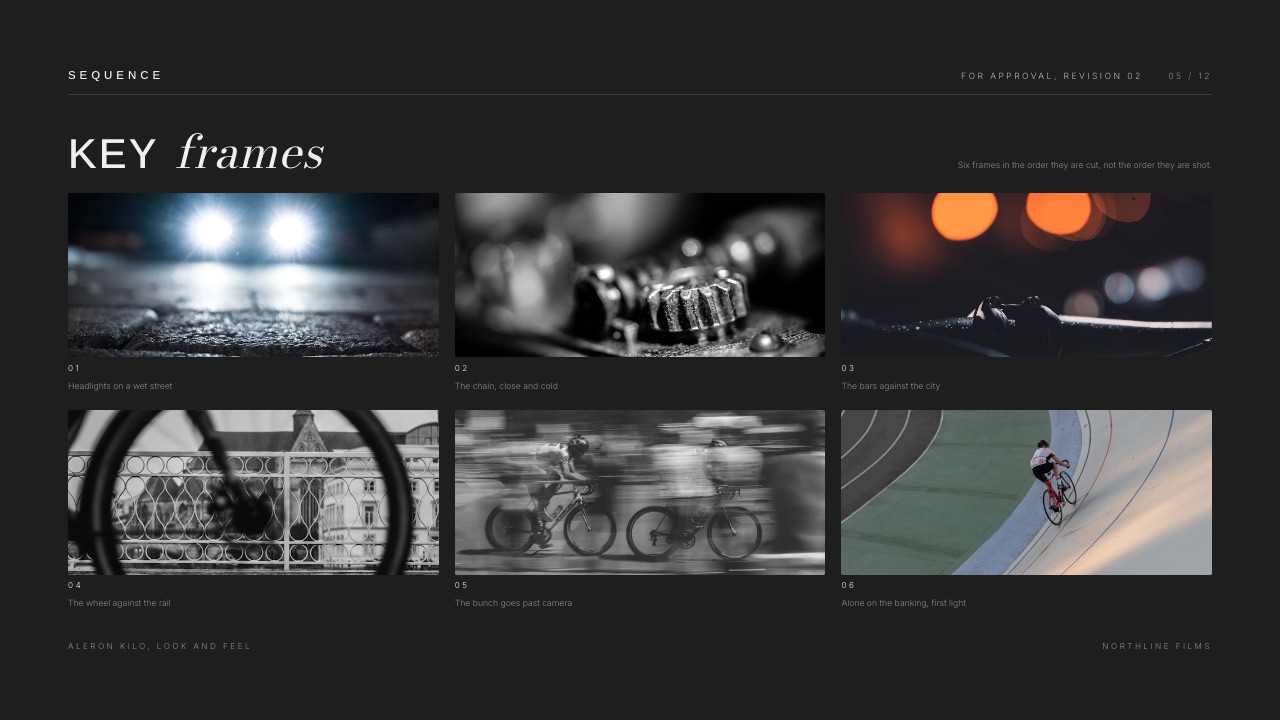
After the shoot, pull 15 to 40 stills or short clips, group them by scene or by product, and mark the ones you cannot use with a one-line reason: soft focus, wrong logo placement, the talent blinked.
Send that as a single page and ask for a yes on three things: the people, the takes and the product shots.
Why it worksa client looking at a finished edit reads all 90 seconds as one object and reacts to the feeling. A client looking at selects makes small, specific decisions, and specific decisions do not come back later as vague ones.
The thing that goes wrongyou send everything. 40 frames is a decision; 400 is a homework assignment, and a homework assignment comes back late or not at all. Cut hard before you send, and say explicitly that unmarked frames are your recommendation.
Concrete exampleon the coffee roaster film the client rejected two hero shots at the selects stage because the bag showed an old label. Caught there, it cost one line of email. Caught in a finished cut, it is a re-cut of the middle third, which is most of the 2.5 hours.
A deck is a good container for this because it forces order and lets you write one caption under each of the 40 frames.
Framekit Slides gives you unlimited decks on every plan including the free one, speaker notes on every slide and a share link, which is enough for a selects page; if the thinking stage is still loose, Storyflow, our sister product, is built for pulling references and beats onto a canvas before any of this gets designed, and its shot list guide covers the pre-shoot half.
Step 4. Get the Paper Edit Approved in Writing
The third checkpoint is a text document that describes the running order beat by beat with durations, and getting a yes on it is what converts structural notes from a revision into a conversation.
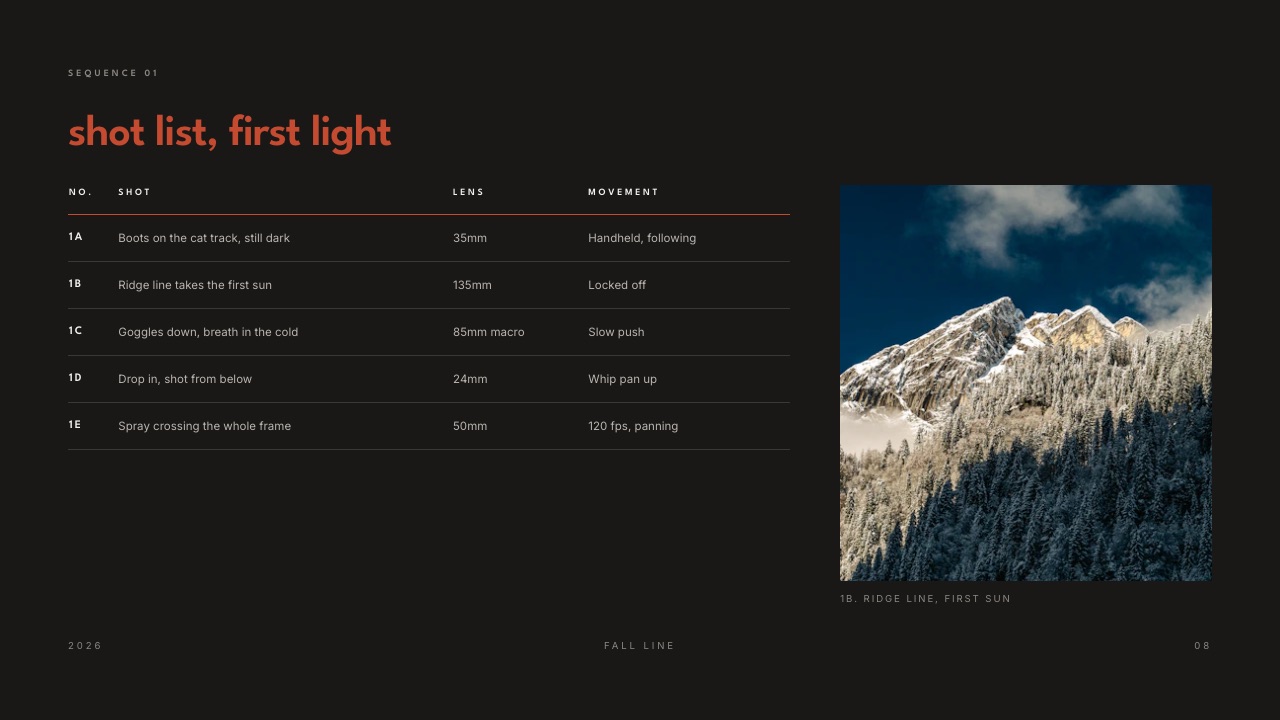
Write it as a numbered list with four columns: beat, what is on screen, what is said, how long. 12 lines for a 90 second film is normal, about 7 seconds a beat. Put the ending in it explicitly, because endings are where clients change their minds latest and most expensively.
Ask for this"This is the order. If you want any of the 12 beats moved, now is the cheap moment. Once I cut to this, reordering means re-timing the music and the graphics."
The thing that goes wrongyou write the paper edit and never send it, because it feels like showing your working. Send it. The point is not to prove you have a plan, it is to transfer the ordering decision to the person who will otherwise make it in round 2, at $375.
Concrete examplea client moved the price reveal from beat 9 to beat 4 at the paper edit stage. That is a two minute change to a text document. In a graded, mixed 90 second cut with a music sting on beat 9, it is most of a day.
Step 5. Cut to the Paper Edit, Then Review Your Own Cut Against It
Before the client sees anything, open the approved paper edit next to your timeline and check the cut against it line by line, because the fastest way to earn a second round is to send a cut that quietly departs from the plan the client signed.
Editors drift. You find a better take, the music suggests a different rhythm, a beat that read well as text plays flat. All three are legitimate, and all three need flagging and not hiding.
What to dolist every deliberate departure from the 12 approved beats in the message you send, with one line of reasoning each. "Beat 7 is four seconds shorter than planned because the line landed better tight." Two or three of those read as craft.
Silence reads as carelessness, and the client goes hunting through all 12.
The thing that goes wrongyou send a cut that is 40 percent different from the approved order and hope nobody notices. They notice, and worse, they stop trusting the paper edit as a contract, which means the next project loses the checkpoint entirely.
Concrete exampleon the coffee roaster film the voiceover ran two seconds long, which pushed the end card. Flagging it in the message turned a potential note into a nod.
Step 6. Send the Cut With a Deadline and Ask for One Sentence
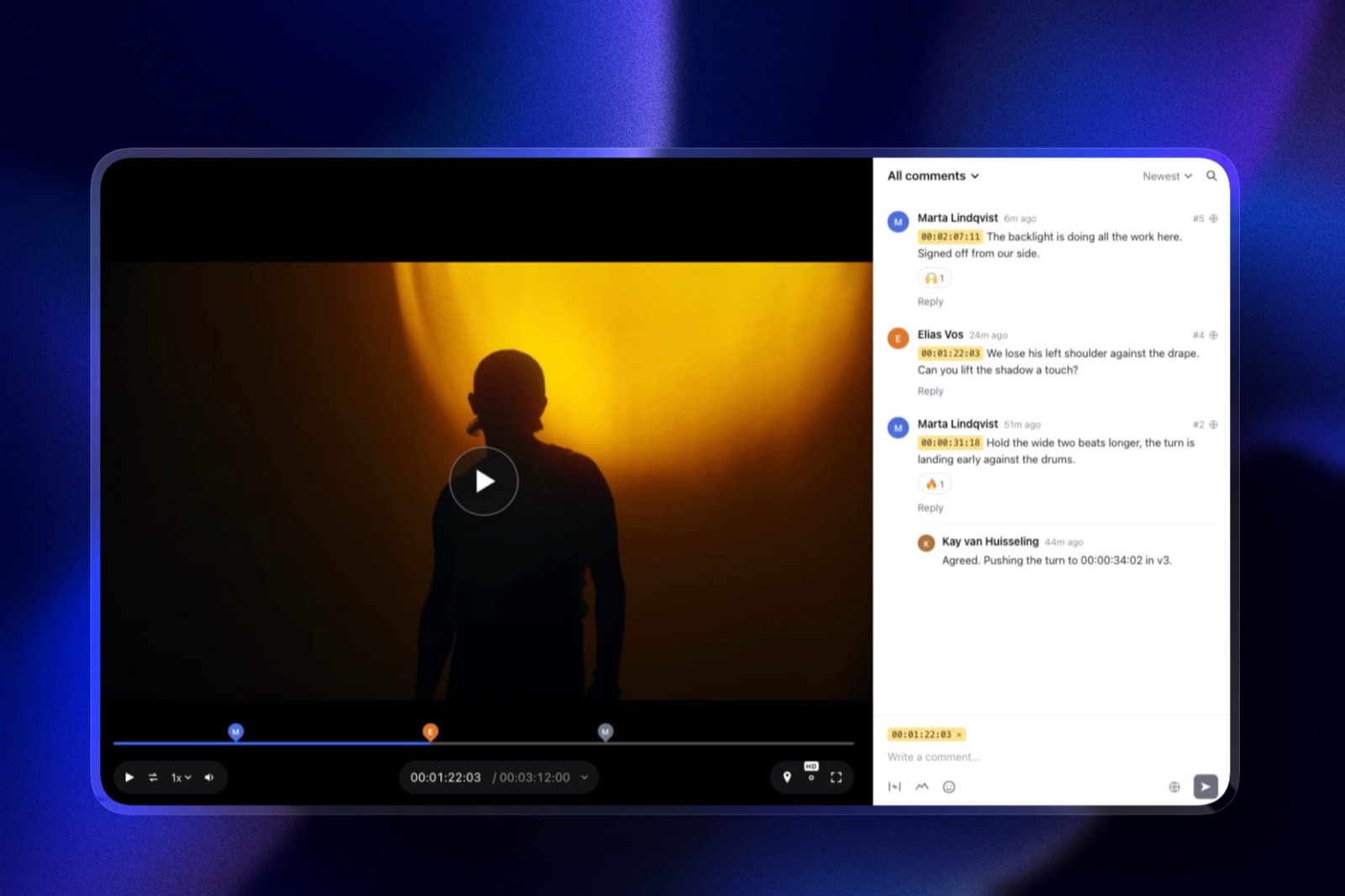
Send the cut on a link that pins comments to timecode, give a named date for notes, and ask the approver for one specific sentence and not for general feedback.
Here is the sentence to ask for, word for word: "I approve this cut for delivery, with the notes in the review thread being the only changes." 17 words. It does two jobs at once: it names the decision and it fences the notes.
Why the wording matters"looks great, send it over" is not an approval, it is a compliment. It cannot be pointed at when a different stakeholder reopens the edit seven days later. A sentence with the word approve in it can.
What to put in the messagefive things, the runtime, the deadline for notes, the single approver's name, what you are not asking for at this stage (colour and mix if it is an offline cut), and a sentence telling reviewers to put every note on the timeline and not in a reply.
The thing that goes wrongno deadline. A review link with no date attached sits for 11 days, and by the time notes arrive you have started another job and lost the context. Give a date and a time, and say what happens if it passes.
Step 7. Absorb the Late Stakeholder Without Restarting the Clock
A new name appearing at round two is the single most common way a one-round plan dies, and the fix is to treat their arrival as a scope event and not as a fresh review.
It will happen. A founder returns from leave, a new marketing director starts, an agency pulls in a strategist. The mistake is to accept their notes as if they were part of the original review, because that silently converts one round into three, or $750.
What to say"Happy to take [name]'s notes. Since they were not part of the brief sign-off, can you tell me which of their notes override the approved paper edit? I will treat those as a change request and quote the hours."
Why it worksit is not a refusal. It asks the named approver to rank the new voice against a document they already agreed to, which is a question they can answer in one line, and it makes the cost visible without an argument about money.
The thing that goes wrongyou absorb the notes for free once. That sets the precedent for every project afterwards, and on the carried example 5 absorbed hours a project across 10 projects a year is $3,750 of unbilled work, which is 78 percent of one whole project fee.
Framekit has no contracts, no invoicing and no scope-change billing, so the paperwork half of this belongs in a dedicated tool; our roundup of contract and proposal tools for creatives covers the ones that handle revision caps properly, and what to charge for video editing covers the hourly figure you should be quoting for the extra round.
Step 8. Record the Yes Where It Cannot Be Re-Litigated
Approval that lives in an email thread is approval that gets forgotten, so put the yes in the same place as the cut it refers to and make sure that place survives the project.
The requirement is simple: a permanent record tying three things together, a specific version, a specific person's approval and a specific date. A review tool with approval statuses does this automatically. An email inbox does it badly, and a chat message does it not at all.
What to checkthat the status is attached to the version and not to the project, so that version 3 being approved does not look like version 4 being approved.
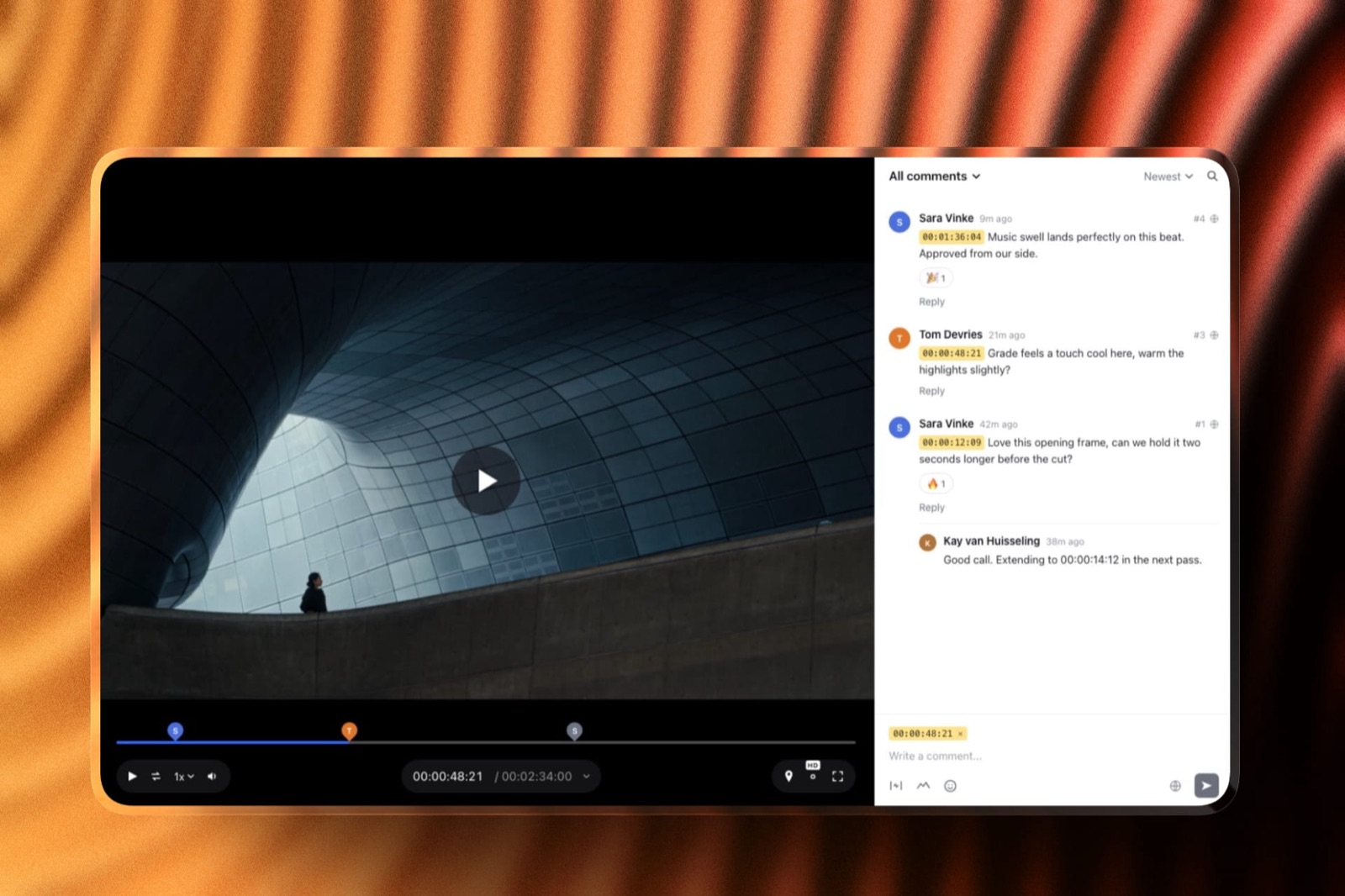
Framekit Video Review stacks versions in order and keeps the old notes with the old version, and carries four statuses: needs review, in progress, approved and needs changes.
The thing that goes wrongthe approval is recorded against the project while you keep uploading versions. Six weeks later nobody can say which of the four cuts was signed off, which is exactly the ambiguity a late stakeholder exploits.
Concrete examplethe coffee roaster film was approved at version 3. Two weeks later a social team asked for a 30 second cutdown and referred to "the approved version". Because the status sat on v3, that took one link to settle.
Where to Run the Review, and What Each Tool Will Not Do
In one lineThe review tool only affects the last step of this procedure, so buy the cheapest of the four that pins comments to timecode and records an approval status, and spend the saved money nowhere, because the three checkpoints cost $0 in software.
Four options a freelancer or small studio actually chooses between, priced from each vendor's own page in September 2026. The last of the five columns is the one that matters most.

| Tool | Entry price | Free tier | Approval status | What it does NOT do |
|---|---|---|---|---|
| Framekit Video Review | $0, then $9 / $19 / $39 a month | Yes, 500MB per video, 2-hour max | Four statuses per version | No Camera to Cloud, no editing-suite panels, no transcription, no frame compare |
| Frame.io | $15 per user per month | Yes, 2GB, 2 members, 2 projects | Yes | Free tier caps you at two projects; per-file limits are not published |
| Filestage | $199 a month billed annually | Yes, 1 active project, 5 files a month | Yes, plus staged routing | Free tier is unusable past one live job; no camera-to-cloud ingest |
| Ziflow | $199 a month billed annually | Yes, 2 users, 2GB, 1 stage | Yes | Free tier has no workflow templates; built for brand teams, not editors |
Which one we would usefor a freelancer running the eight steps above, Framekit Video Review, because guests comment without making an account, the free tier is a real tier and not a two project trial, and the approval status is attached to a version.
If your work involves an on-set ingest pipeline, a transcript-driven edit or a wipe comparison between grades, Frame.io is the correct answer and it is not close.
Already paying for Frame.io and only using the comment thread?
Our Frame.io alternatives roundup prices the switch, and the wider client approval software comparison covers the tools that also handle documents and stills.
What a Revision Round Actually Costs, Line by Line
In one lineA revision round is not one number, it is five separate costs stacked on top of each other, and four of the five are invisible on an invoice, which is exactly why freelancers keep absorbing them.
Here is the carried example broken out into its five lines, at the $75 an hour that a $600 day rate implies, so you can substitute your own rate in the right-hand column and watch the shape stay exactly the same.
| Line item | Hours | At $75 an hour | Why it stays invisible |
|---|---|---|---|
| Reading and decoding the notes | 0.5 | $37.50 | Feels like admin, not work |
| Turning prose into an edit list | 0.5 | $37.50 | Never quoted, always done |
| Re-cutting to the notes | 2.5 | $187.50 | The only part anyone counts |
| Re-timing music, graphics, captions | 1.0 | $75.00 | Hidden inside "the re-cut" |
| Re-export, re-upload, re-send | 0.5 | $37.50 | Feels free because it is unattended |
| Total | 5.0 | $375.00 |
Against a $4,800 project fee, one unbilled round is 7.8 percent of the job. Two of them is 15.6 percent, which is more than most freelancers' entire margin on a project of that size.
Run this on your own numberstake your last five finished projects, count the rounds past the first, multiply by 5 hours, and multiply that by your hourly rate. That figure is what your intake process costs you annually. On ten projects a year with two extra rounds each it is $7,500 at a $600 day rate.
The four hidden lines are also why "we will just do one more quick round" is never quick. The re-cut is 2.5 hours of a 5 hour event, and the other half is the part nobody quotes for.
Why Prose Notes Cost More Than the Re-Cut Itself
In one lineFeedback written as paragraphs forces the editor to guess at both the location and the intent of every note, and that guessing is where the second round is manufactured, not in the cutting itself.
A note that says "the middle feels slow and the product does not land" contains two problems and zero coordinates.
The editor has to decide where the middle starts, what slow means, and which of four product shots is the one that did not land. Guess wrong on any of those three and you produce a round 3.
The same note pinned at 00:41 with a drawing around the tin says the same thing in a form the editor can act on without guessing. That is the entire mechanical argument for timecoded review, and it is worth more than any other feature these tools sell.
Framekit is an AI website builder for photographers and filmmakers whose Video Review tool sits on the same account as the site the work eventually lives on, which is the only reason it belongs in a post about approval at all.
The relevant parts here are five and they are narrow: comments pinned to the exact frame, drawing on the frame, guests commenting without an account, versions stacked with their old notes intact, and a status per version.
The parts it does not have are just as relevant, and there are six of them: no Camera to Cloud, no Premiere or Resolve panel, no transcription, no frame-by-frame compare or wipe, no forensic watermarking and no single sign-on.
If any of those six is in your pipeline, the procedure in this post still works but the last step belongs somewhere else.
One more honest limit: Framekit deck share links carry no password and no per-viewer analytics, only one total view count.
If you need to know that the CMO opened the selects page twice and stopped on slide 4, use a deck tool built for that. The review links are password-protected; the deck links are not.
Decide in Four Questions
In one lineWork down these four questions in order and stop at the first one where the answer changes what you do, because the right amount of process is the least you can get away with on this particular job.
Question 1: is there more than one person with an opinion? If no, skip the approver step and run checkpoints 2 and 3 only. If yes, get the name before you quote.
Question 2: is the client paying more than $600, a day of your time? If no, the 45 minute brief sign-off alone is proportionate and the paper edit is overkill. If yes, run all three checkpoints.
Question 3: is the footage yours or theirs? If it is yours and you shot it, the selects review is the highest-value checkpoint because it is the only chance to align on what exists.
If they supplied the footage, skip selects and spend the time on the paper edit instead.
Question 4: will anyone outside the room see the cut before sign-off? If yes, you need a review tool with password-protected links and an expiry, and a named approver becomes non-negotiable. If no, an unlisted link is enough and you can stay on a free tier.
If you answered yes to questions 1, 2 and 4, you are running the full procedure and you want a review tool with per-version approval statuses.
That is the case the video review and approval tools roundup is written for.
Frequently Asked Questions
Can you really get a video approved in one round?
Yes, on most commercial jobs, but only when all three of the brief, the selects and the running order are agreed before the edit starts. One-round approval is a planning result, not an editing result.
The cut itself rarely causes a second round; disagreement about story, footage or order does, and all three of those can be settled on paper for 2 hours of work.
Jobs with more than one decision maker and no named approver are the reliable exception.
What is the exact sentence to ask a client for?
Ask for this: "I approve this cut for delivery, with the notes in the review thread being the only changes." It names the decision and fences the notes in 17 words.
A compliment such as "this looks great" is three words and not an approval, and it cannot be pointed at later when a new stakeholder reopens the edit.
Put the request at the end of your send message, on its own line, so it is easy to copy and reply with.
How many revision rounds should a video project include?
Two is the common contract figure for commercial work, and the second exists mainly for the colour and mix pass and not for structure.
What matters more than the number is where rounds are defined: a contract that says "2 rounds of revisions" without defining a round invites an unlimited one.
Define a round as one consolidated set of notes from the named approver, delivered inside a stated window, on a single version.
Does a video review tool actually reduce revision rounds?
A review tool removes one specific cost of the five, the editor guessing where a note applies, and it records who approved which version.
It does not remove disagreement about story or footage, because those disagreements come from the brief.
Buying Frame.io, Filestage or Framekit Video Review without running the three pre-cut checkpoints will make your rounds cleaner and not fewer.
Run the checkpoints first, then pick the cheapest of the four tools that pins comments to timecode.
What do you do when a new stakeholder appears at round two?
Treat it as a scope event and not a second review. Ask the named approver which of the new notes override the already-approved paper edit, then quote the hours for those.
This is not a refusal and it gets a short answer, because it asks the client to rank a new voice against a document they signed. Absorbing the 5 hours silently once sets the precedent for every future project with that client.
How big can a file be for client review?
The answer is set by the tool, and three of the four here publish no per-file cap at all.
Framekit Video Review publishes one: 500MB per video on the free plan, 1GB on Starter at $9 a month, 2GB on Pro at $19 and 3GB on Business at $39, with a two-hour maximum length. Frame.io does not state a per-file limit on its pricing page.
For review purposes a 1080p H.264 export at a modest bitrate is almost always the right file, not a master.
Is a free video review tier enough for a freelancer?
Yes on three of the four, but read what free means on each.
Frame.io's free plan allows up to 2 members and up to 2 projects, Filestage's allows 1 active project and 5 new files a month, and Ziflow's allows 2 users with a single workflow stage.
Framekit's free plan has no project cap and no reviewer cap but caps each video at 500MB. Pick based on whether your constraint is project count, file size or reviewer count.
Should the client be able to download the cut during review?
Not during an offline review, because a downloaded rough cut ends up in a deck or on a phone and is judged out of context. Turn downloads off until the approval is recorded, then turn them on for delivery.
Framekit Video Review lets you control client downloads and lock the share link with a password, and the same link can carry an expiry date so an old cut does not circulate after the project ends.
What is a paper edit and do clients actually read one?
A paper edit is the running order of a film written as text: each beat, what is on screen, what is said and how long it lasts.
Clients read them because they are short, a 90 second film is about 12 lines, and because it is the first document in the project that looks like the film.
The ones who do not read it reveal it by giving structural notes at the cut stage, which tells you to ask for a call next time instead.
Does colour and sound go in the same review round?
No, and putting them there is a common cause of a 5 hour round. Ask for approval on the offline cut first, say explicitly in the message that grade and mix are not being reviewed yet, then send a second link for the finished version.
Reviewing structure and colour together produces notes that mix the two, and an editor who re-cuts after a grade is redoing paid work.
How long should you give a client to send notes?
Name a date and a time, two to three working days for a short film, and say what happens if it passes. "If I have not heard by Thursday at noon I will assume the cut is approved and move to grade" is enforceable if it was in the proposal.
Without a stated window, a review link sits unopened for 11 days and you lose the context you had while cutting.
Final Verdict
Run the three checkpoints. They cost 2 hours against the 5 they buy back, they remove the disagreements that cause second rounds, and they work with any review tool including none.
Then send the cut to one named approver, on a link that pins comments to timecode, with a deadline and the 17 word approval sentence.
For the review step itself, Framekit Video Review is the recommendation for freelancers and small studios: guests comment without an account, the free plan is a working plan and not a two project trial, approval statuses attach to versions, and paid plans start at $9 a month.
Where Framekit losesif your edit depends on Camera to Cloud ingest, a Premiere or Resolve panel, transcription, or a frame-by-frame wipe between grades, Framekit does none of those four and Frame.io does all four.
If you need multi-stage routing where legal signs off after brand, that is Filestage or Ziflow at $199 a month, not us.
If you need contracts, revision-cap clauses or invoicing for the extra round, Framekit touches none of it and you need a dedicated contract tool.
And if you want to see exactly who opened your selects deck and for how long, our deck links show exactly one number, a total view count.
Framekit is not for editors whose pipeline lives inside an editing suite panel. It is for the freelancer who wants the approval trail, the versions and the client-facing website on one bill.
Related readingthe full video review and approval tool comparison, video review tools for creative agencies, tools for sending video to clients, and versioning and revision tools.
When approval still slips, how to stop endless client revisions deals with the rounds you already have, and how to set up a video review workflow names the state most setups are missing.